Arduino workshop
CentraleSupélec
Ingénierie des Systèmes Informatiques Ouverts
Feb. 4th, 2020
About me
Nicolas Lesconnec
Head of Technology Adoption @Sigfox
Email : nicolas.lesconnec@sigfox.com
Let’s talk!
Join our Slack community :
https://builders.iotagency.sigfox.com
Send me a PM : nicolas.lesconnec
Join the #centrale-supelec private channel
Platforms we will use
• Sigfox Cloud : https://backend.sigfox.com
• Online Arduino IDE : https://create.arduino.cc
Useful Resources
• Slack Community : https://sigfoxbuilders.herokuapp.com/
• Sigfox Build (documentation): http://build.sigfox.com
• Arduino MKRFOX: https://www.arduino.cc/en/Main.ArduinoBoardMKRFox1200
Getting started with
the Arduino MKRFOX
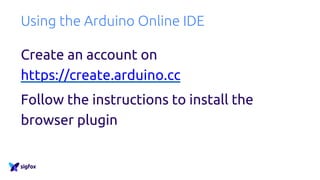
Using the Arduino Online IDE
Create an account on
https://create.arduino.cc
Follow the instructions to install the
browser plugin
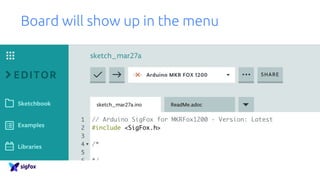
Board will show up in the menu
Retrieve your board information
Copy the code from
http://github.com/sigfox/mkrfox-init
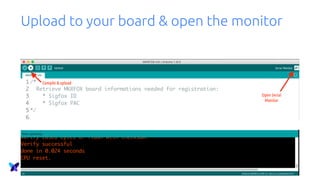
Upload to your board & open the monitor
Online onboarding
https://buy.sigfox.com/activate
Country: France
Enter your device credentials
Enter your personal information
Find your way in the Sigfox Backend
The Sigfox Cloud is organized around 3 concepts :
• Group : Contract & User rights
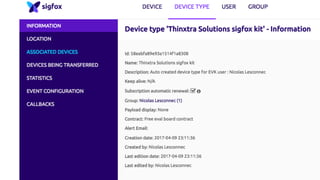
• Device Type : Family of devices sharing the same
properties
• Device : A unique device
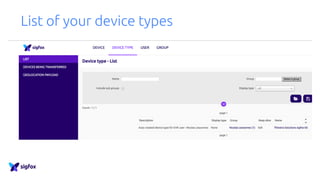
List of your device types
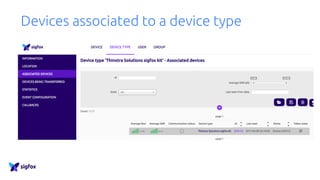
Devices associated to a device type
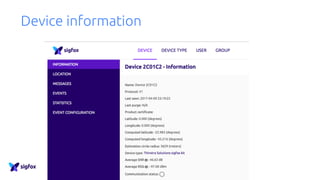
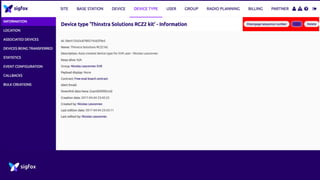
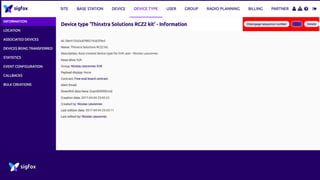
Device information
Hello World
Hello World
Copy/paste from Github :
• https://github.com/nicolsc/mkrfox-hello-world
Upload to your board using the Arduino Editor or IDE
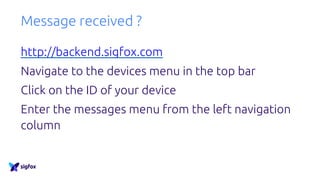
Message received ?
http://backend.sigfox.com
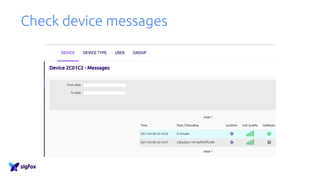
Navigate to the devices menu in the top bar
Click on the ID of your device
Enter the messages menu from the left navigation
column
Check device messages
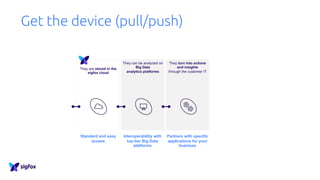
Get the device (pull/push)
They turn into actions
and insights
through the customer IT
They can be analyzed on
Big Data
analytics platforms
Partners with specific
applications for your
business
Interoperability with
top-tier Big Data
platforms
Standard and easy
access
They are stored in the
sigfox cloud
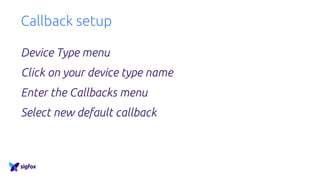
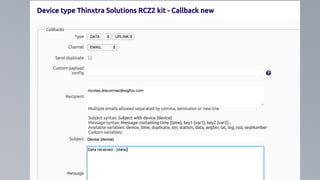
Callback setup
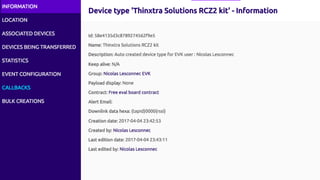
Device Type menu
Click on your device type name
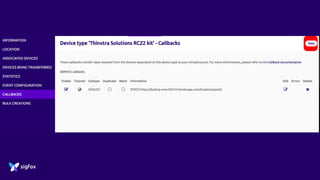
Enter the Callbacks menu
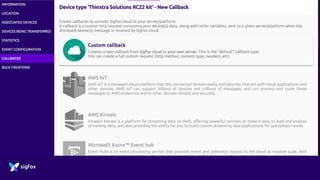
Select new default callback
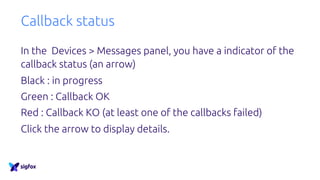
Callback status
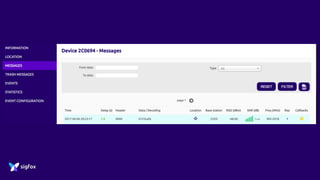
In the Devices > Messages panel, you have a indicator of the
callback status (an arrow)
Black : in progress
Green : Callback OK
Red : Callback KO (at least one of the callbacks failed)
Click the arrow to display details.
Get real world data
https://github.com/nicolsc/mkrfox-send-
internal-temperature
Data visualisation
Demo platform
Register on : https://try.iotagency.sigfox.com
Create a new callback following the API documentation
Play around !
Geolocation
Geoloc callback
Simply create a SERVICE > DATA_ADVANCED
callback, and receive latitude + longitude +
accuracy
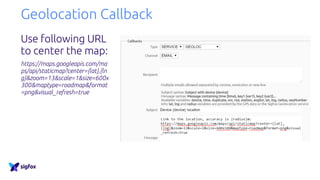
Geolocation Callback
Use following URL
to center the map:
https://maps.googleapis.com/ma
ps/api/staticmap?center={lat},{ln
g}&zoom=13&scale=1&size=600x
300&maptype=roadmap&format
=png&visual_refresh=true
Downlink Callback
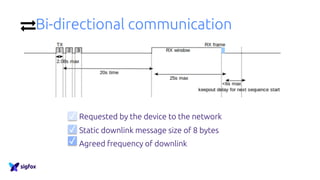
Bi-directional communication
Requested by the device to the network
Static downlink message size of 8 bytes
Agreed frequency of downlink
✓
✓
✓
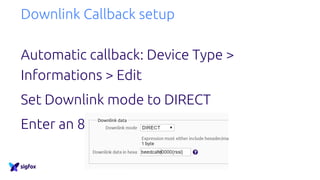
Downlink Callback setup
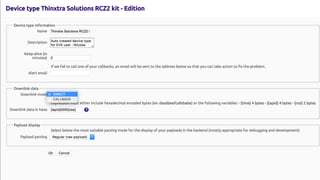
Automatic callback: Device Type >
Informations > Edit
Set Downlink mode to DIRECT
Enter an 8 bytes value
Sample code
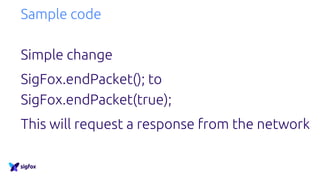
Simple change
SigFox.endPacket(); to
SigFox.endPacket(true);
This will request a response from the network
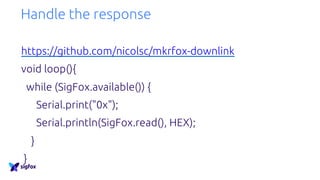
Handle the response
https://github.com/nicolsc/mkrfox-downlink
void loop(){
while (SigFox.available()) {
Serial.print("0x");
Serial.println(SigFox.read(), HEX);
}
}
Frame parsing
Sigfox payload display feature
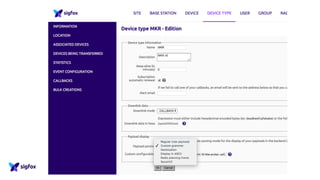
Using a « simple » grammar, you can ask
Sigfox to parse your incoming data
This is done at the device type level
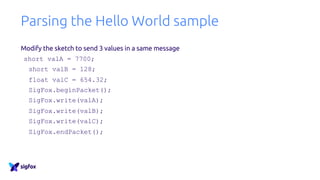
Parsing the Hello World sample
Modify the sketch to send 3 values in a same message
short valA = 7700;
short valB = 128;
float valC = 654.32;
SigFox.beginPacket();
SigFox.write(valA);
SigFox.write(valB);
SigFox.write(valC);
SigFox.endPacket();
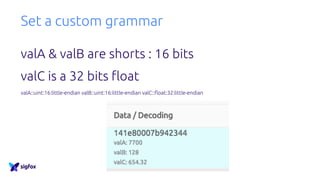
Set a custom grammar
valA & valB are shorts : 16 bits
valC is a 32 bits float
valA::uint:16:little-endian valB::uint:16:little-endian valC::float:32:little-endian
Thank you !
nicolas.lesconnec@sigfox.com

Sigfox Workshop with an Arduino MKRFOX