The admin’s guide to backups
Wellington Salesforce user group
Presented by Mark Barcham, Merkle Aotearoa
2
Let me introduce myself
Senior Consultant (Managed Services)
Merkle Aotearoa
25+ years SysOps experience
7 years in Salesforce ecosystem
2 years consulting experience
Contact me:
mark.barcham@merkle.com
+64 27 215 7704
https://www.linkedin.com/in/mark-barcham-bb66414a/
Scenario
The “Oh %#&*” Moment
4
Questions
Have you ever experienced a data loss or corruption?
Do you have a backup and restore solution in place?
If so, have you tested the restore process in the last 12
months?
5
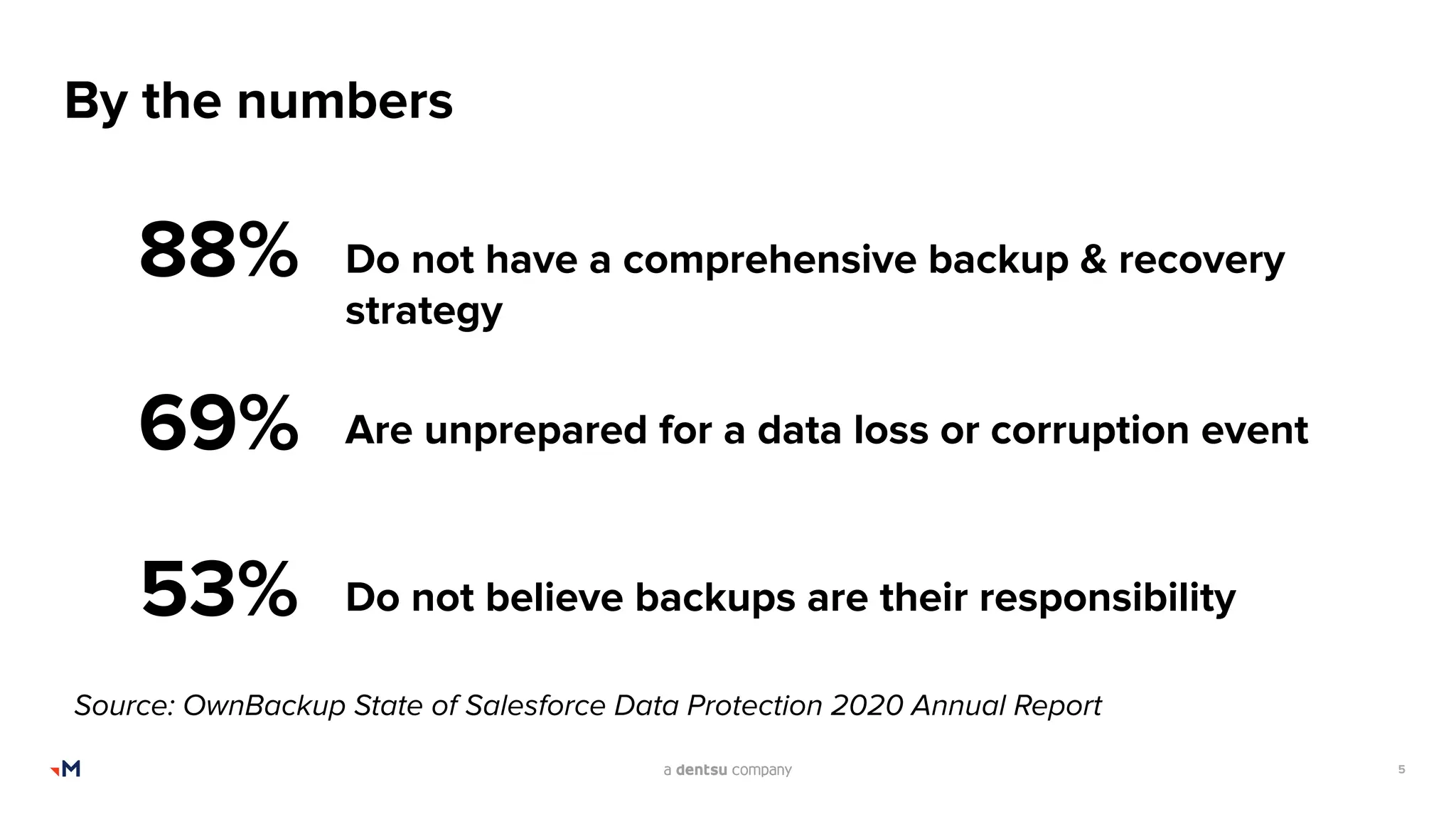
By the numbers
88%
53%
69%
Do not have a comprehensive backup & recovery
strategy
Are unprepared for a data loss or corruption event
Do not believe backups are their responsibility
Source: OwnBackup State of Salesforce Data Protection 2020 Annual Report
6
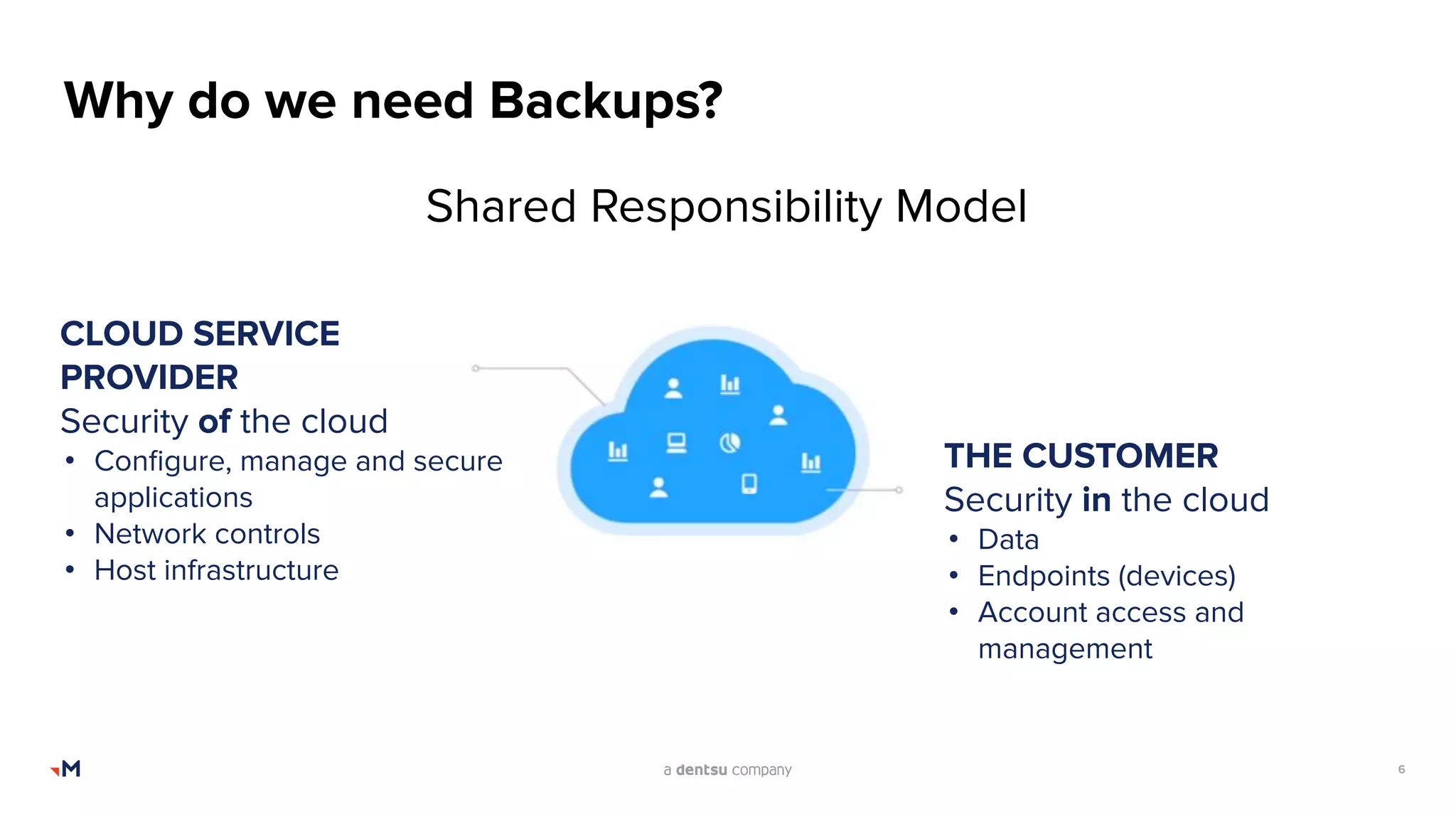
Why do we need Backups?
Shared Responsibility Model
CLOUD SERVICE
PROVIDER
Security of the cloud
• Configure, manage and secure
applications
• Network controls
• Host infrastructure
THE CUSTOMER
Security in the cloud
• Data
• Endpoints (devices)
• Account access and
management
7
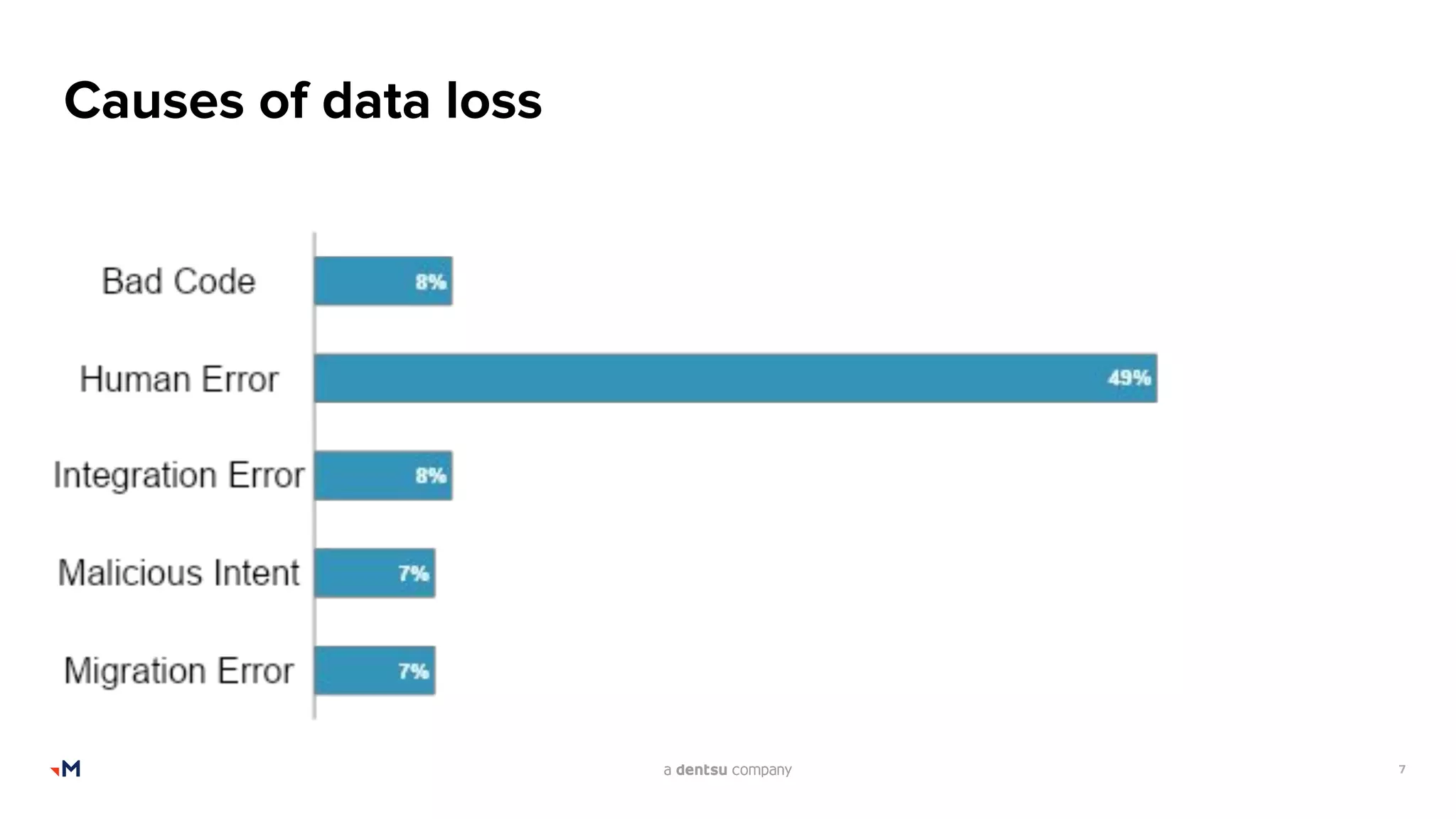
Causes of data loss
8
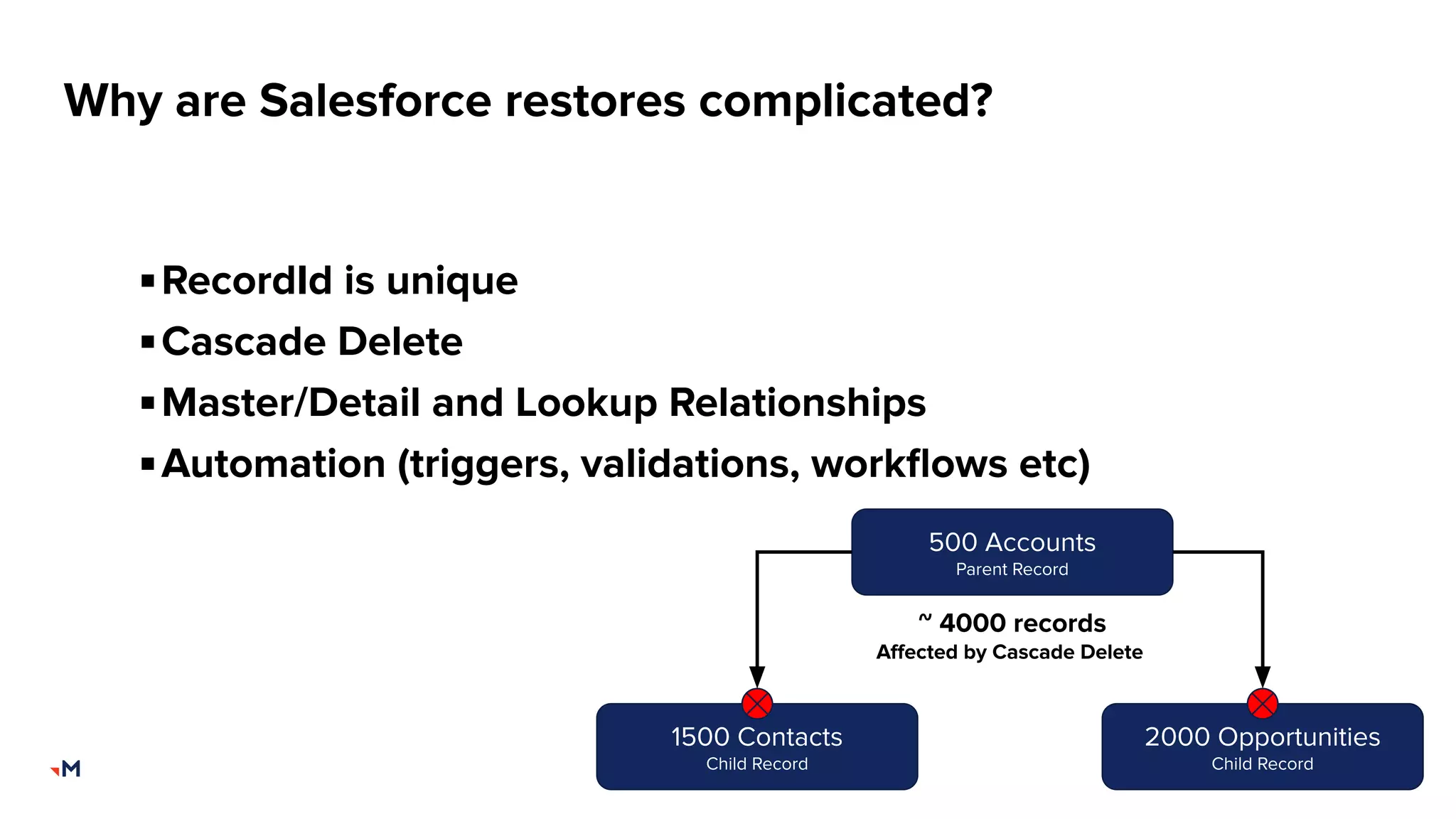
Why are Salesforce restores complicated?
▪RecordId is unique
▪Cascade Delete
▪Master/Detail and Lookup Relationships
▪Automation (triggers, validations, workflows etc)
500 Accounts
Parent Record
1500 Contacts
Child Record
2000 Opportunities
Child Record
~ 4000 records
Affected by Cascade Delete
9
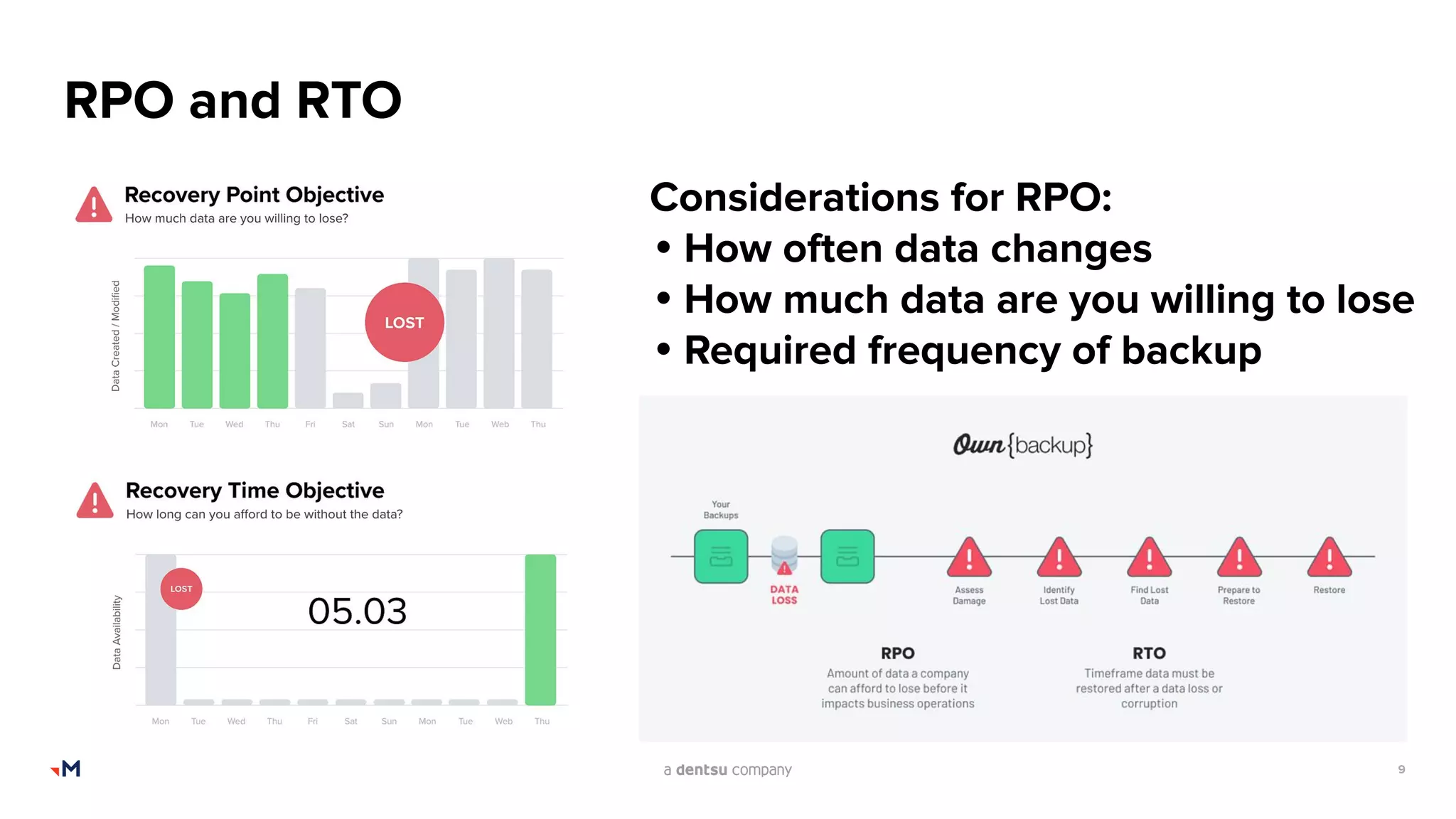
RPO and RTO
Considerations for RPO:
• How often data changes
• How much data are you willing to lose
• Required frequency of backup
10
Backup types
Data refers to all of your records, including accounts, contacts, leads,
opportunities, cases, custom object records, files, content, knowledge
and chatter.
Metadata refers to all of your configuration settings, such as custom
fields, page layouts, reports and dashboards, email templates, and
custom code like apex, visualforce, LWCs and aura components.
11
Minimise your loss
What do you need to backup?
▪ Some objects have high churn and don’t add value for backing up (e.g
history tables, logging records, etc)
▪ Backing up these types of objects can add to backup time for little value
▪ Don’t forget crucial sandboxes
Frequency is important
▪ Weekly / Daily / Hourly?
▪ Consider critical objects, e.g. Cases, Custom Financial Records, Leads,
Accounts etc
▪ Dependent on your RPO - these can be different across objects
▪ Schedule at an appropriate time
12
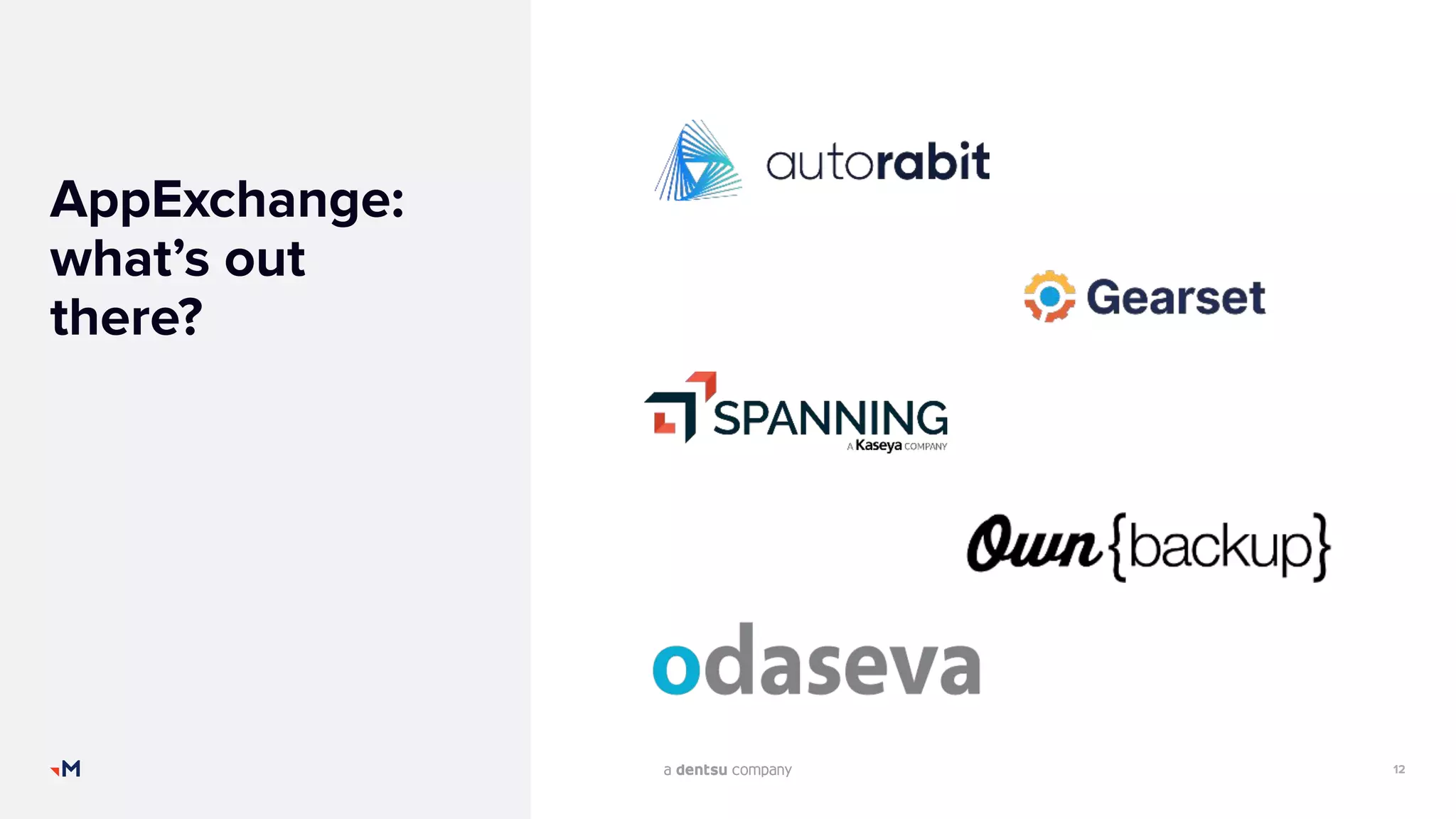
AppExchange:
what’s out
there?
13
Considerations
▪ Premium vs Cost – like insurance, the cost of a backup solution
is considered a premium to offset these costs:
▪ Labour costs, revenue and productivity losses, non-compliance.
▪ Irretrievable data loss: reputational damage
▪ Recoverable data loss: wasted labour, unachievable work (downtime),
task reassignment
▪Data residency: Offsite and Independent
▪Data encryption
▪Ease of use
▪Support plan
▪Availability (24*7)
14
Considerations
▪Product features
▪Pricing model
▪Managed packages
▪Knowledge
▪Integrations
▪Ability to disable automations
▪Permissions and licencing
15
Restore testing scenarios
1. Changed Field Value
2. Removed Field Value
3. Child Record Deletion
4. Parent Record Deletion
5. Field Deletion
6. Picklist Value Change
16
Let’s Discuss
THANK
YOU
mark.barcham@merkle.com
+64 27 215 7704

SFWelly - Backups Presentation

  • 1.
    The admin’s guideto backups Wellington Salesforce user group Presented by Mark Barcham, Merkle Aotearoa
  • 2.
    2 Let me introducemyself Senior Consultant (Managed Services) Merkle Aotearoa 25+ years SysOps experience 7 years in Salesforce ecosystem 2 years consulting experience Contact me: mark.barcham@merkle.com +64 27 215 7704 https://www.linkedin.com/in/mark-barcham-bb66414a/
  • 3.
  • 4.
    4 Questions Have you everexperienced a data loss or corruption? Do you have a backup and restore solution in place? If so, have you tested the restore process in the last 12 months?
  • 5.
    5 By the numbers 88% 53% 69% Donot have a comprehensive backup & recovery strategy Are unprepared for a data loss or corruption event Do not believe backups are their responsibility Source: OwnBackup State of Salesforce Data Protection 2020 Annual Report
  • 6.
    6 Why do weneed Backups? Shared Responsibility Model CLOUD SERVICE PROVIDER Security of the cloud • Configure, manage and secure applications • Network controls • Host infrastructure THE CUSTOMER Security in the cloud • Data • Endpoints (devices) • Account access and management
  • 7.
  • 8.
    8 Why are Salesforcerestores complicated? ▪RecordId is unique ▪Cascade Delete ▪Master/Detail and Lookup Relationships ▪Automation (triggers, validations, workflows etc) 500 Accounts Parent Record 1500 Contacts Child Record 2000 Opportunities Child Record ~ 4000 records Affected by Cascade Delete
  • 9.
    9 RPO and RTO Considerationsfor RPO: • How often data changes • How much data are you willing to lose • Required frequency of backup
  • 10.
    10 Backup types Data refersto all of your records, including accounts, contacts, leads, opportunities, cases, custom object records, files, content, knowledge and chatter. Metadata refers to all of your configuration settings, such as custom fields, page layouts, reports and dashboards, email templates, and custom code like apex, visualforce, LWCs and aura components.
  • 11.
    11 Minimise your loss Whatdo you need to backup? ▪ Some objects have high churn and don’t add value for backing up (e.g history tables, logging records, etc) ▪ Backing up these types of objects can add to backup time for little value ▪ Don’t forget crucial sandboxes Frequency is important ▪ Weekly / Daily / Hourly? ▪ Consider critical objects, e.g. Cases, Custom Financial Records, Leads, Accounts etc ▪ Dependent on your RPO - these can be different across objects ▪ Schedule at an appropriate time
  • 12.
  • 13.
    13 Considerations ▪ Premium vsCost – like insurance, the cost of a backup solution is considered a premium to offset these costs: ▪ Labour costs, revenue and productivity losses, non-compliance. ▪ Irretrievable data loss: reputational damage ▪ Recoverable data loss: wasted labour, unachievable work (downtime), task reassignment ▪Data residency: Offsite and Independent ▪Data encryption ▪Ease of use ▪Support plan ▪Availability (24*7)
  • 14.
    14 Considerations ▪Product features ▪Pricing model ▪Managedpackages ▪Knowledge ▪Integrations ▪Ability to disable automations ▪Permissions and licencing
  • 15.
    15 Restore testing scenarios 1.Changed Field Value 2. Removed Field Value 3. Child Record Deletion 4. Parent Record Deletion 5. Field Deletion 6. Picklist Value Change
  • 16.
  • 17.