See-through software 
Using logs, metrics and visualization to see your app at 
runtime and share your vision with others
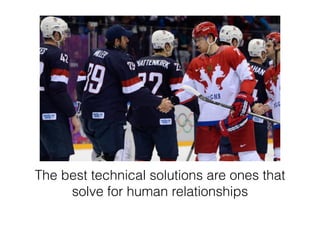
The best technical solutions are ones that 
solve for human relationships
Opaque software suffers 
from a lack of focus on the 
operations user experience
Software is opaque by default
Software is opaque by default 
What's it doing?
Software is opaque by default 
Is it going well?
Software is opaque by default 
When's it going to be done?
Software is opaque by default 
Does it need me to do anything?
When you write 
opaque software
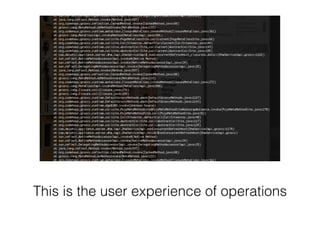
This is the user experience of operations
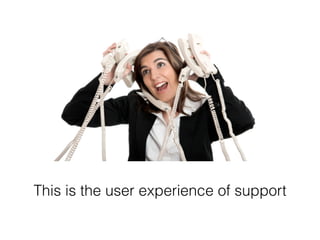
This is the user experience of support
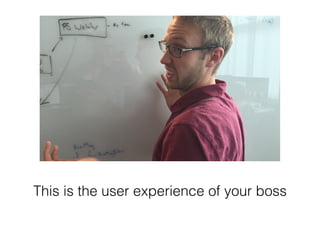
This is the user experience of your boss
Opaque software leads to 
• Misaligned priorities 
• Loss of productivity 
• A generally "unprofessional" experience for 
customers 
• The "us vs them" attitude that is the antithesis of 
DevOps culture
If you don’t provide facts, you encourage 
mythology
See-through software 
acknowledges the operations user 
experience of the entire 
organization
“A good user experience should make a user 
feel smart, powerful and safe.” 
–Jason Nemec
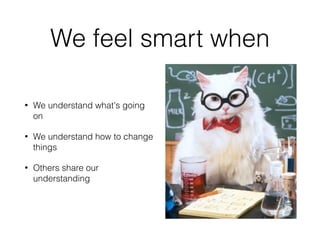
We feel smart when 
• We understand what's going 
on 
• We understand how to change 
things 
• Others share our 
understanding
We feel powerful when 
• We are able to change things 
• We see the results of our 
changes 
• We can find an answer to our 
questions
We feel safe when 
• We know there isn't a problem 
• We know if there is a problem, 
we'll be able to understand it 
• We can trust others to react on 
our behalf
These principles help to 
develop a roadmap to 
improving transparency
Transparent software gets 
your attention 
• Dashboarding 
• Alerting
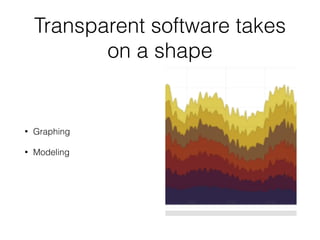
Transparent software takes 
on a shape 
• Graphing 
• Modeling
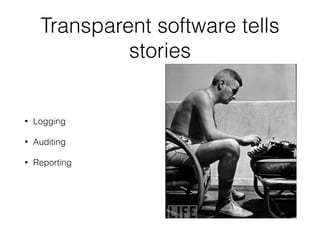
Transparent software tells 
stories 
• Logging 
• Auditing 
• Reporting
Transparent software responds 
interactively to questions 
• Ad Hoc Queries 
• Post Hoc Analytics
Transparent software is 
democratic 
• Wikis 
• Shared visibility 
• Persistent chat rooms
Software does not become transparent 
as the result of any single project 
• Software evolves; its UX needs to evolve with it 
• Insight is rarely easy to produce, and easy to 
produce information is rarely insightful 
• Insight is frequently driven from the bottom up or 
from the outside in
Democratization means 
everybody benefits 
And everybody has a role to play
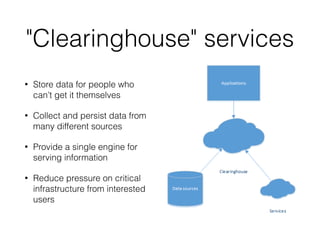
"Clearinghouse" services 
• Store data for people who 
can’t get it themselves 
• Collect and persist data from 
many different sources 
• Provide a single engine for 
serving information 
• Reduce pressure on critical 
infrastructure from interested 
users
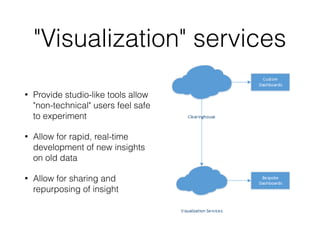
"Visualization" services 
• Provide studio-like tools allow 
"non-technical" users feel safe 
to experiment 
• Allow for rapid, real-time 
development of new insights 
on old data 
• Allow for sharing and 
repurposing of insight
The see-through 
system at runtime 
Logging
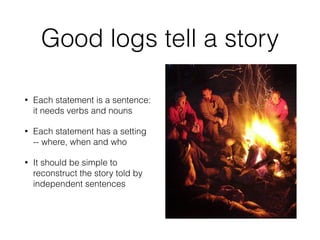
Good logs tell a story 
• Each statement is a sentence: 
it needs verbs and nouns 
• Each statement has a setting 
-- where, when and who 
• It should be simple to 
reconstruct the story told by 
independent sentences
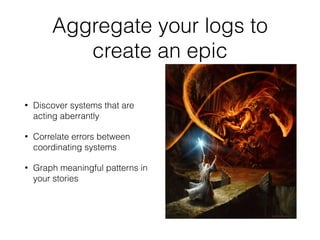
Aggregate your logs to 
create an epic 
• Discover systems that are 
acting aberrantly 
• Correlate errors between 
coordinating systems 
• Graph meaningful patterns in 
your stories
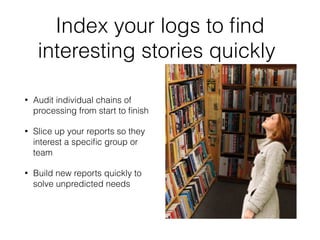
Index your logs to find 
interesting stories quickly 
• Audit individual chains of 
processing from start to finish 
• Slice up your reports so they 
interest a specific group or 
team 
• Build new reports quickly to 
solve unpredicted needs
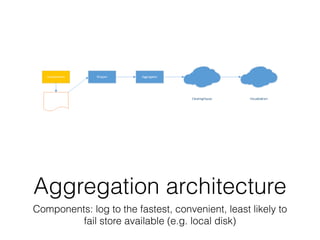
Aggregation architecture 
Components: log to the fastest, convenient, least likely to 
fail store available (e.g. local disk)
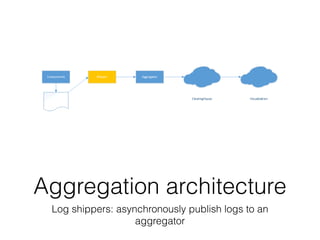
Aggregation architecture 
Log shippers: asynchronously publish logs to an 
aggregator
Aggregation architecture 
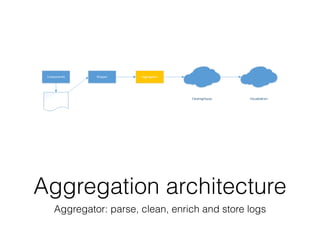
Aggregator: parse, clean, enrich and store logs
Aggregation architecture 
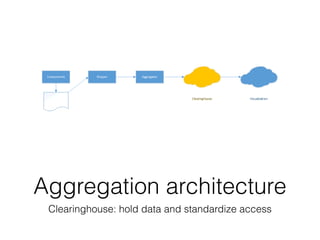
Clearinghouse: hold data and standardize access
Aggregation architecture 
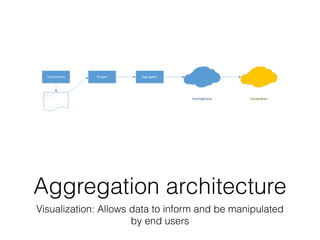
Visualization: Allows data to inform and be manipulated 
by end users
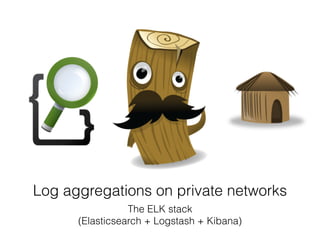
Log aggregations on private networks 
The ELK stack 
(Elasticsearch + Logstash + Kibana)
Log aggregation in the Cloud
Developing apps with 
log aggregation in mind
• Use Correlation IDs throughout your system 
• Don't log secrets 
• Build log strategies with shipping and rolling in 
mind 
• Have a way to capture crashes 
• Log using techniques that preserve context, such 
as JSON
The see-through 
system at runtime 
Dashboarding
Focus on UX
Make users feel smart 
• Dashboards should inform without a lot of 
explanation or prior knowledge 
• Dashboards should direct the user to the next step
Make users feel powerful 
• Dashboards should update frequently (aim for 
<10s) 
• Dashboards should help users perform their job 
• Dashboards should respond to the user's needs
Make users feel safe 
• Dashboards should not overwhelm 
• Dashboards accuracy should be known 
• Thresholds should be meaningful 
• Using a dashboard should not endanger the 
running software
How to build a 
dashboard item
Are you concerned with a 
technical or a business issue? 
• Technical: Machine 123 is slow, West Coast users 
are slow, we’re moving 80 GB/s 
• Business: Client ABC is slow, logins are slow, we’re 
moving 1000k orders/s
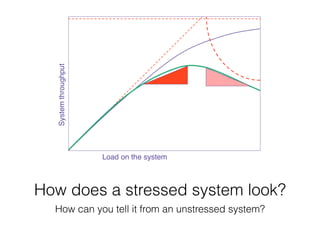
How does a stressed system look? 
How can you tell it from an unstressed system?
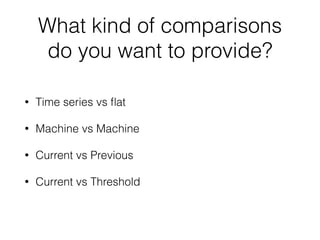
What kind of comparisons 
do you want to provide? 
• Time series vs flat 
• Machine vs Machine 
• Current vs Previous 
• Current vs Threshold
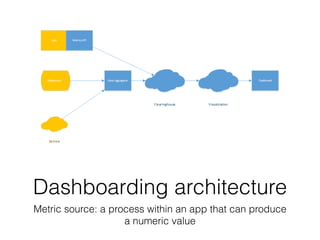
Dashboarding architecture 
Metric source: a process within an app that can produce 
a numeric value
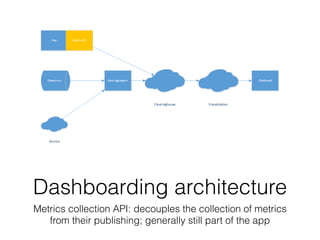
Dashboarding architecture 
Metrics collection API: decouples the collection of metrics 
from their publishing; generally still part of the app
Dashboarding architecture 
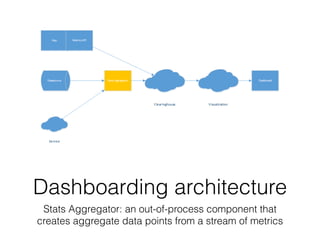
Stats Aggregator: an out-of-process component that 
creates aggregate data points from a stream of metrics
Dashboarding architecture 
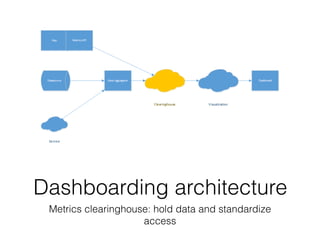
Metrics clearinghouse: hold data and standardize 
access
Dashboarding architecture 
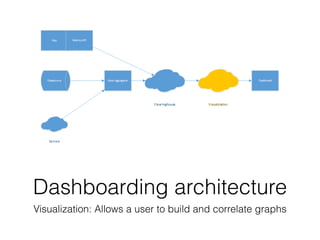
Visualization: Allows a user to build and correlate graphs
Dashboarding architecture 
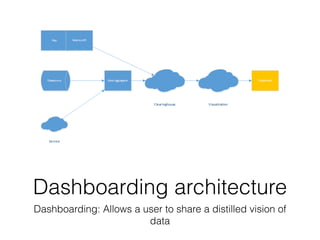
Dashboarding: Allows a user to share a distilled vision of 
data
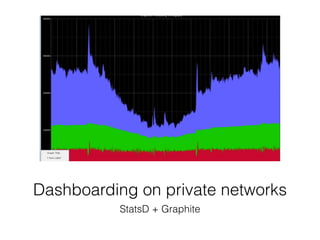
Dashboarding on private networks 
StatsD + Graphite
Dashboarding in the cloud
Developing apps with 
dash boarding in mind
• Collect and report everything that’s “free” 
• Collect and report deep, valuable application 
metrics at runtime 
• Understand aggregation and know when to apply it 
• Be aware of multiplicative effects of metrics 
collection on bandwidth, storage and billing
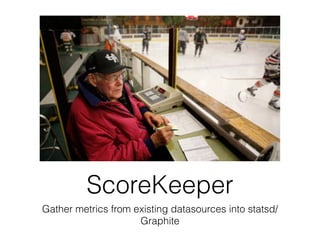
ScoreKeeper 
Gather metrics from existing datasources into statsd/ 
Graphite
See-through software 
• Lets the people whose jobs 
depend on software 
understand what and how it's 
doing. 
• Empowers people to ask their 
own questions and share their 
insights
Help teams become more 
successful 
• By understanding when 
there's a problem 
• By focusing energy where it's 
needed most 
• By talking to customers in a 
competent and informed way
@DataMiller

See through software

  • 1.
    See-through software Usinglogs, metrics and visualization to see your app at runtime and share your vision with others
  • 2.
    The best technicalsolutions are ones that solve for human relationships
  • 3.
    Opaque software suffers from a lack of focus on the operations user experience
  • 4.
  • 5.
    Software is opaqueby default What's it doing?
  • 6.
    Software is opaqueby default Is it going well?
  • 7.
    Software is opaqueby default When's it going to be done?
  • 8.
    Software is opaqueby default Does it need me to do anything?
  • 9.
    When you write opaque software
  • 10.
    This is theuser experience of operations
  • 11.
    This is theuser experience of support
  • 12.
    This is theuser experience of your boss
  • 13.
    Opaque software leadsto • Misaligned priorities • Loss of productivity • A generally "unprofessional" experience for customers • The "us vs them" attitude that is the antithesis of DevOps culture
  • 14.
    If you don’tprovide facts, you encourage mythology
  • 15.
    See-through software acknowledgesthe operations user experience of the entire organization
  • 16.
    “A good userexperience should make a user feel smart, powerful and safe.” –Jason Nemec
  • 17.
    We feel smartwhen • We understand what's going on • We understand how to change things • Others share our understanding
  • 18.
    We feel powerfulwhen • We are able to change things • We see the results of our changes • We can find an answer to our questions
  • 19.
    We feel safewhen • We know there isn't a problem • We know if there is a problem, we'll be able to understand it • We can trust others to react on our behalf
  • 20.
    These principles helpto develop a roadmap to improving transparency
  • 21.
    Transparent software gets your attention • Dashboarding • Alerting
  • 22.
    Transparent software takes on a shape • Graphing • Modeling
  • 23.
    Transparent software tells stories • Logging • Auditing • Reporting
  • 24.
    Transparent software responds interactively to questions • Ad Hoc Queries • Post Hoc Analytics
  • 25.
    Transparent software is democratic • Wikis • Shared visibility • Persistent chat rooms
  • 26.
    Software does notbecome transparent as the result of any single project • Software evolves; its UX needs to evolve with it • Insight is rarely easy to produce, and easy to produce information is rarely insightful • Insight is frequently driven from the bottom up or from the outside in
  • 27.
    Democratization means everybodybenefits And everybody has a role to play
  • 28.
    "Clearinghouse" services •Store data for people who can’t get it themselves • Collect and persist data from many different sources • Provide a single engine for serving information • Reduce pressure on critical infrastructure from interested users
  • 29.
    "Visualization" services •Provide studio-like tools allow "non-technical" users feel safe to experiment • Allow for rapid, real-time development of new insights on old data • Allow for sharing and repurposing of insight
  • 30.
    The see-through systemat runtime Logging
  • 31.
    Good logs tella story • Each statement is a sentence: it needs verbs and nouns • Each statement has a setting -- where, when and who • It should be simple to reconstruct the story told by independent sentences
  • 32.
    Aggregate your logsto create an epic • Discover systems that are acting aberrantly • Correlate errors between coordinating systems • Graph meaningful patterns in your stories
  • 33.
    Index your logsto find interesting stories quickly • Audit individual chains of processing from start to finish • Slice up your reports so they interest a specific group or team • Build new reports quickly to solve unpredicted needs
  • 34.
    Aggregation architecture Components:log to the fastest, convenient, least likely to fail store available (e.g. local disk)
  • 35.
    Aggregation architecture Logshippers: asynchronously publish logs to an aggregator
  • 36.
    Aggregation architecture Aggregator:parse, clean, enrich and store logs
  • 37.
    Aggregation architecture Clearinghouse:hold data and standardize access
  • 38.
    Aggregation architecture Visualization:Allows data to inform and be manipulated by end users
  • 39.
    Log aggregations onprivate networks The ELK stack (Elasticsearch + Logstash + Kibana)
  • 40.
  • 41.
    Developing apps with log aggregation in mind
  • 42.
    • Use CorrelationIDs throughout your system • Don't log secrets • Build log strategies with shipping and rolling in mind • Have a way to capture crashes • Log using techniques that preserve context, such as JSON
  • 43.
    The see-through systemat runtime Dashboarding
  • 44.
  • 45.
    Make users feelsmart • Dashboards should inform without a lot of explanation or prior knowledge • Dashboards should direct the user to the next step
  • 46.
    Make users feelpowerful • Dashboards should update frequently (aim for <10s) • Dashboards should help users perform their job • Dashboards should respond to the user's needs
  • 47.
    Make users feelsafe • Dashboards should not overwhelm • Dashboards accuracy should be known • Thresholds should be meaningful • Using a dashboard should not endanger the running software
  • 48.
    How to builda dashboard item
  • 49.
    Are you concernedwith a technical or a business issue? • Technical: Machine 123 is slow, West Coast users are slow, we’re moving 80 GB/s • Business: Client ABC is slow, logins are slow, we’re moving 1000k orders/s
  • 50.
    How does astressed system look? How can you tell it from an unstressed system?
  • 51.
    What kind ofcomparisons do you want to provide? • Time series vs flat • Machine vs Machine • Current vs Previous • Current vs Threshold
  • 52.
    Dashboarding architecture Metricsource: a process within an app that can produce a numeric value
  • 53.
    Dashboarding architecture Metricscollection API: decouples the collection of metrics from their publishing; generally still part of the app
  • 54.
    Dashboarding architecture StatsAggregator: an out-of-process component that creates aggregate data points from a stream of metrics
  • 55.
    Dashboarding architecture Metricsclearinghouse: hold data and standardize access
  • 56.
    Dashboarding architecture Visualization:Allows a user to build and correlate graphs
  • 57.
    Dashboarding architecture Dashboarding:Allows a user to share a distilled vision of data
  • 58.
    Dashboarding on privatenetworks StatsD + Graphite
  • 59.
  • 60.
    Developing apps with dash boarding in mind
  • 61.
    • Collect andreport everything that’s “free” • Collect and report deep, valuable application metrics at runtime • Understand aggregation and know when to apply it • Be aware of multiplicative effects of metrics collection on bandwidth, storage and billing
  • 62.
    ScoreKeeper Gather metricsfrom existing datasources into statsd/ Graphite
  • 63.
    See-through software •Lets the people whose jobs depend on software understand what and how it's doing. • Empowers people to ask their own questions and share their insights
  • 64.
    Help teams becomemore successful • By understanding when there's a problem • By focusing energy where it's needed most • By talking to customers in a competent and informed way
  • 65.