Managing
Shared Secrets,
with Ansible
Doug Bridgens
HeyJobs.de
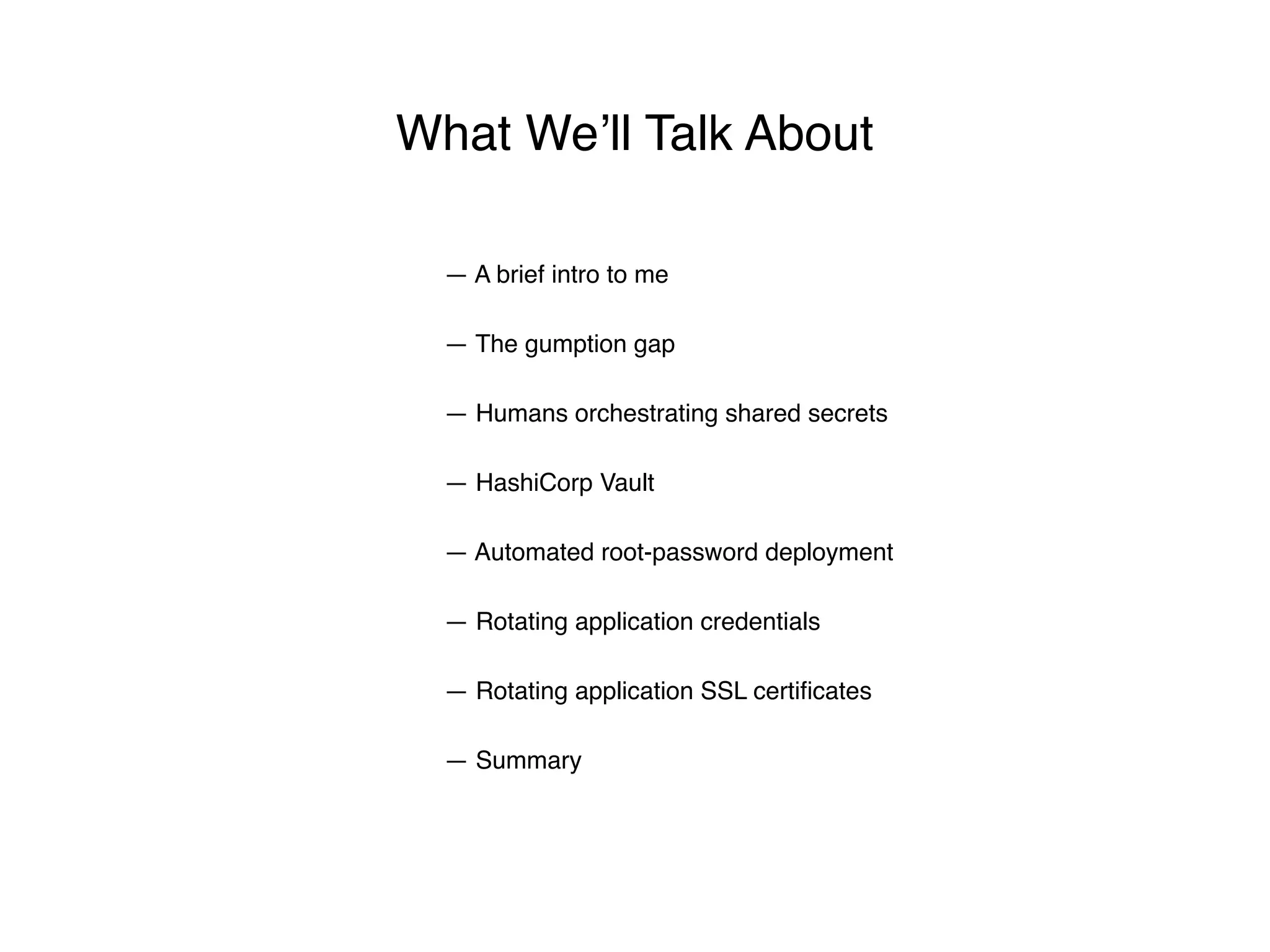
— The gumption gap
— Humans orchestrating shared secrets
— HashiCorp Vault
— Automated root-password deployment
— Rotating application credentials
— A brief intro to me
What We’ll Talk About
— Rotating application SSL certificates
— Summary
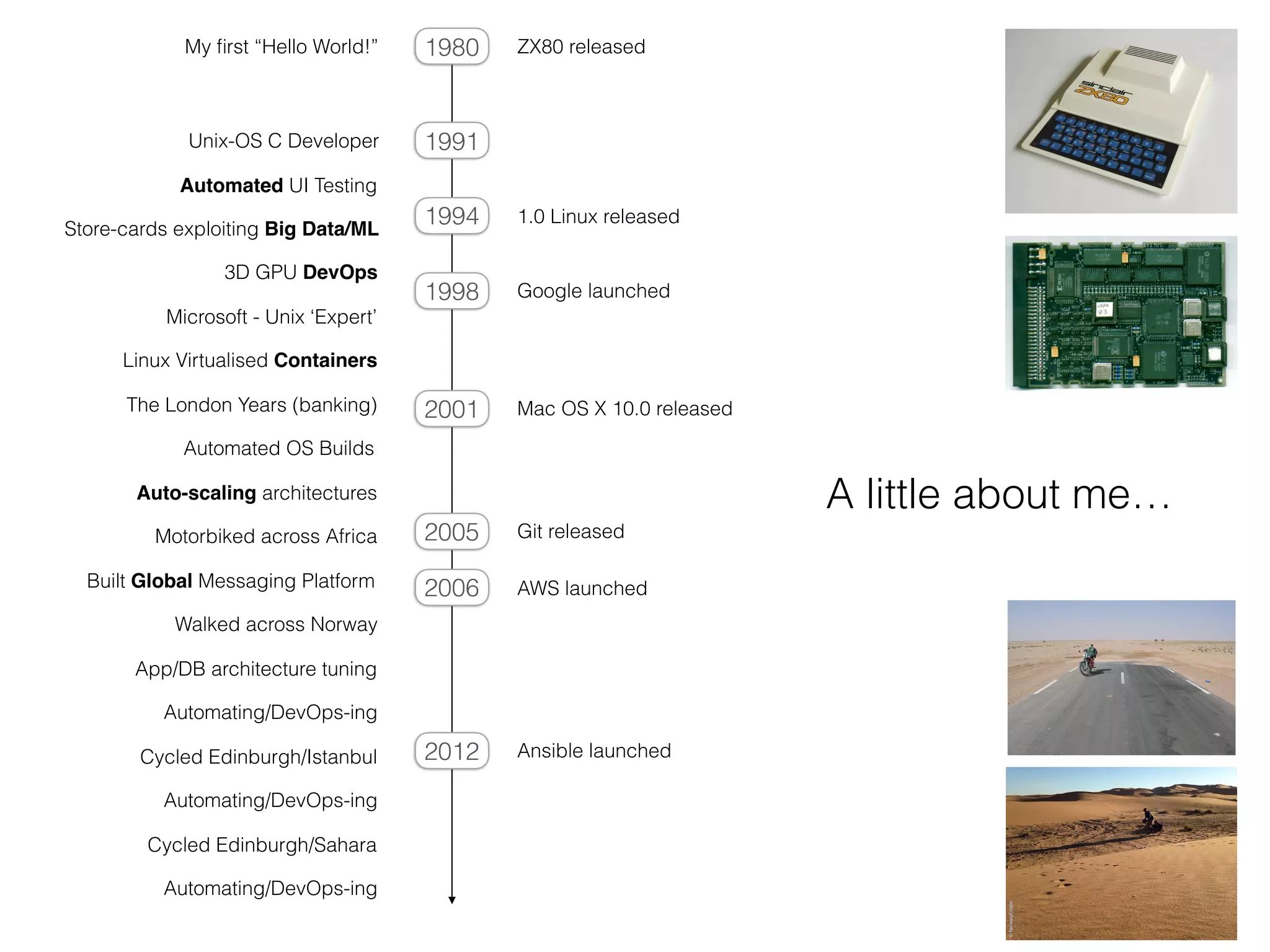
Unix-OS C Developer
Automated UI Testing
Automated OS Builds
Linux Virtualised Containers
Auto-scaling architectures
1.0 Linux released
Google launched
Mac OS X 10.0 released
AWS launched
Ansible launched
My first “Hello World!” ZX80 released
Store-cards exploiting Big Data/ML
Motorbiked across Africa
Cycled Edinburgh/Istanbul
The London Years (banking)
Microsoft - Unix ‘Expert’
Git released
3D GPU DevOps
Built Global Messaging Platform
Automating/DevOps-ing
App/DB architecture tuning
1991
1980
1994
1998
2001
2005
2006
2012
Walked across Norway
Automating/DevOps-ing
Cycled Edinburgh/Sahara
Automating/DevOps-ing
A little about me…
“At my new job, I am shocked to find
plaintext secrets existing in documentation
that is accessible from anywhere on our network”
Expectation collides with reality
Security Best Practice
DevOps Reality
the
gumption*
gap
* initiative or courage: you haven’t the gumption to try [C18: originally Scottish]
The Gumption Gap
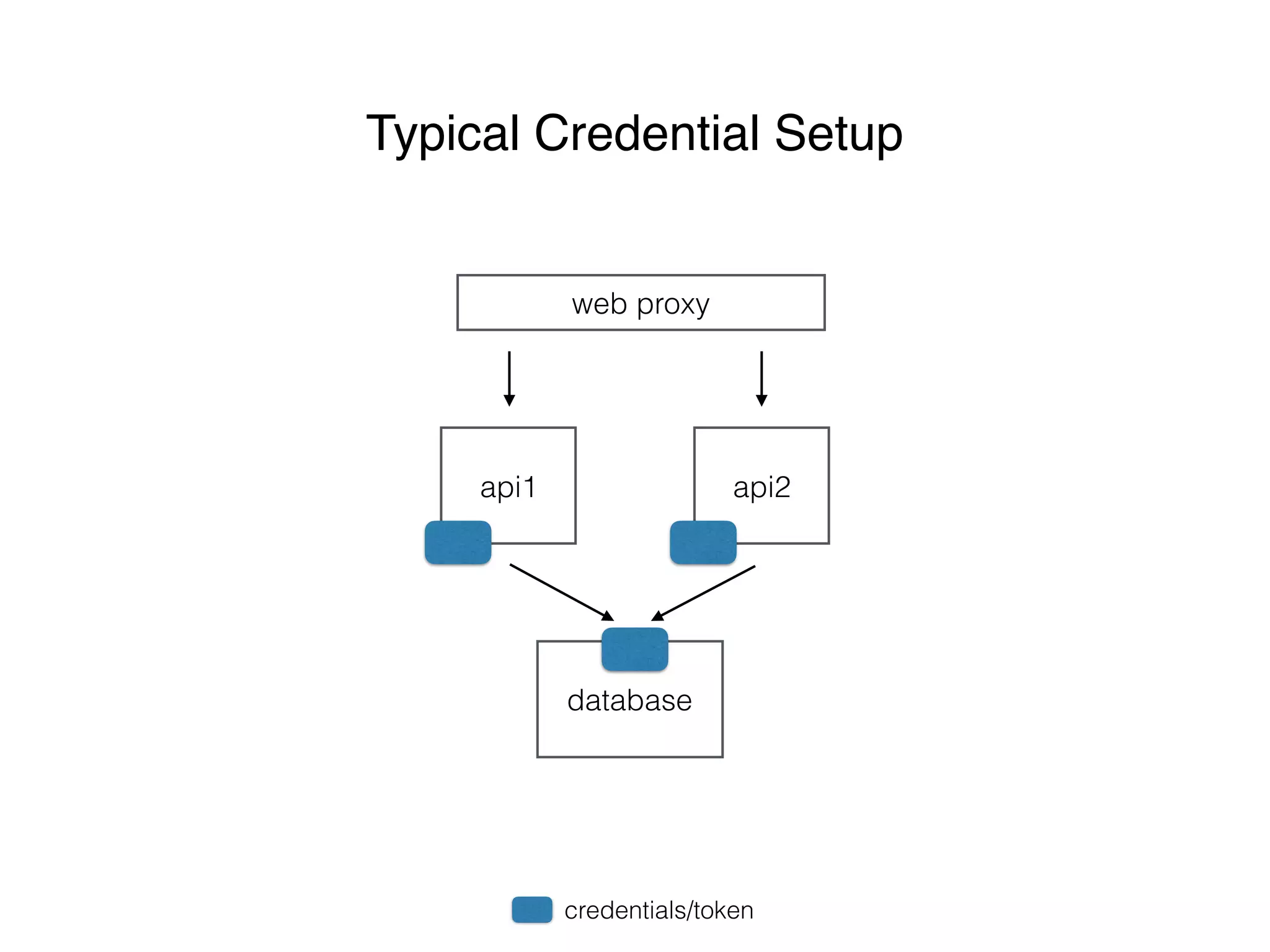
web proxy
api1 api2
database
Typical Credential Setup
credentials/token
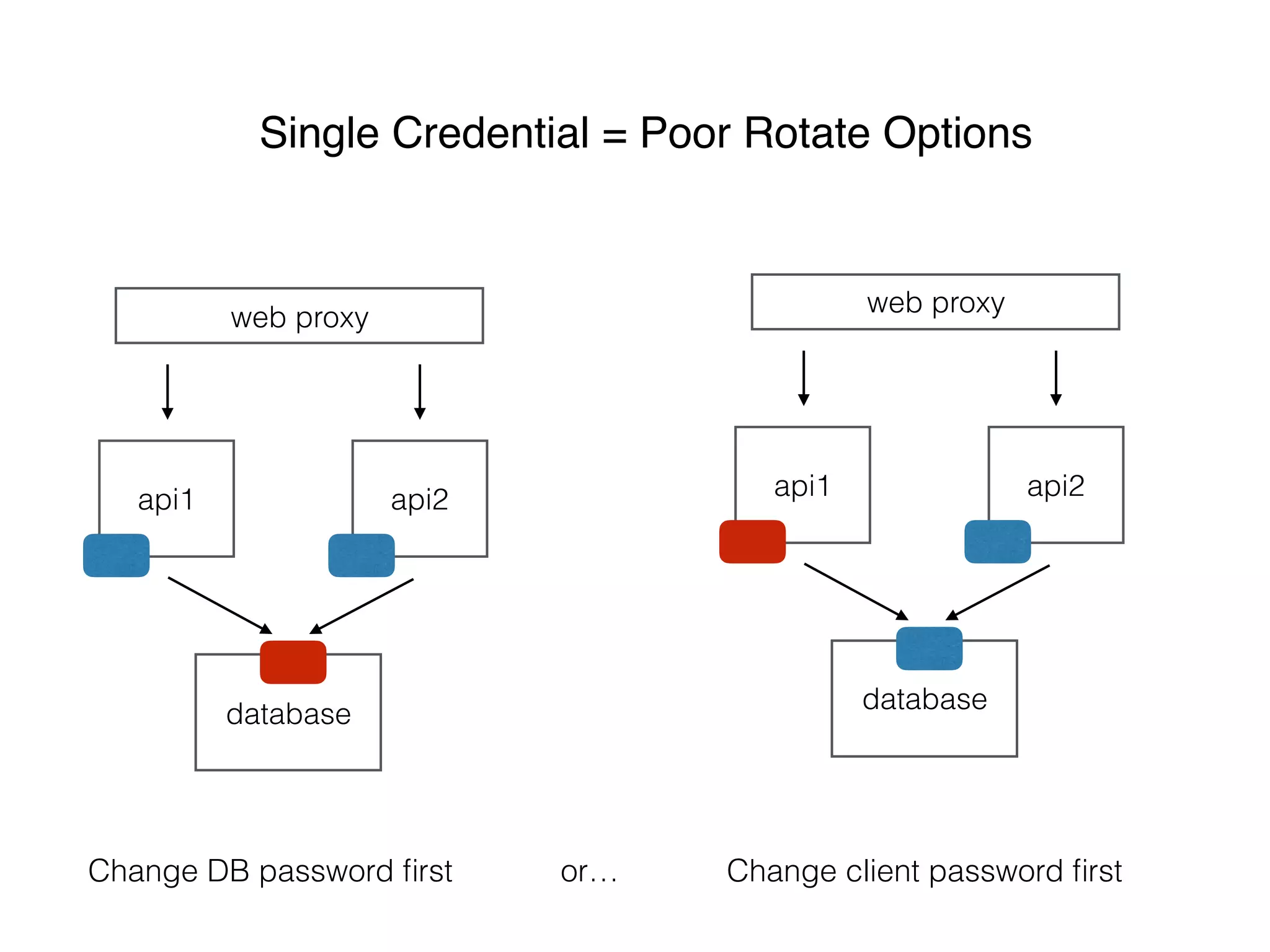
web proxy
api1 api2
database
Single Credential = Poor Rotate Options
web proxy
api1 api2
database
Change DB password first Change client password firstor…
web proxy
api1 api2
database
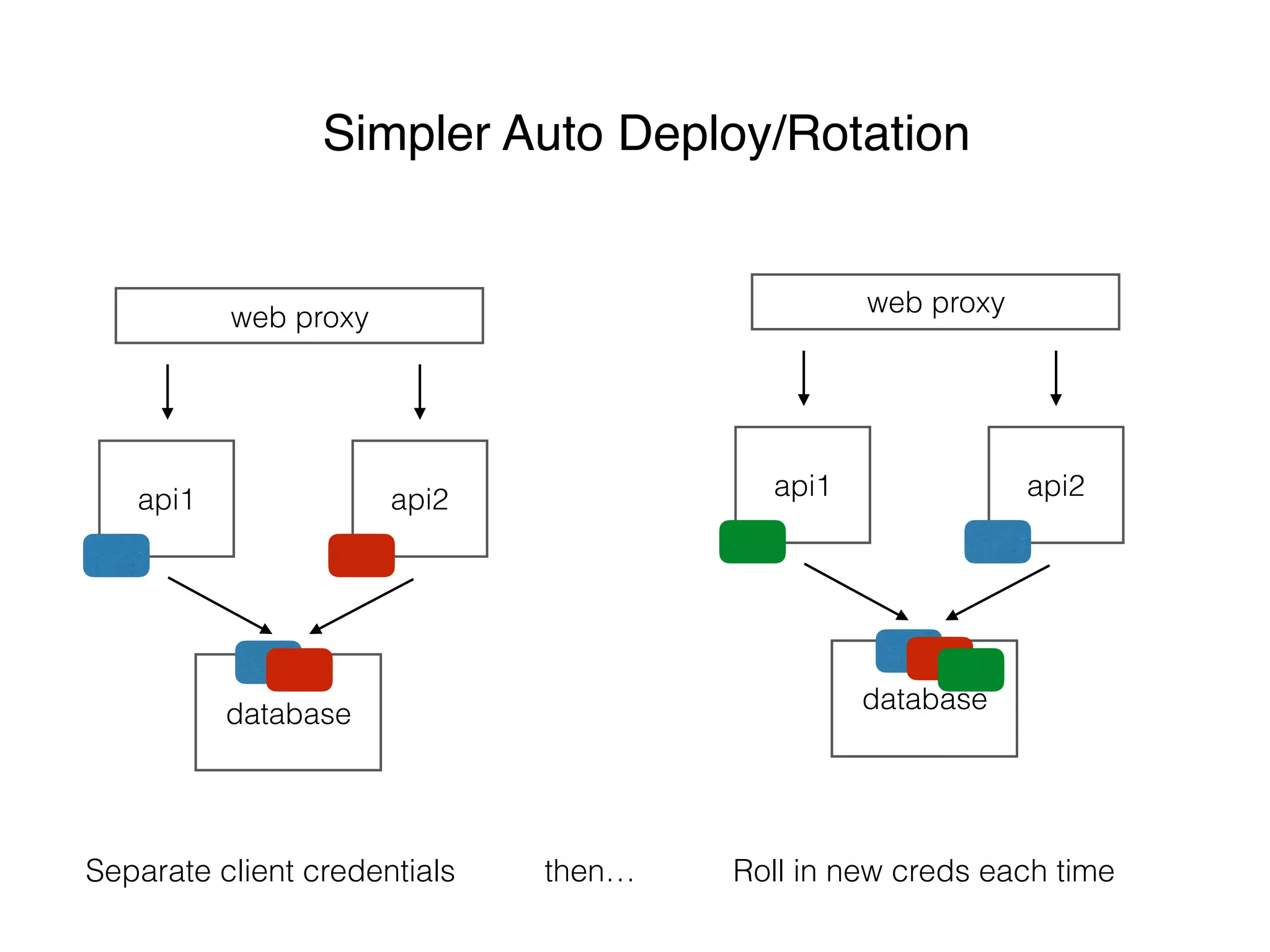
Simpler Auto Deploy/Rotation
web proxy
api1 api2
database
Separate client credentials Roll in new creds each timethen…
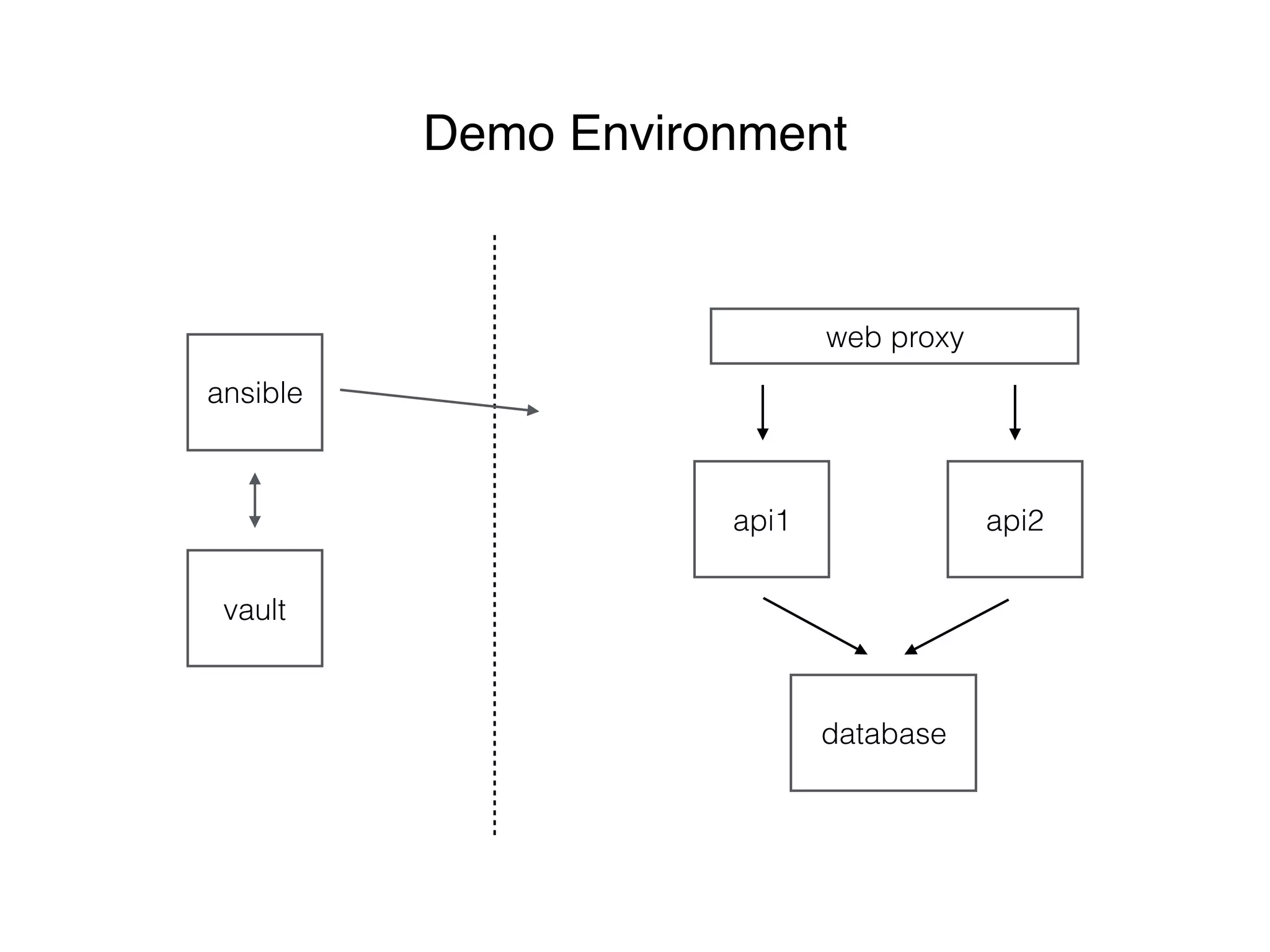
ansible
vault
web proxy
api1 api2
database
Demo Environment
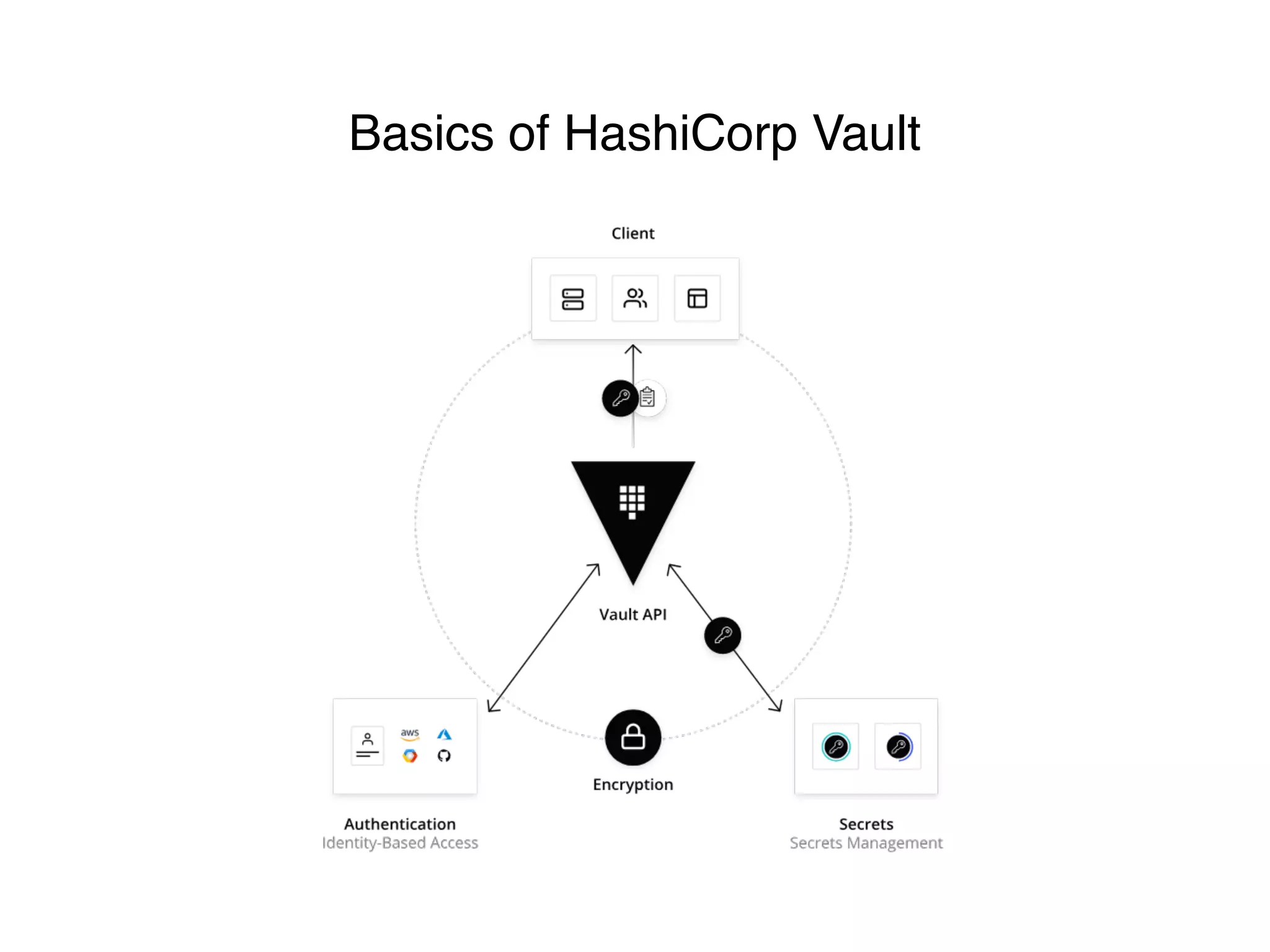
Basics of HashiCorp Vault
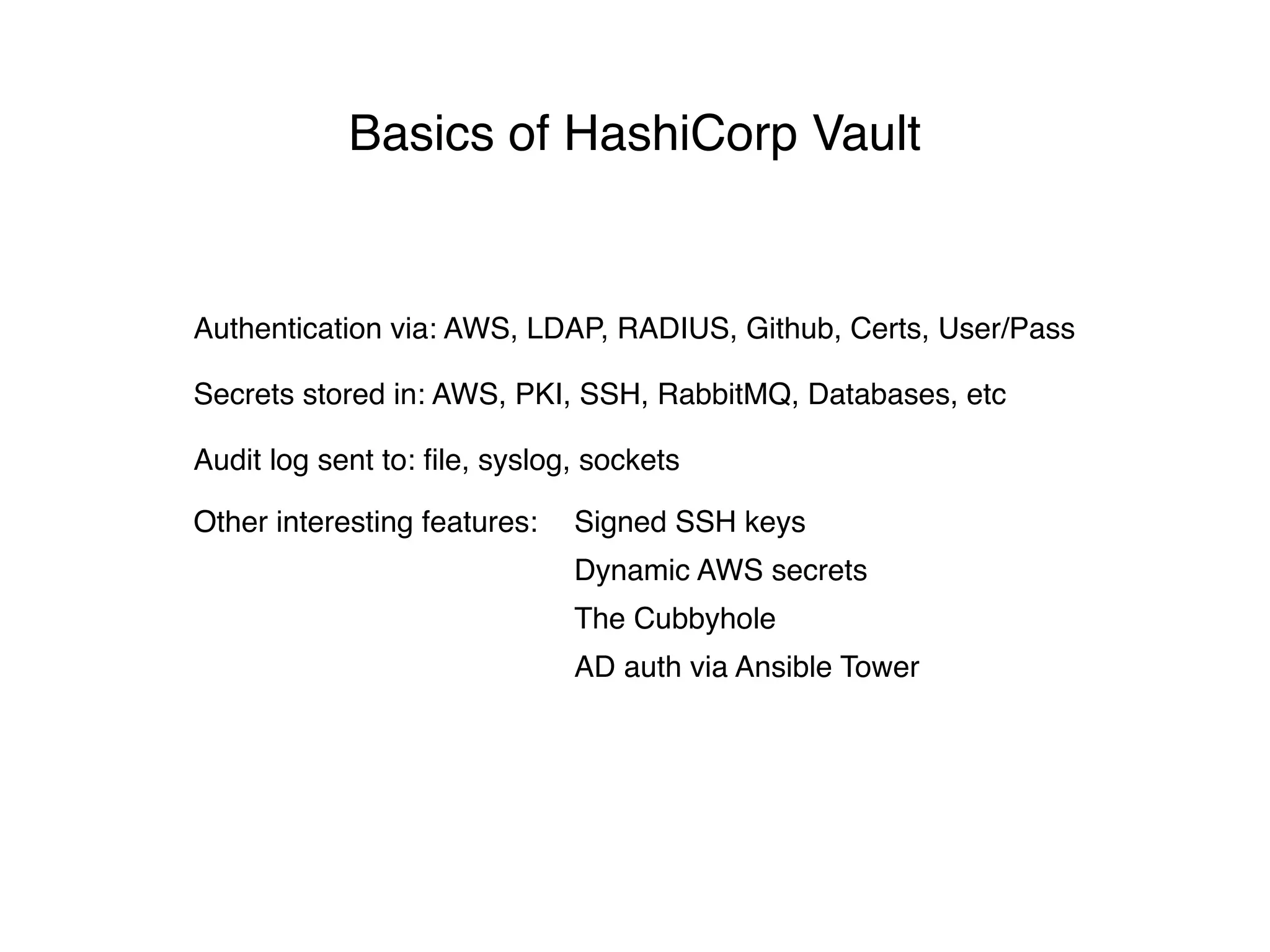
Secrets stored in: AWS, PKI, SSH, RabbitMQ, Databases, etc
Authentication via: AWS, LDAP, RADIUS, Github, Certs, User/Pass
Audit log sent to: file, syslog, sockets
Other interesting features: Signed SSH keys
Dynamic AWS secrets
The Cubbyhole
AD auth via Ansible Tower
Basics of HashiCorp Vault
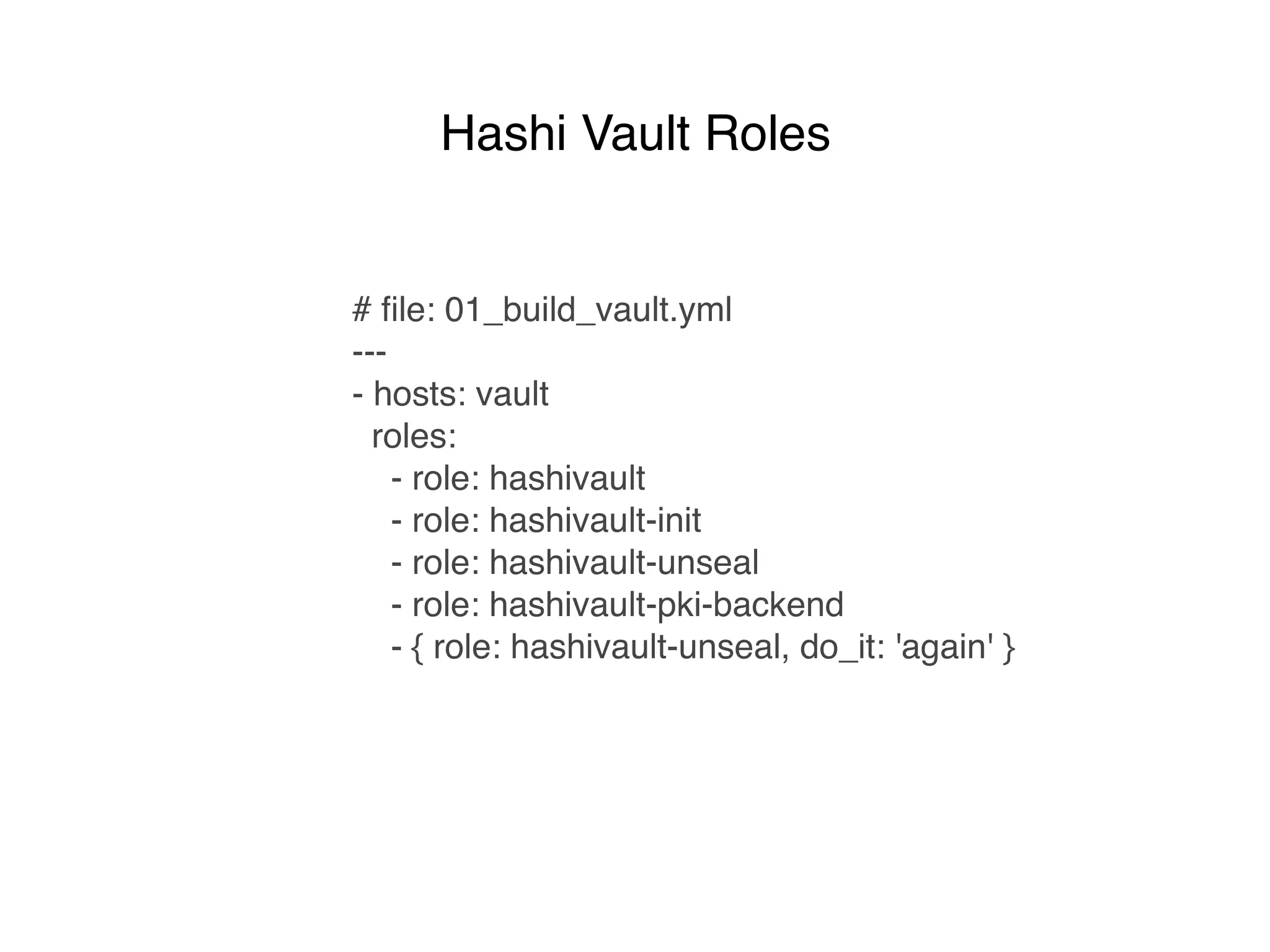
# file: 01_build_vault.yml
---
- hosts: vault
roles:
- role: hashivault
- role: hashivault-init
- role: hashivault-unseal
- role: hashivault-pki-backend
- { role: hashivault-unseal, do_it: 'again' }
Hashi Vault Roles
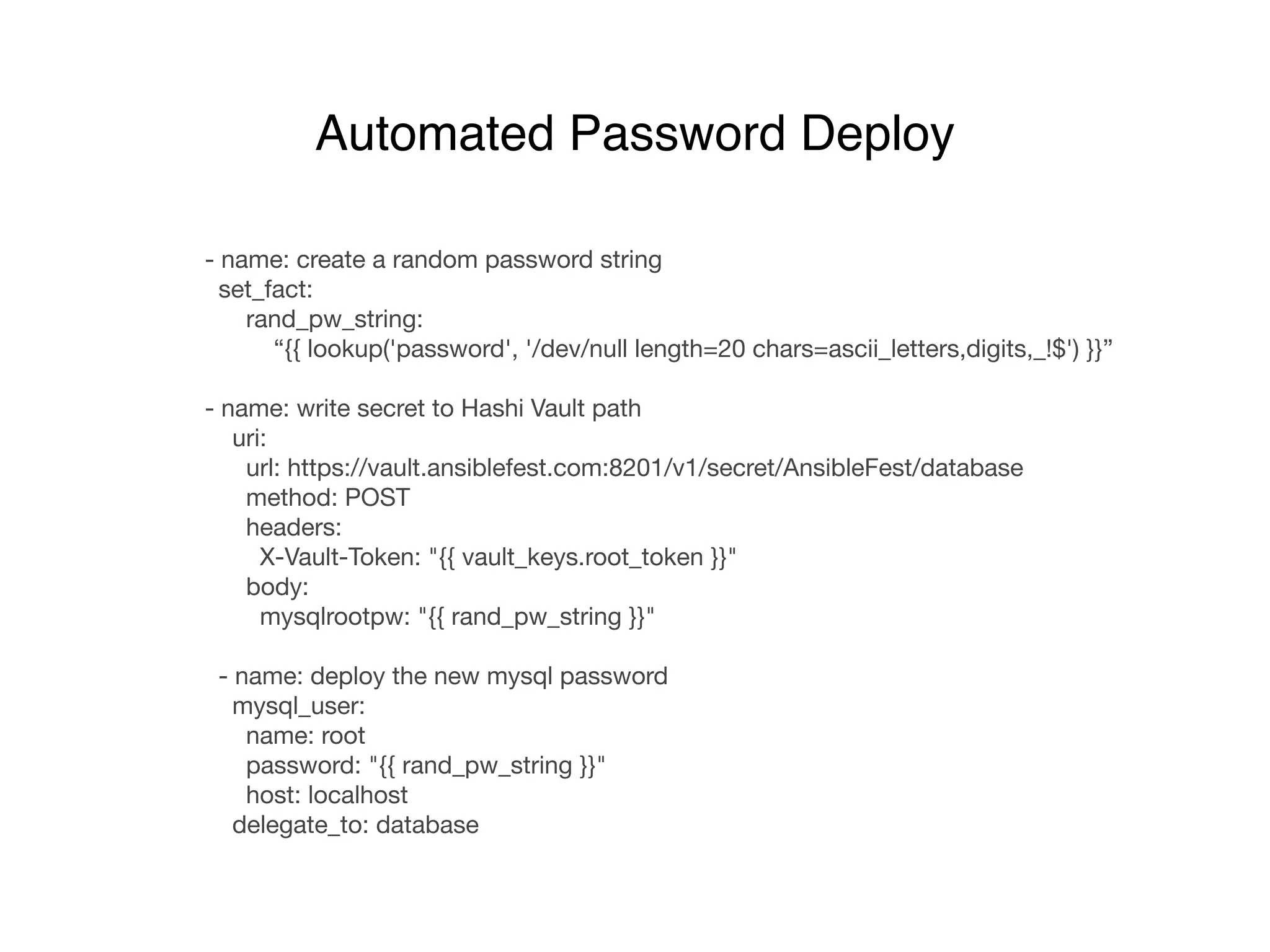
- name: create a random password string

set_fact:

rand_pw_string: 

“{{ lookup('password', '/dev/null length=20 chars=ascii_letters,digits,_!$') }}”

- name: write secret to Hashi Vault path

uri:

url: https://vault.ansiblefest.com:8201/v1/secret/AnsibleFest/database

method: POST

headers:

X-Vault-Token: "{{ vault_keys.root_token }}"

body:

mysqlrootpw: "{{ rand_pw_string }}"

- name: deploy the new mysql password

mysql_user:

name: root

password: "{{ rand_pw_string }}"

host: localhost

delegate_to: database
Automated Password Deploy
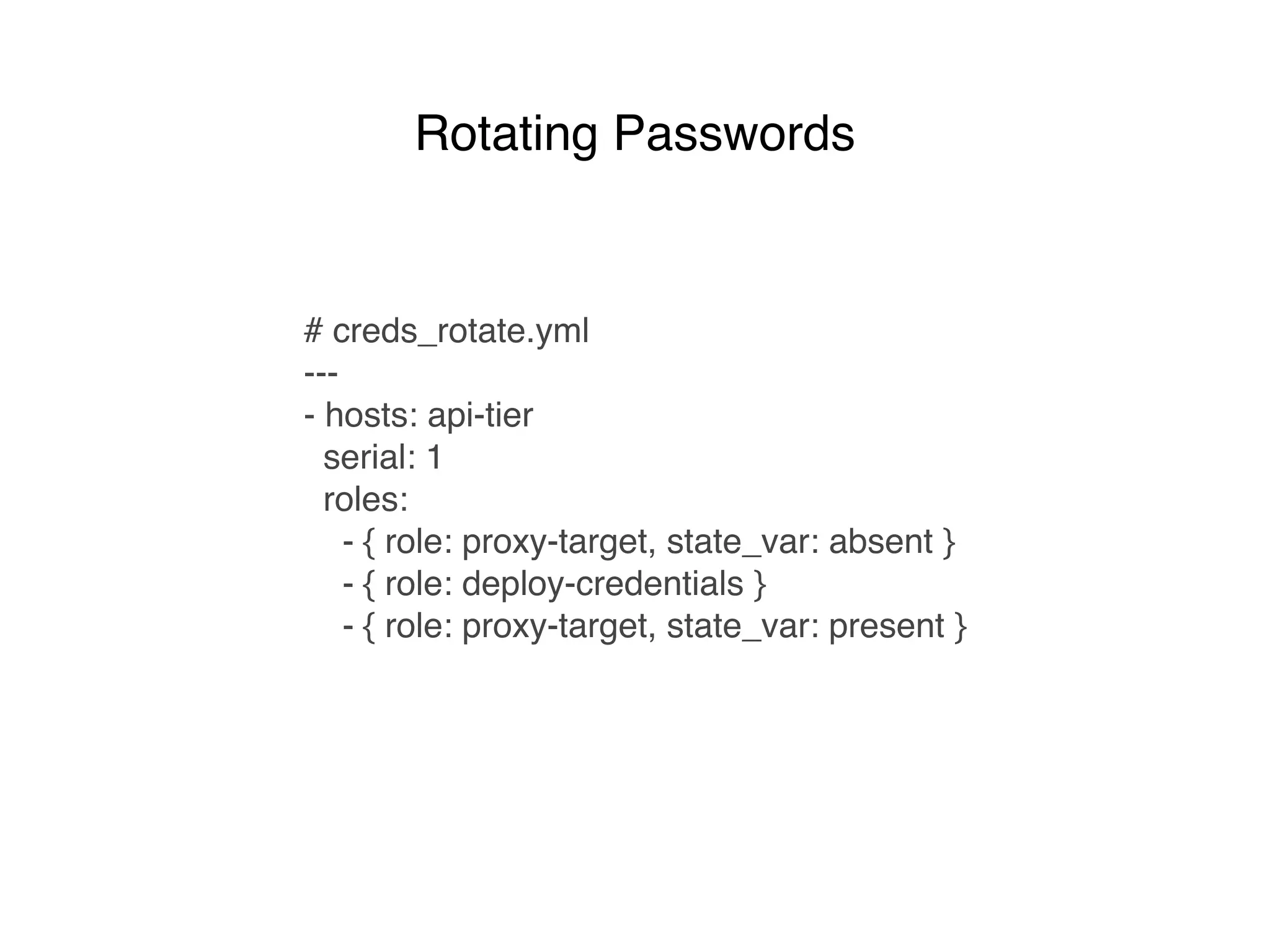
# creds_rotate.yml
---
- hosts: api-tier
serial: 1
roles:
- { role: proxy-target, state_var: absent }
- { role: deploy-credentials }
- { role: proxy-target, state_var: present }
Rotating Passwords
Demo
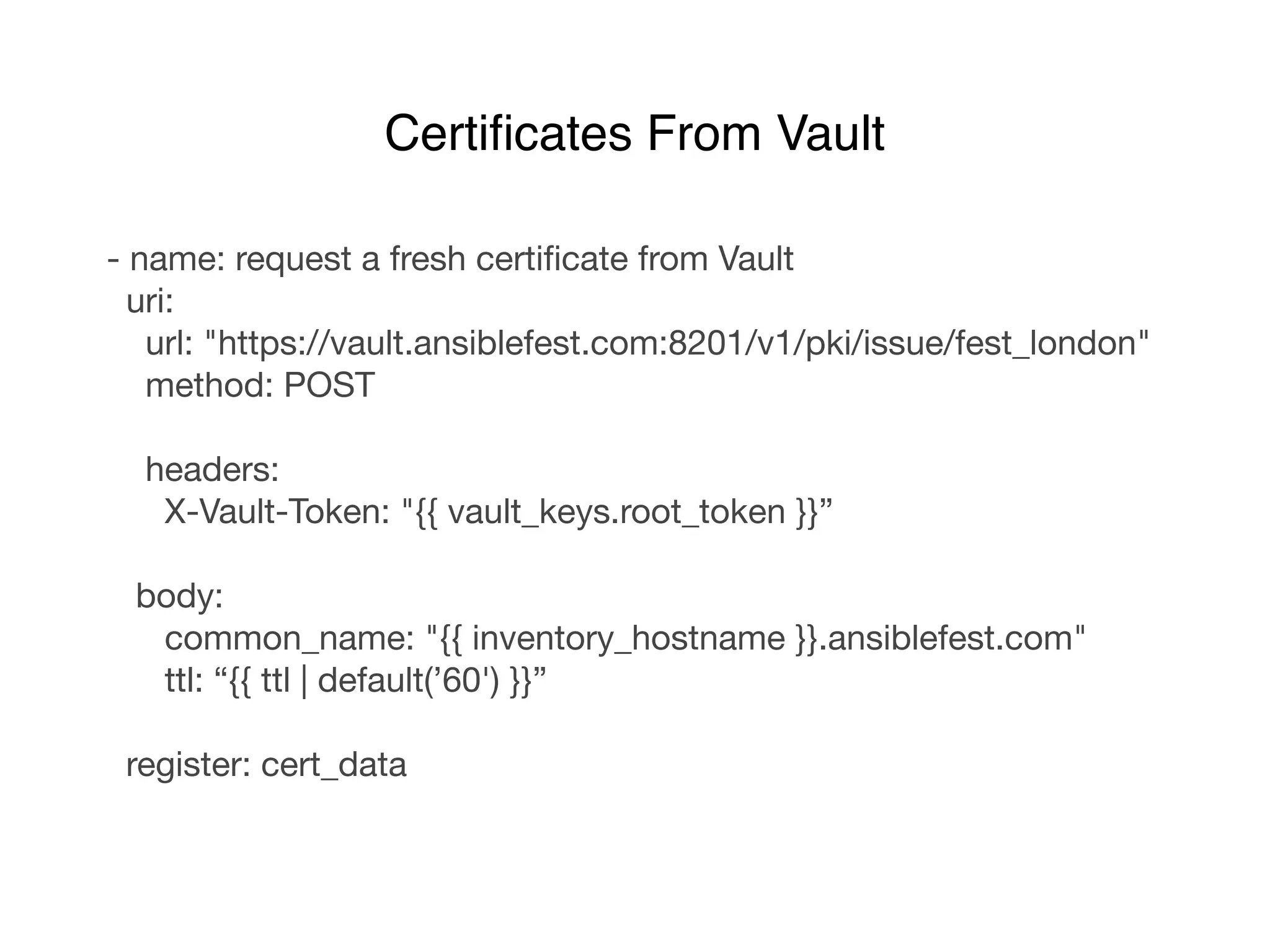
- name: request a fresh certificate from Vault

uri:

url: "https://vault.ansiblefest.com:8201/v1/pki/issue/fest_london"

method: POST

headers:

X-Vault-Token: "{{ vault_keys.root_token }}”

body:

common_name: "{{ inventory_hostname }}.ansiblefest.com"

ttl: “{{ ttl | default(’60') }}”

register: cert_data
Certificates From Vault
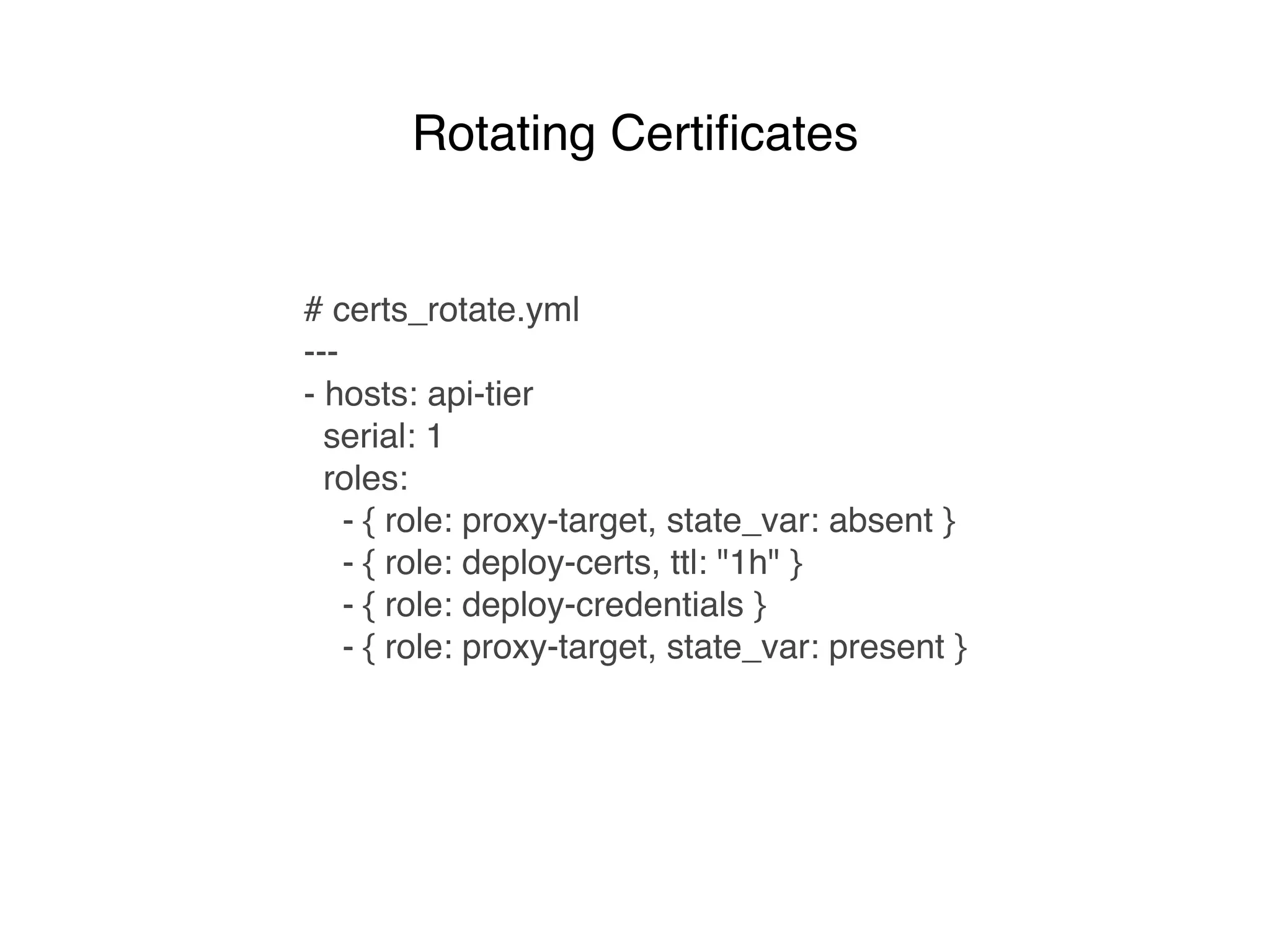
# certs_rotate.yml
---
- hosts: api-tier
serial: 1
roles:
- { role: proxy-target, state_var: absent }
- { role: deploy-certs, ttl: "1h" }
- { role: deploy-credentials }
- { role: proxy-target, state_var: present }
Rotating Certificates
Demo
# 03_build_demo_env_ssl.yml

—-

- hosts: data-tier

roles:

- mysql-server

- deploy-certs

- mysql-server-ssl

- hosts: proxy-tier

roles:

- nginx

- nginx-proxy

- hosts: api-tier

roles:

- httpd

- api-code

- deploy-certs

- deploy-credentials

- { role: proxy-target, state_var: present }
Overview
# certs_rotate.yml
---
- hosts: api-tier
serial: 1
roles:
- { role: proxy-target, state_var: absent }
- { role: deploy-certs, ttl=“1h” }
- deploy-credentials
- { role: proxy-target, state_var: present }
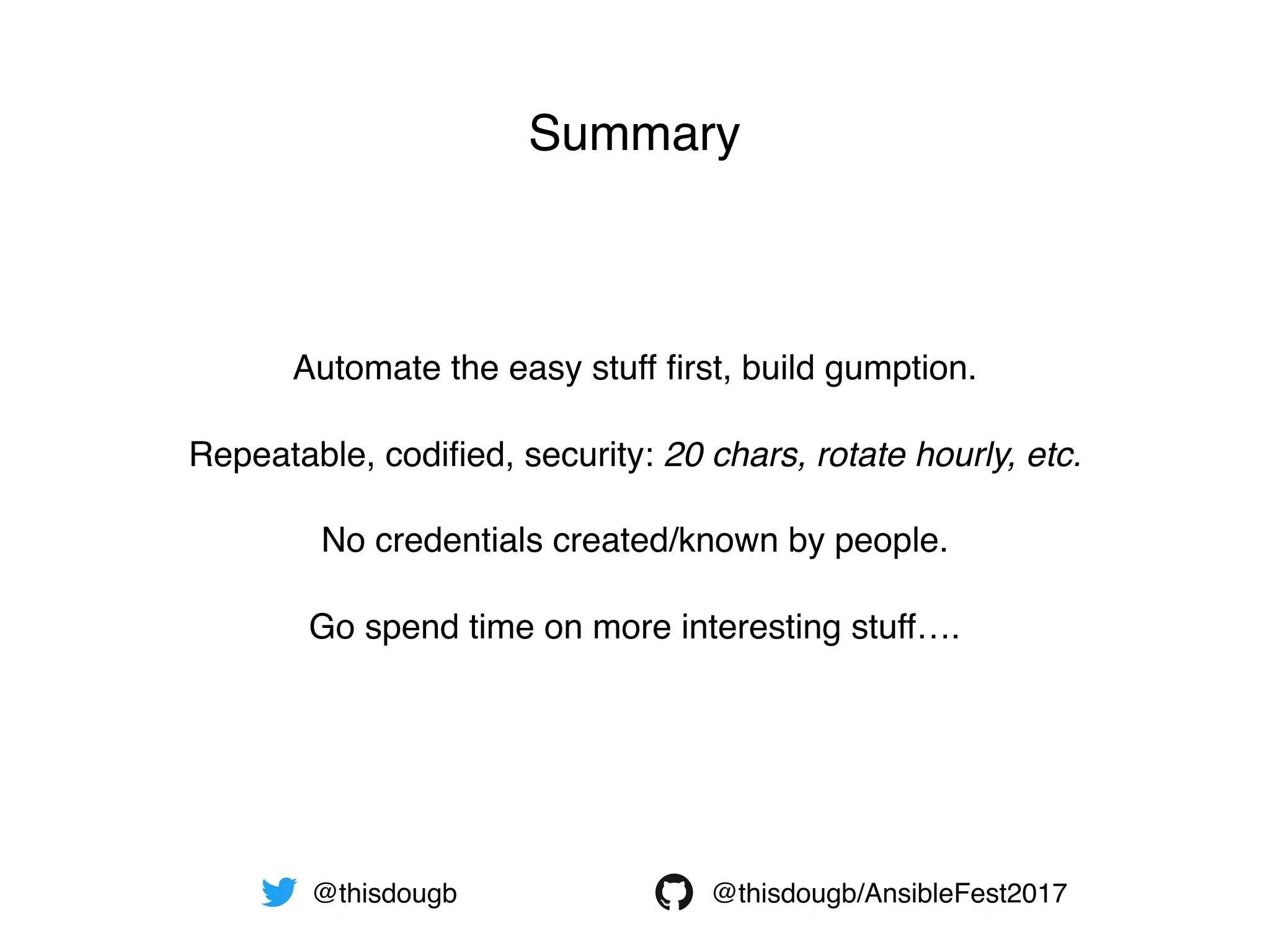
Repeatable, codified, security: 20 chars, rotate hourly, etc.
Automate the easy stuff first, build gumption.
Go spend time on more interesting stuff….
No credentials created/known by people.
@thisdougb/AnsibleFest2017@thisdougb
Summary
EOF

Secrets with Ansible

  • 1.
  • 2.
    — The gumptiongap — Humans orchestrating shared secrets — HashiCorp Vault — Automated root-password deployment — Rotating application credentials — A brief intro to me What We’ll Talk About — Rotating application SSL certificates — Summary
  • 3.
    Unix-OS C Developer AutomatedUI Testing Automated OS Builds Linux Virtualised Containers Auto-scaling architectures 1.0 Linux released Google launched Mac OS X 10.0 released AWS launched Ansible launched My first “Hello World!” ZX80 released Store-cards exploiting Big Data/ML Motorbiked across Africa Cycled Edinburgh/Istanbul The London Years (banking) Microsoft - Unix ‘Expert’ Git released 3D GPU DevOps Built Global Messaging Platform Automating/DevOps-ing App/DB architecture tuning 1991 1980 1994 1998 2001 2005 2006 2012 Walked across Norway Automating/DevOps-ing Cycled Edinburgh/Sahara Automating/DevOps-ing A little about me…
  • 4.
    “At my newjob, I am shocked to find plaintext secrets existing in documentation that is accessible from anywhere on our network” Expectation collides with reality
  • 5.
    Security Best Practice DevOpsReality the gumption* gap * initiative or courage: you haven’t the gumption to try [C18: originally Scottish] The Gumption Gap
  • 6.
    web proxy api1 api2 database TypicalCredential Setup credentials/token
  • 7.
    web proxy api1 api2 database SingleCredential = Poor Rotate Options web proxy api1 api2 database Change DB password first Change client password firstor…
  • 8.
    web proxy api1 api2 database SimplerAuto Deploy/Rotation web proxy api1 api2 database Separate client credentials Roll in new creds each timethen…
  • 9.
  • 10.
  • 11.
    Secrets stored in:AWS, PKI, SSH, RabbitMQ, Databases, etc Authentication via: AWS, LDAP, RADIUS, Github, Certs, User/Pass Audit log sent to: file, syslog, sockets Other interesting features: Signed SSH keys Dynamic AWS secrets The Cubbyhole AD auth via Ansible Tower Basics of HashiCorp Vault
  • 12.
    # file: 01_build_vault.yml --- -hosts: vault roles: - role: hashivault - role: hashivault-init - role: hashivault-unseal - role: hashivault-pki-backend - { role: hashivault-unseal, do_it: 'again' } Hashi Vault Roles
  • 13.
    - name: createa random password string set_fact: rand_pw_string: “{{ lookup('password', '/dev/null length=20 chars=ascii_letters,digits,_!$') }}” - name: write secret to Hashi Vault path uri: url: https://vault.ansiblefest.com:8201/v1/secret/AnsibleFest/database method: POST headers: X-Vault-Token: "{{ vault_keys.root_token }}" body: mysqlrootpw: "{{ rand_pw_string }}" - name: deploy the new mysql password mysql_user: name: root password: "{{ rand_pw_string }}" host: localhost delegate_to: database Automated Password Deploy
  • 14.
    # creds_rotate.yml --- - hosts:api-tier serial: 1 roles: - { role: proxy-target, state_var: absent } - { role: deploy-credentials } - { role: proxy-target, state_var: present } Rotating Passwords
  • 15.
  • 16.
    - name: requesta fresh certificate from Vault uri: url: "https://vault.ansiblefest.com:8201/v1/pki/issue/fest_london" method: POST headers: X-Vault-Token: "{{ vault_keys.root_token }}” body: common_name: "{{ inventory_hostname }}.ansiblefest.com" ttl: “{{ ttl | default(’60') }}” register: cert_data Certificates From Vault
  • 17.
    # certs_rotate.yml --- - hosts:api-tier serial: 1 roles: - { role: proxy-target, state_var: absent } - { role: deploy-certs, ttl: "1h" } - { role: deploy-credentials } - { role: proxy-target, state_var: present } Rotating Certificates
  • 18.
  • 19.
    # 03_build_demo_env_ssl.yml —- - hosts:data-tier roles: - mysql-server - deploy-certs - mysql-server-ssl - hosts: proxy-tier roles: - nginx - nginx-proxy - hosts: api-tier roles: - httpd - api-code - deploy-certs - deploy-credentials - { role: proxy-target, state_var: present } Overview # certs_rotate.yml --- - hosts: api-tier serial: 1 roles: - { role: proxy-target, state_var: absent } - { role: deploy-certs, ttl=“1h” } - deploy-credentials - { role: proxy-target, state_var: present }
  • 20.
    Repeatable, codified, security:20 chars, rotate hourly, etc. Automate the easy stuff first, build gumption. Go spend time on more interesting stuff…. No credentials created/known by people. @thisdougb/AnsibleFest2017@thisdougb Summary
  • 21.