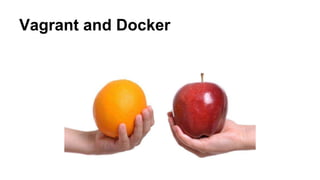
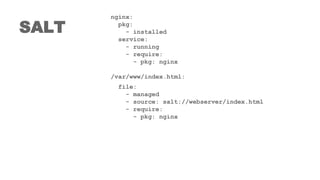
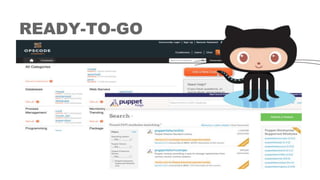
This document discusses various tools for rapidly provisioning development environments including Packer, Vagrant, Puppet, Chef, Ansible, Salt, and Docker. It compares the tools and highlights features like infrastructure as code, declarative configuration, provisioning, and ready-to-go images. It also discusses using these tools together in a continuous integration/deployment pipeline with tools like Jenkins.



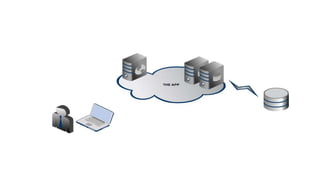
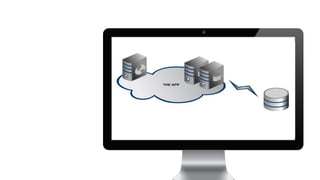


![{
"builders": [
{
"type": "amazon-ebs",
"access_key": "
"secret_key": "
"region": "ap-northeast-1",
"source_ami": "ami-bfdaa2be",
"instance_type": "t1.micro",
"ssh_username": "ubuntu",
"ami_name": "packer-quick-start {{timestamp}}"
}
],
"provisioners": [
{
"type": "puppet-masterless",
"manifest_file": "site.pp",
"module_paths": [ "./modules" ]
}
]
}](https://image.slidesharecdn.com/rapiddevnadevopswaw-140730011804-phpapp02/85/Rapid-dev-env-DevOps-Warsaw-July-2014-8-320.jpg)
![node default {
class { '::ntp':
servers => [ 'ntp1.corp.com', 'ntp2.corp.com' ],
}
cron { 'taki_sobie_maintenance':
command => "/usr/bin/skrypt_robiacy_porzadek.sh",
user => root,
hour => 5,
minute => 0,
}
$str = "Jestem DNSem google"
if $::ipaddress_eth0 == "8.8.8.8" {
file { '/root/pliczQ':
ensure => present,
content => "$str",
owner => root,
group => root,
mode => '644',
}
}
}](https://image.slidesharecdn.com/rapiddevnadevopswaw-140730011804-phpapp02/85/Rapid-dev-env-DevOps-Warsaw-July-2014-9-320.jpg)







![Dockerfile
FROM e1337h4xx/saltwheezy
MAINTAINER 3h4x
RUN apt-get -qq update
RUN apt-get install -y wget
RUN echo "deb http://pkg.jenkins-ci.org/debian binary/" >>
/etc/apt/sources.list
RUN wget -q -O - http://pkg.jenkins-ci.org/debian/jenkins-ci.org.key |
apt-key add -
RUN apt-get -qq update
RUN apt-get upgrade -y
RUN apt-get install -y jenkins
EXPOSE 8080
CMD (/etc/init.d/jenkins start && sleep 5 && tailf
/var/log/jenkins/jenkins.log)
VOLUME ["/var/lib/jenkins", "/var/log/jenkins"]](https://image.slidesharecdn.com/rapiddevnadevopswaw-140730011804-phpapp02/85/Rapid-dev-env-DevOps-Warsaw-July-2014-32-320.jpg)