Karina Joyce E. Limbo
BLIS-III
Prof. Farquerabao
   Programs that search documents for
    specified keywords and returns a list of the
    documents where the keywords were found.

   Search that enable users to search for
    documents on the World Wide Web.
Discovery and Database
 A search engine finds information for its
  database by accepting listings sent in by
  authors wanting exposure, or by getting the
  information from their "Web crawlers,"
  "spiders," or "robots," programs that roam
  the Internet storing links to and information
  about each page they visit.
User Search

   Most engines allow you to type in a few
    words, and then search for occurrences of
    these words in their data base.
Presentation & Ranking

   Search engines give each document they find
    some measure of the quality of the match to
    your search query, a relevance score.
   Bing
   Google
   Yahoo!
   Windows Live Search
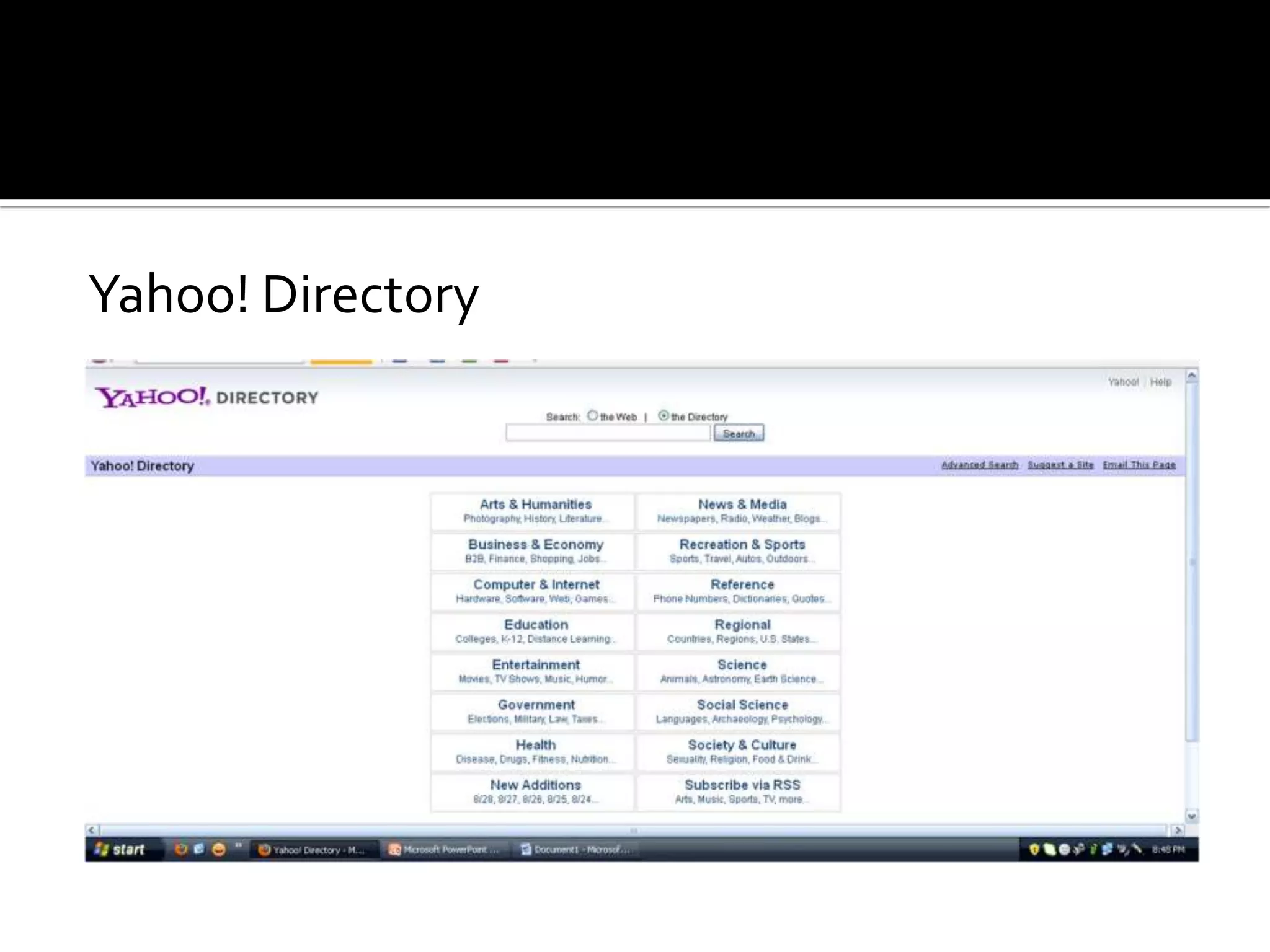
   directories where different resources are
    gathered.

   web directory is not a search engine and does
    not display lists of web pages based on
    keywords; instead, it lists web sites by
    category and subcategory.
   most directories are edited by humans.

   URLs are not gathered automatically by
    spiders but submitted by site owners.
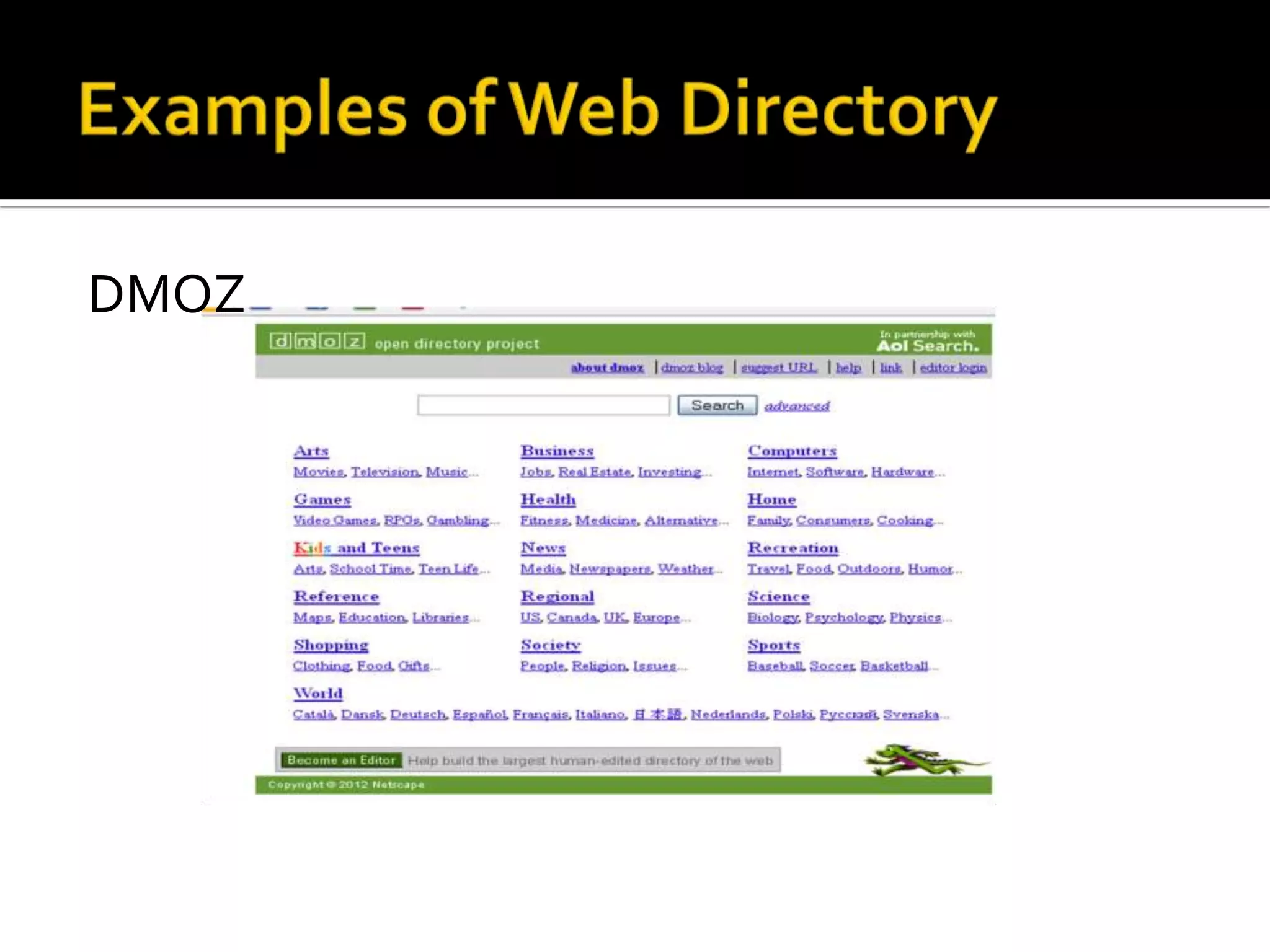
DMOZ
Yahoo! Directory
   Accuracy
       -How reliable is the information provided
    at the site? Have the facts been checked by
    someone other than the site's author or
    creator?
   Authority
    -Is the author or editor of the Web page
    qualified to write on the stated subject? What
    are
    his/her credentials (education, occupation, pr
    evious publications)?
   Objectivity
    -If the subject is controversial, is the
    information presented fairly (both
    pros and cons) or in a one-sided manner?
    Examine the content carefully for possible
    bias.
   Currency
    -Is the information provided at the site up-to-
    date or out-of-date?
   Coverage
    -What topics (subjects) are covered by the
    Web site?

Search engines and web directories

  • 1.
    Karina Joyce E.Limbo BLIS-III Prof. Farquerabao
  • 3.
    Programs that search documents for specified keywords and returns a list of the documents where the keywords were found.  Search that enable users to search for documents on the World Wide Web.
  • 4.
    Discovery and Database A search engine finds information for its database by accepting listings sent in by authors wanting exposure, or by getting the information from their "Web crawlers," "spiders," or "robots," programs that roam the Internet storing links to and information about each page they visit.
  • 5.
    User Search  Most engines allow you to type in a few words, and then search for occurrences of these words in their data base.
  • 6.
    Presentation & Ranking  Search engines give each document they find some measure of the quality of the match to your search query, a relevance score.
  • 7.
    Bing  Google  Yahoo!  Windows Live Search
  • 8.
    directories where different resources are gathered.  web directory is not a search engine and does not display lists of web pages based on keywords; instead, it lists web sites by category and subcategory.
  • 9.
    most directories are edited by humans.  URLs are not gathered automatically by spiders but submitted by site owners.
  • 10.
  • 11.
  • 12.
    Accuracy -How reliable is the information provided at the site? Have the facts been checked by someone other than the site's author or creator?
  • 13.
    Authority -Is the author or editor of the Web page qualified to write on the stated subject? What are his/her credentials (education, occupation, pr evious publications)?
  • 14.
    Objectivity -If the subject is controversial, is the information presented fairly (both pros and cons) or in a one-sided manner? Examine the content carefully for possible bias.
  • 15.
    Currency -Is the information provided at the site up-to- date or out-of-date?  Coverage -What topics (subjects) are covered by the Web site?