Presiding Officer Script
Page 1 of 2 Updated 27 MAR 2019
Speech Contest meeting flow is similar to a club meeting flow, with a Presiding Officer opening
the meeting, handing it over to a Toastmaster, then closing the meeting. The Presiding Officer
is typically either:
A. the Contest Chair
B. the Club President for a Club Contest
C. the Area Governor for an Area Contest
D. the Division Governor for a Division Contest
NOTE: elements of the flow below can and should be included in the printed Program Agenda
1. Prior to the start of the Contest
a. Identify all of the attending dignitaries so they can be properly recognized. Find
the most recent Dignitaries list on the District 55 website
b. Identify and talk to the highest-ranking Club or District Officer attending the
contest about him or her presenting the awards
c. Obtain a brief bio to introduce the Contest Toastmaster
2. Open the Meeting
a. Call the meeting to order
b. Introduce the person giving the invocation/opening thought and leading the
Pledge of Allegiance if applicable
c. Welcome all to the contest
d. Recognize/introduce all dignitaries in the audience
e. Introduce the Toastmaster
The Toastmaster will conduct the contest. After the interviews are conducted, control
of the meeting returns to you.
Presiding Officer Script
Page 2 of 2 Updated 27 MAR 2019
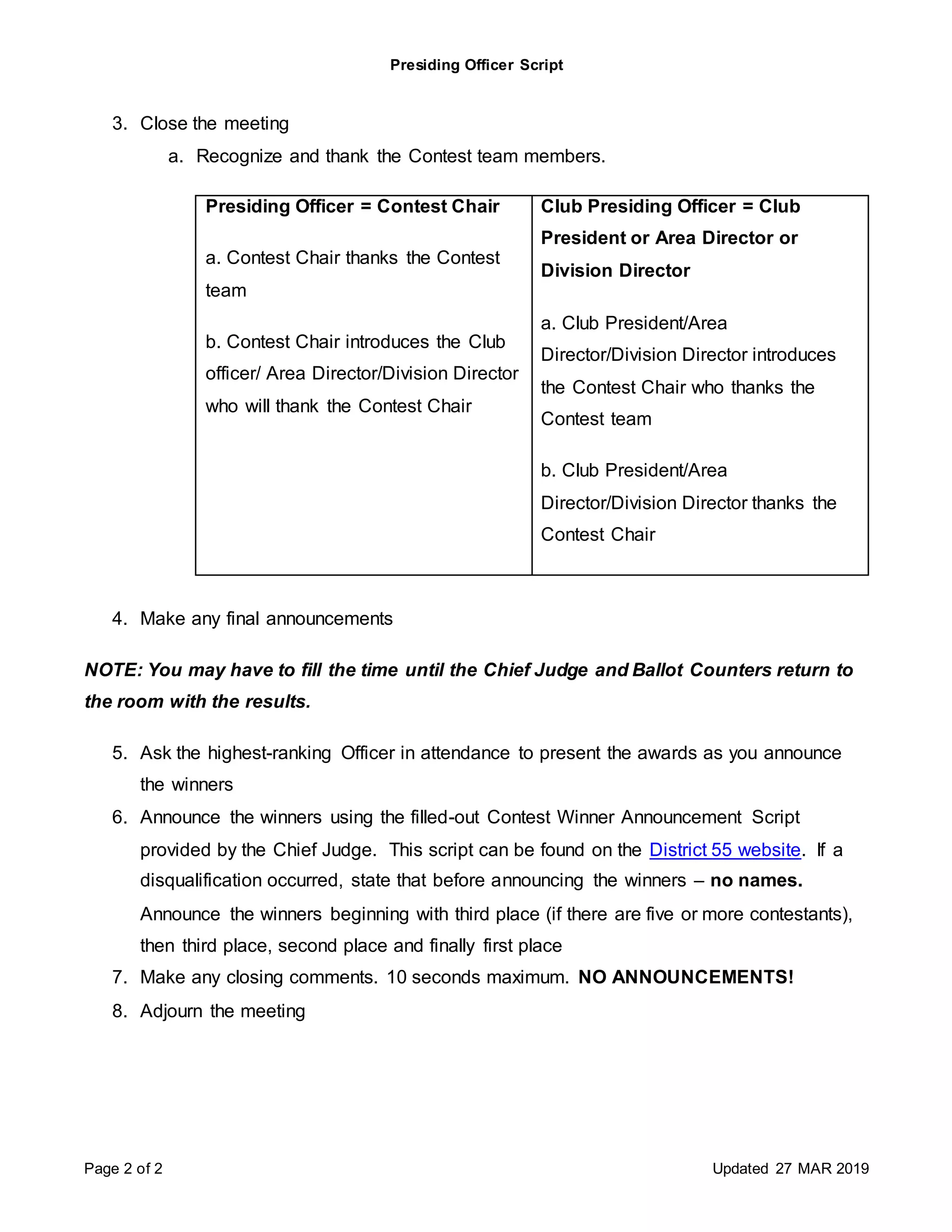
3. Close the meeting
a. Recognize and thank the Contest team members.
Presiding Officer = Contest Chair
a. Contest Chair thanks the Contest
team
b. Contest Chair introduces the Club
officer/ Area Director/Division Director
who will thank the Contest Chair
Club Presiding Officer = Club
President or Area Director or
Division Director
a. Club President/Area
Director/Division Director introduces
the Contest Chair who thanks the
Contest team
b. Club President/Area
Director/Division Director thanks the
Contest Chair
4. Make any final announcements
NOTE: You may have to fill the time until the Chief Judge and Ballot Counters return to
the room with the results.
5. Ask the highest-ranking Officer in attendance to present the awards as you announce
the winners
6. Announce the winners using the filled-out Contest Winner Announcement Script
provided by the Chief Judge. This script can be found on the District 55 website. If a
disqualification occurred, state that before announcing the winners – no names.
Announce the winners beginning with third place (if there are five or more contestants),
then third place, second place and finally first place
7. Make any closing comments. 10 seconds maximum. NO ANNOUNCEMENTS!
8. Adjourn the meeting

Script presiding officer

  • 1.
    Presiding Officer Script Page1 of 2 Updated 27 MAR 2019 Speech Contest meeting flow is similar to a club meeting flow, with a Presiding Officer opening the meeting, handing it over to a Toastmaster, then closing the meeting. The Presiding Officer is typically either: A. the Contest Chair B. the Club President for a Club Contest C. the Area Governor for an Area Contest D. the Division Governor for a Division Contest NOTE: elements of the flow below can and should be included in the printed Program Agenda 1. Prior to the start of the Contest a. Identify all of the attending dignitaries so they can be properly recognized. Find the most recent Dignitaries list on the District 55 website b. Identify and talk to the highest-ranking Club or District Officer attending the contest about him or her presenting the awards c. Obtain a brief bio to introduce the Contest Toastmaster 2. Open the Meeting a. Call the meeting to order b. Introduce the person giving the invocation/opening thought and leading the Pledge of Allegiance if applicable c. Welcome all to the contest d. Recognize/introduce all dignitaries in the audience e. Introduce the Toastmaster The Toastmaster will conduct the contest. After the interviews are conducted, control of the meeting returns to you.
  • 2.
    Presiding Officer Script Page2 of 2 Updated 27 MAR 2019 3. Close the meeting a. Recognize and thank the Contest team members. Presiding Officer = Contest Chair a. Contest Chair thanks the Contest team b. Contest Chair introduces the Club officer/ Area Director/Division Director who will thank the Contest Chair Club Presiding Officer = Club President or Area Director or Division Director a. Club President/Area Director/Division Director introduces the Contest Chair who thanks the Contest team b. Club President/Area Director/Division Director thanks the Contest Chair 4. Make any final announcements NOTE: You may have to fill the time until the Chief Judge and Ballot Counters return to the room with the results. 5. Ask the highest-ranking Officer in attendance to present the awards as you announce the winners 6. Announce the winners using the filled-out Contest Winner Announcement Script provided by the Chief Judge. This script can be found on the District 55 website. If a disqualification occurred, state that before announcing the winners – no names. Announce the winners beginning with third place (if there are five or more contestants), then third place, second place and finally first place 7. Make any closing comments. 10 seconds maximum. NO ANNOUNCEMENTS! 8. Adjourn the meeting