Programming Assignment
1. Concatenating SAS Data Sets
The goal is to create a second-quarter data set for International Airlines’ Vienna hub. Write a data step
that combines target information for April, May, and June into one data set. This data is currently stored
in separate data sets by month as follows:
· ia.aprtarget
· ia.maytarget
· ia.juntarget
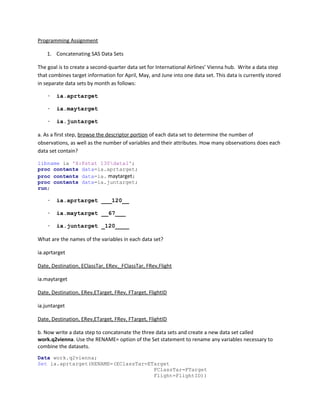
a. As a first step, browse the descriptor portion of each data set to determine the number of
observations, as well as the number of variables and their attributes. How many observations does each
data set contain?
libname ia 'X:Pstat 130data1';
proc contents data=ia.aprtarget;
proc contents data=ia. maytarget;
proc contents data=ia.juntarget;
run;
· ia.aprtarget ___120__
· ia.maytarget __67___
· ia.juntarget _120____
What are the names of the variables in each data set?
ia.aprtarget
Date, Destination, EClassTar, ERev,_FClassTar, FRev,Flight
ia.maytarget
Date, Destination, ERev,ETarget, FRev, FTarget, FlightID
ia.juntarget
Date, Destination, ERev,ETarget, FRev, FTarget, FlightID
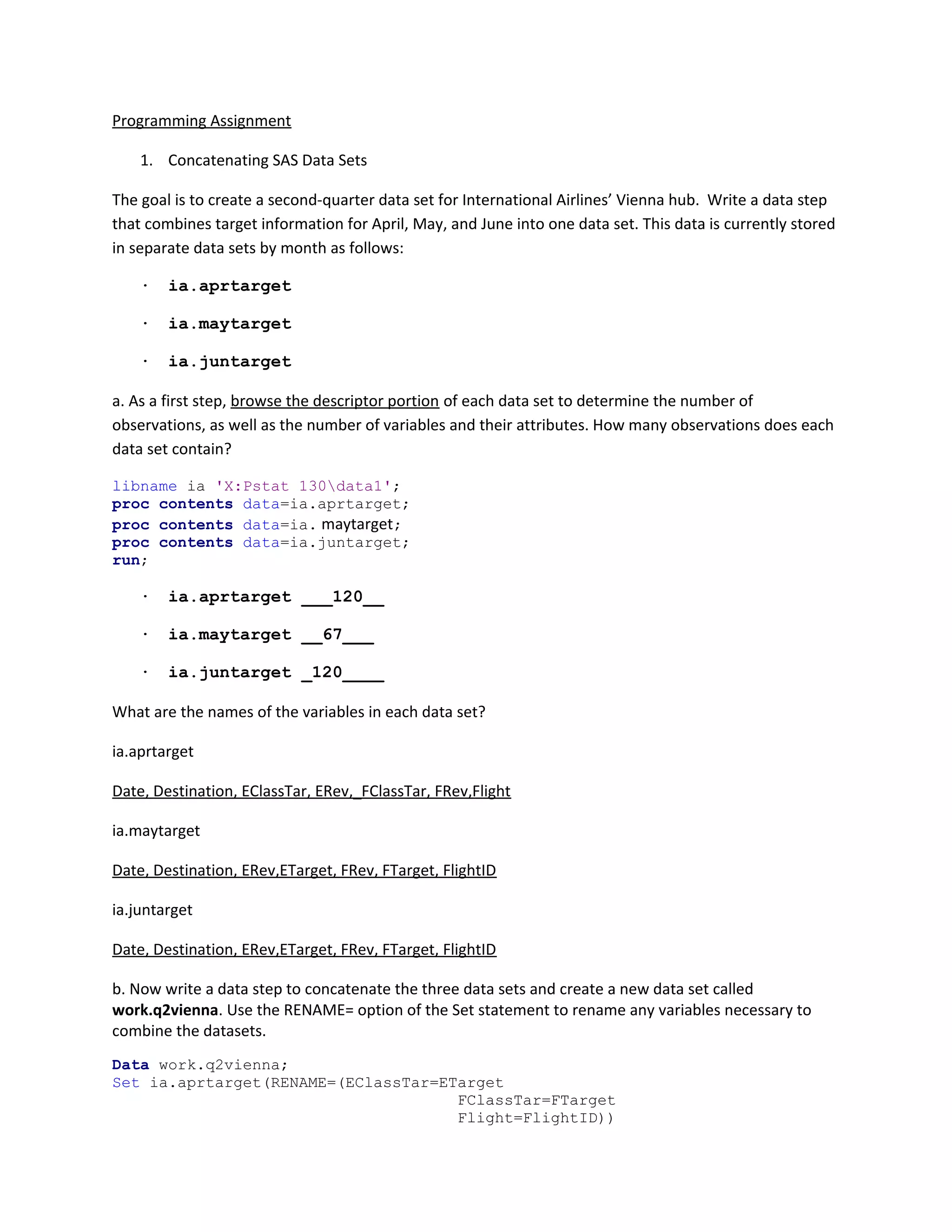
b. Now write a data step to concatenate the three data sets and create a new data set called
work.q2vienna. Use the RENAME= option of the Set statement to rename any variables necessary to
combine the datasets.
Data work.q2vienna;
Set ia.aprtarget(RENAME=(EClassTar=ETarget
FClassTar=FTarget
Flight=FlightID))
ia.maytarget ia.juntarget;
run;
c. Browse the SAS log. There should be no warning or error messages.
· How many observations are written to the new data set? 307
· How many variables does the new data set contain? 7
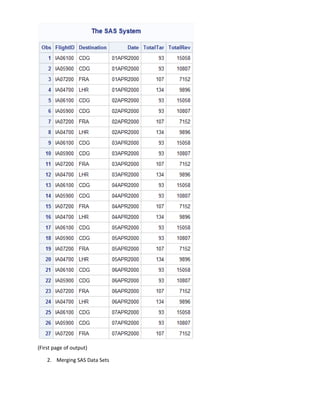
d. Submit a PROC PRINT step to verify the data.
proc print data=work.q2vienna;
run;
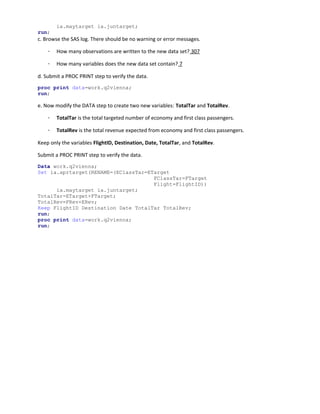
e. Now modify the DATA step to create two new variables: TotalTar and TotalRev.
· TotalTar is the total targeted number of economy and first class passengers.
· TotalRev is the total revenue expected from economy and first class passengers.
Keep only the variables FlightID, Destination, Date, TotalTar, and TotalRev.
Submit a PROC PRINT step to verify the data.
Data work.q2vienna;
Set ia.aprtarget(RENAME=(EClassTar=ETarget
FClassTar=FTarget
Flight=FlightID))
ia.maytarget ia.juntarget;
TotalTar=ETarget+FTarget;
TotalRev=FRev+ERev;
Keep FlightID Destination Date TotalTar TotalRev;
run;
proc print data=work.q2vienna;
run;
(First page of output)
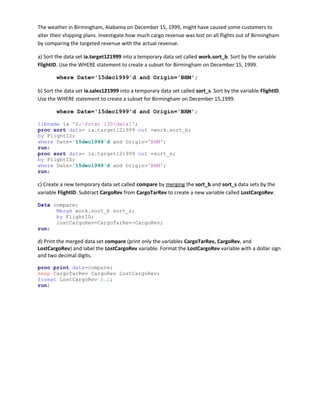
2. Merging SAS Data Sets
The weather in Birmingham, Alabama on December 15, 1999, might have caused some customers to
alter their shipping plans. Investigate how much cargo revenue was lost on all flights out of Birmingham
by comparing the targeted revenue with the actual revenue.
a) Sort the data set ia.target121999 into a temporary data set called work.sort_b. Sort by the variable
FlightID. Use the WHERE statement to create a subset for Birmingham on December 15, 1999.
where Date='15dec1999'd and Origin='BHM';
b) Sort the data set ia.sales121999 into a temporary data set called sort_s. Sort by the variable FlightID.
Use the WHERE statement to create a subset for Birmingham on December 15,1999.
where Date='15dec1999'd and Origin='BHM';
libname ia 'X:Pstat 130data1';
proc sort data= ia.target121999 out =work.sort_b;
by FlightID;
where Date='15dec1999'd and Origin='BHM';
run;
proc sort data= ia.target121999 out =sort_s;
by FlightID;
where Date='15dec1999'd and Origin='BHM';
run;
c) Create a new temporary data set called compare by merging the sort_b and sort_s data sets by the
variable FlightID. Subtract CargoRev from CargoTarRev to create a new variable called LostCargoRev.
Data compare;
Merge work.sort_b sort_s;
by FlightID;
lostCargoRev=CargoTarRev-CargoRev;
run;
d) Print the merged data set compare (print only the variables CargoTarRev, CargoRev, and
LostCargoRev) and label the LostCargoRev variable. Format the LostCargoRev variable with a dollar sign
and two decimal digits.
proc print data=compare;
keep CargoTarRev CargoRev LostCargoRev;
format LostCargoRev $.2;
run;

SAS writing example

  • 1.
    Programming Assignment 1. ConcatenatingSAS Data Sets The goal is to create a second-quarter data set for International Airlines’ Vienna hub. Write a data step that combines target information for April, May, and June into one data set. This data is currently stored in separate data sets by month as follows: · ia.aprtarget · ia.maytarget · ia.juntarget a. As a first step, browse the descriptor portion of each data set to determine the number of observations, as well as the number of variables and their attributes. How many observations does each data set contain? libname ia 'X:Pstat 130data1'; proc contents data=ia.aprtarget; proc contents data=ia. maytarget; proc contents data=ia.juntarget; run; · ia.aprtarget ___120__ · ia.maytarget __67___ · ia.juntarget _120____ What are the names of the variables in each data set? ia.aprtarget Date, Destination, EClassTar, ERev,_FClassTar, FRev,Flight ia.maytarget Date, Destination, ERev,ETarget, FRev, FTarget, FlightID ia.juntarget Date, Destination, ERev,ETarget, FRev, FTarget, FlightID b. Now write a data step to concatenate the three data sets and create a new data set called work.q2vienna. Use the RENAME= option of the Set statement to rename any variables necessary to combine the datasets. Data work.q2vienna; Set ia.aprtarget(RENAME=(EClassTar=ETarget FClassTar=FTarget Flight=FlightID))
  • 2.
    ia.maytarget ia.juntarget; run; c. Browsethe SAS log. There should be no warning or error messages. · How many observations are written to the new data set? 307 · How many variables does the new data set contain? 7 d. Submit a PROC PRINT step to verify the data. proc print data=work.q2vienna; run; e. Now modify the DATA step to create two new variables: TotalTar and TotalRev. · TotalTar is the total targeted number of economy and first class passengers. · TotalRev is the total revenue expected from economy and first class passengers. Keep only the variables FlightID, Destination, Date, TotalTar, and TotalRev. Submit a PROC PRINT step to verify the data. Data work.q2vienna; Set ia.aprtarget(RENAME=(EClassTar=ETarget FClassTar=FTarget Flight=FlightID)) ia.maytarget ia.juntarget; TotalTar=ETarget+FTarget; TotalRev=FRev+ERev; Keep FlightID Destination Date TotalTar TotalRev; run; proc print data=work.q2vienna; run;
  • 3.
    (First page ofoutput) 2. Merging SAS Data Sets
  • 4.
    The weather inBirmingham, Alabama on December 15, 1999, might have caused some customers to alter their shipping plans. Investigate how much cargo revenue was lost on all flights out of Birmingham by comparing the targeted revenue with the actual revenue. a) Sort the data set ia.target121999 into a temporary data set called work.sort_b. Sort by the variable FlightID. Use the WHERE statement to create a subset for Birmingham on December 15, 1999. where Date='15dec1999'd and Origin='BHM'; b) Sort the data set ia.sales121999 into a temporary data set called sort_s. Sort by the variable FlightID. Use the WHERE statement to create a subset for Birmingham on December 15,1999. where Date='15dec1999'd and Origin='BHM'; libname ia 'X:Pstat 130data1'; proc sort data= ia.target121999 out =work.sort_b; by FlightID; where Date='15dec1999'd and Origin='BHM'; run; proc sort data= ia.target121999 out =sort_s; by FlightID; where Date='15dec1999'd and Origin='BHM'; run; c) Create a new temporary data set called compare by merging the sort_b and sort_s data sets by the variable FlightID. Subtract CargoRev from CargoTarRev to create a new variable called LostCargoRev. Data compare; Merge work.sort_b sort_s; by FlightID; lostCargoRev=CargoTarRev-CargoRev; run; d) Print the merged data set compare (print only the variables CargoTarRev, CargoRev, and LostCargoRev) and label the LostCargoRev variable. Format the LostCargoRev variable with a dollar sign and two decimal digits. proc print data=compare; keep CargoTarRev CargoRev LostCargoRev; format LostCargoRev $.2; run;