Online Payment Status
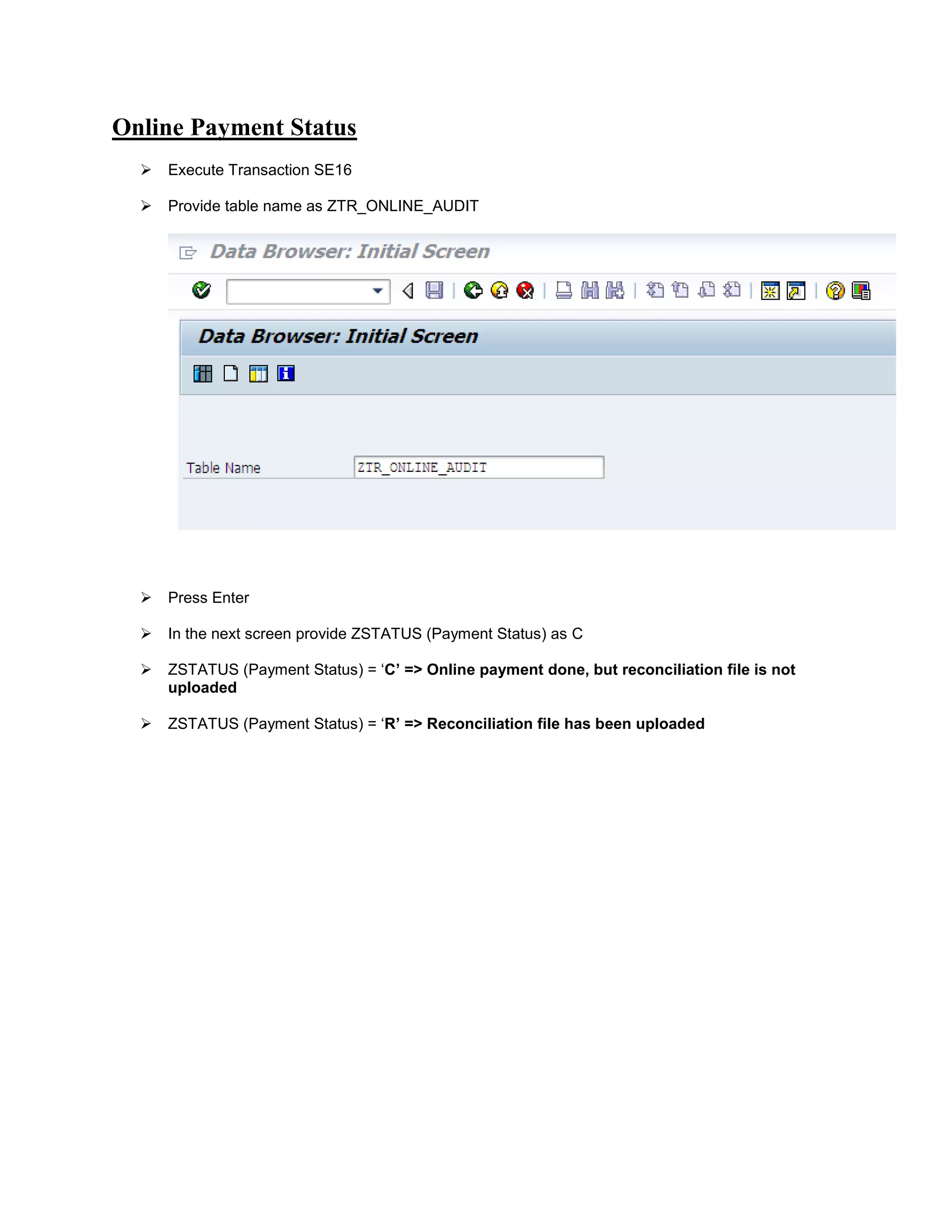
 Execute Transaction SE16
 Provide table name as ZTR_ONLINE_AUDIT
 Press Enter
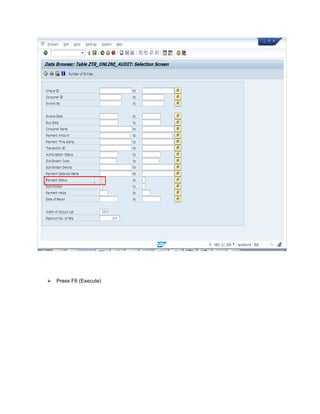
 In the next screen provide ZSTATUS (Payment Status) as C
 ZSTATUS (Payment Status) = ‘C’ => Online payment done, but reconciliation file is not
uploaded
 ZSTATUS (Payment Status) = ‘R’ => Reconciliation file has been uploaded
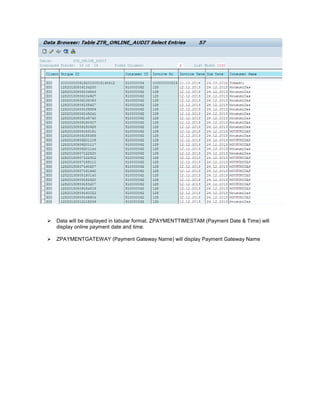
 Data will be displayed in tabular format. ZPAYMENTTIMESTAM (Payment Date & Time) will
display online payment date and time.
 ZPAYMENTGATEWAY (Payment Gateway Name) will display Payment Gateway Name
 Press F8 (Execute)

SAP TRIPURA

  • 1.
    Online Payment Status Execute Transaction SE16  Provide table name as ZTR_ONLINE_AUDIT  Press Enter  In the next screen provide ZSTATUS (Payment Status) as C  ZSTATUS (Payment Status) = ‘C’ => Online payment done, but reconciliation file is not uploaded  ZSTATUS (Payment Status) = ‘R’ => Reconciliation file has been uploaded
  • 2.
     Data willbe displayed in tabular format. ZPAYMENTTIMESTAM (Payment Date & Time) will display online payment date and time.  ZPAYMENTGATEWAY (Payment Gateway Name) will display Payment Gateway Name
  • 3.
     Press F8(Execute)