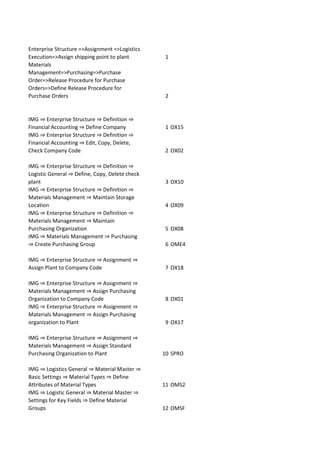
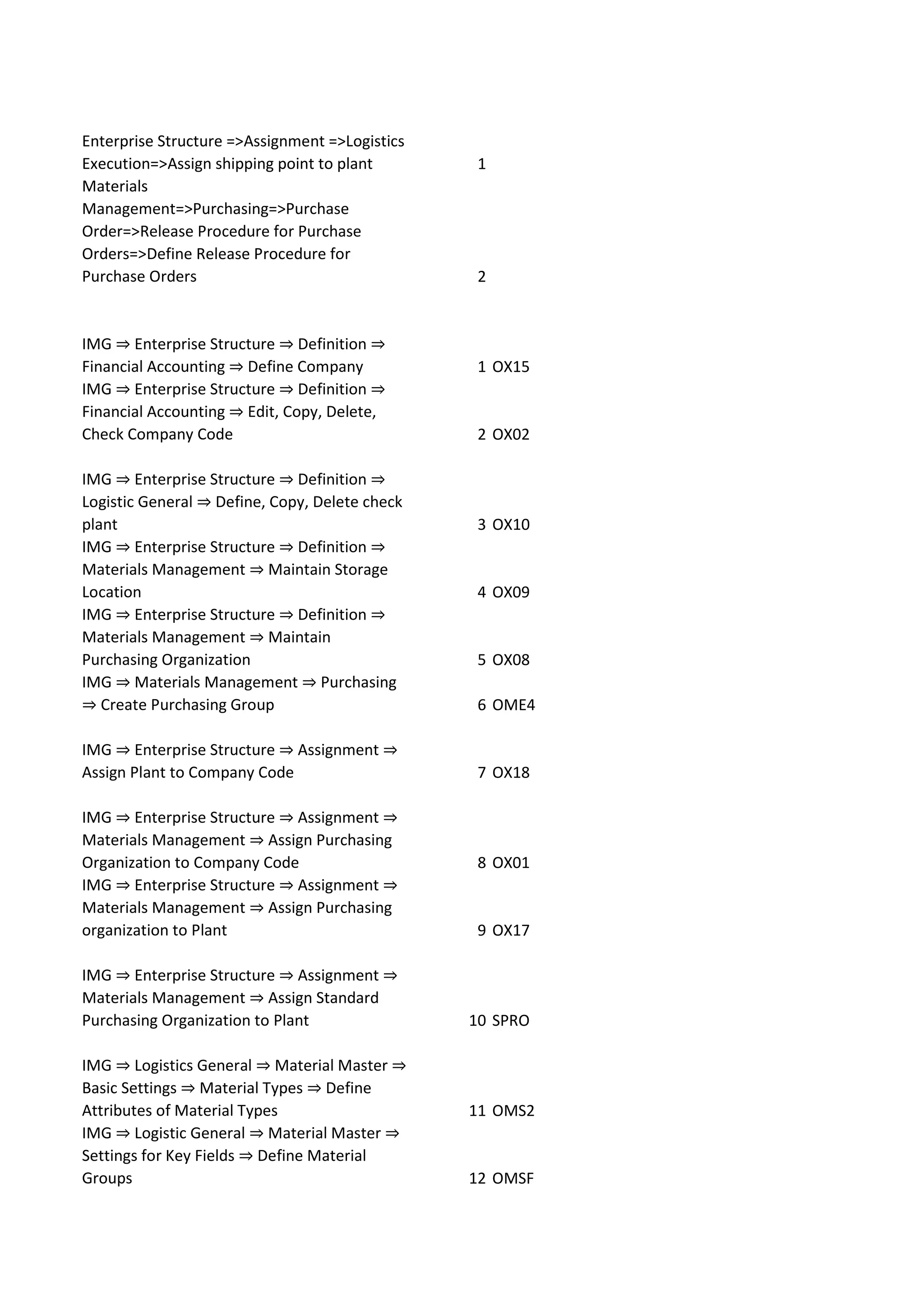
Enterprise Structure =>Assignment =>Logistics
Execution=>Assign shipping point to plant 1
Materials
Management=>Purchasing=>Purchase
Order=>Release Procedure for Purchase
Orders=>Define Release Procedure for
Purchase Orders 2
IMG ⇒ Enterprise Structure ⇒ Definition ⇒
Financial Accounting ⇒ Define Company 1 OX15
IMG ⇒ Enterprise Structure ⇒ Definition ⇒
Financial Accounting ⇒ Edit, Copy, Delete,
Check Company Code 2 OX02
IMG ⇒ Enterprise Structure ⇒ Definition ⇒
Logistic General ⇒ Define, Copy, Delete check
plant 3 OX10
IMG ⇒ Enterprise Structure ⇒ Definition ⇒
Materials Management ⇒ Maintain Storage
Location 4 OX09
IMG ⇒ Enterprise Structure ⇒ Definition ⇒
Materials Management ⇒ Maintain
Purchasing Organization 5 OX08
IMG ⇒ Materials Management ⇒ Purchasing
⇒ Create Purchasing Group 6 OME4
IMG ⇒ Enterprise Structure ⇒ Assignment ⇒
Assign Plant to Company Code 7 OX18
IMG ⇒ Enterprise Structure ⇒ Assignment ⇒
Materials Management ⇒ Assign Purchasing
Organization to Company Code 8 OX01
IMG ⇒ Enterprise Structure ⇒ Assignment ⇒
Materials Management ⇒ Assign Purchasing
organization to Plant 9 OX17
IMG ⇒ Enterprise Structure ⇒ Assignment ⇒
Materials Management ⇒ Assign Standard
Purchasing Organization to Plant 10 SPRO
IMG ⇒ Logistics General ⇒ Material Master ⇒
Basic Settings ⇒ Material Types ⇒ Define
Attributes of Material Types 11 OMS2
IMG ⇒ Logistic General ⇒ Material Master ⇒
Settings for Key Fields ⇒ Define Material
Groups 12 OMSF
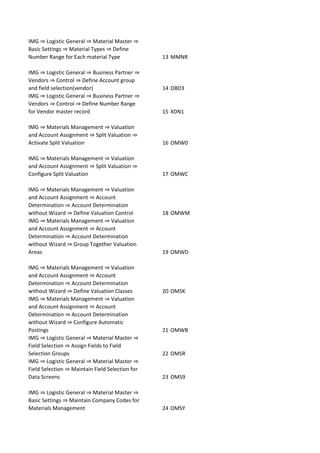
IMG ⇒ Logistic General ⇒ Material Master ⇒
Basic Settings ⇒ Material Types ⇒ Define
Number Range for Each material Type 13 MMNR
IMG ⇒ Logistic General ⇒ Business Partner ⇒
Vendors ⇒ Control ⇒ Define Account group
and field selection(vendor) 14 OBD3
IMG ⇒ Logistic General ⇒ Business Partner ⇒
Vendors ⇒ Control ⇒ Define Number Range
for Vendor master record 15 XDN1
IMG ⇒ Materials Management ⇒ Valuation
and Account Assignment ⇒ Split Valuation ⇒
Activate Split Valuation 16 OMW0
IMG ⇒ Materials Management ⇒ Valuation
and Account Assignment ⇒ Split Valuation ⇒
Configure Split Valuation 17 OMWC
IMG ⇒ Materials Management ⇒ Valuation
and Account Assignment ⇒ Account
Determination ⇒ Account Determination
without Wizard ⇒ Define Valuation Control 18 OMWM
IMG ⇒ Materials Management ⇒ Valuation
and Account Assignment ⇒ Account
Determination ⇒ Account Determination
without Wizard ⇒ Group Together Valuation
Areas 19 OMWD
IMG ⇒ Materials Management ⇒ Valuation
and Account Assignment ⇒ Account
Determination ⇒ Account Determination
without Wizard ⇒ Define Valuation Classes 20 OMSK
IMG ⇒ Materials Management ⇒ Valuation
and Account Assignment ⇒ Account
Determination ⇒ Account Determination
without Wizard ⇒ Configure Automatic
Postings 21 OMWB
IMG ⇒ Logistic General ⇒ Material Master ⇒
Field Selection ⇒ Assign Fields to Field
Selection Groups 22 OMSR
IMG ⇒ Logistic General ⇒ Material Master ⇒
Field Selection ⇒ Maintain Field Selection for
Data Screens 23 OMS9
IMG ⇒ Logistic General ⇒ Material Master ⇒
Basic Settings ⇒ Maintain Company Codes for
Materials Management 24 OMSY
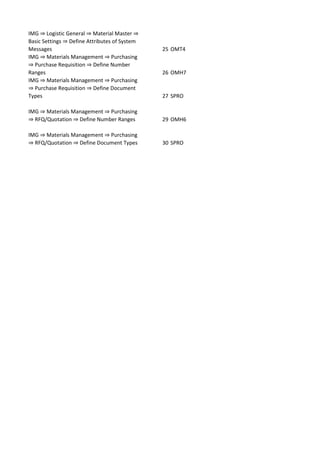
IMG ⇒ Logistic General ⇒ Material Master ⇒
Basic Settings ⇒ Define Attributes of System
Messages 25 OMT4
IMG ⇒ Materials Management ⇒ Purchasing
⇒ Purchase Requisition ⇒ Define Number
Ranges 26 OMH7
IMG ⇒ Materials Management ⇒ Purchasing
⇒ Purchase Requisition ⇒ Define Document
Types 27 SPRO
IMG ⇒ Materials Management ⇒ Purchasing
⇒ RFQ/Quotation ⇒ Define Number Ranges 29 OMH6
IMG ⇒ Materials Management ⇒ Purchasing
⇒ RFQ/Quotation ⇒ Define Document Types 30 SPRO

Sap doc

  • 1.
    Enterprise Structure =>Assignment=>Logistics Execution=>Assign shipping point to plant 1 Materials Management=>Purchasing=>Purchase Order=>Release Procedure for Purchase Orders=>Define Release Procedure for Purchase Orders 2 IMG ⇒ Enterprise Structure ⇒ Definition ⇒ Financial Accounting ⇒ Define Company 1 OX15 IMG ⇒ Enterprise Structure ⇒ Definition ⇒ Financial Accounting ⇒ Edit, Copy, Delete, Check Company Code 2 OX02 IMG ⇒ Enterprise Structure ⇒ Definition ⇒ Logistic General ⇒ Define, Copy, Delete check plant 3 OX10 IMG ⇒ Enterprise Structure ⇒ Definition ⇒ Materials Management ⇒ Maintain Storage Location 4 OX09 IMG ⇒ Enterprise Structure ⇒ Definition ⇒ Materials Management ⇒ Maintain Purchasing Organization 5 OX08 IMG ⇒ Materials Management ⇒ Purchasing ⇒ Create Purchasing Group 6 OME4 IMG ⇒ Enterprise Structure ⇒ Assignment ⇒ Assign Plant to Company Code 7 OX18 IMG ⇒ Enterprise Structure ⇒ Assignment ⇒ Materials Management ⇒ Assign Purchasing Organization to Company Code 8 OX01 IMG ⇒ Enterprise Structure ⇒ Assignment ⇒ Materials Management ⇒ Assign Purchasing organization to Plant 9 OX17 IMG ⇒ Enterprise Structure ⇒ Assignment ⇒ Materials Management ⇒ Assign Standard Purchasing Organization to Plant 10 SPRO IMG ⇒ Logistics General ⇒ Material Master ⇒ Basic Settings ⇒ Material Types ⇒ Define Attributes of Material Types 11 OMS2 IMG ⇒ Logistic General ⇒ Material Master ⇒ Settings for Key Fields ⇒ Define Material Groups 12 OMSF
  • 2.
    IMG ⇒ LogisticGeneral ⇒ Material Master ⇒ Basic Settings ⇒ Material Types ⇒ Define Number Range for Each material Type 13 MMNR IMG ⇒ Logistic General ⇒ Business Partner ⇒ Vendors ⇒ Control ⇒ Define Account group and field selection(vendor) 14 OBD3 IMG ⇒ Logistic General ⇒ Business Partner ⇒ Vendors ⇒ Control ⇒ Define Number Range for Vendor master record 15 XDN1 IMG ⇒ Materials Management ⇒ Valuation and Account Assignment ⇒ Split Valuation ⇒ Activate Split Valuation 16 OMW0 IMG ⇒ Materials Management ⇒ Valuation and Account Assignment ⇒ Split Valuation ⇒ Configure Split Valuation 17 OMWC IMG ⇒ Materials Management ⇒ Valuation and Account Assignment ⇒ Account Determination ⇒ Account Determination without Wizard ⇒ Define Valuation Control 18 OMWM IMG ⇒ Materials Management ⇒ Valuation and Account Assignment ⇒ Account Determination ⇒ Account Determination without Wizard ⇒ Group Together Valuation Areas 19 OMWD IMG ⇒ Materials Management ⇒ Valuation and Account Assignment ⇒ Account Determination ⇒ Account Determination without Wizard ⇒ Define Valuation Classes 20 OMSK IMG ⇒ Materials Management ⇒ Valuation and Account Assignment ⇒ Account Determination ⇒ Account Determination without Wizard ⇒ Configure Automatic Postings 21 OMWB IMG ⇒ Logistic General ⇒ Material Master ⇒ Field Selection ⇒ Assign Fields to Field Selection Groups 22 OMSR IMG ⇒ Logistic General ⇒ Material Master ⇒ Field Selection ⇒ Maintain Field Selection for Data Screens 23 OMS9 IMG ⇒ Logistic General ⇒ Material Master ⇒ Basic Settings ⇒ Maintain Company Codes for Materials Management 24 OMSY
  • 3.
    IMG ⇒ LogisticGeneral ⇒ Material Master ⇒ Basic Settings ⇒ Define Attributes of System Messages 25 OMT4 IMG ⇒ Materials Management ⇒ Purchasing ⇒ Purchase Requisition ⇒ Define Number Ranges 26 OMH7 IMG ⇒ Materials Management ⇒ Purchasing ⇒ Purchase Requisition ⇒ Define Document Types 27 SPRO IMG ⇒ Materials Management ⇒ Purchasing ⇒ RFQ/Quotation ⇒ Define Number Ranges 29 OMH6 IMG ⇒ Materials Management ⇒ Purchasing ⇒ RFQ/Quotation ⇒ Define Document Types 30 SPRO