Androidエンジニアが振り返る
Google I/O
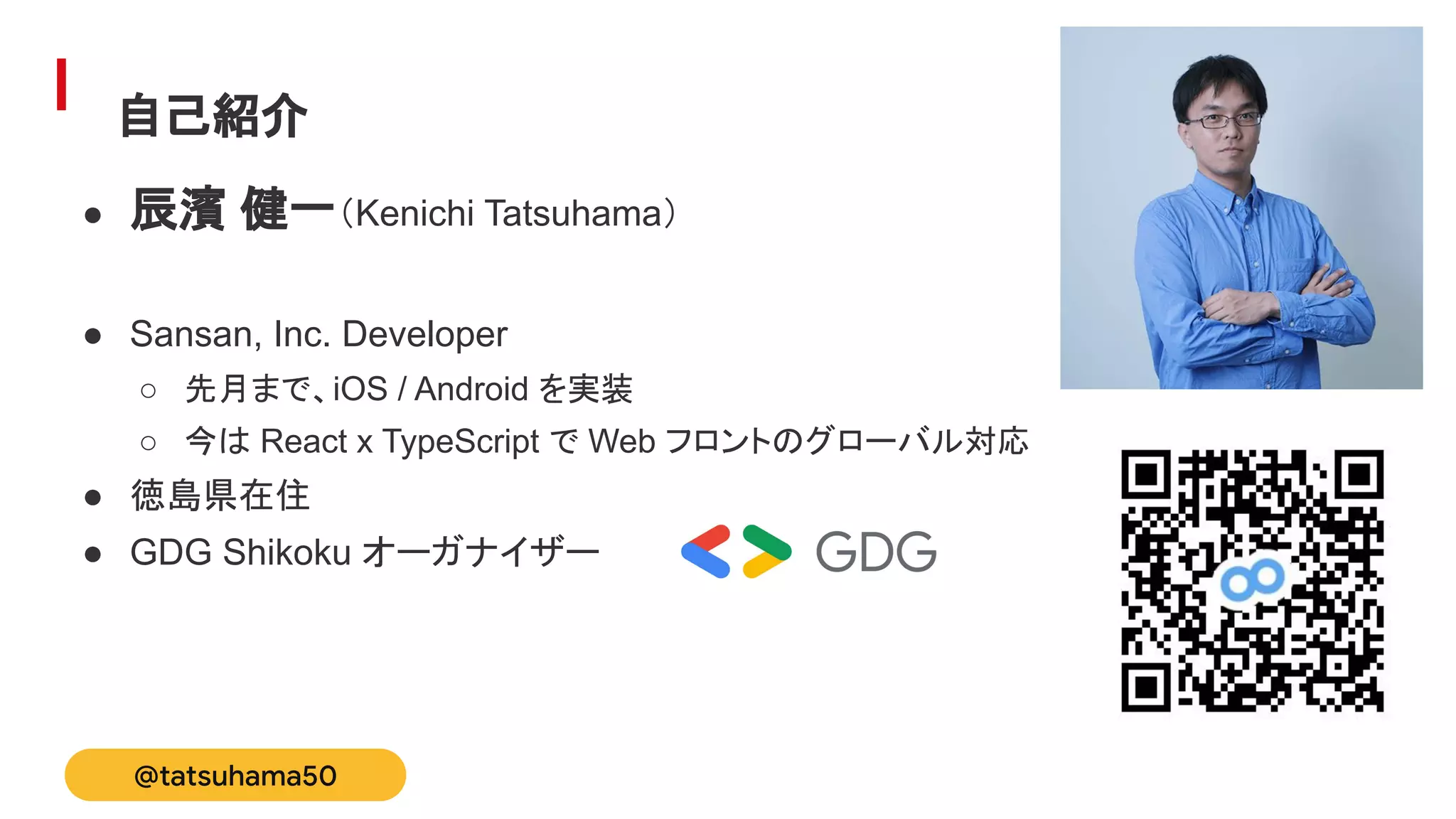
Sansan株式会社
Bill One事業部 辰濱健一
Sansan Tech Meetup
自己紹介
● 辰濱 健一(Kenichi Tatsuhama)
● Sansan, Inc. Developer
○ 先月まで、iOS / Android を実装
○ 今は React x TypeScript で Web フロントのグローバル対応
● 徳島県在住
● GDG Shikoku オーガナイザー
@tatsuhama50
本セッションでは、Google I/O 2021 の Android 関連の動画を「広く浅く」紹介しま
す。
以下の動画からピックアップしています。
● What’s new in Android
● What’s new in Android development tools
● What's new in Android testing tools
● What's new in Google Play
Agenda
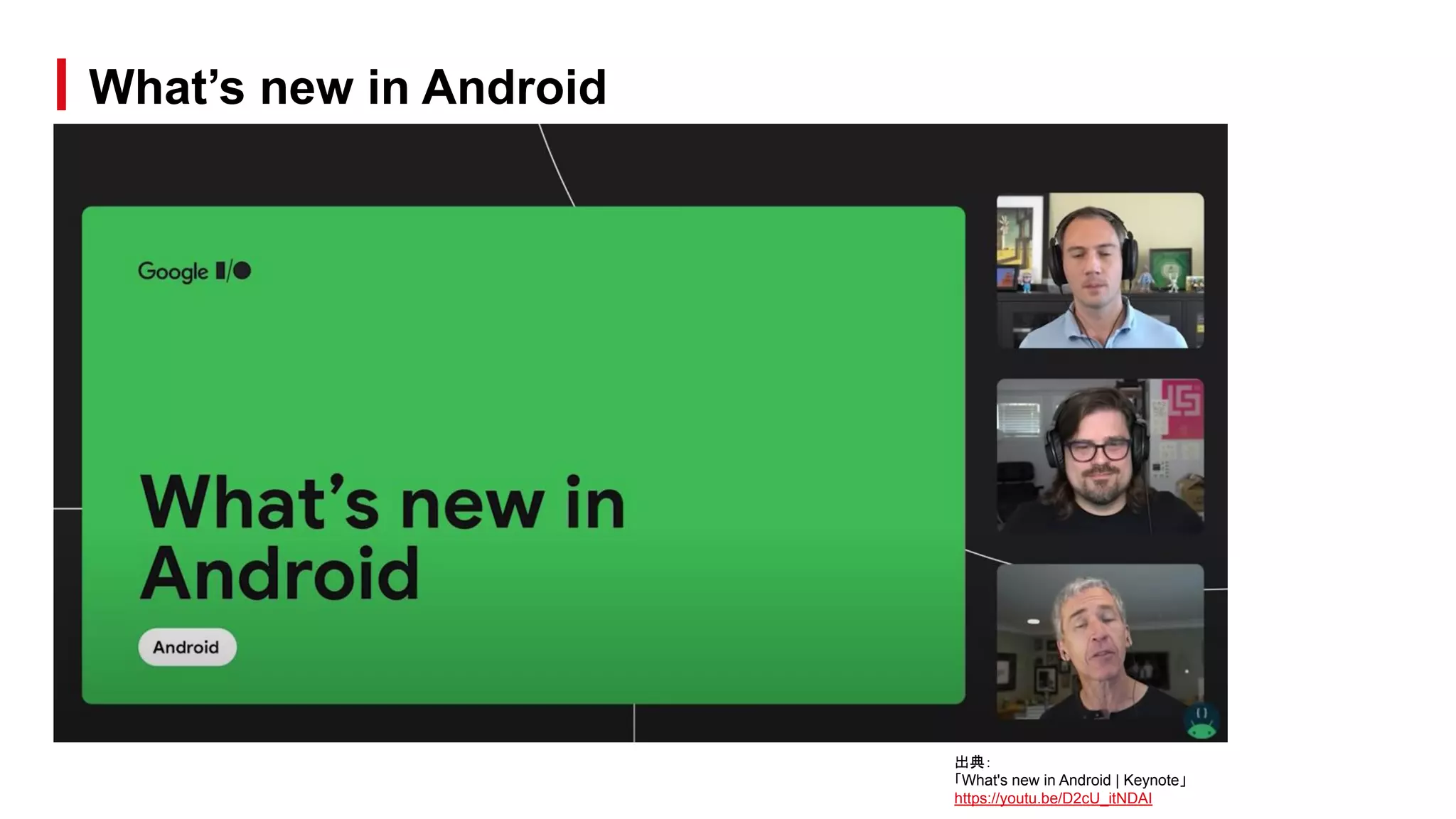
What’s new in Android
出典:
「What's new in Android | Keynote」
https://youtu.be/D2cU_itNDAI
● UI まわりの変更
○ Colors
○ Widget
○ Launch Screen
○ Notification
○ Toast
○ Picture in Picture
○ Render effect
○ Ripple effect
○ Edge effect
What’s new in Android / Topics
● メディアまわりの変更
○ AVIF image
○ Movie format
○ Audio
What’s new in Android / Topics
● プライバシー周り
○ 位置情報
○ クリップボード
○ フォアグラウンド制限
What’s new in Android / Topics
● その他
○ コンテンツ受信用の Unified API
○ パフォーマンス
○ Wear
○ Android Tools
○ Jetpack
What’s new in Android / Topics
● カラーパレットが大幅に拡張
● 端末全体のテーマを変更可能
● Material You(と呼ばれている)
● アプリでは、具体的な色を直接記述
するのではなく、カラーパレットを参
照する実装を行う必要がある
○ 対応が大変そう…
What’s new in Android / Colors
出典:
「Unveiling Material You/Personal for every style」
https://material.io/blog/announcing-material-you
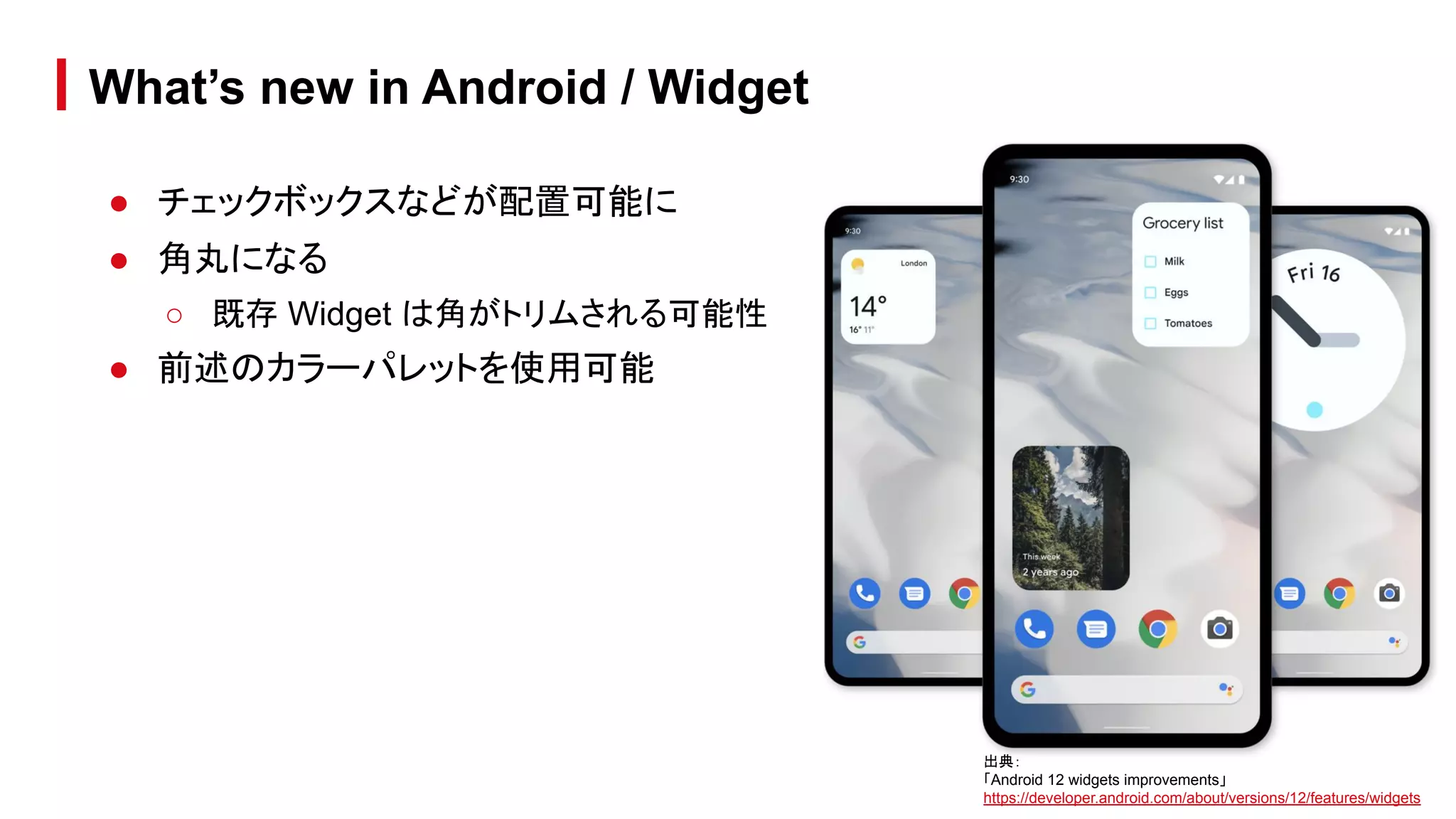
● チェックボックスなどが配置可能に
● 角丸になる
○ 既存 Widget は角がトリムされる可能性
● 前述のカラーパレットを使用可能
What’s new in Android / Widget
出典:
「Android 12 widgets improvements」
https://developer.android.com/about/versions/12/features/widgets
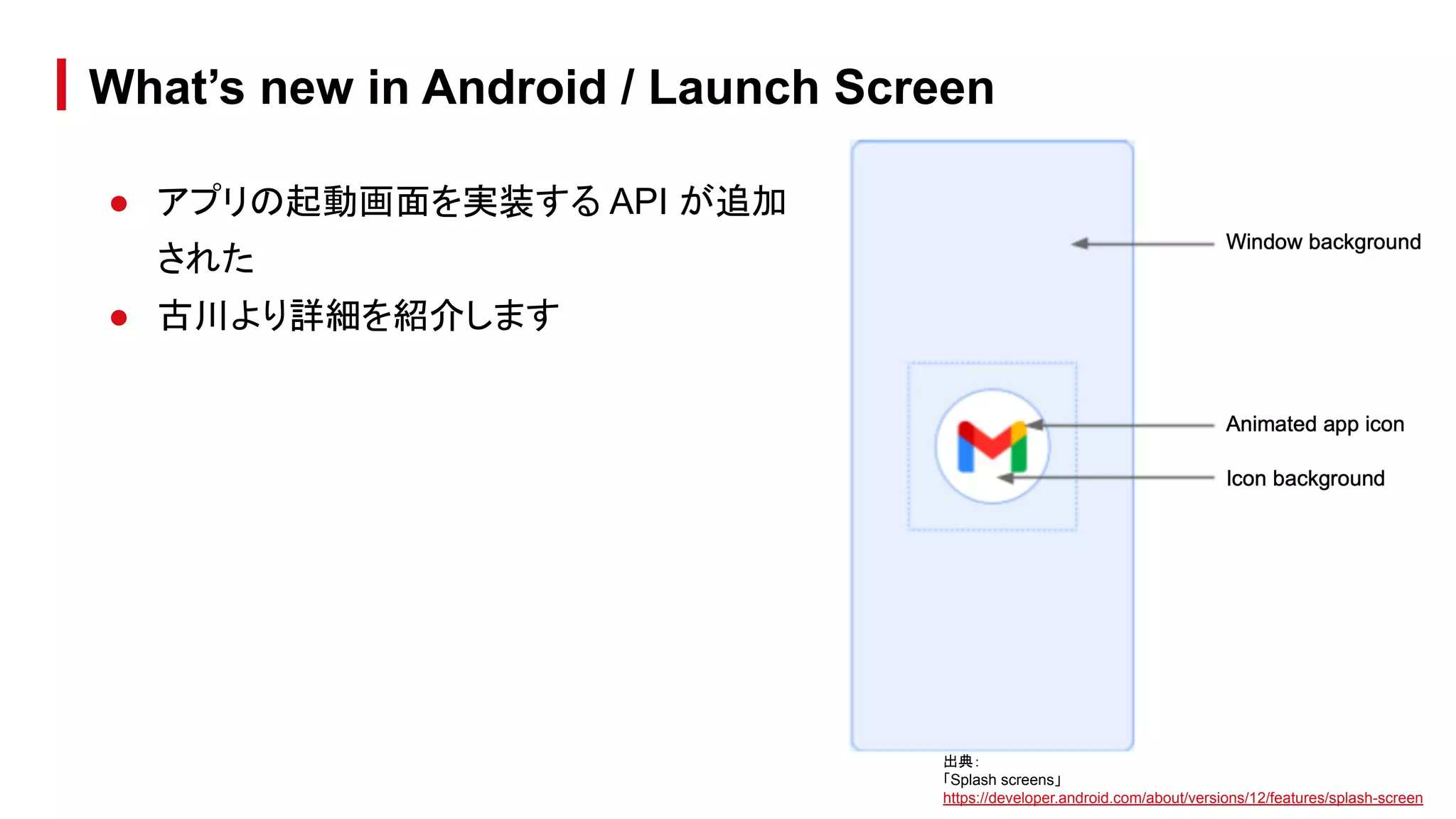
● アプリの起動画面を実装する API が追加
された
● 古川より詳細を紹介します
What’s new in Android / Launch Screen
出典:
「Splash screens」
https://developer.android.com/about/versions/12/features/splash-screen
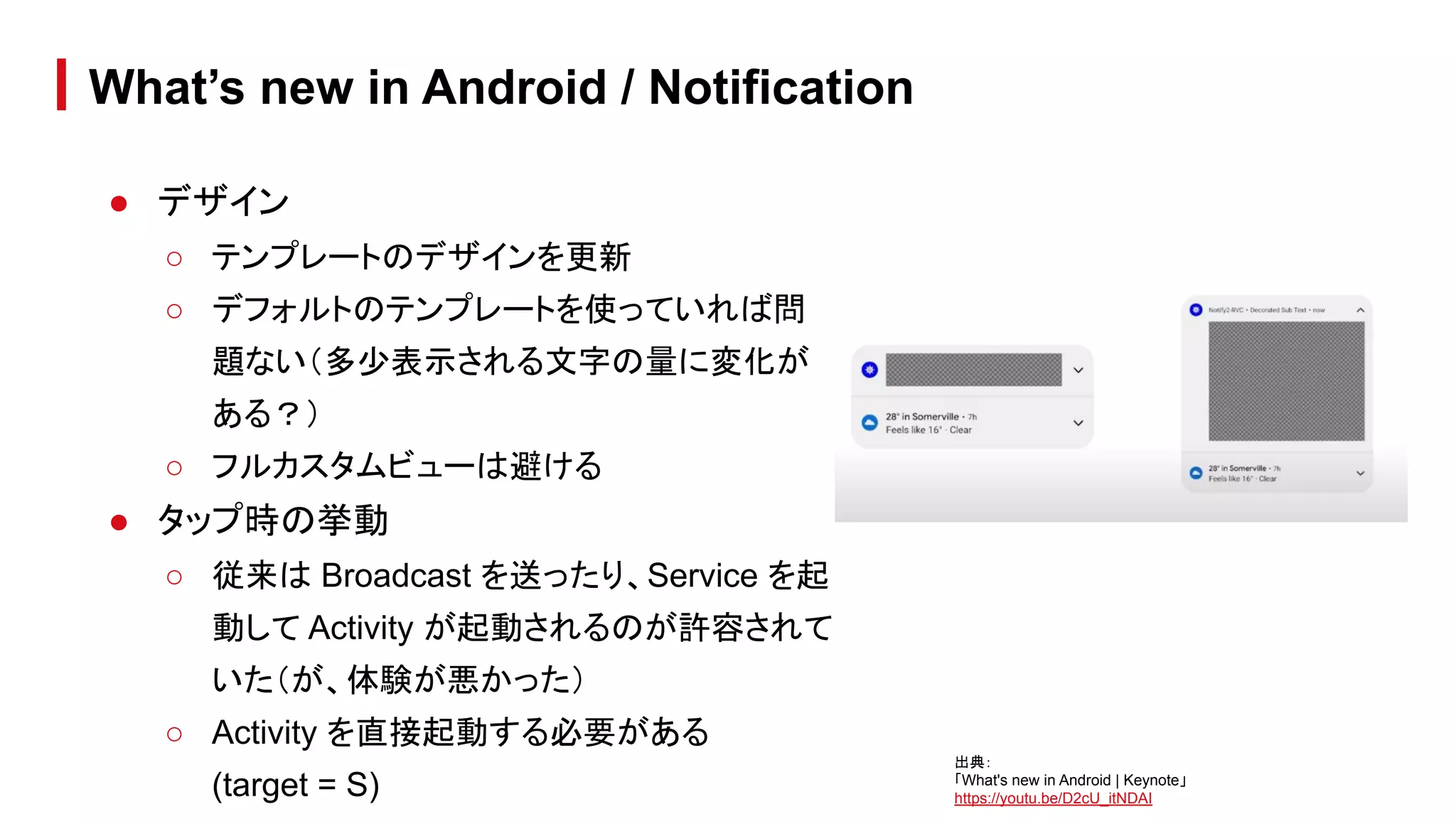
● デザイン
○ テンプレートのデザインを更新
○ デフォルトのテンプレートを使っていれば問
題ない(多少表示される文字の量に変化が
ある?)
○ フルカスタムビューは避ける
● タップ時の挙動
○ 従来は Broadcast を送ったり、Service を起
動して Activity が起動されるのが許容されて
いた(が、体験が悪かった)
○ Activity を直接起動する必要がある
(target = S)
What’s new in Android / Notification
出典:
「What's new in Android | Keynote」
https://youtu.be/D2cU_itNDAI
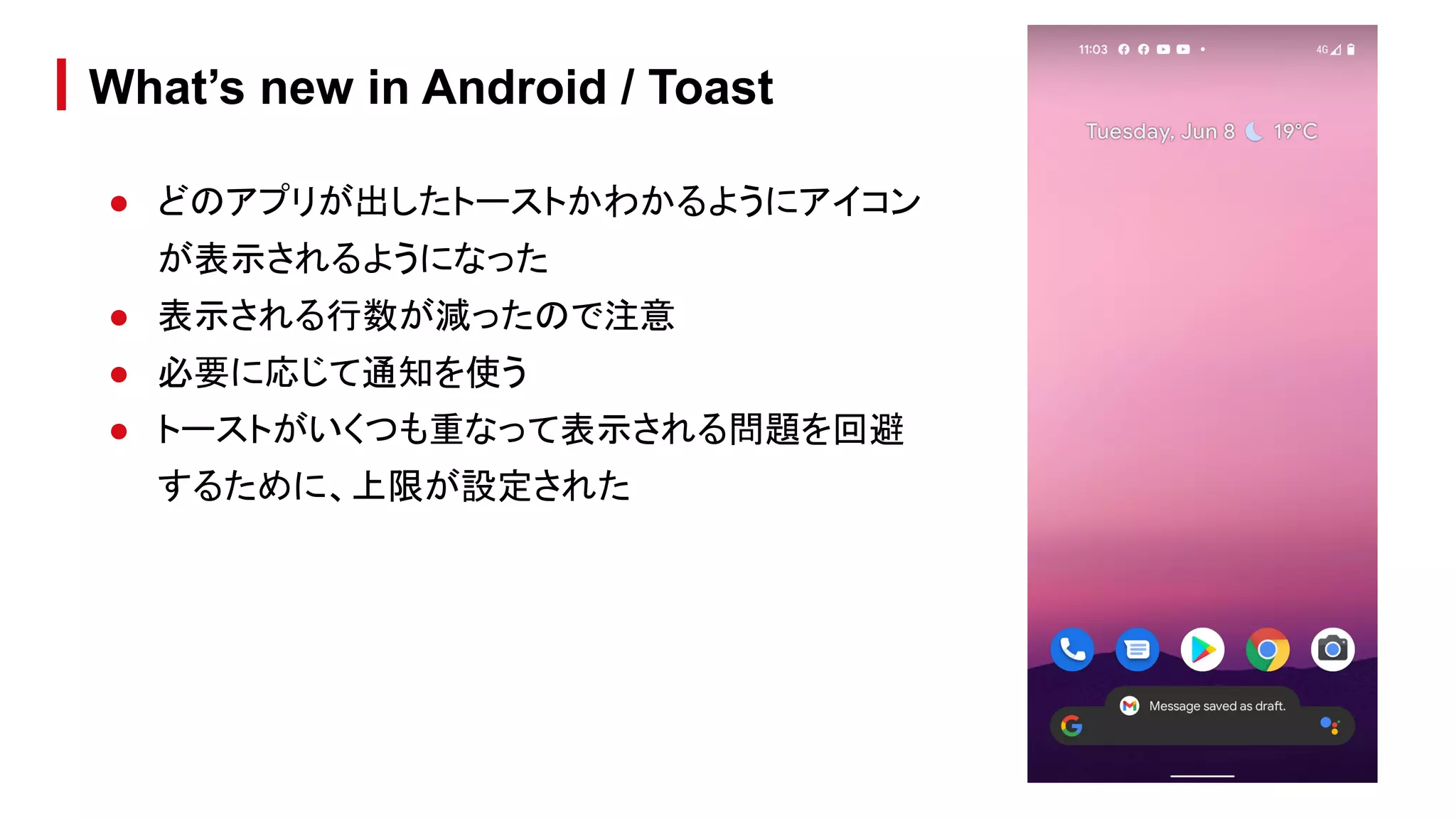
● どのアプリが出したトーストかわかるようにアイコン
が表示されるようになった
● 表示される行数が減ったので注意
● 必要に応じて通知を使う
● トーストがいくつも重なって表示される問題を回避
するために、上限が設定された
What’s new in Android / Toast
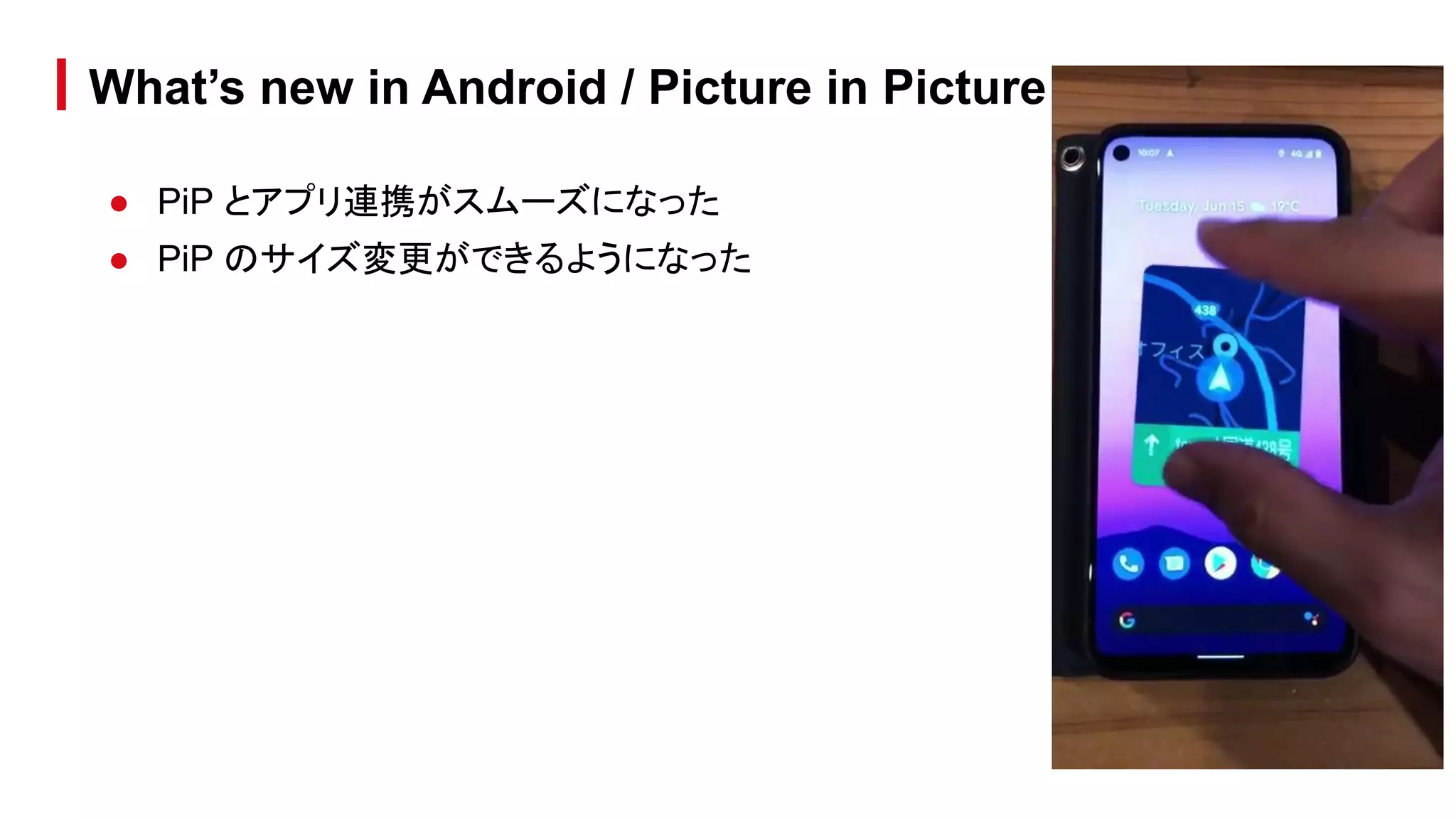
● PiP とアプリ連携がスムーズになった
● PiP のサイズ変更ができるようになった
What’s new in Android / Picture in Picture
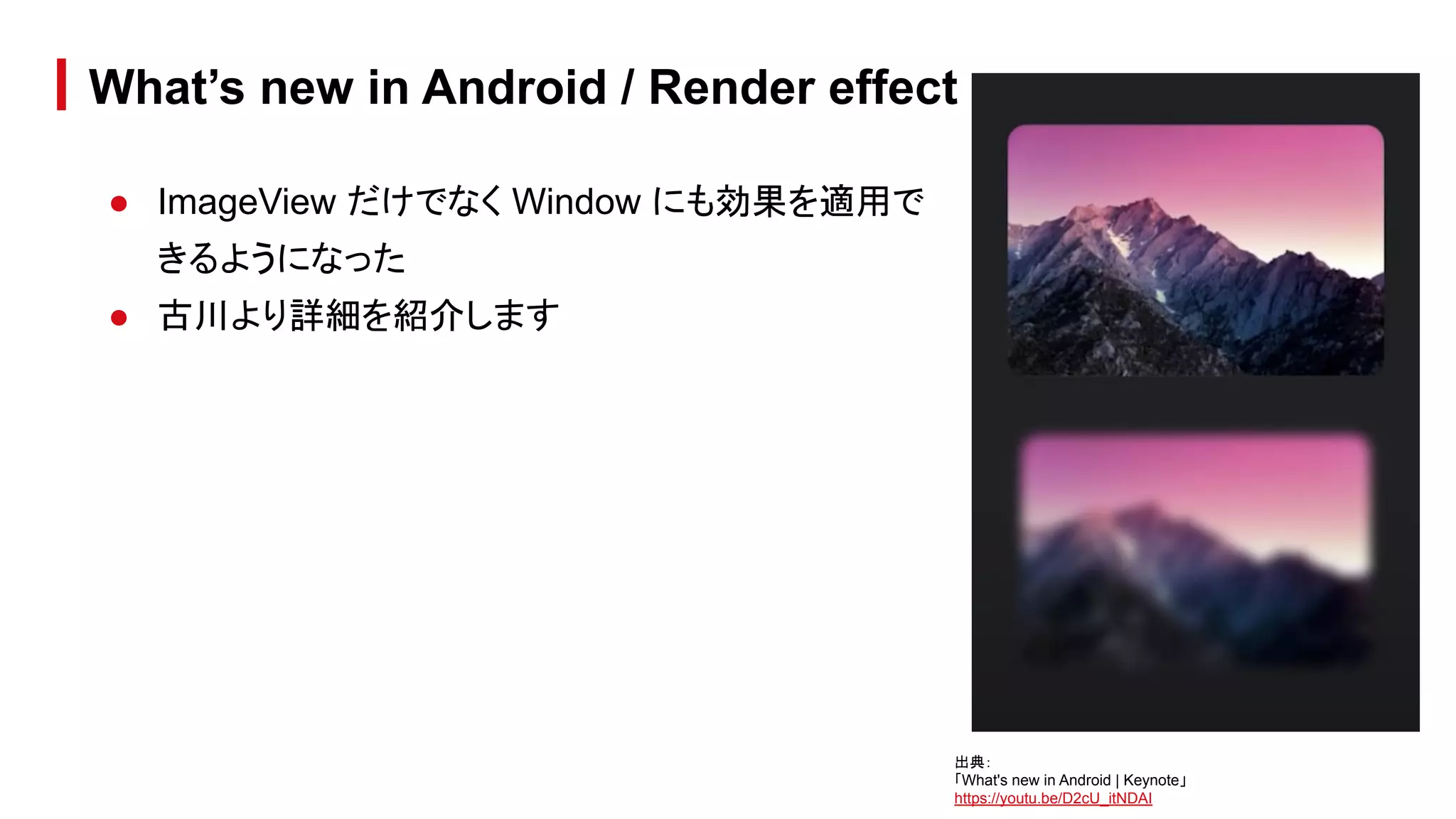
● ImageView だけでなく Window にも効果を適用で
きるようになった
● 古川より詳細を紹介します
What’s new in Android / Render effect
出典:
「What's new in Android | Keynote」
https://youtu.be/D2cU_itNDAI
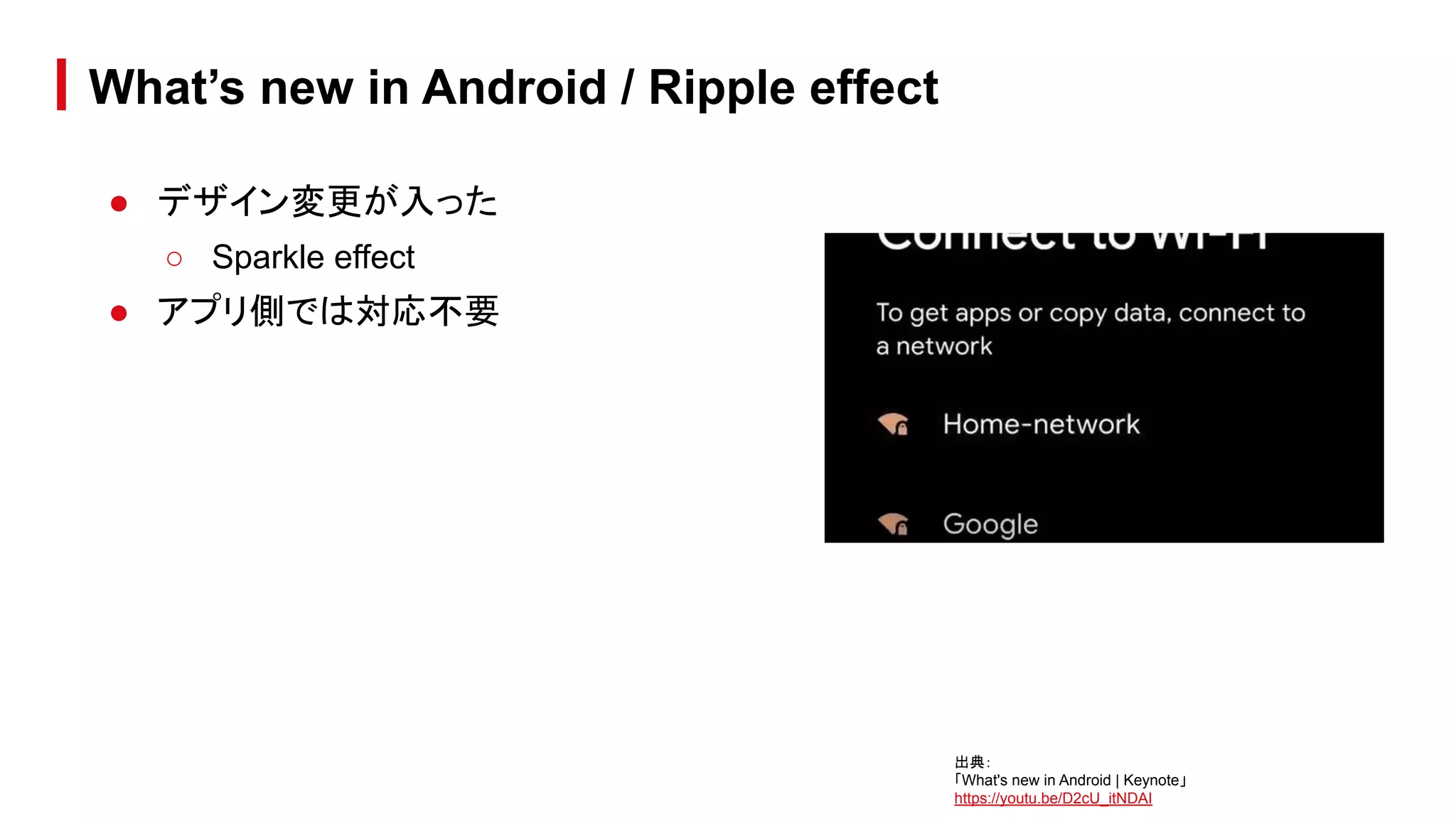
● デザイン変更が入った
○ Sparkle effect
● アプリ側では対応不要
What’s new in Android / Ripple effect
出典:
「What's new in Android | Keynote」
https://youtu.be/D2cU_itNDAI
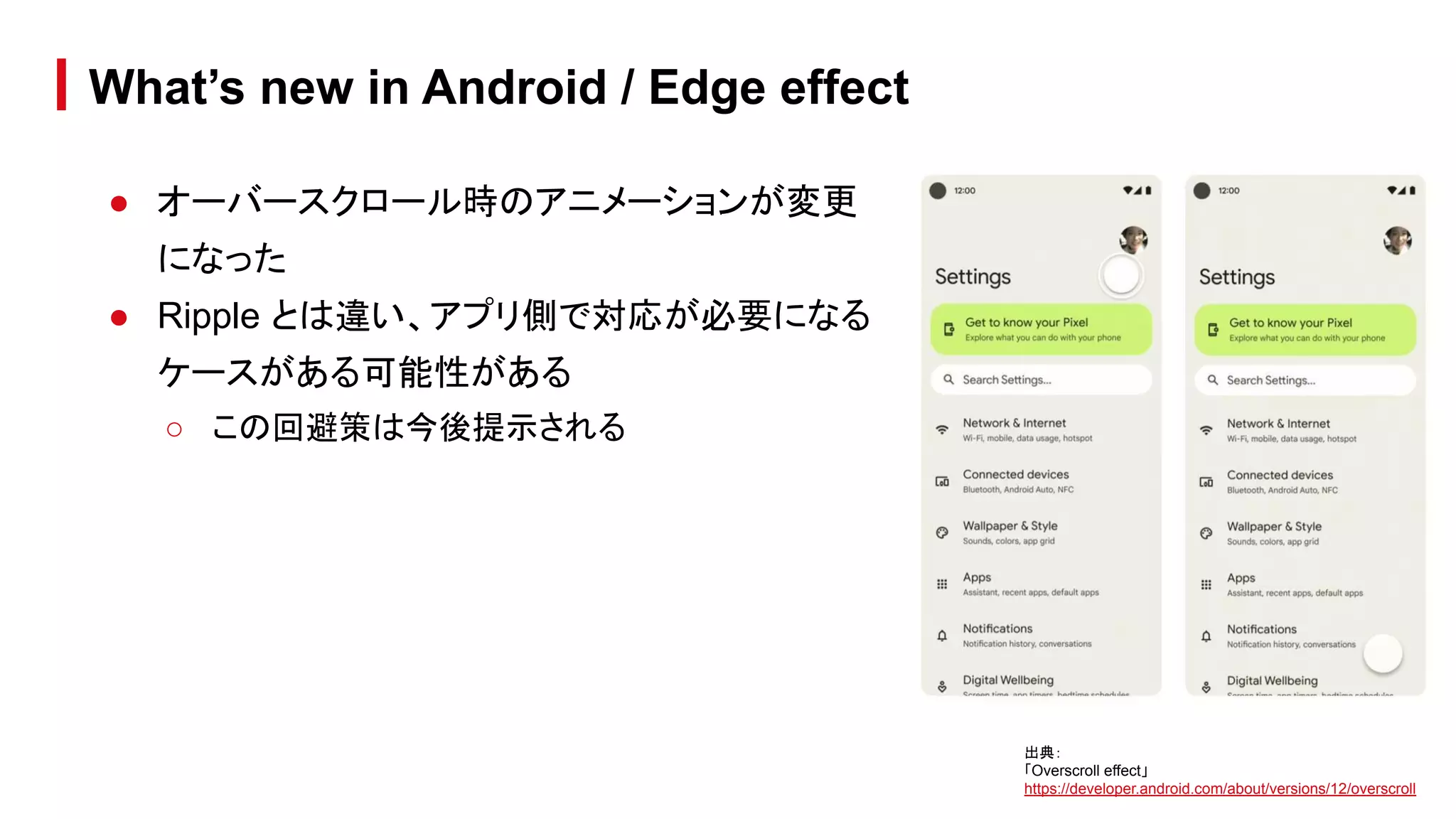
● オーバースクロール時のアニメーションが変更
になった
● Ripple とは違い、アプリ側で対応が必要になる
ケースがある可能性がある
○ この回避策は今後提示される
What’s new in Android / Edge effect
出典:
「Overscroll effect」
https://developer.android.com/about/versions/12/overscroll
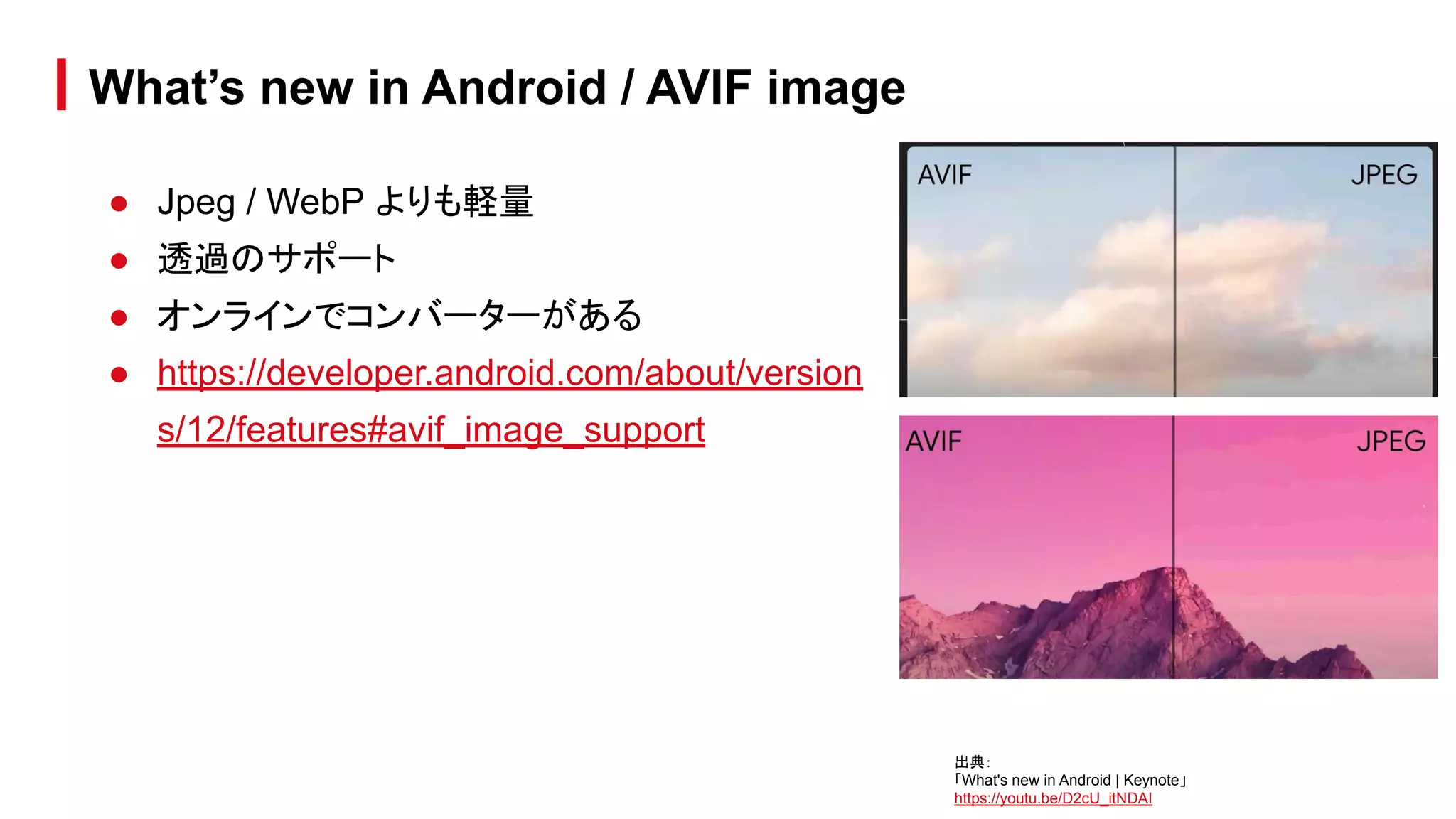
● Jpeg / WebP よりも軽量
● 透過のサポート
● オンラインでコンバーターがある
● https://developer.android.com/about/version
s/12/features#avif_image_support
What’s new in Android / AVIF image
出典:
「What's new in Android | Keynote」
https://youtu.be/D2cU_itNDAI
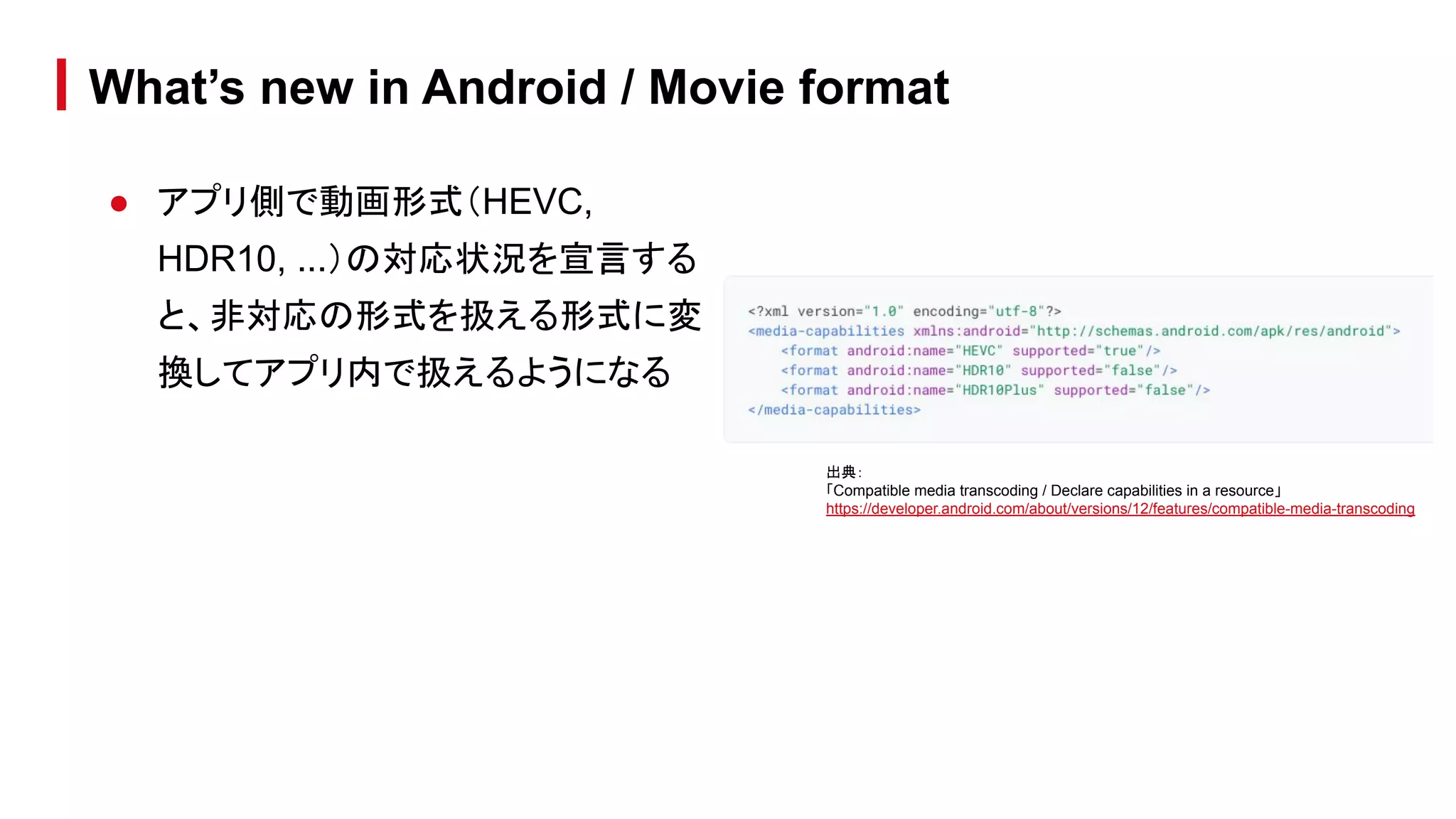
● アプリ側で動画形式(HEVC,
HDR10, ...)の対応状況を宣言する
と、非対応の形式を扱える形式に変
換してアプリ内で扱えるようになる
What’s new in Android / Movie format
出典:
「Compatible media transcoding / Declare capabilities in a resource」
https://developer.android.com/about/versions/12/features/compatible-media-transcoding
● 音に合わせた触覚フィードバック (Haptic) が生成できる
● ゲームなどで効果音に応じた haptic は、より没入感を出せる
● 端末によっては利用できないので、HapticGenerator.isAvailable() でチェック
が必要
● https://developer.android.com/about/versions/12/features#generate_hapti
c_effects_from_audio
What’s new in Android / Audio
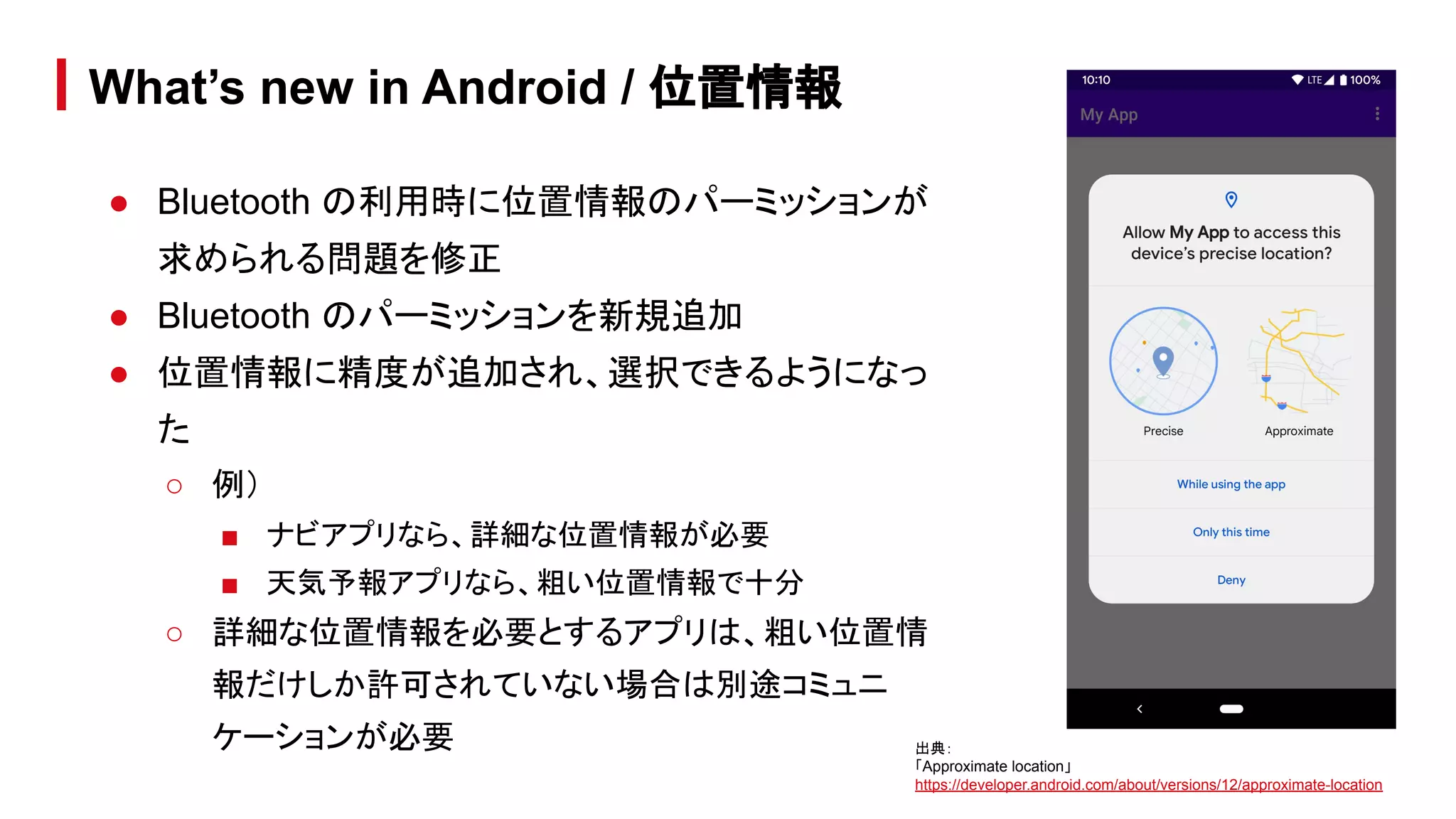
● Bluetooth の利用時に位置情報のパーミッションが
求められる問題を修正
● Bluetooth のパーミッションを新規追加
● 位置情報に精度が追加され、選択できるようになっ
た
○ 例)
■ ナビアプリなら、詳細な位置情報が必要
■ 天気予報アプリなら、粗い位置情報で十分
○ 詳細な位置情報を必要とするアプリは、粗い位置情
報だけしか許可されていない場合は別途コミュニ
ケーションが必要
What’s new in Android / 位置情報
出典:
「Approximate location」
https://developer.android.com/about/versions/12/approximate-location
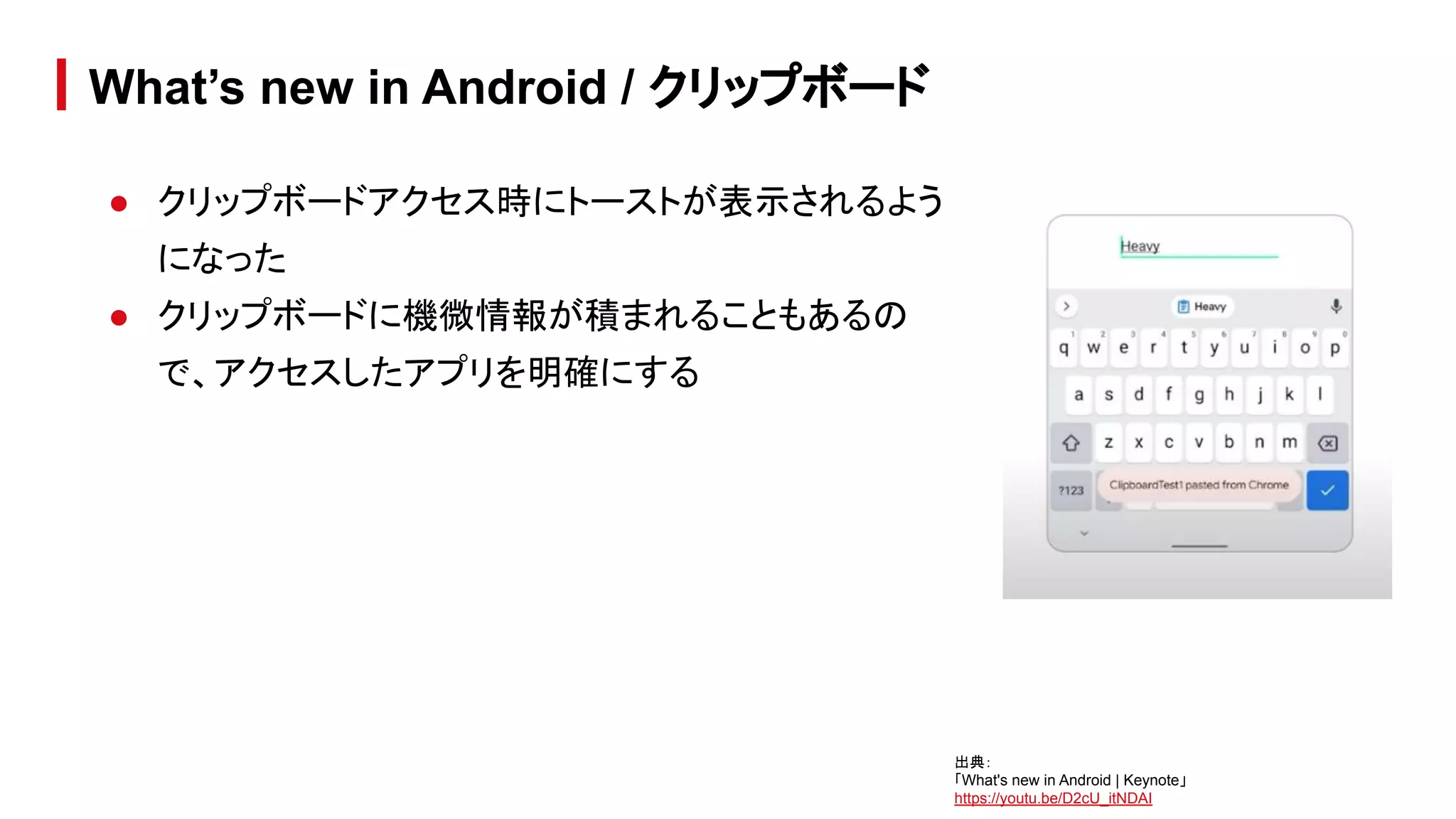
● クリップボードアクセス時にトーストが表示されるよう
になった
● クリップボードに機微情報が積まれることもあるの
で、アクセスしたアプリを明確にする
What’s new in Android / クリップボード
出典:
「What's new in Android | Keynote」
https://youtu.be/D2cU_itNDAI
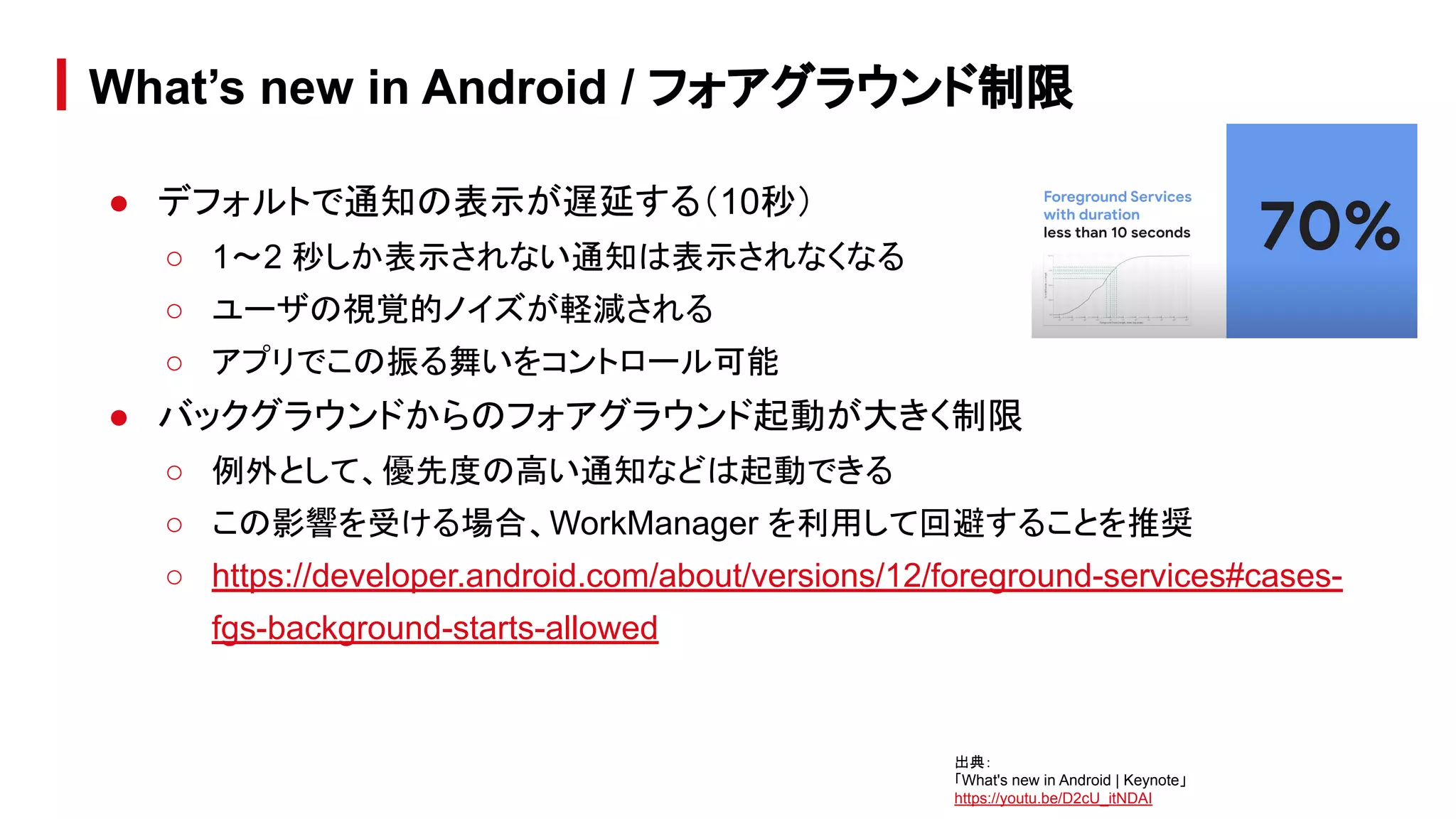
● デフォルトで通知の表示が遅延する(10秒)
○ 1〜2 秒しか表示されない通知は表示されなくなる
○ ユーザの視覚的ノイズが軽減される
○ アプリでこの振る舞いをコントロール可能
● バックグラウンドからのフォアグラウンド起動が大きく制限
○ 例外として、優先度の高い通知などは起動できる
○ この影響を受ける場合、WorkManager を利用して回避することを推奨
○ https://developer.android.com/about/versions/12/foreground-services#cases-
fgs-background-starts-allowed
What’s new in Android / フォアグラウンド制限
出典:
「What's new in Android | Keynote」
https://youtu.be/D2cU_itNDAI
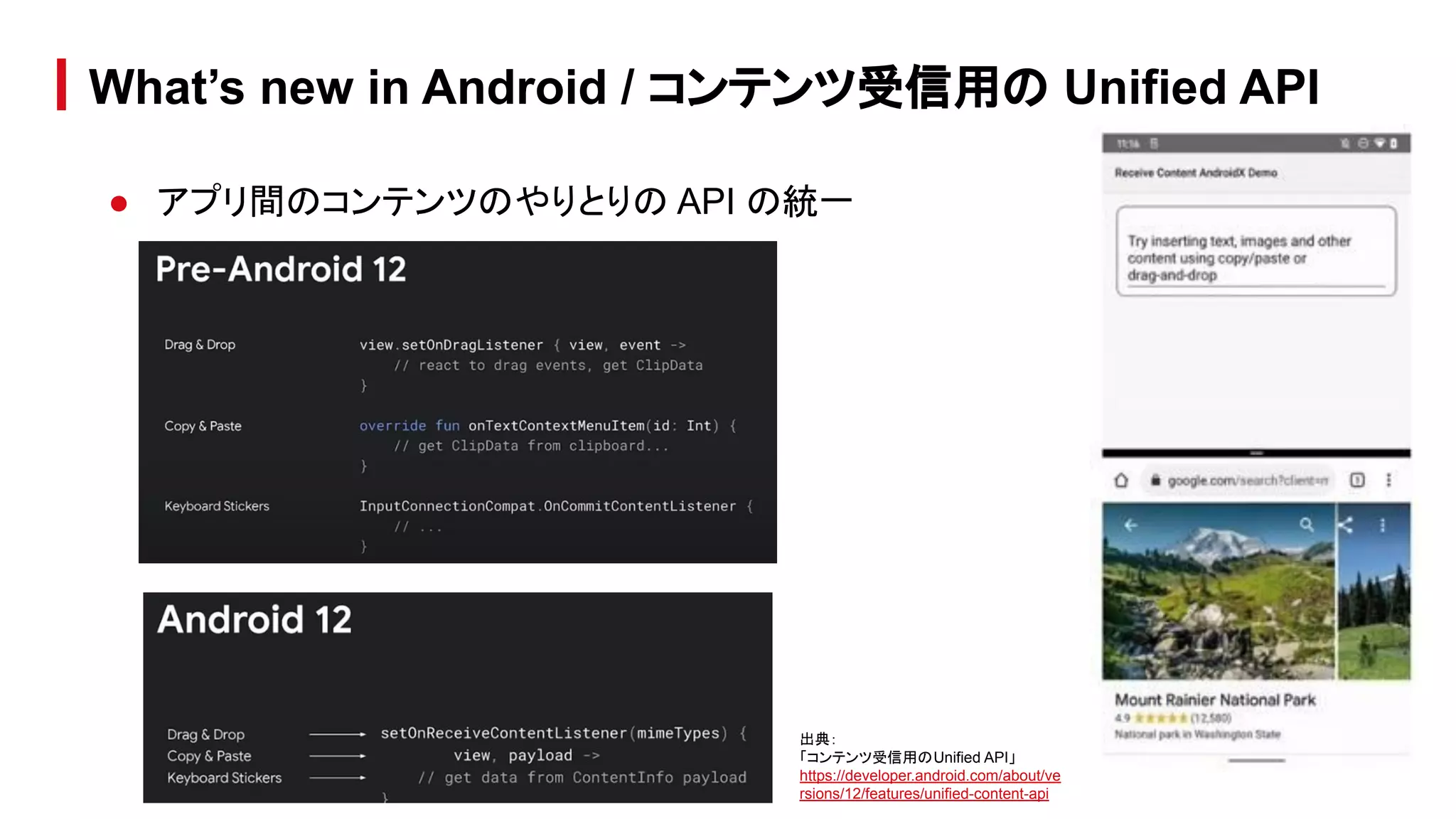
● アプリ間のコンテンツのやりとりの API の統一
What’s new in Android / コンテンツ受信用の Unified API
出典:
「コンテンツ受信用のUnified API」
https://developer.android.com/about/ve
rsions/12/features/unified-content-api
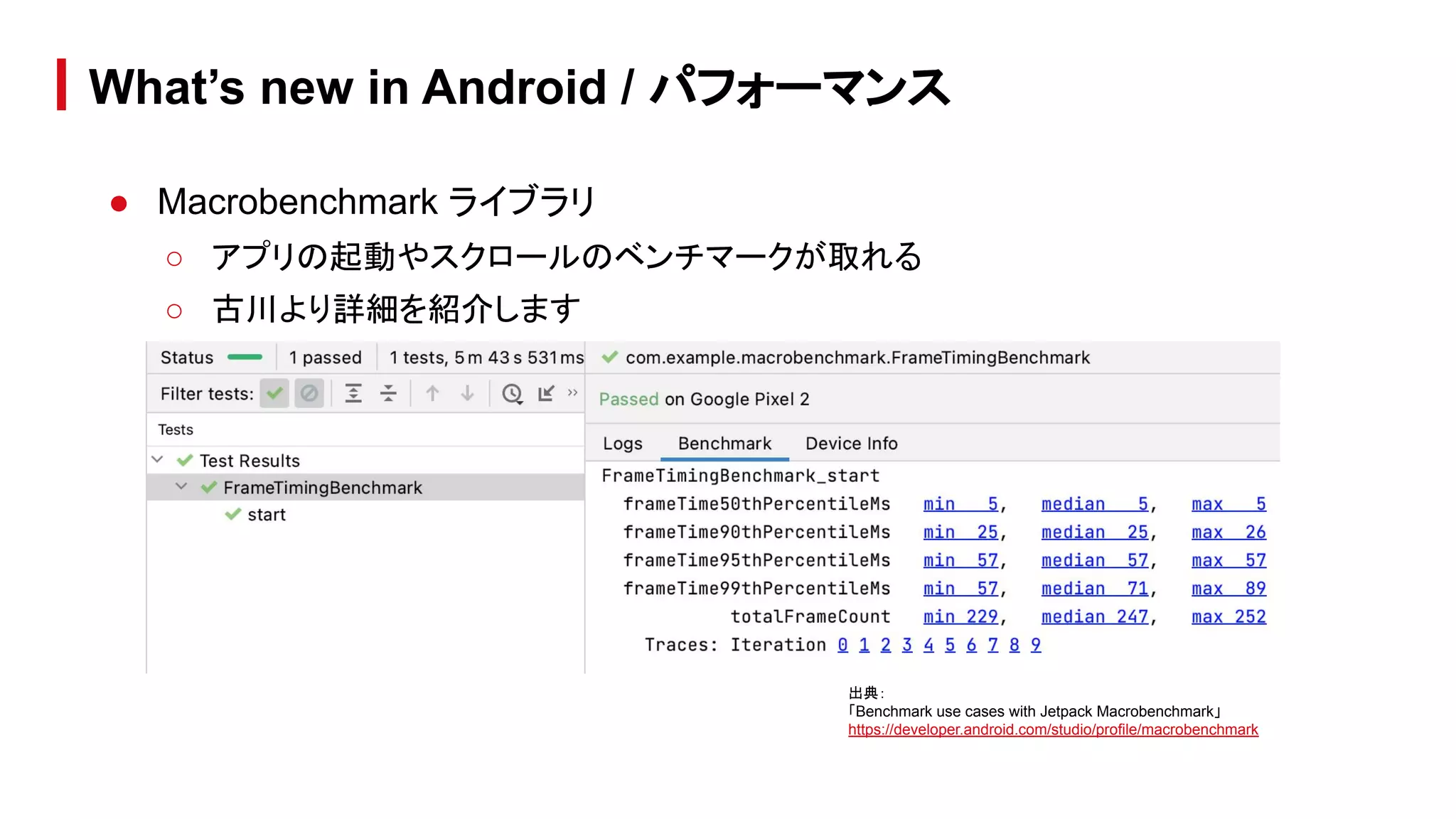
● Macrobenchmark ライブラリ
○ アプリの起動やスクロールのベンチマークが取れる
○ 古川より詳細を紹介します
What’s new in Android / パフォーマンス
出典:
「Benchmark use cases with Jetpack Macrobenchmark」
https://developer.android.com/studio/profile/macrobenchmark
● 古川より詳細を紹介します
What’s new in Android / Wear
● Android Studio にも多くの機能追加が入っています
● 本セッションで後述します
What’s new in Android / Android Tools
● 古川より詳細を紹介します
What’s new in Android / Jetpack
What’s new in
Android development tools
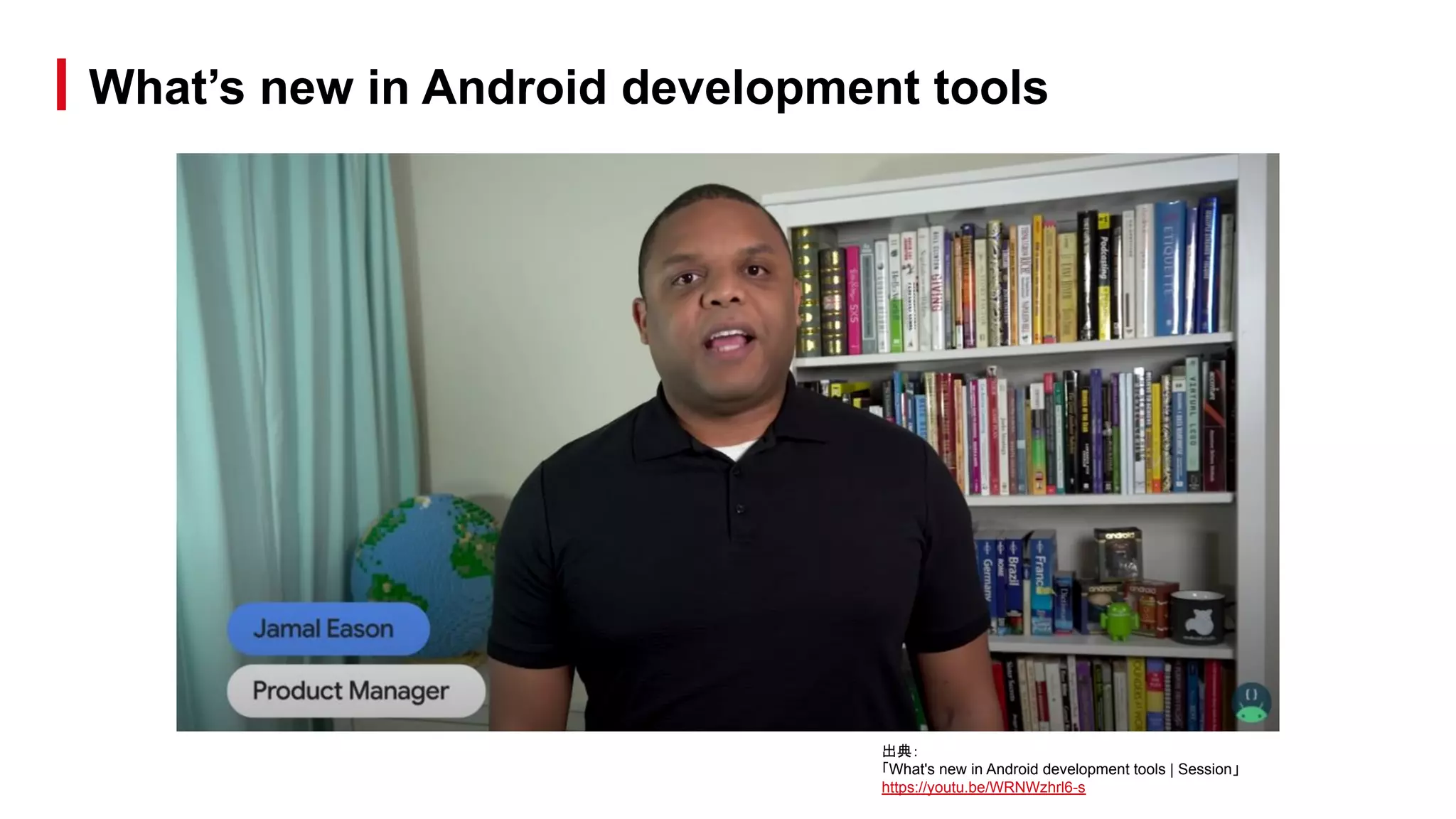
What’s new in Android development tools
出典:
「What's new in Android development tools | Session」
https://youtu.be/WRNWzhrl6-s
What’s new in Android development tools / Topics
● Roadmap
○ Android Studio 4.1
○ Android Studio 4.2
○ バージョン番号について
○ Gradle のバージョン
What’s new in Android development tools / Topics
● Design
○ Live Literal
○ さまざまな状態の Preview
○ animated-vector のプレビュー
○ ジェスチャー動作の preview
○ animation inspection
What’s new in Android development tools / Topics
● Devices
○ Layout Validation ツール
○ Foldable 端末のエミュレート
○ 端末以外のデバイスへの対応
What’s new in Android development tools / Topics
● Productivity
○ Test Retention
○ WorkManager Inspector
○ Non-Transitive R Classes
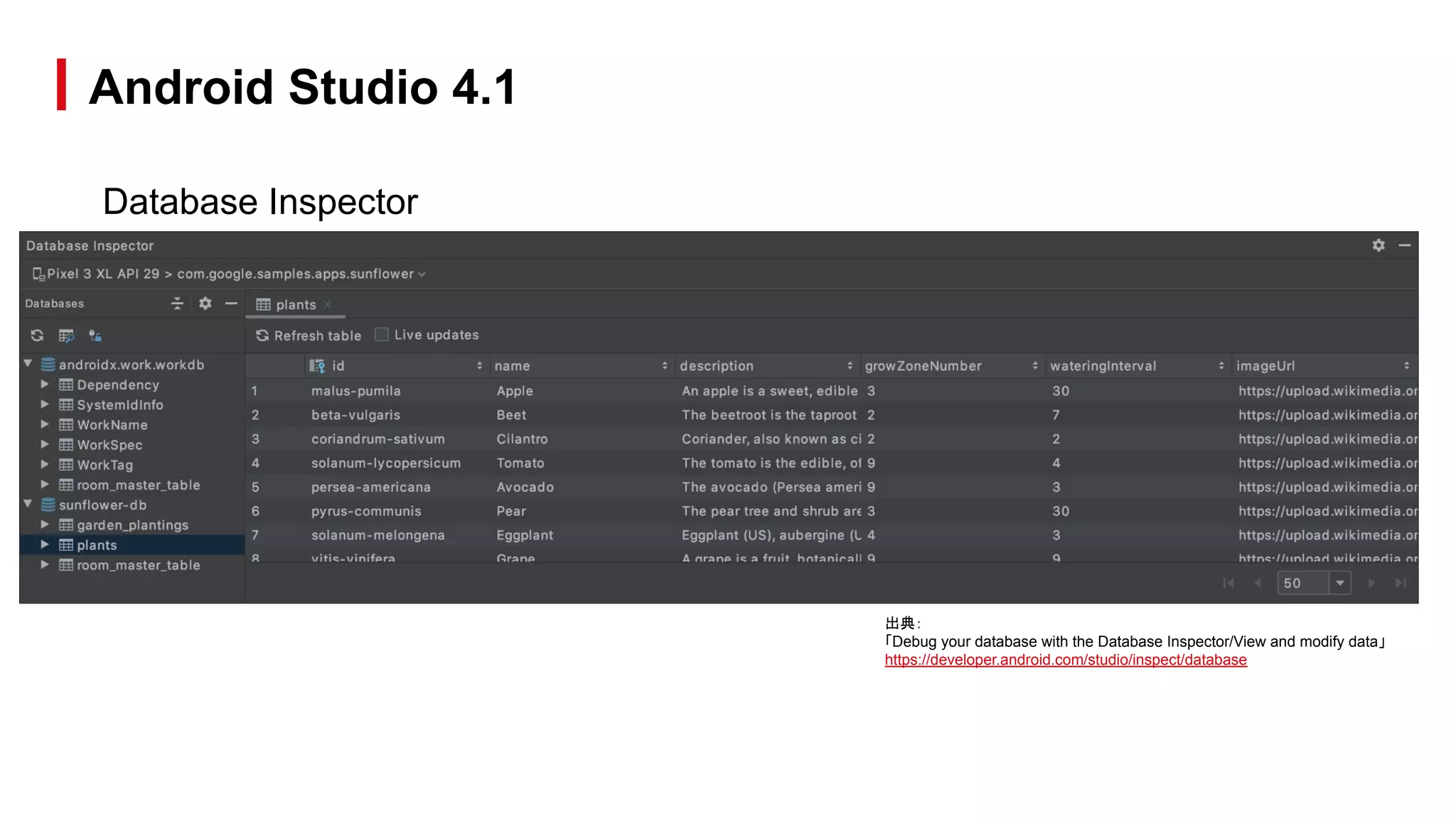
Database Inspector
● アプリの実行中にアプリのデータベースを検査、クエリ、変更できる
● 特にデータベースのデバッグで役立ちます。
● プレーン SQLite や、Room などの SQLite の上に構築されたライブラリで動作
します。
● Android Studio 4.2 では、オフラインモードがサポートされ、プロセスが切断さ
れても DB を検査でき、クラッシュ後のデバッグが容易になる
● https://developer.android.com/studio/inspect/database
Android Studio 4.1
Database Inspector
Android Studio 4.1
出典:
「Debug your database with the Database Inspector/View and modify data」
https://developer.android.com/studio/inspect/database
Tensorflow lite models
● 簡単に .tflite モデルファイルを直接インポートしてプロジェクトで使用できる
● Android Studio では使いやすいクラスが作成されるため、モデルを実行する際
のコードが減り、型の安全性が高まります。
● https://developer.android.com/studio/releases#4.1-tensor-flow-lite-models
Android Studio 4.1
Native memory profiler
● Android 10 以降を搭載する物理デバイスにデプロイされるアプリ向け
● ネイティブ コードからのメモリ割り当てと割り当て解除を記録し、ネイティブ オブ
ジェクトに関する累積統計情報を検査できます。
● https://developer.android.com/studio/releases#4.1-native-memory-profiler
Android Studio 4.1
Others…
● https://developer.android.com/studio/releases#4-1-0
Android Studio 4.1
出典:
「What's new in Android Studio 4.1]
https://youtu.be/Yhbr6u7f3ME
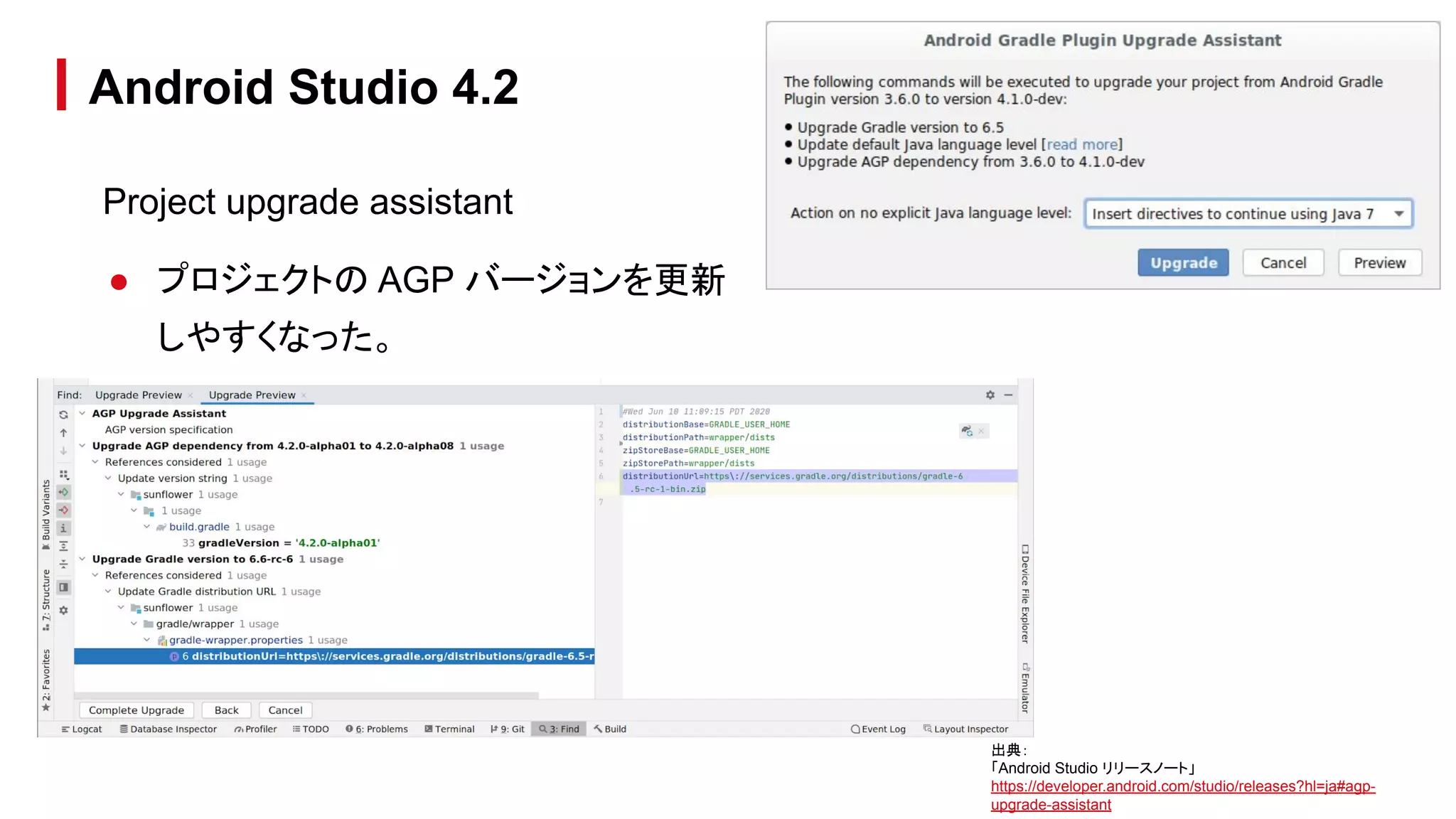
Project upgrade assistant
● プロジェクトの AGP バージョンを更新
しやすくなった。
Android Studio 4.2
出典:
「Android Studio リリースノート」
https://developer.android.com/studio/releases?hl=ja#agp-
upgrade-assistant
Safe Args support
● Directions、Args、各種ビルダークラスのオートコンプリート
● Java と Kotlin 両方の Safe Args プラグインのサポート
● ソースから XML へのナビゲーション
に対応
Android Studio 4.2
Apply changes update
● Android 11 以降を搭載したデバイス向けの Apply Changes に次の改良が
入った
○ static final のプリミティブ フィールドへの対応
○ リソース追加の対応
Android Studio 4.2
Others…
● https://developer.android.com/studio/releases?hl=ja#4-2-0
Android Studio 4.2
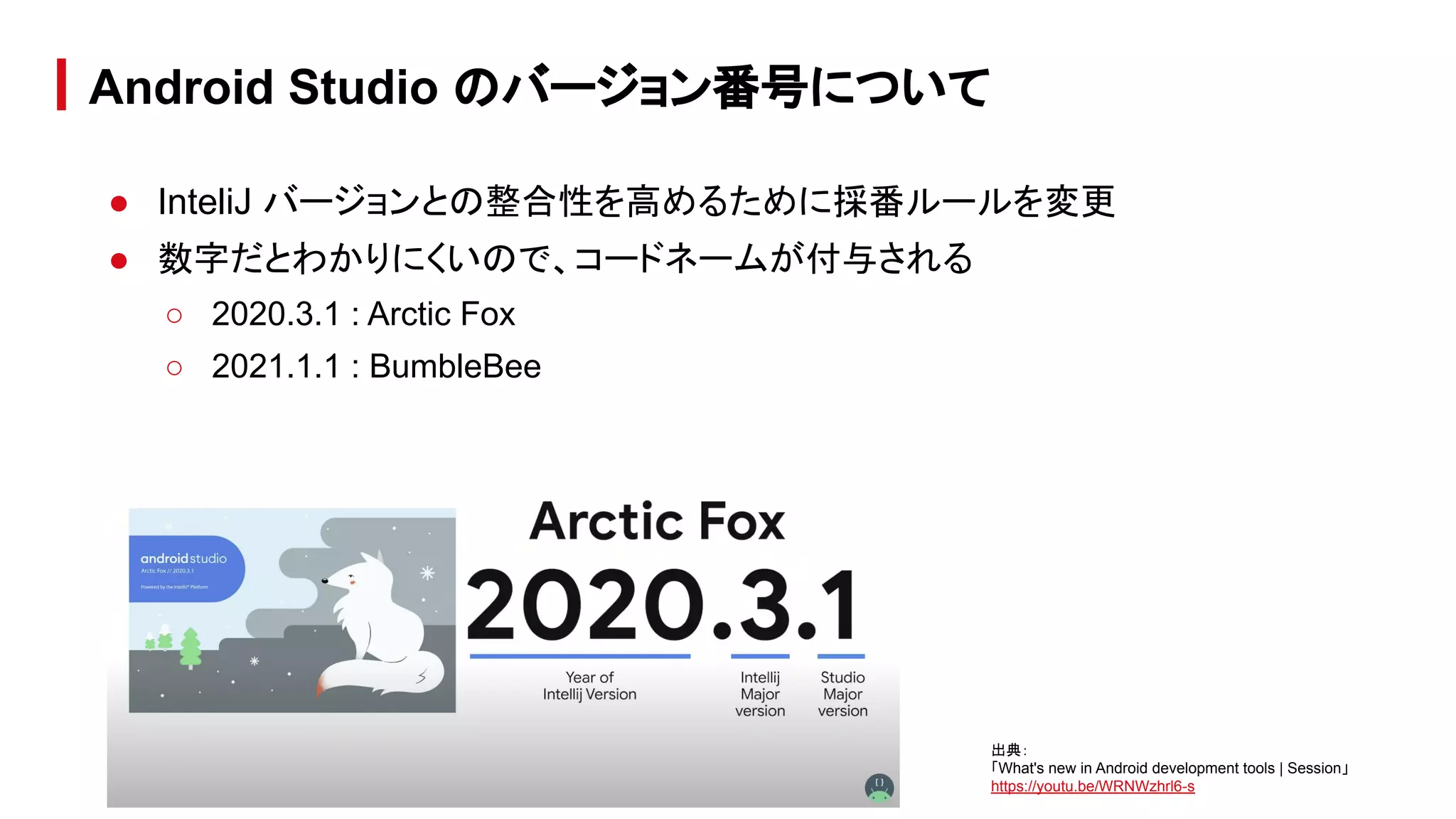
● InteliJ バージョンとの整合性を高めるために採番ルールを変更
● 数字だとわかりにくいので、コードネームが付与される
○ 2020.3.1 : Arctic Fox
○ 2021.1.1 : BumbleBee
Android Studio のバージョン番号について
出典:
「What's new in Android development tools | Session」
https://youtu.be/WRNWzhrl6-s
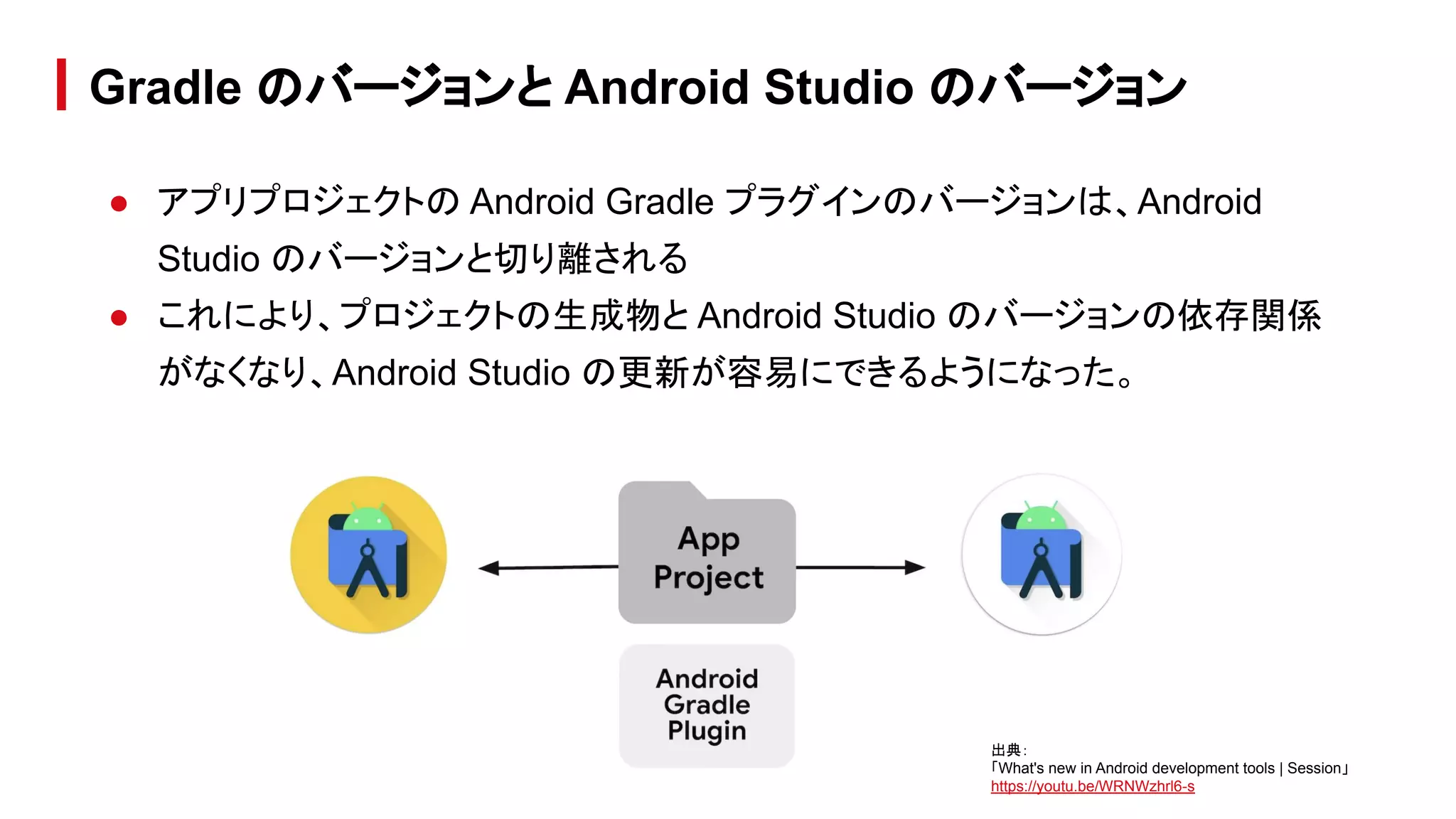
● アプリプロジェクトの Android Gradle プラグインのバージョンは、Android
Studio のバージョンと切り離される
● これにより、プロジェクトの生成物と Android Studio のバージョンの依存関係
がなくなり、Android Studio の更新が容易にできるようになった。
Gradle のバージョンと Android Studio のバージョン
出典:
「What's new in Android development tools | Session」
https://youtu.be/WRNWzhrl6-s
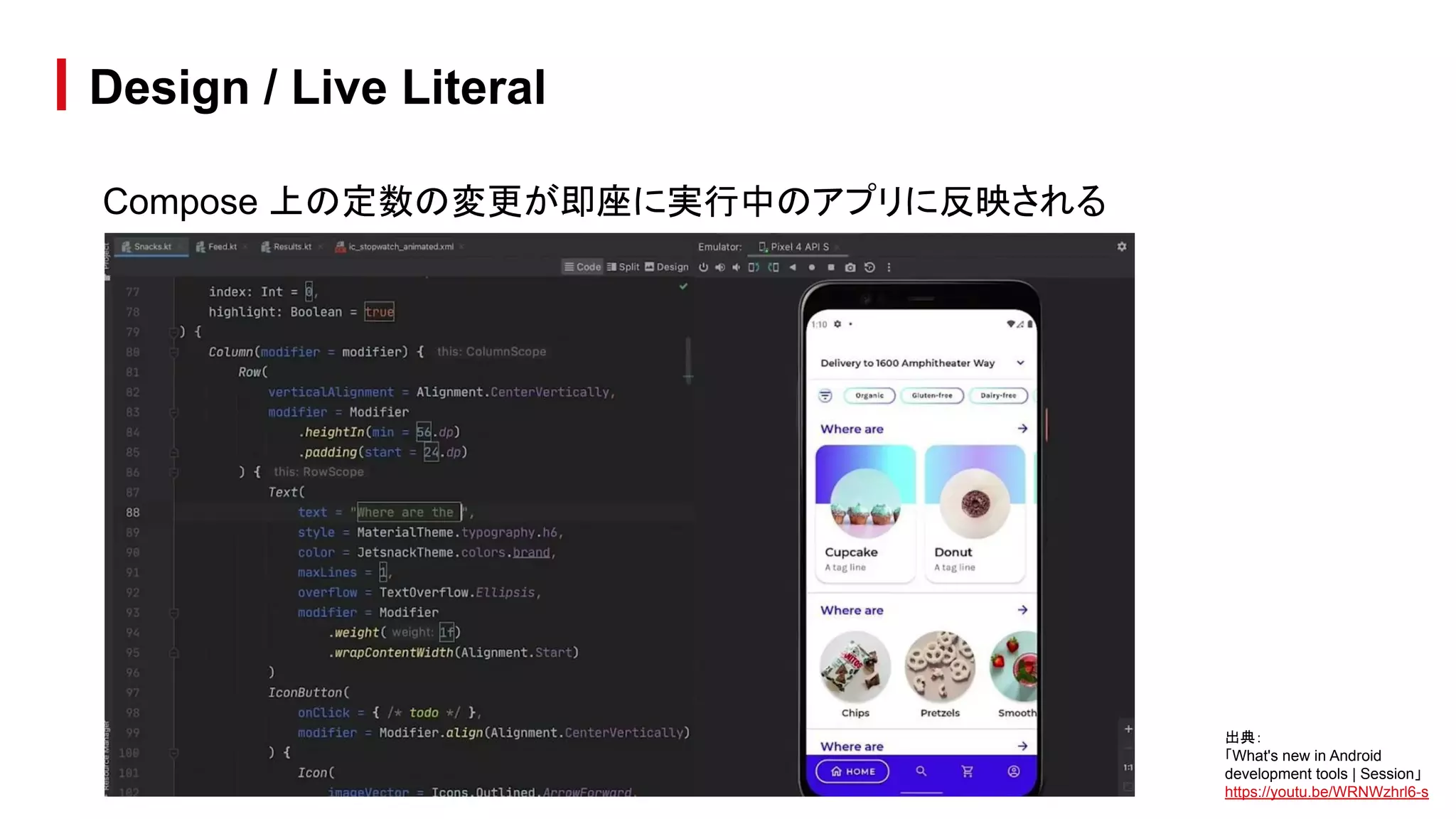
Compose 上の定数の変更が即座に実行中のアプリに反映される
Design / Live Literal
出典:
「What's new in Android
development tools | Session」
https://youtu.be/WRNWzhrl6-s
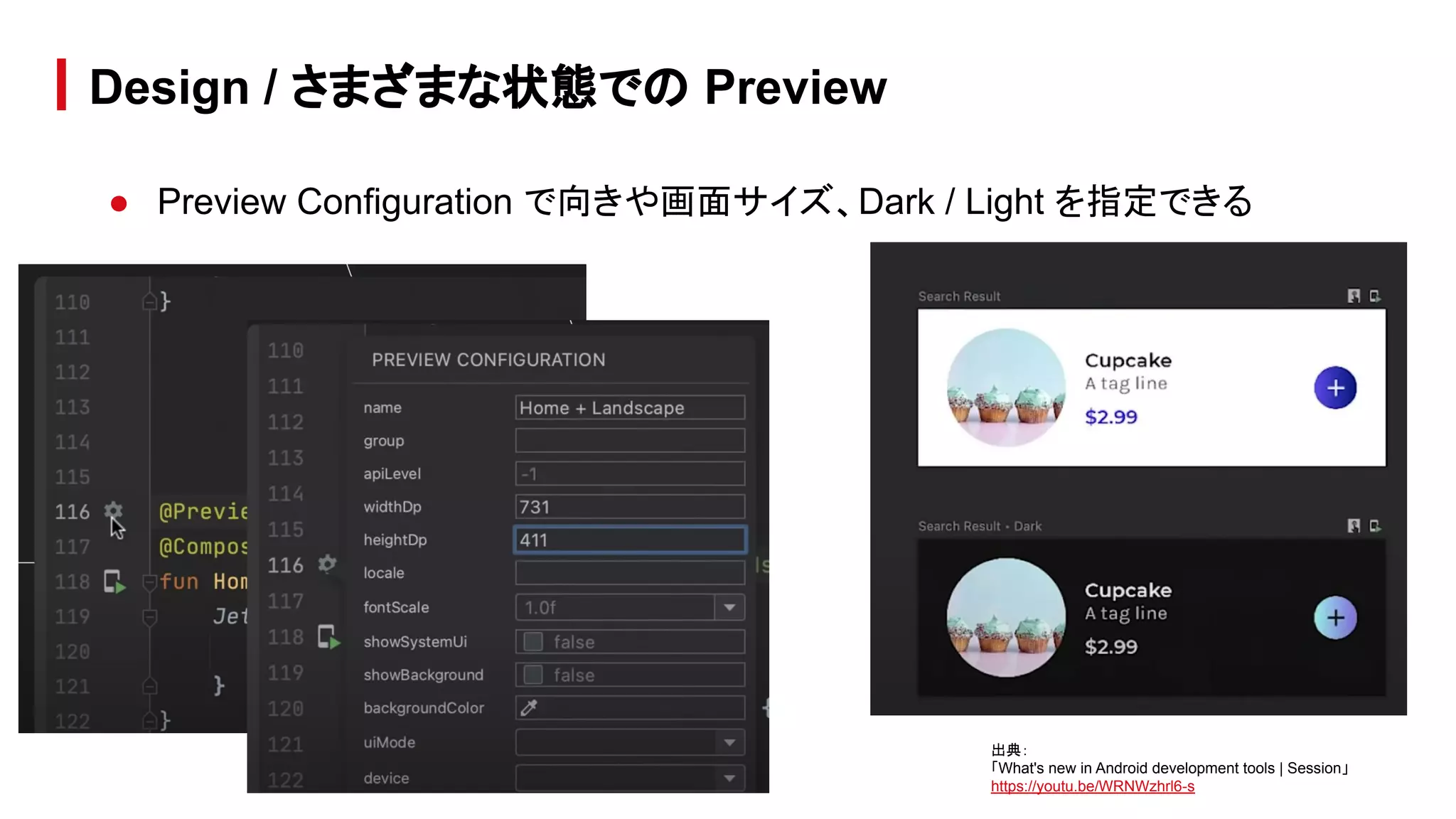
● Preview Configuration で向きや画面サイズ、Dark / Light を指定できる
Design / さまざまな状態での Preview
出典:
「What's new in Android development tools | Session」
https://youtu.be/WRNWzhrl6-s
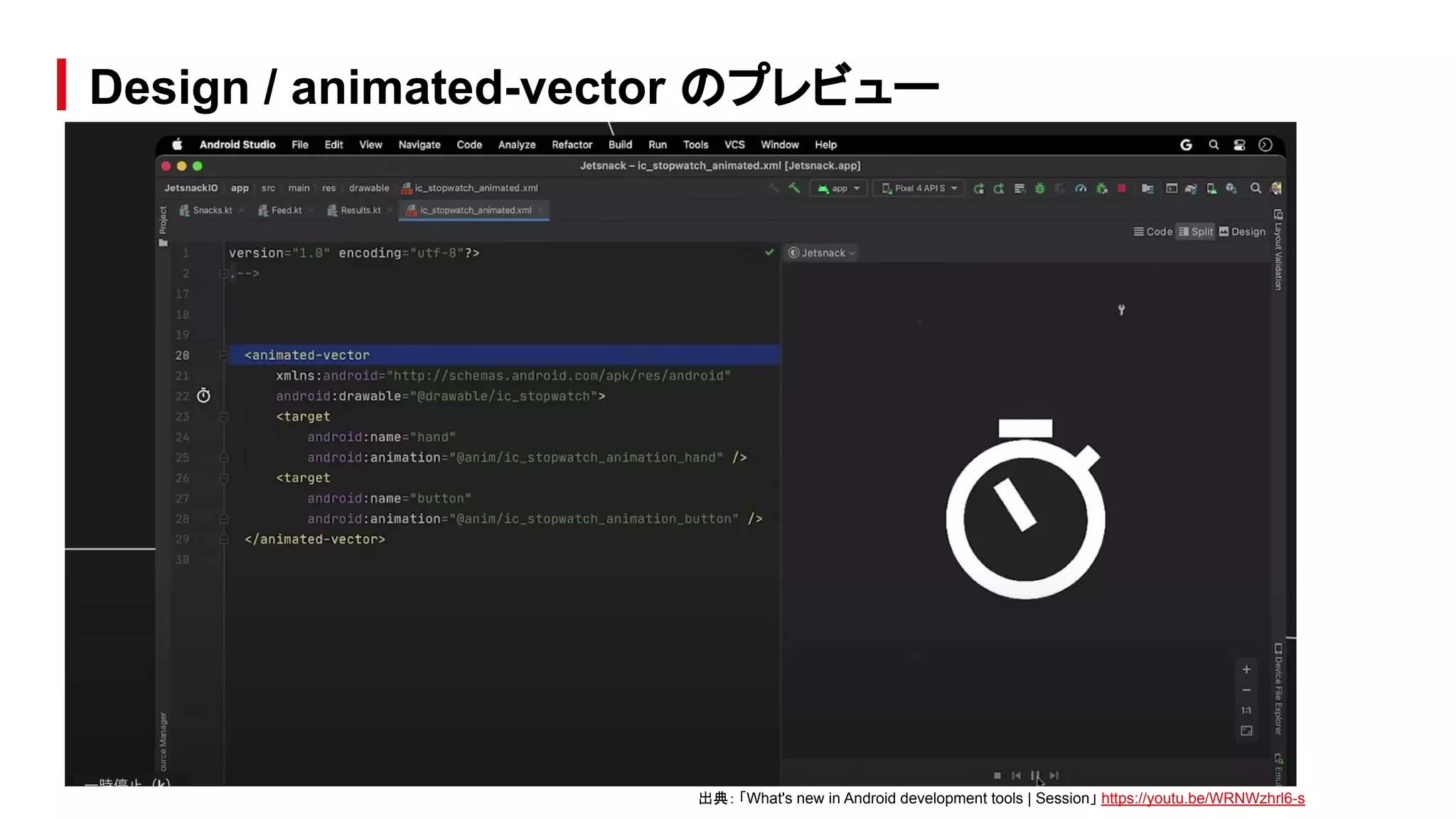
Design / animated-vector のプレビュー
出典: 「What's new in Android development tools | Session」 https://youtu.be/WRNWzhrl6-s
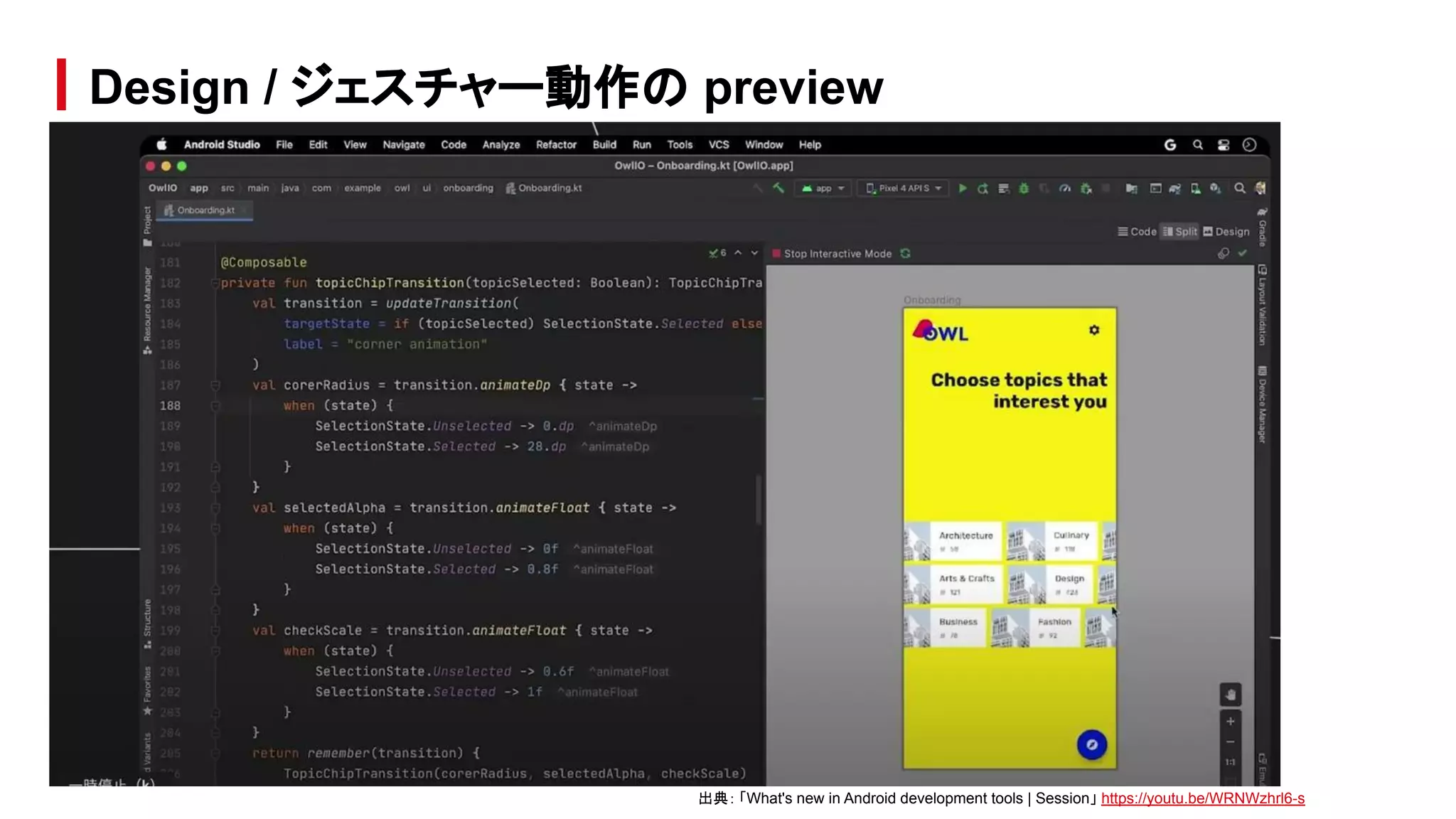
Design / ジェスチャー動作の preview
出典: 「What's new in Android development tools | Session」 https://youtu.be/WRNWzhrl6-s
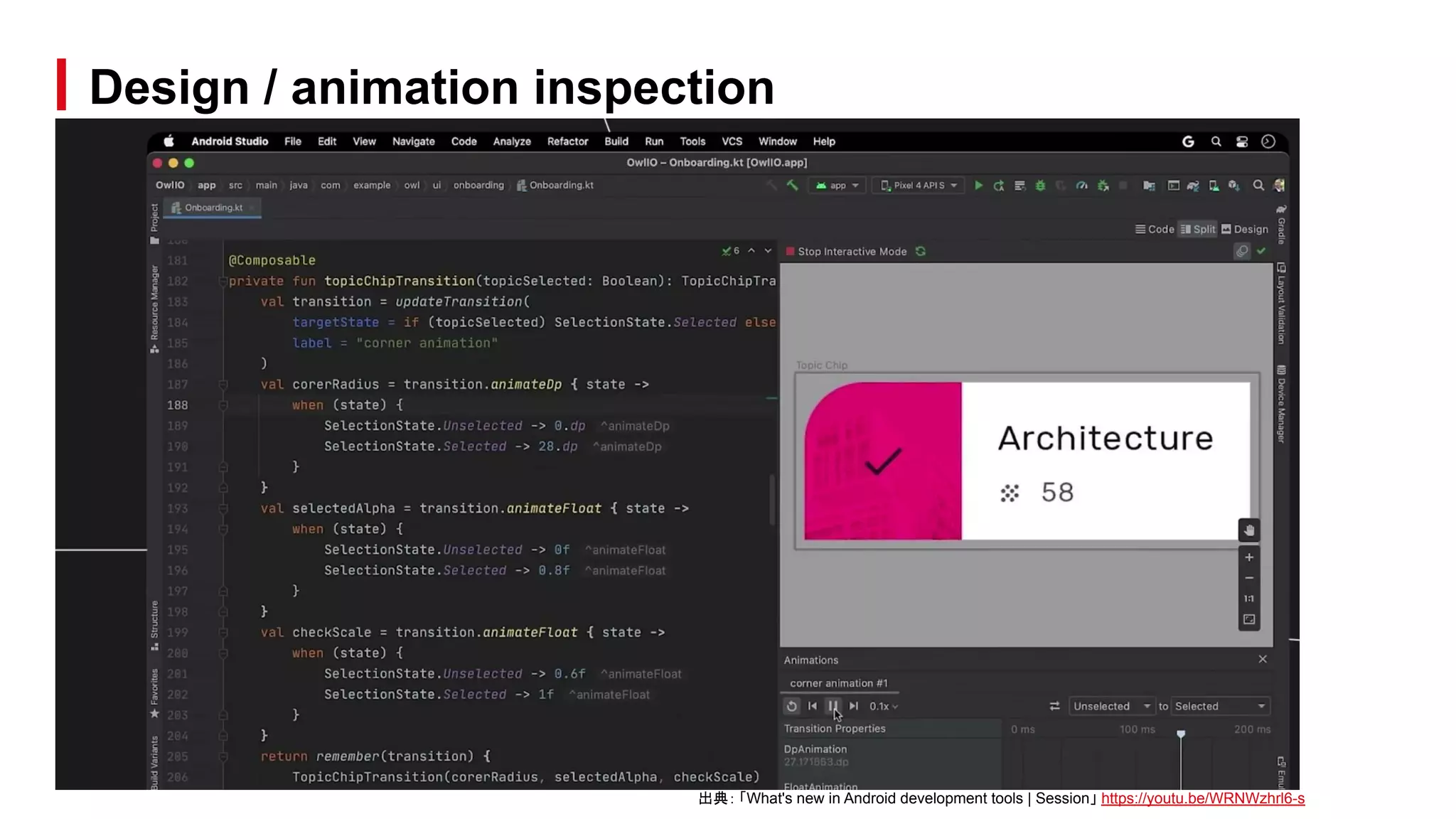
Design / animation inspection
出典: 「What's new in Android development tools | Session」 https://youtu.be/WRNWzhrl6-s
さまざまなデバイスや表示設定(画面サイズ、色、フォントサイズ)のレイアウトを同
時にプレビューするビジュアルツール
Devices / Layout Validation ツール
デバイスのバリエーション フォントサイズのバリエーション
出典: 「Layout Inspector と Layout Validation を使用してレイアウトをデバッグする」
https://developer.android.com/studio/debug/layout-inspector?hl=ja#layout-validation
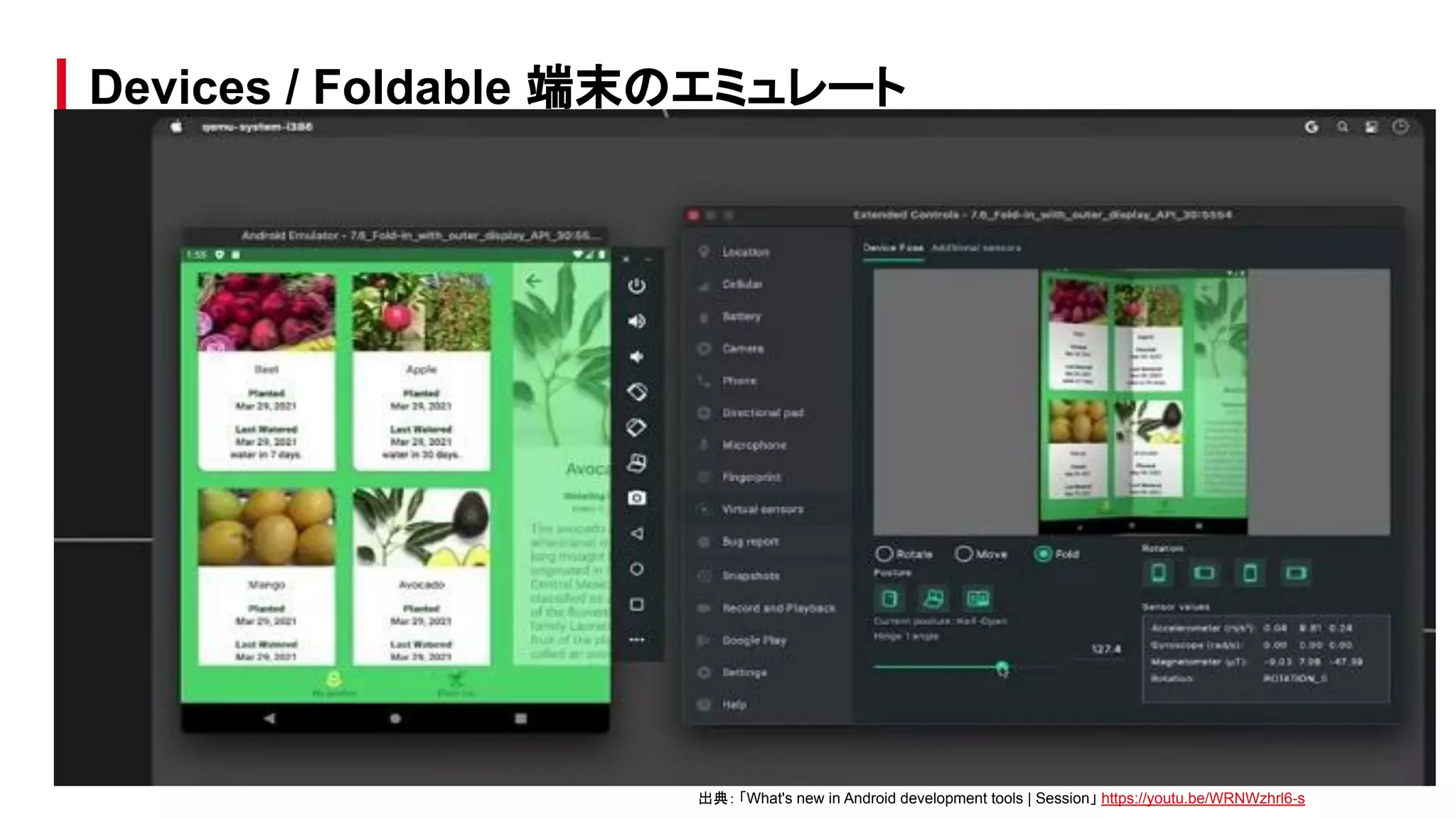
Devices / Foldable 端末のエミュレート
出典: 「What's new in Android development tools | Session」 https://youtu.be/WRNWzhrl6-s
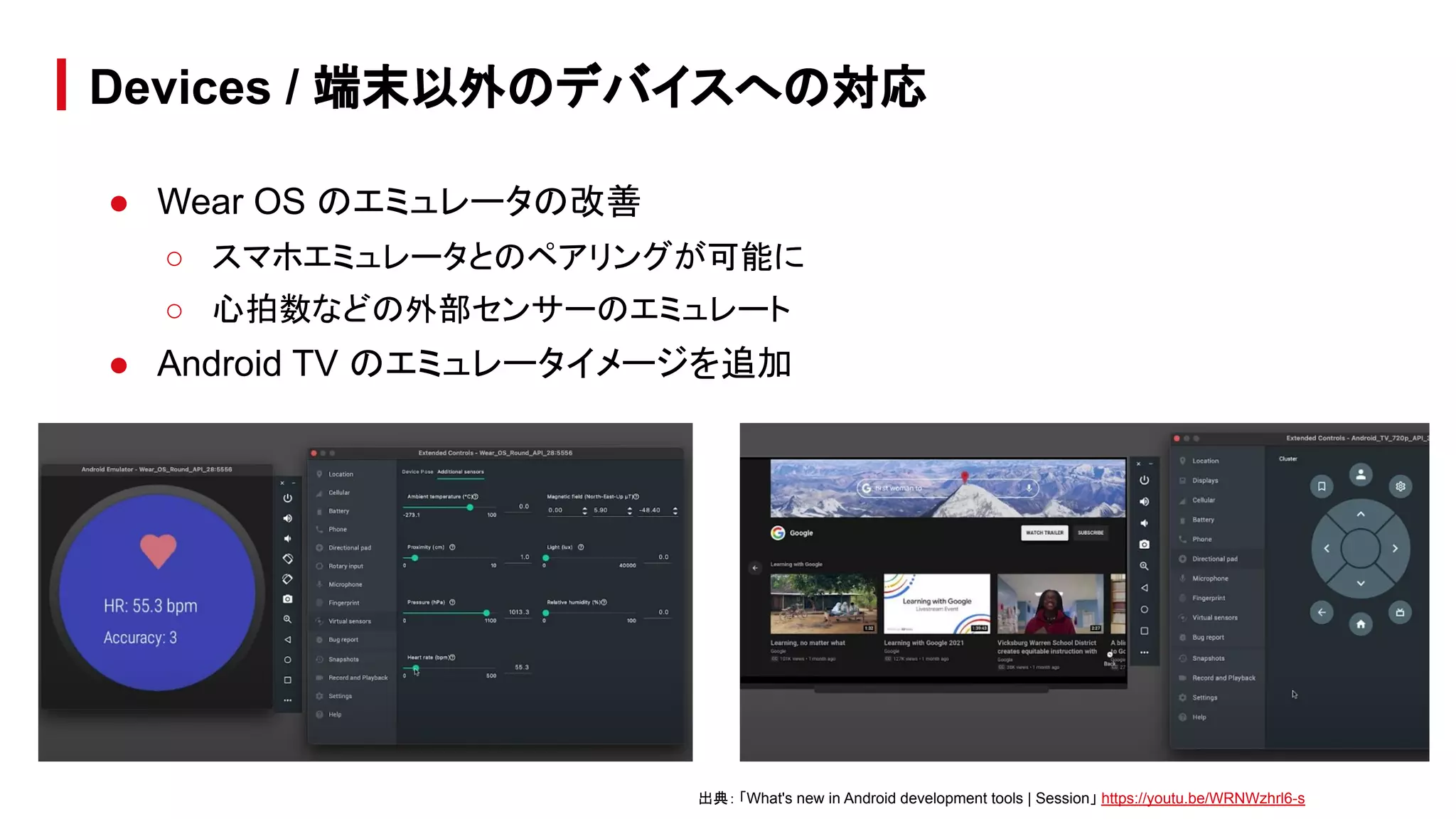
● Wear OS のエミュレータの改善
○ スマホエミュレータとのペアリングが可能に
○ 心拍数などの外部センサーのエミュレート
● Android TV のエミュレータイメージを追加
Devices / 端末以外のデバイスへの対応
出典: 「What's new in Android development tools | Session」 https://youtu.be/WRNWzhrl6-s
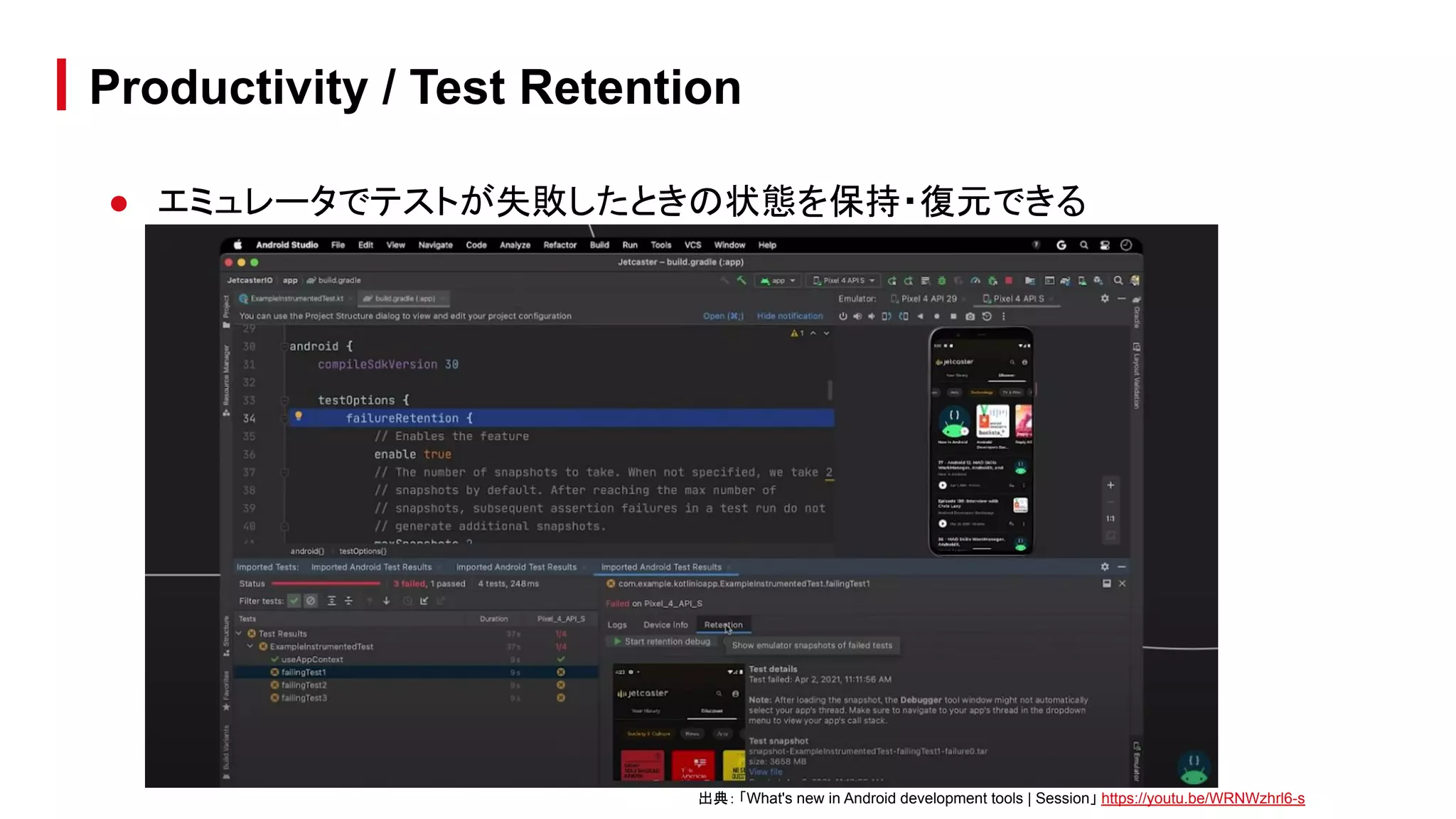
● エミュレータでテストが失敗したときの状態を保持・復元できる
Productivity / Test Retention
出典: 「What's new in Android development tools | Session」 https://youtu.be/WRNWzhrl6-s
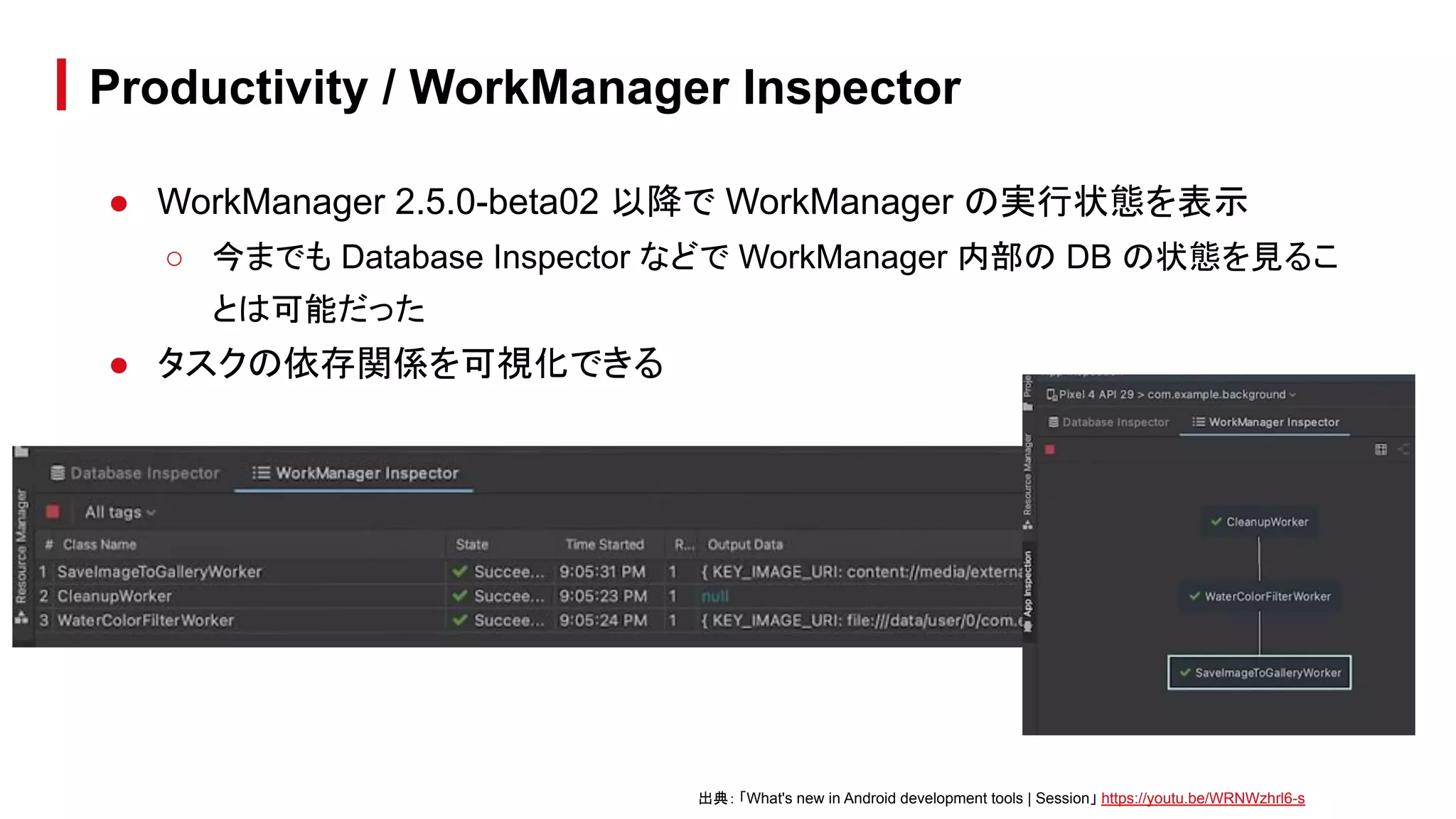
● WorkManager 2.5.0-beta02 以降で WorkManager の実行状態を表示
○ 今までも Database Inspector などで WorkManager 内部の DB の状態を見るこ
とは可能だった
● タスクの依存関係を可視化できる
Productivity / WorkManager Inspector
出典: 「What's new in Android development tools | Session」 https://youtu.be/WRNWzhrl6-s
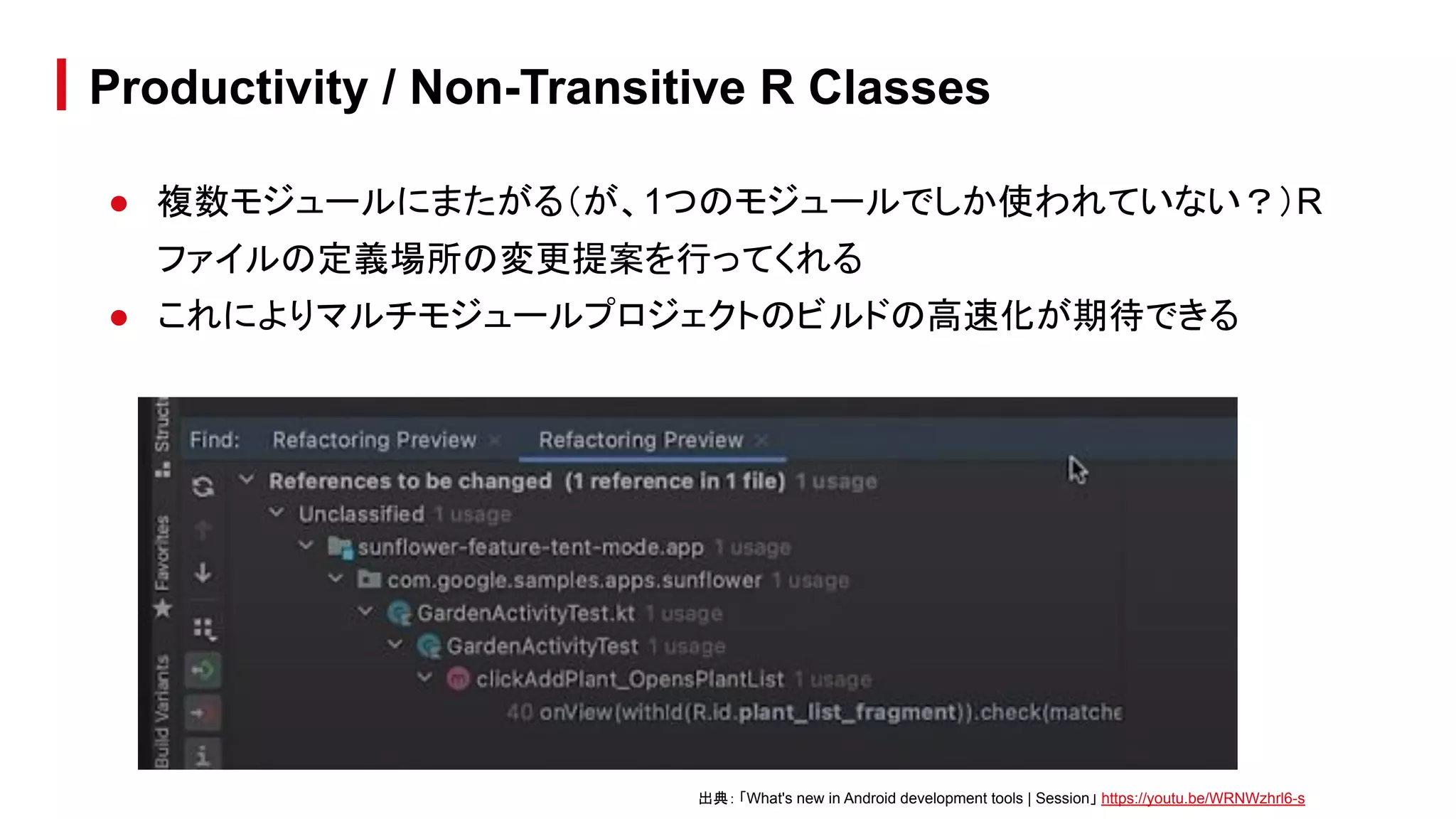
● 複数モジュールにまたがる(が、1つのモジュールでしか使われていない?)R
ファイルの定義場所の変更提案を行ってくれる
● これによりマルチモジュールプロジェクトのビルドの高速化が期待できる
Productivity / Non-Transitive R Classes
出典: 「What's new in Android development tools | Session」 https://youtu.be/WRNWzhrl6-s
What's new in
Android testing tools
What's new in Android testing tools
出典:
「What's new in Android testing tools | Session」
https://www.youtube.com/watch?v=juEkViDyzF8
● Android Studio から実行する Test Runner の変更
● Unified Test Platform
What's new in Android testing tools / Topics
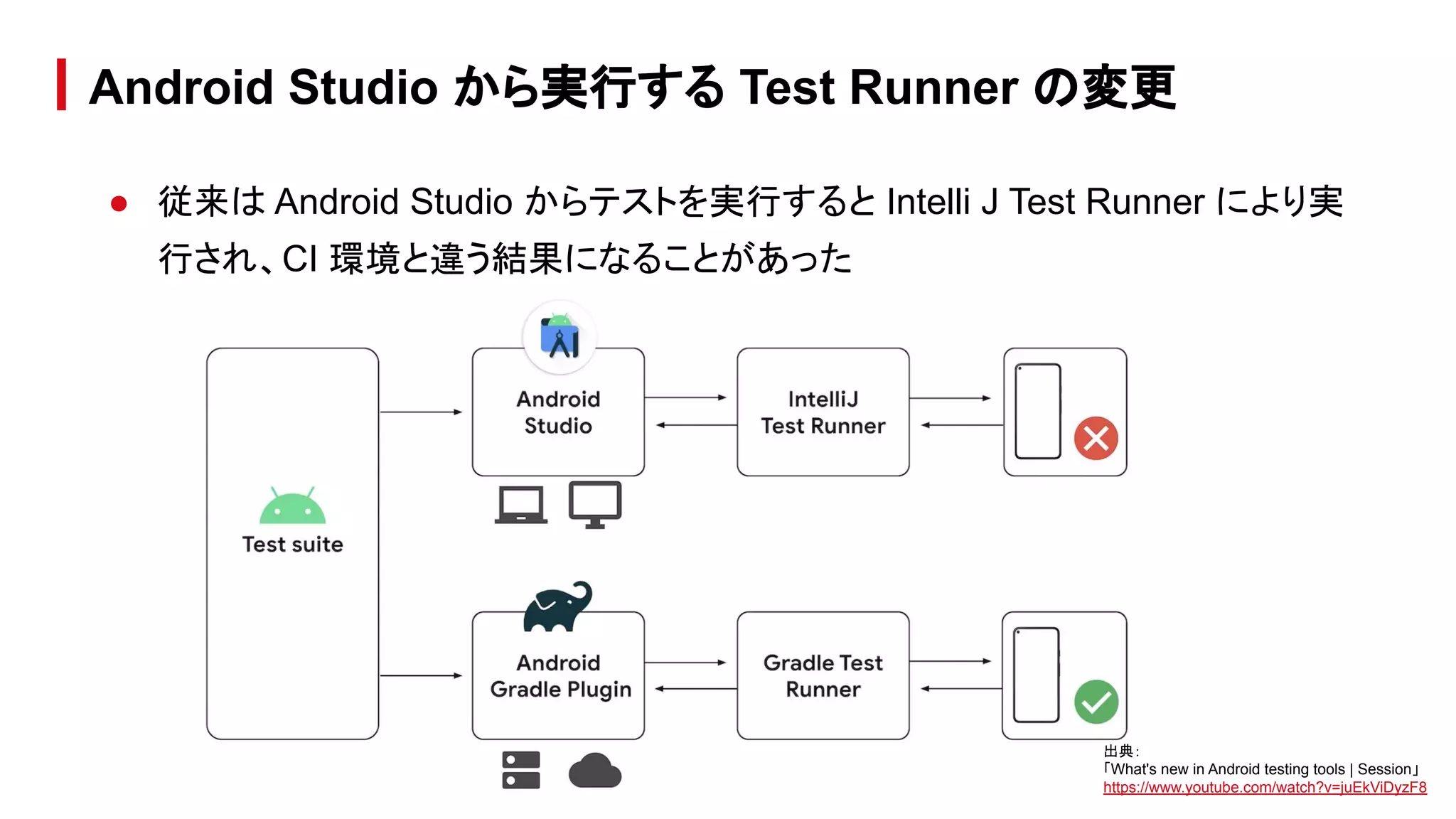
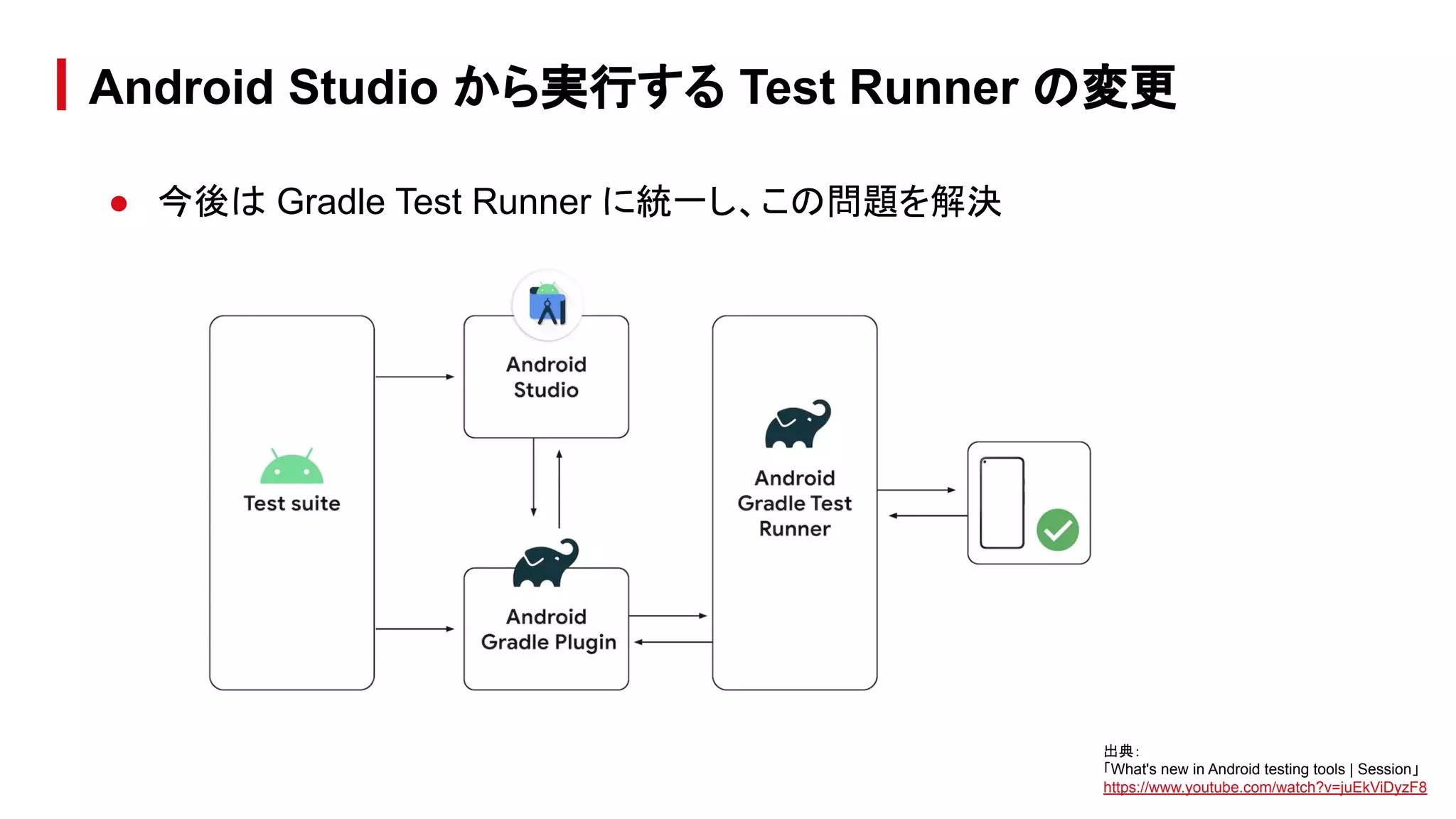
● 従来は Android Studio からテストを実行すると Intelli J Test Runner により実
行され、CI 環境と違う結果になることがあった
Android Studio から実行する Test Runner の変更
出典:
「What's new in Android testing tools | Session」
https://www.youtube.com/watch?v=juEkViDyzF8
● 今後は Gradle Test Runner に統一し、この問題を解決
Android Studio から実行する Test Runner の変更
出典:
「What's new in Android testing tools | Session」
https://www.youtube.com/watch?v=juEkViDyzF8
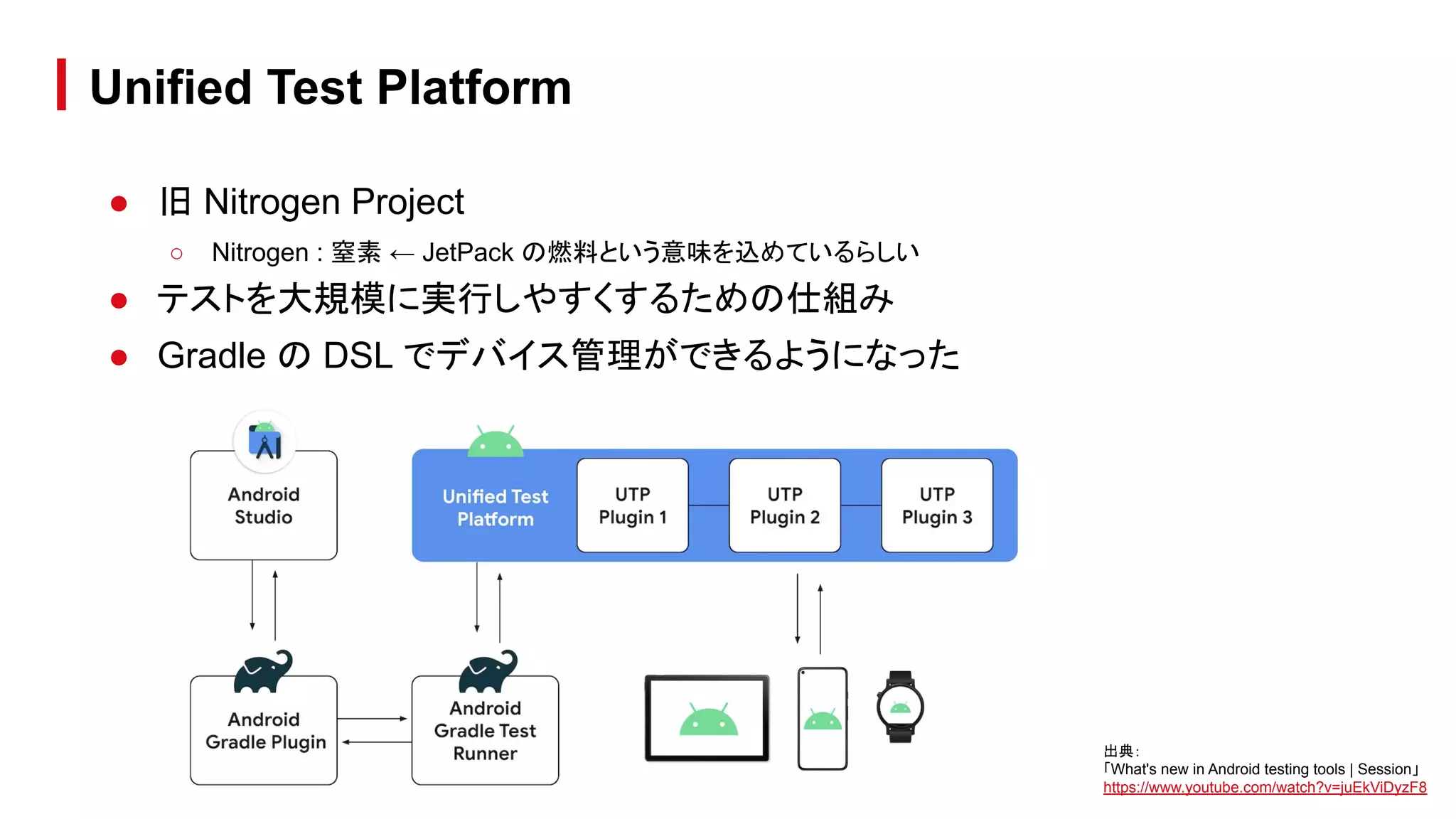
● 旧 Nitrogen Project
○ Nitrogen : 窒素 ← JetPack の燃料という意味を込めているらしい
● テストを大規模に実行しやすくするための仕組み
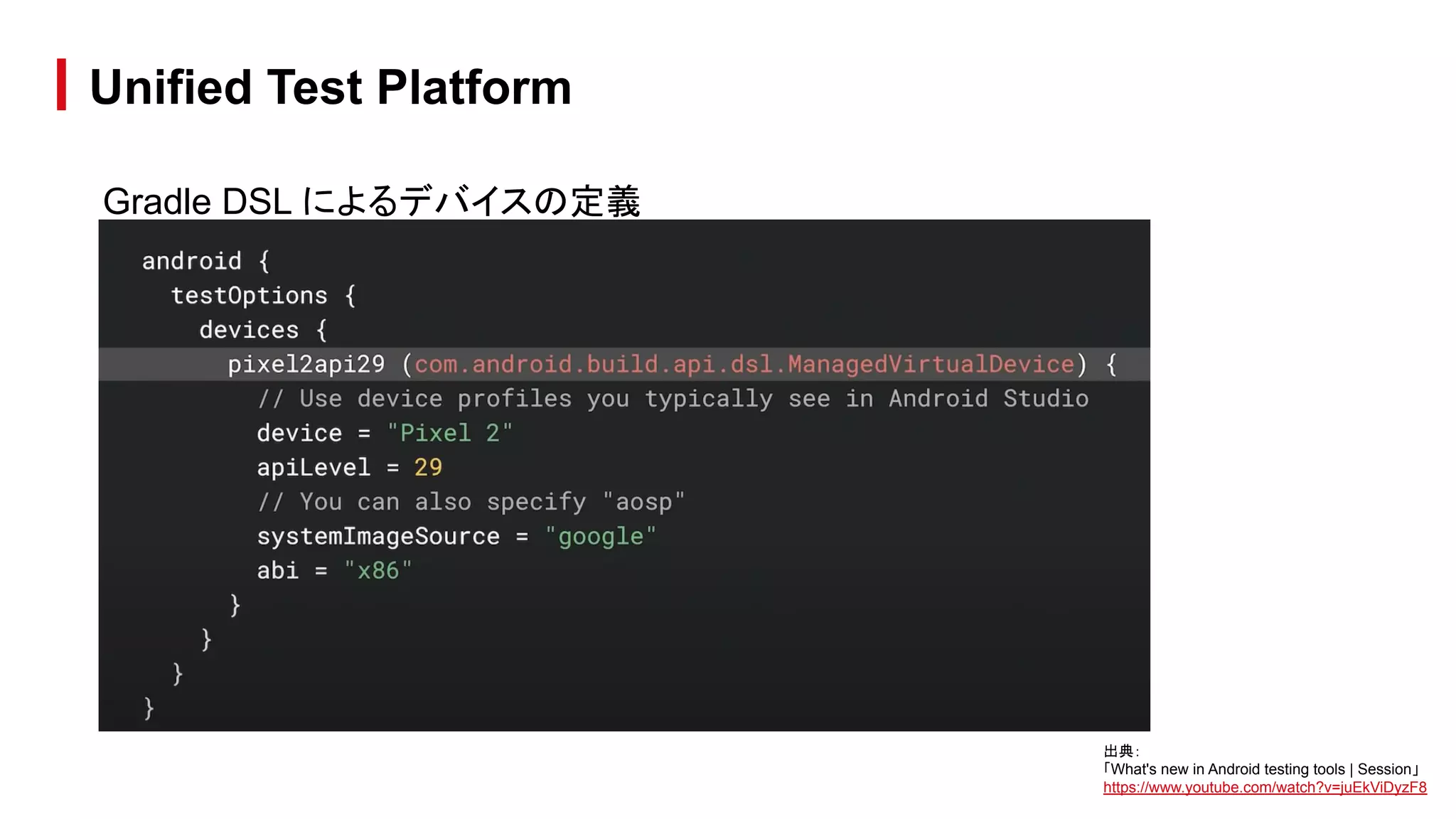
● Gradle の DSL でデバイス管理ができるようになった
Unified Test Platform
出典:
「What's new in Android testing tools | Session」
https://www.youtube.com/watch?v=juEkViDyzF8
Gradle DSL によるデバイスの定義
Unified Test Platform
出典:
「What's new in Android testing tools | Session」
https://www.youtube.com/watch?v=juEkViDyzF8
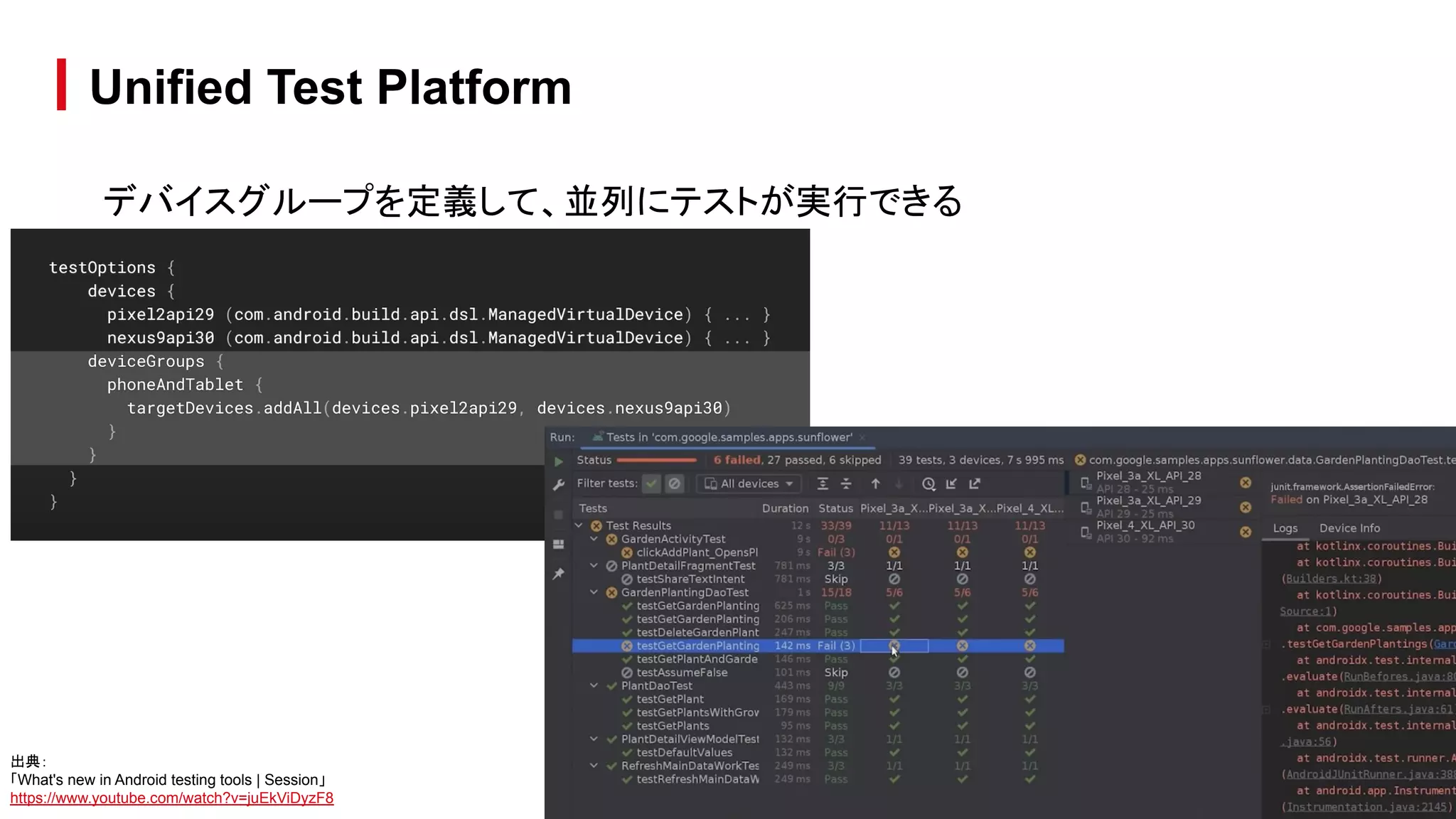
デバイスグループを定義して、並列にテストが実行できる
Unified Test Platform
出典:
「What's new in Android testing tools | Session」
https://www.youtube.com/watch?v=juEkViDyzF8
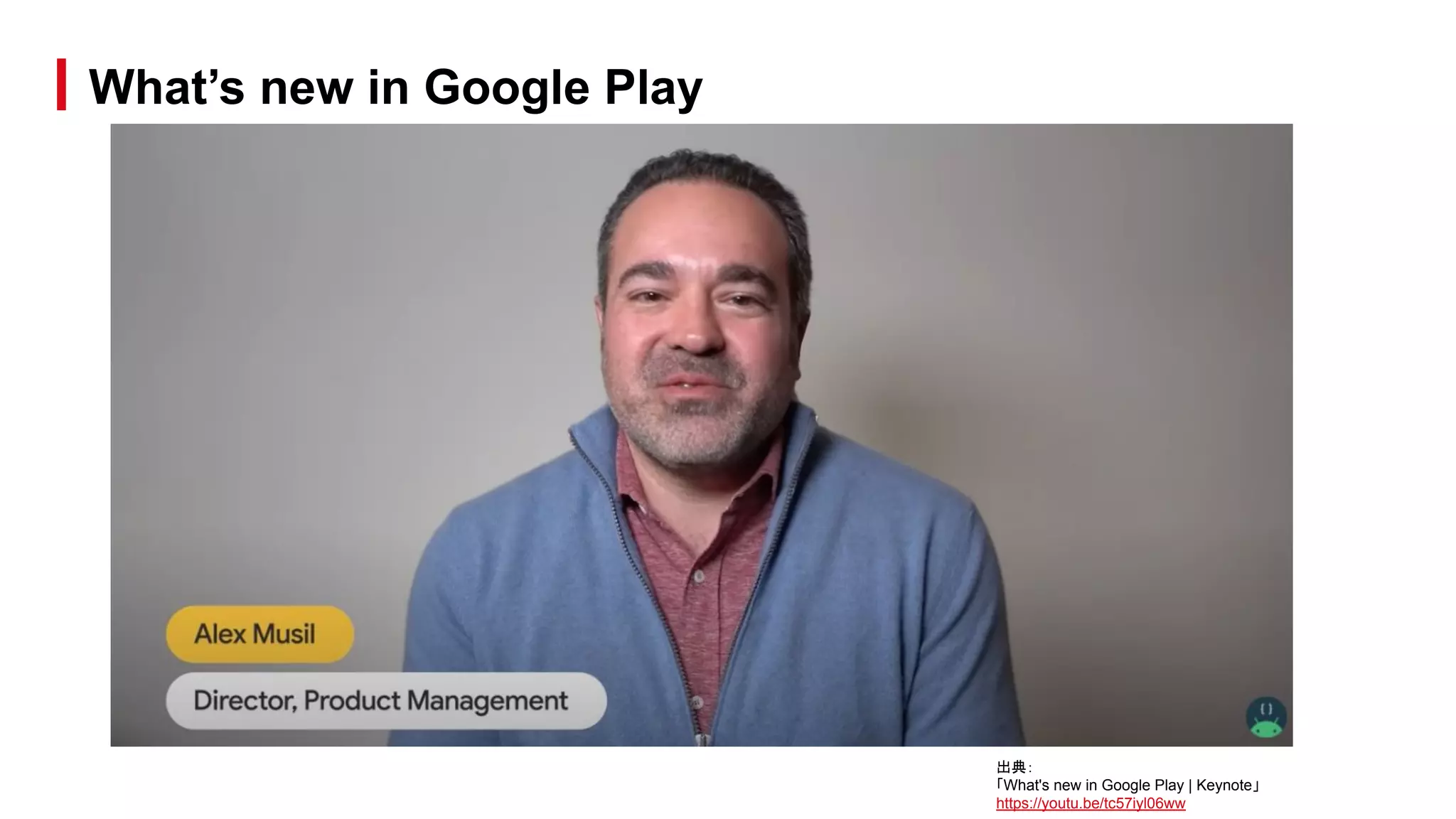
What’s new in Google Play
出典:
「What's new in Google Play | Keynote」
https://youtu.be/tc57iyl06ww
What’s new in Google Play / Topics
● 手数料の引き下げについて
● ポリシーへの準拠状態の一括管理
● SDK Console
● Android App Bundle
● 統計情報
● 課金周り
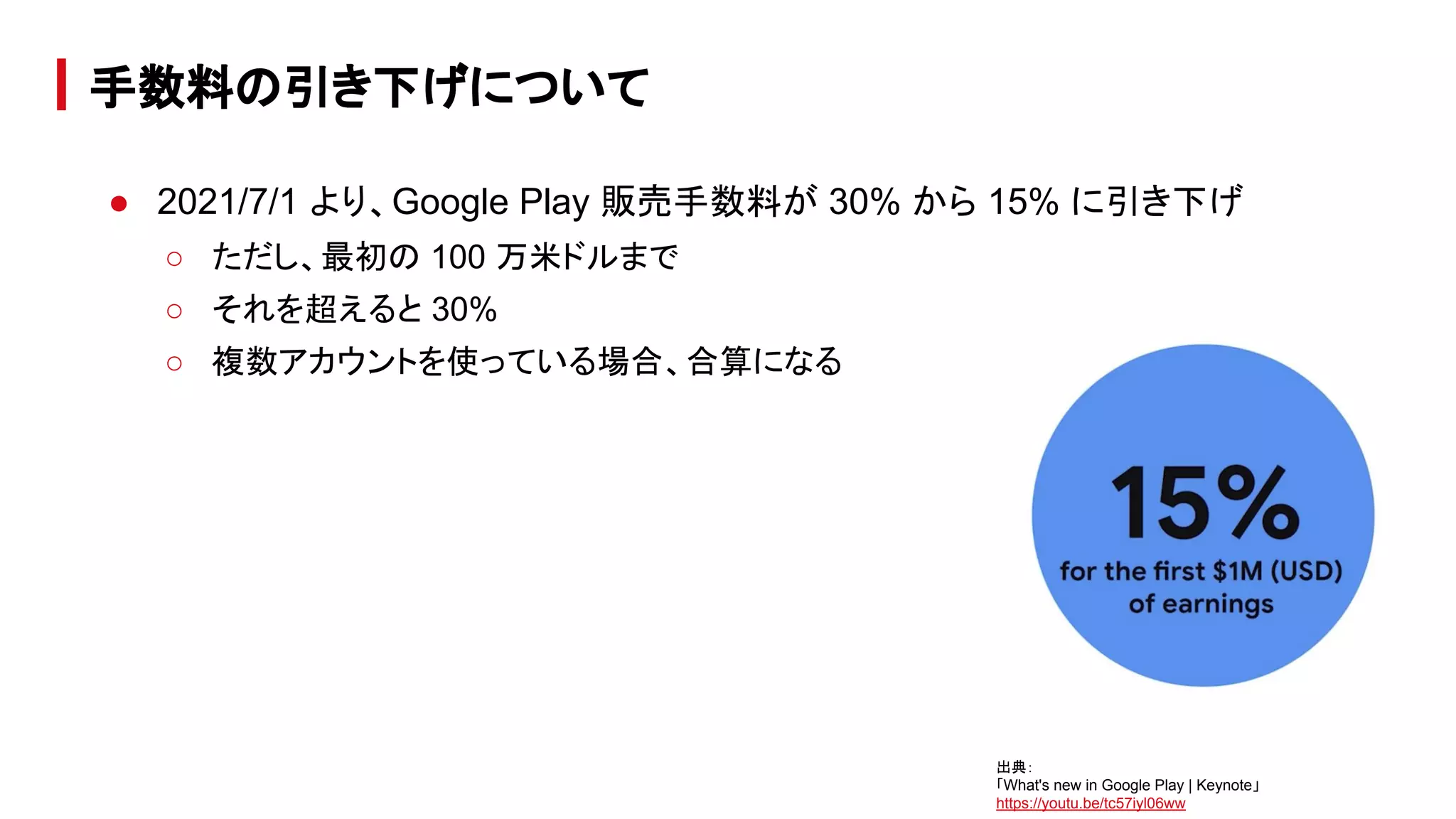
● 2021/7/1 より、Google Play 販売手数料が 30% から 15% に引き下げ
○ ただし、最初の 100 万米ドルまで
○ それを超えると 30%
○ 複数アカウントを使っている場合、合算になる
手数料の引き下げについて
出典:
「What's new in Google Play | Keynote」
https://youtu.be/tc57iyl06ww
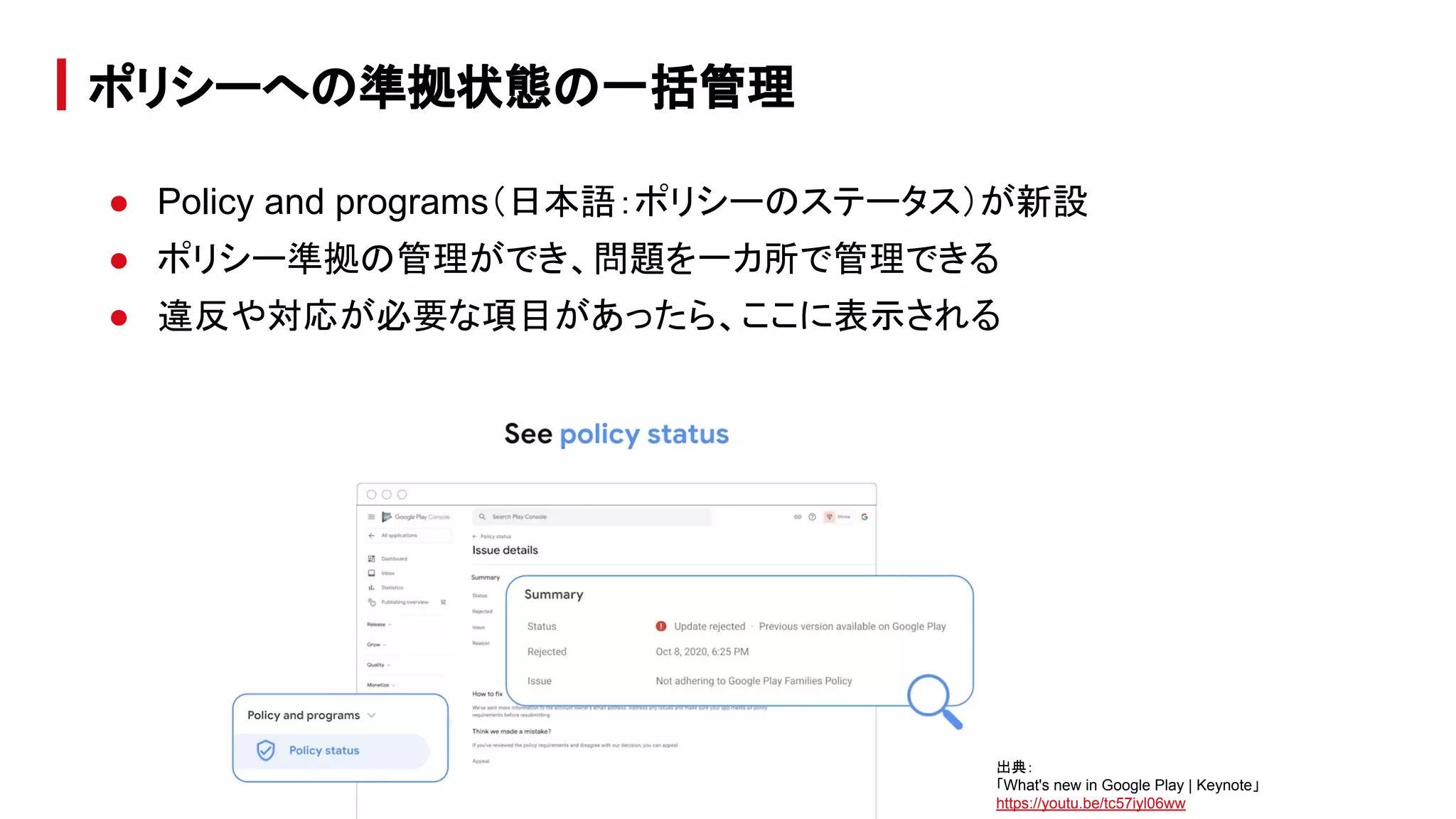
● Policy and programs(日本語:ポリシーのステータス)が新設
● ポリシー準拠の管理ができ、問題を一カ所で管理できる
● 違反や対応が必要な項目があったら、ここに表示される
ポリシーへの準拠状態の一括管理
出典:
「What's new in Google Play | Keynote」
https://youtu.be/tc57iyl06ww
● 3rd party の SDK が原因でポリシー違反になることもある。
● Google が SDK provider と協力し、より良く安全な SDK 開発を支援
● 各 SDK の使用状況の確認やクラッシュレポートを確認できる
● ポリシー違反の SDK や問題のあるバージョンに関する情報を受け取ることが
できる
SDK Console
出典:
「What's new in Google Play | Keynote」
https://youtu.be/tc57iyl06ww
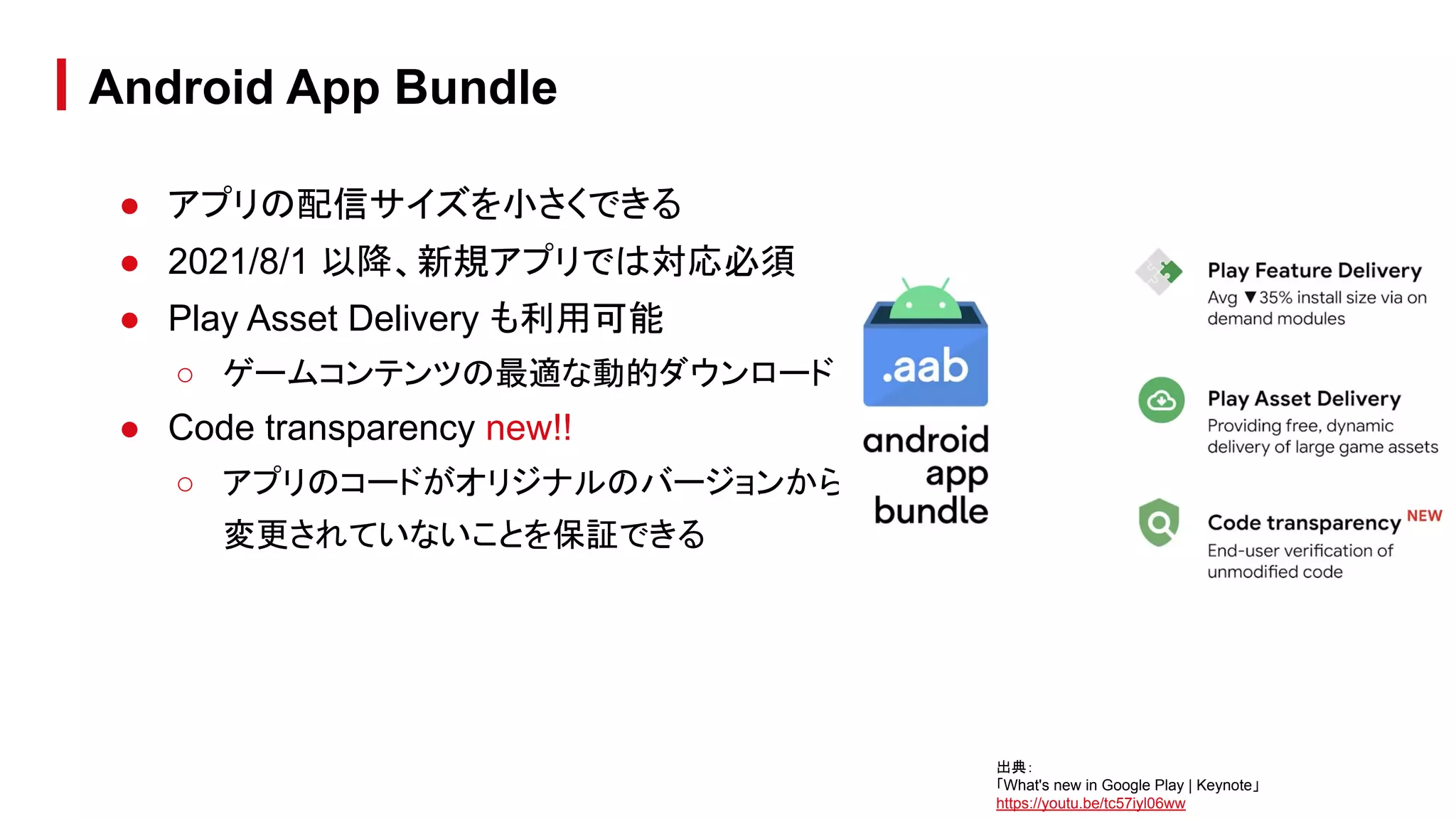
● アプリの配信サイズを小さくできる
● 2021/8/1 以降、新規アプリでは対応必須
● Play Asset Delivery も利用可能
○ ゲームコンテンツの最適な動的ダウンロード
● Code transparency new!!
○ アプリのコードがオリジナルのバージョンから
変更されていないことを保証できる
Android App Bundle
出典:
「What's new in Google Play | Keynote」
https://youtu.be/tc57iyl06ww
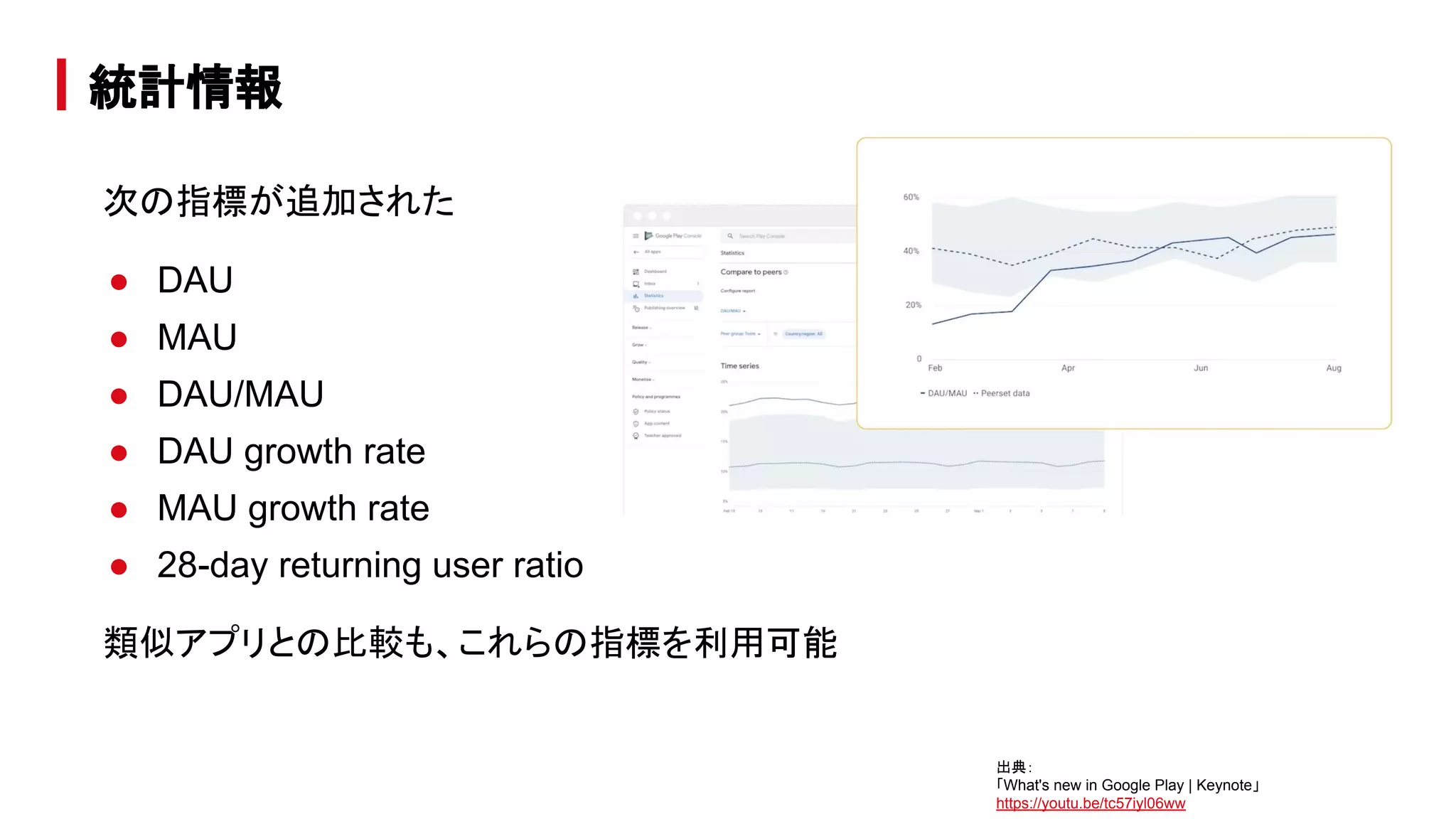
次の指標が追加された
● DAU
● MAU
● DAU/MAU
● DAU growth rate
● MAU growth rate
● 28-day returning user ratio
類似アプリとの比較も、これらの指標を利用可能
統計情報
出典:
「What's new in Google Play | Keynote」
https://youtu.be/tc57iyl06ww
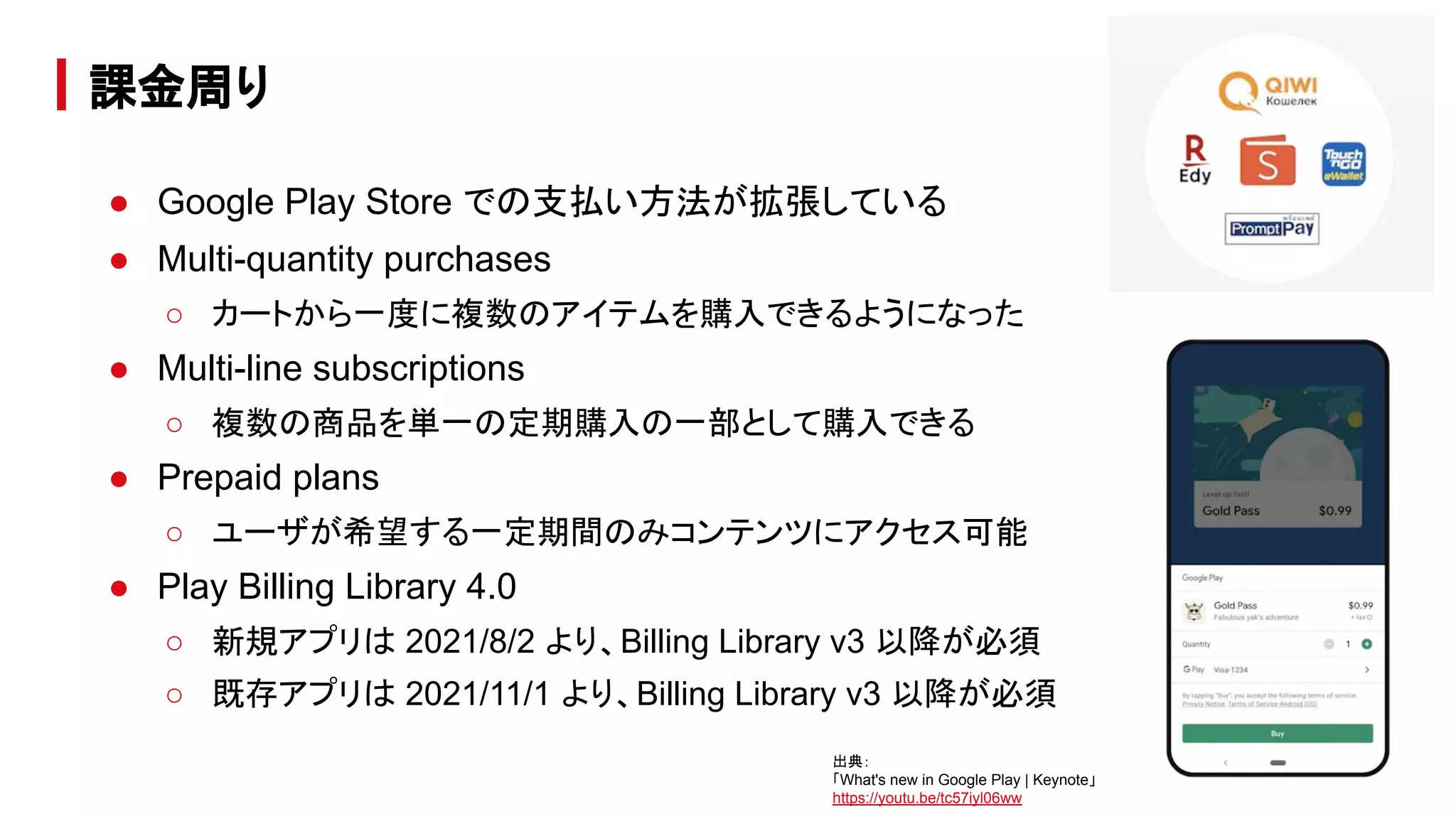
● Google Play Store での支払い方法が拡張している
● Multi-quantity purchases
○ カートから一度に複数のアイテムを購入できるようになった
● Multi-line subscriptions
○ 複数の商品を単一の定期購入の一部として購入できる
● Prepaid plans
○ ユーザが希望する一定期間のみコンテンツにアクセス可能
● Play Billing Library 4.0
○ 新規アプリは 2021/8/2 より、Billing Library v3 以降が必須
○ 既存アプリは 2021/11/1 より、Billing Library v3 以降が必須
課金周り
出典:
「What's new in Google Play | Keynote」
https://youtu.be/tc57iyl06ww
他にもたくさんの発表があったので、
是非、確認してみて下さい!
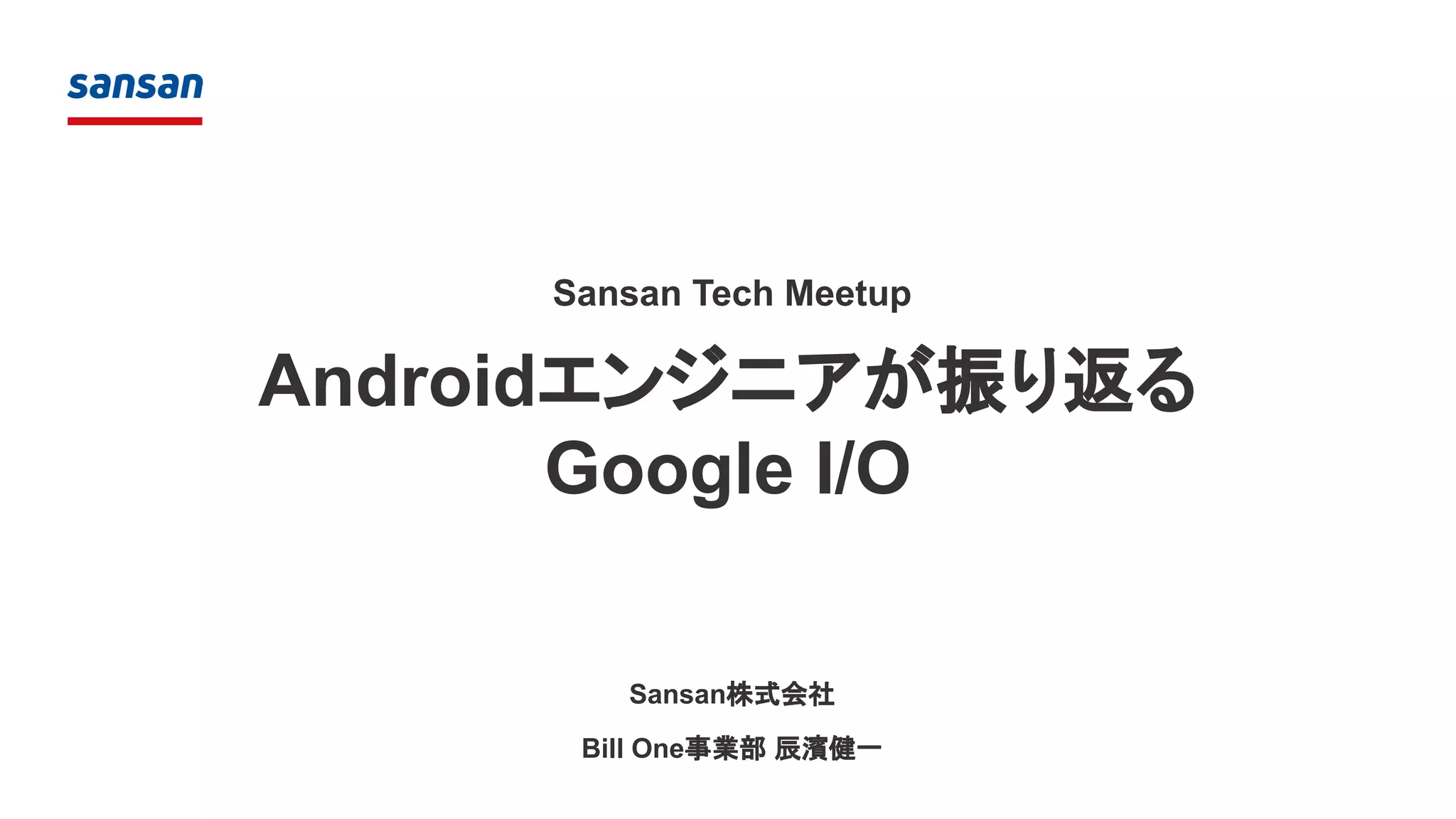
What’s new in Firebase(告知)
● 6/23(水) 19:00 〜
● 新機能の紹介などを行います
● https://gdg-tokyo.connpass.com/event/216203/
What’s new in Firebase
出典:
「I/O Extended Japan 2021 - Firebase」
https://gdg-tokyo.connpass.com/event/216203/
 Sansan Tech Meetup Androidエンジニアが振り返る Google I/O

Sansan Tech Meetup Androidエンジニアが振り返る Google I/O

  • 1.
  • 2.
    自己紹介 ● 辰濱 健一(KenichiTatsuhama) ● Sansan, Inc. Developer ○ 先月まで、iOS / Android を実装 ○ 今は React x TypeScript で Web フロントのグローバル対応 ● 徳島県在住 ● GDG Shikoku オーガナイザー @tatsuhama50
  • 3.
    本セッションでは、Google I/O 2021の Android 関連の動画を「広く浅く」紹介しま す。 以下の動画からピックアップしています。 ● What’s new in Android ● What’s new in Android development tools ● What's new in Android testing tools ● What's new in Google Play Agenda
  • 4.
  • 5.
    What’s new inAndroid 出典: 「What's new in Android | Keynote」 https://youtu.be/D2cU_itNDAI
  • 6.
    ● UI まわりの変更 ○Colors ○ Widget ○ Launch Screen ○ Notification ○ Toast ○ Picture in Picture ○ Render effect ○ Ripple effect ○ Edge effect What’s new in Android / Topics
  • 7.
    ● メディアまわりの変更 ○ AVIFimage ○ Movie format ○ Audio What’s new in Android / Topics
  • 8.
    ● プライバシー周り ○ 位置情報 ○クリップボード ○ フォアグラウンド制限 What’s new in Android / Topics
  • 9.
    ● その他 ○ コンテンツ受信用のUnified API ○ パフォーマンス ○ Wear ○ Android Tools ○ Jetpack What’s new in Android / Topics
  • 10.
    ● カラーパレットが大幅に拡張 ● 端末全体のテーマを変更可能 ●Material You(と呼ばれている) ● アプリでは、具体的な色を直接記述 するのではなく、カラーパレットを参 照する実装を行う必要がある ○ 対応が大変そう… What’s new in Android / Colors 出典: 「Unveiling Material You/Personal for every style」 https://material.io/blog/announcing-material-you
  • 11.
    ● チェックボックスなどが配置可能に ● 角丸になる ○既存 Widget は角がトリムされる可能性 ● 前述のカラーパレットを使用可能 What’s new in Android / Widget 出典: 「Android 12 widgets improvements」 https://developer.android.com/about/versions/12/features/widgets
  • 12.
    ● アプリの起動画面を実装する APIが追加 された ● 古川より詳細を紹介します What’s new in Android / Launch Screen 出典: 「Splash screens」 https://developer.android.com/about/versions/12/features/splash-screen
  • 13.
    ● デザイン ○ テンプレートのデザインを更新 ○デフォルトのテンプレートを使っていれば問 題ない(多少表示される文字の量に変化が ある?) ○ フルカスタムビューは避ける ● タップ時の挙動 ○ 従来は Broadcast を送ったり、Service を起 動して Activity が起動されるのが許容されて いた(が、体験が悪かった) ○ Activity を直接起動する必要がある (target = S) What’s new in Android / Notification 出典: 「What's new in Android | Keynote」 https://youtu.be/D2cU_itNDAI
  • 14.
    ● どのアプリが出したトーストかわかるようにアイコン が表示されるようになった ● 表示される行数が減ったので注意 ●必要に応じて通知を使う ● トーストがいくつも重なって表示される問題を回避 するために、上限が設定された What’s new in Android / Toast
  • 15.
    ● PiP とアプリ連携がスムーズになった ●PiP のサイズ変更ができるようになった What’s new in Android / Picture in Picture
  • 16.
    ● ImageView だけでなくWindow にも効果を適用で きるようになった ● 古川より詳細を紹介します What’s new in Android / Render effect 出典: 「What's new in Android | Keynote」 https://youtu.be/D2cU_itNDAI
  • 17.
    ● デザイン変更が入った ○ Sparkleeffect ● アプリ側では対応不要 What’s new in Android / Ripple effect 出典: 「What's new in Android | Keynote」 https://youtu.be/D2cU_itNDAI
  • 18.
    ● オーバースクロール時のアニメーションが変更 になった ● Rippleとは違い、アプリ側で対応が必要になる ケースがある可能性がある ○ この回避策は今後提示される What’s new in Android / Edge effect 出典: 「Overscroll effect」 https://developer.android.com/about/versions/12/overscroll
  • 19.
    ● Jpeg /WebP よりも軽量 ● 透過のサポート ● オンラインでコンバーターがある ● https://developer.android.com/about/version s/12/features#avif_image_support What’s new in Android / AVIF image 出典: 「What's new in Android | Keynote」 https://youtu.be/D2cU_itNDAI
  • 20.
    ● アプリ側で動画形式(HEVC, HDR10, ...)の対応状況を宣言する と、非対応の形式を扱える形式に変 換してアプリ内で扱えるようになる What’snew in Android / Movie format 出典: 「Compatible media transcoding / Declare capabilities in a resource」 https://developer.android.com/about/versions/12/features/compatible-media-transcoding
  • 21.
    ● 音に合わせた触覚フィードバック (Haptic)が生成できる ● ゲームなどで効果音に応じた haptic は、より没入感を出せる ● 端末によっては利用できないので、HapticGenerator.isAvailable() でチェック が必要 ● https://developer.android.com/about/versions/12/features#generate_hapti c_effects_from_audio What’s new in Android / Audio
  • 22.
    ● Bluetooth の利用時に位置情報のパーミッションが 求められる問題を修正 ●Bluetooth のパーミッションを新規追加 ● 位置情報に精度が追加され、選択できるようになっ た ○ 例) ■ ナビアプリなら、詳細な位置情報が必要 ■ 天気予報アプリなら、粗い位置情報で十分 ○ 詳細な位置情報を必要とするアプリは、粗い位置情 報だけしか許可されていない場合は別途コミュニ ケーションが必要 What’s new in Android / 位置情報 出典: 「Approximate location」 https://developer.android.com/about/versions/12/approximate-location
  • 23.
  • 24.
    ● デフォルトで通知の表示が遅延する(10秒) ○ 1〜2秒しか表示されない通知は表示されなくなる ○ ユーザの視覚的ノイズが軽減される ○ アプリでこの振る舞いをコントロール可能 ● バックグラウンドからのフォアグラウンド起動が大きく制限 ○ 例外として、優先度の高い通知などは起動できる ○ この影響を受ける場合、WorkManager を利用して回避することを推奨 ○ https://developer.android.com/about/versions/12/foreground-services#cases- fgs-background-starts-allowed What’s new in Android / フォアグラウンド制限 出典: 「What's new in Android | Keynote」 https://youtu.be/D2cU_itNDAI
  • 25.
    ● アプリ間のコンテンツのやりとりの APIの統一 What’s new in Android / コンテンツ受信用の Unified API 出典: 「コンテンツ受信用のUnified API」 https://developer.android.com/about/ve rsions/12/features/unified-content-api
  • 26.
    ● Macrobenchmark ライブラリ ○アプリの起動やスクロールのベンチマークが取れる ○ 古川より詳細を紹介します What’s new in Android / パフォーマンス 出典: 「Benchmark use cases with Jetpack Macrobenchmark」 https://developer.android.com/studio/profile/macrobenchmark
  • 27.
  • 28.
    ● Android Studioにも多くの機能追加が入っています ● 本セッションで後述します What’s new in Android / Android Tools
  • 29.
  • 30.
    What’s new in Androiddevelopment tools
  • 31.
    What’s new inAndroid development tools 出典: 「What's new in Android development tools | Session」 https://youtu.be/WRNWzhrl6-s
  • 32.
    What’s new inAndroid development tools / Topics ● Roadmap ○ Android Studio 4.1 ○ Android Studio 4.2 ○ バージョン番号について ○ Gradle のバージョン
  • 33.
    What’s new inAndroid development tools / Topics ● Design ○ Live Literal ○ さまざまな状態の Preview ○ animated-vector のプレビュー ○ ジェスチャー動作の preview ○ animation inspection
  • 34.
    What’s new inAndroid development tools / Topics ● Devices ○ Layout Validation ツール ○ Foldable 端末のエミュレート ○ 端末以外のデバイスへの対応
  • 35.
    What’s new inAndroid development tools / Topics ● Productivity ○ Test Retention ○ WorkManager Inspector ○ Non-Transitive R Classes
  • 36.
    Database Inspector ● アプリの実行中にアプリのデータベースを検査、クエリ、変更できる ●特にデータベースのデバッグで役立ちます。 ● プレーン SQLite や、Room などの SQLite の上に構築されたライブラリで動作 します。 ● Android Studio 4.2 では、オフラインモードがサポートされ、プロセスが切断さ れても DB を検査でき、クラッシュ後のデバッグが容易になる ● https://developer.android.com/studio/inspect/database Android Studio 4.1
  • 37.
    Database Inspector Android Studio4.1 出典: 「Debug your database with the Database Inspector/View and modify data」 https://developer.android.com/studio/inspect/database
  • 38.
    Tensorflow lite models ●簡単に .tflite モデルファイルを直接インポートしてプロジェクトで使用できる ● Android Studio では使いやすいクラスが作成されるため、モデルを実行する際 のコードが減り、型の安全性が高まります。 ● https://developer.android.com/studio/releases#4.1-tensor-flow-lite-models Android Studio 4.1
  • 39.
    Native memory profiler ●Android 10 以降を搭載する物理デバイスにデプロイされるアプリ向け ● ネイティブ コードからのメモリ割り当てと割り当て解除を記録し、ネイティブ オブ ジェクトに関する累積統計情報を検査できます。 ● https://developer.android.com/studio/releases#4.1-native-memory-profiler Android Studio 4.1
  • 40.
    Others… ● https://developer.android.com/studio/releases#4-1-0 Android Studio4.1 出典: 「What's new in Android Studio 4.1] https://youtu.be/Yhbr6u7f3ME
  • 41.
    Project upgrade assistant ●プロジェクトの AGP バージョンを更新 しやすくなった。 Android Studio 4.2 出典: 「Android Studio リリースノート」 https://developer.android.com/studio/releases?hl=ja#agp- upgrade-assistant
  • 42.
    Safe Args support ●Directions、Args、各種ビルダークラスのオートコンプリート ● Java と Kotlin 両方の Safe Args プラグインのサポート ● ソースから XML へのナビゲーション に対応 Android Studio 4.2
  • 43.
    Apply changes update ●Android 11 以降を搭載したデバイス向けの Apply Changes に次の改良が 入った ○ static final のプリミティブ フィールドへの対応 ○ リソース追加の対応 Android Studio 4.2
  • 44.
  • 45.
    ● InteliJ バージョンとの整合性を高めるために採番ルールを変更 ●数字だとわかりにくいので、コードネームが付与される ○ 2020.3.1 : Arctic Fox ○ 2021.1.1 : BumbleBee Android Studio のバージョン番号について 出典: 「What's new in Android development tools | Session」 https://youtu.be/WRNWzhrl6-s
  • 46.
    ● アプリプロジェクトの AndroidGradle プラグインのバージョンは、Android Studio のバージョンと切り離される ● これにより、プロジェクトの生成物と Android Studio のバージョンの依存関係 がなくなり、Android Studio の更新が容易にできるようになった。 Gradle のバージョンと Android Studio のバージョン 出典: 「What's new in Android development tools | Session」 https://youtu.be/WRNWzhrl6-s
  • 47.
    Compose 上の定数の変更が即座に実行中のアプリに反映される Design /Live Literal 出典: 「What's new in Android development tools | Session」 https://youtu.be/WRNWzhrl6-s
  • 48.
    ● Preview Configurationで向きや画面サイズ、Dark / Light を指定できる Design / さまざまな状態での Preview 出典: 「What's new in Android development tools | Session」 https://youtu.be/WRNWzhrl6-s
  • 49.
    Design / animated-vectorのプレビュー 出典: 「What's new in Android development tools | Session」 https://youtu.be/WRNWzhrl6-s
  • 50.
    Design / ジェスチャー動作のpreview 出典: 「What's new in Android development tools | Session」 https://youtu.be/WRNWzhrl6-s
  • 51.
    Design / animationinspection 出典: 「What's new in Android development tools | Session」 https://youtu.be/WRNWzhrl6-s
  • 52.
    さまざまなデバイスや表示設定(画面サイズ、色、フォントサイズ)のレイアウトを同 時にプレビューするビジュアルツール Devices / LayoutValidation ツール デバイスのバリエーション フォントサイズのバリエーション 出典: 「Layout Inspector と Layout Validation を使用してレイアウトをデバッグする」 https://developer.android.com/studio/debug/layout-inspector?hl=ja#layout-validation
  • 53.
    Devices / Foldable端末のエミュレート 出典: 「What's new in Android development tools | Session」 https://youtu.be/WRNWzhrl6-s
  • 54.
    ● Wear OSのエミュレータの改善 ○ スマホエミュレータとのペアリングが可能に ○ 心拍数などの外部センサーのエミュレート ● Android TV のエミュレータイメージを追加 Devices / 端末以外のデバイスへの対応 出典: 「What's new in Android development tools | Session」 https://youtu.be/WRNWzhrl6-s
  • 55.
    ● エミュレータでテストが失敗したときの状態を保持・復元できる Productivity /Test Retention 出典: 「What's new in Android development tools | Session」 https://youtu.be/WRNWzhrl6-s
  • 56.
    ● WorkManager 2.5.0-beta02以降で WorkManager の実行状態を表示 ○ 今までも Database Inspector などで WorkManager 内部の DB の状態を見るこ とは可能だった ● タスクの依存関係を可視化できる Productivity / WorkManager Inspector 出典: 「What's new in Android development tools | Session」 https://youtu.be/WRNWzhrl6-s
  • 57.
  • 58.
    What's new in Androidtesting tools
  • 59.
    What's new inAndroid testing tools 出典: 「What's new in Android testing tools | Session」 https://www.youtube.com/watch?v=juEkViDyzF8
  • 60.
    ● Android Studioから実行する Test Runner の変更 ● Unified Test Platform What's new in Android testing tools / Topics
  • 61.
    ● 従来は AndroidStudio からテストを実行すると Intelli J Test Runner により実 行され、CI 環境と違う結果になることがあった Android Studio から実行する Test Runner の変更 出典: 「What's new in Android testing tools | Session」 https://www.youtube.com/watch?v=juEkViDyzF8
  • 62.
    ● 今後は GradleTest Runner に統一し、この問題を解決 Android Studio から実行する Test Runner の変更 出典: 「What's new in Android testing tools | Session」 https://www.youtube.com/watch?v=juEkViDyzF8
  • 63.
    ● 旧 NitrogenProject ○ Nitrogen : 窒素 ← JetPack の燃料という意味を込めているらしい ● テストを大規模に実行しやすくするための仕組み ● Gradle の DSL でデバイス管理ができるようになった Unified Test Platform 出典: 「What's new in Android testing tools | Session」 https://www.youtube.com/watch?v=juEkViDyzF8
  • 64.
    Gradle DSL によるデバイスの定義 UnifiedTest Platform 出典: 「What's new in Android testing tools | Session」 https://www.youtube.com/watch?v=juEkViDyzF8
  • 65.
    デバイスグループを定義して、並列にテストが実行できる Unified Test Platform 出典: 「What'snew in Android testing tools | Session」 https://www.youtube.com/watch?v=juEkViDyzF8
  • 66.
    What’s new inGoogle Play
  • 67.
    What’s new inGoogle Play 出典: 「What's new in Google Play | Keynote」 https://youtu.be/tc57iyl06ww
  • 68.
    What’s new inGoogle Play / Topics ● 手数料の引き下げについて ● ポリシーへの準拠状態の一括管理 ● SDK Console ● Android App Bundle ● 統計情報 ● 課金周り
  • 69.
    ● 2021/7/1 より、GooglePlay 販売手数料が 30% から 15% に引き下げ ○ ただし、最初の 100 万米ドルまで ○ それを超えると 30% ○ 複数アカウントを使っている場合、合算になる 手数料の引き下げについて 出典: 「What's new in Google Play | Keynote」 https://youtu.be/tc57iyl06ww
  • 70.
    ● Policy andprograms(日本語:ポリシーのステータス)が新設 ● ポリシー準拠の管理ができ、問題を一カ所で管理できる ● 違反や対応が必要な項目があったら、ここに表示される ポリシーへの準拠状態の一括管理 出典: 「What's new in Google Play | Keynote」 https://youtu.be/tc57iyl06ww
  • 71.
    ● 3rd partyの SDK が原因でポリシー違反になることもある。 ● Google が SDK provider と協力し、より良く安全な SDK 開発を支援 ● 各 SDK の使用状況の確認やクラッシュレポートを確認できる ● ポリシー違反の SDK や問題のあるバージョンに関する情報を受け取ることが できる SDK Console 出典: 「What's new in Google Play | Keynote」 https://youtu.be/tc57iyl06ww
  • 72.
    ● アプリの配信サイズを小さくできる ● 2021/8/1以降、新規アプリでは対応必須 ● Play Asset Delivery も利用可能 ○ ゲームコンテンツの最適な動的ダウンロード ● Code transparency new!! ○ アプリのコードがオリジナルのバージョンから 変更されていないことを保証できる Android App Bundle 出典: 「What's new in Google Play | Keynote」 https://youtu.be/tc57iyl06ww
  • 73.
    次の指標が追加された ● DAU ● MAU ●DAU/MAU ● DAU growth rate ● MAU growth rate ● 28-day returning user ratio 類似アプリとの比較も、これらの指標を利用可能 統計情報 出典: 「What's new in Google Play | Keynote」 https://youtu.be/tc57iyl06ww
  • 74.
    ● Google PlayStore での支払い方法が拡張している ● Multi-quantity purchases ○ カートから一度に複数のアイテムを購入できるようになった ● Multi-line subscriptions ○ 複数の商品を単一の定期購入の一部として購入できる ● Prepaid plans ○ ユーザが希望する一定期間のみコンテンツにアクセス可能 ● Play Billing Library 4.0 ○ 新規アプリは 2021/8/2 より、Billing Library v3 以降が必須 ○ 既存アプリは 2021/11/1 より、Billing Library v3 以降が必須 課金周り 出典: 「What's new in Google Play | Keynote」 https://youtu.be/tc57iyl06ww
  • 75.
  • 76.
    What’s new inFirebase(告知)
  • 77.
    ● 6/23(水) 19:00〜 ● 新機能の紹介などを行います ● https://gdg-tokyo.connpass.com/event/216203/ What’s new in Firebase 出典: 「I/O Extended Japan 2021 - Firebase」 https://gdg-tokyo.connpass.com/event/216203/