Introduction to ComputerSoftware
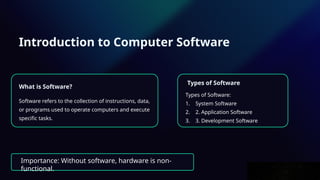
What is Software?
Software refers to the collection of instructions, data,
or programs used to operate computers and execute
specific tasks.
Types of Software
Types of Software:
1. System Software
2. 2. Application Software
3. 3. Development Software
Importance: Without software, hardware is non-
functional.
3.
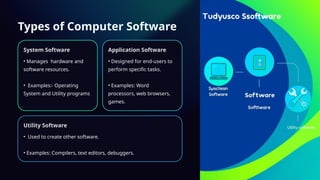
Types of ComputerSoftware
System Software
• Manages hardware and
software resources.
• Examples:- Operating
System and Utility programs
Application Software
• Designed for end-users to
perform specific tasks.
• Examples: Word
processors, web browsers,
games.
Utility Software
• Used to create other software.
• Examples: Compilers, text editors, debuggers.
4.
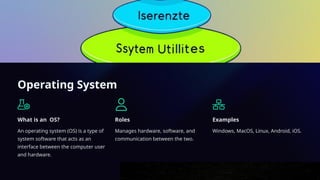
Operating System
What isan OS?
An operating system (OS) is a type of
system software that acts as an
interface between the computer user
and hardware.
Roles
Manages hardware, software, and
communication between the two.
Examples
Windows, MacOS, Linux, Android, iOS.
5.
Functions of anOperating
System
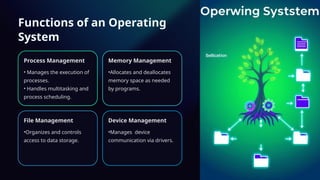
Process Management
• Manages the execution of
processes.
• Handles multitasking and
process scheduling.
Memory Management
•Allocates and deallocates
memory space as needed
by programs.
File Management
•Organizes and controls
access to data storage.
Device Management
•Manages device
communication via drivers.
6.
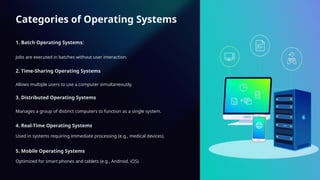
Categories of OperatingSystems
1. Batch Operating Systems:
Jobs are executed in batches without user interaction.
2. Time-Sharing Operating Systems
Allows multiple users to use a computer simultaneously.
3. Distributed Operating Systems
Manages a group of distinct computers to function as a single system.
4. Real-Time Operating Systems
Used in systems requiring immediate processing (e.g., medical devices).
5. Mobile Operating Systems
Optimized for smart phones and tablets (e.g., Android, iOS).
7.
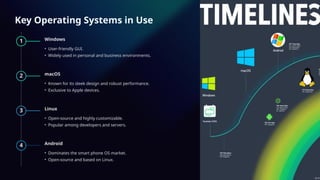
Key Operating Systemsin Use
1 Windows
• User-friendly GUI.
• Widely used in personal and business environments.
2 macOS
• Known for its sleek design and robust performance.
• Exclusive to Apple devices.
3 Linux
• Open-source and highly customizable.
• Popular among developers and servers.
4 Android
• Dominates the smart phone OS market.
• Open-source and based on Linux.
8.
Importance of Softwarein Everyday Life
Communication
Software powers our phones, messaging apps, and social media platforms.
Entertainment
We enjoy movies, music, and games thanks to software applications.
Productivity
Software helps us work efficiently through word processing, spreadsheets, and project management tools.
9.
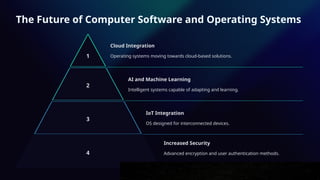
The Future ofComputer Software and Operating Systems
1
Cloud Integration
Operating systems moving towards cloud-based solutions.
2
AI and Machine Learning
Intelligent systems capable of adapting and learning.
3
IoT Integration
OS designed for interconnected devices.
4
Increased Security
Advanced encryption and user authentication methods.
10.
Conclusion
Software is thesoul of modern
Computing.
Operating systems act as
the backbone for efficient
and secure computer
functionality.
The future of software is intertwined with technological advancements like AI,
IoT, and cloud computing