Salesforce Communities
Community Cloud
Created By - Kavita Badgujar
Agenda
● Introduction to Salesforce Communities
● Partner & Customer Community
● Why & when to use communities
● Community Licenses
● What is Community Builder & Lightning Communities
● Community Templates
● Set Up Communities
● Steps for Creating New Communities
Salesforce Communities Overview
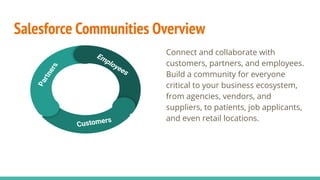
Connect and collaborate with
customers, partners, and employees.
Build a community for everyone
critical to your business ecosystem,
from agencies, vendors, and
suppliers, to patients, job applicants,
and even retail locations.
Partners
Customers
Employees
Salesforce Communities
Combines the power of the Force.com
platform, Site.com, Community Cloud.
Available in Enterprise, Performance,
Unlimited, and Developer Editions.
Licenses overview - We have ïŹve
Communities licenses for external users:
Customer Community, Customer
Community Plus, Partner Community,
Lightning External Apps, and Lightning
External Apps Plus.
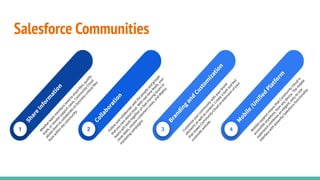
Salesforce Communities
1
Share
Inform
ation
W
hetherteam
m
em
bersneed
to
share
files,qualify
leads,orresolve
supportcases,Com
m
unityCloud
allow
sthem
to
collaborate
on
business-criticalfiles
from
w
ithin
the
com
m
unity.
2
Collaboration
Follow
and
collaborate
w
ith
the
people
and
groups
thatyou
care
aboutm
ost.W
ith
real-tim
e
feeds,your
team
sw
illw
ork
togetheron
fast-m
oving
issuesto
close
deals,resolve
custom
erscases,and
deploy
m
arketing
cam
paigns.
3
Branding
and
Custom
ization
Custom
ize
yourcom
m
unityw
ith
yourbrand
elem
entsasw
ellascontent.Create
a
look
and
feel
thatm
akesCom
m
unityCloud
an
extension
ofyour
corporate
w
ebsite.
4
M
obile
/Unified
Platform
M
obilessupportm
eansthatCom
m
unityCloud
is
accessible
anyw
here,from
anydevice.The
m
obile
experience
com
binesan
elegant,easy-to-use
interface
w
ith
pow
erfulSalesforce
functionality.
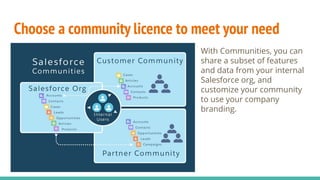
Choose a community licence to meet your need
With Communities, you can
share a subset of features
and data from your internal
Salesforce org, and
customize your community
to use your company
branding.
Salesforce CommunityTemplates
Partner Central (Lightning)
Customer Service(Napili) (Lightning)
Customer Account Portal (Lightning)
Help Center (Lightning)
Create your own (Lightning)
Salesforce Tabs + Visualforce Pages (Classic)
Aloha (Classic)
Community Builder & Lightning Communities
The Community Builder is like the Lightning App Builder, except that it’s used
to design and build communities using Lightning components. Just like the
Lightning App Builder, you can use standard or custom components so
administrators can create community pages with point-and-click
customization.
Lightning in the context of communities means the use of Lightning
components to build communities. This is done through out-of-the-box
templates, such as Customer Service, Partner Central, etc.
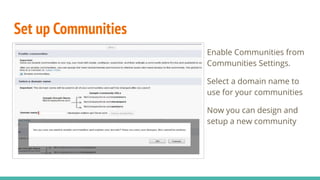
Set up Communities
Enable Communities from
Communities Settings.
Select a domain name to
use for your communities
Now you can design and
setup a new community
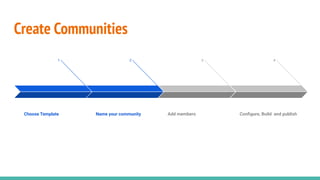
Create Communities
1
Choose Template
2
Name your community
3
Add members
4
ConïŹgure, Build and publish
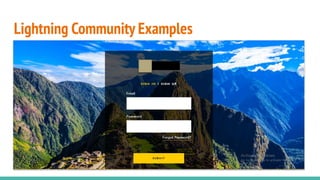
Lightning Community Examples
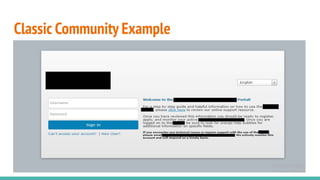
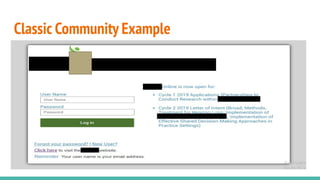
Classic Community Example
Reference
Salesforce Community Introduction, click here
Community Licenses, click here
Community Builder Overview, click here
Community and Community Users in Salesforce Org, click here

Salesforce communities