Run Oracle Apps in the
Cloud with dashDB
IBM Cloud Data Services
©2015 IBM Corporation
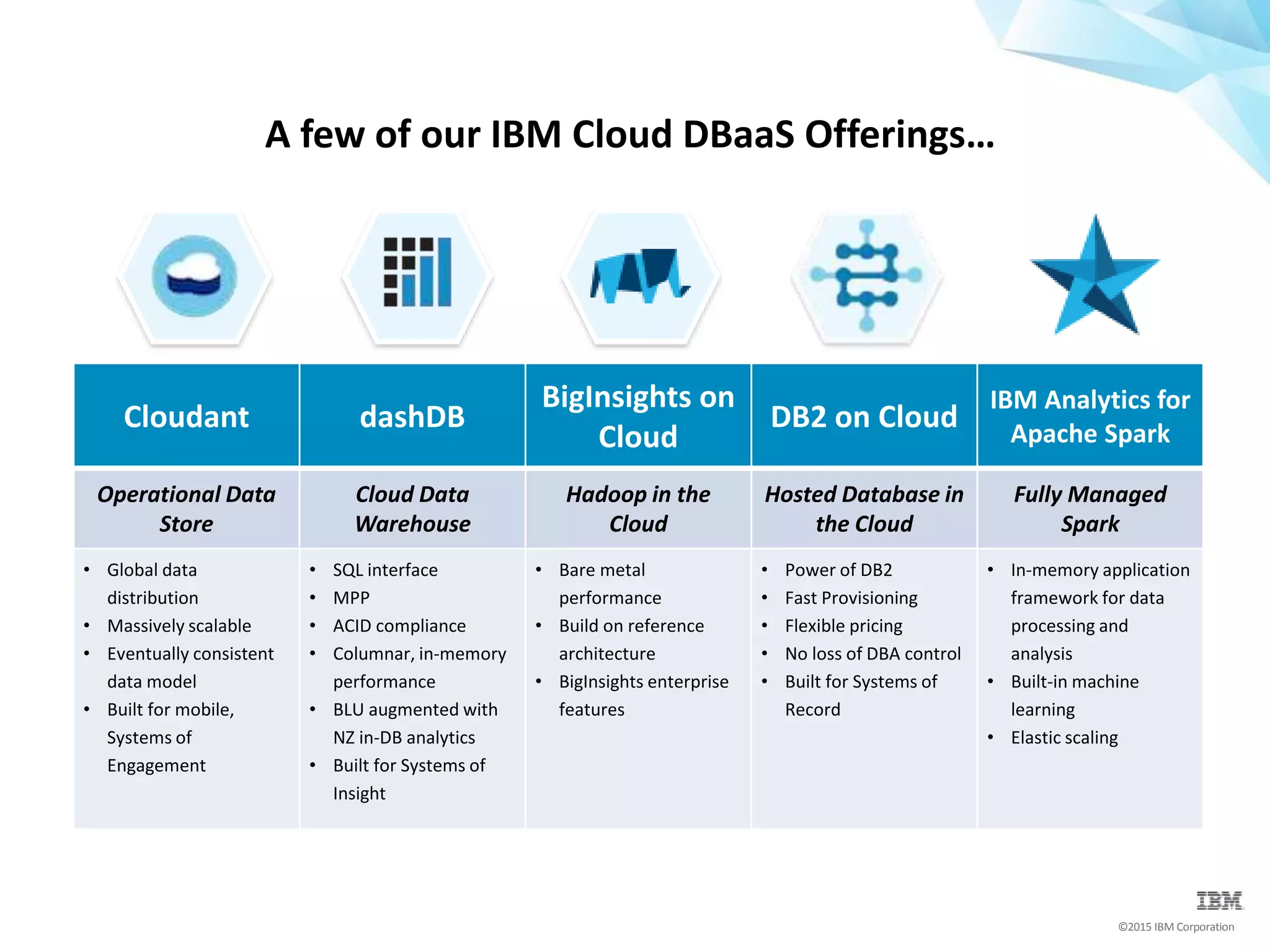
A few of our IBM Cloud DBaaS Offerings…
Cloudant dashDB
BigInsights on
Cloud
DB2 on Cloud
IBM Analytics for
Apache Spark
Operational Data
Store
Cloud Data
Warehouse
Hadoop in the
Cloud
Hosted Database in
the Cloud
Fully Managed
Spark
• Global data
distribution
• Massively scalable
• Eventually consistent
data model
• Built for mobile,
Systems of
Engagement
• SQL interface
• MPP
• ACID compliance
• Columnar, in-memory
performance
• BLU augmented with
NZ in-DB analytics
• Built for Systems of
Insight
• Bare metal
performance
• Build on reference
architecture
• BigInsights enterprise
features
• Power of DB2
• Fast Provisioning
• Flexible pricing
• No loss of DBA control
• Built for Systems of
Record
• In-memory application
framework for data
processing and
analysis
• Built-in machine
learning
• Elastic scaling
©2015 IBM Corporation
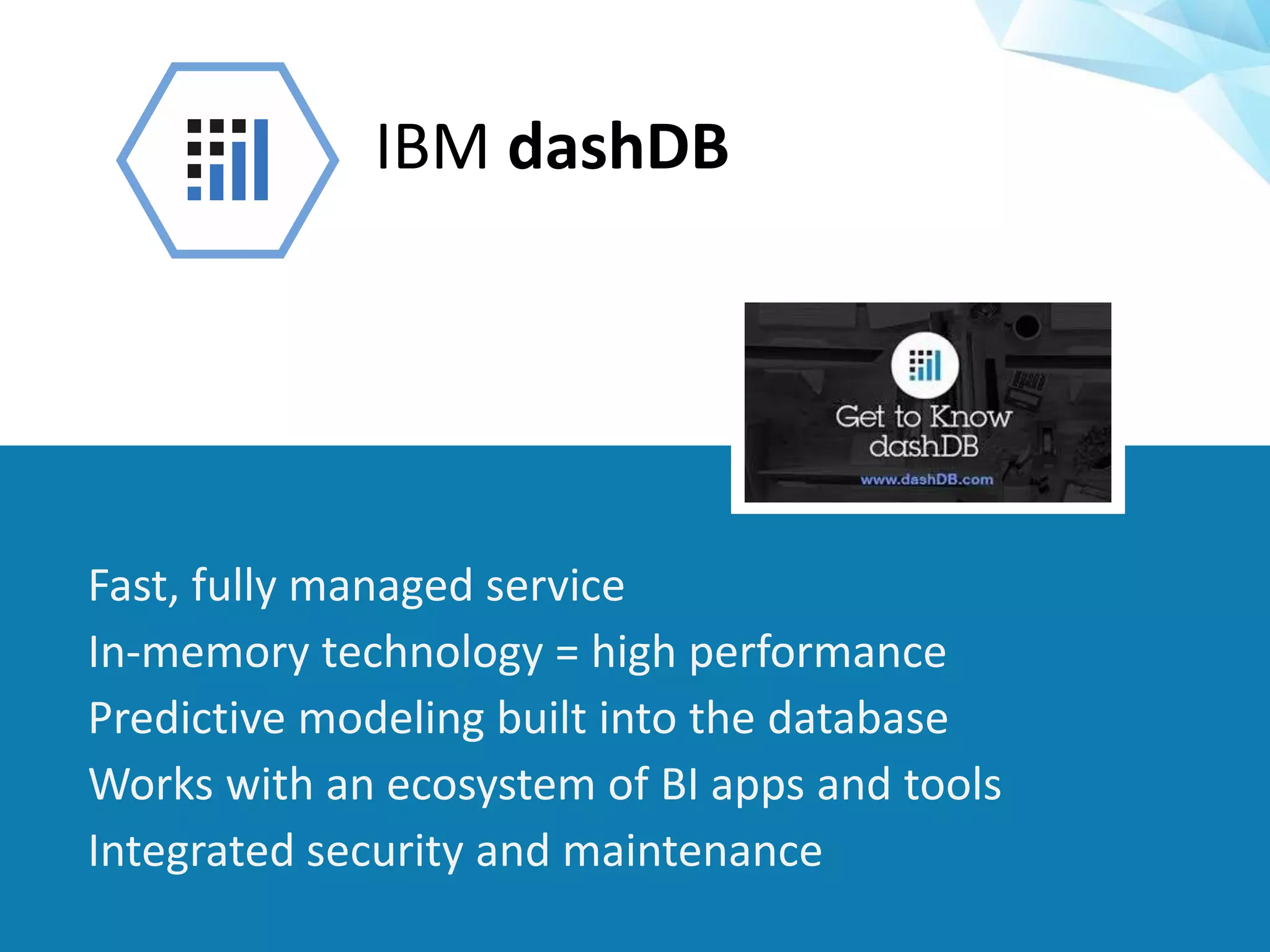
IBM dashDB
Fast, fully managed service
In-memory technology = high performance
Predictive modeling built into the database
Works with an ecosystem of BI apps and tools
Integrated security and maintenance
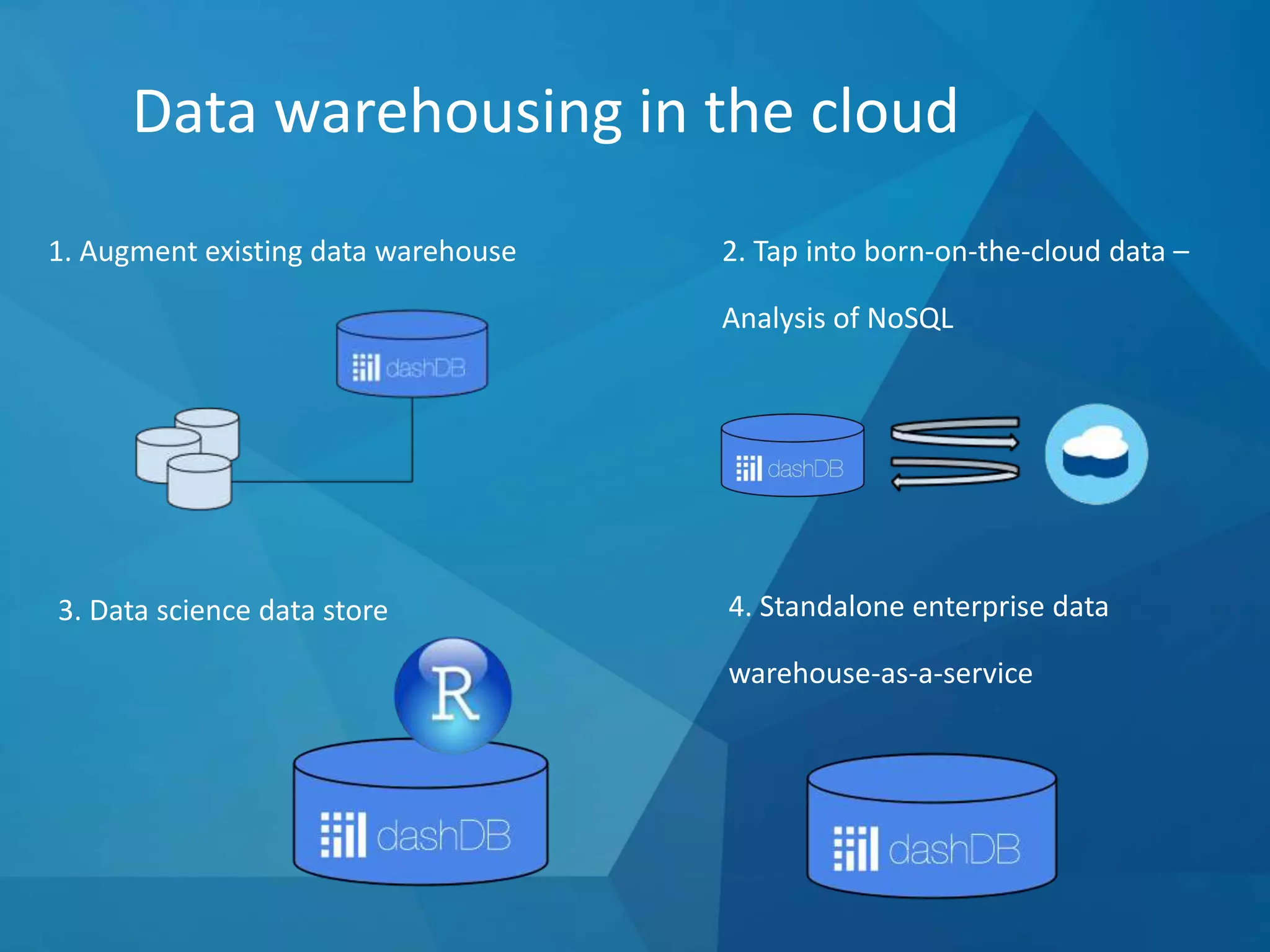
Data warehousing in the cloud
1. Augment existing data warehouse 2. Tap into born-on-the-cloud data –
Analysis of NoSQL
3. Data science data store 4. Standalone enterprise data
warehouse-as-a-service
©2015 IBM Corporation
dashDB is available as a
fully managed service
through IBM Bluemix.
IBM manages the setup, configuration,
tuning and disaster recovery operations, so
you can get straight to building…
©2015 IBM Corporation
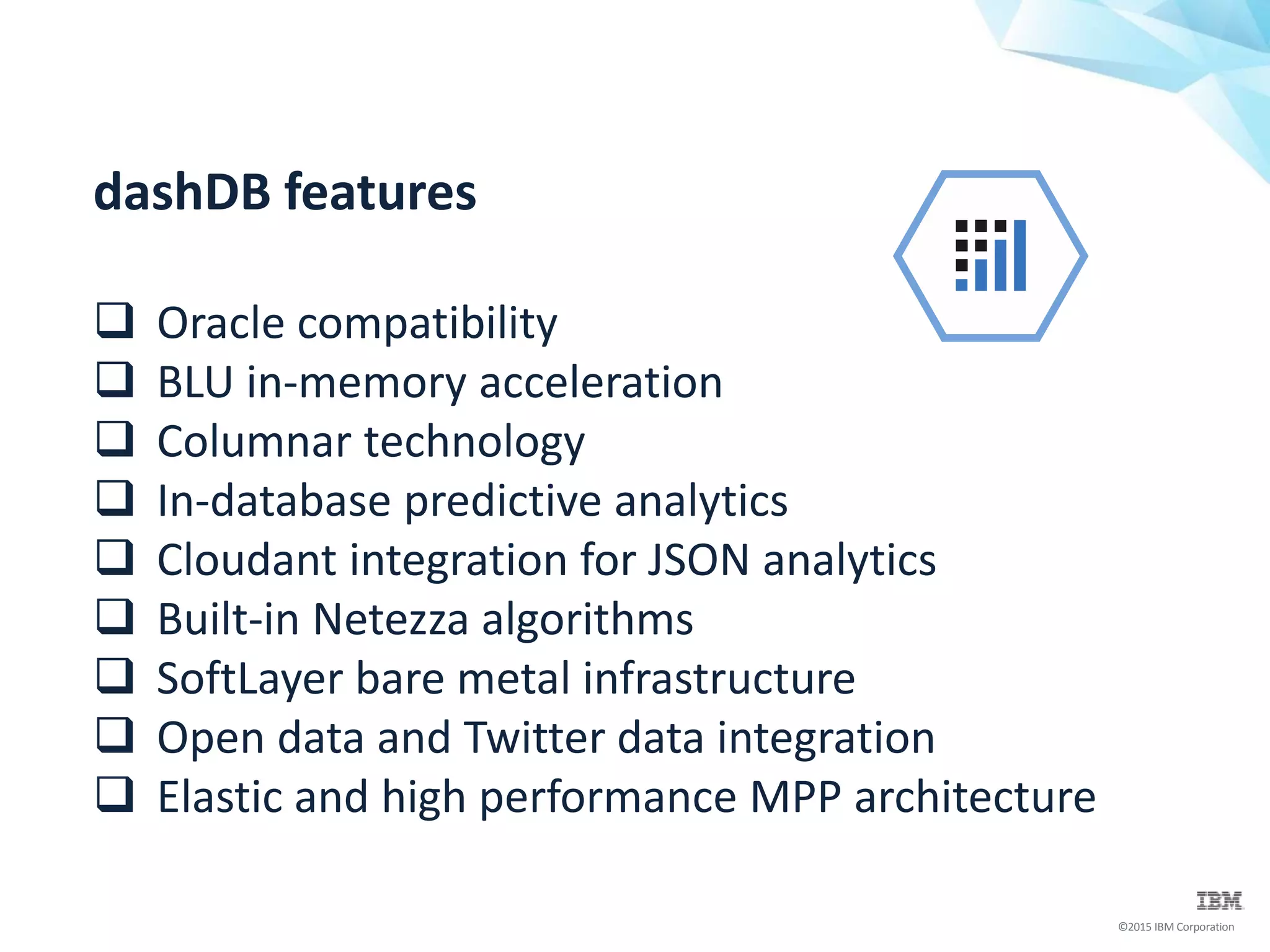
dashDB features
 Oracle compatibility
 BLU in-memory acceleration
 Columnar technology
 In-database predictive analytics
 Cloudant integration for JSON analytics
 Built-in Netezza algorithms
 SoftLayer bare metal infrastructure
 Open data and Twitter data integration
 Elastic and high performance MPP architecture
©2015 IBM Corporation
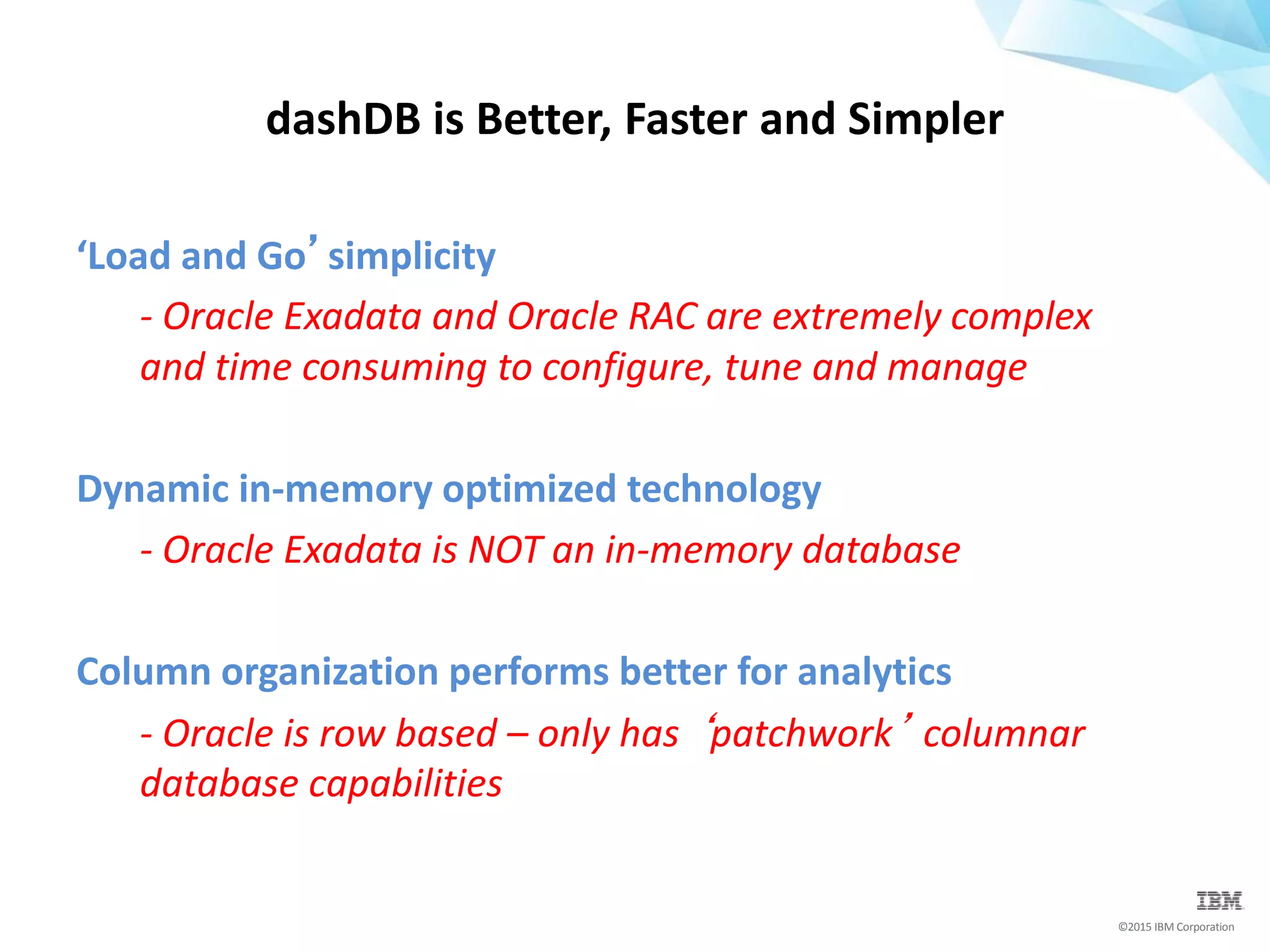
‘Load and Go’simplicity
- Oracle Exadata and Oracle RAC are extremely complex
and time consuming to configure, tune and manage
Dynamic in-memory optimized technology
- Oracle Exadata is NOT an in-memory database
Column organization performs better for analytics
- Oracle is row based – only has ‘patchwork’ columnar
database capabilities
dashDB is Better, Faster and Simpler
©2015 IBM Corporation
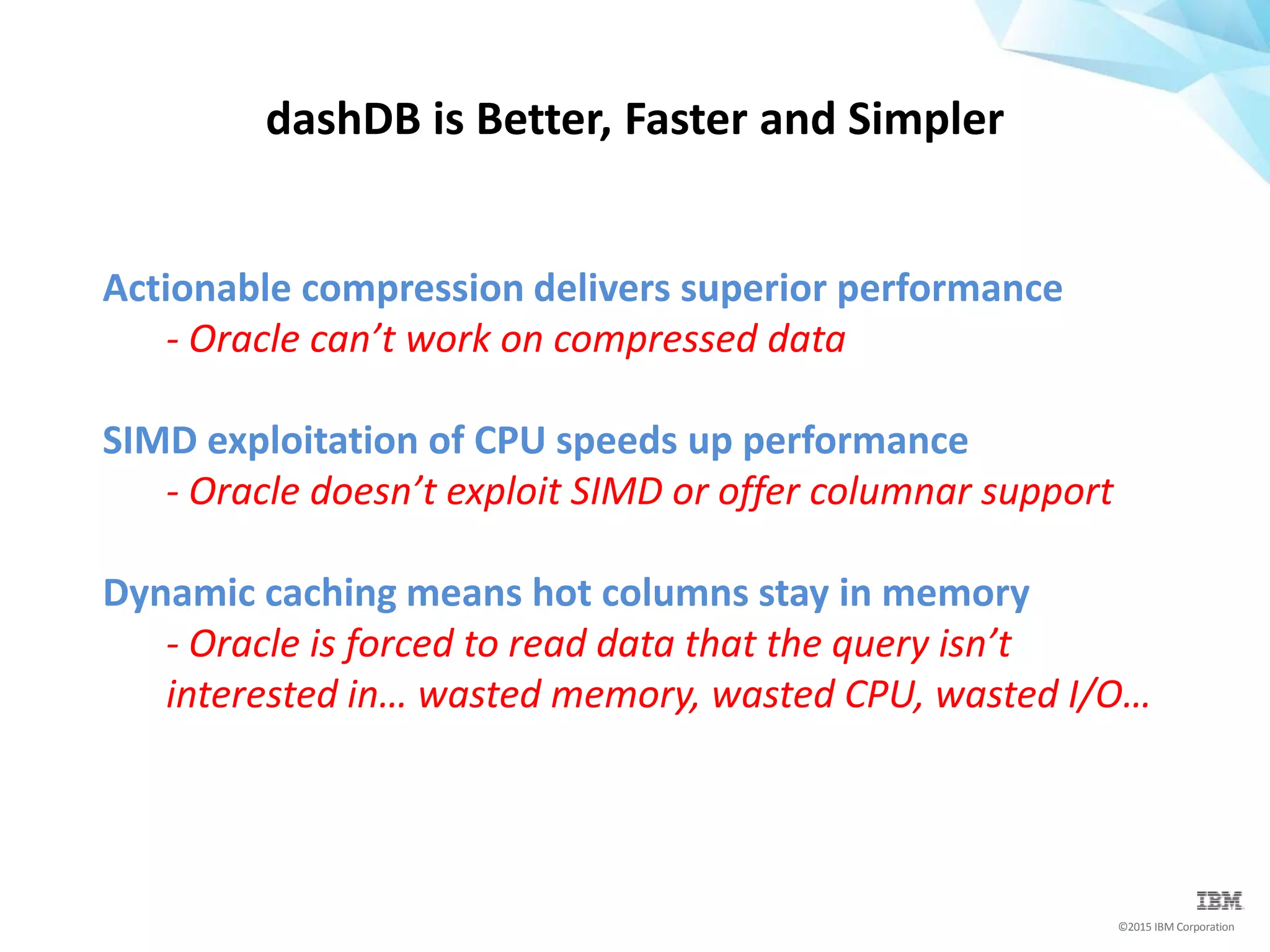
Actionable compression delivers superior performance
- Oracle can’t work on compressed data
SIMD exploitation of CPU speeds up performance
- Oracle doesn’t exploit SIMD or offer columnar support
Dynamic caching means hot columns stay in memory
- Oracle is forced to read data that the query isn’t
interested in… wasted memory, wasted CPU, wasted I/O…
dashDB is Better, Faster and Simpler
©2015 IBM Corporation
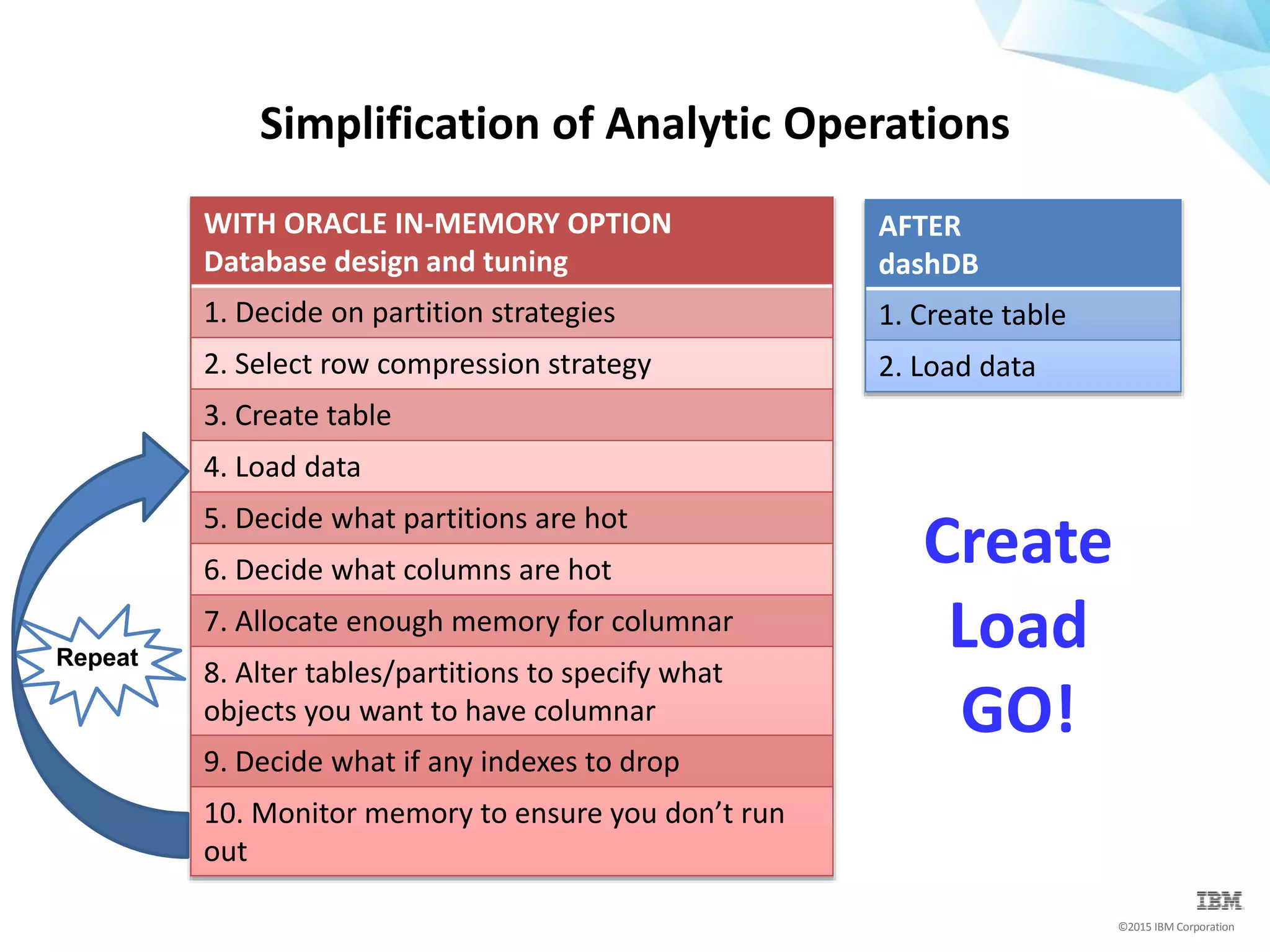
WITH ORACLE IN-MEMORY OPTION
Database design and tuning
1. Decide on partition strategies
2. Select row compression strategy
3. Create table
4. Load data
5. Decide what partitions are hot
6. Decide what columns are hot
7. Allocate enough memory for columnar
8. Alter tables/partitions to specify what
objects you want to have columnar
9. Decide what if any indexes to drop
10. Monitor memory to ensure you don’t run
out
Simplification of Analytic Operations
Create
Load
GO!
Repeat
AFTER
dashDB
1. Create table
2. Load data
dashDB / Oracle Compatibility
What does it mean?
©2015 IBM Corporation
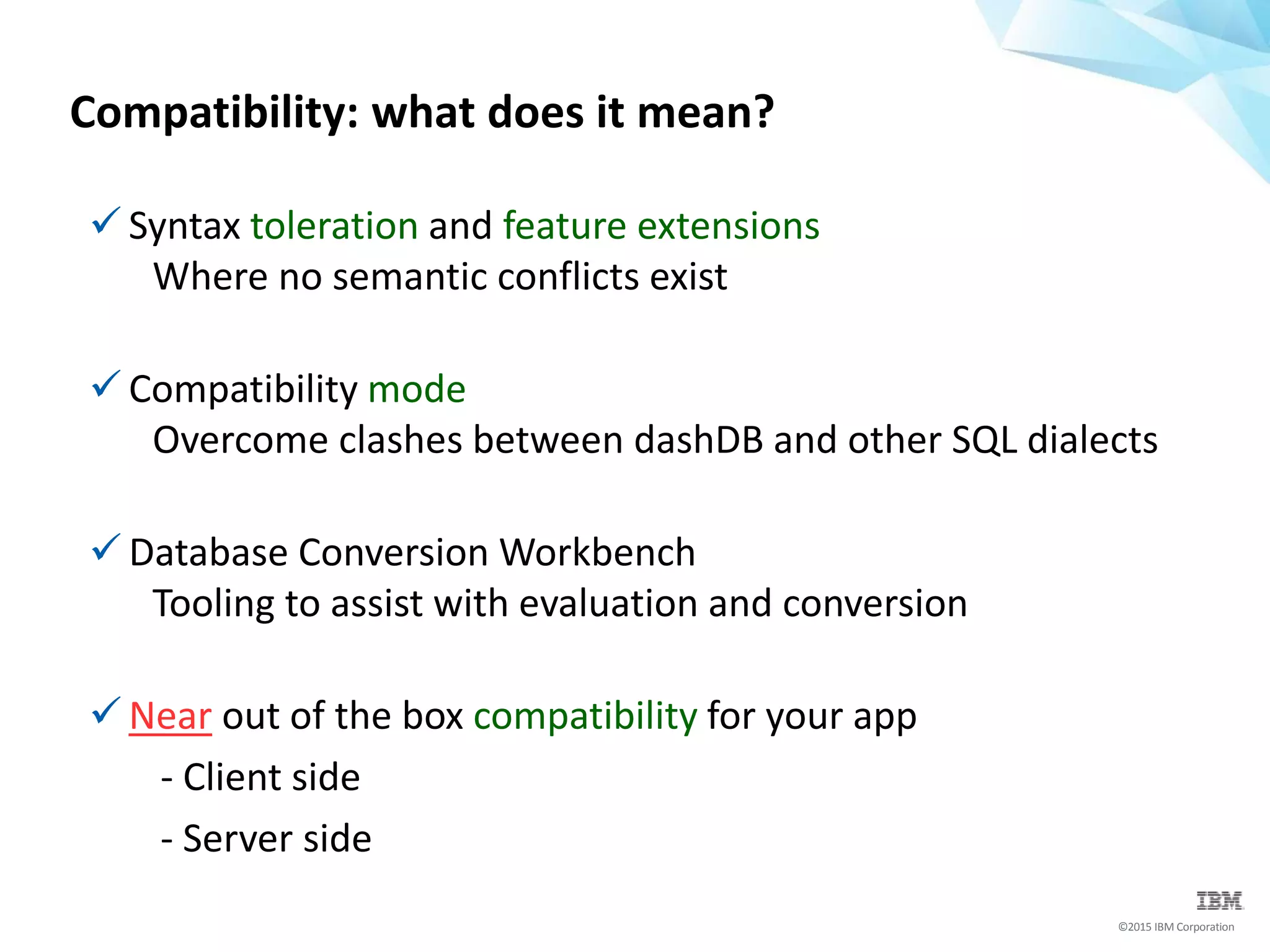
Compatibility: what does it mean?
 Syntax toleration and feature extensions
Where no semantic conflicts exist
 Compatibility mode
Overcome clashes between dashDB and other SQL dialects
 Database Conversion Workbench
Tooling to assist with evaluation and conversion
 Near out of the box compatibility for your app
- Client side
- Server side
©2015 IBM Corporation
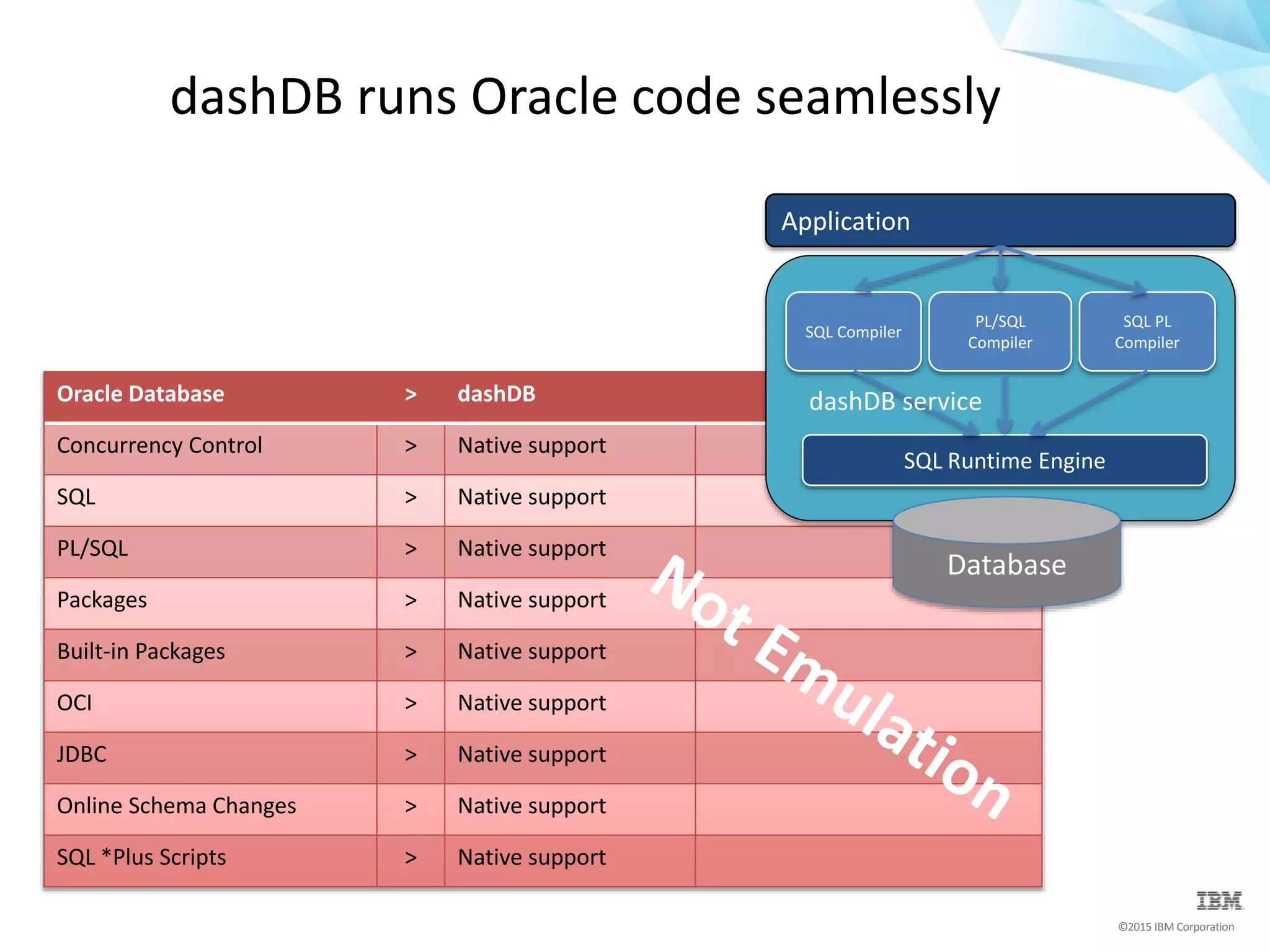
Oracle Database > dashDB
Concurrency Control > Native support
SQL > Native support
PL/SQL > Native support
Packages > Native support
Built-in Packages > Native support
OCI > Native support
JDBC > Native support
Online Schema Changes > Native support
SQL *Plus Scripts > Native support
dashDB runs Oracle code seamlessly
SQL Runtime Engine
SQL Compiler
PL/SQL
Compiler
SQL PL
Compiler
Application
dashDB service
Database
©2015 IBM Corporation
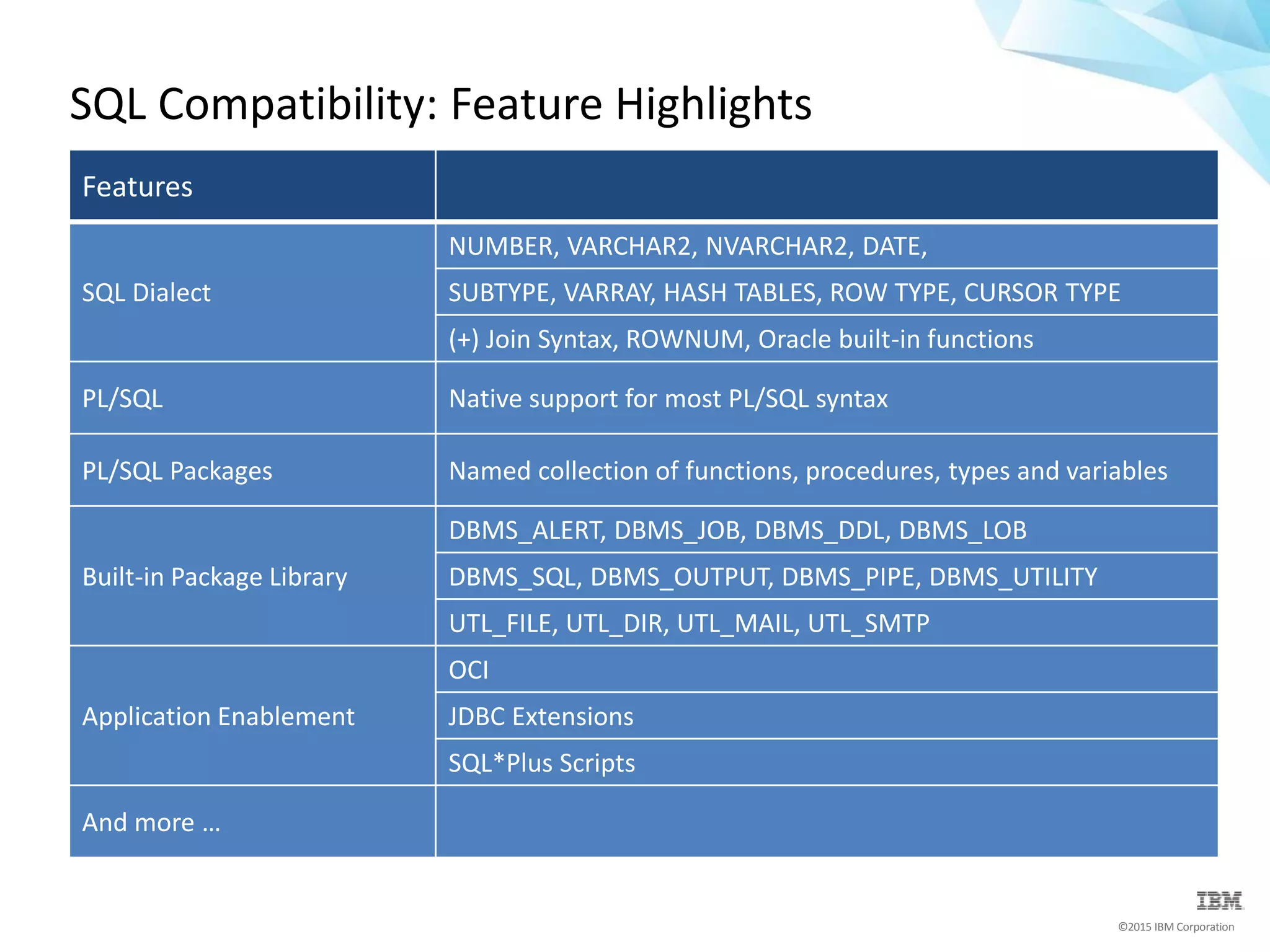
SQL Compatibility: Feature Highlights
Features
SQL Dialect
NUMBER, VARCHAR2, NVARCHAR2, DATE,
SUBTYPE, VARRAY, HASH TABLES, ROW TYPE, CURSOR TYPE
(+) Join Syntax, ROWNUM, Oracle built-in functions
PL/SQL Native support for most PL/SQL syntax
PL/SQL Packages Named collection of functions, procedures, types and variables
Built-in Package Library
DBMS_ALERT, DBMS_JOB, DBMS_DDL, DBMS_LOB
DBMS_SQL, DBMS_OUTPUT, DBMS_PIPE, DBMS_UTILITY
UTL_FILE, UTL_DIR, UTL_MAIL, UTL_SMTP
Application Enablement
OCI
JDBC Extensions
SQL*Plus Scripts
And more …
©2015 IBM Corporation
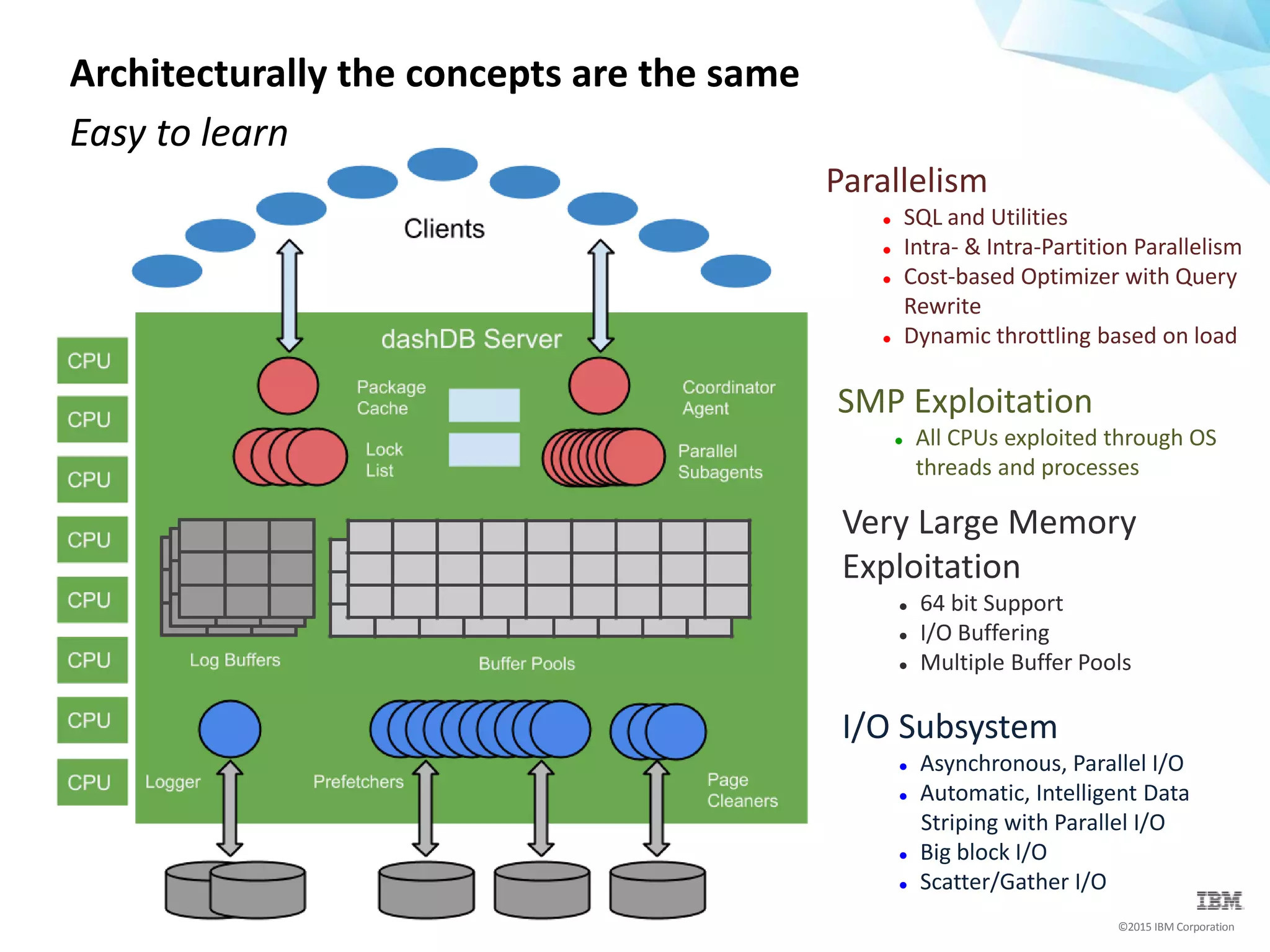
Architecturally the concepts are the same
Easy to learn
I/O Subsystem
 Asynchronous, Parallel I/O
 Automatic, Intelligent Data
Striping with Parallel I/O
 Big block I/O
 Scatter/Gather I/O
Parallelism
 SQL and Utilities
 Intra- & Intra-Partition Parallelism
 Cost-based Optimizer with Query
Rewrite
 Dynamic throttling based on load
Very Large Memory
Exploitation
 64 bit Support
 I/O Buffering
 Multiple Buffer Pools
SMP Exploitation
 All CPUs exploited through OS
threads and processes
Database Conversion Workbench
The Conversion Process
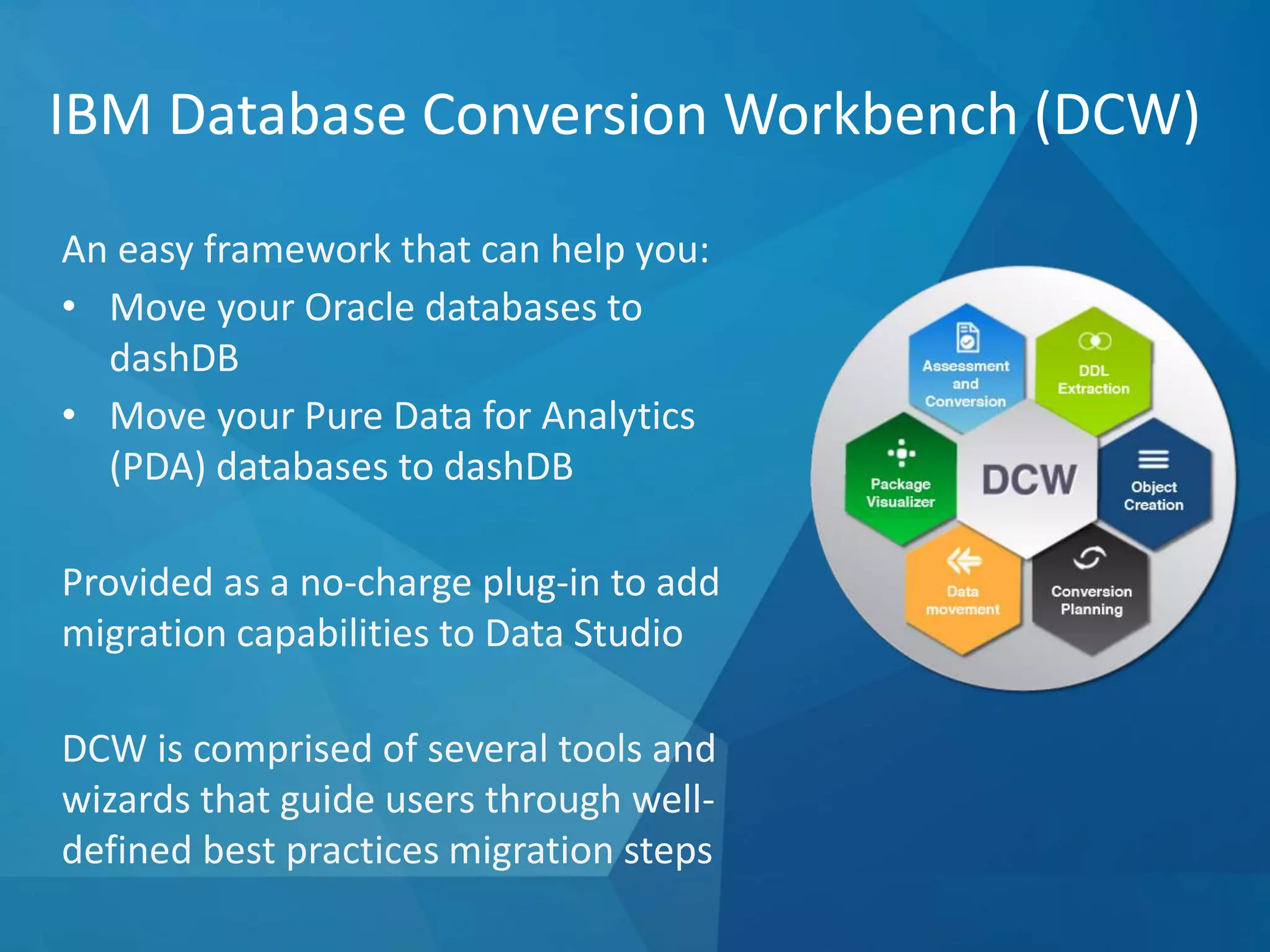
IBM Database Conversion Workbench (DCW)
An easy framework that can help you:
• Move your Oracle databases to
dashDB
• Move your Pure Data for Analytics
(PDA) databases to dashDB
Provided as a no-charge plug-in to add
migration capabilities to Data Studio
DCW is comprised of several tools and
wizards that guide users through well-
defined best practices migration steps
©2015 IBM Corporation
DCW Functions and Features
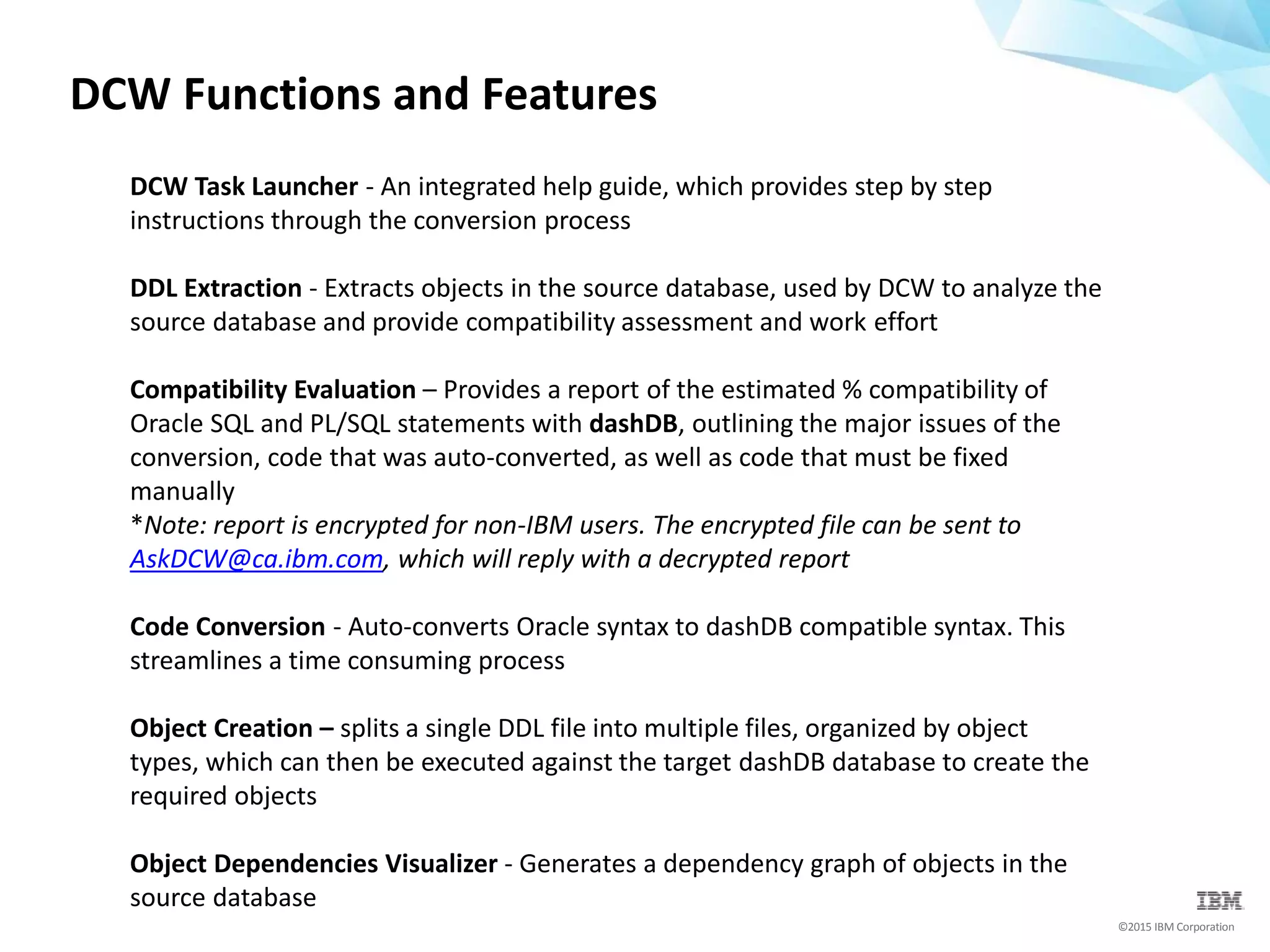
DCW Task Launcher - An integrated help guide, which provides step by step
instructions through the conversion process
DDL Extraction - Extracts objects in the source database, used by DCW to analyze the
source database and provide compatibility assessment and work effort
Compatibility Evaluation – Provides a report of the estimated % compatibility of
Oracle SQL and PL/SQL statements with dashDB, outlining the major issues of the
conversion, code that was auto-converted, as well as code that must be fixed
manually
*Note: report is encrypted for non-IBM users. The encrypted file can be sent to
AskDCW@ca.ibm.com, which will reply with a decrypted report
Code Conversion - Auto-converts Oracle syntax to dashDB compatible syntax. This
streamlines a time consuming process
Object Creation – splits a single DDL file into multiple files, organized by object
types, which can then be executed against the target dashDB database to create the
required objects
Object Dependencies Visualizer - Generates a dependency graph of objects in the
source database
©2015 IBM Corporation
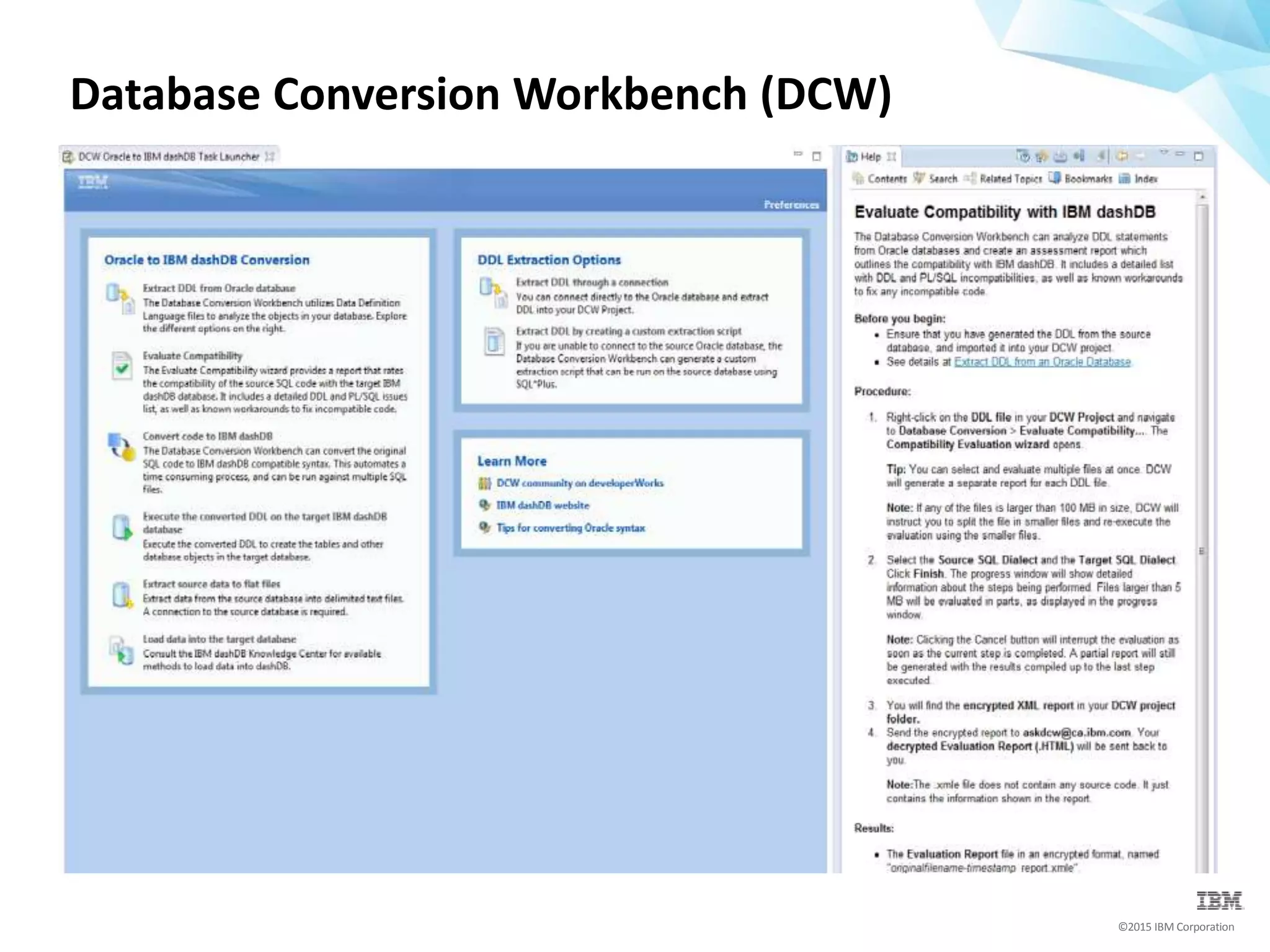
Database Conversion Workbench (DCW)
©2015 IBM Corporation
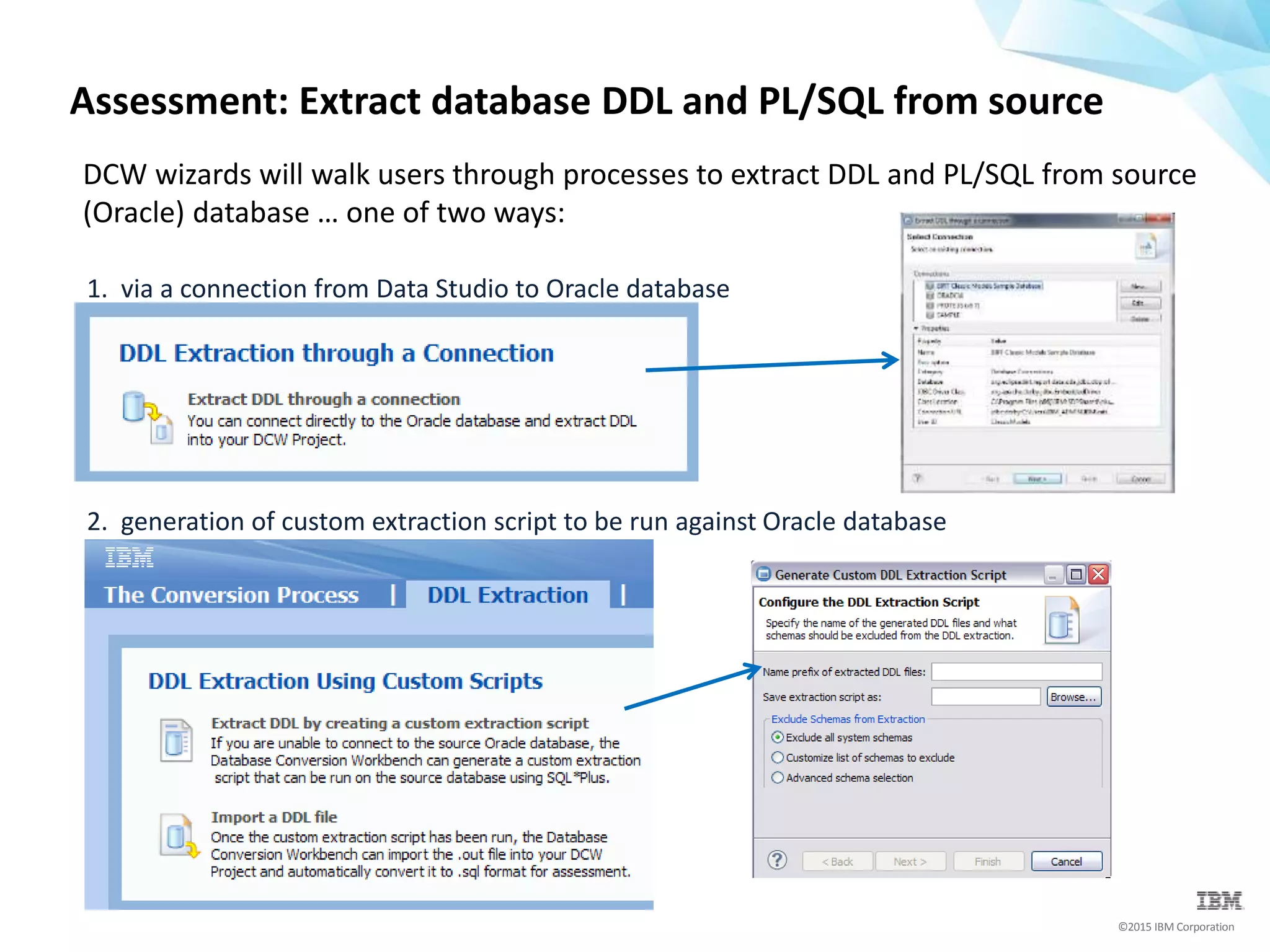
Assessment: Extract database DDL and PL/SQL from source
DCW wizards will walk users through processes to extract DDL and PL/SQL from source
(Oracle) database … one of two ways:
1. via a connection from Data Studio to Oracle database
2. generation of custom extraction script to be run against Oracle database
©2015 IBM Corporation
Assessment: Import database DDL and PL/SQL into DCW
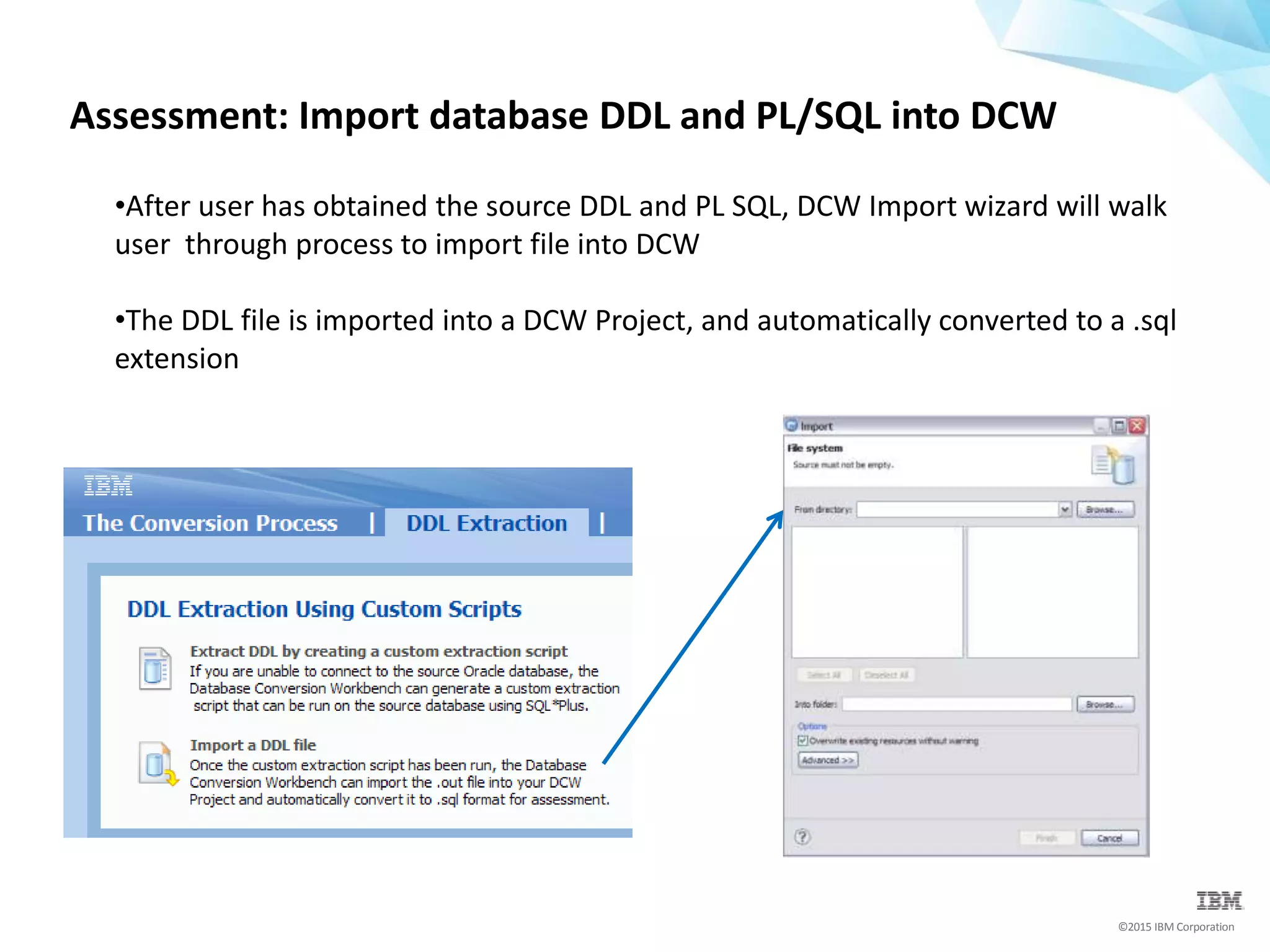
•After user has obtained the source DDL and PL SQL, DCW Import wizard will walk
user through process to import file into DCW
•The DDL file is imported into a DCW Project, and automatically converted to a .sql
extension
©2015 IBM Corporation
Assessment: Generate the DCW Evaluation Report
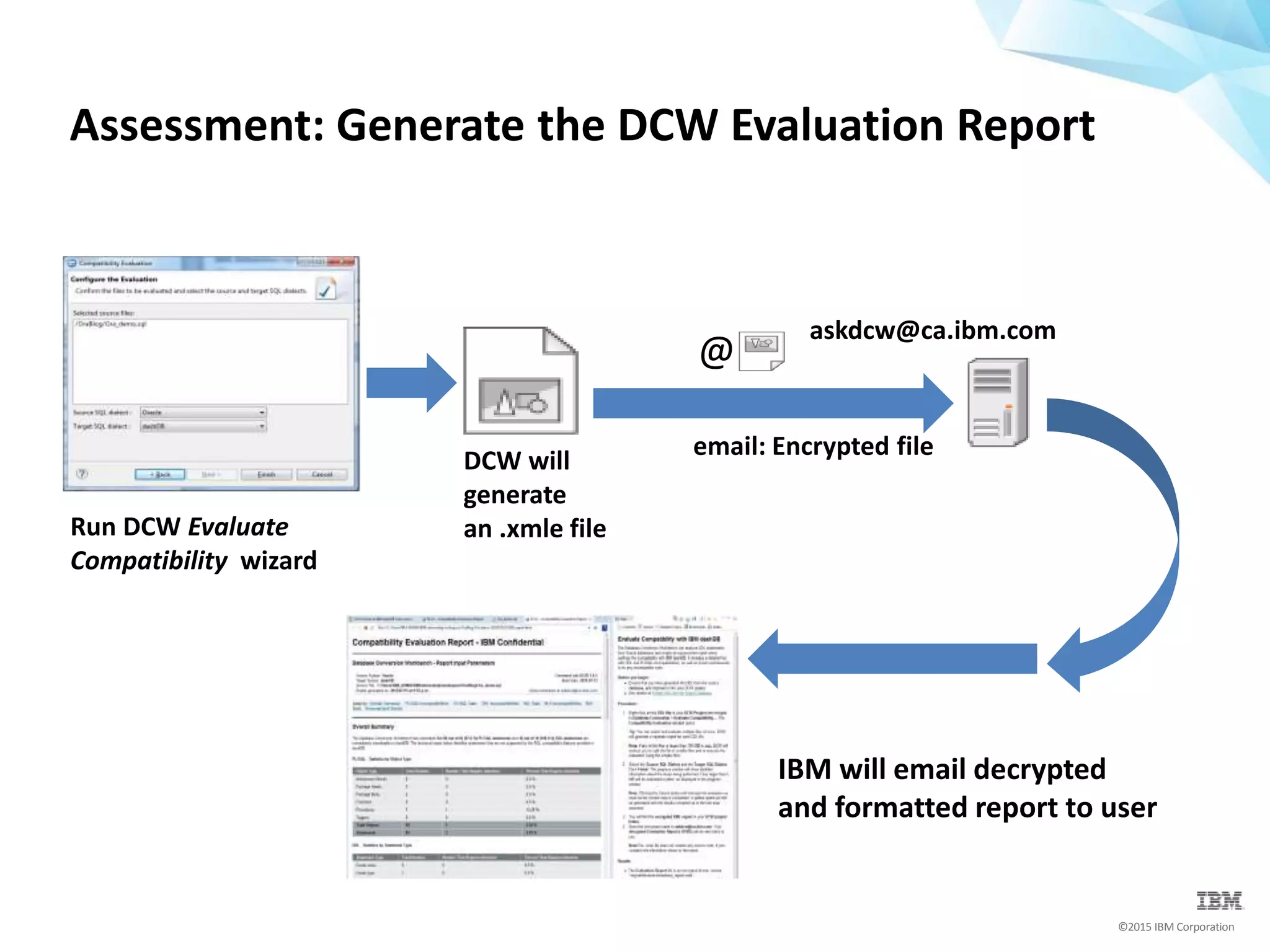
askdcw@ca.ibm.com
@
email: Encrypted file
Run DCW Evaluate
Compatibility wizard
DCW will
generate
an .xmle file
IBM will email decrypted
and formatted report to user
©2015 IBM Corporation
Assessment: Report and Automatic Code Conversion
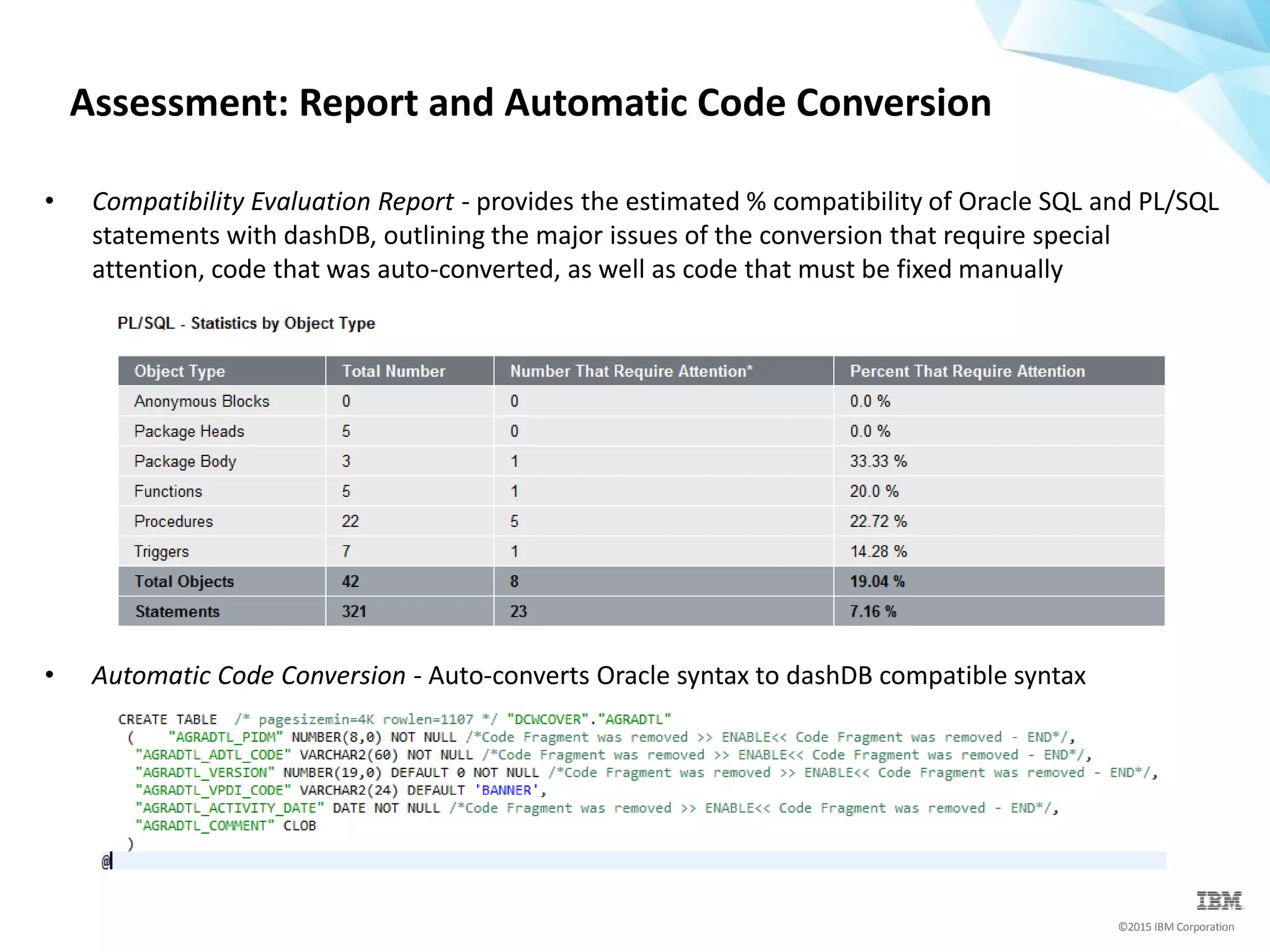
• Compatibility Evaluation Report - provides the estimated % compatibility of Oracle SQL and PL/SQL
statements with dashDB, outlining the major issues of the conversion that require special
attention, code that was auto-converted, as well as code that must be fixed manually
• Automatic Code Conversion - Auto-converts Oracle syntax to dashDB compatible syntax
©2015 IBM Corporation
 Compatibility is implemented in dashDB's core for native
performance
 dashDB customers benefit from simplified skills transfer
 dashDB will continue to extend compatibility with Oracle
applications to further drive down enablement cost
 dashDB provides tooling for up front evaluation and to assist with
the conversion
dashDB & Oracle Compatibility
Get started:
www.dashdb.com
https://developer.ibm.com/clouddataservices/docs/dashdb/g
et/install-ibm-database-conversion-workbench/

Run Oracle Apps in the Cloud with dashDB

  • 1.
    Run Oracle Appsin the Cloud with dashDB
  • 2.
  • 3.
    ©2015 IBM Corporation Afew of our IBM Cloud DBaaS Offerings… Cloudant dashDB BigInsights on Cloud DB2 on Cloud IBM Analytics for Apache Spark Operational Data Store Cloud Data Warehouse Hadoop in the Cloud Hosted Database in the Cloud Fully Managed Spark • Global data distribution • Massively scalable • Eventually consistent data model • Built for mobile, Systems of Engagement • SQL interface • MPP • ACID compliance • Columnar, in-memory performance • BLU augmented with NZ in-DB analytics • Built for Systems of Insight • Bare metal performance • Build on reference architecture • BigInsights enterprise features • Power of DB2 • Fast Provisioning • Flexible pricing • No loss of DBA control • Built for Systems of Record • In-memory application framework for data processing and analysis • Built-in machine learning • Elastic scaling
  • 4.
    ©2015 IBM Corporation IBMdashDB Fast, fully managed service In-memory technology = high performance Predictive modeling built into the database Works with an ecosystem of BI apps and tools Integrated security and maintenance
  • 5.
    Data warehousing inthe cloud 1. Augment existing data warehouse 2. Tap into born-on-the-cloud data – Analysis of NoSQL 3. Data science data store 4. Standalone enterprise data warehouse-as-a-service
  • 6.
    ©2015 IBM Corporation dashDBis available as a fully managed service through IBM Bluemix. IBM manages the setup, configuration, tuning and disaster recovery operations, so you can get straight to building…
  • 7.
    ©2015 IBM Corporation dashDBfeatures  Oracle compatibility  BLU in-memory acceleration  Columnar technology  In-database predictive analytics  Cloudant integration for JSON analytics  Built-in Netezza algorithms  SoftLayer bare metal infrastructure  Open data and Twitter data integration  Elastic and high performance MPP architecture
  • 8.
    ©2015 IBM Corporation ‘Loadand Go’simplicity - Oracle Exadata and Oracle RAC are extremely complex and time consuming to configure, tune and manage Dynamic in-memory optimized technology - Oracle Exadata is NOT an in-memory database Column organization performs better for analytics - Oracle is row based – only has ‘patchwork’ columnar database capabilities dashDB is Better, Faster and Simpler
  • 9.
    ©2015 IBM Corporation Actionablecompression delivers superior performance - Oracle can’t work on compressed data SIMD exploitation of CPU speeds up performance - Oracle doesn’t exploit SIMD or offer columnar support Dynamic caching means hot columns stay in memory - Oracle is forced to read data that the query isn’t interested in… wasted memory, wasted CPU, wasted I/O… dashDB is Better, Faster and Simpler
  • 10.
    ©2015 IBM Corporation WITHORACLE IN-MEMORY OPTION Database design and tuning 1. Decide on partition strategies 2. Select row compression strategy 3. Create table 4. Load data 5. Decide what partitions are hot 6. Decide what columns are hot 7. Allocate enough memory for columnar 8. Alter tables/partitions to specify what objects you want to have columnar 9. Decide what if any indexes to drop 10. Monitor memory to ensure you don’t run out Simplification of Analytic Operations Create Load GO! Repeat AFTER dashDB 1. Create table 2. Load data
  • 11.
    dashDB / OracleCompatibility What does it mean?
  • 12.
    ©2015 IBM Corporation Compatibility:what does it mean?  Syntax toleration and feature extensions Where no semantic conflicts exist  Compatibility mode Overcome clashes between dashDB and other SQL dialects  Database Conversion Workbench Tooling to assist with evaluation and conversion  Near out of the box compatibility for your app - Client side - Server side
  • 13.
    ©2015 IBM Corporation OracleDatabase > dashDB Concurrency Control > Native support SQL > Native support PL/SQL > Native support Packages > Native support Built-in Packages > Native support OCI > Native support JDBC > Native support Online Schema Changes > Native support SQL *Plus Scripts > Native support dashDB runs Oracle code seamlessly SQL Runtime Engine SQL Compiler PL/SQL Compiler SQL PL Compiler Application dashDB service Database
  • 14.
    ©2015 IBM Corporation SQLCompatibility: Feature Highlights Features SQL Dialect NUMBER, VARCHAR2, NVARCHAR2, DATE, SUBTYPE, VARRAY, HASH TABLES, ROW TYPE, CURSOR TYPE (+) Join Syntax, ROWNUM, Oracle built-in functions PL/SQL Native support for most PL/SQL syntax PL/SQL Packages Named collection of functions, procedures, types and variables Built-in Package Library DBMS_ALERT, DBMS_JOB, DBMS_DDL, DBMS_LOB DBMS_SQL, DBMS_OUTPUT, DBMS_PIPE, DBMS_UTILITY UTL_FILE, UTL_DIR, UTL_MAIL, UTL_SMTP Application Enablement OCI JDBC Extensions SQL*Plus Scripts And more …
  • 15.
    ©2015 IBM Corporation Architecturallythe concepts are the same Easy to learn I/O Subsystem  Asynchronous, Parallel I/O  Automatic, Intelligent Data Striping with Parallel I/O  Big block I/O  Scatter/Gather I/O Parallelism  SQL and Utilities  Intra- & Intra-Partition Parallelism  Cost-based Optimizer with Query Rewrite  Dynamic throttling based on load Very Large Memory Exploitation  64 bit Support  I/O Buffering  Multiple Buffer Pools SMP Exploitation  All CPUs exploited through OS threads and processes
  • 16.
  • 17.
    IBM Database ConversionWorkbench (DCW) An easy framework that can help you: • Move your Oracle databases to dashDB • Move your Pure Data for Analytics (PDA) databases to dashDB Provided as a no-charge plug-in to add migration capabilities to Data Studio DCW is comprised of several tools and wizards that guide users through well- defined best practices migration steps
  • 18.
    ©2015 IBM Corporation DCWFunctions and Features DCW Task Launcher - An integrated help guide, which provides step by step instructions through the conversion process DDL Extraction - Extracts objects in the source database, used by DCW to analyze the source database and provide compatibility assessment and work effort Compatibility Evaluation – Provides a report of the estimated % compatibility of Oracle SQL and PL/SQL statements with dashDB, outlining the major issues of the conversion, code that was auto-converted, as well as code that must be fixed manually *Note: report is encrypted for non-IBM users. The encrypted file can be sent to AskDCW@ca.ibm.com, which will reply with a decrypted report Code Conversion - Auto-converts Oracle syntax to dashDB compatible syntax. This streamlines a time consuming process Object Creation – splits a single DDL file into multiple files, organized by object types, which can then be executed against the target dashDB database to create the required objects Object Dependencies Visualizer - Generates a dependency graph of objects in the source database
  • 19.
    ©2015 IBM Corporation DatabaseConversion Workbench (DCW)
  • 20.
    ©2015 IBM Corporation Assessment:Extract database DDL and PL/SQL from source DCW wizards will walk users through processes to extract DDL and PL/SQL from source (Oracle) database … one of two ways: 1. via a connection from Data Studio to Oracle database 2. generation of custom extraction script to be run against Oracle database
  • 21.
    ©2015 IBM Corporation Assessment:Import database DDL and PL/SQL into DCW •After user has obtained the source DDL and PL SQL, DCW Import wizard will walk user through process to import file into DCW •The DDL file is imported into a DCW Project, and automatically converted to a .sql extension
  • 22.
    ©2015 IBM Corporation Assessment:Generate the DCW Evaluation Report askdcw@ca.ibm.com @ email: Encrypted file Run DCW Evaluate Compatibility wizard DCW will generate an .xmle file IBM will email decrypted and formatted report to user
  • 23.
    ©2015 IBM Corporation Assessment:Report and Automatic Code Conversion • Compatibility Evaluation Report - provides the estimated % compatibility of Oracle SQL and PL/SQL statements with dashDB, outlining the major issues of the conversion that require special attention, code that was auto-converted, as well as code that must be fixed manually • Automatic Code Conversion - Auto-converts Oracle syntax to dashDB compatible syntax
  • 24.
    ©2015 IBM Corporation Compatibility is implemented in dashDB's core for native performance  dashDB customers benefit from simplified skills transfer  dashDB will continue to extend compatibility with Oracle applications to further drive down enablement cost  dashDB provides tooling for up front evaluation and to assist with the conversion dashDB & Oracle Compatibility
  • 25.

Editor's Notes

  • #6 With dashDB you can build your hybrid information management strategy and extend on-premise data warehouse environments to the cloud. Since you pay for capacity as you need it, the platform is elastic and can grow with your business needs. If you have a powerful data warehouse on-premise, which you’re using for critical workloads, you may not want your developers testing new code there. With dashDB, your developers can experiment, build new application code and test it on the cloud without disrupting on-premise operations. Because dashDB is compatible with Oracle, DB2, Netezza and PostgreSQL, you can have confidence that code developed and tested on dashDB will run well on premises, too. For data sets up to about 50 GB you can even use dashDB for development and QA free of charge. You can easily synchronize JSON documents within IBM Cloudant to structured data within dashDB, providing a way to bring BI and analytics to your unstructured data. The dashDB service maintains a robust set of predictive analytic algorithms for data scientists and analysts, and includes R runtime and RStudio built in. This makes dashDB an optimal data warehouse to support data analysis and statistical software development. Finally, dashDB’s scalability and performance mean you can use it as a standalone, fully managed cloud data warehousing service – regardless of your size, and if you want to build a data mart, a development environment, or an enterprise data warehouse
  • #7 And like all cloud data services, dashDB is available through IBM Bluemix, starting for free. IBM manages the setup, configuration, tuning and disaster recovery operations, so you can get straight to building your newest solutions, applications and architectures and bringing them to market, without having to invest in costly new on premises data warehousing infrastructure.
  • #8 The keys to dashDB’s performance lie in its secret sauce – a combination of powerful technologies including IBM BLU Acceleration dynamic in-memory column store, which minimizes input output operations and achieves an order of magnitude in speedup compared to conventional row store databases. dashDB is also directly integrated with Cloudant, making it easy to ingest JSON documents to incorporate unstructured data into your analytics and business intelligence operations; and embedded IBM Netezza in-database analytics, allowing you to run analytics natively in the database, where the data resides, and gain huge efficiencies. Underneath all of this is IBM Softlayer bare metal infrastructure, providing a high degree of performance, control and flexibility. What’s more, because no cloud services should exist in isolation, dashDB is designed with the greater business intelligence ecosystem in mind, and is highly compatible with the technologies and toolsets you already know. That means you can easily integrate dashDB with your existing data management solutions, ranging from Oracle on premises systems to IBM Pure Data for Analytics appliances to Cloudant NoSQL as a service. And you can seamlessly connect to analytics toolkits including aginity, Watston Analytics, esri and R, to realize more value from your data And finally, you can integrate with a wide variety of business intelligence tools, including IBM solutions like Cognos and third party offerings like Looker and Tableau.