COMPUTER
PROGRAMMI
GPREPARED BY:
PAGADUAN, JOANNE A.
VIJUNGCO, ARISA MAE D.
GRADE 9 SSC LAVOISIER
MR. ANGEL CORONA
COMPUTER PROGRAMMING ADVISER
RETRIEVING
KEYBOARD
INPUT FROM
THE USER
INPUT
commandOne way to receive input from the
keyboard is with the INPUT
command.
Allows the user to enter a string or a
number, then stored in a variable.
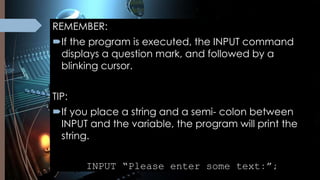
REMEMBER:
If the program is executed, the INPUT command
displays a question mark, and followed by a
blinking cursor.
TIP:
If you place a string and a semi- colon between
INPUT and the variable, the program will print the
string.
INPUT “Please enter some text:”;
The IF and THEN
command
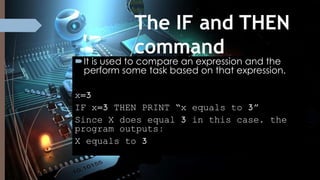
It is used to compare an expression and the
perform some task based on that expression.
x=3
IF x=3 THEN PRINT “x equals to 3”
Since X does equal 3 in this case, the
program outputs:
X equals to 3
EXPRESSION
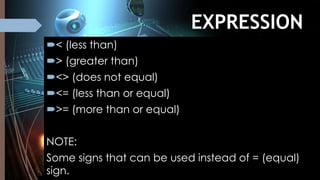
Signs< (less than)
> (greater than)
<> (does not equal)
<= (less than or equal)
>= (more than or equal)
NOTE:
Some signs that can be used instead of = (equal)
sign.
ELS
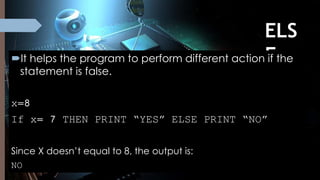
EIt helps the program to perform different action if the
statement is false.
x=8
If x= 7 THEN PRINT “YES” ELSE PRINT “NO”
Since X doesn’t equal to 8, the output is:
NO
END
IFIt helps you to have multiple
commands after the IF… THEN
statement.
They must start on the line after the IF
statement.
END IF should appear right after the list
of commands.
INPUT “Please enter a number”, x
IF x< 6 THEN
PRINT “YES”
ELSE
PRINT “NO”
END IF
Proceed to next slides for
exercises
Test your
skills!
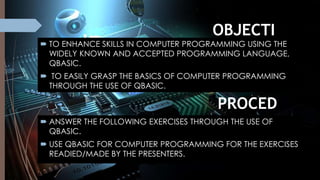
OBJECTI
VES: TO ENHANCE SKILLS IN COMPUTER PROGRAMMING USING THE
WIDELY KNOWN AND ACCEPTED PROGRAMMING LANGUAGE,
QBASIC.
 TO EASILY GRASP THE BASICS OF COMPUTER PROGRAMMING
THROUGH THE USE OF QBASIC.
PROCED
URE: ANSWER THE FOLLOWING EXERCISES THROUGH THE USE OF
QBASIC.
 USE QBASIC FOR COMPUTER PROGRAMMING FOR THE EXERCISES
READIED/MADE BY THE PRESENTERS.
EXERCISE 1:
IF- THEN
PROGRAM
x=143
IF x = 143 THEN PRINT “I LOVE YOU”
PROGRAM
x=333
IF x = 123 THEN PRINT “BLACK”
EXERCISE 2: IF-
THEN ELSE
PROGRAM
x = 100
IF x=90 THEN PRINT “LOL” ELSE PRINT “ULOL”
IF x=143 THEN PRINT “HAH” ELSE PRINT “HUH”
IF x<10 THEN PRINT “OKAY” ELSE PRINT “LANG”
IF x>100 THEN PRINT “WHATEVER” ELSE PRINT “TSK”
IF x<> 99 THEN PRINT “MAGANDA” ELSE PRINT “PANGIT”
EXERCISE 3: IF- THEN-
ELSE- END IF
This is about choosing to do either one thing or another (simple
selection). This is a test in the use of the IF instruction. The If instructions
spans many lines and includes four (4) keywords, IF, THEN, ELSE, END IF.
Create a program that will ask you a number. It will then print
out the word KIND. If the number is greater than 50 or the word RUDE if it
is not.
NOTE*
Two (2) programs for both outputs.
Instructions:
EXERCIS
E 1
PROGRAM
:
OUTPU
T:
The output should be
[ I LOVE YOU ]
since the given data satisfied the condition
PROGRA
M: OUTPU
T:
The output should be just blank since the given data
did not satisfy the condition.
EXERCISE 2
PROGRAM:
OUTP
UT:
EXERCISE 3
PROGRAM:
OUTP
UT:
PRESENTED BY:
PAGADUAN,
JOANNE A.
VIJUNGCO, ARISA
MAE D.
PRESENTED TO:
MR. ANGEL
CORONA
VIJUNGCO, ARISA MAE D.
PAGADUAN, JOANNE A.
END

COMPUTER PROGRAMMING

  • 1.
    COMPUTER PROGRAMMI GPREPARED BY: PAGADUAN, JOANNEA. VIJUNGCO, ARISA MAE D. GRADE 9 SSC LAVOISIER MR. ANGEL CORONA COMPUTER PROGRAMMING ADVISER
  • 2.
  • 3.
    INPUT commandOne way toreceive input from the keyboard is with the INPUT command. Allows the user to enter a string or a number, then stored in a variable.
  • 4.
    REMEMBER: If the programis executed, the INPUT command displays a question mark, and followed by a blinking cursor. TIP: If you place a string and a semi- colon between INPUT and the variable, the program will print the string. INPUT “Please enter some text:”;
  • 5.
    The IF andTHEN command It is used to compare an expression and the perform some task based on that expression. x=3 IF x=3 THEN PRINT “x equals to 3” Since X does equal 3 in this case, the program outputs: X equals to 3
  • 6.
    EXPRESSION Signs< (less than) >(greater than) <> (does not equal) <= (less than or equal) >= (more than or equal) NOTE: Some signs that can be used instead of = (equal) sign.
  • 7.
    ELS EIt helps theprogram to perform different action if the statement is false. x=8 If x= 7 THEN PRINT “YES” ELSE PRINT “NO” Since X doesn’t equal to 8, the output is: NO
  • 8.
    END IFIt helps youto have multiple commands after the IF… THEN statement. They must start on the line after the IF statement. END IF should appear right after the list of commands.
  • 9.
    INPUT “Please entera number”, x IF x< 6 THEN PRINT “YES” ELSE PRINT “NO” END IF
  • 10.
    Proceed to nextslides for exercises Test your skills!
  • 11.
    OBJECTI VES: TO ENHANCESKILLS IN COMPUTER PROGRAMMING USING THE WIDELY KNOWN AND ACCEPTED PROGRAMMING LANGUAGE, QBASIC.  TO EASILY GRASP THE BASICS OF COMPUTER PROGRAMMING THROUGH THE USE OF QBASIC. PROCED URE: ANSWER THE FOLLOWING EXERCISES THROUGH THE USE OF QBASIC.  USE QBASIC FOR COMPUTER PROGRAMMING FOR THE EXERCISES READIED/MADE BY THE PRESENTERS.
  • 12.
    EXERCISE 1: IF- THEN PROGRAM x=143 IFx = 143 THEN PRINT “I LOVE YOU” PROGRAM x=333 IF x = 123 THEN PRINT “BLACK”
  • 13.
    EXERCISE 2: IF- THENELSE PROGRAM x = 100 IF x=90 THEN PRINT “LOL” ELSE PRINT “ULOL” IF x=143 THEN PRINT “HAH” ELSE PRINT “HUH” IF x<10 THEN PRINT “OKAY” ELSE PRINT “LANG” IF x>100 THEN PRINT “WHATEVER” ELSE PRINT “TSK” IF x<> 99 THEN PRINT “MAGANDA” ELSE PRINT “PANGIT”
  • 14.
    EXERCISE 3: IF-THEN- ELSE- END IF This is about choosing to do either one thing or another (simple selection). This is a test in the use of the IF instruction. The If instructions spans many lines and includes four (4) keywords, IF, THEN, ELSE, END IF. Create a program that will ask you a number. It will then print out the word KIND. If the number is greater than 50 or the word RUDE if it is not. NOTE* Two (2) programs for both outputs. Instructions:
  • 15.
    EXERCIS E 1 PROGRAM : OUTPU T: The outputshould be [ I LOVE YOU ] since the given data satisfied the condition
  • 16.
    PROGRA M: OUTPU T: The outputshould be just blank since the given data did not satisfy the condition.
  • 17.
  • 18.
  • 19.
    PRESENTED BY: PAGADUAN, JOANNE A. VIJUNGCO,ARISA MAE D. PRESENTED TO: MR. ANGEL CORONA VIJUNGCO, ARISA MAE D. PAGADUAN, JOANNE A.
  • 20.