
Why Responsive Email Content is like Water
•
1 like•88,609 views

Not sure what a Fluid or Hybrid responsive email is? This jolly little slideshow will both enlighten and entertain... probably.

Recommended
Recommended
More Related Content
Similar to Why Responsive Email Content is like Water
Similar to Why Responsive Email Content is like Water (20)
More from VRAMP Employee Engagement
Recently uploaded
Recently uploaded (20)
Why Responsive Email Content is like Water
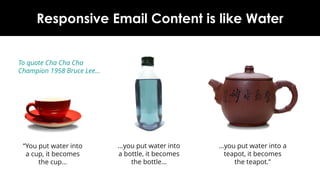
- 1. Why Responsive Email Content is like Water “You put water into a cup, it becomes the cup… …you put water into a teapot, it becomes the teapot.” …you put water into a bottle, it becomes the bottle… To quote 1958 Cha Cha Champion Bruce Lee… www.newzapp.com
- 2. Why Build Responsively? The days of designing just for desktop clients are past Similarly we cannot just design for mobile devices The typical email audience opens them on a mixture of the two Responsive email building allows emails to change to a layout and size that suits the email reader
- 3. Main types of Responsive Email Structure Fluid Adaptive Hybrid
- 4. Pros Cons Fluid Simplest to build and proof No CSS needed in <head> Works cross platform No restriction on layout width Not very controllable Not the best for wider screens Adaptive CSS and @media queries in <head> mean greater control over layout Wider and narrower screens catered for More complicated to build and proof Not suitable for Gmail App on Mobile (which ignores CSS and @media queries) Hybrid Doesn’t rely on CSS or @media queries Can still create layouts to suit wider and narrower screens… ...including Gmail App on mobile A bit more complicated to build and proof Depends on MSO code for Outlook Left and right aligned tables can be flaky in some desktop readers Which Method Should We Use?
- 5. Fluid One of the earliest forms of Responsive techniques All table widths are set as percentages This works best for very simple layouts No CSS is required in <head> <table> and image elements expand to fit the screen’s width
- 6. Fluid Expansion works great for narrower screens… Images set to scale with the email can become fuzzy and pixelated …but on wider screens this can lead to layout problems Elements can be stretched too wide or move too far apart
- 7. Adaptive The next development of Responsive building Fixed-width <table> elements with multiple columns ensures a stable layout for wider screens Works well on desktop readers like Outlook , Gmail and Mac Mail This caters for wider and narrower screens by targeting them separately
- 8. Adaptive Fixed-width <table> elements given Fluid-style percentage-widths on narrower screens CSS and Media Queries in <head> of email will target narrower screens <table> column cells become CSS block elements which allows them to ‘stack’ over each other Any CSS in the <head> of an email is ignored by most desktop clients
- 9. Adaptive Unfortunately, the Gmail App on mobile devices ignores CSS and Media Queries in <head> A broken version of the desktop layout is shown instead
- 10. Hybrid Uses Fluid layout for narrow screens, not CSS or Media Queries in the <head> Developed to address the issues in Gmail App on mobile ‘Floating’ single-cell <table>s with left and right alignment allow ‘stacking’ on narrower screens
- 11. Hybrid On wider screens, the left and right aligned <table>s ‘unstack’ and sit in a single row Inline CSS style ‘max-width’ on <table> stops expansion at a set point Works well for most mobile and desktop devices…
- 12. Hybrid …except the Outlook email reader, which ignores the ‘max-width’ inline style MSO-specific code is needed to create ‘ghost’ multi-column <table>s with fixed widths to prevent over- expansion These ‘ghost’ <table>s are only active in the Outlook email client – all other email readers ignore them
- 13. Remember – Content Needs Room…
- 14. www.newzapp.com