Recruitment  Tracking System RTS
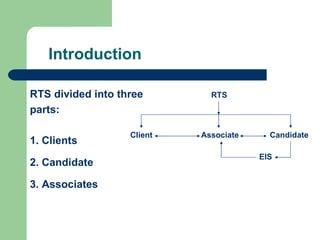
Introduction RTS divided into three parts: 1. Clients 2. Candidate 3. Associates Client Associate Candidate EIS RTS
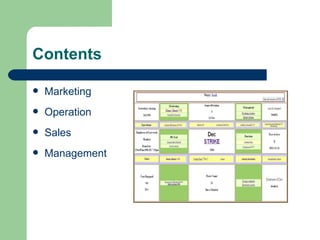
Contents Marketing Operation Sales Management
Marketing Prime clients - View client history and also add new clients in this week. Dispatch record - Divide efforts of associates according to client requirement. Responder panel - Configurable responses to client through mail. Comm array - News letters system to clients and also resent mails. Resource utilization - It shows the working hours given by associates. Web Contact - Receive queries through the web.
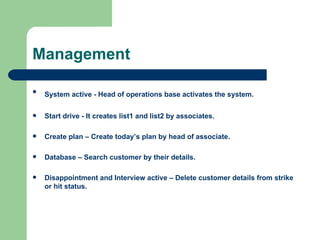
Management System active - Head of operations base activates the system.   Start drive - It creates list1 and list2 by associates. Create plan – Create today’s plan by head of associate. Database – Search customer by their details. Disappointment and Interview active – Delete customer details from strike or hit status.
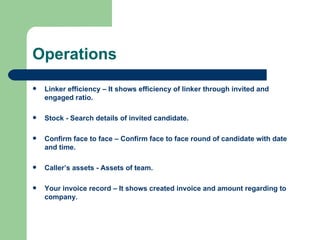
Operations Linker efficiency – It shows efficiency of linker through invited and engaged ratio. Stock - Search details of invited candidate. Confirm face to face – Confirm face to face round of candidate with date and time. Caller’s assets - Assets of team. Your invoice record – It shows created invoice and amount regarding to company.
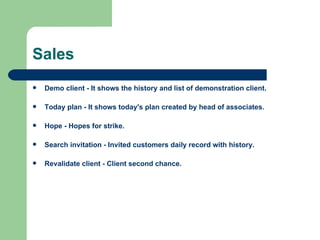
Sales Demo client - It shows the history and list of demonstration client. Today plan - It shows today's plan created by head of associates. Hope - Hopes for strike. Search invitation - Invited customers daily record with history.  Revalidate client - Client second chance.
Last value Time Shortest Distance Absolute Path Strike

Recruitment Tracking System Recruitment

  • 1.
  • 2.
    Introduction RTS dividedinto three parts: 1. Clients 2. Candidate 3. Associates Client Associate Candidate EIS RTS
  • 3.
  • 4.
    Marketing Prime clients- View client history and also add new clients in this week. Dispatch record - Divide efforts of associates according to client requirement. Responder panel - Configurable responses to client through mail. Comm array - News letters system to clients and also resent mails. Resource utilization - It shows the working hours given by associates. Web Contact - Receive queries through the web.
  • 5.
    Management System active- Head of operations base activates the system. Start drive - It creates list1 and list2 by associates. Create plan – Create today’s plan by head of associate. Database – Search customer by their details. Disappointment and Interview active – Delete customer details from strike or hit status.
  • 6.
    Operations Linker efficiency– It shows efficiency of linker through invited and engaged ratio. Stock - Search details of invited candidate. Confirm face to face – Confirm face to face round of candidate with date and time. Caller’s assets - Assets of team. Your invoice record – It shows created invoice and amount regarding to company.
  • 7.
    Sales Demo client- It shows the history and list of demonstration client. Today plan - It shows today's plan created by head of associates. Hope - Hopes for strike. Search invitation - Invited customers daily record with history. Revalidate client - Client second chance.
  • 8.
    Last value TimeShortest Distance Absolute Path Strike