Greg Bergé, @neoziro
Recompacting your
React application
• From mixins to higher-order components
• Higher-order components
• Debugging & performances
From mixins to
higher-order components
React v0.3.0
First public release of React,
with mixins support.
29/03/2013
🗓
– from React documentation
“Sometimes very different components may
share some common functionality. These are
sometimes called cross-cutting concerns.”
React.createClass({
handleClick: function (event) {
event.preventDefault();
window.history.back();
}
render: function () {
return <a onClick={this.handleClick}>Back</a>;
}
});
I want to reuse the
back logic :)
Let’s create a mixin!
const BackMixin = {
handleClick: function (event) {
event.preventDefault();
window.history.back();
}
};
React.createClass({
mixins: [BackMixin],
render: function() {
return <a onClick={this.handleClick}>Back</a>;
}
});
Let’s put the rendering
logic inside!
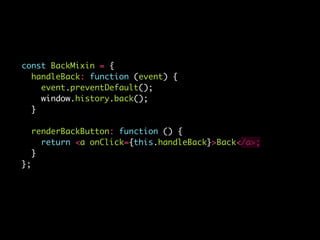
const BackMixin = {
handleClick: function (event) {
event.preventDefault();
window.history.back();
}
renderBackButton: function () {
return <a onClick={this.handleClick}>Back</a>;
}
};
React.createClass({
mixins: [BackMixin],
render: function() {
return this.renderBackButton();
}
});
And now in real life…
React.createClass({
mixins: [BackMixin, RouterMixin],
handleClick: function (event) {
event.preventDefault();
this.transitionTo('home');
}
render: function() {
return (
<div>
<a onClick={this.handleClick}>Go home</a>
{this.renderBackButton()}
</div>
);
}
});
OK let’s refactor it.
😰
const BackMixin = {
handleBack: function (event) {
event.preventDefault();
window.history.back();
}
renderBackButton: function () {
return <a onClick={this.handleBack}>Back</a>;
}
};
A wild component
appears!
‼
React.createClass({
mixins: [BackMixin, PureRenderMixin, RouterMixin, ForwardMixin],
render: function() {
return (
<div>
<a onClick={this.handleClick}>Go back</a>
</div>
);
}
});
I forgot this one
Mixins
Name clashing
Hard refactoring
Complexity
😫
10/03/2015
React v0.13.0
Support for using ES6 classes
to build React components.
🗓
class extends React.Component {
handleClick = (event) => {
event.preventDefault();
window.history.back();
};
render() {
return <a onClick={this.handleClick}>Back</a>;
}
}
No mixin support.
Let’s try inheritance!
💡
class BackComponent extends React.Component {
handleClick = (event) => {
event.preventDefault();
window.history.back();
};
}
class extends BackComponent {
render() {
return <a onClick={this.handleClick}>Back</a>;
}
}
I want it to be pure!
class BackComponent extends React.PureComponent {
handleClick = (event) => {
event.preventDefault();
window.history.back();
};
}
class extends BackComponent {
render() {
return <a onClick={this.handleClick}>Back</a>;
}
}
Not every time…
We don’t need a hierarchy,
we need a composability.
😰
React Blog post
Mixins Considered harmful
by Dan Abramov
13/07/2016
🗓
For the first time,
“higher-order components”
concept is mentioned on React
website.
😳
What is a
higher-order component?
Component => EnhancedComponent
Do you know Redux?
connect(state => state)(TodoApp)
Higher-order components
step by step
class extends Component {
state = { value: '' };
handleChange = ({ target: { value } }) =>
this.setState({ value });
render() {
return (
<input
onChange={this.handleChange}
value={this.state.value}
/>
)
}
}
class extends Component {
state = { value: '' };
handleChange = ({ target: { value } }) =>
this.setState({ value });
render() {
return (
<input
onChange={this.handleChange}
value={this.state.value}
/>
)
}
}
Model
Controller
View
1. The View
const View = ({ onChange, value }) =>
<input onChange={onChange} value={value} />
const View = ({ onChange, value }) =>
<input onChange={onChange} value={value} />
const View = 'input'
2. The Model
const Model = class extends Component {
state = { value: '' }
handleChange = value =>
this.setState({ value })
render() {
return (
<View
onChange={({ target: { value } }) =>
handleChange(value)}
value={this.state.value}
/>
)
}
}
❌
My model is not
generic
const model = BaseComponent => class extends Component {
state = { value: '' }
handleChange = value => this.setState({ value })
render() {
return (
<BaseComponent
{...this.props}
onChange={this.handleChange}
value={this.state.value}
/>
)
}
}
More generic?
const withState = (stateName, handlerName, initialValue) =>
BaseComponent => class extends Component {
state = { [stateName]: initialValue }
handleChange = value => this.setState({ [stateName]: value })
render() {
return (
<BaseComponent
{...this.props}
{...{
[stateName]: this.state[stateName],
[handlerName]: this.handleChange,
}}
/>
)
}
}
const model = withState('value', 'onChange', '')
Recomp(act|ose)
const model = recompact.withState('value', 'onChange', ‘')
const MyInput = model('input')
😒
2. The Controller
const controller = BaseComponent =>
class extends Component {
handleChange = ({ target: { value } }) =>
this.props.onChange(value);
render() {
return (
<BaseComponent
{...this.props}
onChange={handleChange}
/>
)
}
}
More generic?
const withHandlers = config =>
BaseComponent =>
class extends Component {
constructor(props) {
super(props)
this.handlers = {}
Object.keys(config).forEach((key) => {
this.handlers[key] = (...args) => config[key](this.props)(...args);
})
}
render() {
return (
<BaseComponent
{...this.props}
{...this.handlers}
/>
)
}
}
const controller = withHandlers({
onChange: ({ onChange }) => ({ target: { value }}) => onChange(value),
})
const controller = recompact.withHandlers({
onChange: ({ onChange }) => ({ target: { value }}) => onChange(value),
})
const MyInput = recompact.compose(
recompact.withState('value', 'onChange', ''),
recompact.withHandlers({
onChange: ({ onChange }) => ({ target: { value }}) => onChange(value),
}),
)('input')
class extends Component {
state = { value: '' };
handleChange = ({ target: { value } }) =>
this.setState({ value });
render() {
return (
<input
onChange={this.handleChange}
value={this.state.value}
/>
)
}
}
OK, you won 3 lines…
const MyBluePerfInput = recompact.compose(
// Performance
recompact.pure,
// Model
recompact.withState('value', 'onChange', ''),
// Controller
recompact.withHandlers({
onChange: ({ onChange }) => ({ target: { value } }) => onChange(value),
}),
// Style
recompact.withProps({ style: { color: ‘blue’ } }),
)('input')
Debugging &
performances
Recompose
isReferentiallyTransparentFunctionComponent
What is a referentially
transparent component?
• Function
• No default props
• No context
const MyBluePerfInput = recompact.compose(
// No transparent
recompact.pure,
// No transparent
recompact.withState('value', 'onChange', ''),
// No transparent
recompact.withHandlers({
onChange: ({ onChange }) => ({ target: { value } }) => onChange(value),
}),
// Transparent
recompact.withProps({ style: { color: ‘blue’ } }),
)('input')
Recompact
What are we really
doing?
We take some props and
return (or not) other props.
(next, props) => next(props)
subscribe, next…
it reminds me of something
props$ => props$
const mapProps = propsMapper =>
(next, props) => next(propsMapper(props))
const mapProps = propsMapper =>
props$ => props$.map(propsMapper)
Higher-order
components
Stream of props
Debugging is logging
export default recompact.compose(
recompact.withProps({ foo: 'bar' }),
recompact.debug(),
recompact.renameProp('foo', 'className'),
recompact.debug(),
)('input')
• Avoid mixins and inheritance
• Separate concerns using higher-order
components
• Create small higher-order components and
compose them
Thanks!

Recompacting your react application