Real Time
Collaboration with
Webchat
In Baya
3.10
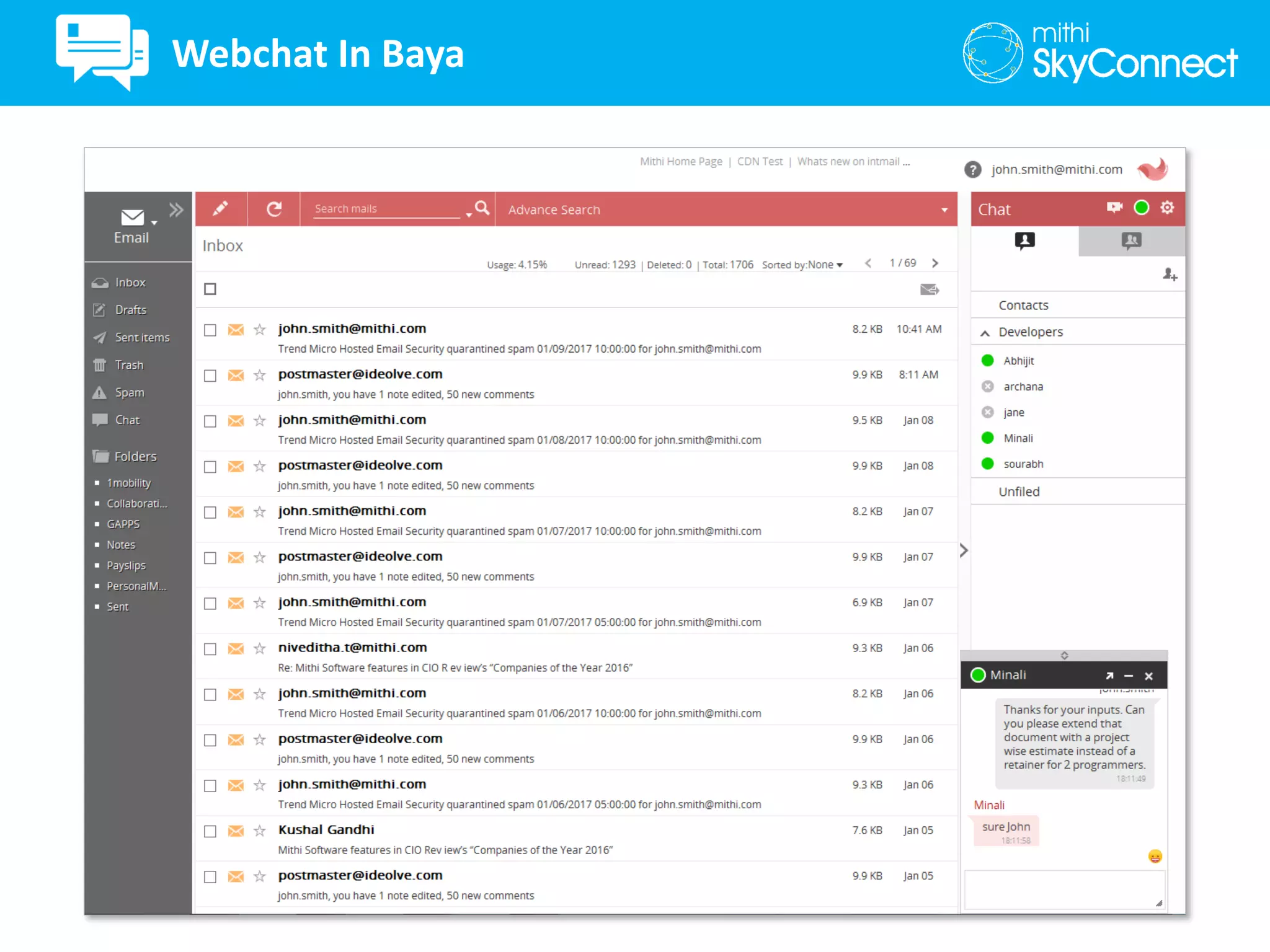
Webchat In Baya
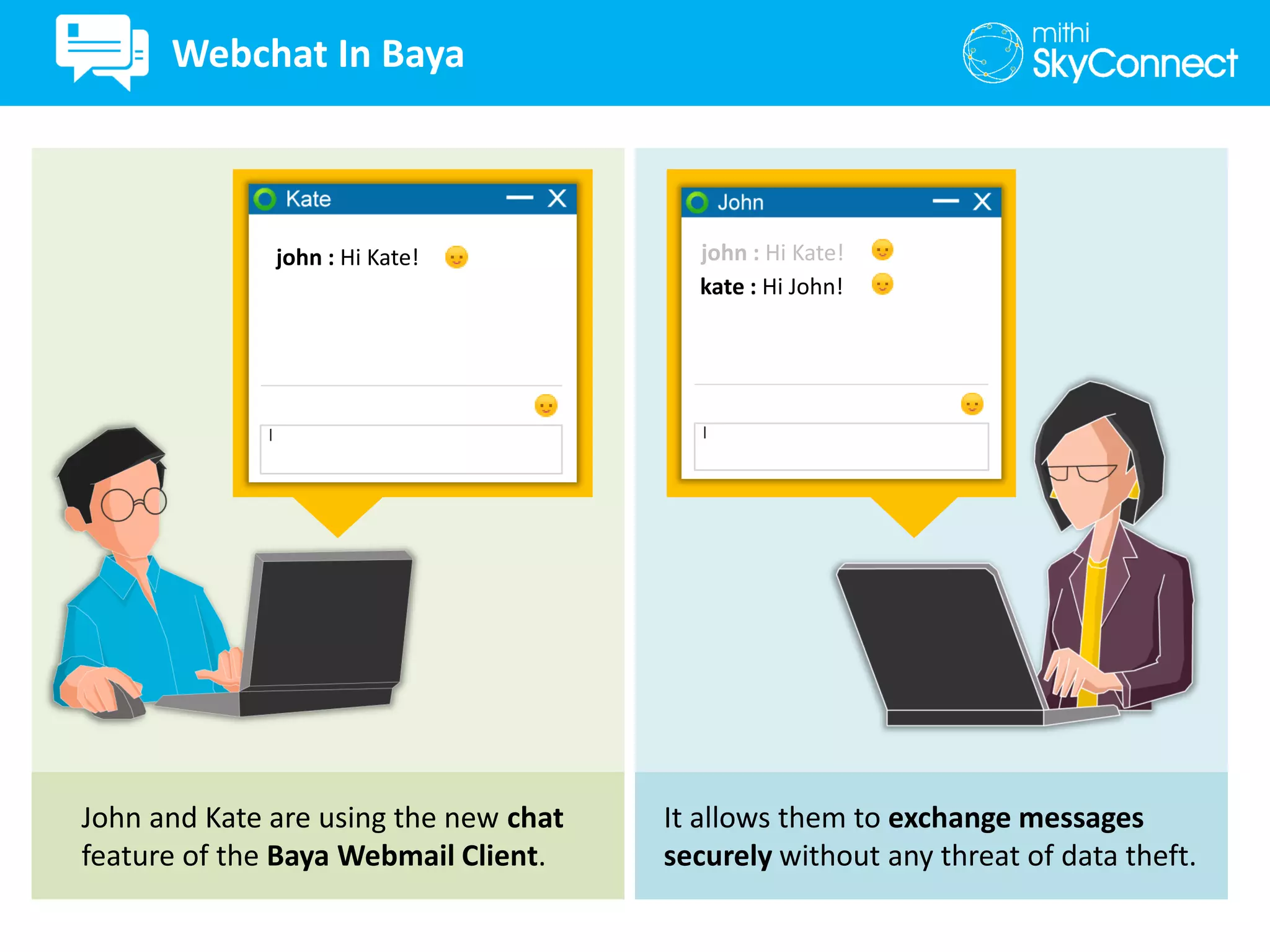
john : Hi Kate!
John and Kate are using the new chat
feature of the Baya Webmail Client.
It allows them to exchange messages
securely without any threat of data theft.
kate : Hi John!
john : Hi Kate!
Webchat In Baya
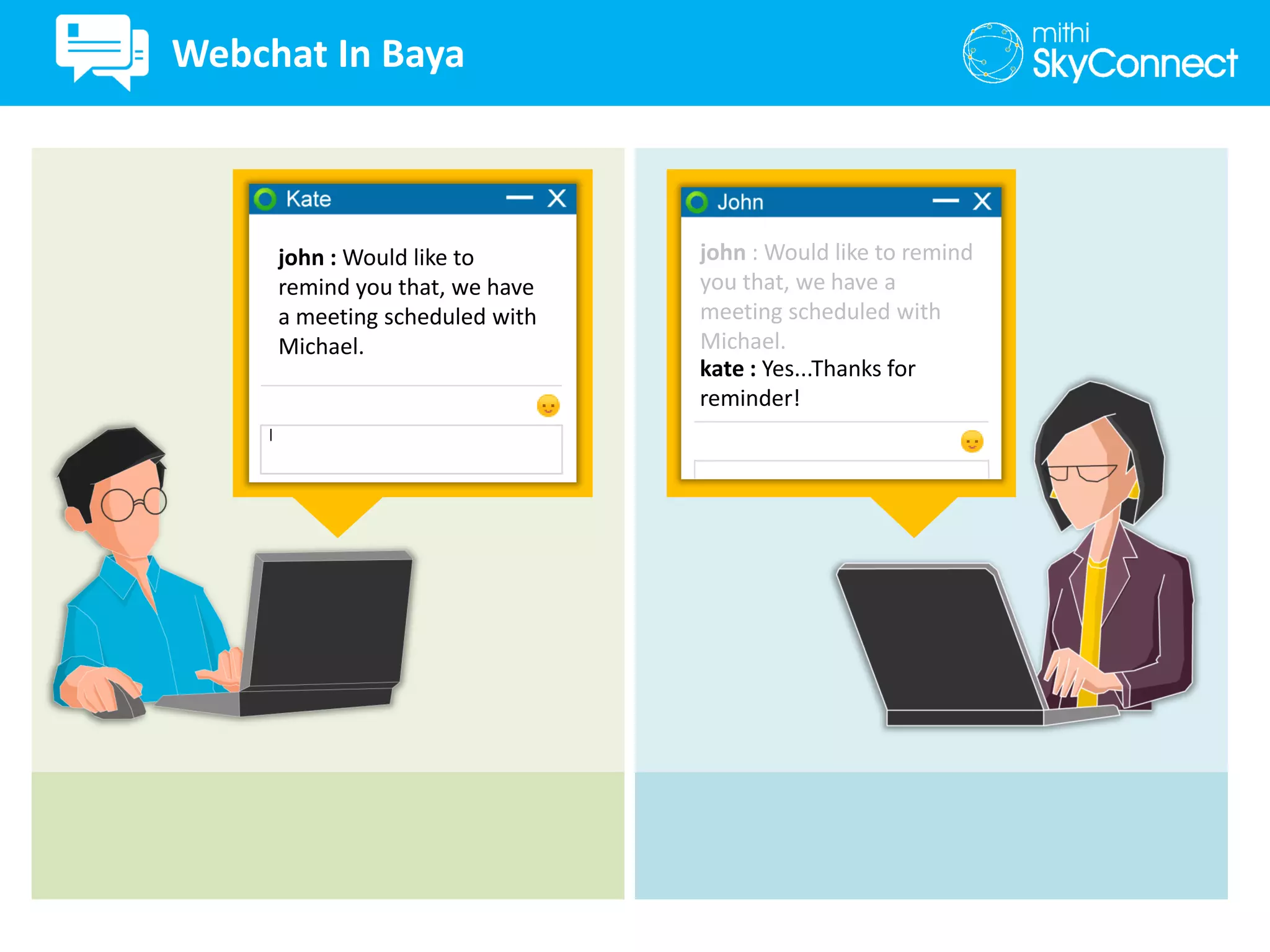
john : Would like to
remind you that, we have
a meeting scheduled with
Michael.
kate : Yes...Thanks for
reminder!
john : Would like to remind
you that, we have a
meeting scheduled with
Michael.
Webchat In Baya
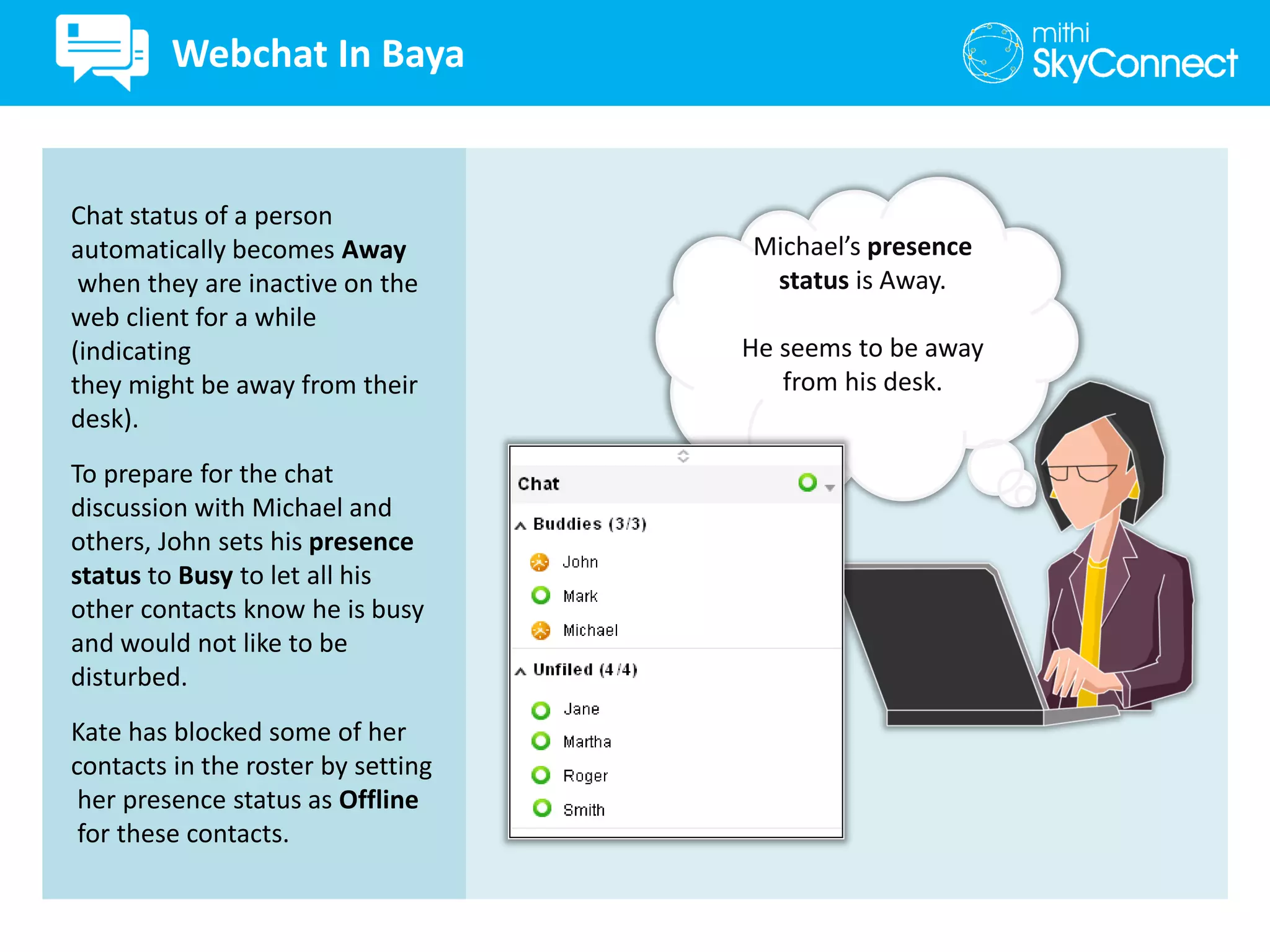
Michael’s presence
status is Away.
He seems to be away
from his desk.
Chat status of a person
automatically becomes Away
when they are inactive on the
web client for a while
(indicating
they might be away from their
desk).
To prepare for the chat
discussion with Michael and
others, John sets his presence
status to Busy to let all his
other contacts know he is busy
and would not like to be
disturbed.
Kate has blocked some of her
contacts in the roster by setting
her presence status as Offline
for these contacts.
Webchat In Baya
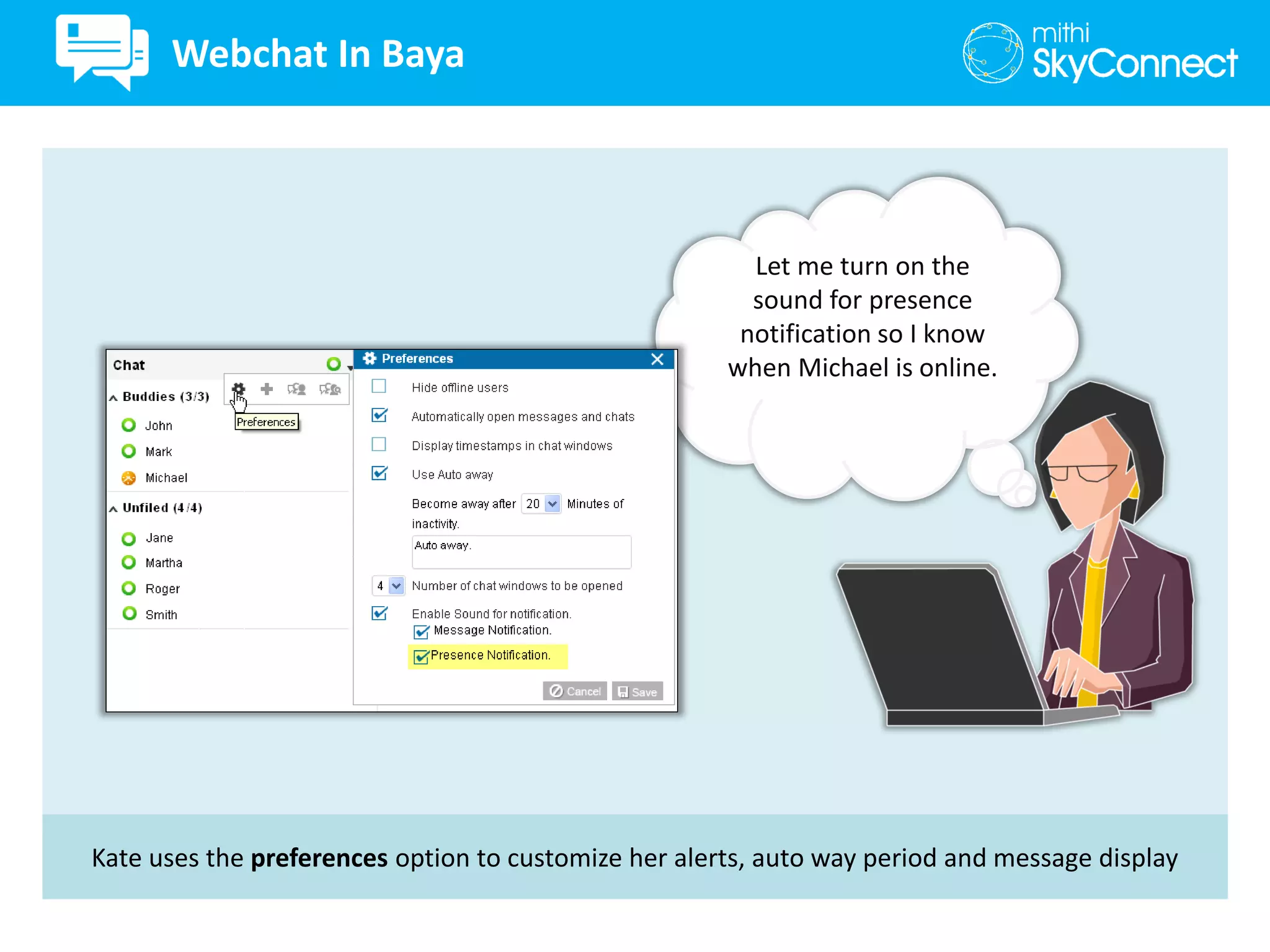
Kate uses the preferences option to customize her alerts, auto way period and message display
Let me turn on the
sound for presence
notification so I know
when Michael is online.
Webchat In Baya
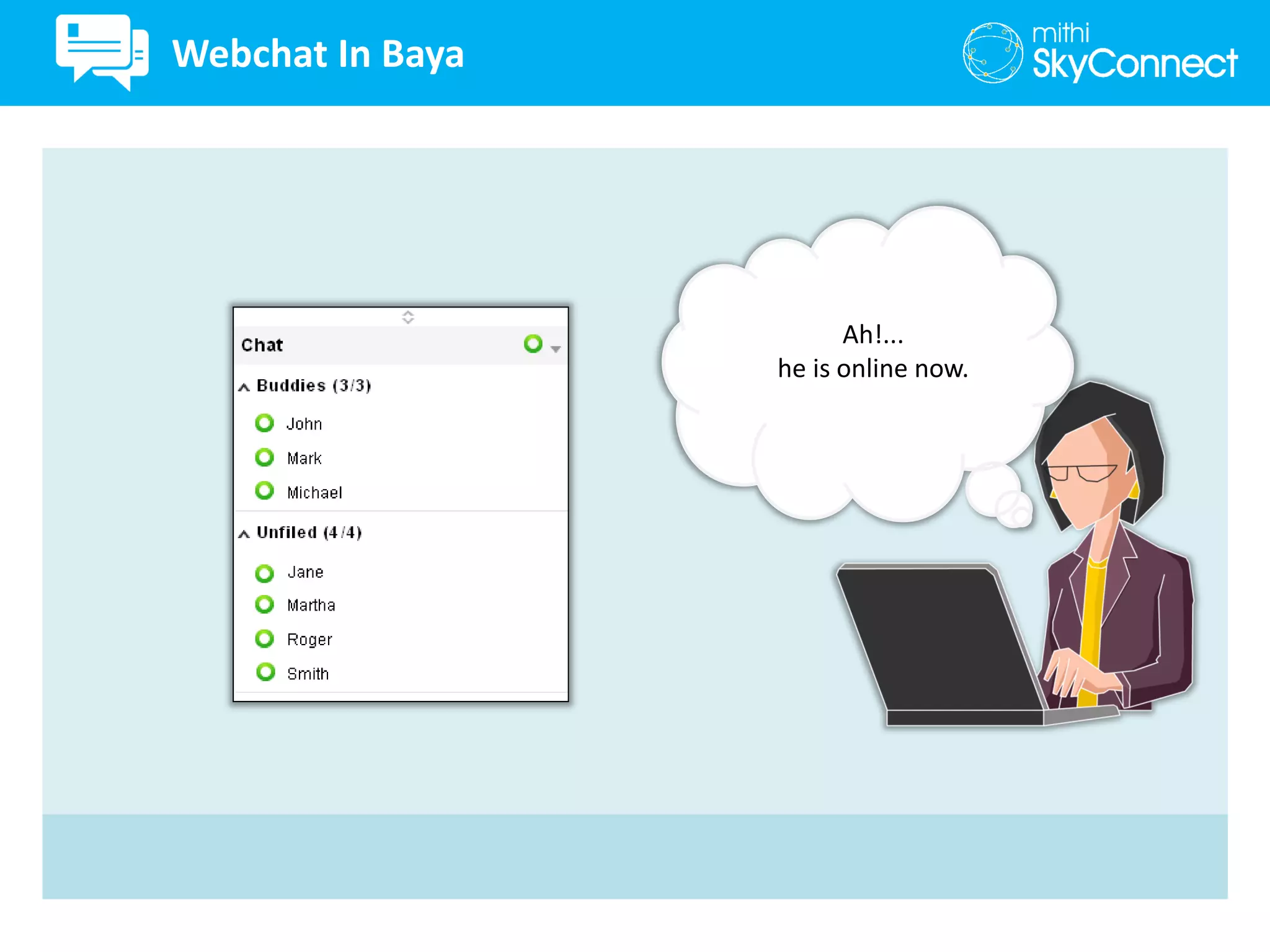
Ah!...
he is online now.
Webchat In Baya
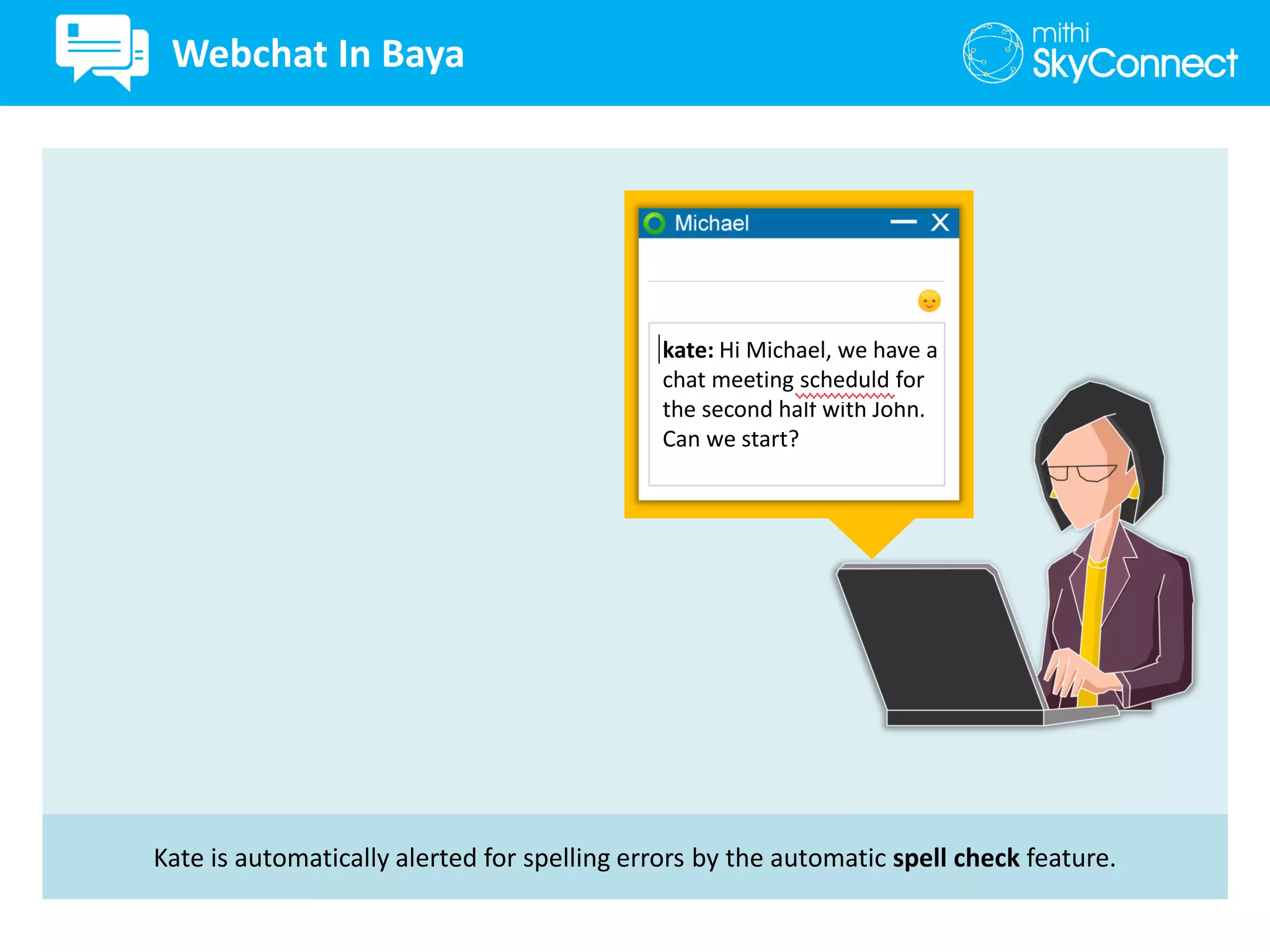
Kate is automatically alerted for spelling errors by the automatic spell check feature.
kate: Hi Michael, we have a
chat meeting scheduld for
the second half with John.
Can we start?
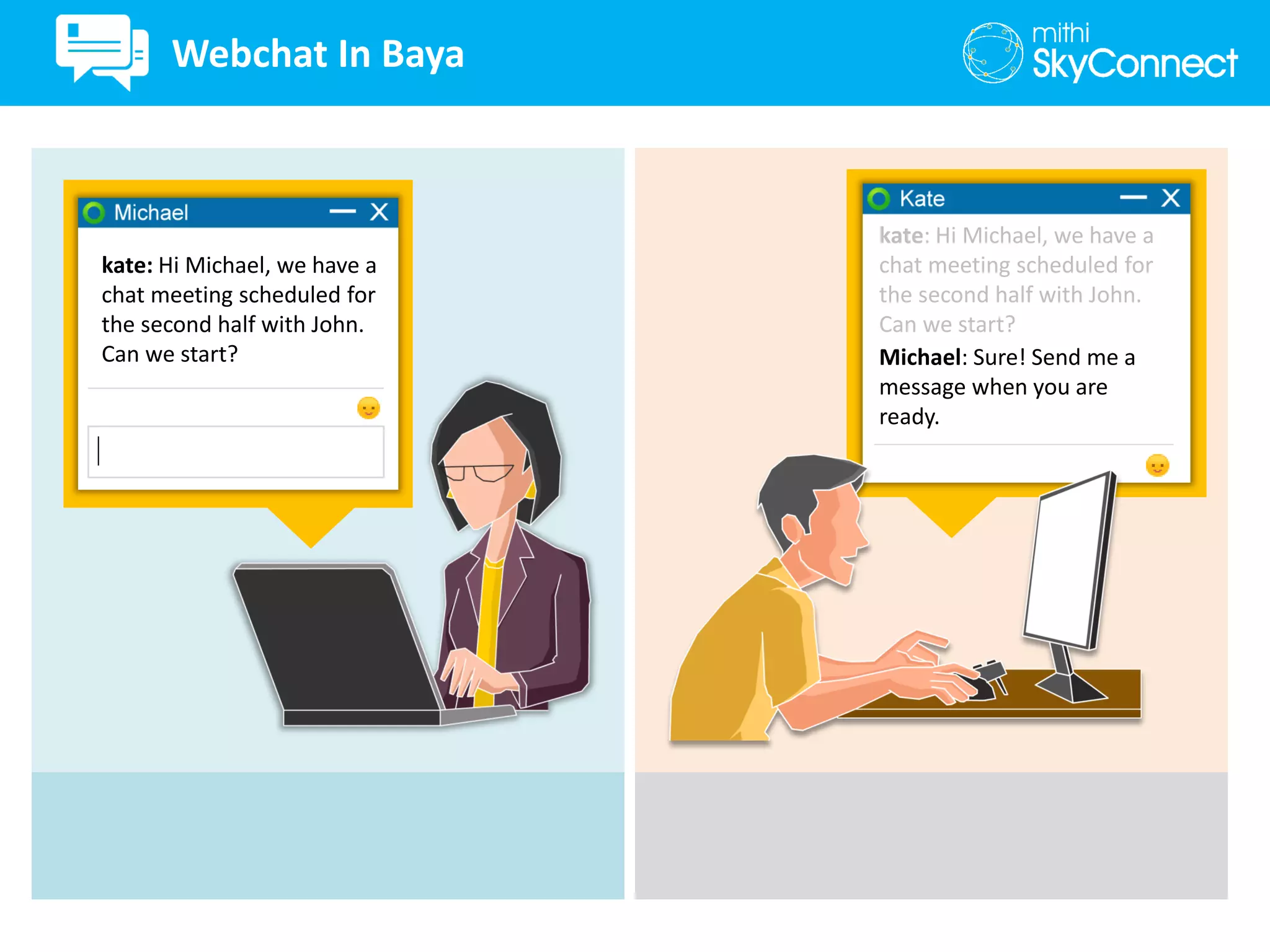
Webchat In Baya
kate: Hi Michael, we have a
chat meeting scheduled for
the second half with John.
Can we start?
kate: Hi Michael, we have a
chat meeting scheduled for
the second half with John.
Can we start?
Michael: Sure! Send me a
message when you are
ready.
Webchat In Baya
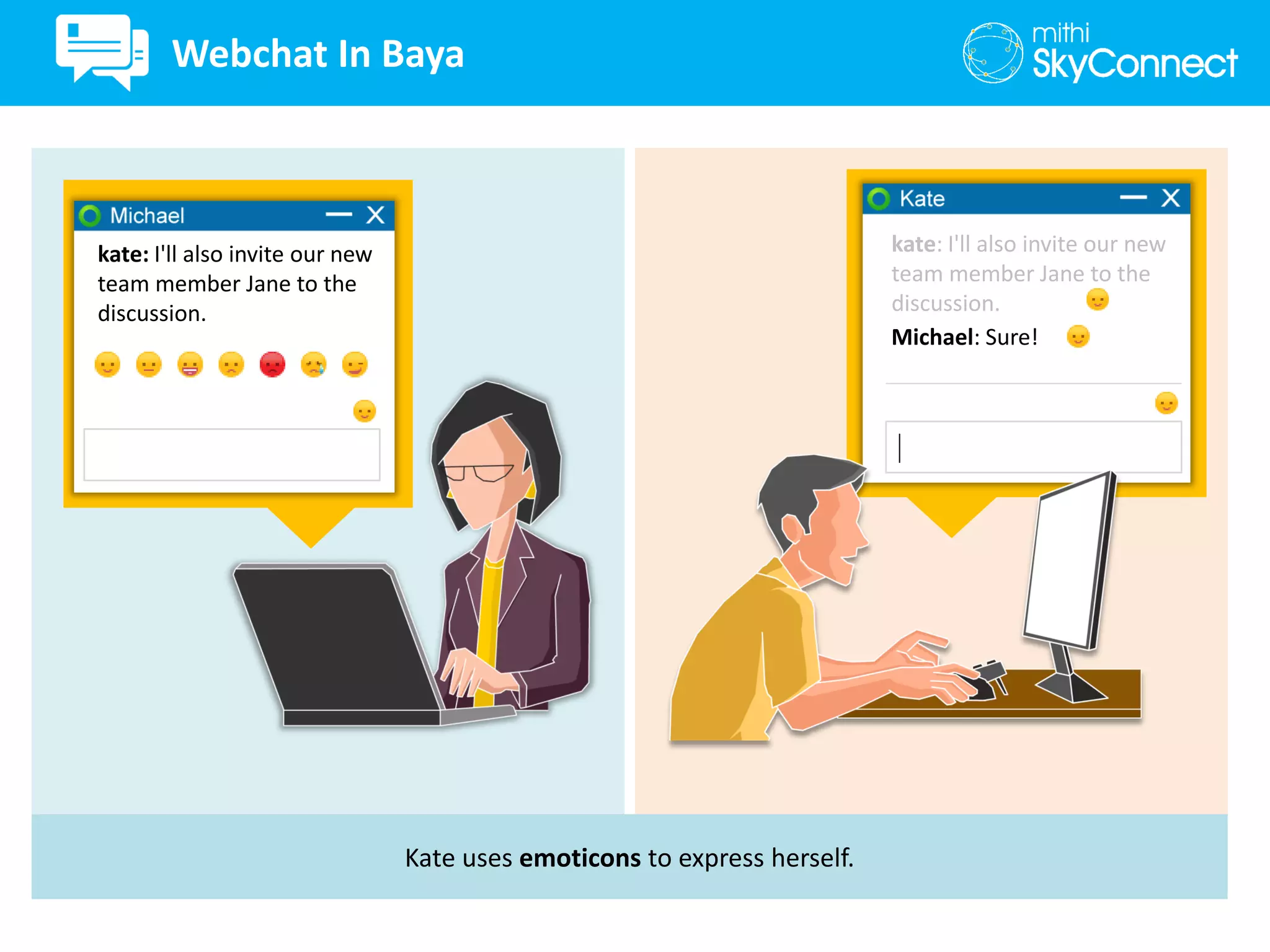
Kate uses emoticons to express herself.
kate: I'll also invite our new
team member Jane to the
discussion.
kate: I'll also invite our new
team member Jane to the
discussion.
Michael: Sure!
Webchat In Baya
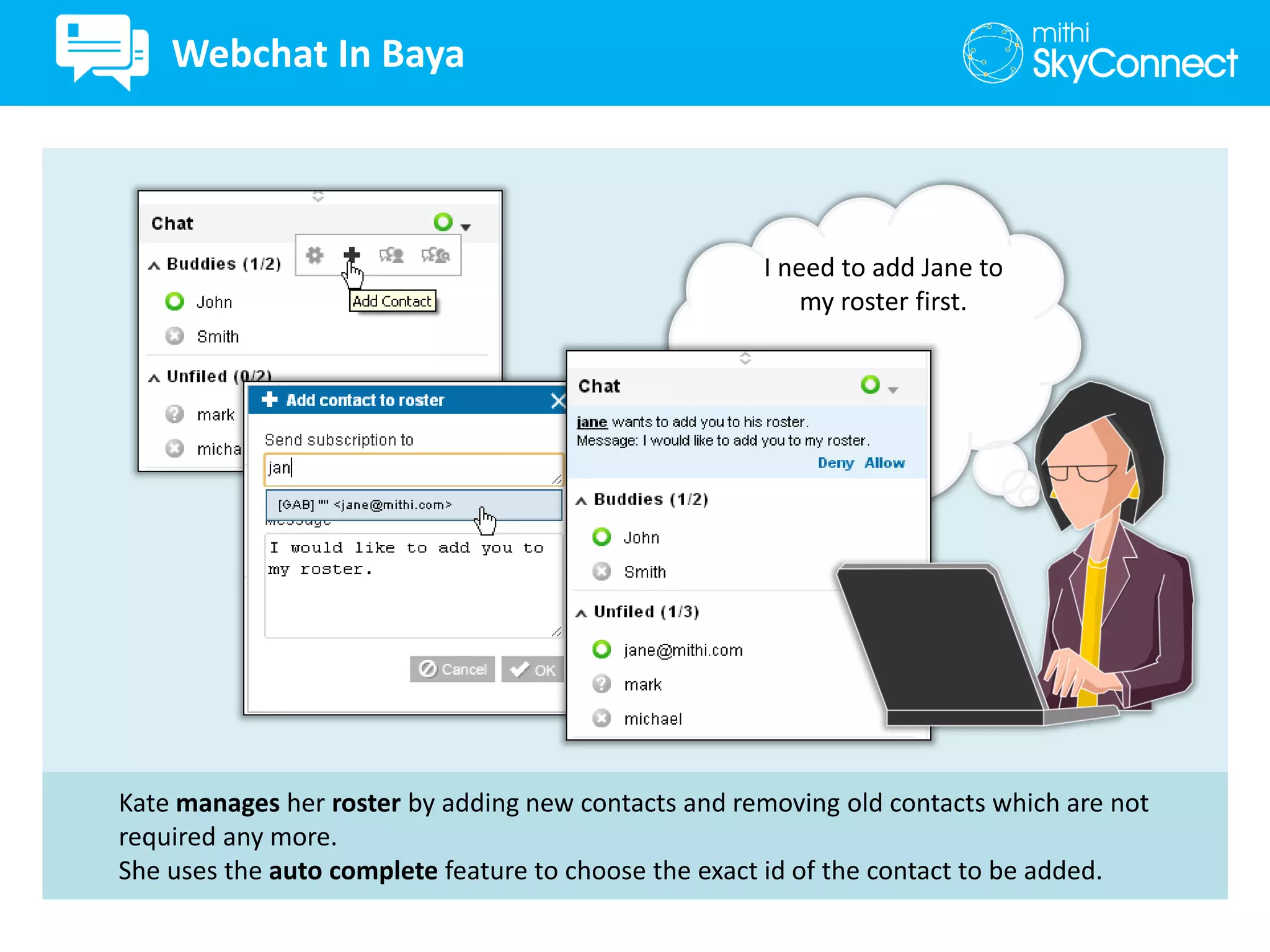
Kate manages her roster by adding new contacts and removing old contacts which are not
required any more.
She uses the auto complete feature to choose the exact id of the contact to be added.
I need to add Jane to
my roster first.
Webchat In Baya
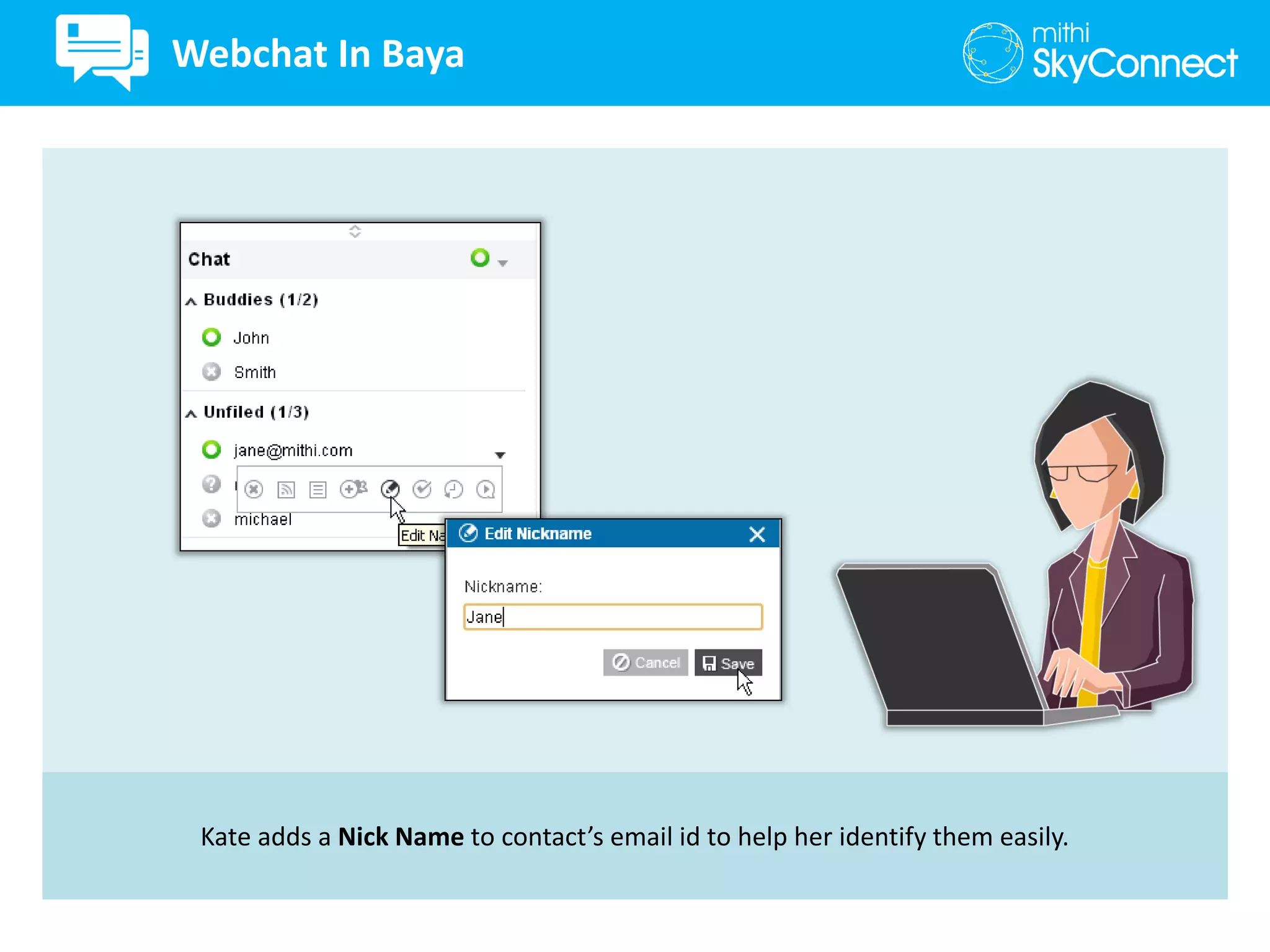
Kate adds a Nick Name to contact’s email id to help her identify them easily.
Webchat In Baya
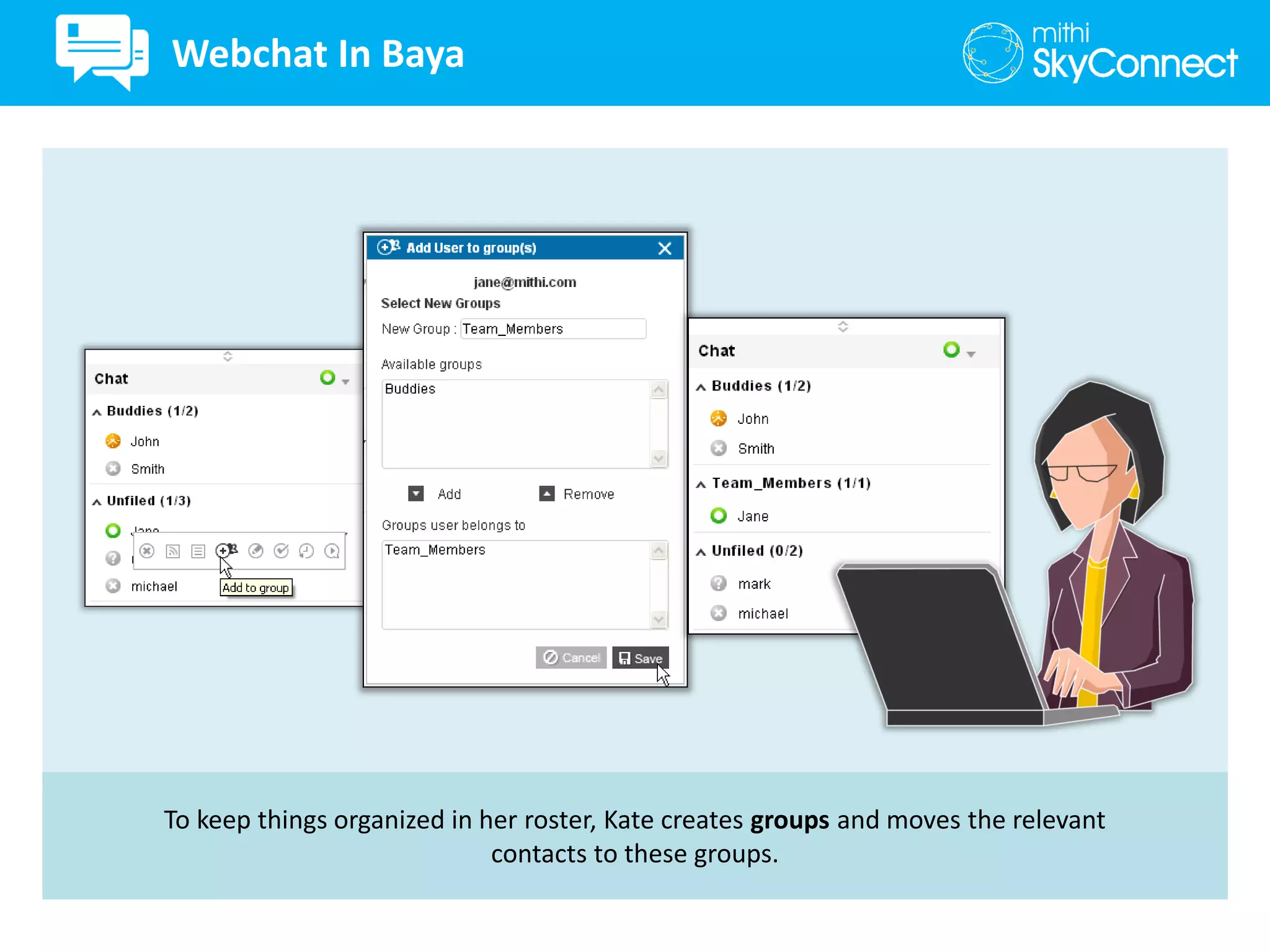
To keep things organized in her roster, Kate creates groups and moves the relevant
contacts to these groups.
Webchat In Baya
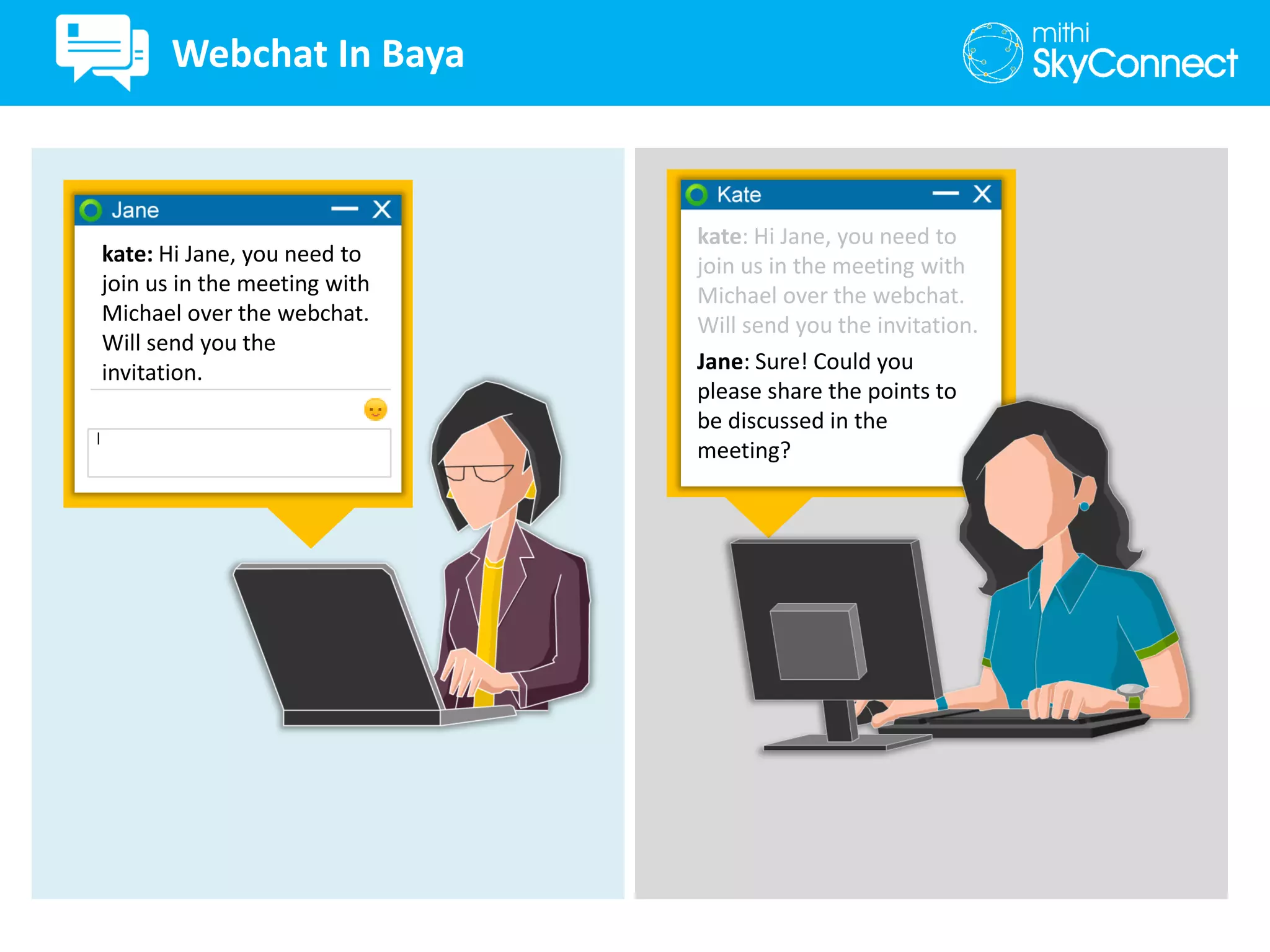
kate: Hi Jane, you need to
join us in the meeting with
Michael over the webchat.
Will send you the
invitation.
kate: Hi Jane, you need to
join us in the meeting with
Michael over the webchat.
Will send you the invitation.
Jane: Sure! Could you
please share the points to
be discussed in the
meeting?
Webchat In Baya
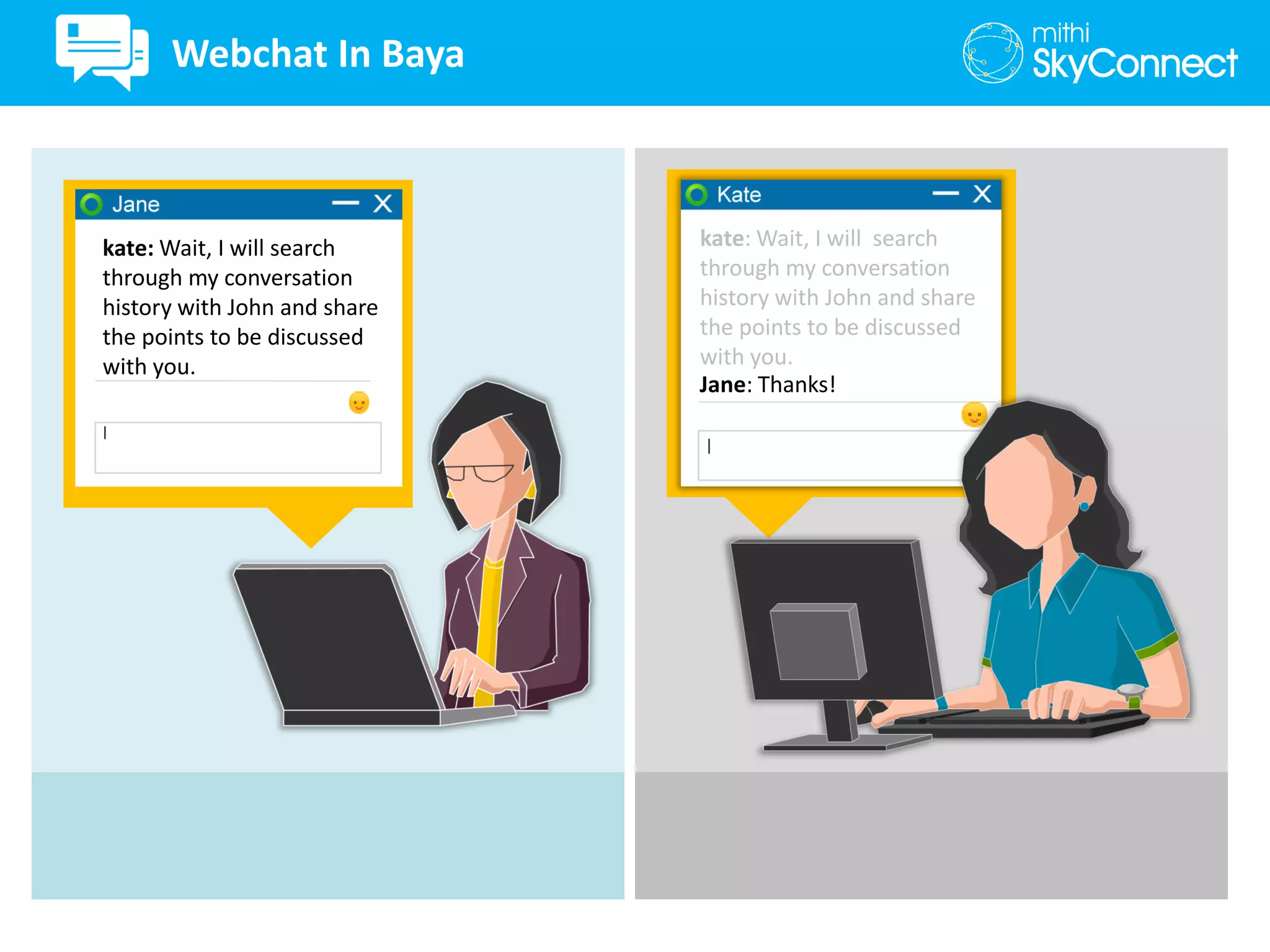
kate: Wait, I will search
through my conversation
history with John and share
the points to be discussed
with you.
kate: Wait, I will search
through my conversation
history with John and share
the points to be discussed
with you.
Jane: Thanks!
Webchat In Baya
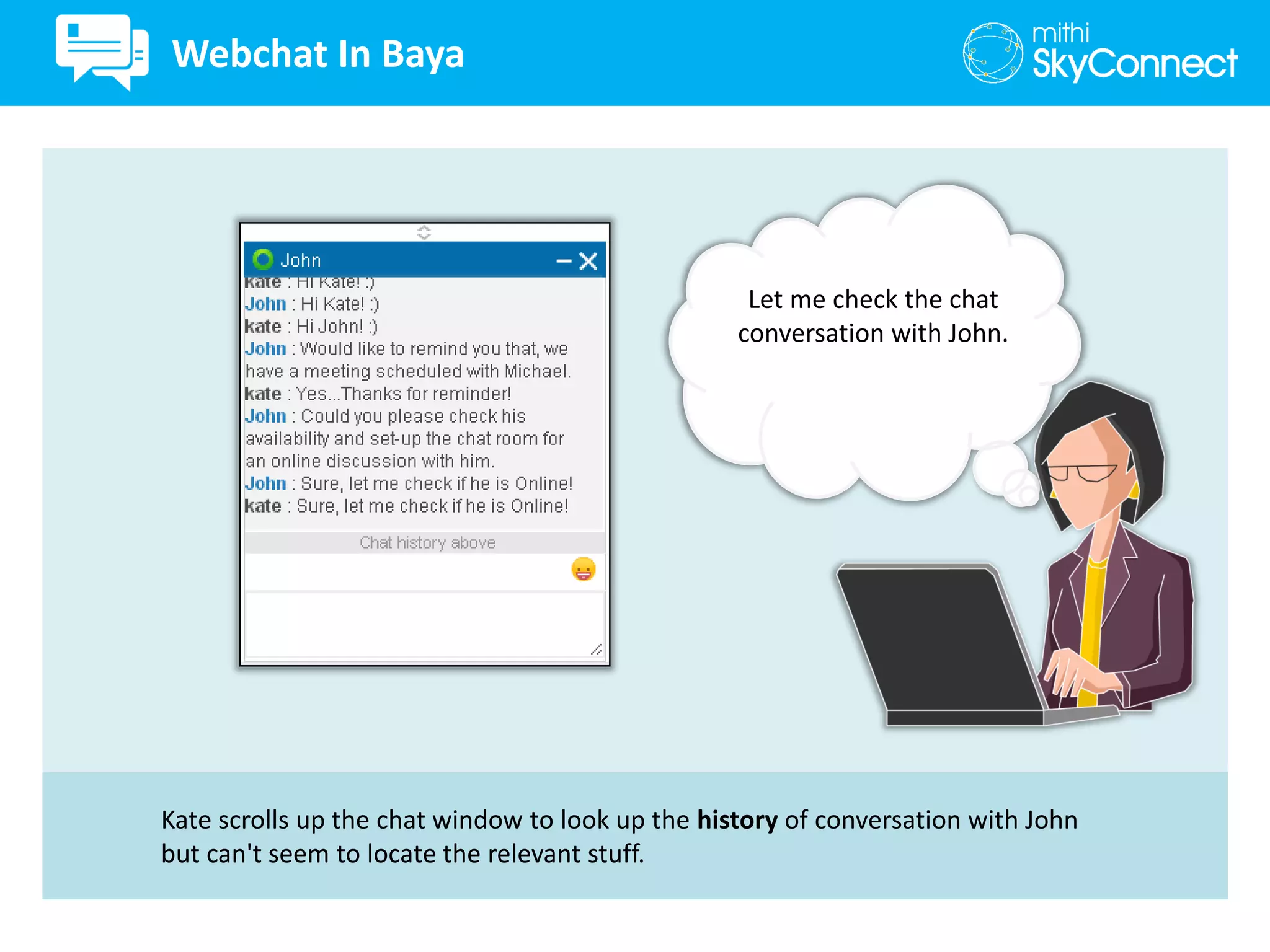
Kate scrolls up the chat window to look up the history of conversation with John
but can't seem to locate the relevant stuff.
Let me check the chat
conversation with John.
Webchat In Baya
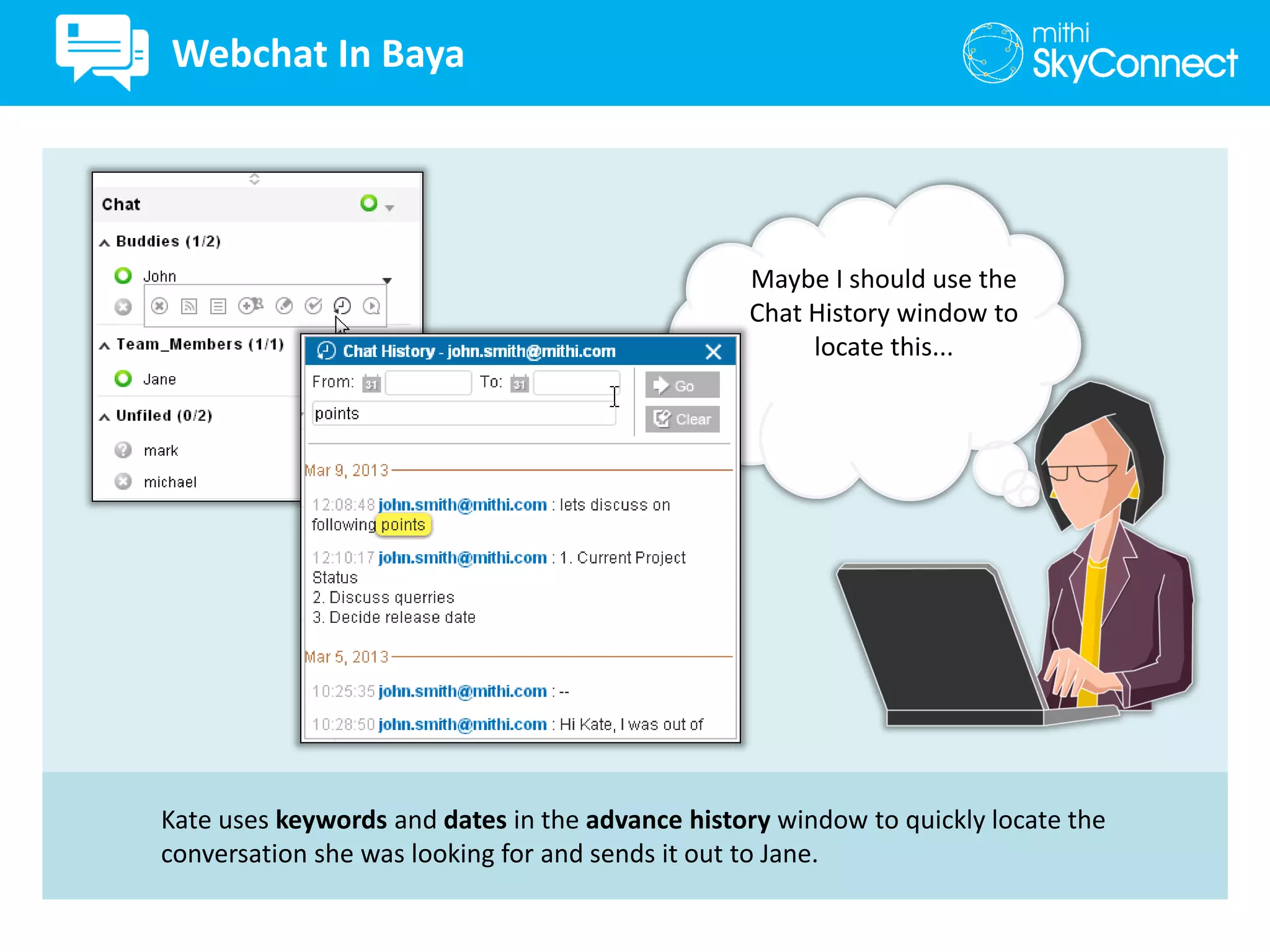
Kate uses keywords and dates in the advance history window to quickly locate the
conversation she was looking for and sends it out to Jane.
Maybe I should use the
Chat History window to
locate this...
Webchat In Baya
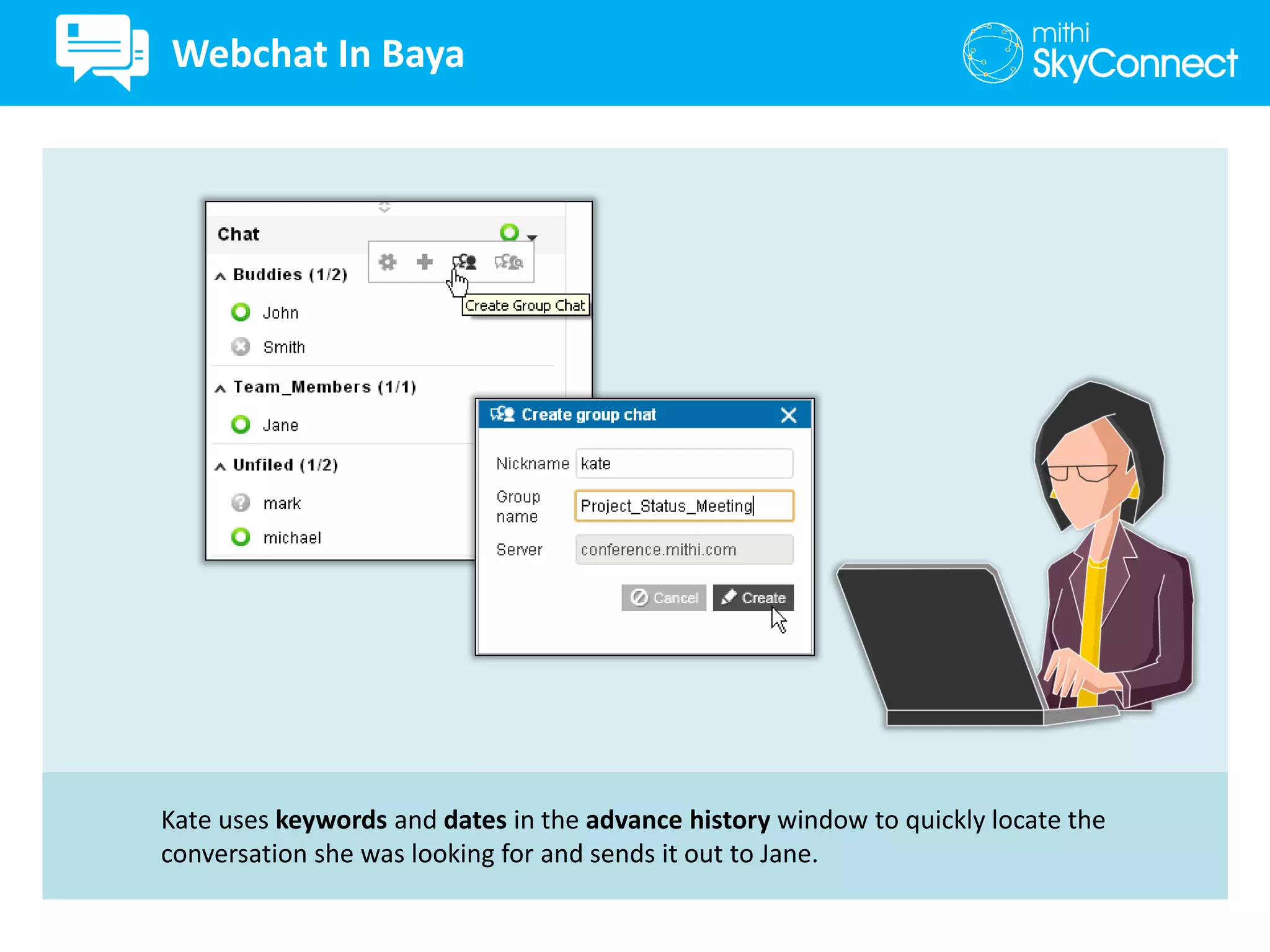
Kate uses keywords and dates in the advance history window to quickly locate the
conversation she was looking for and sends it out to Jane.
Webchat In Baya
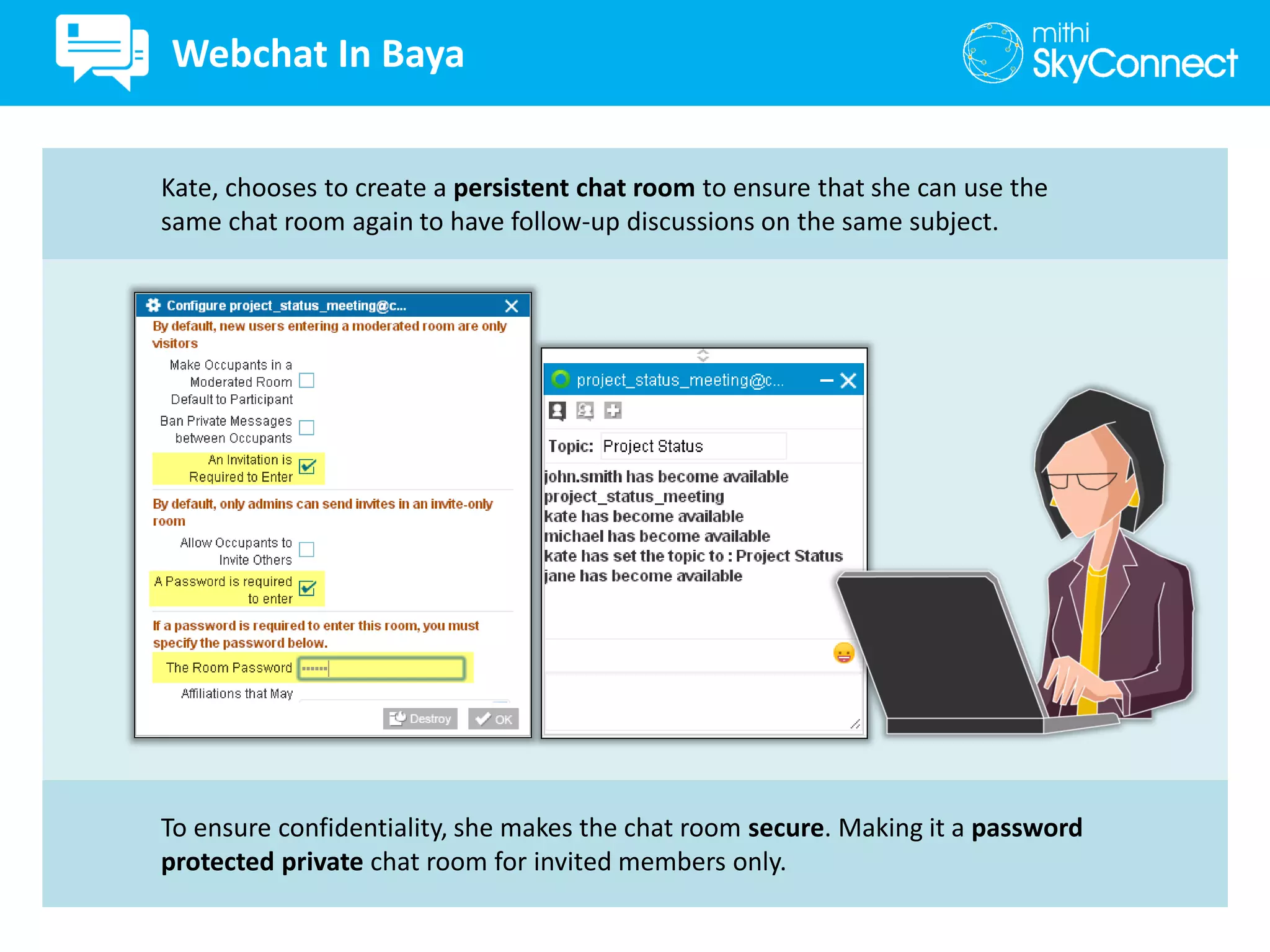
To ensure confidentiality, she makes the chat room secure. Making it a password
protected private chat room for invited members only.
Kate, chooses to create a persistent chat room to ensure that she can use the
same chat room again to have follow-up discussions on the same subject.
Webchat In Baya
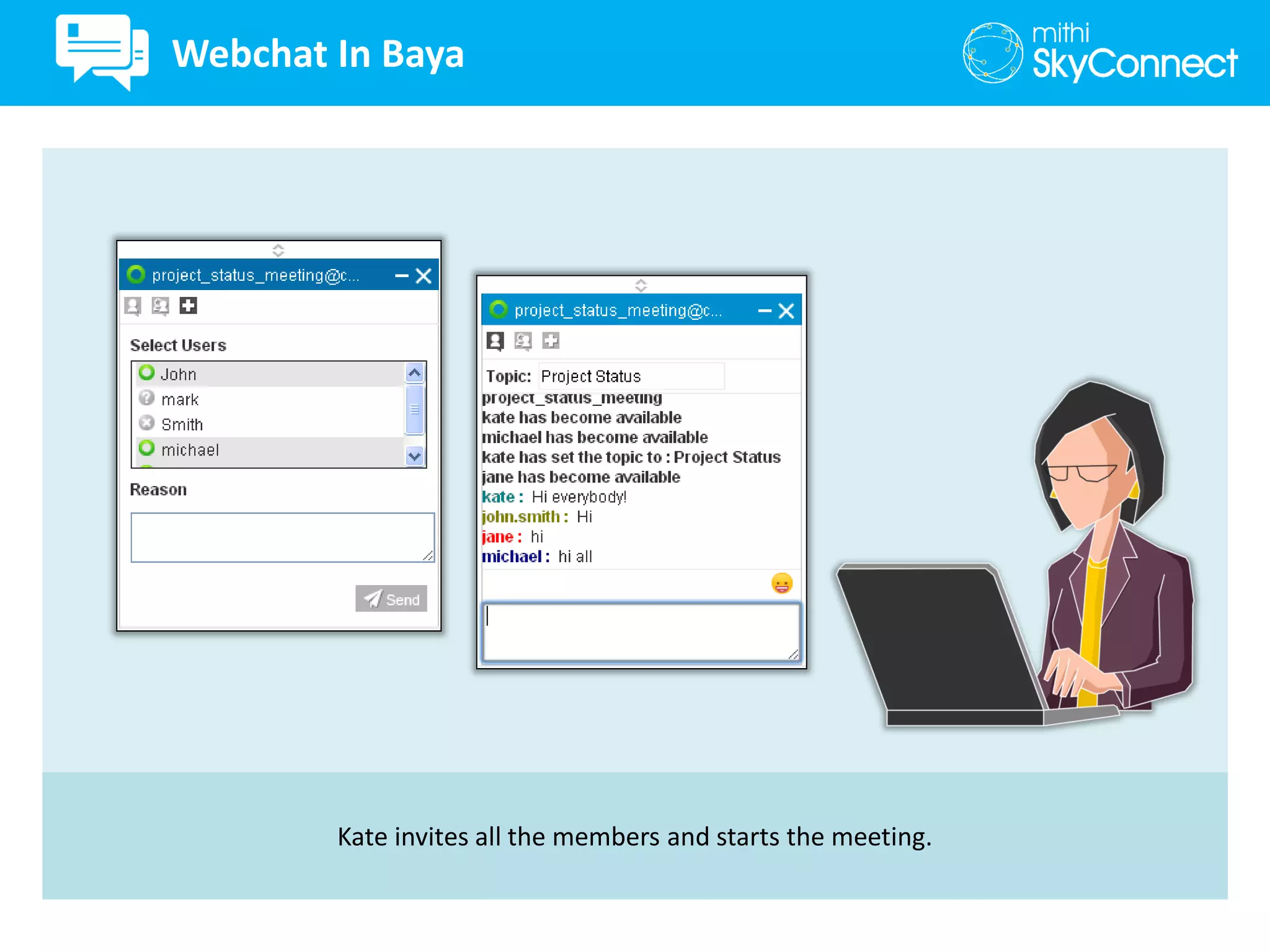
Kate invites all the members and starts the meeting.
Webchat In Baya
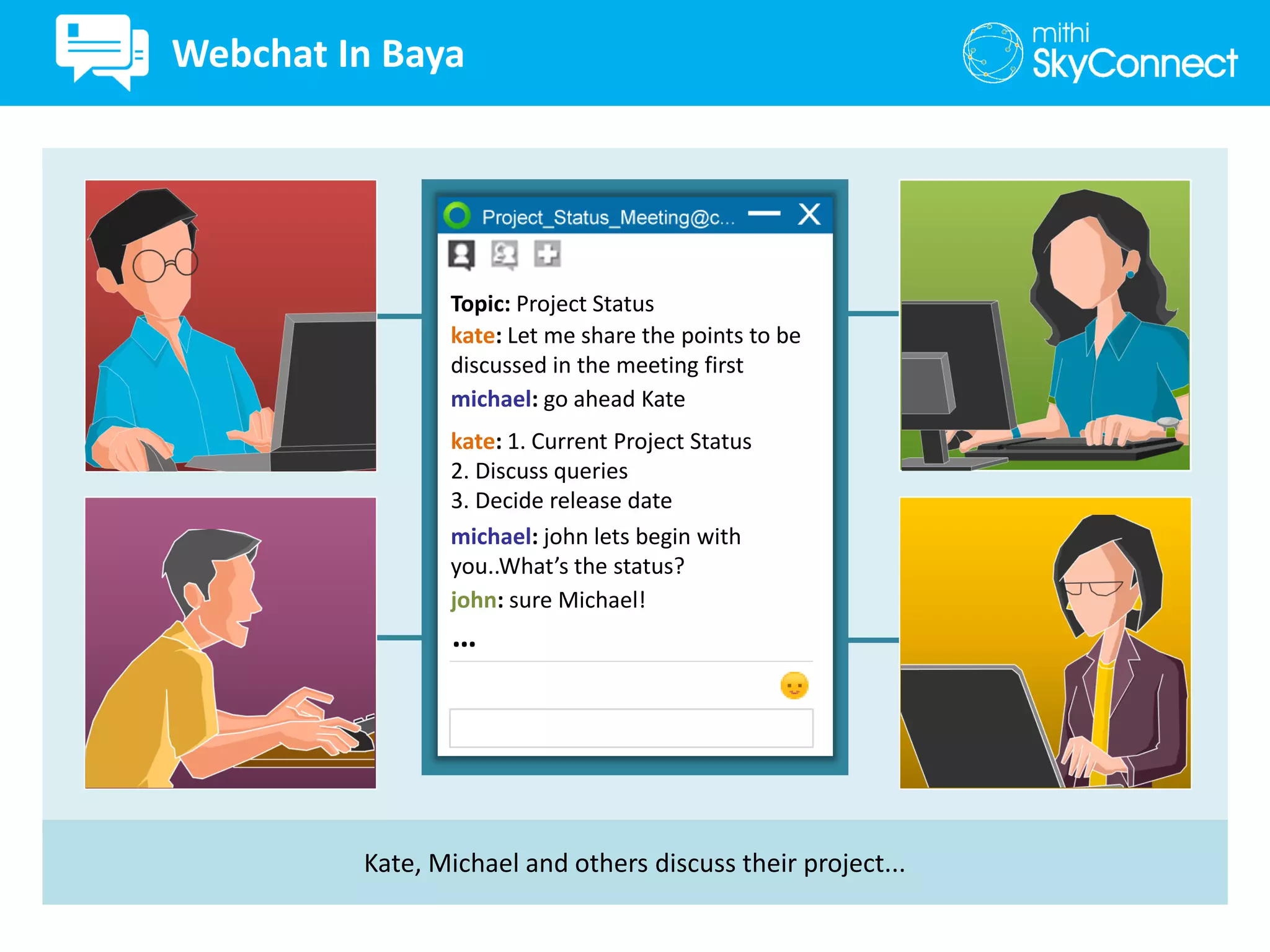
Kate, Michael and others discuss their project...
kate: Let me share the points to be
discussed in the meeting first
michael: go ahead Kate
kate: 1. Current Project Status
2. Discuss queries
3. Decide release date
michael: john lets begin with
you..What’s the status?
john: sure Michael!
Topic: Project Status
…
Webchat In Baya
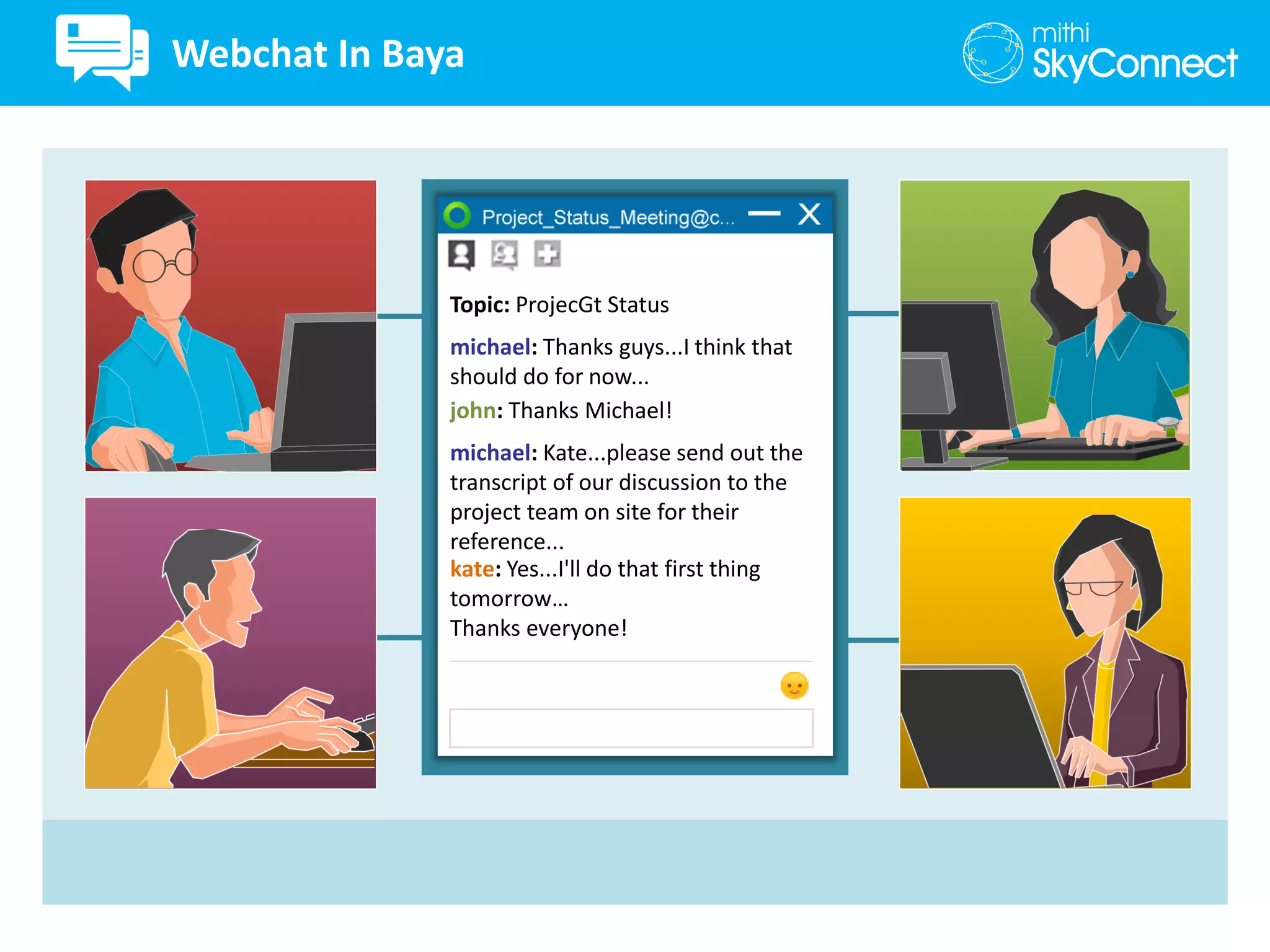
michael: Thanks guys...I think that
should do for now...
john: Thanks Michael!
Topic: ProjecGt Status
michael: Kate...please send out the
transcript of our discussion to the
project team on site for their
reference...
kate: Yes...I'll do that first thing
tomorrow…
Thanks everyone!
Webchat In Baya
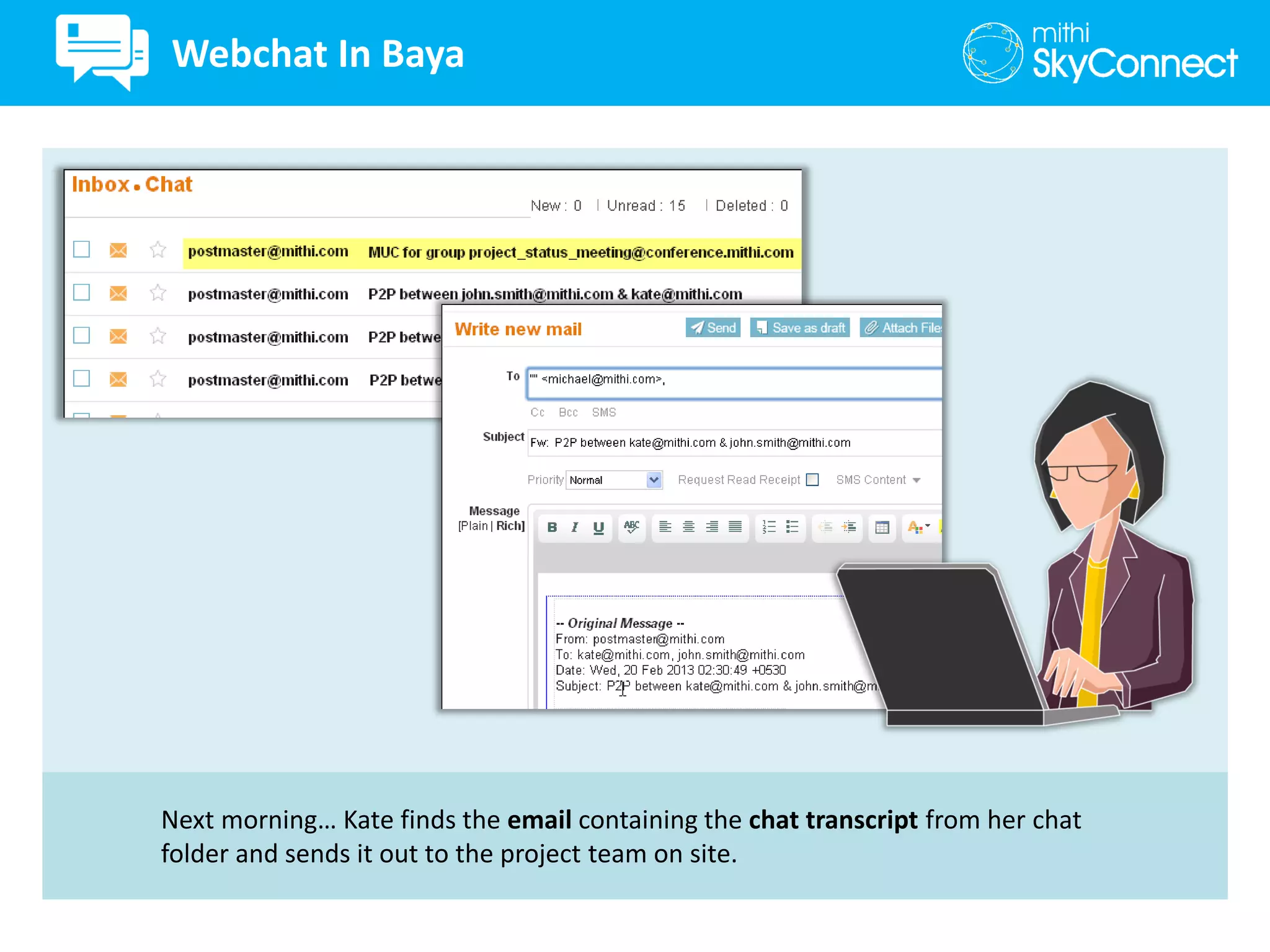
Next morning… Kate finds the email containing the chat transcript from her chat
folder and sends it out to the project team on site.
Webchat In Baya
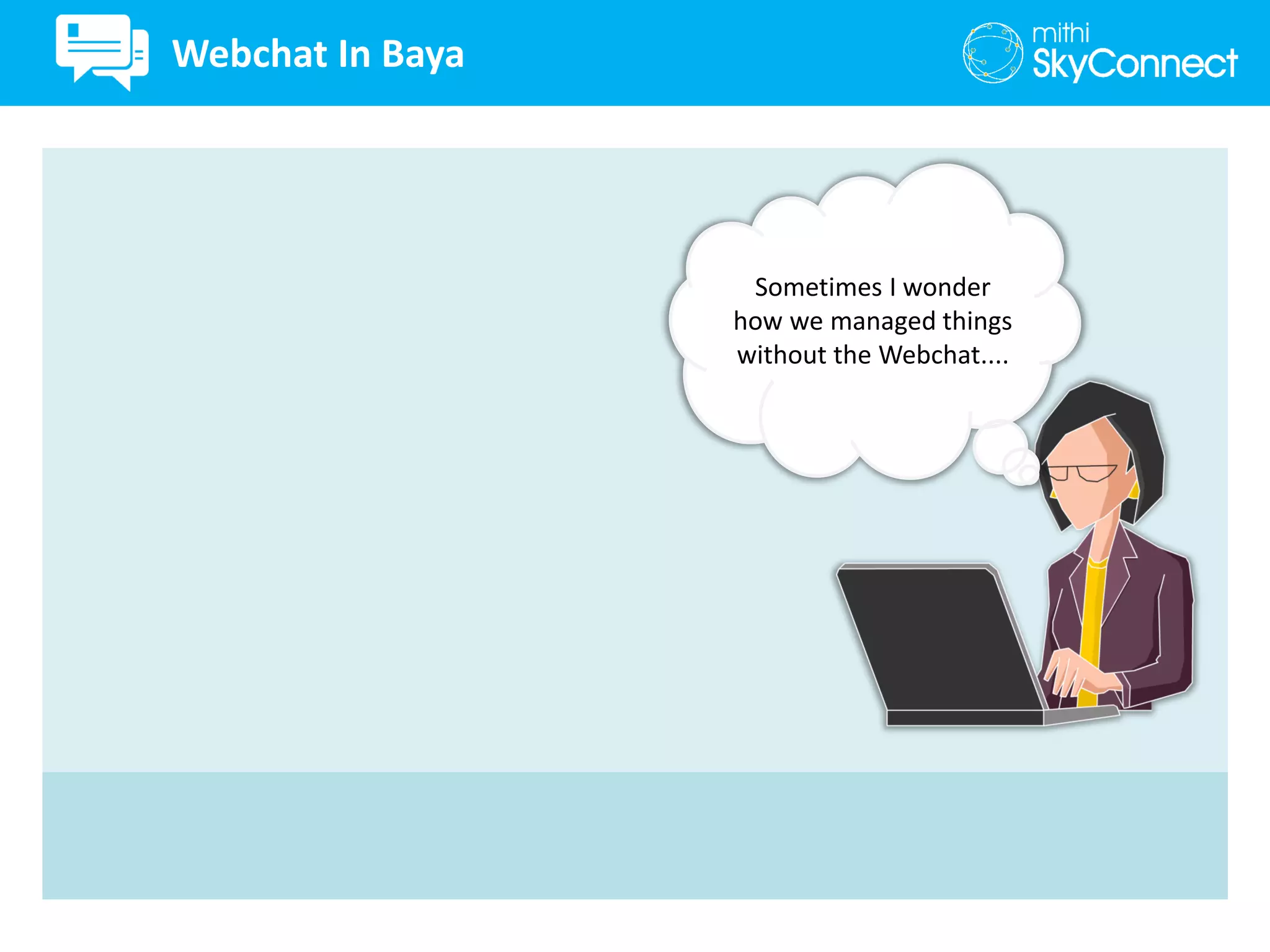
Sometimes I wonder
how we managed things
without the Webchat....
Webchat In Baya
• Single Sign on for all collaboration applications
• Integrated with the Email application
• P2P as well as MUC chat
• Preferences to customize application
• Manage roster by creating groups
• Presence Management
• Express yourself by using emoticons
• Avoid mistakes by using the spell check
• Look up history to find who said what and when
• Create Persistent , Available only for session chat rooms
• Secured chat rooms
• Password protected, Open for everyone to join, Private only for invited members
• Secure transmission
• Ensure all chat transcripts are archived
• Choose the users allowed to use one-to-one and group chat
Webchat In Baya
Start a Free 30 Day, No Obligation Trial
No credit card or advance payment required. Cancel at will.
www.mithiskyconnect.com

Real time collaboration with webchat in baya webmail client

  • 1.
  • 2.
  • 3.
    john : HiKate! John and Kate are using the new chat feature of the Baya Webmail Client. It allows them to exchange messages securely without any threat of data theft. kate : Hi John! john : Hi Kate! Webchat In Baya
  • 4.
    john : Wouldlike to remind you that, we have a meeting scheduled with Michael. kate : Yes...Thanks for reminder! john : Would like to remind you that, we have a meeting scheduled with Michael. Webchat In Baya
  • 5.
    Michael’s presence status isAway. He seems to be away from his desk. Chat status of a person automatically becomes Away when they are inactive on the web client for a while (indicating they might be away from their desk). To prepare for the chat discussion with Michael and others, John sets his presence status to Busy to let all his other contacts know he is busy and would not like to be disturbed. Kate has blocked some of her contacts in the roster by setting her presence status as Offline for these contacts. Webchat In Baya
  • 6.
    Kate uses thepreferences option to customize her alerts, auto way period and message display Let me turn on the sound for presence notification so I know when Michael is online. Webchat In Baya
  • 7.
    Ah!... he is onlinenow. Webchat In Baya
  • 8.
    Kate is automaticallyalerted for spelling errors by the automatic spell check feature. kate: Hi Michael, we have a chat meeting scheduld for the second half with John. Can we start? Webchat In Baya
  • 9.
    kate: Hi Michael,we have a chat meeting scheduled for the second half with John. Can we start? kate: Hi Michael, we have a chat meeting scheduled for the second half with John. Can we start? Michael: Sure! Send me a message when you are ready. Webchat In Baya
  • 10.
    Kate uses emoticonsto express herself. kate: I'll also invite our new team member Jane to the discussion. kate: I'll also invite our new team member Jane to the discussion. Michael: Sure! Webchat In Baya
  • 11.
    Kate manages herroster by adding new contacts and removing old contacts which are not required any more. She uses the auto complete feature to choose the exact id of the contact to be added. I need to add Jane to my roster first. Webchat In Baya
  • 12.
    Kate adds aNick Name to contact’s email id to help her identify them easily. Webchat In Baya
  • 13.
    To keep thingsorganized in her roster, Kate creates groups and moves the relevant contacts to these groups. Webchat In Baya
  • 14.
    kate: Hi Jane,you need to join us in the meeting with Michael over the webchat. Will send you the invitation. kate: Hi Jane, you need to join us in the meeting with Michael over the webchat. Will send you the invitation. Jane: Sure! Could you please share the points to be discussed in the meeting? Webchat In Baya
  • 15.
    kate: Wait, Iwill search through my conversation history with John and share the points to be discussed with you. kate: Wait, I will search through my conversation history with John and share the points to be discussed with you. Jane: Thanks! Webchat In Baya
  • 16.
    Kate scrolls upthe chat window to look up the history of conversation with John but can't seem to locate the relevant stuff. Let me check the chat conversation with John. Webchat In Baya
  • 17.
    Kate uses keywordsand dates in the advance history window to quickly locate the conversation she was looking for and sends it out to Jane. Maybe I should use the Chat History window to locate this... Webchat In Baya
  • 18.
    Kate uses keywordsand dates in the advance history window to quickly locate the conversation she was looking for and sends it out to Jane. Webchat In Baya
  • 19.
    To ensure confidentiality,she makes the chat room secure. Making it a password protected private chat room for invited members only. Kate, chooses to create a persistent chat room to ensure that she can use the same chat room again to have follow-up discussions on the same subject. Webchat In Baya
  • 20.
    Kate invites allthe members and starts the meeting. Webchat In Baya
  • 21.
    Kate, Michael andothers discuss their project... kate: Let me share the points to be discussed in the meeting first michael: go ahead Kate kate: 1. Current Project Status 2. Discuss queries 3. Decide release date michael: john lets begin with you..What’s the status? john: sure Michael! Topic: Project Status … Webchat In Baya
  • 22.
    michael: Thanks guys...Ithink that should do for now... john: Thanks Michael! Topic: ProjecGt Status michael: Kate...please send out the transcript of our discussion to the project team on site for their reference... kate: Yes...I'll do that first thing tomorrow… Thanks everyone! Webchat In Baya
  • 23.
    Next morning… Katefinds the email containing the chat transcript from her chat folder and sends it out to the project team on site. Webchat In Baya
  • 24.
    Sometimes I wonder howwe managed things without the Webchat.... Webchat In Baya
  • 25.
    • Single Signon for all collaboration applications • Integrated with the Email application • P2P as well as MUC chat • Preferences to customize application • Manage roster by creating groups • Presence Management • Express yourself by using emoticons • Avoid mistakes by using the spell check • Look up history to find who said what and when • Create Persistent , Available only for session chat rooms • Secured chat rooms • Password protected, Open for everyone to join, Private only for invited members • Secure transmission • Ensure all chat transcripts are archived • Choose the users allowed to use one-to-one and group chat Webchat In Baya
  • 26.
    Start a Free30 Day, No Obligation Trial No credit card or advance payment required. Cancel at will. www.mithiskyconnect.com