BASIC Intro.
• BASIC(Beginner's All-purpose Symbolic Instruction Code)
• Very simple computer language
• 1964 at Dartsmouth college
• QBasic = Microsoft
LET & REM
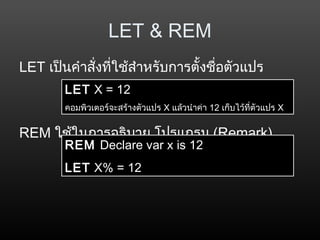
LETเป็นคำำสั่งที่ใช้สำำหรับกำรตั้งชื่อตัวแปร
REM ใช้ในกำรอธิบำย โปรแกรม (Remark)
LET X = 12
คอมพิวเตอร์จะสร้ำงตัวแปร X แล้วนำำค่ำ 12 เก็บไว้ที่ตัวแปร X
REM Declare var x is 12
LET X% = 12
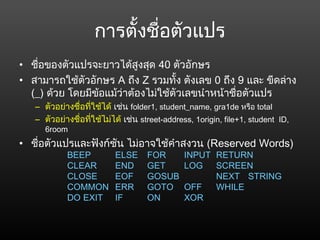
การตั้งชื่อตัวแปร
• ชื่อของตัวแปรจะยาวได้สูงสุด 40ตัวอักษร
• สามารถใช้ตัวอักษร A ถึง Z รวมทั้ง ตังเลข 0 ถึง 9 และ ขีดล่าง
(_) ด้วย โดยมีข้อแม้ว่าต้องไม่ใช้ตัวเลขนำาหน้าชื่อตัวแปร
– ตัวอย่างชื่อที่ใช้ได้ เช่น folder1, student_name, gra1de หรือ total
– ตัวอย่างชื่อที่ใช้ไม่ได้ เช่น street-address, 1origin, file+1, student ID,
6room
• ชื่อตัวแปรและฟังก์ชัน ไม่อาจใช้คำาสงวน (Reserved Words)
BEEP ELSE FOR INPUT RETURN
CLEAR END GET LOG SCREEN
CLOSE EOF GOSUB NEXT STRING
COMMON ERR GOTO OFF WHILE
DO EXIT IF ON XOR
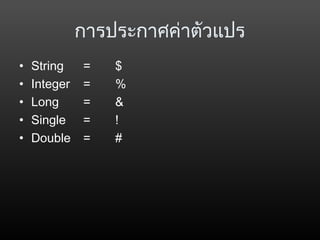
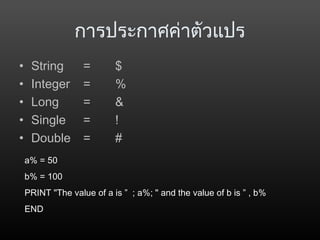
การประกาศค่าตัวแปร
• String =$
• Integer = %
• Long = &
• Single = !
• Double = #
a% = 50
b% = 100
PRINT "The value of a is ” ; a%; " and the value of b is ” , b%
END
28.
การประกาศค่าตัวแปร
• String =$
• Integer = %
• Long = &
• Single = !
• Double = #
a% = 50
b% = 100
PRINT "The value of a is ” ; a%; " and the value of b is ” , b%
END
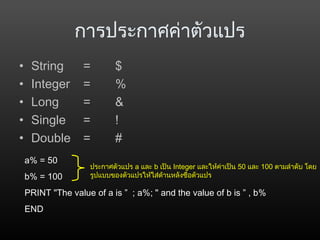
ประกาศตัวแปร a และ b เป็น Integer และให้ค่าเป็น 50 และ 100 ตามลำาดับ โดย
รูปแบบของตัวแปรให้ใส่ด้านหลังชื่อตัวแปร
29.
การประกาศค่าตัวแปร
• String =$
• Integer = %
• Long = &
• Single = !
• Double = #
a% = 50
b% = 100
PRINT "The value of a is ” ; a%; " and the value of b is ” , b%
END
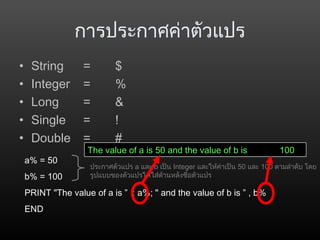
ประกาศตัวแปร a และ b เป็น Integer และให้ค่าเป็น 50 และ 100 ตามลำาดับ โดย
รูปแบบของตัวแปรให้ใส่ด้านหลังชื่อตัวแปร
The value of a is 50 and the value of b is 100
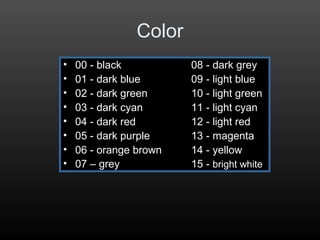
Color
• 00 -black 08 - dark grey
• 01 - dark blue 09 - light blue
• 02 - dark green 10 - light green
• 03 - dark cyan 11 - light cyan
• 04 - dark red 12 - light red
• 05 - dark purple 13 - magenta
• 06 - orange brown 14 - yellow
• 07 – grey 15 - bright white
32.
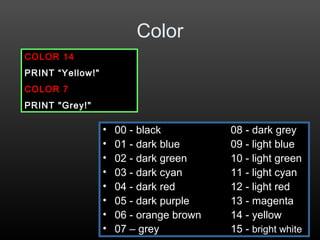
Color
• 00 -black 08 - dark grey
• 01 - dark blue 09 - light blue
• 02 - dark green 10 - light green
• 03 - dark cyan 11 - light cyan
• 04 - dark red 12 - light red
• 05 - dark purple 13 - magenta
• 06 - orange brown 14 - yellow
• 07 – grey 15 - bright white
COLOR 14
PRINT “Yellow!"
COLOR 7
PRINT "Grey!"
33.
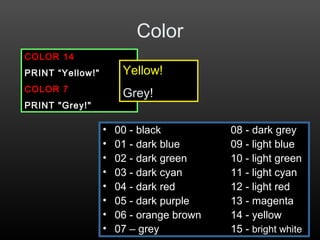
Color
• 00 -black 08 - dark grey
• 01 - dark blue 09 - light blue
• 02 - dark green 10 - light green
• 03 - dark cyan 11 - light cyan
• 04 - dark red 12 - light red
• 05 - dark purple 13 - magenta
• 06 - orange brown 14 - yellow
• 07 – grey 15 - bright white
COLOR 14
PRINT “Yellow!"
COLOR 7
PRINT "Grey!"
Yellow!
Grey!
INPUT
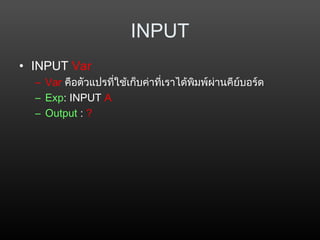
• INPUT Var
–Var คือตัวแปรที่ใช้เก็บค่าที่เราได้พิมพ์ผ่านคีย์บอร์ด
– Exp: INPUT A
– Output : ?
49.
INPUT
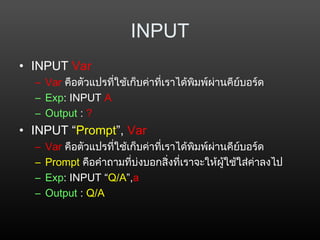
• INPUT Var
–Var คือตัวแปรที่ใช้เก็บค่าที่เราได้พิมพ์ผ่านคีย์บอร์ด
– Exp: INPUT A
– Output : ?
• INPUT “Prompt”, Var
– Var คือตัวแปรที่ใช้เก็บค่าที่เราได้พิมพ์ผ่านคีย์บอร์ด
– Prompt คือคำาถามที่บ่งบอกสิ่งที่เราจะให้ผู้ใช้ใส่ค่าลงไป
– Exp: INPUT “Q/A”,a
– Output : Q/A
50.
INPUT
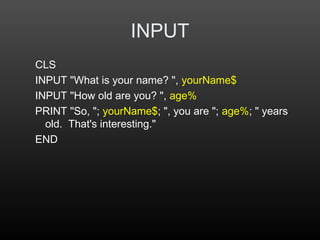
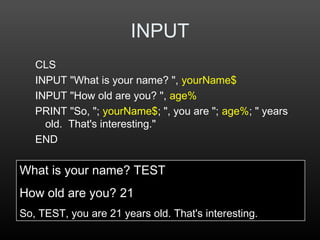
CLS
INPUT "What isyour name? ", yourName$
INPUT "How old are you? ", age%
PRINT "So, "; yourName$; ", you are "; age%; " years
old. That's interesting."
END
51.
INPUT
CLS
INPUT "What isyour name? ", yourName$
INPUT "How old are you? ", age%
PRINT "So, "; yourName$; ", you are "; age%; " years
old. That's interesting."
END
What is your name? TEST
How old are you? 21
So, TEST, you are 21 years old. That's interesting.
52.
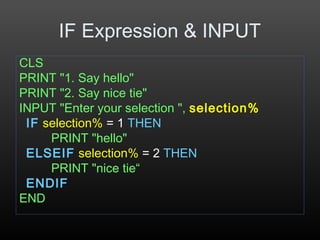
IF Expression &INPUT
CLS
PRINT "1. Say hello"
PRINT "2. Say nice tie"
INPUT "Enter your selection ", selection%
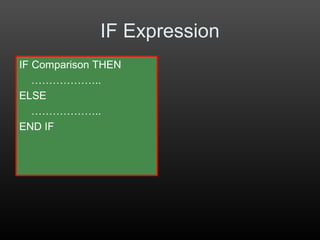
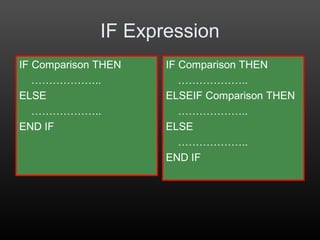
IF selection% = 1 THEN
PRINT "hello"
ELSEIF selection% = 2 THEN
PRINT "nice tie“
ENDIF
END
53.
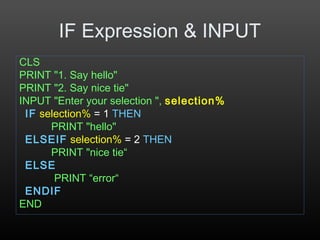
IF Expression &INPUT
CLS
PRINT "1. Say hello"
PRINT "2. Say nice tie"
INPUT "Enter your selection ", selection%
IF selection% = 1 THEN
PRINT "hello"
ELSEIF selection% = 2 THEN
PRINT "nice tie“
ELSE
PRINT “error“
ENDIF
END
54.
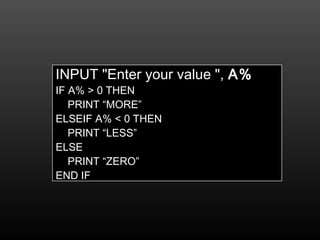
INPUT "Enter yourvalue ", A%
IF A% > 0 THEN
PRINT “MORE”
ELSEIF A% < 0 THEN
PRINT “LESS”
ELSE
PRINT “ZERO”
END IF
55.
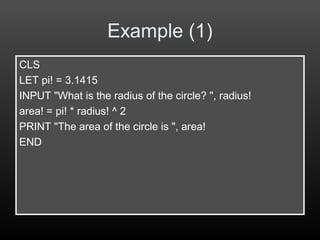
Example (1)
CLS
LET pi!= 3.1415
INPUT "What is the radius of the circle? ", radius!
area! = pi! * radius! ^ 2
PRINT "The area of the circle is ", area!
END
56.
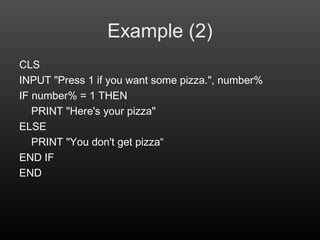
Example (2)
CLS
INPUT "Press1 if you want some pizza.", number%
IF number% = 1 THEN
PRINT "Here's your pizza"
ELSE
PRINT "You don't get pizza“
END IF
END
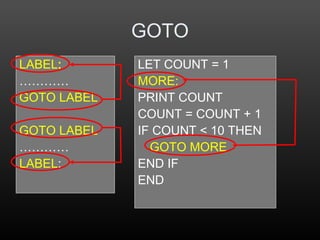
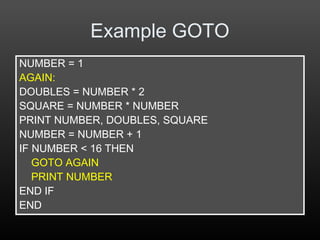
Example GOTO
NUMBER =1
AGAIN:
DOUBLES = NUMBER * 2
SQUARE = NUMBER * NUMBER
PRINT NUMBER, DOUBLES, SQUARE
NUMBER = NUMBER + 1
IF NUMBER < 16 THEN
GOTO AGAIN
PRINT NUMBER
END IF
END
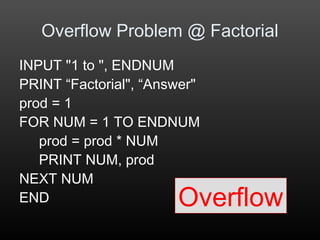
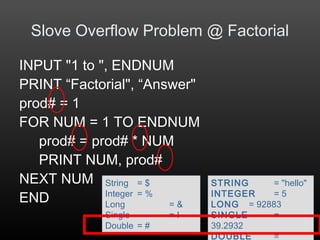
Overflow Problem @Factorial
INPUT "1 to ", ENDNUM
PRINT “Factorial", “Answer"
prod = 1
FOR NUM = 1 TO ENDNUM
prod = prod * NUM
PRINT NUM, prod
NEXT NUM
END Overflow
69.
INPUT "1 to", ENDNUM
PRINT “Factorial", “Answer"
prod# = 1
FOR NUM = 1 TO ENDNUM
prod# = prod# * NUM
PRINT NUM, prod#
NEXT NUM
END
Slove Overflow Problem @ Factorial
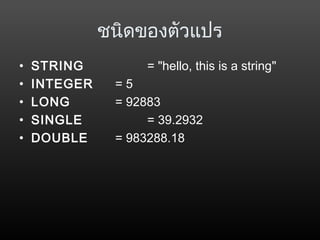
STRING = "hello"
INTEGER = 5
LONG = 92883
SINGLE =
39.2932
DOUBLE =
String = $
Integer = %
Long = &
Single = !
Double = #
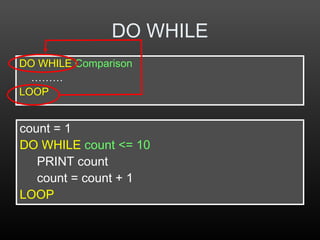
DO WHILE
DO WHILEComparison
………
LOOP
count = 1
DO WHILE count <= 10
PRINT count
count = count + 1
LOOP
72.
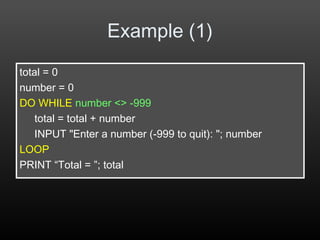
Example (1)
total =0
number = 0
DO WHILE number <> -999
total = total + number
INPUT "Enter a number (-999 to quit): "; number
LOOP
PRINT “Total = ”; total




![FOR
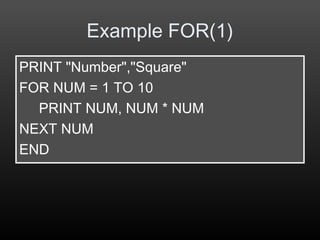
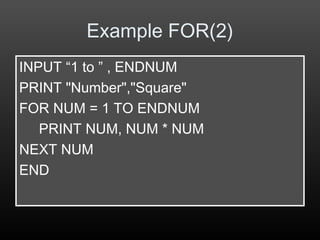
FOR VAR = BEGIN TO END [STEP NUM]
……
NEXT VAR
FOR NUMBER = 1 TO 6
PRINT NUMBER
NEXT NUMBER
END
1
2
3
4
5
6](https://image.slidesharecdn.com/qbasic-130502224312-phpapp01/85/Qbasic-63-320.jpg)
![FOR + STEP
FOR NUMBER = 1 TO 10 STEP 2
PRINT NUMBER
NEXT NUMBER
1
3
5
7
9
FOR VAR = BEGIN TO END [STEP NUM]
……
NEXT VAR](https://image.slidesharecdn.com/qbasic-130502224312-phpapp01/85/Qbasic-64-320.jpg)


![Java Programming [2/12] : Overview of Java Programming Language](https://cdn.slidesharecdn.com/ss_thumbnails/chapter2-130103204226-phpapp01-thumbnail.jpg?width=640&height=640&fit=bounds)


![GoOO->PHP [5] at Barcamp Bangkok 2](https://cdn.slidesharecdn.com/ss_thumbnails/go-php-5-1220071458087373-9-thumbnail.jpg?width=640&height=640&fit=bounds)


