Mastering Data Science with
NumPy and Pandas
Advanced Python Programming
Techniques
By Anurag
Agenda
• 1. Introduction to NumPy
• 2. Advanced Matrix Operations
• 3. Introduction to Pandas
• 4. Data Grouping & Aggregation
• 5. Advanced Linear Algebra with NumPy
• 6. Pivot Tables in Pandas
Introduction to NumPy
• NumPy is the backbone of numerical
computations in Python.
• Why NumPy is faster than lists:
import numpy as np
arr = np.array([1, 2, 3, 4])
Advanced NumPy - Matrix
Operations
• Perform advanced matrix operations with
NumPy.
matrix.T # Transpose
np.dot(matrix1, matrix2) # Matrix Multiplication
Introduction to Pandas
• Pandas simplifies data manipulation with
Series and DataFrames.
import pandas as pd
data = {'Name': ['Alice', 'Bob'], 'Age': [25, 30]}
df = pd.DataFrame(data)
Grouping and Aggregating Data
• Group and aggregate data effectively with
Pandas.
df.groupby('Category')['Value'].sum()
df.agg({'Value': ['sum', 'mean']})
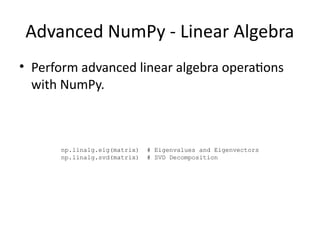
Advanced NumPy - Linear Algebra
• Perform advanced linear algebra operations
with NumPy.
np.linalg.eig(matrix) # Eigenvalues and Eigenvectors
np.linalg.svd(matrix) # SVD Decomposition
Pivot Tables in Pandas
• Reshape and summarize data using pivot
tables in Pandas.
pd.pivot_table(df, values='Value', index='Category', aggfunc='sum')
Interactive Exercise
• Practice what you've learned with these
exercises:
# Filter rows where Age > 30
df[df['Age'] > 30]
Summary
• Key takeaways:
• - NumPy: Fast numerical computations.
• - Pandas: Easy data manipulation.
• - Advanced operations enhance efficiency.
Questions and Closing
• What concepts would you like to explore
further?
• Practice and explore real-world datasets.

python_Dynamic_Presentation_NumPy_Pandas.pptx

  • 1.
    Mastering Data Sciencewith NumPy and Pandas Advanced Python Programming Techniques By Anurag
  • 2.
    Agenda • 1. Introductionto NumPy • 2. Advanced Matrix Operations • 3. Introduction to Pandas • 4. Data Grouping & Aggregation • 5. Advanced Linear Algebra with NumPy • 6. Pivot Tables in Pandas
  • 3.
    Introduction to NumPy •NumPy is the backbone of numerical computations in Python. • Why NumPy is faster than lists: import numpy as np arr = np.array([1, 2, 3, 4])
  • 4.
    Advanced NumPy -Matrix Operations • Perform advanced matrix operations with NumPy. matrix.T # Transpose np.dot(matrix1, matrix2) # Matrix Multiplication
  • 5.
    Introduction to Pandas •Pandas simplifies data manipulation with Series and DataFrames. import pandas as pd data = {'Name': ['Alice', 'Bob'], 'Age': [25, 30]} df = pd.DataFrame(data)
  • 6.
    Grouping and AggregatingData • Group and aggregate data effectively with Pandas. df.groupby('Category')['Value'].sum() df.agg({'Value': ['sum', 'mean']})
  • 7.
    Advanced NumPy -Linear Algebra • Perform advanced linear algebra operations with NumPy. np.linalg.eig(matrix) # Eigenvalues and Eigenvectors np.linalg.svd(matrix) # SVD Decomposition
  • 8.
    Pivot Tables inPandas • Reshape and summarize data using pivot tables in Pandas. pd.pivot_table(df, values='Value', index='Category', aggfunc='sum')
  • 9.
    Interactive Exercise • Practicewhat you've learned with these exercises: # Filter rows where Age > 30 df[df['Age'] > 30]
  • 10.
    Summary • Key takeaways: •- NumPy: Fast numerical computations. • - Pandas: Easy data manipulation. • - Advanced operations enhance efficiency.
  • 11.
    Questions and Closing •What concepts would you like to explore further? • Practice and explore real-world datasets.