List Operations
Indexing: Accesselements
by position (starts at 0).
Example:
◦ fruits = ["apple",
"banana", "cherry"]
◦ print(fruits[1])
◦ fruits.append("date")
◦ print(fruits)
Example:
fruits = ["apple", "banana", "cherry"]
print(fruits[1]) # banana
fruits.append("date") # add at end
print(fruits)
fruits.insert(0, "orange") # add at first position
print(fruits)
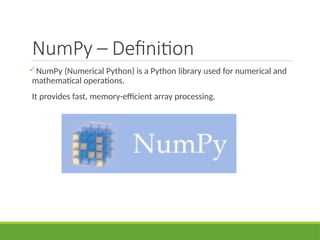
NumPy – Definition
NumPy(Numerical Python) is a Python library used for numerical and
mathematical operations.
It provides fast, memory-efficient array processing.
7.
Why NumPy isImportant
• Faster than Python lists
• Handles large datasets efficiently
• Core library for Data Analytics & ML
8.
Installing NumPy &Import
Command to install NumPy:
◦ "pip install numpy"
Import NumPy using alias:
import numpy as np
9.
What is NumPyArray?
A NumPy array is a collection of elements of the same data type.
It is stored in contiguous memory locations.
Example:
import numpy as np
arr = np.array([1, 2, 3])
print(arr * 2)
10.
1D Array –Code Example
import numpy as np
a = np.array([10, 20, 30, 40])
print(a)
11.
2D Array –Code Example
a = np.array([[1,2,3],[4,5,6]])
print(a)
Pandas – Definition
Pandasis a Python library used for data manipulation and analysis.
It works with structured data like tables.
adds data structures and tools designed to work with table-like data
(similar to Series and Data Frames in R)
provides tools for data manipulation: reshaping, merging, sorting,
slicing, aggregation etc.
allows handling missing data
15.
Why Pandas?
• Easydata cleaning
• Fast analysis
• Works with Excel, CSV, SQL


![List Operations
Indexing: Access elements
by position (starts at 0).
Example:
◦ fruits = ["apple",
"banana", "cherry"]
◦ print(fruits[1])
◦ fruits.append("date")
◦ print(fruits)
Example:
fruits = ["apple", "banana", "cherry"]
print(fruits[1]) # banana
fruits.append("date") # add at end
print(fruits)
fruits.insert(0, "orange") # add at first position
print(fruits)](https://image.slidesharecdn.com/day-2dataanalytics-260107063115-e25ccf22/85/python-basic-for-data-analytics-for-libraries-4-320.jpg)
![List Methods
Common methods insert(), remove(), sort(), len()
Example:
◦ numbers = [3, 1, 4, 1]
◦ numbers.sort()
◦ print(numbers) # Output: [1, 1, 3, 4]
◦ print(len(numbers)) # Output: 4](https://image.slidesharecdn.com/day-2dataanalytics-260107063115-e25ccf22/85/python-basic-for-data-analytics-for-libraries-5-320.jpg)

![What is NumPy Array?
A NumPy array is a collection of elements of the same data type.
It is stored in contiguous memory locations.
Example:
import numpy as np
arr = np.array([1, 2, 3])
print(arr * 2)](https://image.slidesharecdn.com/day-2dataanalytics-260107063115-e25ccf22/85/python-basic-for-data-analytics-for-libraries-9-320.jpg)
![1D Array – Code Example
import numpy as np
a = np.array([10, 20, 30, 40])
print(a)](https://image.slidesharecdn.com/day-2dataanalytics-260107063115-e25ccf22/85/python-basic-for-data-analytics-for-libraries-10-320.jpg)
![2D Array – Code Example
a = np.array([[1,2,3],[4,5,6]])
print(a)](https://image.slidesharecdn.com/day-2dataanalytics-260107063115-e25ccf22/85/python-basic-for-data-analytics-for-libraries-11-320.jpg)




![Series – Code Example
import pandas as pd
s = pd.Series([10,20,30])
print(s)](https://image.slidesharecdn.com/day-2dataanalytics-260107063115-e25ccf22/85/python-basic-for-data-analytics-for-libraries-19-320.jpg)
![DataFrame – Code Example
df = pd.DataFrame({
'Name':['A','B'],
'Age':[20,25]
})](https://image.slidesharecdn.com/day-2dataanalytics-260107063115-e25ccf22/85/python-basic-for-data-analytics-for-libraries-20-320.jpg)


![Selecting Columns
df['Age']
df[['Name','Age']]](https://image.slidesharecdn.com/day-2dataanalytics-260107063115-e25ccf22/85/python-basic-for-data-analytics-for-libraries-24-320.jpg)
![Filtering Rows
df[df['Age'] > 22]](https://image.slidesharecdn.com/day-2dataanalytics-260107063115-e25ccf22/85/python-basic-for-data-analytics-for-libraries-25-320.jpg)

![GroupBy Operation
df.groupby('Department')['Salary'].sum()](https://image.slidesharecdn.com/day-2dataanalytics-260107063115-e25ccf22/85/python-basic-for-data-analytics-for-libraries-27-320.jpg)


