Firebird Conference 2019, Berlin
Python with Firebird
FDB driver 101
Pavel Císař
maintainer of FDB driver
IBPhoenix & Firebird Project
Firebird Conference 2019
Berlin, 17-19 October
Firebird Conference 2019, Berlin 3 / 34
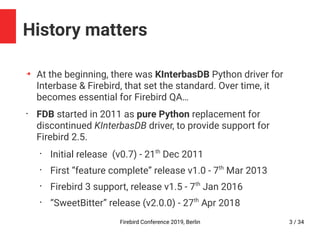
History matters
➔
At the beginning, there was KInterbasDB Python driver for
Interbase & Firebird, that set the standard. Over time, it
becomes essential for Firebird QA…
•
FDB started in 2011 as pure Python replacement for
discontinued KInterbasDB driver, to provide support for
Firebird 2.5.
•
Initial release (v0.7) - 21th
Dec 2011
•
First “feature complete” release v1.0 - 7th
Mar 2013
•
Firebird 3 support, release v1.5 - 7th
Jan 2016
•
“SweetBitter” release (v2.0.0) - 27th
Apr 2018
Firebird Conference 2019, Berlin 4 / 34
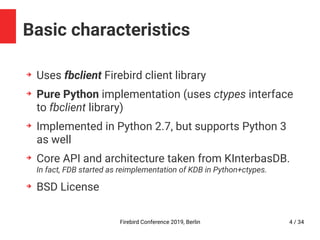
Basic characteristics
➔
Uses fbclient Firebird client library
➔
Pure Python implementation (uses ctypes interface
to fbclient library)
➔
Implemented in Python 2.7, but supports Python 3
as well
➔
Core API and architecture taken from KInterbasDB.
In fact, FDB started as reimplementation of KDB in Python+ctypes.
➔
BSD License
Firebird Conference 2019, Berlin 5 / 34
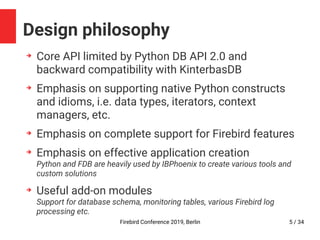
Design philosophy
➔
Core API limited by Python DB API 2.0 and
backward compatibility with KinterbasDB
➔
Emphasis on supporting native Python constructs
and idioms, i.e. data types, iterators, context
managers, etc.
➔
Emphasis on complete support for Firebird features
➔
Emphasis on effective application creation
Python and FDB are heavily used by IBPhoenix to create various tools and
custom solutions
➔
Useful add-on modules
Support for database schema, monitoring tables, various Firebird log
processing etc.
Firebird Conference 2019, Berlin 6 / 34
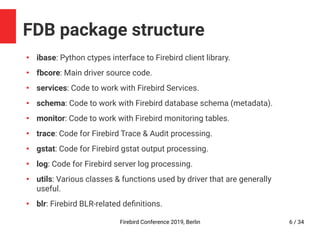
FDB package structure
●
ibase: Python ctypes interface to Firebird client library.
●
fbcore: Main driver source code.
●
services: Code to work with Firebird Services.
●
schema: Code to work with Firebird database schema (metadata).
●
monitor: Code to work with Firebird monitoring tables.
●
trace: Code for Firebird Trace & Audit processing.
●
gstat: Code for Firebird gstat output processing.
●
log: Code for Firebird server log processing.
●
utils: Various classes & functions used by driver that are generally
useful.
●
blr: Firebird BLR-related definitions.
Firebird Conference 2019, Berlin 7 / 34
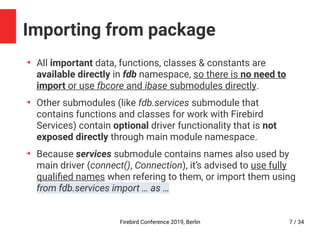
Importing from package
➔
All important data, functions, classes & constants are
available directly in fdb namespace, so there is no need to
import or use fbcore and ibase submodules directly.
➔
Other submodules (like fdb.services submodule that
contains functions and classes for work with Firebird
Services) contain optional driver functionality that is not
exposed directly through main module namespace.
➔
Because services submodule contains names also used by
main driver (connect(), Connection), it’s advised to use fully
qualified names when refering to them, or import them using
from fdb.services import … as …
Firebird Conference 2019, Berlin 8 / 34
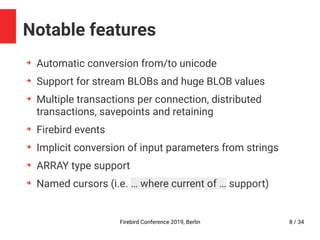
Notable features
➔
Automatic conversion from/to unicode
➔
Support for stream BLOBs and huge BLOB values
➔
Multiple transactions per connection, distributed
transactions, savepoints and retaining
➔
Firebird events
➔
Implicit conversion of input parameters from strings
➔
ARRAY type support
➔
Named cursors (i.e. … where current of … support)
Firebird Conference 2019, Berlin 9 / 34
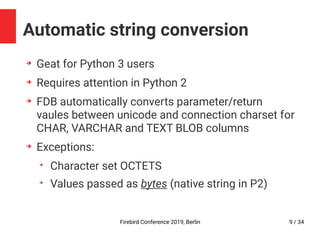
Automatic string conversion
➔
Geat for Python 3 users
➔
Requires attention in Python 2
➔
FDB automatically converts parameter/return
vaules between unicode and connection charset for
CHAR, VARCHAR and TEXT BLOB columns
➔
Exceptions:
• Character set OCTETS
• Values passed as bytes (native string in P2)
Firebird Conference 2019, Berlin 10 / 34
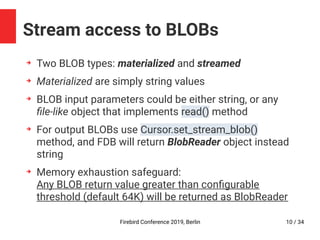
Stream access to BLOBs
➔
Two BLOB types: materialized and streamed
➔
Materialized are simply string values
➔
BLOB input parameters could be either string, or any
file-like object that implements read() method
➔
For output BLOBs use Cursor.set_stream_blob()
method, and FDB will return BlobReader object instead
string
➔
Memory exhaustion safeguard:
Any BLOB return value greater than configurable
threshold (default 64K) will be returned as BlobReader
Firebird Conference 2019, Berlin 11 / 34
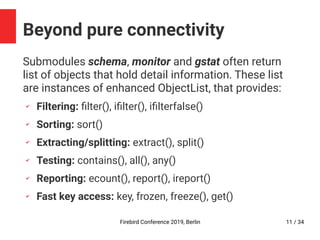
Beyond pure connectivity
Submodules schema, monitor and gstat often return
list of objects that hold detail information. These list
are instances of enhanced ObjectList, that provides:
✔
Filtering: filter(), ifilter(), ifilterfalse()
✔
Sorting: sort()
✔
Extracting/splitting: extract(), split()
✔
Testing: contains(), all(), any()
✔
Reporting: ecount(), report(), ireport()
✔
Fast key access: key, frozen, freeze(), get()
Firebird Conference 2019, Berlin 12 / 34
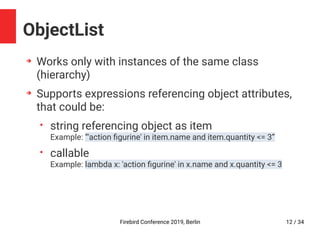
ObjectList
➔
Works only with instances of the same class
(hierarchy)
➔
Supports expressions referencing object attributes,
that could be:
• string referencing object as item
Example: ”'action figurine' in item.name and item.quantity <= 3”
• callable
Example: lambda x: 'action figurine' in x.name and x.quantity <= 3
Firebird Conference 2019, Berlin 13 / 34
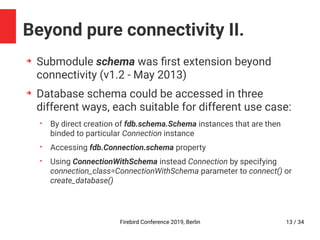
Beyond pure connectivity II.
➔
Submodule schema was first extension beyond
connectivity (v1.2 - May 2013)
➔
Database schema could be accessed in three
different ways, each suitable for different use case:
• By direct creation of fdb.schema.Schema instances that are then
binded to particular Connection instance
• Accessing fdb.Connection.schema property
• Using ConnectionWithSchema instead Connection by specifying
connection_class=ConnectionWithSchema parameter to connect() or
create_database()
Firebird Conference 2019, Berlin 14 / 34
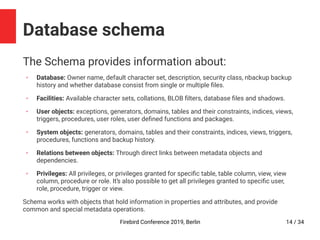
Database schema
The Schema provides information about:
✔
Database: Owner name, default character set, description, security class, nbackup backup
history and whether database consist from single or multiple files.
✔
Facilities: Available character sets, collations, BLOB filters, database files and shadows.
✔
User objects: exceptions, generators, domains, tables and their constraints, indices, views,
triggers, procedures, user roles, user defined functions and packages.
✔
System objects: generators, domains, tables and their constraints, indices, views, triggers,
procedures, functions and backup history.
✔
Relations between objects: Through direct links between metadata objects and
dependencies.
✔
Privileges: All privileges, or privileges granted for specific table, table column, view, view
column, procedure or role. It’s also possible to get all privileges granted to specific user,
role, procedure, trigger or view.
Schema works with objects that hold information in properties and attributes, and provide
common and special metadata operations.
Firebird Conference 2019, Berlin 15 / 34
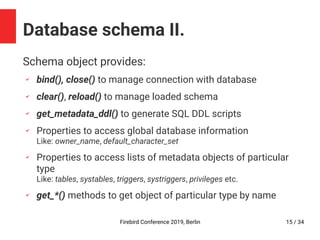
Database schema II.
Schema object provides:
✔
bind(), close() to manage connection with database
✔
clear(), reload() to manage loaded schema
✔
get_metadata_ddl() to generate SQL DDL scripts
✔
Properties to access global database information
Like: owner_name, default_character_set
✔
Properties to access lists of metadata objects of particular
type
Like: tables, systables, triggers, systriggers, privileges etc.
✔
get_*() methods to get object of particular type by name
Firebird Conference 2019, Berlin 16 / 34
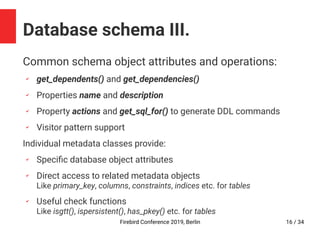
Database schema III.
Common schema object attributes and operations:
✔
get_dependents() and get_dependencies()
✔
Properties name and description
✔
Property actions and get_sql_for() to generate DDL commands
✔
Visitor pattern support
Individual metadata classes provide:
✔
Specific database object attributes
✔
Direct access to related metadata objects
Like primary_key, columns, constraints, indices etc. for tables
✔
Useful check functions
Like isgtt(), ispersistent(), has_pkey() etc. for tables
Firebird Conference 2019, Berlin 17 / 34
Database schema IV.
Live demonstration
Firebird Conference 2019, Berlin 18 / 34
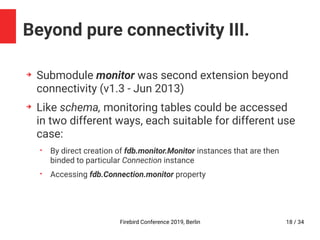
Beyond pure connectivity III.
➔
Submodule monitor was second extension beyond
connectivity (v1.3 - Jun 2013)
➔
Like schema, monitoring tables could be accessed
in two different ways, each suitable for different use
case:
• By direct creation of fdb.monitor.Monitor instances that are then
binded to particular Connection instance
• Accessing fdb.Connection.monitor property
Firebird Conference 2019, Berlin 19 / 34
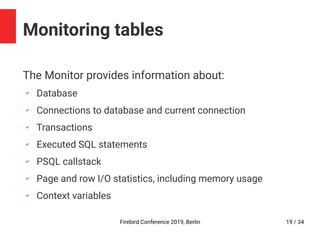
Monitoring tables
The Monitor provides information about:
✔
Database
✔
Connections to database and current connection
✔
Transactions
✔
Executed SQL statements
✔
PSQL callstack
✔
Page and row I/O statistics, including memory usage
✔
Context variables
Firebird Conference 2019, Berlin 20 / 34
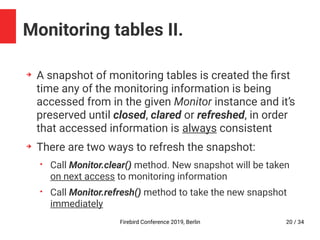
Monitoring tables II.
➔
A snapshot of monitoring tables is created the first
time any of the monitoring information is being
accessed from in the given Monitor instance and it’s
preserved until closed, clared or refreshed, in order
that accessed information is always consistent
➔
There are two ways to refresh the snapshot:
• Call Monitor.clear() method. New snapshot will be taken
on next access to monitoring information
• Call Monitor.refresh() method to take the new snapshot
immediately
Firebird Conference 2019, Berlin 21 / 34
Monitoring tables III.
➔
Like Schema, the Monitor instance provides access
to monitoring tables via convenient object model.
➔
Individual monitor information classes provide:
• Specific monitor object attributes
• Direct access to related monitor objects
Like attachment, transaction, iostats etc. for statements
• Useful check functions
Like isactive(), isidle(), isautoundo(), isreadonly() etc. for transactions
• Attachment and Statement objects also provide terminate() method
to terminate the att/stm
Firebird Conference 2019, Berlin 22 / 34
Beyond pure connectivity IV.
➔
Submodules gstat, log and trace are latest
extensions beyond connectivity (v2.0 - Apr 2018)
➔
Submodule gstat provides parse() function that
transforms output from Firebird gstat utility into
convenient object model
➔
Submodule log provides generator function parse()
that processes sequence of text lines from Firebird
server log, and yields named tuples for each log
entry
Firebird Conference 2019, Berlin 23 / 34
Firebird log parser
Live demonstration
Firebird Conference 2019, Berlin 24 / 34
Firebird trace output parser
➔
Submodule trace provides generator function
parse() that processes sequence of text lines from
Firebird trace or audit session, and yields named
tuples for each database event
➔
Each type of database event has it’s own
namedtuple class
➔
Complex information like table access statistitcs is
present as list of specific named tuples
Firebird Conference 2019, Berlin 25 / 34
Firebird trace output parser II.
Common information (attachment, transaction,
statement details) is present only as reference (ID) to
specific Event or InfoRecord emmited by parser on first
encounter.
For example all database events contain attachment_id. When parsed
event is not Attach/Dettach event, and contains information about
attachment that was not seen yet, the parser extracts attachent
information into separate AttachmentInfo named tuple that is emitted
before parsed event. This ensures that all such references in events
refer to previously emited event or info record that holds the full
information.
Firebird Conference 2019, Berlin
The Future
2020 and beyond
Firebird Conference 2019, Berlin 27 / 34
The “SweetBitter” FDB generation
➔
Version 2.0 was initial release of new “SweetBitter”
driver generation
➔
During this (v2) generation FDB driver should
undergo a transition from development centered
around Python 2.7 / Firebird 2.x to development
centered around Python 3 / Firebird 3
➔
The second generation is also the last one that will
directly support Python 2.7 and will be tested with
Firebird 2
Firebird Conference 2019, Berlin 28 / 34
The “SweetBitter” FDB generation
➔
By 2020, maintenance of both Python 2.x and
Firebird 2.5 will end
➔
P2/P3 and FB2/3 compatibility code is deeply
entangled into FDB code
➔
Compatibility to KinterbasDB is now more a burden
than necessity
➔
Also internal architecture (heavily influenced by
KinterbasDB) is not ideal (I would do it differently
today)
Firebird Conference 2019, Berlin 29 / 34
The “SweetBitter” FDB generation
The FDB is now in maintenance
mode only
*
There will be no version 3
Firebird Conference 2019, Berlin 30 / 34
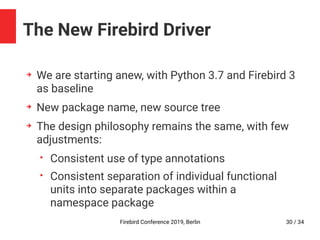
The New Firebird Driver
➔
We are starting anew, with Python 3.7 and Firebird 3
as baseline
➔
New package name, new source tree
➔
The design philosophy remains the same, with few
adjustments:
• Consistent use of type annotations
• Consistent separation of individual functional
units into separate packages within a
namespace package
Firebird Conference 2019, Berlin 31 / 34
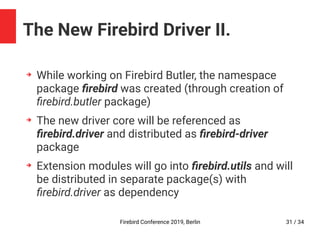
The New Firebird Driver II.
➔
While working on Firebird Butler, the namespace
package firebird was created (through creation of
firebird.butler package)
➔
The new driver core will be referenced as
firebird.driver and distributed as firebird-driver
package
➔
Extension modules will go into firebird.utils and will
be distributed in separate package(s) with
firebird.driver as dependency
Firebird Conference 2019, Berlin 32 / 34
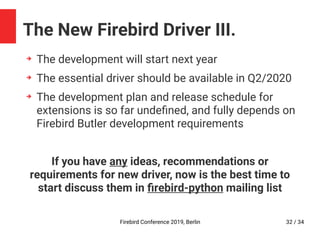
The New Firebird Driver III.
➔
The development will start next year
➔
The essential driver should be available in Q2/2020
➔
The development plan and release schedule for
extensions is so far undefined, and fully depends on
Firebird Butler development requirements
If you have any ideas, recommendations or
requirements for new driver, now is the best time to
start discuss them in firebird-python mailing list
Firebird Conference 2019, Berlin 33 / 34
Questions?
Firebird Conference 2019, Berlin 34 / 34
Thanks for your attention
Contacts:
✔ Email: pcisar@ibphoenix.cz
✔ www.ibphoenix.com
FDB:
✔ git: https://github.com/FirebirdSQL/fdb
✔ PyPI: https://pypi.org/project/fdb
✔ Documentation: https://fdb.rtfd.io/
✔ Mailing list: http://groups.yahoo.com/group/firebird-python/

Python with Firebird: FDB driver 101

  • 1.
    Firebird Conference 2019,Berlin Python with Firebird FDB driver 101 Pavel Císař maintainer of FDB driver IBPhoenix & Firebird Project
  • 2.
  • 3.
    Firebird Conference 2019,Berlin 3 / 34 History matters ➔ At the beginning, there was KInterbasDB Python driver for Interbase & Firebird, that set the standard. Over time, it becomes essential for Firebird QA… • FDB started in 2011 as pure Python replacement for discontinued KInterbasDB driver, to provide support for Firebird 2.5. • Initial release (v0.7) - 21th Dec 2011 • First “feature complete” release v1.0 - 7th Mar 2013 • Firebird 3 support, release v1.5 - 7th Jan 2016 • “SweetBitter” release (v2.0.0) - 27th Apr 2018
  • 4.
    Firebird Conference 2019,Berlin 4 / 34 Basic characteristics ➔ Uses fbclient Firebird client library ➔ Pure Python implementation (uses ctypes interface to fbclient library) ➔ Implemented in Python 2.7, but supports Python 3 as well ➔ Core API and architecture taken from KInterbasDB. In fact, FDB started as reimplementation of KDB in Python+ctypes. ➔ BSD License
  • 5.
    Firebird Conference 2019,Berlin 5 / 34 Design philosophy ➔ Core API limited by Python DB API 2.0 and backward compatibility with KinterbasDB ➔ Emphasis on supporting native Python constructs and idioms, i.e. data types, iterators, context managers, etc. ➔ Emphasis on complete support for Firebird features ➔ Emphasis on effective application creation Python and FDB are heavily used by IBPhoenix to create various tools and custom solutions ➔ Useful add-on modules Support for database schema, monitoring tables, various Firebird log processing etc.
  • 6.
    Firebird Conference 2019,Berlin 6 / 34 FDB package structure ● ibase: Python ctypes interface to Firebird client library. ● fbcore: Main driver source code. ● services: Code to work with Firebird Services. ● schema: Code to work with Firebird database schema (metadata). ● monitor: Code to work with Firebird monitoring tables. ● trace: Code for Firebird Trace & Audit processing. ● gstat: Code for Firebird gstat output processing. ● log: Code for Firebird server log processing. ● utils: Various classes & functions used by driver that are generally useful. ● blr: Firebird BLR-related definitions.
  • 7.
    Firebird Conference 2019,Berlin 7 / 34 Importing from package ➔ All important data, functions, classes & constants are available directly in fdb namespace, so there is no need to import or use fbcore and ibase submodules directly. ➔ Other submodules (like fdb.services submodule that contains functions and classes for work with Firebird Services) contain optional driver functionality that is not exposed directly through main module namespace. ➔ Because services submodule contains names also used by main driver (connect(), Connection), it’s advised to use fully qualified names when refering to them, or import them using from fdb.services import … as …
  • 8.
    Firebird Conference 2019,Berlin 8 / 34 Notable features ➔ Automatic conversion from/to unicode ➔ Support for stream BLOBs and huge BLOB values ➔ Multiple transactions per connection, distributed transactions, savepoints and retaining ➔ Firebird events ➔ Implicit conversion of input parameters from strings ➔ ARRAY type support ➔ Named cursors (i.e. … where current of … support)
  • 9.
    Firebird Conference 2019,Berlin 9 / 34 Automatic string conversion ➔ Geat for Python 3 users ➔ Requires attention in Python 2 ➔ FDB automatically converts parameter/return vaules between unicode and connection charset for CHAR, VARCHAR and TEXT BLOB columns ➔ Exceptions: • Character set OCTETS • Values passed as bytes (native string in P2)
  • 10.
    Firebird Conference 2019,Berlin 10 / 34 Stream access to BLOBs ➔ Two BLOB types: materialized and streamed ➔ Materialized are simply string values ➔ BLOB input parameters could be either string, or any file-like object that implements read() method ➔ For output BLOBs use Cursor.set_stream_blob() method, and FDB will return BlobReader object instead string ➔ Memory exhaustion safeguard: Any BLOB return value greater than configurable threshold (default 64K) will be returned as BlobReader
  • 11.
    Firebird Conference 2019,Berlin 11 / 34 Beyond pure connectivity Submodules schema, monitor and gstat often return list of objects that hold detail information. These list are instances of enhanced ObjectList, that provides: ✔ Filtering: filter(), ifilter(), ifilterfalse() ✔ Sorting: sort() ✔ Extracting/splitting: extract(), split() ✔ Testing: contains(), all(), any() ✔ Reporting: ecount(), report(), ireport() ✔ Fast key access: key, frozen, freeze(), get()
  • 12.
    Firebird Conference 2019,Berlin 12 / 34 ObjectList ➔ Works only with instances of the same class (hierarchy) ➔ Supports expressions referencing object attributes, that could be: • string referencing object as item Example: ”'action figurine' in item.name and item.quantity <= 3” • callable Example: lambda x: 'action figurine' in x.name and x.quantity <= 3
  • 13.
    Firebird Conference 2019,Berlin 13 / 34 Beyond pure connectivity II. ➔ Submodule schema was first extension beyond connectivity (v1.2 - May 2013) ➔ Database schema could be accessed in three different ways, each suitable for different use case: • By direct creation of fdb.schema.Schema instances that are then binded to particular Connection instance • Accessing fdb.Connection.schema property • Using ConnectionWithSchema instead Connection by specifying connection_class=ConnectionWithSchema parameter to connect() or create_database()
  • 14.
    Firebird Conference 2019,Berlin 14 / 34 Database schema The Schema provides information about: ✔ Database: Owner name, default character set, description, security class, nbackup backup history and whether database consist from single or multiple files. ✔ Facilities: Available character sets, collations, BLOB filters, database files and shadows. ✔ User objects: exceptions, generators, domains, tables and their constraints, indices, views, triggers, procedures, user roles, user defined functions and packages. ✔ System objects: generators, domains, tables and their constraints, indices, views, triggers, procedures, functions and backup history. ✔ Relations between objects: Through direct links between metadata objects and dependencies. ✔ Privileges: All privileges, or privileges granted for specific table, table column, view, view column, procedure or role. It’s also possible to get all privileges granted to specific user, role, procedure, trigger or view. Schema works with objects that hold information in properties and attributes, and provide common and special metadata operations.
  • 15.
    Firebird Conference 2019,Berlin 15 / 34 Database schema II. Schema object provides: ✔ bind(), close() to manage connection with database ✔ clear(), reload() to manage loaded schema ✔ get_metadata_ddl() to generate SQL DDL scripts ✔ Properties to access global database information Like: owner_name, default_character_set ✔ Properties to access lists of metadata objects of particular type Like: tables, systables, triggers, systriggers, privileges etc. ✔ get_*() methods to get object of particular type by name
  • 16.
    Firebird Conference 2019,Berlin 16 / 34 Database schema III. Common schema object attributes and operations: ✔ get_dependents() and get_dependencies() ✔ Properties name and description ✔ Property actions and get_sql_for() to generate DDL commands ✔ Visitor pattern support Individual metadata classes provide: ✔ Specific database object attributes ✔ Direct access to related metadata objects Like primary_key, columns, constraints, indices etc. for tables ✔ Useful check functions Like isgtt(), ispersistent(), has_pkey() etc. for tables
  • 17.
    Firebird Conference 2019,Berlin 17 / 34 Database schema IV. Live demonstration
  • 18.
    Firebird Conference 2019,Berlin 18 / 34 Beyond pure connectivity III. ➔ Submodule monitor was second extension beyond connectivity (v1.3 - Jun 2013) ➔ Like schema, monitoring tables could be accessed in two different ways, each suitable for different use case: • By direct creation of fdb.monitor.Monitor instances that are then binded to particular Connection instance • Accessing fdb.Connection.monitor property
  • 19.
    Firebird Conference 2019,Berlin 19 / 34 Monitoring tables The Monitor provides information about: ✔ Database ✔ Connections to database and current connection ✔ Transactions ✔ Executed SQL statements ✔ PSQL callstack ✔ Page and row I/O statistics, including memory usage ✔ Context variables
  • 20.
    Firebird Conference 2019,Berlin 20 / 34 Monitoring tables II. ➔ A snapshot of monitoring tables is created the first time any of the monitoring information is being accessed from in the given Monitor instance and it’s preserved until closed, clared or refreshed, in order that accessed information is always consistent ➔ There are two ways to refresh the snapshot: • Call Monitor.clear() method. New snapshot will be taken on next access to monitoring information • Call Monitor.refresh() method to take the new snapshot immediately
  • 21.
    Firebird Conference 2019,Berlin 21 / 34 Monitoring tables III. ➔ Like Schema, the Monitor instance provides access to monitoring tables via convenient object model. ➔ Individual monitor information classes provide: • Specific monitor object attributes • Direct access to related monitor objects Like attachment, transaction, iostats etc. for statements • Useful check functions Like isactive(), isidle(), isautoundo(), isreadonly() etc. for transactions • Attachment and Statement objects also provide terminate() method to terminate the att/stm
  • 22.
    Firebird Conference 2019,Berlin 22 / 34 Beyond pure connectivity IV. ➔ Submodules gstat, log and trace are latest extensions beyond connectivity (v2.0 - Apr 2018) ➔ Submodule gstat provides parse() function that transforms output from Firebird gstat utility into convenient object model ➔ Submodule log provides generator function parse() that processes sequence of text lines from Firebird server log, and yields named tuples for each log entry
  • 23.
    Firebird Conference 2019,Berlin 23 / 34 Firebird log parser Live demonstration
  • 24.
    Firebird Conference 2019,Berlin 24 / 34 Firebird trace output parser ➔ Submodule trace provides generator function parse() that processes sequence of text lines from Firebird trace or audit session, and yields named tuples for each database event ➔ Each type of database event has it’s own namedtuple class ➔ Complex information like table access statistitcs is present as list of specific named tuples
  • 25.
    Firebird Conference 2019,Berlin 25 / 34 Firebird trace output parser II. Common information (attachment, transaction, statement details) is present only as reference (ID) to specific Event or InfoRecord emmited by parser on first encounter. For example all database events contain attachment_id. When parsed event is not Attach/Dettach event, and contains information about attachment that was not seen yet, the parser extracts attachent information into separate AttachmentInfo named tuple that is emitted before parsed event. This ensures that all such references in events refer to previously emited event or info record that holds the full information.
  • 26.
    Firebird Conference 2019,Berlin The Future 2020 and beyond
  • 27.
    Firebird Conference 2019,Berlin 27 / 34 The “SweetBitter” FDB generation ➔ Version 2.0 was initial release of new “SweetBitter” driver generation ➔ During this (v2) generation FDB driver should undergo a transition from development centered around Python 2.7 / Firebird 2.x to development centered around Python 3 / Firebird 3 ➔ The second generation is also the last one that will directly support Python 2.7 and will be tested with Firebird 2
  • 28.
    Firebird Conference 2019,Berlin 28 / 34 The “SweetBitter” FDB generation ➔ By 2020, maintenance of both Python 2.x and Firebird 2.5 will end ➔ P2/P3 and FB2/3 compatibility code is deeply entangled into FDB code ➔ Compatibility to KinterbasDB is now more a burden than necessity ➔ Also internal architecture (heavily influenced by KinterbasDB) is not ideal (I would do it differently today)
  • 29.
    Firebird Conference 2019,Berlin 29 / 34 The “SweetBitter” FDB generation The FDB is now in maintenance mode only * There will be no version 3
  • 30.
    Firebird Conference 2019,Berlin 30 / 34 The New Firebird Driver ➔ We are starting anew, with Python 3.7 and Firebird 3 as baseline ➔ New package name, new source tree ➔ The design philosophy remains the same, with few adjustments: • Consistent use of type annotations • Consistent separation of individual functional units into separate packages within a namespace package
  • 31.
    Firebird Conference 2019,Berlin 31 / 34 The New Firebird Driver II. ➔ While working on Firebird Butler, the namespace package firebird was created (through creation of firebird.butler package) ➔ The new driver core will be referenced as firebird.driver and distributed as firebird-driver package ➔ Extension modules will go into firebird.utils and will be distributed in separate package(s) with firebird.driver as dependency
  • 32.
    Firebird Conference 2019,Berlin 32 / 34 The New Firebird Driver III. ➔ The development will start next year ➔ The essential driver should be available in Q2/2020 ➔ The development plan and release schedule for extensions is so far undefined, and fully depends on Firebird Butler development requirements If you have any ideas, recommendations or requirements for new driver, now is the best time to start discuss them in firebird-python mailing list
  • 33.
    Firebird Conference 2019,Berlin 33 / 34 Questions?
  • 34.
    Firebird Conference 2019,Berlin 34 / 34 Thanks for your attention Contacts: ✔ Email: pcisar@ibphoenix.cz ✔ www.ibphoenix.com FDB: ✔ git: https://github.com/FirebirdSQL/fdb ✔ PyPI: https://pypi.org/project/fdb ✔ Documentation: https://fdb.rtfd.io/ ✔ Mailing list: http://groups.yahoo.com/group/firebird-python/