Introduction to Python
Amrita A Nair & Nandu Sankar
S5 AE
A session by GDSC CET
What is Python?
A Programming Language :)
● Interpreted
● Object-oriented
● Dynamic semantics
● High-level built in data structures
● Modules and packages
● Program modularity
● Code reuse
● Easy-to-use
● Easy debugging
Why use Python?
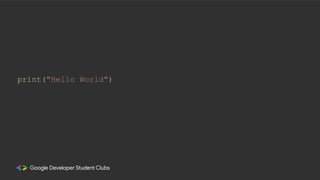
The ‘Hello World'
The first program by
every programmer ever:
print("Hello World")
• A variable is a name given to a memory location. It is the basic unit of
storage in a program.
• The value stored in a variable can be changed during program
execution.
Variables
● A variable name must start with a letter or the underscore character.
● A variable name cannot start with a number. Eg: 1str, 94name
● A variable name can only contain alphanumeric characters and
underscores (A-z, 0-9, and _ ).
● Variable names are case-sensitive (name, Name and NAME are three
different variables).
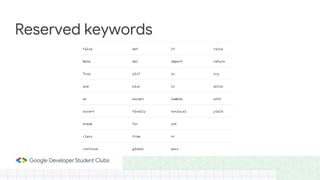
● The reserved words (keywords) cannot be used naming the variable.
Rules for creating variables
Reserved keywords
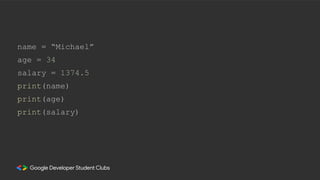
name = “Michael”
age = 34
salary = 1374.5
print(name)
print(age)
print(salary)
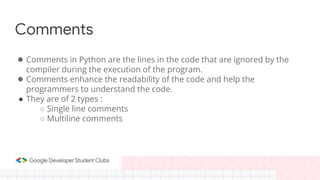
Comments
● Comments in Python are the lines in the code that are ignored by the
compiler during the execution of the program.
● Comments enhance the readability of the code and help the
programmers to understand the code.
● They are of 2 types :
○ Single line comments
○ Multiline comments
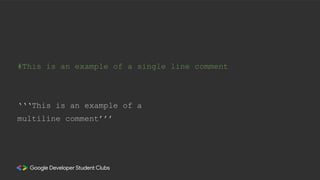
#This is an example of a single line comment
‘‘‘This is an example of a
multiline comment’’’
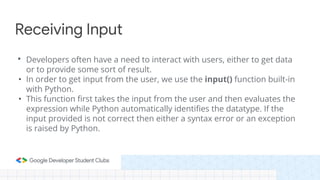
• Developers often have a need to interact with users, either to get data
or to provide some sort of result.
• In order to get input from the user, we use the input() function built-in
with Python.
• This function first takes the input from the user and then evaluates the
expression while Python automatically identifies the datatype. If the
input provided is not correct then either a syntax error or an exception
is raised by Python.
Receiving Input
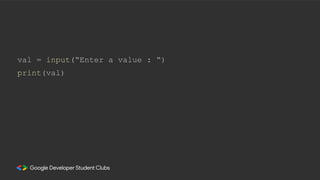
val = input(“Enter a value : “)
print(val)
To know the type of data that a variable is storing, we use the type()
function.
Type of input
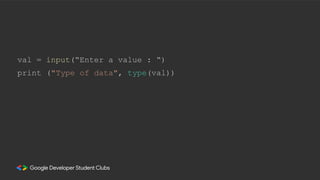
val = input(“Enter a value : “)
print ("Type of data", type(val))
Type Conversion
● Whatever you enter as input, the input() function converts it into a string.
● If you enter an integer value, input() function converts it into a string.
● You need to explicitly convert it into an integer in your code using what is
called typecasting.
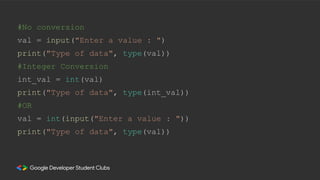
#No conversion
val = input("Enter a value : ")
print("Type of data", type(val))
#Integer Conversion
int_val = int(val)
print("Type of data", type(int_val))
#OR
val = int(input("Enter a value : "))
print("Type of data", type(val))
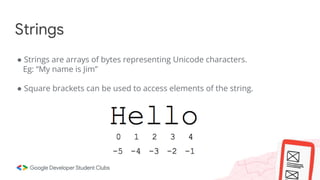
● Strings are arrays of bytes representing Unicode characters.
Eg: “My name is Jim”
● Square brackets can be used to access elements of the string.
Strings
● Strings in Python can be created using single quotes, double quotes or
even triple quotes.
Strings
Str1 = “College of Engineering Trivandrum”
print(Str1[0])
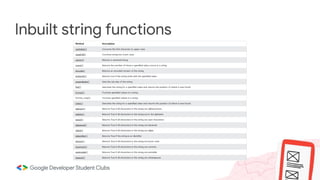
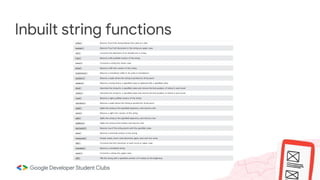
Inbuilt string functions
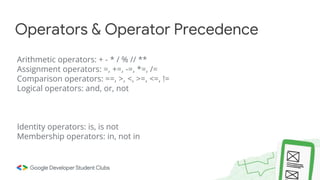
Operators & Operator Precedence
Arithmetic operators: + - * / % // **
Assignment operators: =, +=, -=, *=, /=
Comparison operators: ==, >, <, >=, <=, !=
Logical operators: and, or, not
Identity operators: is, is not
Membership operators: in, not in
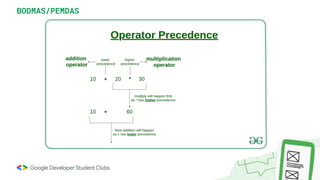
BODMAS/PEMDAS
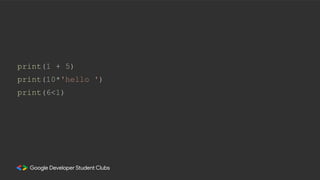
print(1 + 5)
print(10*'hello ')
print(6<1)
If, Elif & Else Statements
● Conditional Statements
● Used for Decision Making
● Control Flow Statement
Note: Indent!!! In python, indents are used to indicate that a piece of code
belongs to a certain block, i.e, the code that is at the same level of
indentation is considered a block of code.
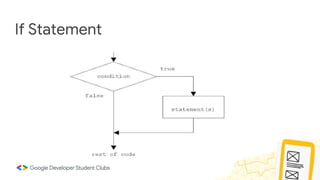
If Statement
● Used for Decision Making
Syntax:
if <condition>:
statement(s)
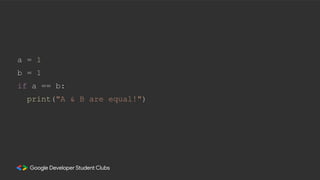
If Statement
a = 1
b = 1
if a == b:
print("A & B are equal!")
Else Statement
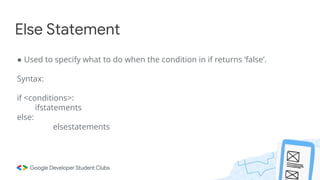
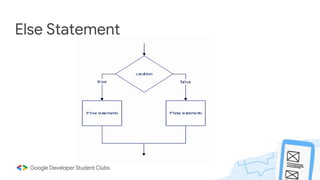
● Used to specify what to do when the condition in if returns ‘false’.
Syntax:
if <conditions>:
ifstatements
else:
elsestatements
Else Statement
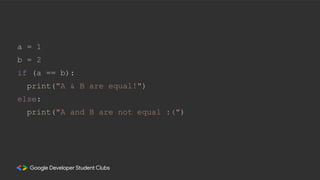
a = 1
b = 2
if (a == b):
print("A & B are equal!")
else:
print("A and B are not equal :(")
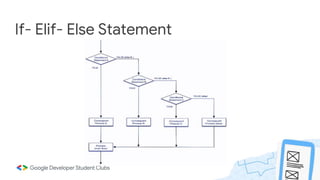
If- Elif- Else Statement
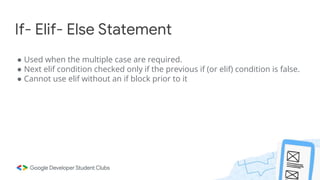
● Used when the multiple case are required.
● Next elif condition checked only if the previous if (or elif) condition is false.
● Cannot use elif without an if block prior to it
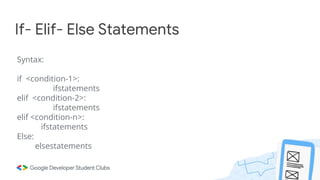
If- Elif- Else Statements
Syntax:
if <condition-1>:
ifstatements
elif <condition-2>:
ifstatements
elif <condition-n>:
ifstatements
Else:
elsestatements
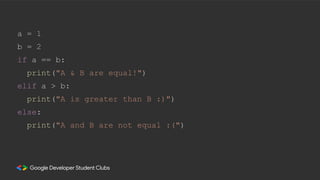
If- Elif- Else Statement
a = 1
b = 2
if a == b:
print("A & B are equal!")
elif a > b:
print("A is greater than B :)")
else:
print("A and B are not equal :(")
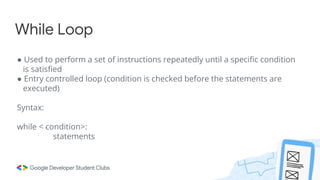
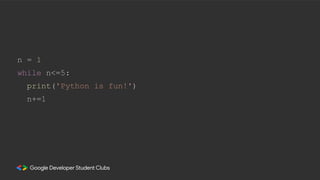
While Loop
● Used to perform a set of instructions repeatedly until a specific condition
is satisfied
● Entry controlled loop (condition is checked before the statements are
executed)
Syntax:
while < condition>:
statements
n = 1
while n<=5:
print('Python is fun!')
n+=1
• Most widely used data types in Python.
• Square brackets [ ], comma separated.
• Data items of any data type, be it an integer type or a boolean type.
• Mutable, i.e, list can be edited.
Lists
List1 = [10, 'ABC', 13.5435, True]
print(List1)
List1 = [10, 20, 14]
print(List1)
List = ["My", "Name", "is", "Amrita"]
print(List[0])
List = [['GDSC', 'CET'] , ['Google Developer Student Club']]
print(List)
List1 = ['a','b','c','d','e']
print(List1)
List2 = List1[:-4]
print(List2)
List3 = List1[-4:-1]
print(List3)
Sliced_List = List[::-1]
print(Sliced_List)
List1 = []
print(len(List1))
L1 = [1,2,3,4,5,6,7,8,9,0]
print(len(L1))
L1.pop()
print(L1)
L1.pop(2)
print(L1)
L1.remove(5)
L1.remove(6)
print(L1)
L1.extend(['a', 4, 4.45])
print(L1)
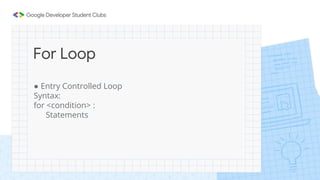
For Loop
● Entry Controlled Loop
Syntax:
for <condition> :
Statements
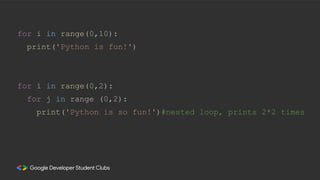
for i in range(0,10):
print('Python is fun!')
for i in range(0,2):
for j in range (0,2):
print('Python is so fun!')#nested loop, prints 2*2 times
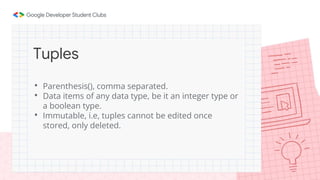
• Parenthesis(), comma separated.
• Data items of any data type, be it an integer type or
a boolean type.
• Immutable, i.e, tuples cannot be edited once
stored, only deleted.
Tuples
tup1 = ('a', 'b', 1, 2, 3);
tup2 = (12, 34.56);
print(tup1)
print(tup2)
print(tup2[0])
print(tup1[1:5])
#del tup1
#print (tup1)
tup2 = (12, 34.56);
tup3 = tup1 + tup2;
print (tup3)
● Import modules and libraries to access functions
present in them
Syntax:
I. import <modulename>
II. from <modulename> import <function>
III. import <modulename> as <abbrreviation>
Importing Modules
import math
n= math.pi*5
print(n)
import numpy as np
n= np.array([1,2,3,43,554])
print(type(n))
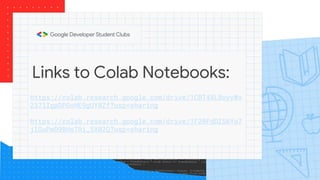
Links to Colab Notebooks:
https://colab.research.google.com/drive/1CBT4XL8oyyWx
237lIgpDPGoHE9gUY8Zf?usp=sharing
https://colab.research.google.com/drive/1F20FdDZS6Yo7
jlGuPwD9BHs7Ri_5X02Q?usp=sharing

Python ppt

  • 1.
    Introduction to Python AmritaA Nair & Nandu Sankar S5 AE A session by GDSC CET
  • 2.
    What is Python? AProgramming Language :) ● Interpreted ● Object-oriented ● Dynamic semantics ● High-level built in data structures
  • 3.
    ● Modules andpackages ● Program modularity ● Code reuse ● Easy-to-use ● Easy debugging Why use Python?
  • 4.
    The ‘Hello World' Thefirst program by every programmer ever:
  • 5.
  • 6.
    • A variableis a name given to a memory location. It is the basic unit of storage in a program. • The value stored in a variable can be changed during program execution. Variables
  • 7.
    ● A variablename must start with a letter or the underscore character. ● A variable name cannot start with a number. Eg: 1str, 94name ● A variable name can only contain alphanumeric characters and underscores (A-z, 0-9, and _ ). ● Variable names are case-sensitive (name, Name and NAME are three different variables). ● The reserved words (keywords) cannot be used naming the variable. Rules for creating variables
  • 8.
  • 9.
    name = “Michael” age= 34 salary = 1374.5 print(name) print(age) print(salary)
  • 10.
    Comments ● Comments inPython are the lines in the code that are ignored by the compiler during the execution of the program. ● Comments enhance the readability of the code and help the programmers to understand the code. ● They are of 2 types : ○ Single line comments ○ Multiline comments
  • 11.
    #This is anexample of a single line comment ‘‘‘This is an example of a multiline comment’’’
  • 12.
    • Developers oftenhave a need to interact with users, either to get data or to provide some sort of result. • In order to get input from the user, we use the input() function built-in with Python. • This function first takes the input from the user and then evaluates the expression while Python automatically identifies the datatype. If the input provided is not correct then either a syntax error or an exception is raised by Python. Receiving Input
  • 13.
    val = input(“Entera value : “) print(val)
  • 14.
    To know thetype of data that a variable is storing, we use the type() function. Type of input
  • 15.
    val = input(“Entera value : “) print ("Type of data", type(val))
  • 16.
    Type Conversion ● Whateveryou enter as input, the input() function converts it into a string. ● If you enter an integer value, input() function converts it into a string. ● You need to explicitly convert it into an integer in your code using what is called typecasting.
  • 17.
    #No conversion val =input("Enter a value : ") print("Type of data", type(val)) #Integer Conversion int_val = int(val) print("Type of data", type(int_val)) #OR val = int(input("Enter a value : ")) print("Type of data", type(val))
  • 18.
    ● Strings arearrays of bytes representing Unicode characters. Eg: “My name is Jim” ● Square brackets can be used to access elements of the string. Strings
  • 19.
    ● Strings inPython can be created using single quotes, double quotes or even triple quotes. Strings
  • 20.
    Str1 = “Collegeof Engineering Trivandrum” print(Str1[0])
  • 21.
  • 22.
  • 23.
    Operators & OperatorPrecedence Arithmetic operators: + - * / % // ** Assignment operators: =, +=, -=, *=, /= Comparison operators: ==, >, <, >=, <=, != Logical operators: and, or, not Identity operators: is, is not Membership operators: in, not in
  • 24.
  • 25.
  • 26.
    If, Elif &Else Statements ● Conditional Statements ● Used for Decision Making ● Control Flow Statement Note: Indent!!! In python, indents are used to indicate that a piece of code belongs to a certain block, i.e, the code that is at the same level of indentation is considered a block of code.
  • 27.
    If Statement ● Usedfor Decision Making Syntax: if <condition>: statement(s)
  • 28.
  • 29.
    a = 1 b= 1 if a == b: print("A & B are equal!")
  • 30.
    Else Statement ● Usedto specify what to do when the condition in if returns ‘false’. Syntax: if <conditions>: ifstatements else: elsestatements
  • 31.
  • 32.
    a = 1 b= 2 if (a == b): print("A & B are equal!") else: print("A and B are not equal :(")
  • 33.
    If- Elif- ElseStatement ● Used when the multiple case are required. ● Next elif condition checked only if the previous if (or elif) condition is false. ● Cannot use elif without an if block prior to it
  • 34.
    If- Elif- ElseStatements Syntax: if <condition-1>: ifstatements elif <condition-2>: ifstatements elif <condition-n>: ifstatements Else: elsestatements
  • 35.
    If- Elif- ElseStatement
  • 36.
    a = 1 b= 2 if a == b: print("A & B are equal!") elif a > b: print("A is greater than B :)") else: print("A and B are not equal :(")
  • 37.
    While Loop ● Usedto perform a set of instructions repeatedly until a specific condition is satisfied ● Entry controlled loop (condition is checked before the statements are executed) Syntax: while < condition>: statements
  • 38.
    n = 1 whilen<=5: print('Python is fun!') n+=1
  • 39.
    • Most widelyused data types in Python. • Square brackets [ ], comma separated. • Data items of any data type, be it an integer type or a boolean type. • Mutable, i.e, list can be edited. Lists
  • 40.
    List1 = [10,'ABC', 13.5435, True] print(List1) List1 = [10, 20, 14] print(List1) List = ["My", "Name", "is", "Amrita"] print(List[0]) List = [['GDSC', 'CET'] , ['Google Developer Student Club']] print(List)
  • 41.
    List1 = ['a','b','c','d','e'] print(List1) List2= List1[:-4] print(List2) List3 = List1[-4:-1] print(List3) Sliced_List = List[::-1] print(Sliced_List) List1 = [] print(len(List1))
  • 42.
  • 43.
    For Loop ● EntryControlled Loop Syntax: for <condition> : Statements
  • 44.
    for i inrange(0,10): print('Python is fun!') for i in range(0,2): for j in range (0,2): print('Python is so fun!')#nested loop, prints 2*2 times
  • 45.
    • Parenthesis(), commaseparated. • Data items of any data type, be it an integer type or a boolean type. • Immutable, i.e, tuples cannot be edited once stored, only deleted. Tuples
  • 46.
    tup1 = ('a','b', 1, 2, 3); tup2 = (12, 34.56); print(tup1) print(tup2) print(tup2[0]) print(tup1[1:5]) #del tup1 #print (tup1) tup2 = (12, 34.56); tup3 = tup1 + tup2; print (tup3)
  • 47.
    ● Import modulesand libraries to access functions present in them Syntax: I. import <modulename> II. from <modulename> import <function> III. import <modulename> as <abbrreviation> Importing Modules
  • 48.
    import math n= math.pi*5 print(n) importnumpy as np n= np.array([1,2,3,43,554]) print(type(n))
  • 49.
    Links to ColabNotebooks: https://colab.research.google.com/drive/1CBT4XL8oyyWx 237lIgpDPGoHE9gUY8Zf?usp=sharing https://colab.research.google.com/drive/1F20FdDZS6Yo7 jlGuPwD9BHs7Ri_5X02Q?usp=sharing