Python Programming, 2/e1
Objectives
• To understand the concept of data types.
• To be familiar with the basic numeric data
types in Python.
• To understand the fundamental principles
of how numbers are represented on a
computer.
2.
Python Programming, 2/e2
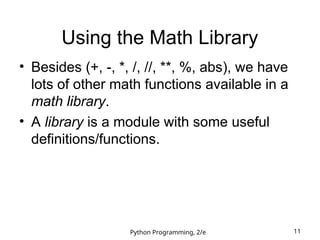
Objectives (cont.)
• To be able to use the Python math library.
• To understand the accumulator program
pattern.
• To be able to read and write programs that
process numerical data.
3.
Python Programming, 2/e3
Numeric Data Types
• The information that is stored and
manipulated bu computers programs is
referred to as data.
• There are two different kinds of numbers!
– (5, 4, 3, 6) are whole numbers – they don’t
have a fractional part
– (.25, .10, .05, .01) are decimal fractions
4.
Python Programming, 2/e4
Numeric Data Types
– Inside the computer, whole numbers and
decimal fractions are represented quite
differently!
– We say that decimal fractions and whole
numbers are two different data types.
• The data type of an object determines
what values it can have and what
operations can be performed on it.
5.
Python Programming, 2/e5
Numeric Data Types
• Whole numbers are represented using the
integer (int for short) data type.
• These values can be positive or negative
whole numbers.
6.
Python Programming, 2/e6
Numeric Data Types
• Numbers that can have fractional parts are
represented as floating point (or float)
values.
• How can we tell which is which?
– A numeric literal without a decimal point
produces an int value
– A literal that has a decimal point is
represented by a float (even if the fractional
part is 0)
7.
Python Programming, 2/e7
Numeric Data Types
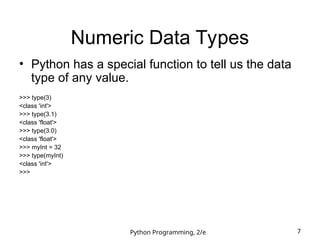
• Python has a special function to tell us the data
type of any value.
>>> type(3)
<class 'int'>
>>> type(3.1)
<class 'float'>
>>> type(3.0)
<class 'float'>
>>> myInt = 32
>>> type(myInt)
<class 'int'>
>>>
8.
Python Programming, 2/e8
Numeric Data Types
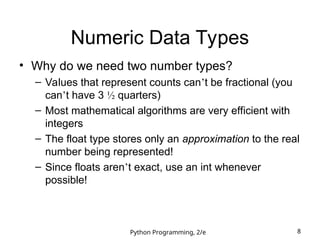
• Why do we need two number types?
– Values that represent counts can’t be fractional (you
can’t have 3 ½ quarters)
– Most mathematical algorithms are very efficient with
integers
– The float type stores only an approximation to the real
number being represented!
– Since floats aren’t exact, use an int whenever
possible!
9.
Python Programming, 2/e9
Numeric Data Types
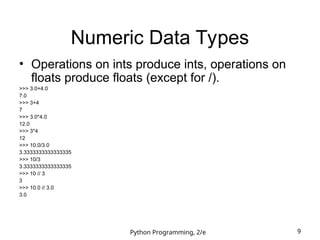
• Operations on ints produce ints, operations on
floats produce floats (except for /).
>>> 3.0+4.0
7.0
>>> 3+4
7
>>> 3.0*4.0
12.0
>>> 3*4
12
>>> 10.0/3.0
3.3333333333333335
>>> 10/3
3.3333333333333335
>>> 10 // 3
3
>>> 10.0 // 3.0
3.0
10.
Python Programming, 2/e10
Numeric Data Types
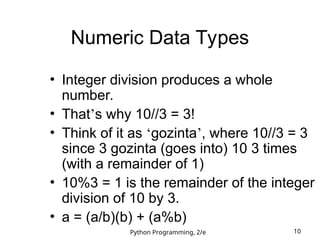
• Integer division produces a whole
number.
• That’s why 10//3 = 3!
• Think of it as ‘gozinta’, where 10//3 = 3
since 3 gozinta (goes into) 10 3 times
(with a remainder of 1)
• 10%3 = 1 is the remainder of the integer
division of 10 by 3.
• a = (a/b)(b) + (a%b)
11.
Python Programming, 2/e11
Using the Math Library
• Besides (+, -, *, /, //, **, %, abs), we have
lots of other math functions available in a
math library.
• A library is a module with some useful
definitions/functions.
12.
Python Programming, 2/e12
Using the Math Library
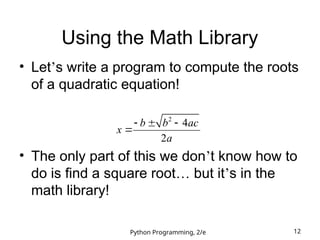
• Let’s write a program to compute the roots
of a quadratic equation!
• The only part of this we don’t know how to
do is find a square root… but it’s in the
math library!
2
4
2
b b ac
x
a
13.
Python Programming, 2/e13
Using the Math Library
• To use a library, we need to make sure
this line is in our program:
import math
• Importing a library makes whatever
functions are defined within it available to
the program.
14.
Python Programming, 2/e14
Using the Math Library
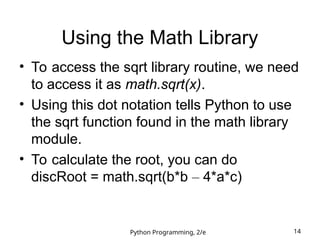
• To access the sqrt library routine, we need
to access it as math.sqrt(x).
• Using this dot notation tells Python to use
the sqrt function found in the math library
module.
• To calculate the root, you can do
discRoot = math.sqrt(b*b – 4*a*c)
15.
Python Programming, 2/e15
Using the Math Library
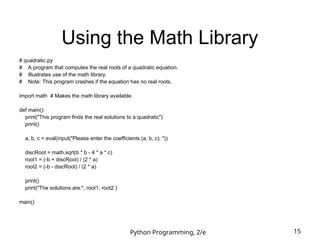
# quadratic.py
# A program that computes the real roots of a quadratic equation.
# Illustrates use of the math library.
# Note: This program crashes if the equation has no real roots.
import math # Makes the math library available.
def main():
print("This program finds the real solutions to a quadratic")
print()
a, b, c = eval(input("Please enter the coefficients (a, b, c): "))
discRoot = math.sqrt(b * b - 4 * a * c)
root1 = (-b + discRoot) / (2 * a)
root2 = (-b - discRoot) / (2 * a)
print()
print("The solutions are:", root1, root2 )
main()
16.
Python Programming, 2/e16
Using the Math Library
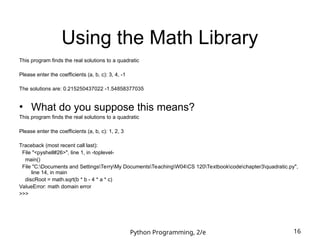
This program finds the real solutions to a quadratic
Please enter the coefficients (a, b, c): 3, 4, -1
The solutions are: 0.215250437022 -1.54858377035
• What do you suppose this means?
This program finds the real solutions to a quadratic
Please enter the coefficients (a, b, c): 1, 2, 3
Traceback (most recent call last):
File "<pyshell#26>", line 1, in -toplevel-
main()
File "C:Documents and SettingsTerryMy DocumentsTeachingW04CS 120Textbookcodechapter3quadratic.py",
line 14, in main
discRoot = math.sqrt(b * b - 4 * a * c)
ValueError: math domain error
>>>
17.
Python Programming, 2/e17
Math Library
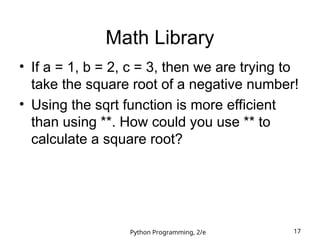
• If a = 1, b = 2, c = 3, then we are trying to
take the square root of a negative number!
• Using the sqrt function is more efficient
than using **. How could you use ** to
calculate a square root?
18.
Python Programming, 2/e18
Accumulating Results: Factorial
• Say you are waiting in a line with five other
people. How many ways are there to
arrange the six people?
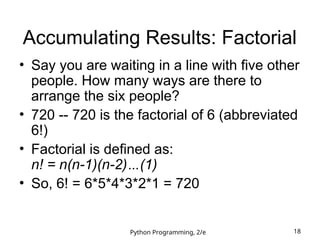
• 720 -- 720 is the factorial of 6 (abbreviated
6!)
• Factorial is defined as:
n! = n(n-1)(n-2)…(1)
• So, 6! = 6*5*4*3*2*1 = 720
19.
Python Programming, 2/e19
Accumulating Results: Factorial
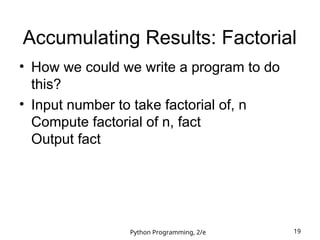
• How we could we write a program to do
this?
• Input number to take factorial of, n
Compute factorial of n, fact
Output fact
20.
Python Programming, 2/e20
Accumulating Results: Factorial
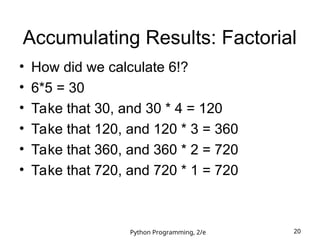
• How did we calculate 6!?
• 6*5 = 30
• Take that 30, and 30 * 4 = 120
• Take that 120, and 120 * 3 = 360
• Take that 360, and 360 * 2 = 720
• Take that 720, and 720 * 1 = 720
21.
Python Programming, 2/e21
Accumulating Results: Factorial
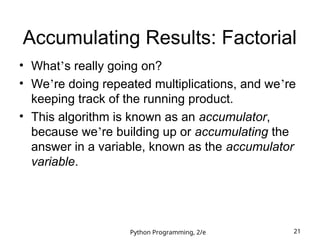
• What’s really going on?
• We’re doing repeated multiplications, and we’re
keeping track of the running product.
• This algorithm is known as an accumulator,
because we’re building up or accumulating the
answer in a variable, known as the accumulator
variable.
22.
Python Programming, 2/e22
Accumulating Results: Factorial
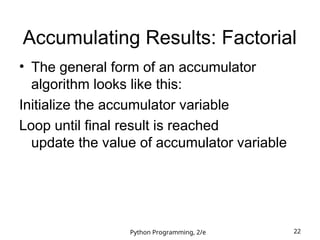
• The general form of an accumulator
algorithm looks like this:
Initialize the accumulator variable
Loop until final result is reached
update the value of accumulator variable
23.
Python Programming, 2/e23
Accumulating Results: Factorial
• It looks like we’ll need a loop!
fact = 1
for factor in [6, 5, 4, 3, 2, 1]:
fact = fact * factor
• Let’s trace through it to verify that this
works!
24.
Python Programming, 2/e24
Accumulating Results: Factorial
• Why did we need to initialize fact to 1?
There are a couple reasons…
– Each time through the loop, the previous
value of fact is used to calculate the next
value of fact. By doing the initialization, you
know fact will have a value the first time
through.
– If you use fact without assigning it a value,
what does Python do?
25.
Python Programming, 2/e25
Accumulating Results: Factorial
• Since multiplication is associative and
commutative, we can rewrite our program
as:
fact = 1
for factor in [2, 3, 4, 5, 6]:
fact = fact * factor
• Great! But what if we want to find the
factorial of some other number??
26.
Python Programming, 2/e26
Accumulating Results: Factorial
• What does range(n) return?
0, 1, 2, 3, …, n-1
• range has another optional parameter!
range(start, n) returns
start, start + 1, …, n-1
• But wait! There’s more!
range(start, n, step)
start, start+step, …, n-1
• list(<sequence>) to make a list
Python Programming, 2/e28
Accumulating Results: Factorial
• Using this souped-up range statement, we
can do the range for our loop a couple
different ways.
– We can count up from 2 to n:
range(2, n+1)
(Why did we have to use n+1?)
– We can count down from n to 2:
range(n, 1, -1)
29.
Python Programming, 2/e29
Accumulating Results: Factorial
• Our completed factorial program:
# factorial.py
# Program to compute the factorial of a number
# Illustrates for loop with an accumulator
def main():
n = eval(input("Please enter a whole number: "))
fact = 1
for factor in range(n,1,-1):
fact = fact * factor
print("The factorial of", n, "is", fact)
main()
30.
Python Programming, 2/e30
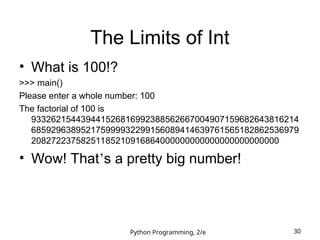
The Limits of Int
• What is 100!?
>>> main()
Please enter a whole number: 100
The factorial of 100 is
933262154439441526816992388562667004907159682643816214
685929638952175999932299156089414639761565182862536979
20827223758251185210916864000000000000000000000000
• Wow! That’s a pretty big number!
31.
Python Programming, 2/e31
The Limits of Int
• Newer versions of Python can handle it, but…
Python 1.5.2 (#0, Apr 13 1999, 10:51:12) [MSC 32 bit (Intel)] on win32
Copyright 1991-1995 Stichting Mathematisch Centrum, Amsterdam
>>> import fact
>>> fact.main()
Please enter a whole number: 13
13
12
11
10
9
8
7
6
5
4
Traceback (innermost last):
File "<pyshell#1>", line 1, in ?
fact.main()
File "C:PROGRA~1PYTHON~1.2fact.py", line 5, in main
fact=fact*factor
OverflowError: integer multiplication
32.
Python Programming, 2/e32
The Limits of Int
• What’s going on?
– While there are an infinite number of integers,
there is a finite range of ints that can be
represented.
– This range depends on the number of bits a
particular CPU uses to represent an integer
value. Typical PCs use 32 bits.
33.
Python Programming, 2/e33
The Limits of Int
• Typical PCs use 32 bits
• That means there are 232
possible values,
centered at 0.
• This range then is –231
to 231
-1. We need
to subtract one from the top end to
account for 0.
• But our 100! is much larger than this. How
does it work?
34.
Python Programming, 2/e34
Handling Large Numbers
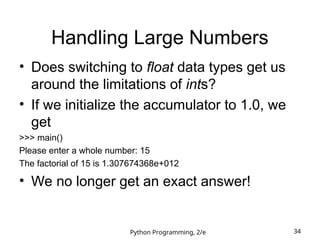
• Does switching to float data types get us
around the limitations of ints?
• If we initialize the accumulator to 1.0, we
get
>>> main()
Please enter a whole number: 15
The factorial of 15 is 1.307674368e+012
• We no longer get an exact answer!
35.
Python Programming, 2/e35
Handling Large Numbers: Long
Int
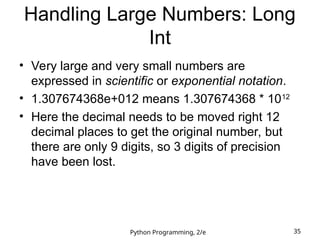
• Very large and very small numbers are
expressed in scientific or exponential notation.
• 1.307674368e+012 means 1.307674368 * 1012
• Here the decimal needs to be moved right 12
decimal places to get the original number, but
there are only 9 digits, so 3 digits of precision
have been lost.
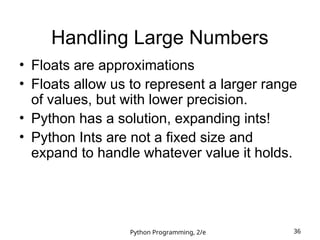
36.
Python Programming, 2/e36
Handling Large Numbers
• Floats are approximations
• Floats allow us to represent a larger range
of values, but with lower precision.
• Python has a solution, expanding ints!
• Python Ints are not a fixed size and
expand to handle whatever value it holds.
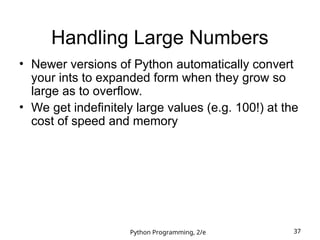
37.
Python Programming, 2/e37
Handling Large Numbers
• Newer versions of Python automatically convert
your ints to expanded form when they grow so
large as to overflow.
• We get indefinitely large values (e.g. 100!) at the
cost of speed and memory
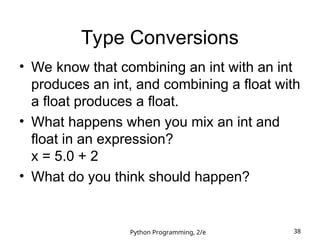
38.
Python Programming, 2/e38
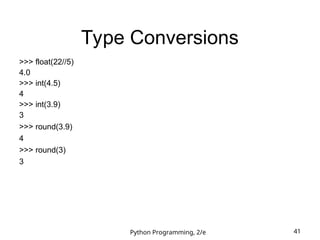
Type Conversions
• We know that combining an int with an int
produces an int, and combining a float with
a float produces a float.
• What happens when you mix an int and
float in an expression?
x = 5.0 + 2
• What do you think should happen?
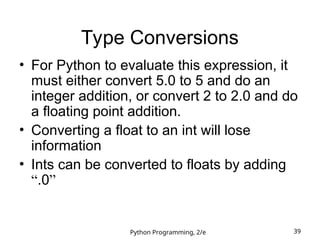
39.
Python Programming, 2/e39
Type Conversions
• For Python to evaluate this expression, it
must either convert 5.0 to 5 and do an
integer addition, or convert 2 to 2.0 and do
a floating point addition.
• Converting a float to an int will lose
information
• Ints can be converted to floats by adding
“.0”
40.
Python Programming, 2/e40
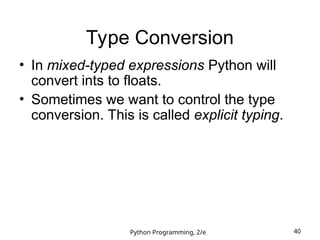
Type Conversion
• In mixed-typed expressions Python will
convert ints to floats.
• Sometimes we want to control the type
conversion. This is called explicit typing.

![Python Programming, 2/e 23
Accumulating Results: Factorial
• It looks like we’ll need a loop!
fact = 1
for factor in [6, 5, 4, 3, 2, 1]:
fact = fact * factor
• Let’s trace through it to verify that this
works!](https://image.slidesharecdn.com/pythonlib-250630035846-2ac9aecf/85/python-libsdafsdsfsdfsdsdfasdfsdsdaffds-ppt-23-320.jpg)
![Python Programming, 2/e 25
Accumulating Results: Factorial
• Since multiplication is associative and
commutative, we can rewrite our program
as:
fact = 1
for factor in [2, 3, 4, 5, 6]:
fact = fact * factor
• Great! But what if we want to find the
factorial of some other number??](https://image.slidesharecdn.com/pythonlib-250630035846-2ac9aecf/85/python-libsdafsdsfsdfsdsdfasdfsdsdaffds-ppt-25-320.jpg)
![Python Programming, 2/e 27
Accumulating Results: Factorial
• Let’s try some examples!
>>> list(range(10))
[0, 1, 2, 3, 4, 5, 6, 7, 8, 9]
>>> list(range(5,10))
[5, 6, 7, 8, 9]
>>> list(range(5,10,2))
[5, 7, 9]](https://image.slidesharecdn.com/pythonlib-250630035846-2ac9aecf/85/python-libsdafsdsfsdfsdsdfasdfsdsdaffds-ppt-27-320.jpg)
![Python Programming, 2/e 31
The Limits of Int
• Newer versions of Python can handle it, but…
Python 1.5.2 (#0, Apr 13 1999, 10:51:12) [MSC 32 bit (Intel)] on win32
Copyright 1991-1995 Stichting Mathematisch Centrum, Amsterdam
>>> import fact
>>> fact.main()
Please enter a whole number: 13
13
12
11
10
9
8
7
6
5
4
Traceback (innermost last):
File "<pyshell#1>", line 1, in ?
fact.main()
File "C:PROGRA~1PYTHON~1.2fact.py", line 5, in main
fact=fact*factor
OverflowError: integer multiplication](https://image.slidesharecdn.com/pythonlib-250630035846-2ac9aecf/85/python-libsdafsdsfsdfsdsdfasdfsdsdaffds-ppt-31-320.jpg)