Basics of
Python
UNIT 4
Python Dictionary
 Dictionaries are a useful data structure for storing data in
Python because they are capable of imitating real-world data
arrangements where a certain value exists for a given key.
 The data is stored as key-value pairs using a Python dictionary.
 This data structure is mutable
 The components of dictionary were made using keys and values.
 Keys must only have one component.
 Values can be of any type, including integer, list, and tuple.
Creating the Dictionary
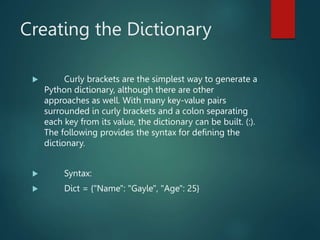
 Curly brackets are the simplest way to generate a
Python dictionary, although there are other
approaches as well. With many key-value pairs
surrounded in curly brackets and a colon separating
each key from its value, the dictionary can be built. (:).
The following provides the syntax for defining the
dictionary.
 Syntax:
 Dict = {"Name": "Gayle", "Age": 25}
Python provides the built-in function dict() method
which is also used to create the dictionary.
The empty curly braces {} is used to create empty dictionary.
Accessing the dictionary
values
 To access data contained in lists and tuples,
indexing has been studied. The keys of the dictionary
can be used to obtain the values because they are
unique from one another. The following method can
be used to access dictionary values.
Adding Dictionary Values
 The dictionary is a mutable data type, and
utilising the right keys allows you to change its values.
Dict[key] = value and the value can both be modified.
An existing value can also be updated using the
update() method.
Deleting Elements using del
Keyword
 The items of the dictionary can be deleted by
using the del keyword as given below.
Dictionary Methods
 Dictionary in python is one of the most frequently
used collection data type. It is represented by hey
value pairs. Keys are indexed but values may not be.
There are many python-built in functions that make
using the dictionary very easy in various python
programs. In this topic we will see the three in-built
methods namely cmp(), len() and items().
cmp()
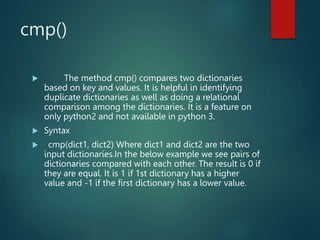
 The method cmp() compares two dictionaries
based on key and values. It is helpful in identifying
duplicate dictionaries as well as doing a relational
comparison among the dictionaries. It is a feature on
only python2 and not available in python 3.
 Syntax
 cmp(dict1, dict2) Where dict1 and dict2 are the two
input dictionaries.In the below example we see pairs of
dictionaries compared with each other. The result is 0 if
they are equal. It is 1 if 1st dictionary has a higher
value and -1 if the first dictionary has a lower value.
len()
 This method gives the total length of the
dictionary which is equal to the number of items. An
item is a key value pair.
 Syntax
 len(dict)In the below example we see the length of
dictionaries.
dict.items()
 Sometimes we may need to print out the key
value pairs of a dictionary as a list of tuple pairs. The
length method gives this result.
 Syntax
 Dictionayname.items()In the below example we
see two dictionaries and get the items in each of them
as a tuple pairs.
Errors and Exceptions in
Python
 Errors are the problems in a program due to
which the program will stop the execution. On the
other hand, exceptions are raised when some internal
events occur which changes the normal flow of the
program.
Two types of Error occurs in python.
 Syntax errors
 Logical errors (Exceptions)
Syntax errors
 When the proper syntax of the language is not followed then a syntax error is thrown.
 # initialize the amount variable
 amount = 10000
 # check that You are eligible to
 # purchase Dsa Self Paced or not
 if(amount>2999)
 print("You are eligible to purchase Dsa Self Paced")



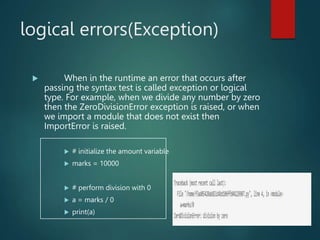
logical errors(Exception)
 When in the runtime an error that occurs after
passing the syntax test is called exception or logical
type. For example, when we divide any number by zero
then the ZeroDivisionError exception is raised, or when
we import a module that does not exist then
ImportError is raised.
 # initialize the amount variable
 marks = 10000
 # perform division with 0
 a = marks / 0
 print(a)
Error Handling
 When an error and an exception are raised then
we handle that with the help of the Handling method.
 Handling Exceptions with Try/Except/Finally :
We can handle errors by the Try/Except/Finally
method. we write unsafe code in the try, fall back code
in except and final code in finally block.
 # put unsafe operation in try block
 try:
 print("code start")

 # unsafe operation perform
 print(1 / 0)
 # if error occur the it goes in except block
 except:
 print("an error occurs")
 # final code in finally block
 finally:
 print("GeeksForGeeks")
Raising exceptions for a
predefined condition
 When we want to code for the limitation of
certain conditions then we can raise an exception.

python full notes data types string and tuple

  • 1.
  • 2.
    Python Dictionary  Dictionariesare a useful data structure for storing data in Python because they are capable of imitating real-world data arrangements where a certain value exists for a given key.  The data is stored as key-value pairs using a Python dictionary.  This data structure is mutable  The components of dictionary were made using keys and values.  Keys must only have one component.  Values can be of any type, including integer, list, and tuple.
  • 3.
    Creating the Dictionary Curly brackets are the simplest way to generate a Python dictionary, although there are other approaches as well. With many key-value pairs surrounded in curly brackets and a colon separating each key from its value, the dictionary can be built. (:). The following provides the syntax for defining the dictionary.  Syntax:  Dict = {"Name": "Gayle", "Age": 25}
  • 4.
    Python provides thebuilt-in function dict() method which is also used to create the dictionary. The empty curly braces {} is used to create empty dictionary.
  • 5.
    Accessing the dictionary values To access data contained in lists and tuples, indexing has been studied. The keys of the dictionary can be used to obtain the values because they are unique from one another. The following method can be used to access dictionary values.
  • 7.
    Adding Dictionary Values The dictionary is a mutable data type, and utilising the right keys allows you to change its values. Dict[key] = value and the value can both be modified. An existing value can also be updated using the update() method.
  • 8.
    Deleting Elements usingdel Keyword  The items of the dictionary can be deleted by using the del keyword as given below.
  • 9.
    Dictionary Methods  Dictionaryin python is one of the most frequently used collection data type. It is represented by hey value pairs. Keys are indexed but values may not be. There are many python-built in functions that make using the dictionary very easy in various python programs. In this topic we will see the three in-built methods namely cmp(), len() and items().
  • 10.
    cmp()  The methodcmp() compares two dictionaries based on key and values. It is helpful in identifying duplicate dictionaries as well as doing a relational comparison among the dictionaries. It is a feature on only python2 and not available in python 3.  Syntax  cmp(dict1, dict2) Where dict1 and dict2 are the two input dictionaries.In the below example we see pairs of dictionaries compared with each other. The result is 0 if they are equal. It is 1 if 1st dictionary has a higher value and -1 if the first dictionary has a lower value.
  • 11.
    len()  This methodgives the total length of the dictionary which is equal to the number of items. An item is a key value pair.  Syntax  len(dict)In the below example we see the length of dictionaries.
  • 12.
    dict.items()  Sometimes wemay need to print out the key value pairs of a dictionary as a list of tuple pairs. The length method gives this result.  Syntax  Dictionayname.items()In the below example we see two dictionaries and get the items in each of them as a tuple pairs.
  • 13.
    Errors and Exceptionsin Python  Errors are the problems in a program due to which the program will stop the execution. On the other hand, exceptions are raised when some internal events occur which changes the normal flow of the program. Two types of Error occurs in python.  Syntax errors  Logical errors (Exceptions)
  • 14.
    Syntax errors  Whenthe proper syntax of the language is not followed then a syntax error is thrown.  # initialize the amount variable  amount = 10000  # check that You are eligible to  # purchase Dsa Self Paced or not  if(amount>2999)  print("You are eligible to purchase Dsa Self Paced")   
  • 15.
    logical errors(Exception)  Whenin the runtime an error that occurs after passing the syntax test is called exception or logical type. For example, when we divide any number by zero then the ZeroDivisionError exception is raised, or when we import a module that does not exist then ImportError is raised.  # initialize the amount variable  marks = 10000  # perform division with 0  a = marks / 0  print(a)
  • 16.
    Error Handling  Whenan error and an exception are raised then we handle that with the help of the Handling method.  Handling Exceptions with Try/Except/Finally : We can handle errors by the Try/Except/Finally method. we write unsafe code in the try, fall back code in except and final code in finally block.
  • 17.
     # putunsafe operation in try block  try:  print("code start")   # unsafe operation perform  print(1 / 0)  # if error occur the it goes in except block  except:  print("an error occurs")  # final code in finally block  finally:  print("GeeksForGeeks")
  • 18.
    Raising exceptions fora predefined condition  When we want to code for the limitation of certain conditions then we can raise an exception.