Download free for 30 days
Sign in
Upload
Language (EN)
Support
Business
Mobile
Social Media
Marketing
Technology
Art & Photos
Career
Design
Education
Presentations & Public Speaking
Government & Nonprofit
Healthcare
Internet
Law
Leadership & Management
Automotive
Engineering
Software
Recruiting & HR
Retail
Sales
Services
Science
Small Business & Entrepreneurship
Food
Environment
Economy & Finance
Data & Analytics
Investor Relations
Sports
Spiritual
News & Politics
Travel
Self Improvement
Real Estate
Entertainment & Humor
Health & Medicine
Devices & Hardware
Lifestyle
Change Language
Language
English
Español
Português
Français
Deutsche
Cancel
Save
Submit search
EN
Uploaded by
abhisheksinghcs1
PPT, PDF
11 views
Python 4e Chapter 07 List and Tuples PPT.ppt
Describe Lists and Tuples in Python
Education
◦
Read more
0
Save
Share
Embed
Embed presentation
Download
Download to read offline
1
/ 50
2
/ 50
3
/ 50
4
/ 50
5
/ 50
6
/ 50
7
/ 50
8
/ 50
9
/ 50
10
/ 50
11
/ 50
12
/ 50
13
/ 50
14
/ 50
15
/ 50
16
/ 50
17
/ 50
18
/ 50
19
/ 50
20
/ 50
21
/ 50
22
/ 50
23
/ 50
24
/ 50
25
/ 50
26
/ 50
27
/ 50
28
/ 50
29
/ 50
30
/ 50
31
/ 50
32
/ 50
33
/ 50
34
/ 50
35
/ 50
36
/ 50
37
/ 50
38
/ 50
39
/ 50
40
/ 50
41
/ 50
42
/ 50
43
/ 50
44
/ 50
45
/ 50
46
/ 50
47
/ 50
48
/ 50
49
/ 50
50
/ 50
More Related Content
PPTX
Lists on the pyhton to learn the children more easily on easy codes.pptx
by
cjrfailure
PPTX
Chapter 15 Lists
by
Praveen M Jigajinni
PPTX
UNIT-3 python and data structure alo.pptx
by
harikahhy
PPTX
Python list, Operations performed on list
by
vishwanath patil
PPTX
List and Dictionary in python
by
Sangita Panchal
PDF
Python-Ukllllllllllllllllllllllllllllnit 2.pdklllllllf
by
Meha46
PPTX
Python Lecture 8
by
Inzamam Baig
PDF
Python lecture 04
by
Tanwir Zaman
Lists on the pyhton to learn the children more easily on easy codes.pptx
by
cjrfailure
Chapter 15 Lists
by
Praveen M Jigajinni
UNIT-3 python and data structure alo.pptx
by
harikahhy
Python list, Operations performed on list
by
vishwanath patil
List and Dictionary in python
by
Sangita Panchal
Python-Ukllllllllllllllllllllllllllllnit 2.pdklllllllf
by
Meha46
Python Lecture 8
by
Inzamam Baig
Python lecture 04
by
Tanwir Zaman
Similar to Python 4e Chapter 07 List and Tuples PPT.ppt
PDF
Lists and its functions in python for beginners
by
Mohammad Usman
PPTX
Lec 03 - Data Structure and File (1).pptx
by
ebrazrya
PPTX
python Lists introduction where the students learn about how to use lists
by
shailajajirs
PPTX
PPT NOV 18 LIST.pptx is about how lists are accessed ,traversed and operation...
by
afshanaffu05
PDF
Data type list_methods_in_python
by
deepalishinkar1
PDF
List , tuples, dictionaries and regular expressions in python
by
channa basava
PPTX
Python _dataStructures_ List, Tuples, its functions
by
VidhyaB10
PPTX
Unit 4.pptx python list tuples dictionary
by
shakthi10
PPTX
Python-List.pptx
by
AnitaDevi158873
PDF
Python Unit 5 Questions n Notes.pdf
by
MCCMOTOR
PPTX
Learn python - for beginners - part-2
by
RajKumar Rampelli
PPTX
Lists.pptx
by
Yagna15
PPTX
listppt.pptx h4wtgesvzdfvgsrbyhrrtgsvefcdef
by
rajpalyadav13052024
PPTX
python programming.pptx for computer science
by
MataChatura
DOCX
Python Materials- Lists, Dictionary, Tuple
by
KarthicSundaram
PPTX
fundamental of python --- vivek singh shekawat
by
shekhawatasshp
PDF
pyton Notes6
by
Amba Research
PPTX
An Introduction To Python - Lists, Part 2
by
Blue Elephant Consulting
PPTX
Introduction To Programming with Python-4
by
Syed Farjad Zia Zaidi
PPTX
Python PCEP Lists Collections of Data
by
IHTMINSTITUTE
Lists and its functions in python for beginners
by
Mohammad Usman
Lec 03 - Data Structure and File (1).pptx
by
ebrazrya
python Lists introduction where the students learn about how to use lists
by
shailajajirs
PPT NOV 18 LIST.pptx is about how lists are accessed ,traversed and operation...
by
afshanaffu05
Data type list_methods_in_python
by
deepalishinkar1
List , tuples, dictionaries and regular expressions in python
by
channa basava
Python _dataStructures_ List, Tuples, its functions
by
VidhyaB10
Unit 4.pptx python list tuples dictionary
by
shakthi10
Python-List.pptx
by
AnitaDevi158873
Python Unit 5 Questions n Notes.pdf
by
MCCMOTOR
Learn python - for beginners - part-2
by
RajKumar Rampelli
Lists.pptx
by
Yagna15
listppt.pptx h4wtgesvzdfvgsrbyhrrtgsvefcdef
by
rajpalyadav13052024
python programming.pptx for computer science
by
MataChatura
Python Materials- Lists, Dictionary, Tuple
by
KarthicSundaram
fundamental of python --- vivek singh shekawat
by
shekhawatasshp
pyton Notes6
by
Amba Research
An Introduction To Python - Lists, Part 2
by
Blue Elephant Consulting
Introduction To Programming with Python-4
by
Syed Farjad Zia Zaidi
Python PCEP Lists Collections of Data
by
IHTMINSTITUTE
Recently uploaded
PPTX
MELA QUIZ 2026 | Silchar Medical College & Hospital | 11-01-2026
by
Ultimatewinner0342
PDF
Application of ICT Lecture 2 Basic ICT Productivity Tools.pdf
by
Khalil Khan Marwat
PDF
Application of ICT Lecture 7 Ethical Considerations in Use of ICT Platforms a...
by
Khalil Khan Marwat
PPT
NCompass Live: Best New Teen Reads of 2025
by
Nebraska Library Commission
PDF
First Semester BCA Exam 2025 – Constitution Values – 1 Solved Answers.pdf
by
Kuvempu University
PPTX
Capacity Building Programme for Teachers on Equitable and Inclusive Education
by
MUKHTAR133762
PDF
Application of Information and Communication Technology Content.pdf
by
Khalil Khan Marwat
PPTX
DISCHARGE FROM HOSPITAL (JHASKETAN )(1).pptx
by
JK NURSING VIBES ONLY JHASKETAN KUANAR
PDF
Application of ICT Lecture 3 ICT in Education.pdf
by
Khalil Khan Marwat
PDF
Oxygen-Containing-Compounds.pdf/IITJEE,NEET CLASS 12/CHEMISTRY /BY K SANDEEP ...
by
Sandeep Swamy
PPTX
INSTAGRAM: Where Moment Turns Into Stories.pptx
by
andriemark51
PPTX
Prenatal Development of Cranium, Jaw and Face
by
Harshita Dhanrajani
PPTX
SIZE REDUCTION Prepared By: Ms. Vaishnavi Ghormade
by
vaishnavighormade199
PPTX
Differences between Patching and Extending components in Odoo 17
by
Celine George
PPTX
CARDIOTONIC CHAPTER NO. 5 PHARMACOGNOSY DIGITALIS AND ARJUNA BARK
by
Ganu Gavade
PPTX
OverView of AI in Products in Odoo 19
by
Celine George
PPTX
How to Manage Sorting Cart by Category in Odoo 18 POS
by
Celine George
PPTX
Chapter No. 5 Anti- Hypertensive Pharmacognosy-2.pptx
by
Ganu Gavade
PPTX
CHAPTER NO.6 PLANT FIBRES USED AS SURGICAL DRESSINGS.pptx
by
Ganu Gavade
PPTX
CHAPTER NO. 05 DIURETICS PHARMACOGNOSY.pptx
by
Ganu Gavade
MELA QUIZ 2026 | Silchar Medical College & Hospital | 11-01-2026
by
Ultimatewinner0342
Application of ICT Lecture 2 Basic ICT Productivity Tools.pdf
by
Khalil Khan Marwat
Application of ICT Lecture 7 Ethical Considerations in Use of ICT Platforms a...
by
Khalil Khan Marwat
NCompass Live: Best New Teen Reads of 2025
by
Nebraska Library Commission
First Semester BCA Exam 2025 – Constitution Values – 1 Solved Answers.pdf
by
Kuvempu University
Capacity Building Programme for Teachers on Equitable and Inclusive Education
by
MUKHTAR133762
Application of Information and Communication Technology Content.pdf
by
Khalil Khan Marwat
DISCHARGE FROM HOSPITAL (JHASKETAN )(1).pptx
by
JK NURSING VIBES ONLY JHASKETAN KUANAR
Application of ICT Lecture 3 ICT in Education.pdf
by
Khalil Khan Marwat
Oxygen-Containing-Compounds.pdf/IITJEE,NEET CLASS 12/CHEMISTRY /BY K SANDEEP ...
by
Sandeep Swamy
INSTAGRAM: Where Moment Turns Into Stories.pptx
by
andriemark51
Prenatal Development of Cranium, Jaw and Face
by
Harshita Dhanrajani
SIZE REDUCTION Prepared By: Ms. Vaishnavi Ghormade
by
vaishnavighormade199
Differences between Patching and Extending components in Odoo 17
by
Celine George
CARDIOTONIC CHAPTER NO. 5 PHARMACOGNOSY DIGITALIS AND ARJUNA BARK
by
Ganu Gavade
OverView of AI in Products in Odoo 19
by
Celine George
How to Manage Sorting Cart by Category in Odoo 18 POS
by
Celine George
Chapter No. 5 Anti- Hypertensive Pharmacognosy-2.pptx
by
Ganu Gavade
CHAPTER NO.6 PLANT FIBRES USED AS SURGICAL DRESSINGS.pptx
by
Ganu Gavade
CHAPTER NO. 05 DIURETICS PHARMACOGNOSY.pptx
by
Ganu Gavade
Python 4e Chapter 07 List and Tuples PPT.ppt
1.
Copyright © 2018
Pearson Education, Inc. C H A P T E R 7 Lists and Tuples
2.
Copyright © 2018
Pearson Education, Inc. Topics • Sequences • Introduction to Lists • List Slicing • Finding Items in Lists with the in Operator • List Methods and Useful Built-in Functions
3.
Copyright © 2018
Pearson Education, Inc. Topics (cont’d.) • Copying Lists • Processing Lists • Two-Dimensional Lists • Tuples • Plotting List Data with the matplotlib Package
4.
Copyright © 2018
Pearson Education, Inc. Sequences • Sequence: an object that contains multiple items of data • The items are stored in sequence one after another • Python provides different types of sequences, including lists and tuples • The difference between these is that a list is mutable and a tuple is immutable
5.
Copyright © 2018
Pearson Education, Inc. Introduction to Lists • List: an object that contains multiple data items • Element: An item in a list • Format: list = [item1, item2, etc.] • Can hold items of different types • print function can be used to display an entire list • list() function can convert certain types of objects to lists
6.
Copyright © 2018
Pearson Education, Inc. Introduction to Lists (cont’d.)
7.
Copyright © 2018
Pearson Education, Inc. The Repetition Operator and Iterating over a List • Repetition operator: makes multiple copies of a list and joins them together • The * symbol is a repetition operator when applied to a sequence and an integer • Sequence is left operand, number is right • General format: list * n • You can iterate over a list using a for loop • Format: for x in list:
8.
Copyright © 2018
Pearson Education, Inc. Indexing • Index: a number specifying the position of an element in a list • Enables access to individual element in list • Index of first element in the list is 0, second element is 1, and n’th element is n-1 • Negative indexes identify positions relative to the end of the list • The index -1 identifies the last element, -2 identifies the next to last element, etc.
9.
Copyright © 2018
Pearson Education, Inc. The len function • An IndexError exception is raised if an invalid index is used • len function: returns the length of a sequence such as a list • Example: size = len(my_list) • Returns the number of elements in the list, so the index of last element is len(list)-1 • Can be used to prevent an IndexError exception when iterating over a list with a loop
10.
Copyright © 2018
Pearson Education, Inc. Lists Are Mutable • Mutable sequence: the items in the sequence can be changed • Lists are mutable, and so their elements can be changed • An expression such as • list[1] = new_value can be used to assign a new value to a list element • Must use a valid index to prevent raising of an IndexError exception
11.
Copyright © 2018
Pearson Education, Inc. Concatenating Lists • Concatenate: join two things together • The + operator can be used to concatenate two lists – Cannot concatenate a list with another data type, such as a number • The += augmented assignment operator can also be used to concatenate lists
12.
Copyright © 2018
Pearson Education, Inc. List Slicing • Slice: a span of items that are taken from a sequence • List slicing format: list[start : end] • Span is a list containing copies of elements from start up to, but not including, end • If start not specified, 0 is used for start index • If end not specified, len(list) is used for end index • Slicing expressions can include a step value and negative indexes relative to end of list
13.
Copyright © 2018
Pearson Education, Inc. Finding Items in Lists with the in Operator • You can use the in operator to determine whether an item is contained in a list • General format: item in list • Returns True if the item is in the list, or False if it is not in the list • Similarly you can use the not in operator to determine whether an item is not in a list
14.
Copyright © 2018
Pearson Education, Inc. List Methods and Useful Built- in Functions • append(item): used to add items to a list – item is appended to the end of the existing list • index(item): used to determine where an item is located in a list • Returns the index of the first element in the list containing item • Raises ValueError exception if item not in the list
15.
Copyright © 2018
Pearson Education, Inc. List Methods and Useful Built- in Functions (cont’d.) • insert(index, item): used to insert item at position index in the list • sort(): used to sort the elements of the list in ascending order • remove(item): removes the first occurrence of item in the list • reverse(): reverses the order of the elements in the list
16.
Copyright © 2018
Pearson Education, Inc.
17.
Copyright © 2018
Pearson Education, Inc. List Methods and Useful Built- in Functions (cont’d.) • del statement: removes an element from a specific index in a list • General format: del list[i] • min and max functions: built-in functions that returns the item that has the lowest or highest value in a sequence • The sequence is passed as an argument
18.
Copyright © 2018
Pearson Education, Inc. Copying Lists • To make a copy of a list you must copy each element of the list • Two methods to do this: • Creating a new empty list and using a for loop to add a copy of each element from the original list to the new list • Creating a new empty list and concatenating the old list to the new empty list
19.
Copyright © 2018
Pearson Education, Inc. Copying Lists (cont’d.)
20.
Copyright © 2018
Pearson Education, Inc. Processing Lists • List elements can be used in calculations • To calculate total of numeric values in a list use loop with accumulator variable • To average numeric values in a list: • Calculate total of the values • Divide total of the values by len(list) • List can be passed as an argument to a function
21.
Copyright © 2018
Pearson Education, Inc. Processing Lists (cont’d.) • A function can return a reference to a list • To save the contents of a list to a file: • Use the file object’s writelines method • Does not automatically write n at then end of each item • Use a for loop to write each element and n • To read data from a file use the file object’s readlines method
22.
Copyright © 2018
Pearson Education, Inc. Two-Dimensional Lists • Two-dimensional list: a list that contains other lists as its elements • Also known as nested list • Common to think of two-dimensional lists as having rows and columns • Useful for working with multiple sets of data • To process data in a two-dimensional list need to use two indexes • Typically use nested loops to process
23.
Copyright © 2018
Pearson Education, Inc. Two-Dimensional Lists (cont’d.)
24.
Copyright © 2018
Pearson Education, Inc. Two-Dimensional Lists (cont’d.)
25.
Copyright © 2018
Pearson Education, Inc. Tuples • Tuple: an immutable sequence • Very similar to a list • Once it is created it cannot be changed • Format: tuple_name = (item1, item2) • Tuples support operations as lists • Subscript indexing for retrieving elements • Methods such as index • Built in functions such as len, min, max • Slicing expressions • The in, +, and * operators
26.
Copyright © 2018
Pearson Education, Inc. Tuples (cont’d.) • Tuples do not support the methods: • append • remove • insert • reverse • sort
27.
Copyright © 2018
Pearson Education, Inc. Tuples (cont’d.) • Advantages for using tuples over lists: • Processing tuples is faster than processing lists • Tuples are safe • Some operations in Python require use of tuples • list() function: converts tuple to list • tuple() function: converts list to tuple
28.
Copyright © 2018
Pearson Education, Inc. Plotting Data with matplotlib • The matplotlib package is a library for creating two-dimensional charts and graphs. • It is not part of the standard Python library, so you will have to install it separately, after you have installed Python on your system.
29.
Copyright © 2018
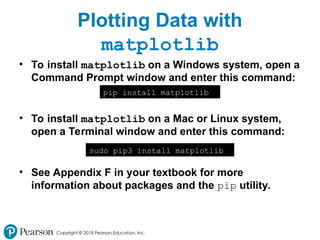
Pearson Education, Inc. Plotting Data with matplotlib • To install matplotlib on a Windows system, open a Command Prompt window and enter this command: • To install matplotlib on a Mac or Linux system, open a Terminal window and enter this command: • See Appendix F in your textbook for more information about packages and the pip utility. pip install matplotlib sudo pip3 install matplotlib
30.
Copyright © 2018
Pearson Education, Inc. Plotting Data with matplotlib • To verify the package was installed, start IDLE and enter this command: • If you don't see any error messages, you can assume the package was properly installed. >>> import matplotlib
31.
Copyright © 2018
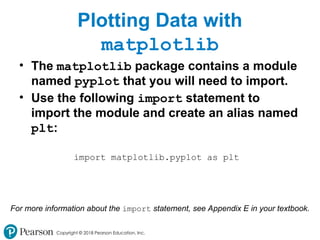
Pearson Education, Inc. Plotting Data with matplotlib • The matplotlib package contains a module named pyplot that you will need to import. • Use the following import statement to import the module and create an alias named plt: import matplotlib.pyplot as plt For more information about the import statement, see Appendix E in your textbook.
32.
Copyright © 2018
Pearson Education, Inc. Plotting a Line Graph with the plot Function • Use the plot function to create a line graph that connects a series of points with straight lines. • The line graph has a horizontal X axis, and a vertical Y axis. • Each point in the graph is located at a (X,Y) coordinate.
33.
Copyright © 2018
Pearson Education, Inc. Plotting a Line Graph with the plot Function Program 7-19 (line_graph1.py) 1 # This program displays a simple line graph. 2 import matplotlib.pyplot as plt 3 4 def main(): 5 # Create lists with the X and Y coordinates of each data point. 6 x_coords = [0, 1, 2, 3, 4] 7 y_coords = [0, 3, 1, 5, 2] 8 9 # Build the line graph. 10 plt.plot(x_coords, y_coords) 11 12 # Display the line graph. 13 plt.show() 14 15 # Call the main function. 16 main()
34.
Copyright © 2018
Pearson Education, Inc. Plotting a Line Graph with the plot Function • You can change the lower and upper limits of the X and Y axes by calling the xlim and ylim functions. Example: • This code does the following: • Causes the X axis to begin at 1 and end at 100 • Causes the Y axis to begin at 10 and end at 50 plt.xlim(xmin=1, xmax=100) plt.ylim(ymin=10, ymax=50)
35.
Copyright © 2018
Pearson Education, Inc. Plotting a Line Graph with the plot Function • You can customize each tick mark's label with the xticks and yticks functions. • These functions each take two lists as arguments. • The first argument is a list of tick mark locations • The second argument is a list of labels to display at the specified locations. plt.xticks([0, 1, 2, 3, 4], ['2016', '2017', '2018', '2019', '2020']) plt.yticks([0, 1, 2, 3, 4, 5], ['$0m', '$1m', '$2m', '$3m', '$4m', '$5m'])
36.
Copyright © 2018
Pearson Education, Inc. Program 7-24 1 # This program displays a simple line graph. 2 import matplotlib.pyplot as plt 3 4 def main(): 5 # Create lists with the X,Y coordinates of each data point. 6 x_coords = [0, 1, 2, 3, 4] 7 y_coords = [0, 3, 1, 5, 2] 8 9 # Build the line graph. 10 plt.plot(x_coords, y_coords, marker='o') 11 12 # Add a title. 13 plt.title('Sales by Year') 14 15 # Add labels to the axes. 16 plt.xlabel('Year') 17 plt.ylabel('Sales') 18 Continued…
37.
Copyright © 2018
Pearson Education, Inc. Program 7-24 (continued) 19 # Customize the tick marks. 20 plt.xticks([0, 1, 2, 3, 4], 21 ['2016', '2017', '2018', '2019', '2020']) 22 plt.yticks([0, 1, 2, 3, 4, 5], 23 ['$0m', '$1m', '$2m', '$3m', '$4m', '$5m']) 24 25 # Add a grid. 26 plt.grid(True) 27 28 # Display the line graph. 29 plt.show() 30 31 # Call the main function. 32 main()
38.
Copyright © 2018
Pearson Education, Inc. Output of Program 7-24 Displayed by the title() function. Displayed by the xlabel() function. Displayed by the ylabel() function. Displayed by the xticks() function. Displayed by the yticks() function.
39.
Copyright © 2018
Pearson Education, Inc. Plotting a Bar Chart • Use the bar function in the matplotlib.pyplot module to create a bar chart. • The function needs two lists: one with the X coordinates of each bar's left edge, and another with the heights of each bar, along the Y axis.
40.
Copyright © 2018
Pearson Education, Inc. Plotting a Bar Chart left_edges = [0, 10, 20, 30, 40] heights = [100, 200, 300, 400, 500] plt.bar(left_edges, heights) plt.show()
41.
Copyright © 2018
Pearson Education, Inc. Plotting a Bar Chart • The default width of each bar in a bar graph is 0.8 along the X axis. • You can change the bar width by passing a third argument to the bar function. left_edges = [0, 10, 20, 30, 40] heights = [100, 200, 300, 400, 500] bar_width = 5 plt.bar(left_edges, heights, bar_width) plt.show()
42.
Copyright © 2018
Pearson Education, Inc. Plotting a Bar Chart • The bar function has a color parameter that you can use to change the colors of the bars. • The argument that you pass into this parameter is a tuple containing a series of color codes. Color Code Corresponding Color ' b ' Blue ' g ' Green ' r ' Red ' c ' Cyan ' m ' Magenta ' y ' Yellow ' k ' Black ' w ' White
43.
Copyright © 2018
Pearson Education, Inc. Plotting a Bar Chart • Example of how to pass a tuple of color codes as a keyword argument: • The colors of the bars in the resulting bar chart will be as follows: • The first bar will be red. • The second bar will be green. • The third bar will be blue. • The fourth bar will be white. • The fifth bar will be black. plt.bar(left_edges, heights, color=('r', 'g', 'b', 'w', 'k'))
44.
Copyright © 2018
Pearson Education, Inc. Plotting a Bar Chart • Use the xlabel and ylabel functions to add labels to the X and Y axes. • Use the xticks function to display custom tick mark labels along the X axis • Use the yticks function to display custom tick mark labels along the Y axis.
45.
Copyright © 2018
Pearson Education, Inc. Plotting a Pie Chart • You use the pie function in the matplotlib.pyplot module to create a pie chart. • When you call the pie function, you pass a list of values as an argument. • The sum of the values will be used as the value of the whole. • Each element in the list will become a slice in the pie chart. • The size of a slice represents that element's value as a percentage of the whole.
46.
Copyright © 2018
Pearson Education, Inc. Plotting a Pie Chart • Example values = [20, 60, 80, 40] plt.pie(values) plt.show()
47.
Copyright © 2018
Pearson Education, Inc. Plotting a Pie Chart • The pie function has a labels parameter that you can use to display labels for the slices in the pie chart. • The argument that you pass into this parameter is a list containing the desired labels, as strings.
48.
Copyright © 2018
Pearson Education, Inc. Plotting a Pie Chart • Example sales = [100, 400, 300, 600] slice_labels = ['1st Qtr', '2nd Qtr', '3rd Qtr', '4th Qtr'] plt.pie(sales, labels=slice_labels) plt.title('Sales by Quarter') plt.show()
49.
Copyright © 2018
Pearson Education, Inc. Plotting a Pie Chart • The pie function automatically changes the color of the slices, in the following order: • blue, green, red, cyan, magenta, yellow, black, and white. • You can specify a different set of colors, however, by passing a tuple of color codes as an argument to the pie function's colors parameter: • When this statement executes, the colors of the slices in the resulting pie chart will be red, green, blue, white, and black. plt.pie(values, colors=('r', 'g', 'b', 'w', 'k'))
50.
Copyright © 2018
Pearson Education, Inc. Summary • This chapter covered: • Lists, including: • Repetition and concatenation operators • Indexing • Techniques for processing lists • Slicing and copying lists • List methods and built-in functions for lists • Two-dimensional lists • Tuples, including: • Immutability • Difference from and advantages over lists • Plotting charts and graphs with the matplotlib Package
Download


![Copyright © 2018 Pearson Education, Inc.
Introduction to Lists
• List: an object that contains multiple data
items
• Element: An item in a list
• Format: list = [item1, item2, etc.]
• Can hold items of different types
• print function can be used to display an
entire list
• list() function can convert certain types of
objects to lists](https://image.slidesharecdn.com/gaddispython4echapter07ppt-250924061020-9e3ea4c1/85/Python-4e-Chapter-07-List-and-Tuples-PPT-ppt-5-320.jpg)


![Copyright © 2018 Pearson Education, Inc.
Lists Are Mutable
• Mutable sequence: the items in the sequence
can be changed
• Lists are mutable, and so their elements can be
changed
• An expression such as
• list[1] = new_value can be used to
assign a new value to a list element
• Must use a valid index to prevent raising of an
IndexError exception](https://image.slidesharecdn.com/gaddispython4echapter07ppt-250924061020-9e3ea4c1/85/Python-4e-Chapter-07-List-and-Tuples-PPT-ppt-10-320.jpg)

![Copyright © 2018 Pearson Education, Inc.
List Slicing
• Slice: a span of items that are taken from a
sequence
• List slicing format: list[start : end]
• Span is a list containing copies of elements from
start up to, but not including, end
• If start not specified, 0 is used for start index
• If end not specified, len(list) is used for end index
• Slicing expressions can include a step value and
negative indexes relative to end of list](https://image.slidesharecdn.com/gaddispython4echapter07ppt-250924061020-9e3ea4c1/85/Python-4e-Chapter-07-List-and-Tuples-PPT-ppt-12-320.jpg)


![Copyright © 2018 Pearson Education, Inc.
List Methods and Useful Built-
in Functions (cont’d.)
• del statement: removes an element from a
specific index in a list
• General format: del list[i]
• min and max functions: built-in functions
that returns the item that has the lowest or
highest value in a sequence
• The sequence is passed as an argument](https://image.slidesharecdn.com/gaddispython4echapter07ppt-250924061020-9e3ea4c1/85/Python-4e-Chapter-07-List-and-Tuples-PPT-ppt-17-320.jpg)






![Copyright © 2018 Pearson Education, Inc.
Plotting a Line Graph with the
plot Function
Program 7-19 (line_graph1.py)
1 # This program displays a simple line graph.
2 import matplotlib.pyplot as plt
3
4 def main():
5 # Create lists with the X and Y coordinates of each data point.
6 x_coords = [0, 1, 2, 3, 4]
7 y_coords = [0, 3, 1, 5, 2]
8
9 # Build the line graph.
10 plt.plot(x_coords, y_coords)
11
12 # Display the line graph.
13 plt.show()
14
15 # Call the main function.
16 main()](https://image.slidesharecdn.com/gaddispython4echapter07ppt-250924061020-9e3ea4c1/85/Python-4e-Chapter-07-List-and-Tuples-PPT-ppt-33-320.jpg)

![Copyright © 2018 Pearson Education, Inc.
Plotting a Line Graph with the
plot Function
• You can customize each tick mark's label with the xticks
and yticks functions.
• These functions each take two lists as arguments.
• The first argument is a list of tick mark locations
• The second argument is a list of labels to display at the specified
locations.
plt.xticks([0, 1, 2, 3, 4],
['2016', '2017', '2018', '2019', '2020'])
plt.yticks([0, 1, 2, 3, 4, 5],
['$0m', '$1m', '$2m', '$3m', '$4m', '$5m'])](https://image.slidesharecdn.com/gaddispython4echapter07ppt-250924061020-9e3ea4c1/85/Python-4e-Chapter-07-List-and-Tuples-PPT-ppt-35-320.jpg)
![Copyright © 2018 Pearson Education, Inc.
Program 7-24
1 # This program displays a simple line graph.
2 import matplotlib.pyplot as plt
3
4 def main():
5 # Create lists with the X,Y coordinates of each data point.
6 x_coords = [0, 1, 2, 3, 4]
7 y_coords = [0, 3, 1, 5, 2]
8
9 # Build the line graph.
10 plt.plot(x_coords, y_coords, marker='o')
11
12 # Add a title.
13 plt.title('Sales by Year')
14
15 # Add labels to the axes.
16 plt.xlabel('Year')
17 plt.ylabel('Sales')
18
Continued…](https://image.slidesharecdn.com/gaddispython4echapter07ppt-250924061020-9e3ea4c1/85/Python-4e-Chapter-07-List-and-Tuples-PPT-ppt-36-320.jpg)
![Copyright © 2018 Pearson Education, Inc.
Program 7-24 (continued)
19 # Customize the tick marks.
20 plt.xticks([0, 1, 2, 3, 4],
21 ['2016', '2017', '2018', '2019', '2020'])
22 plt.yticks([0, 1, 2, 3, 4, 5],
23 ['$0m', '$1m', '$2m', '$3m', '$4m', '$5m'])
24
25 # Add a grid.
26 plt.grid(True)
27
28 # Display the line graph.
29 plt.show()
30
31 # Call the main function.
32 main()](https://image.slidesharecdn.com/gaddispython4echapter07ppt-250924061020-9e3ea4c1/85/Python-4e-Chapter-07-List-and-Tuples-PPT-ppt-37-320.jpg)


![Copyright © 2018 Pearson Education, Inc.
Plotting a Bar Chart
left_edges = [0, 10, 20, 30, 40]
heights = [100, 200, 300, 400, 500]
plt.bar(left_edges, heights)
plt.show()](https://image.slidesharecdn.com/gaddispython4echapter07ppt-250924061020-9e3ea4c1/85/Python-4e-Chapter-07-List-and-Tuples-PPT-ppt-40-320.jpg)
![Copyright © 2018 Pearson Education, Inc.
Plotting a Bar Chart
• The default width of each bar in a bar graph is 0.8 along the X
axis.
• You can change the bar width by passing a third argument to
the bar function.
left_edges = [0, 10, 20, 30, 40]
heights = [100, 200, 300, 400, 500]
bar_width = 5
plt.bar(left_edges, heights, bar_width)
plt.show()](https://image.slidesharecdn.com/gaddispython4echapter07ppt-250924061020-9e3ea4c1/85/Python-4e-Chapter-07-List-and-Tuples-PPT-ppt-41-320.jpg)


![Copyright © 2018 Pearson Education, Inc.
Plotting a Pie Chart
• Example
values = [20, 60, 80, 40]
plt.pie(values)
plt.show()](https://image.slidesharecdn.com/gaddispython4echapter07ppt-250924061020-9e3ea4c1/85/Python-4e-Chapter-07-List-and-Tuples-PPT-ppt-46-320.jpg)

![Copyright © 2018 Pearson Education, Inc.
Plotting a Pie Chart
• Example
sales = [100, 400, 300, 600]
slice_labels = ['1st Qtr', '2nd Qtr', '3rd Qtr', '4th Qtr']
plt.pie(sales, labels=slice_labels)
plt.title('Sales by Quarter')
plt.show()](https://image.slidesharecdn.com/gaddispython4echapter07ppt-250924061020-9e3ea4c1/85/Python-4e-Chapter-07-List-and-Tuples-PPT-ppt-48-320.jpg)


