Progressive Web Apps
Bringing native app features to the
mobile browser experience
https://goo.gl/hPQuqg
What Is a Progressive Web App?
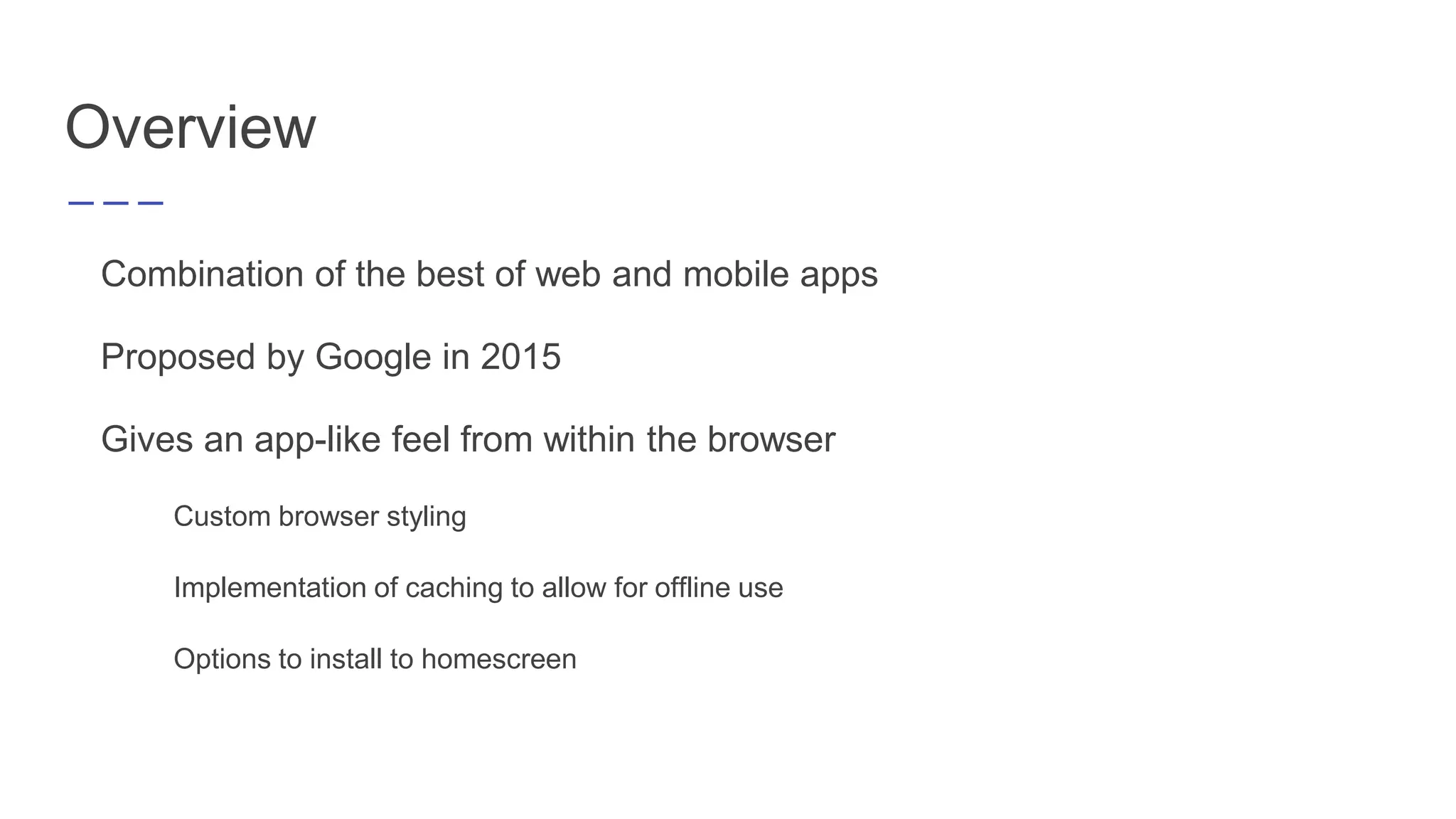
Combination of the best of web and mobile apps
Proposed by Google in 2015
Gives an app-like feel from within the browser
Custom browser styling
Implementation of caching to allow for offline use
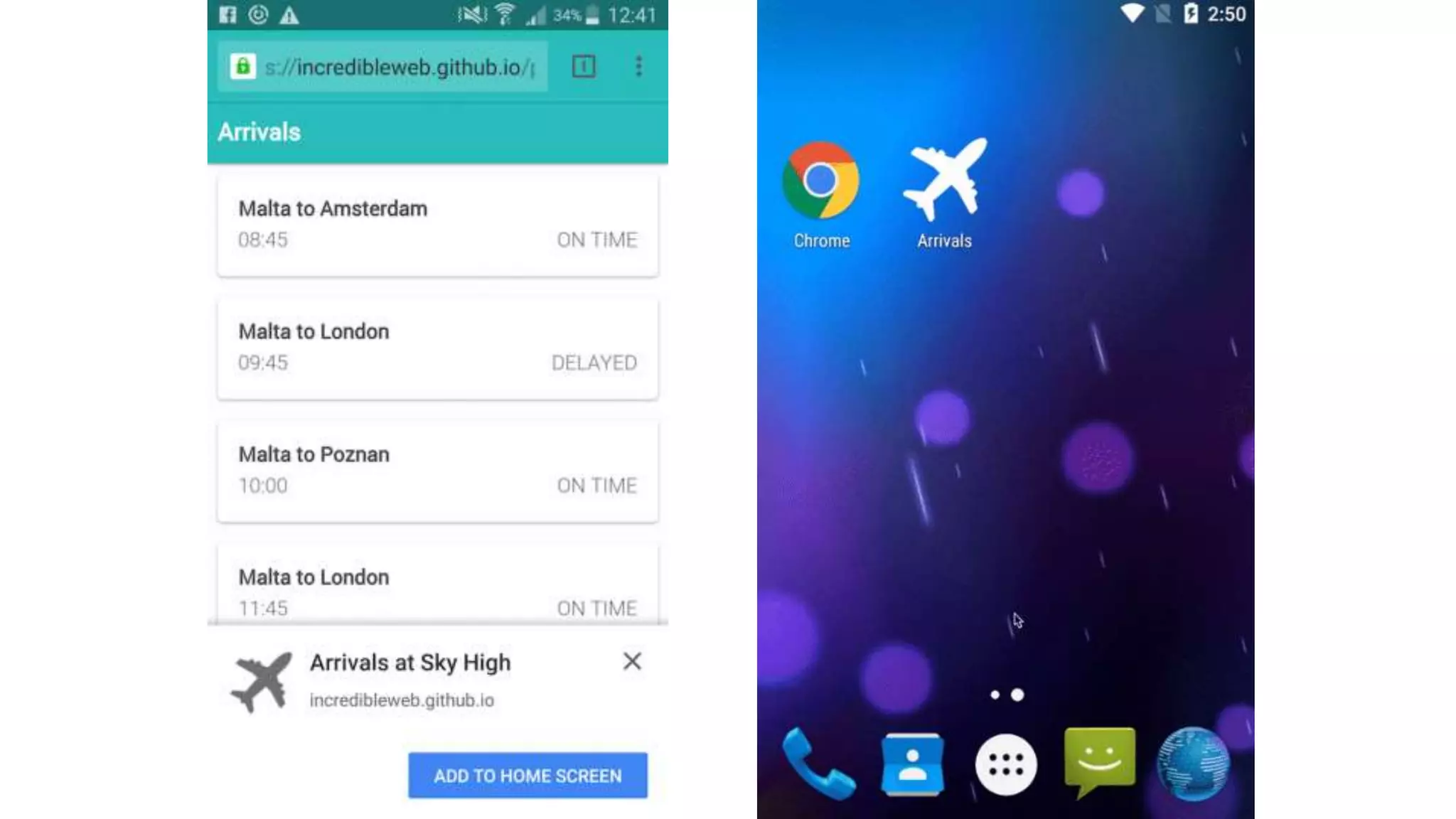
Options to install to homescreen
Overview
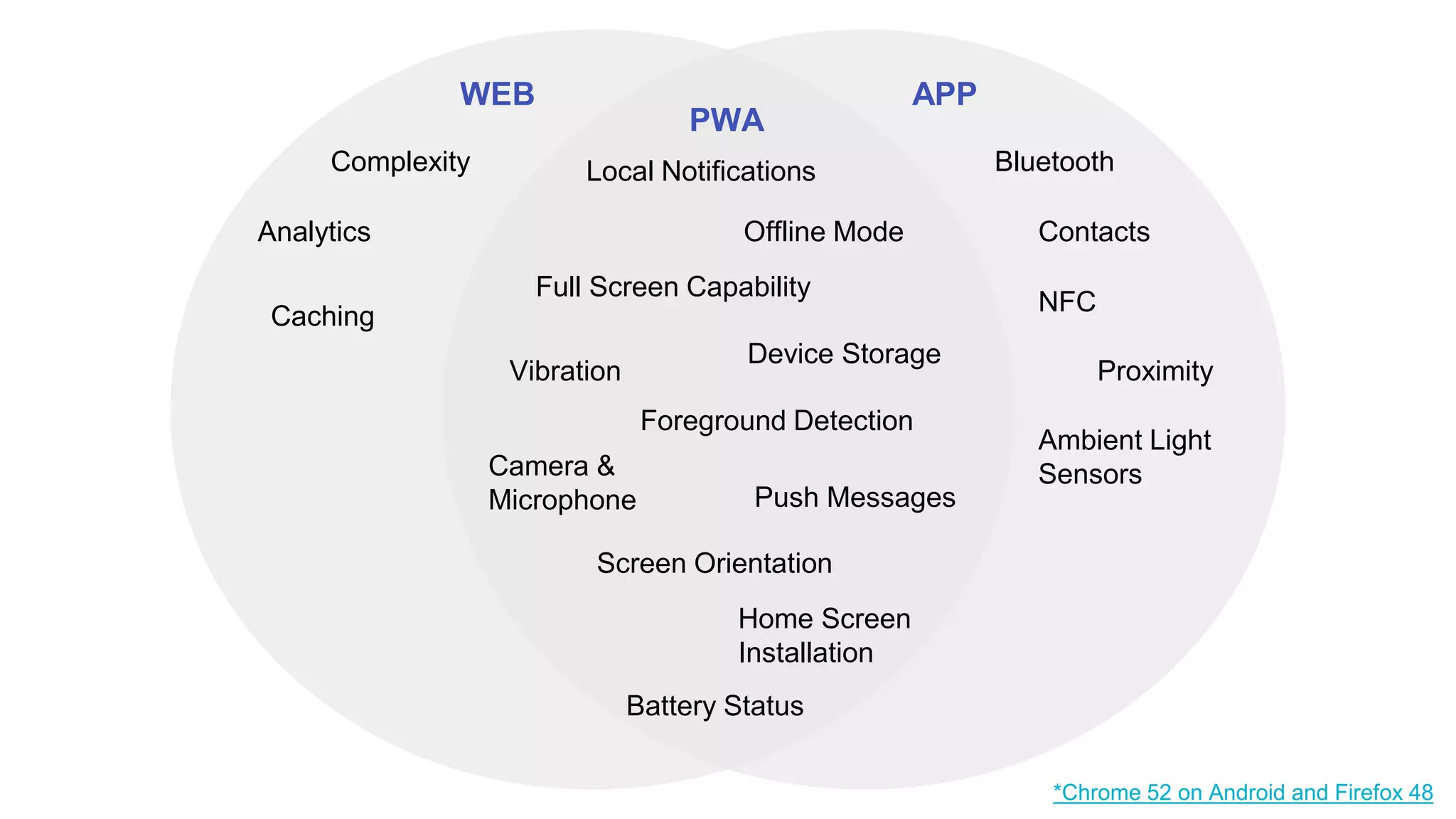
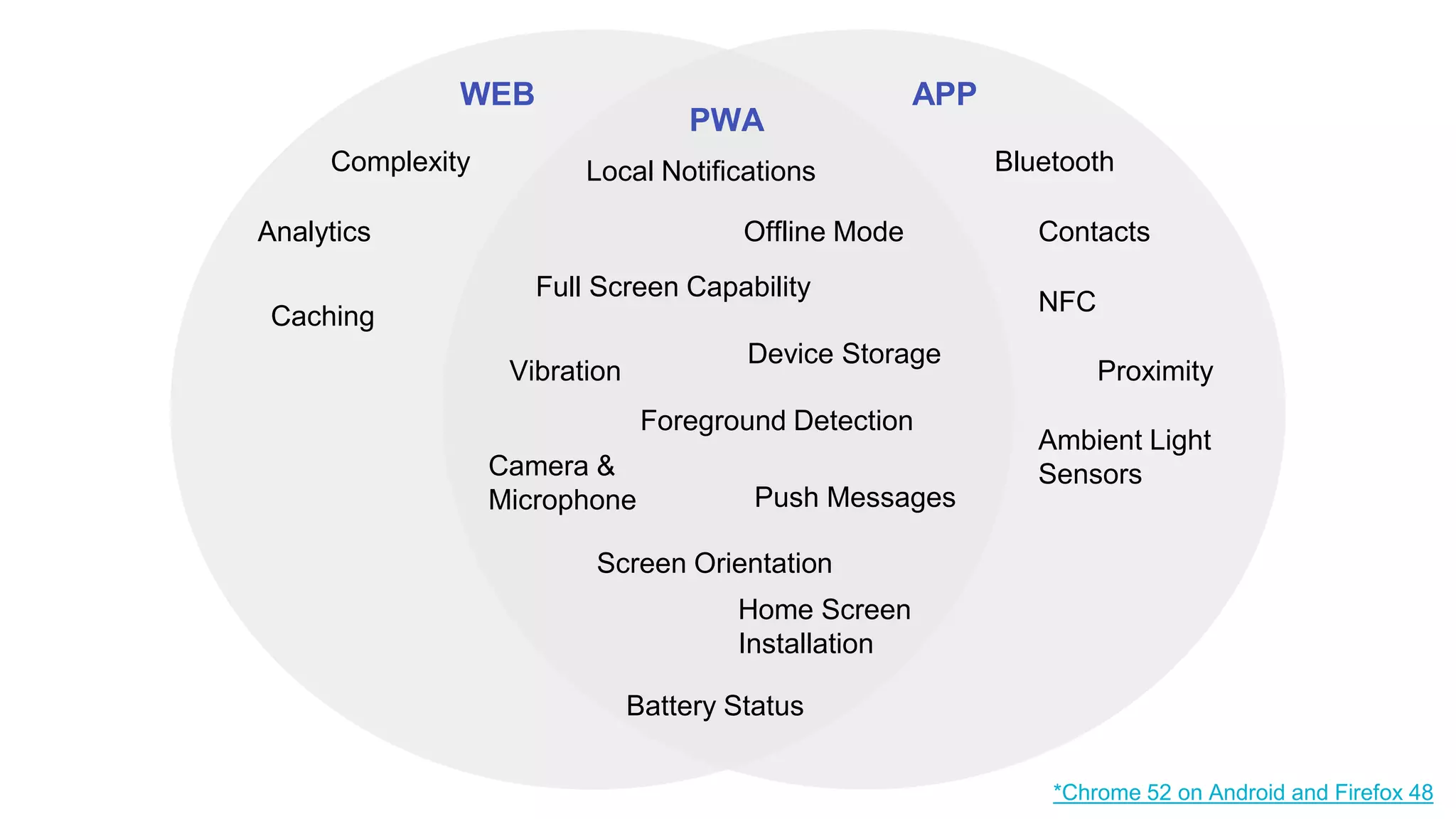
WEB
PWA
APP
BluetoothLocal Notifications
*Chrome 52 on Android and Firefox 48
Complexity
Analytics
Caching
NFC
Home Screen
Installation
Proximity
Ambient Light
Sensors
ContactsOffline Mode
Vibration
Foreground Detection
Device Storage
Camera &
Microphone
Screen Orientation
Push Messages
Battery Status
Full Screen Capability
Main
Characteristic
s of a PWA
➔Reliable
➔Fast
➔Engaging
Why Use Them?
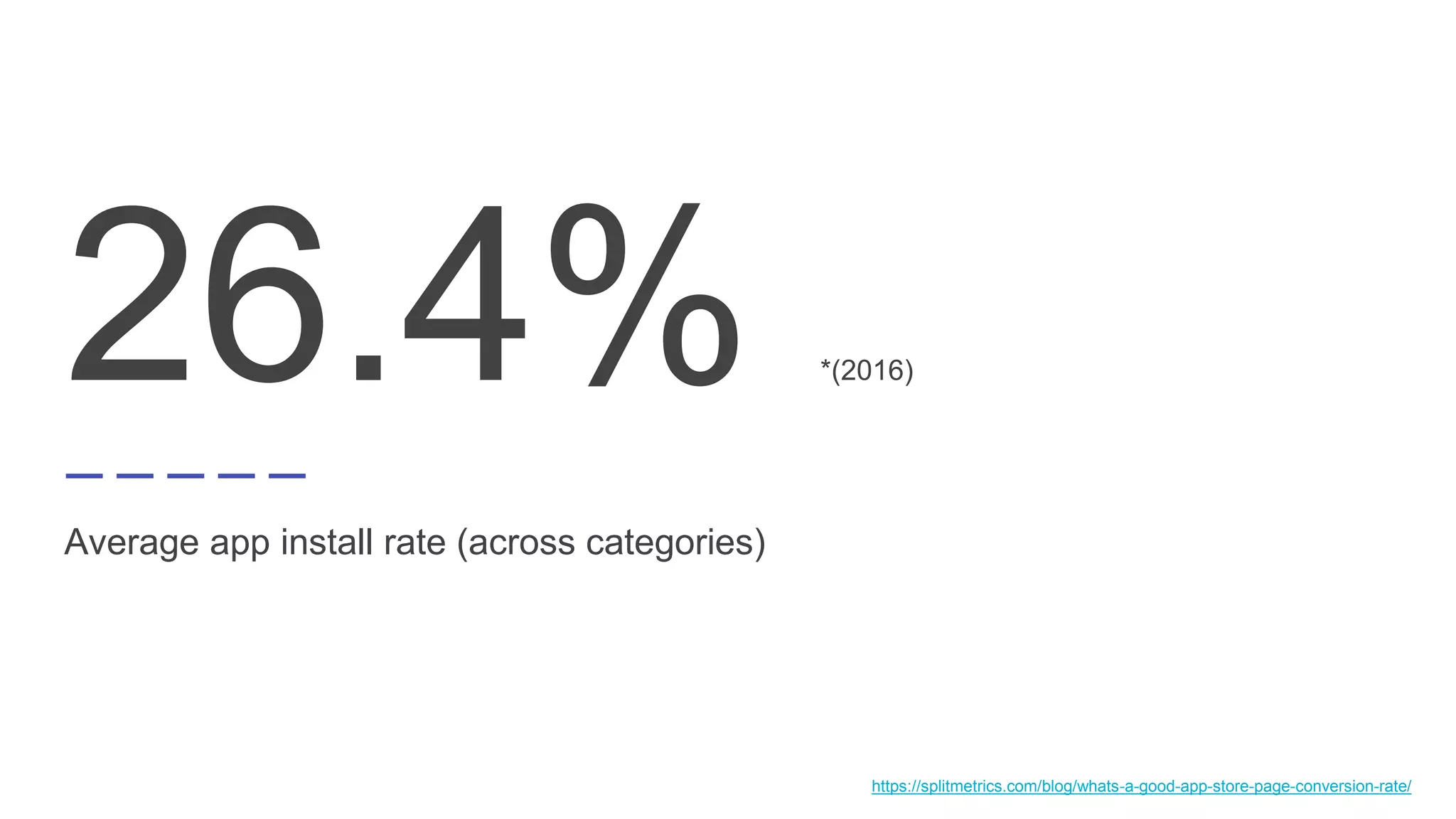
26.4% *(2016)
Average app install rate (across categories)
https://splitmetrics.com/blog/whats-a-good-app-store-page-conversion-rate/
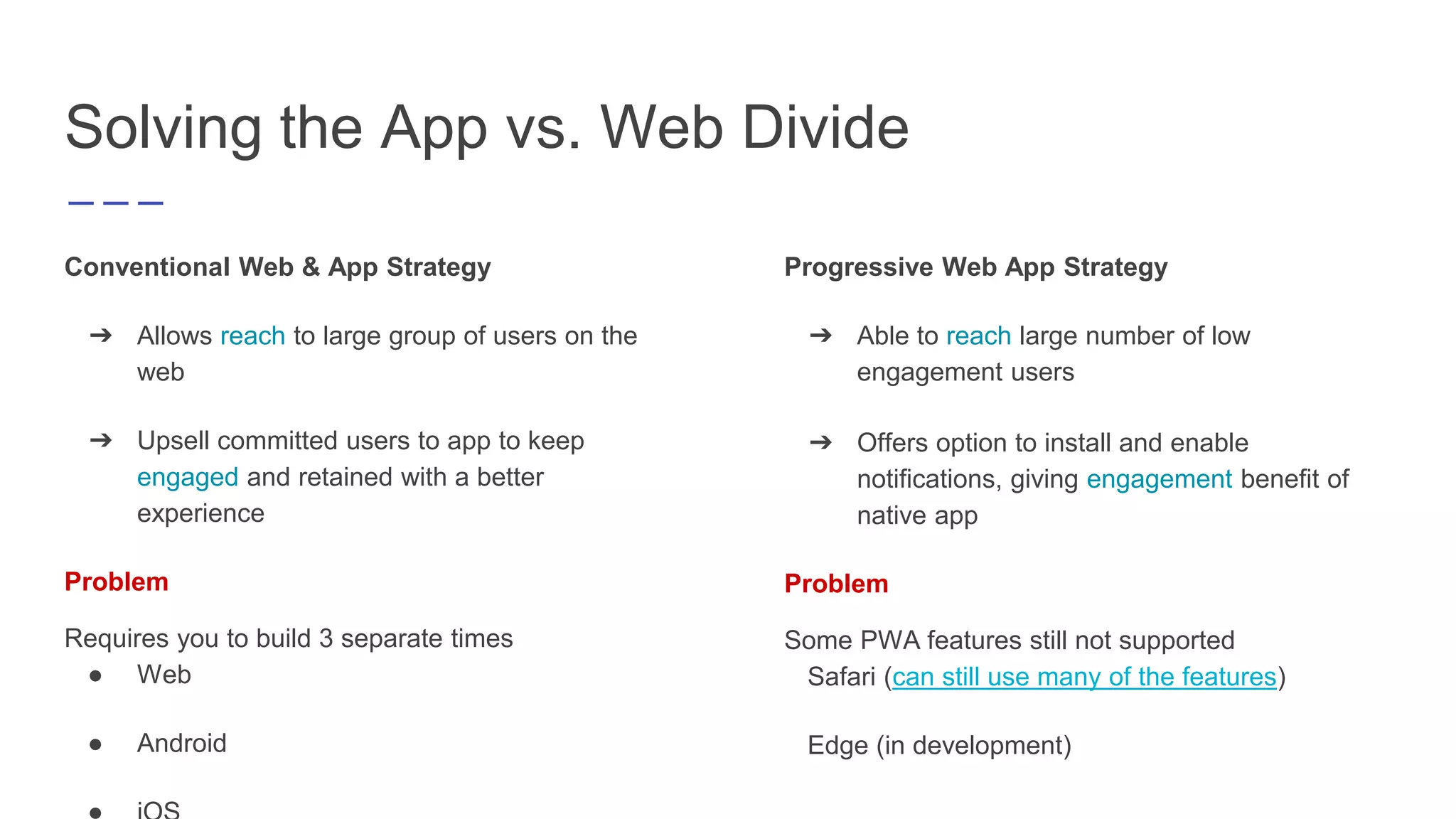
Solving the App vs. Web Divide
Conventional Web & App Strategy
➔ Allows reach to large group of users on the
web
➔ Upsell committed users to app to keep
engaged and retained with a better
experience
Problem
Requires you to build 3 separate times
● Web
● Android
Progressive Web App Strategy
➔ Able to reach large number of low
engagement users
➔ Offers option to install and enable
notifications, giving engagement benefit of
native app
Problem
Some PWA features still not supported
Safari (can still use many of the features)
Edge (in development)
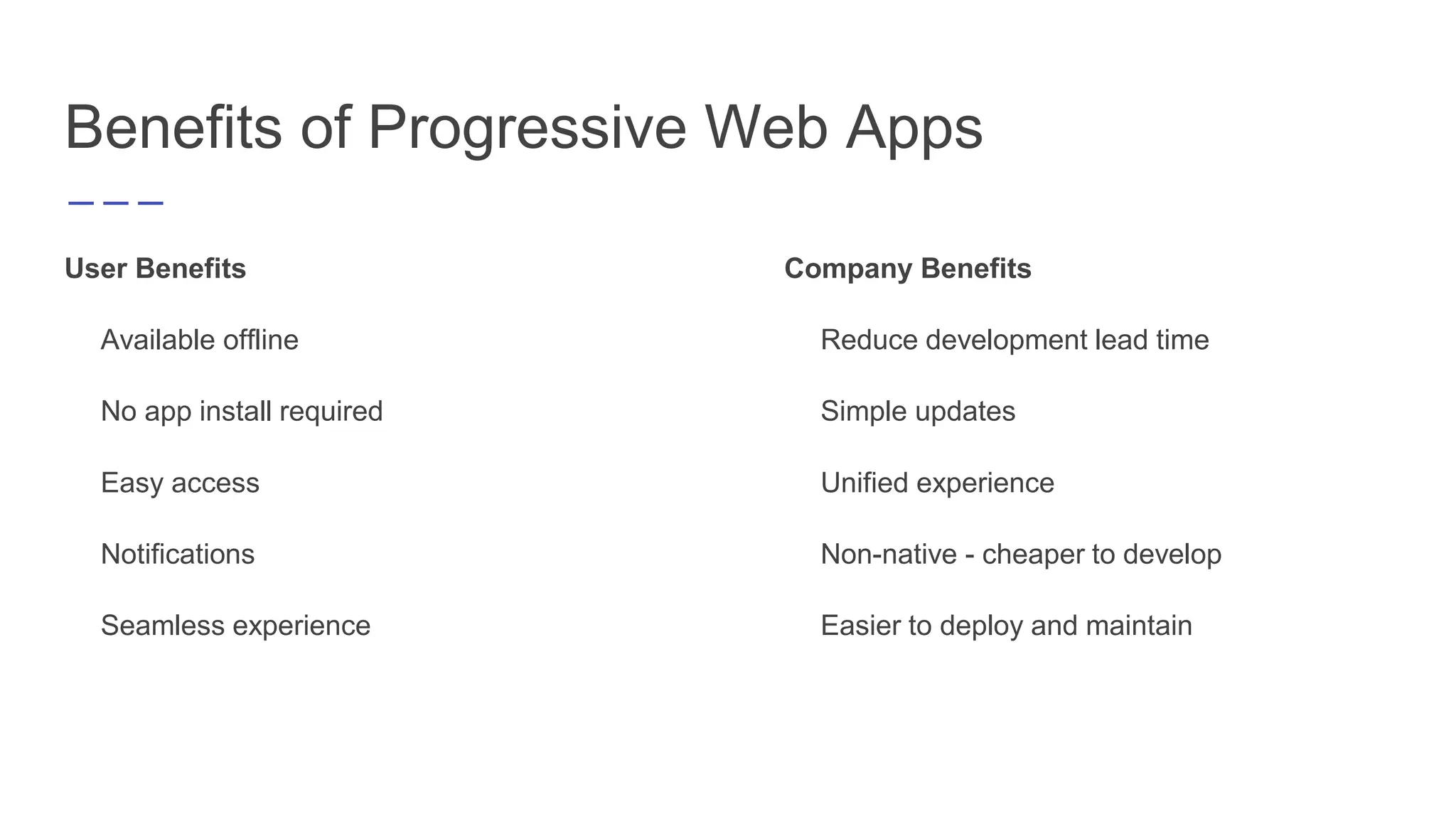
Benefits of Progressive Web Apps
User Benefits
Available offline
No app install required
Easy access
Notifications
Seamless experience
Company Benefits
Reduce development lead time
Simple updates
Unified experience
Non-native - cheaper to develop
Easier to deploy and maintain
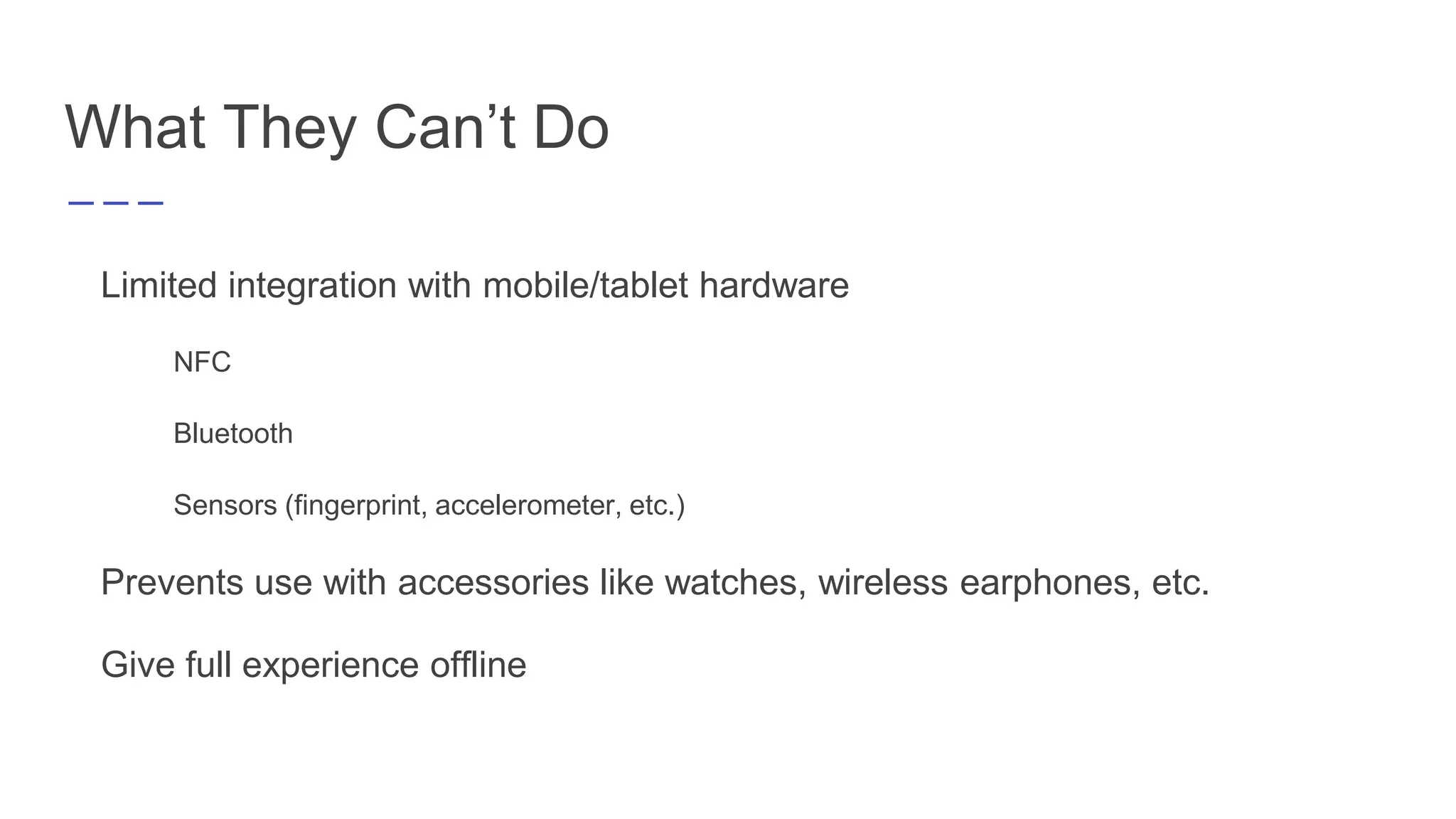
What They Can’t Do
Limited integration with mobile/tablet hardware
NFC
Bluetooth
Sensors (fingerprint, accelerometer, etc.)
Prevents use with accessories like watches, wireless earphones, etc.
Give full experience offline
WEB
PWA
APP
BluetoothLocal Notifications
*Chrome 52 on Android and Firefox 48
Complexity
Analytics
Caching
NFC
Home Screen
Installation
Proximity
Ambient Light
Sensors
ContactsOffline Mode
Vibration
Foreground Detection
Device Storage
Camera &
Microphone
Screen Orientation
Push Messages
Battery Status
Full Screen Capability
How Do They Work?
Overview
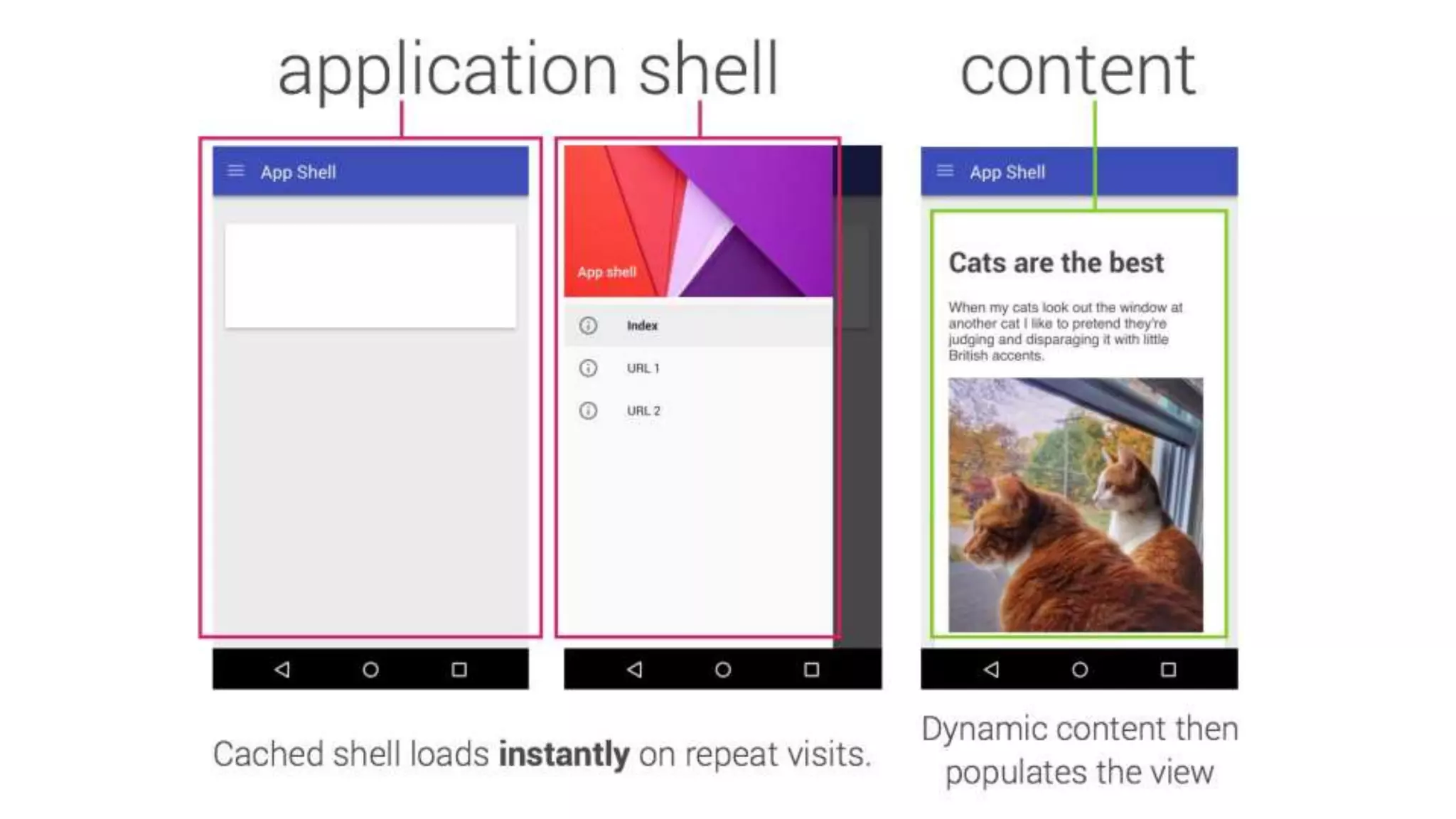
Separates App Shell from Content/Data
Caches resources using a Service Worker
Allows faster load times, especially after initial visit
Uses a Manifest File to control how your app appears
Only loads new data when needed and available
Service Workers
Service Worker: script that your browser runs in
the background, separate from a web page
Benefits: offers ability to add features like:
Push Notifications
Background sync
Intercepting and handling network requests
Goal: attempt to replace the HTML5 Application
Cache
Requirements:
Browser Support
Chrome
Firefox
Opera
In Development in Edge
Service Workers - How to Use Them
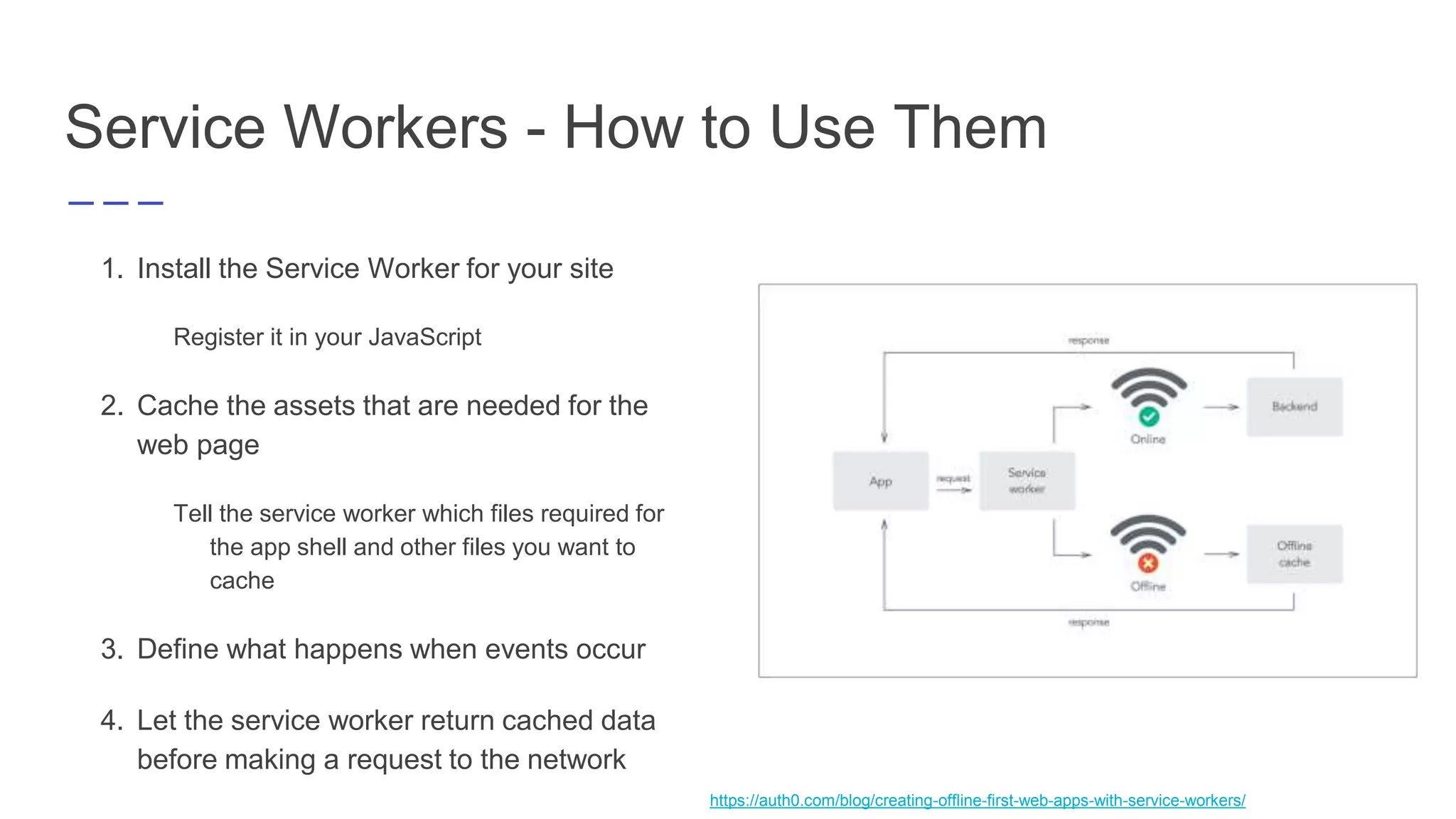
1. Install the Service Worker for your site
Register it in your JavaScript
2. Cache the assets that are needed for the
web page
Tell the service worker which files required for
the app shell and other files you want to
cache
3. Define what happens when events occur
4. Let the service worker return cached data
before making a request to the network
https://auth0.com/blog/creating-offline-first-web-apps-with-service-workers/
Web App Manifest File
Create simple JSON file
Add link on all pages of your app
Control what the user sees
Start URL
Home Screen Icon
Splash Screen
Launch Style
Display type
Orientation
{
"short_name": "Arrivals",
"name": "Arrivals at Sky High",
"description": "Progressive web application
demonstration",
"icons": [
{
"src": "launcher-icon.png",
"sizes": "48x48",
"type": "image/png"
},
{
"src": "launcher-icon-96.png",
"sizes": "96x96",
"type": "image/png"
},
{
"src": "launcher-icon-144.png",
"sizes": "144x144",
"type": "image/png"
}
],
"start_url": "./?utm_source=web_app_manifest",
"display": "standalone",
"orientation": "portrait",
"theme_color": "#29BDBB",
"background_color": "#29BDBB"
}
PRPL Pattern
Push critical resources for the initial URL route
Render initial route
Pre-cache remaining routes
Lazy-load and create remaining routes on-demand
Strives to optimize
● Minimum time to interactive
● Maximum caching efficiency
● Simplicity of development and deployment
How Can I Build One?
Easily Convert Web App to PWA
1. Deploy it to a public web server and force HTTPS
2. Create and include a JavaScript file with code to cache network requests (Service Worker)
3. Create and include a web app manifest
Progressive Web Apps can be implemented in many different frameworks (Example built with
Angularjs and Spring Boot)
Useful Tools
Lighthouse
Chrome Dev Tools
Improve Quality with
Lighthouse
Lighthouse = automated tool for improving quality of
your PWA
Use Lighthouse to test that your PWA meets all items
on Baseline PWA Checklist
Runs a series of audits against a page, and then it
generates a report on how well the page did
Use failing audits and suggestions to fix and improve
Debug with Chrome
Dev Tools
Inspect the app manifest
Simulate add to homescreen events
⤷ Option to use with remote debugging as well
Inspect and Debug service workers
View list of resources that have been cached by the
service worker
Unregister service workers and clear cache storage
Simulate being offline
Who is Already
Using Them?
Twitter (Twitter Lite)
Lancôme
Flipkart
AirBerlin
Many others
And even more

Progressive Web Apps

  • 1.
    Progressive Web Apps Bringingnative app features to the mobile browser experience https://goo.gl/hPQuqg
  • 2.
    What Is aProgressive Web App?
  • 3.
    Combination of thebest of web and mobile apps Proposed by Google in 2015 Gives an app-like feel from within the browser Custom browser styling Implementation of caching to allow for offline use Options to install to homescreen Overview
  • 4.
    WEB PWA APP BluetoothLocal Notifications *Chrome 52on Android and Firefox 48 Complexity Analytics Caching NFC Home Screen Installation Proximity Ambient Light Sensors ContactsOffline Mode Vibration Foreground Detection Device Storage Camera & Microphone Screen Orientation Push Messages Battery Status Full Screen Capability
  • 5.
    Main Characteristic s of aPWA ➔Reliable ➔Fast ➔Engaging
  • 6.
  • 7.
    26.4% *(2016) Average appinstall rate (across categories) https://splitmetrics.com/blog/whats-a-good-app-store-page-conversion-rate/
  • 8.
    Solving the Appvs. Web Divide Conventional Web & App Strategy ➔ Allows reach to large group of users on the web ➔ Upsell committed users to app to keep engaged and retained with a better experience Problem Requires you to build 3 separate times ● Web ● Android Progressive Web App Strategy ➔ Able to reach large number of low engagement users ➔ Offers option to install and enable notifications, giving engagement benefit of native app Problem Some PWA features still not supported Safari (can still use many of the features) Edge (in development)
  • 9.
    Benefits of ProgressiveWeb Apps User Benefits Available offline No app install required Easy access Notifications Seamless experience Company Benefits Reduce development lead time Simple updates Unified experience Non-native - cheaper to develop Easier to deploy and maintain
  • 10.
    What They Can’tDo Limited integration with mobile/tablet hardware NFC Bluetooth Sensors (fingerprint, accelerometer, etc.) Prevents use with accessories like watches, wireless earphones, etc. Give full experience offline
  • 11.
    WEB PWA APP BluetoothLocal Notifications *Chrome 52on Android and Firefox 48 Complexity Analytics Caching NFC Home Screen Installation Proximity Ambient Light Sensors ContactsOffline Mode Vibration Foreground Detection Device Storage Camera & Microphone Screen Orientation Push Messages Battery Status Full Screen Capability
  • 12.
  • 13.
    Overview Separates App Shellfrom Content/Data Caches resources using a Service Worker Allows faster load times, especially after initial visit Uses a Manifest File to control how your app appears Only loads new data when needed and available
  • 15.
    Service Workers Service Worker:script that your browser runs in the background, separate from a web page Benefits: offers ability to add features like: Push Notifications Background sync Intercepting and handling network requests Goal: attempt to replace the HTML5 Application Cache Requirements: Browser Support Chrome Firefox Opera In Development in Edge
  • 16.
    Service Workers -How to Use Them 1. Install the Service Worker for your site Register it in your JavaScript 2. Cache the assets that are needed for the web page Tell the service worker which files required for the app shell and other files you want to cache 3. Define what happens when events occur 4. Let the service worker return cached data before making a request to the network https://auth0.com/blog/creating-offline-first-web-apps-with-service-workers/
  • 17.
    Web App ManifestFile Create simple JSON file Add link on all pages of your app Control what the user sees Start URL Home Screen Icon Splash Screen Launch Style Display type Orientation { "short_name": "Arrivals", "name": "Arrivals at Sky High", "description": "Progressive web application demonstration", "icons": [ { "src": "launcher-icon.png", "sizes": "48x48", "type": "image/png" }, { "src": "launcher-icon-96.png", "sizes": "96x96", "type": "image/png" }, { "src": "launcher-icon-144.png", "sizes": "144x144", "type": "image/png" } ], "start_url": "./?utm_source=web_app_manifest", "display": "standalone", "orientation": "portrait", "theme_color": "#29BDBB", "background_color": "#29BDBB" }
  • 19.
    PRPL Pattern Push criticalresources for the initial URL route Render initial route Pre-cache remaining routes Lazy-load and create remaining routes on-demand Strives to optimize ● Minimum time to interactive ● Maximum caching efficiency ● Simplicity of development and deployment
  • 20.
    How Can IBuild One?
  • 21.
    Easily Convert WebApp to PWA 1. Deploy it to a public web server and force HTTPS 2. Create and include a JavaScript file with code to cache network requests (Service Worker) 3. Create and include a web app manifest Progressive Web Apps can be implemented in many different frameworks (Example built with Angularjs and Spring Boot)
  • 22.
  • 23.
    Improve Quality with Lighthouse Lighthouse= automated tool for improving quality of your PWA Use Lighthouse to test that your PWA meets all items on Baseline PWA Checklist Runs a series of audits against a page, and then it generates a report on how well the page did Use failing audits and suggestions to fix and improve
  • 24.
    Debug with Chrome DevTools Inspect the app manifest Simulate add to homescreen events ⤷ Option to use with remote debugging as well Inspect and Debug service workers View list of resources that have been cached by the service worker Unregister service workers and clear cache storage Simulate being offline
  • 25.
    Who is Already UsingThem? Twitter (Twitter Lite) Lancôme Flipkart AirBerlin Many others And even more