Process Flows
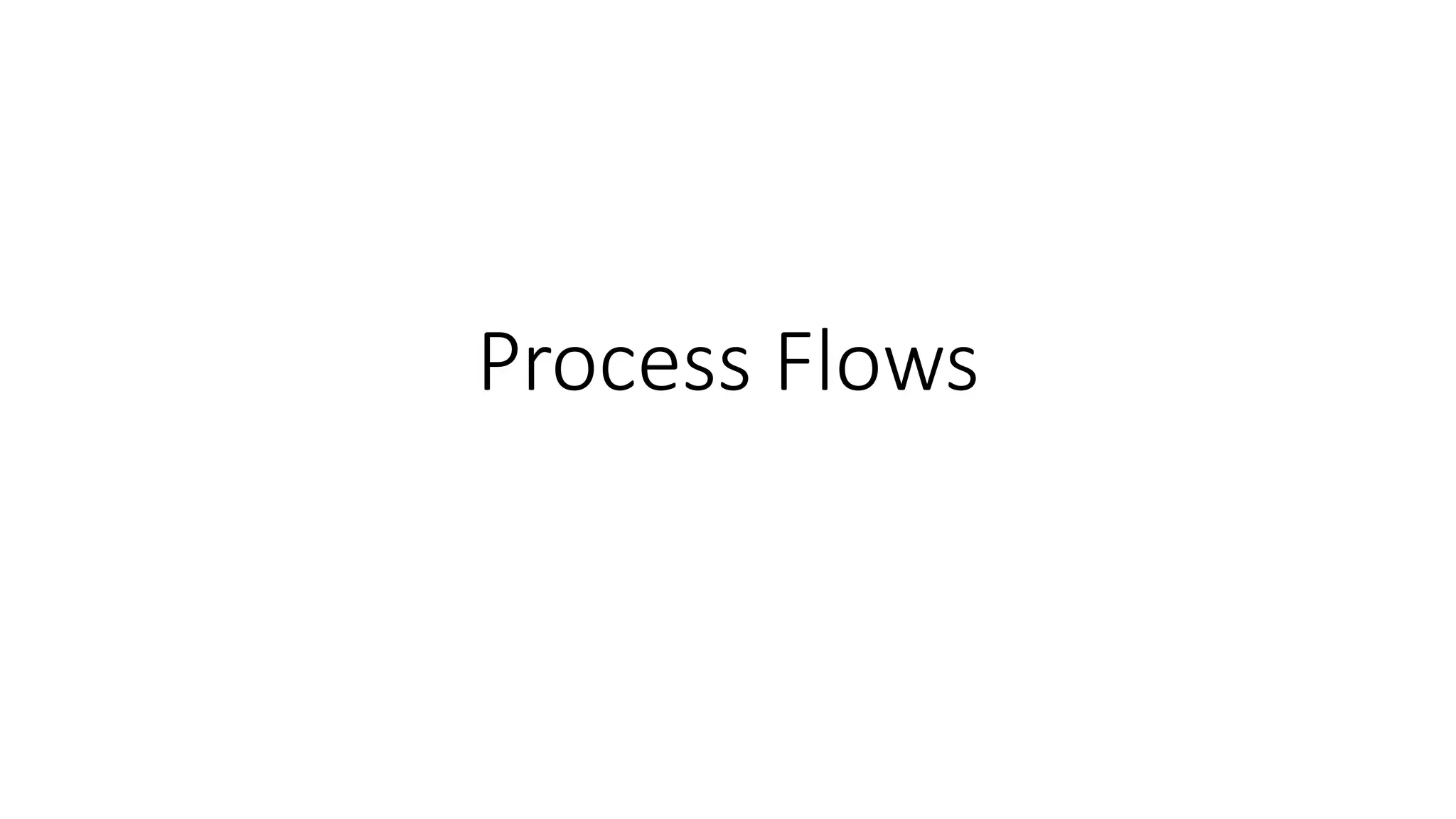
Diagram
—
Hiring
Process
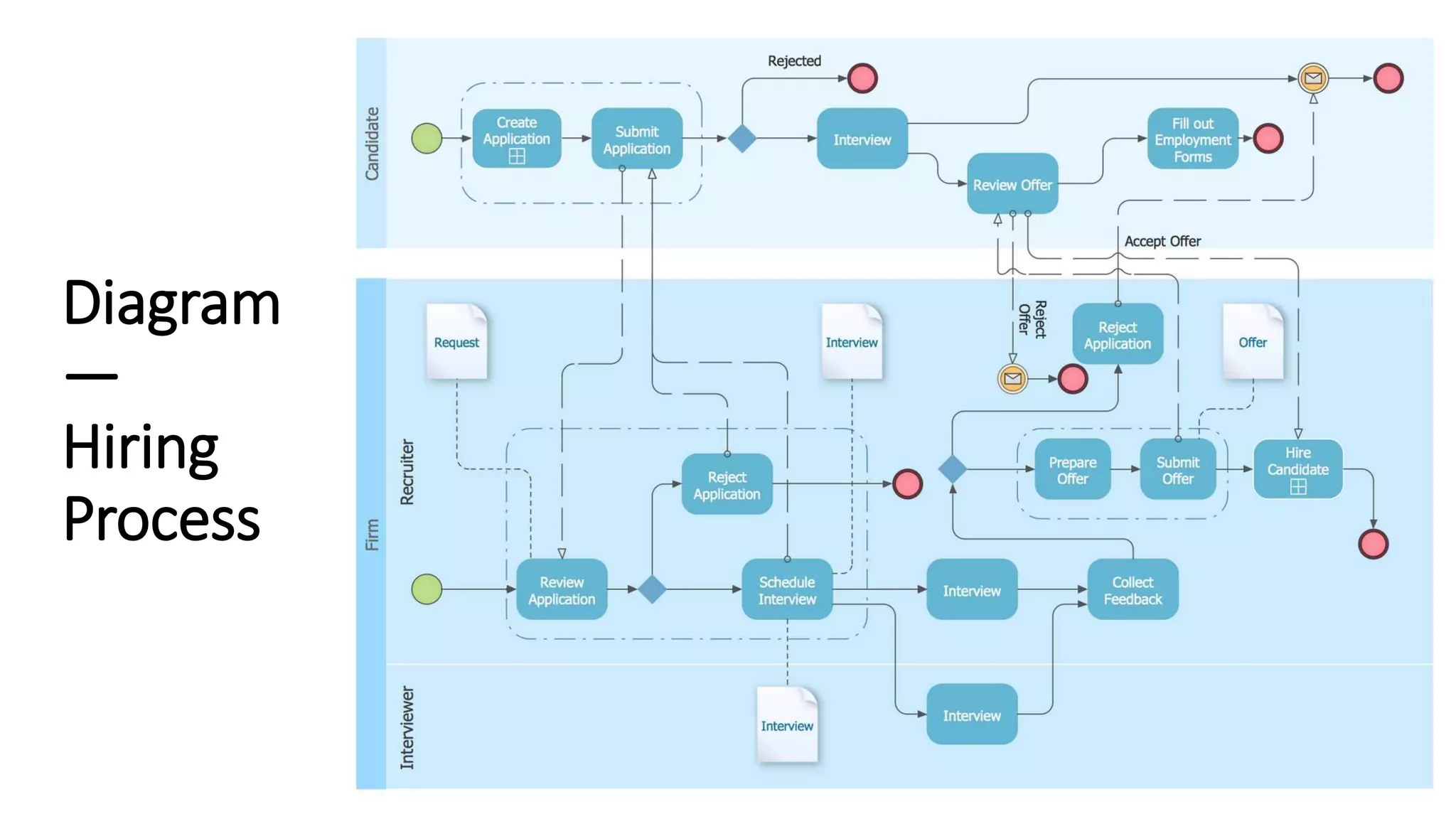
Diagram
—
Public
Process
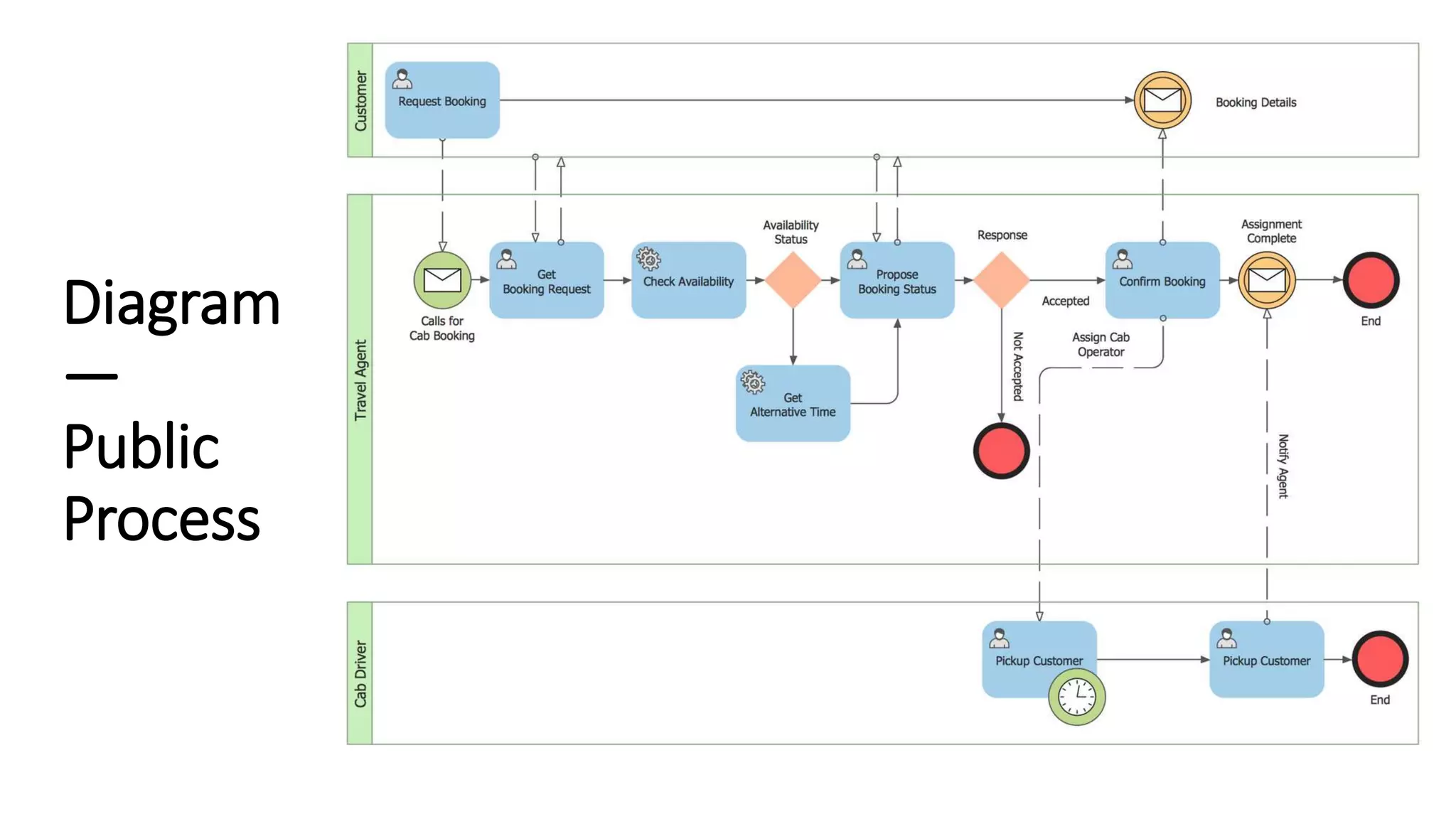
Diagram
—
Quotation
Diagram
—
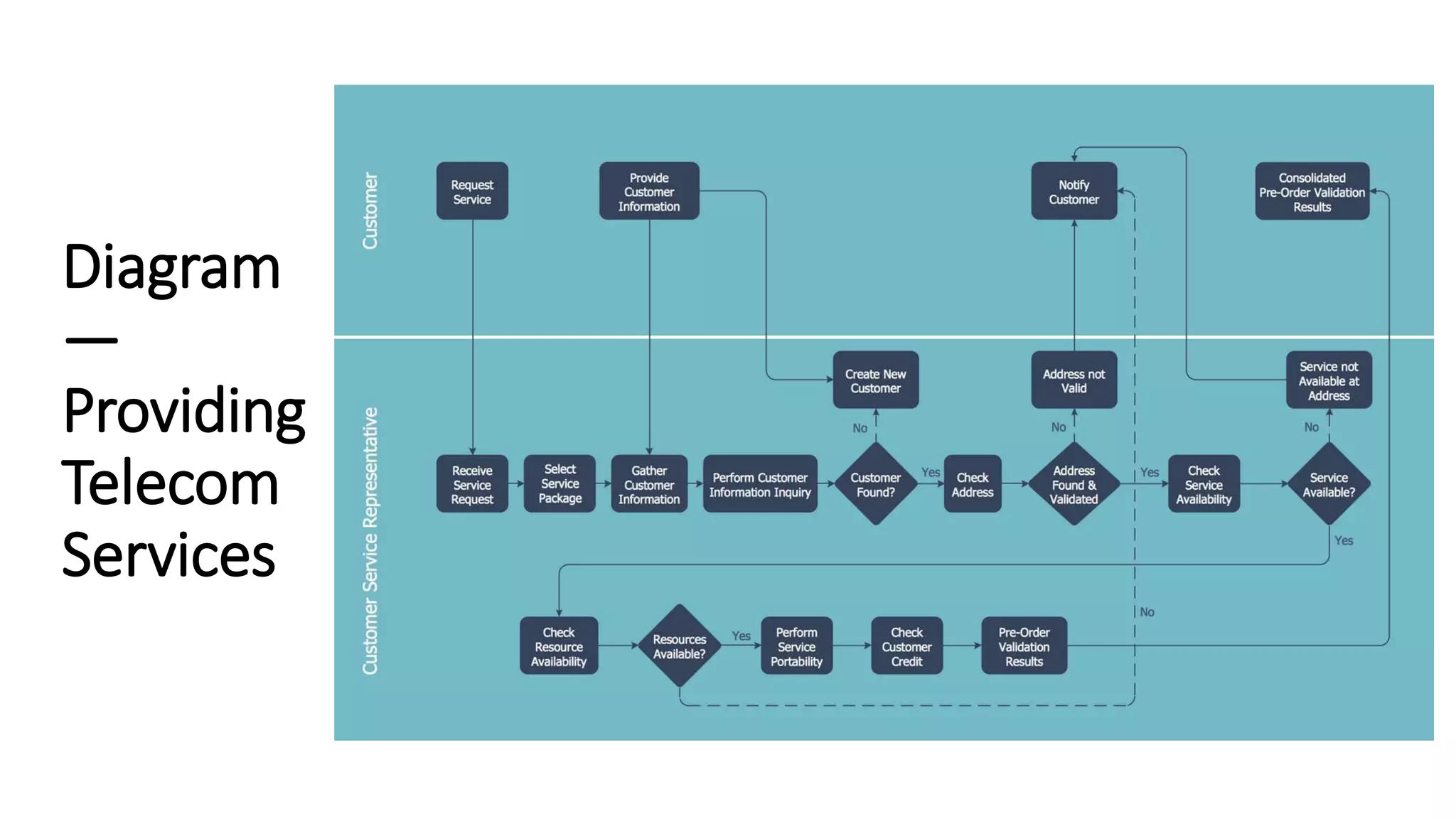
Providing
Telecom
Services
Diagram
—
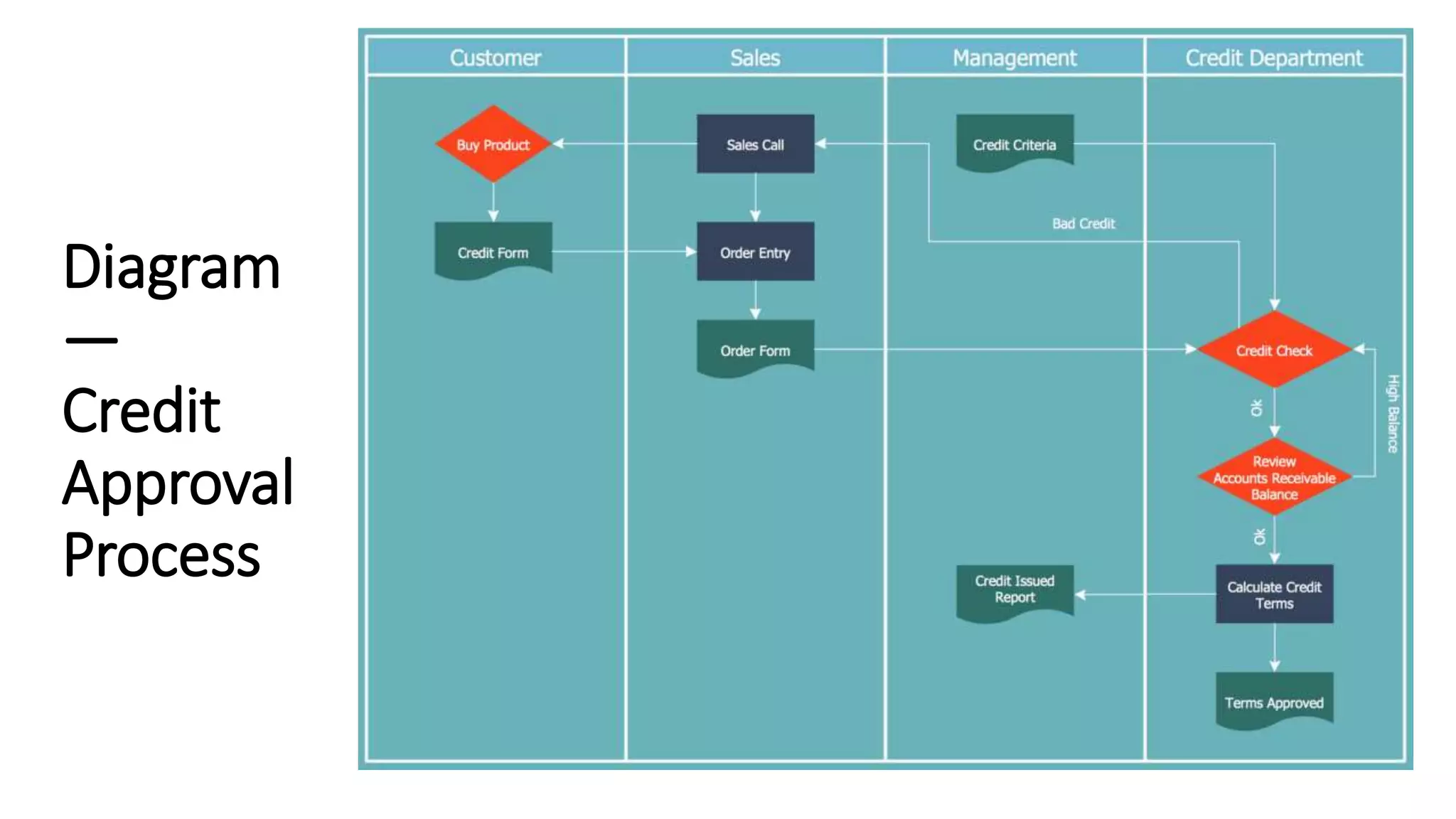
Credit
Approval
Process
Diagram
—
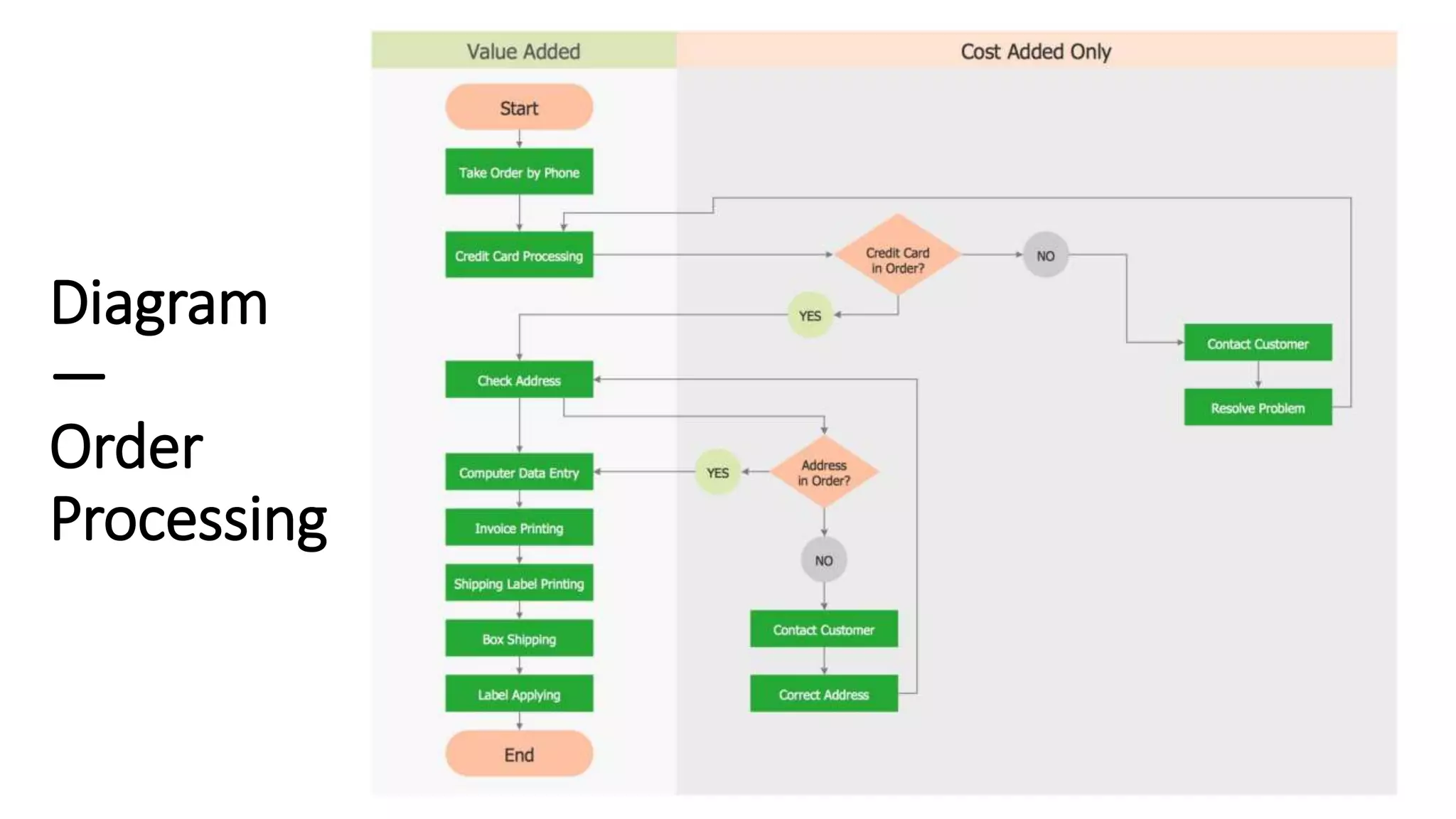
Order
Processing
Diagram
—
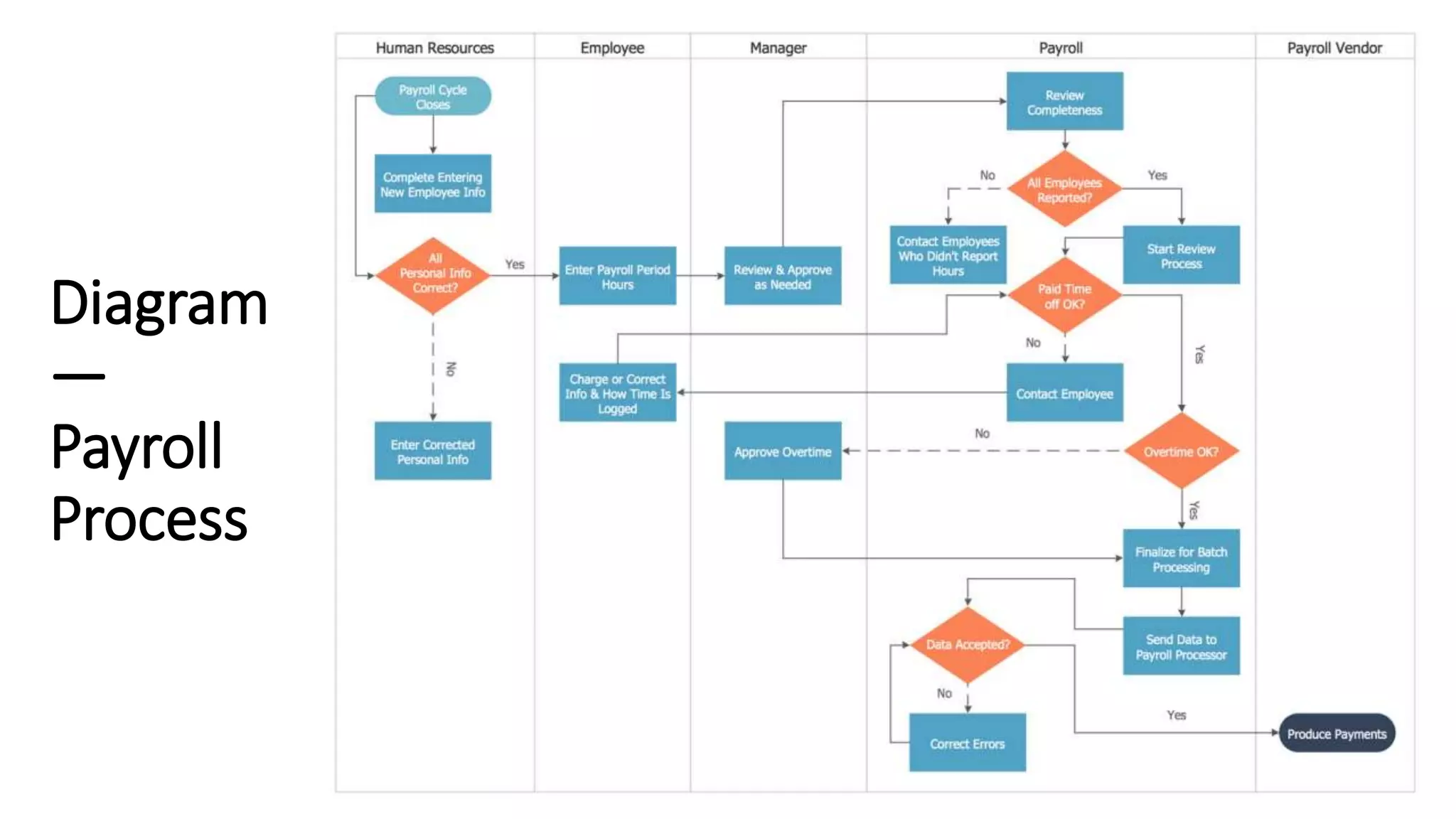
Payroll
Process
Diagram
—
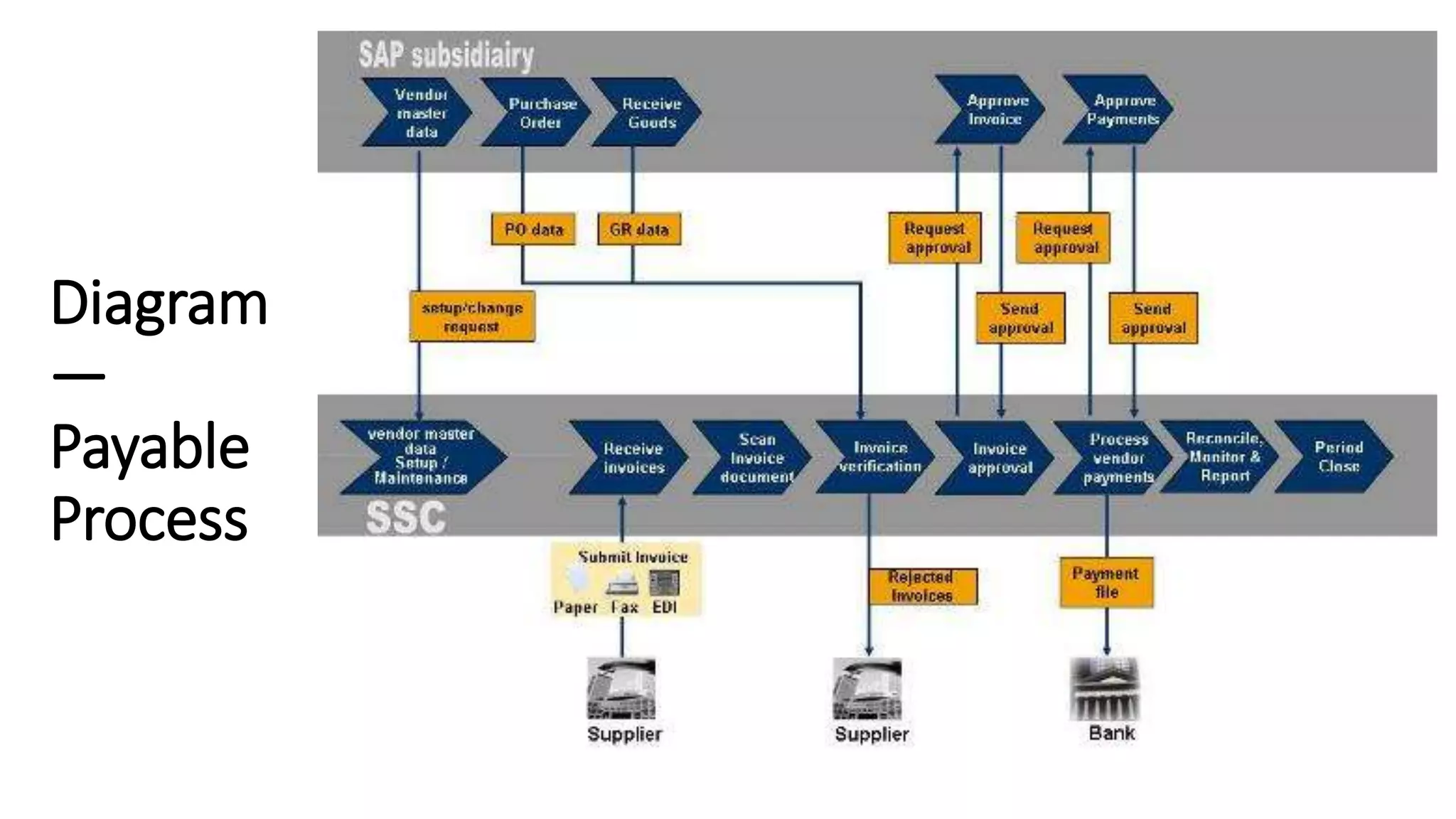
Payable
Process
SAP SD Process Flow Chart Diagram in Detail
(With Integration Other Modules)
• In SAP SD module, following four main functionalities are provided
Sales order processing
• Sales order processing is responsible for creation, update, and persistence of the sales order documents. It
triggers availability check and pricing calculations as well as delivery.
Delivery processing
• Delivery processing creates delivery documents for a sales order document. It triggers shipment, monitors
the delivery, and finally initiates billing.
Outbound shipment processing
• Outbound delivery processing takes care of the transportation of the ordered products to the customer.
Billing
• Billing creates and sends the customer invoice. It is closely integrated with the SAP ERP FIN application,
where the received payments are tracked.
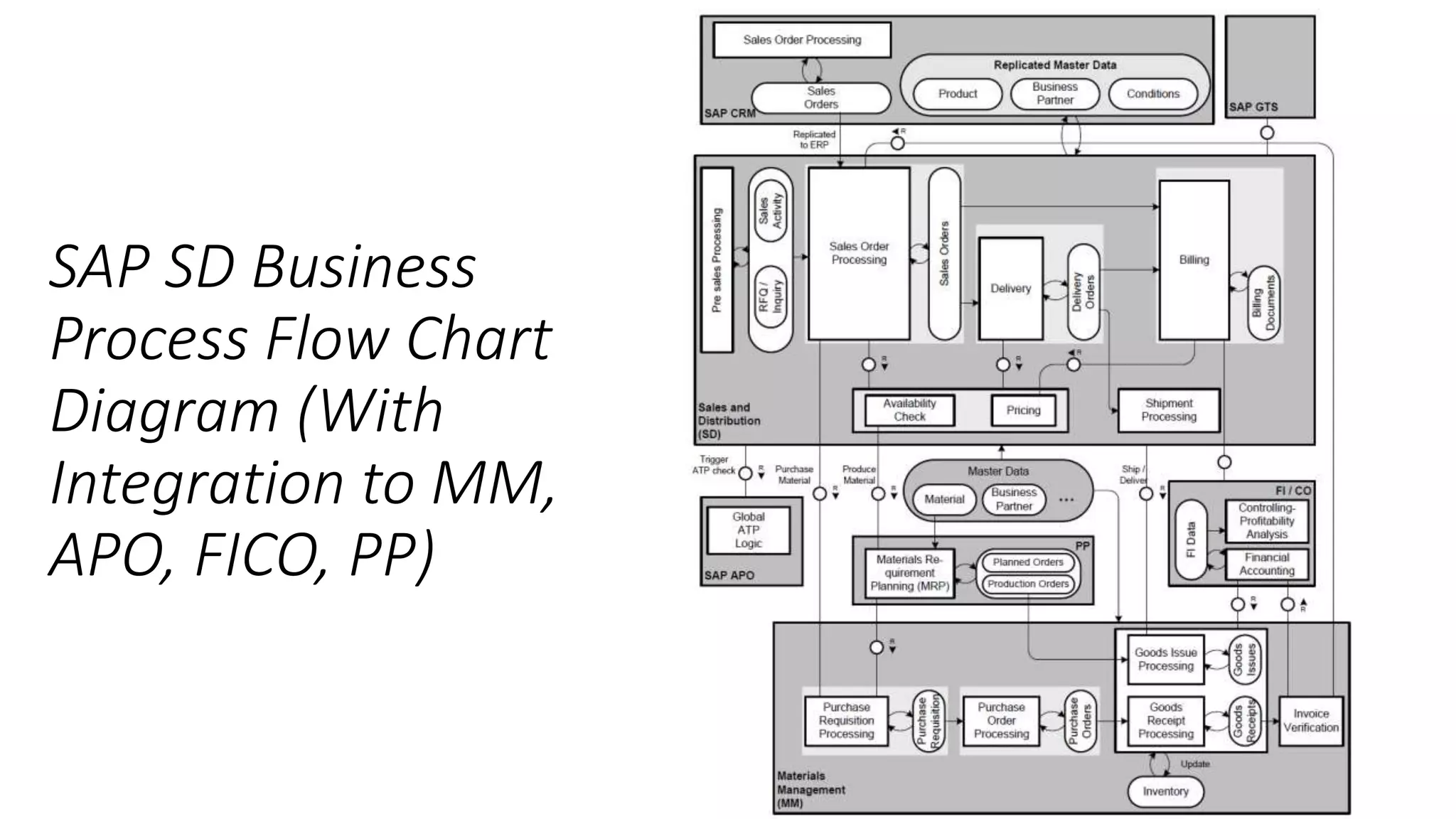
From the functional point of view the SAP SD process to be described is summarized in the following schema
with integration other modules like APO, PP, MM, FICO;
SAP SD Business
Process Flow Chart
Diagram (With
Integration to MM,
APO, FICO, PP)
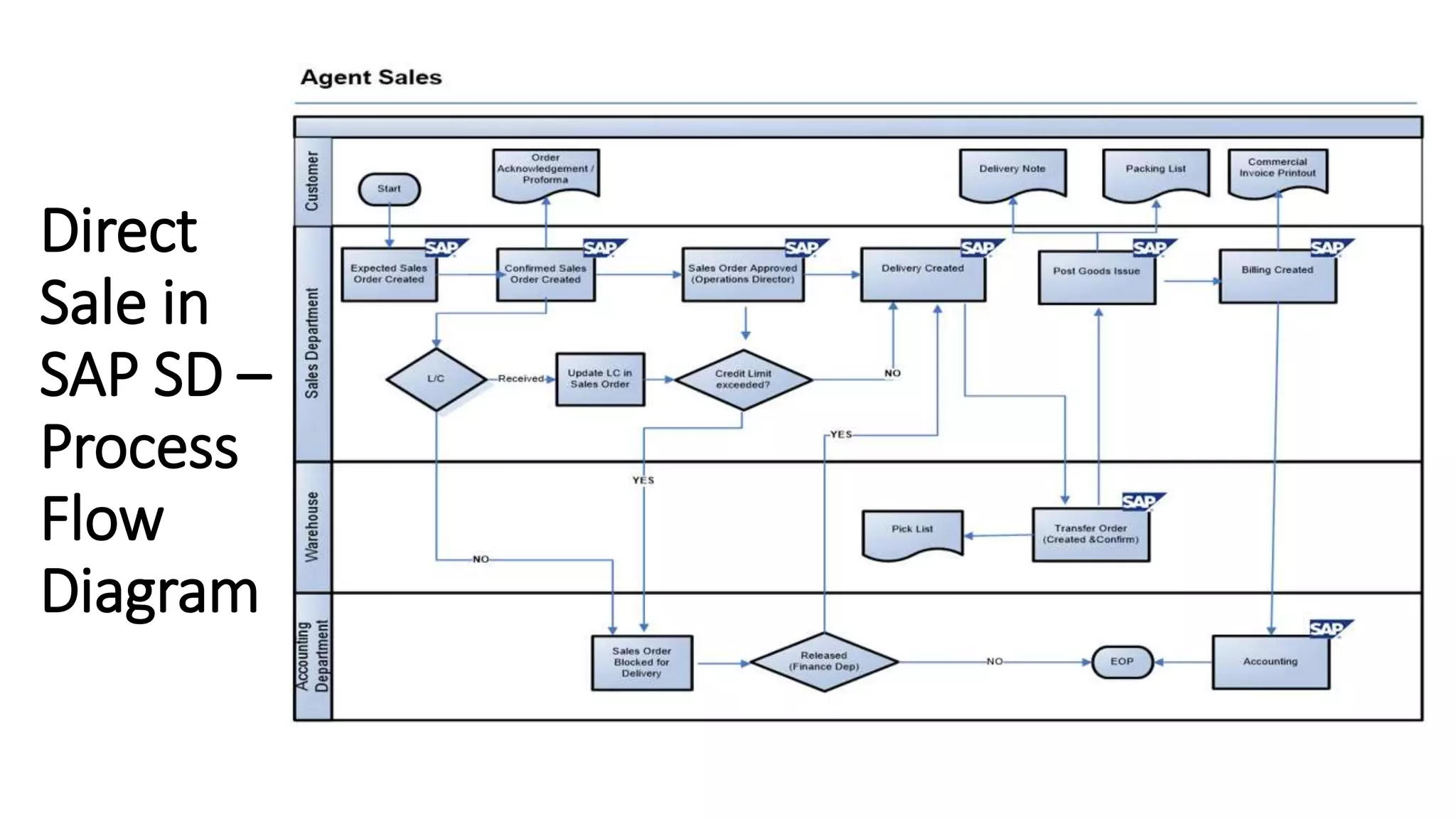
Direct
Sale in
SAP SD –
Process
Flow
Diagram
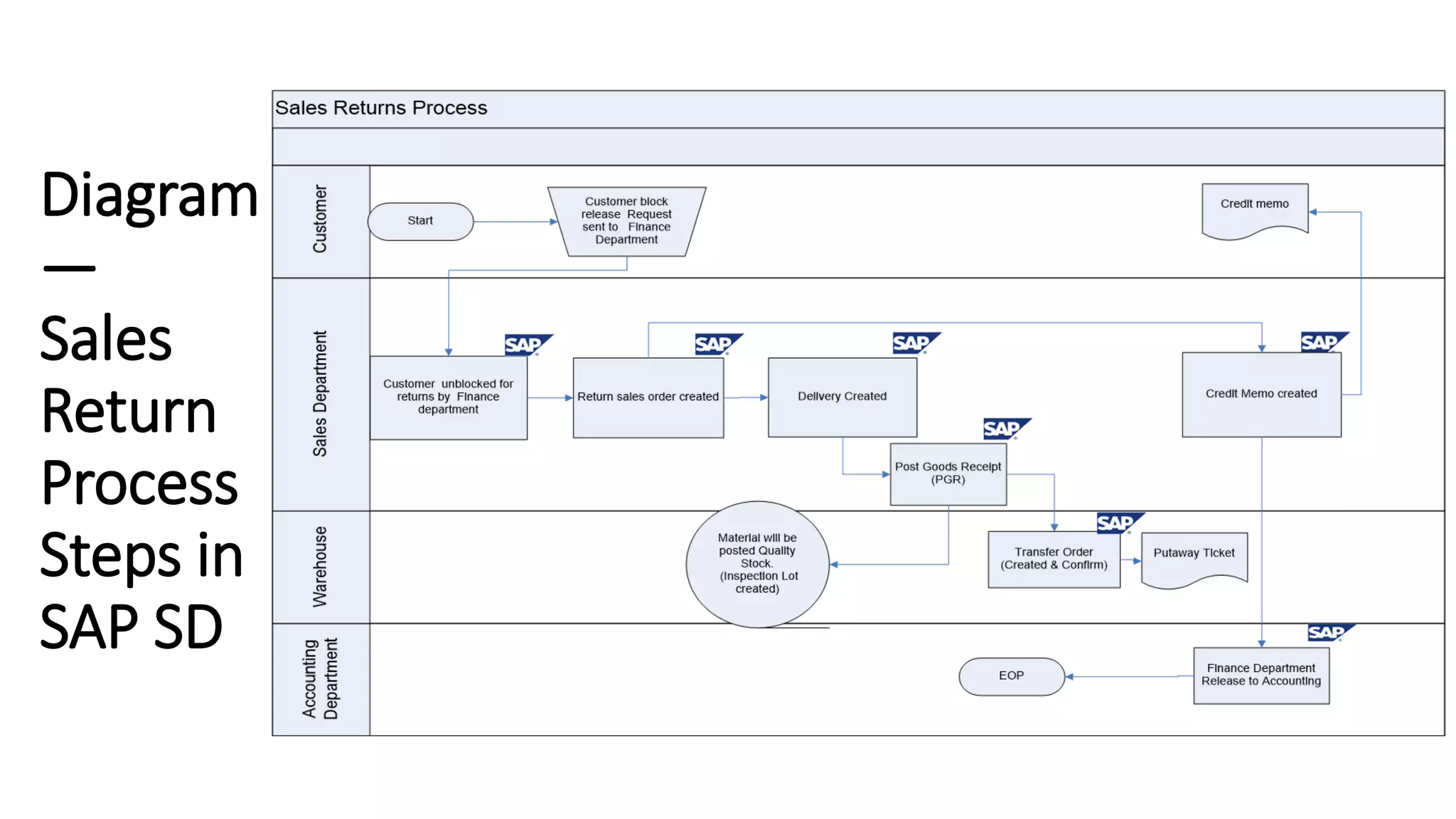
Diagram
—
Sales
Return
Process
Steps in
SAP SD

Process flows

Editor's Notes

  • #13 Direct Sale Business Steps in SAP SD: 1. Customer sends the purchase order with the requested products and the Sales Operations Team creates the sales order. 2. Business Partner Determination – Based on the sold-to business partner, the default ship-to, bill-to and payer partners are proposed in the order. If multiple ship-to records exist for a Sold to, the default Ship-to number (same as sold to) can be changed during order entry through a pop-up screen selection. 3. The prices are re-determined automatically from the master data maintained as per condition records. 4. While creating the sales order, material availability and credit limits check will be carried out. 5. The Sales order would be blocked for delivery if the credit limit is exceeded for the customer. 6. Once approved an Order Acknowledgment / Proforma is Printed and sent to the Customer. 7. Delivery document is created with reference to the Sales order. Multiple deliveries can be created for partial quantities, if required. 8. Once the Post goods issue is completed, the stocks are reduced from the storage location & Delivery Note is printed. 9. Goods Issue is posted done to record the actual delivered quantities. 10. Billing document is created with reference to the Delivery document and a copy of it is sent along with the goods. An accounting document is generated automatically, which updates the customer receivables.
  • #14 Sales Return Process Steps in SAP SD: 1. Return sale order is created in SAP R/3 with reference to the initial billing document by sales operations department. Prices will be copied from the referred billing document. If the Return Sales Order is created without reference to an initial Billing Document, the Prices will be determined from the Condition Records. 2. A delivery document is created with reference to the return sales order number by sales operations department. 3. The Post goods receipt would be carried out with reference to the delivery document by the shipping department & stock is posted into the quality stock. 4. A billing document (Credit memo) is created with reference to the return sales order. 5. A copy of credit memo would be printed and sent to the Customer.