Printing credits
Your Student ID card allows you to print, copy and scan on any of the Print
machines located around the College in places like the Library

Students are provided with £20 worth of printing credits at the start of the
academic year which can be used to print or copy onto either A4 or A3
paper, in either colour or black and white.

                             Costs
          2p = 1 page in black and white
          6p = 1 page in colour
          3p = Double-sided pages in black and white
          9p = Double-sided pages in colour
If you run out of credit, it is possible to buy extra credits from the Library
    (First floor, Macaulay Building) or the College Shop (Ground Floor,
    Roper Building)

   PAGE 1 of 6
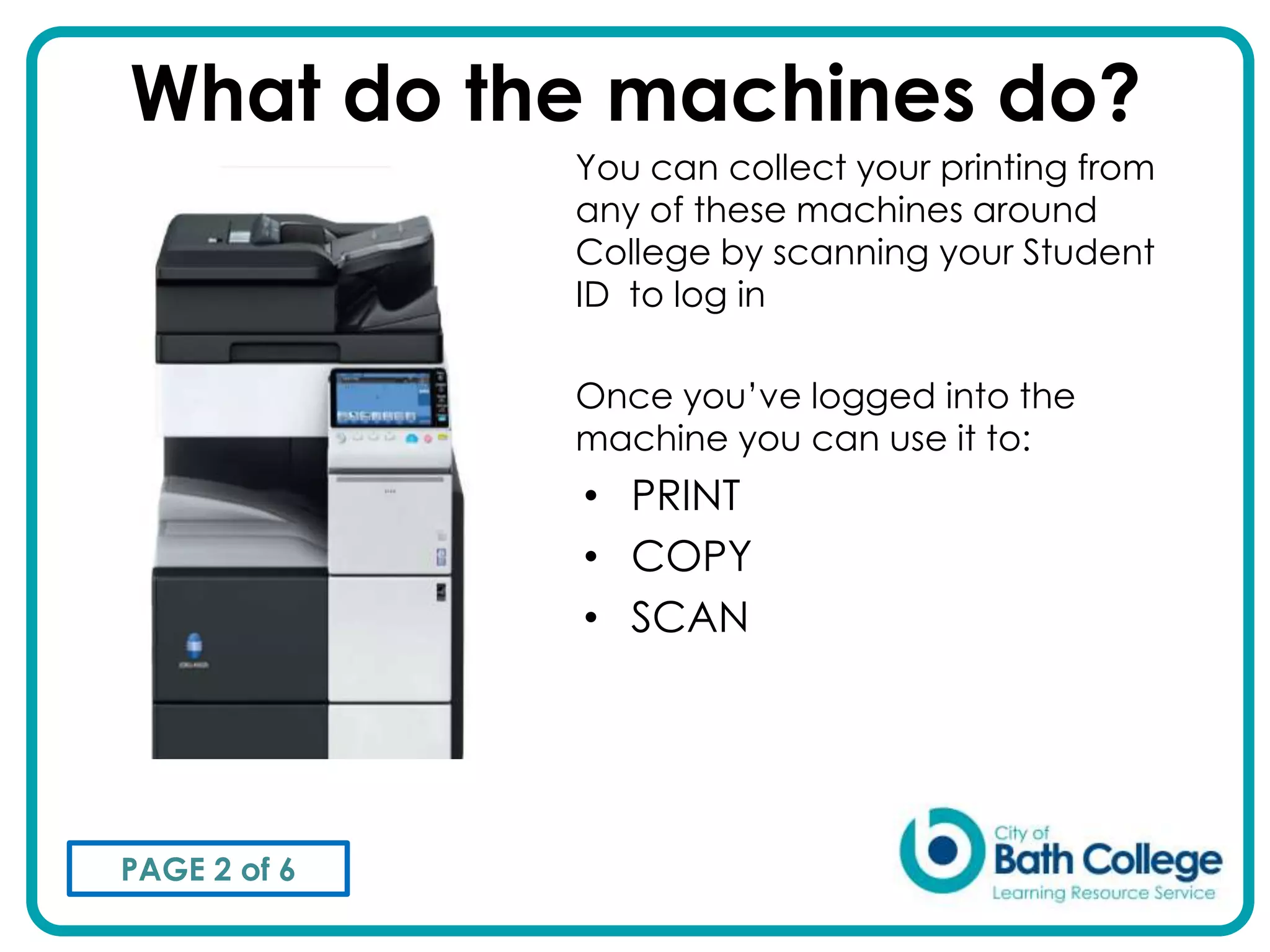
What do the machines do?
              You can collect your printing from
              any of these machines around
              College by scanning your Student
              ID to log in

              Once you’ve logged into the
              machine you can use it to:
              • PRINT
              • COPY
              • SCAN


PAGE 2 of 6
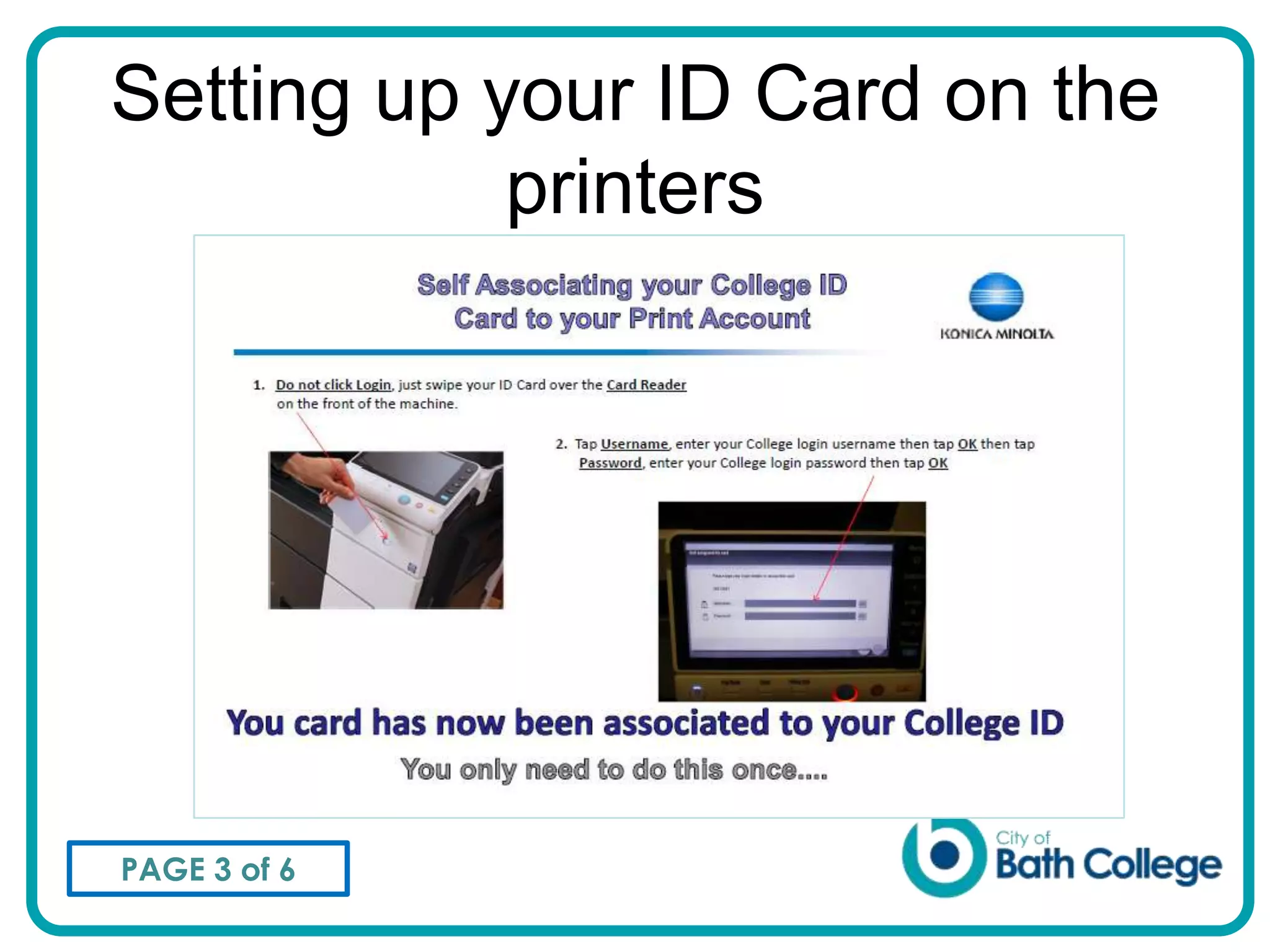
Setting up your ID Card on the
            printers


PAGE 3 of 6
Think before you Print
Please remember that ink and paper are
expensive and too much printing harms the
environment
To make sure you don’t print the wrong
thing check your work carefully in print
preview mode before printing, especially
when printing from the Internet
You can use the print machines to scan and
email a document. Why not save credits
and save the environment as well by
scanning instead of printing?
PAGE 4 of 6
Copyright
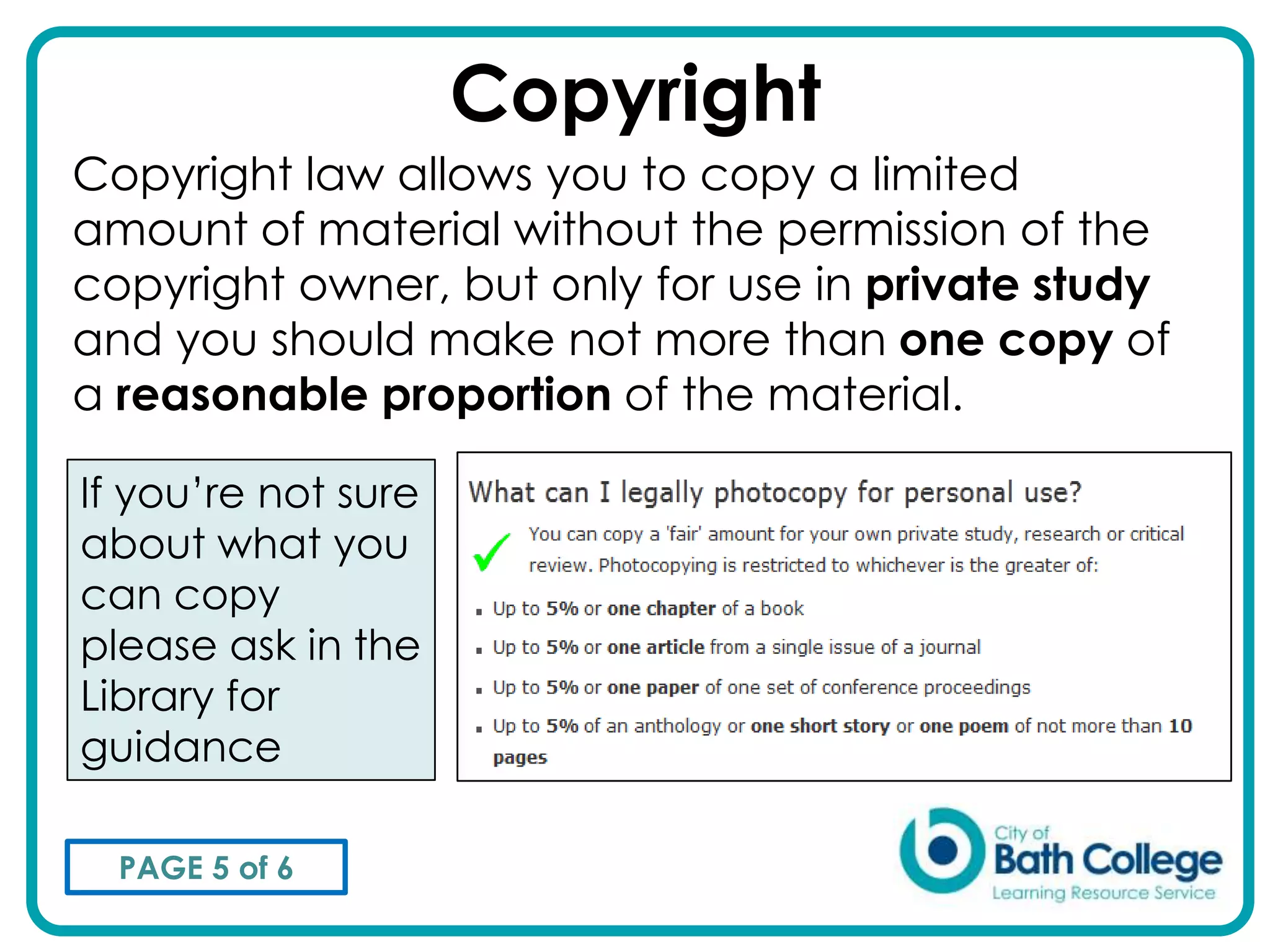
Copyright law allows you to copy a limited
amount of material without the permission of the
copyright owner, but only for use in private study
and you should make not more than one copy of
a reasonable proportion of the material.

If you’re not sure
about what you
can copy
please ask in the
Library for
guidance

  PAGE 5 of 6
END OF SLIDESHOW
 If you are viewing this presentation in
     Fullscreen mode click      to exit
             back to the page.


PAGE 6 of 6

Printing & copying

  • 1.
    Printing credits Your StudentID card allows you to print, copy and scan on any of the Print machines located around the College in places like the Library Students are provided with £20 worth of printing credits at the start of the academic year which can be used to print or copy onto either A4 or A3 paper, in either colour or black and white. Costs 2p = 1 page in black and white 6p = 1 page in colour 3p = Double-sided pages in black and white 9p = Double-sided pages in colour If you run out of credit, it is possible to buy extra credits from the Library (First floor, Macaulay Building) or the College Shop (Ground Floor, Roper Building) PAGE 1 of 6
  • 2.
    What do themachines do? You can collect your printing from any of these machines around College by scanning your Student ID to log in Once you’ve logged into the machine you can use it to: • PRINT • COPY • SCAN PAGE 2 of 6
  • 3.
    Setting up yourID Card on the printers PAGE 3 of 6
  • 4.
    Think before youPrint Please remember that ink and paper are expensive and too much printing harms the environment To make sure you don’t print the wrong thing check your work carefully in print preview mode before printing, especially when printing from the Internet You can use the print machines to scan and email a document. Why not save credits and save the environment as well by scanning instead of printing? PAGE 4 of 6
  • 5.
    Copyright Copyright law allowsyou to copy a limited amount of material without the permission of the copyright owner, but only for use in private study and you should make not more than one copy of a reasonable proportion of the material. If you’re not sure about what you can copy please ask in the Library for guidance PAGE 5 of 6
  • 6.
    END OF SLIDESHOW If you are viewing this presentation in Fullscreen mode click to exit back to the page. PAGE 6 of 6