Different Approaches to Software PreservationNeil Chue HongSoftware Preservation Study Workshop
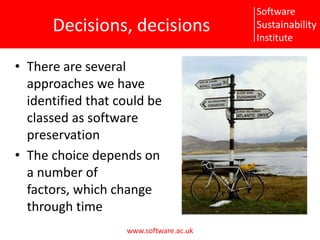
Decisions, decisionsThere are several approaches we have identified that could be classed as software preservationThe choice depends on a number of factors, which change through time
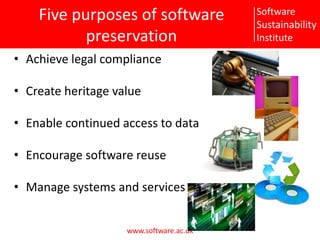
Five purposes of software preservationAchieve legal complianceCreate heritage valueEnable continued access to dataEncourage software reuseManage systems and services
ApproachesPreservation (techno-centric)Emulation (data-centric)Migration (functionality-centric)Transition (process-centric)Hibernation (knowledge-centric)Procrastination (i'll-get-round to it eventually-centric)
PreservationAim to preserve original hardware and software in same statePurpose:Achieve legal complianceCreate heritage valueEnable continued access to dataAdvantages:Clearly definedCan often change to Hardware Emulation at later dateDisadvantages:Costly, especially when hardware failsDoes not guarantee future access if dependent on other hardware/software (e.g. networking)Can be vulnerable to malicious attack
EmulationEmulate original hardware / operating environment, keeping software in same statePurpose:Achieve legal complianceCreate heritage valueEnable continued access to dataManage systems and servicesAdvantages:Easier to manage virtualised hardwareIf emulation layer continues to be developed, software can continue to be run indefinitelyDisadvantages:Need all aspects of hardware to be emulated correctly, including flawsIf emulation layer ceases to be developed, back to technical preservaton
MigrationAim to update software as required to maintain same functionality, porting/transferring before platform obsolescence Purpose:Achieve legal complianceEnable continued access to dataEncourage software reuseManage systems and servicesAdvantages:Allows further development of softwareEnables access on other platformsDisadvantages:Requires continued effort for development
TransitionAim to keep software “alive” by moving to more open development model bringing on board additional contributors and spreading knowledge of processPurpose:Enable continued access to dataEncourage software reuseManage systems and servicesAdvantages:Increases chances of further development of softwarePotential for better migration to other platformsDisadvantages:Requires more coordinationPossibility for loss of control of direction
HibernationAim to preserve the knowledge of how to resuscitate/recreate the exact functionality of the software at a later datePurpose:Enable continued access to dataEncourage software reuseAdvantages:Useful when you have a known break in effortDisadvantages:Can be difficult to check if hibernation processes are rigorous until after it is too late
ProcrastinationAim to do nothingPurpose:What purpose?Advantages:Comes naturallyVery cheapDisadvantages:Not a valid preservation technique!May require software archaeology skills in the futureA valid approach if software has been superceded
How much effort?What is your likely effort profile?Something now, nothing in futureSomething now, something in futureNothing now, something in futureNothing now, nothing in futureA difficult question to answer
How much access?Are you the owner of the code?Are you the developer of the code?Do you have access to the source code?Do you have access to the hardware the software is running on?
How exact do you need it?What are you needing to preserve?A few major pieces of functionalityMost of the functionality, but tolerant of minor deviationsAll functionality, but fixing errors when foundMust perform exactly as originalIs integrity important?What are you preserving and why?Software, functionality, data, knowledge,…
Example: DMARELSoftware no longer being developed or maintained but still has usersCode not open source but source available under licenseWill be superseded but still need to reproduce results until all useful results sets are recreated using new softwareApproach:Technical preservationMove to emulation ifcontinued use higher than expectedhardware becomes unmaintainableShould the cost of moving to emulation be done at the start or down the lineMaintaining hardware versus taking hit of virtualisation and maintaining virtual machinesIf not superseded, could consider migration if effort can be found
ExerciseConsider a piece of software you are familiar withWhat approach would you take if:The effort to maintain it is coming to an endYou have been told it is important to allow the integrity of data to be checked at a later dateSomeone else will take over development of the software but you will continue to use itThe operating system you have developed it on is being end of lifed

Preserving software workshop - Sustainability approaches

  • 1.
    Different Approaches toSoftware PreservationNeil Chue HongSoftware Preservation Study Workshop
  • 2.
    Decisions, decisionsThere areseveral approaches we have identified that could be classed as software preservationThe choice depends on a number of factors, which change through time
  • 3.
    Five purposes ofsoftware preservationAchieve legal complianceCreate heritage valueEnable continued access to dataEncourage software reuseManage systems and services
  • 4.
    ApproachesPreservation (techno-centric)Emulation (data-centric)Migration(functionality-centric)Transition (process-centric)Hibernation (knowledge-centric)Procrastination (i'll-get-round to it eventually-centric)
  • 5.
    PreservationAim to preserveoriginal hardware and software in same statePurpose:Achieve legal complianceCreate heritage valueEnable continued access to dataAdvantages:Clearly definedCan often change to Hardware Emulation at later dateDisadvantages:Costly, especially when hardware failsDoes not guarantee future access if dependent on other hardware/software (e.g. networking)Can be vulnerable to malicious attack
  • 6.
    EmulationEmulate original hardware/ operating environment, keeping software in same statePurpose:Achieve legal complianceCreate heritage valueEnable continued access to dataManage systems and servicesAdvantages:Easier to manage virtualised hardwareIf emulation layer continues to be developed, software can continue to be run indefinitelyDisadvantages:Need all aspects of hardware to be emulated correctly, including flawsIf emulation layer ceases to be developed, back to technical preservaton
  • 7.
    MigrationAim to updatesoftware as required to maintain same functionality, porting/transferring before platform obsolescence Purpose:Achieve legal complianceEnable continued access to dataEncourage software reuseManage systems and servicesAdvantages:Allows further development of softwareEnables access on other platformsDisadvantages:Requires continued effort for development
  • 8.
    TransitionAim to keepsoftware “alive” by moving to more open development model bringing on board additional contributors and spreading knowledge of processPurpose:Enable continued access to dataEncourage software reuseManage systems and servicesAdvantages:Increases chances of further development of softwarePotential for better migration to other platformsDisadvantages:Requires more coordinationPossibility for loss of control of direction
  • 9.
    HibernationAim to preservethe knowledge of how to resuscitate/recreate the exact functionality of the software at a later datePurpose:Enable continued access to dataEncourage software reuseAdvantages:Useful when you have a known break in effortDisadvantages:Can be difficult to check if hibernation processes are rigorous until after it is too late
  • 10.
    ProcrastinationAim to donothingPurpose:What purpose?Advantages:Comes naturallyVery cheapDisadvantages:Not a valid preservation technique!May require software archaeology skills in the futureA valid approach if software has been superceded
  • 11.
    How much effort?Whatis your likely effort profile?Something now, nothing in futureSomething now, something in futureNothing now, something in futureNothing now, nothing in futureA difficult question to answer
  • 12.
    How much access?Areyou the owner of the code?Are you the developer of the code?Do you have access to the source code?Do you have access to the hardware the software is running on?
  • 13.
    How exact doyou need it?What are you needing to preserve?A few major pieces of functionalityMost of the functionality, but tolerant of minor deviationsAll functionality, but fixing errors when foundMust perform exactly as originalIs integrity important?What are you preserving and why?Software, functionality, data, knowledge,…
  • 14.
    Example: DMARELSoftware nolonger being developed or maintained but still has usersCode not open source but source available under licenseWill be superseded but still need to reproduce results until all useful results sets are recreated using new softwareApproach:Technical preservationMove to emulation ifcontinued use higher than expectedhardware becomes unmaintainableShould the cost of moving to emulation be done at the start or down the lineMaintaining hardware versus taking hit of virtualisation and maintaining virtual machinesIf not superseded, could consider migration if effort can be found
  • 15.
    ExerciseConsider a pieceof software you are familiar withWhat approach would you take if:The effort to maintain it is coming to an endYou have been told it is important to allow the integrity of data to be checked at a later dateSomeone else will take over development of the software but you will continue to use itThe operating system you have developed it on is being end of lifed

Editor's Notes