Sandhya Dwarkadas, University of Rochester
Susan Rodger, Duke University
Presentation
and
Oral Communication Skills
Welcome
Always greet your audience and tell
them you are honored to talk to them!
Introduction
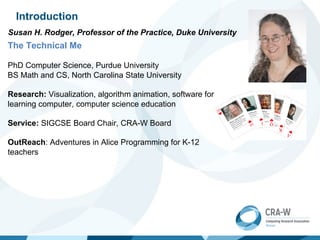
Susan H. Rodger, Professor of the Practice, Duke University
The Technical Me
PhD Computer Science, Purdue University
BS Math and CS, North Carolina State University
Research: Visualization, algorithm animation, software for
learning computer, computer science education
Service: SIGCSE Board Chair, CRA-W Board
OutReach: Adventures in Alice Programming for K-12
teachers
One minute exercise
On a scale of 1 to 10,
how confident do you feel right now?
Please stand and put your
hands on your hips
One minute exercise
On a scale of 1 to 10,
how confident do you feel right now?
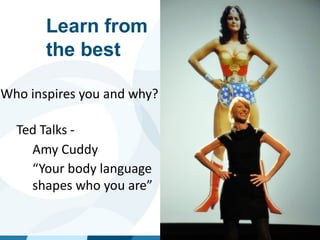
Learn from
the best
Who inspires you and why?
Ted Talks -
-
-
-
-
-
Amy Cuddy
“Your body language
shapes who you are”
The image part with relationship ID rId2 was not found in the file.
Sandhya Dwarkadas
• Education
• Bachelor’s degree in Electronics from Indian Institute
of Technology, Madras, India
• Master’s and Ph.D. in Electrical and Computer
Engineering from Rice University, Houston, Texas
• Research Area: Computer systems: architecture, parallel
and distributed systems
• Post-Ph.D.
• Research scientist at Rice for 4 years
• Faculty member at University of Rochester since
• Currently the Albert Arendt Hopeman
Professor and Chair of Computer Science with a
secondary appointment in Electrical and
Computer Engineering
• Sabbaticals at IBM Watson, HPCLinks/IISc India, EPFL
Switzerland
Why do Presentations Skills
Matter?
Essential for
• Crystallizing your ideas
• disseminating important results
• Ideas don’t sell themselves; they will lie on
the shelf and gather dust unless you sell them
• Explaining your work to colleagues
• Giving talks/seminars in industry or academia
• Selling your ideas to funding agencies (or venture
capital firms)
• Interviewing for jobs
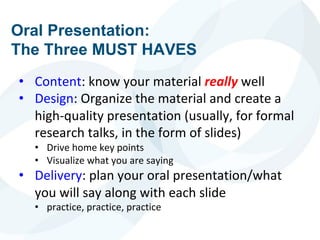
Oral Presentation:
The Three MUST HAVES
• Content: know your material really well
• Design: Organize the material and create a
high-quality presentation (usually, for formal
research talks, in the form of slides)
• Drive home key points
• Visualize what you are saying
• Delivery: plan your oral presentation/what
you will say along with each slide
• practice, practice, practice
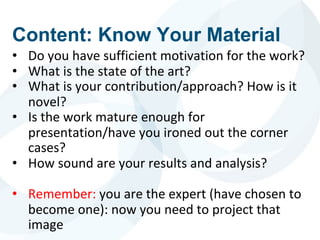
• Do you have sufficient motivation for the work?
• What is the state of the art?
• What is your contribution/approach? How is it
novel?
• Is the work mature enough for
presentation/have you ironed out the corner
cases?
• How sound are your results and analysis?
• Remember: you are the expert (have chosen to
become one): now you need to project that
image
Content: Know Your Material
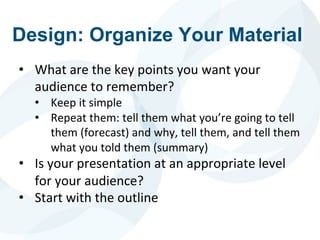
Design: Organize Your Material
• What are the key points you want your
audience to remember?
• Keep it simple
• Repeat them: tell them what you’re going to tell
them (forecast) and why, tell them, and tell them
what you told them (summary)
• Is your presentation at an appropriate level
for your audience?
• Start with the outline
URCS
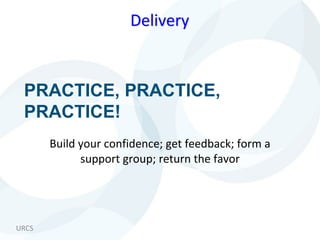
PRACTICE, PRACTICE,
PRACTICE!
Build your confidence; get feedback; form a
support group; return the favor
Delivery
Know Your Audience and
Purpose
• Who is your audience? Why are they there?
What do they know? What biases do they
have?
• What is the purpose of your talk?
• To inform? To persuade? To inspire? To teach?
• Is this a formal or informal occasion? What is
the size of your audience? How much time do
you have?
Conference Talks
Remember
• There is no way you will cover every detail of a 10
page paper in 25 minutes
• The main goal is to get the audience interested in
your work so they go read the paper
• The talk is that sales job (but don’t overdo the
selling)
How to Give a Bad Talk: The Ten
(9) Commandments*
• Thou shalt not waste space
• Thou shalt not be neat
• Thou shalt not covet brevity
• Thou shalt not write large
• Thou shalt not use color
• Thou shalt not illustrate
• Thou shalt not make eye contact
• Thou shalt not skip slides in a long talk
• Thou shalt not practice
*Courtesy David Patterson, circa 1983, via Mark Hill, with appropriate
modification to accommodate changes in technology
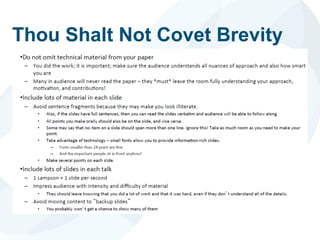
Thou Shalt Not Covet Brevity
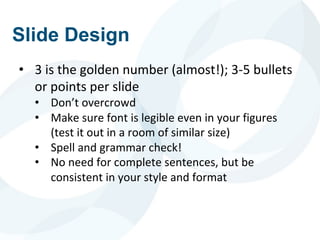
Slide Design
• 3 is the golden number (almost!); 3-5 bullets
or points per slide
• Don’t overcrowd
• Make sure font is legible even in your figures
(test it out in a room of similar size)
• Spell and grammar check!
• No need for complete sentences, but be
consistent in your style and format
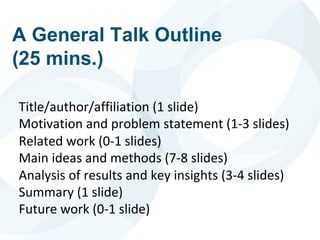
A General Talk Outline
(25 mins.)
Title/author/affiliation (1 slide)
Motivation and problem statement (1-3 slides)
Related work (0-1 slides)
Main ideas and methods (7-8 slides)
Analysis of results and key insights (3-4 slides)
Summary (1 slide)
Future work (0-1 slide)
Motivation
and
Problem Statement
URCS
Outline Slide or No Outline
Slide:
To be or not to be
Roadmap
Background
Design
Evaluation
Conclusion
Roadmap
Background
Design
Evaluation
Conclusion
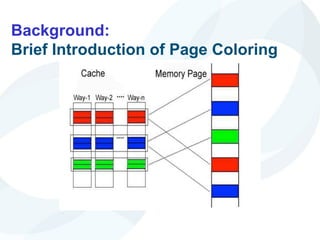
Background:
Brief Introduction of Page Coloring
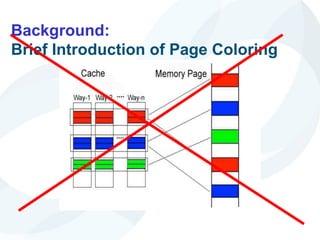
Background:
Brief Introduction of Page Coloring
URCS
Instead …
URCS
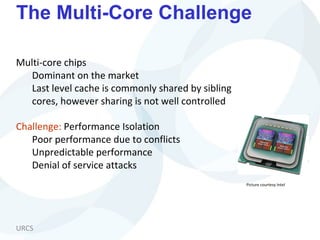
The Multi-Core Challenge
Multi-core chips
Dominant on the market
Last level cache is commonly shared by sibling
cores, however sharing is not well controlled
Challenge: Performance Isolation
Poor performance due to conflicts
Unpredictable performance
Denial of service attacks
Picture courtesy Intel
Possible Software Approach:
Page Coloring
• Partition cache at coarse granularity
• Page coloring: advocated by many
previous works
• [Bershad’94, Bugnion’96, Cho ‘06,
Tam ‘07, Lin ‘08, Soares ‘08]
• Challenges:
• Expensive page re-coloring
• Re-coloring is needed due to
optimization goal or co-runner
change
• Without extra support, re-
coloring means memory
copying
• 3 micro-seconds per page copy,
>10K pages to copy, possibly
happen every time quantum
• Artificial memory pressure
• Cache share restriction also
restricts memory share
Thread A
Thread B
Cache
Way-1 Way-n
…………
Memory pag
Color # =
CacheSize
PageSize*CacheAssociativity
URCS
Hotness-based Page Coloring
Basic idea
Restrain page coloring to a small group of hot pages
Challenge:
How to efficiently determine hot pages
Roadmap
Efficient hot page identification
locality jumping
Cache partition policy
MRC-based
Hot page coloring
URCS
Alternatively …
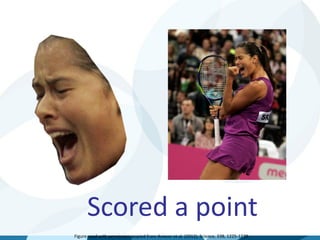
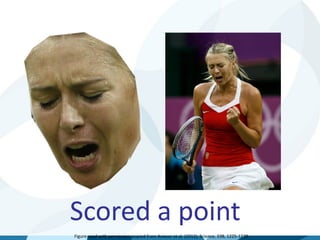
THE HOOK
(courtesy URCS Professor Ehsan Hoque)
Scored a point
Figure used with permission, copied from Aviezer et al. (2012), Science, 338, 1225-1229.
Scored a point
Figure used with permission, copied from Aviezer et al. (2012), Science, 338, 1225-1229.
Main Ideas and
Delivery
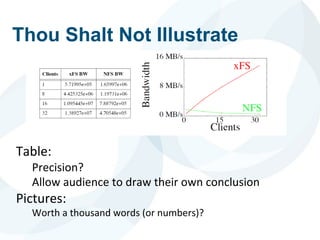
Thou Shalt Not Illustrate
Table:
Precision?
Allow audience to draw their own conclusion
Pictures:
Worth a thousand words (or numbers)?
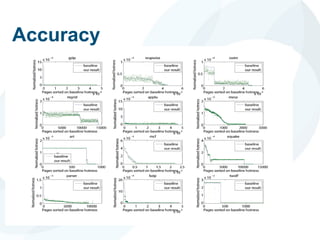
Accuracy
URCS
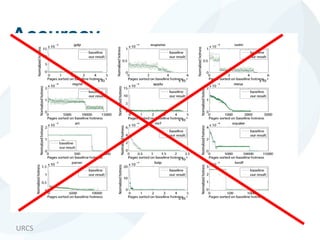
Accuracy
URCS
Instead …
URCS
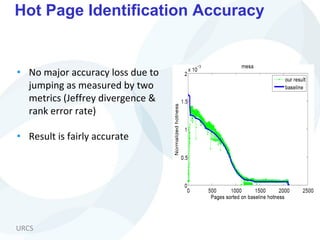
Hot Page Identification Accuracy
• No major accuracy loss due to
jumping as measured by two
metrics (Jeffrey divergence &
rank error rate)
• Result is fairly accurate
Illustration and Color
• “A picture speaks a 1000 words”
• A 1000 words don’t speak, however
• The picture may need a little help
• Color for emphasis (when appropriate)
• Animation when appropriate
URCS
Re-coloring Procedure
Quick search for K-th hottest
page’s hotness
Bin[ i ][ j ] indicates # of pages
in color i with normalized
hotness in
[ j, j+1] range
URCS
Re-coloring Procedure
Quick search for K-th hottest
page’s hotness
Bin[ i ][ j ] indicates # of pages
in color i with normalized
hotness in
[ j, j+1] range
URCS
Instead …
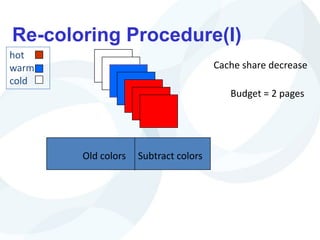
Re-coloring Procedure(I)
Old colors Subtract colors
Budget = 2 pages
Cache share decrease
hot
warm
cold
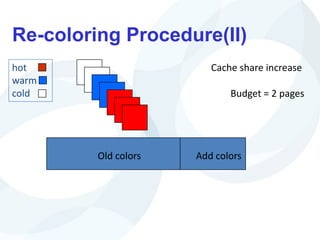
Re-coloring Procedure(II)
Old colors Add colors
Budget = 2 pages
Cache share increase
hot
warm
cold
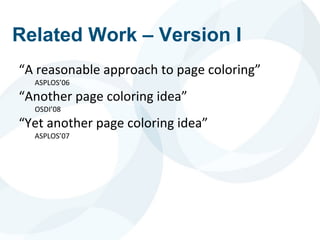
Related Work – Version I
“A reasonable approach to page coloring”
ASPLOS’06
“Another page coloring idea”
OSDI’08
“Yet another page coloring idea”
ASPLOS’07
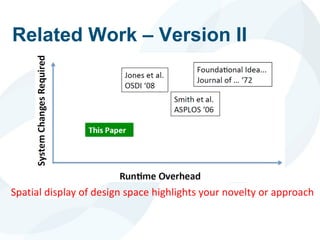
Related Work – Version II
Spatial display of design space highlights your novelty or approach
Conclusions
• A chance to summarize and place your work
in a broader context
• Open problems?
• Future work?
Delivery & Confidence
Monotonous voice?
Improve articulation with tongue twisters
Peter Piper picked a peck of pickled peppers…
Practice, Practice, Practice!
In front of a tough audience
Projecting Your Voice
Let’s Try It
Helpful Hints
• Record yourself and watch the video
• Enroll in a public speaking class
• Toast masters, community courses
• Memorize first 5 minutes of your talk
• Helps start out if you are nervous
• Leverage your nervous energy
• Adrenalin can help you give a good talk
Body Language
• Eye contact
• Fillers
• Gestures
• Enunciation
• Voice modulation and emphasis
• Speed of delivery
• There’s no prize for learning how to fit 20
words in 10 seconds
• Most of all, project your enthusiasm for what
you are presenting!
It Pays To Be Cautious!
• Redundancy/fault tolerance: make copies of
your slides on a flash drive
• Your computer may fail you
• Create versions in multiple formats for just in
case
• E.g., ppt and pdf
• Make sure you check the projection systems
prior to your talk or session if at a conference
• Use practice talks to get possible questions
• Be prepared with backup slides on details
Questions?
Anticipate them
Prepare backup slides
Have a strategy for aggressive questioning
Follow up
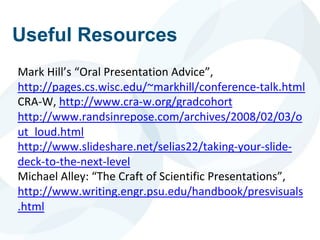
Useful Resources
Mark Hill’s “Oral Presentation Advice”,
http://pages.cs.wisc.edu/~markhill/conference-talk.html
CRA-W, http://www.cra-w.org/gradcohort
http://www.randsinrepose.com/archives/2008/02/03/o
ut_loud.html
http://www.slideshare.net/selias22/taking-your-slide-
deck-to-the-next-level
Michael Alley: “The Craft of Scientific Presentations”,
http://www.writing.engr.psu.edu/handbook/presvisuals
.html
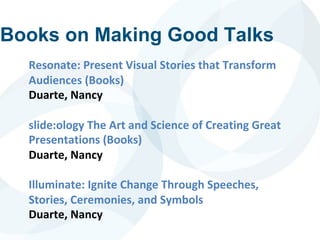
Books on Making Good Talks
Resonate: Present Visual Stories that Transform
Audiences (Books)
Duarte, Nancy
slide:ology The Art and Science of Creating Great
Presentations (Books)
Duarte, Nancy
Illuminate: Ignite Change Through Speeches,
Stories, Ceremonies, and Symbols
Duarte, Nancy

presentationSkills.pdf

  • 1.
    Sandhya Dwarkadas, Universityof Rochester Susan Rodger, Duke University Presentation and Oral Communication Skills
  • 2.
    Welcome Always greet youraudience and tell them you are honored to talk to them!
  • 3.
    Introduction Susan H. Rodger,Professor of the Practice, Duke University The Technical Me PhD Computer Science, Purdue University BS Math and CS, North Carolina State University Research: Visualization, algorithm animation, software for learning computer, computer science education Service: SIGCSE Board Chair, CRA-W Board OutReach: Adventures in Alice Programming for K-12 teachers
  • 4.
    One minute exercise Ona scale of 1 to 10, how confident do you feel right now?
  • 5.
    Please stand andput your hands on your hips
  • 6.
    One minute exercise Ona scale of 1 to 10, how confident do you feel right now?
  • 7.
    Learn from the best Whoinspires you and why? Ted Talks - - - - - - Amy Cuddy “Your body language shapes who you are”
  • 8.
    The image partwith relationship ID rId2 was not found in the file. Sandhya Dwarkadas • Education • Bachelor’s degree in Electronics from Indian Institute of Technology, Madras, India • Master’s and Ph.D. in Electrical and Computer Engineering from Rice University, Houston, Texas • Research Area: Computer systems: architecture, parallel and distributed systems • Post-Ph.D. • Research scientist at Rice for 4 years • Faculty member at University of Rochester since • Currently the Albert Arendt Hopeman Professor and Chair of Computer Science with a secondary appointment in Electrical and Computer Engineering • Sabbaticals at IBM Watson, HPCLinks/IISc India, EPFL Switzerland
  • 9.
    Why do PresentationsSkills Matter? Essential for • Crystallizing your ideas • disseminating important results • Ideas don’t sell themselves; they will lie on the shelf and gather dust unless you sell them • Explaining your work to colleagues • Giving talks/seminars in industry or academia • Selling your ideas to funding agencies (or venture capital firms) • Interviewing for jobs
  • 10.
    Oral Presentation: The ThreeMUST HAVES • Content: know your material really well • Design: Organize the material and create a high-quality presentation (usually, for formal research talks, in the form of slides) • Drive home key points • Visualize what you are saying • Delivery: plan your oral presentation/what you will say along with each slide • practice, practice, practice
  • 11.
    • Do youhave sufficient motivation for the work? • What is the state of the art? • What is your contribution/approach? How is it novel? • Is the work mature enough for presentation/have you ironed out the corner cases? • How sound are your results and analysis? • Remember: you are the expert (have chosen to become one): now you need to project that image Content: Know Your Material
  • 12.
    Design: Organize YourMaterial • What are the key points you want your audience to remember? • Keep it simple • Repeat them: tell them what you’re going to tell them (forecast) and why, tell them, and tell them what you told them (summary) • Is your presentation at an appropriate level for your audience? • Start with the outline
  • 13.
    URCS PRACTICE, PRACTICE, PRACTICE! Build yourconfidence; get feedback; form a support group; return the favor Delivery
  • 14.
    Know Your Audienceand Purpose • Who is your audience? Why are they there? What do they know? What biases do they have? • What is the purpose of your talk? • To inform? To persuade? To inspire? To teach? • Is this a formal or informal occasion? What is the size of your audience? How much time do you have?
  • 15.
    Conference Talks Remember • Thereis no way you will cover every detail of a 10 page paper in 25 minutes • The main goal is to get the audience interested in your work so they go read the paper • The talk is that sales job (but don’t overdo the selling)
  • 16.
    How to Givea Bad Talk: The Ten (9) Commandments* • Thou shalt not waste space • Thou shalt not be neat • Thou shalt not covet brevity • Thou shalt not write large • Thou shalt not use color • Thou shalt not illustrate • Thou shalt not make eye contact • Thou shalt not skip slides in a long talk • Thou shalt not practice *Courtesy David Patterson, circa 1983, via Mark Hill, with appropriate modification to accommodate changes in technology
  • 17.
    Thou Shalt NotCovet Brevity
  • 18.
    Slide Design • 3is the golden number (almost!); 3-5 bullets or points per slide • Don’t overcrowd • Make sure font is legible even in your figures (test it out in a room of similar size) • Spell and grammar check! • No need for complete sentences, but be consistent in your style and format
  • 19.
    A General TalkOutline (25 mins.) Title/author/affiliation (1 slide) Motivation and problem statement (1-3 slides) Related work (0-1 slides) Main ideas and methods (7-8 slides) Analysis of results and key insights (3-4 slides) Summary (1 slide) Future work (0-1 slide)
  • 20.
  • 21.
    URCS Outline Slide orNo Outline Slide: To be or not to be
  • 22.
  • 23.
  • 24.
  • 25.
  • 26.
  • 27.
    URCS The Multi-Core Challenge Multi-corechips Dominant on the market Last level cache is commonly shared by sibling cores, however sharing is not well controlled Challenge: Performance Isolation Poor performance due to conflicts Unpredictable performance Denial of service attacks Picture courtesy Intel
  • 28.
    Possible Software Approach: PageColoring • Partition cache at coarse granularity • Page coloring: advocated by many previous works • [Bershad’94, Bugnion’96, Cho ‘06, Tam ‘07, Lin ‘08, Soares ‘08] • Challenges: • Expensive page re-coloring • Re-coloring is needed due to optimization goal or co-runner change • Without extra support, re- coloring means memory copying • 3 micro-seconds per page copy, >10K pages to copy, possibly happen every time quantum • Artificial memory pressure • Cache share restriction also restricts memory share Thread A Thread B Cache Way-1 Way-n ………… Memory pag Color # = CacheSize PageSize*CacheAssociativity
  • 29.
    URCS Hotness-based Page Coloring Basicidea Restrain page coloring to a small group of hot pages Challenge: How to efficiently determine hot pages
  • 30.
    Roadmap Efficient hot pageidentification locality jumping Cache partition policy MRC-based Hot page coloring
  • 31.
    URCS Alternatively … THE HOOK (courtesyURCS Professor Ehsan Hoque)
  • 32.
    Scored a point Figureused with permission, copied from Aviezer et al. (2012), Science, 338, 1225-1229.
  • 33.
    Scored a point Figureused with permission, copied from Aviezer et al. (2012), Science, 338, 1225-1229.
  • 34.
  • 35.
    Thou Shalt NotIllustrate Table: Precision? Allow audience to draw their own conclusion Pictures: Worth a thousand words (or numbers)?
  • 36.
  • 37.
  • 38.
  • 39.
    URCS Hot Page IdentificationAccuracy • No major accuracy loss due to jumping as measured by two metrics (Jeffrey divergence & rank error rate) • Result is fairly accurate
  • 40.
    Illustration and Color •“A picture speaks a 1000 words” • A 1000 words don’t speak, however • The picture may need a little help • Color for emphasis (when appropriate) • Animation when appropriate
  • 41.
    URCS Re-coloring Procedure Quick searchfor K-th hottest page’s hotness Bin[ i ][ j ] indicates # of pages in color i with normalized hotness in [ j, j+1] range
  • 42.
    URCS Re-coloring Procedure Quick searchfor K-th hottest page’s hotness Bin[ i ][ j ] indicates # of pages in color i with normalized hotness in [ j, j+1] range
  • 43.
  • 44.
    Re-coloring Procedure(I) Old colorsSubtract colors Budget = 2 pages Cache share decrease hot warm cold
  • 45.
    Re-coloring Procedure(II) Old colorsAdd colors Budget = 2 pages Cache share increase hot warm cold
  • 46.
    Related Work –Version I “A reasonable approach to page coloring” ASPLOS’06 “Another page coloring idea” OSDI’08 “Yet another page coloring idea” ASPLOS’07
  • 47.
    Related Work –Version II Spatial display of design space highlights your novelty or approach
  • 48.
    Conclusions • A chanceto summarize and place your work in a broader context • Open problems? • Future work?
  • 49.
    Delivery & Confidence Monotonousvoice? Improve articulation with tongue twisters Peter Piper picked a peck of pickled peppers… Practice, Practice, Practice! In front of a tough audience
  • 50.
  • 51.
    Helpful Hints • Recordyourself and watch the video • Enroll in a public speaking class • Toast masters, community courses • Memorize first 5 minutes of your talk • Helps start out if you are nervous • Leverage your nervous energy • Adrenalin can help you give a good talk
  • 52.
    Body Language • Eyecontact • Fillers • Gestures • Enunciation • Voice modulation and emphasis • Speed of delivery • There’s no prize for learning how to fit 20 words in 10 seconds • Most of all, project your enthusiasm for what you are presenting!
  • 53.
    It Pays ToBe Cautious! • Redundancy/fault tolerance: make copies of your slides on a flash drive • Your computer may fail you • Create versions in multiple formats for just in case • E.g., ppt and pdf • Make sure you check the projection systems prior to your talk or session if at a conference • Use practice talks to get possible questions • Be prepared with backup slides on details
  • 54.
    Questions? Anticipate them Prepare backupslides Have a strategy for aggressive questioning Follow up
  • 55.
    Useful Resources Mark Hill’s“Oral Presentation Advice”, http://pages.cs.wisc.edu/~markhill/conference-talk.html CRA-W, http://www.cra-w.org/gradcohort http://www.randsinrepose.com/archives/2008/02/03/o ut_loud.html http://www.slideshare.net/selias22/taking-your-slide- deck-to-the-next-level Michael Alley: “The Craft of Scientific Presentations”, http://www.writing.engr.psu.edu/handbook/presvisuals .html
  • 56.
    Books on MakingGood Talks Resonate: Present Visual Stories that Transform Audiences (Books) Duarte, Nancy slide:ology The Art and Science of Creating Great Presentations (Books) Duarte, Nancy Illuminate: Ignite Change Through Speeches, Stories, Ceremonies, and Symbols Duarte, Nancy