Md.Shamim Hossain
ID: 153015013
Department: CSE
1
Topic: Array
2
What is Array ?
• An array is a group of consective memory locations with same name and data
type.
• Simple variable is a single memory location with unique name and a type. But
an Array is collection of different adjacent memory locations. All these memory
locations have one collective name and type.
3
Advantages / Uses of
Arrays
• Arrays can store a large number of value with single
name.
• Arrays are used to process many value easily and quickly.
• The values stored in an array can be sorted easily.
• The search process can be applied on arrays easily.
4
Types of Arrays:
• One-Dimensional Array
• Two-Dimensional Array
• Multi-Dimensional Array
5
One-D
ArrayA type of array in which all elements are arranged in the form of a list is known
as
1-D array or single dimensional array or linear list.
Declaring 1-D Array:
data_type identifier[length]; e.g: int
marks[5];
6
Data _type: Data type of values to be stored in the array.
Identifier: Name of the array.
Length: Number of elements.
One-D array
Intialization
The process of assigning values to array elements at the time of array declaration
is called array initialization.
Syntax:
data_type identifier[length]={ List of values }; e.g: int
marks[5]={70,54,82,96,49};
o Data _type:
o Identifier:
o Length:
Data type of values to be stored in the
array.
Name of the array.
Number of elements
o List of values: Values to initialize the array. Initializing values must be
constant
70 54 82 96 49
7
Accessing element of
array
• Individual Element:
Array_name [index];
• Using Loop:
int marks[5];
for(int i=0;i<=4;i++)
marks[i]=i;
8
Searching In Array
Searching is a process of finding the required data in the array. Searching
becomes more important when the length of the array is very large.
There are two techniques to searching elements in array as follows:
•
•
Sequential search
Binary search
9
Sequential Search
Sequential search is also known as linear or serial search. It follows the
following
step to search a value in array.
•Visit the first element of array and compare its value with required value.
•If the value of array matches with the desired value, the search is complete.
•If the value of array does not match, move to next element an repeat same process.
10
Binary Search
Binary search is a quicker method of searching for value in the array. Binary
search is very quick but it can only search an sorted array. It cannot be applied
on an unsorted array.
oIt locates the middle element of array and compare with desired number.
oIf they are equal, search is successful and the index of middle element is returned.
oIf they are not equal, it reduces the search to half of the array.
11
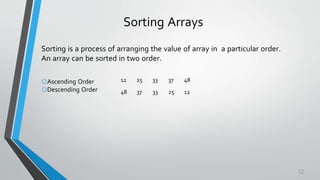
Sorting Arrays
Sorting is a process of arranging the value of array in a particular order.
An array can be sorted in two order.
oAscending Order
oDescending Order
12 25 33 37 48
48 37 33 25 12
12
Techniques Of Sorting
Array
There are two techniques of sorting
array:
oSelection Sort
oBubble Sort
13
Two-D Arrays
Two-D array can be considered as table that consists of rows and columns.
Each element in 2-D array is refered with the help of two indexes. One index
indicates row and second indicates the column.
Declaring 2-D Array:
Data_type Identifier[row][column]; e.g: int arr[4][3];
oData _type:
o Identifier:
o Rows :
oColumn :
Data type of values to be stored in the
array.
Name of the array.
# of Rows in the table of array.
# of Columns in the table of array.
0,0 0,1 0,2
1,0 1,1 1,2
2,0 2,1 2,2
3,0 3,1 3,2
14
Two-D array
Intialization
Syntax:
int arr[4][3]={ {12,5,22},
{95,3,41},
{77,6,53},
{84,59,62} }
Column indexes
Row indexes
0
2
1
3
10 2
12 5 22
95 3 41
77 6 53
84 59 62
15
Thank you

16

Presentation of array

  • 1.
  • 2.
  • 3.
    What is Array? • An array is a group of consective memory locations with same name and data type. • Simple variable is a single memory location with unique name and a type. But an Array is collection of different adjacent memory locations. All these memory locations have one collective name and type. 3
  • 4.
    Advantages / Usesof Arrays • Arrays can store a large number of value with single name. • Arrays are used to process many value easily and quickly. • The values stored in an array can be sorted easily. • The search process can be applied on arrays easily. 4
  • 5.
    Types of Arrays: •One-Dimensional Array • Two-Dimensional Array • Multi-Dimensional Array 5
  • 6.
    One-D ArrayA type ofarray in which all elements are arranged in the form of a list is known as 1-D array or single dimensional array or linear list. Declaring 1-D Array: data_type identifier[length]; e.g: int marks[5]; 6 Data _type: Data type of values to be stored in the array. Identifier: Name of the array. Length: Number of elements.
  • 7.
    One-D array Intialization The processof assigning values to array elements at the time of array declaration is called array initialization. Syntax: data_type identifier[length]={ List of values }; e.g: int marks[5]={70,54,82,96,49}; o Data _type: o Identifier: o Length: Data type of values to be stored in the array. Name of the array. Number of elements o List of values: Values to initialize the array. Initializing values must be constant 70 54 82 96 49 7
  • 8.
    Accessing element of array •Individual Element: Array_name [index]; • Using Loop: int marks[5]; for(int i=0;i<=4;i++) marks[i]=i; 8
  • 9.
    Searching In Array Searchingis a process of finding the required data in the array. Searching becomes more important when the length of the array is very large. There are two techniques to searching elements in array as follows: • • Sequential search Binary search 9
  • 10.
    Sequential Search Sequential searchis also known as linear or serial search. It follows the following step to search a value in array. •Visit the first element of array and compare its value with required value. •If the value of array matches with the desired value, the search is complete. •If the value of array does not match, move to next element an repeat same process. 10
  • 11.
    Binary Search Binary searchis a quicker method of searching for value in the array. Binary search is very quick but it can only search an sorted array. It cannot be applied on an unsorted array. oIt locates the middle element of array and compare with desired number. oIf they are equal, search is successful and the index of middle element is returned. oIf they are not equal, it reduces the search to half of the array. 11
  • 12.
    Sorting Arrays Sorting isa process of arranging the value of array in a particular order. An array can be sorted in two order. oAscending Order oDescending Order 12 25 33 37 48 48 37 33 25 12 12
  • 13.
    Techniques Of Sorting Array Thereare two techniques of sorting array: oSelection Sort oBubble Sort 13
  • 14.
    Two-D Arrays Two-D arraycan be considered as table that consists of rows and columns. Each element in 2-D array is refered with the help of two indexes. One index indicates row and second indicates the column. Declaring 2-D Array: Data_type Identifier[row][column]; e.g: int arr[4][3]; oData _type: o Identifier: o Rows : oColumn : Data type of values to be stored in the array. Name of the array. # of Rows in the table of array. # of Columns in the table of array. 0,0 0,1 0,2 1,0 1,1 1,2 2,0 2,1 2,2 3,0 3,1 3,2 14
  • 15.
    Two-D array Intialization Syntax: int arr[4][3]={{12,5,22}, {95,3,41}, {77,6,53}, {84,59,62} } Column indexes Row indexes 0 2 1 3 10 2 12 5 22 95 3 41 77 6 53 84 59 62 15
  • 16.