Presented By: DANISH ALI
Registration No: 20221890
VIRTUAL MEETING
STRATEGIES
VIRTUAL MEETING?
Virtual meeting is a form of communication
that enables people in different physical
locations to use their mobile or internet
connected devices in the same virtual room.
USES OF VIRTUAL MEETING
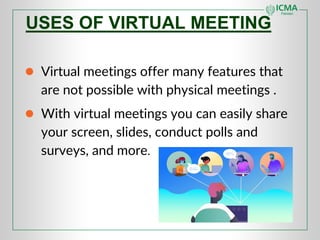
● Virtual meetings offer many features that
are not possible with physical meetings .
● With virtual meetings you can easily share
your screen, slides, conduct polls and
surveys, and more.
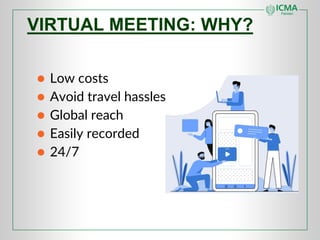
VIRTUAL MEETING: WHY?
● Low costs
● Avoid travel hassles
● Global reach
● Easily recorded
● 24/7
● Conference calls
● Instant messaging
● Web conferencing
● Web cast
● 3D environments
● Video conferencing
TYPES OF VIRTUAL MEETING
● Test your Technologies
● Set Agenda
● Engage all Participants
● Use Visual Aids
● Limit distractions
● Take breaks
● Follow Up
● Establish Ground Rules
● Be prepared
STRATEGIES FOR VM
● Test Your Technologies
Before the meeting, test your internet connection,
camera, microphone, and any other necessary equipment.
This will insure that you can participate in the meeting
without any technical difficulties.
● Set Agenda:
Send an agenda to all attendees before the meeting,
outlining the purpose of the meeting and the topics that
will be discussed. This will help keep the meeting focused
and ensure that all necessary points are covered.
STRATEGIES FOR VM
● Engage all participants:
Encourage all attendees to participate by asking
questions, sharing their opinions, and contributing to the
discussion. This will help to create a more collaborative
and productive environment.
● Use visual aids:
Video ads such as slides, videos, and images can help to
enhance understanding and engagement.Share your
screen or use a virtual whiteboard to help illustrate your
points.
STRATEGIES FOR VIRTUAL MEETING
● Limit distractions:
Encourage all attendees to limit distractions during the
meeting such as muting notifications and closing other
applications. This will help focus and productivity.
● Take breaks:
Virtual meetings can be tiring, so it’s important to take
breaks to allow attendees to rest and recharge. Schedule
regular breaks into the meeting agenda to help ensure that
everyone stays energized and engaged.
STRATEGIES FOR VIRTUAL MEETING
● Follow up:
After a meeting, send a summary of discussion and any
action items to all attendees. This will help to ensure that
everyone is on the same page and that progress is being
made on any necessary tasks.
● Establish Ground Rules:
Set clear ground rules for the meeting, such as expected
behaviour, speaking time limits ,and how to raise
concerns .This will help to ensure that meeting runs
smoothly and everyone is treated respectfully.
STRATEGIES FOR VIRTUAL MEETING
● Be Prepared:
Be prepared for the meeting by having all the necessary
documents and materials ready, and ensure that everyone
is aware of any pre-reading or presentation that is
required. This will help to ensure that the meeting is
efficient and productive.
As we move forward in the era of increased utility and
utilization of virtual conferencing, these strategies will
serve as a benchmark and standard for surgeons in the
field.
STRATEGIES FOR VIRTUAL MEETING
CONCLUSION:
● Have your meeting end process and time
listed on the agenda.
● Review and note next steps and
agreements.
● Implement a “closing round” which
allows participants 30 seconds to say
any insights or issues they have from the
meeting.
● Acknowledge participants and
contributions.
● End on time!
ANY QUESTION???
THANK YOU

Presentation layout (2) (1).pdf

  • 1.
    Presented By: DANISHALI Registration No: 20221890 VIRTUAL MEETING STRATEGIES
  • 2.
    VIRTUAL MEETING? Virtual meetingis a form of communication that enables people in different physical locations to use their mobile or internet connected devices in the same virtual room.
  • 3.
    USES OF VIRTUALMEETING ● Virtual meetings offer many features that are not possible with physical meetings . ● With virtual meetings you can easily share your screen, slides, conduct polls and surveys, and more.
  • 4.
    VIRTUAL MEETING: WHY? ●Low costs ● Avoid travel hassles ● Global reach ● Easily recorded ● 24/7
  • 5.
    ● Conference calls ●Instant messaging ● Web conferencing ● Web cast ● 3D environments ● Video conferencing TYPES OF VIRTUAL MEETING
  • 6.
    ● Test yourTechnologies ● Set Agenda ● Engage all Participants ● Use Visual Aids ● Limit distractions ● Take breaks ● Follow Up ● Establish Ground Rules ● Be prepared STRATEGIES FOR VM
  • 7.
    ● Test YourTechnologies Before the meeting, test your internet connection, camera, microphone, and any other necessary equipment. This will insure that you can participate in the meeting without any technical difficulties. ● Set Agenda: Send an agenda to all attendees before the meeting, outlining the purpose of the meeting and the topics that will be discussed. This will help keep the meeting focused and ensure that all necessary points are covered. STRATEGIES FOR VM
  • 8.
    ● Engage allparticipants: Encourage all attendees to participate by asking questions, sharing their opinions, and contributing to the discussion. This will help to create a more collaborative and productive environment. ● Use visual aids: Video ads such as slides, videos, and images can help to enhance understanding and engagement.Share your screen or use a virtual whiteboard to help illustrate your points. STRATEGIES FOR VIRTUAL MEETING
  • 9.
    ● Limit distractions: Encourageall attendees to limit distractions during the meeting such as muting notifications and closing other applications. This will help focus and productivity. ● Take breaks: Virtual meetings can be tiring, so it’s important to take breaks to allow attendees to rest and recharge. Schedule regular breaks into the meeting agenda to help ensure that everyone stays energized and engaged. STRATEGIES FOR VIRTUAL MEETING
  • 10.
    ● Follow up: Aftera meeting, send a summary of discussion and any action items to all attendees. This will help to ensure that everyone is on the same page and that progress is being made on any necessary tasks. ● Establish Ground Rules: Set clear ground rules for the meeting, such as expected behaviour, speaking time limits ,and how to raise concerns .This will help to ensure that meeting runs smoothly and everyone is treated respectfully. STRATEGIES FOR VIRTUAL MEETING
  • 11.
    ● Be Prepared: Beprepared for the meeting by having all the necessary documents and materials ready, and ensure that everyone is aware of any pre-reading or presentation that is required. This will help to ensure that the meeting is efficient and productive. As we move forward in the era of increased utility and utilization of virtual conferencing, these strategies will serve as a benchmark and standard for surgeons in the field. STRATEGIES FOR VIRTUAL MEETING
  • 12.
    CONCLUSION: ● Have yourmeeting end process and time listed on the agenda. ● Review and note next steps and agreements. ● Implement a “closing round” which allows participants 30 seconds to say any insights or issues they have from the meeting. ● Acknowledge participants and contributions. ● End on time!
  • 13.
  • 14.