

Mark Hopwood - Pod1
Jonathan Ross - FACT-Finder
Introduction
Our current best practice - an example
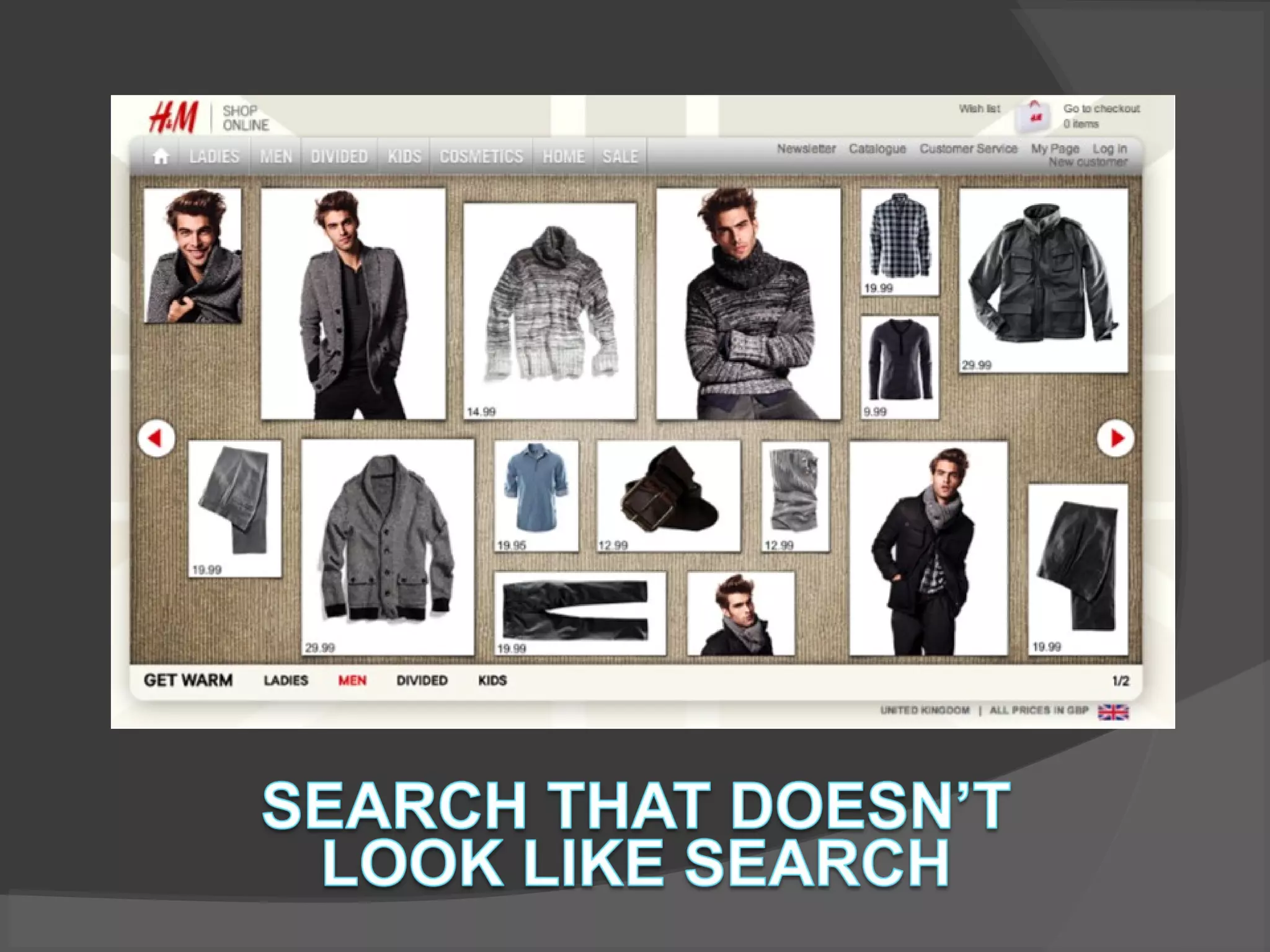
The future - search that doesn't look like search
Multi-channel customer experience
Questions
Fact-finder
Founded 1992
FACT-Finder
since 2001
40%-60% growth
per year
Self-financed,
owner operated
 
Staff: 90+
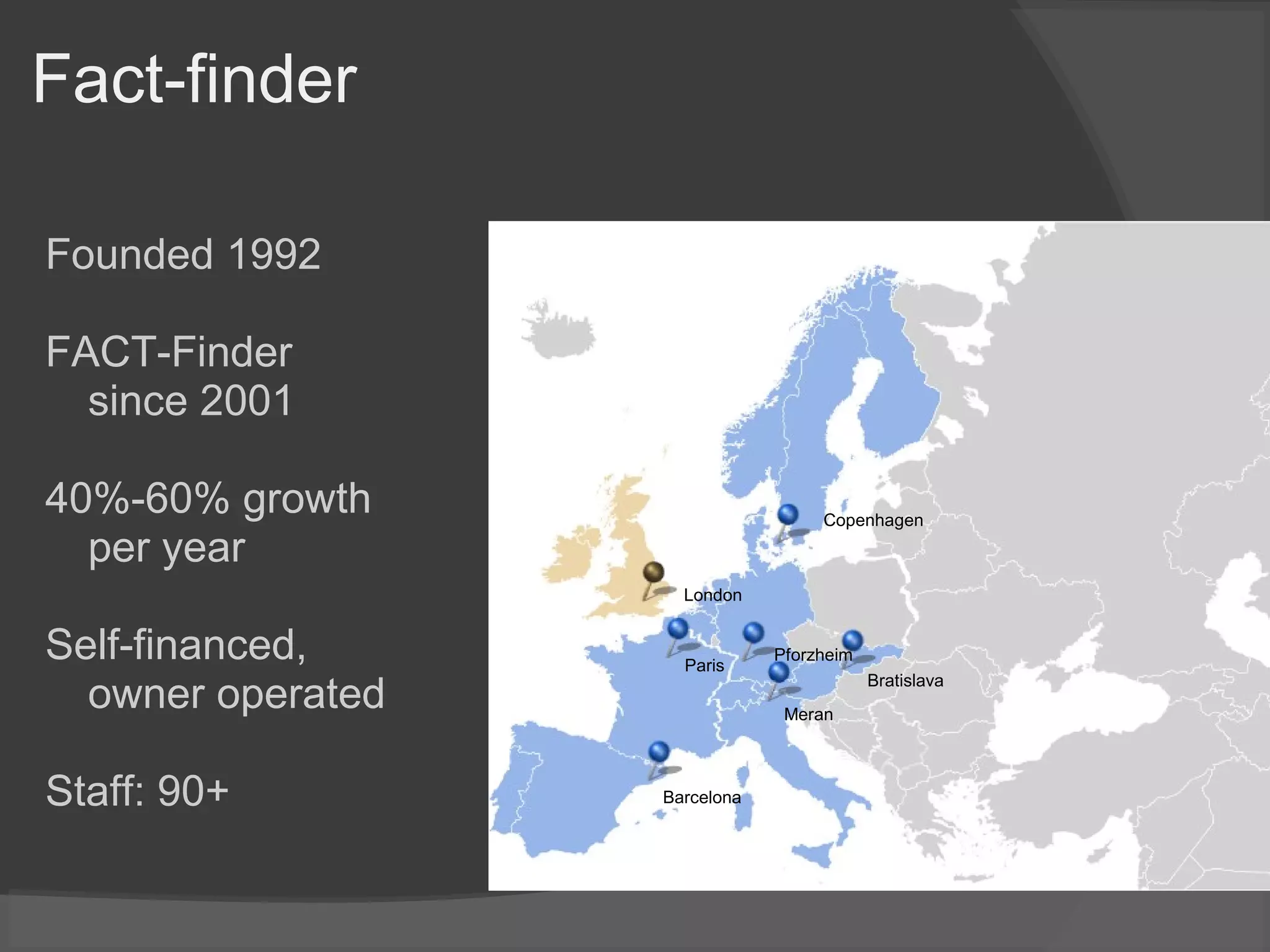
Copenhagen
Bratislava
Barcelona
Meran
Paris
London
Pforzheim
Pod1
Founded 2001
100+ staff in London, New York, Cape Town
eCommerce - especially fashion and other high-end retailers
Magento Enterprise Partner – more than 30 Magento
implementations
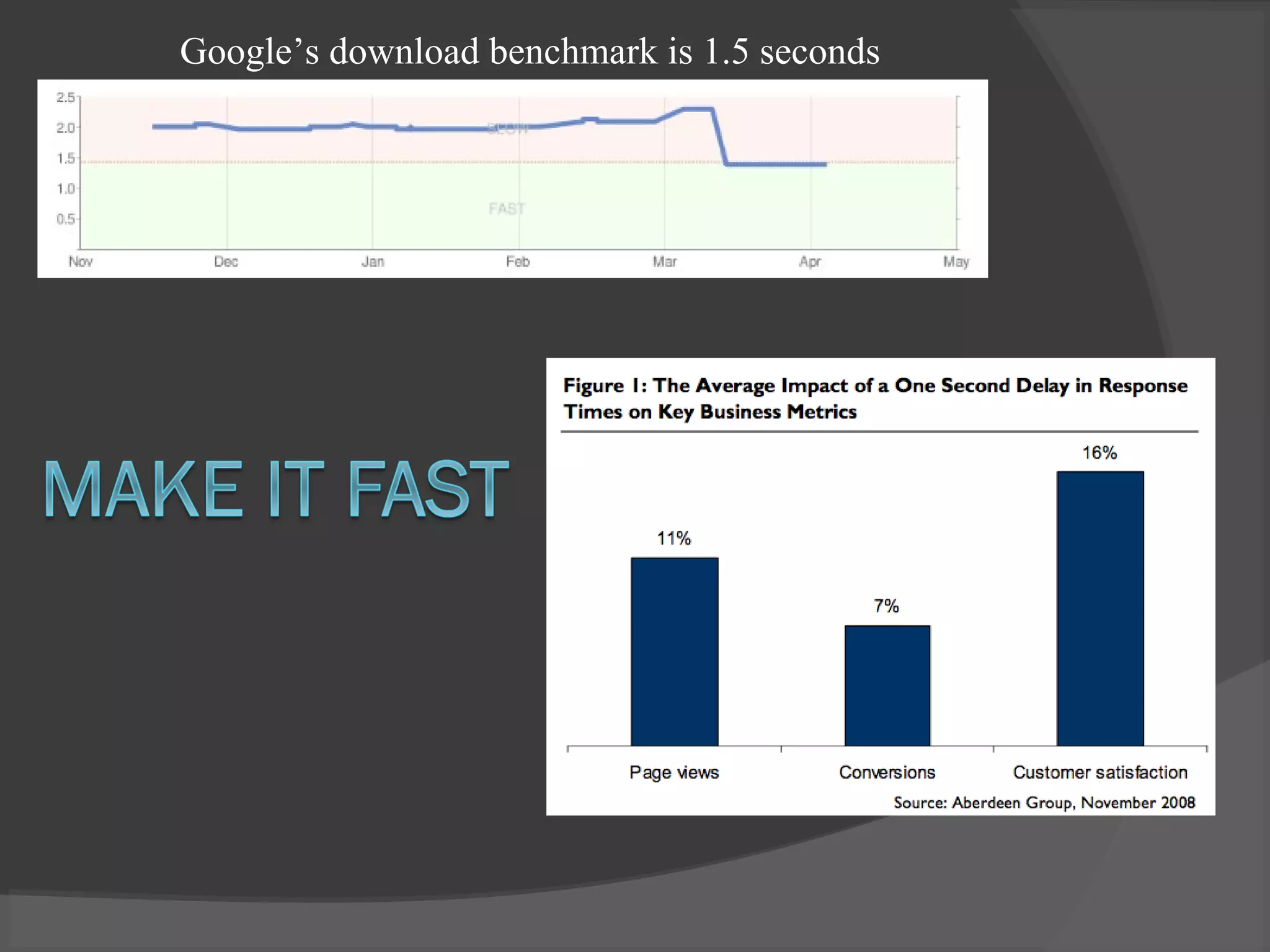
Google’s download benchmark is 1.5 seconds
How does your off-line data
look?
• Product data
• Business Information
• Customer Data
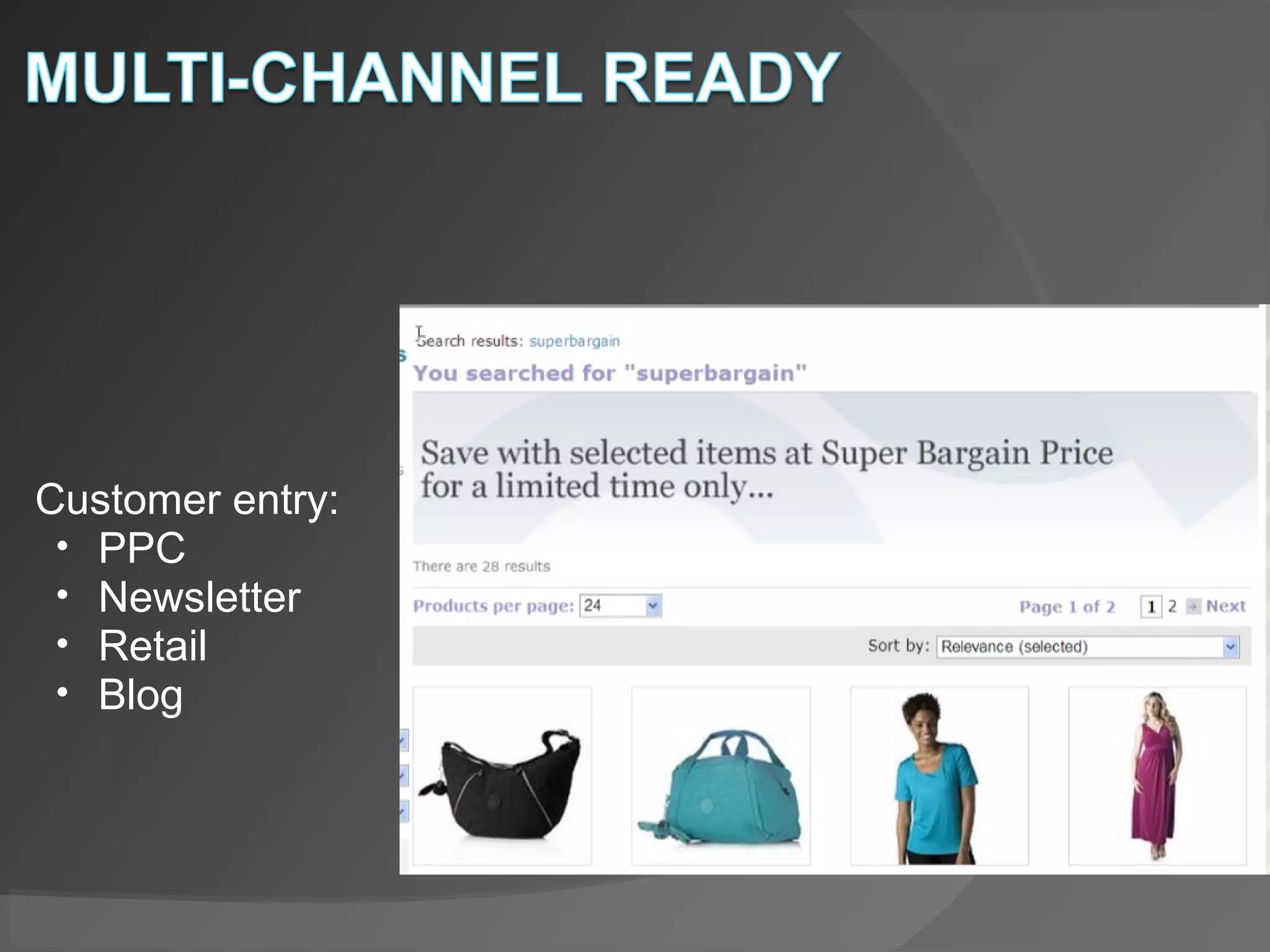
Customer entry:
• PPC
• Newsletter
• Retail
• Blog
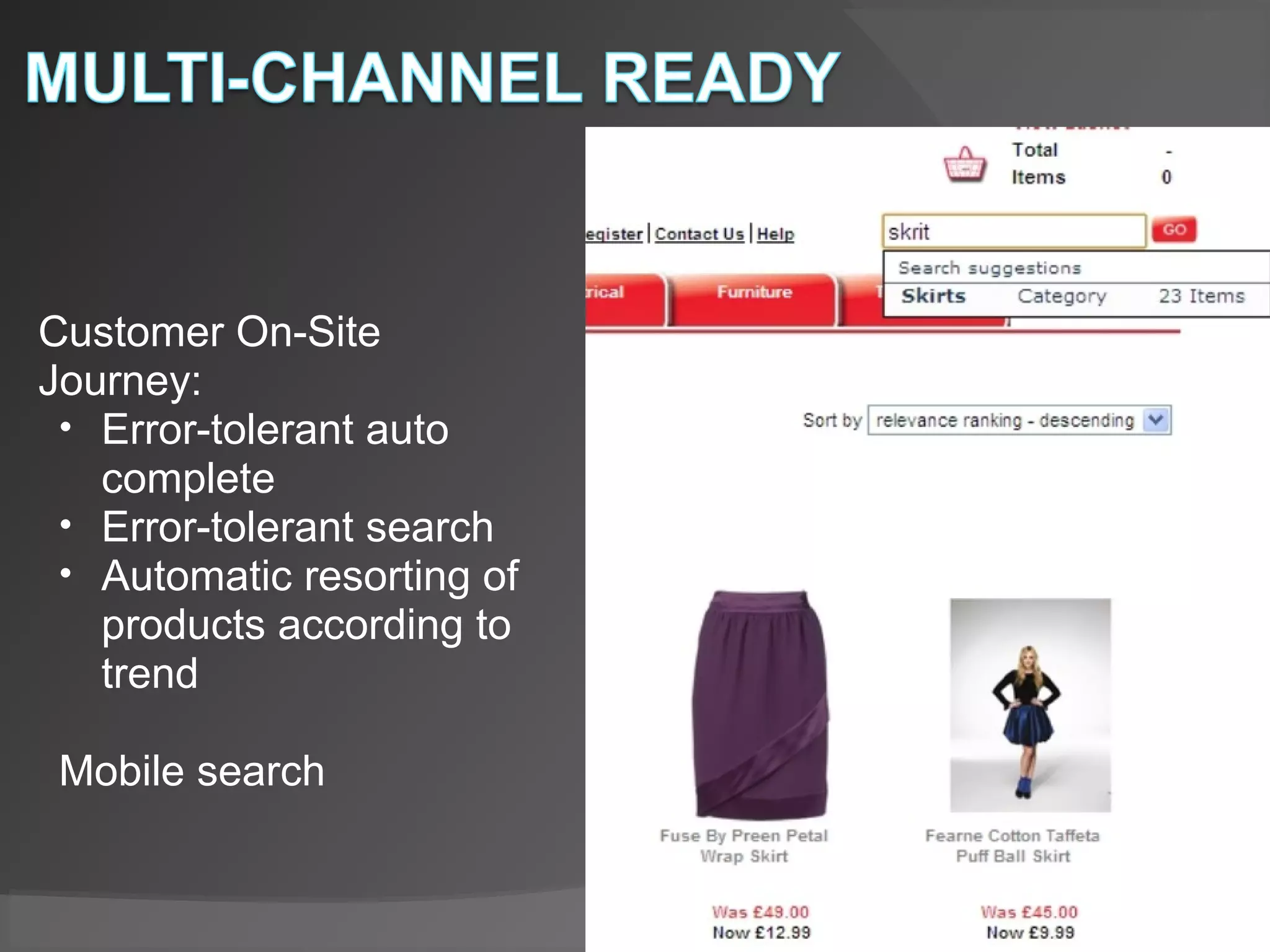
Customer On-Site
Journey:
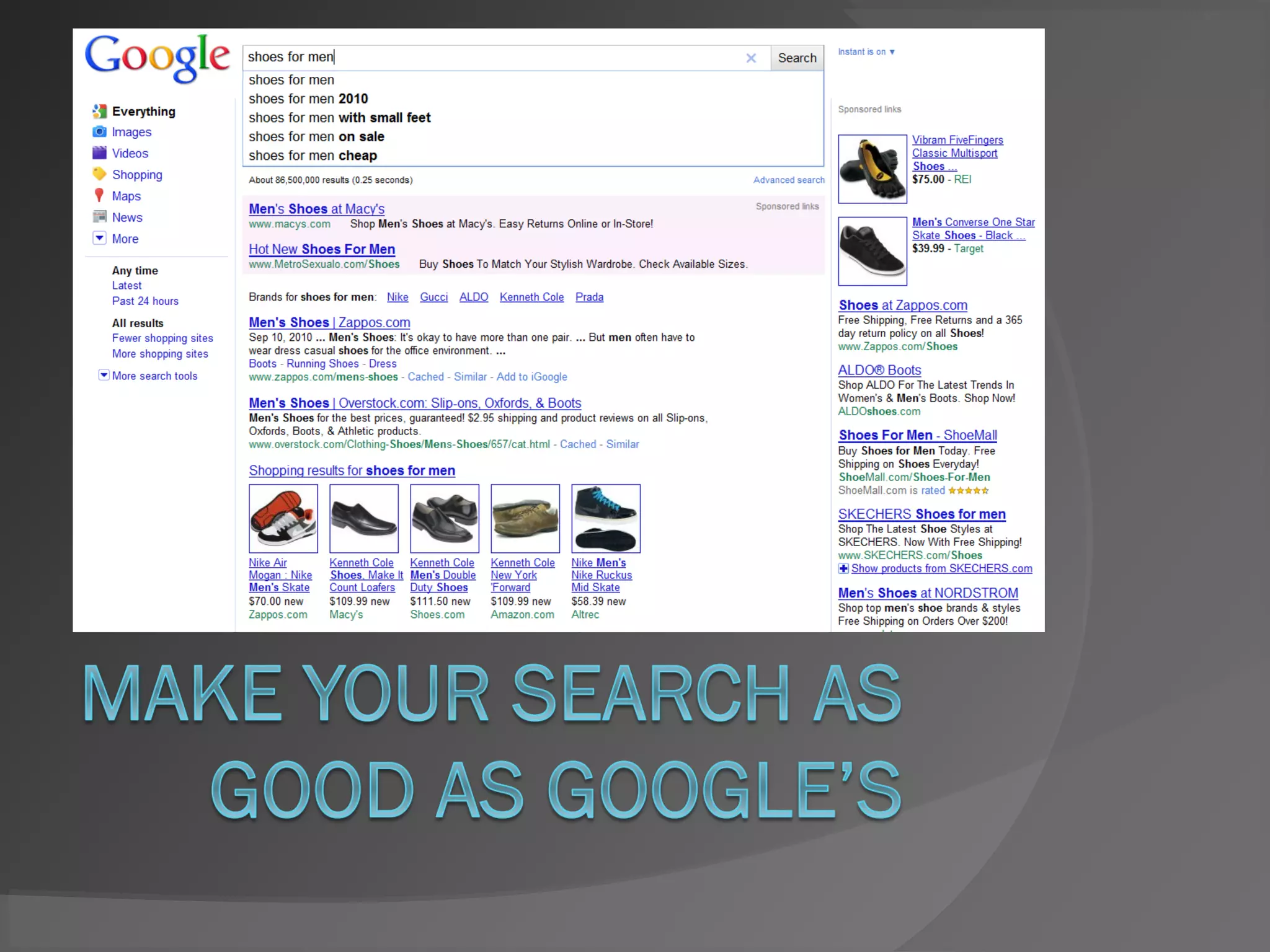
• Error-tolerant auto
complete
• Error-tolerant search
• Automatic resorting of
products according to
trend
Mobile search
http://www.pod1.com
http://twitter.com/Pod1#
http://www.fact-finder.com
http://twitter.com/fact_finder

Presentation for eCommerce expo

Editor's Notes

  • #12 Index all your content Correct the user’s mistakes Customers have high expectations compared to 5 years ago
  • #16 Data Quality is of utmost importance.  I am often asked, what I think of the use of social media in on-line shops today to drive on-site conversion. Although, we as a company do quite a lot to track user behaviour and allow for different types of content search, I must be honest in saying that social media is much more speculative than going for the easy win and optimizing the quality of the data you are using.  - The advantage to starting with your data, when looking to optimise your shop for conversion, is that this data is already available to you. You needn't do any analysis or hire scouts to track your products trend status.  PRODUCT DATA: - How is your data being exported to your search engine? (Crawled, flat file ?) - Be sure that all category and attribute information is complete and accurate. (Misspellings, discrepancies in sorting as compared to the on-line shop should be minimalised) - An on-site search company will definitely be able to help you with this, though why get stuck with more service fees than you have to? BUSINESS INFORMATION: - Is it absolutely clear what you are selling on-line?  - It may be silly to mention, but are your customers able to find the product on your on-line site, which they expect to find? - More often than perhaps should be the case, after analysing on-site user behaviour, it becomes clear that customers often associate a different kind of product with your business than you do. Depending on the slant of these figures, it may be time to adapt. CUSTOMER DATA: - If you have a real world retail chain, this point will apply to that data as well. - Collect and consolidate. Get everything into one database. This will allow you to apply purchase behaviour of both retail and on-line purchases directly to your customers on-line journey. Specifically, adding truly helpful recommendations.  - Do you have duplicate or insufficient customer information? Getting a good software to help clean out your database, will go a long way in remedying fulfilment and logistics headaches. 
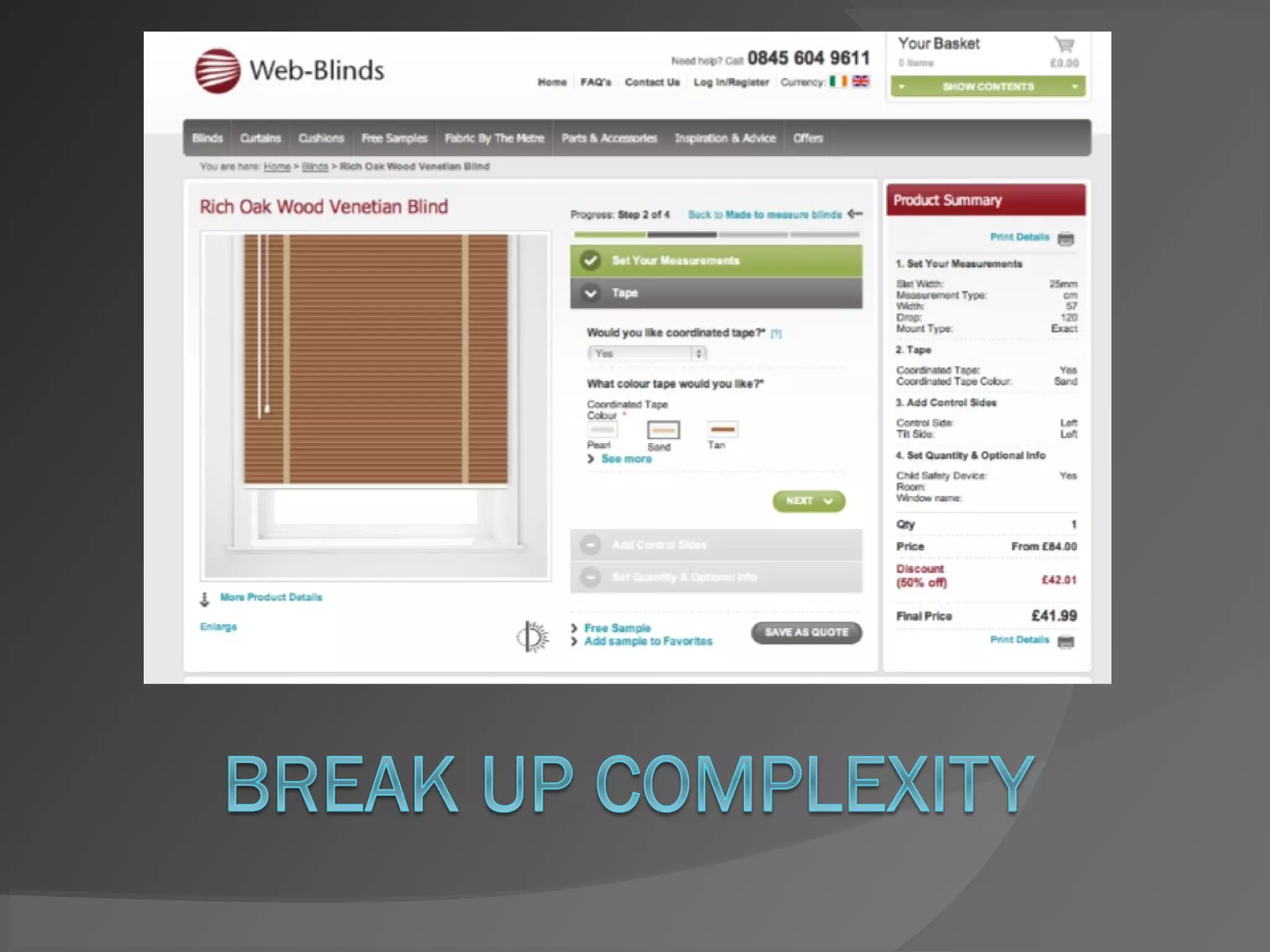
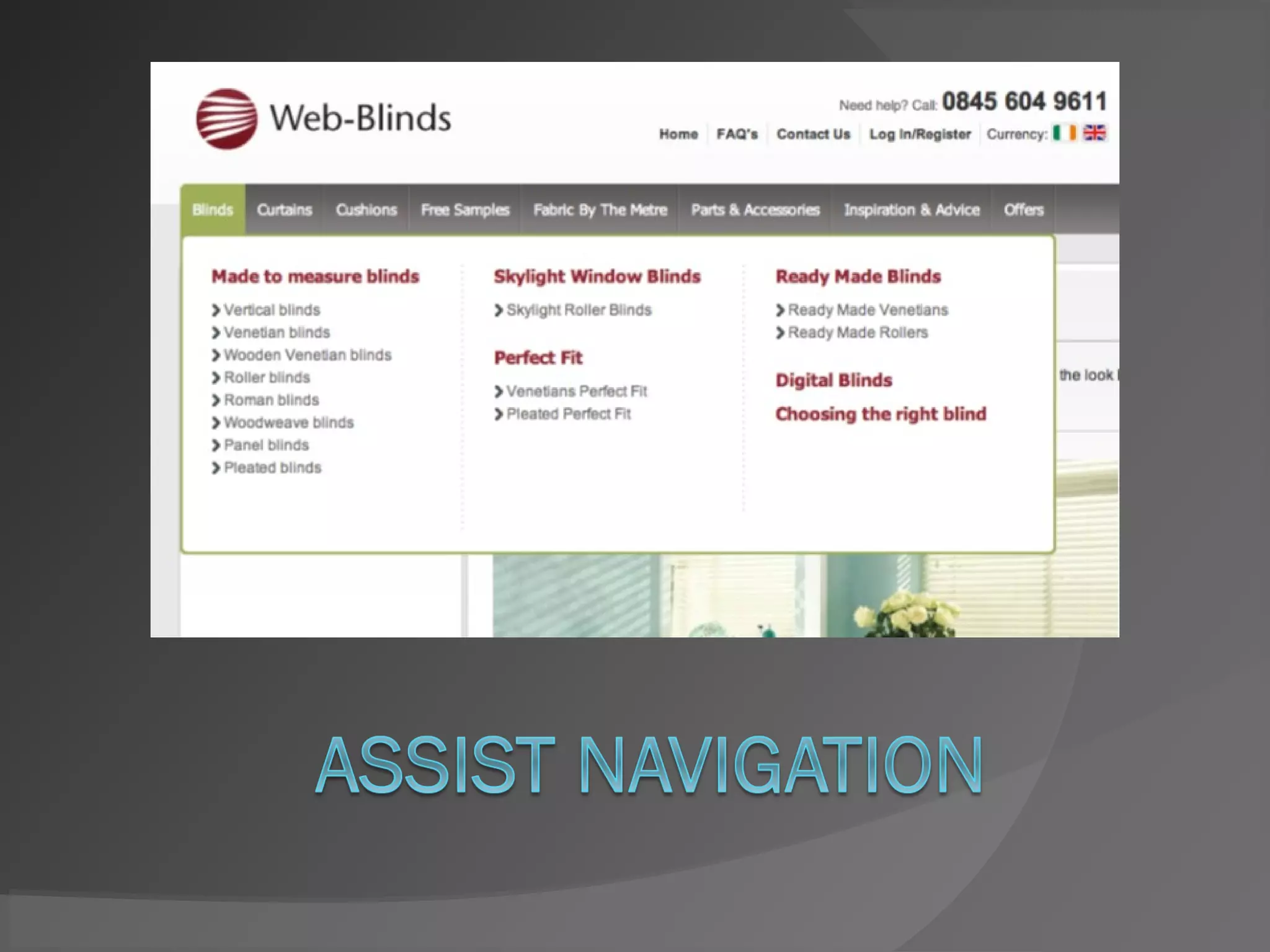
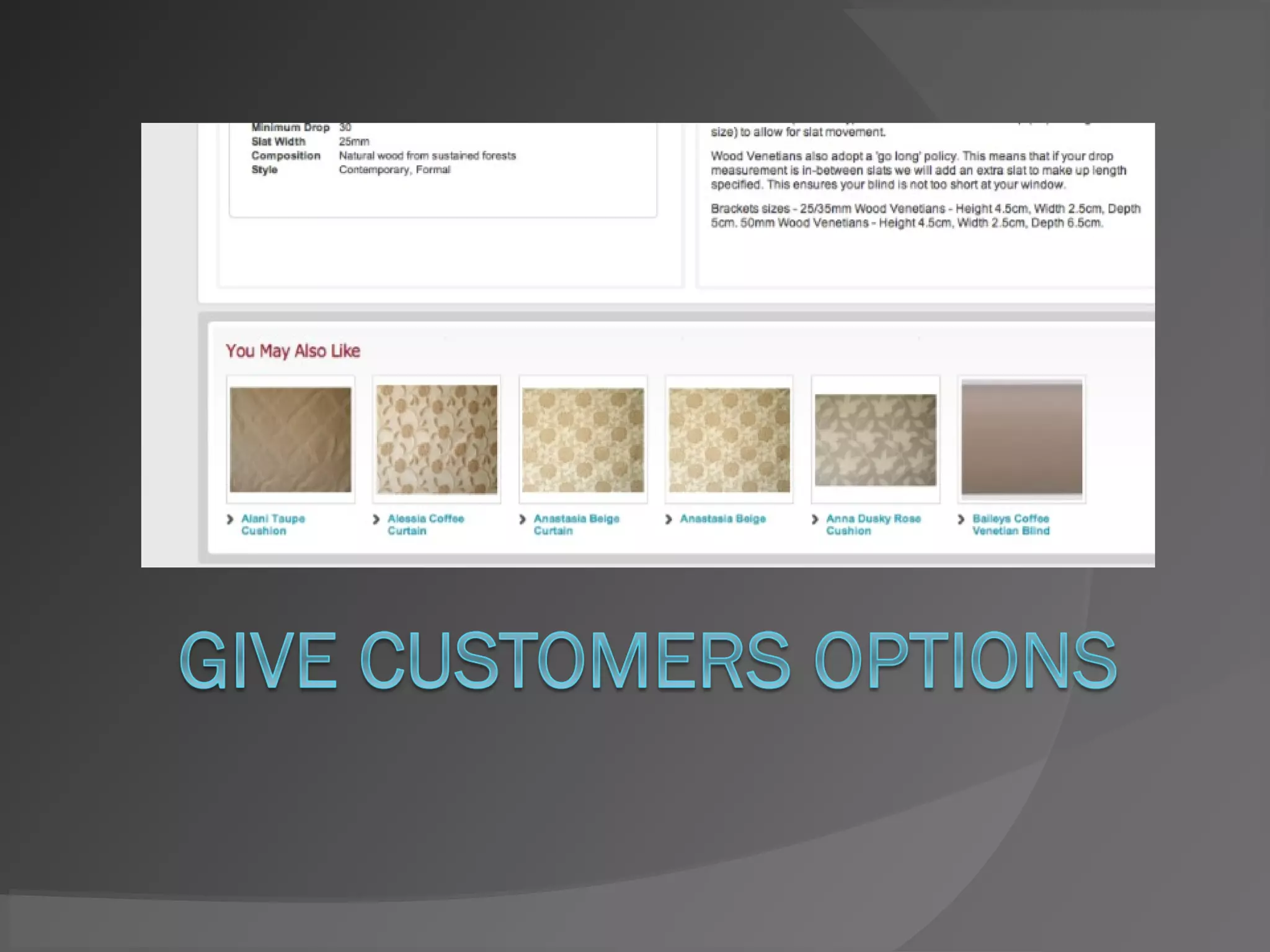
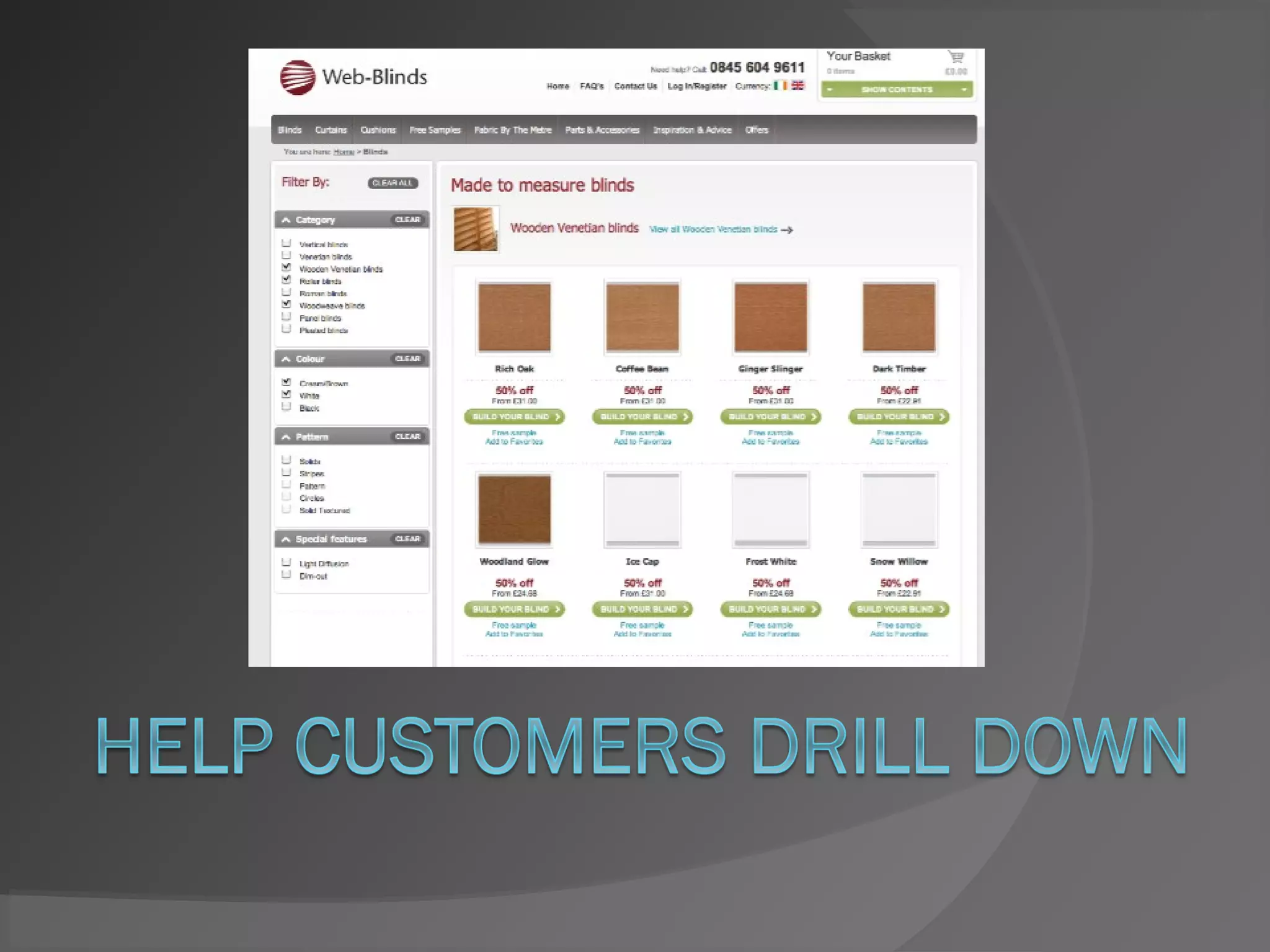
  • #17 CUSTOMER ENTRY to the site: Customers entering your site from an external link, expect to receive some sort of feedback that their external click actually did something.  - This is an opportunistic situation. Customers entering your site externally are probably looking for a single item. Make sure and great them with an on-site campaign that not only acknowledges their entry to the site, but pushes associated product to the foreground, which will be sure to catch their attention and entice their purchase spirit, resulting in fuller basket sizes. CUSTOMER ON-SITE JOURNEY: Get the desired product in their face as quickly as possible.  - Auto-complete - Faceted nav - ASO If you have a login area, use this to capitalize on previous behaviour, by showing products they are most likely to purchase.  BUT PLEASE: do give your customers the possibility of turning this function off, as a few will make quite a lot of noise about this, but will be oh so delighted if they see your consideration in allowing them to chose.  - Make the NAVIGATION JOURNEY easy to comprehend.  After entering a keyword or phrase into the search box, it should be as to what the customer must do next to narrowing fine-tune the results.     - Arrows     - Colours     - Animation
  • #18 CUSTOMER ENTRY to the site: Customers entering your site from an external link, expect to receive some sort of feedback that their external click actually did something.  - This is an opportunistic situation. Customers entering your site externally are probably looking for a single item. Make sure and great them with an on-site campaign that not only acknowledges their entry to the site, but pushes associated product to the foreground, which will be sure to catch their attention and entice their purchase spirit, resulting in fuller basket sizes. CUSTOMER ON-SITE JOURNEY: Get the desired product in their face as quickly as possible.  - Auto-complete - Faceted nav - ASO If you have a login area, use this to capitalize on previous behaviour, by showing products they are most likely to purchase.  BUT PLEASE: do give your customers the possibility of turning this function off, as a few will make quite a lot of noise about this, but will be oh so delighted if they see your consideration in allowing them to chose.  - Make the NAVIGATION JOURNEY easy to comprehend.  After entering a keyword or phrase into the search box, it should be as to what the customer must do next to narrowing fine-tune the results.     - Arrows     - Colours     - Animation