Liontos Christos
o A Graphical User Interface
o A functional Robot
o Communication between them
Aim of the Project
Key requirements
 To design a robot capable of building specific patterns
according to the user’s instructions.
 Sensors and additional Parts
o To discover the NXT capabilities
o To record all Available Sensors
 Existed Projects
o To enhance the knowledge over Robotics Programming
o To gain visual experience with NXT robots
 Software Tools
o To identify possible Programming Languages
o To choose suitable IDEs
 Communications
o To become familiar with Bluetooth and USB technologies
Basic Objectives
 Determine GUI design and main Functionality
o Layout
o Identification and Translation of Instructions
 Build a robot capable to support the mechanical
requirements
o Lift bricks
o Move efficiently
 Discover the key Algorithms for the operation
o Instructions Translation
o Navigation Techniques
o Brick Prioritization
 Graphical User Interface Front
End Functionality
◦ Draw Selected Squares
◦ Clear Pattern
◦ Upload Data either via USB or BT
technologies
◦ Count Selected Squares
 Graphical User Interface Back
End Functionality
◦ Identification of Selected Squares
◦ Translation into pair of Coordinates
◦ Data transfer to the Brick
 Robot Functionality
◦ Receive Data from Interface via USB or
BT technologies
◦ Translate Coordinates into Distances
◦ Lift & Move Bricks using the Fork-Lift
operator
◦ Navigate using Echolocation Techniques
◦ Follow lines and Recognize Colored
Positions
◦ Replicate Drawn Designs
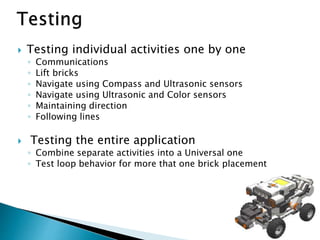
 Testing individual activities one by one
◦ Communications
◦ Lift bricks
◦ Navigate using Compass and Ultrasonic sensors
◦ Navigate using Ultrasonic and Color sensors
◦ Maintaining direction
◦ Following lines
 Testing the entire application
◦ Combine separate activities into a Universal one
◦ Test loop behavior for more that one brick placement
 Graphical User Interface that
◦ Is simple to use
◦ Communicates successfully with the robot
 Robot that
◦ Navigates using US and Color sensors
◦ Follows lines
◦ Uses Echolocation to navigate
◦ Places several bricks at a time, relatively close to positions
provided by the user

Presentation

  • 1.
  • 2.
    o A GraphicalUser Interface o A functional Robot o Communication between them Aim of the Project Key requirements  To design a robot capable of building specific patterns according to the user’s instructions.
  • 3.
     Sensors andadditional Parts o To discover the NXT capabilities o To record all Available Sensors  Existed Projects o To enhance the knowledge over Robotics Programming o To gain visual experience with NXT robots  Software Tools o To identify possible Programming Languages o To choose suitable IDEs  Communications o To become familiar with Bluetooth and USB technologies
  • 4.
    Basic Objectives  DetermineGUI design and main Functionality o Layout o Identification and Translation of Instructions  Build a robot capable to support the mechanical requirements o Lift bricks o Move efficiently  Discover the key Algorithms for the operation o Instructions Translation o Navigation Techniques o Brick Prioritization
  • 5.
     Graphical UserInterface Front End Functionality ◦ Draw Selected Squares ◦ Clear Pattern ◦ Upload Data either via USB or BT technologies ◦ Count Selected Squares  Graphical User Interface Back End Functionality ◦ Identification of Selected Squares ◦ Translation into pair of Coordinates ◦ Data transfer to the Brick
  • 6.
     Robot Functionality ◦Receive Data from Interface via USB or BT technologies ◦ Translate Coordinates into Distances ◦ Lift & Move Bricks using the Fork-Lift operator ◦ Navigate using Echolocation Techniques ◦ Follow lines and Recognize Colored Positions ◦ Replicate Drawn Designs
  • 7.
     Testing individualactivities one by one ◦ Communications ◦ Lift bricks ◦ Navigate using Compass and Ultrasonic sensors ◦ Navigate using Ultrasonic and Color sensors ◦ Maintaining direction ◦ Following lines  Testing the entire application ◦ Combine separate activities into a Universal one ◦ Test loop behavior for more that one brick placement
  • 8.
     Graphical UserInterface that ◦ Is simple to use ◦ Communicates successfully with the robot  Robot that ◦ Navigates using US and Color sensors ◦ Follows lines ◦ Uses Echolocation to navigate ◦ Places several bricks at a time, relatively close to positions provided by the user