Download to read offline
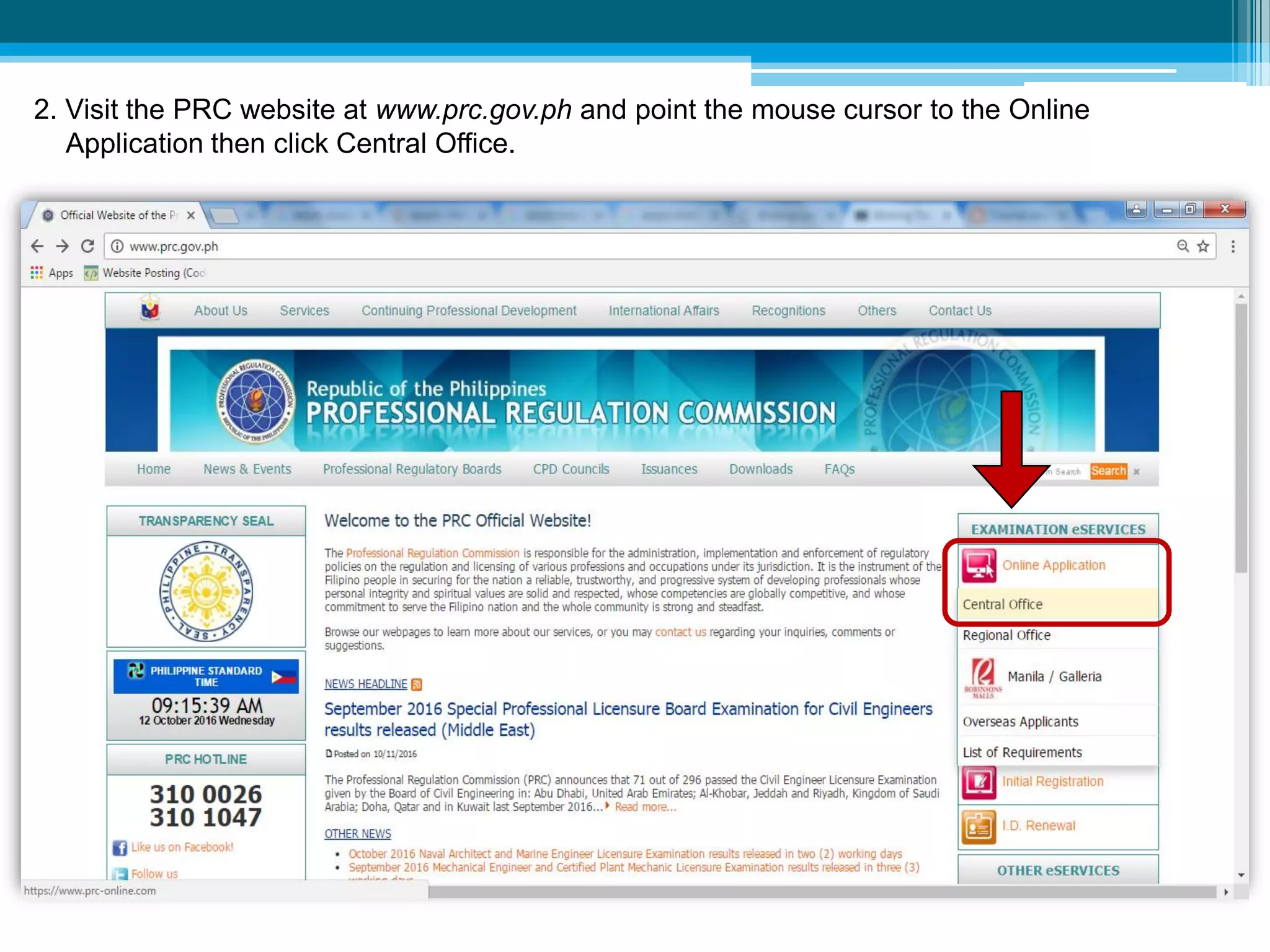
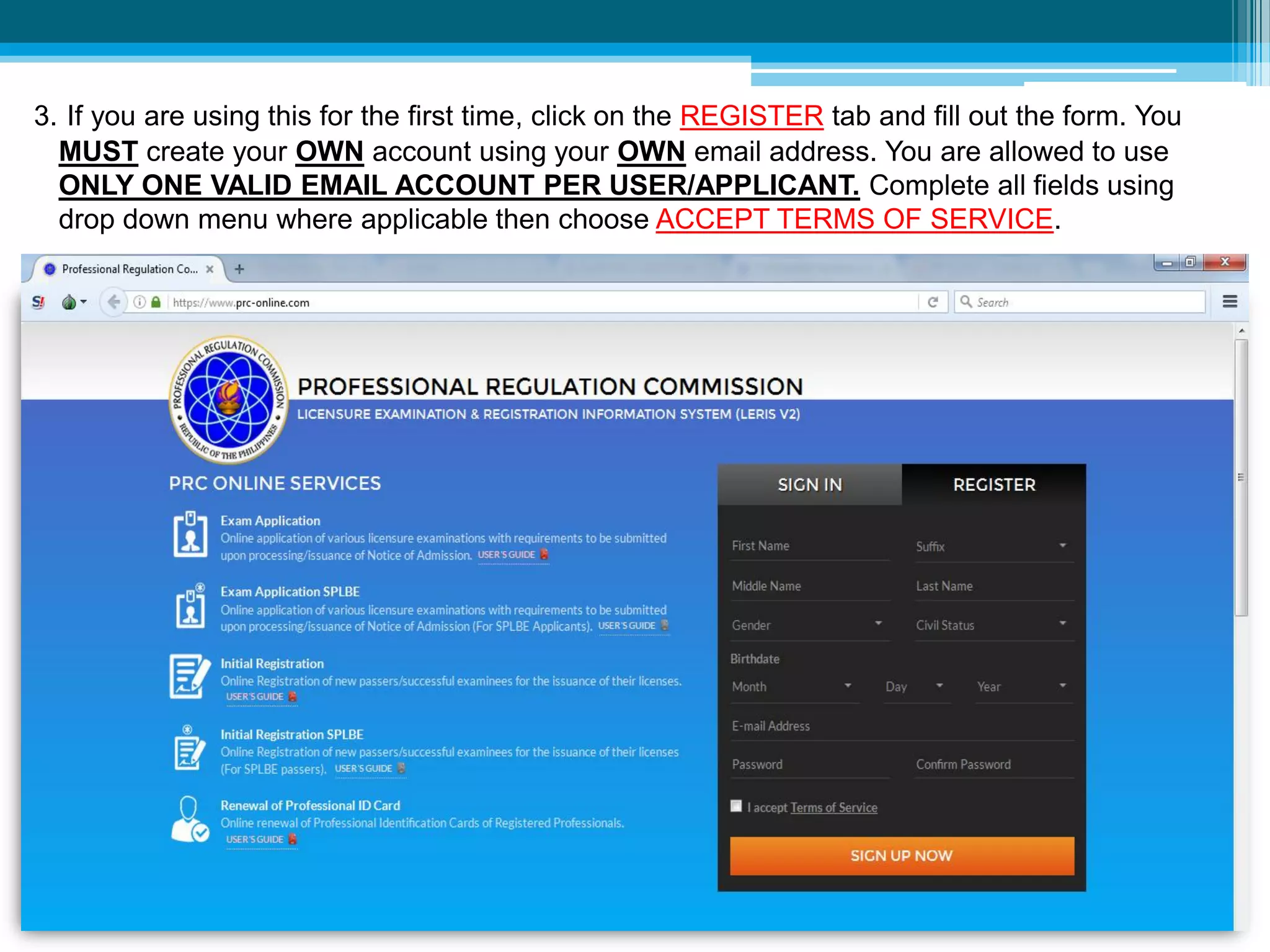
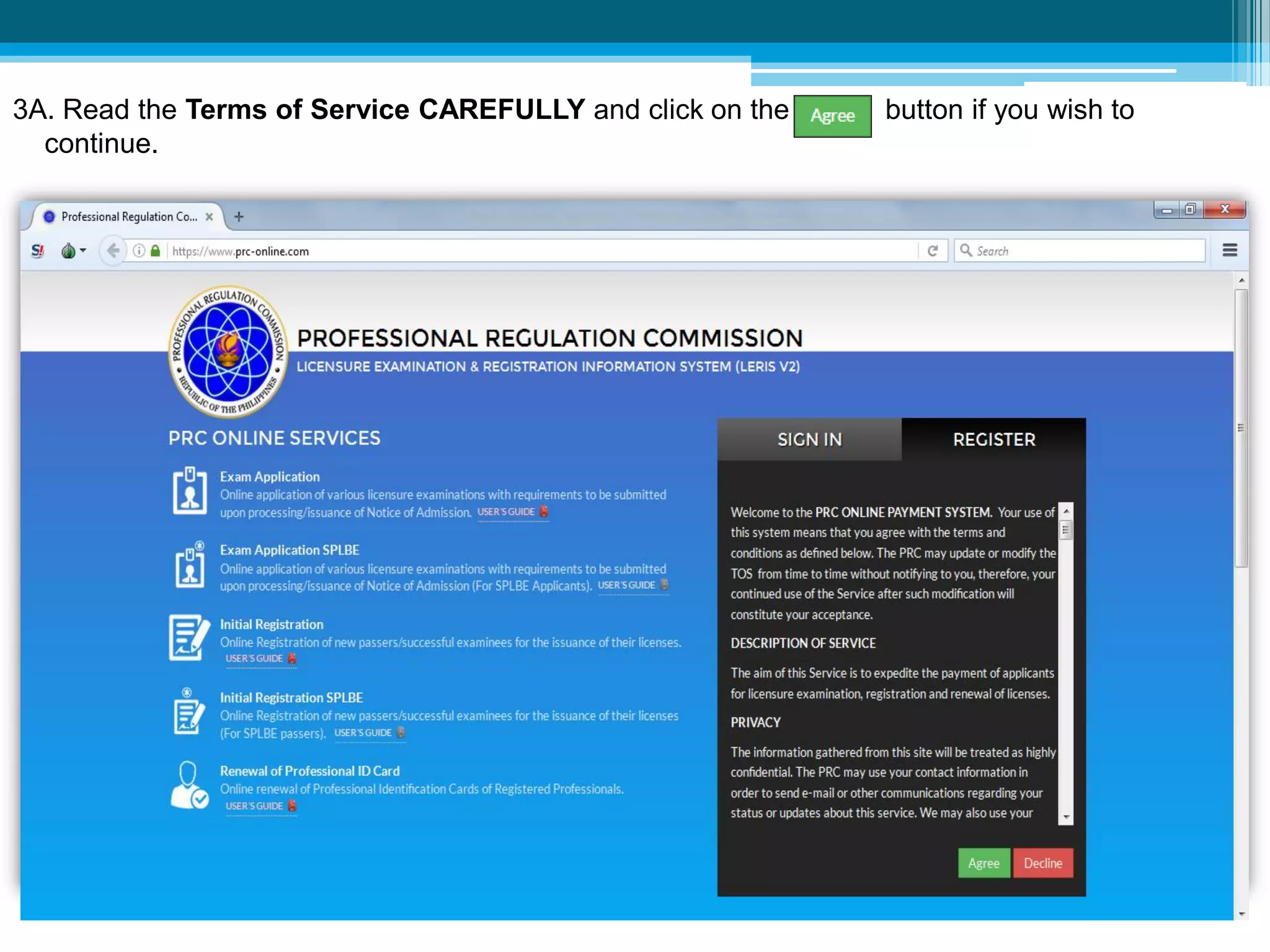
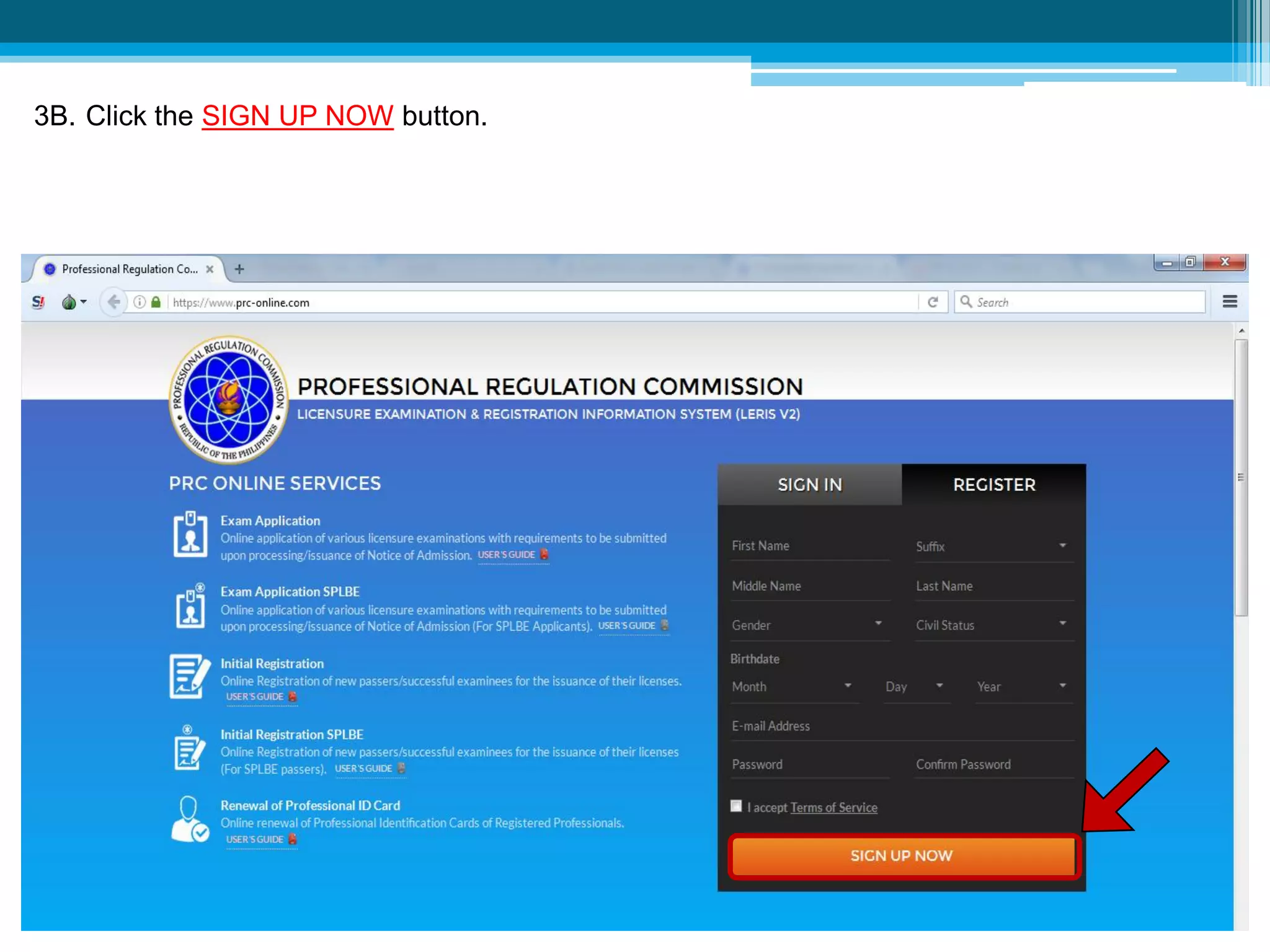
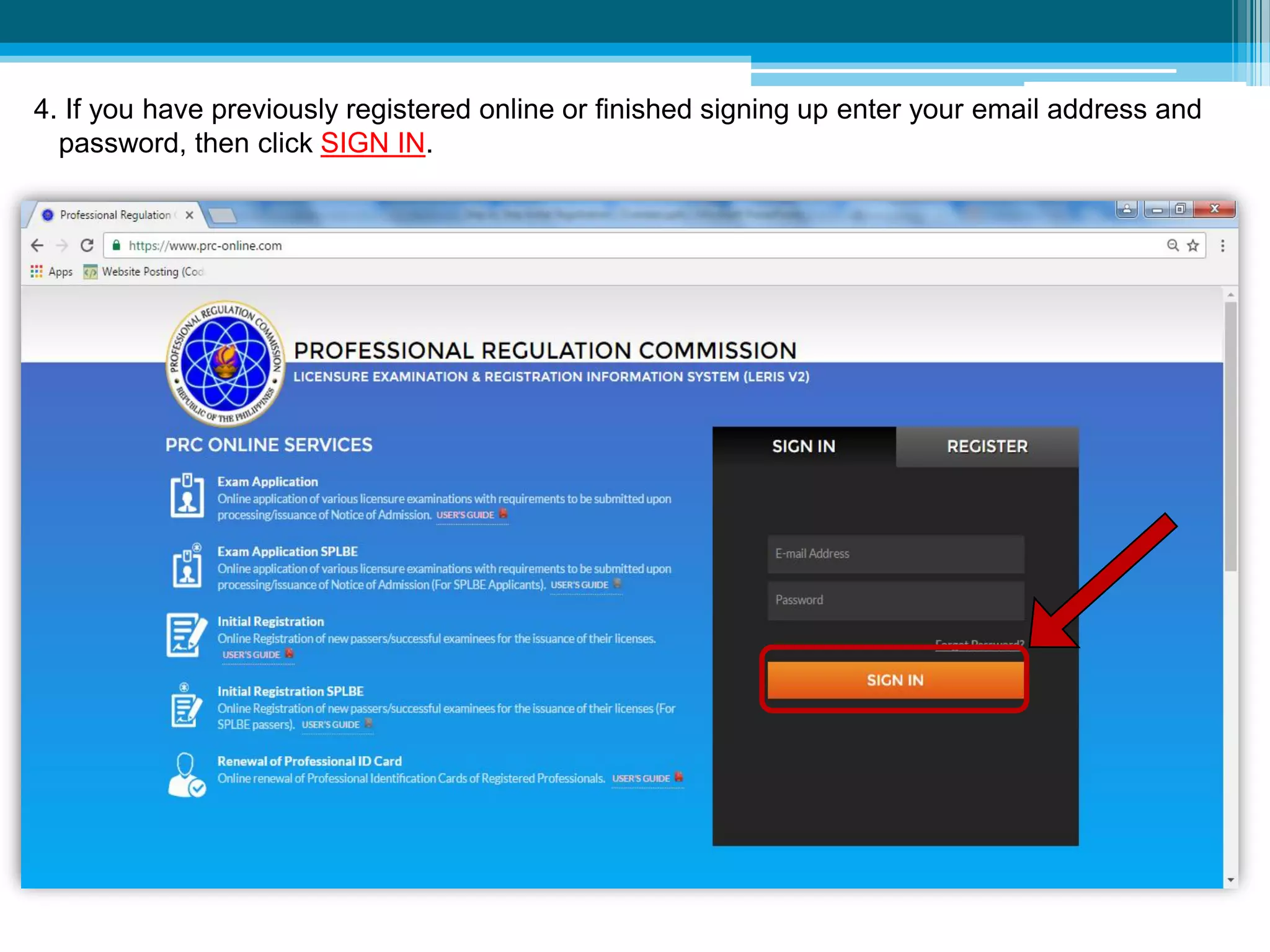
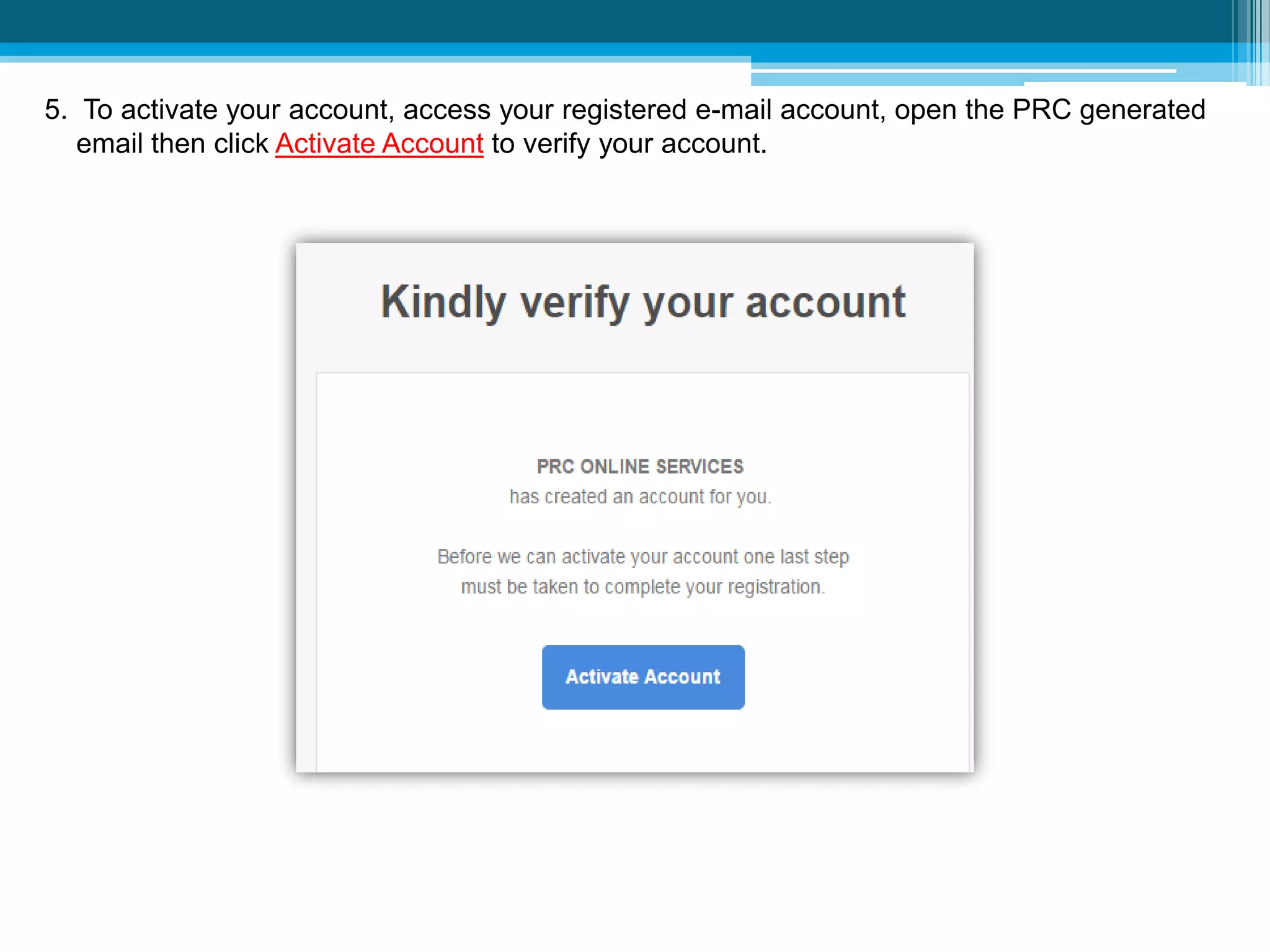
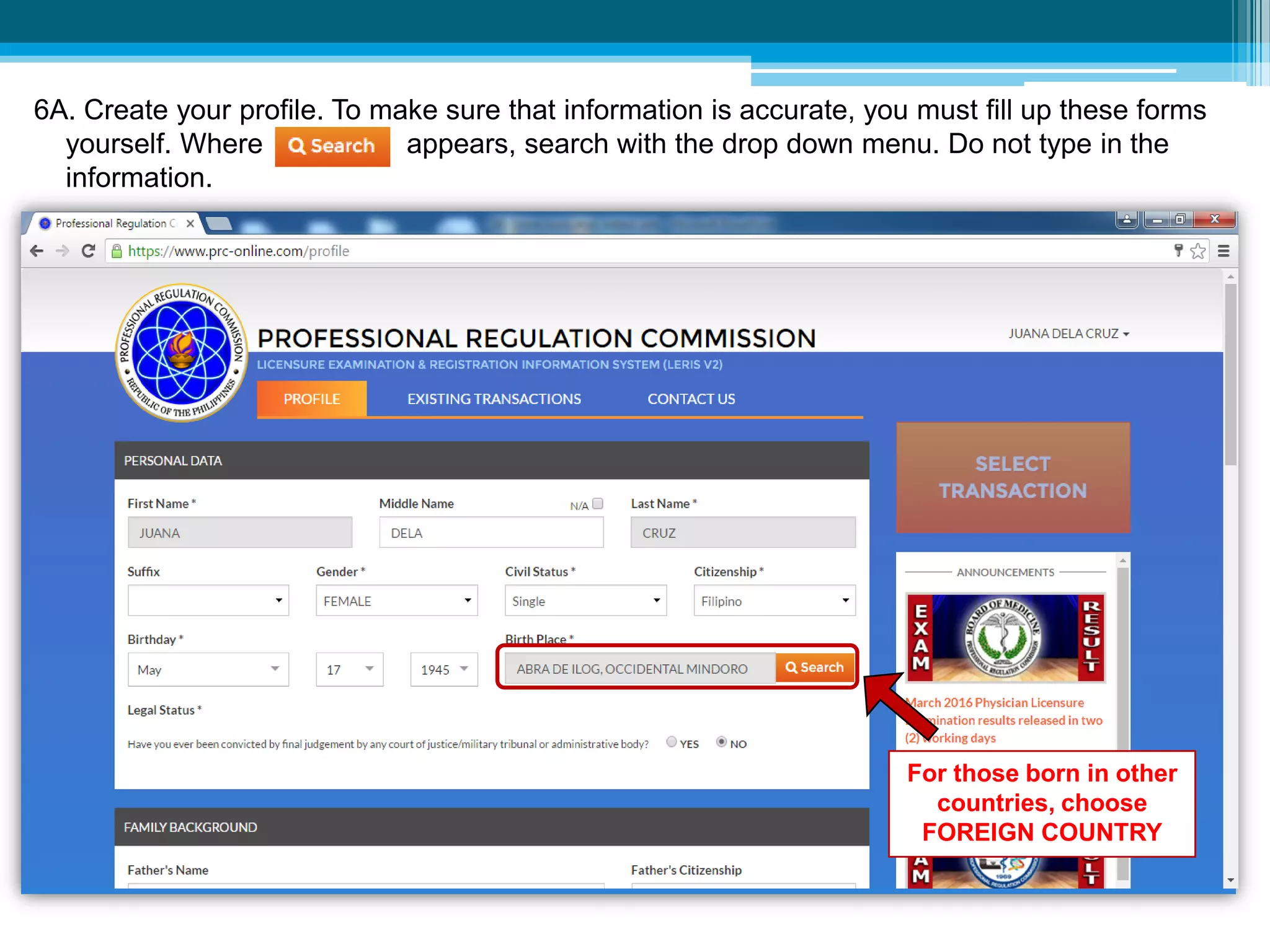
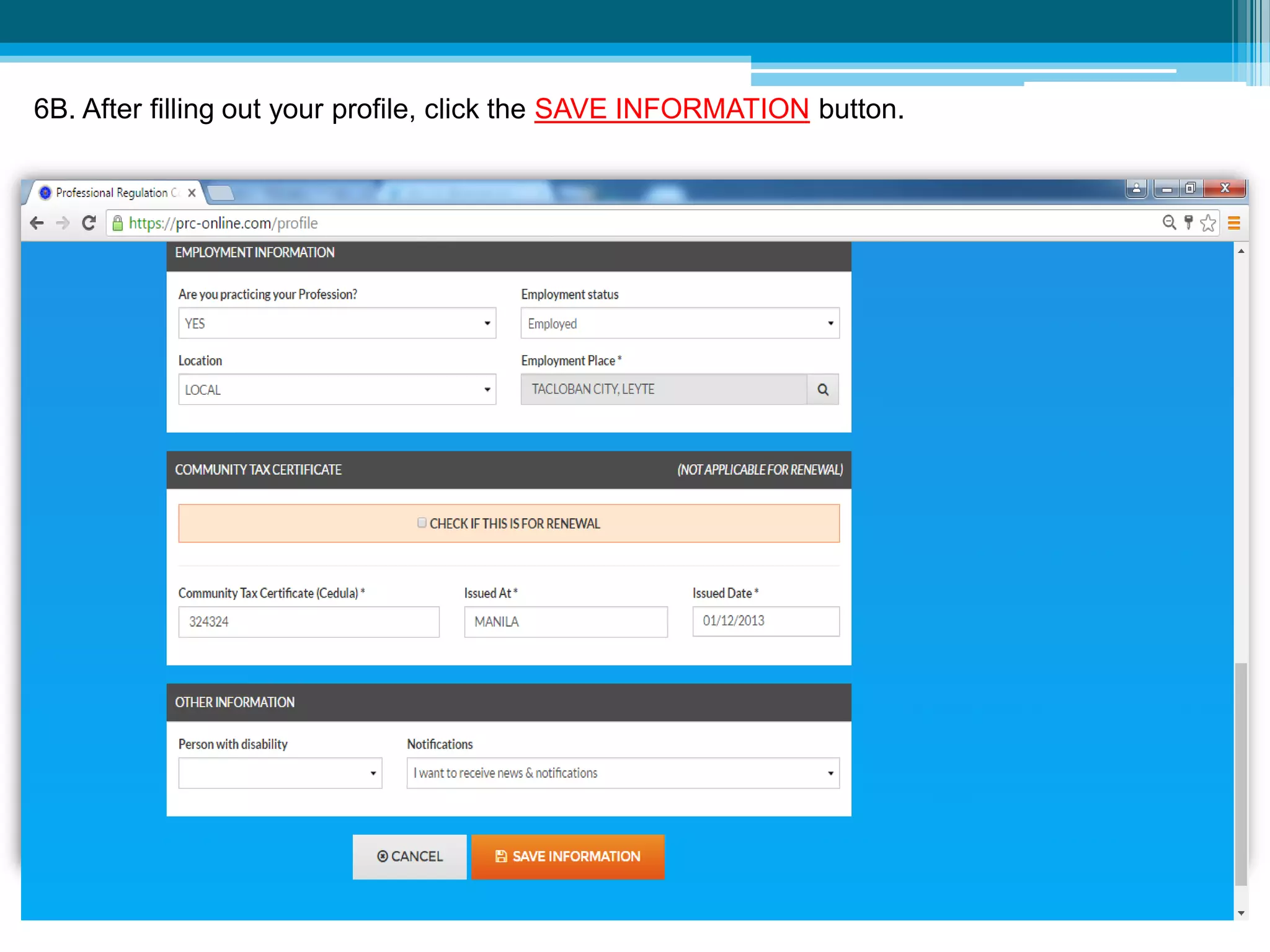
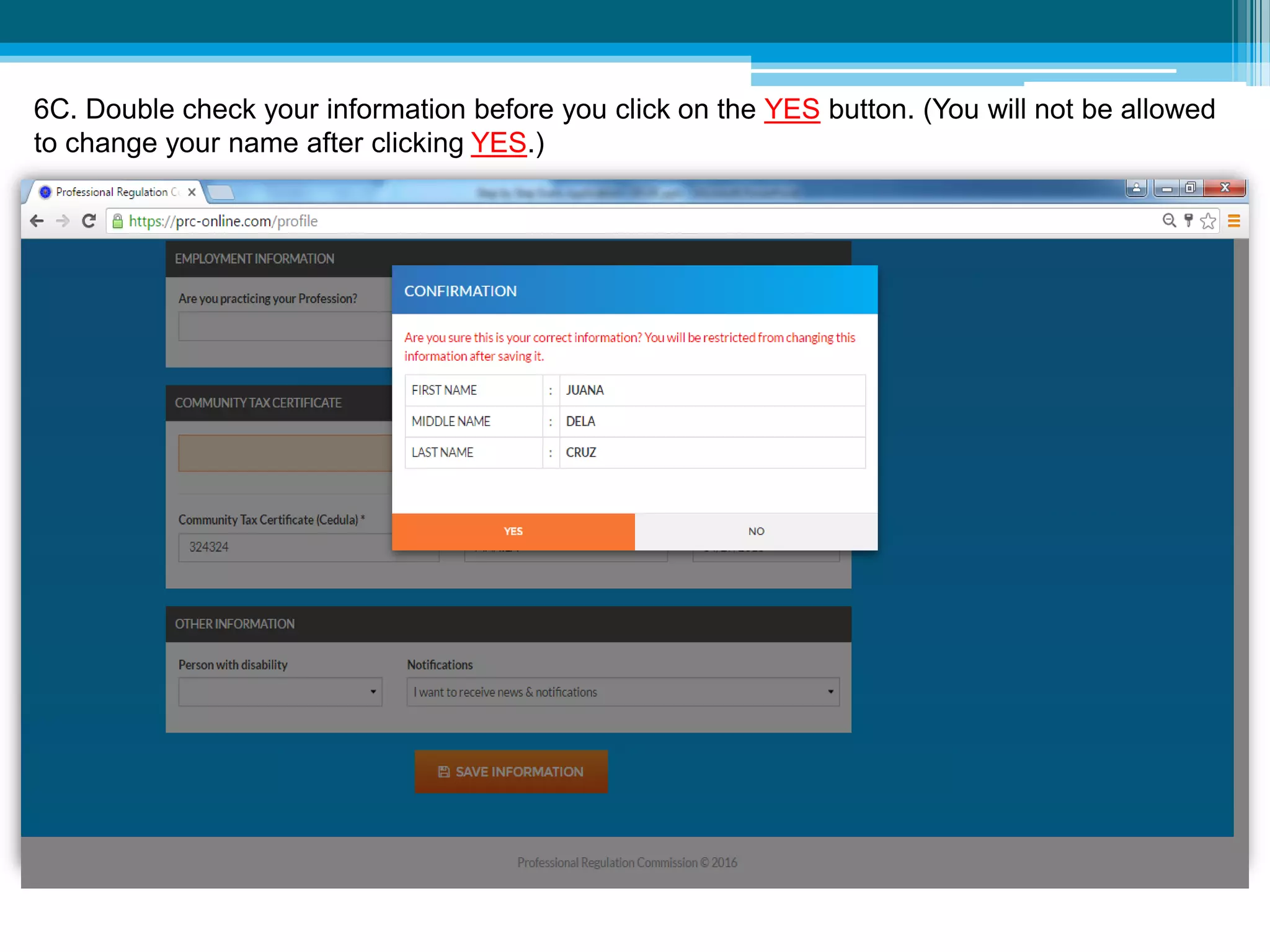
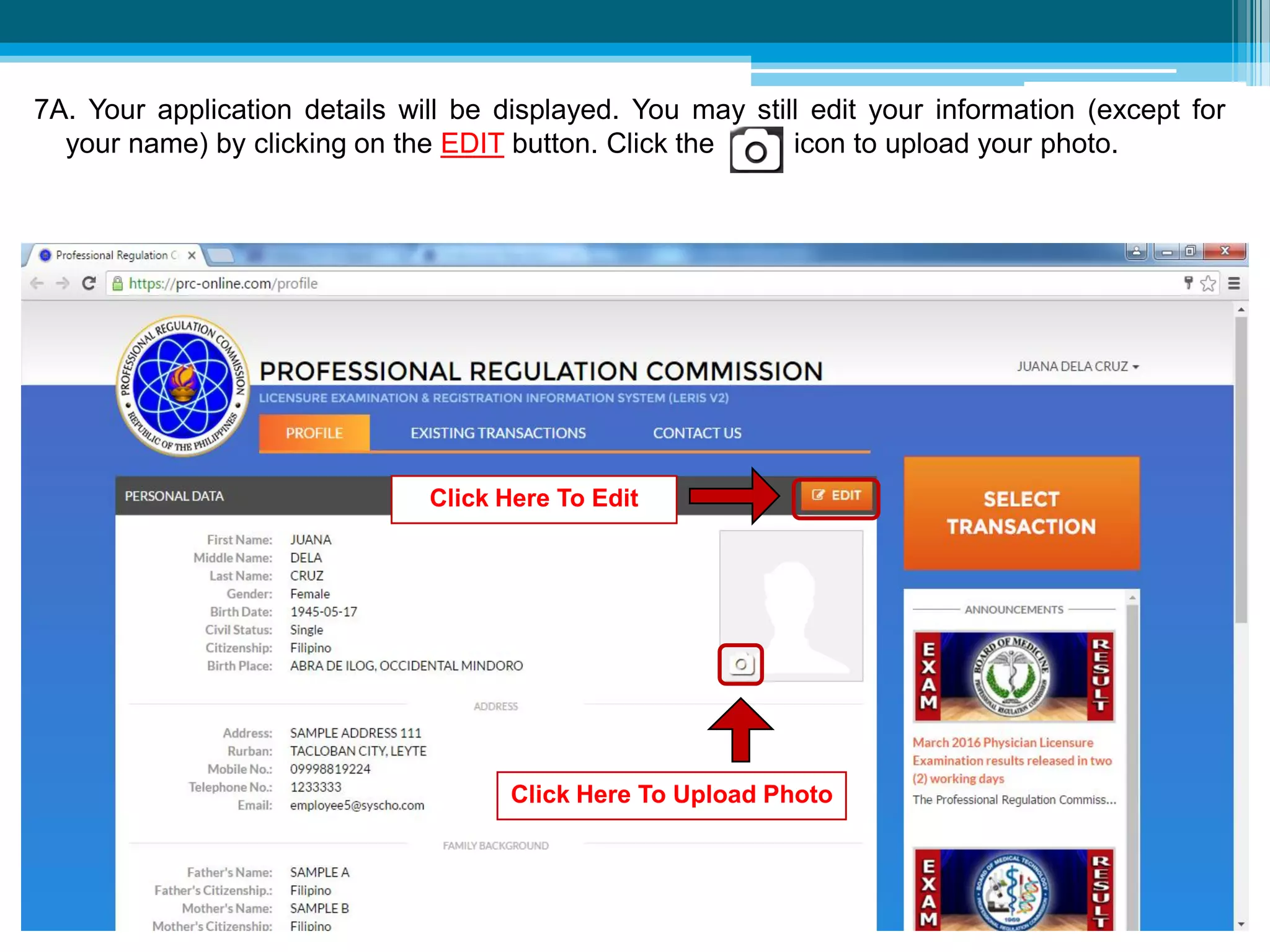
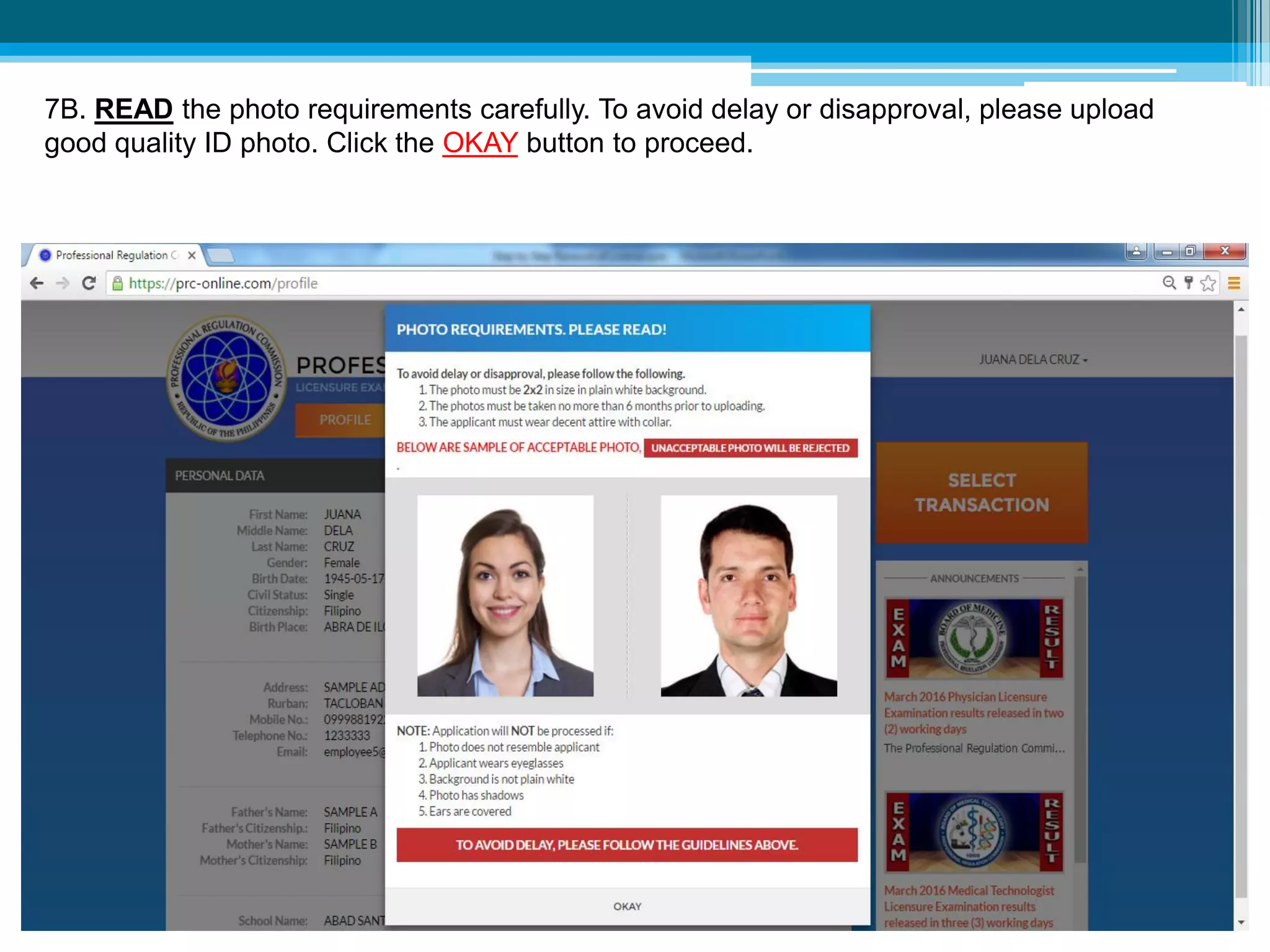
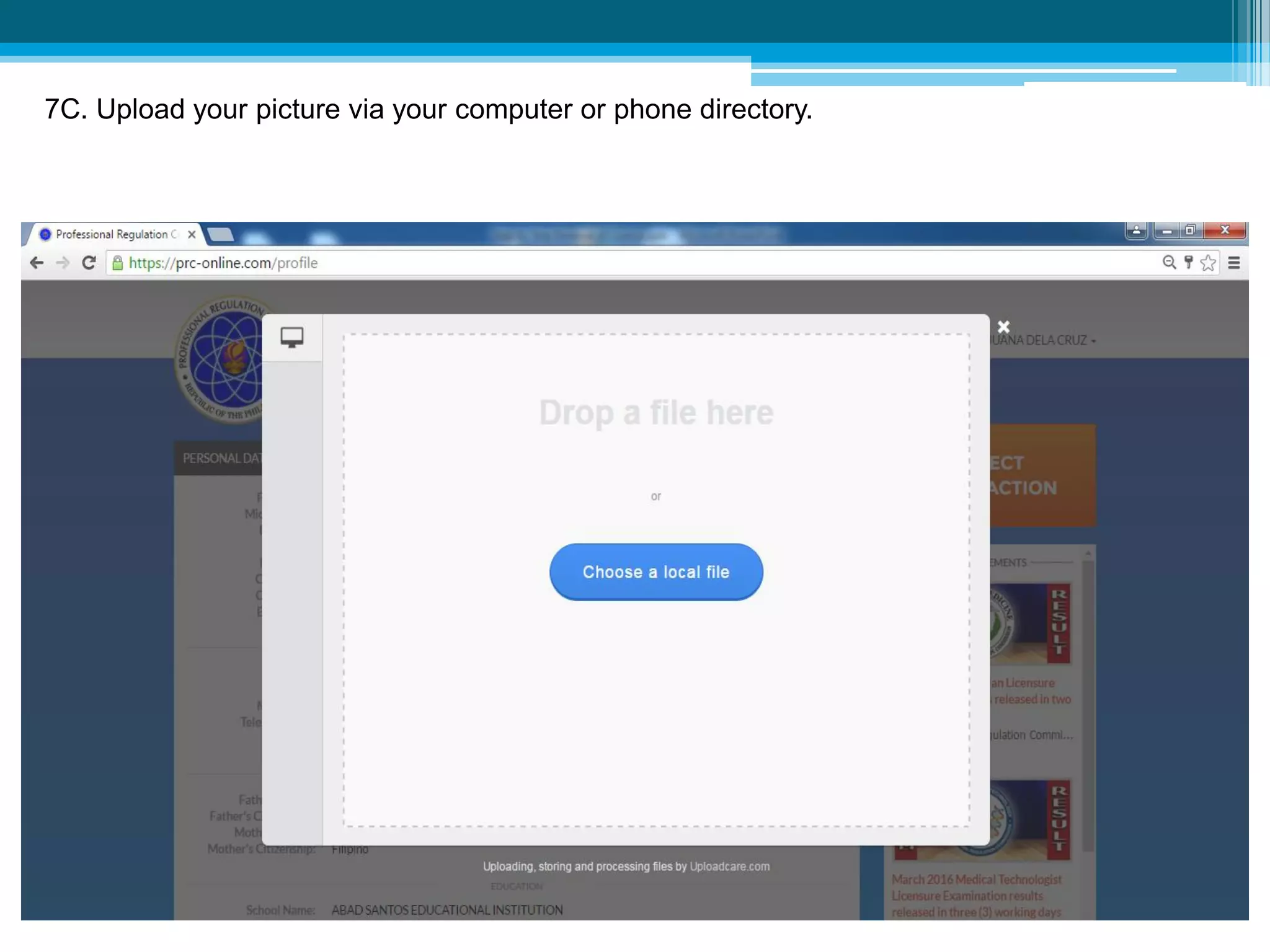
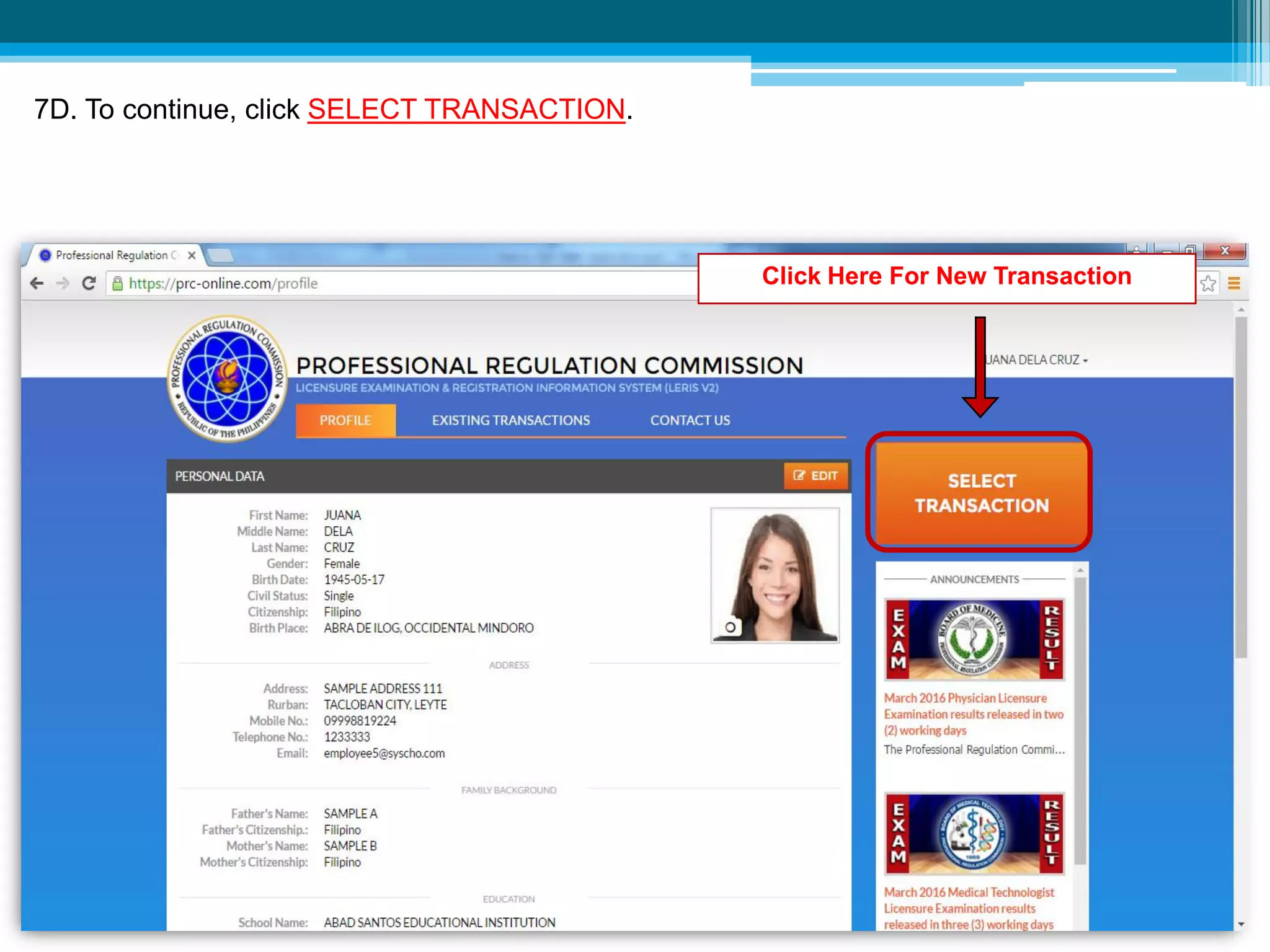
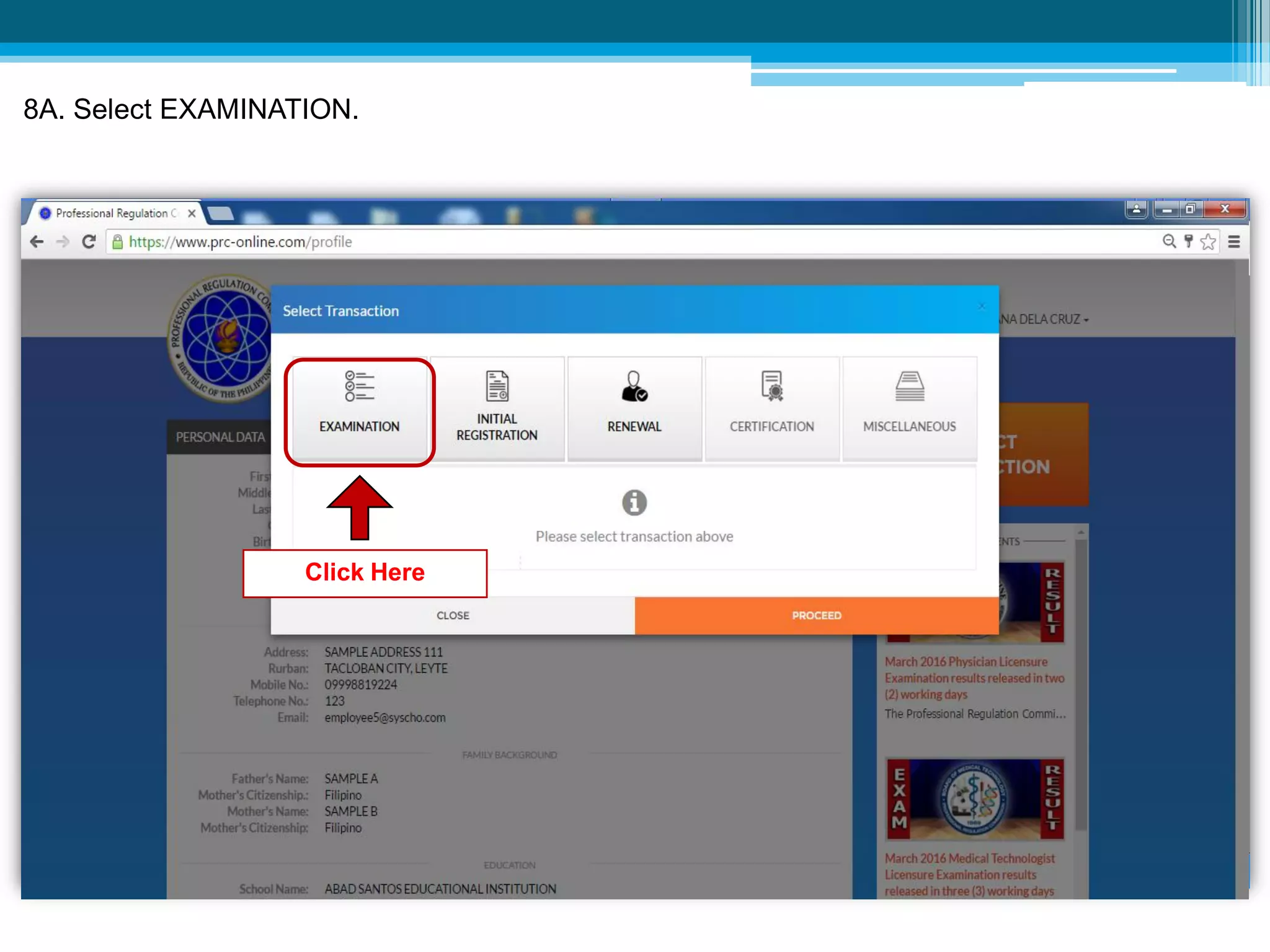
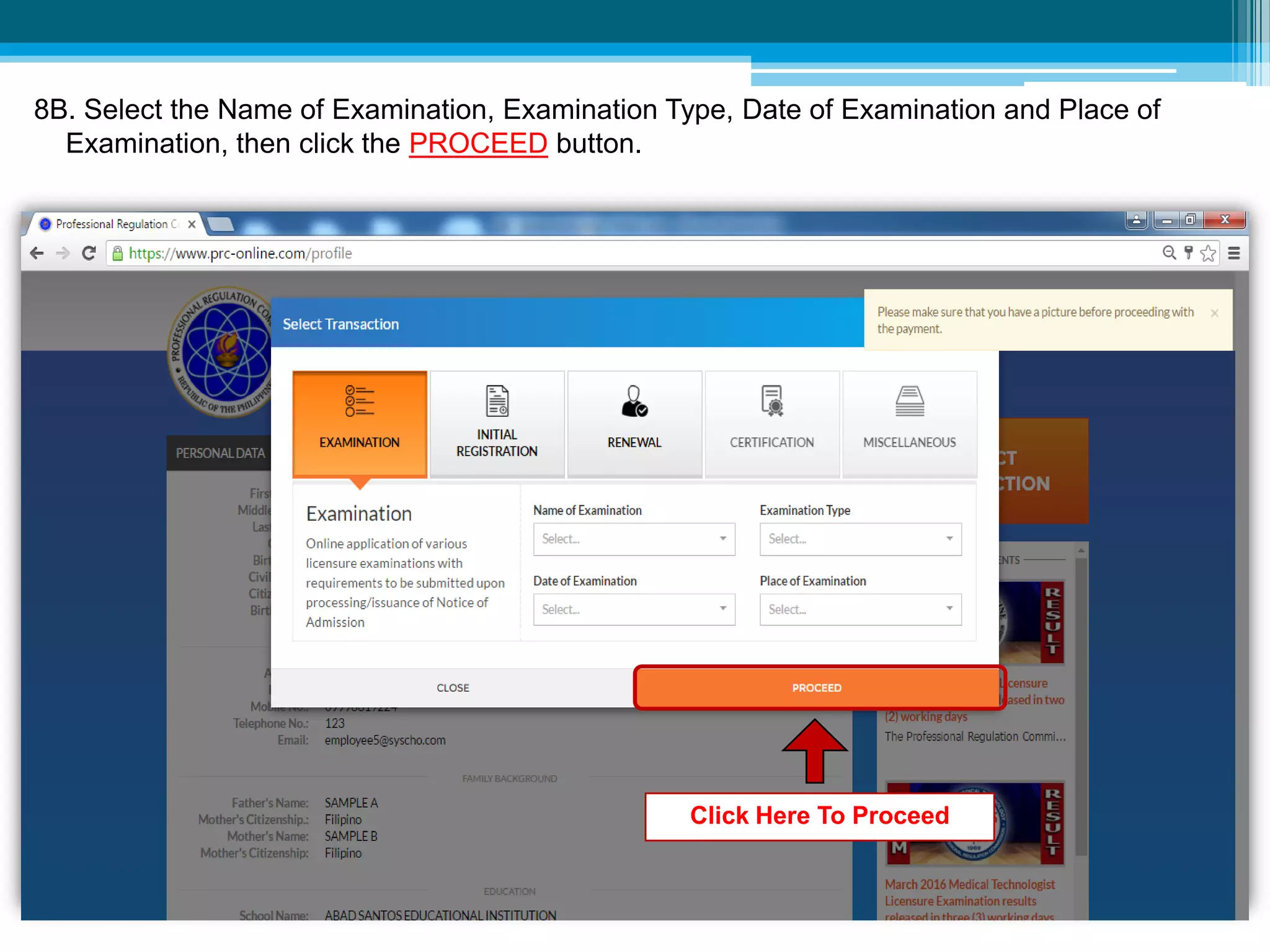
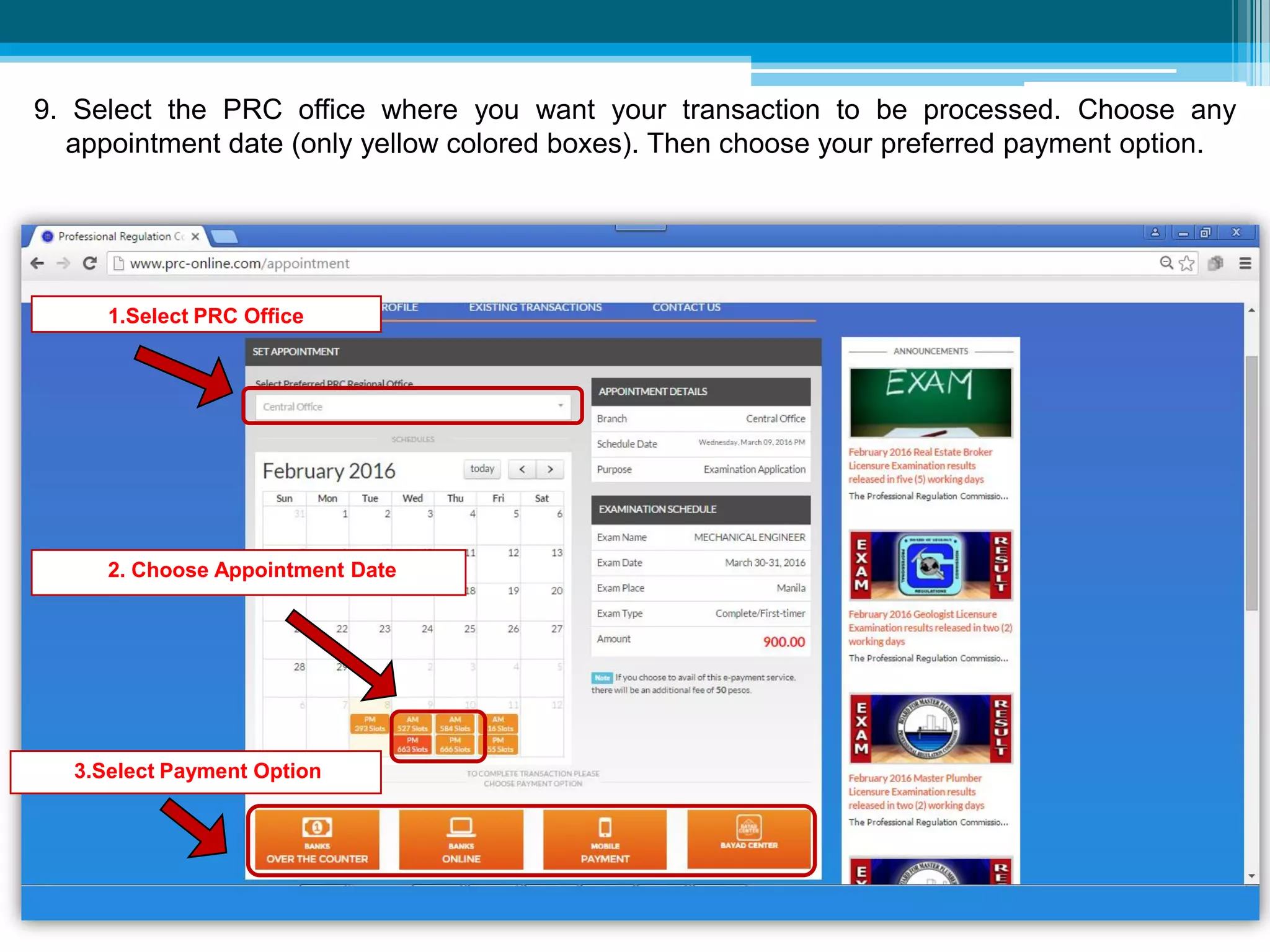
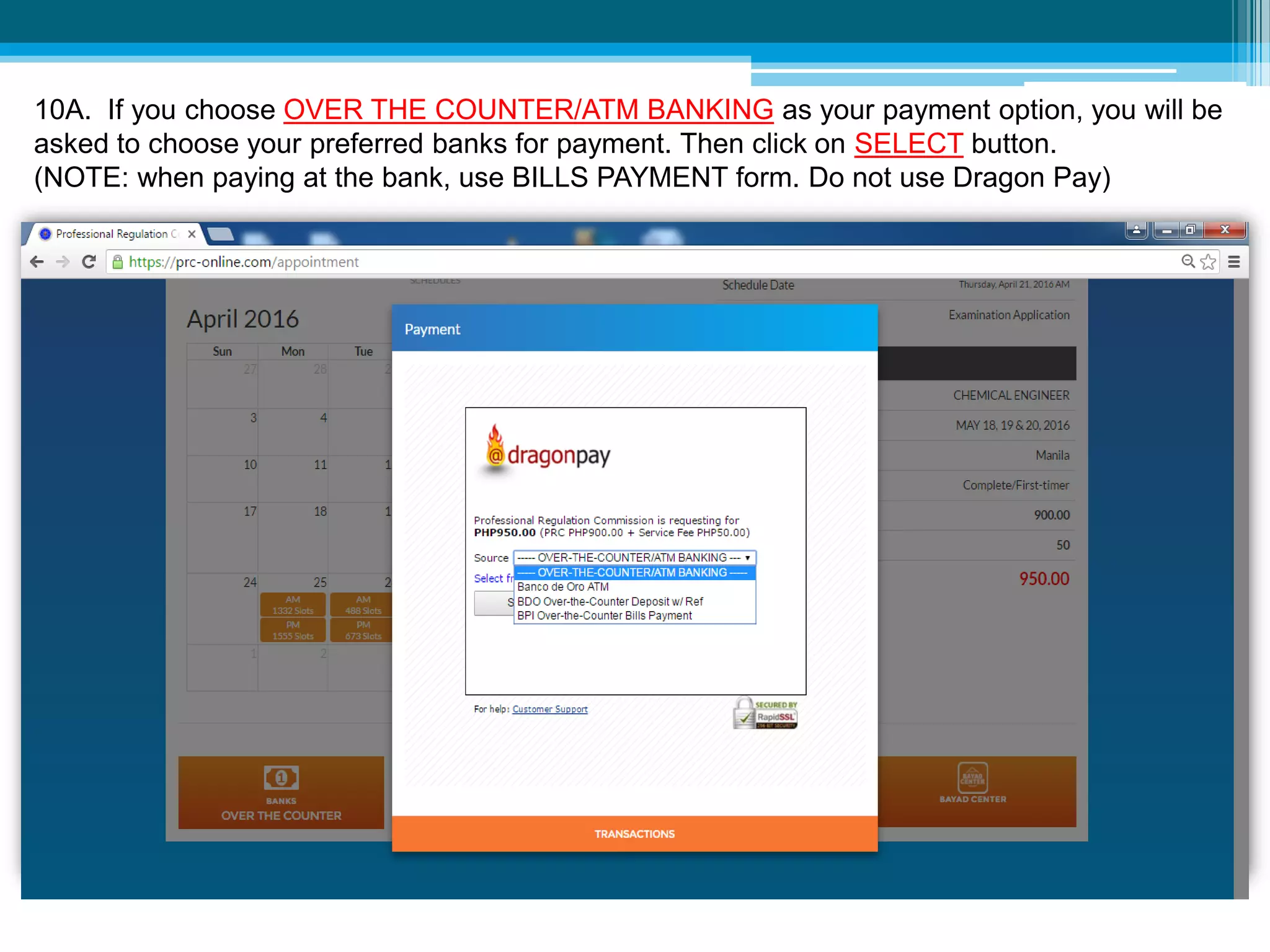
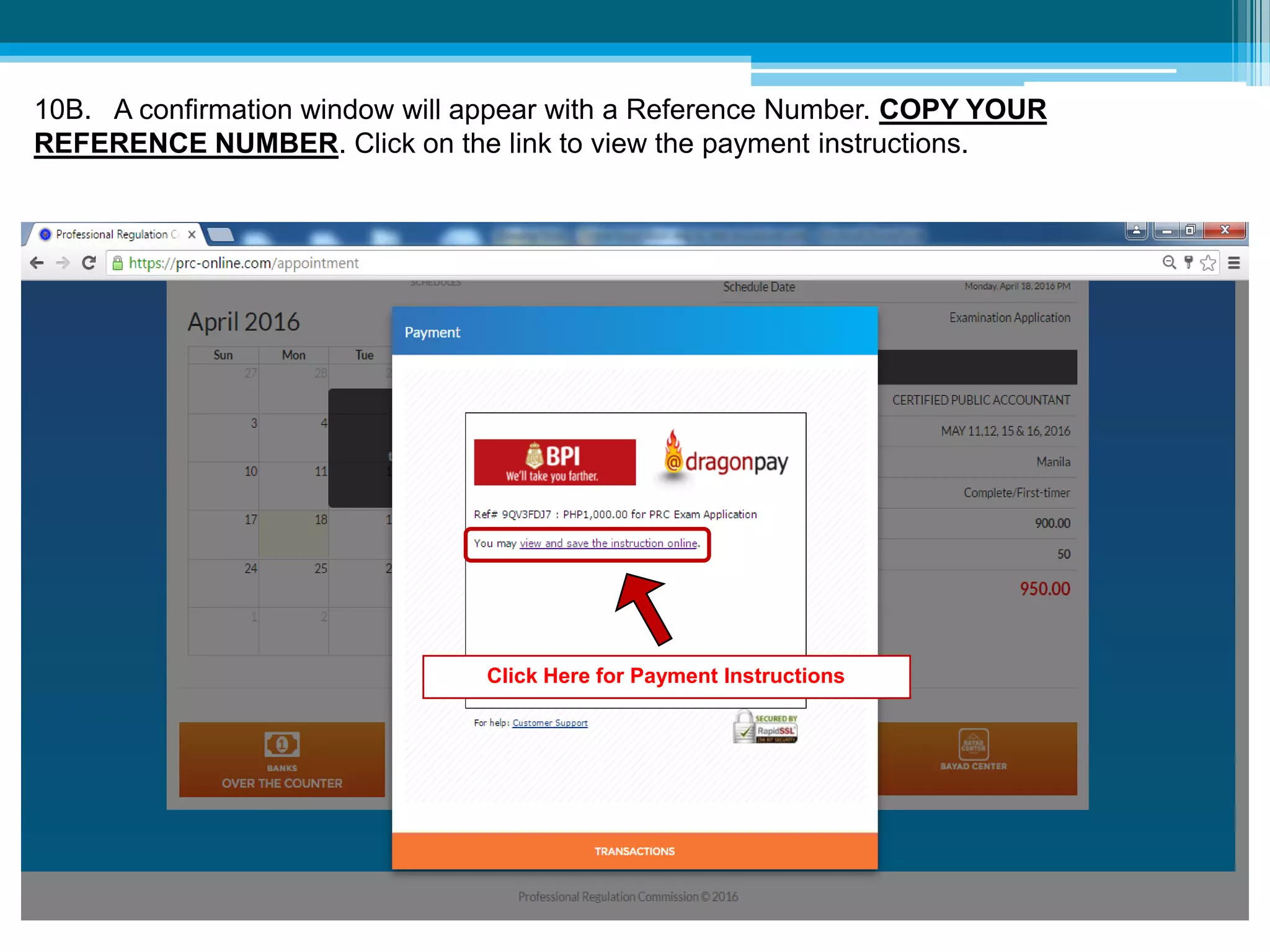
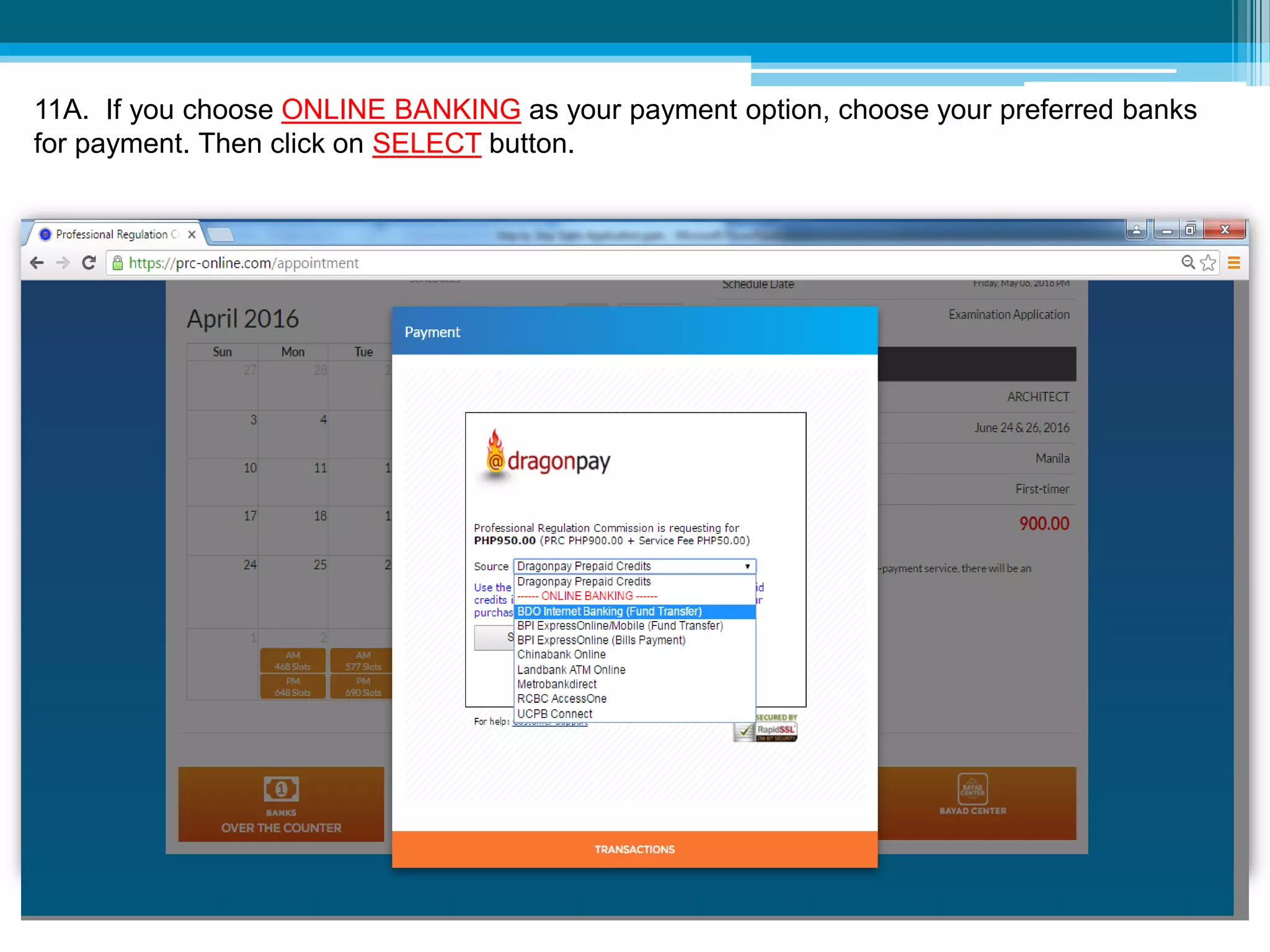
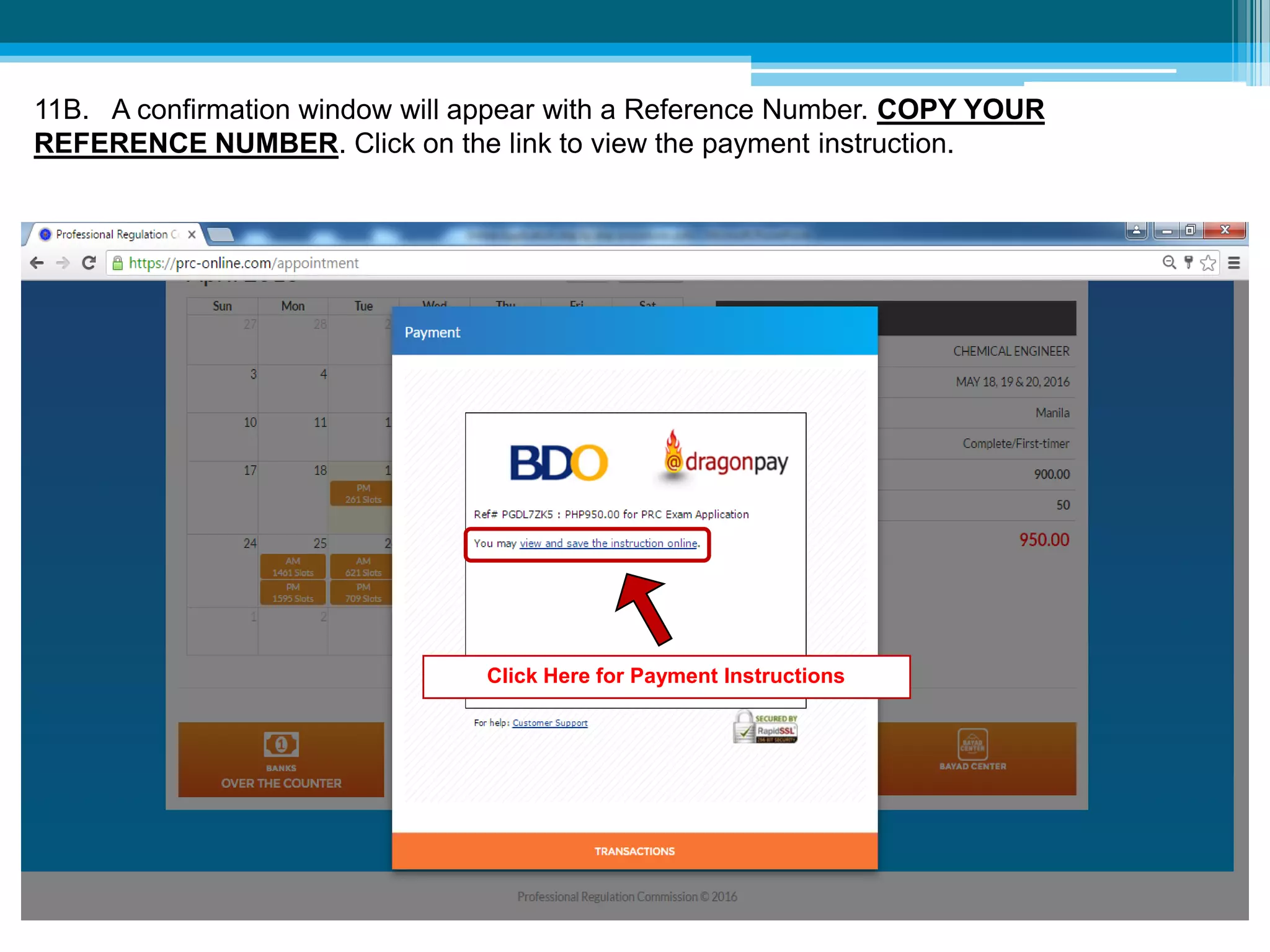
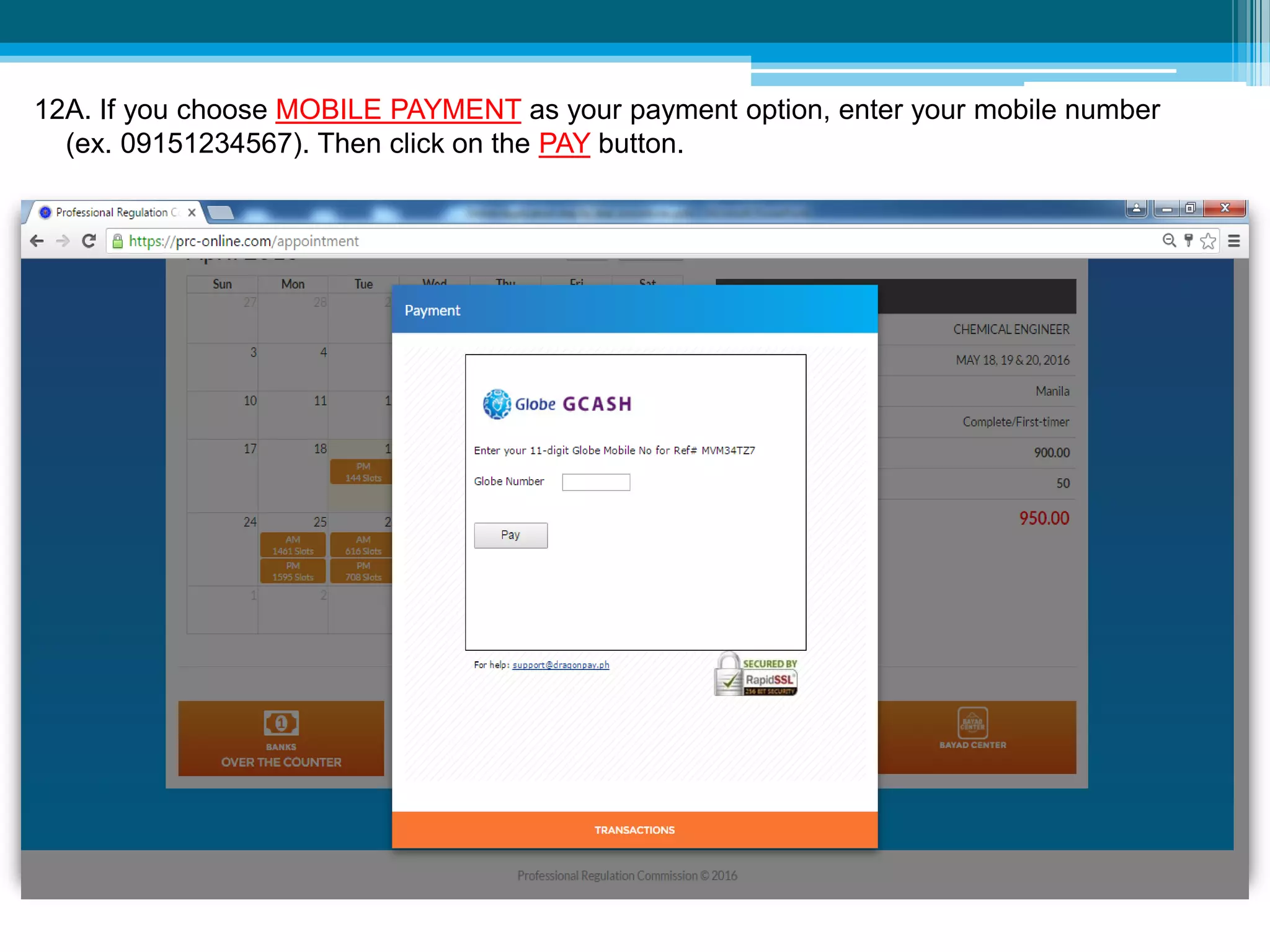
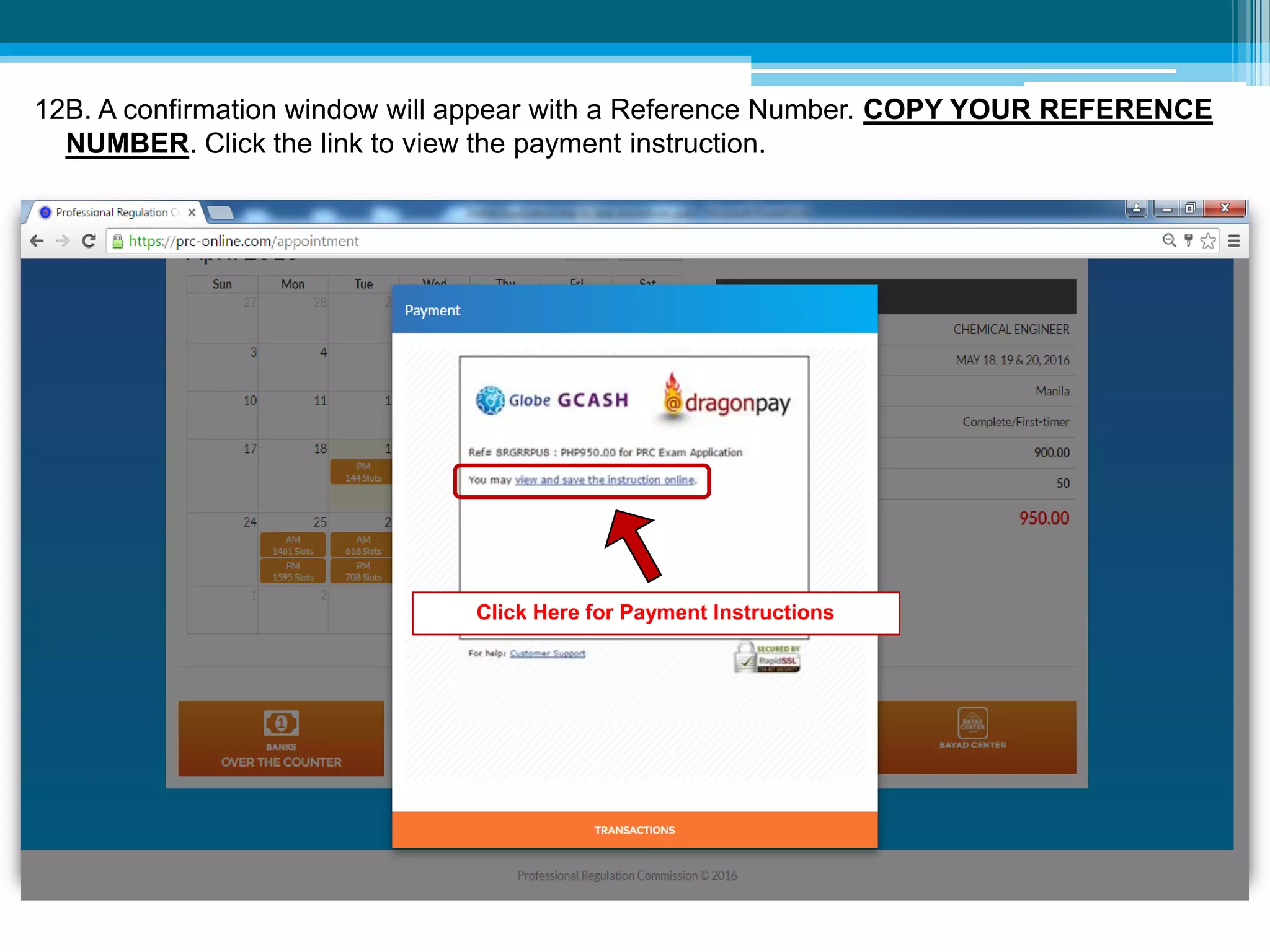
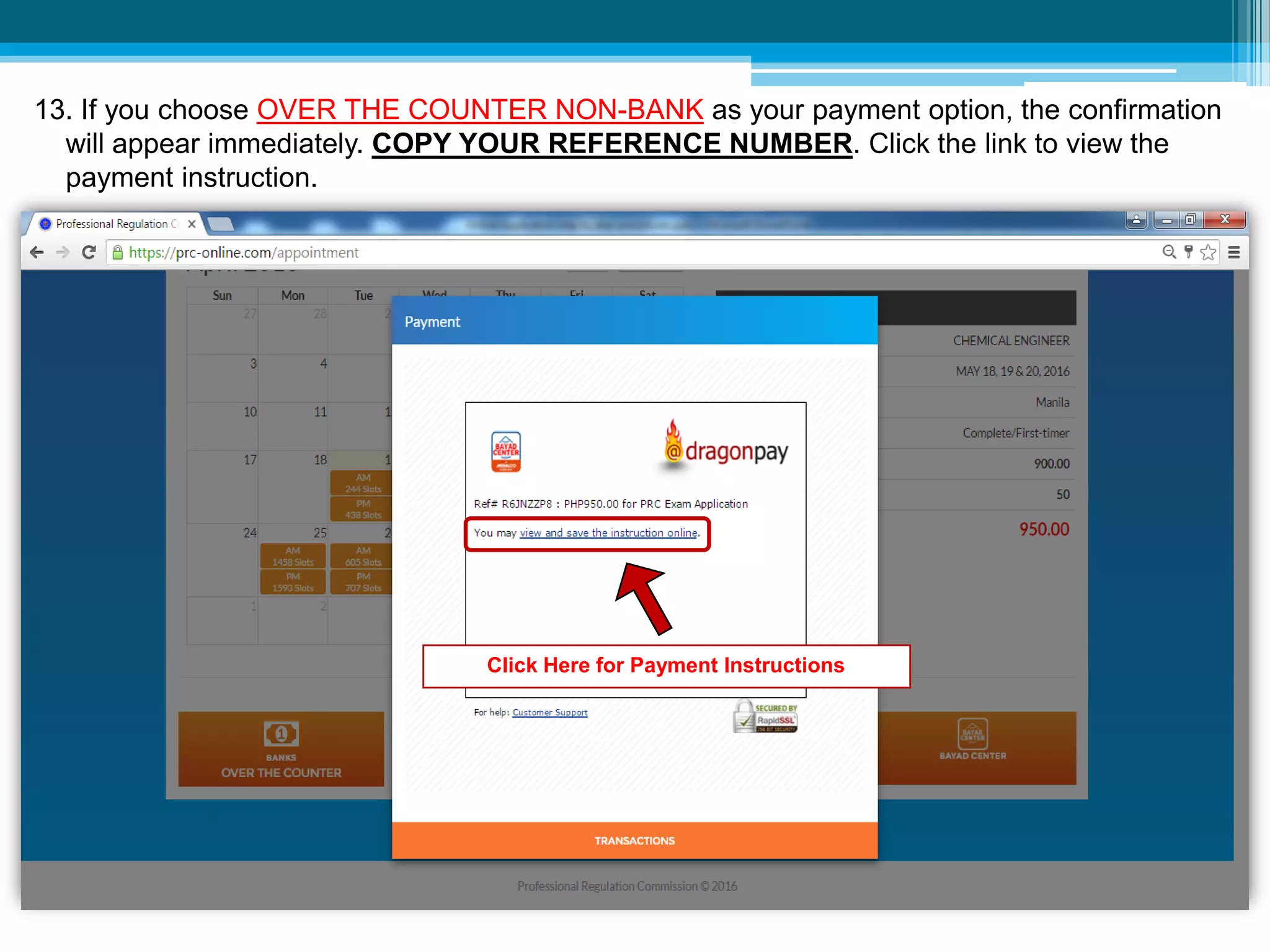
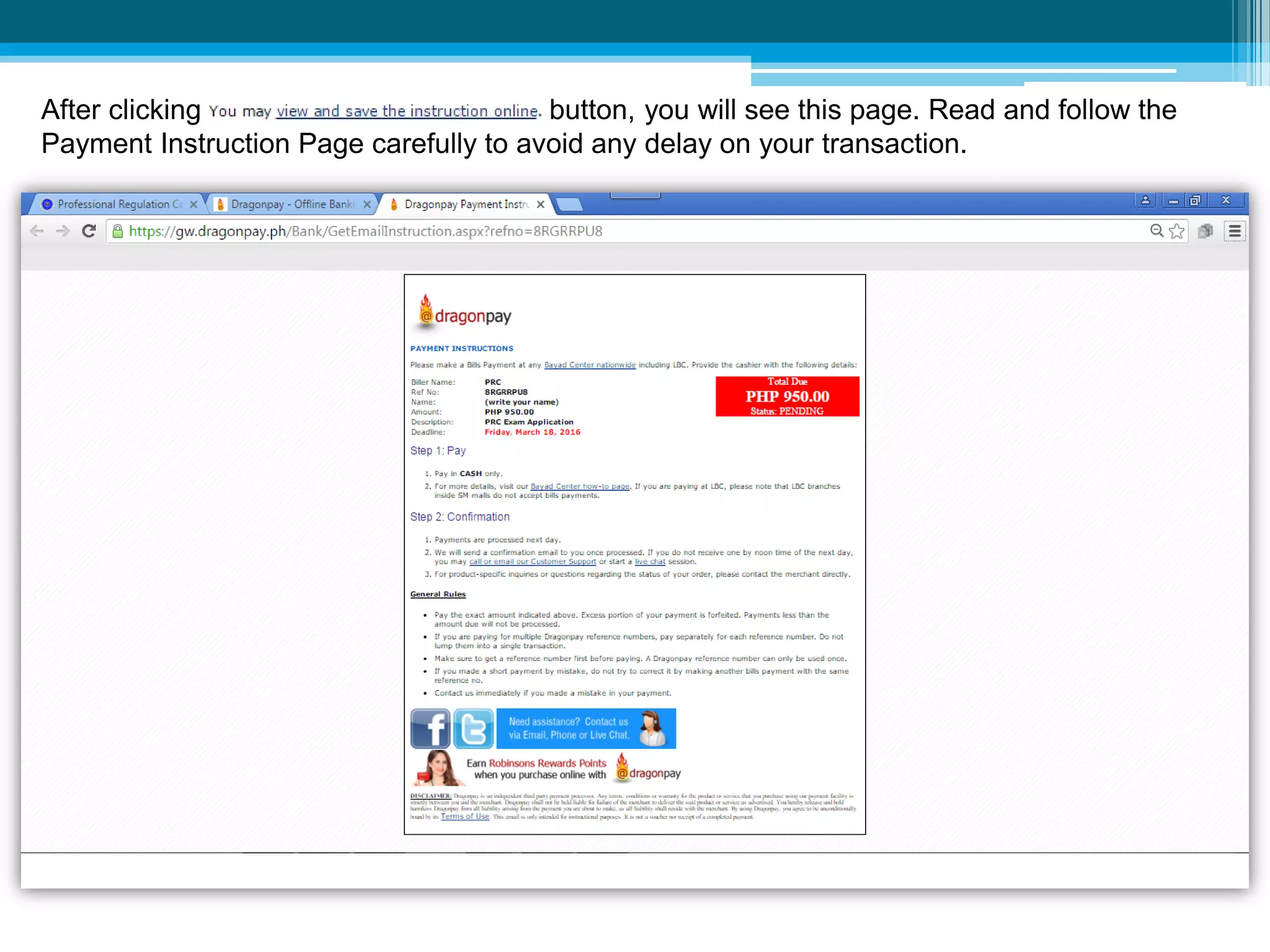
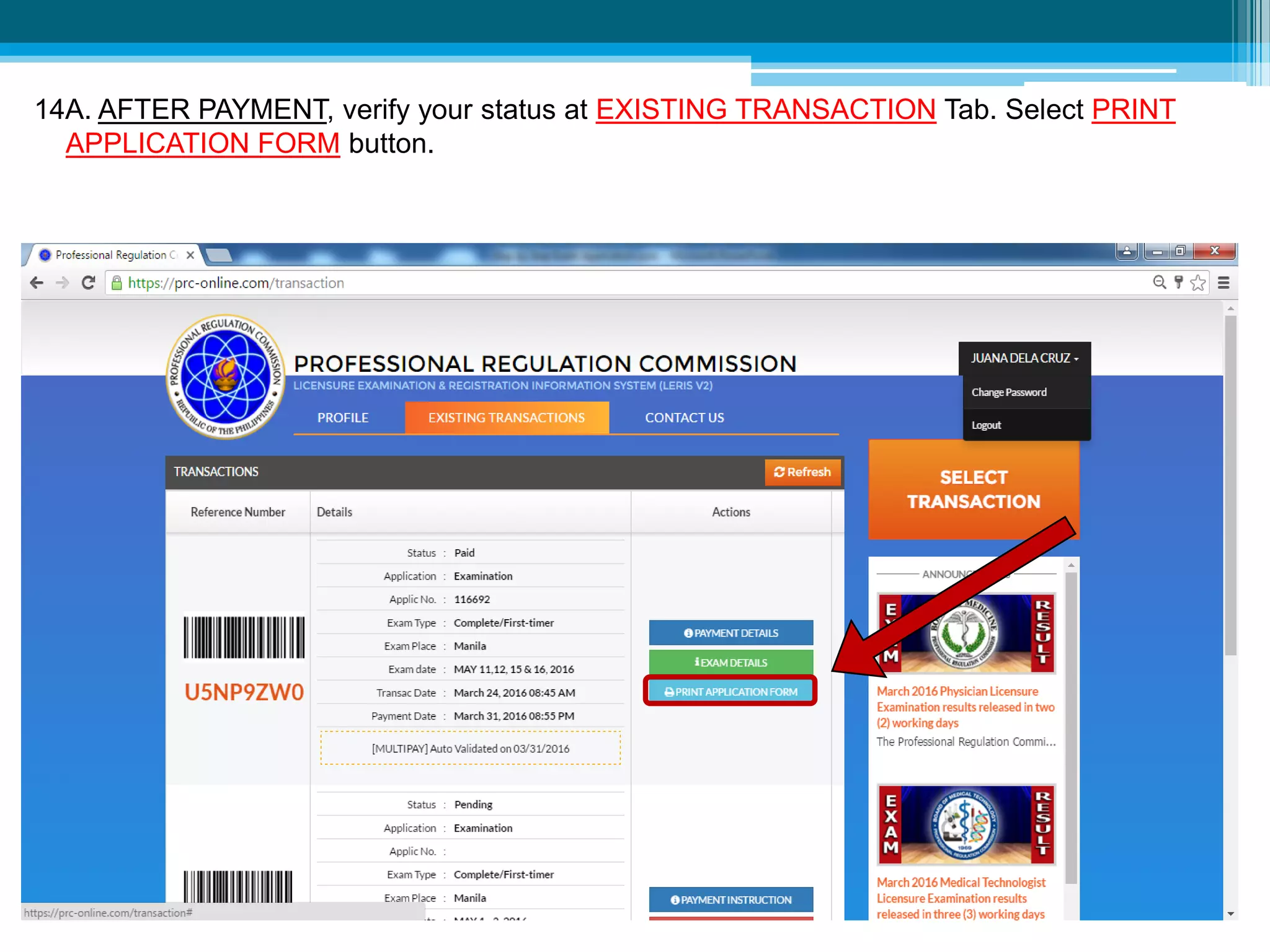
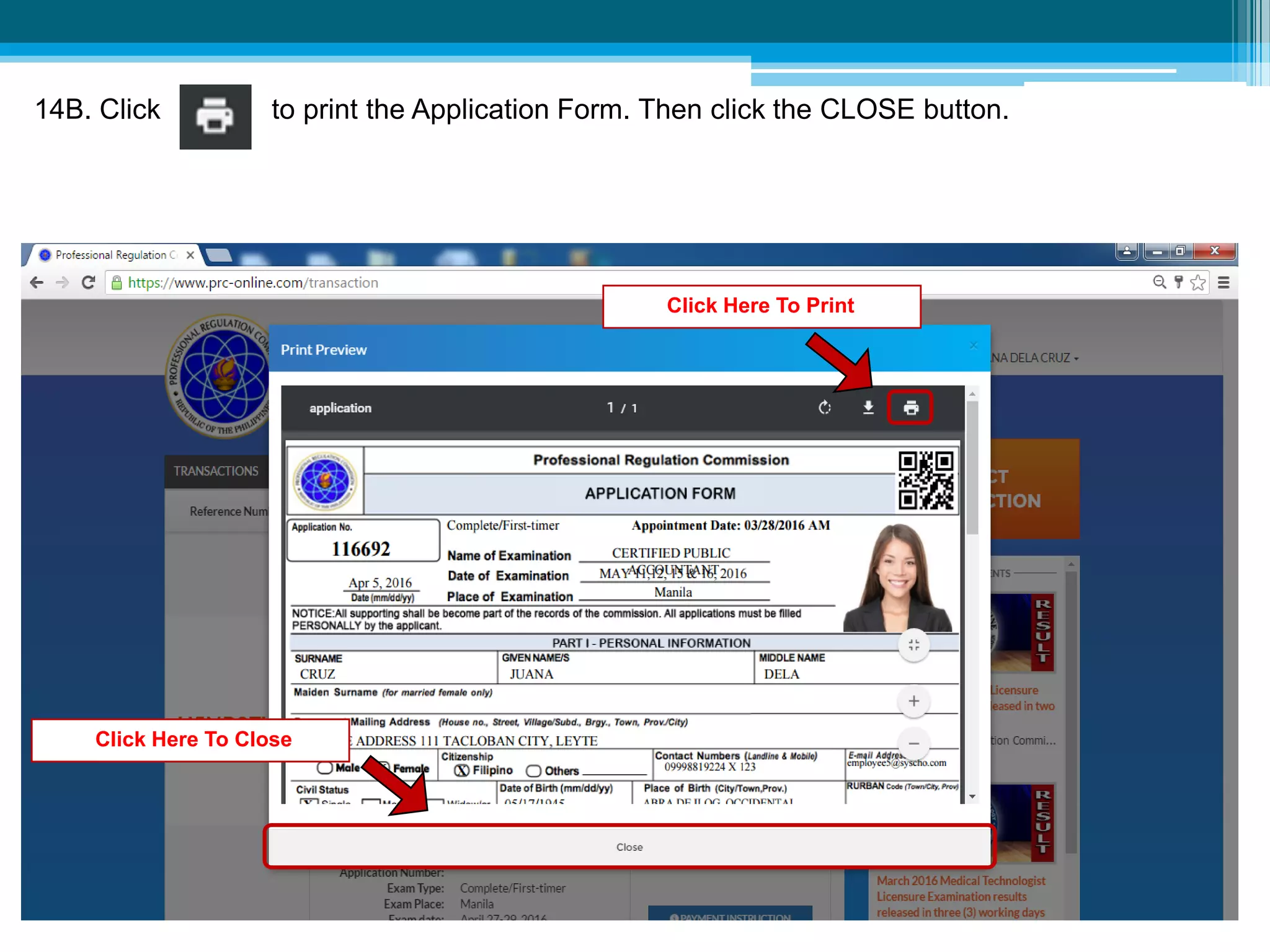
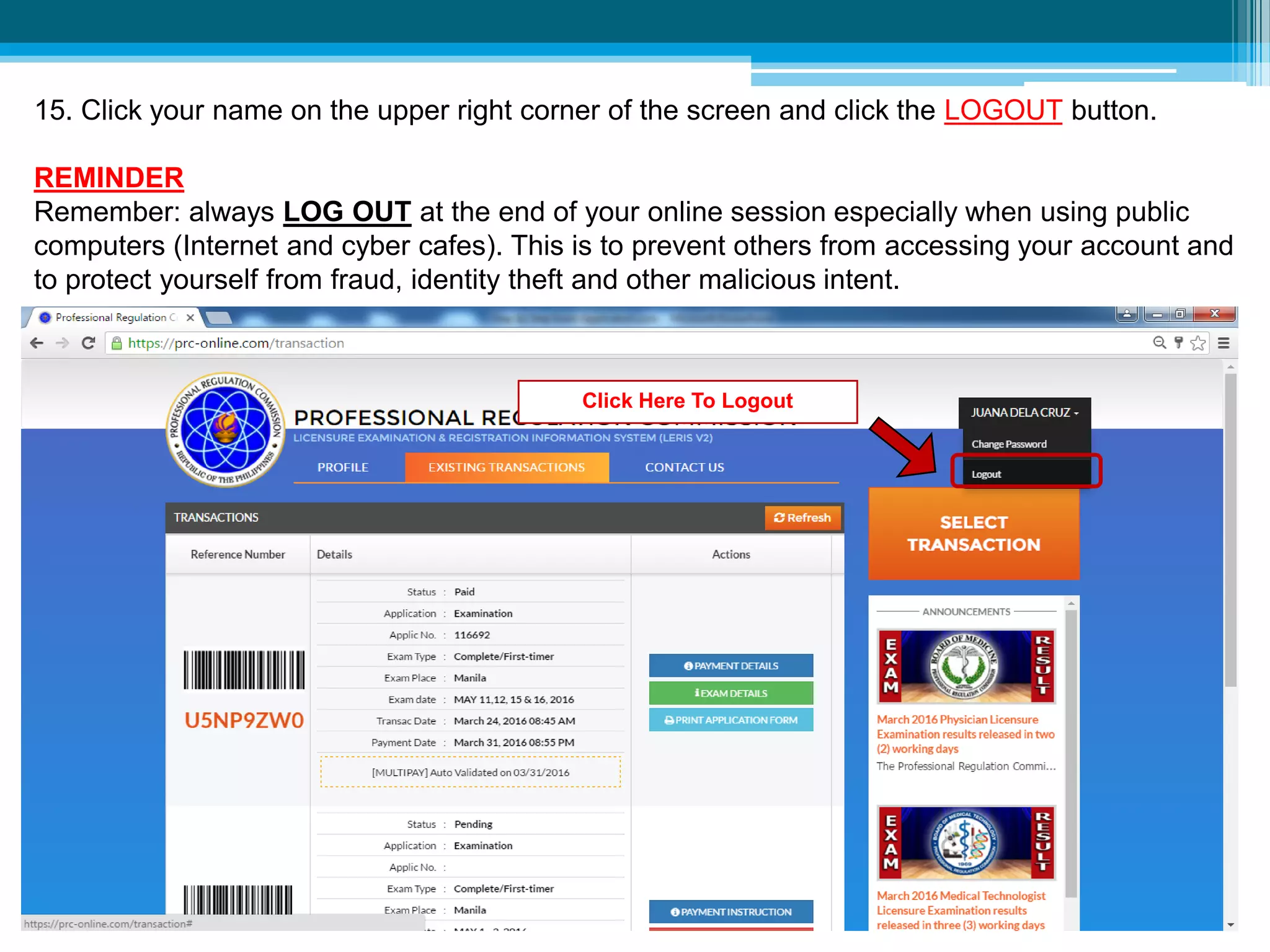

This document provides instructions for applying for a licensure examination online through the Professional Regulation Commission (PRC) Licensure Examination & Registration Information System (LERIS V2). It outlines 16 steps to complete the application, including creating an account, filling out personal details, uploading a photo, selecting the exam and payment method, making payment, printing the application form, and proceeding to the PRC office on the scheduled appointment date with required documents. Key details like reference numbers and login credentials must be carefully recorded at each step to complete the process.


