Operating System (OS)
Pailan College of Management & Technology
It is presented by
Pralay Mondal
Roll No – 29703320012
Course – BBA in Hospital Management
Semester – 3rd Sem
Content:
What is an Operating System
The Structure of Computer Systems
Functions of Operating System
Types of Operating Systems
Popular types of OS
Desktop Class Operating Systems
What is an Operating System
• Computer System = Hardware + Software
• Software = Application Software + System Software(OS)
• An Operating System is a system Software that acts as an
intermediary/interface between a user of a computer and
the computer hardware.
• Operating system goals:
 Execute user programs and make solving user
problems easier
 Make the computer system convenient to use
 Use the computer hardware in an efficient manner
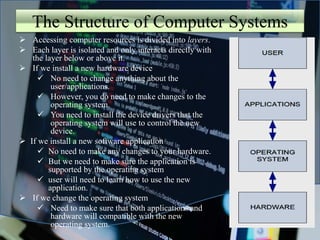
The Structure of Computer Systems
 Accessing computer resources is divided into layers.
 Each layer is isolated and only interacts directly with
the layer below or above it.
 If we install a new hardware device
 No need to change anything about the
user/applications.
 However, you do need to make changes to the
operating system.
 You need to install the device drivers that the
operating system will use to control the new
device.
 If we install a new software application
 No need to make any changes to your hardware.
 But we need to make sure the application is
supported by the operating system
 user will need to learn how to use the new
application.
 If we change the operating system
 Need to make sure that both applications and
hardware will compatible with the new
operating system.
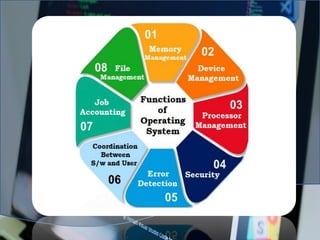
Functions of Operating System
1. Memory Management
2. Device Management
3. Processor Management/Scheduling
4. Security
5. Error Detection
6. Coordination between S/W & User
7. Job Accounting
8. File Management
Types of Operating Systems
1. Batch Operating System
2. Multiprogramming Operating System
3. Time-Sharing OS
4. Multiprocessing OS
5. Distributed OS
6. Network OS
7. Real Time OS
8. Embedded OS
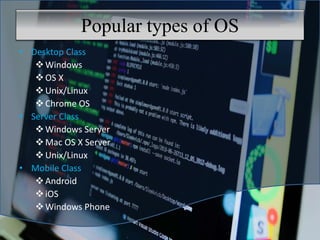
Popular types of OS
• Desktop Class
Windows
OS X
Unix/Linux
Chrome OS
• Server Class
Windows Server
Mac OS X Server
Unix/Linux
• Mobile Class
Android
iOS
Windows Phone
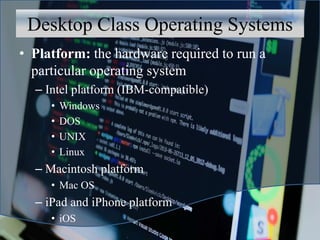
Desktop Class Operating Systems
• Platform: the hardware required to run a
particular operating system
– Intel platform (IBM-compatible)
• Windows
• DOS
• UNIX
• Linux
– Macintosh platform
• Mac OS
– iPad and iPhone platform
• iOS
Thank you

pralay mondal Operating System (OS).pptx

  • 1.
    Operating System (OS) PailanCollege of Management & Technology It is presented by Pralay Mondal Roll No – 29703320012 Course – BBA in Hospital Management Semester – 3rd Sem
  • 2.
    Content: What is anOperating System The Structure of Computer Systems Functions of Operating System Types of Operating Systems Popular types of OS Desktop Class Operating Systems
  • 3.
    What is anOperating System • Computer System = Hardware + Software • Software = Application Software + System Software(OS) • An Operating System is a system Software that acts as an intermediary/interface between a user of a computer and the computer hardware. • Operating system goals:  Execute user programs and make solving user problems easier  Make the computer system convenient to use  Use the computer hardware in an efficient manner
  • 4.
    The Structure ofComputer Systems  Accessing computer resources is divided into layers.  Each layer is isolated and only interacts directly with the layer below or above it.  If we install a new hardware device  No need to change anything about the user/applications.  However, you do need to make changes to the operating system.  You need to install the device drivers that the operating system will use to control the new device.  If we install a new software application  No need to make any changes to your hardware.  But we need to make sure the application is supported by the operating system  user will need to learn how to use the new application.  If we change the operating system  Need to make sure that both applications and hardware will compatible with the new operating system.
  • 5.
    Functions of OperatingSystem 1. Memory Management 2. Device Management 3. Processor Management/Scheduling 4. Security 5. Error Detection 6. Coordination between S/W & User 7. Job Accounting 8. File Management
  • 7.
    Types of OperatingSystems 1. Batch Operating System 2. Multiprogramming Operating System 3. Time-Sharing OS 4. Multiprocessing OS 5. Distributed OS 6. Network OS 7. Real Time OS 8. Embedded OS
  • 8.
    Popular types ofOS • Desktop Class Windows OS X Unix/Linux Chrome OS • Server Class Windows Server Mac OS X Server Unix/Linux • Mobile Class Android iOS Windows Phone
  • 9.
    Desktop Class OperatingSystems • Platform: the hardware required to run a particular operating system – Intel platform (IBM-compatible) • Windows • DOS • UNIX • Linux – Macintosh platform • Mac OS – iPad and iPhone platform • iOS
  • 10.