DIGITAL
PAYMENTS - PROCESS
AND
SAFEGUARD
Table of
contents
Title Slide No.
3
Digital Payments – Process &
________________________________________________________________ 05
______________________________________________________________ 06
________________________________________________________ 16
______________________________________________________ 17
What is digital payment
Modes of digital payment
Pros & Cons of digital payment
Safeguard digital transactions
4
Objective
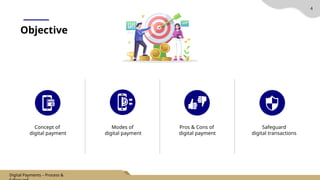
Concept of
digital payment
Modes of
digital payment
Pros & Cons of
digital payment
Safeguard
digital transactions
Digital Payments – Process &
What is digital payment?
5
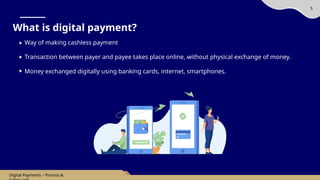
Way of making cashless payment
Transaction between payer and payee takes place online, without physical exchange of money.
Money exchanged digitally using banking cards, internet, smartphones.
Digital Payments – Process &
6
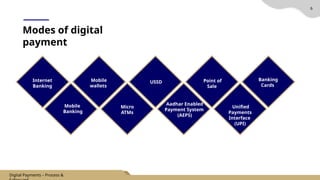
Modes of digital
payment
Internet
Banking
Mobile
Banking
Mobile
wallets
Micro
ATMs
Aadhar Enabled
Payment System
(AEPS)
Unified
Payments
Interface
(UPI)
Banking
Cards
Point of
Sale
USSD
Digital Payments – Process &
7
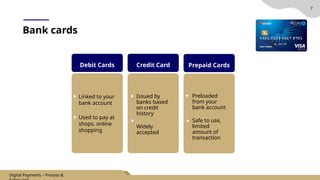
Debit Cards Credit Card Prepaid Cards
Bank cards
Linked to your
bank account
Used to pay at
shops, online
shopping
Issued by
banks based
on credit
history
Widely
accepted
Preloaded
from your
bank account
Safe to use,
limited
amount of
transaction
Digital Payments – Process &
8
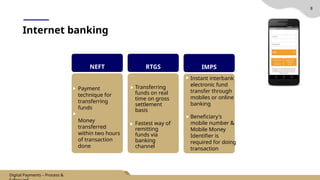
Internet banking
NEFT RTGS IMPS
Payment
technique for
transferring
funds
Money
transferred
within two hours
of transaction
done
Transferring
funds on real
time on gross
settlement
basis
Fastest way of
remitting
funds via
banking
channel
Instant interbank
electronic fund
transfer through
mobiles or online
banking
Beneficiary's
mobile number &
Mobile Money
Identifier is
required for doing
transaction
Digital Payments – Process &
9
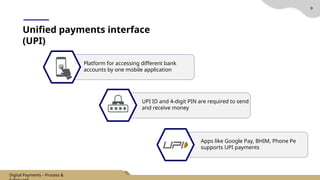
Unified payments interface
(UPI)
Platform for accessing different bank
accounts by one mobile application
UPI ID and 4-digit PIN are required to send
and receive money
Apps like Google Pay, BHIM, Phone Pe
supports UPI payments
Digital Payments – Process &
10
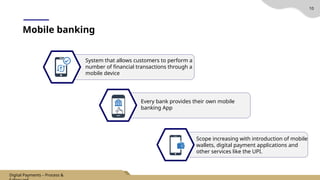
Mobile banking
System that allows customers to perform a
number of financial transactions through a
mobile device
Every bank provides their own mobile
banking App
Scope increasing with introduction of mobile
wallets, digital payment applications and
other services like the UPI.
Digital Payments – Process &
11
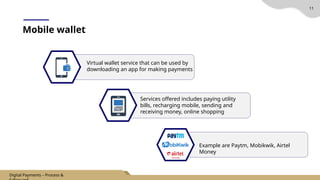
Mobile wallet
Virtual wallet service that can be used by
downloading an app for making payments
Services offered includes paying utility
bills, recharging mobile, sending and
receiving money, online shopping
Example are Paytm, Mobikwik, Airtel
Money
Digital Payments – Process &
12
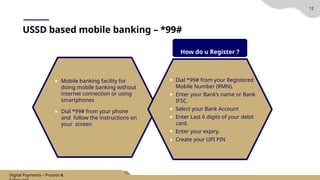
USSD based mobile banking – *99#
Mobile banking facility for
doing mobile banking without
internet connection or using
smartphones
Dial *99# from your phone
and follow the instructions on
your screen
Dial *99# from your Registered
Mobile Number (RMN).
Enter your Bank’s name or Bank
IFSC.
Select your Bank Account
Enter Last 6 digits of your debit
card.
Enter your expiry.
Create your UPI PIN
How do u Register ?
Digital Payments – Process &
13
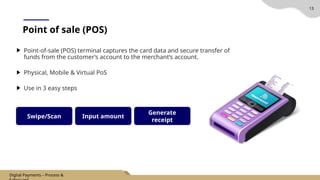
Point of sale (POS)
Point-of-sale (POS) terminal captures the card data and secure transfer of
funds from the customer’s account to the merchant’s account.
Physical, Mobile & Virtual PoS
Use in 3 easy steps
Swipe/Scan Input amount
Generate
receipt
Digital Payments – Process &
14
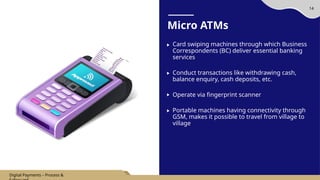
Micro ATMs
Card swiping machines through which Business
Correspondents (BC) deliver essential banking
services
Conduct transactions like withdrawing cash,
balance enquiry, cash deposits, etc.
Operate via fingerprint scanner
Portable machines having connectivity through
GSM, makes it possible to travel from village to
village
Digital Payments – Process &
15
Aadhar enabled payment system (AEPS)
Account balance
Aadhar to Aadhar fund transfer
Cash deposit
Cash withdrawal
Payment transactions
What can you do?
AEPS allows Aadhaar-linked bank
accounts to transfer money
between two bank accounts
Prevalent where there are no
branches (rural areas)
Can do transactions at any AEPS
point without any pin or
password (AEPS points – Micro
ATMs)
Digital Payments – Process &
16
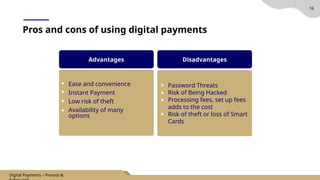
Pros and cons of using digital payments
Advantages
Ease and convenience
Instant Payment
Low risk of theft
Availability of many
options
Disadvantages
Password Threats
Risk of Being Hacked
Processing fees, set up fees
adds to the cost
Risk of theft or loss of Smart
Cards
Digital Payments – Process &
17
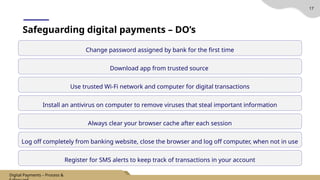
Change password assigned by bank for the first time
Safeguarding digital payments – DO’s
Download app from trusted source
Use trusted Wi-Fi network and computer for digital transactions
Install an antivirus on computer to remove viruses that steal important information
Always clear your browser cache after each session
Log off completely from banking website, close the browser and log off computer, when not in use
Register for SMS alerts to keep track of transactions in your account
Digital Payments – Process &
17
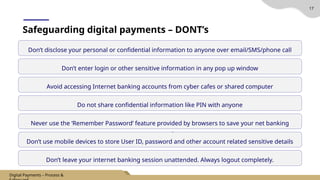
Don’t disclose your personal or confidential information to anyone over email/SMS/phone call
Safeguarding digital payments – DONT’s
Don’t enter login or other sensitive information in any pop up window
Avoid accessing Internet banking accounts from cyber cafes or shared computer
Do not share confidential information like PIN with anyone
Never use the ‘Remember Password’ feature provided by browsers to save your net banking
password
Don’t use mobile devices to store User ID, password and other account related sensitive details
Don’t leave your internet banking session unattended. Always logout completely.
Digital Payments – Process &
PPT_6.-Digital-Payments-Process-Safeguards (2).pptx

PPT_6.-Digital-Payments-Process-Safeguards (2).pptx

  • 2.
  • 3.
    Table of contents Title SlideNo. 3 Digital Payments – Process & ________________________________________________________________ 05 ______________________________________________________________ 06 ________________________________________________________ 16 ______________________________________________________ 17 What is digital payment Modes of digital payment Pros & Cons of digital payment Safeguard digital transactions
  • 4.
    4 Objective Concept of digital payment Modesof digital payment Pros & Cons of digital payment Safeguard digital transactions Digital Payments – Process &
  • 5.
    What is digitalpayment? 5 Way of making cashless payment Transaction between payer and payee takes place online, without physical exchange of money. Money exchanged digitally using banking cards, internet, smartphones. Digital Payments – Process &
  • 6.
    6 Modes of digital payment Internet Banking Mobile Banking Mobile wallets Micro ATMs AadharEnabled Payment System (AEPS) Unified Payments Interface (UPI) Banking Cards Point of Sale USSD Digital Payments – Process &
  • 7.
    7 Debit Cards CreditCard Prepaid Cards Bank cards Linked to your bank account Used to pay at shops, online shopping Issued by banks based on credit history Widely accepted Preloaded from your bank account Safe to use, limited amount of transaction Digital Payments – Process &
  • 8.
    8 Internet banking NEFT RTGSIMPS Payment technique for transferring funds Money transferred within two hours of transaction done Transferring funds on real time on gross settlement basis Fastest way of remitting funds via banking channel Instant interbank electronic fund transfer through mobiles or online banking Beneficiary's mobile number & Mobile Money Identifier is required for doing transaction Digital Payments – Process &
  • 9.
    9 Unified payments interface (UPI) Platformfor accessing different bank accounts by one mobile application UPI ID and 4-digit PIN are required to send and receive money Apps like Google Pay, BHIM, Phone Pe supports UPI payments Digital Payments – Process &
  • 10.
    10 Mobile banking System thatallows customers to perform a number of financial transactions through a mobile device Every bank provides their own mobile banking App Scope increasing with introduction of mobile wallets, digital payment applications and other services like the UPI. Digital Payments – Process &
  • 11.
    11 Mobile wallet Virtual walletservice that can be used by downloading an app for making payments Services offered includes paying utility bills, recharging mobile, sending and receiving money, online shopping Example are Paytm, Mobikwik, Airtel Money Digital Payments – Process &
  • 12.
    12 USSD based mobilebanking – *99# Mobile banking facility for doing mobile banking without internet connection or using smartphones Dial *99# from your phone and follow the instructions on your screen Dial *99# from your Registered Mobile Number (RMN). Enter your Bank’s name or Bank IFSC. Select your Bank Account Enter Last 6 digits of your debit card. Enter your expiry. Create your UPI PIN How do u Register ? Digital Payments – Process &
  • 13.
    13 Point of sale(POS) Point-of-sale (POS) terminal captures the card data and secure transfer of funds from the customer’s account to the merchant’s account. Physical, Mobile & Virtual PoS Use in 3 easy steps Swipe/Scan Input amount Generate receipt Digital Payments – Process &
  • 14.
    14 Micro ATMs Card swipingmachines through which Business Correspondents (BC) deliver essential banking services Conduct transactions like withdrawing cash, balance enquiry, cash deposits, etc. Operate via fingerprint scanner Portable machines having connectivity through GSM, makes it possible to travel from village to village Digital Payments – Process &
  • 15.
    15 Aadhar enabled paymentsystem (AEPS) Account balance Aadhar to Aadhar fund transfer Cash deposit Cash withdrawal Payment transactions What can you do? AEPS allows Aadhaar-linked bank accounts to transfer money between two bank accounts Prevalent where there are no branches (rural areas) Can do transactions at any AEPS point without any pin or password (AEPS points – Micro ATMs) Digital Payments – Process &

  • 16.
    16 Pros and consof using digital payments Advantages Ease and convenience Instant Payment Low risk of theft Availability of many options Disadvantages Password Threats Risk of Being Hacked Processing fees, set up fees adds to the cost Risk of theft or loss of Smart Cards Digital Payments – Process &
  • 17.
    17 Change password assignedby bank for the first time Safeguarding digital payments – DO’s Download app from trusted source Use trusted Wi-Fi network and computer for digital transactions Install an antivirus on computer to remove viruses that steal important information Always clear your browser cache after each session Log off completely from banking website, close the browser and log off computer, when not in use Register for SMS alerts to keep track of transactions in your account Digital Payments – Process &
  • 18.
    17 Don’t disclose yourpersonal or confidential information to anyone over email/SMS/phone call Safeguarding digital payments – DONT’s Don’t enter login or other sensitive information in any pop up window Avoid accessing Internet banking accounts from cyber cafes or shared computer Do not share confidential information like PIN with anyone Never use the ‘Remember Password’ feature provided by browsers to save your net banking password Don’t use mobile devices to store User ID, password and other account related sensitive details Don’t leave your internet banking session unattended. Always logout completely. Digital Payments – Process &