Playwright Core Concepts:
Mastering Modern Web
Automation
Playwright is revolutionizing how we approach web testing and automation. In
this comprehensive guide, we'll explore the foundational concepts that make
Playwright the go-to framework for modern web developers. Whether you're
building end-to-end tests, automating browser workflows, or ensuring quality
across multiple platforms, understanding these core concepts will transform your
testing strategy and eliminate the frustration of flaky, unreliable tests.
INTRODUCTION
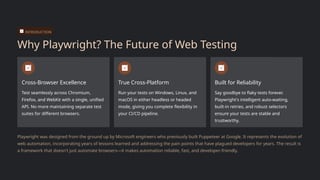
Why Playwright? The Future of Web Testing
Cross-Browser Excellence
Test seamlessly across Chromium,
Firefox, and WebKit with a single, unified
API. No more maintaining separate test
suites for different browsers.
True Cross-Platform
Run your tests on Windows, Linux, and
macOS in either headless or headed
mode, giving you complete flexibility in
your CI/CD pipeline.
Built for Reliability
Say goodbye to flaky tests forever.
Playwright's intelligent auto-waiting,
built-in retries, and robust selectors
ensure your tests are stable and
trustworthy.
Playwright was designed from the ground up by Microsoft engineers who previously built Puppeteer at Google. It represents the evolution of
web automation, incorporating years of lessons learned and addressing the pain points that have plagued developers for years. The result is
a framework that doesn't just automate browsers—it makes automation reliable, fast, and developer-friendly.
CORE ARCHITECTURE
Browser: The Foundation of Automation
The Browser object represents a running instance of Chromium, Firefox, or WebKit—the
foundation upon which all automation is built. Think of it as the engine that powers your
testing infrastructure.
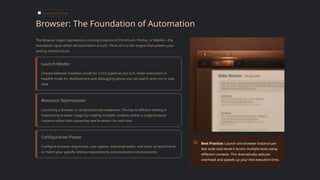
Launch Modes
Choose between headless mode for CI/CD pipelines (no GUI, faster execution) or
headful mode for development and debugging where you can watch tests run in real-
time.
Resource Optimization
Launching a browser is computationally expensive. The key to efficient testing is
maximizing browser usage by creating multiple contexts within a single browser
instance rather than spawning new browsers for each test.
Configuration Power
Configure browser arguments, user agents, download paths, and more at launch time
to match your specific testing requirements and production environments.
Best Practice: Launch one browser instance per
test suite and reuse it across multiple tests using
different contexts. This dramatically reduces
overhead and speeds up your test execution time.
CORE ARCHITECTURE
Browser Contexts: Isolated, Fast, and Parallel
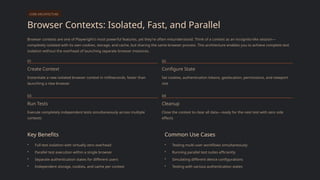
Browser contexts are one of Playwright's most powerful features, yet they're often misunderstood. Think of a context as an incognito-like session—
completely isolated with its own cookies, storage, and cache, but sharing the same browser process. This architecture enables you to achieve complete test
isolation without the overhead of launching separate browser instances.
01
Create Context
Instantiate a new isolated browser context in milliseconds, faster than
launching a new browser
02
Configure State
Set cookies, authentication tokens, geolocation, permissions, and viewport
size
03
Run Tests
Execute completely independent tests simultaneously across multiple
contexts
04
Cleanup
Close the context to clear all data—ready for the next test with zero side
effects
Key Benefits
• Full test isolation with virtually zero overhead
• Parallel test execution within a single browser
• Separate authentication states for different users
• Independent storage, cookies, and cache per context
Common Use Cases
• Testing multi-user workflows simultaneously
• Running parallel test suites efficiently
• Simulating different device configurations
• Testing with various authentication states
CORE ARCHITECTURE
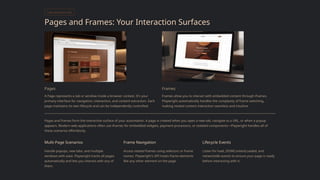
Pages and Frames: Your Interaction Surfaces
Pages
A Page represents a tab or window inside a browser context. It's your
primary interface for navigation, interaction, and content extraction. Each
page maintains its own lifecycle and can be independently controlled.
Frames
Frames allow you to interact with embedded content through iframes.
Playwright automatically handles the complexity of frame switching,
making nested content interaction seamless and intuitive.
Pages and frames form the interactive surface of your automation. A page is created when you open a new tab, navigate to a URL, or when a popup
appears. Modern web applications often use iframes for embedded widgets, payment processors, or isolated components—Playwright handles all of
these scenarios effortlessly.
Multi-Page Scenarios
Handle popups, new tabs, and multiple
windows with ease. Playwright tracks all pages
automatically and lets you interact with any of
them.
Frame Navigation
Access nested frames using selectors or frame
names. Playwright's API treats frame elements
like any other element on the page.
Lifecycle Events
Listen for load, DOMContentLoaded, and
networkidle events to ensure your page is ready
before interacting with it.
SELECTORS & INTERACTION
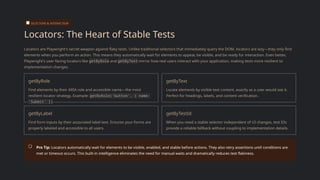
Locators: The Heart of Stable Tests
Locators are Playwright's secret weapon against flaky tests. Unlike traditional selectors that immediately query the DOM, locators are lazy—they only find
elements when you perform an action. This means they automatically wait for elements to appear, be visible, and be ready for interaction. Even better,
Playwright's user-facing locators like getByRole and getByText mirror how real users interact with your application, making tests more resilient to
implementation changes.
getByRole
Find elements by their ARIA role and accessible name—the most
resilient locator strategy. Example: getByRole('button', { name:
'Submit' })
getByText
Locate elements by visible text content, exactly as a user would see it.
Perfect for headings, labels, and content verification.
getByLabel
Find form inputs by their associated label text. Ensures your forms are
properly labeled and accessible to all users.
getByTestId
When you need a stable selector independent of UI changes, test IDs
provide a reliable fallback without coupling to implementation details.
Pro Tip: Locators automatically wait for elements to be visible, enabled, and stable before actions. They also retry assertions until conditions are
met or timeout occurs. This built-in intelligence eliminates the need for manual waits and dramatically reduces test flakiness.
SELECTORS & INTERACTION
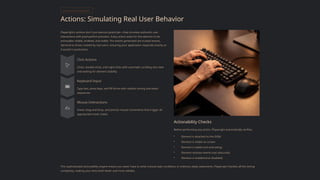
Actions: Simulating Real User Behavior
Playwright's actions don't just execute JavaScript—they simulate authentic user
interactions with pixel-perfect precision. Every action waits for the element to be
actionable: visible, enabled, and stable. The events generated are trusted events,
identical to those created by real users, ensuring your application responds exactly as
it would in production.
Click Actions
Clicks, double-clicks, and right-clicks with automatic scrolling into view
and waiting for element stability
Keyboard Input
Type text, press keys, and fill forms with realistic timing and event
sequences
Mouse Interactions
Hover, drag-and-drop, and precise mouse movements that trigger all
appropriate hover states
Actionability Checks
Before performing any action, Playwright automatically verifies:
• Element is attached to the DOM
• Element is visible on screen
• Element is stable (not animating)
• Element receives events (not obscured)
• Element is enabled (not disabled)
This sophisticated actionability engine means you never have to write manual wait conditions or arbitrary sleep statements. Playwright handles all the timing
complexity, making your tests both faster and more reliable.
RELIABILITY
Auto-Waiting & Retries: Eliminating Flaky Tests
Flaky tests are the bane of every QA engineer's existence—tests that pass sometimes and fail other times without any code changes. Playwright was
architected from day one to eliminate this problem through intelligent auto-waiting and built-in retry mechanisms. The framework understands the
asynchronous nature of web applications and automatically handles timing issues that would require manual intervention in other tools.
1
Element Wait
Automatically waits for elements to be present, visible,
and stable before interacting
2
Network Idle
Optionally wait for network requests to complete before
considering navigation finished
3
Assertion Retry
Assertions automatically retry until conditions are met or
timeout expires
4
Action Retry
Actions retry if element becomes detached or obscured
during execution
Built-in Debugging Tools
When tests do fail, Playwright provides comprehensive debugging
capabilities to help you identify and fix issues quickly:
Trace Viewer: Record complete test execution with screenshots, network
logs, and DOM snapshots
Video Recording: Capture full video of test runs for visual debugging
Screenshots: Automatically capture screenshots on failure or at specific
points
Console Logs: Collect browser console output for JavaScript errors and
warnings
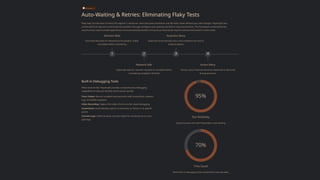
95%
Test Reliability
Typical success rate with Playwright's auto-waiting
70%
Time Saved
Reduction in debugging time compared to manual waits
TOOLING
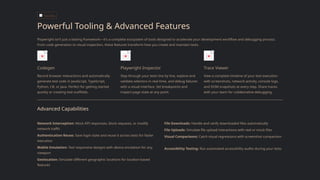
Powerful Tooling & Advanced Features
Playwright isn't just a testing framework—it's a complete ecosystem of tools designed to accelerate your development workflow and debugging process.
From code generation to visual inspection, these features transform how you create and maintain tests.
Codegen
Record browser interactions and automatically
generate test code in JavaScript, TypeScript,
Python, C#, or Java. Perfect for getting started
quickly or creating test scaffolds.
Playwright Inspector
Step through your tests line by line, explore and
validate selectors in real-time, and debug failures
with a visual interface. Set breakpoints and
inspect page state at any point.
Trace Viewer
View a complete timeline of your test execution
with screenshots, network activity, console logs,
and DOM snapshots at every step. Share traces
with your team for collaborative debugging.
Advanced Capabilities
Network Interception: Mock API responses, block requests, or modify
network traffic
Authentication Reuse: Save login state and reuse it across tests for faster
execution
Mobile Emulation: Test responsive designs with device emulation for any
viewport
Geolocation: Simulate different geographic locations for location-based
features
File Downloads: Handle and verify downloaded files automatically
File Uploads: Simulate file upload interactions with real or mock files
Visual Comparisons: Catch visual regressions with screenshot comparison
Accessibility Testing: Run automated accessibility audits during your tests
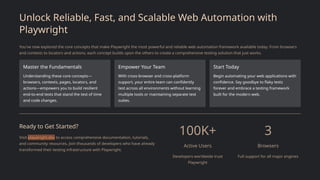
Unlock Reliable, Fast, and Scalable Web Automation with
Playwright
You've now explored the core concepts that make Playwright the most powerful and reliable web automation framework available today. From browsers
and contexts to locators and actions, each concept builds upon the others to create a comprehensive testing solution that just works.
Master the Fundamentals
Understanding these core concepts—
browsers, contexts, pages, locators, and
actions—empowers you to build resilient
end-to-end tests that stand the test of time
and code changes.
Empower Your Team
With cross-browser and cross-platform
support, your entire team can confidently
test across all environments without learning
multiple tools or maintaining separate test
suites.
Start Today
Begin automating your web applications with
confidence. Say goodbye to flaky tests
forever and embrace a testing framework
built for the modern web.
Ready to Get Started?
Visit playwright.dev to access comprehensive documentation, tutorials,
and community resources. Join thousands of developers who have already
transformed their testing infrastructure with Playwright.
100K+
Active Users
Developers worldwide trust
Playwright
3
Browsers
Full support for all major engines

Playwright Core Concepts – Building Strong Automation Foundations

  • 1.
    Playwright Core Concepts: MasteringModern Web Automation Playwright is revolutionizing how we approach web testing and automation. In this comprehensive guide, we'll explore the foundational concepts that make Playwright the go-to framework for modern web developers. Whether you're building end-to-end tests, automating browser workflows, or ensuring quality across multiple platforms, understanding these core concepts will transform your testing strategy and eliminate the frustration of flaky, unreliable tests.
  • 2.
    INTRODUCTION Why Playwright? TheFuture of Web Testing Cross-Browser Excellence Test seamlessly across Chromium, Firefox, and WebKit with a single, unified API. No more maintaining separate test suites for different browsers. True Cross-Platform Run your tests on Windows, Linux, and macOS in either headless or headed mode, giving you complete flexibility in your CI/CD pipeline. Built for Reliability Say goodbye to flaky tests forever. Playwright's intelligent auto-waiting, built-in retries, and robust selectors ensure your tests are stable and trustworthy. Playwright was designed from the ground up by Microsoft engineers who previously built Puppeteer at Google. It represents the evolution of web automation, incorporating years of lessons learned and addressing the pain points that have plagued developers for years. The result is a framework that doesn't just automate browsers—it makes automation reliable, fast, and developer-friendly.
  • 3.
    CORE ARCHITECTURE Browser: TheFoundation of Automation The Browser object represents a running instance of Chromium, Firefox, or WebKit—the foundation upon which all automation is built. Think of it as the engine that powers your testing infrastructure. Launch Modes Choose between headless mode for CI/CD pipelines (no GUI, faster execution) or headful mode for development and debugging where you can watch tests run in real- time. Resource Optimization Launching a browser is computationally expensive. The key to efficient testing is maximizing browser usage by creating multiple contexts within a single browser instance rather than spawning new browsers for each test. Configuration Power Configure browser arguments, user agents, download paths, and more at launch time to match your specific testing requirements and production environments. Best Practice: Launch one browser instance per test suite and reuse it across multiple tests using different contexts. This dramatically reduces overhead and speeds up your test execution time.
  • 4.
    CORE ARCHITECTURE Browser Contexts:Isolated, Fast, and Parallel Browser contexts are one of Playwright's most powerful features, yet they're often misunderstood. Think of a context as an incognito-like session— completely isolated with its own cookies, storage, and cache, but sharing the same browser process. This architecture enables you to achieve complete test isolation without the overhead of launching separate browser instances. 01 Create Context Instantiate a new isolated browser context in milliseconds, faster than launching a new browser 02 Configure State Set cookies, authentication tokens, geolocation, permissions, and viewport size 03 Run Tests Execute completely independent tests simultaneously across multiple contexts 04 Cleanup Close the context to clear all data—ready for the next test with zero side effects Key Benefits • Full test isolation with virtually zero overhead • Parallel test execution within a single browser • Separate authentication states for different users • Independent storage, cookies, and cache per context Common Use Cases • Testing multi-user workflows simultaneously • Running parallel test suites efficiently • Simulating different device configurations • Testing with various authentication states
  • 5.
    CORE ARCHITECTURE Pages andFrames: Your Interaction Surfaces Pages A Page represents a tab or window inside a browser context. It's your primary interface for navigation, interaction, and content extraction. Each page maintains its own lifecycle and can be independently controlled. Frames Frames allow you to interact with embedded content through iframes. Playwright automatically handles the complexity of frame switching, making nested content interaction seamless and intuitive. Pages and frames form the interactive surface of your automation. A page is created when you open a new tab, navigate to a URL, or when a popup appears. Modern web applications often use iframes for embedded widgets, payment processors, or isolated components—Playwright handles all of these scenarios effortlessly. Multi-Page Scenarios Handle popups, new tabs, and multiple windows with ease. Playwright tracks all pages automatically and lets you interact with any of them. Frame Navigation Access nested frames using selectors or frame names. Playwright's API treats frame elements like any other element on the page. Lifecycle Events Listen for load, DOMContentLoaded, and networkidle events to ensure your page is ready before interacting with it.
  • 6.
    SELECTORS & INTERACTION Locators:The Heart of Stable Tests Locators are Playwright's secret weapon against flaky tests. Unlike traditional selectors that immediately query the DOM, locators are lazy—they only find elements when you perform an action. This means they automatically wait for elements to appear, be visible, and be ready for interaction. Even better, Playwright's user-facing locators like getByRole and getByText mirror how real users interact with your application, making tests more resilient to implementation changes. getByRole Find elements by their ARIA role and accessible name—the most resilient locator strategy. Example: getByRole('button', { name: 'Submit' }) getByText Locate elements by visible text content, exactly as a user would see it. Perfect for headings, labels, and content verification. getByLabel Find form inputs by their associated label text. Ensures your forms are properly labeled and accessible to all users. getByTestId When you need a stable selector independent of UI changes, test IDs provide a reliable fallback without coupling to implementation details. Pro Tip: Locators automatically wait for elements to be visible, enabled, and stable before actions. They also retry assertions until conditions are met or timeout occurs. This built-in intelligence eliminates the need for manual waits and dramatically reduces test flakiness.
  • 7.
    SELECTORS & INTERACTION Actions:Simulating Real User Behavior Playwright's actions don't just execute JavaScript—they simulate authentic user interactions with pixel-perfect precision. Every action waits for the element to be actionable: visible, enabled, and stable. The events generated are trusted events, identical to those created by real users, ensuring your application responds exactly as it would in production. Click Actions Clicks, double-clicks, and right-clicks with automatic scrolling into view and waiting for element stability Keyboard Input Type text, press keys, and fill forms with realistic timing and event sequences Mouse Interactions Hover, drag-and-drop, and precise mouse movements that trigger all appropriate hover states Actionability Checks Before performing any action, Playwright automatically verifies: • Element is attached to the DOM • Element is visible on screen • Element is stable (not animating) • Element receives events (not obscured) • Element is enabled (not disabled) This sophisticated actionability engine means you never have to write manual wait conditions or arbitrary sleep statements. Playwright handles all the timing complexity, making your tests both faster and more reliable.
  • 8.
    RELIABILITY Auto-Waiting & Retries:Eliminating Flaky Tests Flaky tests are the bane of every QA engineer's existence—tests that pass sometimes and fail other times without any code changes. Playwright was architected from day one to eliminate this problem through intelligent auto-waiting and built-in retry mechanisms. The framework understands the asynchronous nature of web applications and automatically handles timing issues that would require manual intervention in other tools. 1 Element Wait Automatically waits for elements to be present, visible, and stable before interacting 2 Network Idle Optionally wait for network requests to complete before considering navigation finished 3 Assertion Retry Assertions automatically retry until conditions are met or timeout expires 4 Action Retry Actions retry if element becomes detached or obscured during execution Built-in Debugging Tools When tests do fail, Playwright provides comprehensive debugging capabilities to help you identify and fix issues quickly: Trace Viewer: Record complete test execution with screenshots, network logs, and DOM snapshots Video Recording: Capture full video of test runs for visual debugging Screenshots: Automatically capture screenshots on failure or at specific points Console Logs: Collect browser console output for JavaScript errors and warnings 95% Test Reliability Typical success rate with Playwright's auto-waiting 70% Time Saved Reduction in debugging time compared to manual waits
  • 9.
    TOOLING Powerful Tooling &Advanced Features Playwright isn't just a testing framework—it's a complete ecosystem of tools designed to accelerate your development workflow and debugging process. From code generation to visual inspection, these features transform how you create and maintain tests. Codegen Record browser interactions and automatically generate test code in JavaScript, TypeScript, Python, C#, or Java. Perfect for getting started quickly or creating test scaffolds. Playwright Inspector Step through your tests line by line, explore and validate selectors in real-time, and debug failures with a visual interface. Set breakpoints and inspect page state at any point. Trace Viewer View a complete timeline of your test execution with screenshots, network activity, console logs, and DOM snapshots at every step. Share traces with your team for collaborative debugging. Advanced Capabilities Network Interception: Mock API responses, block requests, or modify network traffic Authentication Reuse: Save login state and reuse it across tests for faster execution Mobile Emulation: Test responsive designs with device emulation for any viewport Geolocation: Simulate different geographic locations for location-based features File Downloads: Handle and verify downloaded files automatically File Uploads: Simulate file upload interactions with real or mock files Visual Comparisons: Catch visual regressions with screenshot comparison Accessibility Testing: Run automated accessibility audits during your tests
  • 10.
    Unlock Reliable, Fast,and Scalable Web Automation with Playwright You've now explored the core concepts that make Playwright the most powerful and reliable web automation framework available today. From browsers and contexts to locators and actions, each concept builds upon the others to create a comprehensive testing solution that just works. Master the Fundamentals Understanding these core concepts— browsers, contexts, pages, locators, and actions—empowers you to build resilient end-to-end tests that stand the test of time and code changes. Empower Your Team With cross-browser and cross-platform support, your entire team can confidently test across all environments without learning multiple tools or maintaining separate test suites. Start Today Begin automating your web applications with confidence. Say goodbye to flaky tests forever and embrace a testing framework built for the modern web. Ready to Get Started? Visit playwright.dev to access comprehensive documentation, tutorials, and community resources. Join thousands of developers who have already transformed their testing infrastructure with Playwright. 100K+ Active Users Developers worldwide trust Playwright 3 Browsers Full support for all major engines