• Introduction to API’s (how they work, real-life
applications, and API monitoring foundations)
• API transaction testing tutorial
• Advanced monitoring tips and tricks
Agenda
ROBERT CASTLEY
SR. PERFORMANCE ENGINEER
Today’s Presenter
Intro to API’s
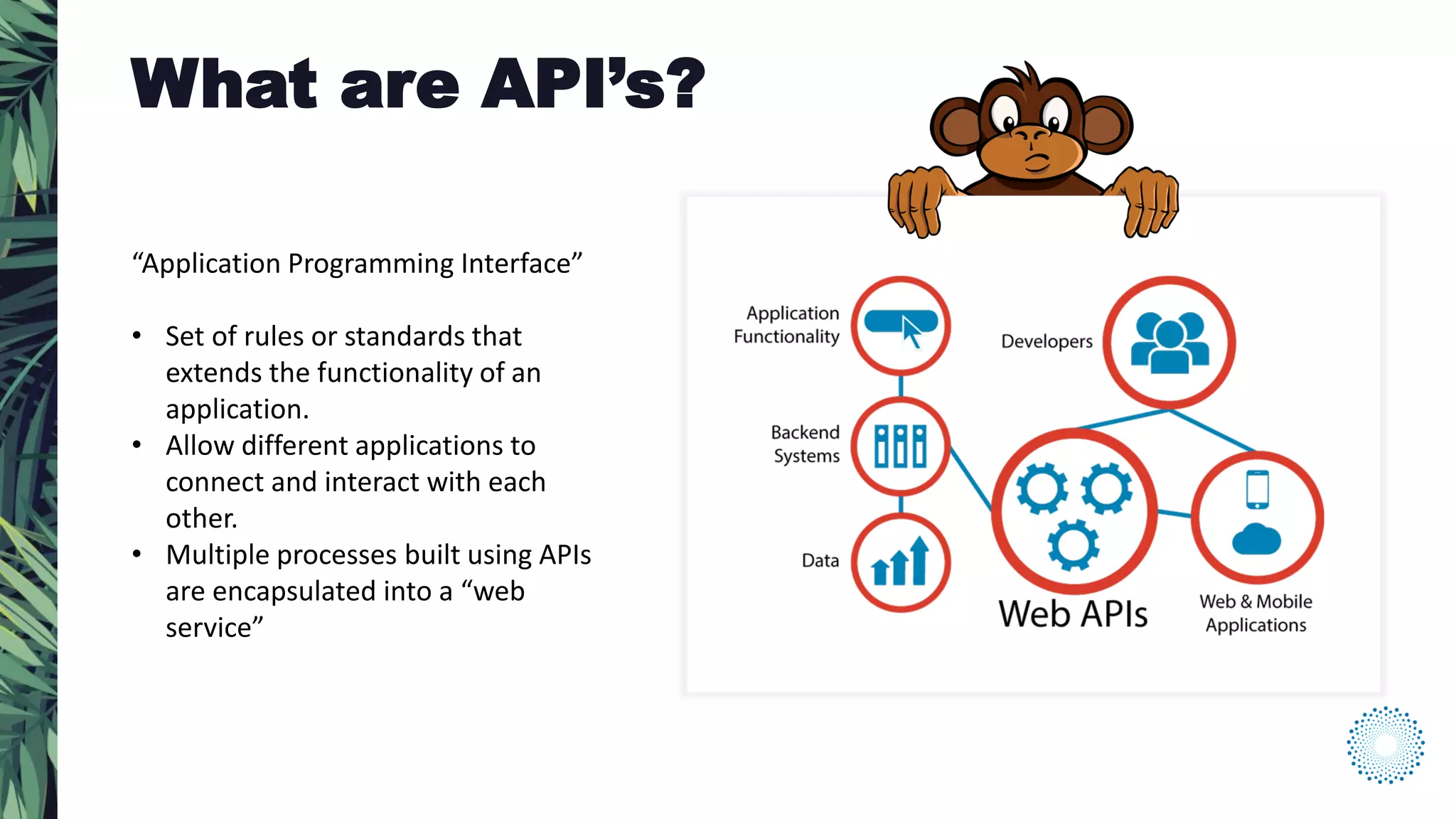
“Application Programming Interface”
• Set of rules or standards that
extends the functionality of an
application.
• Allow different applications to
connect and interact with each
other.
• Multiple processes built using APIs
are encapsulated into a “web
service”
What are API’s?
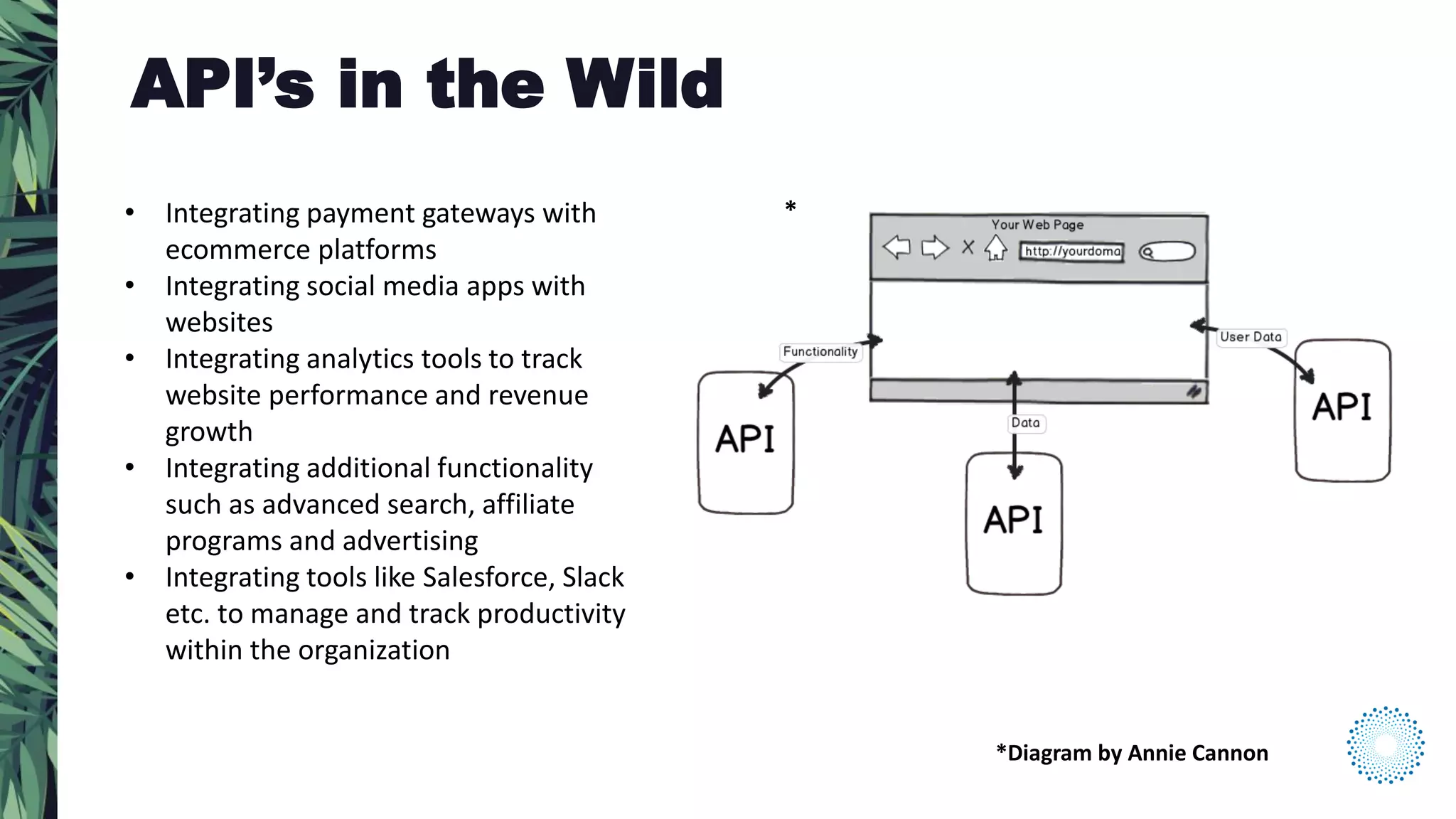
• Integrating payment gateways with
ecommerce platforms
• Integrating social media apps with
websites
• Integrating analytics tools to track
website performance and revenue
growth
• Integrating additional functionality
such as advanced search, affiliate
programs and advertising
• Integrating tools like Salesforce, Slack
etc. to manage and track productivity
within the organization
API’s in the Wild
*Diagram by Annie Cannon
*
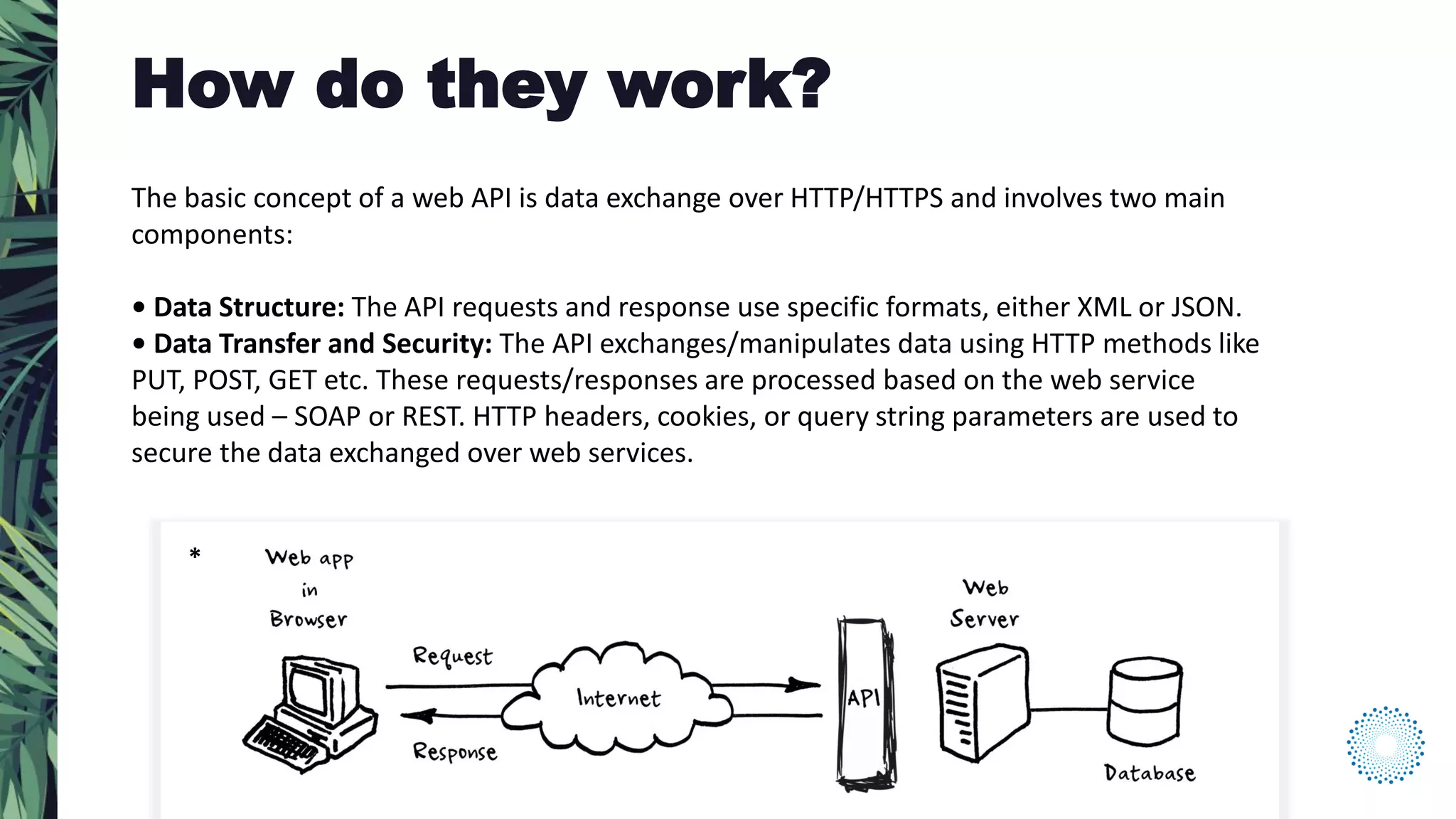
The basic concept of a web API is data exchange over HTTP/HTTPS and involves two main
components:
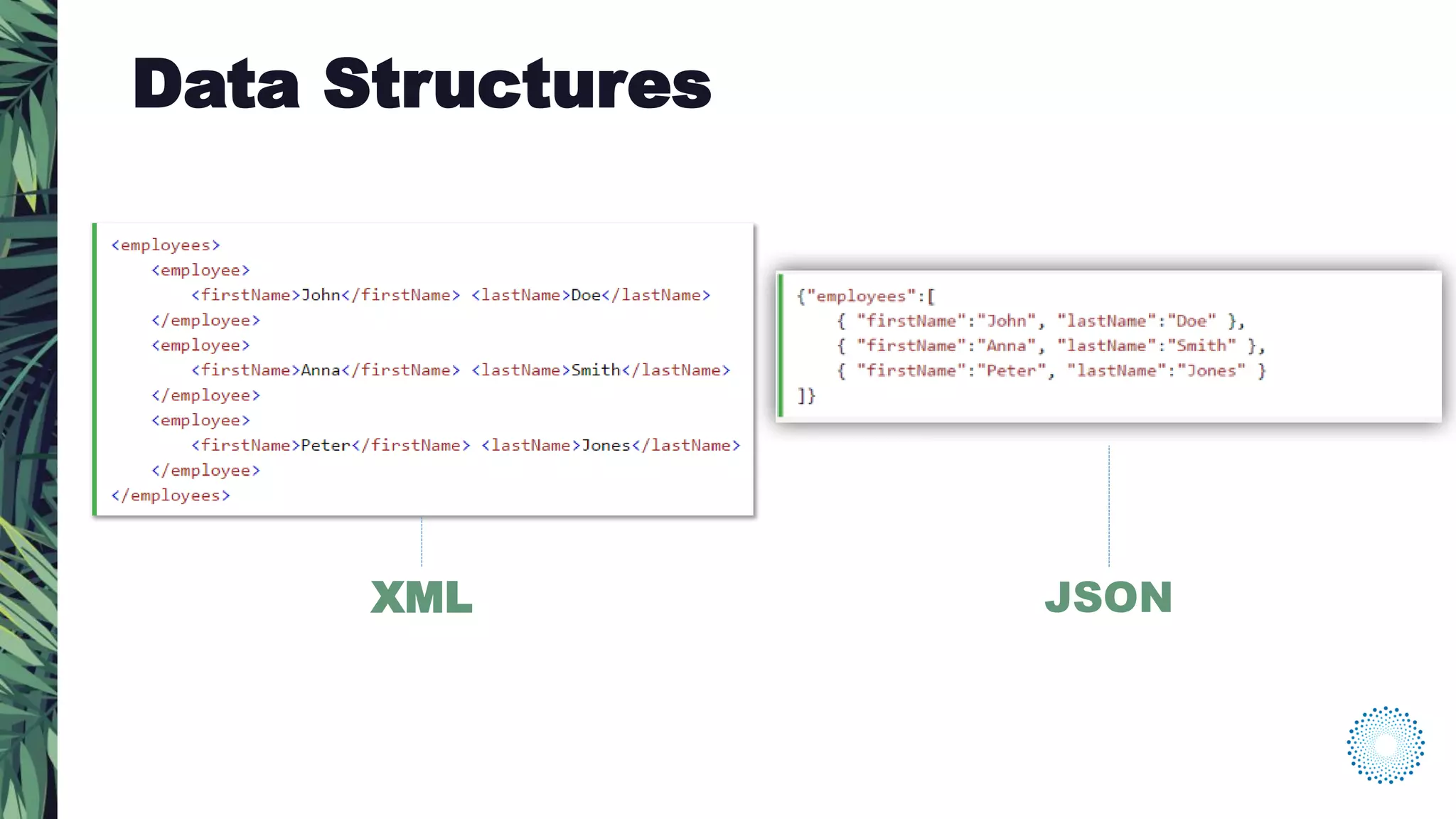
• Data Structure: The API requests and response use specific formats, either XML or JSON.
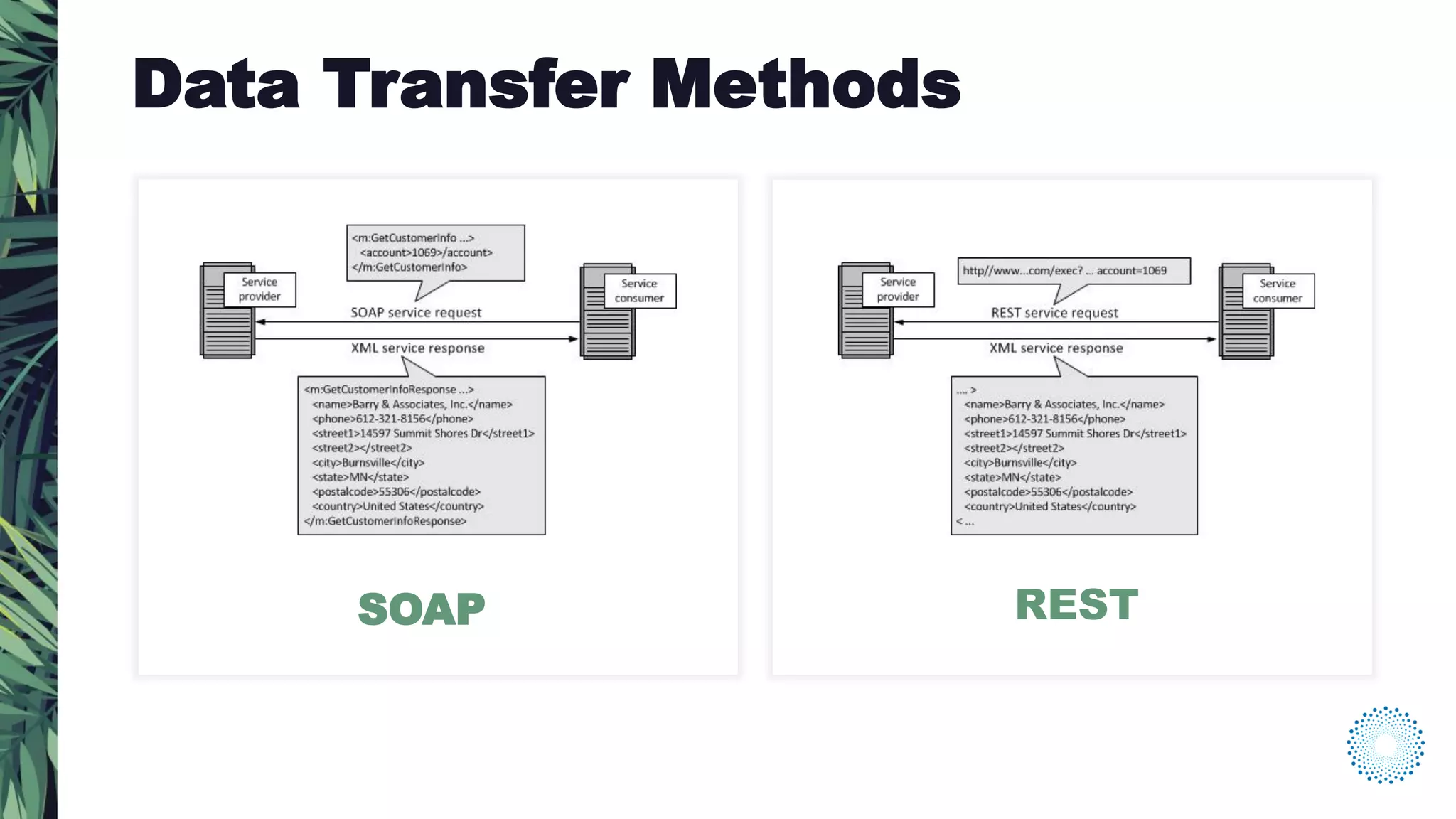
• Data Transfer and Security: The API exchanges/manipulates data using HTTP methods like
PUT, POST, GET etc. These requests/responses are processed based on the web service
being used – SOAP or REST. HTTP headers, cookies, or query string parameters are used to
secure the data exchanged over web services.
How do they work?
*
XML JSON
Data Structures
SOAP REST
Data Transfer Methods
SOAP REST
Data Transfer Methods
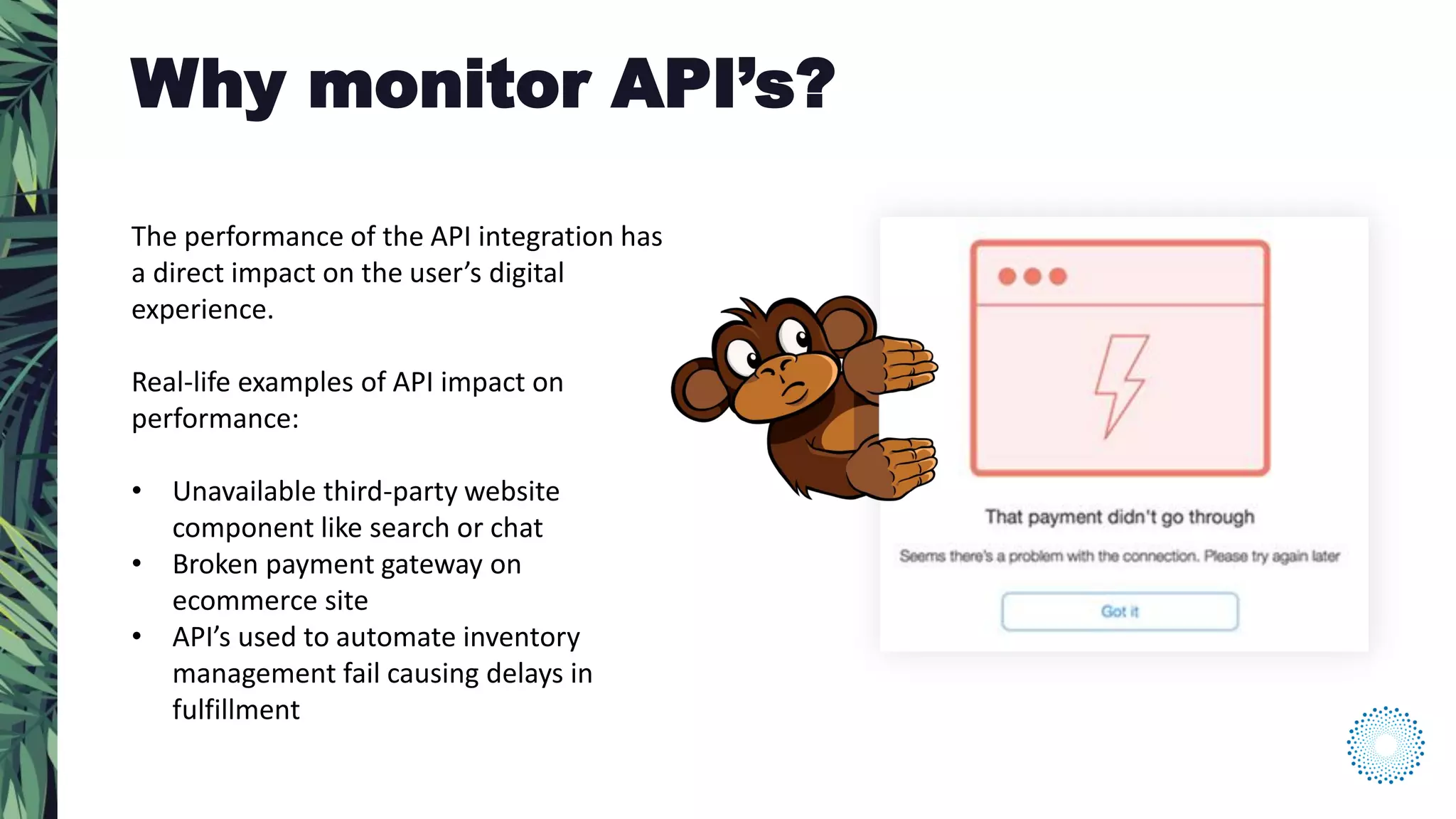
The performance of the API integration has
a direct impact on the user’s digital
experience.
Real-life examples of API impact on
performance:
• Unavailable third-party website
component like search or chat
• Broken payment gateway on
ecommerce site
• API’s used to automate inventory
management fail causing delays in
fulfillment
Why monitor API’s?
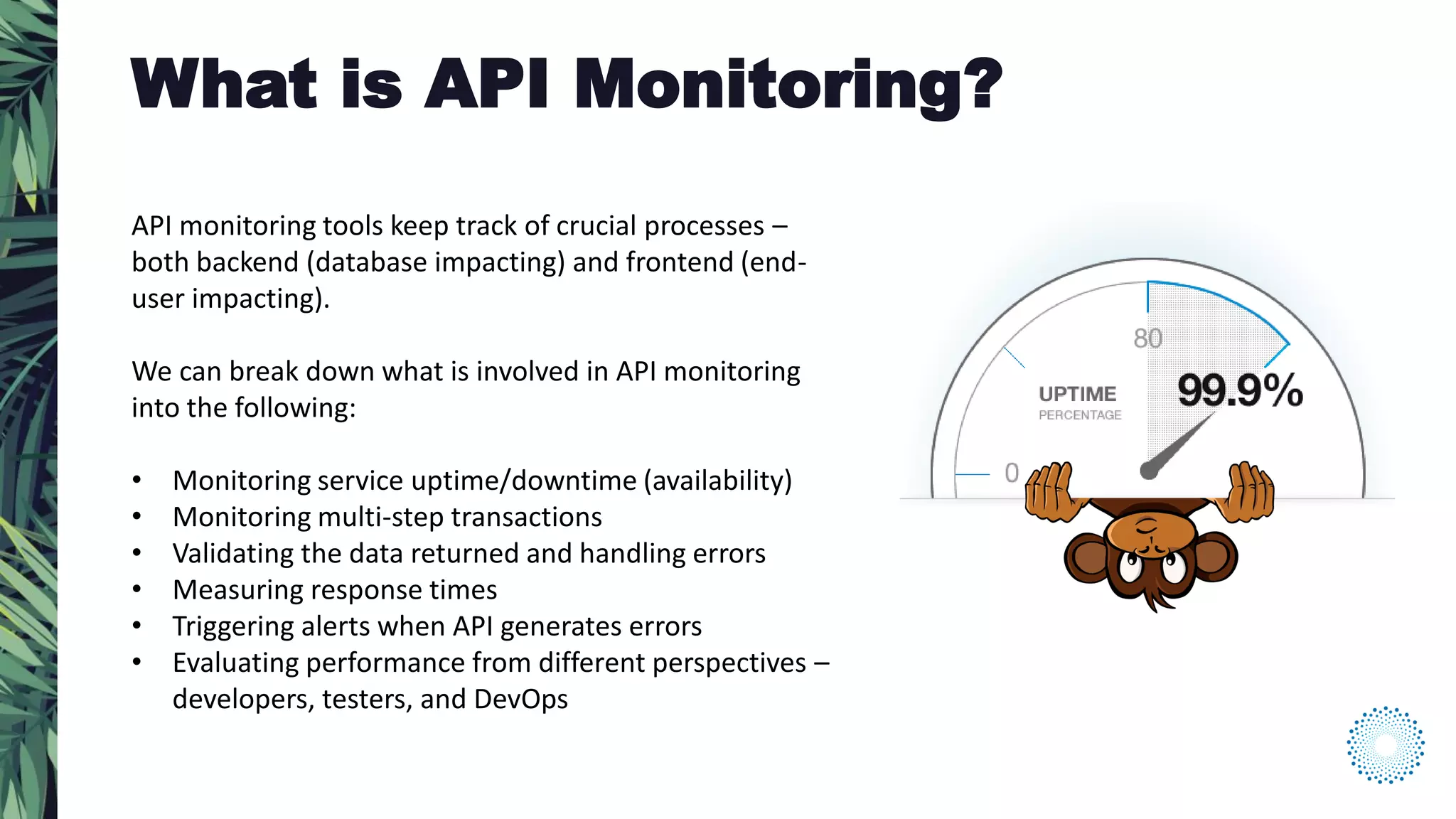
API monitoring tools keep track of crucial processes –
both backend (database impacting) and frontend (end-
user impacting).
We can break down what is involved in API monitoring
into the following:
• Monitoring service uptime/downtime (availability)
• Monitoring multi-step transactions
• Validating the data returned and handling errors
• Measuring response times
• Triggering alerts when API generates errors
• Evaluating performance from different perspectives –
developers, testers, and DevOps
What is API Monitoring?
API Transaction Overview
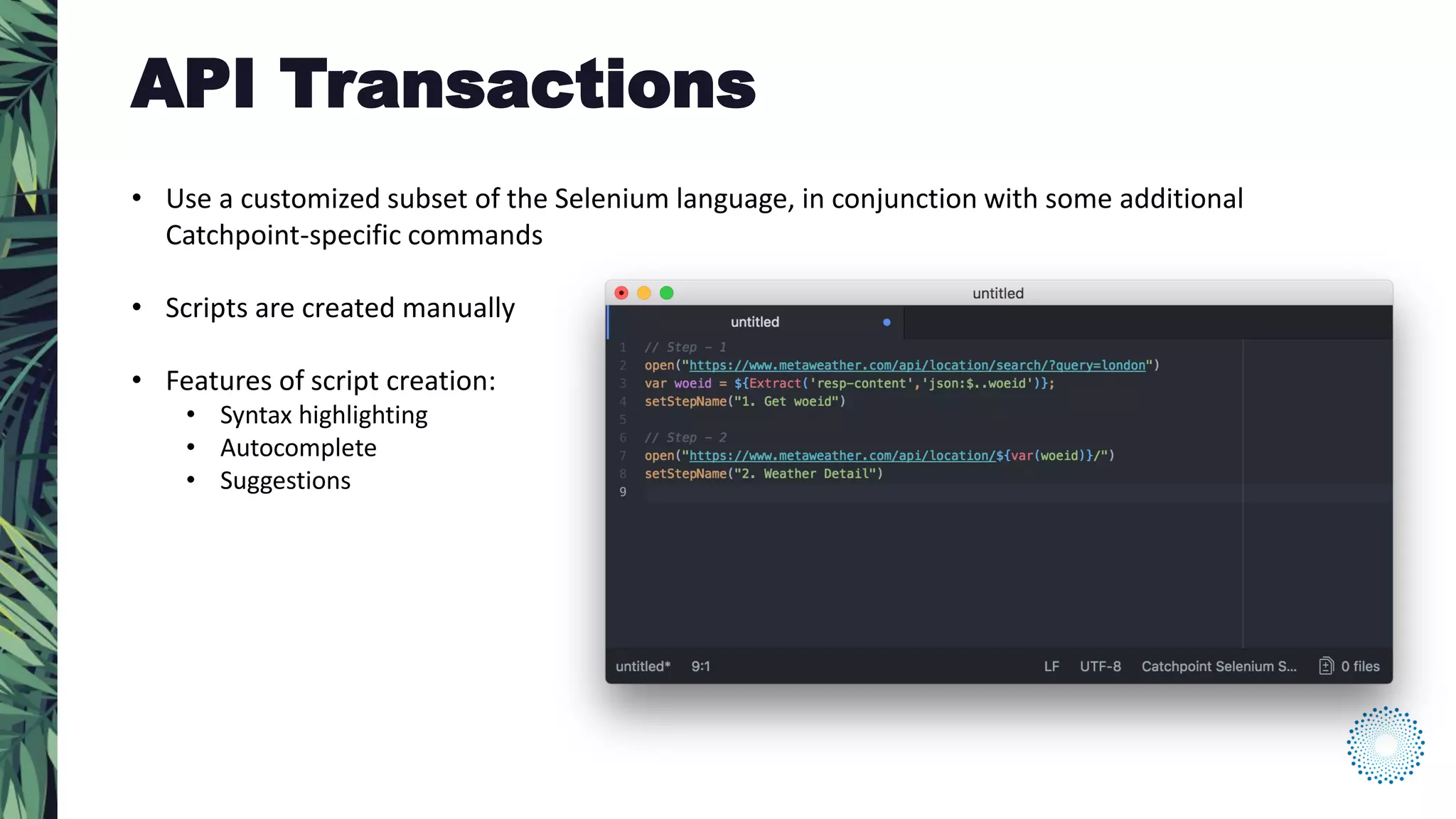
• Use a customized subset of the Selenium language, in conjunction with some additional
Catchpoint-specific commands
• Scripts are created manually
• Features of script creation:
• Syntax highlighting
• Autocomplete
• Suggestions
API Transactions
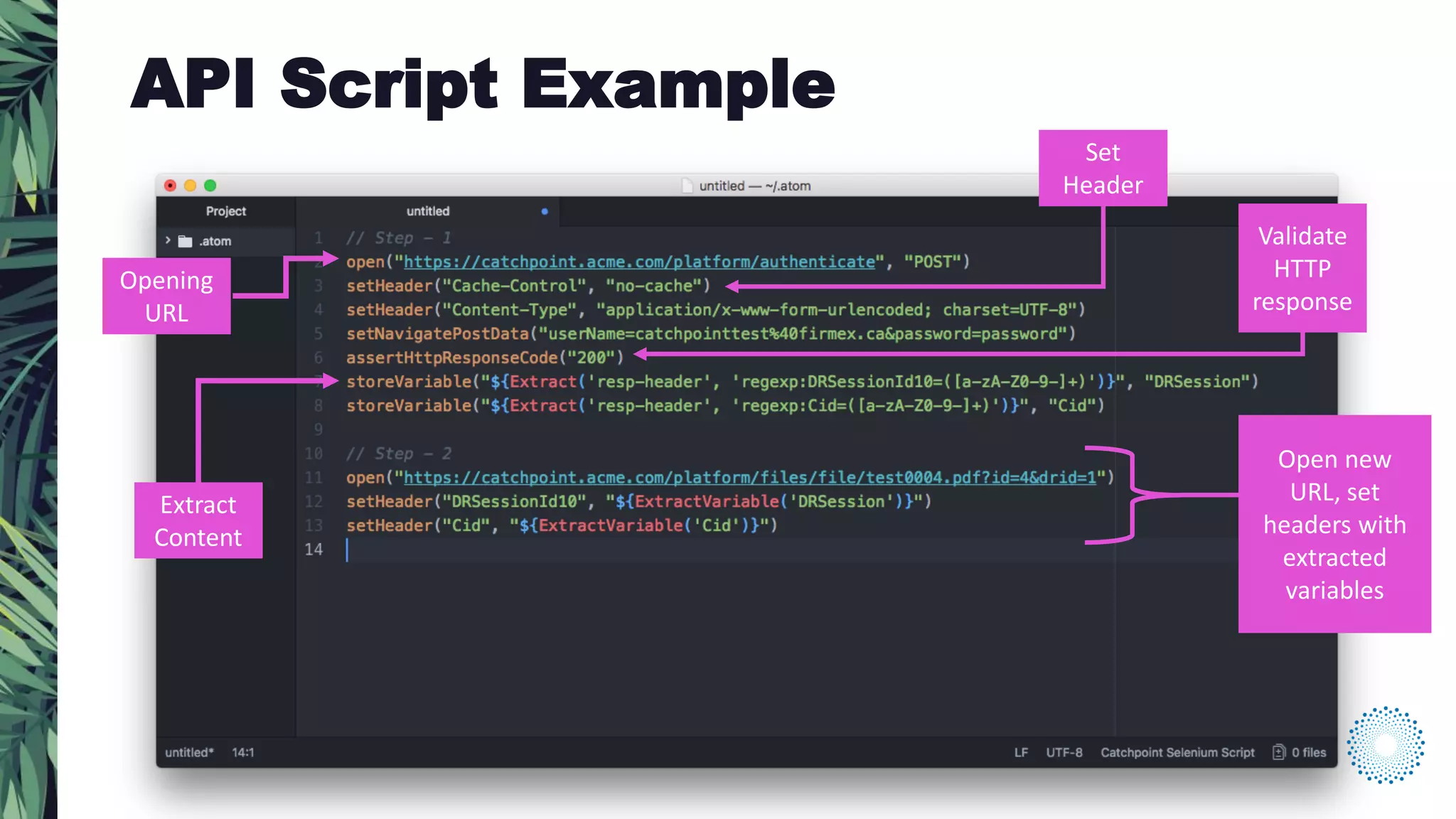
Opening
URL
Set
Header
Extract
Content
Open new
URL, set
headers with
extracted
variables
API Script Example
Validate
HTTP
response
QUESTIONS
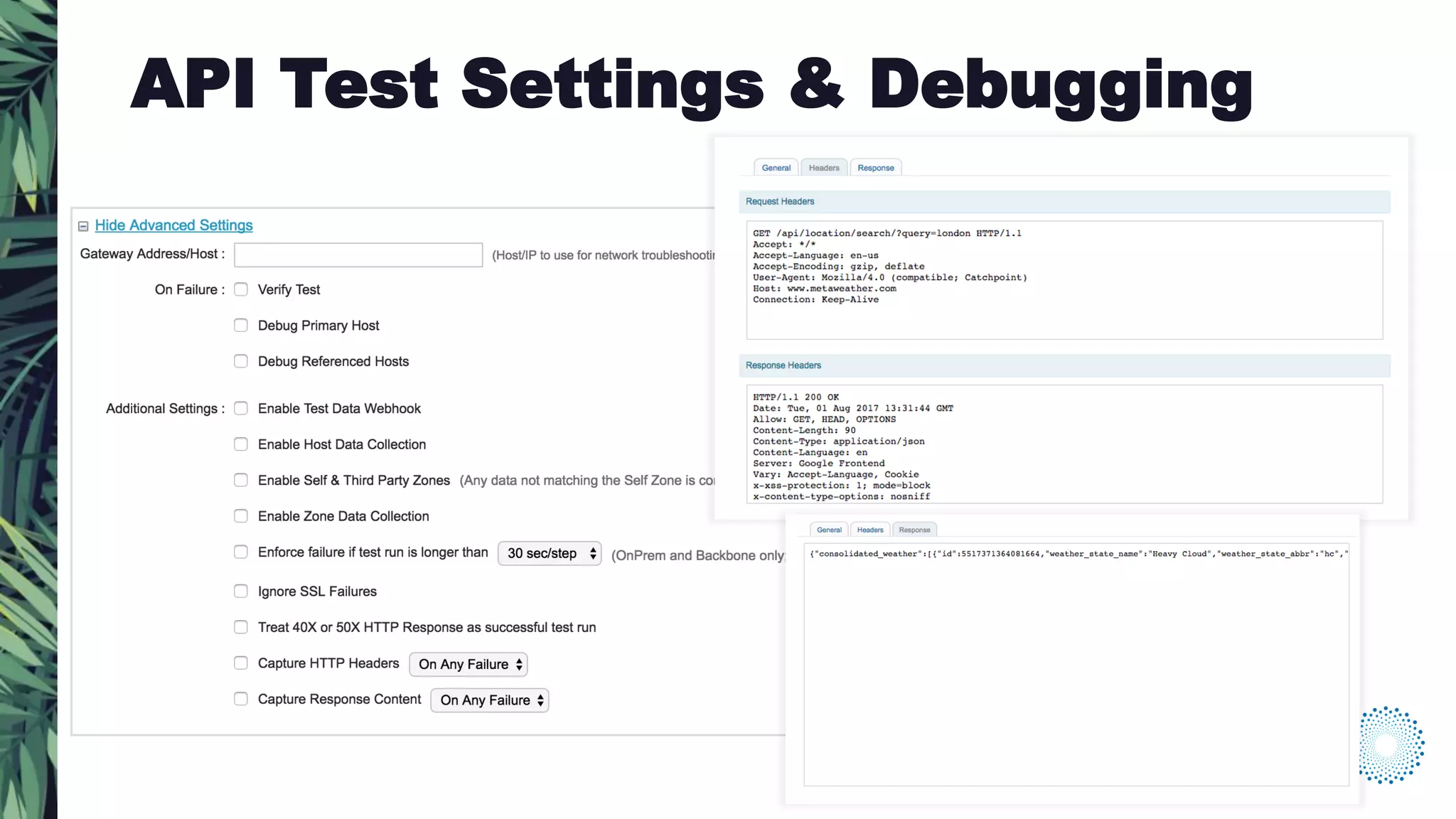
API Test Settings & Debugging
ADVANCED TIPS & TRICKS
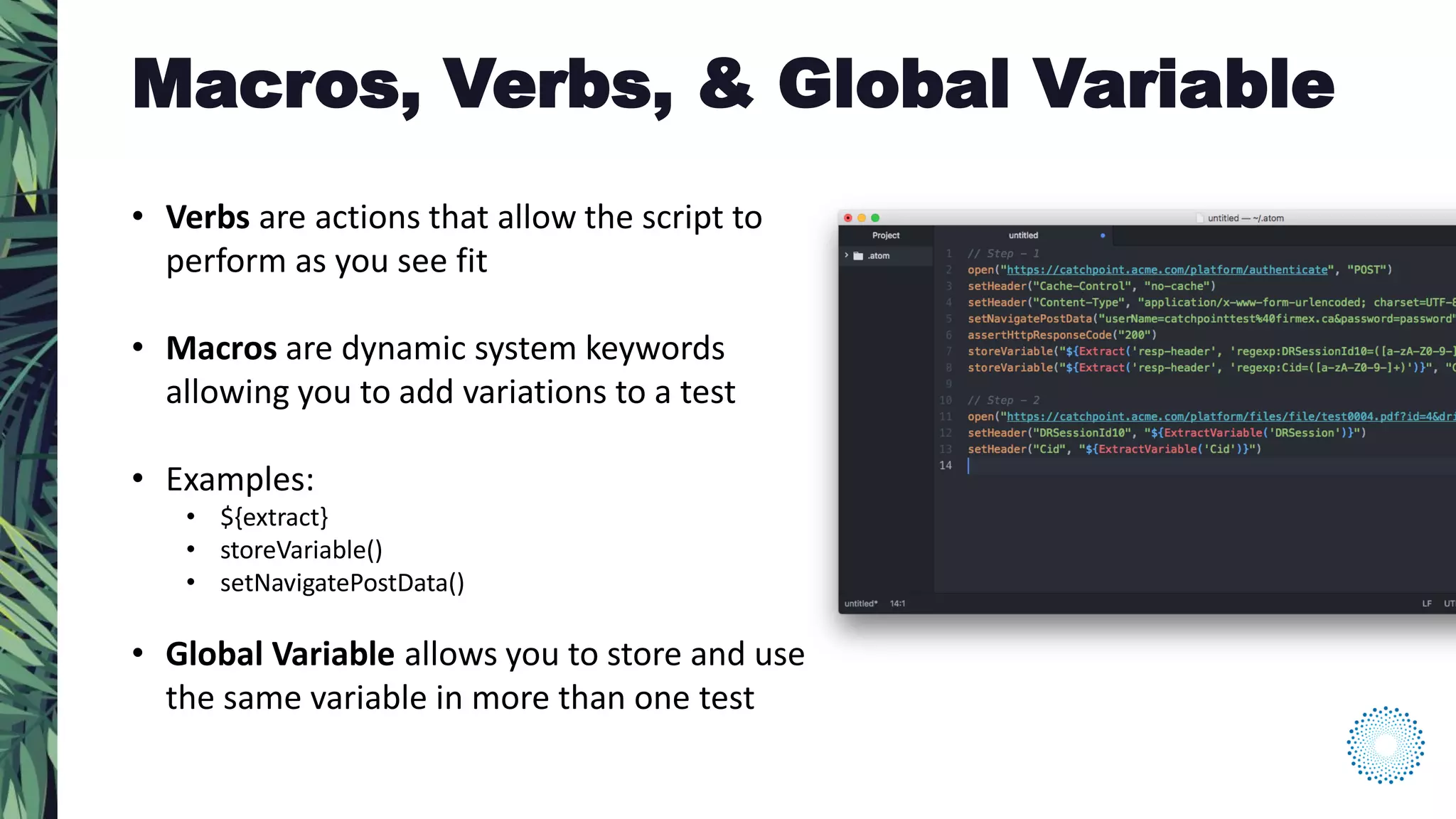
• Verbs are actions that allow the script to
perform as you see fit
• Macros are dynamic system keywords
allowing you to add variations to a test
• Examples:
• ${extract}
• storeVariable()
• setNavigatePostData()
• Global Variable allows you to store and use
the same variable in more than one test
Macros, Verbs, & Global Variable
• Create custom metrics based on information passed through header
and/or response content
• Better correlate monitoring data to internal performance indicators
(server, etc.), and identify issues faster
• Indicators capture numerical values, while Tracepoints capture strings
Insight
• Along with Regular Expressions, Catchpoint API scripts support JSONPath
parsing in addition to regular expressions
• Similar to Xpath’s ability to extract data from XML documents
• Example:
• For more information, see jsonpath.com
storeVariable (‘${Extract(resp-content, json:$..book[?(@.isbn)]’, “book”)
This extracts all array(s) from the response content with the ISBN number in it and stores it as the variable “book.”
JSON Parsing
QUESTIONS
THANK YOU FOR YOUR TIME.

Planet of the APIs: Monitoring Transactions in the Wild

  • 2.
    • Introduction toAPI’s (how they work, real-life applications, and API monitoring foundations) • API transaction testing tutorial • Advanced monitoring tips and tricks Agenda
  • 3.
    ROBERT CASTLEY SR. PERFORMANCEENGINEER Today’s Presenter
  • 4.
  • 5.
    “Application Programming Interface” •Set of rules or standards that extends the functionality of an application. • Allow different applications to connect and interact with each other. • Multiple processes built using APIs are encapsulated into a “web service” What are API’s?
  • 6.
    • Integrating paymentgateways with ecommerce platforms • Integrating social media apps with websites • Integrating analytics tools to track website performance and revenue growth • Integrating additional functionality such as advanced search, affiliate programs and advertising • Integrating tools like Salesforce, Slack etc. to manage and track productivity within the organization API’s in the Wild *Diagram by Annie Cannon *
  • 7.
    The basic conceptof a web API is data exchange over HTTP/HTTPS and involves two main components: • Data Structure: The API requests and response use specific formats, either XML or JSON. • Data Transfer and Security: The API exchanges/manipulates data using HTTP methods like PUT, POST, GET etc. These requests/responses are processed based on the web service being used – SOAP or REST. HTTP headers, cookies, or query string parameters are used to secure the data exchanged over web services. How do they work? *
  • 8.
  • 9.
  • 10.
  • 12.
    The performance ofthe API integration has a direct impact on the user’s digital experience. Real-life examples of API impact on performance: • Unavailable third-party website component like search or chat • Broken payment gateway on ecommerce site • API’s used to automate inventory management fail causing delays in fulfillment Why monitor API’s?
  • 13.
    API monitoring toolskeep track of crucial processes – both backend (database impacting) and frontend (end- user impacting). We can break down what is involved in API monitoring into the following: • Monitoring service uptime/downtime (availability) • Monitoring multi-step transactions • Validating the data returned and handling errors • Measuring response times • Triggering alerts when API generates errors • Evaluating performance from different perspectives – developers, testers, and DevOps What is API Monitoring?
  • 14.
  • 15.
    • Use acustomized subset of the Selenium language, in conjunction with some additional Catchpoint-specific commands • Scripts are created manually • Features of script creation: • Syntax highlighting • Autocomplete • Suggestions API Transactions
  • 16.
    Opening URL Set Header Extract Content Open new URL, set headerswith extracted variables API Script Example Validate HTTP response
  • 17.
  • 18.
    API Test Settings& Debugging
  • 19.
  • 20.
    • Verbs areactions that allow the script to perform as you see fit • Macros are dynamic system keywords allowing you to add variations to a test • Examples: • ${extract} • storeVariable() • setNavigatePostData() • Global Variable allows you to store and use the same variable in more than one test Macros, Verbs, & Global Variable
  • 21.
    • Create custommetrics based on information passed through header and/or response content • Better correlate monitoring data to internal performance indicators (server, etc.), and identify issues faster • Indicators capture numerical values, while Tracepoints capture strings Insight
  • 22.
    • Along withRegular Expressions, Catchpoint API scripts support JSONPath parsing in addition to regular expressions • Similar to Xpath’s ability to extract data from XML documents • Example: • For more information, see jsonpath.com storeVariable (‘${Extract(resp-content, json:$..book[?(@.isbn)]’, “book”) This extracts all array(s) from the response content with the ISBN number in it and stores it as the variable “book.” JSON Parsing
  • 23.
  • 24.
    THANK YOU FORYOUR TIME.