Basic Java Programming
Sasidhara Marrapu
Introduction to Java Programming
– Environment Setup
 Java Inputs and OutPuts?
 Java Variables
 Java Data Types
 Lab Problem
 Home Work
Taking Input Using Scanner:
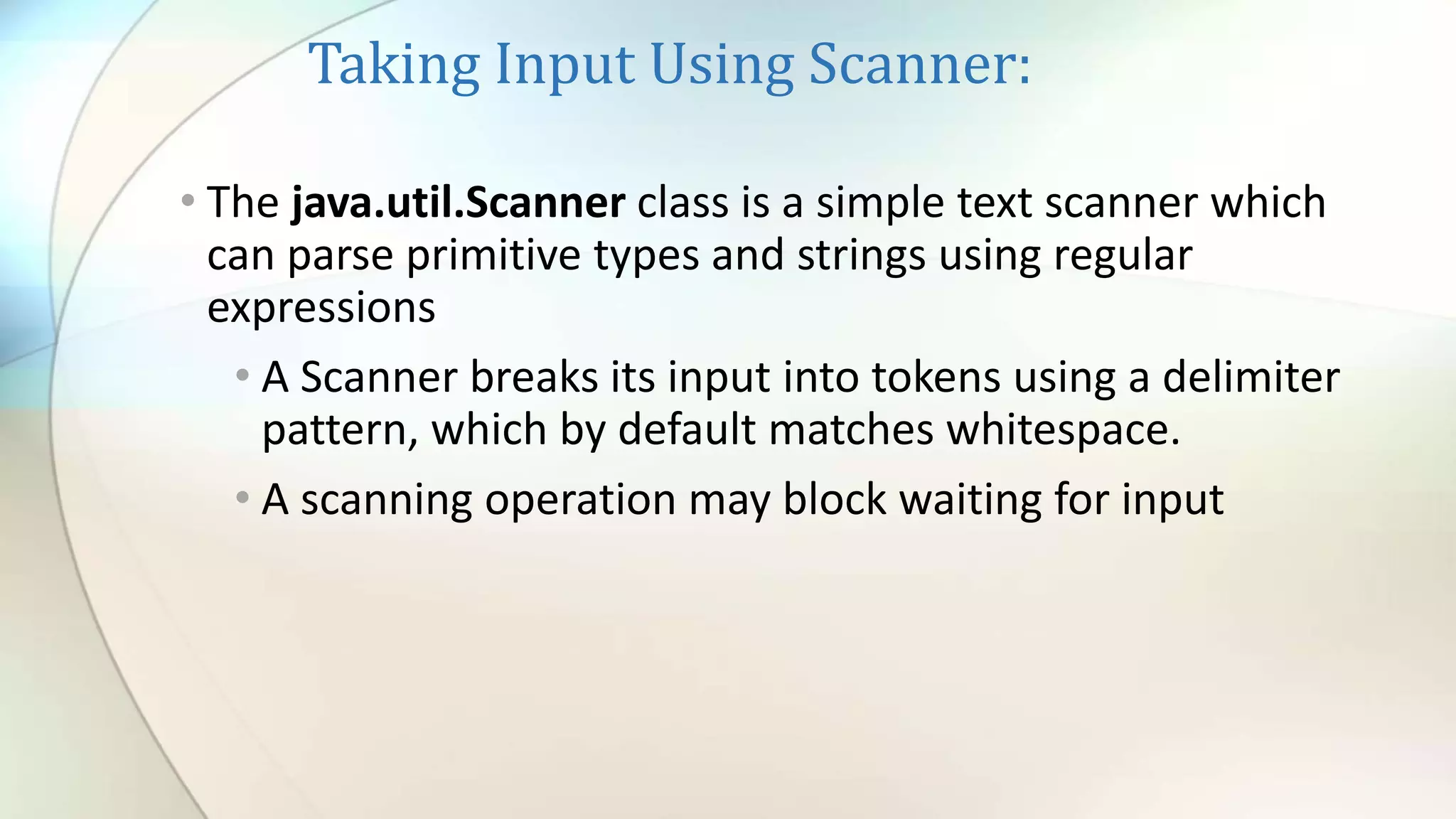
• The java.util.Scanner class is a simple text scanner which
can parse primitive types and strings using regular
expressions
• A Scanner breaks its input into tokens using a delimiter
pattern, which by default matches whitespace.
• A scanning operation may block waiting for input
OutPut Using System.out:
Variables:
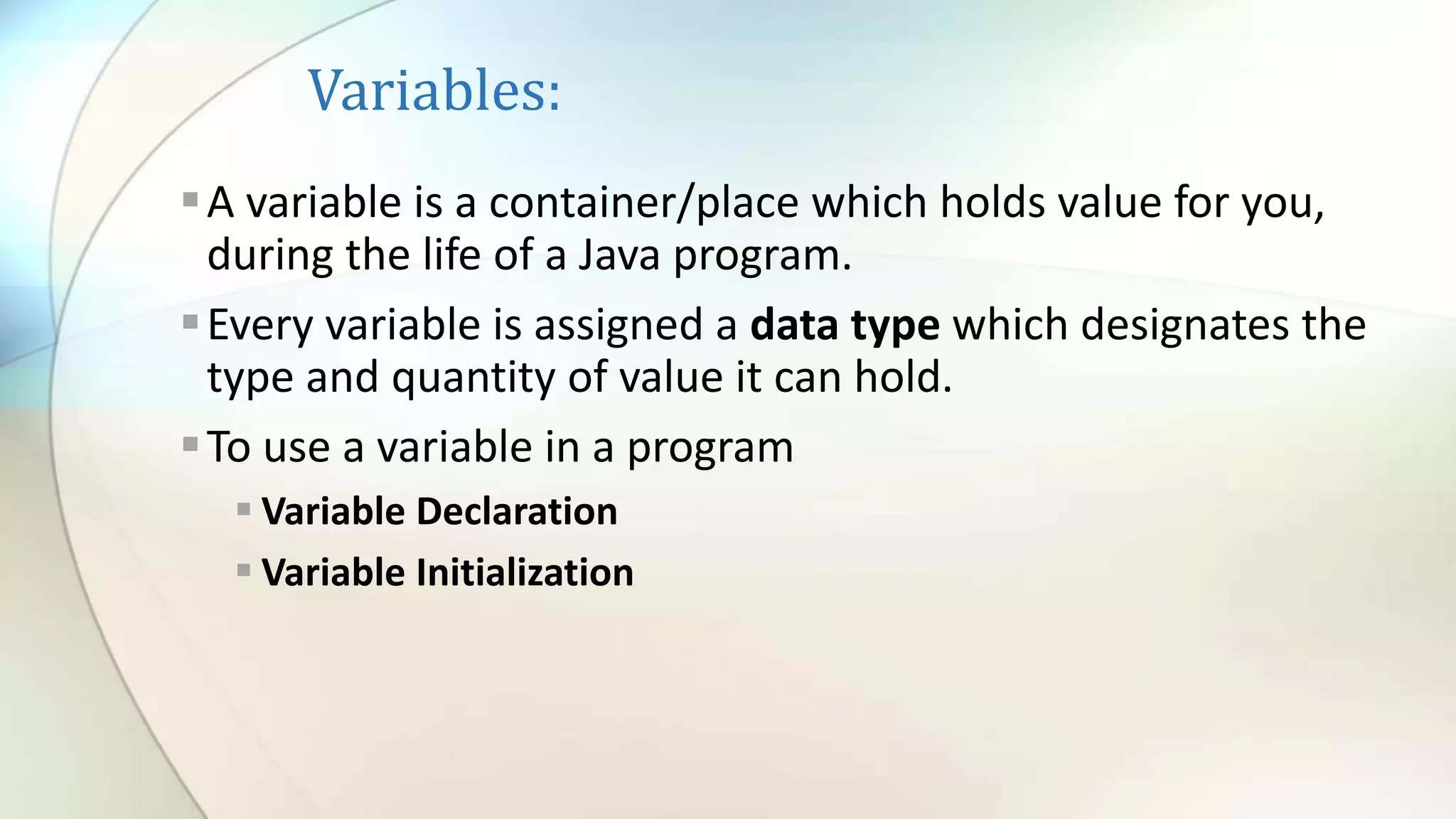
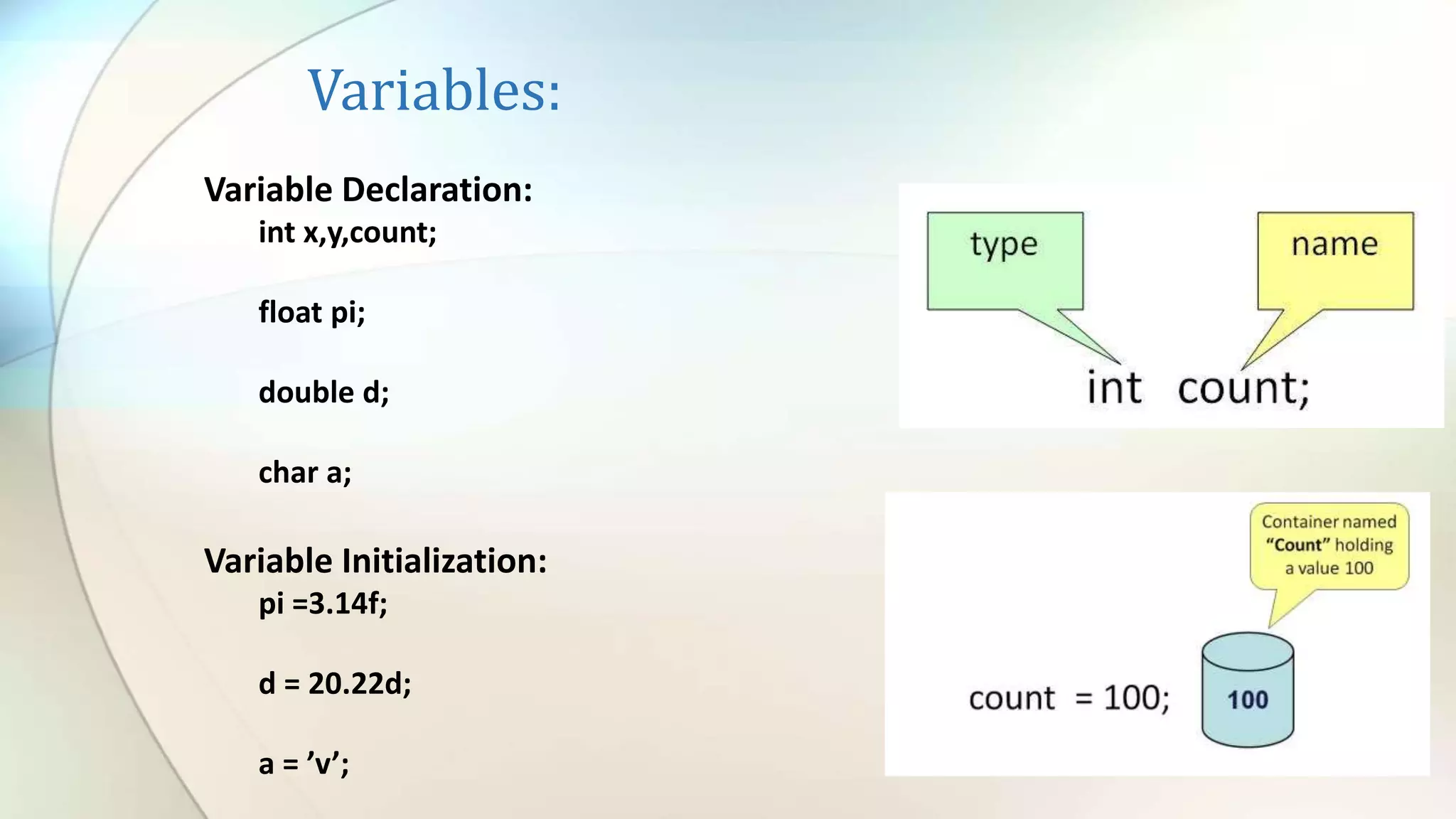
A variable is a container/place which holds value for you,
during the life of a Java program.
Every variable is assigned a data type which designates the
type and quantity of value it can hold.
To use a variable in a program
 Variable Declaration
 Variable Initialization
Variables:
Variable Declaration:
int x,y,count;
float pi;
double d;
char a;
Variable Initialization:
pi =3.14f;
d = 20.22d;
a = ’v’;
Variables Naming:
Variable names are case-sensitive. A variable's name can be
any legal identifier
Subsequent characters may be letters, digits, dollar signs,
or underscore characters. Conventions (and common
sense) apply to this rule as well.
If the name you choose consists of only one word, spell
that word in all lowercase letters. If it consists of more than
one word, capitalize the first letter of each subsequent
word..
Types of Variables:
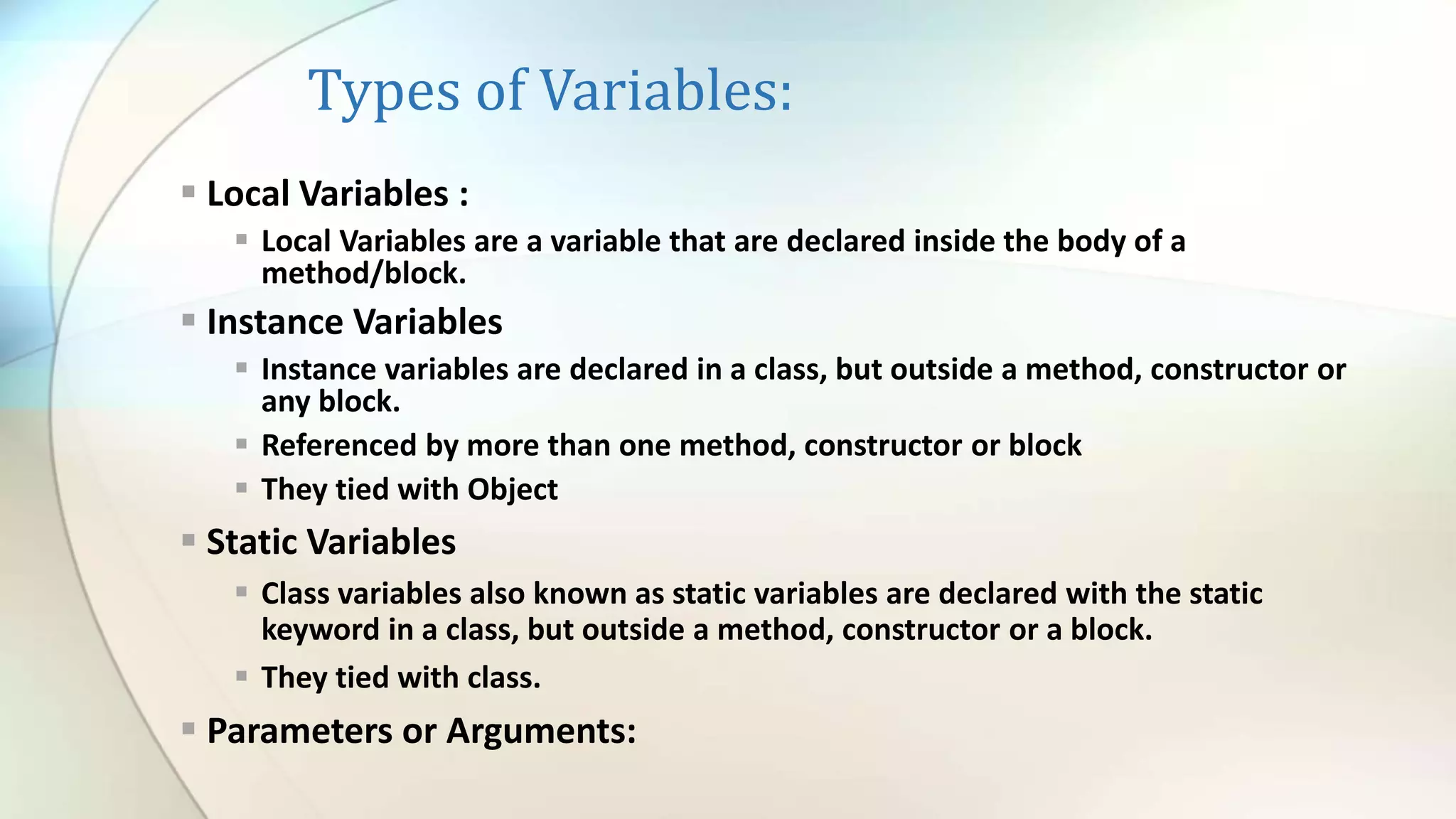
 Local Variables :
 Local Variables are a variable that are declared inside the body of a
method/block.
 Instance Variables
 Instance variables are declared in a class, but outside a method, constructor or
any block.
 Referenced by more than one method, constructor or block
 They tied with Object
 Static Variables
 Class variables also known as static variables are declared with the static
keyword in a class, but outside a method, constructor or a block.
 They tied with class.
 Parameters or Arguments:
Variables Initialization and default
values:
Lab : Variables
• CommentsSlashes.java
• VariableExample.java
• Test your skills – VariableExample2.java
As we saw above, we used the ‘/’ to work out the quotient of var1
by 2. Given that ‘+’ would perform addition, ‘-‘ subtraction and ‘*’
multiplication, write out a program which performs all the named
operations by using two integer values which are hard coded into
the program. Hints:
• You need only two variables of type integer
• Make one variable larger and divisible by the other
• You can perform the required calculations directly in the print statements,
remember to enclose the operation within brackets, e.g. (var1-var2)
• Use all three types of comments
• VariableScope.java
Data Type:
• Data type specifies the size and type of values that can be stored in
an identifier.
Two Data Types:
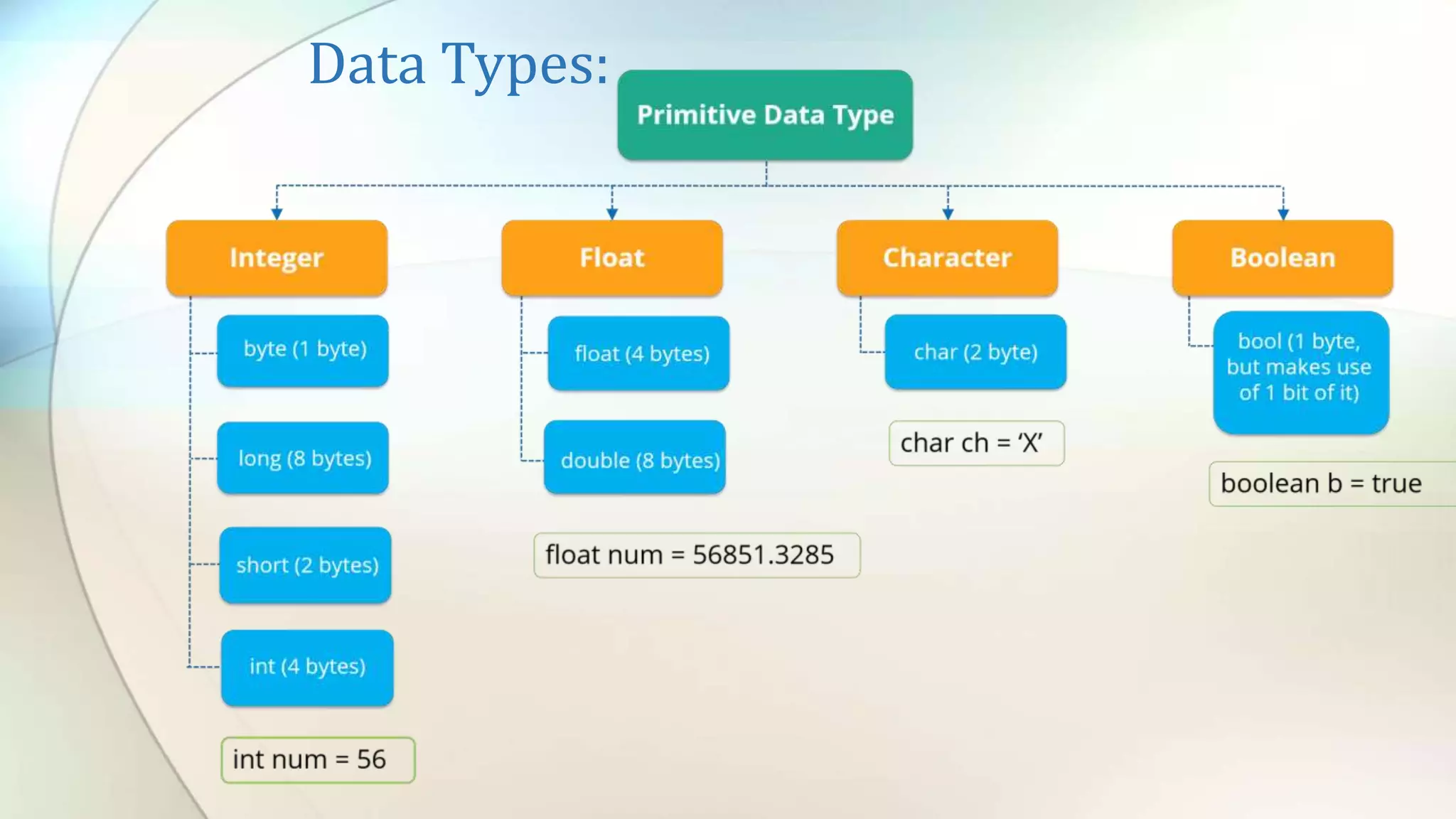
• Primitive Data Types
• Reference or Object Type
Data Types:
Data Types:
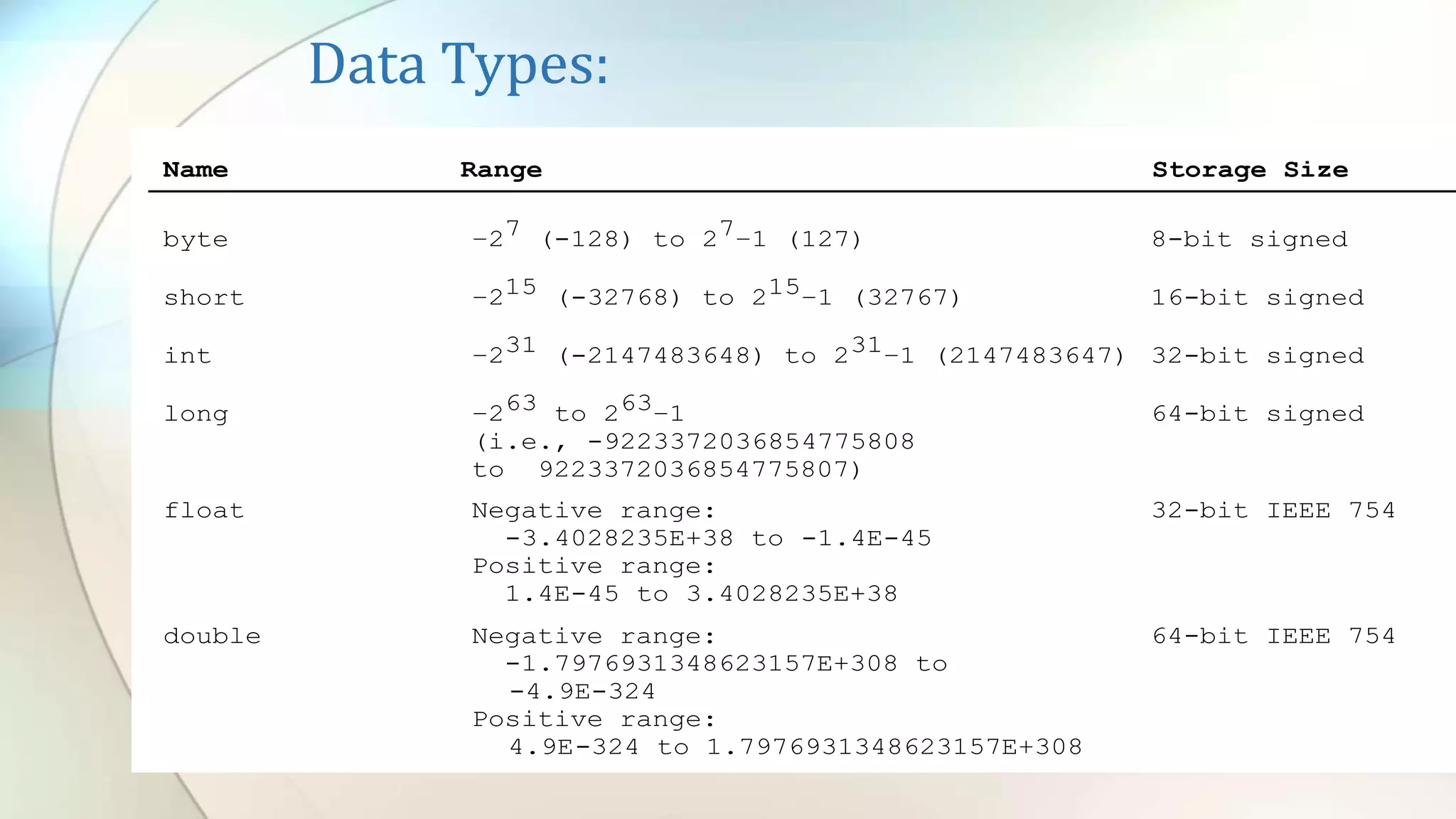
Name Range Storage Size
byte –27 (-128) to 27–1 (127) 8-bit signed
short –215 (-32768) to 215–1 (32767) 16-bit signed
int –231 (-2147483648) to 231–1 (2147483647) 32-bit signed
long –263 to 263–1 64-bit signed
(i.e., -9223372036854775808
to 9223372036854775807)
float Negative range: 32-bit IEEE 754
-3.4028235E+38 to -1.4E-45
Positive range:
1.4E-45 to 3.4028235E+38
double Negative range: 64-bit IEEE 754
-1.7976931348623157E+308 to
-4.9E-324
Positive range:
4.9E-324 to 1.7976931348623157E+308
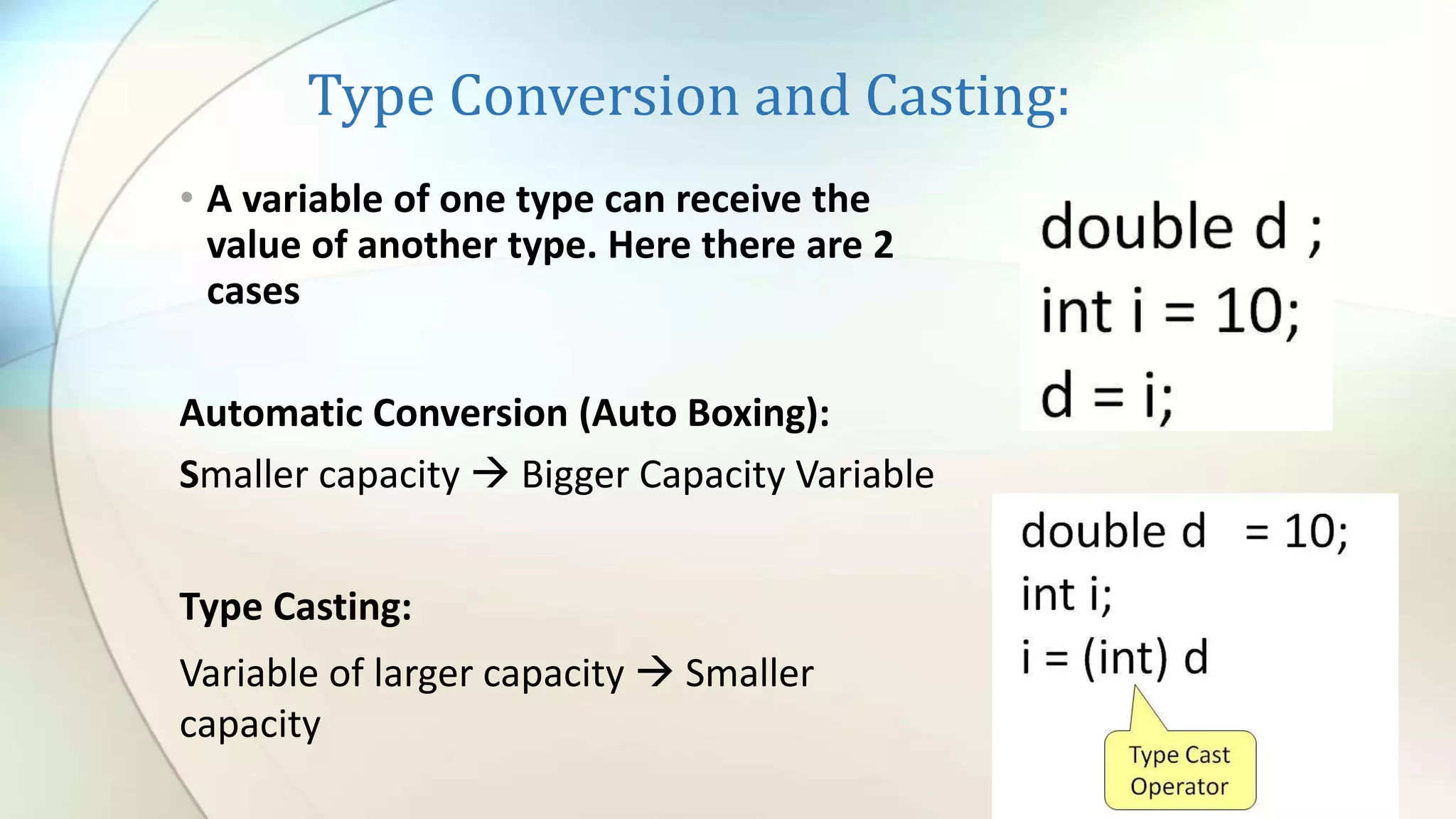
Type Conversion and Casting:
• A variable of one type can receive the
value of another type. Here there are 2
cases
Automatic Conversion (Auto Boxing):
Smaller capacity  Bigger Capacity Variable
Type Casting:
Variable of larger capacity  Smaller
capacity
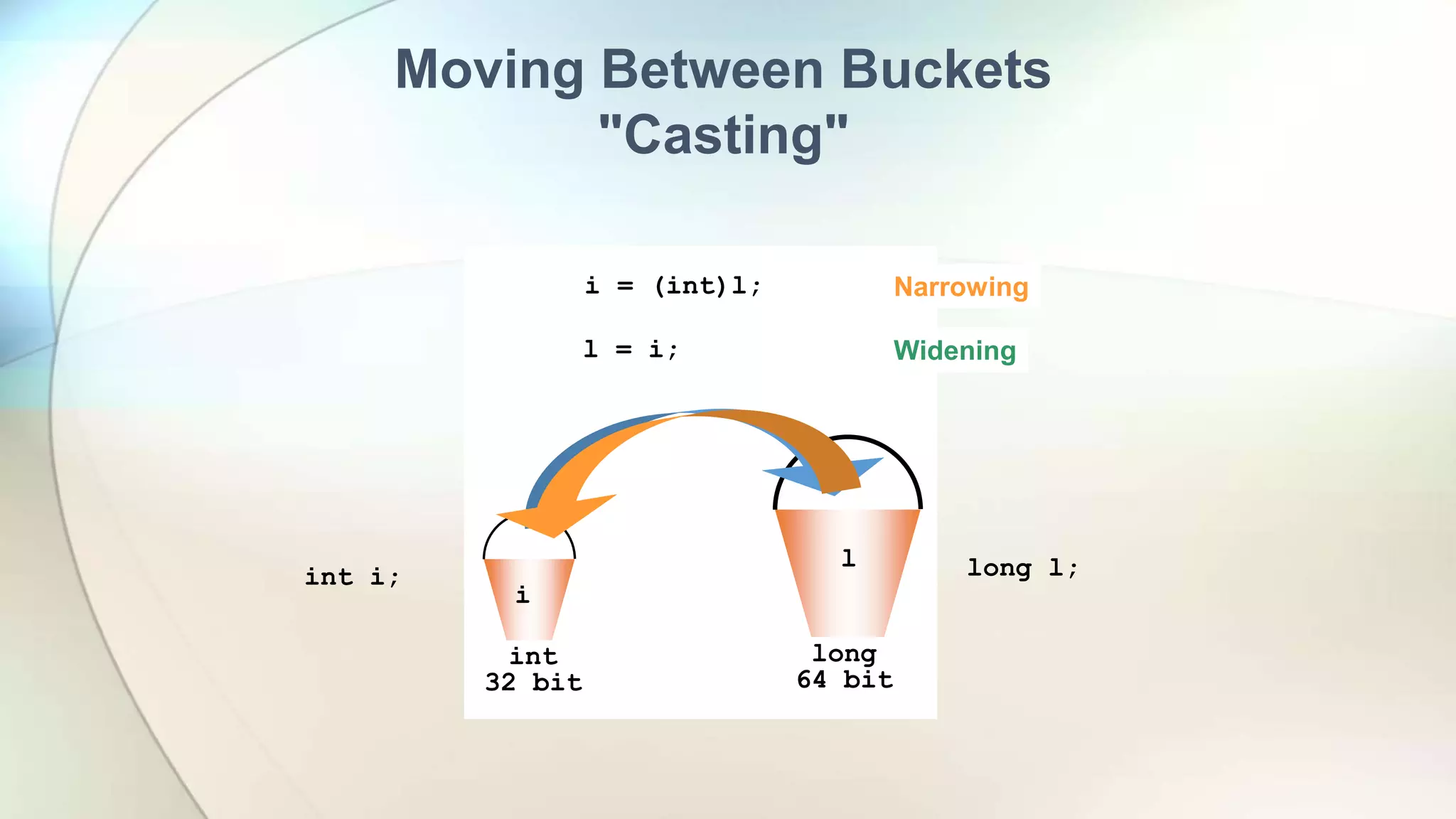
long
64 bit
int
32 bit
l
i
int i;
i = (int)l;
l = (long)i;
Moving Between Buckets
"Casting"
long l;
l = i;
long
64 bit
int
32 bit
l
i
Widening
Narrowing
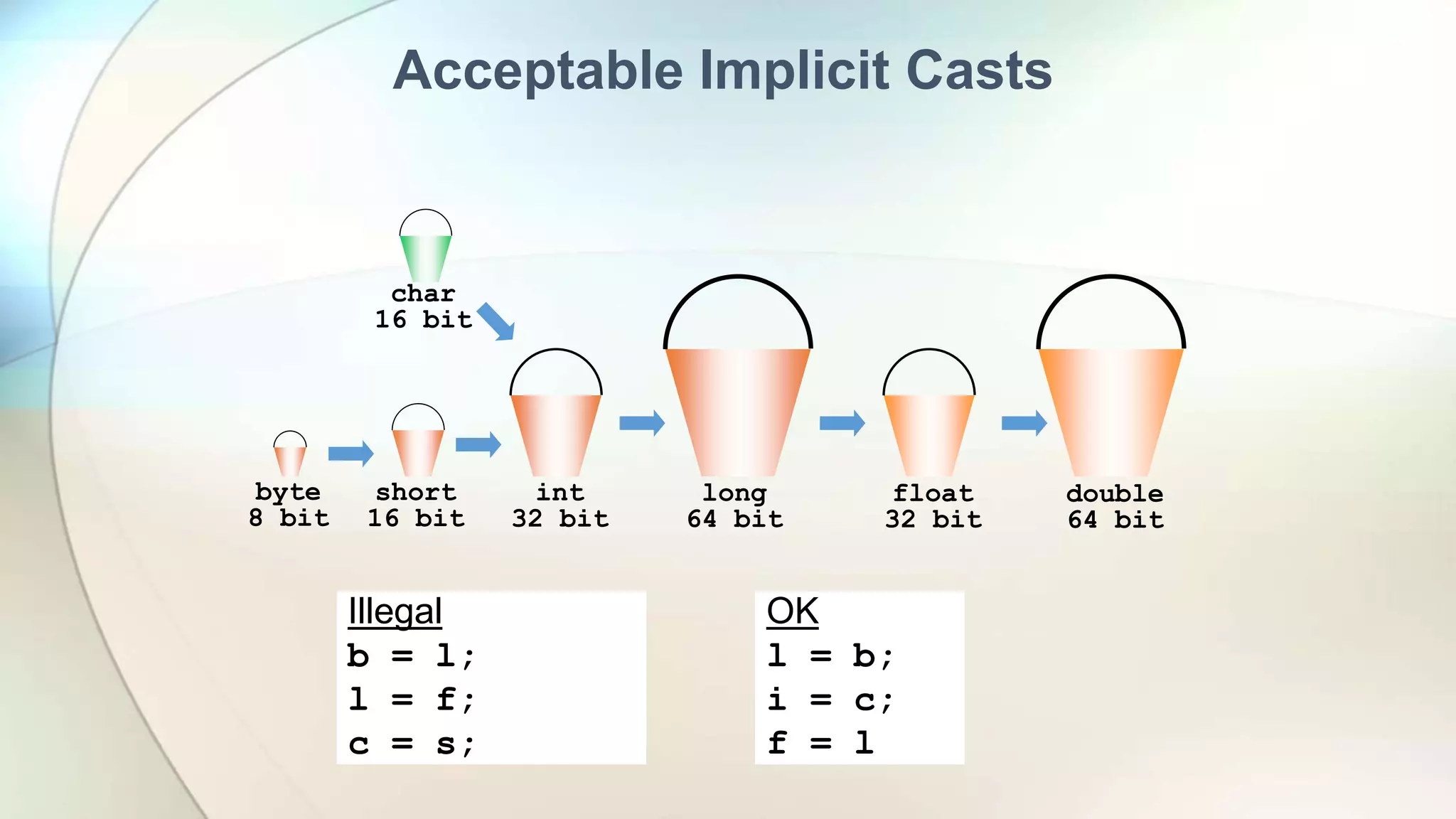
Acceptable Implicit Casts
char
16 bit
double
64 bit
float
32 bit
long
64 bit
int
32 bit
short
16 bit
byte
8 bit
Illegal
b = l;
l = f;
c = s;
OK
l = b;
i = c;
f = l
char
16 bit
double
64 bit
float
32 bit
long
64 bit
int
32 bit
short
16 bit
byte
8 bit
char
16 bit
double
64 bit
float
32 bit
long
64 bit
int
32 bit
short
16 bit
byte
8 bit
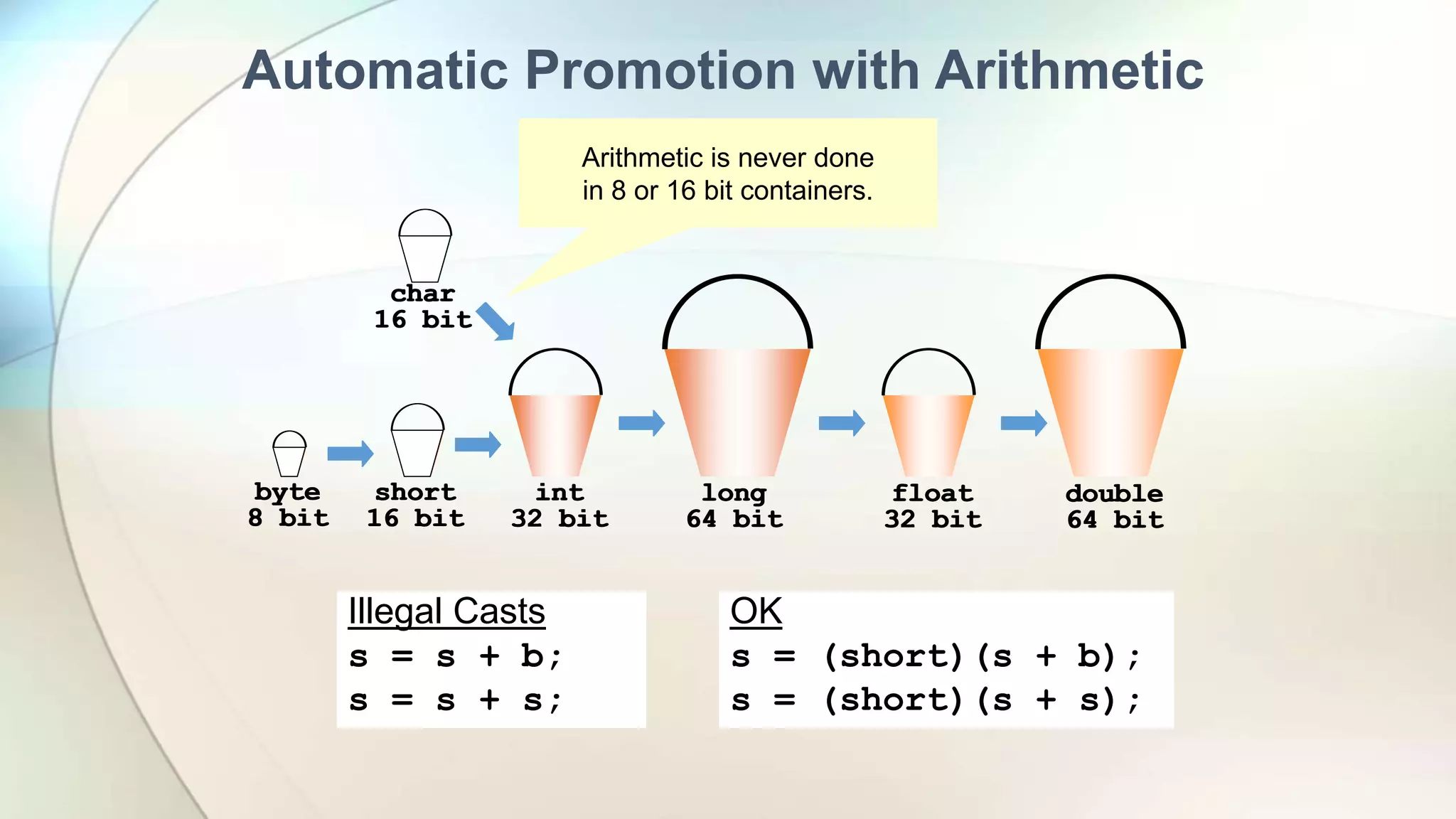
Automatic Promotion with Arithmetic
Illegal Casts
s = s + b;
s = s + s;
OK
s = (short)(s + b);
s = (short)(s + s);
Arithmetic is never done
in 8 or 16 bit containers.
char
16 bit
double
64 bit
float
32 bit
long
64 bit
int
32 bit
short
16 bit
byte
8 bit
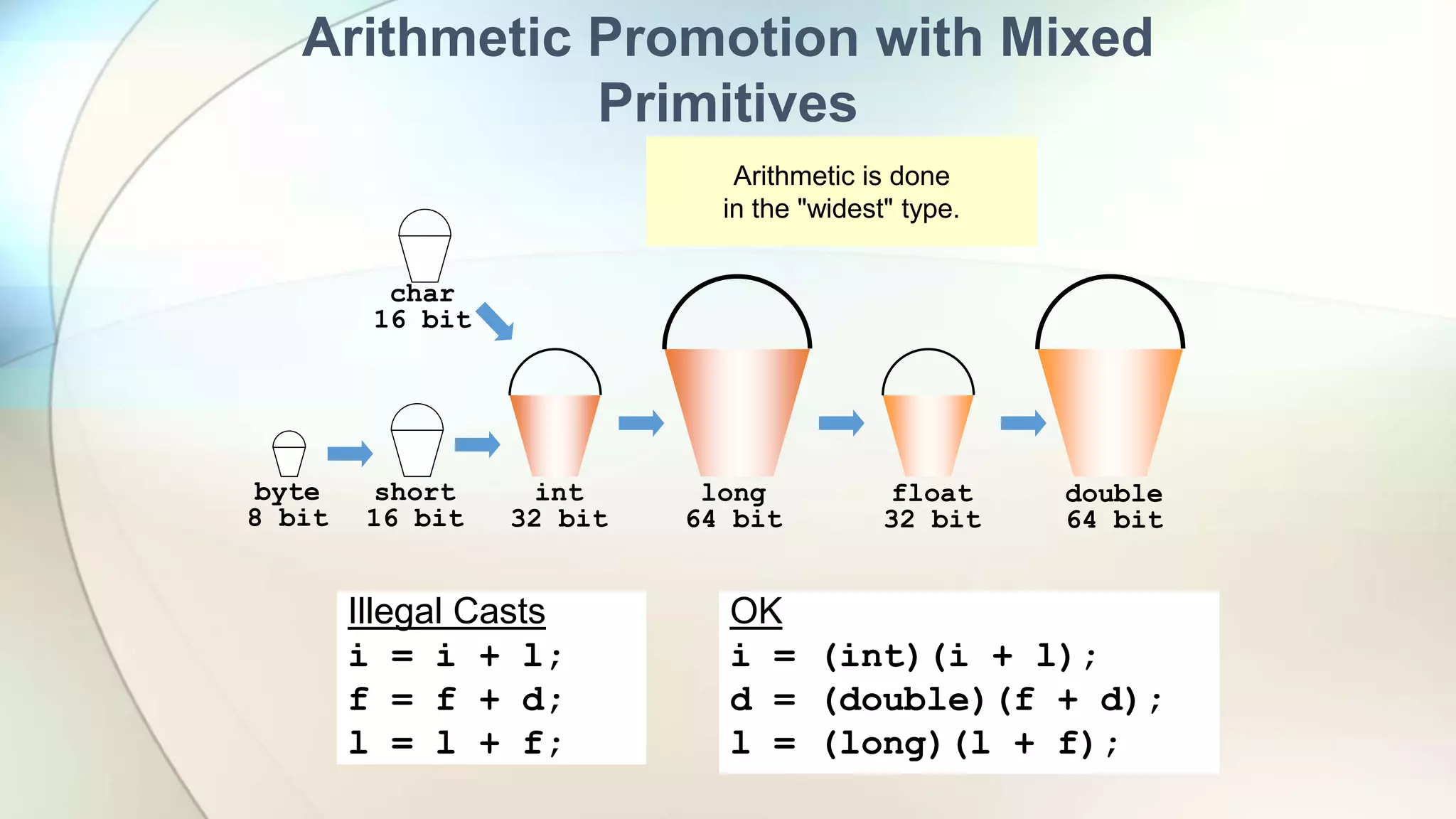
Arithmetic Promotion with Mixed
Primitives
Illegal Casts
i = i + l;
f = f + d;
l = l + f;
OK
i = (int)(i + l);
d = (double)(f + d);
l = (long)(l + f);
Arithmetic is done
in the "widest" type.
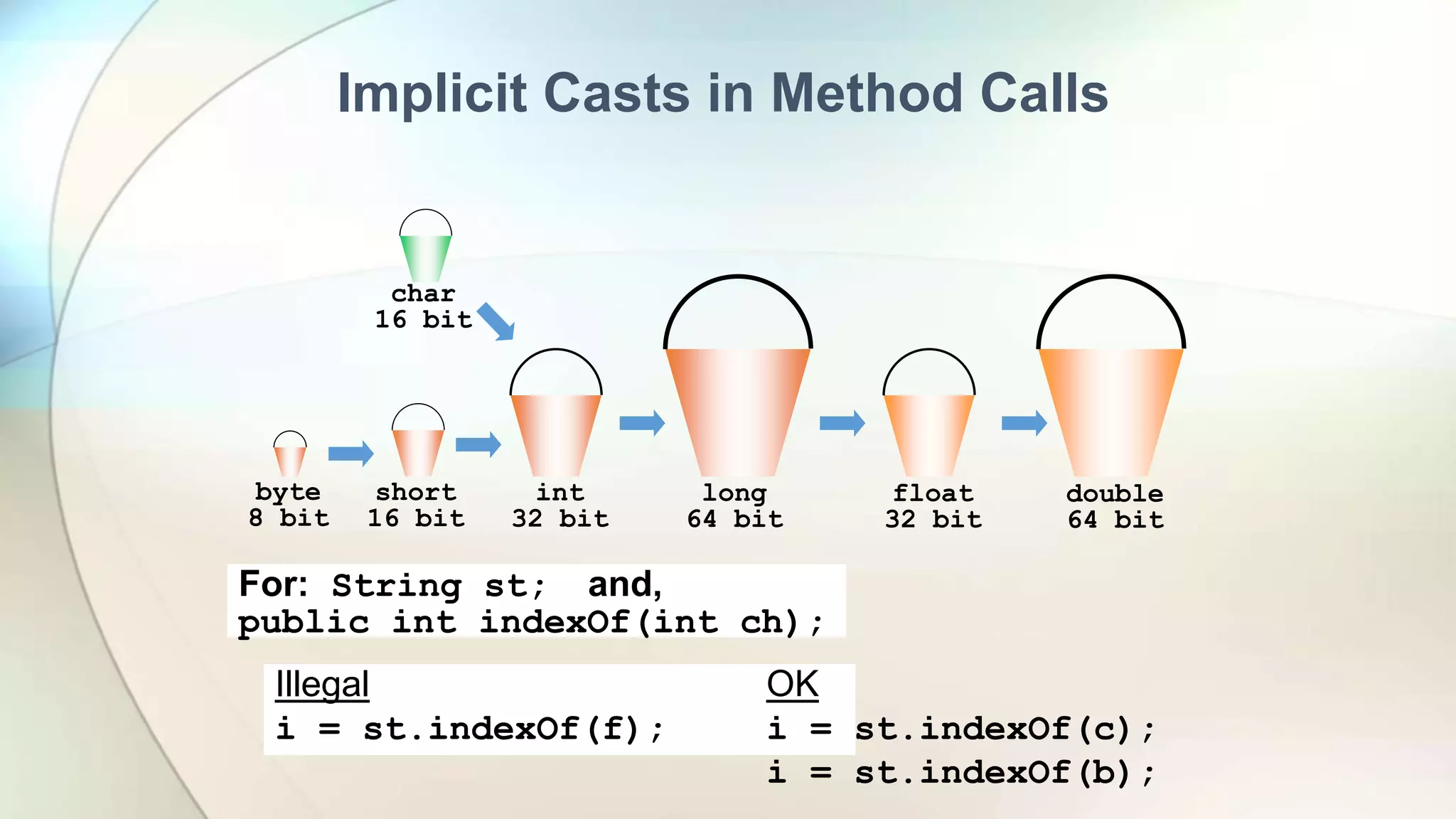
Implicit Casts in Method Calls
char
16 bit
double
64 bit
float
32 bit
long
64 bit
int
32 bit
short
16 bit
byte
8 bit
Illegal
i = st.indexOf(f);
OK
i = st.indexOf(c);
i = st.indexOf(b);
For: String st; and,
public int indexOf(int ch);
Lab : Variables
• Examples
• TypeCasting
• DataTypes
Home Work

Pj01 3-java-variable and data types

  • 1.
  • 2.
    Introduction to JavaProgramming – Environment Setup  Java Inputs and OutPuts?  Java Variables  Java Data Types  Lab Problem  Home Work
  • 3.
    Taking Input UsingScanner: • The java.util.Scanner class is a simple text scanner which can parse primitive types and strings using regular expressions • A Scanner breaks its input into tokens using a delimiter pattern, which by default matches whitespace. • A scanning operation may block waiting for input
  • 4.
  • 5.
    Variables: A variable isa container/place which holds value for you, during the life of a Java program. Every variable is assigned a data type which designates the type and quantity of value it can hold. To use a variable in a program  Variable Declaration  Variable Initialization
  • 6.
    Variables: Variable Declaration: int x,y,count; floatpi; double d; char a; Variable Initialization: pi =3.14f; d = 20.22d; a = ’v’;
  • 7.
    Variables Naming: Variable namesare case-sensitive. A variable's name can be any legal identifier Subsequent characters may be letters, digits, dollar signs, or underscore characters. Conventions (and common sense) apply to this rule as well. If the name you choose consists of only one word, spell that word in all lowercase letters. If it consists of more than one word, capitalize the first letter of each subsequent word..
  • 8.
    Types of Variables: Local Variables :  Local Variables are a variable that are declared inside the body of a method/block.  Instance Variables  Instance variables are declared in a class, but outside a method, constructor or any block.  Referenced by more than one method, constructor or block  They tied with Object  Static Variables  Class variables also known as static variables are declared with the static keyword in a class, but outside a method, constructor or a block.  They tied with class.  Parameters or Arguments:
  • 9.
  • 10.
    Lab : Variables •CommentsSlashes.java • VariableExample.java • Test your skills – VariableExample2.java As we saw above, we used the ‘/’ to work out the quotient of var1 by 2. Given that ‘+’ would perform addition, ‘-‘ subtraction and ‘*’ multiplication, write out a program which performs all the named operations by using two integer values which are hard coded into the program. Hints: • You need only two variables of type integer • Make one variable larger and divisible by the other • You can perform the required calculations directly in the print statements, remember to enclose the operation within brackets, e.g. (var1-var2) • Use all three types of comments • VariableScope.java
  • 11.
    Data Type: • Datatype specifies the size and type of values that can be stored in an identifier. Two Data Types: • Primitive Data Types • Reference or Object Type
  • 12.
  • 13.
    Data Types: Name RangeStorage Size byte –27 (-128) to 27–1 (127) 8-bit signed short –215 (-32768) to 215–1 (32767) 16-bit signed int –231 (-2147483648) to 231–1 (2147483647) 32-bit signed long –263 to 263–1 64-bit signed (i.e., -9223372036854775808 to 9223372036854775807) float Negative range: 32-bit IEEE 754 -3.4028235E+38 to -1.4E-45 Positive range: 1.4E-45 to 3.4028235E+38 double Negative range: 64-bit IEEE 754 -1.7976931348623157E+308 to -4.9E-324 Positive range: 4.9E-324 to 1.7976931348623157E+308
  • 14.
    Type Conversion andCasting: • A variable of one type can receive the value of another type. Here there are 2 cases Automatic Conversion (Auto Boxing): Smaller capacity  Bigger Capacity Variable Type Casting: Variable of larger capacity  Smaller capacity
  • 15.
    long 64 bit int 32 bit l i inti; i = (int)l; l = (long)i; Moving Between Buckets "Casting" long l; l = i; long 64 bit int 32 bit l i Widening Narrowing
  • 16.
    Acceptable Implicit Casts char 16bit double 64 bit float 32 bit long 64 bit int 32 bit short 16 bit byte 8 bit Illegal b = l; l = f; c = s; OK l = b; i = c; f = l
  • 17.
    char 16 bit double 64 bit float 32bit long 64 bit int 32 bit short 16 bit byte 8 bit char 16 bit double 64 bit float 32 bit long 64 bit int 32 bit short 16 bit byte 8 bit Automatic Promotion with Arithmetic Illegal Casts s = s + b; s = s + s; OK s = (short)(s + b); s = (short)(s + s); Arithmetic is never done in 8 or 16 bit containers.
  • 18.
    char 16 bit double 64 bit float 32bit long 64 bit int 32 bit short 16 bit byte 8 bit Arithmetic Promotion with Mixed Primitives Illegal Casts i = i + l; f = f + d; l = l + f; OK i = (int)(i + l); d = (double)(f + d); l = (long)(l + f); Arithmetic is done in the "widest" type.
  • 19.
    Implicit Casts inMethod Calls char 16 bit double 64 bit float 32 bit long 64 bit int 32 bit short 16 bit byte 8 bit Illegal i = st.indexOf(f); OK i = st.indexOf(c); i = st.indexOf(b); For: String st; and, public int indexOf(int ch);
  • 20.
    Lab : Variables •Examples • TypeCasting • DataTypes
  • 21.

Editor's Notes

  • #4 A data type is used to represent different values which are stored in a variable
  • #5 A data type is used to represent different values which are stored in a variable
  • #7 To declare a variable, you must specify the data type & give the variable a unique name. To initialize a variable, you must assign it a valid value. You can combine both
  • #8 an unlimited-length sequence of Unicode letters and digits, beginning with a letter, the dollar sign "$", or the underscore character "_". The convention, however, is to always begin your variable names with a letter, not "$" or "_". Additionally, the dollar sign character, by convention, is never used at all.
  • #9 Instance variables: These are variables that are used to store the state of an object. Every object created from a class definition would have its own copy of the variable. It is valid for and occupies storage for as long as the corresponding object is in memory. Class variables: These variables are explicitly defined within the class-level scope with a static modifier (for example, isClassUsed). No other variables can have a static modifier attached to them. Because these variables are defined with the static modifier, there would always be a single copy of these variables no matter how many times the class has been instantiated. They live as long as the class is loaded in memory. Parameters or Arguments: These are variables passed into a method signature (for example, parameter). Recall the usage of the args variable in the main method. They are not attached to modifiers (i.e. public, private, protected or static) and they can be used everywhere in the method. They are in memory during the execution of the method and can't be used after the method returns. Local variables: These variables are defined and used specifically within the method-level scope but not in the method signature. They do not have any modifiers attached to it. They no longer exist after the method has returned.
  • #10 Instance variables: These are variables that are used to store the state of an object. Every object created from a class definition would have its own copy of the variable. It is valid for and occupies storage for as long as the corresponding object is in memory. Class variables: These variables are explicitly defined within the class-level scope with a static modifier (for example, isClassUsed). No other variables can have a static modifier attached to them. Because these variables are defined with the static modifier, there would always be a single copy of these variables no matter how many times the class has been instantiated. They live as long as the class is loaded in memory. Parameters or Arguments: These are variables passed into a method signature (for example, parameter). Recall the usage of the args variable in the main method. They are not attached to modifiers (i.e. public, private, protected or static) and they can be used everywhere in the method. They are in memory during the execution of the method and can't be used after the method returns. Local variables: These variables are defined and used specifically within the method-level scope but not in the method signature. They do not have any modifiers attached to it. They no longer exist after the method has returned.
  • #12 A data type is used to represent different values which are stored in a variable
  • #13 A data type is used to represent different values which are stored in a variable
  • #14 A data type is used to represent different values which are stored in a variable