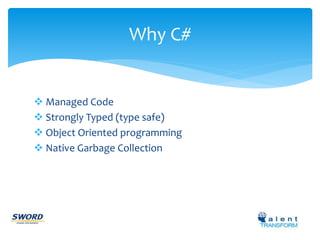
Why C# 
 Managed Code 
 Strongly Typed (type safe) 
 Object Oriented programming 
 Native Garbage Collection
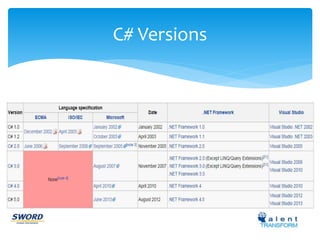
C# Versions
Features included in Each C# 
version
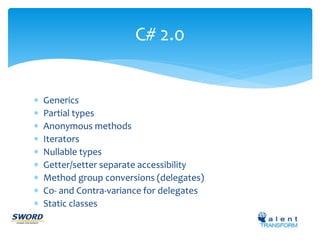
C# 2.0 
 Generics 
 Partial types 
 Anonymous methods 
 Iterators 
 Nullable types 
 Getter/setter separate accessibility 
 Method group conversions (delegates) 
 Co- and Contra-variance for delegates 
 Static classes
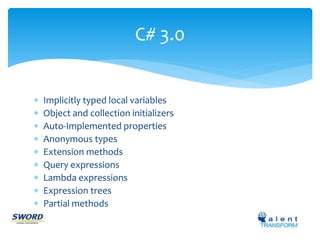
C# 3.0 
 Implicitly typed local variables 
 Object and collection initializers 
 Auto-Implemented properties 
 Anonymous types 
 Extension methods 
 Query expressions 
 Lambda expressions 
 Expression trees 
 Partial methods
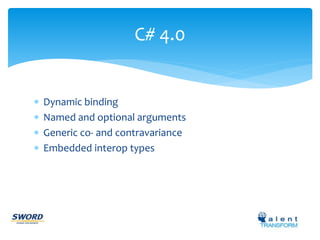
C# 4.0 
 Dynamic binding 
 Named and optional arguments 
 Generic co- and contravariance 
 Embedded interop types
C# 5.0 
 Asynchronous methods 
 Caller info attributes
Basic terms to know in C# 
 Inheritance 
 Polymorphism 
 Method Overloading 
 Method Overriding 
 Value types , Reference type 
 Boxing, Un Boxing 
 Abstract Class 
 Interface
When Abstract Class & Interface 
 If you anticipate creating multiple versions of your component, create an abstract 
class. Abstract classes provide a simple and easy way to version your components. By 
updating the base class, all inheriting classes are automatically updated with the 
change. Interfaces, on the other hand, cannot be changed once created. If a new 
version of an interface is required, you must create a whole new interface. 
 If the functionality you are creating will be useful across a wide range of disparate 
objects, use an interface. Abstract classes should be used primarily for objects that are 
closely related, whereas interfaces are best suited for providing common functionality 
to unrelated classes. 
 If you are designing small, concise bits of functionality, use interfaces. If you are 
designing large functional units, use an abstract class. 
 If you want to provide common, implemented functionality among all 
implementations of your component, use an abstract class. Abstract classes allow you 
to partially implement your class, whereas interfaces contain no implementation for 
any members.
C# keywords to know 
 Virtual 
 Override 
 Abstract 
 New 
 Sealed 
 Static
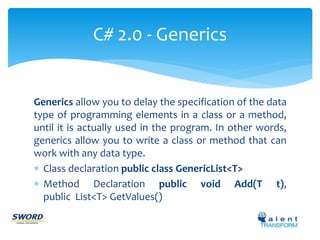
C# 2.0 - Generics 
Generics allow you to delay the specification of the data 
type of programming elements in a class or a method, 
until it is actually used in the program. In other words, 
generics allow you to write a class or method that can 
work with any data type. 
 Class declaration public class GenericList<T> 
 Method Declaration public void Add(T t), 
public List<T> GetValues()
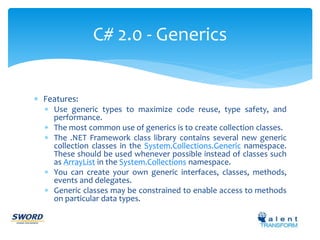
 Features: 
C# 2.0 - Generics 
 Use generic types to maximize code reuse, type safety, and 
performance. 
 The most common use of generics is to create collection classes. 
 The .NET Framework class library contains several new generic 
collection classes in the System.Collections.Generic namespace. 
These should be used whenever possible instead of classes such 
as ArrayList in the System.Collections namespace. 
 You can create your own generic interfaces, classes, methods, 
events and delegates. 
 Generic classes may be constrained to enable access to methods 
on particular data types.
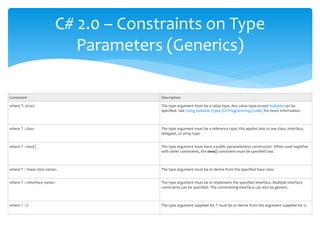
C# 2.0 – Constraints on Type 
Parameters (Generics) 
Constraint Description 
where T: struct The type argument must be a value type. Any value type except Nullable can be 
specified. See Using Nullable Types (C# Programming Guide) for more information. 
where T : class The type argument must be a reference type; this applies also to any class, interface, 
delegate, or array type. 
where T : new() The type argument must have a public parameterless constructor. When used together 
with other constraints, the new() constraint must be specified last. 
where T : <base class name> The type argument must be or derive from the specified base class. 
where T : <interface name> The type argument must be or implement the specified interface. Multiple interface 
constraints can be specified. The constraining interface can also be generic. 
where T : U The type argument supplied for T must be or derive from the argument supplied for U.
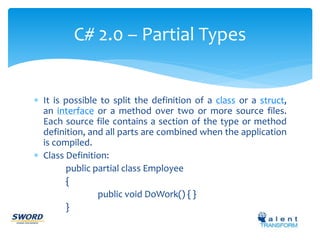
 It is possible to split the definition of a class or a struct, 
an interface or a method over two or more source files. 
Each source file contains a section of the type or method 
definition, and all parts are combined when the application 
is compiled. 
 Class Definition: 
public partial class Employee 
{ 
public void DoWork() { } 
} 
C# 2.0 – Partial Types
C# 2.0 – Partial Types 
 Restrictions 
 All partial-type definitions meant to be parts of the same type 
must be modified with partial. 
 The partial modifier can only appear immediately before the 
keywords class, struct, or interface. 
 All partial-type definitions meant to be parts of the same type 
must be defined in the same assembly and the same module 
(.exe or .dll file). Partial definitions cannot span multiple 
modules. 
 The class name and generic-type parameters must match on all 
partial-type definitions. Generic types can be partial. Each partial 
declaration must use the same parameter names in the same 
order.
C# 3.0 - Partial Methods 
A partial class or struct may contain a partial method. One part of 
the class contains the signature of the method. An optional 
implementation may be defined in the same part or another part. If 
the implementation is not supplied, then the method and all calls 
to the method are removed at compile time. 
Restriction: 
 Partial method declarations must begin with the contextual 
keyword partial and the method must return void. 
 Partial methods can have ref but not out parameters. 
 Partial methods are implicitly private, and therefore they cannot 
be virtual.
C# 2.0 - Iterators 
 An iterator can be used to step through collections such as 
lists and arrays. 
 An iterator method or get accessor performs a custom 
iteration over a collection. An iterator method uses yield 
return (C#) statement to return each element one at a 
time. When a yield return statement is reached, the 
current location in code is remembered. Execution is 
restarted from that location the next time the iterator 
function is called. 
 You consume an iterator from client code by using 
a foreach (C#) statement or by using a LINQ query.
C# 2.0 - Nullable types 
Nullable types are instances of the System.Nullable<T> struct. 
 A nullable type can represent the correct range of values for its 
underlying value type, plus an additional null value. For example, 
a Nullable<Int32>, pronounced "Nullable of Int32," can be 
assigned any value from -2147483648 to 2147483647, or it can be 
assigned the null value. 
 A Nullable<bool> can be assigned the values true false, or null. 
The ability to assign null to numeric and Boolean types is 
especially useful when you are dealing with databases and other 
data types that contain elements that may not be assigned a 
value. 
int? num = null;
C# 2.0 - Nullable types 
 Use the HasValue and Value read-only properties to test for 
null and retrieve the value, as shown in the following 
example: if(x.HasValue) j = x.Value; 
 The HasValue property returns true if the variable contains 
a value, or false if it is null. 
 The Value property returns a value if one is assigned. 
Otherwise, a System.InvalidOperationException is thrown. 
 The default value for HasValue is false. The Value property 
has no default value.
The accessor of a property contains the executable statements 
associated with getting (reading or computing) or setting (writing) 
the property. The accessor declarations can contain a get accessor, 
a set accessor, or both. 
Private name; 
public string Name 
{ 
get { return name; } 
set { name = value; } 
} 
C# 2.0 - Getter/setter separate 
accessibility (Accessors)
C# 2.0 - Static classes 
A static class is basically the same as a non-static class, but 
there is one difference: a static class cannot be instantiated. 
UtilityClass.MethodA(); 
The following list provides the main features of a static class: 
 Contains only static members. 
 Cannot be instantiated. 
 Is sealed. 
 Cannot contain Instance Constructors.
C# 2.0 - Static Members 
 A non-static class can contain static methods, fields, properties, or events. 
 The static member is callable on a class even when no instance of the class 
has been created. 
 The static member is always accessed by the class name, not the instance 
name. 
 Only one copy of a static member exists, regardless of how many instances 
of the class are created. 
 Static methods and properties cannot access non-static fields and events in 
their containing type, and they cannot access an instance variable of any 
object unless it is explicitly passed in a method parameter. 
 It is more typical to declare a non-static class with some static members, 
than to declare an entire class as static.
C# 2.0 - Static Members 
 Two common uses of static fields are to keep a count of the 
number of objects that have been instantiated, or to store a 
value that must be shared among all instances. 
 Static methods can be overloaded but not overridden, because 
they belong to the class, and not to any instance of the class. 
 Although a field cannot be declared as static const, a const field 
is essentially static in its behavior. It belongs to the type, not to 
instances of the type. Therefore, const fields can be accessed by 
using the same ClassName.MemberName notation that is used 
for static fields. No object instance is required. 
 C# does not support static local variables (variables that are 
declared in method scope).

Evolution of c# - by K.Jegan

  • 2.
    Why C# Managed Code  Strongly Typed (type safe)  Object Oriented programming  Native Garbage Collection
  • 3.
  • 4.
    Features included inEach C# version
  • 5.
    C# 2.0 Generics  Partial types  Anonymous methods  Iterators  Nullable types  Getter/setter separate accessibility  Method group conversions (delegates)  Co- and Contra-variance for delegates  Static classes
  • 6.
    C# 3.0 Implicitly typed local variables  Object and collection initializers  Auto-Implemented properties  Anonymous types  Extension methods  Query expressions  Lambda expressions  Expression trees  Partial methods
  • 7.
    C# 4.0 Dynamic binding  Named and optional arguments  Generic co- and contravariance  Embedded interop types
  • 8.
    C# 5.0 Asynchronous methods  Caller info attributes
  • 9.
    Basic terms toknow in C#  Inheritance  Polymorphism  Method Overloading  Method Overriding  Value types , Reference type  Boxing, Un Boxing  Abstract Class  Interface
  • 10.
    When Abstract Class& Interface  If you anticipate creating multiple versions of your component, create an abstract class. Abstract classes provide a simple and easy way to version your components. By updating the base class, all inheriting classes are automatically updated with the change. Interfaces, on the other hand, cannot be changed once created. If a new version of an interface is required, you must create a whole new interface.  If the functionality you are creating will be useful across a wide range of disparate objects, use an interface. Abstract classes should be used primarily for objects that are closely related, whereas interfaces are best suited for providing common functionality to unrelated classes.  If you are designing small, concise bits of functionality, use interfaces. If you are designing large functional units, use an abstract class.  If you want to provide common, implemented functionality among all implementations of your component, use an abstract class. Abstract classes allow you to partially implement your class, whereas interfaces contain no implementation for any members.
  • 11.
    C# keywords toknow  Virtual  Override  Abstract  New  Sealed  Static
  • 12.
    C# 2.0 -Generics Generics allow you to delay the specification of the data type of programming elements in a class or a method, until it is actually used in the program. In other words, generics allow you to write a class or method that can work with any data type.  Class declaration public class GenericList<T>  Method Declaration public void Add(T t), public List<T> GetValues()
  • 13.
     Features: C#2.0 - Generics  Use generic types to maximize code reuse, type safety, and performance.  The most common use of generics is to create collection classes.  The .NET Framework class library contains several new generic collection classes in the System.Collections.Generic namespace. These should be used whenever possible instead of classes such as ArrayList in the System.Collections namespace.  You can create your own generic interfaces, classes, methods, events and delegates.  Generic classes may be constrained to enable access to methods on particular data types.
  • 14.
    C# 2.0 –Constraints on Type Parameters (Generics) Constraint Description where T: struct The type argument must be a value type. Any value type except Nullable can be specified. See Using Nullable Types (C# Programming Guide) for more information. where T : class The type argument must be a reference type; this applies also to any class, interface, delegate, or array type. where T : new() The type argument must have a public parameterless constructor. When used together with other constraints, the new() constraint must be specified last. where T : <base class name> The type argument must be or derive from the specified base class. where T : <interface name> The type argument must be or implement the specified interface. Multiple interface constraints can be specified. The constraining interface can also be generic. where T : U The type argument supplied for T must be or derive from the argument supplied for U.
  • 15.
     It ispossible to split the definition of a class or a struct, an interface or a method over two or more source files. Each source file contains a section of the type or method definition, and all parts are combined when the application is compiled.  Class Definition: public partial class Employee { public void DoWork() { } } C# 2.0 – Partial Types
  • 16.
    C# 2.0 –Partial Types  Restrictions  All partial-type definitions meant to be parts of the same type must be modified with partial.  The partial modifier can only appear immediately before the keywords class, struct, or interface.  All partial-type definitions meant to be parts of the same type must be defined in the same assembly and the same module (.exe or .dll file). Partial definitions cannot span multiple modules.  The class name and generic-type parameters must match on all partial-type definitions. Generic types can be partial. Each partial declaration must use the same parameter names in the same order.
  • 17.
    C# 3.0 -Partial Methods A partial class or struct may contain a partial method. One part of the class contains the signature of the method. An optional implementation may be defined in the same part or another part. If the implementation is not supplied, then the method and all calls to the method are removed at compile time. Restriction:  Partial method declarations must begin with the contextual keyword partial and the method must return void.  Partial methods can have ref but not out parameters.  Partial methods are implicitly private, and therefore they cannot be virtual.
  • 18.
    C# 2.0 -Iterators  An iterator can be used to step through collections such as lists and arrays.  An iterator method or get accessor performs a custom iteration over a collection. An iterator method uses yield return (C#) statement to return each element one at a time. When a yield return statement is reached, the current location in code is remembered. Execution is restarted from that location the next time the iterator function is called.  You consume an iterator from client code by using a foreach (C#) statement or by using a LINQ query.
  • 19.
    C# 2.0 -Nullable types Nullable types are instances of the System.Nullable<T> struct.  A nullable type can represent the correct range of values for its underlying value type, plus an additional null value. For example, a Nullable<Int32>, pronounced "Nullable of Int32," can be assigned any value from -2147483648 to 2147483647, or it can be assigned the null value.  A Nullable<bool> can be assigned the values true false, or null. The ability to assign null to numeric and Boolean types is especially useful when you are dealing with databases and other data types that contain elements that may not be assigned a value. int? num = null;
  • 20.
    C# 2.0 -Nullable types  Use the HasValue and Value read-only properties to test for null and retrieve the value, as shown in the following example: if(x.HasValue) j = x.Value;  The HasValue property returns true if the variable contains a value, or false if it is null.  The Value property returns a value if one is assigned. Otherwise, a System.InvalidOperationException is thrown.  The default value for HasValue is false. The Value property has no default value.
  • 21.
    The accessor ofa property contains the executable statements associated with getting (reading or computing) or setting (writing) the property. The accessor declarations can contain a get accessor, a set accessor, or both. Private name; public string Name { get { return name; } set { name = value; } } C# 2.0 - Getter/setter separate accessibility (Accessors)
  • 22.
    C# 2.0 -Static classes A static class is basically the same as a non-static class, but there is one difference: a static class cannot be instantiated. UtilityClass.MethodA(); The following list provides the main features of a static class:  Contains only static members.  Cannot be instantiated.  Is sealed.  Cannot contain Instance Constructors.
  • 23.
    C# 2.0 -Static Members  A non-static class can contain static methods, fields, properties, or events.  The static member is callable on a class even when no instance of the class has been created.  The static member is always accessed by the class name, not the instance name.  Only one copy of a static member exists, regardless of how many instances of the class are created.  Static methods and properties cannot access non-static fields and events in their containing type, and they cannot access an instance variable of any object unless it is explicitly passed in a method parameter.  It is more typical to declare a non-static class with some static members, than to declare an entire class as static.
  • 24.
    C# 2.0 -Static Members  Two common uses of static fields are to keep a count of the number of objects that have been instantiated, or to store a value that must be shared among all instances.  Static methods can be overloaded but not overridden, because they belong to the class, and not to any instance of the class.  Although a field cannot be declared as static const, a const field is essentially static in its behavior. It belongs to the type, not to instances of the type. Therefore, const fields can be accessed by using the same ClassName.MemberName notation that is used for static fields. No object instance is required.  C# does not support static local variables (variables that are declared in method scope).