Joomla! Security
http://slideshare.net/akarawuth
...Security is a moving target, so today's expert might be tomorrow's victim...
About Me
อัครวุฒิ ตำราเรียง

Akarawuth Tamrareang
(JoomlaCorner)
akarawuth@marvelic.co.th
twitter: @joomlacorner
www.marvelic.co.th
www.joomlacorner.com
Tel : 02-235-7629, 02-077-8366
- อุปนายกสมาคมศึกษาและพัฒนาโอเพ่นซอร์ส (OSEDA.or.th)

- กรรมการผู้จัดการ Marvelic Engine Co.,Ltd.
www.marvelic.co.th
- Joomla! Bug Squad : joomla.org

- Founder JoomlaCorner.com 

- กรรมการควบคุมจริยธรรม สมาคมผู้ดูแลเว็บไทย
- อดีตกรรมการบริหาร OpenSource Matters Inc.

(Joomla Project)
- ผู้อำนวยการฝ่ายเทคโนโลยีสารสนเทศ 

สมาคมอาสาสมัครบรรเทาสาธารณภัยแห่งประเทศไทย
- ที่ปรึกษาสมาคมการดับเพลิงและช่วยชีวิต


Joomla! Website’s
hacked?
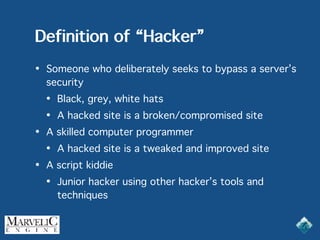
Definition of “Hacker”
• Someone who deliberately seeks to bypass a server’s
security
• Black, grey, white hats
• A hacked site is a broken/compromised site
• A skilled computer programmer
• A hacked site is a tweaked and improved site
• A script kiddie
• Junior hacker using other hacker’s tools and
techniques
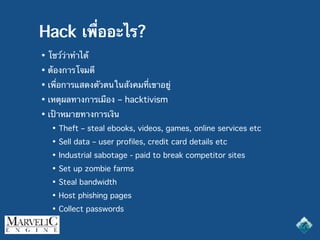
Hack เพื่ออะไร?
• โชว์ว่าทำได้
• ต้องการโจมตี
• เพื่อการแสดงตัวตนในสังคมที่เขาอยู่
• เหตุผลทางการเมือง – hacktivism
• เป้าหมายทางการเงิน
• Theft – steal ebooks, videos, games, online services etc
• Sell data – user profiles, credit card details etc
• Industrial sabotage - paid to break competitor sites
• Set up zombie farms
• Steal bandwidth
• Host phishing pages
• Collect passwords
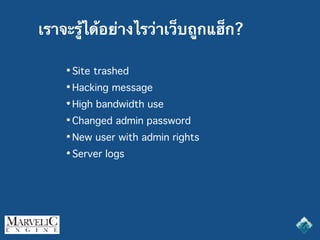
เราจะรู้ได้อย่างไรว่าเว็บถูกแฮ็ก?
• Site trashed
• Hacking message
• High bandwidth use
• Changed admin password
• New user with admin rights
• Server logs
Why do we care about
computer security?
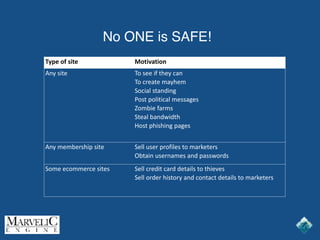
No ONE is SAFE!
Type of site Motivation
Any site To see if they can
To create mayhem
Social standing
Post political messages
Zombie farms
Steal bandwidth
Host phishing pages
Any membership site Sell user profiles to marketers
Obtain usernames and passwords
Some ecommerce sites Sell credit card details to thieves
Sell order history and contact details to marketers
ทำไมถึงต้องกังวลเมื่อเว็บไซต์ถูกแฮ็ก?
เมื่อเว็บไซต์ถูกแฮ็กจะเป็นปัญหาใหญ่ต่อ
• ชื่อเสียงของธุรกิจ
• ลูกค้าโกรธ ไม่พอใจ
• Site ถูกปิดโดยผู้ให้บริการโฮส
• ธุรกิจเสียหาย
• ข้อมูลถูกขโมย
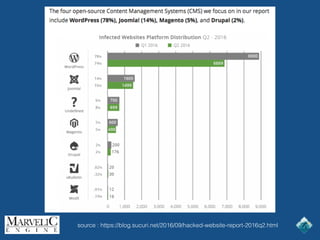
source : https://blog.sucuri.net/2016/09/hacked-website-report-2016q2.html
ส่วนใหญ่ของเว็บไซต์ที่ถูก Hacked มาจาก
misconfiguration, hosting ไม่ปลอดภัย หรือ
vulnerable code.
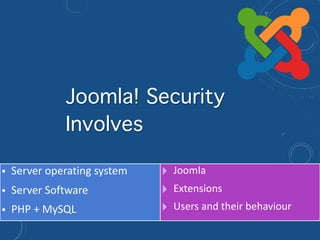
การทำ Joomla! ให้ปลอดภัย
• Server operating system
• Server Software
• PHP + MySQL
! Joomla
! Extensions
! Users and their behaviour
Joomla! Security
Involves
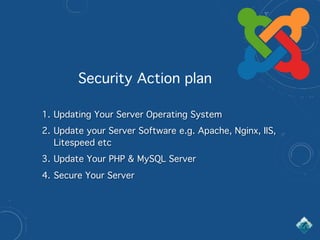
1. Updating Your Server Operating System
2. Update your Server Software e.g. Apache, Nginx, IIS,
Litespeed etc
3. Update Your PHP & MySQL Server
4. Secure Your Server
Security Action plan
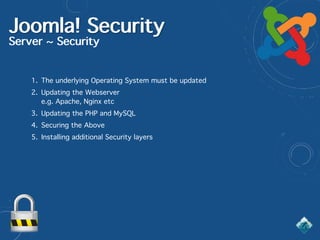
Joomla! Security
Server ~ Security
1. The underlying Operating System must be updated
2. Updating the Webserver 

e.g. Apache, Nginx etc
3. Updating the PHP and MySQL
4. Securing the Above
5. Installing additional Security layers
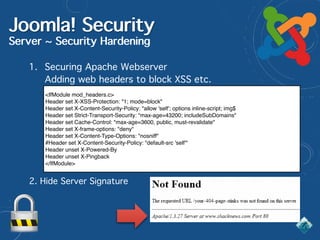
Joomla! Security
Server ~ Security Hardening
1. Securing Apache Webserver

Adding web headers to block XSS etc.
<IfModule mod_headers.c>
Header set X-XSS-Protection: "1; mode=block"
Header set X-Content-Security-Policy: "allow 'self'; options inline-script; img$
Header set Strict-Transport-Security: "max-age=43200; includeSubDomains"
Header set Cache-Control: "max-age=3600, public, must-revalidate"
Header set X-frame-options: "deny"
Header set X-Content-Type-Options: "nosniff"
#Header set X-Content-Security-Policy: "default-src 'self'"
Header unset X-Powered-By
Header unset X-Pingback
</IfModule>
2. Hide Server Signature
Joomla! Security
Server ~ Security Hardening
3. Activating .htaccess override in Apache conf
• .htaccess files
• [1] Activate the htaccess file in the Joomla root
• [1] Use an .htpasswd for the /administrator/ folder
• [3] Advanced .htaccess files
Joomla! Security
Server ~ Security Hardening
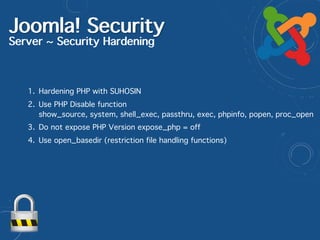
1. Hardening PHP with SUHOSIN
2. Use PHP Disable function 

show_source, system, shell_exec, passthru, exec, phpinfo, popen, proc_open
3. Do not expose PHP Version expose_php = off
4. Use open_basedir (restriction file handling functions)
Joomla! Security
Server ~ Security Hardening
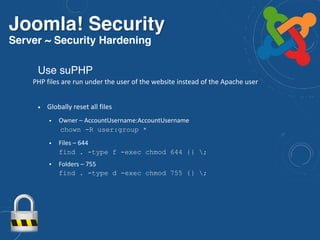
• Globally reset all files
• Owner – AccountUsername:AccountUsername

chown -R user:group *
• Files – 644

find . -type f -exec chmod 644 {} ;
• Folders – 755

find . -type d -exec chmod 755 {} ;
Use suPHP
PHP files are run under the user of the website instead of the Apache user
Joomla! Security
Server ~ Security Hardening
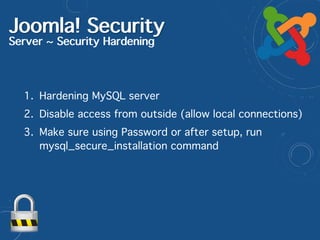
1. Hardening MySQL server
2. Disable access from outside (allow local connections)
3. Make sure using Password or after setup, run
mysql_secure_installation command
Joomla! Security
Server ~ Additional Security Hardening
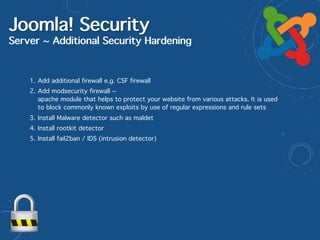
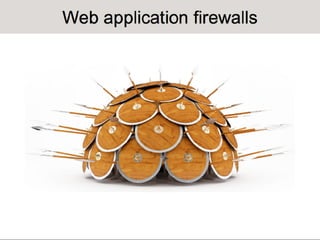
1. Add additional firewall e.g. CSF firewall
2. Add modsecurity firewall ~

apache module that helps to protect your website from various attacks. It is used
to block commonly known exploits by use of regular expressions and rule sets
3. Install Malware detector such as maldet
4. Install rootkit detector
5. Install fail2ban / IDS (intrusion detector)
Joomla! Security
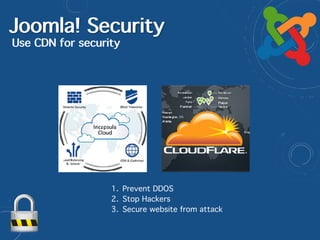
Use CDN for security
1. Prevent DDOS
2. Stop Hackers
3. Secure website from attack
Joomla! Security Checklist
https://docs.joomla.org/Security
Upgrade to the latest stable version of Joomla! as soon as possible.
Download Joomla! from official sites only, such as JoomlaCode.org, and check the MD5 hash.
Use Web Page Diagnostic Tools, i.e. Firefox Firebug, IE Web Developer Toolbar, Opera Dragonfly, etc. to
ensure that all files were installed correctly.
Joomla! Security Checklist
https://docs.joomla.org/Security
Install official versions of Joomla!
http://www.joomla.org/download.html
Install official Updates from Joomla!
To avoid breaking your site, search the forums for reports of
incompatible extensions before upgrading to a new version of
Joomla.

Joomla! Security Checklisthttps://docs.joomla.org/Security
Default administrator username
Change the user name of the default admin user. This simple step
effectively increases the security of this critical account 50% by
modifying one of the two variables attackers must know to gain
access.
Never use easy to guess passwords, avoid at no cost. 

e.g. admin123, passwords, 123456
Use mix characters (upper and lower case) with special characters. 

e.g F1$hn3Tw0Rk, use more than 8 digits
Administrator passwords
Joomla! Security Checklist
https://docs.joomla.org/Security
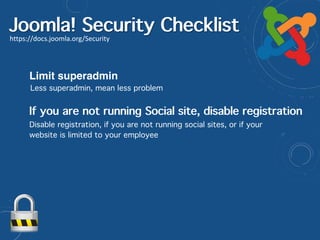
Limit superadmin
Less superadmin, mean less problem
Disable registration, if you are not running social sites, or if your
website is limited to your employee
If you are not running Social site, disable registration
Joomla! Security Checklist
https://docs.joomla.org/Security
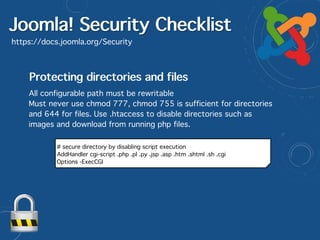
Protecting directories and files
All configurable path must be rewritable
Must never use chmod 777, chmod 755 is sufficient for directories
and 644 for files. Use .htaccess to disable directories such as
images and download from running php files.
# secure directory by disabling script execution
AddHandler cgi-script .php .pl .py .jsp .asp .htm .shtml .sh .cgi
Options -ExecCGI
Joomla! Security Checklist
https://docs.joomla.org/Security
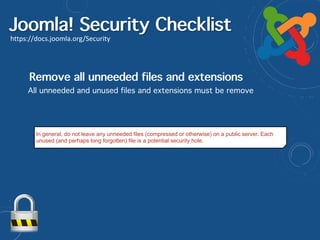
Remove all unneeded files and extensions
All unneeded and unused files and extensions must be remove
In general, do not leave any unneeded files (compressed or otherwise) on a public server. Each
unused (and perhaps long forgotten) file is a potential security hole.
Joomla! Security Checklist
https://docs.joomla.org/Security
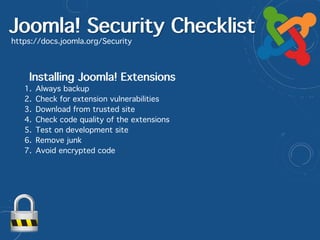
Installing Joomla! Extensions
1. Always backup
2. Check for extension vulnerabilities
3. Download from trusted site
4. Check code quality of the extensions
5. Test on development site
6. Remove junk
7. Avoid encrypted code
Joomla! SecurityHow to secure Joomla!
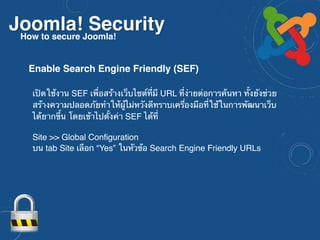
เปิดใช้งาน SEF เพื่อสร้างเว็บไซต์ที่มี URL ที่ง่ายต่อการค้นหา ทั้งยังช่วย
สร้างความปลอดภัยทำให้ผู้ไม่หวังดีทราบเครื่องมือที่ใช้ในการพัฒนาเว็บ
ได้ยากขึ้น โดยเข้าไปตั้งค่า SEF ได้ที่


Site >> Global Configuration
บน tab Site เลือก “Yes” ในหัวข้อ Search Engine Friendly URLs
Enable Search Engine Friendly (SEF)
Joomla! SecurityHow to secure Joomla!
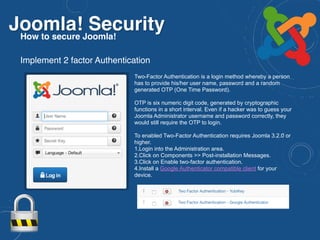
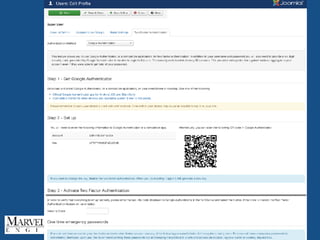
Two-Factor Authentication is a login method whereby a person
has to provide his/her user name, password and a random
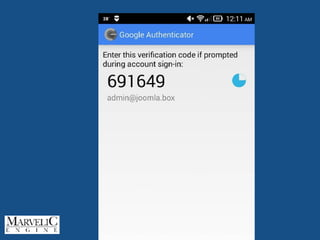
generated OTP (One Time Password).
OTP is six numeric digit code, generated by cryptographic
functions in a short interval. Even if a hacker was to guess your
Joomla Administrator username and password correctly, they
would still require the OTP to login.
To enabled Two-Factor Authentication requires Joomla 3.2.0 or
higher.
1.Login into the Administration area.
2.Click on Components >> Post-installation Messages.
3.Click on Enable two-factor authentication.
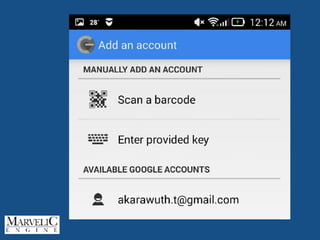
4.Install a Google Authenticator compatible client for your
device.
Implement 2 factor Authentication
Joomla! SecurityHow to secure Joomla!
Implement 2 factor Authentication
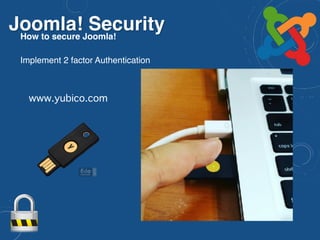
www.yubico.com
Joomla! SecurityHow to secure Joomla!
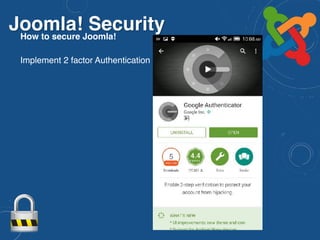
Implement 2 factor Authentication
Joomla! SecurityHow to secure Joomla!
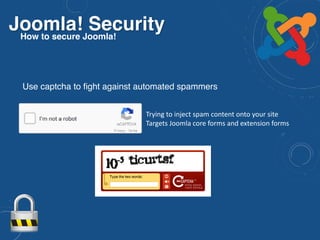
Trying to inject spam content onto your site
Targets Joomla core forms and extension forms
Use captcha to fight against automated spammers
Joomla! SecurityHow to secure Joomla!
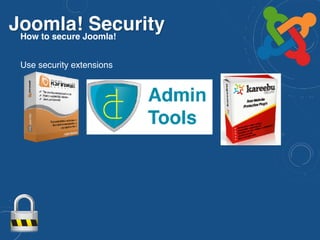
Use security extensions
Joomla! SecurityHow to secure Joomla!
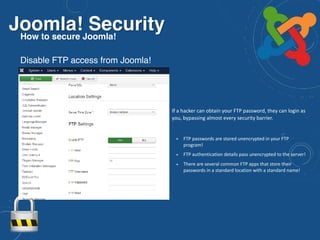
Disable FTP access from Joomla!
• If a hacker can obtain your FTP password, they can login as
you, bypassing almost every security barrier.
• FTP passwords are stored unencrypted in your FTP
program!
• FTP authentication details pass unencrypted to the server!
• There are several common FTP apps that store their
passwords in a standard location with a standard name!
Joomla! SecurityHow to secure Joomla!
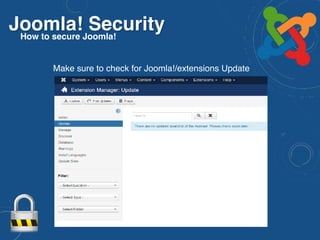
Make sure to check for Joomla!/extensions Update
Joomla! Security
How to secure Joomla!
Preparing for the Worst
Are you ready?
Joomla! SecurityHow to secure Joomla!
Preparing for the Worst
1. Site monitoring
2. Joomla site backups
3. Restoring a hacked site
Joomla! SecuritySite monitoring
• Diagnostics
• Site down
• Home page content changes
• Mod_security logs (shows attempts)
• Bandwidth use
• Spam blacklisting
• [3] Searching and browsing server logs
• Site Monitoring
• https://uptimerobot.com
• http://www.monitor.us
• https://watchful.li
• https://myjoomla.com
Joomla! SecurityJoomla! Backup
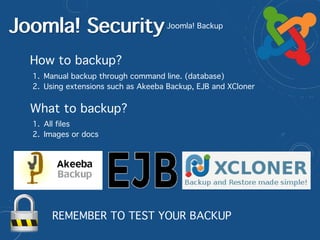
How to backup?
1. Manual backup through command line. (database)
2. Using extensions such as Akeeba Backup, EJB and XCloner
What to backup?
1. All files
2. Images or docs
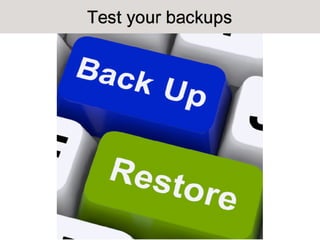
REMEMBER TO TEST YOUR BACKUP
https://developer.joomla.org/security.html
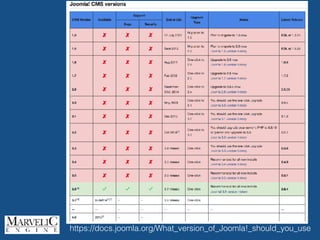
https://docs.joomla.org/What_version_of_Joomla!_should_you_use
• Secure Administrator Login with strong password
• ทำการ Backup เป็นประจำ
• Use secret key to login into Joomla Administration
add secret key to access administrator URL. เช่นใช้ jSecure & kSecure
http://extensions.joomla.org/extensions/access-a-security/site-security/login-protection
• Are you using latest secure version of Joomla?
การดูแลให้ Joomla! มีความปลอดภัย (1)
• Enable Search Engine Friendly (SEF)
• Delete unwanted & avoid third party un-identified developer’s
extension
• Scan your website (http://sitecheck.sucuri.net)
• ImplementTwo-FactorAuthentication 

การดูแลให้ Joomla! มีความปลอดภัย (2)
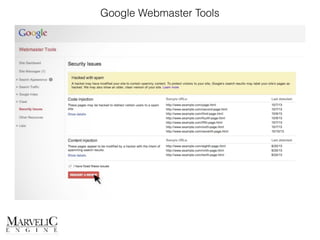
Google Webmaster Tools
Q & A

www.marvelic.co.th

www.joomlacorner.com

https://www.facebook.com/akarawuth
email : akarawuth@marvelic.co.th
Tel : 02-235-7629, 02-077-8366
...Security is a moving target, so today's expert might be tomorrow's victim...

OWASP Thailand 2016 - Joomla Security

  • 1.
    Joomla! Security http://slideshare.net/akarawuth ...Security isa moving target, so today's expert might be tomorrow's victim...
  • 2.
    About Me อัครวุฒิ ตำราเรียง
 AkarawuthTamrareang (JoomlaCorner) akarawuth@marvelic.co.th twitter: @joomlacorner www.marvelic.co.th www.joomlacorner.com Tel : 02-235-7629, 02-077-8366 - อุปนายกสมาคมศึกษาและพัฒนาโอเพ่นซอร์ส (OSEDA.or.th)
 - กรรมการผู้จัดการ Marvelic Engine Co.,Ltd. www.marvelic.co.th - Joomla! Bug Squad : joomla.org
 - Founder JoomlaCorner.com 
 - กรรมการควบคุมจริยธรรม สมาคมผู้ดูแลเว็บไทย - อดีตกรรมการบริหาร OpenSource Matters Inc.
 (Joomla Project) - ผู้อำนวยการฝ่ายเทคโนโลยีสารสนเทศ 
 สมาคมอาสาสมัครบรรเทาสาธารณภัยแห่งประเทศไทย - ที่ปรึกษาสมาคมการดับเพลิงและช่วยชีวิต 

  • 3.
  • 4.
    Definition of “Hacker” •Someone who deliberately seeks to bypass a server’s security • Black, grey, white hats • A hacked site is a broken/compromised site • A skilled computer programmer • A hacked site is a tweaked and improved site • A script kiddie • Junior hacker using other hacker’s tools and techniques
  • 5.
    Hack เพื่ออะไร? • โชว์ว่าทำได้ •ต้องการโจมตี • เพื่อการแสดงตัวตนในสังคมที่เขาอยู่ • เหตุผลทางการเมือง – hacktivism • เป้าหมายทางการเงิน • Theft – steal ebooks, videos, games, online services etc • Sell data – user profiles, credit card details etc • Industrial sabotage - paid to break competitor sites • Set up zombie farms • Steal bandwidth • Host phishing pages • Collect passwords
  • 6.
    เราจะรู้ได้อย่างไรว่าเว็บถูกแฮ็ก? • Site trashed •Hacking message • High bandwidth use • Changed admin password • New user with admin rights • Server logs
  • 7.
    Why do wecare about computer security?
  • 8.
    No ONE isSAFE! Type of site Motivation Any site To see if they can To create mayhem Social standing Post political messages Zombie farms Steal bandwidth Host phishing pages Any membership site Sell user profiles to marketers Obtain usernames and passwords Some ecommerce sites Sell credit card details to thieves Sell order history and contact details to marketers
  • 9.
  • 10.
  • 11.
  • 12.
  • 13.
    • Server operatingsystem • Server Software • PHP + MySQL ! Joomla ! Extensions ! Users and their behaviour Joomla! Security Involves
  • 14.
    1. Updating YourServer Operating System 2. Update your Server Software e.g. Apache, Nginx, IIS, Litespeed etc 3. Update Your PHP & MySQL Server 4. Secure Your Server Security Action plan
  • 15.
    Joomla! Security Server ~Security 1. The underlying Operating System must be updated 2. Updating the Webserver 
 e.g. Apache, Nginx etc 3. Updating the PHP and MySQL 4. Securing the Above 5. Installing additional Security layers
  • 16.
    Joomla! Security Server ~Security Hardening 1. Securing Apache Webserver
 Adding web headers to block XSS etc. <IfModule mod_headers.c> Header set X-XSS-Protection: "1; mode=block" Header set X-Content-Security-Policy: "allow 'self'; options inline-script; img$ Header set Strict-Transport-Security: "max-age=43200; includeSubDomains" Header set Cache-Control: "max-age=3600, public, must-revalidate" Header set X-frame-options: "deny" Header set X-Content-Type-Options: "nosniff" #Header set X-Content-Security-Policy: "default-src 'self'" Header unset X-Powered-By Header unset X-Pingback </IfModule> 2. Hide Server Signature
  • 17.
    Joomla! Security Server ~Security Hardening 3. Activating .htaccess override in Apache conf • .htaccess files • [1] Activate the htaccess file in the Joomla root • [1] Use an .htpasswd for the /administrator/ folder • [3] Advanced .htaccess files
  • 18.
    Joomla! Security Server ~Security Hardening 1. Hardening PHP with SUHOSIN 2. Use PHP Disable function 
 show_source, system, shell_exec, passthru, exec, phpinfo, popen, proc_open 3. Do not expose PHP Version expose_php = off 4. Use open_basedir (restriction file handling functions)
  • 19.
    Joomla! Security Server ~Security Hardening • Globally reset all files • Owner – AccountUsername:AccountUsername
 chown -R user:group * • Files – 644
 find . -type f -exec chmod 644 {} ; • Folders – 755
 find . -type d -exec chmod 755 {} ; Use suPHP PHP files are run under the user of the website instead of the Apache user
  • 20.
    Joomla! Security Server ~Security Hardening 1. Hardening MySQL server 2. Disable access from outside (allow local connections) 3. Make sure using Password or after setup, run mysql_secure_installation command
  • 21.
    Joomla! Security Server ~Additional Security Hardening 1. Add additional firewall e.g. CSF firewall 2. Add modsecurity firewall ~
 apache module that helps to protect your website from various attacks. It is used to block commonly known exploits by use of regular expressions and rule sets 3. Install Malware detector such as maldet 4. Install rootkit detector 5. Install fail2ban / IDS (intrusion detector)
  • 22.
    Joomla! Security Use CDNfor security 1. Prevent DDOS 2. Stop Hackers 3. Secure website from attack
  • 23.
  • 24.
    Upgrade to thelatest stable version of Joomla! as soon as possible. Download Joomla! from official sites only, such as JoomlaCode.org, and check the MD5 hash. Use Web Page Diagnostic Tools, i.e. Firefox Firebug, IE Web Developer Toolbar, Opera Dragonfly, etc. to ensure that all files were installed correctly. Joomla! Security Checklist https://docs.joomla.org/Security Install official versions of Joomla! http://www.joomla.org/download.html Install official Updates from Joomla! To avoid breaking your site, search the forums for reports of incompatible extensions before upgrading to a new version of Joomla.

  • 25.
    Joomla! Security Checklisthttps://docs.joomla.org/Security Defaultadministrator username Change the user name of the default admin user. This simple step effectively increases the security of this critical account 50% by modifying one of the two variables attackers must know to gain access. Never use easy to guess passwords, avoid at no cost. 
 e.g. admin123, passwords, 123456 Use mix characters (upper and lower case) with special characters. 
 e.g F1$hn3Tw0Rk, use more than 8 digits Administrator passwords
  • 26.
    Joomla! Security Checklist https://docs.joomla.org/Security Limitsuperadmin Less superadmin, mean less problem Disable registration, if you are not running social sites, or if your website is limited to your employee If you are not running Social site, disable registration
  • 27.
    Joomla! Security Checklist https://docs.joomla.org/Security Protectingdirectories and files All configurable path must be rewritable Must never use chmod 777, chmod 755 is sufficient for directories and 644 for files. Use .htaccess to disable directories such as images and download from running php files. # secure directory by disabling script execution AddHandler cgi-script .php .pl .py .jsp .asp .htm .shtml .sh .cgi Options -ExecCGI
  • 28.
    Joomla! Security Checklist https://docs.joomla.org/Security Removeall unneeded files and extensions All unneeded and unused files and extensions must be remove In general, do not leave any unneeded files (compressed or otherwise) on a public server. Each unused (and perhaps long forgotten) file is a potential security hole.
  • 29.
    Joomla! Security Checklist https://docs.joomla.org/Security InstallingJoomla! Extensions 1. Always backup 2. Check for extension vulnerabilities 3. Download from trusted site 4. Check code quality of the extensions 5. Test on development site 6. Remove junk 7. Avoid encrypted code
  • 30.
    Joomla! SecurityHow tosecure Joomla! เปิดใช้งาน SEF เพื่อสร้างเว็บไซต์ที่มี URL ที่ง่ายต่อการค้นหา ทั้งยังช่วย สร้างความปลอดภัยทำให้ผู้ไม่หวังดีทราบเครื่องมือที่ใช้ในการพัฒนาเว็บ ได้ยากขึ้น โดยเข้าไปตั้งค่า SEF ได้ที่
 
 Site >> Global Configuration บน tab Site เลือก “Yes” ในหัวข้อ Search Engine Friendly URLs Enable Search Engine Friendly (SEF)
  • 31.
    Joomla! SecurityHow tosecure Joomla! Two-Factor Authentication is a login method whereby a person has to provide his/her user name, password and a random generated OTP (One Time Password). OTP is six numeric digit code, generated by cryptographic functions in a short interval. Even if a hacker was to guess your Joomla Administrator username and password correctly, they would still require the OTP to login. To enabled Two-Factor Authentication requires Joomla 3.2.0 or higher. 1.Login into the Administration area. 2.Click on Components >> Post-installation Messages. 3.Click on Enable two-factor authentication. 4.Install a Google Authenticator compatible client for your device. Implement 2 factor Authentication
  • 32.
    Joomla! SecurityHow tosecure Joomla! Implement 2 factor Authentication www.yubico.com
  • 33.
    Joomla! SecurityHow tosecure Joomla! Implement 2 factor Authentication
  • 37.
    Joomla! SecurityHow tosecure Joomla! Trying to inject spam content onto your site Targets Joomla core forms and extension forms Use captcha to fight against automated spammers
  • 38.
    Joomla! SecurityHow tosecure Joomla! Use security extensions
  • 39.
    Joomla! SecurityHow tosecure Joomla! Disable FTP access from Joomla! • If a hacker can obtain your FTP password, they can login as you, bypassing almost every security barrier. • FTP passwords are stored unencrypted in your FTP program! • FTP authentication details pass unencrypted to the server! • There are several common FTP apps that store their passwords in a standard location with a standard name!
  • 40.
    Joomla! SecurityHow tosecure Joomla! Make sure to check for Joomla!/extensions Update
  • 41.
    Joomla! Security How tosecure Joomla! Preparing for the Worst Are you ready?
  • 42.
    Joomla! SecurityHow tosecure Joomla! Preparing for the Worst 1. Site monitoring 2. Joomla site backups 3. Restoring a hacked site
  • 43.
    Joomla! SecuritySite monitoring •Diagnostics • Site down • Home page content changes • Mod_security logs (shows attempts) • Bandwidth use • Spam blacklisting • [3] Searching and browsing server logs • Site Monitoring • https://uptimerobot.com • http://www.monitor.us • https://watchful.li • https://myjoomla.com
  • 44.
    Joomla! SecurityJoomla! Backup Howto backup? 1. Manual backup through command line. (database) 2. Using extensions such as Akeeba Backup, EJB and XCloner What to backup? 1. All files 2. Images or docs REMEMBER TO TEST YOUR BACKUP
  • 46.
  • 47.
  • 49.
    • Secure AdministratorLogin with strong password • ทำการ Backup เป็นประจำ • Use secret key to login into Joomla Administration add secret key to access administrator URL. เช่นใช้ jSecure & kSecure http://extensions.joomla.org/extensions/access-a-security/site-security/login-protection • Are you using latest secure version of Joomla? การดูแลให้ Joomla! มีความปลอดภัย (1)
  • 50.
    • Enable SearchEngine Friendly (SEF) • Delete unwanted & avoid third party un-identified developer’s extension • Scan your website (http://sitecheck.sucuri.net) • ImplementTwo-FactorAuthentication 
 การดูแลให้ Joomla! มีความปลอดภัย (2)
  • 53.
  • 54.
    Q & A
 www.marvelic.co.th
 www.joomlacorner.com
 https://www.facebook.com/akarawuth email: akarawuth@marvelic.co.th Tel : 02-235-7629, 02-077-8366 ...Security is a moving target, so today's expert might be tomorrow's victim...