Open Source Monitoring Conference 2017
Log monitoring with
Logstash and Icinga
An introduction to log monitoring
Open Source Monitoring Conference 2017
Who are we
• Walter Heck, Founder & CTO of
OlinData (http://www.olindata.com)
• Oliver Lowe, DevOps Consultant of
OlinData (http://www.olindata.com)
Open Source Monitoring Conference 2017
Overview
• What is Elastic/Logstash/Filebeat and why should you
care?
• Logstash outputs
• Outputting to Icinga, why?
• An example scenario: backups
• Alternatives
• Demo!
Open Source Monitoring Conference 2017
What is Elastic and why should you care?
• Open Source ‘fancy’ fulltext search engine
• Among other things used for centralised logging
• Just as monitoring should be a first class citizen in a
modern infrastructure, so should logging
Open Source Monitoring Conference 2017
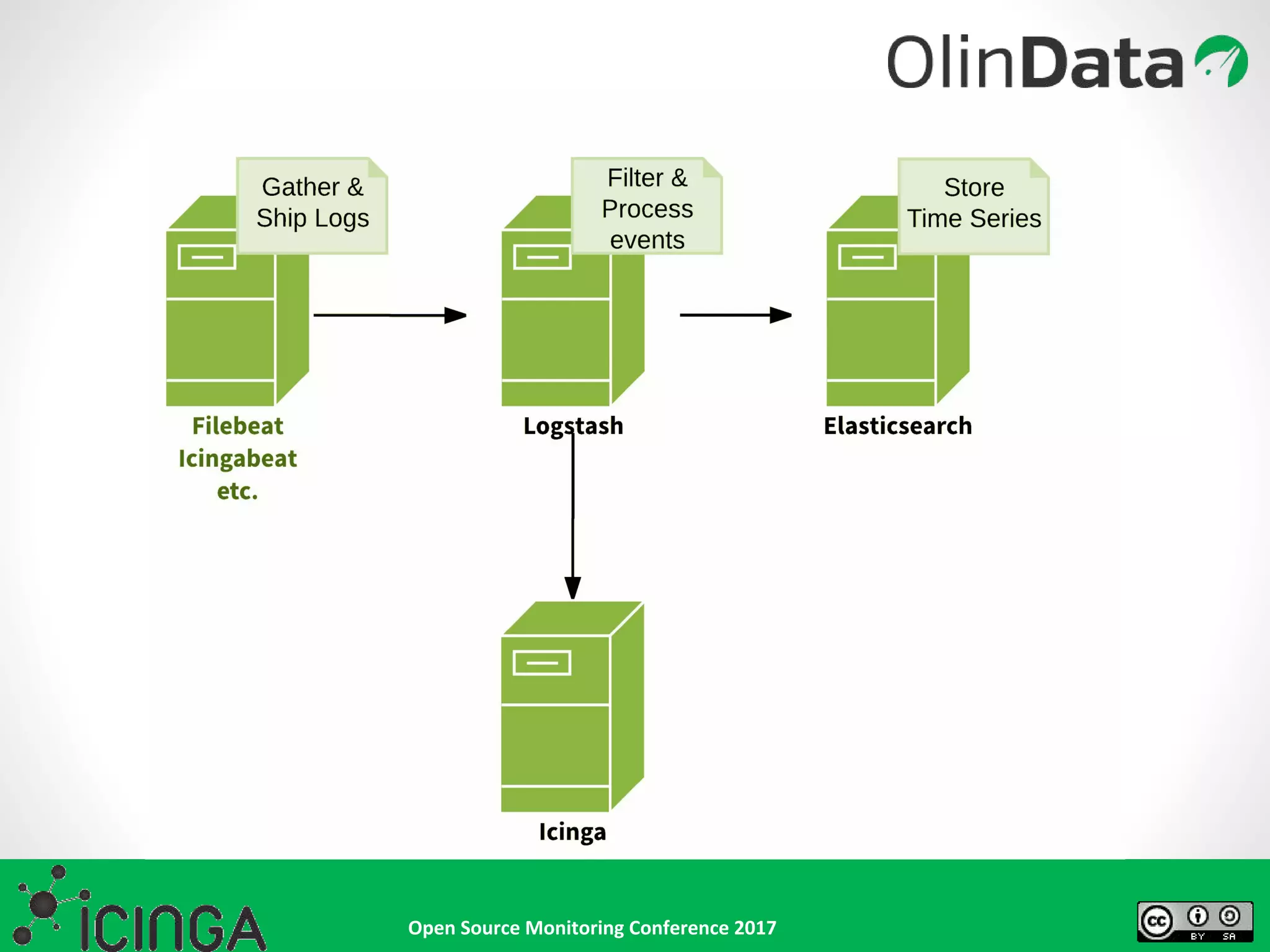
• Essentially tails a given
set of files and sends new
events to defined outputs
• Output can be straight
to Elastic, but
commonly first to
Logstash
• Specify the type of
document or input to
allow for further
processing at a later stage
What is Filebeat and why should you care?
filebeat.prospectors:
- input_type: log
paths:
- /var/log/backup.log
output.logstash:
hosts: ["localhost:5044"]
Open Source Monitoring Conference 2017
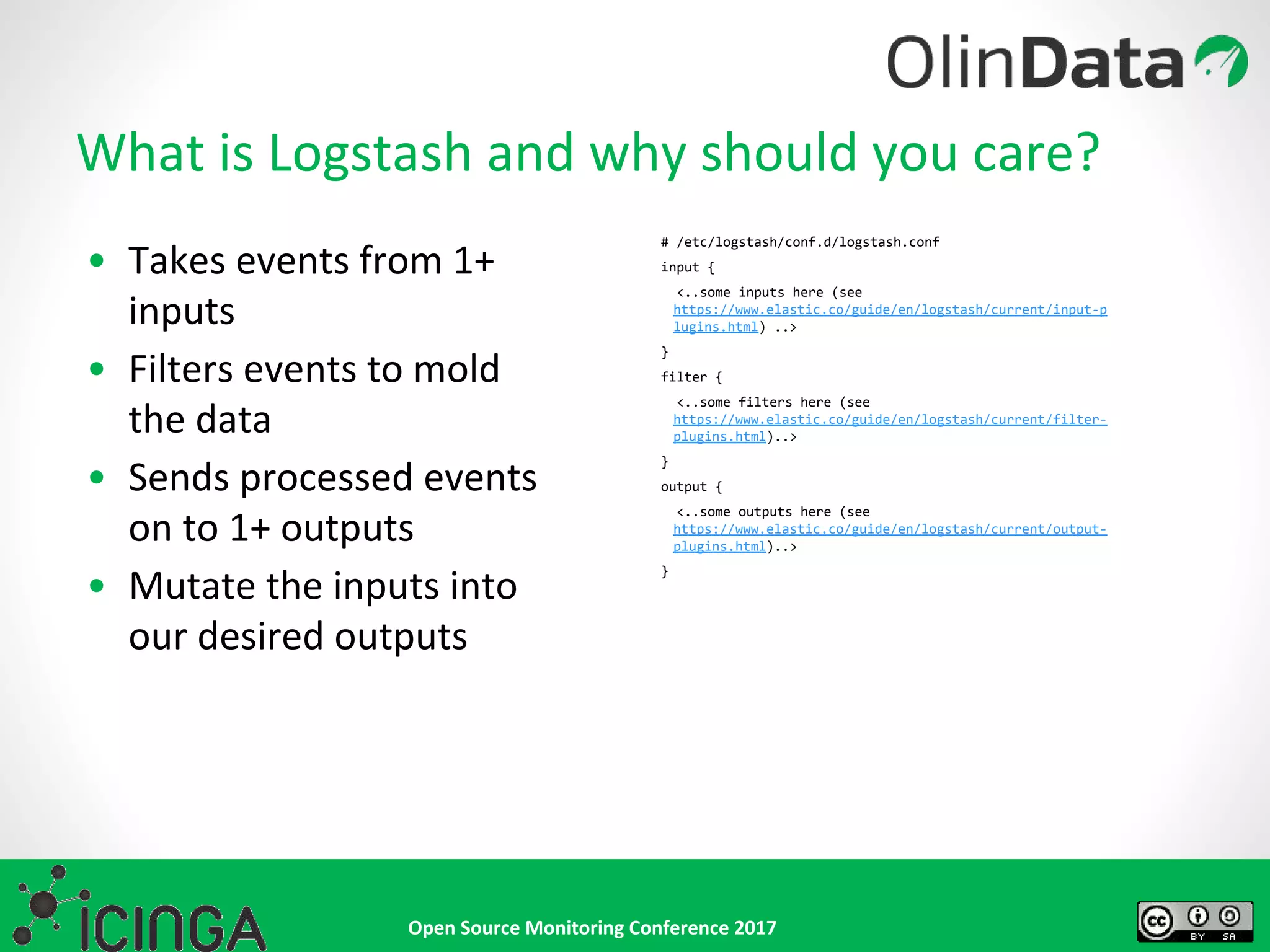
• Takes events from 1+
inputs
• Filters events to mold
the data
• Sends processed events
on to 1+ outputs
• Mutate the inputs into
our desired outputs
What is Logstash and why should you care?
# /etc/logstash/conf.d/logstash.conf
input {
<..some inputs here (see
https://www.elastic.co/guide/en/logstash/current/input-p
lugins.html) ..>
}
filter {
<..some filters here (see
https://www.elastic.co/guide/en/logstash/current/filter-
plugins.html)..>
}
output {
<..some outputs here (see
https://www.elastic.co/guide/en/logstash/current/output-
plugins.html)..>
}
Open Source Monitoring Conference 2017
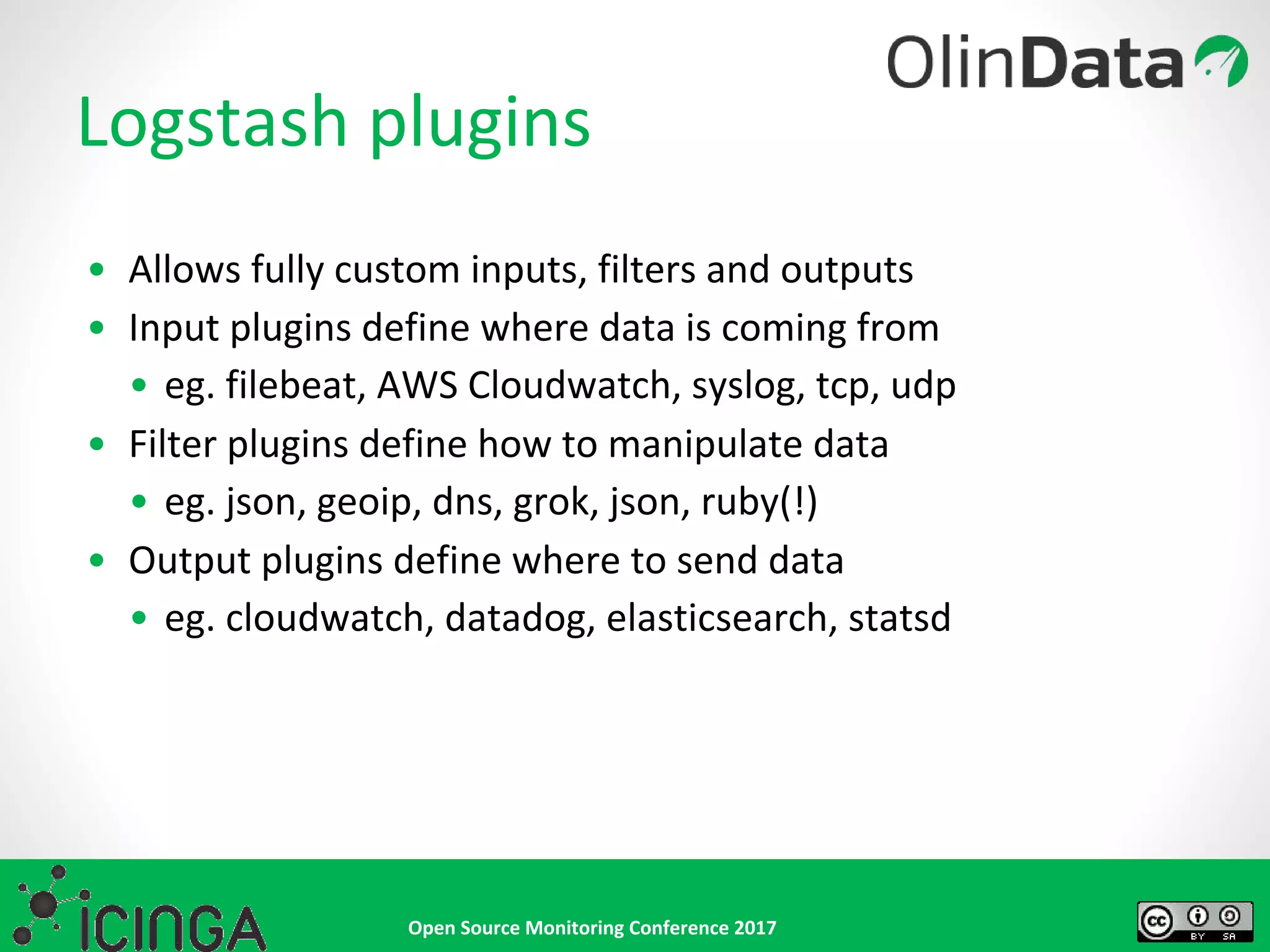
Logstash plugins
• Allows fully custom inputs, filters and outputs
• Input plugins define where data is coming from
• eg. filebeat, AWS Cloudwatch, syslog, tcp, udp
• Filter plugins define how to manipulate data
• eg. json, geoip, dns, grok, json, ruby(!)
• Output plugins define where to send data
• eg. cloudwatch, datadog, elasticsearch, statsd
Open Source Monitoring Conference 2017
The Logstash Icinga Output plugin
• Allows taking action in Icinga based on events
encountered in logstash
• Uses Icinga API to accomplish this
https://github.com/Icinga/logstash-output-icinga/
Open Source Monitoring Conference 2017
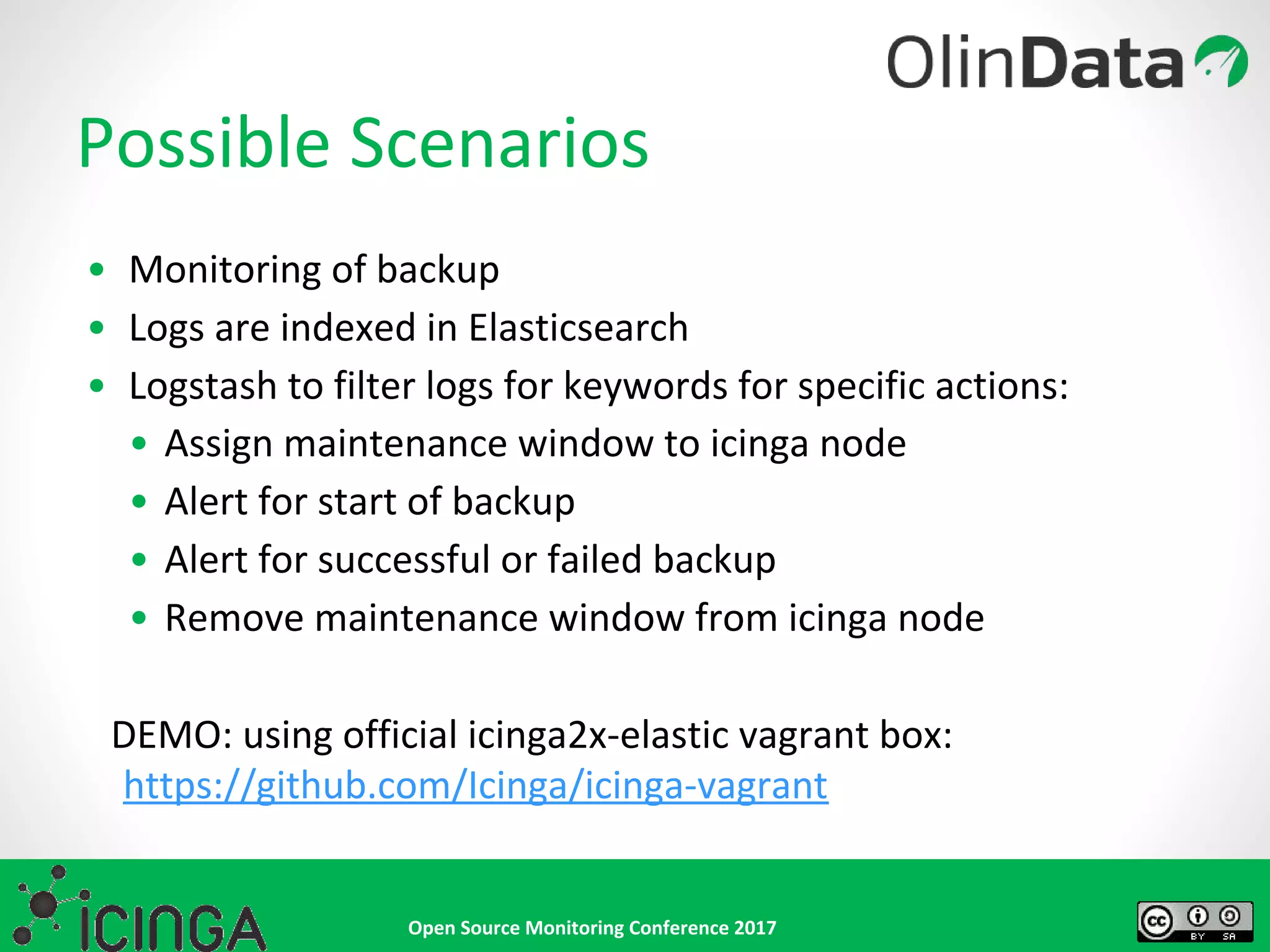
• Monitoring of backup
• Logs are indexed in Elasticsearch
• Logstash to filter logs for keywords for specific actions:
• Assign maintenance window to icinga node
• Alert for start of backup
• Alert for successful or failed backup
• Remove maintenance window from icinga node
DEMO: using official icinga2x-elastic vagrant box:
https://github.com/Icinga/icinga-vagrant
Possible Scenarios
Open Source Monitoring Conference 2017
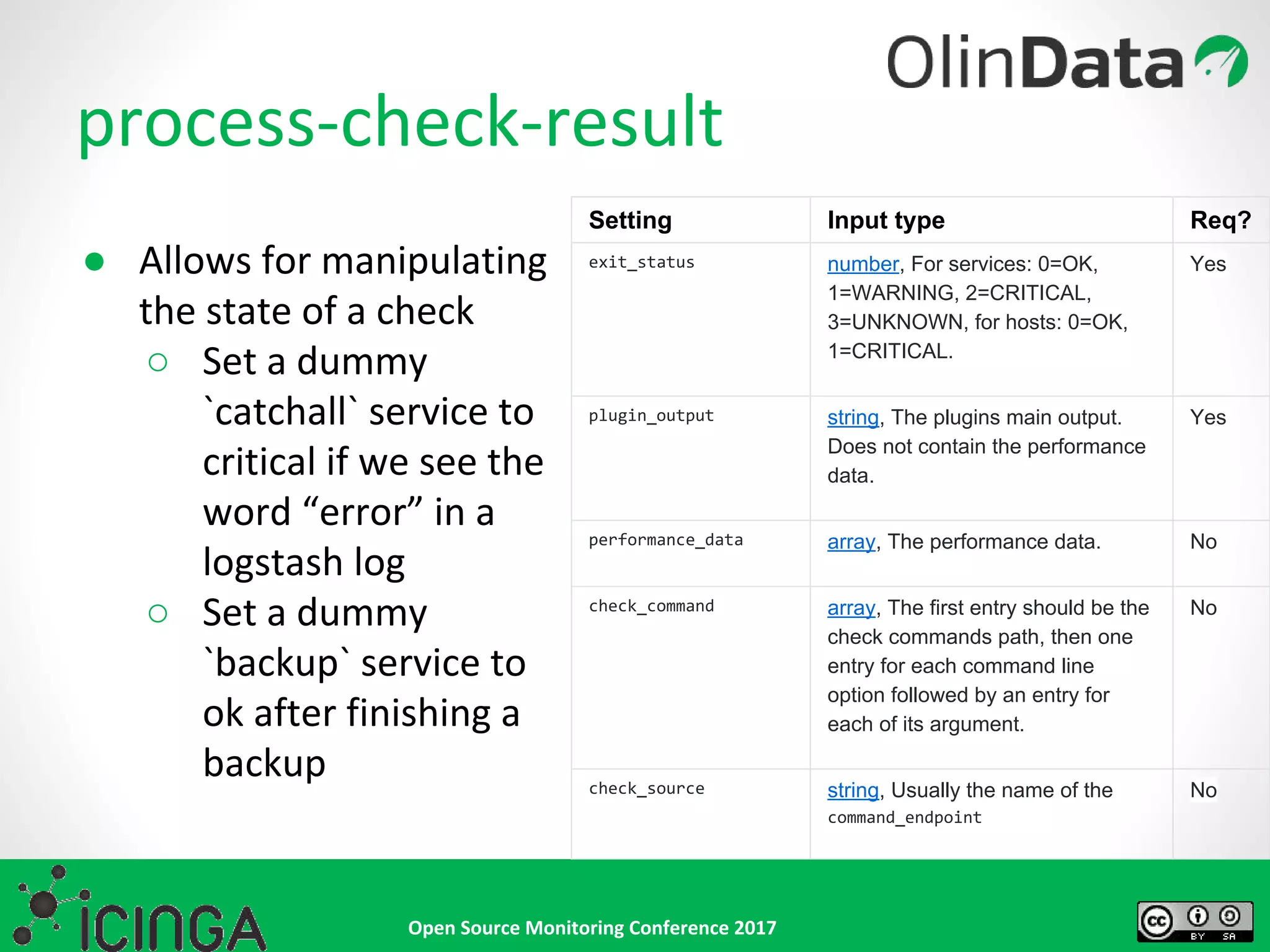
process-check-result
● Allows for manipulating
the state of a check
○ Set a dummy
`catchall` service to
critical if we see the
word “error” in a
logstash log
○ Set a dummy
`backup` service to
ok after finishing a
backup
Setting Input type Req?
exit_status number, For services: 0=OK,
1=WARNING, 2=CRITICAL,
3=UNKNOWN, for hosts: 0=OK,
1=CRITICAL.
Yes
plugin_output string, The plugins main output.
Does not contain the performance
data.
Yes
performance_data array, The performance data. No
check_command array, The first entry should be the
check commands path, then one
entry for each command line
option followed by an entry for
each of its argument.
No
check_source string, Usually the name of the
command_endpoint
No
Open Source Monitoring Conference 2017
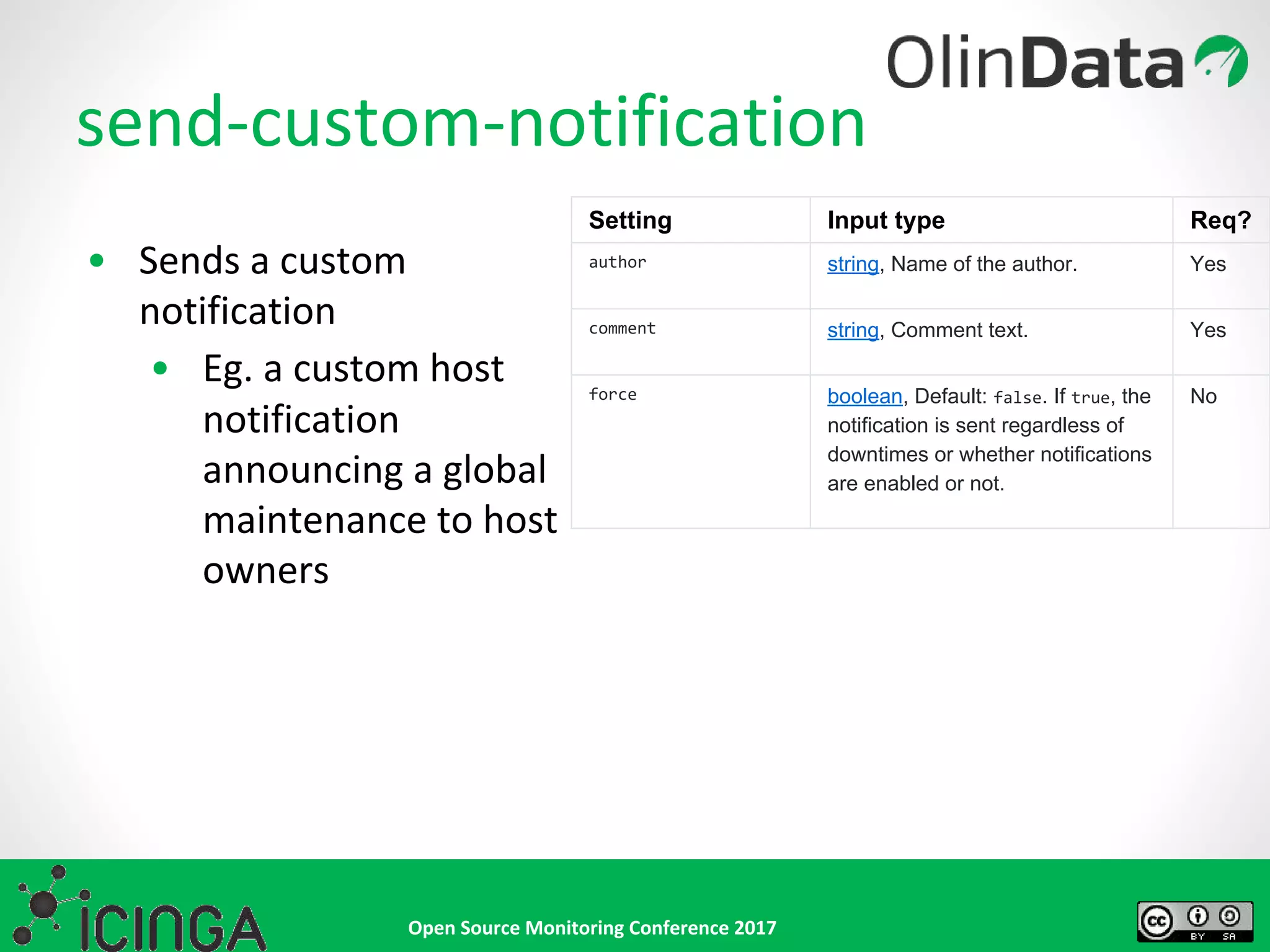
send-custom-notification
• Sends a custom
notification
• Eg. a custom host
notification
announcing a global
maintenance to host
owners
Setting Input type Req?
author string, Name of the author. Yes
comment string, Comment text. Yes
force boolean, Default: false. If true, the
notification is sent regardless of
downtimes or whether notifications
are enabled or not.
No
Open Source Monitoring Conference 2017
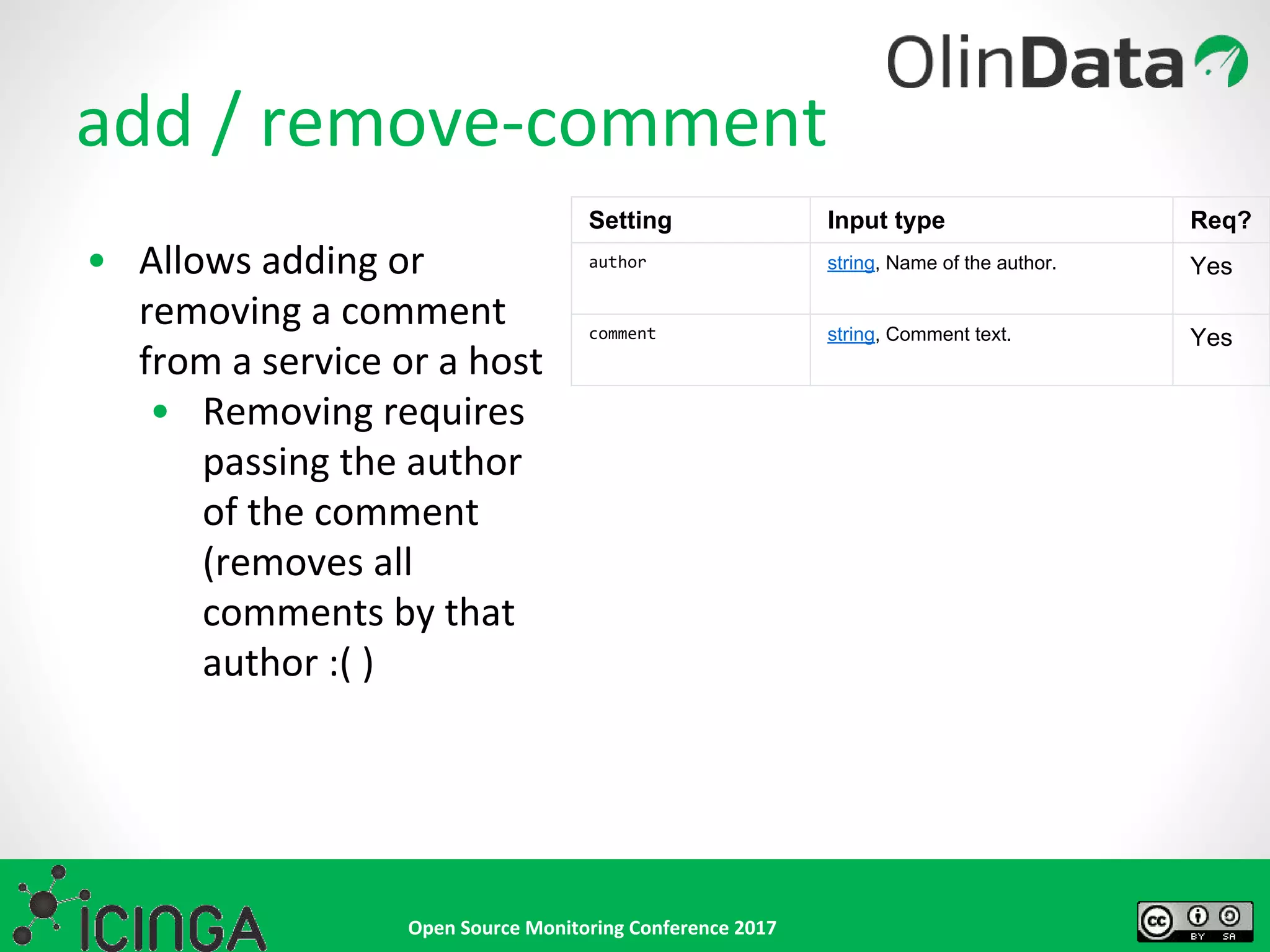
add / remove-comment
• Allows adding or
removing a comment
from a service or a host
• Removing requires
passing the author
of the comment
(removes all
comments by that
author :( )
Setting Input type Req?
author string, Name of the author. Yes
comment string, Comment text. Yes
Open Source Monitoring Conference 2017
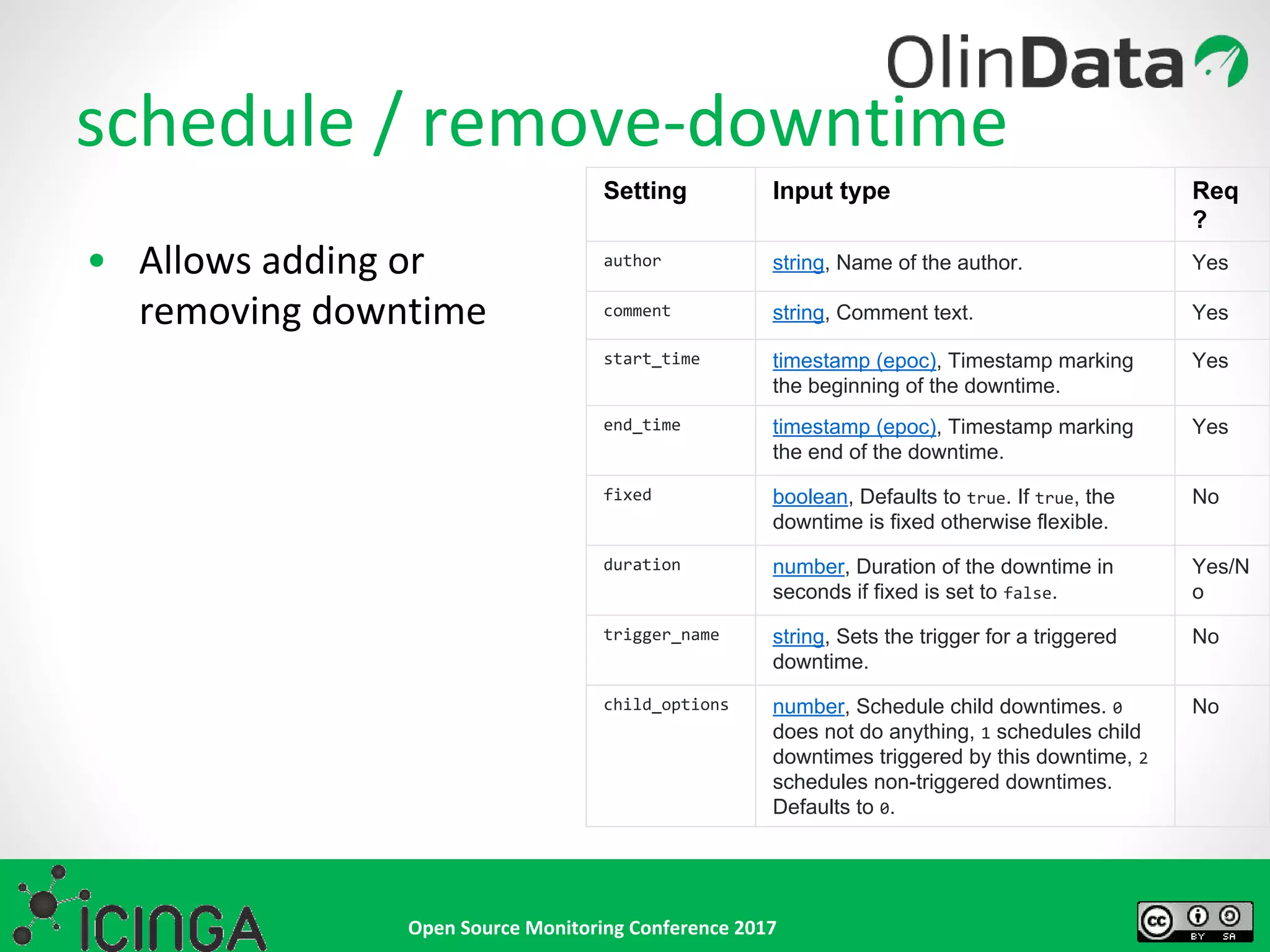
schedule / remove-downtime
• Allows adding or
removing downtime
Setting Input type Req
?
author string, Name of the author. Yes
comment string, Comment text. Yes
start_time timestamp (epoc), Timestamp marking
the beginning of the downtime.
Yes
end_time timestamp (epoc), Timestamp marking
the end of the downtime.
Yes
fixed boolean, Defaults to true. If true, the
downtime is fixed otherwise flexible.
No
duration number, Duration of the downtime in
seconds if fixed is set to false.
Yes/N
o
trigger_name string, Sets the trigger for a triggered
downtime.
No
child_options number, Schedule child downtimes. 0
does not do anything, 1 schedules child
downtimes triggered by this downtime, 2
schedules non-triggered downtimes.
Defaults to 0.
No
Open Source Monitoring Conference 2017
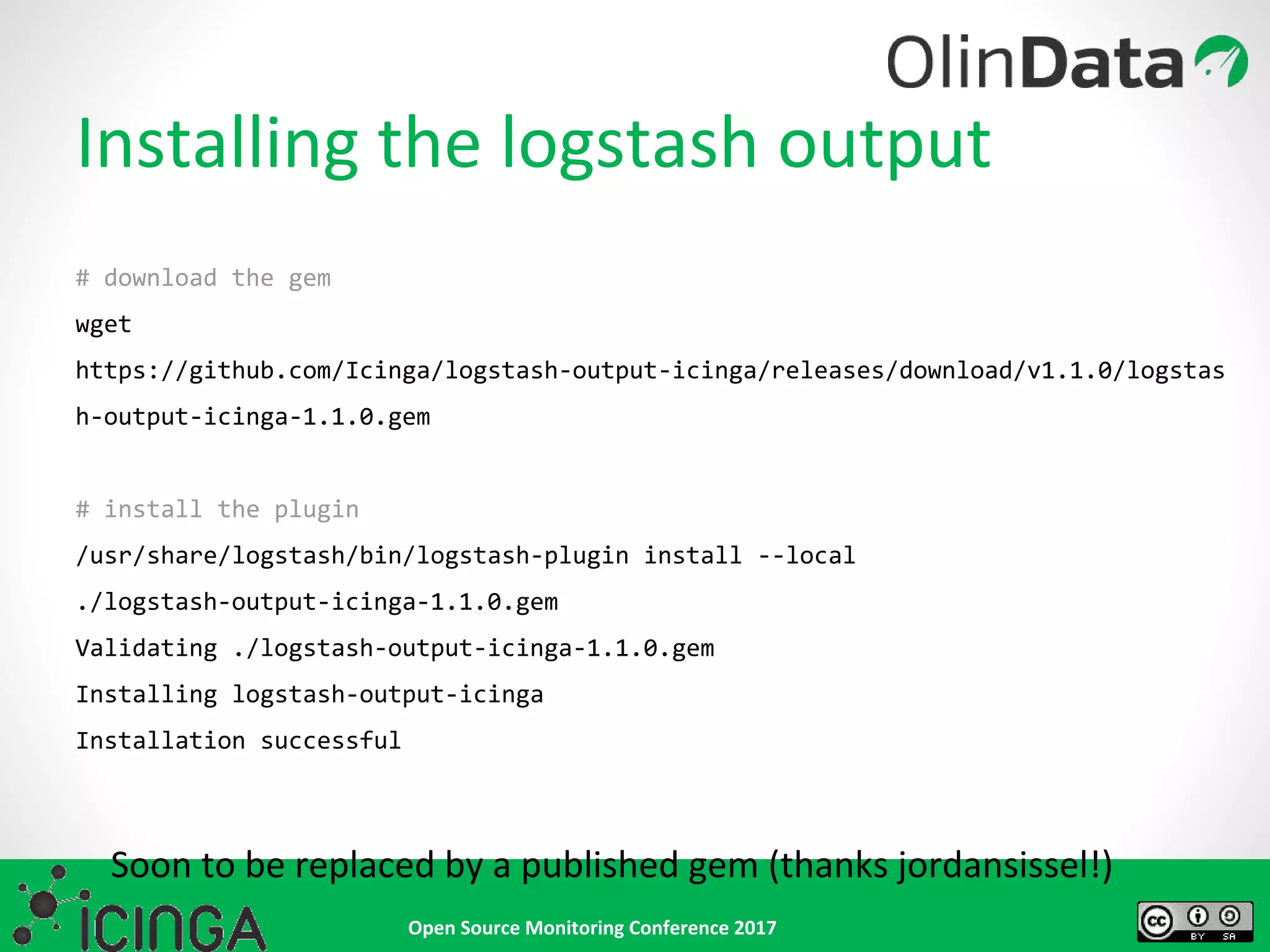
Installing the logstash output
# download the gem
wget
https://github.com/Icinga/logstash-output-icinga/releases/download/v1.1.0/logstas
h-output-icinga-1.1.0.gem
# install the plugin
/usr/share/logstash/bin/logstash-plugin install --local
./logstash-output-icinga-1.1.0.gem
Validating ./logstash-output-icinga-1.1.0.gem
Installing logstash-output-icinga
Installation successful
Soon to be replaced by a published gem (thanks jordansissel!)
Open Source Monitoring Conference 2017
Configure Icinga
object ApiUser "icinga" {
password = "icinga"
client_cn = NodeName
permissions = [ "*" ]
}
apply Service "backup" {
import "generic-service"
check_command = "dummy"
assign where host.address
}
Open Source Monitoring Conference 2017
input {
beats {
port => 5044
type => "logs"
}
}
filter {
if [syslog_severity] == "error" {
mutate {
replace => { "exit_status" => "2" }
}
}
if [source] == "/var/log/mypreciouslog.json" {
json {
source => "message"
}
}
}
Configure logstash
output {
icinga {
host => 'localhost'
user => 'icinga'
password => 'icinga'
ssl_verify => false
action => 'process-check-result'
action_config => {
exit_status => "%{exit_status}"
plugin_output => "%{message}"
}
icinga_host => "%{hostname}"
icinga_service => "backup"
}
elasticsearch {
hosts => [ "localhost:9200" ]
}
stdout {
}
}
Open Source Monitoring Conference 2017
Demo time!
(brace yourselves..)
Open Source Monitoring Conference 2017
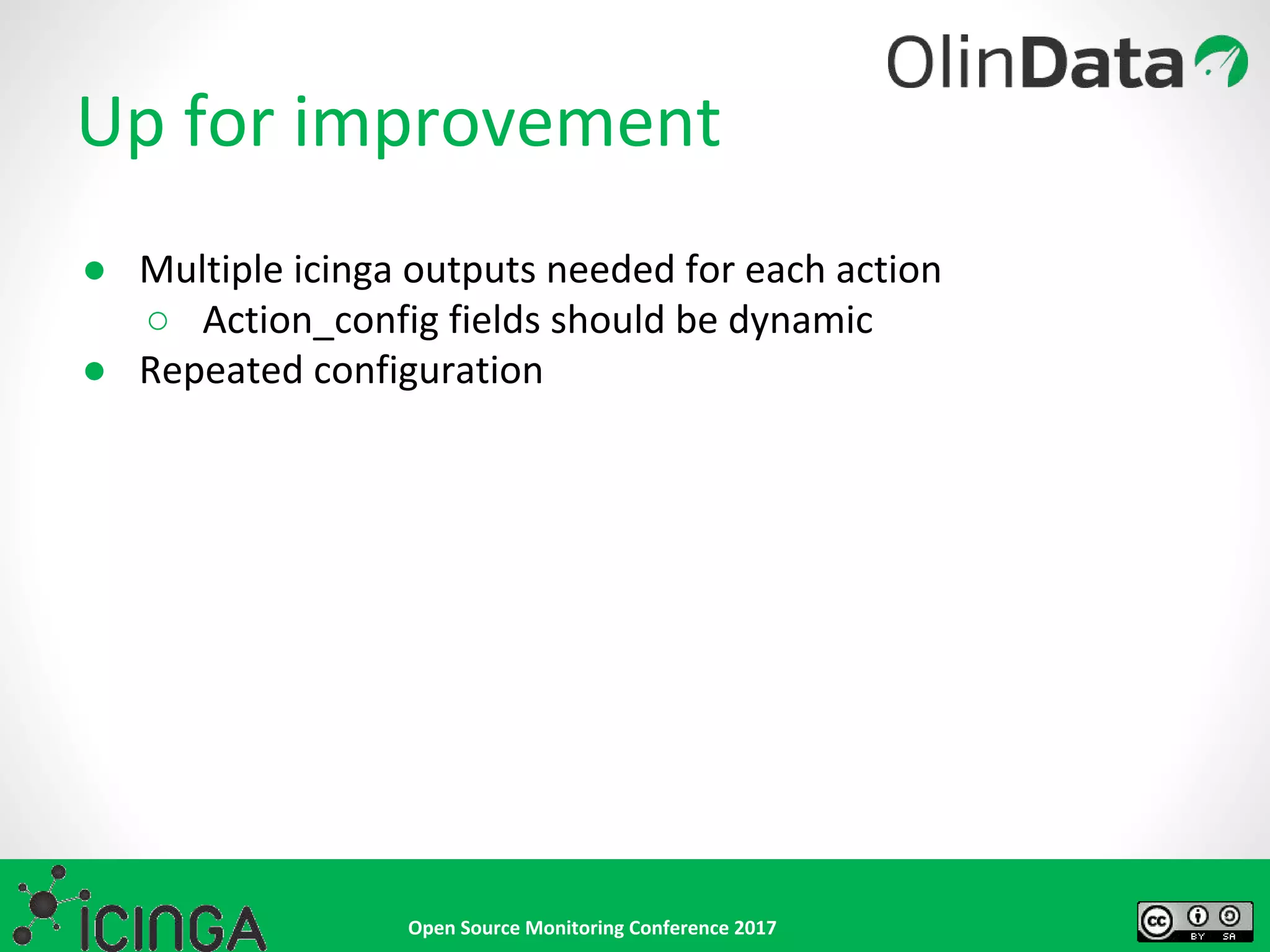
Up for improvement
● Multiple icinga outputs needed for each action
○ Action_config fields should be dynamic
● Repeated configuration
Open Source Monitoring Conference 2017
• Elasticsearch Watcher (operates on elasticsearch level!)
• Provided via X-Pack (commercial)
• Provides alerting on cluster and index events
• Allows notification via Slack, email or supported
mechanisms
• Splunk?
Alternative(s)
Open Source Monitoring Conference 2017
We’re hiring!
NL based consultants
jobs@olindata.com
Open Source Monitoring Conference 2017
Questions?
@walterheck / @olindata
http://www.olindata.com
walterheck@olindata.com
oliver@olindata.com
http://github.com/olindata

OSMC 2017 | Log Monitoring with Logstash and Icinga by Walter Heck

  • 1.
    Open Source MonitoringConference 2017 Log monitoring with Logstash and Icinga An introduction to log monitoring
  • 2.
    Open Source MonitoringConference 2017 Who are we • Walter Heck, Founder & CTO of OlinData (http://www.olindata.com) • Oliver Lowe, DevOps Consultant of OlinData (http://www.olindata.com)
  • 3.
    Open Source MonitoringConference 2017 Overview • What is Elastic/Logstash/Filebeat and why should you care? • Logstash outputs • Outputting to Icinga, why? • An example scenario: backups • Alternatives • Demo!
  • 4.
    Open Source MonitoringConference 2017 What is Elastic and why should you care? • Open Source ‘fancy’ fulltext search engine • Among other things used for centralised logging • Just as monitoring should be a first class citizen in a modern infrastructure, so should logging
  • 5.
    Open Source MonitoringConference 2017 • Essentially tails a given set of files and sends new events to defined outputs • Output can be straight to Elastic, but commonly first to Logstash • Specify the type of document or input to allow for further processing at a later stage What is Filebeat and why should you care? filebeat.prospectors: - input_type: log paths: - /var/log/backup.log output.logstash: hosts: ["localhost:5044"]
  • 6.
    Open Source MonitoringConference 2017 • Takes events from 1+ inputs • Filters events to mold the data • Sends processed events on to 1+ outputs • Mutate the inputs into our desired outputs What is Logstash and why should you care? # /etc/logstash/conf.d/logstash.conf input { <..some inputs here (see https://www.elastic.co/guide/en/logstash/current/input-p lugins.html) ..> } filter { <..some filters here (see https://www.elastic.co/guide/en/logstash/current/filter- plugins.html)..> } output { <..some outputs here (see https://www.elastic.co/guide/en/logstash/current/output- plugins.html)..> }
  • 7.
    Open Source MonitoringConference 2017 Logstash plugins • Allows fully custom inputs, filters and outputs • Input plugins define where data is coming from • eg. filebeat, AWS Cloudwatch, syslog, tcp, udp • Filter plugins define how to manipulate data • eg. json, geoip, dns, grok, json, ruby(!) • Output plugins define where to send data • eg. cloudwatch, datadog, elasticsearch, statsd
  • 8.
    Open Source MonitoringConference 2017 The Logstash Icinga Output plugin • Allows taking action in Icinga based on events encountered in logstash • Uses Icinga API to accomplish this https://github.com/Icinga/logstash-output-icinga/
  • 9.
    Open Source MonitoringConference 2017
  • 10.
    Open Source MonitoringConference 2017 • Monitoring of backup • Logs are indexed in Elasticsearch • Logstash to filter logs for keywords for specific actions: • Assign maintenance window to icinga node • Alert for start of backup • Alert for successful or failed backup • Remove maintenance window from icinga node DEMO: using official icinga2x-elastic vagrant box: https://github.com/Icinga/icinga-vagrant Possible Scenarios
  • 11.
    Open Source MonitoringConference 2017 process-check-result ● Allows for manipulating the state of a check ○ Set a dummy `catchall` service to critical if we see the word “error” in a logstash log ○ Set a dummy `backup` service to ok after finishing a backup Setting Input type Req? exit_status number, For services: 0=OK, 1=WARNING, 2=CRITICAL, 3=UNKNOWN, for hosts: 0=OK, 1=CRITICAL. Yes plugin_output string, The plugins main output. Does not contain the performance data. Yes performance_data array, The performance data. No check_command array, The first entry should be the check commands path, then one entry for each command line option followed by an entry for each of its argument. No check_source string, Usually the name of the command_endpoint No
  • 12.
    Open Source MonitoringConference 2017 send-custom-notification • Sends a custom notification • Eg. a custom host notification announcing a global maintenance to host owners Setting Input type Req? author string, Name of the author. Yes comment string, Comment text. Yes force boolean, Default: false. If true, the notification is sent regardless of downtimes or whether notifications are enabled or not. No
  • 13.
    Open Source MonitoringConference 2017 add / remove-comment • Allows adding or removing a comment from a service or a host • Removing requires passing the author of the comment (removes all comments by that author :( ) Setting Input type Req? author string, Name of the author. Yes comment string, Comment text. Yes
  • 14.
    Open Source MonitoringConference 2017 schedule / remove-downtime • Allows adding or removing downtime Setting Input type Req ? author string, Name of the author. Yes comment string, Comment text. Yes start_time timestamp (epoc), Timestamp marking the beginning of the downtime. Yes end_time timestamp (epoc), Timestamp marking the end of the downtime. Yes fixed boolean, Defaults to true. If true, the downtime is fixed otherwise flexible. No duration number, Duration of the downtime in seconds if fixed is set to false. Yes/N o trigger_name string, Sets the trigger for a triggered downtime. No child_options number, Schedule child downtimes. 0 does not do anything, 1 schedules child downtimes triggered by this downtime, 2 schedules non-triggered downtimes. Defaults to 0. No
  • 15.
    Open Source MonitoringConference 2017 Installing the logstash output # download the gem wget https://github.com/Icinga/logstash-output-icinga/releases/download/v1.1.0/logstas h-output-icinga-1.1.0.gem # install the plugin /usr/share/logstash/bin/logstash-plugin install --local ./logstash-output-icinga-1.1.0.gem Validating ./logstash-output-icinga-1.1.0.gem Installing logstash-output-icinga Installation successful Soon to be replaced by a published gem (thanks jordansissel!)
  • 16.
    Open Source MonitoringConference 2017 Configure Icinga object ApiUser "icinga" { password = "icinga" client_cn = NodeName permissions = [ "*" ] } apply Service "backup" { import "generic-service" check_command = "dummy" assign where host.address }
  • 17.
    Open Source MonitoringConference 2017 input { beats { port => 5044 type => "logs" } } filter { if [syslog_severity] == "error" { mutate { replace => { "exit_status" => "2" } } } if [source] == "/var/log/mypreciouslog.json" { json { source => "message" } } } Configure logstash output { icinga { host => 'localhost' user => 'icinga' password => 'icinga' ssl_verify => false action => 'process-check-result' action_config => { exit_status => "%{exit_status}" plugin_output => "%{message}" } icinga_host => "%{hostname}" icinga_service => "backup" } elasticsearch { hosts => [ "localhost:9200" ] } stdout { } }
  • 18.
    Open Source MonitoringConference 2017 Demo time! (brace yourselves..)
  • 19.
    Open Source MonitoringConference 2017 Up for improvement ● Multiple icinga outputs needed for each action ○ Action_config fields should be dynamic ● Repeated configuration
  • 20.
    Open Source MonitoringConference 2017 • Elasticsearch Watcher (operates on elasticsearch level!) • Provided via X-Pack (commercial) • Provides alerting on cluster and index events • Allows notification via Slack, email or supported mechanisms • Splunk? Alternative(s)
  • 21.
    Open Source MonitoringConference 2017 We’re hiring! NL based consultants jobs@olindata.com
  • 22.
    Open Source MonitoringConference 2017 Questions? @walterheck / @olindata http://www.olindata.com walterheck@olindata.com oliver@olindata.com http://github.com/olindata