

OpenSocial Gadgets
& Eclipse
Benjamin Cabé
<bcabe@sierrawireless.com
>
What is OpenSocial?
• Open Specification
– 1.0 version released in March
– Many companies involved
• Lightweight web components
• Modularity in mind
• Social features
Write once, run anywhere 
• Many social networking sites are OpenSocial
compatible
– MySpace, Hi5, LinkedIn, iGoogle, Orkut…
• Eclipse
– e4 team working on an OpenSocial
implementation too
Enterprise usage
• Many enterprise-oriented gadgets
– Calendar, To-Do List, Map, Doodle, …
– Atlassian provides gadgets for JIRA metrics
• Bringing OpenSocial support into an existing
application is not that hard
– Existing web apps: Apache Shindig
– Rich client apps: e4!
• “Social Enterprise”
Social, you said?
• Many APIs to crawl user’s social network
• Data model
– Person (friends, groups, tastes, …)
• AppData for each gadget
– Activities (music being listened, …)
– Messages, Albums, …
Gadget/module definition
• XML file
– Metadata
– Dependencies
– Application implementation
• In-line HTML / CSS / JavaScript
• or URL to external definition (a la IFRAME)
<?xml version="1.0" encoding="UTF-8"?>
<Module>
<ModulePrefs title="Hello, world!«
author="Benjamin Cabé">
<Require feature="opensocial-0.8"/>
</ModulePrefs>
<Content type="html">
<![CDATA[
<script type="text/javascript">
function init() {
$("handler").innerHTML = "Hello, world."
;
}
gadgets.util.registerOnLoadHandler(function() {
init();
});
</script>
<div id="handler"></div>
]]>
</Content>
</Module>
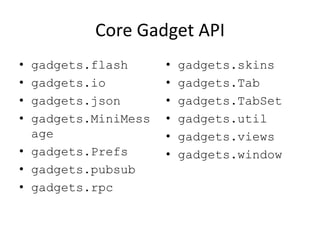
Core Gadget API
• gadgets.flash
• gadgets.io
• gadgets.json
• gadgets.MiniMess
age
• gadgets.Prefs
• gadgets.pubsub
• gadgets.rpc
• gadgets.skins
• gadgets.Tab
• gadgets.TabSet
• gadgets.util
• gadgets.views
• gadgets.window
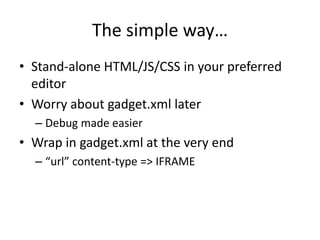
The simple way…
• Stand-alone HTML/JS/CSS in your preferred
editor
• Worry about gadget.xml later
– Debug made easier
• Wrap in gadget.xml at the very end
– “url” content-type => IFRAME
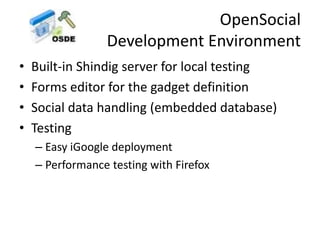
OpenSocial
Development Environment
• Built-in Shindig server for local testing
• Forms editor for the gadget definition
• Social data handling (embedded database)
• Testing
– Easy iGoogle deployment
– Performance testing with Firefox
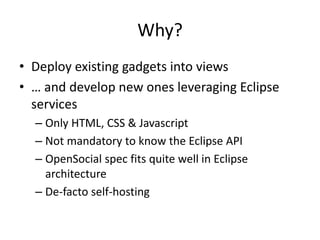
Why?
• Deploy existing gadgets into views
• … and develop new ones leveraging Eclipse
services
– Only HTML, CSS & Javascript
– Not mandatory to know the Eclipse API
– OpenSocial spec fits quite well in Eclipse
architecture
– De-facto self-hosting
Collaborative development
• Make e4 « social-aware »
– Communicate with co-workers
– Share information (project, code snippets) with
your social network
– Share gadgets themselves (« Coworker John
suggests you to add the XYZ gadget »)
Implementation overview
• HTML rendering: SWT Browser widget
• Since 3.5, the Browser is on steroids:
– Browser#evaluate(String) allows
evaluation of arbitrary JavaScript from your Java
code
– BrowserFunction allows to have Java
implementation for JavaScript functions
Implementation overview
• Modules express dependencies towards features
– Extension point to register new OpenSocial features in
the container
– OSGi Resolver to solve constraints expressed by a
Module
• Available features in the container: mapped to Bundles
• Features required by a module: Require-Bundle
directives
• Eclipse specific APIs exposed through
the e4 OpenSocial feature
Plan
• Create bridges to more Eclipse Application
Services
• Merge some of recent investigations made in
http://github.com/kartben
• ATF integration (JS/CSS debugging support)
• Social REST APIs directly exposed by ECF
Questions?
Further reading
• http://www.opensocial.org
• http://wiki.opensocial.org/index.php?title=JavaScript_API_Reference
• http://shindig.apache.org/
• https://sites.google.com/site/opensocialdevenv/
• http://borisoneclipse.blogspot.com/2009/11/opensocial-igoogle-gadgets-in-eclipse.html

OpenSocial gadgets at Eclipse

  • 1.
    OpenSocial Gadgets & Eclipse BenjaminCabé <bcabe@sierrawireless.com >
  • 3.
    What is OpenSocial? •Open Specification – 1.0 version released in March – Many companies involved • Lightweight web components • Modularity in mind • Social features
  • 4.
    Write once, runanywhere  • Many social networking sites are OpenSocial compatible – MySpace, Hi5, LinkedIn, iGoogle, Orkut… • Eclipse – e4 team working on an OpenSocial implementation too
  • 5.
    Enterprise usage • Manyenterprise-oriented gadgets – Calendar, To-Do List, Map, Doodle, … – Atlassian provides gadgets for JIRA metrics • Bringing OpenSocial support into an existing application is not that hard – Existing web apps: Apache Shindig – Rich client apps: e4! • “Social Enterprise”
  • 6.
    Social, you said? •Many APIs to crawl user’s social network • Data model – Person (friends, groups, tastes, …) • AppData for each gadget – Activities (music being listened, …) – Messages, Albums, …
  • 8.
    Gadget/module definition • XMLfile – Metadata – Dependencies – Application implementation • In-line HTML / CSS / JavaScript • or URL to external definition (a la IFRAME)
  • 9.
    <?xml version="1.0" encoding="UTF-8"?> <Module> <ModulePrefstitle="Hello, world!« author="Benjamin Cabé"> <Require feature="opensocial-0.8"/> </ModulePrefs> <Content type="html"> <![CDATA[ <script type="text/javascript"> function init() { $("handler").innerHTML = "Hello, world." ; } gadgets.util.registerOnLoadHandler(function() { init(); }); </script> <div id="handler"></div> ]]> </Content> </Module>
  • 10.
    Core Gadget API •gadgets.flash • gadgets.io • gadgets.json • gadgets.MiniMess age • gadgets.Prefs • gadgets.pubsub • gadgets.rpc • gadgets.skins • gadgets.Tab • gadgets.TabSet • gadgets.util • gadgets.views • gadgets.window
  • 11.
    The simple way… •Stand-alone HTML/JS/CSS in your preferred editor • Worry about gadget.xml later – Debug made easier • Wrap in gadget.xml at the very end – “url” content-type => IFRAME
  • 12.
    OpenSocial Development Environment • Built-inShindig server for local testing • Forms editor for the gadget definition • Social data handling (embedded database) • Testing – Easy iGoogle deployment – Performance testing with Firefox
  • 14.
    Why? • Deploy existinggadgets into views • … and develop new ones leveraging Eclipse services – Only HTML, CSS & Javascript – Not mandatory to know the Eclipse API – OpenSocial spec fits quite well in Eclipse architecture – De-facto self-hosting
  • 15.
    Collaborative development • Makee4 « social-aware » – Communicate with co-workers – Share information (project, code snippets) with your social network – Share gadgets themselves (« Coworker John suggests you to add the XYZ gadget »)
  • 17.
    Implementation overview • HTMLrendering: SWT Browser widget • Since 3.5, the Browser is on steroids: – Browser#evaluate(String) allows evaluation of arbitrary JavaScript from your Java code – BrowserFunction allows to have Java implementation for JavaScript functions
  • 18.
    Implementation overview • Modulesexpress dependencies towards features – Extension point to register new OpenSocial features in the container – OSGi Resolver to solve constraints expressed by a Module • Available features in the container: mapped to Bundles • Features required by a module: Require-Bundle directives • Eclipse specific APIs exposed through the e4 OpenSocial feature
  • 19.
    Plan • Create bridgesto more Eclipse Application Services • Merge some of recent investigations made in http://github.com/kartben • ATF integration (JS/CSS debugging support) • Social REST APIs directly exposed by ECF
  • 20.
  • 21.
    Further reading • http://www.opensocial.org •http://wiki.opensocial.org/index.php?title=JavaScript_API_Reference • http://shindig.apache.org/ • https://sites.google.com/site/opensocialdevenv/ • http://borisoneclipse.blogspot.com/2009/11/opensocial-igoogle-gadgets-in-eclipse.html