[Type here]
LAB MANUAL
CSL 203:OBJECT ORIENTED PROGRAMMING
LAB (IN JAVA)
[Type here]
INDEX
LIST OF EXPERIMENTS
1. Write a Java program that checks whether a given string is a palindrome or not.
Ex: MALAYALAM is palindrome.
2. Write a Java Program to find the frequency of a given character in a string. **
3. Write a Java program to multiply two given matrices. **
4. Write a Java program which creates a class named 'Employee' having the following
members: Name, Age, Phone number, Address, Salary. It also has a method named 'print-
Salary( )' which prints the salary of the Employee. Two classes 'Officer' and 'Manager
inherits the 'Employee' class. The 'Officer' and 'Manager' classes have data members
'specialization' and 'department' respectively. Now, assign name, age, phone number,
address and salary to an officer and a manager by making an object of both of these
classes and print the same. (Exercise to understand inheritance). **
5. Write a java program to create an abstract class named Shape that contains an empty
method named numberOfSides( ). Provide three classes named Rectangle, Triangle and
Hexagon such that each one of the classes extends the class Shape. Each one of the
classes contains only the method numberOfSides( ) that shows the number of sides in the
given geometrical structures. (Exercise to understand polymorphism). **
6. Write a Java program to demonstrate the use of garbage collector.
7. Write a file handling program in Java with reader/writer.
8. Write a Java program that read from a file and write to file by handling all file related
exceptions.**
9. Write a Java program that reads a line of integers, and then displays each integer, and the
sum of all the integers (Use String Tokenizer class of java.util). **
10. Write a Java program that shows the usage of try, catch, throws and finally.**
11. Write a Java program that implements a multi-threaded program which has three threads.
First thread generates a random integer every 1 second. If the value is even, second thread
computes the square of the number and prints. If the value is odd the third thread will print
the value of cube of the number.
12. Write a Java program that shows thread synchronization. **
[Type here]
13. Write a Java program that works as a simple calculator. Arrange Buttons for digits and the +
- * % operations properly. Add a text field to display the result. Handle any possible
exceptions like divide by zero. Use Java Swing. **
14. Write a Java program that simulates a traffic light. The program lets the user select one of
three lights: red, yellow, or green. When a radio button is selected, the light is turned on,
and only one light can be on at a time. No light is on when the program starts. **
15. Write a Java program to display all records from a table using Java Database Connectivity
(JDBC).
16. Write a Java program for the following: **
1) Create a doubly linked list of elements.
2) Delete a given element from the above list.
3) Display the contents of the list after deletion.
17. Write a Java program that implements Quick sort algorithm for sorting a list of names in
ascending order. **
18. Write a Java program that implements the binary search algorithm.
5
[Type here]
OBJECT ORIENTED PROGRAMMING
In Object Oriented Programming, the data is a critical element in the program development and
it does not flow freely around the system. Object oriented program allows decomposing a
problem into a number of entities called object and then builds data and functions around these
entities. Object, Class, Inheritance, Polymorphism, Dynamic binding, Overloading, Data
abstraction, Encapsulation, Modularity are the basic concept of OOP.
GENERAL CONCEPTS OF OOPS: -
OBJECT
Objects are the basic run time entities in an Object Oriented Programming. They represent a
person, a place or any item that the program handles. The Object Oriented approach views a
problem in terms of object involved rather than procedure for doing it. Object is an identifiable
entity with some characteristics and behavior. The characteristic of an object are represented
by its data and its behavior is represented by its data function associated. Therefore in OOP
Programming object represents an entity that can store data and has its interface through
function.
CLASS
A class is a group of objects that share a common properties and relationship. ‘Object’ is an
instance of class. A class is a way to bind the data and its associated function together. When
defining a class, we are creating a new abstract data type that can be treated like any other
built-in-data type. For e.g. Bird is a class but parrot is an object.
DATA ABSTRACTION
Abstraction is the concept of simplifying a real world concept into its essential element.
Abstraction refers to act representing essential features without including the background
details or explanations. It creates a new data type used encapsulation items that are suited to
an application to be programmed is known as data abstraction. Data types created by the data
abstraction process are known as abstract data types. For e.g. Switch board.
6
[Type here]
ENCAPSULATION
The wrapping up of data and function that operate on the data into a single unit called class is
known as encapsulation. The data cannot be accessed directly. If you want to read a data, an
item in an object (an instance of the class), you can call a member function in the object. It will
read the item and return the value to you. The data is hidden so it is safe from accident
alteration. Encapsulation is just a way to implement data abstraction class is the concept of
data abstraction. They are known as abstract data type. Data types because; these can be
used to create objects of its own type.
INHERITANCE
Inheritance is the capacity of one class of things to inherit capacities or properties from another
class. One major reason behind this is the capability to express the inheritance relationship
which makes it aware the closeness with the real world. Another reason is idea of reusability.
One reason is the transitive nature. The principle behind this sort of diversion is that each
subclass shares a common characteristic with the class from which it is derived. A subclass
defines only those features that are unique to it.
POLYMORPHISM
Polymorphism is the ability for a message data to be processed more than one form.
Polymorphism is the concept of which supports the capability of an object of a class to behave
differentially in response to a message or action. Polymorphism is a property by which the
same message can be sent to objects of several different classes and each object can respond
in a different way depending on its class. Property by which the same message can be sent to
objects of several different way depending on its class property by which the same message
can be sent to objects of several different classes and each object can respond in a different
way depending on its class property.
DYNAMIC BINDING
Binding refers to the tie up of a procedure call to the address code to be executed in response
to the code. Dynamic binding is done at the time of execution.
7
[Type here]
OVERLOADING
Overloading allows a function or operator to be given more than one definition. A function name
having several definitions that are differentiable by the number or type of their arrangements.
This not only implements polymorphism but also reduces number of comparison in a program
and thereby making the program run faster.
MODULARITY
Act of representing or partitioning a program into industrial components. It is the property of a
system that has been decomposed into a set of cohesive and loosed coupled modules. For eg.
A complete music system comprises of speakers, cassette players, and real player. Similarly,
we can divide a complex program into various modules where each module is a complete unit
in itself.
JAVA FEATURES
1. Simple
2. Object-Oriented
3. Platform independent
4. Secured
5. Robust
6. Architecture neutral
7. Portable
8. Dynamic
9. Interpreted
10.High Performance
11.Multithreaded
12.Distributed
SIMPLE
According to Sun, Java language is simple because: syntax is based on C++ (so easier for
programmers to learn it after C++). Removed many confusing and/or rarely-used features e.g.,
explicit pointers, operator overloading etc. No need to remove unreferenced objects because
there is Automatic Garbage Collection in Java.
8
[Type here]
OBJECT-ORIENTED
Object-oriented means we organize our software as a combination of different types of objects
that incorporates both data and behavior. Object-oriented programming(OOPs) is a
methodology that simplify software development and maintenance by providing some rules.
Basic concepts of OOPs are:
1. Object
2. Class
3. Inheritance
4. Polymorphism
5. Abstraction
6. Encapsulation
PLATFORM INDEPENDENT
A platform is the hardware or software environment in which a program runs. There are two
types of platforms software-based and hardware-based. Java provides software-based platform.
The Java platform differs from most other platforms in the sense that it's a software-based
platform that runs on top of other hardware-based platforms. It has two components:
1. Runtime Environment
2. API(Application Programming Interface)
Java code can be run on multiple platforms
code is compiled by the compiler and co
independent code because it can be ru
Anywhere(WORA).
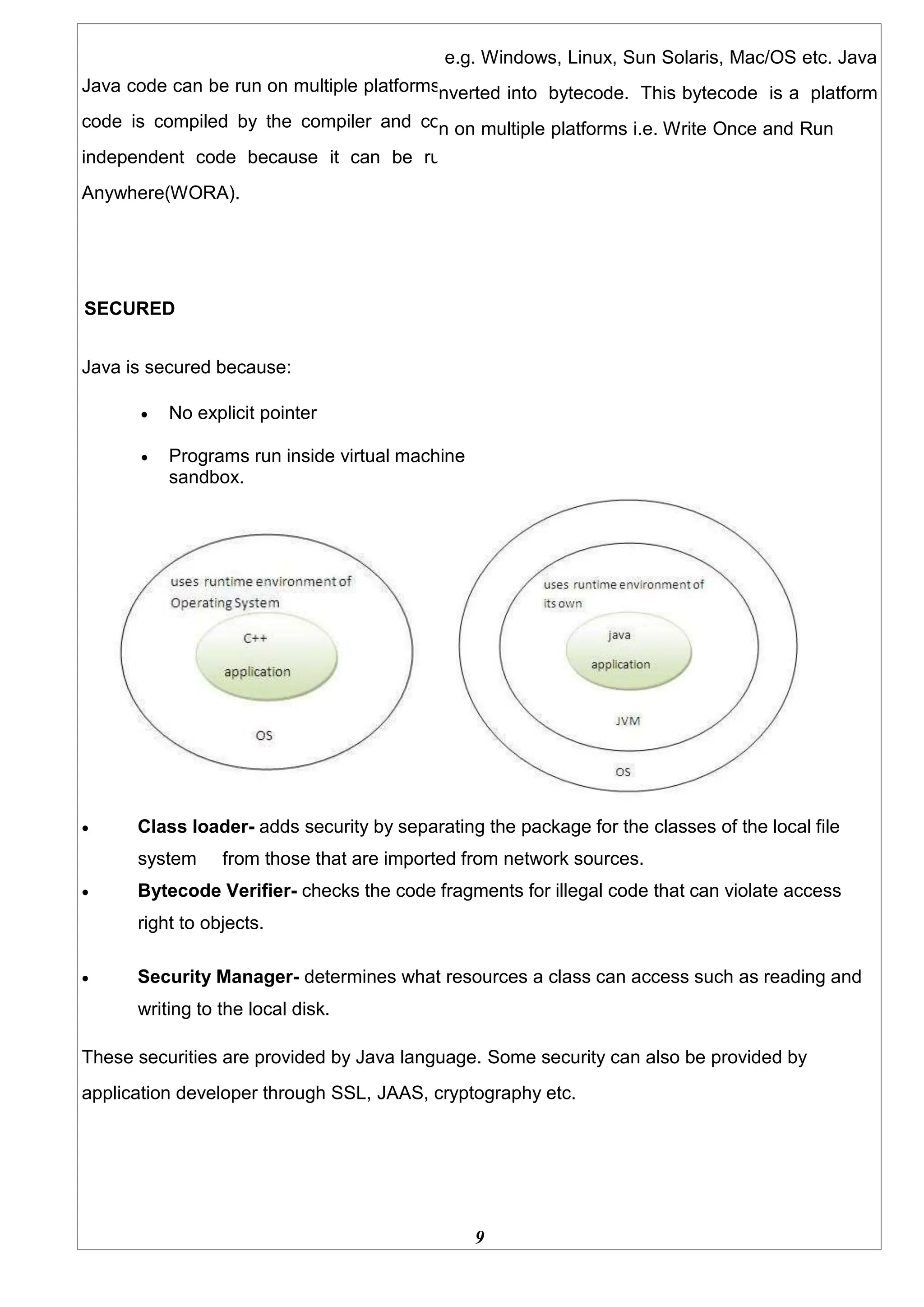
SECURED
Java is secured because:
e.g. Windows, Linux, Sun Solaris, Mac/OS etc. Java
nverted into bytecode. This bytecode is a platform
n on multiple platforms i.e. Write Once and Run
 No explicit pointer
 Programs run inside virtual machine
sandbox.
 Class loader- adds security by separating the package for the classes of the local file
system from those that are imported from network sources.
 Bytecode Verifier- checks the code fragments for illegal code that can violate access
right to objects.
 Security Manager- determines what resources a class can access such as reading and
writing to the local disk.
These securities are provided by Java language. Some security can also be provided by
application developer through SSL, JAAS, cryptography etc.
9
10
ROBUST
Robust simply means strong. Java uses strong memory management. There are lack of
pointers that avoids security problem. There is automatic garbage collection in Java. There is
exception handling and type checking mechanism in Java. All these points makes Java robust.
ARCHITECTURE-NEUTRAL
There is no implementation dependent features e.g. size of primitive
types is set.
PORTABLE
We may carry the Java bytecode to any
platform.
HIGH-PERFORMANCE
Java is faster than traditional interpretation since byte code is "close" to native code still
somewhat slower than a compiled language (e.g., C++)
DISTRIBUTED
We can create distributed applications in Java. RMI and EJB are used for creating distributed
applications. We may access files by calling the methods from any machine on the internet.
MULTI-THREADED
A thread is like a separate program, executing concurrently. We can write Java programs that
deal with many tasks at once by defining multiple threads. The main advantage of multi-
threading is that it shares the same memory. Threads are important for multi-media, Web
applications etc.
11
1. PALINDROME
AIM:
Write a Java program that checks whether a given string is a palindrome or not. Ex:
MALAYALAM is palindrome
PROGRAM:
import java.util.Scanner;
class Test{
public static void main(String args[]){
Scanner sc = new Scanner(System.in);
System.out.print("Enter the String:");
String str = sc.nextLine();
int flag = 0;
int len = str.length();
for(int i=0;i<len/2;i++){
if(str.charAt(i) != str.charAt(len-i-1)){
flag = 1;
break;
}
}
if(flag == 0){
System.out.println("Palindrome");
}
}
OUTPUT:
}
else{
}
System.out.println("Not Palindrome");
Enter the String: MALAYALAM
Palindrome.
12
2.FREQUENCY OF A GIVEN CHARACTER IN A STRING.
AIM:
Write a Java Program to find the frequency of a given character in a string
PROGRAM:
import java.util.Scanner;
class Test{
public static void main(String args[]){
Scanner sc = new Scanner(System.in);
System.out.print("Enter the String:");
String str = sc.nextLine();
System.out.print("Enter the character:");
char ch = sc.nextLine().charAt(0);
int count = 0;
for(int i=0;i<str.length();i++){
if(str.charAt(i) == ch){
count++;
}
}
}
OUTPUT:
System.out.println("Count of occurence of "+ ch +"="+count);
}
Enter the String: java
Enter the character :a
Count of occurrence of a =2
13
3.MULTIPLY TWO GIVEN MATRICES.
AIM:
Write a Java program to multiply two given matrices
PROGRAM:
import java.util.Scanner;
class Test{
public static void main(String args[]){
Scanner sc = new Scanner(System.in);
System.out.print("Enter the order - m1:");
int m1 = sc.nextInt();
System.out.print("Enter the order - n1:");
int n1 = sc.nextInt();
System.out.print("Enter the order - m2:");
int m2 = sc.nextInt();
System.out.print("Enter the order - n2:");
int n2 = sc.nextInt();
if(n1 != m2){
System.out.println("Matrix Multiplication not Possible");
return;
}
int A[][] = new int[m1][n1];
int B[][] = new int[m2][n2];
int C[][] = new int[m1][n2];
System.out.println("Read Matrix A");
for(int i=0;i<m1;i++){
for(int j=0;j<n1;j++){
System.out.print("A["+i+"]["+j+"]=");
A[i][j] = sc.nextInt();
}
}
System.out.println("Read Matrix B");
for(int i=0;i<m2;i++){
for(int j=0;j<n1;j++){
System.out.print("B["+i+"]["+j+"]=");
B[i][j] = sc.nextInt();
}
}
for(int i=0;i<m1;i++){
for(int j=0;j<n2;j++){
C[i][j]=0;
for(int k=0;k<n1;k++){
C[i][j] += A[i][k] * B[k][j];
14
}
}
}
System.out.println("Matrix A");
for(int i=0;i<m1;i++){
for(int j=0;j<n1;j++){
System.out.print(A[i][j]+"t");
}
System.out.println();
}
System.out.println("Matrix B");
for(int i=0;i<m2;i++){
for(int j=0;j<n2;j++){
System.out.print(B[i][j]+"t");
}
System.out.println();
}
System.out.println("Matrix C");
for(int i=0;i<m1;i++){
for(int j=0;j<n2;j++){
System.out.print(C[i][j]+"t");
}
}
}
OUTPUT:
}
System.out.println();
Enter the order - m1 2
Enter the order - n1 2
Enter the order - m2 2
Enter the order - n2 2
Read Matrix A: 2
2
2
2
Matrix A 2 2
2 2
Read Matrix B: 2
2
2
2
Matrix B 2 2
2 2
Matrix C 8
8
15
4.EMPLOYEE DETAILS
AIM:
Write a Java program which creates a class named 'Employee' having the following
members: Name, Age, Phone number, Address, Salary. It also has a method named
'print- Salary( )' which prints the salary of the Employee. Two classes 'Officer' and
'Manager' inherits the 'Employee' class. The 'Officer' and 'Manager' classes have data
members 'specialization' and 'department' respectively. Now, assign name, age, phone
number, address and salary to an officer and a manager by making an object of both of
these classes and print the same.
PROGRAM:
import java.util.Scanner;
class Employee{
private String name;
private int age;
private long phoneNumber;
private String address;
private double salary;
public void setName(String name){
this.name = name;
}
public void setAge(int age){
this.age=age;
}
public void setPhoneNumber(long phoneNumber){
this.phoneNumber = phoneNumber;
}
public void setAddress(String address){
this.address = address;
}
public void setSalary(double salary){
this.salary = salary;
}
public double printSalary(){
return salary;
}
public String getName(){
return name;
}
public int getAge(){
return age;
}
public String getAddress(){
return address;
}
public long getPhoneNumber(){
return phoneNumber;
}
16
}
class Officer extends Employee{
private String specialization;
private String department;
public void setSpecialization(String specialization){
this.specialization = specialization;
}
public void setDepartment(String department){
this.department = department;
}
public String getDepartment(){
return department;
}
public String getSpecialization(){
return specialization;
}
}
class Manager extends Employee{
private String specialization;
private String department;
public void setSpecialization(String specialization){
this.specialization = specialization;
}
public void setDepartment(String department){
this.department = department;
}
public String getDepartment(){
return department;
}
public String getSpecialization(){
return specialization;
}
}
class Test{
public static void main(String args[]){
Scanner sc = new Scanner(System.in);
Officer o = new Officer();
System.out.println("Enter the officer's Detail");
System.out.print("Name:");
o.setName(sc.nextLine());
System.out.print("Address:");
o.setAddress(sc.nextLine());
System.out.print("Specialization:");
o.setSpecialization(sc.nextLine());
17
System.out.print("Department:");
o.setDepartment(sc.nextLine());
System.out.print("Age:");
o.setAge(sc.nextInt());
System.out.print("Number:");
o.setPhoneNumber(sc.nextLong());
System.out.print("Salary:");
o.setSalary(sc.nextDouble());
sc.nextLine(); // to skip new Line
System.out.println("The officer Detail");
System.out.println("Name:"+o.getName());
System.out.println("Age:"+o.getAge());
System.out.println("Number:"+o.getPhoneNumber());
System.out.println("Address:"+o.getPhoneNumber());
System.out.println("Salary:"+o.printSalary());
System.out.println("Specialization:"+o.getSpecialization());
System.out.println("Department:"+o.getDepartment());
Manager m = new Manager();
System.out.println("Enter the manager's Detail");
System.out.print("Name:");
m.setName(sc.nextLine());
System.out.print("Address:");
m.setAddress(sc.nextLine());
System.out.print("Specialization:");
m.setSpecialization(sc.nextLine());
System.out.print("Department:");
m.setDepartment(sc.nextLine());
System.out.print("Age:");
m.setAge(sc.nextInt());
System.out.print("Number:");
m.setPhoneNumber(sc.nextLong());
System.out.print("Salary:");
m.setSalary(sc.nextDouble());
sc.nextLine(); // to skip new Line
System.out.println("The manager's Detail");
System.out.println("Name:"+m.getName());
System.out.println("Age:"+m.getAge());
System.out.println("Number:"+m.getPhoneNumber());
System.out.println("Address:"+m.getPhoneNumber());
System.out.println("Salary:"+m.printSalary());
System.out.println("Specialization:"+m.getSpecialization());
System.out.println("Department:"+m.getDepartment());
}
}
18
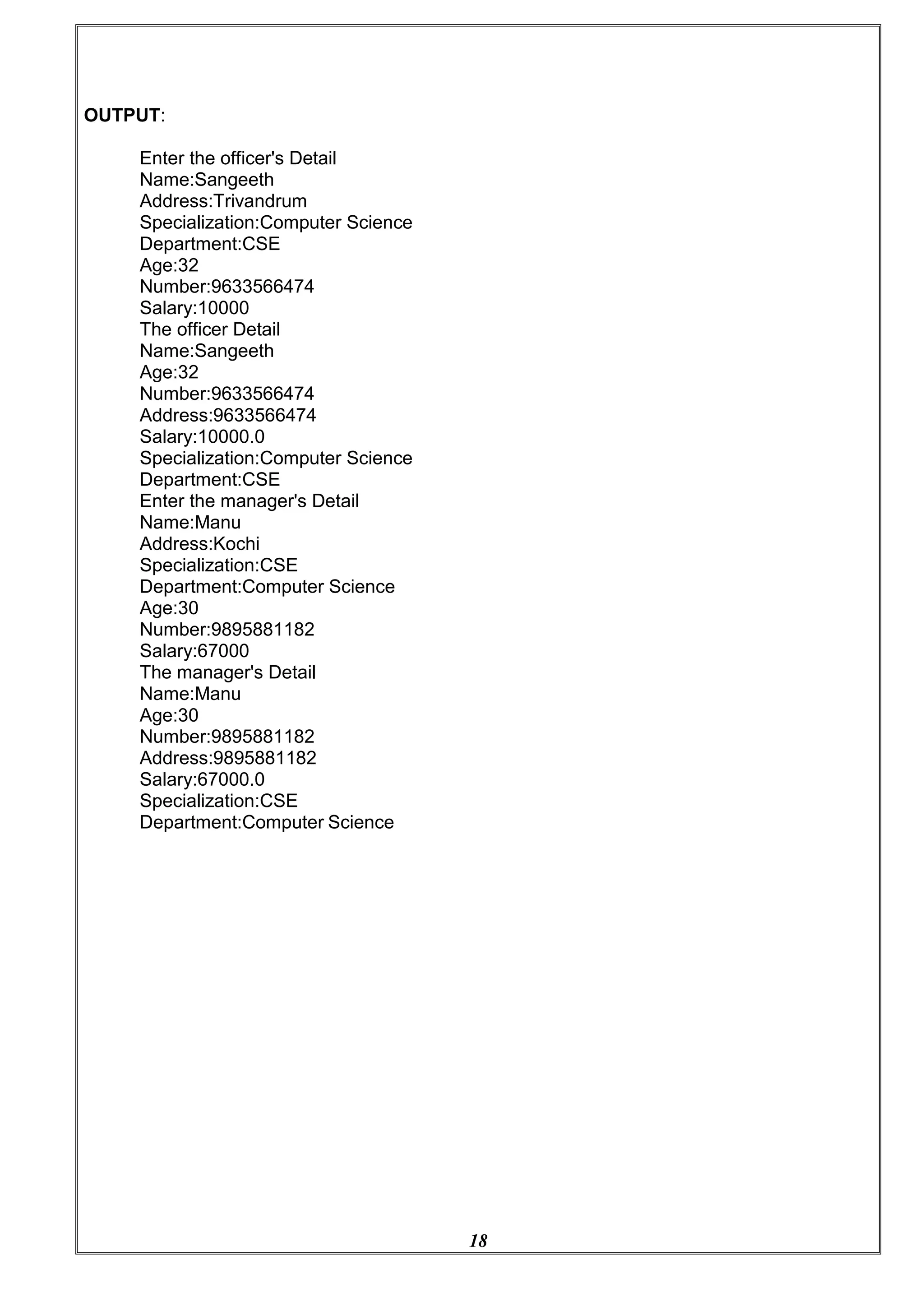
OUTPUT:
Enter the officer's Detail
Name:Sangeeth
Address:Trivandrum
Specialization:Computer Science
Department:CSE
Age:32
Number:9633566474
Salary:10000
The officer Detail
Name:Sangeeth
Age:32
Number:9633566474
Address:9633566474
Salary:10000.0
Specialization:Computer Science
Department:CSE
Enter the manager's Detail
Name:Manu
Address:Kochi
Specialization:CSE
Department:Computer Science
Age:30
Number:9895881182
Salary:67000
The manager's Detail
Name:Manu
Age:30
Number:9895881182
Address:9895881182
Salary:67000.0
Specialization:CSE
Department:Computer Science
19
5.FIND NUMBER OF SIDES IN A GIVEN GEOMETRICAL STRUCTURE
AIM:
Write a java program to create an abstract class named Shape that contains an empty
method named numberOfSides( ). Provide three classes named Rectangle, Triangle and
Hexagon such that each one of the classes extends the class Shape. Each one of the
classes contains only the method numberOfSides( ) that shows the number of sides in
the given geometrical structures. (Exercise to understand polymorphism).
abstract class Shape{
public abstract void numberOfSides();
}
class Rectangle extends Shape{
public void numberOfSides(){
System.out.println("Number of Sides of Recta ngle = 4");
}
}
class Triangle extends Shape{
public void numberOfSides(){
System.out.println("Number of Sides of Triangle = 3");
}
}
class Hexagon extends Shape{
public void numberOfSides(){
System.out.println("Number of Sides of Hexagon = 6");
}
}
class Test{
public static void main(String args[]){
Rectangle r = new Rectangle();
Triangle t = new Triangle();
Hexagon h = new Hexagon();
r.numberOfSides();
t.numberOfSides();
h.numberOfSides();
}
}
OUTPUT:
Number of Sides of Rectangle = 4
Number of Sides of Triangle = 3
Number of Sides of Hexagon = 6
20
6.GARBAGE COLLECTER
AIM:
Write a Java program to demonstrate the use of garbage collector.
PROGRAM:
public class Test
{
public static void main(String[] args) throws InterruptedException
{
Test t1 = new Test();
Test t2 = new Test();
// Nullifying the reference variable
t1 = null;
// requesting JVM for running Garbage Collector
System.gc();
// Nullifying the reference variable
t2 = null;
// requesting JVM for running Garbage Collector
Runtime.getRuntime().gc();
}
@Override
// finalize method is called on object once
// before garbage collecting it
protected void finalize() throws Throwable
{
System.out.println("Garbage collector called");
System.out.println("Object garbage collected : " + this);
}
}
OUTPUT:
Garbage collector called
Object garbage collected : Test@46d08f12
Garbage collector called
Object garbage collected : Test@481779b8
21
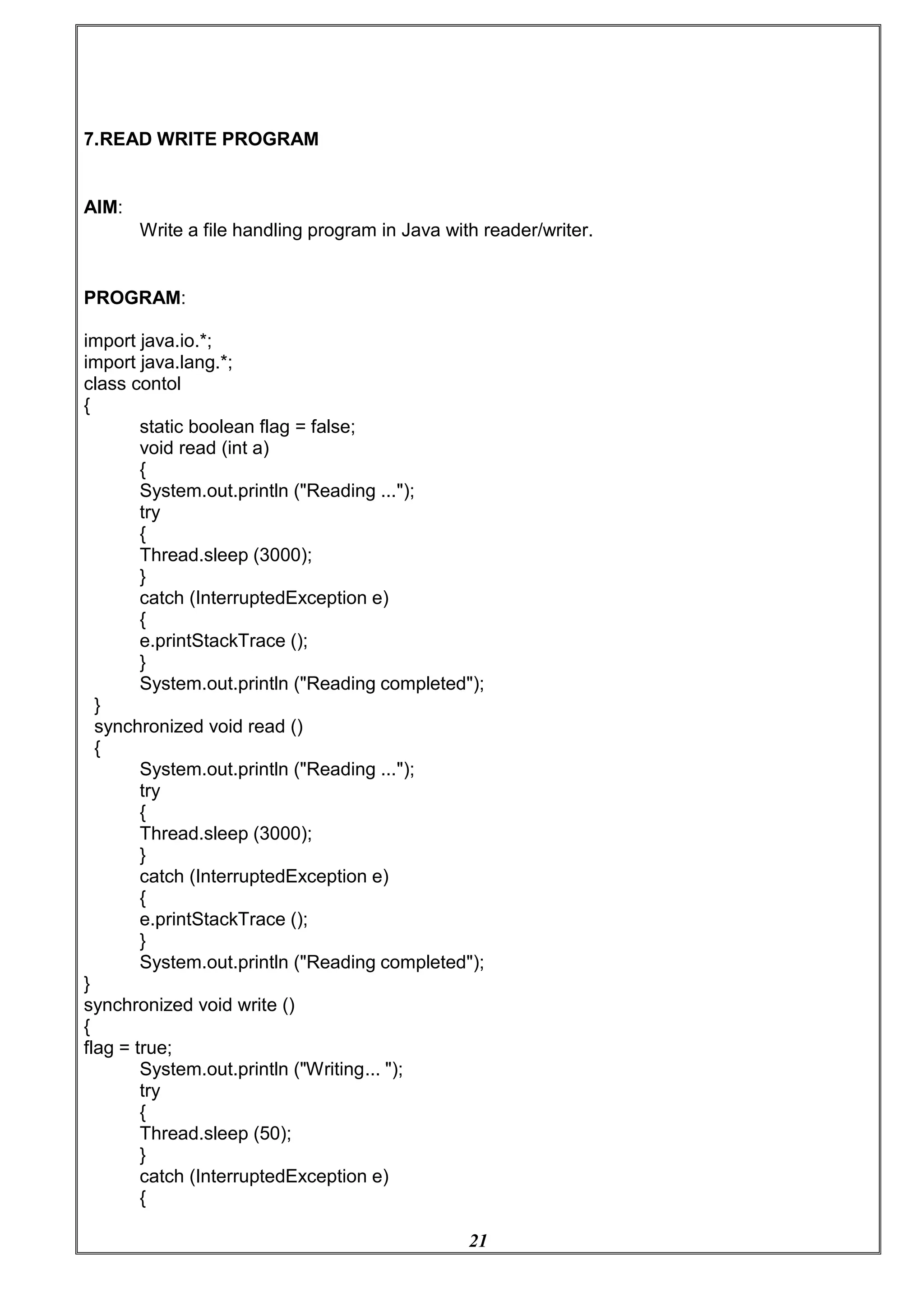
7.READ WRITE PROGRAM
AIM:
Write a file handling program in Java with reader/writer.
PROGRAM:
import java.io.*;
import java.lang.*;
class contol
{
static boolean flag = false;
void read (int a)
{
System.out.println ("Reading ...");
try
{
Thread.sleep (3000);
}
catch (InterruptedException e)
{
e.printStackTrace ();
}
System.out.println ("Reading completed");
}
synchronized void read ()
{
System.out.println ("Reading ...");
try
{
Thread.sleep (3000);
}
catch (InterruptedException e)
{
e.printStackTrace ();
}
System.out.println ("Reading completed");
}
synchronized void write ()
{
flag = true;
System.out.println ("Writing... ");
try
{
Thread.sleep (50);
}
catch (InterruptedException e)
{
22
e.printStackTrace ();
}
System.out.println ("Writing completed");
flag = false;
}
}
class Read extends Thread
{
contol ob;
Read (contol d)
{
this.ob = d;
start ();
}
public void run ()
{
if (!contol.flag)
ob.read (1);
else
ob.read ();
}
}
class Write extends Thread
{
contol ob;
Write (contol c)
{
this.ob = c;
start ();
}
public void run ()
{
ob.write ();
}
}
public class Rwproblem
{
public static void main (String args[]) throws Exception
{
int ch = 0;
contol ob = new contol ();
InputStreamReader in= new InputStreamReader (System.in);
BufferedReader br = new BufferedReader (in);
do
{
System.out.println
("n MENU n1.Read n2.Write n3.Exit nnEnter your choice:");
ch = Integer.parseInt (br.readLine ());
switch (ch)
23
{
case 1:
new Read (ob);
break;
case 2:
new Write (ob);
break;
break;
case 3:
default:
System.out.println ("Wrong Choice");
}
}
while (ch != 3);
}
}
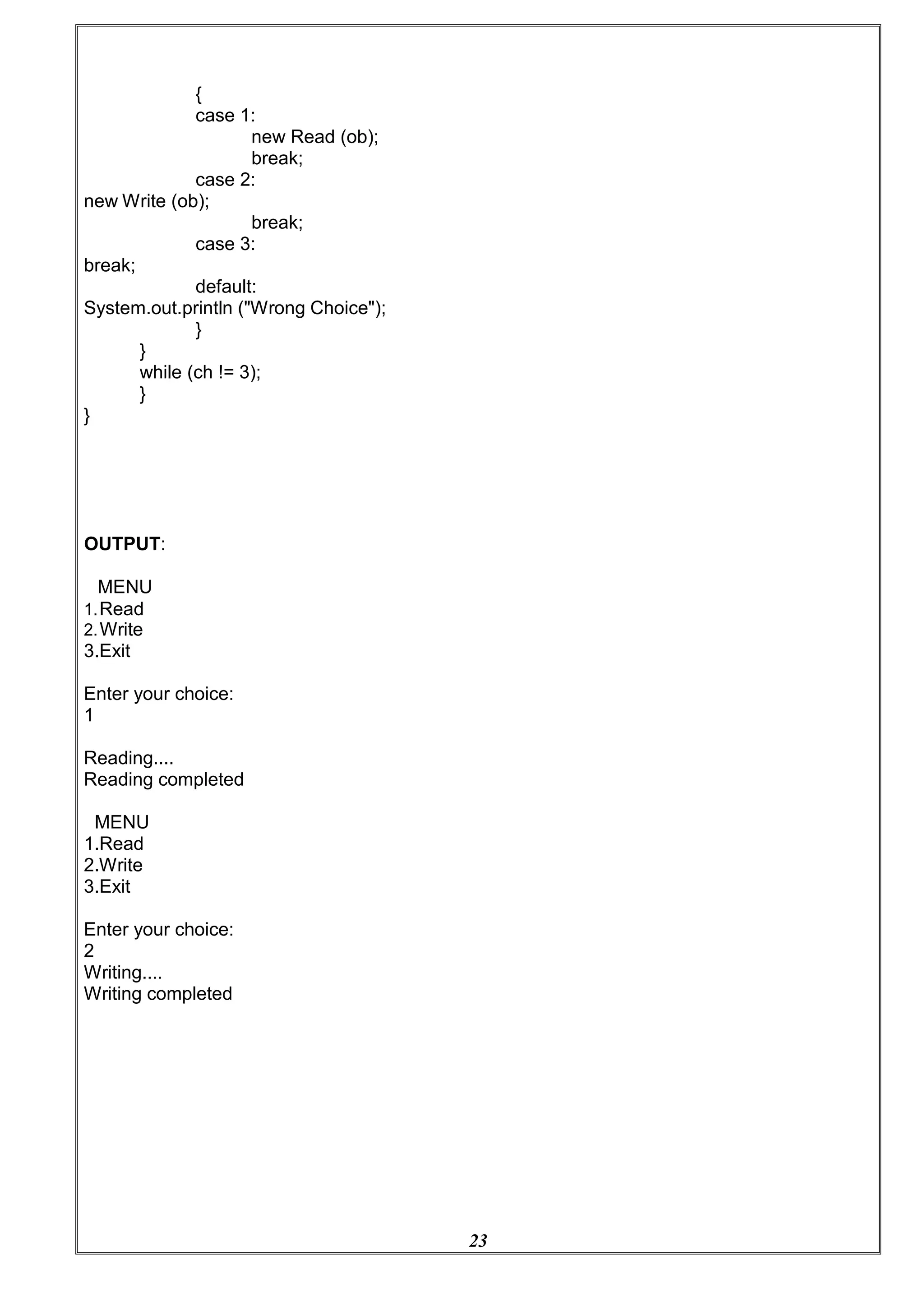
OUTPUT:
MENU
1.Read
2.Write
3.Exit
Enter your choice:
1
Reading....
Reading completed
MENU
1.Read
2.Write
3.Exit
Enter your choice:
2
Writing....
Writing completed
24
8.FILE HANDLING
AIM:
Java program that read from a file and write to file by handling all file
related exceptions.
PROGRAM:
import java.io.FileWriter;
import java.io.FileReader;
import java.io.IOException;
class ReadWriteFile
{
public static void main(String[] args) throws IOException
{
// variable declaration
int ch;
// check if File exists or not
FileReader fr=new FileReader("sample.txt");
FileWriter fw=new FileWriter("new sample.txt");
// read from FileReader till the end of file, print the content and write to another file
while ((ch=fr.read())!=-1) {
System.out.print((char)ch);
fw.write((char)ch);
}
// close the file
fr.close();
fw.close();
}
}
OUTPUT:
We already created a file sample.txt with content “Hello world ”
after execution of program a new file is generated with name new sample.txt with contents
readed rom sample.txt.
“Hello world”
25
9.STRING TOKENIZER
AIM:
Java program that read from a file and write to file by handling all file
related exceptions.
PROGRAM:
import java.util.*;
class StringTokenizerDemo {
public static void main(String args[]) {
int n;
int sum = 0;
Scanner sc = new Scanner(System.in);
System.out.println("Enter integers with one space gap:");
String s = sc.nextLine();
StringTokenizer st = new StringTokenizer(s, " ");
while (st.hasMoreTokens()) {
String temp = st.nextToken();
n = Integer.parseInt(temp);
System.out.println(n);
sum = sum + n;
}
System.out.println("sum of the integers is: " + sum);
sc.close();
}
}
OUTPUT:
Enter integers with one space gap:
10 20 30 40 50
10
20
30
40
50
sum of the integers is: 150
26
10. SHOW THE USAGE OF TRY CATCH THROWS AND FINALLY
AIM:
Write a Java program that shows the usage of try, catch, throws and finally.
PROGRAM:
import java.util.Scanner;
class Test{
public static void main(String args[]){
Scanner sc = new Scanner(System.in);
try{
System.out.println("Program to perform Division");
System.out.print("Enter Number-1:");
int a = sc.nextInt();
System.out.print("Enter Number-2:");
int b = sc.nextInt();
int c = a/b;
System.out.println("Result="+c);
}
catch(ArithmeticException e){
System.out.println(e.getMessage());
}
}
OUTPUT:
}
finally{
}
System.out.println("End of Operation");
Program to perform Division
Enter Number-120
Enter Number-20
/ by zero
End of Operation
27
11. MULTI-THREADING
AIM:
Write a Java program that implements a multi-threaded program which has three threads. First
thread generates a random integer every 1 second. If the value is even, second thread
computes the square of the number and prints. If the value is odd the third thread will print the
value of cube of the number
PROGRAM:
import java.util.Random;
class EvenThread extends Thread{
private int num;
public EvenThread(int num){
this.num = num;
}
public void run(){
System.out.println("Square of"+ num+"="+num*num);
}
}
class OddThread extends Thread{
private int num;
public OddThread(int num){
this.num = num;
}
public void run(){
System.out.println("Cube of "+num+"="+ num*num*num);
}
}
class RandomThread extends Thread{
public void run(){
Random r = new Random();
for(int i =0;i<10;i++){
int num = r.nextInt(100);
if(num % 2 == 0){
new EvenThread(num).start();
}
else{
}
}
new OddThread(num).start();
}
}
class Test{
public static void main(String args[]){
RandomThread r = new RandomThread();
28
r.start();
}
}
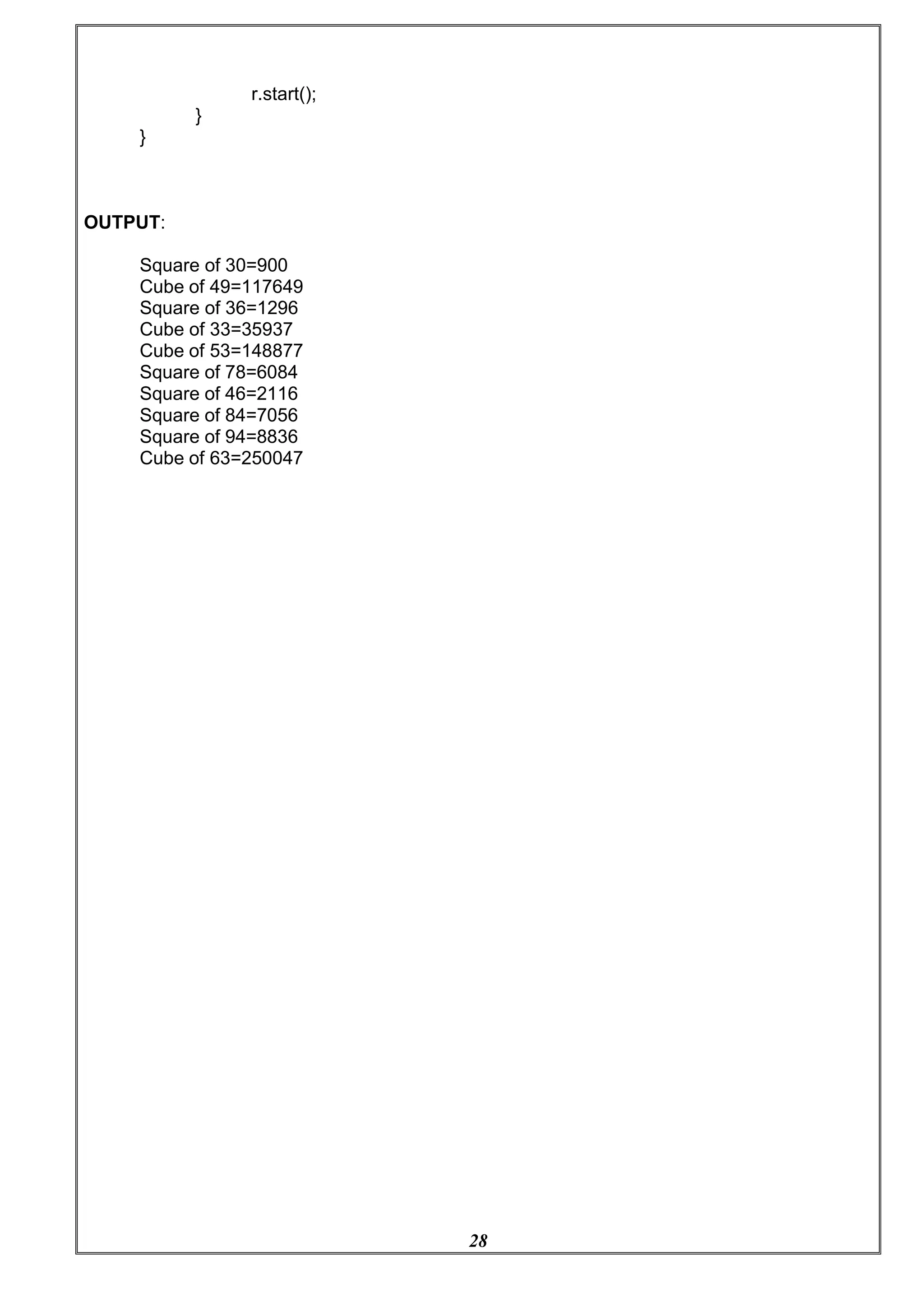
OUTPUT:
Square of 30=900
Cube of 49=117649
Square of 36=1296
Cube of 33=35937
Cube of 53=148877
Square of 78=6084
Square of 46=2116
Square of 84=7056
Square of 94=8836
Cube of 63=250047
29
12. THREAD SYNCHRONIZATION.
AIM:
Write a Java program that shows thread synchronization.
PROGRAM:
class Display{
public synchronized void print(String msg){
System.out.print("["+msg);
try{
Thread.sleep(1000);
}
catch(Exception e){
System.out.println(e.getMessage());
}
System.out.println("]");
}
}
class SyncThread extends Thread{
private Display d;
private String msg;
public SyncThread(Display d,String msg){
this.d=d;
this.msg = msg;
}
public void run(){
d.print(msg);
}
}
class Test{
public static void main(String args[]){
Display d = new Display();
SyncThread t1 = new SyncThread(d,"Hello");
SyncThread t2 = new SyncThread(d,"World");
t1.start();
t2.start();
}
}
OUTPUT:
[Hello]
[World]
30
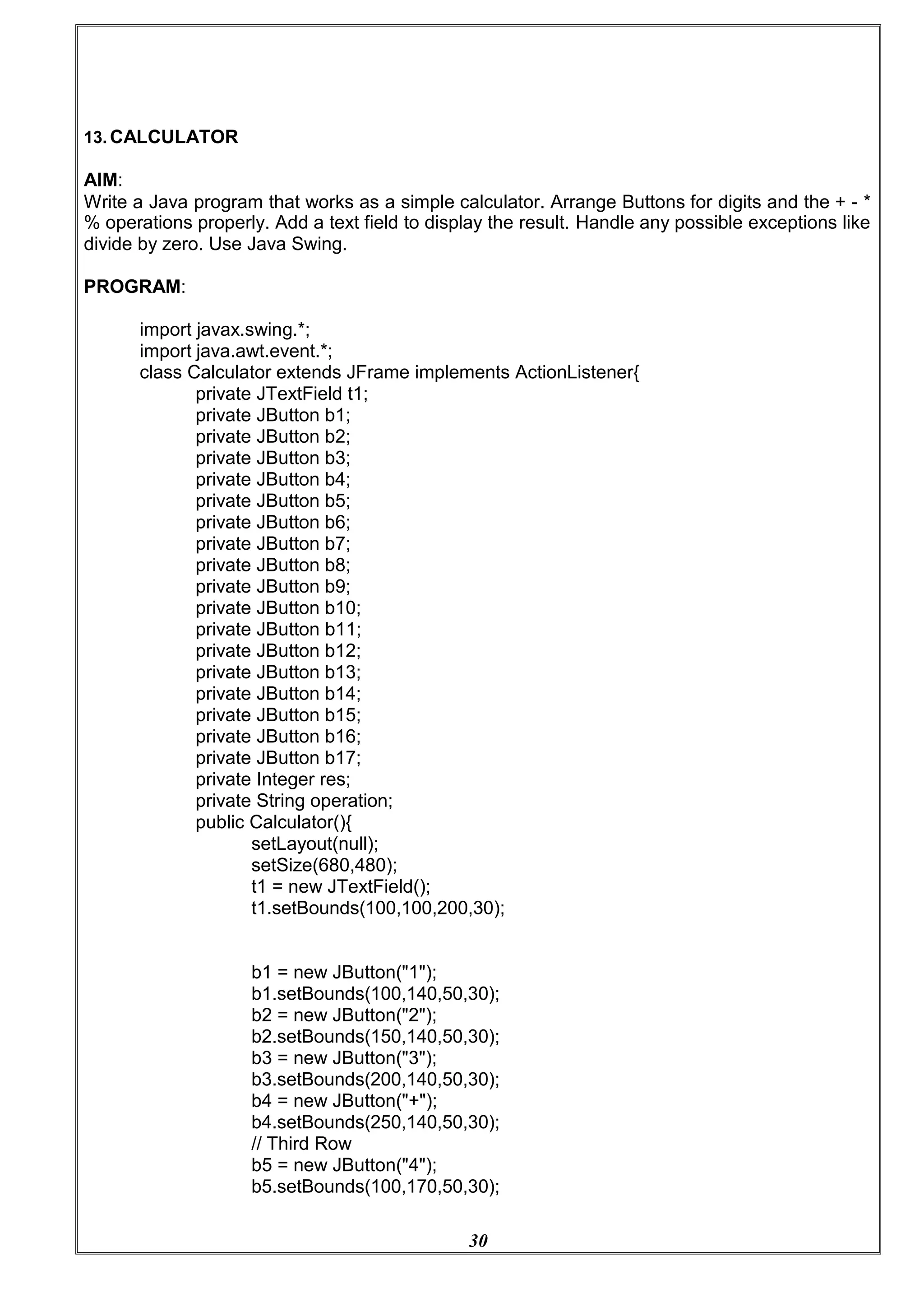
13. CALCULATOR
AIM:
Write a Java program that works as a simple calculator. Arrange Buttons for digits and the + - *
% operations properly. Add a text field to display the result. Handle any possible exceptions like
divide by zero. Use Java Swing.
PROGRAM:
import javax.swing.*;
import java.awt.event.*;
class Calculator extends JFrame implements ActionListener{
private JTextField t1;
private JButton b1;
private JButton b2;
private JButton b3;
private JButton b4;
private JButton b5;
private JButton b6;
private JButton b7;
private JButton b8;
private JButton b9;
private JButton b10;
private JButton b11;
private JButton b12;
private JButton b13;
private JButton b14;
private JButton b15;
private JButton b16;
private JButton b17;
private Integer res;
private String operation;
public Calculator(){
setLayout(null);
setSize(680,480);
t1 = new JTextField();
t1.setBounds(100,100,200,30);
b1 = new JButton("1");
b1.setBounds(100,140,50,30);
b2 = new JButton("2");
b2.setBounds(150,140,50,30);
b3 = new JButton("3");
b3.setBounds(200,140,50,30);
b4 = new JButton("+");
b4.setBounds(250,140,50,30);
// Third Row
b5 = new JButton("4");
b5.setBounds(100,170,50,30);
31
b6 = new JButton("5");
b6.setBounds(150,170,50,30);
b7 = new JButton("6");
b7.setBounds(200,170,50,30);
b8 = new JButton("-");
b8.setBounds(250,170,50,30);
// Fourth Row
b9 = new JButton("7");
b9.setBounds(100,200,50,30);
b10 = new JButton("8");
b10.setBounds(150,200,50,30);
b11 = new JButton("9");
b11.setBounds(200,200,50,30);
b12 = new JButton("*");
b12.setBounds(250,200,50,30);
// Fourth Row
b13 = new JButton("/");
b13.setBounds(100,230,50,30);
b14 = new JButton("%");
b14.setBounds(150,230,50,30);
b15 = new JButton("=");
b15.setBounds(200,230,50,30);
b16 = new JButton("C");
b16.setBounds(250,230,50,30);
b17 = new JButton("0");
b17.setBounds(100,260,200,30);
add(t1);add(b1);add(b2);
add(b3);add(b4);add(b5);
add(b6);add(b7);add(b8);
add(b9);add(b10);add(b11);
add(b12);add(b13);add(b14);
add(b15);add(b16);add(b17);
b1.addActionListener(this);b2.addActionListener(this);
b3.addActionListener(this);b4.addActionListener(this);
b5.addActionListener(this);b6.addActionListener(this);
b7.addActionListener(this);b8.addActionListener(this);
b9.addActionListener(this);b10.addActionListener(this);
b11.addActionListener(this);b12.addActionListener(this);
b13.addActionListener(this);b14.addActionListener(this);
b15.addActionListener(this);b16.addActionListener(this);
b17.addActionListener(this);
}
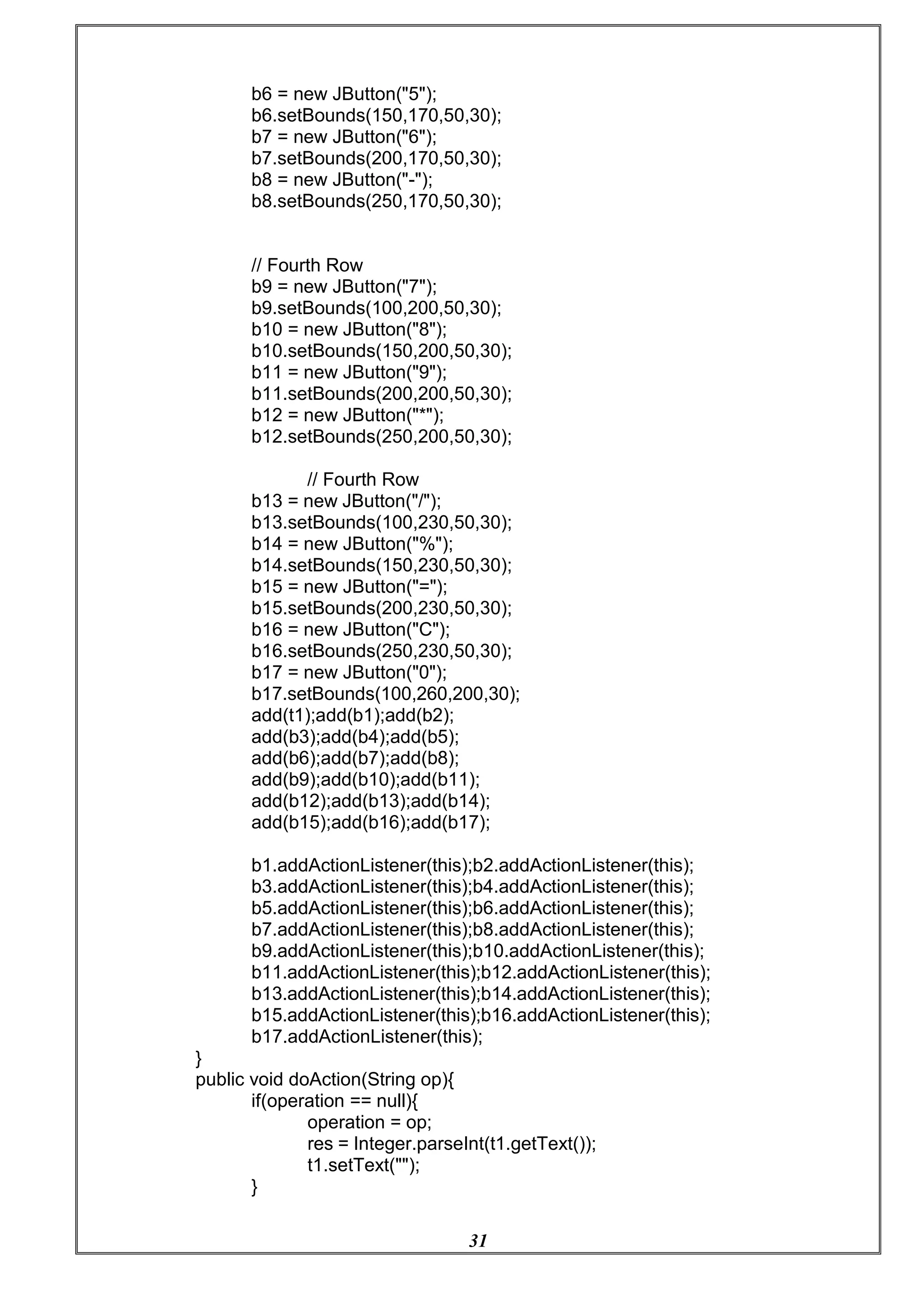
public void doAction(String op){
if(operation == null){
operation = op;
res = Integer.parseInt(t1.getText());
t1.setText("");
}
32
else{
switch(operation){
case "+": res = res + Integer.parseInt(t1.getText());
break;
case "-": res = res - Integer.parseInt(t1.getText());
break;
case "/": try{
ArithmeticException("Divide by Zero");
if(t1.getText().equals("0")){
throw new
}
res = res / Integer.parseInt(t1.getText());
}
catch(ArithmeticException e){
t1.setText(e.getMessage());
operation = null;
res = 0;
}
break;
case "*": res = res * Integer.parseInt(t1.getText());
break;
case "%": res = res % Integer.parseInt(t1.getText());
break;
}
if(op.equals("=")){
t1.setText(res.toString());
res = 0;
operation = null;
}
else{
}
}
operation = op;
t1.setText("");
}
public void actionPerformed(ActionEvent e){
if(e.getSource()== b1)
t1.setText(t1.getText()+"1");
else if(e.getSource()== b2)
t1.setText(t1.getText()+"2");
else if(e.getSource()== b3)
t1.setText(t1.getText()+"3");
else if(e.getSource()== b5)
t1.setText(t1.getText()+"4");
else if(e.getSource()== b6)
t1.setText(t1.getText()+"5");
else if(e.getSource()== b7)
t1.setText(t1.getText()+"6");
else if(e.getSource()== b9)
t1.setText(t1.getText()+"7");
else if(e.getSource()== b10)
33
t1.setText(t1.getText()+"8");
else if(e.getSource()== b11)
t1.setText(t1.getText()+"9");
else if(e.getSource()== b17)
t1.setText(t1.getText()+"0");
else if(e.getSource()== b16){
t1.setText("");
res =0;
operation = null;
}
else if(e.getSource()== b4){
doAction("+");
}
else if(e.getSource()== b8)
doAction("-");
else if(e.getSource()== b12)
doAction("*");
else if(e.getSource()== b13)
doAction("/");
else if(e.getSource()== b14)
doAction("%");
else if(e.getSource()== b15)
doAction("=");
}
public static void main(String args[]){
new Calculator().setVisible(true);
}
}
OUTPUT:
34
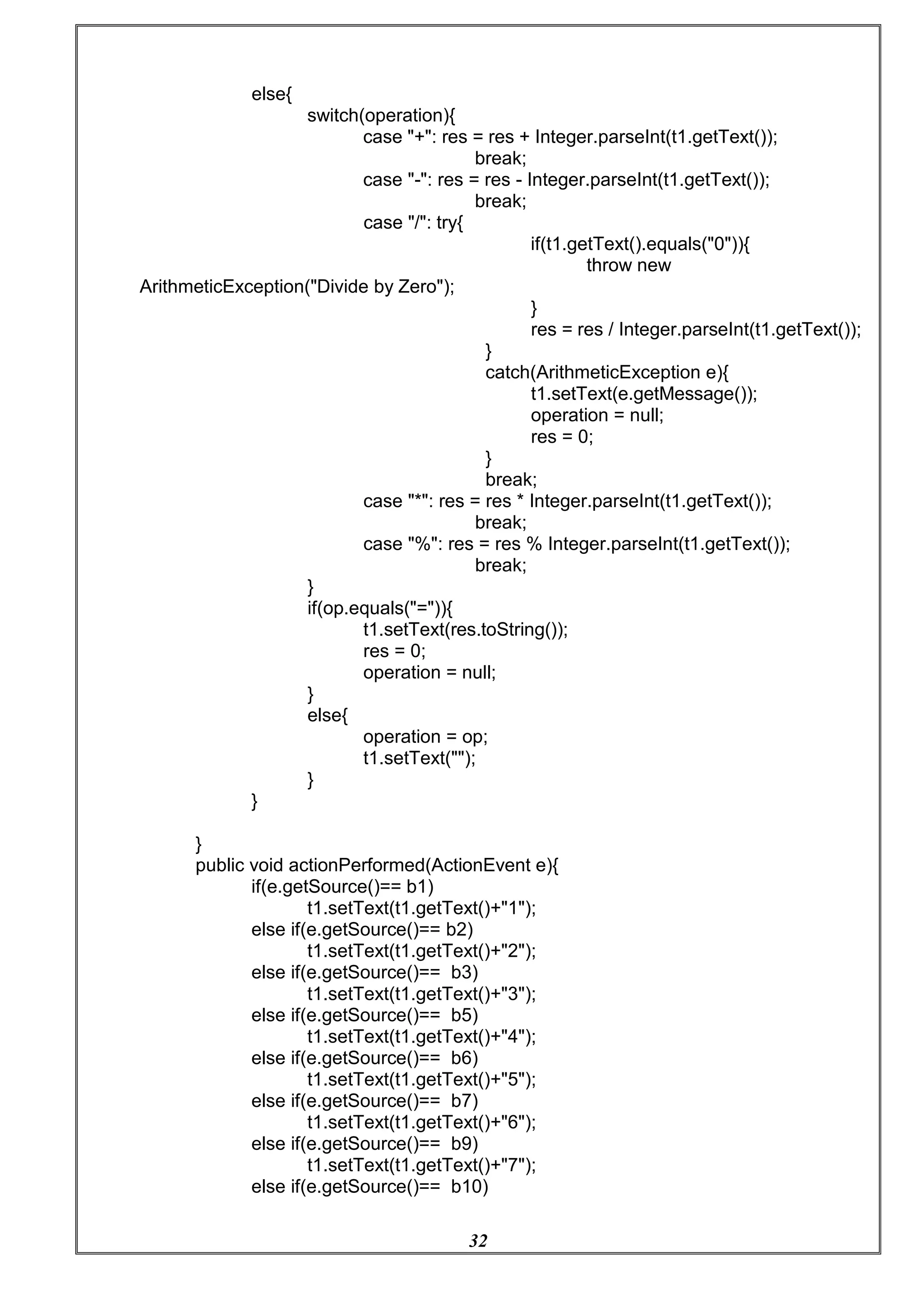
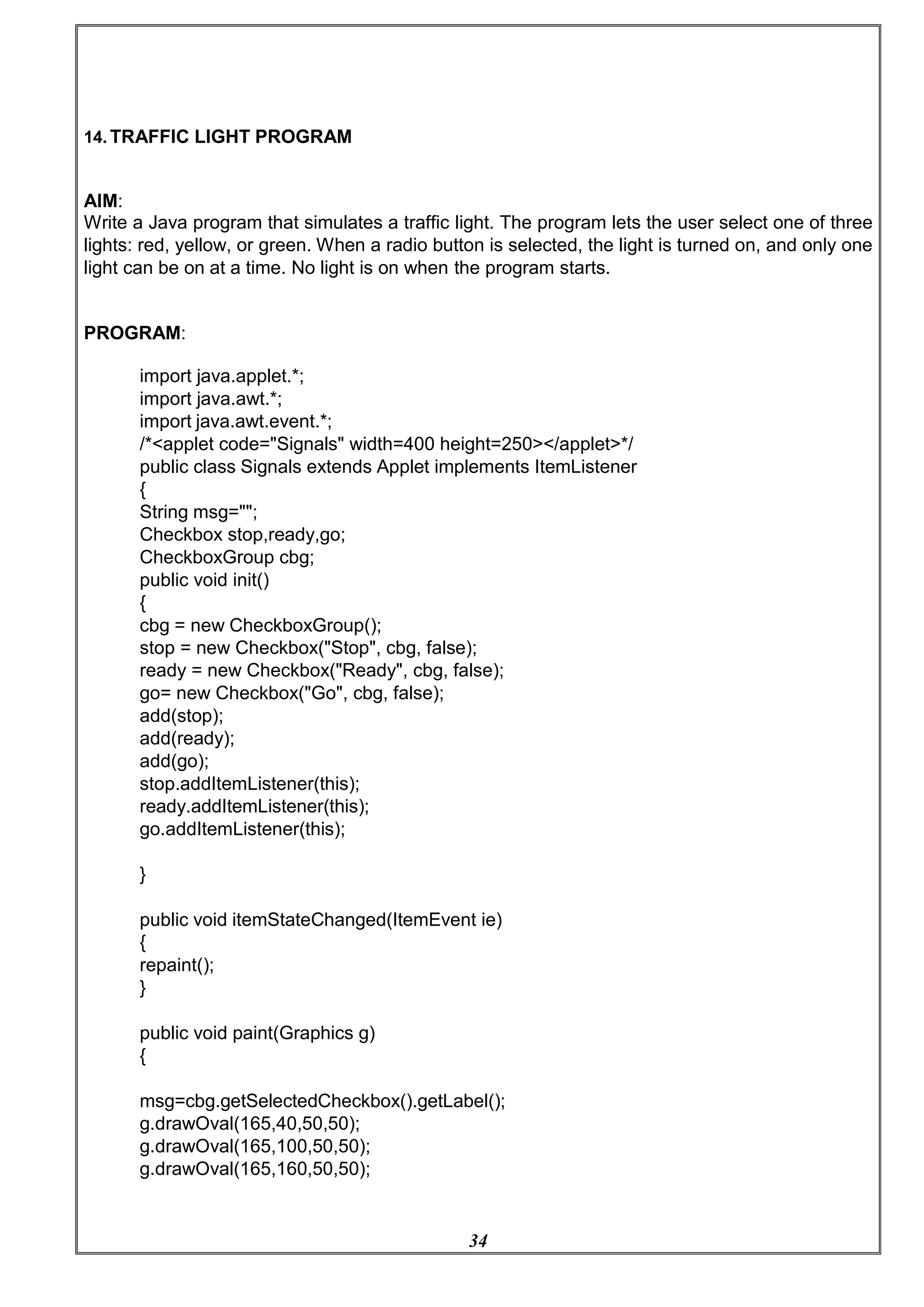
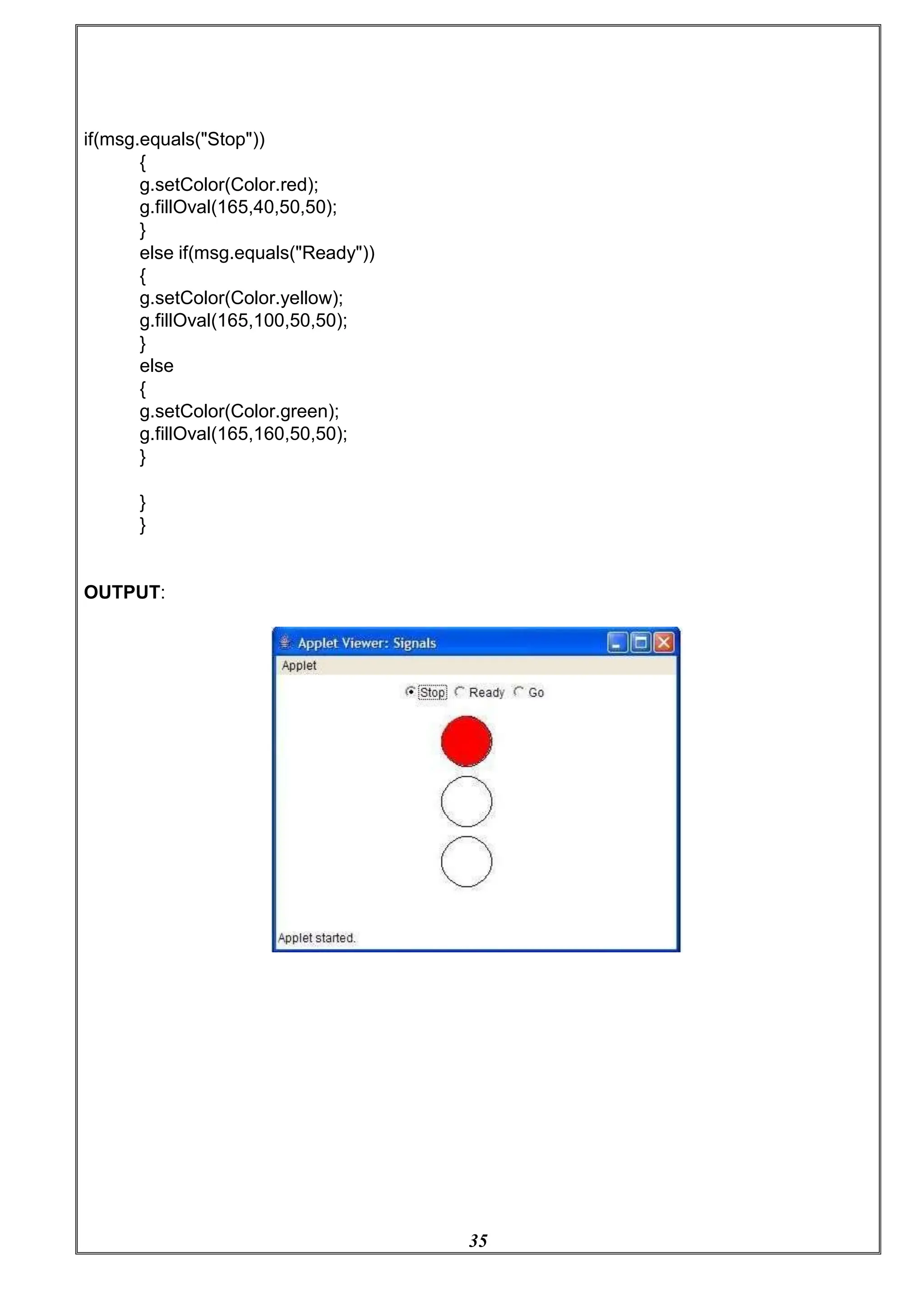
14. TRAFFIC LIGHT PROGRAM
AIM:
Write a Java program that simulates a traffic light. The program lets the user select one of three
lights: red, yellow, or green. When a radio button is selected, the light is turned on, and only one
light can be on at a time. No light is on when the program starts.
PROGRAM:
import java.applet.*;
import java.awt.*;
import java.awt.event.*;
/*<applet code="Signals" width=400 height=250></applet>*/
public class Signals extends Applet implements ItemListener
{
String msg="";
Checkbox stop,ready,go;
CheckboxGroup cbg;
public void init()
{
cbg = new CheckboxGroup();
stop = new Checkbox("Stop", cbg, false);
ready = new Checkbox("Ready", cbg, false);
go= new Checkbox("Go", cbg, false);
add(stop);
add(ready);
add(go);
stop.addItemListener(this);
ready.addItemListener(this);
go.addItemListener(this);
}
public void itemStateChanged(ItemEvent ie)
{
repaint();
}
public void paint(Graphics g)
{
msg=cbg.getSelectedCheckbox().getLabel();
g.drawOval(165,40,50,50);
g.drawOval(165,100,50,50);
g.drawOval(165,160,50,50);
35
if(msg.equals("Stop"))
{
g.setColor(Color.red);
g.fillOval(165,40,50,50);
}
else if(msg.equals("Ready"))
{
g.setColor(Color.yellow);
g.fillOval(165,100,50,50);
}
else
{
g.setColor(Color.green);
g.fillOval(165,160,50,50);
}
}
}
OUTPUT:
36
16. QUICK SORT USING JAVA
AIM:
Write a Java program that implements Quick sort algorithm for sorting a list of
names in ascending order.
PROGRAM:
public class QuickSortOnStrings {
String names[];
int length;
public static void main(String[] args) {
QuickSortOnStrings obj = new QuickSortOnStrings();
String stringsList[] = {"Raja", "Gouthu", "Rani", "Gouthami", "Honey", "Heyaansh",
"Hello"};
obj.sort(stringsList);
for (String i : stringsList) {
System.out.print(i);
System.out.print(" ");
}
}
void sort(String array[]) {
if (array == null || array.length == 0) {
return;
}
this.names = array;
this.length = array.length;
quickSort(0, length - 1);
}
void quickSort(int lowerIndex, int higherIndex) {
int i = lowerIndex;
int j = higherIndex;
String pivot = this.names[lowerIndex + (higherIndex - lowerIndex) / 2];
while (i <= j) {
while (this.names[i].compareToIgnoreCase(pivot) < 0) {
i++;
}
while (this.names[j].compareToIgnoreCase(pivot) > 0) {
j--;
}
37
if (i <= j) {
exchangeNames(i, j);
i++;
j--;
}
}
if (lowerIndex < j) {
quickSort(lowerIndex, j);
}
if (i < higherIndex) {
quickSort(i, higherIndex);
}
}
void exchangeNames(int i, int j) {
String temp = this.names[i];
this.names[i] = this.names[j];
this.names[j] = temp;
}
}
OUTPUT:
Gouthami
Gouthu
Hello
Heyaansh
Honey
Raja
Rani
38
17. BINARY SEARCH USING JAVA
AIM:
Write a Java program that implements the binary search algorithm.
PROGRAM:
import java.util.Scanner;
// Binary Search in Java
class Main {
int binarySearch(int array[], int element, int low, int high) {
// Repeat until the pointers low and high meet each other
while (low <= high) {
// get index of mid element
int mid = low + (high - low) / 2;
// if element to be searched is the mid element
if (array[mid] == element)
return mid;
// if element is less than mid element
// search only the left side of mid
if (array[mid] < element)
low = mid + 1;
// if element is greater than mid element
// search only the right side of mid
else
high = mid - 1;
}
return -1;
}
public static void main(String args[]) {
// create an object of Main class
Main obj = new Main();
// create a sorted array
int[] array = { 3, 4, 5, 6, 7, 8, 9 };
int n = array.length;
// get input from user for element to be searched
39
Scanner input = new Scanner(System.in);
System.out.println("Enter element to be searched:");
// element to be searched
int element = input.nextInt();
input.close();
// call the binary search method
// pass arguments: array, element, index of first and last element
int result = obj.binarySearch(array, element, 0, n - 1);
if (result == -1)
System.out.println("Not found");
else
System.out.println("Element found at index " + result);
}
}
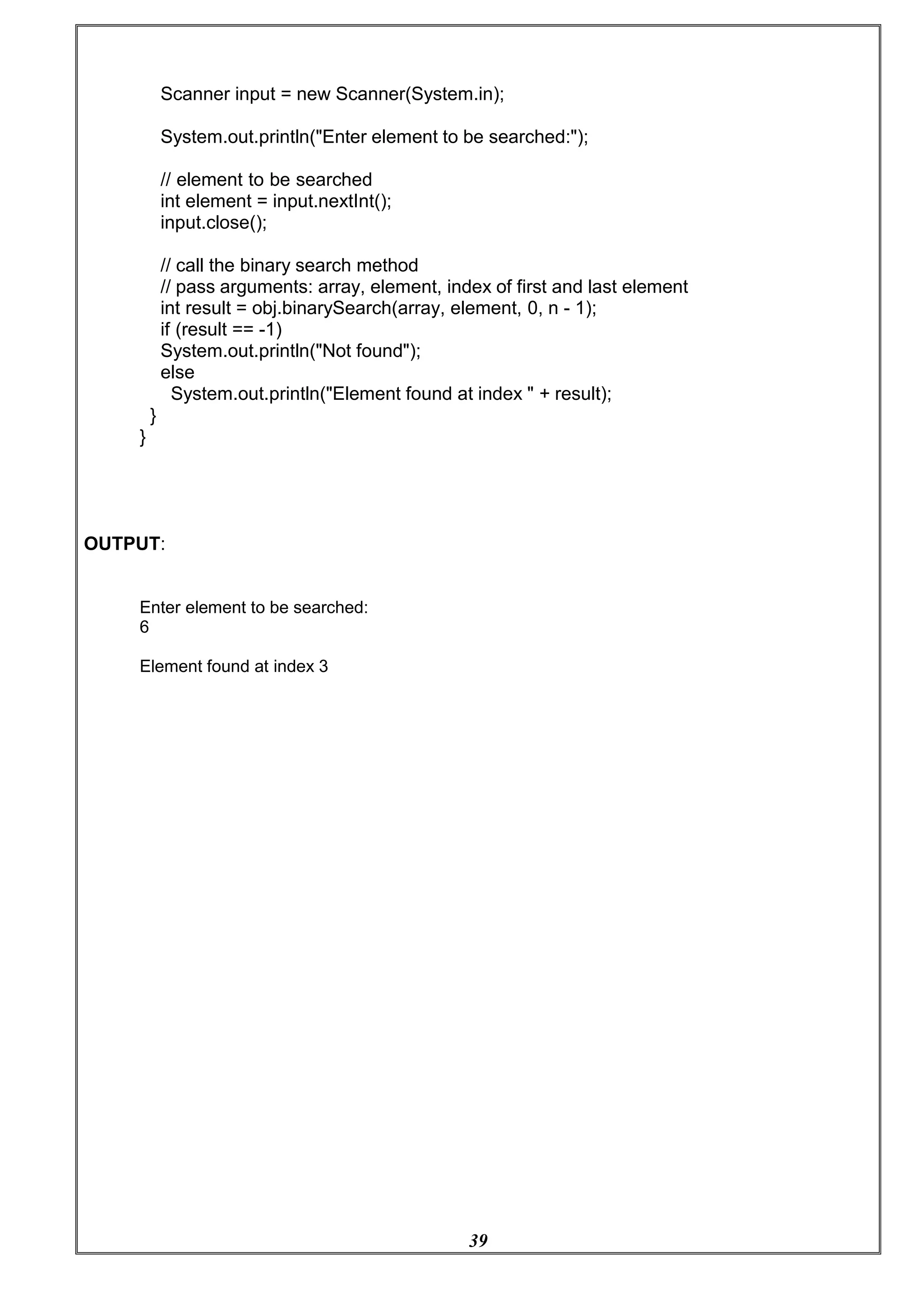
OUTPUT:
Enter element to be searched:
6
Element found at index 3

OOP Lab-manual btech in cse kerala technological university

  • 1.
    [Type here] LAB MANUAL CSL203:OBJECT ORIENTED PROGRAMMING LAB (IN JAVA)
  • 2.
    [Type here] INDEX LIST OFEXPERIMENTS 1. Write a Java program that checks whether a given string is a palindrome or not. Ex: MALAYALAM is palindrome. 2. Write a Java Program to find the frequency of a given character in a string. ** 3. Write a Java program to multiply two given matrices. ** 4. Write a Java program which creates a class named 'Employee' having the following members: Name, Age, Phone number, Address, Salary. It also has a method named 'print- Salary( )' which prints the salary of the Employee. Two classes 'Officer' and 'Manager inherits the 'Employee' class. The 'Officer' and 'Manager' classes have data members 'specialization' and 'department' respectively. Now, assign name, age, phone number, address and salary to an officer and a manager by making an object of both of these classes and print the same. (Exercise to understand inheritance). ** 5. Write a java program to create an abstract class named Shape that contains an empty method named numberOfSides( ). Provide three classes named Rectangle, Triangle and Hexagon such that each one of the classes extends the class Shape. Each one of the classes contains only the method numberOfSides( ) that shows the number of sides in the given geometrical structures. (Exercise to understand polymorphism). ** 6. Write a Java program to demonstrate the use of garbage collector. 7. Write a file handling program in Java with reader/writer. 8. Write a Java program that read from a file and write to file by handling all file related exceptions.** 9. Write a Java program that reads a line of integers, and then displays each integer, and the sum of all the integers (Use String Tokenizer class of java.util). ** 10. Write a Java program that shows the usage of try, catch, throws and finally.** 11. Write a Java program that implements a multi-threaded program which has three threads. First thread generates a random integer every 1 second. If the value is even, second thread computes the square of the number and prints. If the value is odd the third thread will print the value of cube of the number. 12. Write a Java program that shows thread synchronization. **
  • 3.
    [Type here] 13. Writea Java program that works as a simple calculator. Arrange Buttons for digits and the + - * % operations properly. Add a text field to display the result. Handle any possible exceptions like divide by zero. Use Java Swing. ** 14. Write a Java program that simulates a traffic light. The program lets the user select one of three lights: red, yellow, or green. When a radio button is selected, the light is turned on, and only one light can be on at a time. No light is on when the program starts. ** 15. Write a Java program to display all records from a table using Java Database Connectivity (JDBC). 16. Write a Java program for the following: ** 1) Create a doubly linked list of elements. 2) Delete a given element from the above list. 3) Display the contents of the list after deletion. 17. Write a Java program that implements Quick sort algorithm for sorting a list of names in ascending order. ** 18. Write a Java program that implements the binary search algorithm.
  • 4.
    5 [Type here] OBJECT ORIENTEDPROGRAMMING In Object Oriented Programming, the data is a critical element in the program development and it does not flow freely around the system. Object oriented program allows decomposing a problem into a number of entities called object and then builds data and functions around these entities. Object, Class, Inheritance, Polymorphism, Dynamic binding, Overloading, Data abstraction, Encapsulation, Modularity are the basic concept of OOP. GENERAL CONCEPTS OF OOPS: - OBJECT Objects are the basic run time entities in an Object Oriented Programming. They represent a person, a place or any item that the program handles. The Object Oriented approach views a problem in terms of object involved rather than procedure for doing it. Object is an identifiable entity with some characteristics and behavior. The characteristic of an object are represented by its data and its behavior is represented by its data function associated. Therefore in OOP Programming object represents an entity that can store data and has its interface through function. CLASS A class is a group of objects that share a common properties and relationship. ‘Object’ is an instance of class. A class is a way to bind the data and its associated function together. When defining a class, we are creating a new abstract data type that can be treated like any other built-in-data type. For e.g. Bird is a class but parrot is an object. DATA ABSTRACTION Abstraction is the concept of simplifying a real world concept into its essential element. Abstraction refers to act representing essential features without including the background details or explanations. It creates a new data type used encapsulation items that are suited to an application to be programmed is known as data abstraction. Data types created by the data abstraction process are known as abstract data types. For e.g. Switch board.
  • 5.
    6 [Type here] ENCAPSULATION The wrappingup of data and function that operate on the data into a single unit called class is known as encapsulation. The data cannot be accessed directly. If you want to read a data, an item in an object (an instance of the class), you can call a member function in the object. It will read the item and return the value to you. The data is hidden so it is safe from accident alteration. Encapsulation is just a way to implement data abstraction class is the concept of data abstraction. They are known as abstract data type. Data types because; these can be used to create objects of its own type. INHERITANCE Inheritance is the capacity of one class of things to inherit capacities or properties from another class. One major reason behind this is the capability to express the inheritance relationship which makes it aware the closeness with the real world. Another reason is idea of reusability. One reason is the transitive nature. The principle behind this sort of diversion is that each subclass shares a common characteristic with the class from which it is derived. A subclass defines only those features that are unique to it. POLYMORPHISM Polymorphism is the ability for a message data to be processed more than one form. Polymorphism is the concept of which supports the capability of an object of a class to behave differentially in response to a message or action. Polymorphism is a property by which the same message can be sent to objects of several different classes and each object can respond in a different way depending on its class. Property by which the same message can be sent to objects of several different way depending on its class property by which the same message can be sent to objects of several different classes and each object can respond in a different way depending on its class property. DYNAMIC BINDING Binding refers to the tie up of a procedure call to the address code to be executed in response to the code. Dynamic binding is done at the time of execution.
  • 6.
    7 [Type here] OVERLOADING Overloading allowsa function or operator to be given more than one definition. A function name having several definitions that are differentiable by the number or type of their arrangements. This not only implements polymorphism but also reduces number of comparison in a program and thereby making the program run faster. MODULARITY Act of representing or partitioning a program into industrial components. It is the property of a system that has been decomposed into a set of cohesive and loosed coupled modules. For eg. A complete music system comprises of speakers, cassette players, and real player. Similarly, we can divide a complex program into various modules where each module is a complete unit in itself. JAVA FEATURES 1. Simple 2. Object-Oriented 3. Platform independent 4. Secured 5. Robust 6. Architecture neutral 7. Portable 8. Dynamic 9. Interpreted 10.High Performance 11.Multithreaded 12.Distributed SIMPLE According to Sun, Java language is simple because: syntax is based on C++ (so easier for programmers to learn it after C++). Removed many confusing and/or rarely-used features e.g., explicit pointers, operator overloading etc. No need to remove unreferenced objects because there is Automatic Garbage Collection in Java.
  • 7.
    8 [Type here] OBJECT-ORIENTED Object-oriented meanswe organize our software as a combination of different types of objects that incorporates both data and behavior. Object-oriented programming(OOPs) is a methodology that simplify software development and maintenance by providing some rules. Basic concepts of OOPs are: 1. Object 2. Class 3. Inheritance 4. Polymorphism 5. Abstraction 6. Encapsulation PLATFORM INDEPENDENT A platform is the hardware or software environment in which a program runs. There are two types of platforms software-based and hardware-based. Java provides software-based platform. The Java platform differs from most other platforms in the sense that it's a software-based platform that runs on top of other hardware-based platforms. It has two components: 1. Runtime Environment 2. API(Application Programming Interface)
  • 8.
    Java code canbe run on multiple platforms code is compiled by the compiler and co independent code because it can be ru Anywhere(WORA). SECURED Java is secured because: e.g. Windows, Linux, Sun Solaris, Mac/OS etc. Java nverted into bytecode. This bytecode is a platform n on multiple platforms i.e. Write Once and Run  No explicit pointer  Programs run inside virtual machine sandbox.  Class loader- adds security by separating the package for the classes of the local file system from those that are imported from network sources.  Bytecode Verifier- checks the code fragments for illegal code that can violate access right to objects.  Security Manager- determines what resources a class can access such as reading and writing to the local disk. These securities are provided by Java language. Some security can also be provided by application developer through SSL, JAAS, cryptography etc. 9
  • 9.
    10 ROBUST Robust simply meansstrong. Java uses strong memory management. There are lack of pointers that avoids security problem. There is automatic garbage collection in Java. There is exception handling and type checking mechanism in Java. All these points makes Java robust. ARCHITECTURE-NEUTRAL There is no implementation dependent features e.g. size of primitive types is set. PORTABLE We may carry the Java bytecode to any platform. HIGH-PERFORMANCE Java is faster than traditional interpretation since byte code is "close" to native code still somewhat slower than a compiled language (e.g., C++) DISTRIBUTED We can create distributed applications in Java. RMI and EJB are used for creating distributed applications. We may access files by calling the methods from any machine on the internet. MULTI-THREADED A thread is like a separate program, executing concurrently. We can write Java programs that deal with many tasks at once by defining multiple threads. The main advantage of multi- threading is that it shares the same memory. Threads are important for multi-media, Web applications etc.
  • 10.
    11 1. PALINDROME AIM: Write aJava program that checks whether a given string is a palindrome or not. Ex: MALAYALAM is palindrome PROGRAM: import java.util.Scanner; class Test{ public static void main(String args[]){ Scanner sc = new Scanner(System.in); System.out.print("Enter the String:"); String str = sc.nextLine(); int flag = 0; int len = str.length(); for(int i=0;i<len/2;i++){ if(str.charAt(i) != str.charAt(len-i-1)){ flag = 1; break; } } if(flag == 0){ System.out.println("Palindrome"); } } OUTPUT: } else{ } System.out.println("Not Palindrome"); Enter the String: MALAYALAM Palindrome.
  • 11.
    12 2.FREQUENCY OF AGIVEN CHARACTER IN A STRING. AIM: Write a Java Program to find the frequency of a given character in a string PROGRAM: import java.util.Scanner; class Test{ public static void main(String args[]){ Scanner sc = new Scanner(System.in); System.out.print("Enter the String:"); String str = sc.nextLine(); System.out.print("Enter the character:"); char ch = sc.nextLine().charAt(0); int count = 0; for(int i=0;i<str.length();i++){ if(str.charAt(i) == ch){ count++; } } } OUTPUT: System.out.println("Count of occurence of "+ ch +"="+count); } Enter the String: java Enter the character :a Count of occurrence of a =2
  • 12.
    13 3.MULTIPLY TWO GIVENMATRICES. AIM: Write a Java program to multiply two given matrices PROGRAM: import java.util.Scanner; class Test{ public static void main(String args[]){ Scanner sc = new Scanner(System.in); System.out.print("Enter the order - m1:"); int m1 = sc.nextInt(); System.out.print("Enter the order - n1:"); int n1 = sc.nextInt(); System.out.print("Enter the order - m2:"); int m2 = sc.nextInt(); System.out.print("Enter the order - n2:"); int n2 = sc.nextInt(); if(n1 != m2){ System.out.println("Matrix Multiplication not Possible"); return; } int A[][] = new int[m1][n1]; int B[][] = new int[m2][n2]; int C[][] = new int[m1][n2]; System.out.println("Read Matrix A"); for(int i=0;i<m1;i++){ for(int j=0;j<n1;j++){ System.out.print("A["+i+"]["+j+"]="); A[i][j] = sc.nextInt(); } } System.out.println("Read Matrix B"); for(int i=0;i<m2;i++){ for(int j=0;j<n1;j++){ System.out.print("B["+i+"]["+j+"]="); B[i][j] = sc.nextInt(); } } for(int i=0;i<m1;i++){ for(int j=0;j<n2;j++){ C[i][j]=0; for(int k=0;k<n1;k++){ C[i][j] += A[i][k] * B[k][j];
  • 13.
    14 } } } System.out.println("Matrix A"); for(int i=0;i<m1;i++){ for(intj=0;j<n1;j++){ System.out.print(A[i][j]+"t"); } System.out.println(); } System.out.println("Matrix B"); for(int i=0;i<m2;i++){ for(int j=0;j<n2;j++){ System.out.print(B[i][j]+"t"); } System.out.println(); } System.out.println("Matrix C"); for(int i=0;i<m1;i++){ for(int j=0;j<n2;j++){ System.out.print(C[i][j]+"t"); } } } OUTPUT: } System.out.println(); Enter the order - m1 2 Enter the order - n1 2 Enter the order - m2 2 Enter the order - n2 2 Read Matrix A: 2 2 2 2 Matrix A 2 2 2 2 Read Matrix B: 2 2 2 2 Matrix B 2 2 2 2 Matrix C 8 8
  • 14.
    15 4.EMPLOYEE DETAILS AIM: Write aJava program which creates a class named 'Employee' having the following members: Name, Age, Phone number, Address, Salary. It also has a method named 'print- Salary( )' which prints the salary of the Employee. Two classes 'Officer' and 'Manager' inherits the 'Employee' class. The 'Officer' and 'Manager' classes have data members 'specialization' and 'department' respectively. Now, assign name, age, phone number, address and salary to an officer and a manager by making an object of both of these classes and print the same. PROGRAM: import java.util.Scanner; class Employee{ private String name; private int age; private long phoneNumber; private String address; private double salary; public void setName(String name){ this.name = name; } public void setAge(int age){ this.age=age; } public void setPhoneNumber(long phoneNumber){ this.phoneNumber = phoneNumber; } public void setAddress(String address){ this.address = address; } public void setSalary(double salary){ this.salary = salary; } public double printSalary(){ return salary; } public String getName(){ return name; } public int getAge(){ return age; } public String getAddress(){ return address; } public long getPhoneNumber(){ return phoneNumber; }
  • 15.
    16 } class Officer extendsEmployee{ private String specialization; private String department; public void setSpecialization(String specialization){ this.specialization = specialization; } public void setDepartment(String department){ this.department = department; } public String getDepartment(){ return department; } public String getSpecialization(){ return specialization; } } class Manager extends Employee{ private String specialization; private String department; public void setSpecialization(String specialization){ this.specialization = specialization; } public void setDepartment(String department){ this.department = department; } public String getDepartment(){ return department; } public String getSpecialization(){ return specialization; } } class Test{ public static void main(String args[]){ Scanner sc = new Scanner(System.in); Officer o = new Officer(); System.out.println("Enter the officer's Detail"); System.out.print("Name:"); o.setName(sc.nextLine()); System.out.print("Address:"); o.setAddress(sc.nextLine()); System.out.print("Specialization:"); o.setSpecialization(sc.nextLine());
  • 16.
    17 System.out.print("Department:"); o.setDepartment(sc.nextLine()); System.out.print("Age:"); o.setAge(sc.nextInt()); System.out.print("Number:"); o.setPhoneNumber(sc.nextLong()); System.out.print("Salary:"); o.setSalary(sc.nextDouble()); sc.nextLine(); // toskip new Line System.out.println("The officer Detail"); System.out.println("Name:"+o.getName()); System.out.println("Age:"+o.getAge()); System.out.println("Number:"+o.getPhoneNumber()); System.out.println("Address:"+o.getPhoneNumber()); System.out.println("Salary:"+o.printSalary()); System.out.println("Specialization:"+o.getSpecialization()); System.out.println("Department:"+o.getDepartment()); Manager m = new Manager(); System.out.println("Enter the manager's Detail"); System.out.print("Name:"); m.setName(sc.nextLine()); System.out.print("Address:"); m.setAddress(sc.nextLine()); System.out.print("Specialization:"); m.setSpecialization(sc.nextLine()); System.out.print("Department:"); m.setDepartment(sc.nextLine()); System.out.print("Age:"); m.setAge(sc.nextInt()); System.out.print("Number:"); m.setPhoneNumber(sc.nextLong()); System.out.print("Salary:"); m.setSalary(sc.nextDouble()); sc.nextLine(); // to skip new Line System.out.println("The manager's Detail"); System.out.println("Name:"+m.getName()); System.out.println("Age:"+m.getAge()); System.out.println("Number:"+m.getPhoneNumber()); System.out.println("Address:"+m.getPhoneNumber()); System.out.println("Salary:"+m.printSalary()); System.out.println("Specialization:"+m.getSpecialization()); System.out.println("Department:"+m.getDepartment()); } }
  • 17.
    18 OUTPUT: Enter the officer'sDetail Name:Sangeeth Address:Trivandrum Specialization:Computer Science Department:CSE Age:32 Number:9633566474 Salary:10000 The officer Detail Name:Sangeeth Age:32 Number:9633566474 Address:9633566474 Salary:10000.0 Specialization:Computer Science Department:CSE Enter the manager's Detail Name:Manu Address:Kochi Specialization:CSE Department:Computer Science Age:30 Number:9895881182 Salary:67000 The manager's Detail Name:Manu Age:30 Number:9895881182 Address:9895881182 Salary:67000.0 Specialization:CSE Department:Computer Science
  • 18.
    19 5.FIND NUMBER OFSIDES IN A GIVEN GEOMETRICAL STRUCTURE AIM: Write a java program to create an abstract class named Shape that contains an empty method named numberOfSides( ). Provide three classes named Rectangle, Triangle and Hexagon such that each one of the classes extends the class Shape. Each one of the classes contains only the method numberOfSides( ) that shows the number of sides in the given geometrical structures. (Exercise to understand polymorphism). abstract class Shape{ public abstract void numberOfSides(); } class Rectangle extends Shape{ public void numberOfSides(){ System.out.println("Number of Sides of Recta ngle = 4"); } } class Triangle extends Shape{ public void numberOfSides(){ System.out.println("Number of Sides of Triangle = 3"); } } class Hexagon extends Shape{ public void numberOfSides(){ System.out.println("Number of Sides of Hexagon = 6"); } } class Test{ public static void main(String args[]){ Rectangle r = new Rectangle(); Triangle t = new Triangle(); Hexagon h = new Hexagon(); r.numberOfSides(); t.numberOfSides(); h.numberOfSides(); } } OUTPUT: Number of Sides of Rectangle = 4 Number of Sides of Triangle = 3 Number of Sides of Hexagon = 6
  • 19.
    20 6.GARBAGE COLLECTER AIM: Write aJava program to demonstrate the use of garbage collector. PROGRAM: public class Test { public static void main(String[] args) throws InterruptedException { Test t1 = new Test(); Test t2 = new Test(); // Nullifying the reference variable t1 = null; // requesting JVM for running Garbage Collector System.gc(); // Nullifying the reference variable t2 = null; // requesting JVM for running Garbage Collector Runtime.getRuntime().gc(); } @Override // finalize method is called on object once // before garbage collecting it protected void finalize() throws Throwable { System.out.println("Garbage collector called"); System.out.println("Object garbage collected : " + this); } } OUTPUT: Garbage collector called Object garbage collected : Test@46d08f12 Garbage collector called Object garbage collected : Test@481779b8
  • 20.
    21 7.READ WRITE PROGRAM AIM: Writea file handling program in Java with reader/writer. PROGRAM: import java.io.*; import java.lang.*; class contol { static boolean flag = false; void read (int a) { System.out.println ("Reading ..."); try { Thread.sleep (3000); } catch (InterruptedException e) { e.printStackTrace (); } System.out.println ("Reading completed"); } synchronized void read () { System.out.println ("Reading ..."); try { Thread.sleep (3000); } catch (InterruptedException e) { e.printStackTrace (); } System.out.println ("Reading completed"); } synchronized void write () { flag = true; System.out.println ("Writing... "); try { Thread.sleep (50); } catch (InterruptedException e) {
  • 21.
    22 e.printStackTrace (); } System.out.println ("Writingcompleted"); flag = false; } } class Read extends Thread { contol ob; Read (contol d) { this.ob = d; start (); } public void run () { if (!contol.flag) ob.read (1); else ob.read (); } } class Write extends Thread { contol ob; Write (contol c) { this.ob = c; start (); } public void run () { ob.write (); } } public class Rwproblem { public static void main (String args[]) throws Exception { int ch = 0; contol ob = new contol (); InputStreamReader in= new InputStreamReader (System.in); BufferedReader br = new BufferedReader (in); do { System.out.println ("n MENU n1.Read n2.Write n3.Exit nnEnter your choice:"); ch = Integer.parseInt (br.readLine ()); switch (ch)
  • 22.
    23 { case 1: new Read(ob); break; case 2: new Write (ob); break; break; case 3: default: System.out.println ("Wrong Choice"); } } while (ch != 3); } } OUTPUT: MENU 1.Read 2.Write 3.Exit Enter your choice: 1 Reading.... Reading completed MENU 1.Read 2.Write 3.Exit Enter your choice: 2 Writing.... Writing completed
  • 23.
    24 8.FILE HANDLING AIM: Java programthat read from a file and write to file by handling all file related exceptions. PROGRAM: import java.io.FileWriter; import java.io.FileReader; import java.io.IOException; class ReadWriteFile { public static void main(String[] args) throws IOException { // variable declaration int ch; // check if File exists or not FileReader fr=new FileReader("sample.txt"); FileWriter fw=new FileWriter("new sample.txt"); // read from FileReader till the end of file, print the content and write to another file while ((ch=fr.read())!=-1) { System.out.print((char)ch); fw.write((char)ch); } // close the file fr.close(); fw.close(); } } OUTPUT: We already created a file sample.txt with content “Hello world ” after execution of program a new file is generated with name new sample.txt with contents readed rom sample.txt. “Hello world”
  • 24.
    25 9.STRING TOKENIZER AIM: Java programthat read from a file and write to file by handling all file related exceptions. PROGRAM: import java.util.*; class StringTokenizerDemo { public static void main(String args[]) { int n; int sum = 0; Scanner sc = new Scanner(System.in); System.out.println("Enter integers with one space gap:"); String s = sc.nextLine(); StringTokenizer st = new StringTokenizer(s, " "); while (st.hasMoreTokens()) { String temp = st.nextToken(); n = Integer.parseInt(temp); System.out.println(n); sum = sum + n; } System.out.println("sum of the integers is: " + sum); sc.close(); } } OUTPUT: Enter integers with one space gap: 10 20 30 40 50 10 20 30 40 50 sum of the integers is: 150
  • 25.
    26 10. SHOW THEUSAGE OF TRY CATCH THROWS AND FINALLY AIM: Write a Java program that shows the usage of try, catch, throws and finally. PROGRAM: import java.util.Scanner; class Test{ public static void main(String args[]){ Scanner sc = new Scanner(System.in); try{ System.out.println("Program to perform Division"); System.out.print("Enter Number-1:"); int a = sc.nextInt(); System.out.print("Enter Number-2:"); int b = sc.nextInt(); int c = a/b; System.out.println("Result="+c); } catch(ArithmeticException e){ System.out.println(e.getMessage()); } } OUTPUT: } finally{ } System.out.println("End of Operation"); Program to perform Division Enter Number-120 Enter Number-20 / by zero End of Operation
  • 26.
    27 11. MULTI-THREADING AIM: Write aJava program that implements a multi-threaded program which has three threads. First thread generates a random integer every 1 second. If the value is even, second thread computes the square of the number and prints. If the value is odd the third thread will print the value of cube of the number PROGRAM: import java.util.Random; class EvenThread extends Thread{ private int num; public EvenThread(int num){ this.num = num; } public void run(){ System.out.println("Square of"+ num+"="+num*num); } } class OddThread extends Thread{ private int num; public OddThread(int num){ this.num = num; } public void run(){ System.out.println("Cube of "+num+"="+ num*num*num); } } class RandomThread extends Thread{ public void run(){ Random r = new Random(); for(int i =0;i<10;i++){ int num = r.nextInt(100); if(num % 2 == 0){ new EvenThread(num).start(); } else{ } } new OddThread(num).start(); } } class Test{ public static void main(String args[]){ RandomThread r = new RandomThread();
  • 27.
    28 r.start(); } } OUTPUT: Square of 30=900 Cubeof 49=117649 Square of 36=1296 Cube of 33=35937 Cube of 53=148877 Square of 78=6084 Square of 46=2116 Square of 84=7056 Square of 94=8836 Cube of 63=250047
  • 28.
    29 12. THREAD SYNCHRONIZATION. AIM: Writea Java program that shows thread synchronization. PROGRAM: class Display{ public synchronized void print(String msg){ System.out.print("["+msg); try{ Thread.sleep(1000); } catch(Exception e){ System.out.println(e.getMessage()); } System.out.println("]"); } } class SyncThread extends Thread{ private Display d; private String msg; public SyncThread(Display d,String msg){ this.d=d; this.msg = msg; } public void run(){ d.print(msg); } } class Test{ public static void main(String args[]){ Display d = new Display(); SyncThread t1 = new SyncThread(d,"Hello"); SyncThread t2 = new SyncThread(d,"World"); t1.start(); t2.start(); } } OUTPUT: [Hello] [World]
  • 29.
    30 13. CALCULATOR AIM: Write aJava program that works as a simple calculator. Arrange Buttons for digits and the + - * % operations properly. Add a text field to display the result. Handle any possible exceptions like divide by zero. Use Java Swing. PROGRAM: import javax.swing.*; import java.awt.event.*; class Calculator extends JFrame implements ActionListener{ private JTextField t1; private JButton b1; private JButton b2; private JButton b3; private JButton b4; private JButton b5; private JButton b6; private JButton b7; private JButton b8; private JButton b9; private JButton b10; private JButton b11; private JButton b12; private JButton b13; private JButton b14; private JButton b15; private JButton b16; private JButton b17; private Integer res; private String operation; public Calculator(){ setLayout(null); setSize(680,480); t1 = new JTextField(); t1.setBounds(100,100,200,30); b1 = new JButton("1"); b1.setBounds(100,140,50,30); b2 = new JButton("2"); b2.setBounds(150,140,50,30); b3 = new JButton("3"); b3.setBounds(200,140,50,30); b4 = new JButton("+"); b4.setBounds(250,140,50,30); // Third Row b5 = new JButton("4"); b5.setBounds(100,170,50,30);
  • 30.
    31 b6 = newJButton("5"); b6.setBounds(150,170,50,30); b7 = new JButton("6"); b7.setBounds(200,170,50,30); b8 = new JButton("-"); b8.setBounds(250,170,50,30); // Fourth Row b9 = new JButton("7"); b9.setBounds(100,200,50,30); b10 = new JButton("8"); b10.setBounds(150,200,50,30); b11 = new JButton("9"); b11.setBounds(200,200,50,30); b12 = new JButton("*"); b12.setBounds(250,200,50,30); // Fourth Row b13 = new JButton("/"); b13.setBounds(100,230,50,30); b14 = new JButton("%"); b14.setBounds(150,230,50,30); b15 = new JButton("="); b15.setBounds(200,230,50,30); b16 = new JButton("C"); b16.setBounds(250,230,50,30); b17 = new JButton("0"); b17.setBounds(100,260,200,30); add(t1);add(b1);add(b2); add(b3);add(b4);add(b5); add(b6);add(b7);add(b8); add(b9);add(b10);add(b11); add(b12);add(b13);add(b14); add(b15);add(b16);add(b17); b1.addActionListener(this);b2.addActionListener(this); b3.addActionListener(this);b4.addActionListener(this); b5.addActionListener(this);b6.addActionListener(this); b7.addActionListener(this);b8.addActionListener(this); b9.addActionListener(this);b10.addActionListener(this); b11.addActionListener(this);b12.addActionListener(this); b13.addActionListener(this);b14.addActionListener(this); b15.addActionListener(this);b16.addActionListener(this); b17.addActionListener(this); } public void doAction(String op){ if(operation == null){ operation = op; res = Integer.parseInt(t1.getText()); t1.setText(""); }
  • 31.
    32 else{ switch(operation){ case "+": res= res + Integer.parseInt(t1.getText()); break; case "-": res = res - Integer.parseInt(t1.getText()); break; case "/": try{ ArithmeticException("Divide by Zero"); if(t1.getText().equals("0")){ throw new } res = res / Integer.parseInt(t1.getText()); } catch(ArithmeticException e){ t1.setText(e.getMessage()); operation = null; res = 0; } break; case "*": res = res * Integer.parseInt(t1.getText()); break; case "%": res = res % Integer.parseInt(t1.getText()); break; } if(op.equals("=")){ t1.setText(res.toString()); res = 0; operation = null; } else{ } } operation = op; t1.setText(""); } public void actionPerformed(ActionEvent e){ if(e.getSource()== b1) t1.setText(t1.getText()+"1"); else if(e.getSource()== b2) t1.setText(t1.getText()+"2"); else if(e.getSource()== b3) t1.setText(t1.getText()+"3"); else if(e.getSource()== b5) t1.setText(t1.getText()+"4"); else if(e.getSource()== b6) t1.setText(t1.getText()+"5"); else if(e.getSource()== b7) t1.setText(t1.getText()+"6"); else if(e.getSource()== b9) t1.setText(t1.getText()+"7"); else if(e.getSource()== b10)
  • 32.
    33 t1.setText(t1.getText()+"8"); else if(e.getSource()== b11) t1.setText(t1.getText()+"9"); elseif(e.getSource()== b17) t1.setText(t1.getText()+"0"); else if(e.getSource()== b16){ t1.setText(""); res =0; operation = null; } else if(e.getSource()== b4){ doAction("+"); } else if(e.getSource()== b8) doAction("-"); else if(e.getSource()== b12) doAction("*"); else if(e.getSource()== b13) doAction("/"); else if(e.getSource()== b14) doAction("%"); else if(e.getSource()== b15) doAction("="); } public static void main(String args[]){ new Calculator().setVisible(true); } } OUTPUT:
  • 33.
    34 14. TRAFFIC LIGHTPROGRAM AIM: Write a Java program that simulates a traffic light. The program lets the user select one of three lights: red, yellow, or green. When a radio button is selected, the light is turned on, and only one light can be on at a time. No light is on when the program starts. PROGRAM: import java.applet.*; import java.awt.*; import java.awt.event.*; /*<applet code="Signals" width=400 height=250></applet>*/ public class Signals extends Applet implements ItemListener { String msg=""; Checkbox stop,ready,go; CheckboxGroup cbg; public void init() { cbg = new CheckboxGroup(); stop = new Checkbox("Stop", cbg, false); ready = new Checkbox("Ready", cbg, false); go= new Checkbox("Go", cbg, false); add(stop); add(ready); add(go); stop.addItemListener(this); ready.addItemListener(this); go.addItemListener(this); } public void itemStateChanged(ItemEvent ie) { repaint(); } public void paint(Graphics g) { msg=cbg.getSelectedCheckbox().getLabel(); g.drawOval(165,40,50,50); g.drawOval(165,100,50,50); g.drawOval(165,160,50,50);
  • 34.
  • 35.
    36 16. QUICK SORTUSING JAVA AIM: Write a Java program that implements Quick sort algorithm for sorting a list of names in ascending order. PROGRAM: public class QuickSortOnStrings { String names[]; int length; public static void main(String[] args) { QuickSortOnStrings obj = new QuickSortOnStrings(); String stringsList[] = {"Raja", "Gouthu", "Rani", "Gouthami", "Honey", "Heyaansh", "Hello"}; obj.sort(stringsList); for (String i : stringsList) { System.out.print(i); System.out.print(" "); } } void sort(String array[]) { if (array == null || array.length == 0) { return; } this.names = array; this.length = array.length; quickSort(0, length - 1); } void quickSort(int lowerIndex, int higherIndex) { int i = lowerIndex; int j = higherIndex; String pivot = this.names[lowerIndex + (higherIndex - lowerIndex) / 2]; while (i <= j) { while (this.names[i].compareToIgnoreCase(pivot) < 0) { i++; } while (this.names[j].compareToIgnoreCase(pivot) > 0) { j--; }
  • 36.
    37 if (i <=j) { exchangeNames(i, j); i++; j--; } } if (lowerIndex < j) { quickSort(lowerIndex, j); } if (i < higherIndex) { quickSort(i, higherIndex); } } void exchangeNames(int i, int j) { String temp = this.names[i]; this.names[i] = this.names[j]; this.names[j] = temp; } } OUTPUT: Gouthami Gouthu Hello Heyaansh Honey Raja Rani
  • 37.
    38 17. BINARY SEARCHUSING JAVA AIM: Write a Java program that implements the binary search algorithm. PROGRAM: import java.util.Scanner; // Binary Search in Java class Main { int binarySearch(int array[], int element, int low, int high) { // Repeat until the pointers low and high meet each other while (low <= high) { // get index of mid element int mid = low + (high - low) / 2; // if element to be searched is the mid element if (array[mid] == element) return mid; // if element is less than mid element // search only the left side of mid if (array[mid] < element) low = mid + 1; // if element is greater than mid element // search only the right side of mid else high = mid - 1; } return -1; } public static void main(String args[]) { // create an object of Main class Main obj = new Main(); // create a sorted array int[] array = { 3, 4, 5, 6, 7, 8, 9 }; int n = array.length; // get input from user for element to be searched
  • 38.
    39 Scanner input =new Scanner(System.in); System.out.println("Enter element to be searched:"); // element to be searched int element = input.nextInt(); input.close(); // call the binary search method // pass arguments: array, element, index of first and last element int result = obj.binarySearch(array, element, 0, n - 1); if (result == -1) System.out.println("Not found"); else System.out.println("Element found at index " + result); } } OUTPUT: Enter element to be searched: 6 Element found at index 3