Dr. SELVA KUMAR S
B.M.S COLLEGE OF ENGINEERING
▪ Introduction to NoSQL
▪ Different NoSQL Products
▪ Exploring MongoDB Java/Ruby/Python statements
▪ Interfacing and Interacting with NoSQL
2
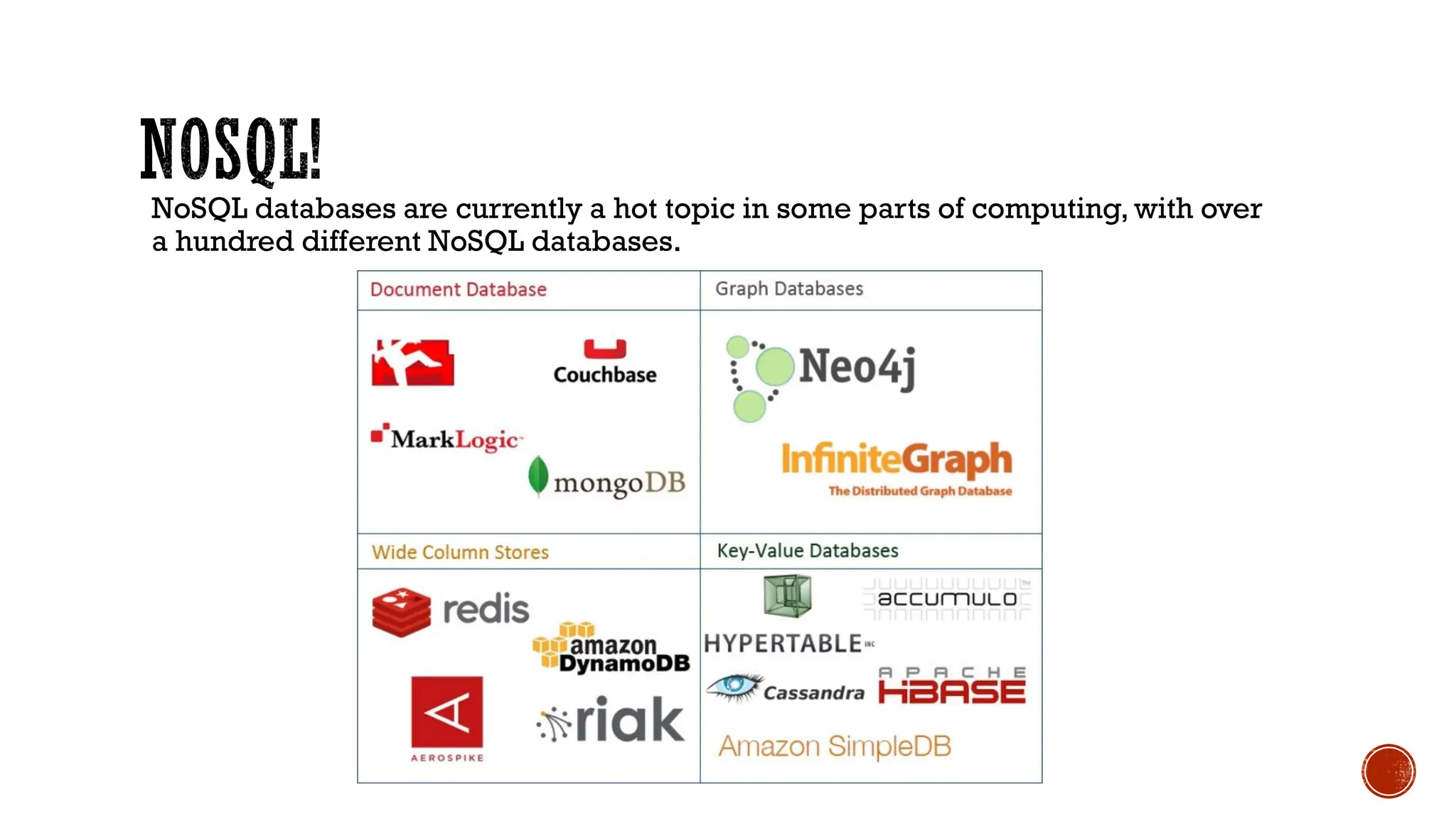
NoSQL databases are currently a hot topic in some parts of computing, with over
a hundred different NoSQL databases.
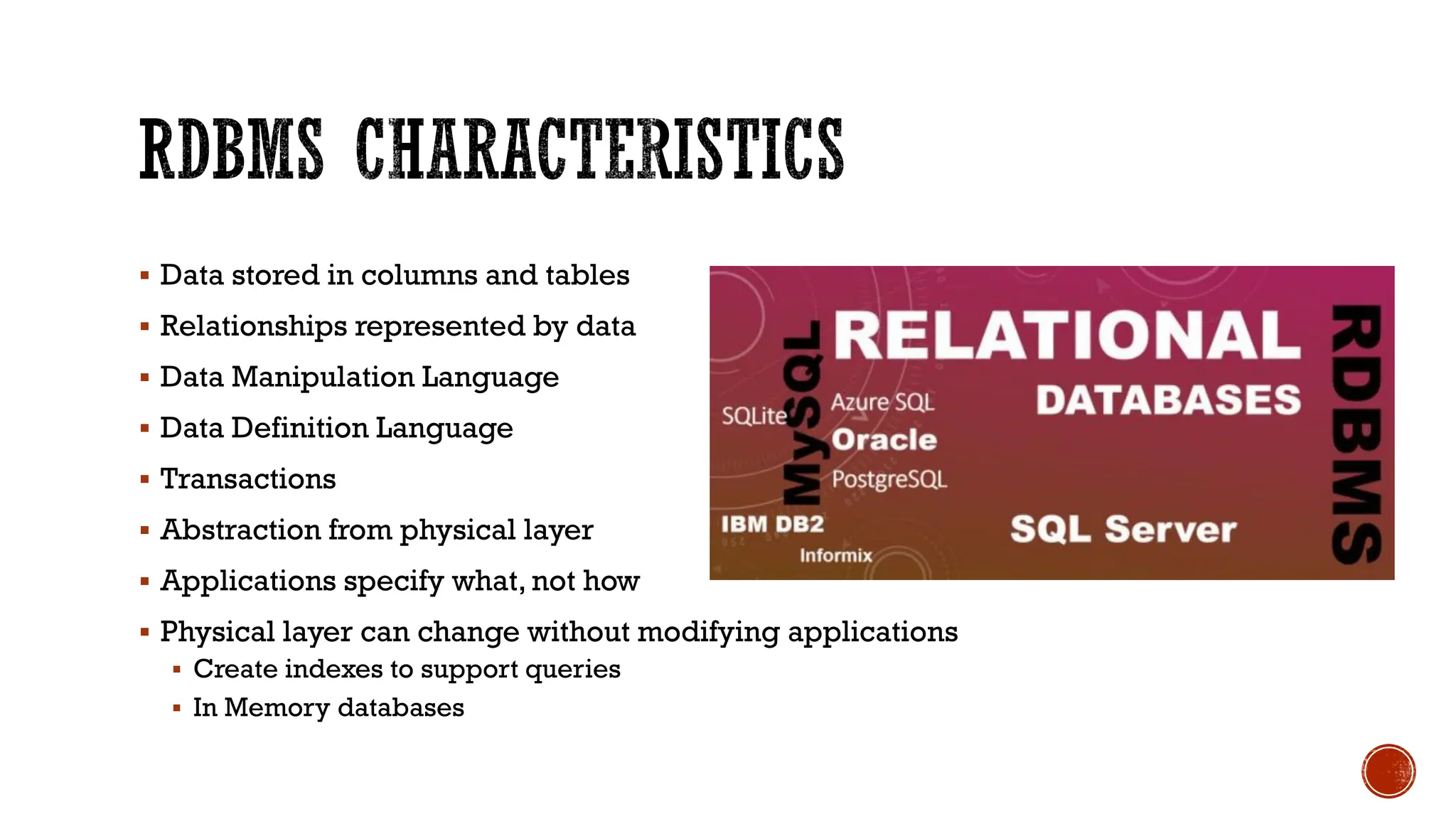
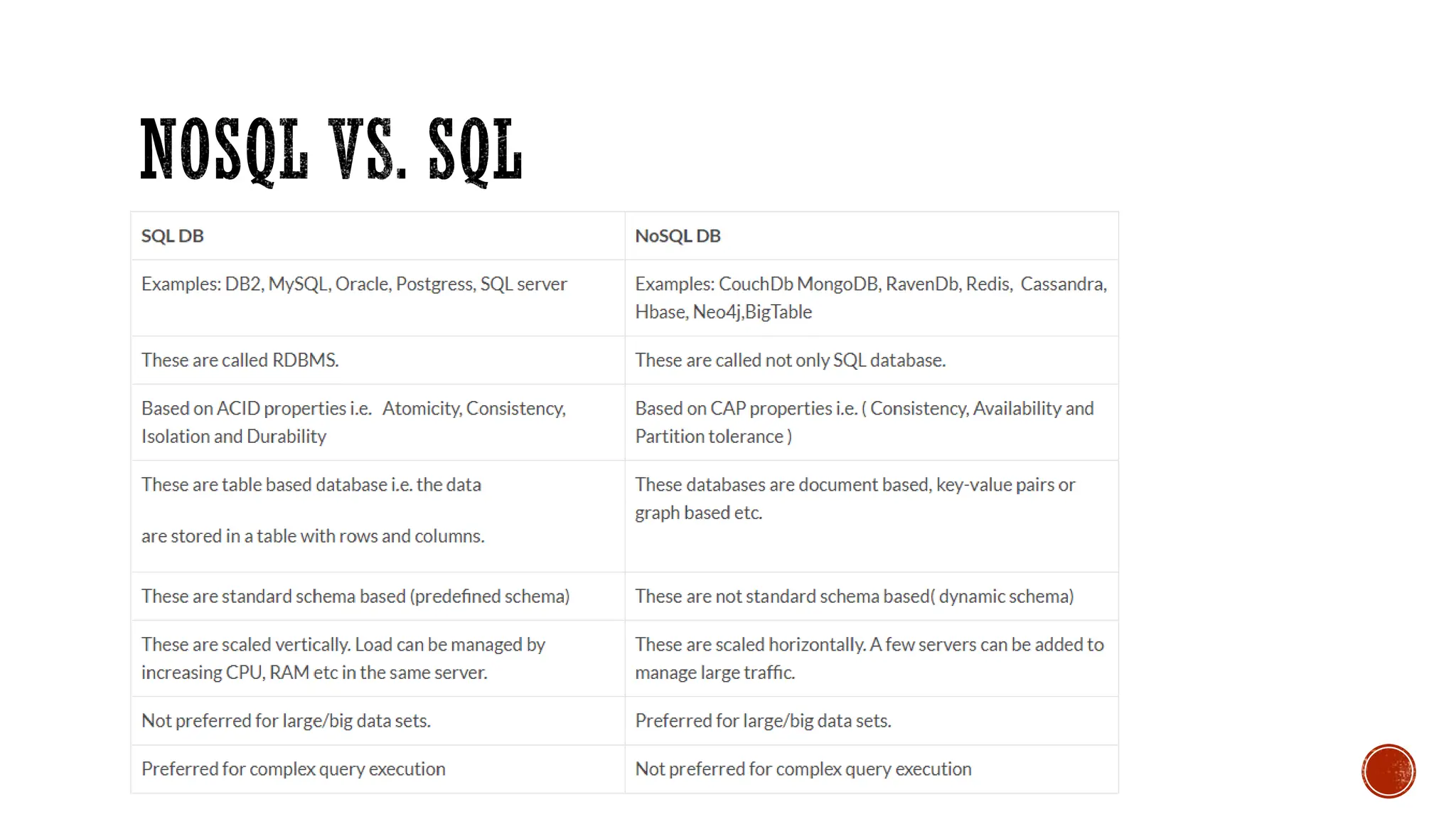
▪ Data stored in columns and tables
▪ Relationships represented by data
▪ Data Manipulation Language
▪ Data Definition Language
▪ Transactions
▪ Abstraction from physical layer
▪ Applications specify what, not how
▪ Physical layer can change without modifying applications
▪ Create indexes to support queries
▪ In Memory databases
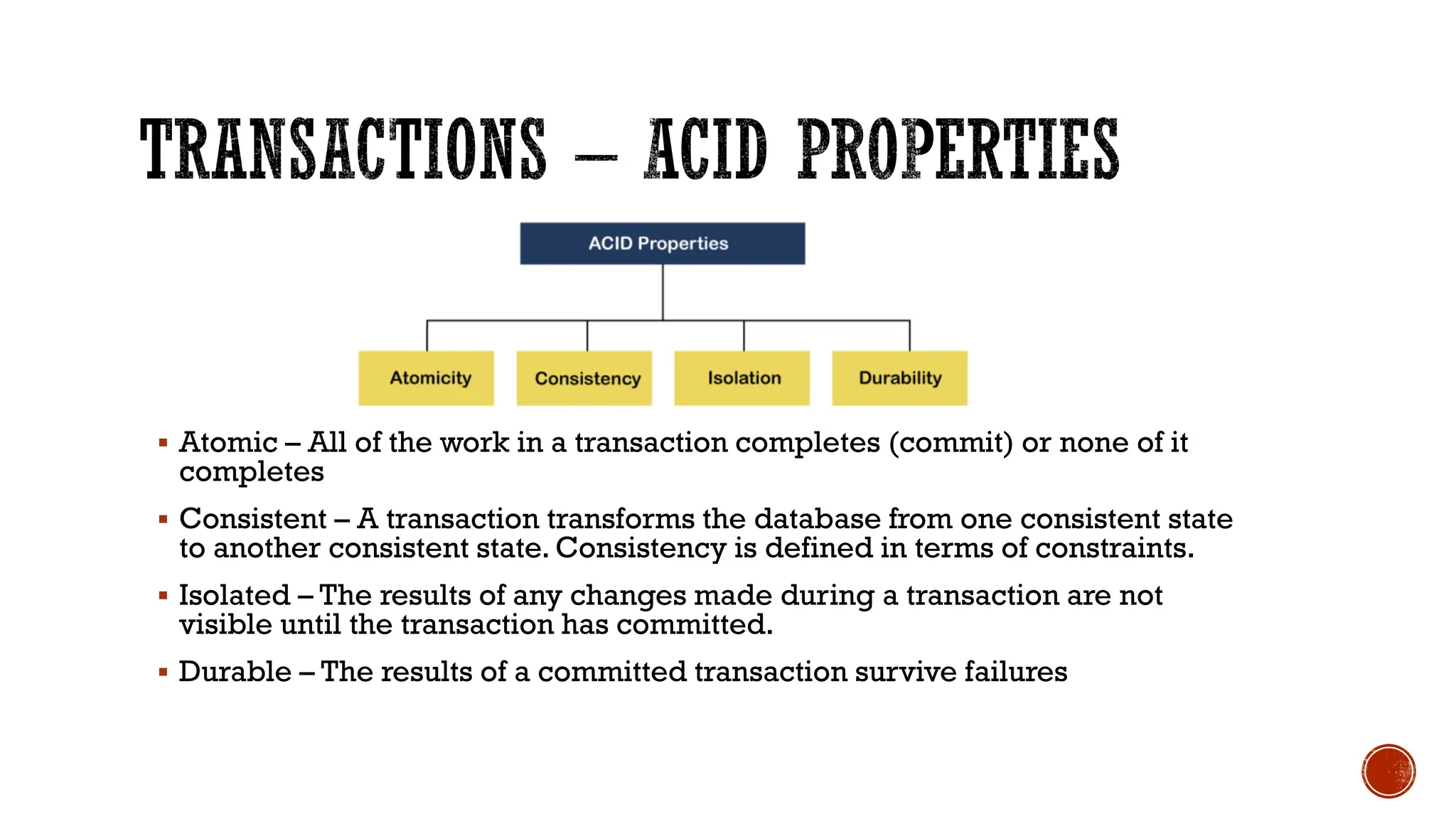
▪ Atomic – All of the work in a transaction completes (commit) or none of it
completes
▪ Consistent – A transaction transforms the database from one consistent state
to another consistent state. Consistency is defined in terms of constraints.
▪ Isolated – The results of any changes made during a transaction are not
visible until the transaction has committed.
▪ Durable – The results of a committed transaction survive failures
▪ NoSQL stands for:
▪ No Relational
▪ No RDBMS
▪ Not Only SQL
▪ NoSQL is an umbrella term for all databases and data stores that don’t follow the
RDBMS principles
▪ A class of products
▪ A collection of several (related) concepts about data storage and manipulation
▪ Often related to large data sets
▪ Non-relational DBMSs are not new
▪ But NoSQL represents a new incarnation
▪ Due to massively scalable Internet applications
▪ Based on distributed and parallel computing
▪ Development
▪ Starts with Google
▪ First research paper published in 2003
▪ Continues also thanks to Lucene's developers/Apache (Hadoop) and Amazon (Dynamo)
▪ Then a lot of products and interests came from Facebook, Netfix,Yahoo, eBay, Hulu, IBM,
and many more
▪ Three major papers were the seeds of the NoSQL movement
▪ BigTable (Google)
▪ Dynamo (Amazon)
▪ Distributed key-value data store
▪ Eventual consistency
▪ CAP Theorem
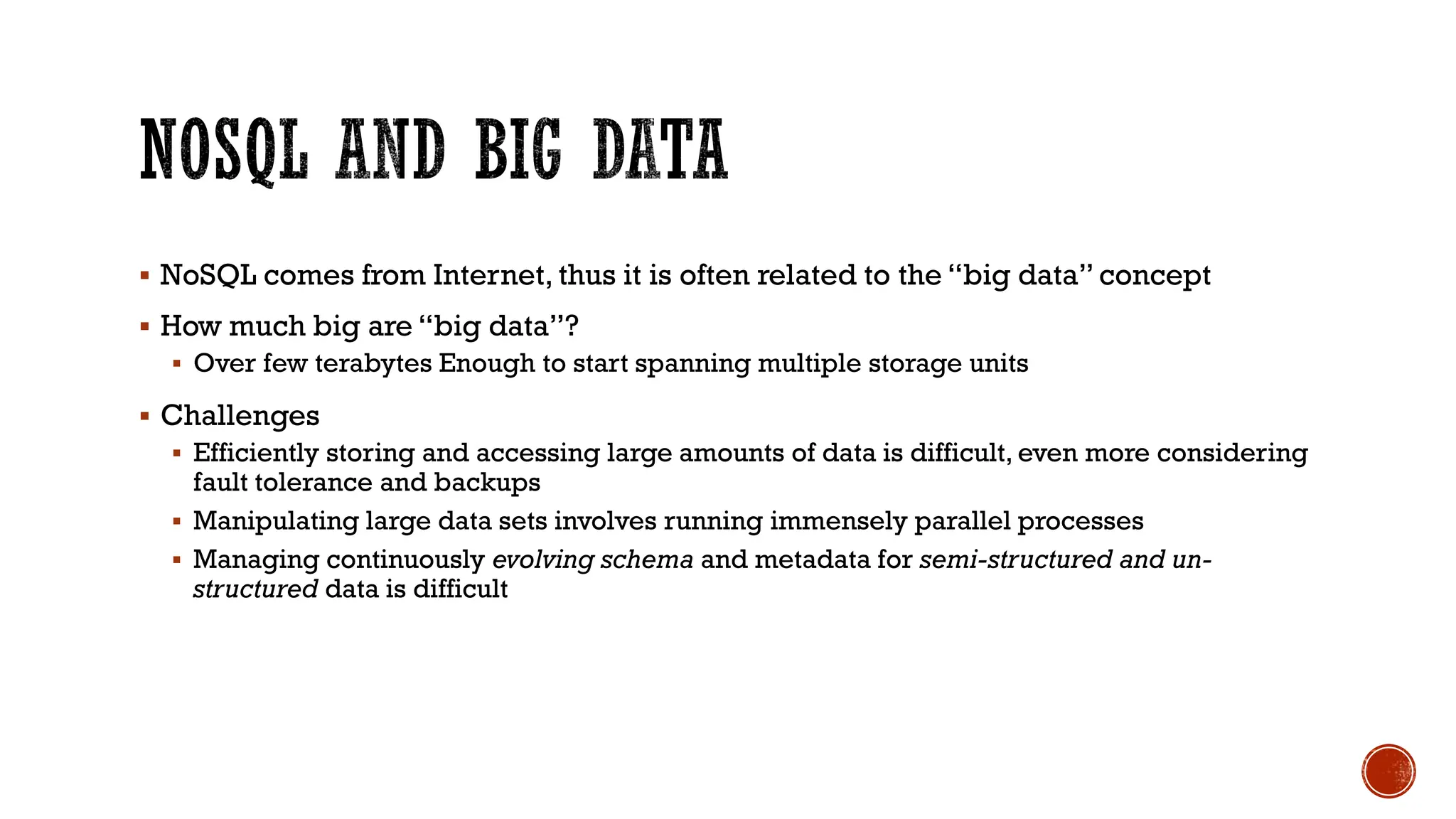
▪ NoSQL comes from Internet, thus it is often related to the “big data” concept
▪ How much big are “big data”?
▪ Over few terabytes Enough to start spanning multiple storage units
▪ Challenges
▪ Efficiently storing and accessing large amounts of data is difficult, even more considering
fault tolerance and backups
▪ Manipulating large data sets involves running immensely parallel processes
▪ Managing continuously evolving schema and metadata for semi-structured and un-
structured data is difficult
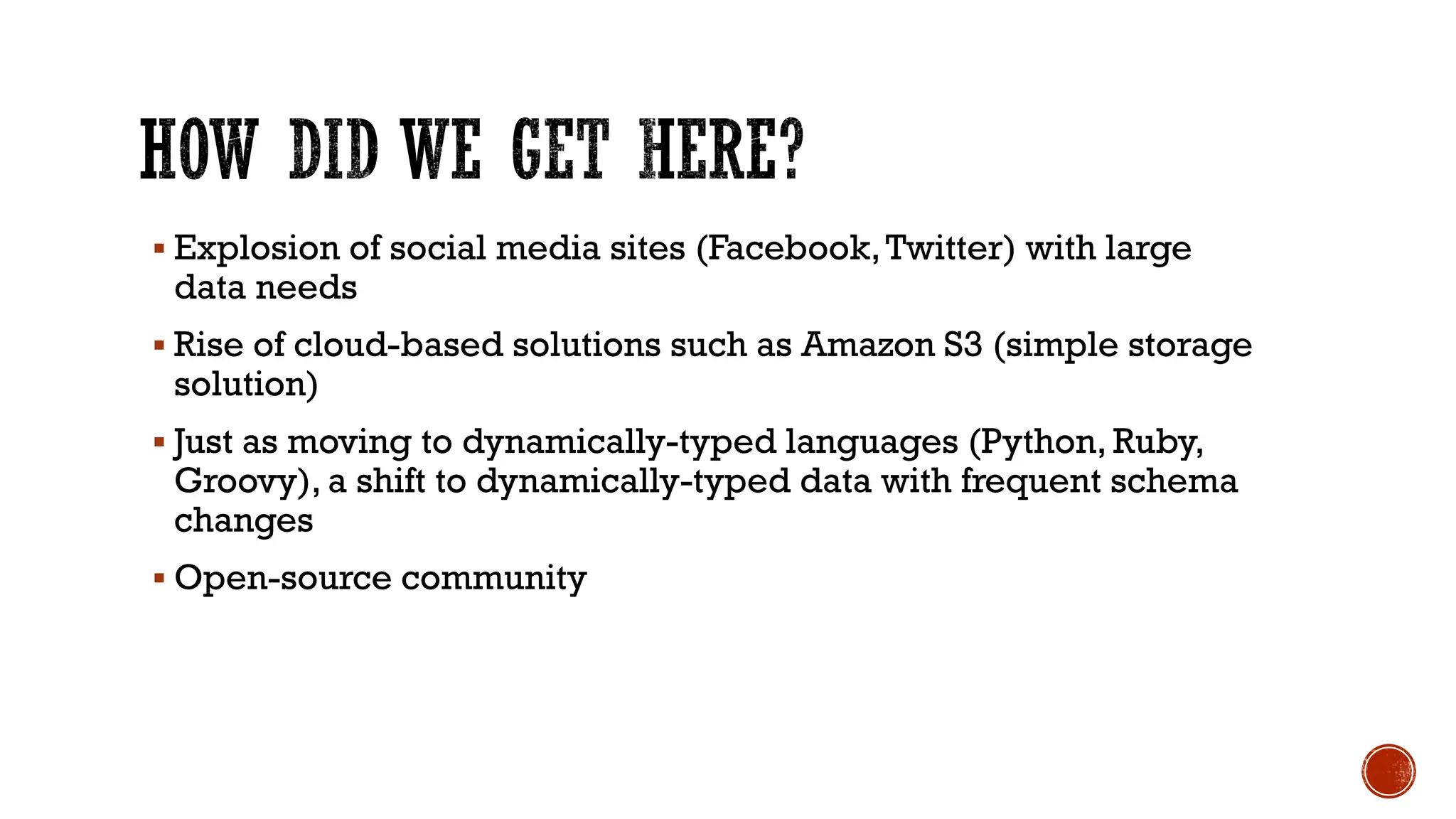
▪ Explosion of social media sites (Facebook,Twitter) with large
data needs
▪ Rise of cloud-based solutions such as Amazon S3 (simple storage
solution)
▪ Just as moving to dynamically-typed languages (Python, Ruby,
Groovy), a shift to dynamically-typed data with frequent schema
changes
▪ Open-source community
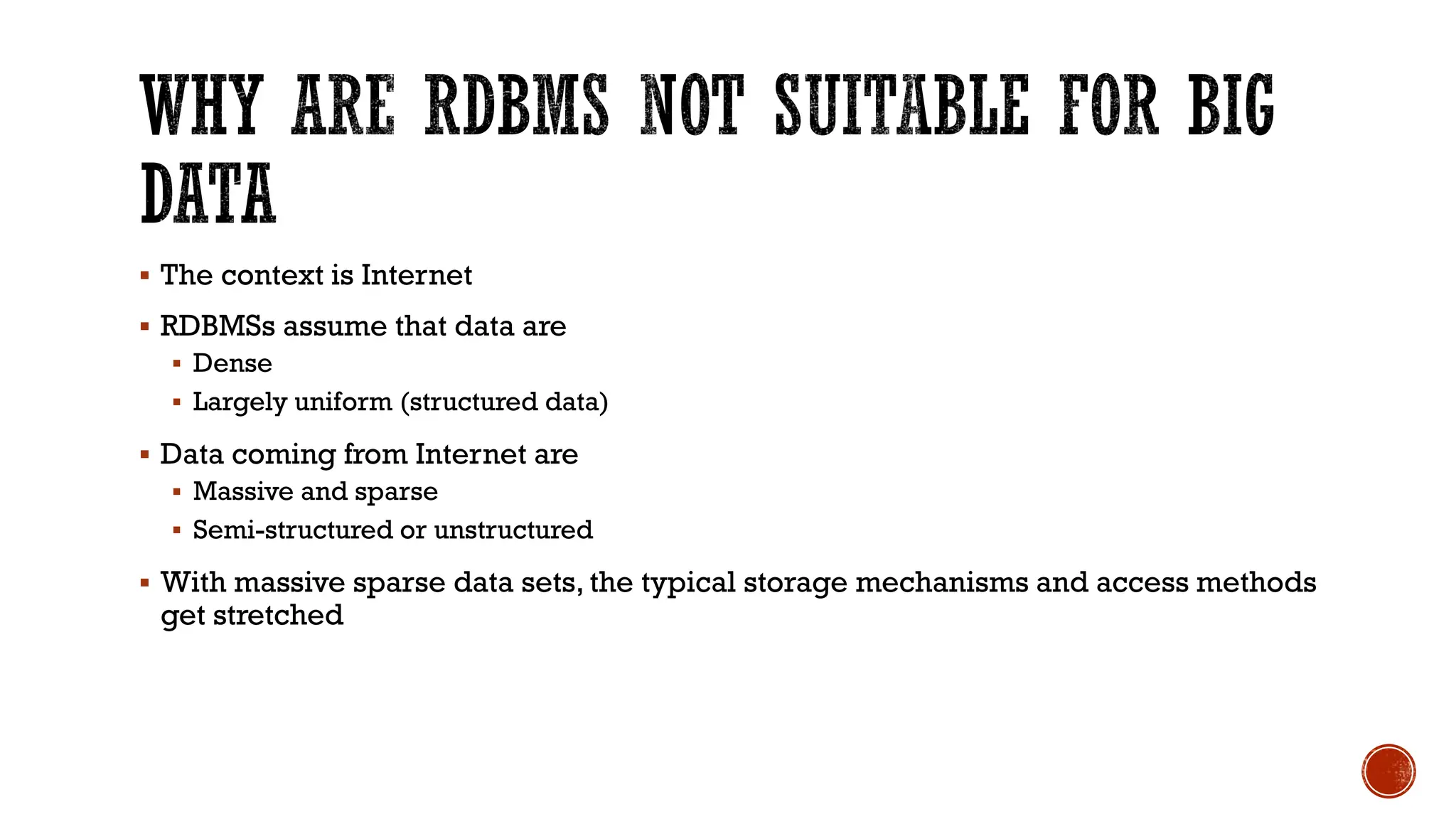
▪ The context is Internet
▪ RDBMSs assume that data are
▪ Dense
▪ Largely uniform (structured data)
▪ Data coming from Internet are
▪ Massive and sparse
▪ Semi-structured or unstructured
▪ With massive sparse data sets, the typical storage mechanisms and access methods
get stretched
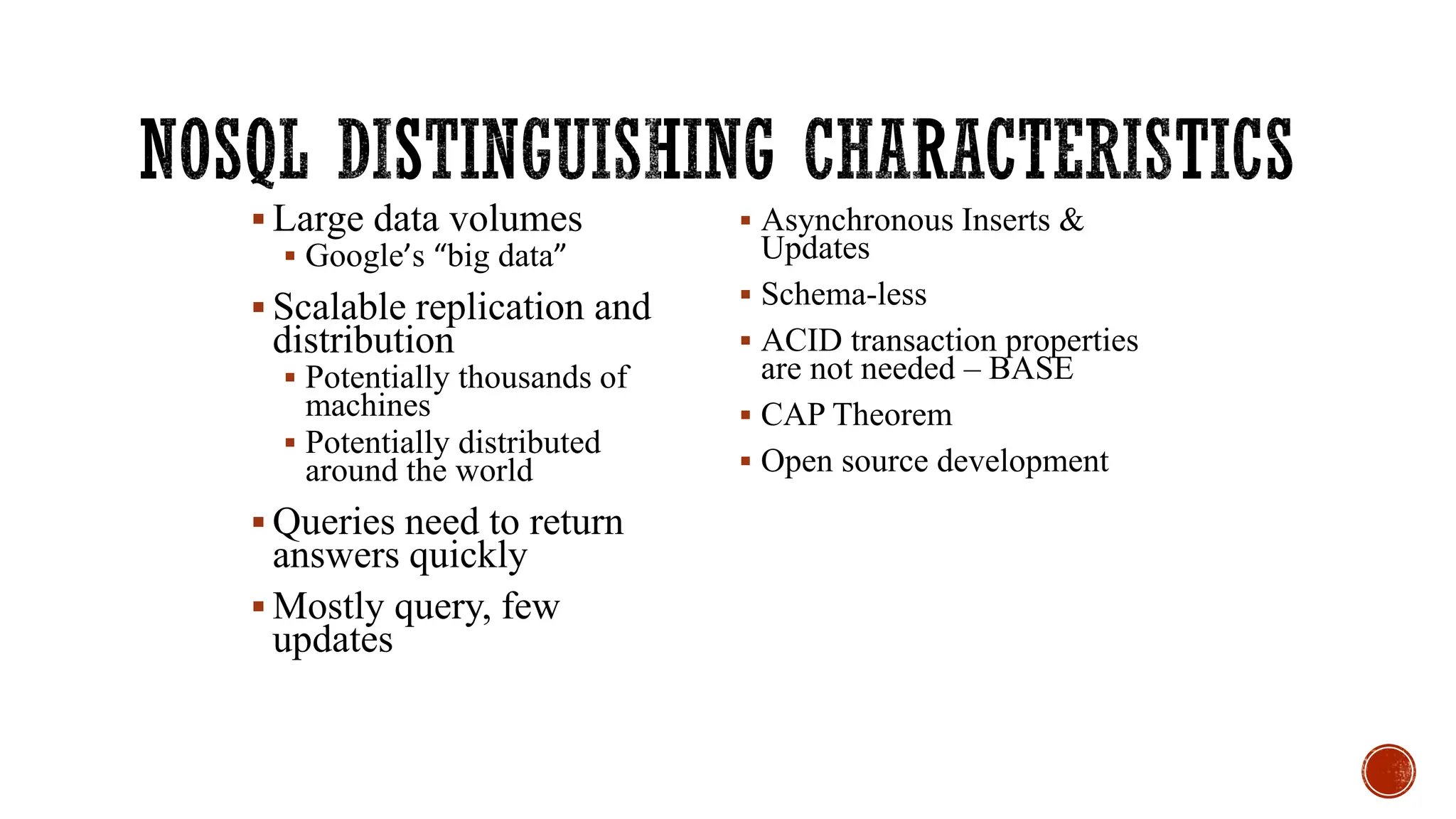
▪ Large data volumes
▪ Google’s “big data”
▪ Scalable replication and
distribution
▪ Potentially thousands of
machines
▪ Potentially distributed
around the world
▪ Queries need to return
answers quickly
▪ Mostly query, few
updates
▪ Asynchronous Inserts &
Updates
▪ Schema-less
▪ ACID transaction properties
are not needed – BASE
▪ CAP Theorem
▪ Open source development
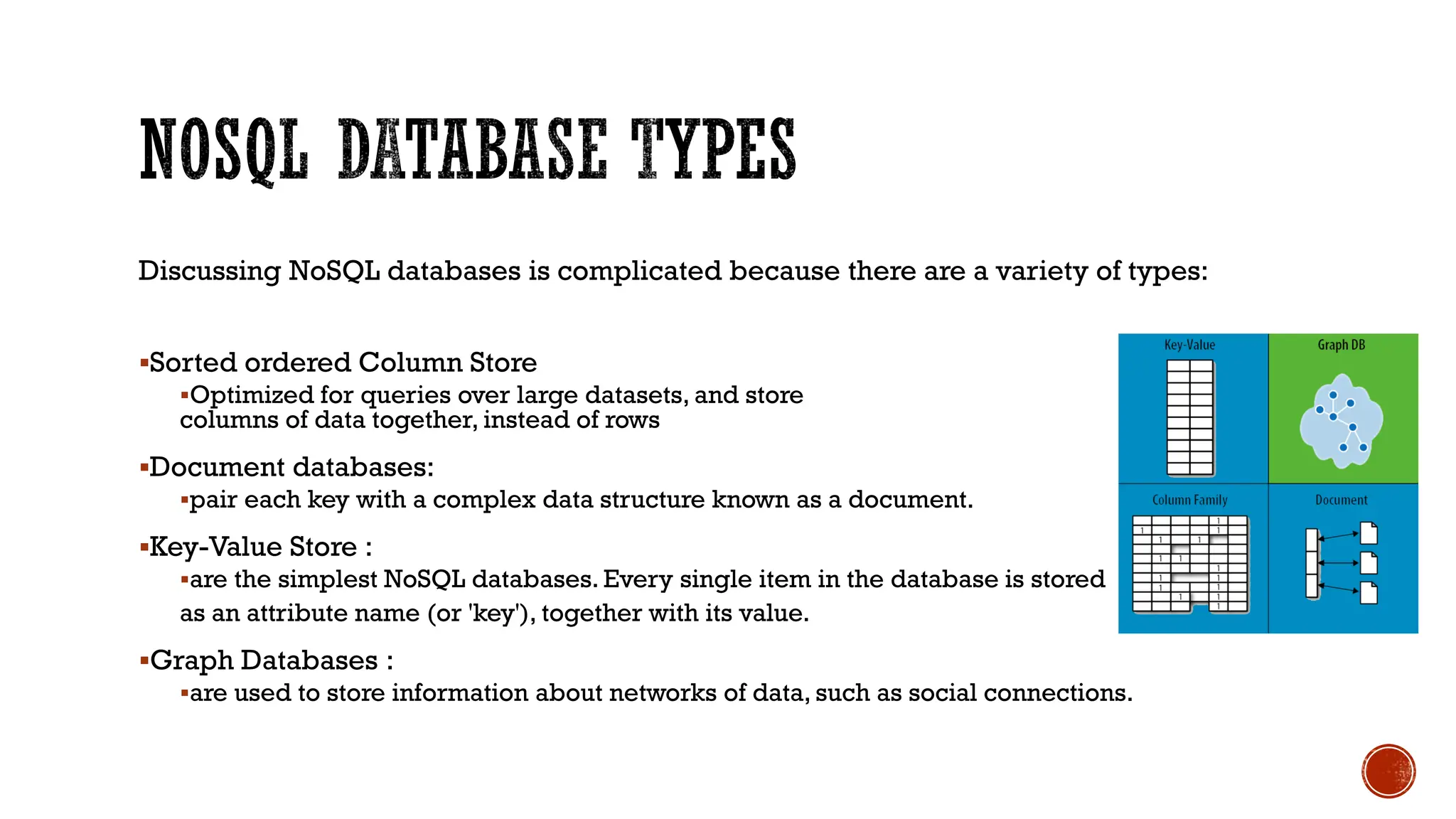
Discussing NoSQL databases is complicated because there are a variety of types:
▪Sorted ordered Column Store
▪Optimized for queries over large datasets, and store
columns of data together, instead of rows
▪Document databases:
▪pair each key with a complex data structure known as a document.
▪Key-Value Store :
▪are the simplest NoSQL databases. Every single item in the database is stored
as an attribute name (or 'key'), together with its value.
▪Graph Databases :
▪are used to store information about networks of data, such as social connections.
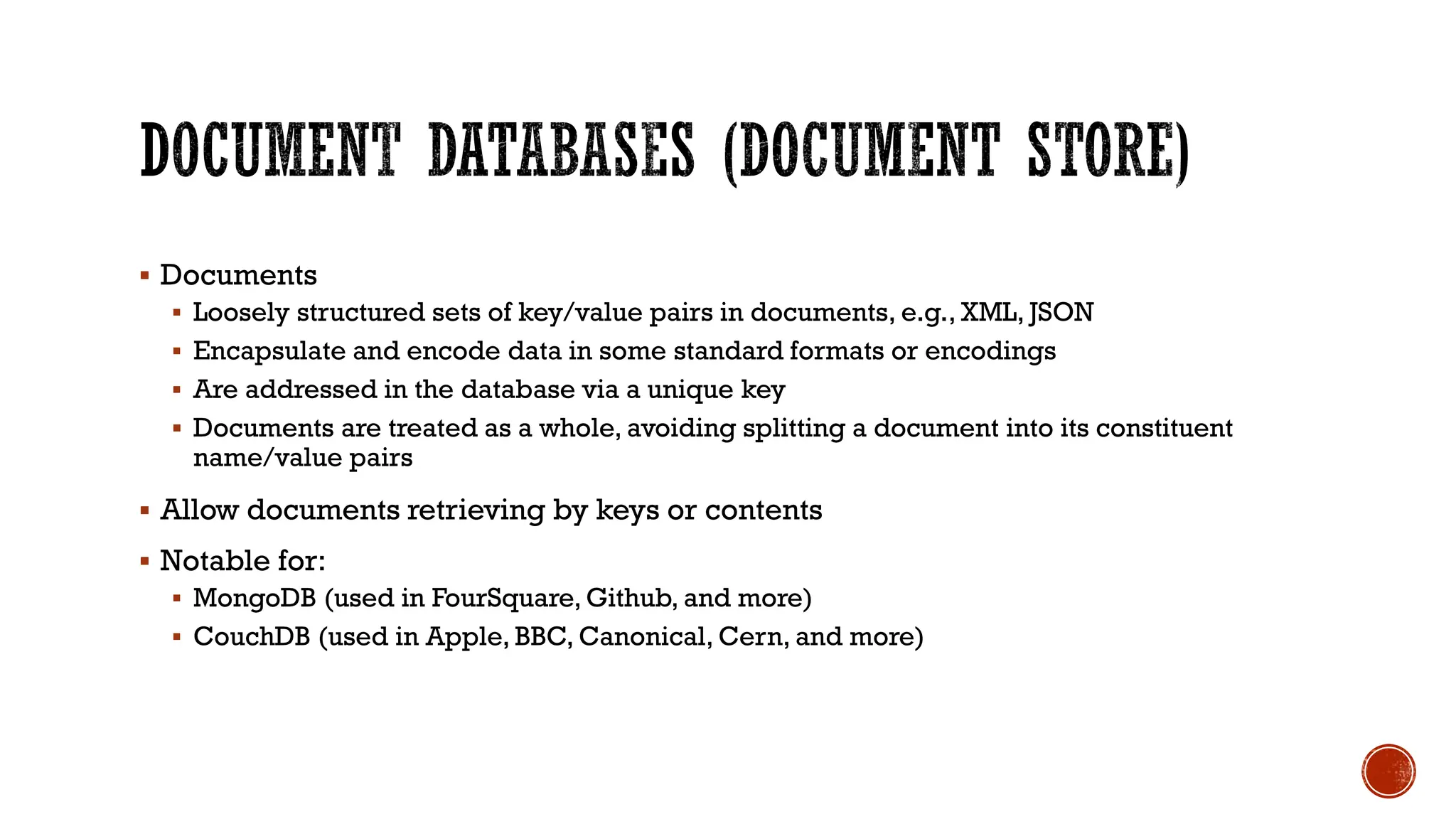
▪ Documents
▪ Loosely structured sets of key/value pairs in documents, e.g., XML, JSON
▪ Encapsulate and encode data in some standard formats or encodings
▪ Are addressed in the database via a unique key
▪ Documents are treated as a whole, avoiding splitting a document into its constituent
name/value pairs
▪ Allow documents retrieving by keys or contents
▪ Notable for:
▪ MongoDB (used in FourSquare, Github, and more)
▪ CouchDB (used in Apple, BBC, Canonical, Cern, and more)
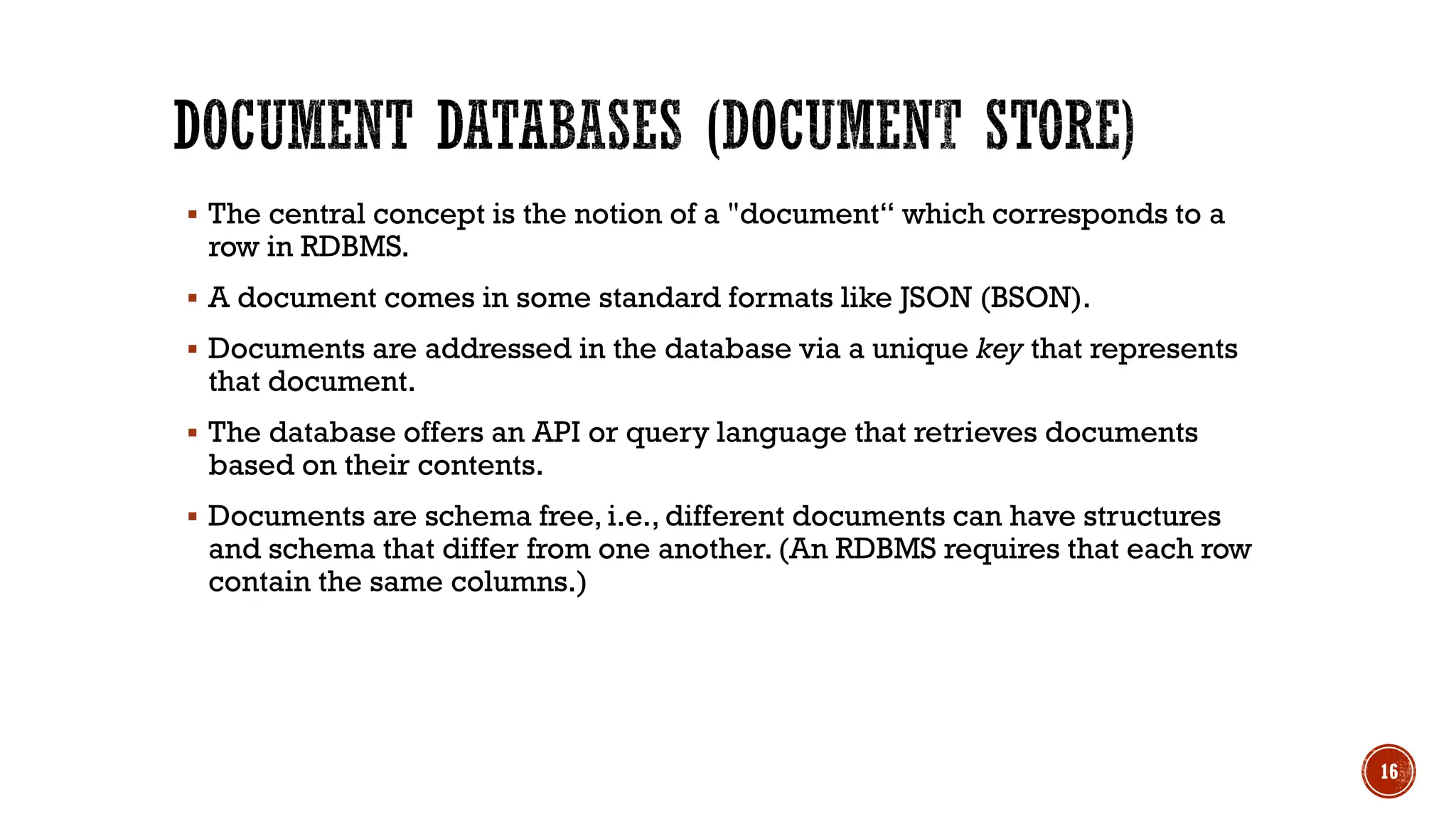
▪ The central concept is the notion of a "document“ which corresponds to a
row in RDBMS.
▪ A document comes in some standard formats like JSON (BSON).
▪ Documents are addressed in the database via a unique key that represents
that document.
▪ The database offers an API or query language that retrieves documents
based on their contents.
▪ Documents are schema free, i.e., different documents can have structures
and schema that differ from one another. (An RDBMS requires that each row
contain the same columns.)
16
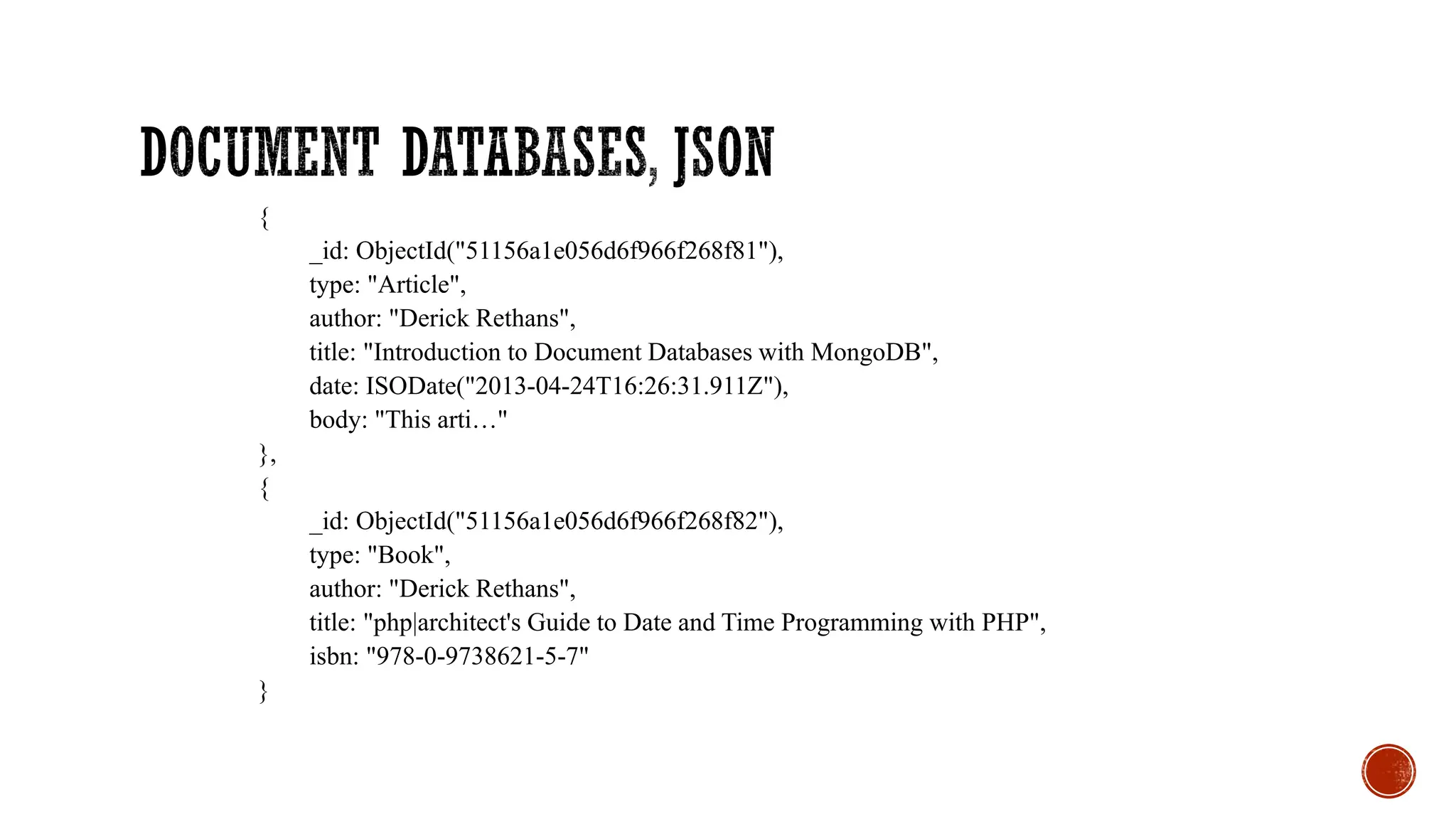
{
_id: ObjectId("51156a1e056d6f966f268f81"),
type: "Article",
author: "Derick Rethans",
title: "Introduction to Document Databases with MongoDB",
date: ISODate("2013-04-24T16:26:31.911Z"),
body: "This arti…"
},
{
_id: ObjectId("51156a1e056d6f966f268f82"),
type: "Book",
author: "Derick Rethans",
title: "php|architect's Guide to Date and Time Programming with PHP",
isbn: "978-0-9738621-5-7"
}
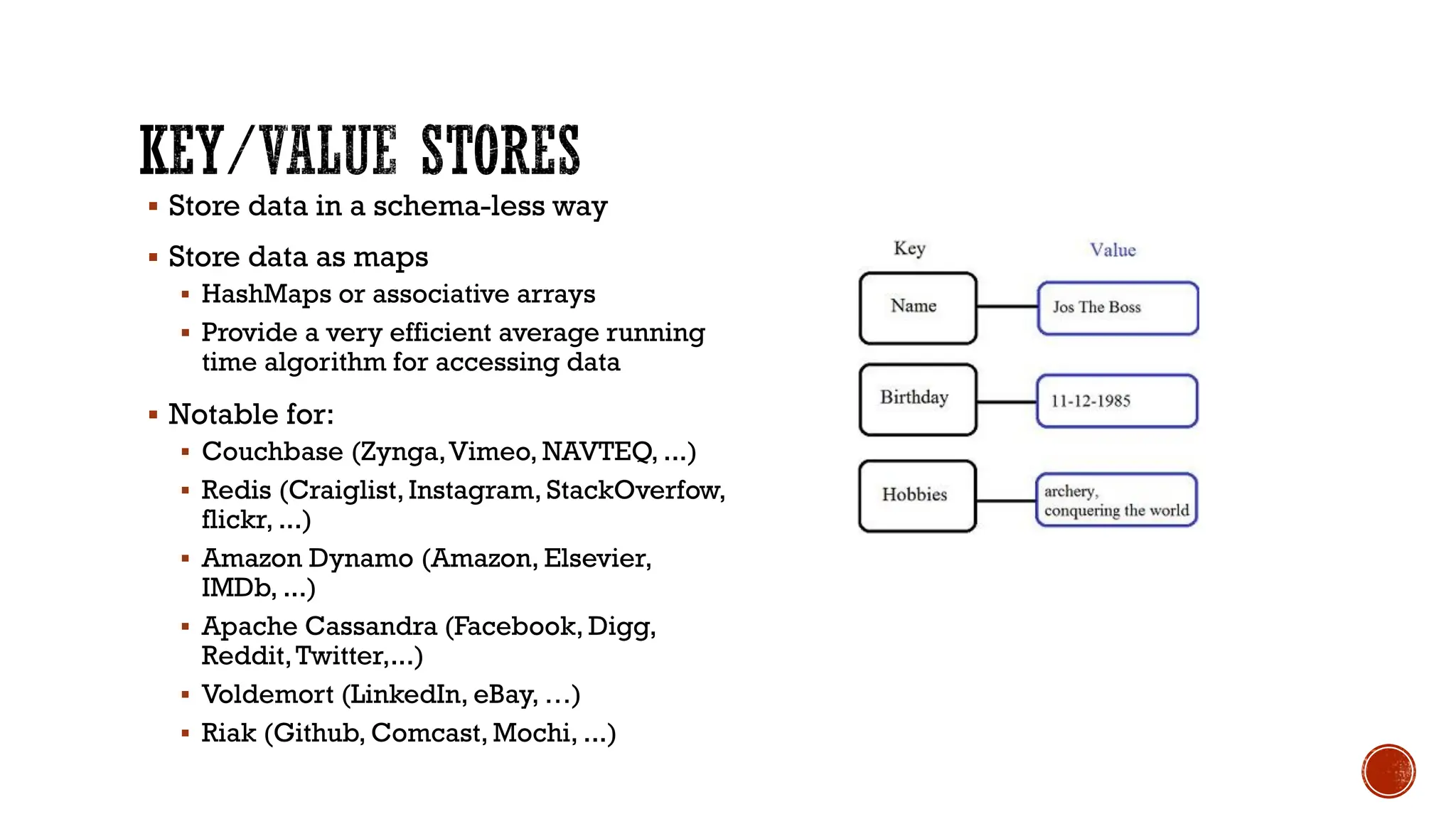
▪ Store data in a schema-less way
▪ Store data as maps
▪ HashMaps or associative arrays
▪ Provide a very efficient average running
time algorithm for accessing data
▪ Notable for:
▪ Couchbase (Zynga,Vimeo, NAVTEQ, ...)
▪ Redis (Craiglist,Instagram, StackOverfow,
flickr, ...)
▪ Amazon Dynamo (Amazon, Elsevier,
IMDb, ...)
▪ Apache Cassandra (Facebook, Digg,
Reddit,Twitter,...)
▪ Voldemort (LinkedIn, eBay, …)
▪ Riak (Github, Comcast, Mochi, ...)
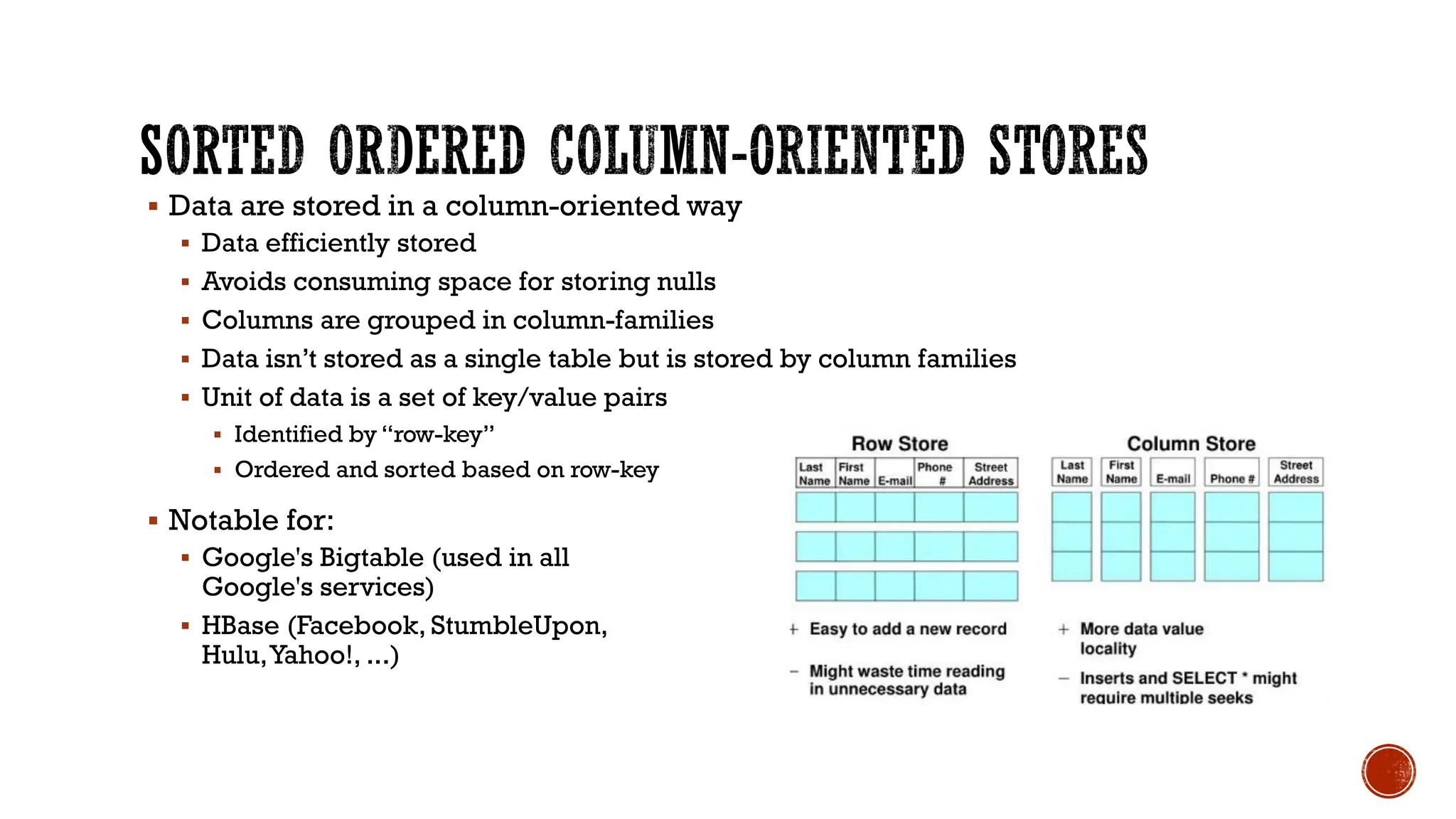
▪ Data are stored in a column-oriented way
▪ Data efficiently stored
▪ Avoids consuming space for storing nulls
▪ Columns are grouped in column-families
▪ Data isn’t stored as a single table but is stored by column families
▪ Unit of data is a set of key/value pairs
▪ Identified by “row-key”
▪ Ordered and sorted based on row-key
▪ Notable for:
▪ Google's Bigtable (used in all
Google's services)
▪ HBase (Facebook, StumbleUpon,
Hulu,Yahoo!, ...)
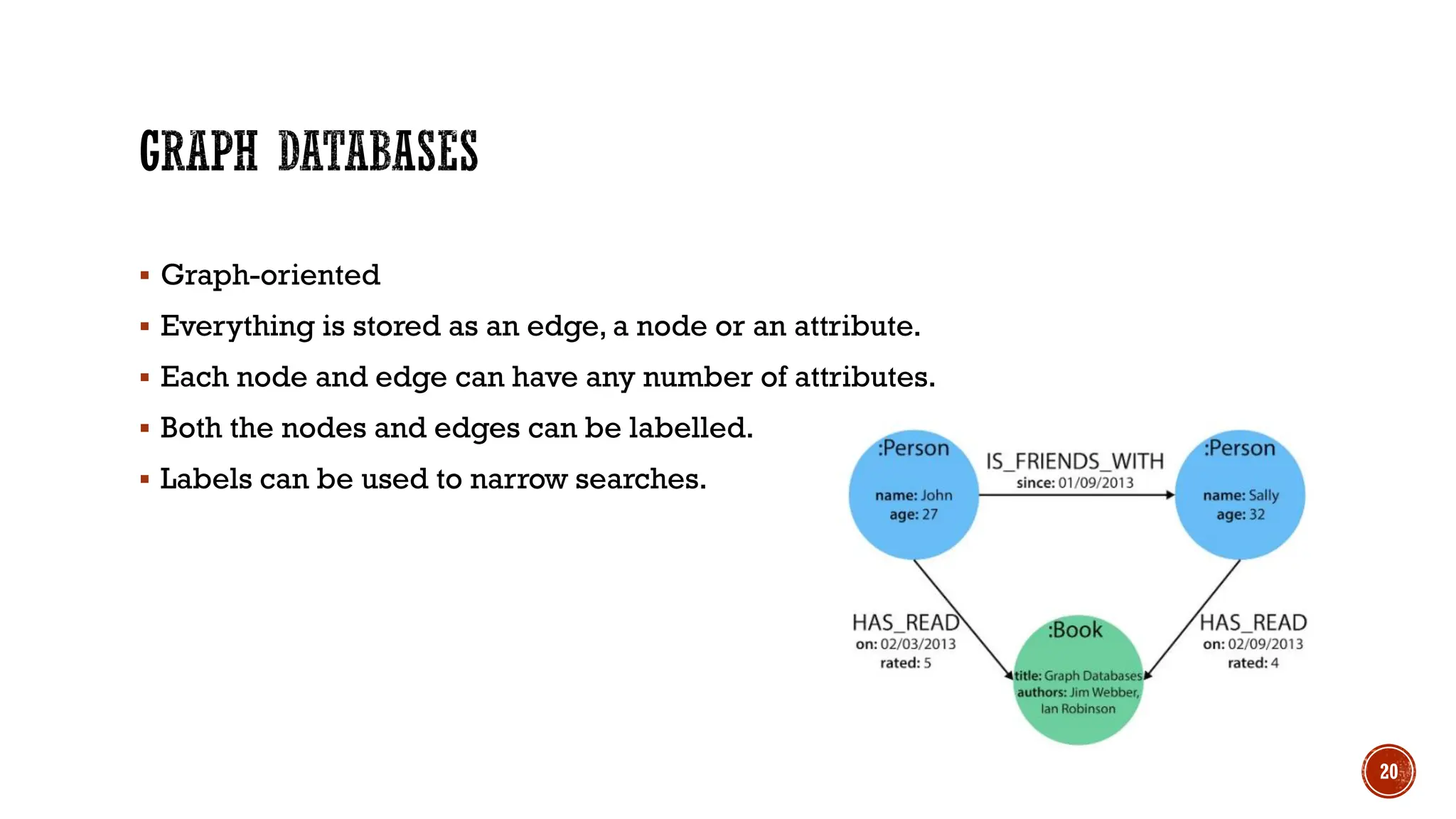
▪ Graph-oriented
▪ Everything is stored as an edge, a node or an attribute.
▪ Each node and edge can have any number of attributes.
▪ Both the nodes and edges can be labelled.
▪ Labels can be used to narrow searches.
20
▪ Issues with scaling up when the dataset is just too big
▪ RDBMS were not designed to be distributed
▪ Traditional DBMSs are best designed to run well on a “single” machine
▪ Larger volumes of data/operations requires to upgrade the server with faster
CPUs or more memory known as ‘scaling up’ or ‘Vertical scaling’
▪ NoSQL solutions are designed to run on clusters or multi-node database
solutions
▪ Larger volumes of data/operations requires to add more machines to the
cluster, Known as ‘scaling out’ or ‘horizontal scaling’
▪ Different approaches include:
▪ Master-slave
▪ Sharding (partitioning)
▪ RDBMSs are based on ACID (Atomicity, Consistency, Isolation, and Durability)
properties
▪ NoSQL
▪ Does not give importance to ACID properties
▪ In some cases completely ignores them
▪ In distributed parallel systems it is difficult/impossible to ensure ACID properties
▪ Long-running transactions don't work because keeping resources blocked for a
long time is not practical
▪Acronym contrived to be the opposite of ACID
▪ Basically Available,
▪ Soft state,
▪ Eventually Consistent
▪Characteristics
▪ Weak consistency – stale data OK
▪ Availability first
▪ Best effort
▪ Approximate answers OK
▪ Aggressive (optimistic)
▪ Simpler and faster
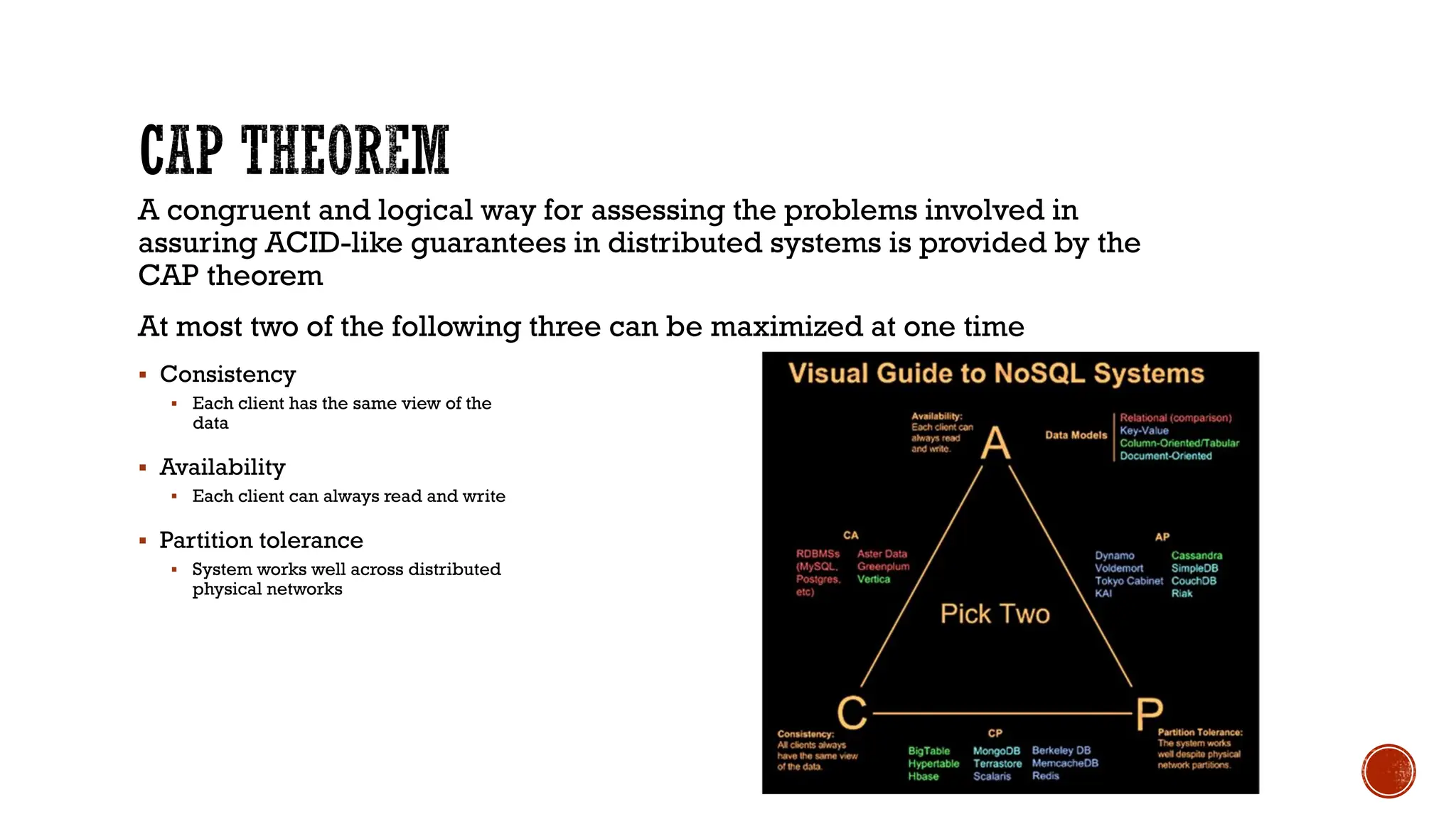
A congruent and logical way for assessing the problems involved in
assuring ACID-like guarantees in distributed systems is provided by the
CAP theorem
At most two of the following three can be maximized at one time
▪ Consistency
▪ Each client has the same view of the
data
▪ Availability
▪ Each client can always read and write
▪ Partition tolerance
▪ System works well across distributed
physical networks
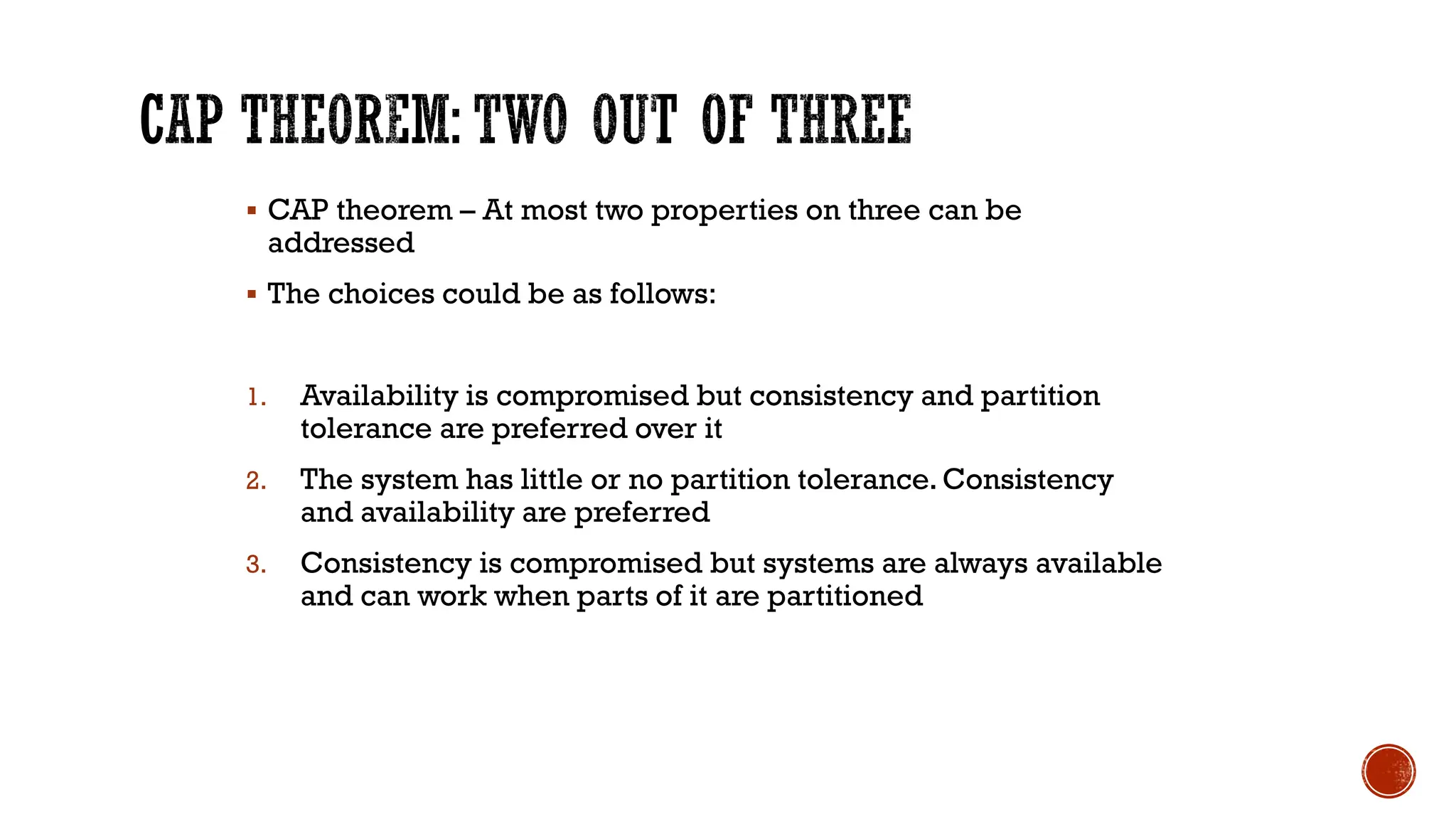
▪ CAP theorem – At most two properties on three can be
addressed
▪ The choices could be as follows:
1. Availability is compromised but consistency and partition
tolerance are preferred over it
2. The system has little or no partition tolerance. Consistency
and availability are preferred
3. Consistency is compromised but systems are always available
and can work when parts of it are partitioned
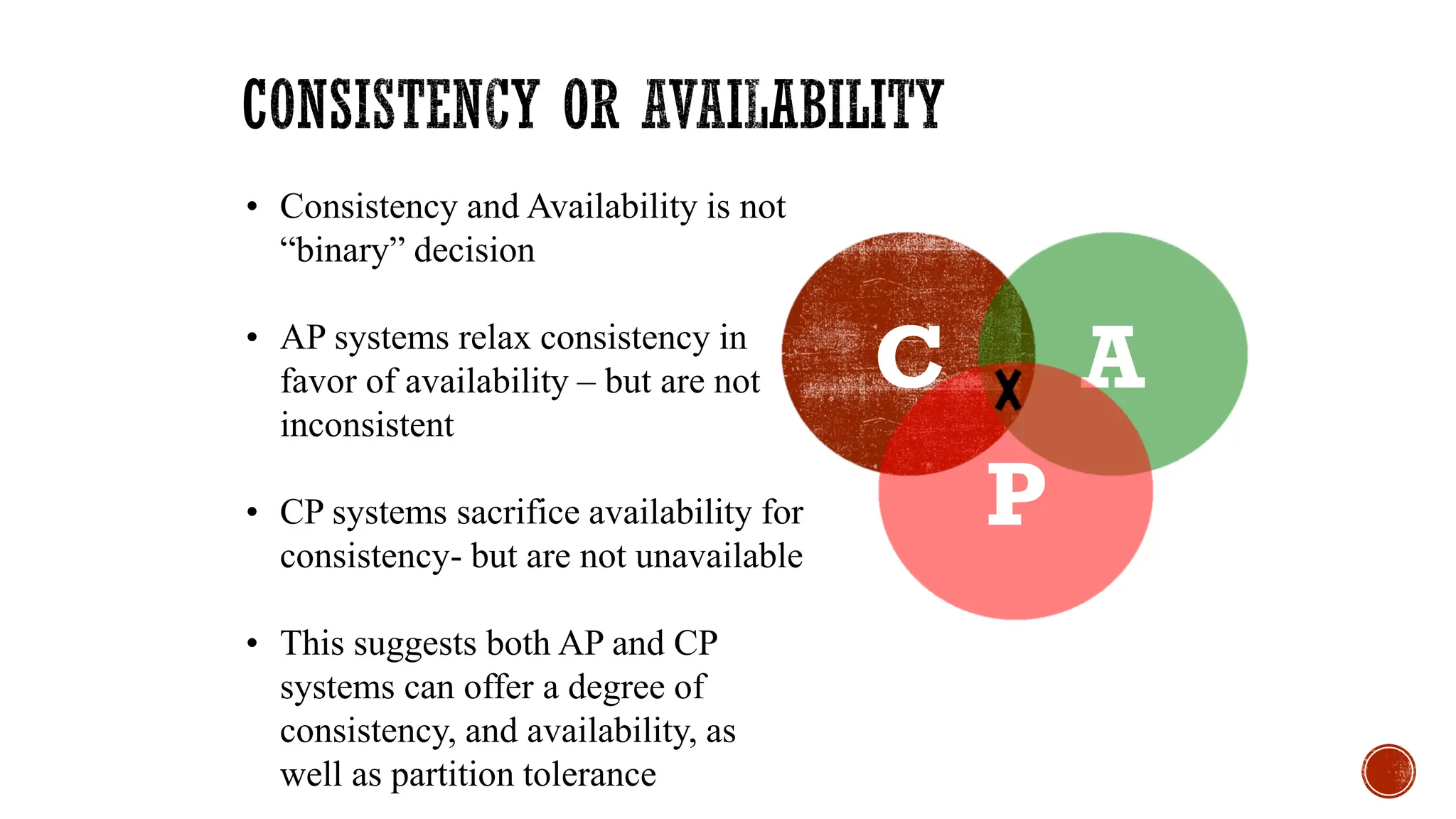
C A
P
• Consistency and Availability is not
“binary” decision
• AP systems relax consistency in
favor of availability – but are not
inconsistent
• CP systems sacrifice availability for
consistency- but are not unavailable
• This suggests both AP and CP
systems can offer a degree of
consistency, and availability, as
well as partition tolerance
▪ There is no perfect NoSQL database
▪ Every database has its advantages and disadvantages
▪ Depending on the type of tasks (and preferences) to accomplish
▪ NoSQL is a set of concepts, ideas, technologies, and software
dealing with
▪ Big data
▪ Sparse un/semi-structured data
▪ High horizontal scalability
▪ Massive parallel processing
▪ Different applications, goals, targets, approaches need different
NoSQL solutions
▪ Where would I use a NoSQL database?
▪ Do you have somewhere a large set of uncontrolled,
unstructured, data that you are trying to fit into a RDBMS?
▪ Log Analysis
▪ Social Networking Feeds (many firms hooked in through
Facebook or Twitter)
▪ External feeds from partners
▪ Data that is not easily analyzed in a RDBMS such as time-
based data
▪ Large data feeds that need to be massaged before entry into
an RDBMS
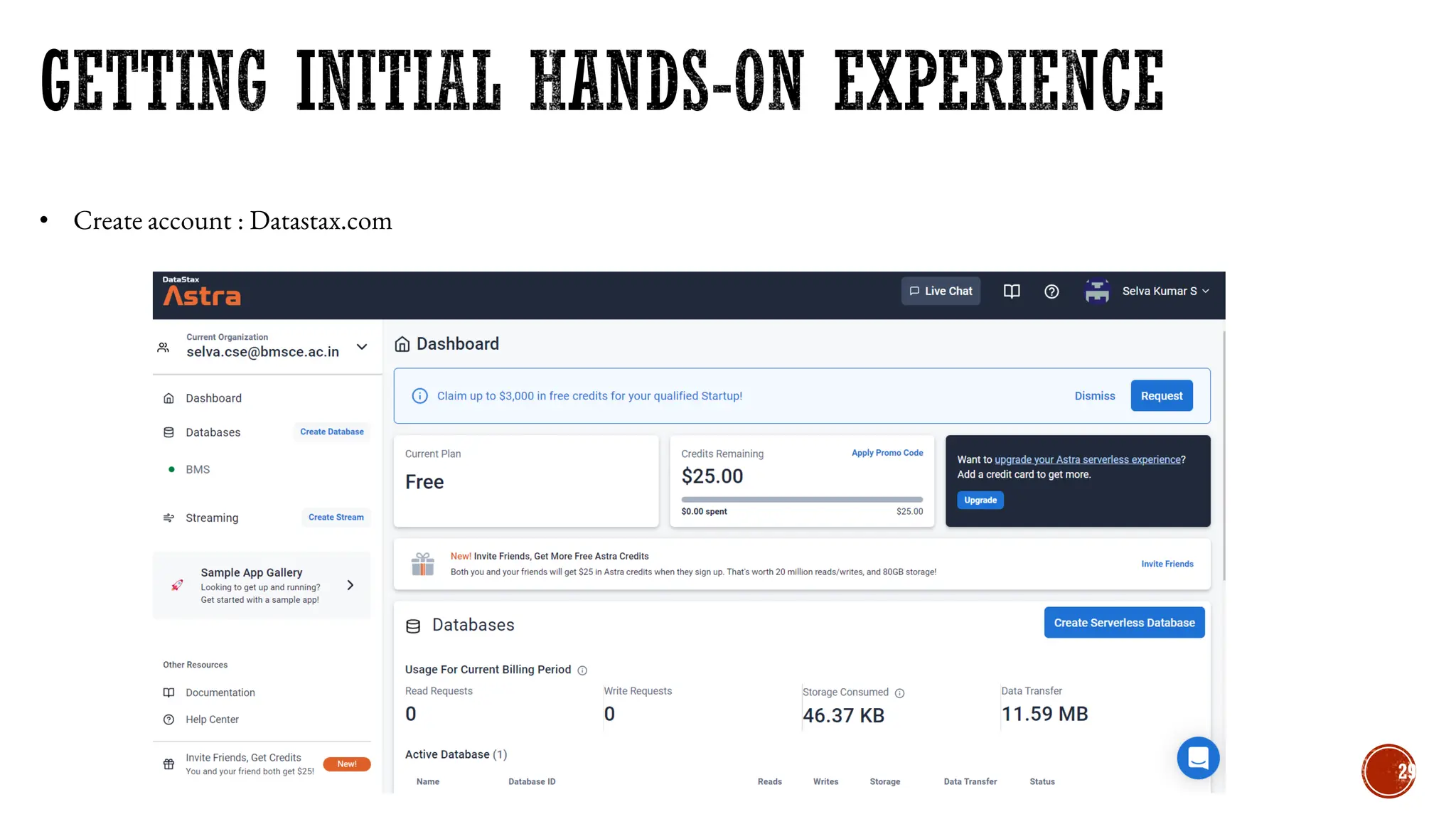
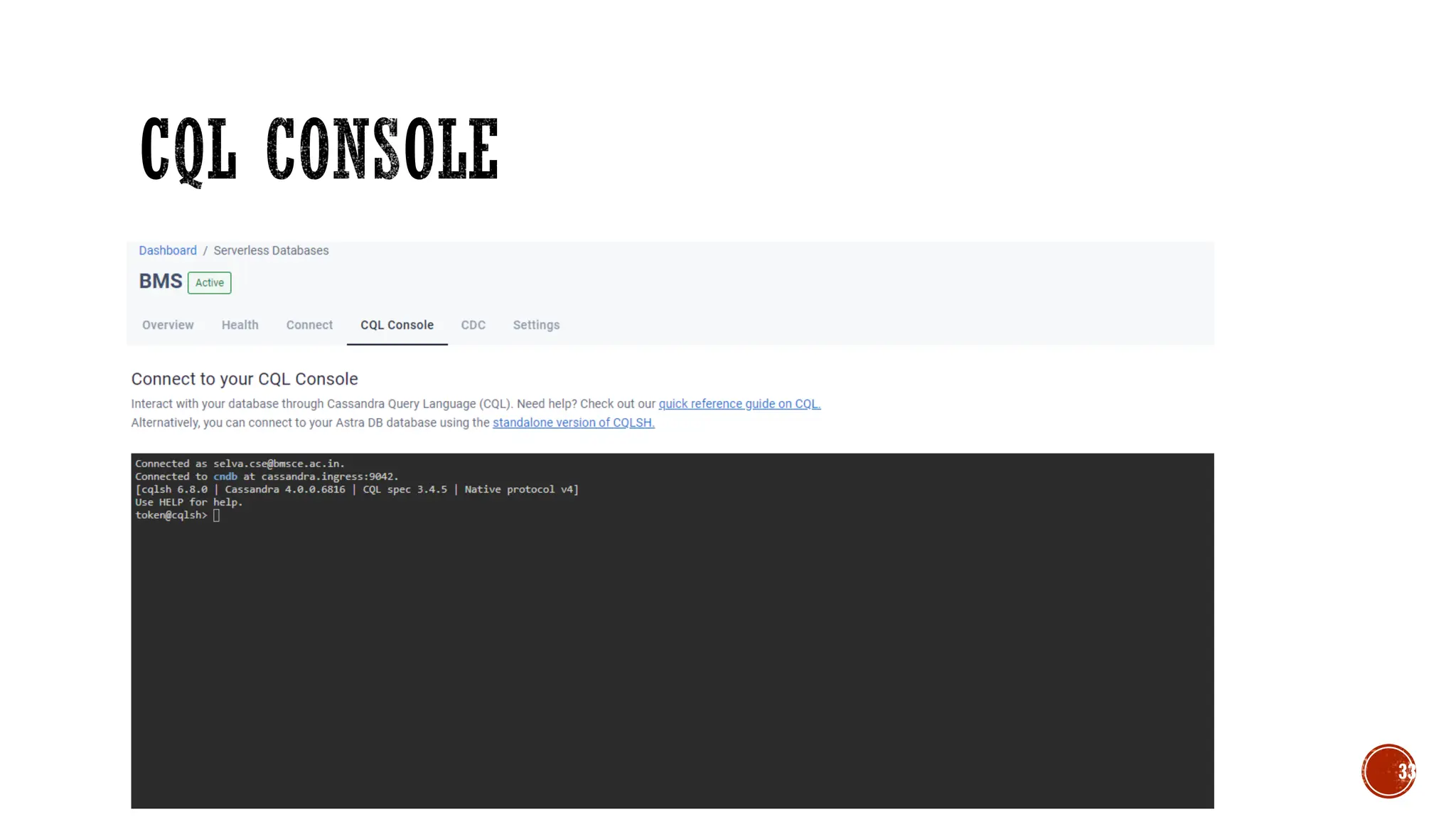
• Create account : Datastax.com
29
30
31
32
33
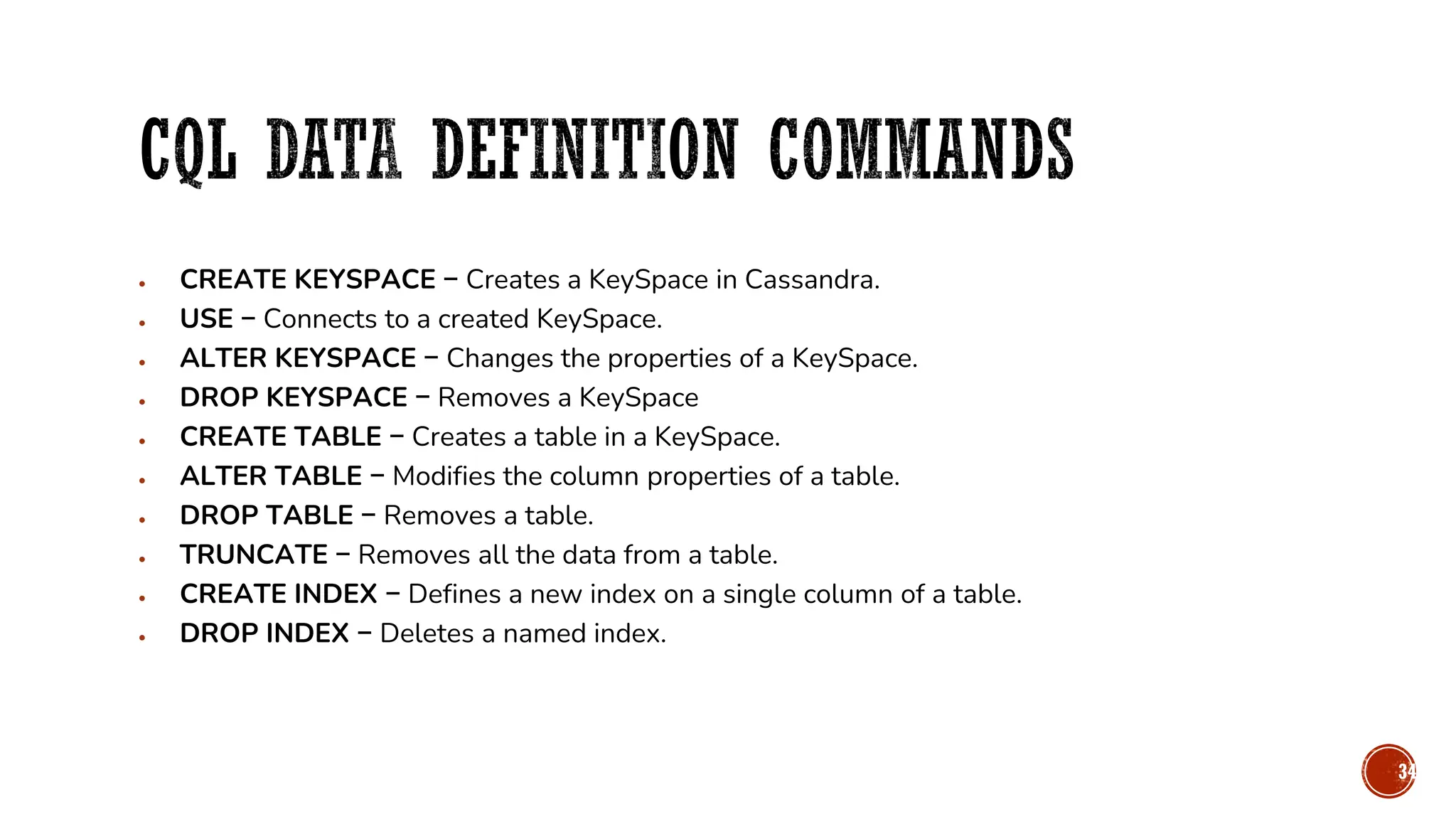
• CREATE KEYSPACE − Creates a KeySpace in Cassandra.
• USE − Connects to a created KeySpace.
• ALTER KEYSPACE − Changes the properties of a KeySpace.
• DROP KEYSPACE − Removes a KeySpace
• CREATE TABLE − Creates a table in a KeySpace.
• ALTER TABLE − Modifies the column properties of a table.
• DROP TABLE − Removes a table.
• TRUNCATE − Removes all the data from a table.
• CREATE INDEX − Defines a new index on a single column of a table.
• DROP INDEX − Deletes a named index.
34
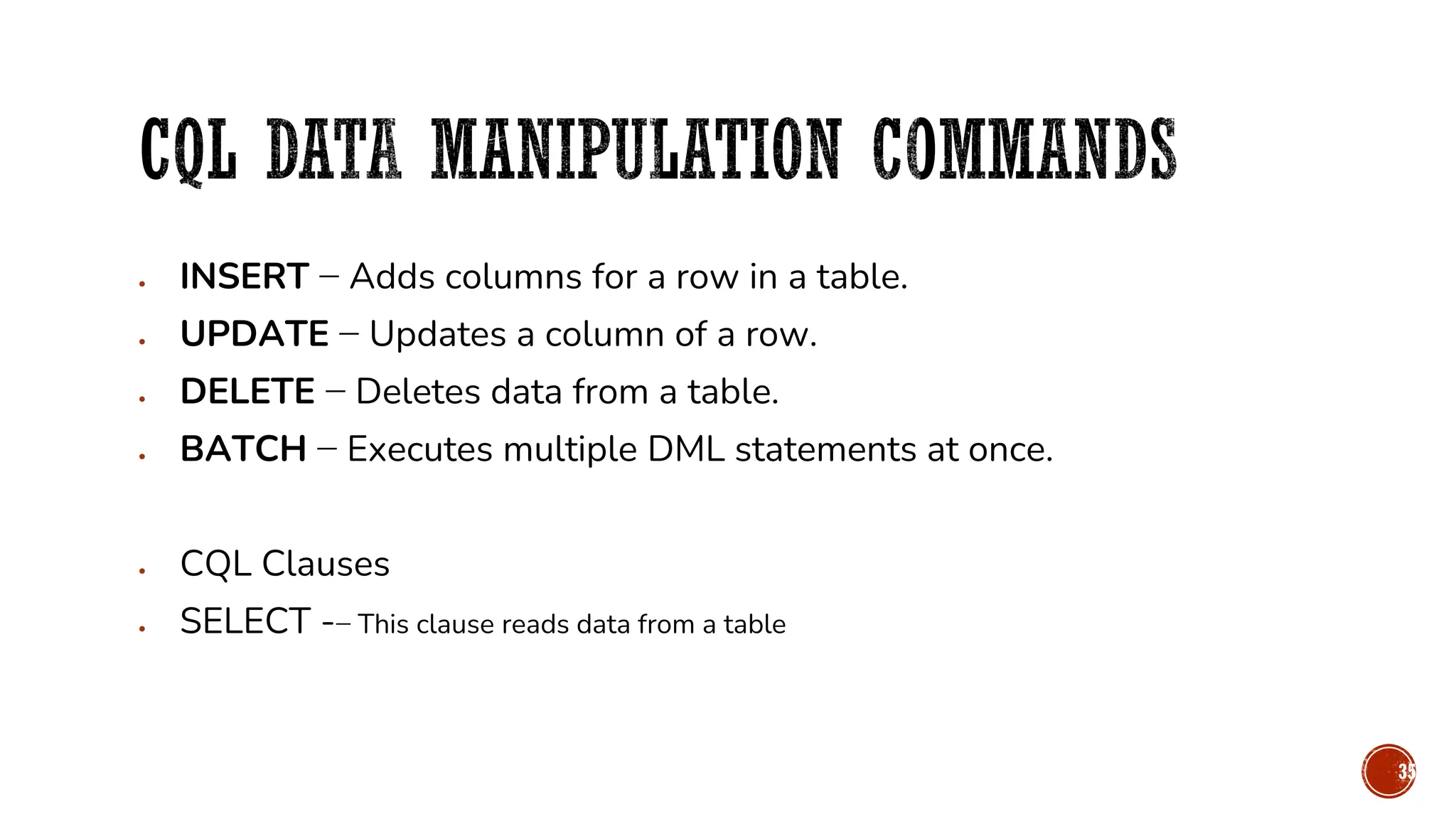
• INSERT − Adds columns for a row in a table.
• UPDATE − Updates a column of a row.
• DELETE − Deletes data from a table.
• BATCH − Executes multiple DML statements at once.
• CQL Clauses
• SELECT -− This clause reads data from a table
35
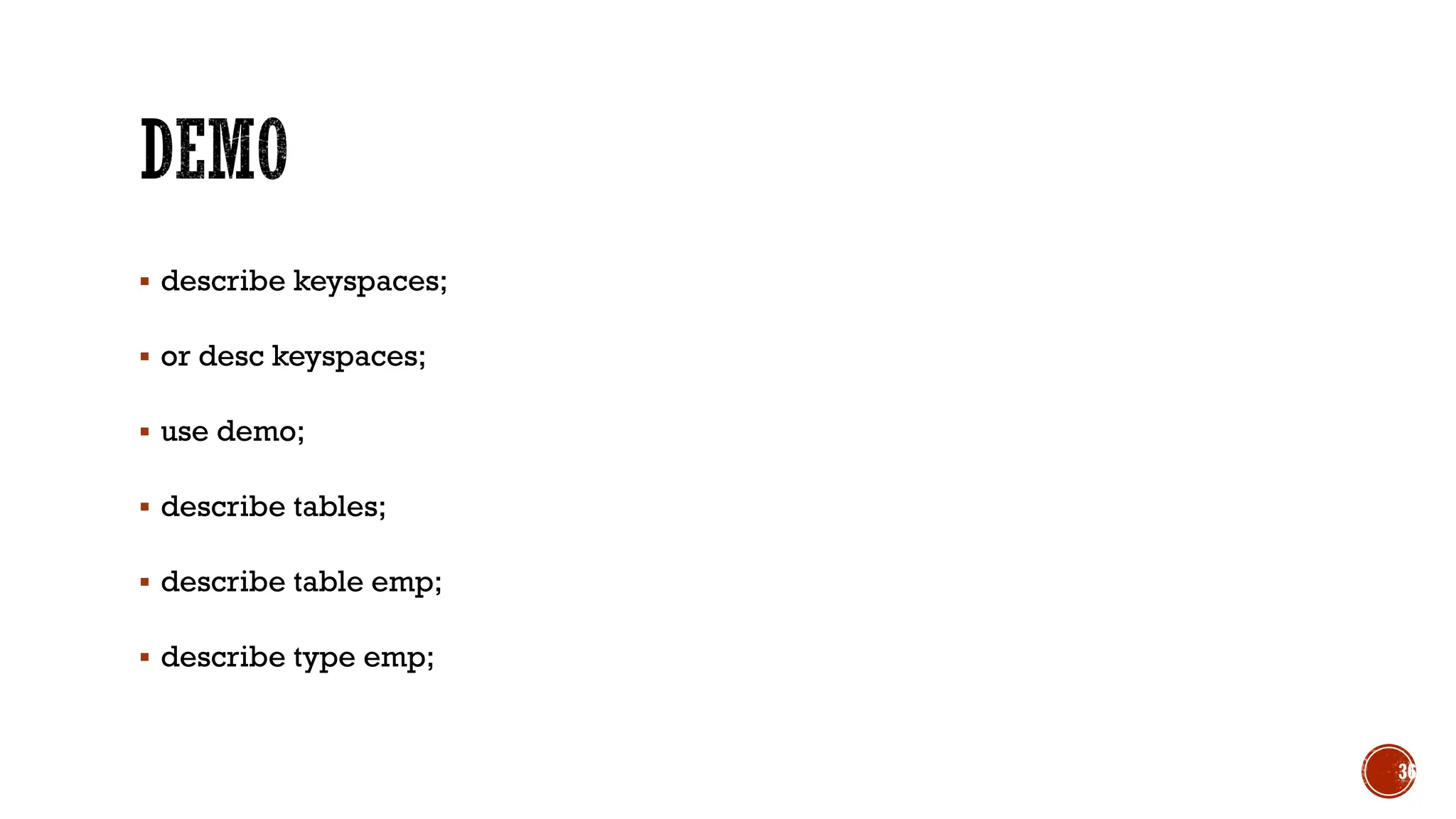
▪ describe keyspaces;
▪ or desc keyspaces;
▪ use demo;
▪ describe tables;
▪ describe table emp;
▪ describe type emp;
36
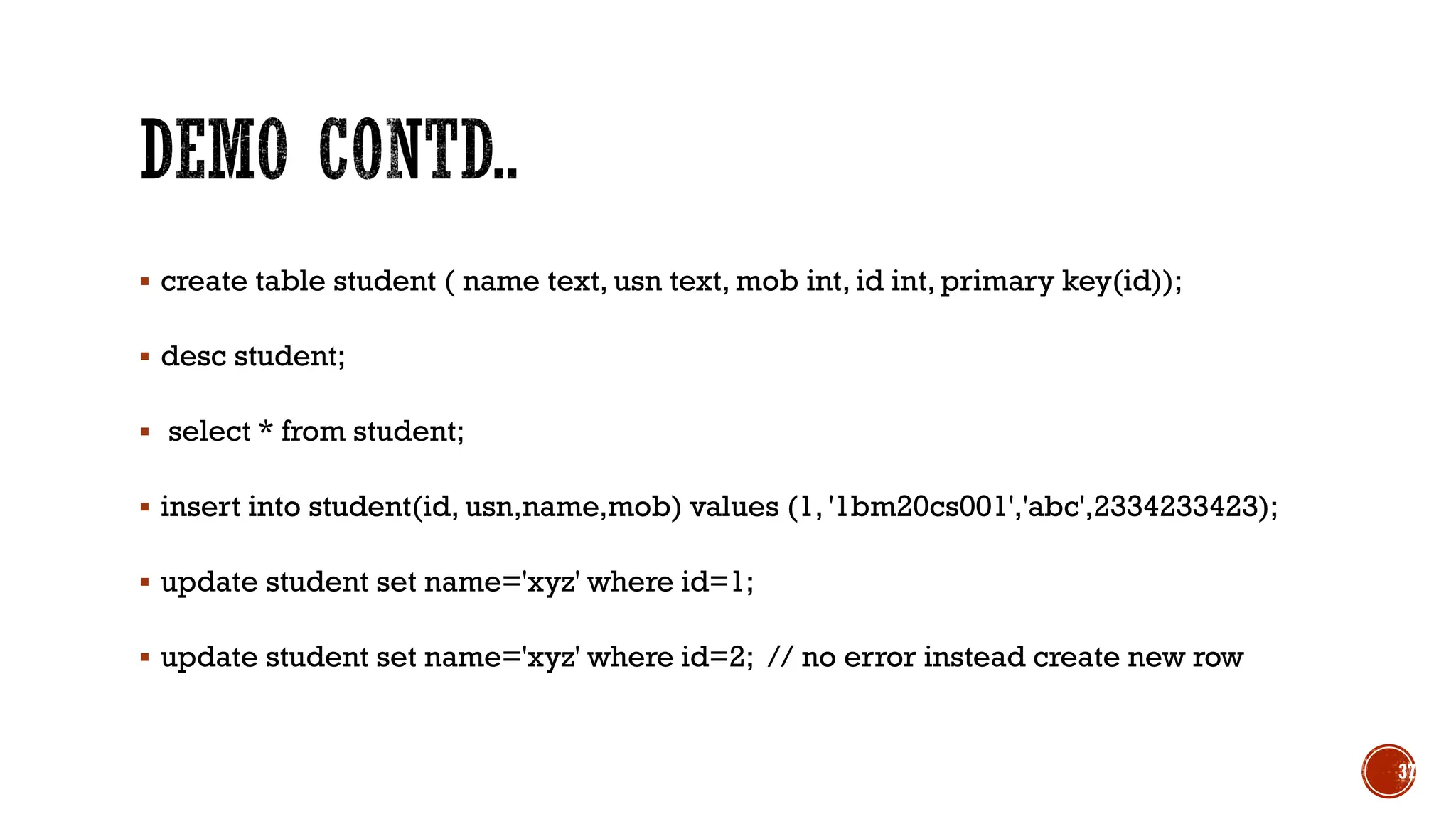
▪ create table student ( name text, usn text, mob int, id int, primary key(id));
▪ desc student;
▪ select * from student;
▪ insert into student(id, usn,name,mob) values (1, '1bm20cs001','abc',2334233423);
▪ update student set name='xyz' where id=1;
▪ update student set name='xyz' where id=2; // no error instead create new row
37
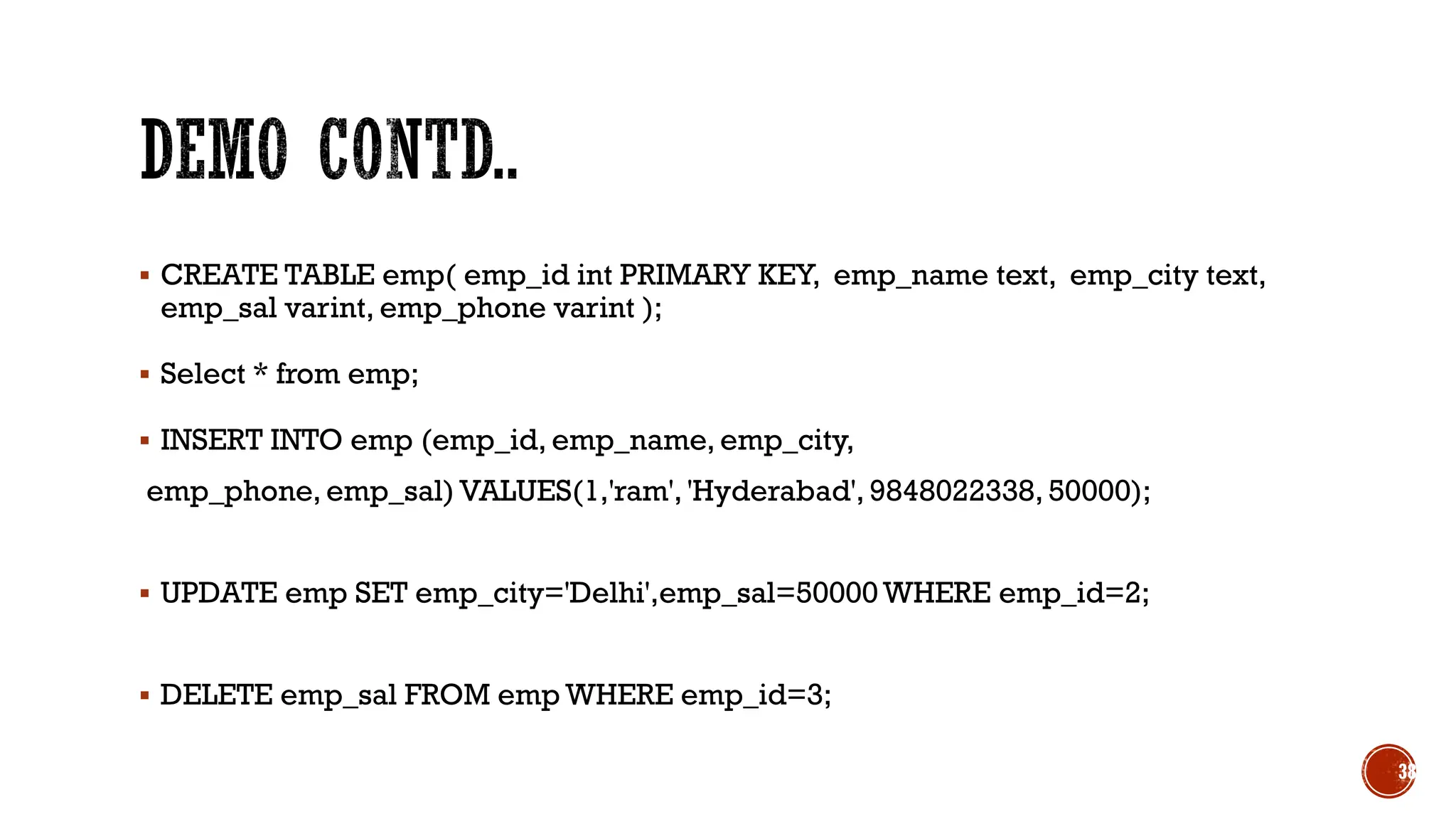
▪ CREATE TABLE emp( emp_id int PRIMARY KEY, emp_name text, emp_city text,
emp_sal varint, emp_phone varint );
▪ Select * from emp;
▪ INSERT INTO emp (emp_id, emp_name, emp_city,
emp_phone, emp_sal) VALUES(1,'ram', 'Hyderabad', 9848022338, 50000);
▪ UPDATE emp SET emp_city='Delhi',emp_sal=50000 WHERE emp_id=2;
▪ DELETE emp_sal FROM emp WHERE emp_id=3;
38
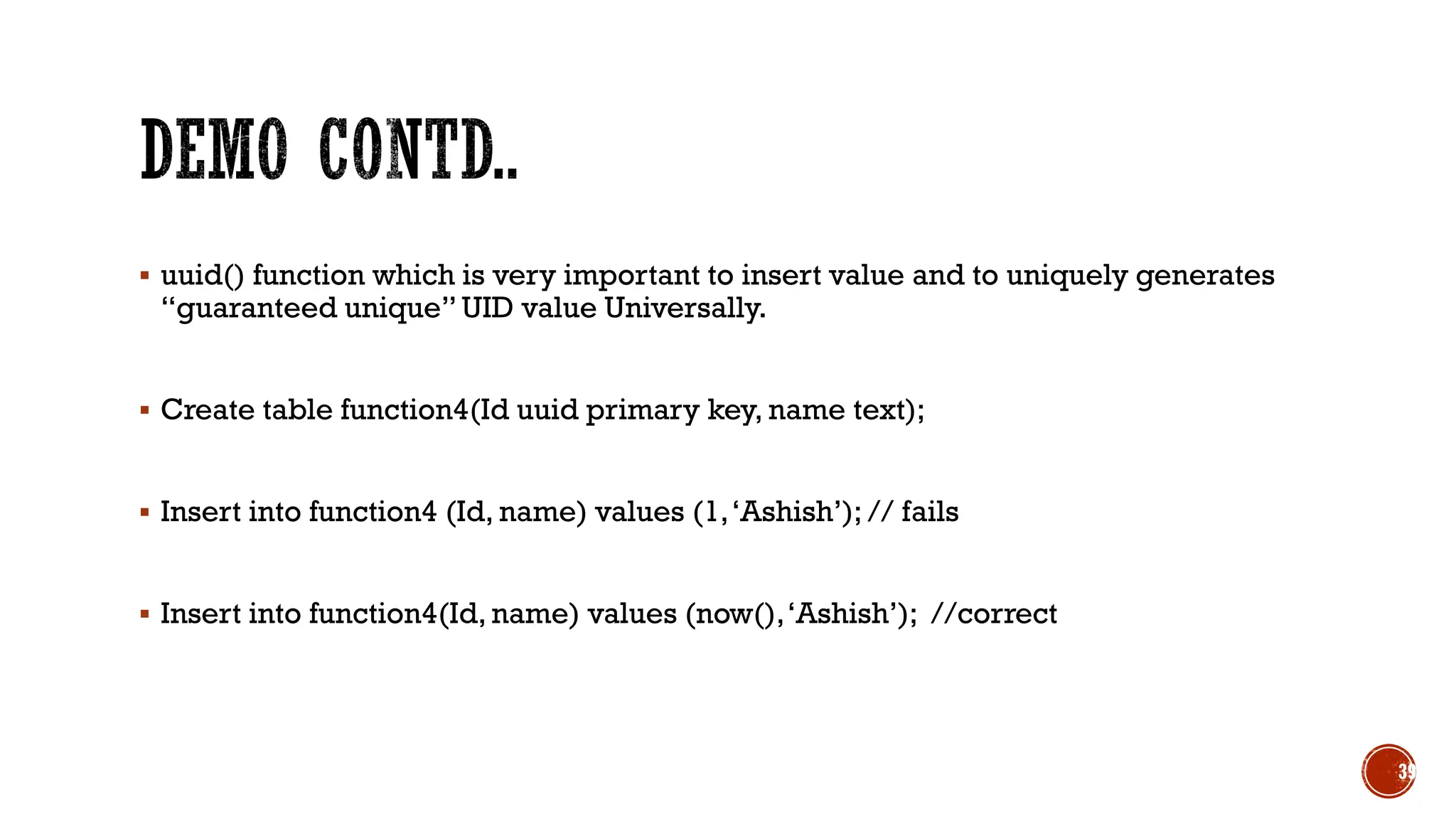
▪ uuid() function which is very important to insert value and to uniquely generates
“guaranteed unique” UID value Universally.
▪ Create table function4(Id uuid primary key, name text);
▪ Insert into function4 (Id, name) values (1,‘Ashish’); // fails
▪ Insert into function4(Id, name) values (now(),‘Ashish’); //correct
39
▪ Alter table emp add (emails set<text>, frameworks list<text>, previous_jobs
map<text, int>);
▪ INSERT INTO emp (emp_id, emp_name, emp_city, emp_phone, emp_sal, emails,
frameworks,previous_jobs) VALUES(6,'ram', 'Hyderabad', 9848022338, 50000,
{‘ram@gmail.com’,’ram@hotmail.com’},
[‘C#’,’java’,’node.js’],{‘Amazon’:4,’TCS’:3});
40
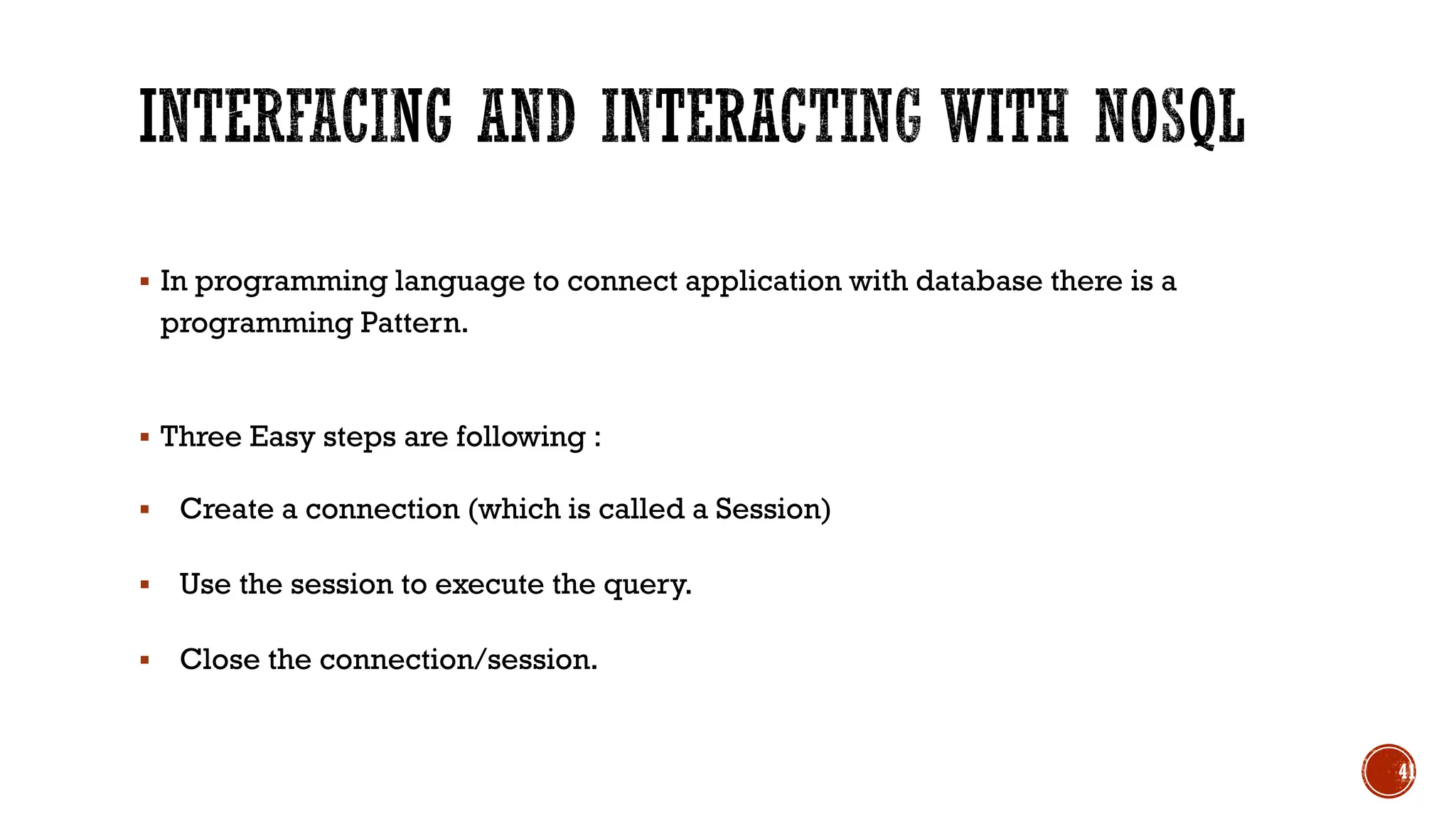
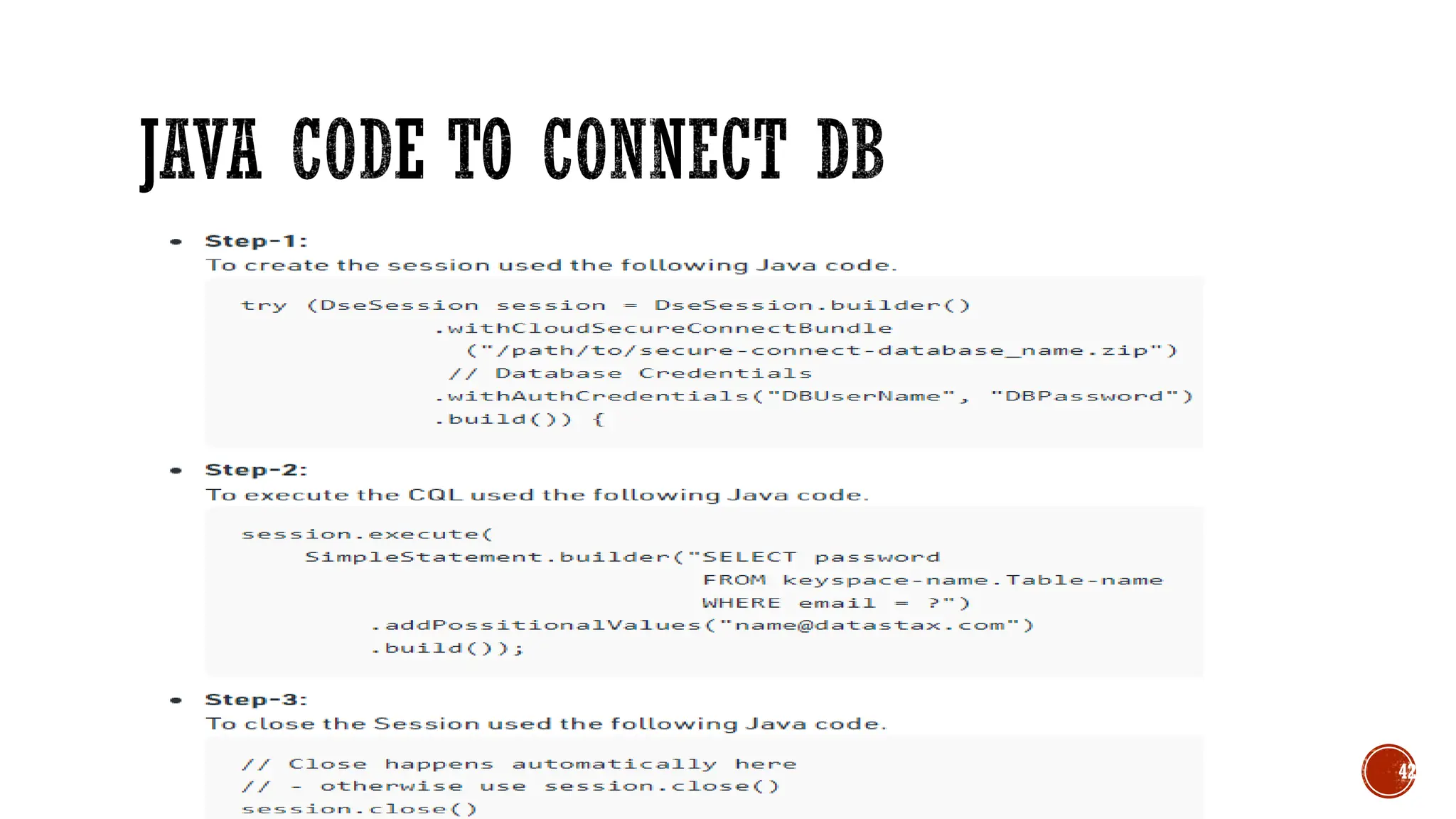
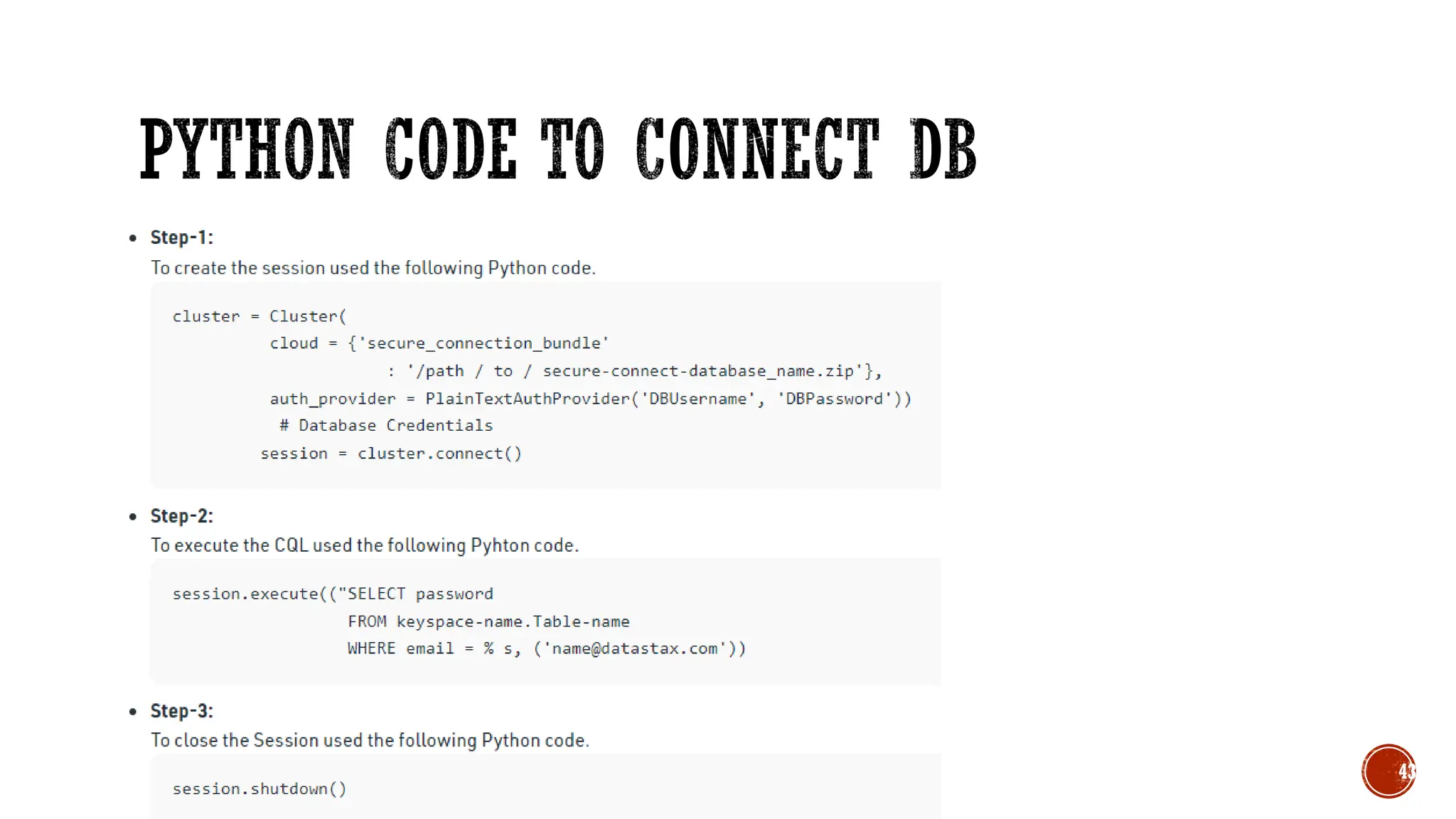
▪ In programming language to connect application with database there is a
programming Pattern.
▪ Three Easy steps are following :
▪ Create a connection (which is called a Session)
▪ Use the session to execute the query.
▪ Close the connection/session.
41
42
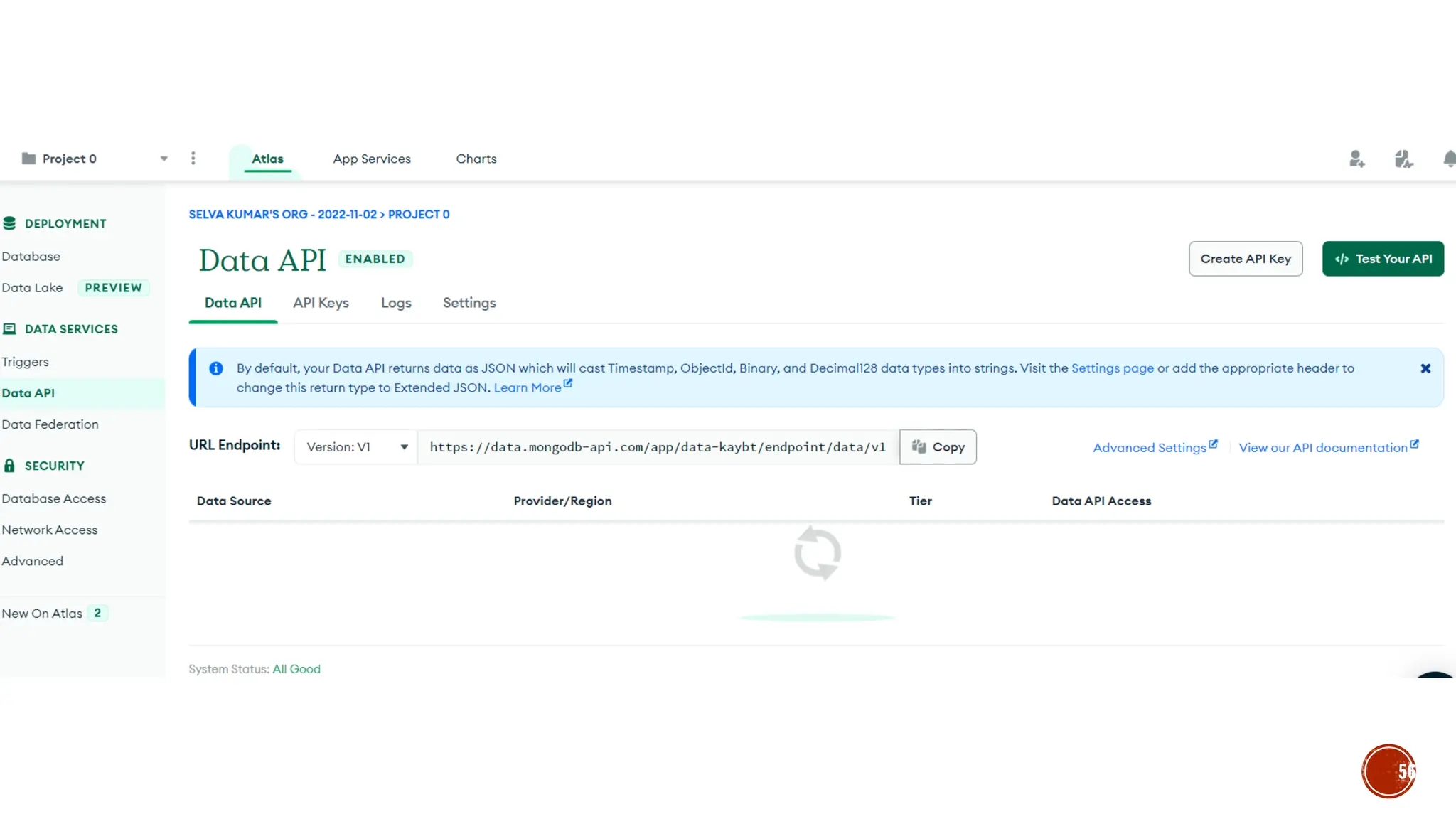
43
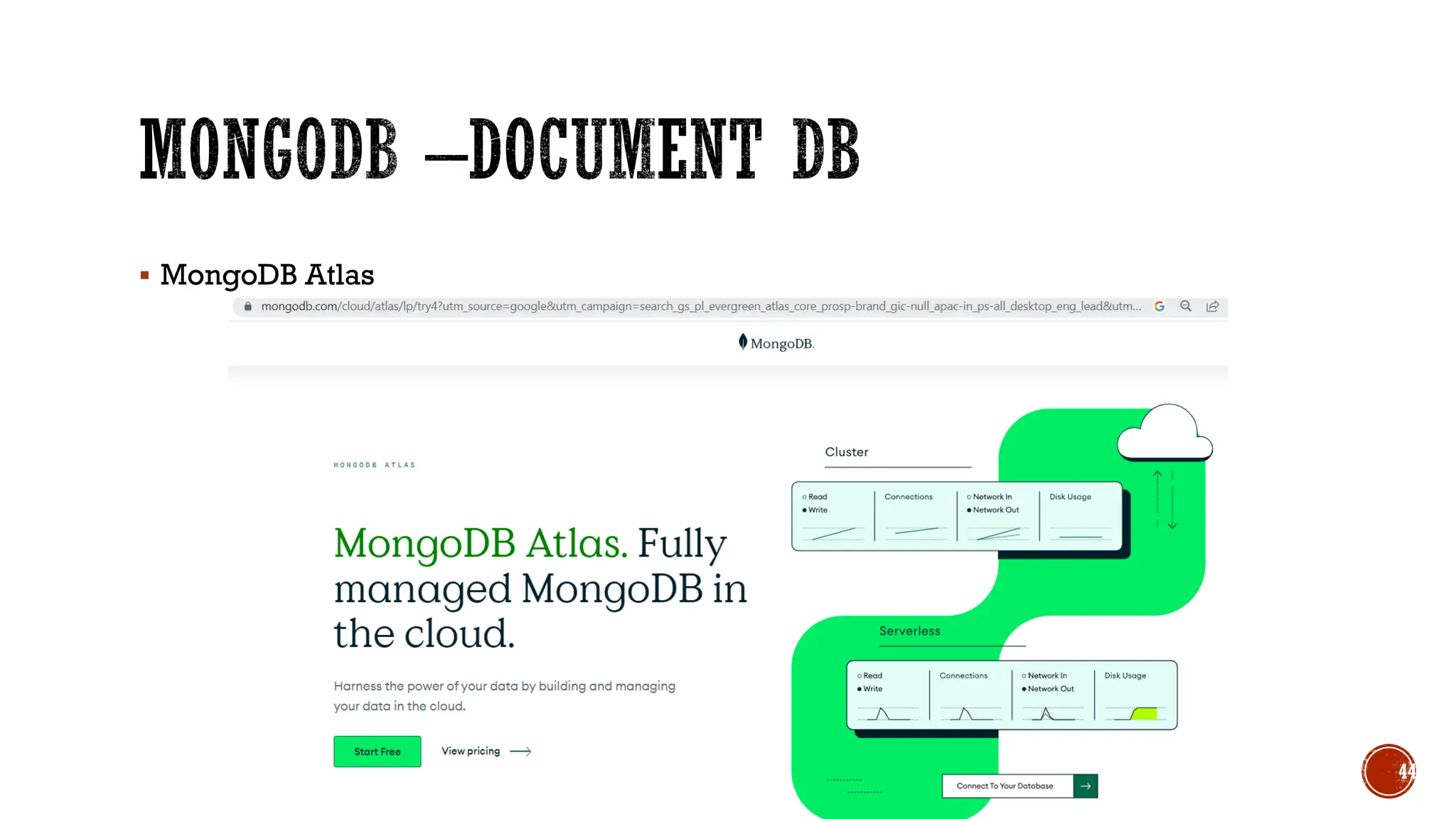
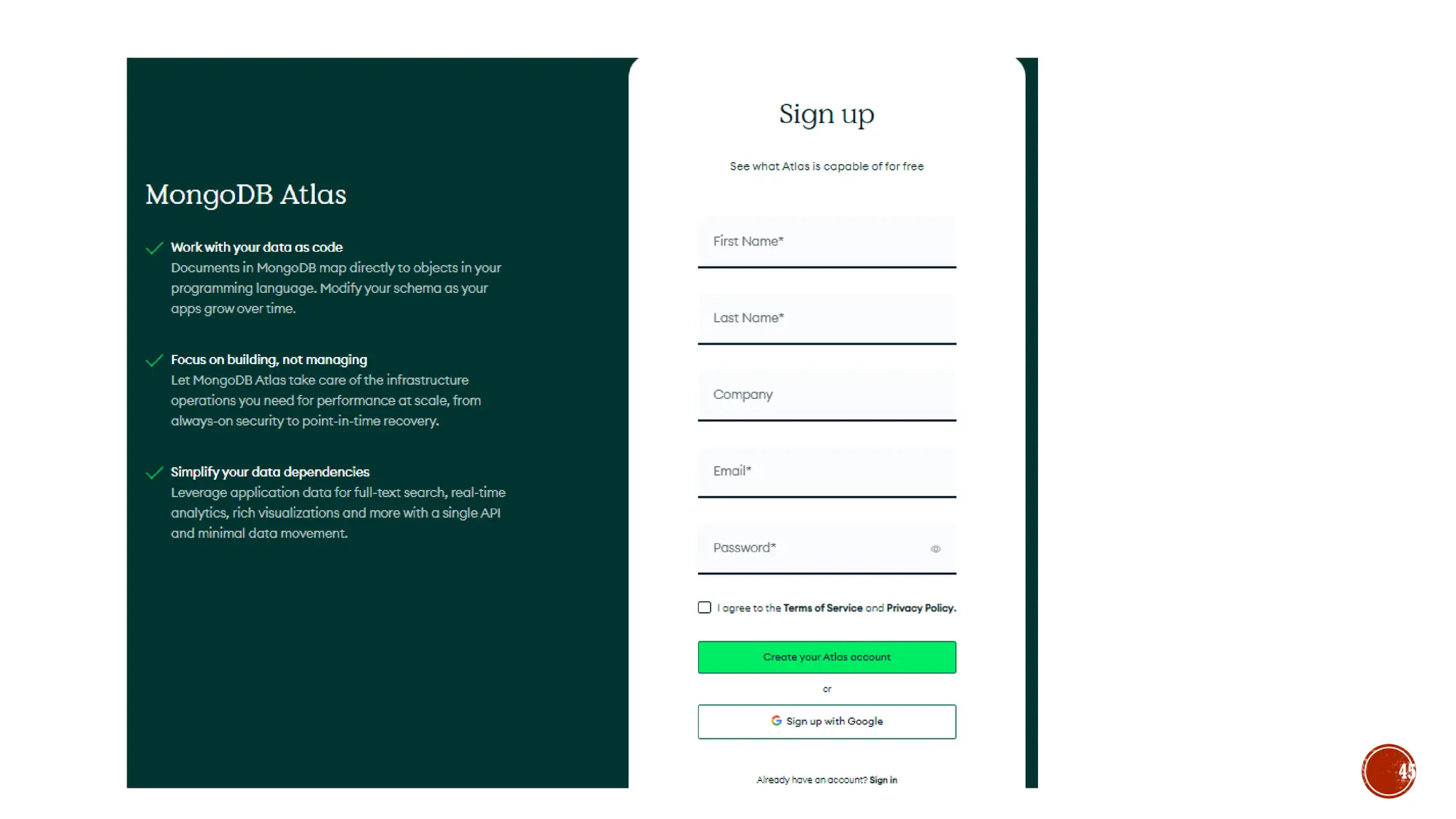
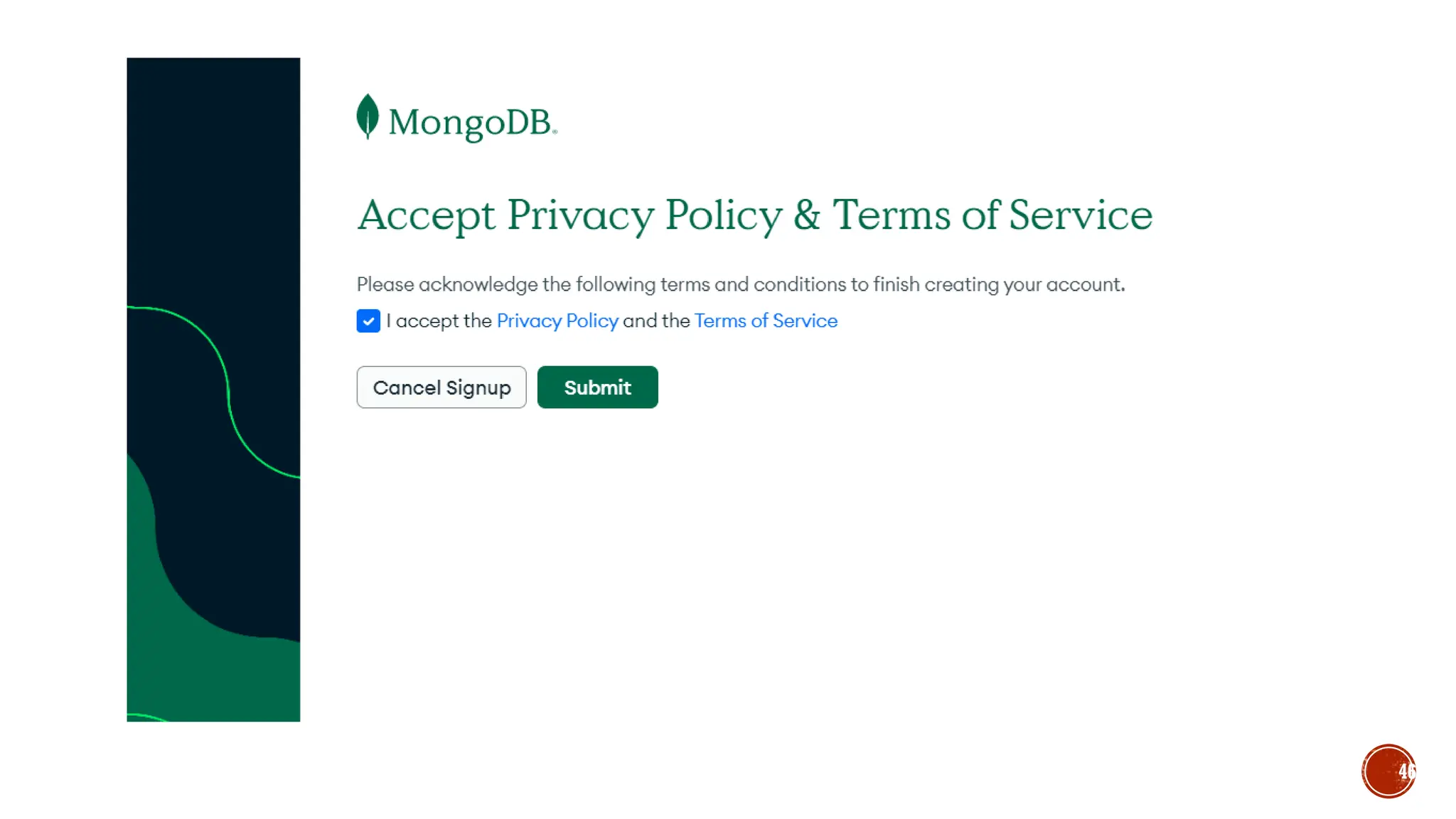
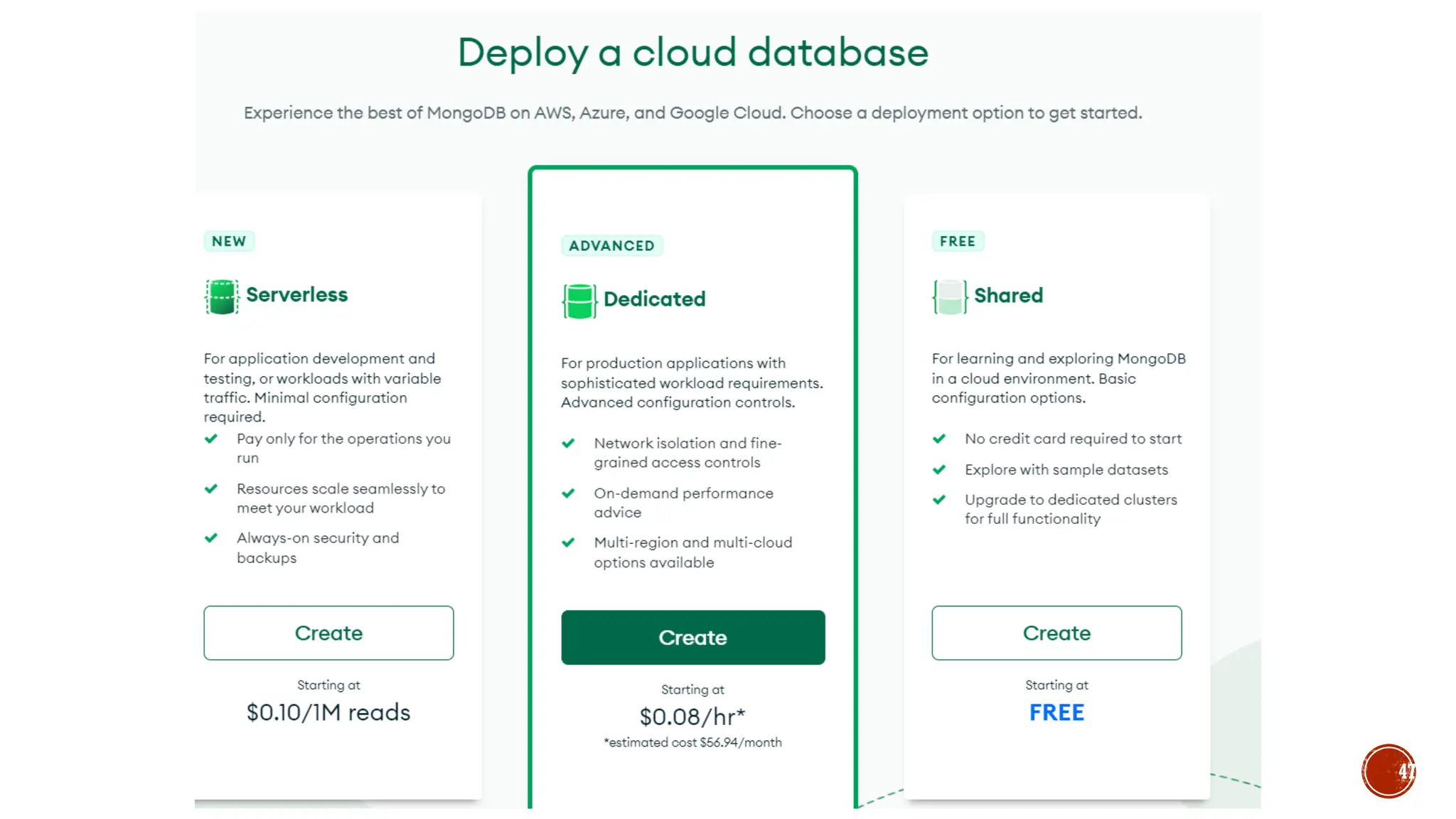
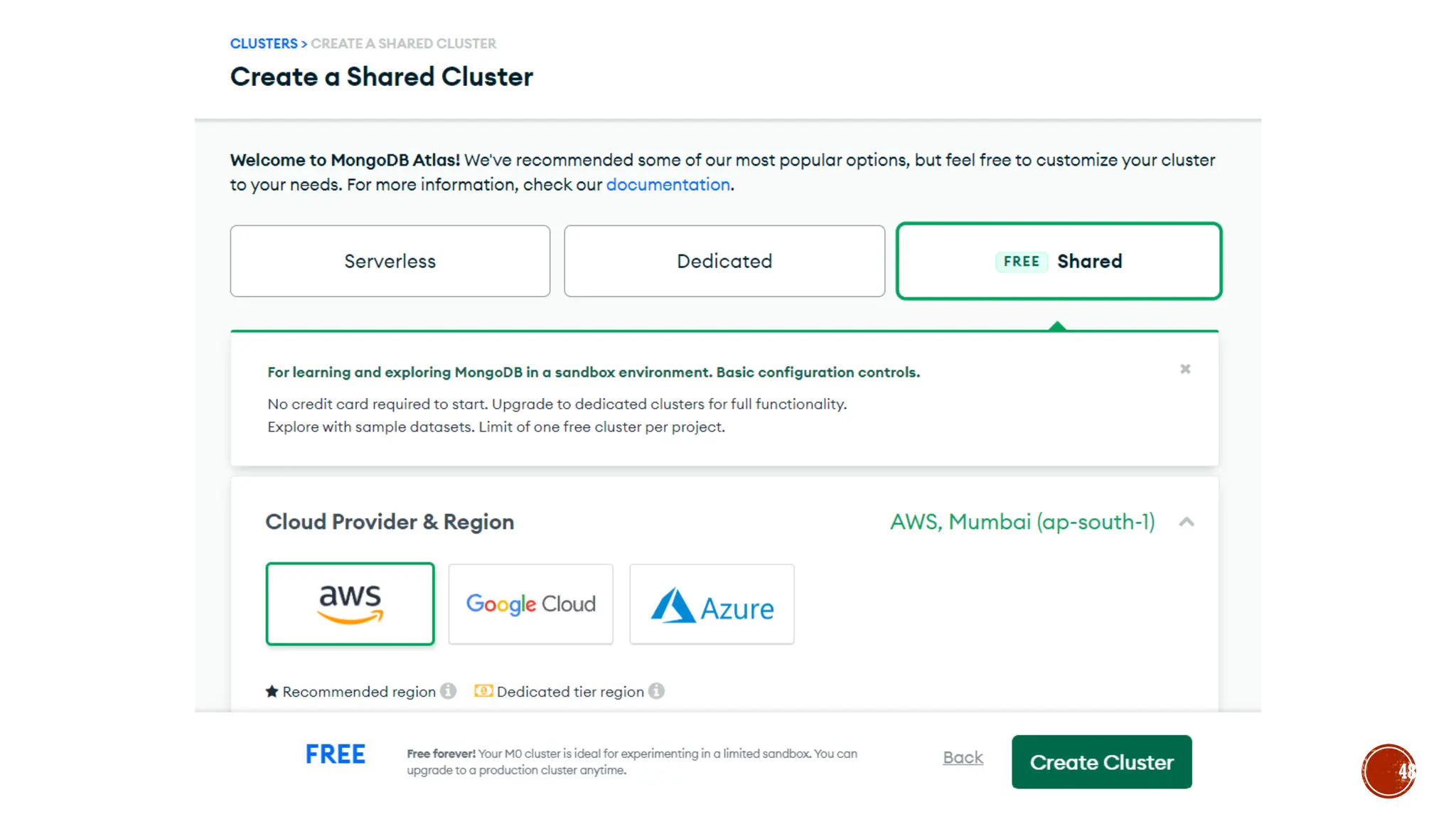
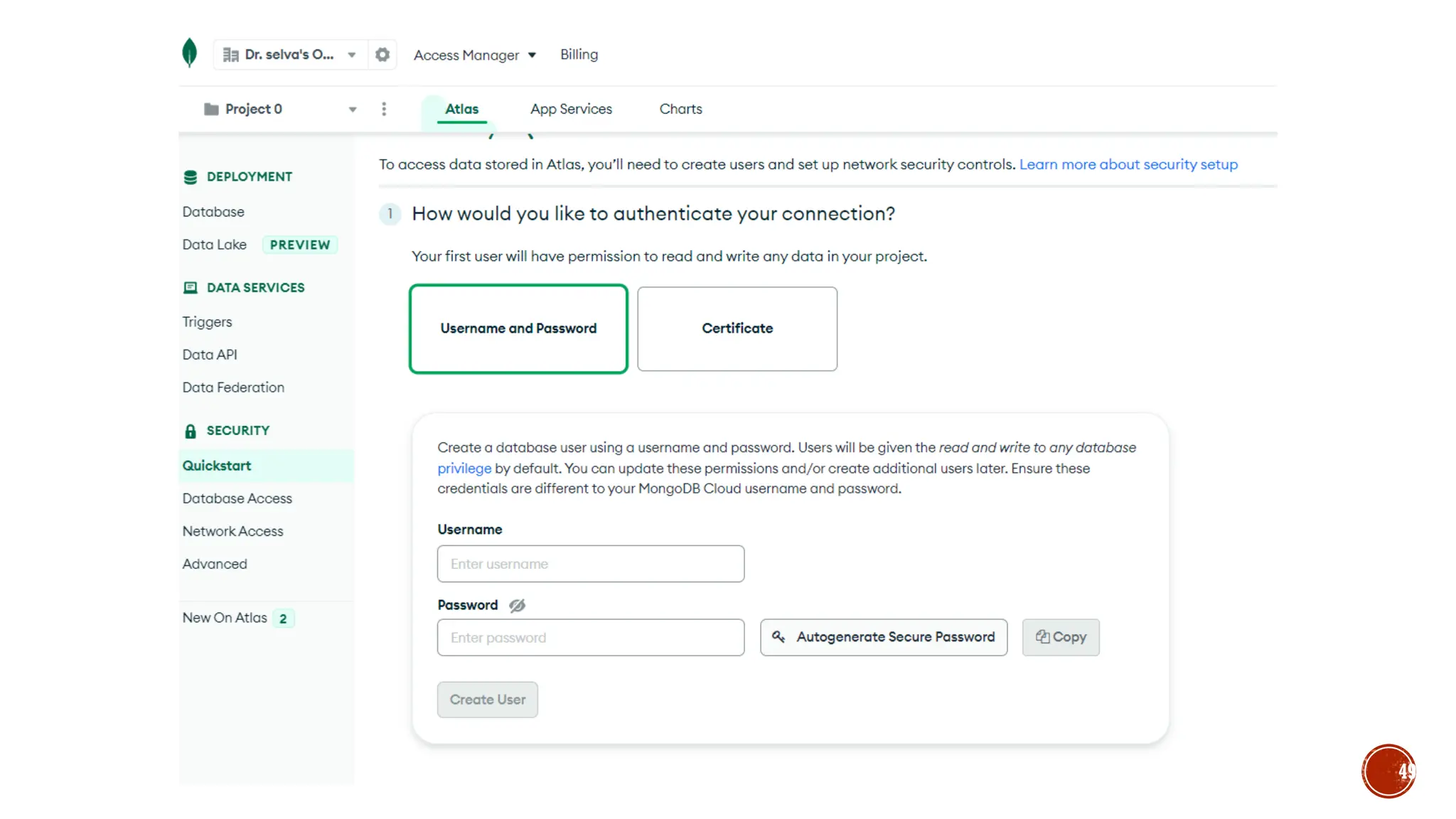
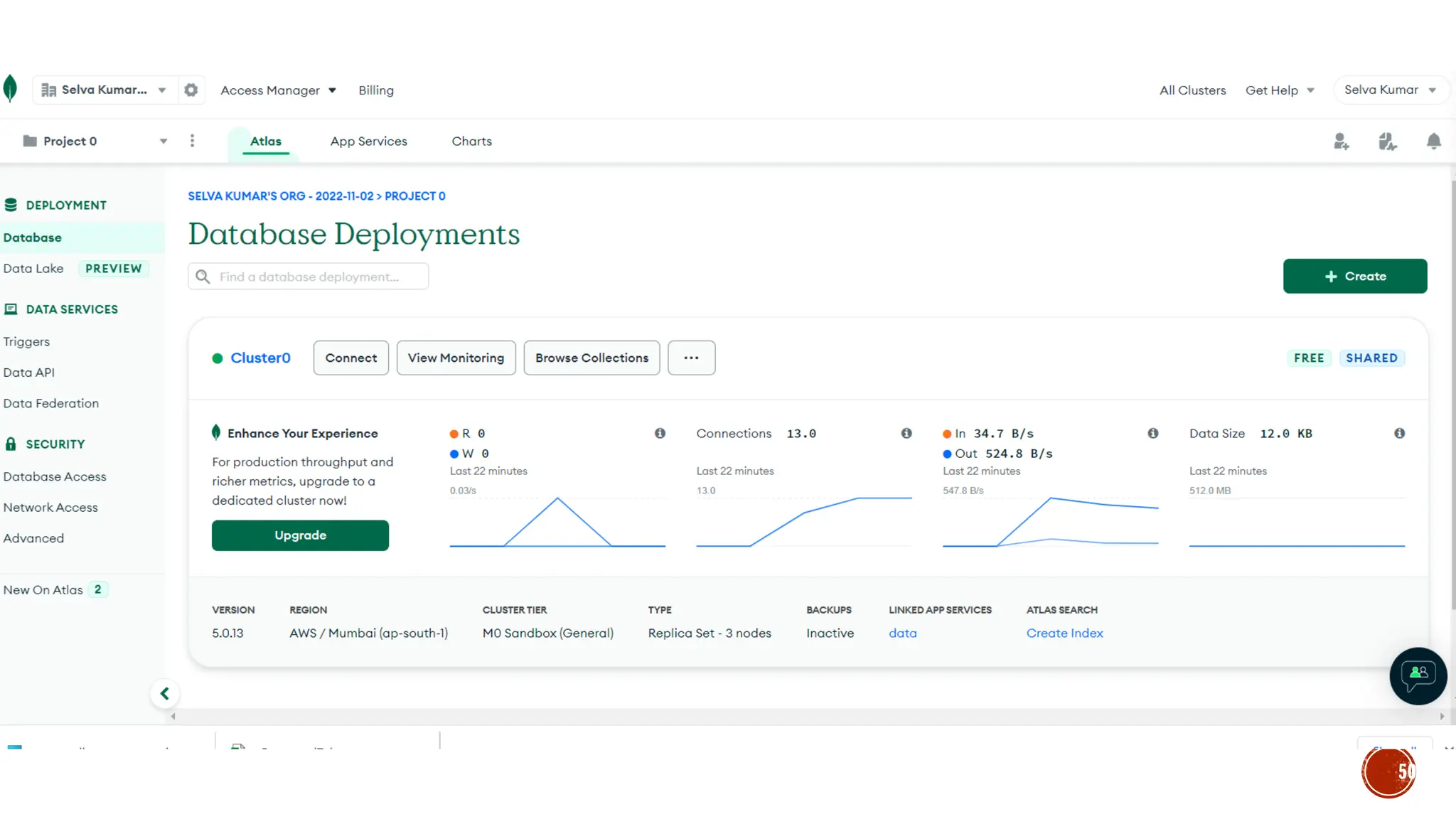
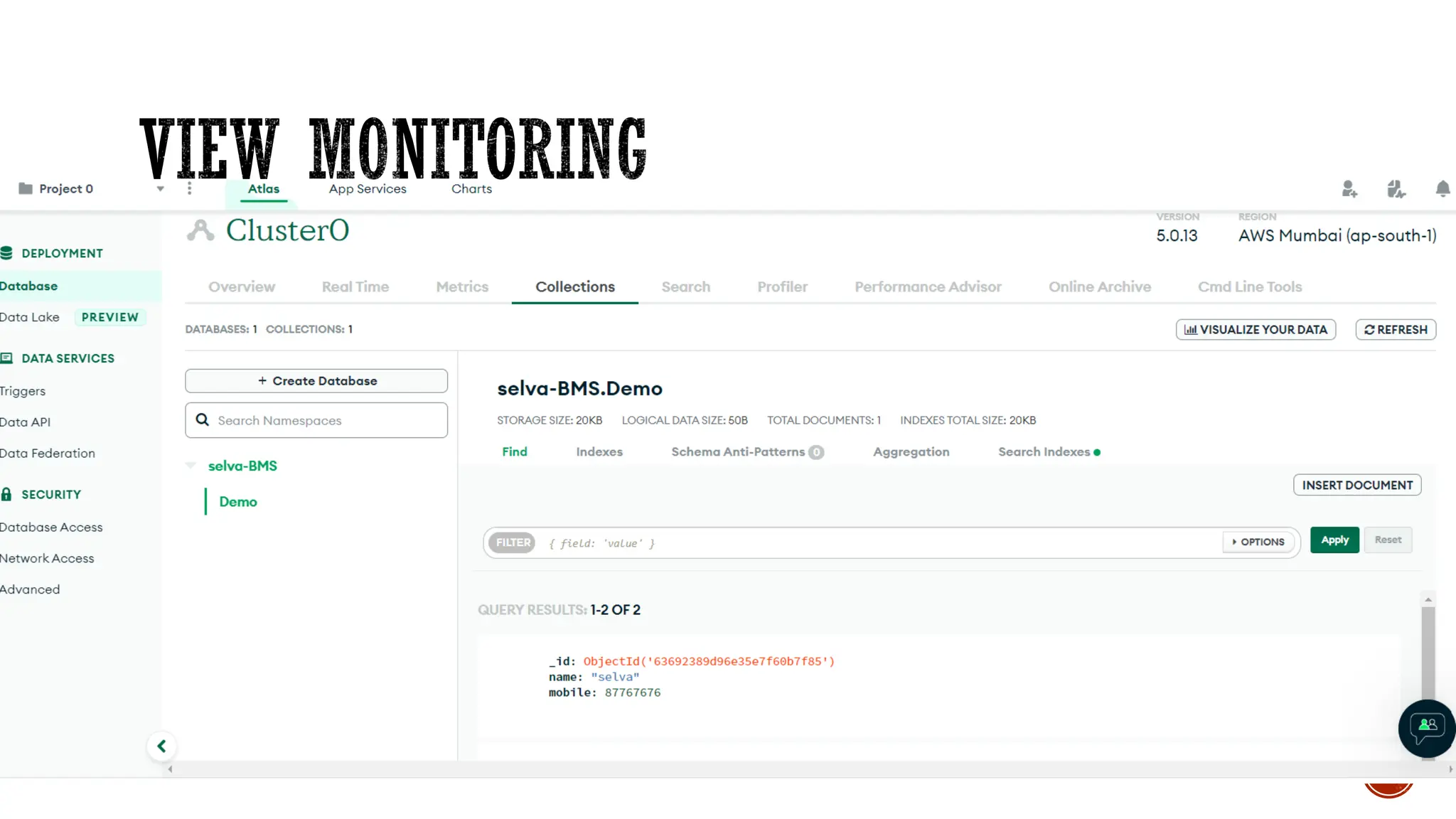
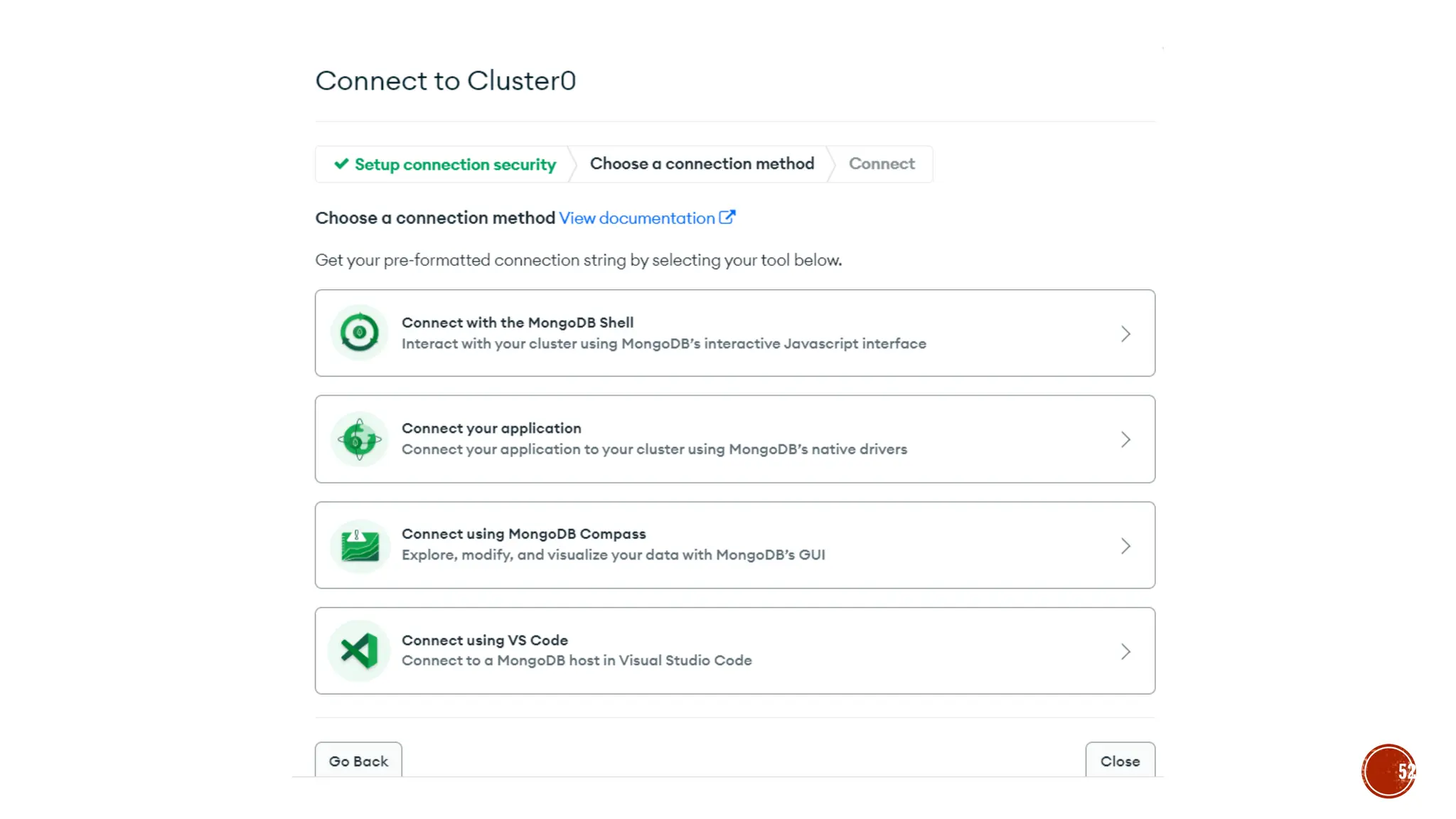
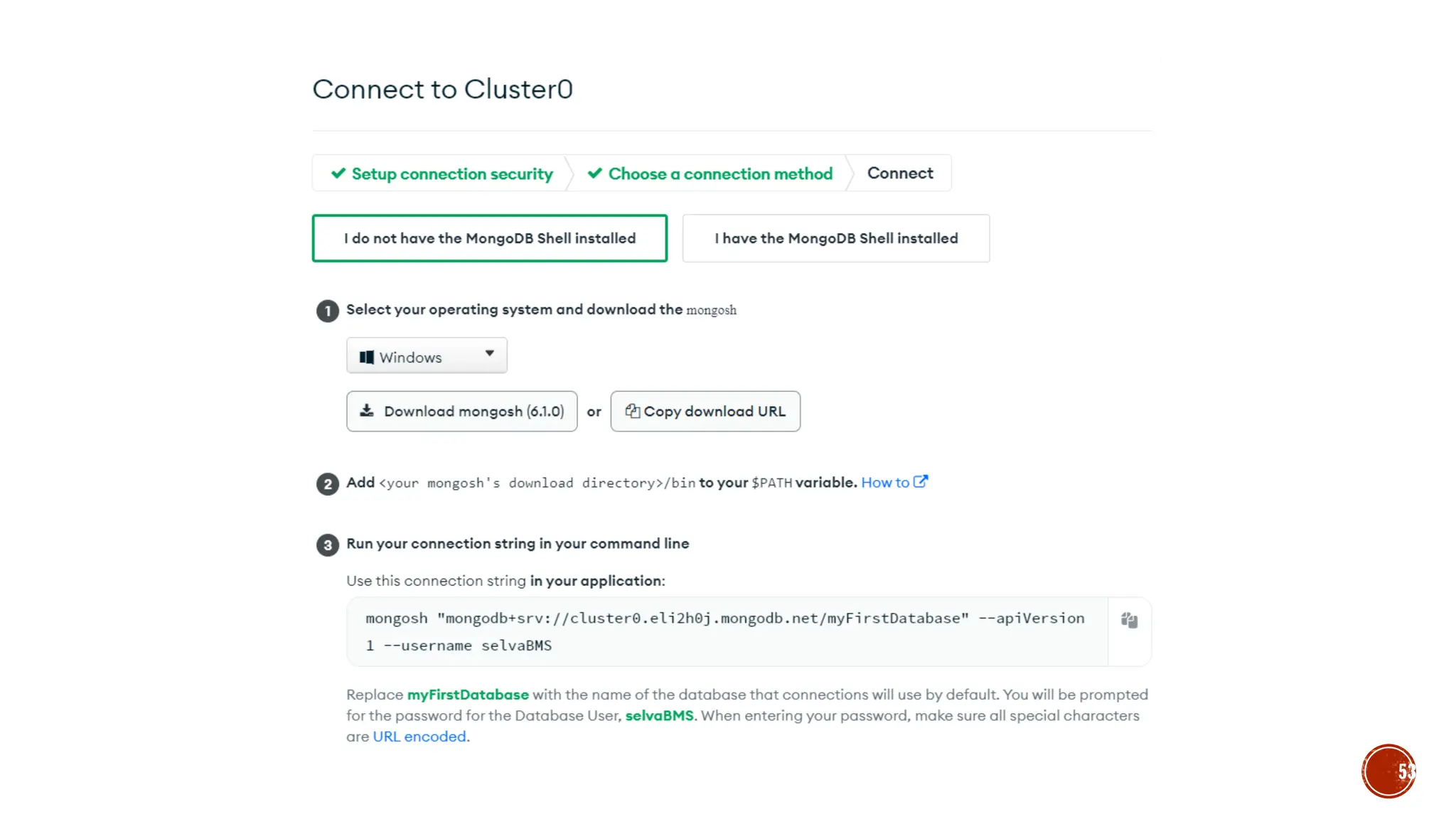
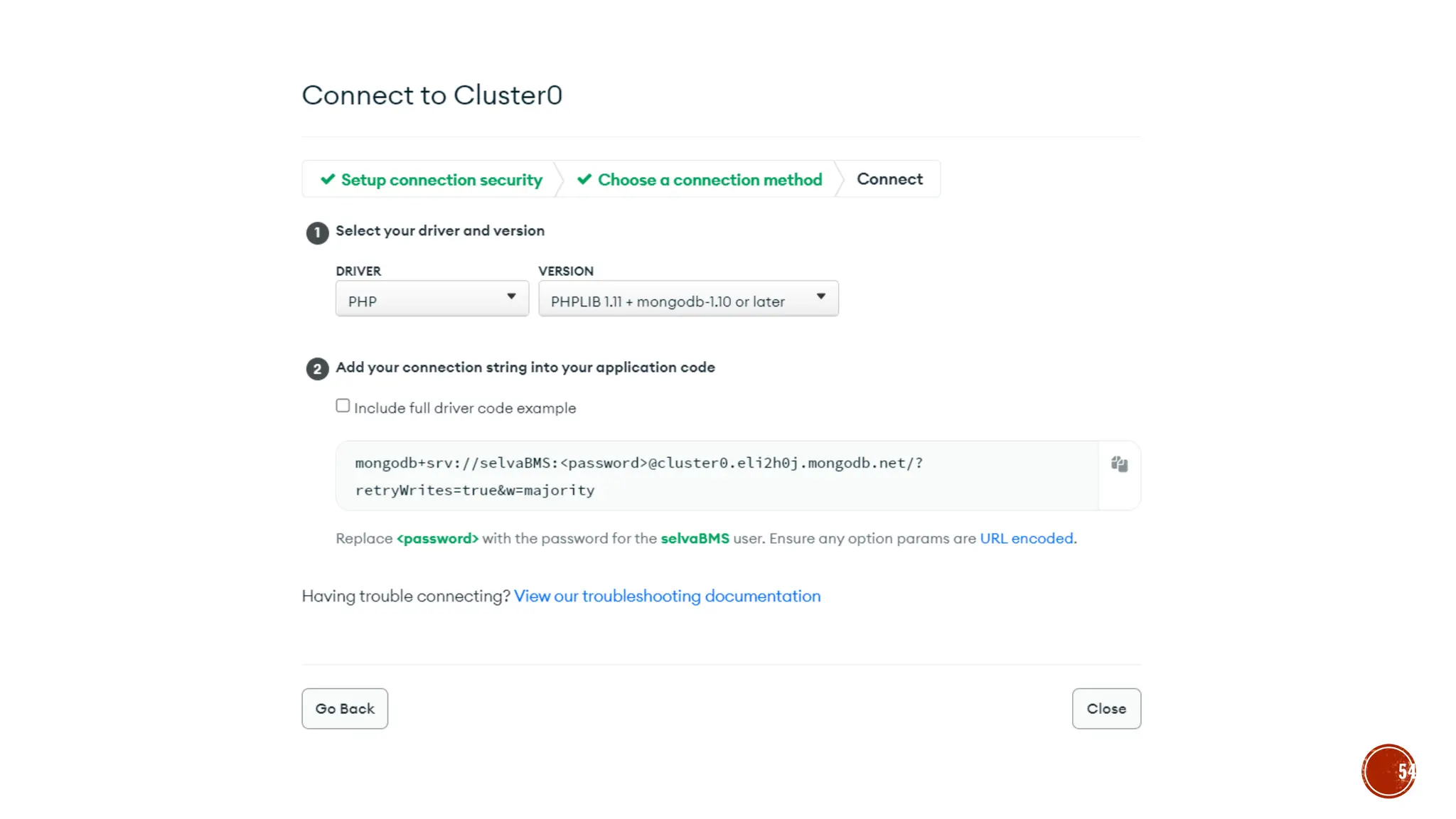
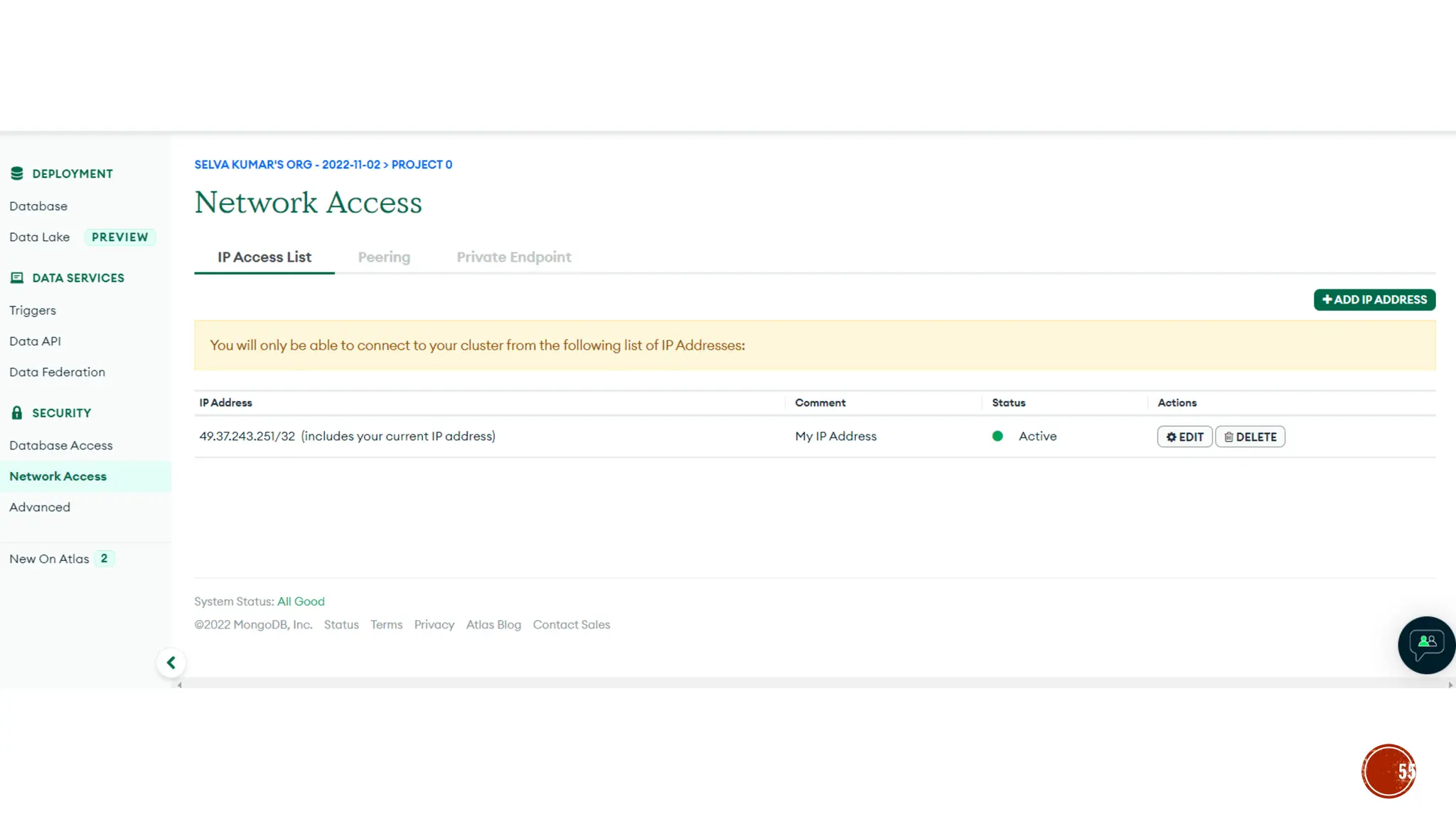
▪ MongoDB Atlas
44
45
46
47
48
49
50
51
52
53
54
55
56
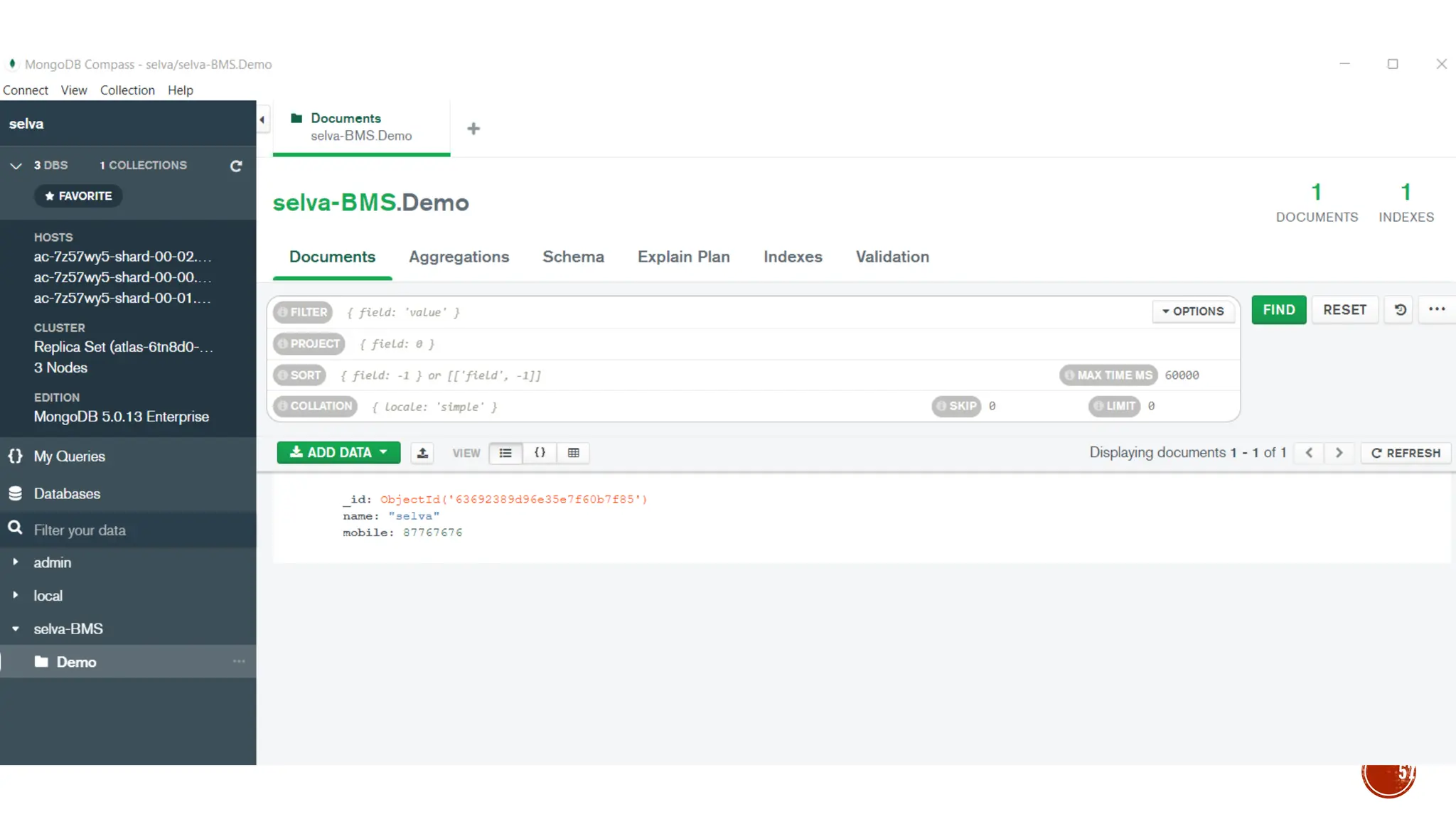
57
▪ Show dbs;
▪ Use database_name;
▪ Db;  shows current database in
▪ db.createCollection(‘democollection’)
▪ Or
▪ db.slstudent.insert({name:’selva’})
▪ Show collections;
▪ db.slstudent.find()
▪ db.createCollection(‘emp’,{capped:true, size:5242880,max:5})
▪ db.emp.insert({empid:1, name:“selva”, exp:{company:’TCS’, exp:4}})
▪ db.emp.find()
58
▪ Var myemp = [ {empid:1, name:“selva”},{empid:2,name:“kumar”}]
▪ db.emp.insert(myemp) //bulk insert
▪ db.emp.find()
▪ db.emp.update({name:’selva’},{$set:{“name”:”skumar”}})
▪ db.emp.find()
▪ db.emp.update({name:’selva’},{$set:{“name”:”skumar”}}, {multi:true})
▪ db.emp.update({name:’selva’},{$set:{“name”:”skumar”}}, {upsert:true})
59
▪ db.emp.remove({“name”:”selva”})
▪ db.emp.find({“name”:”selva”})
▪ db.emp.find().limit(2)
▪ db.emp.find().sort({name:-1}) // -1: descending order /1:Ascending order
▪ db.emp.find({empid:{$gt:1}})
▪ db.emp.find({empid : {$in:[3,6]}})
▪ db.emp.getIndexes()
▪ db.emp.createIndex({“name”:1})
60
▪ db.emp.aggregate([{“$match”:{“section”:”A”}}])
▪ db.emp.aggregate([{“$match” :{ $and:[{“section”:”A”},{Marks: {“$gt”:70}}}])
▪ db.emp.aggregate([{“$project”:{name:1 ,section:1}}])  shows id , name and
section
▪ db.emp.aggregate([{“$project”:{_id:0, name:1 ,section:1}}])  shows only name
and section id is not visible
▪ db.emp.aggregate([{“$match”:{“section”:”A”}}, {“$project”:{_id:0, name:1
,section:1}}])
▪ db.emp.aggregate([{“$group”:{“_id”: {“section”:“$section”},
“Totalmarks”:{“$sum”:”$Marks”}}}])
61
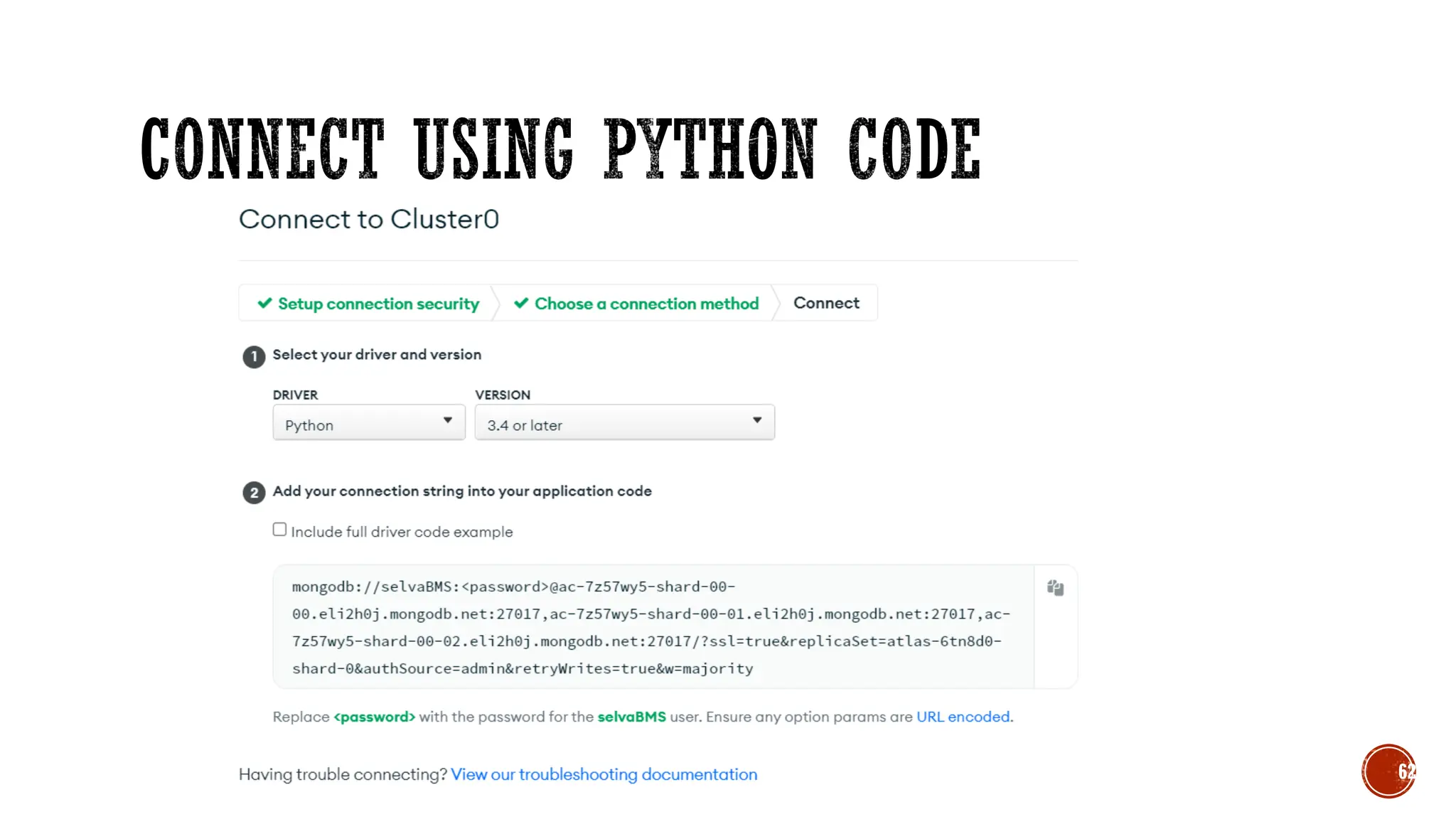
62
▪ import pymongo
▪ from pymongo import MongoClient
▪ cluster =MongoClient(" mongodb://selvaBMS:<password>@ac-7z57wy5-shard-00-
00.eli2h0j.mongodb.net:27017,ac-7z57wy5-shard-00-01.eli2h0j.mongodb.net:27017,ac-7z57wy5-shard-
00-02.eli2h0j.mongodb.net:27017/?ssl=true&replicaSet=atlas-6tn8d0-shard-
0&authSource=admin&retryWrites=true&w=majority")
▪ db = cluster["selva-test"]
▪ collection=db["emp"]
▪ post={"name":"selva", "email":"selva.cse@bmsce.ac.in"}
▪ collection.insert_one(post)
63
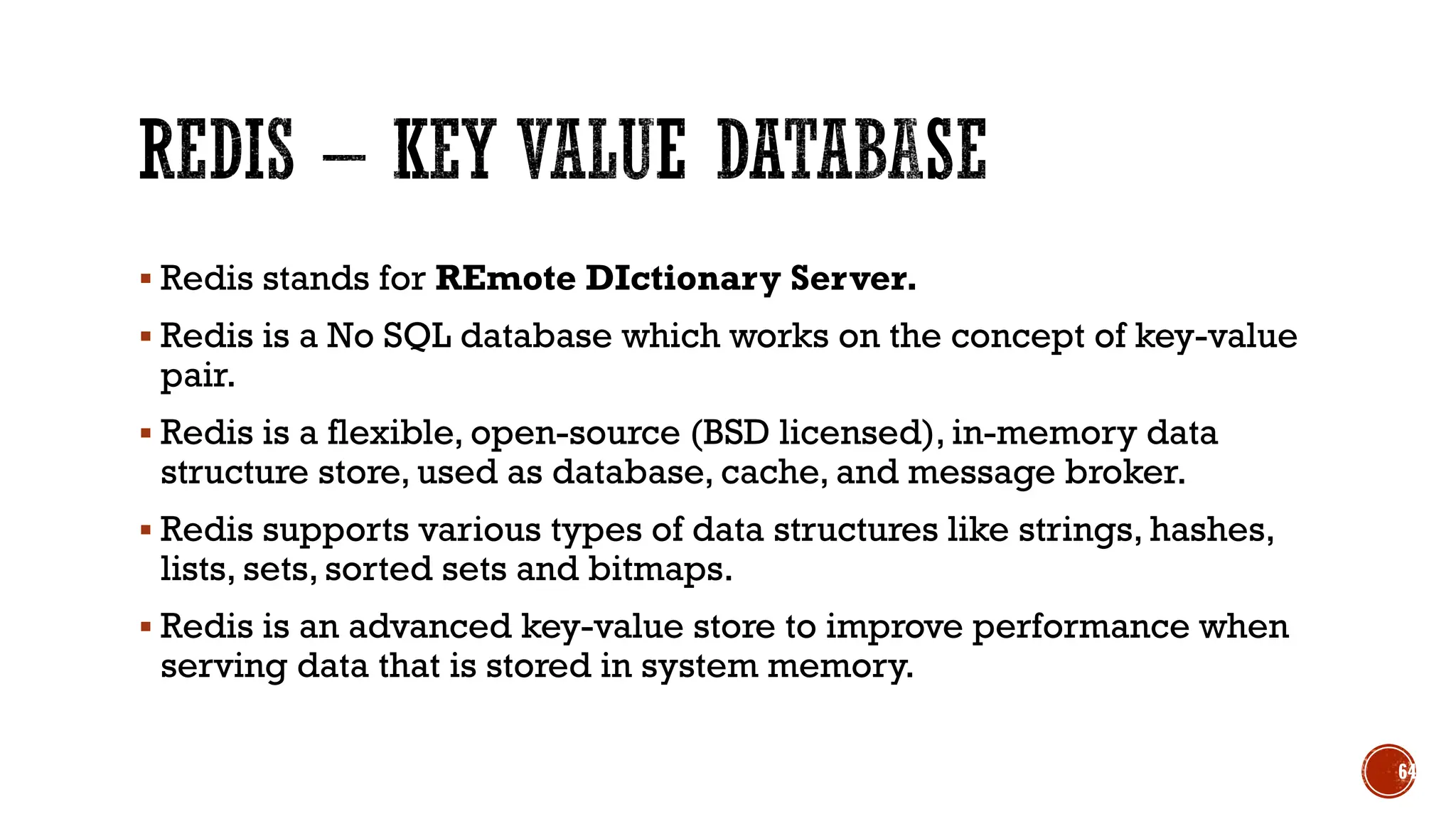
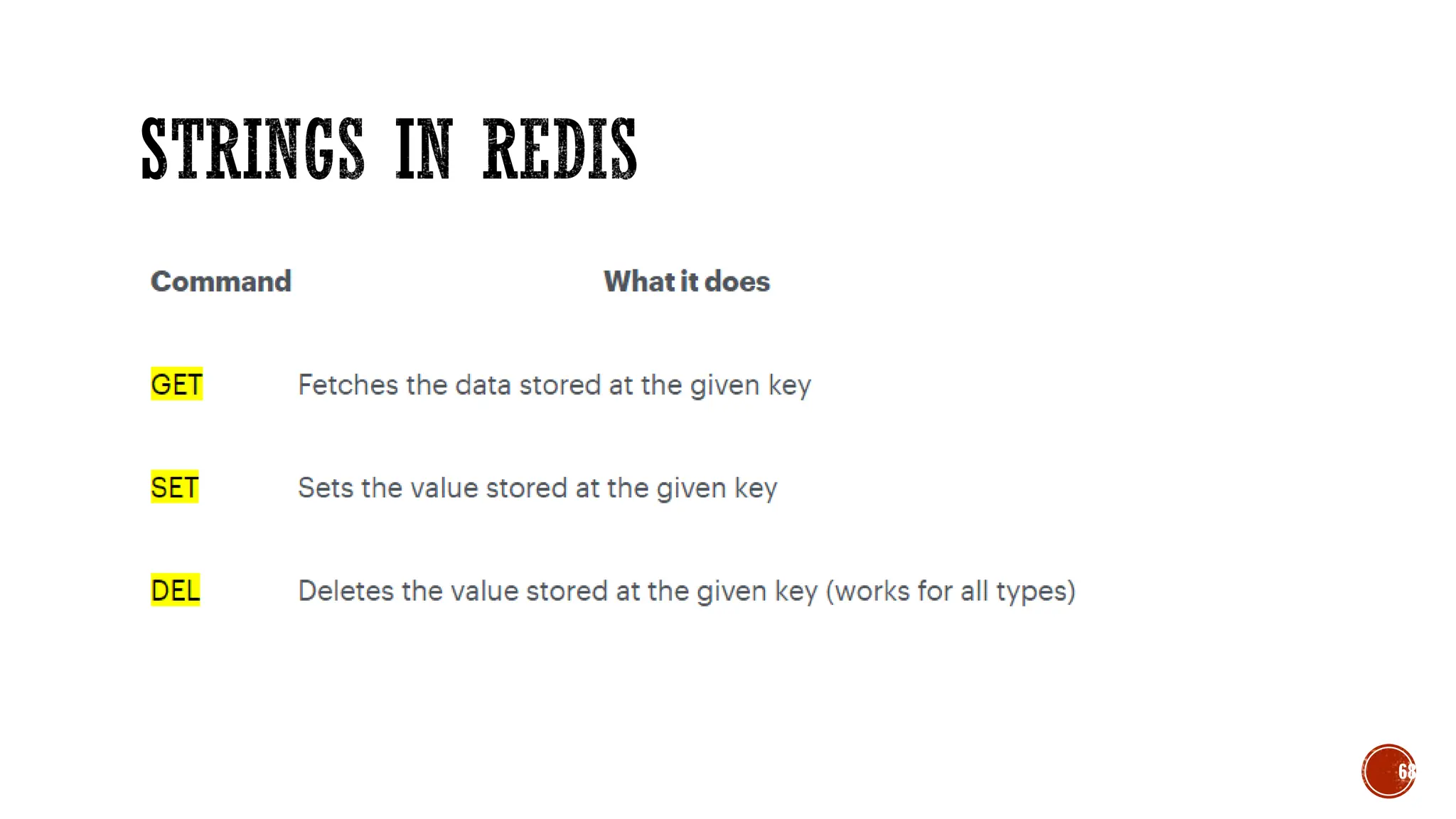
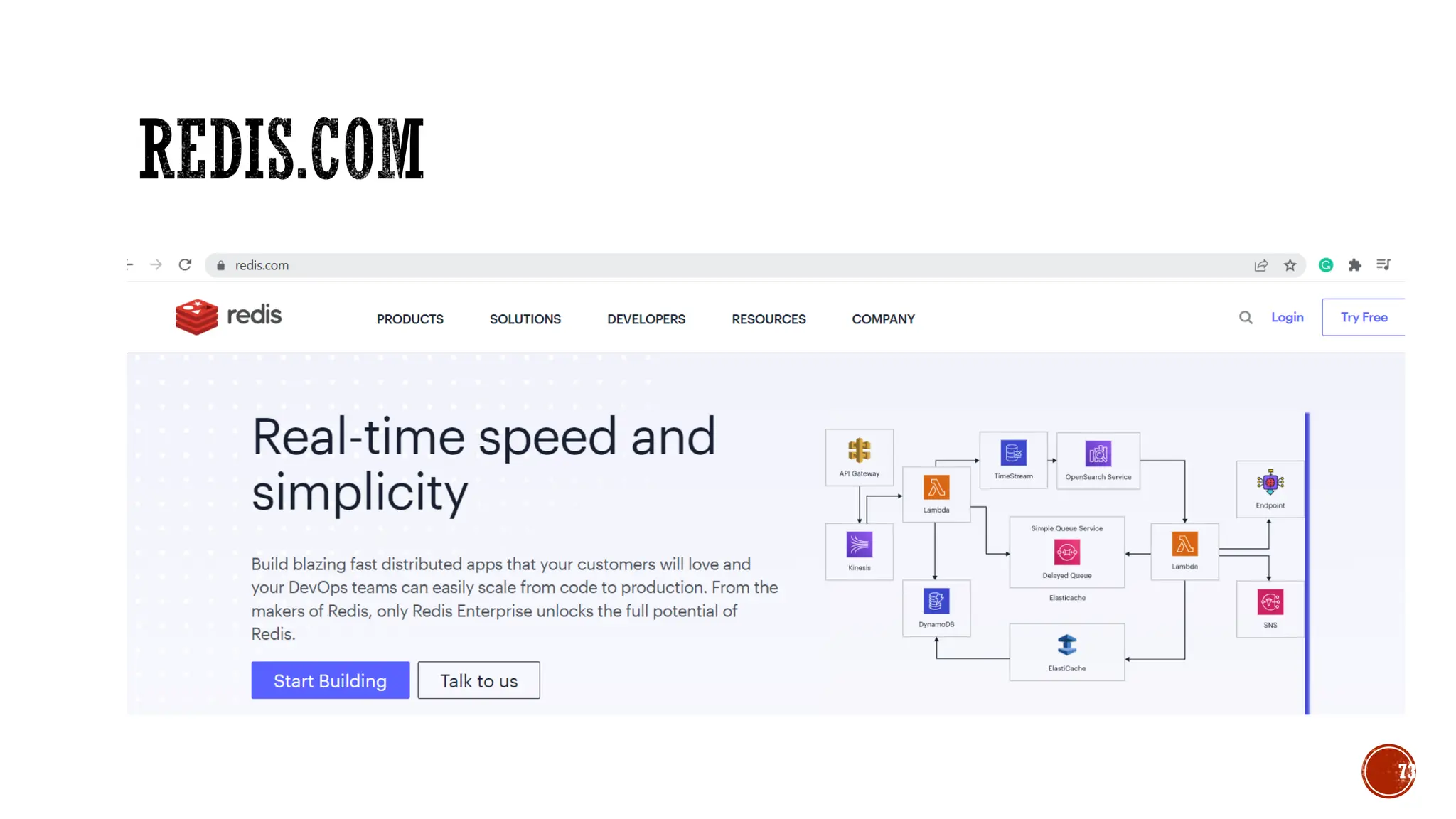
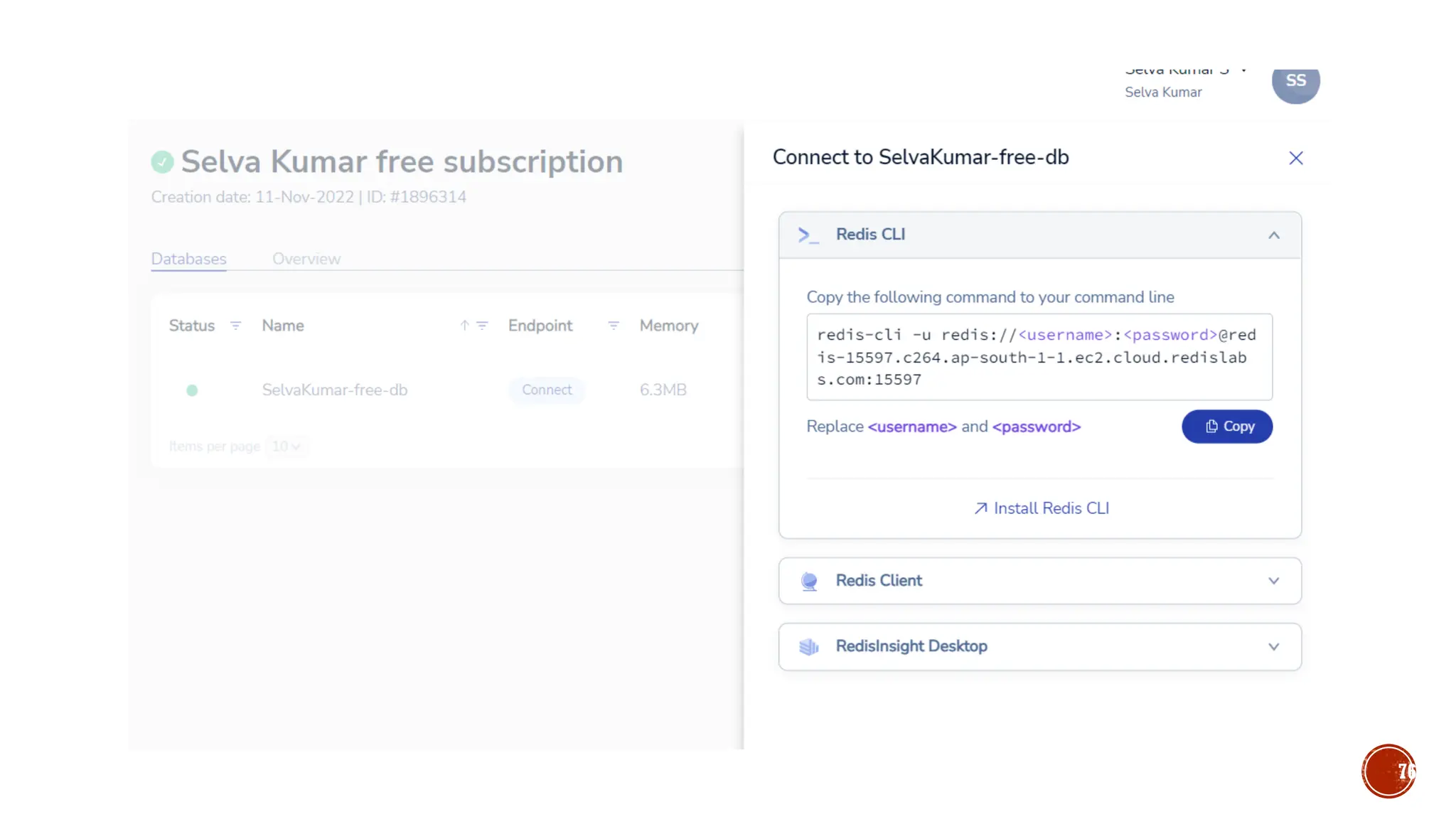
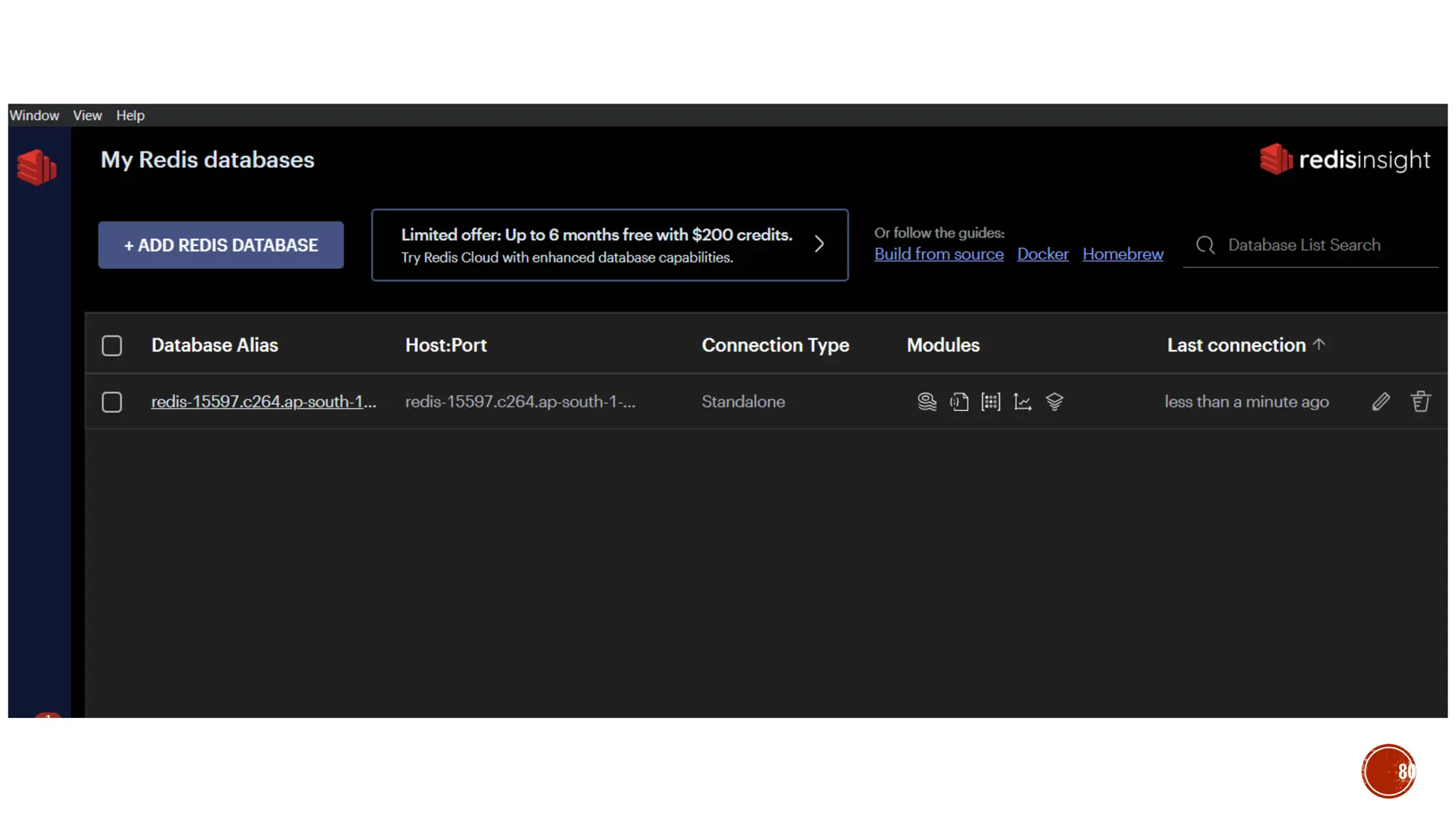
▪ Redis stands for REmote DIctionary Server.
▪ Redis is a No SQL database which works on the concept of key-value
pair.
▪ Redis is a flexible, open-source (BSD licensed), in-memory data
structure store, used as database, cache, and message broker.
▪ Redis supports various types of data structures like strings, hashes,
lists, sets, sorted sets and bitmaps.
▪ Redis is an advanced key-value store to improve performance when
serving data that is stored in system memory.
64
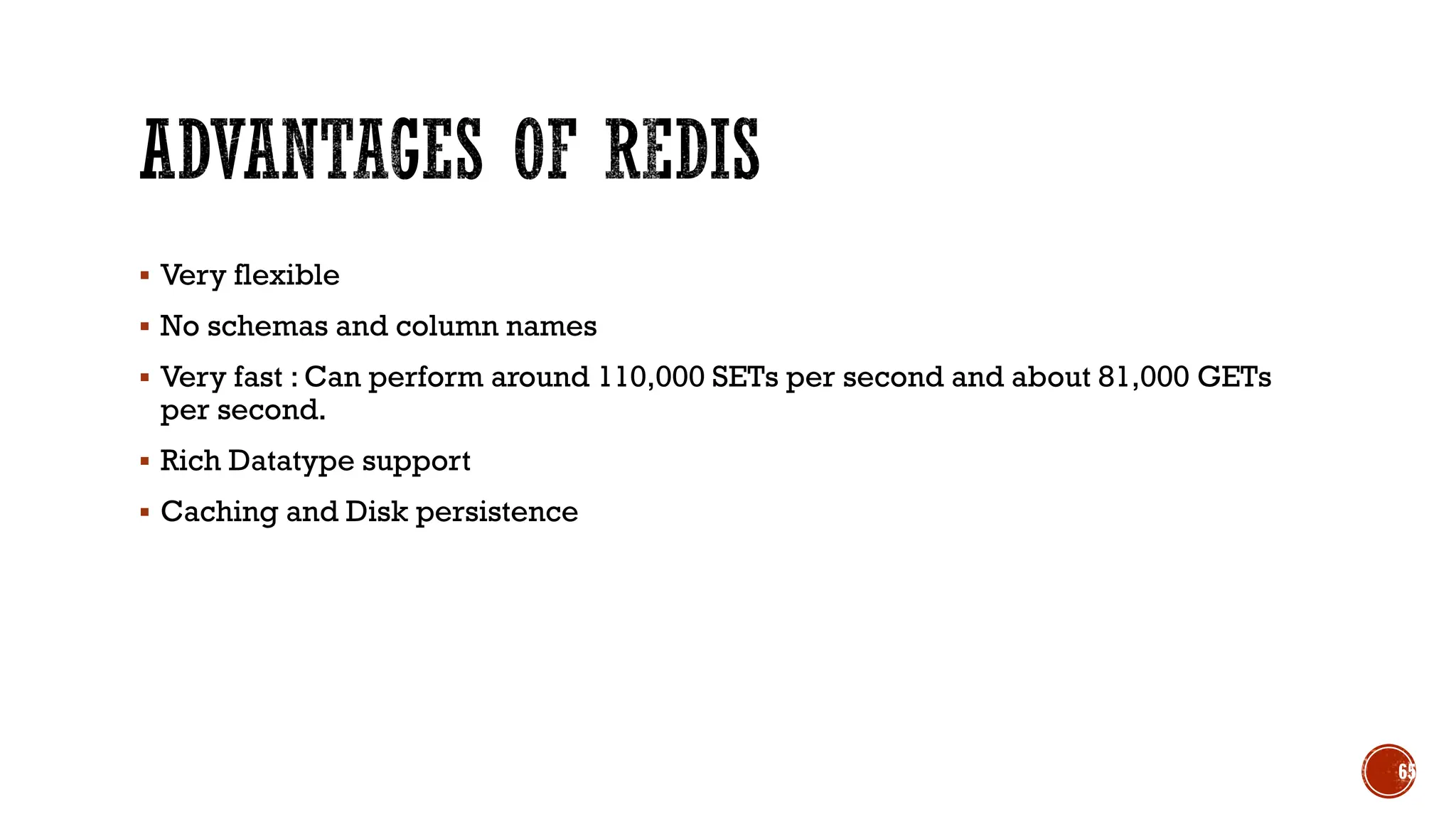
▪ Very flexible
▪ No schemas and column names
▪ Very fast : Can perform around 110,000 SETs per second and about 81,000 GETs
per second.
▪ Rich Datatype support
▪ Caching and Disk persistence
65
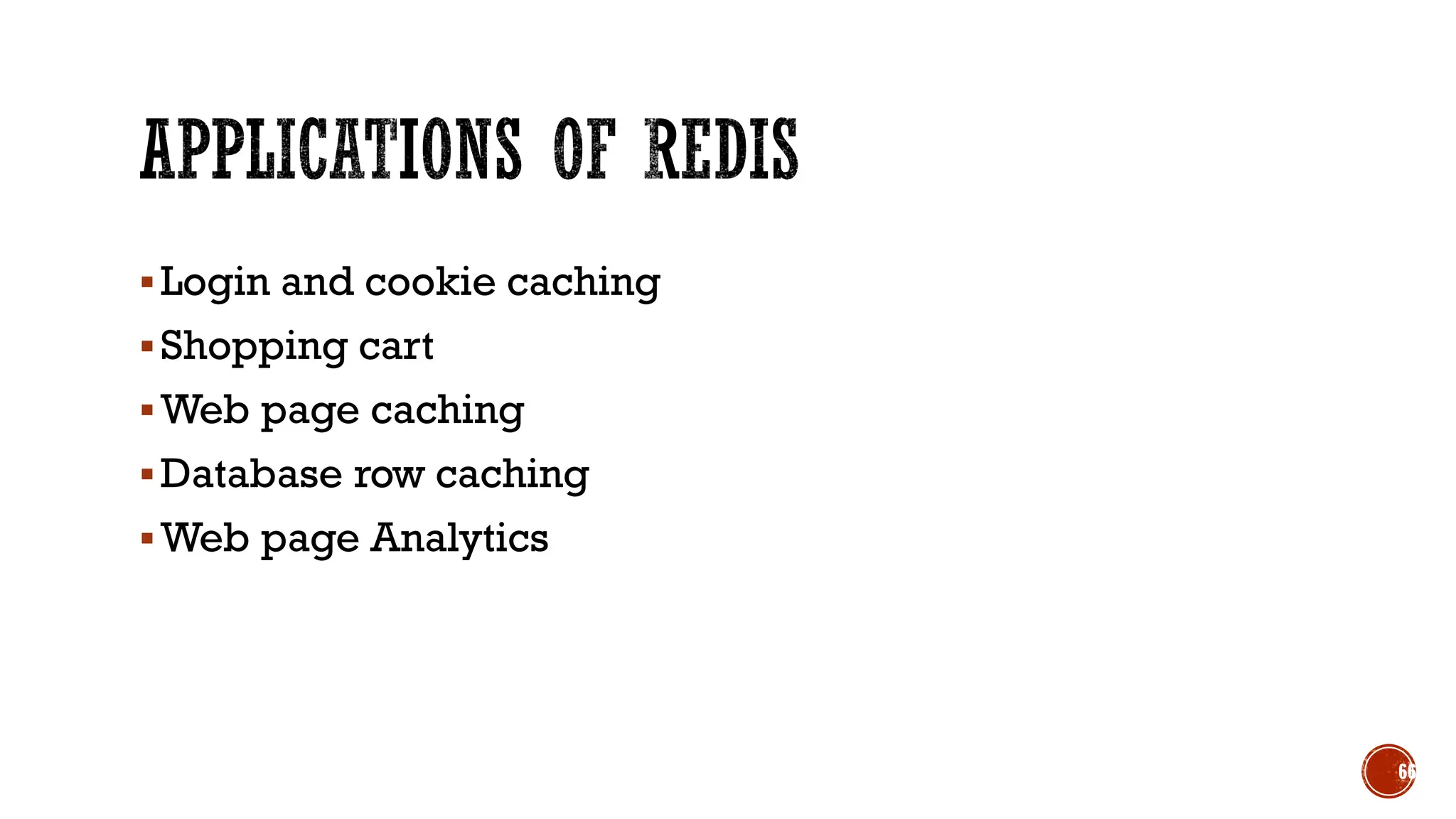
▪Login and cookie caching
▪Shopping cart
▪Web page caching
▪Database row caching
▪Web page Analytics
66
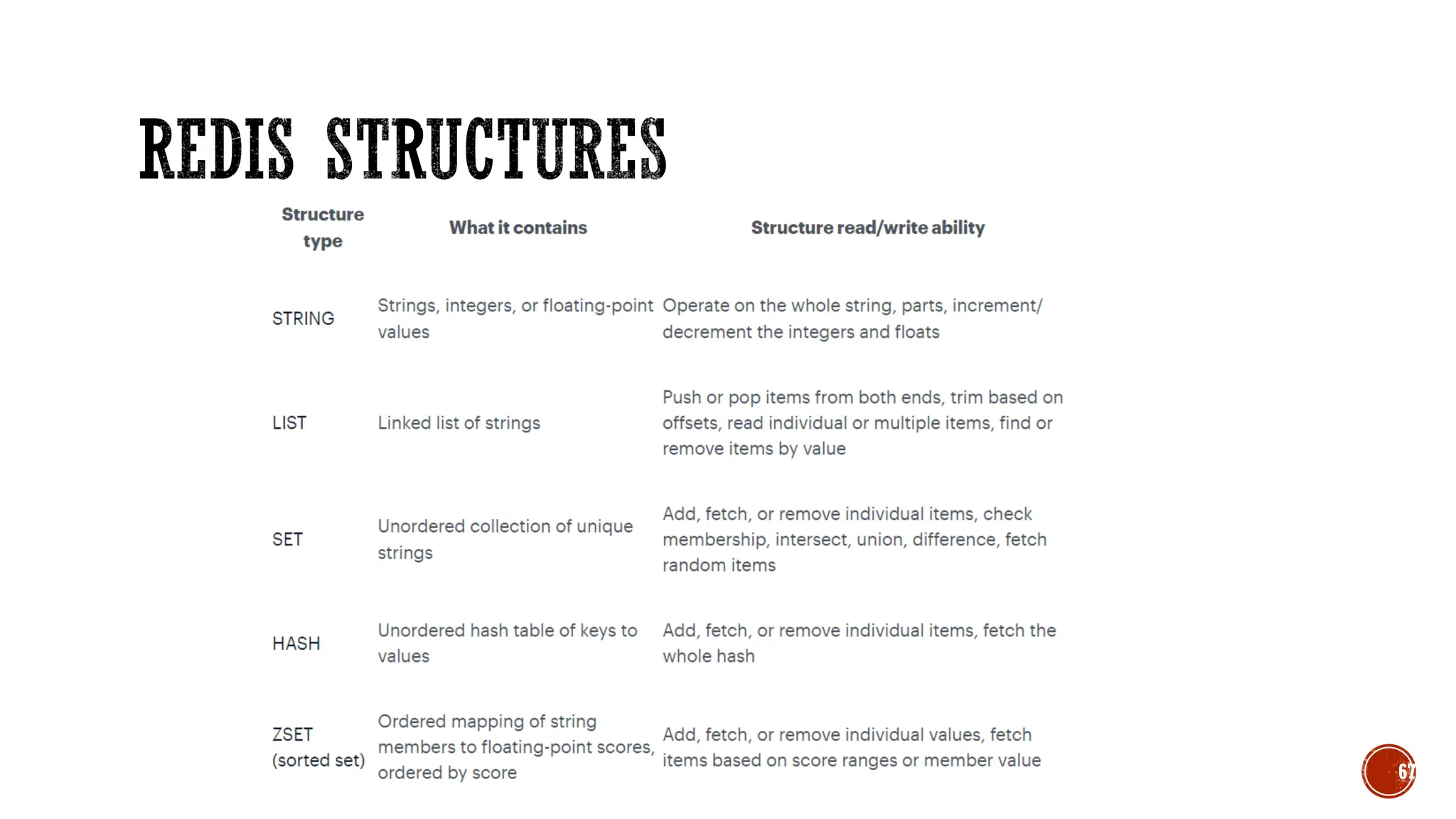
67
68
69
70
71
72
73
74
75
76
77
78
79
80
81
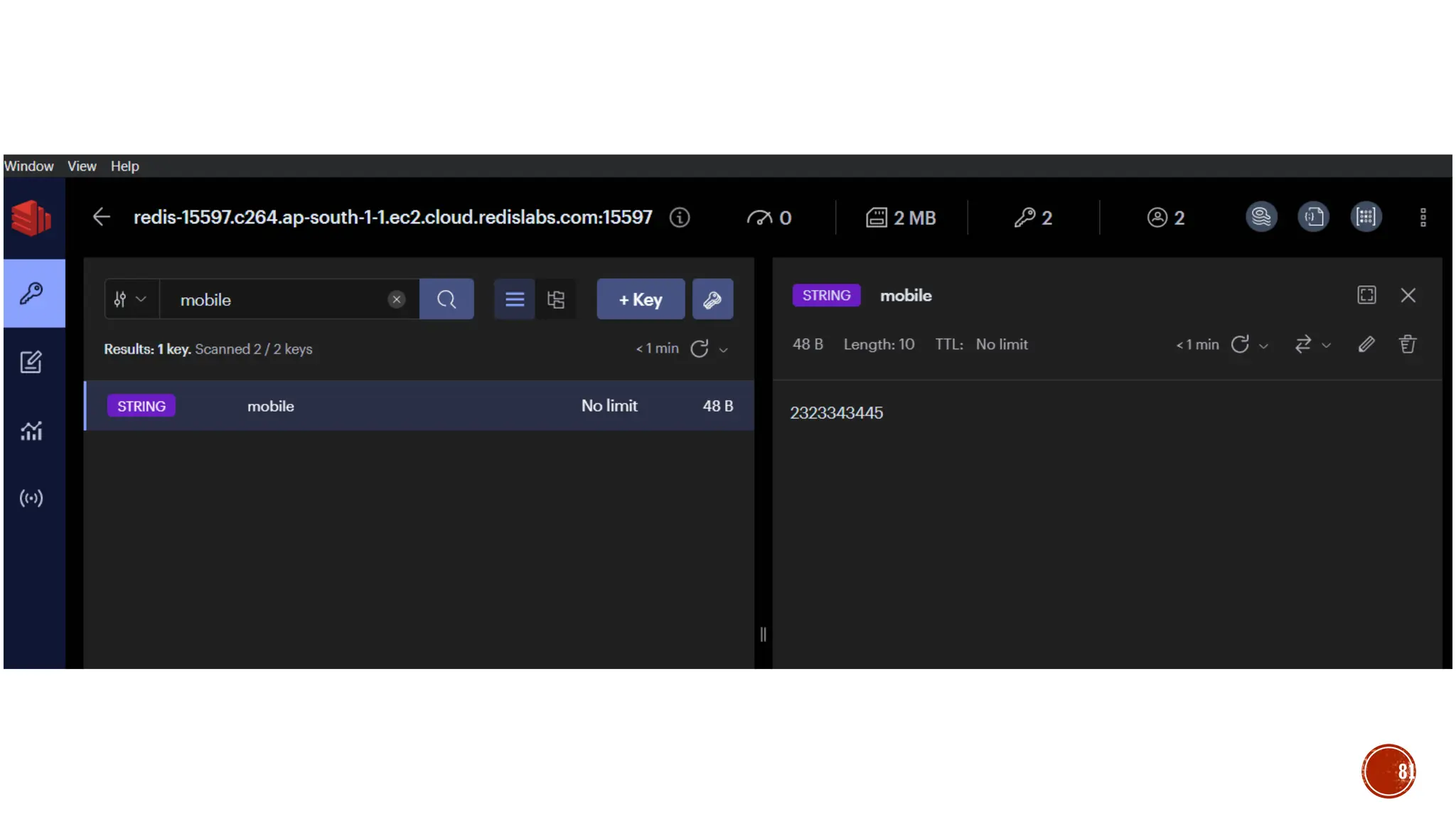
▪ SET name “selva”
▪ GET name
▪ SET age 40
▪ GET age
▪ DEL age
▪ GET age
▪ EXISTS name
▪ KEY *
▪ flushall
82
▪ Ttl name
▪ Expire name 10
▪ Setex name 10 selva //set string for time period
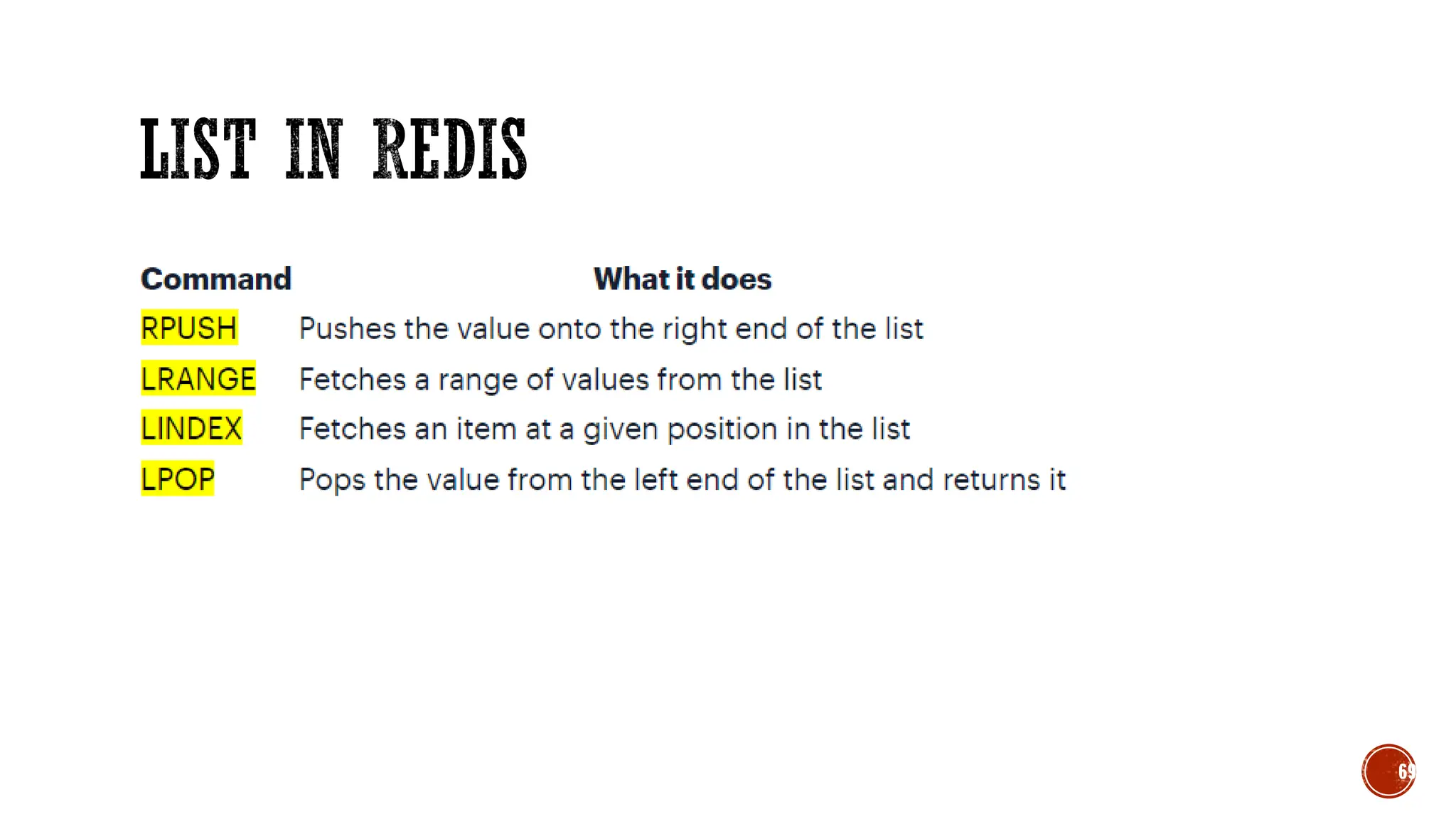
▪ Lpush friends kumar //List
▪ Lrange friends 0 -1
▪ Rpush friends ram
▪ Lpop friends
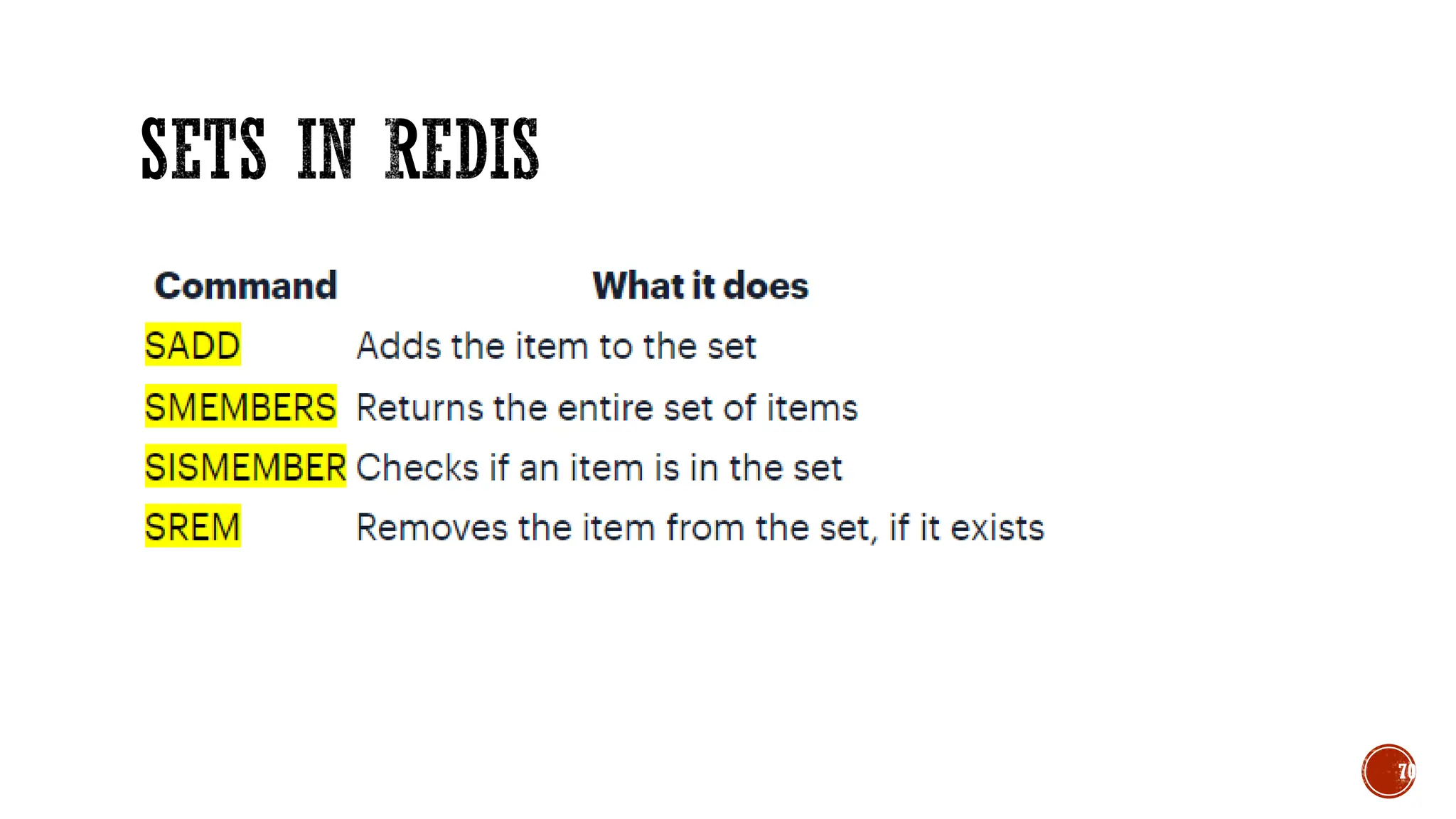
▪ SADD name “kumar ram” //sets
▪ SMEMBERS name
83
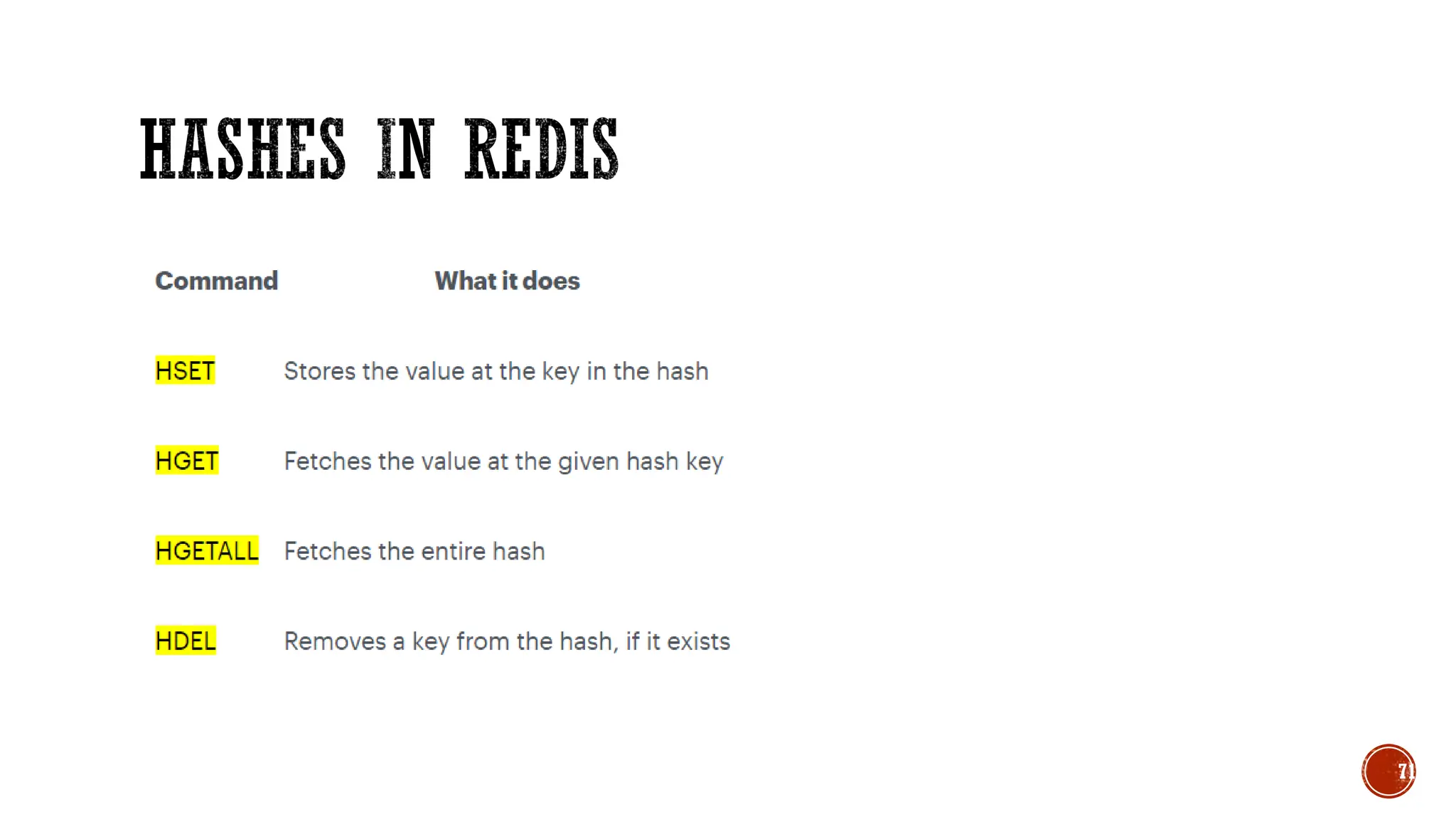
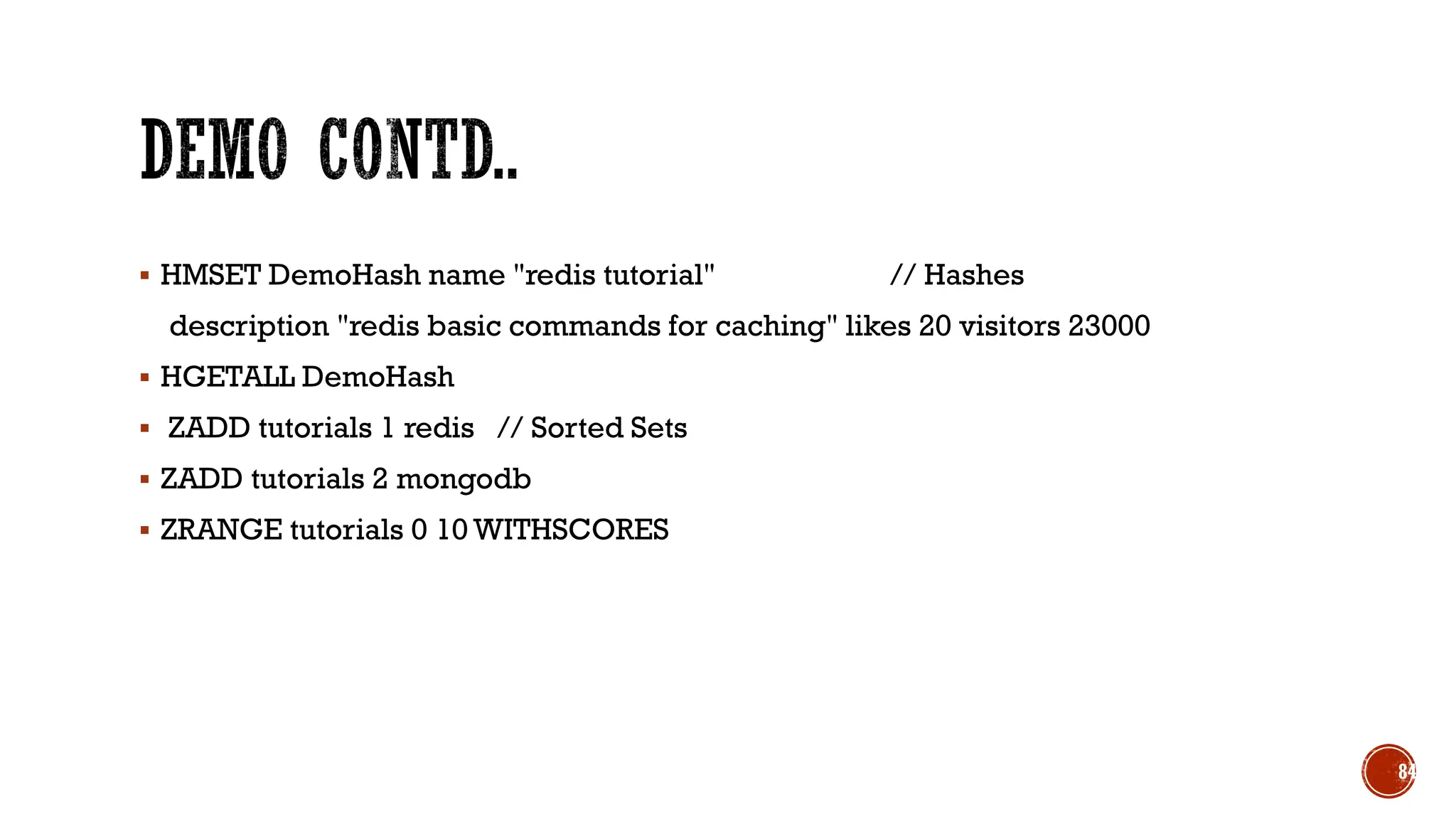
▪ HMSET DemoHash name "redis tutorial" // Hashes
description "redis basic commands for caching" likes 20 visitors 23000
▪ HGETALL DemoHash
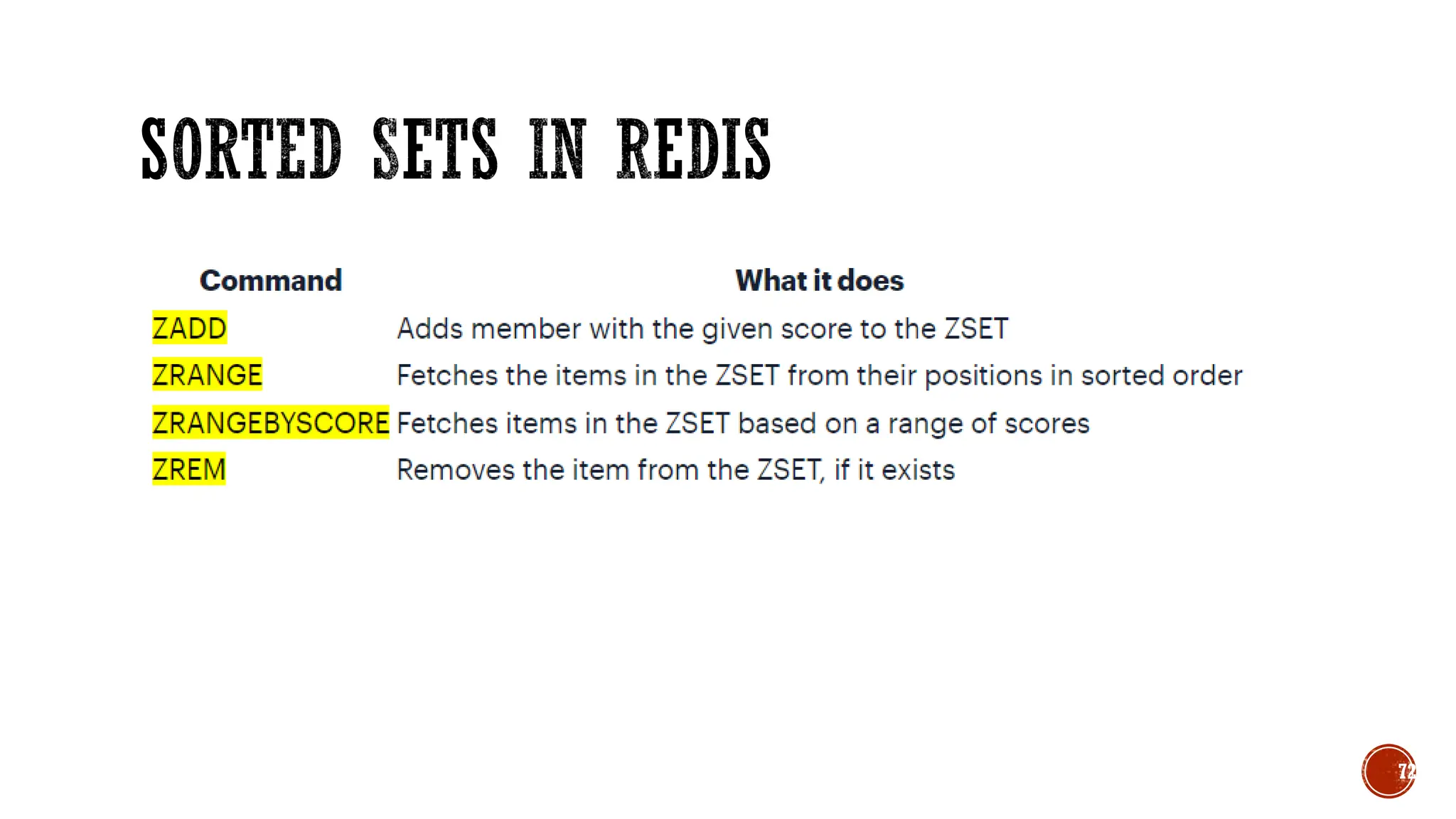
▪ ZADD tutorials 1 redis // Sorted Sets
▪ ZADD tutorials 2 mongodb
▪ ZRANGE tutorials 0 10 WITHSCORES
84
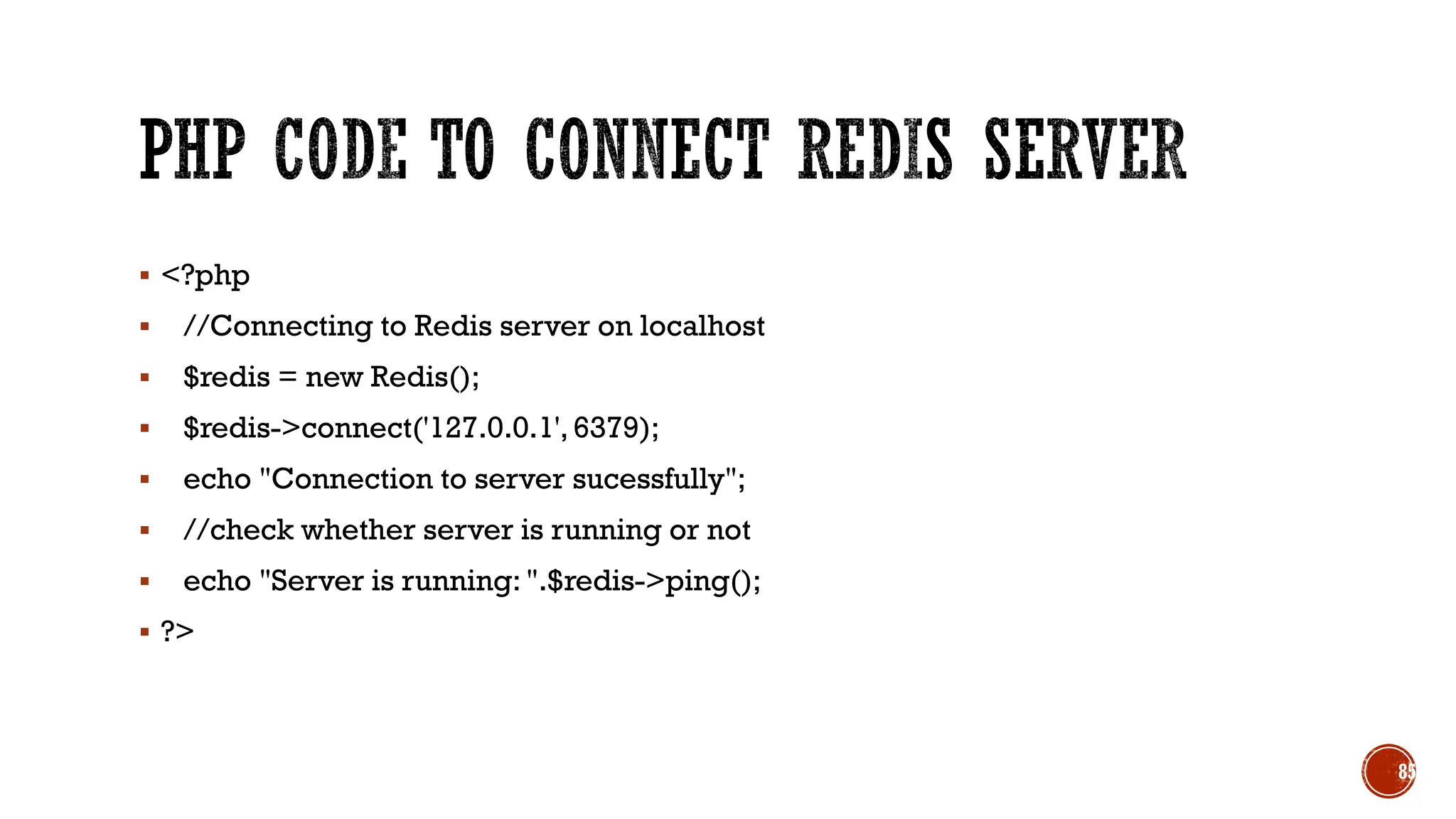
▪ <?php
▪ //Connecting to Redis server on localhost
▪ $redis = new Redis();
▪ $redis->connect('127.0.0.1',6379);
▪ echo "Connection to server sucessfully";
▪ //check whether server is running or not
▪ echo "Server is running: ".$redis->ping();
▪ ?>
85
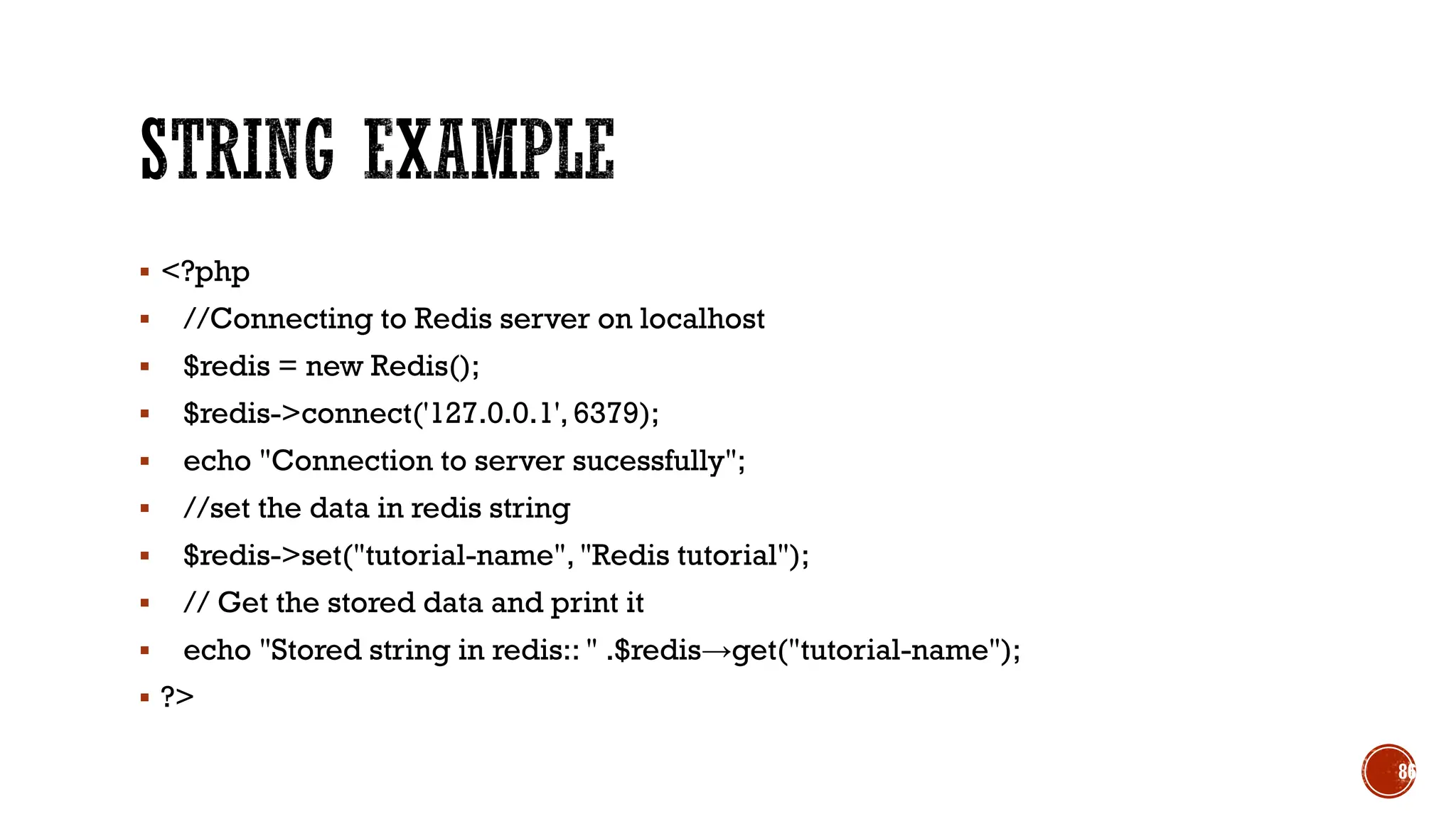
▪ <?php
▪ //Connecting to Redis server on localhost
▪ $redis = new Redis();
▪ $redis->connect('127.0.0.1', 6379);
▪ echo "Connection to server sucessfully";
▪ //set the data in redis string
▪ $redis->set("tutorial-name", "Redis tutorial");
▪ // Get the stored data and print it
▪ echo "Stored string in redis:: " .$redis→get("tutorial-name");
▪ ?>
86
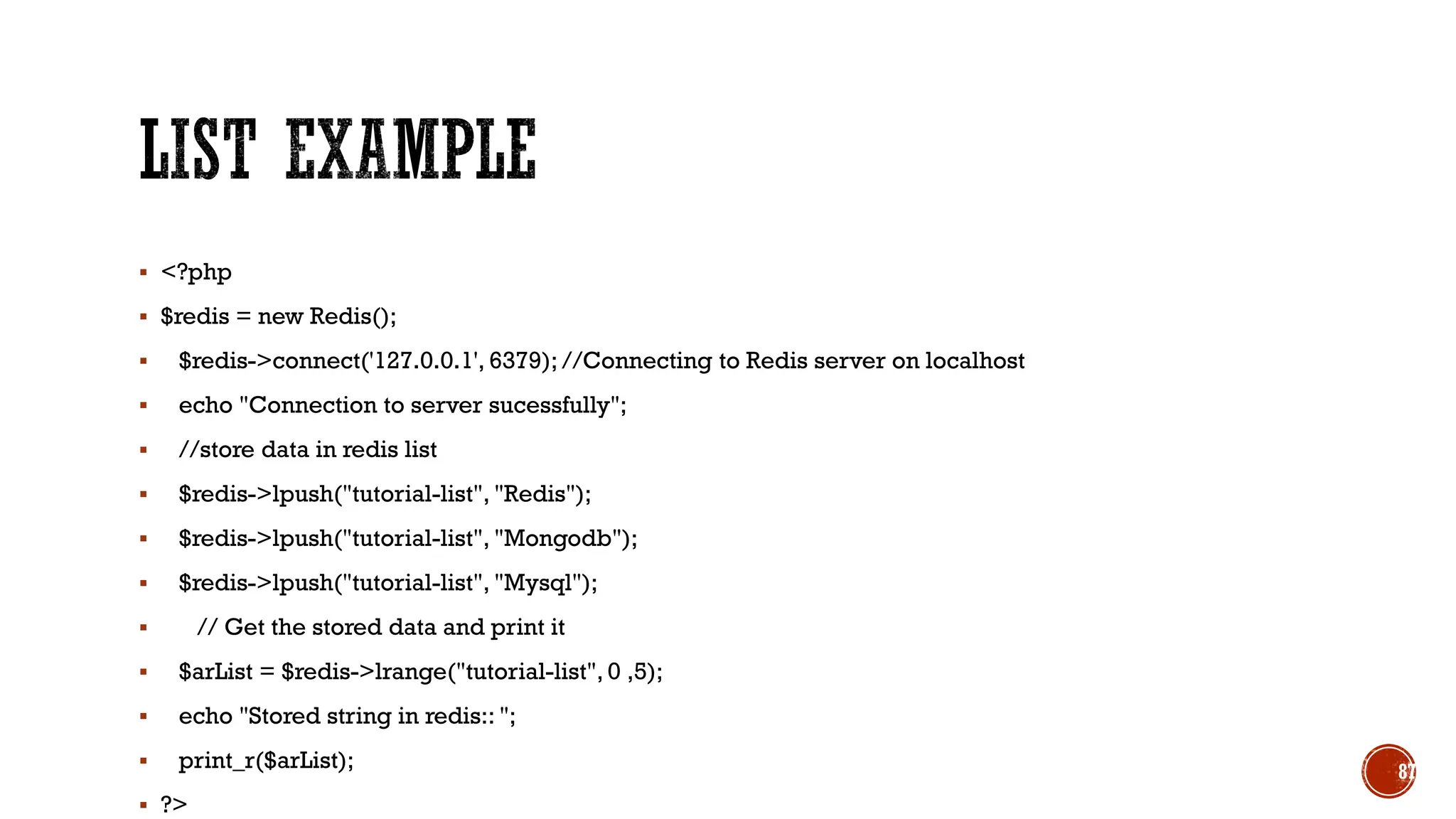
▪ <?php
▪ $redis = new Redis();
▪ $redis->connect('127.0.0.1', 6379); //Connecting to Redis server on localhost
▪ echo "Connection to server sucessfully";
▪ //store data in redis list
▪ $redis->lpush("tutorial-list", "Redis");
▪ $redis->lpush("tutorial-list", "Mongodb");
▪ $redis->lpush("tutorial-list", "Mysql");
▪ // Get the stored data and print it
▪ $arList = $redis->lrange("tutorial-list", 0 ,5);
▪ echo "Stored string in redis:: ";
▪ print_r($arList);
▪ ?>
87
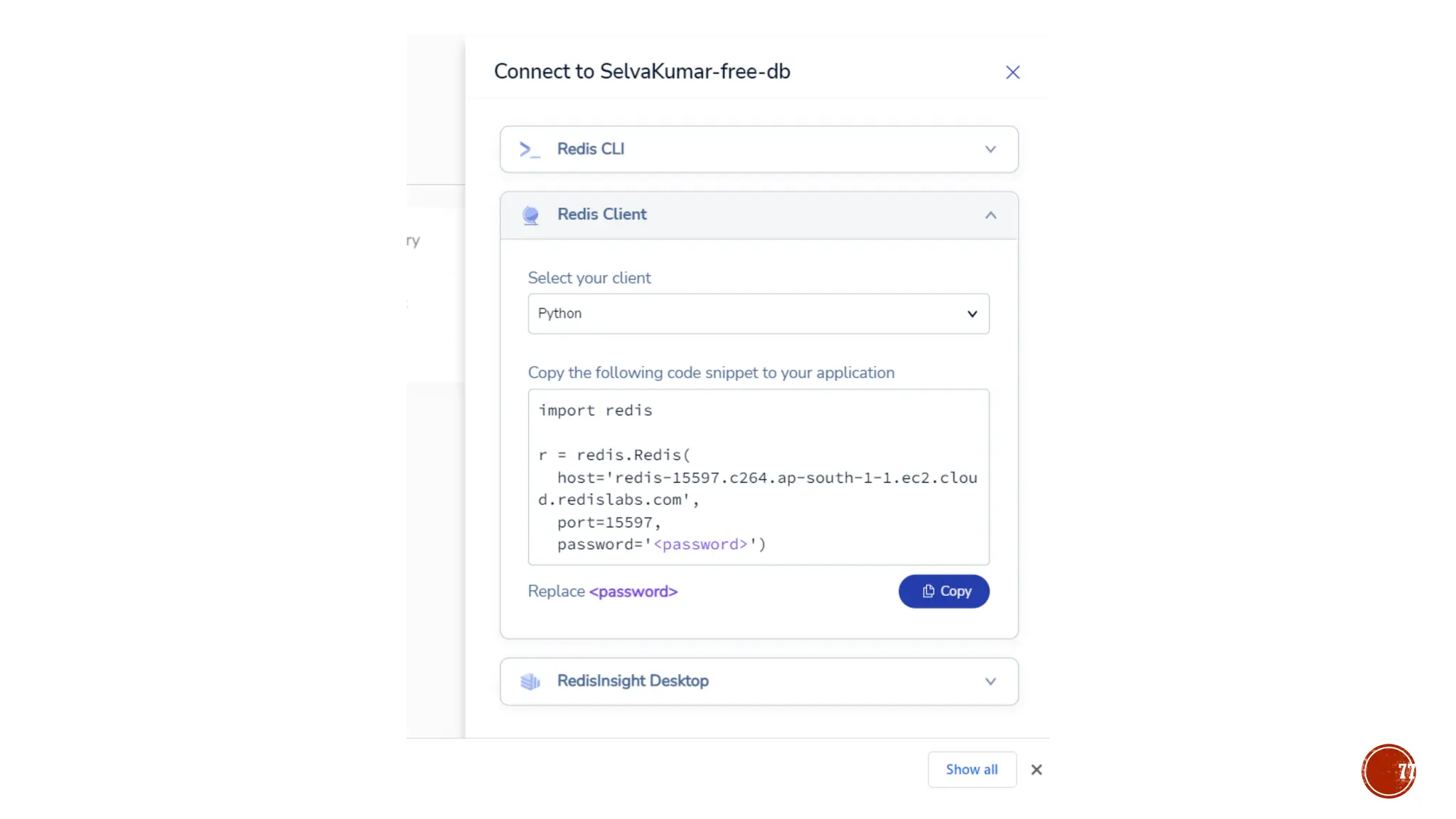
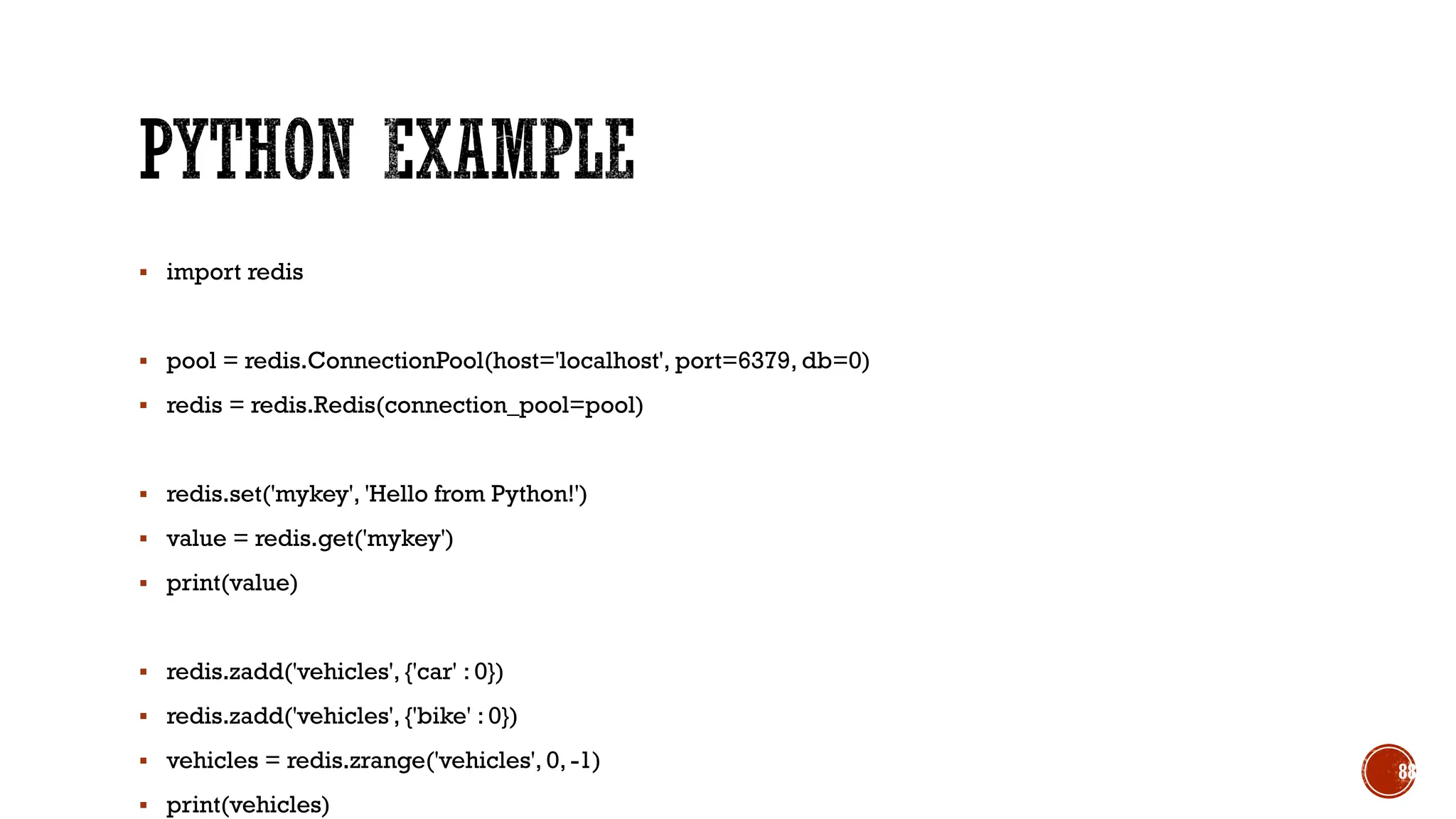
▪ import redis
▪ pool = redis.ConnectionPool(host='localhost', port=6379, db=0)
▪ redis = redis.Redis(connection_pool=pool)
▪ redis.set('mykey', 'Hello from Python!')
▪ value = redis.get('mykey')
▪ print(value)
▪ redis.zadd('vehicles', {'car' : 0})
▪ redis.zadd('vehicles', {'bike' : 0})
▪ vehicles = redis.zrange('vehicles', 0, -1)
▪ print(vehicles)
88
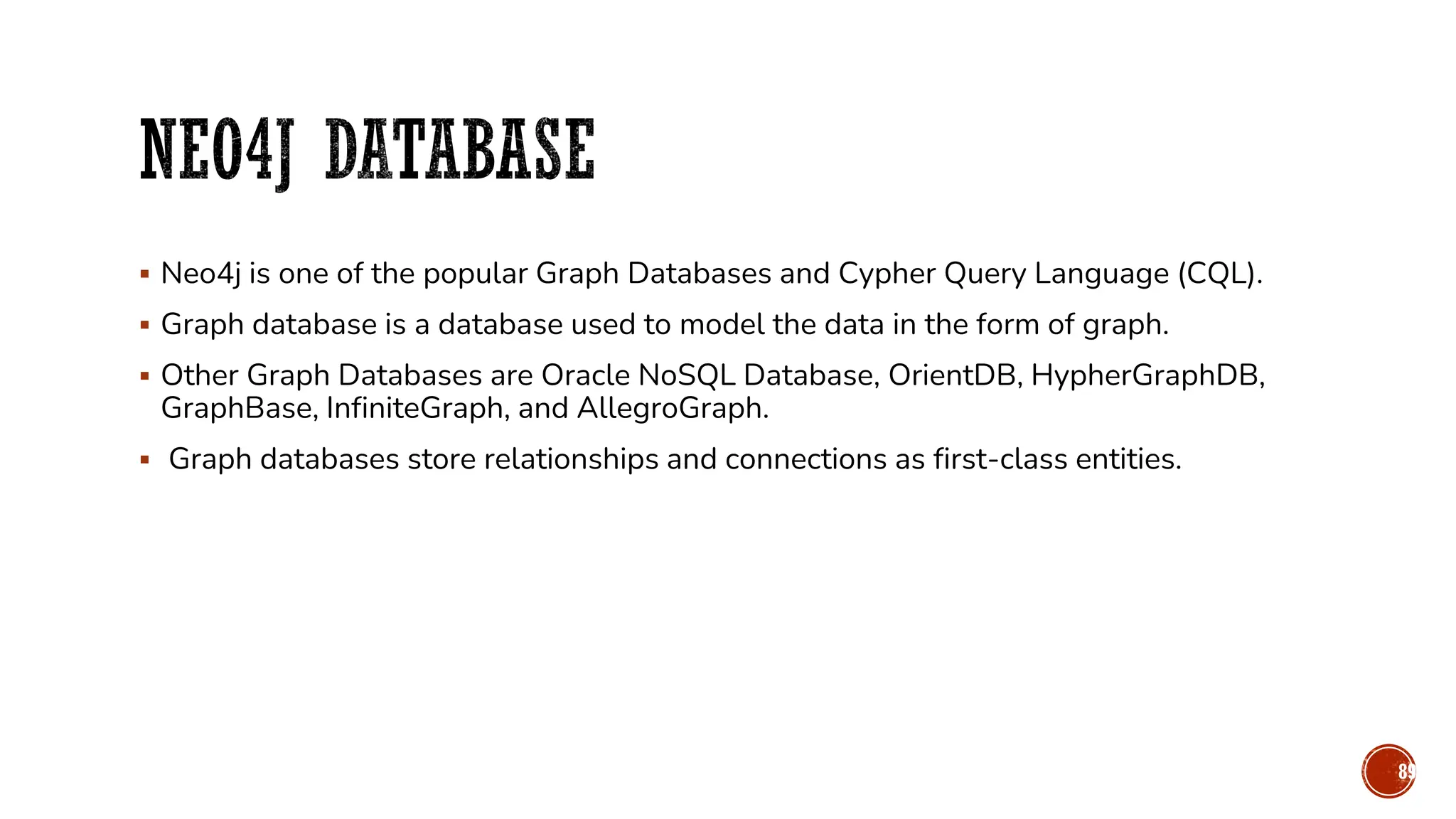
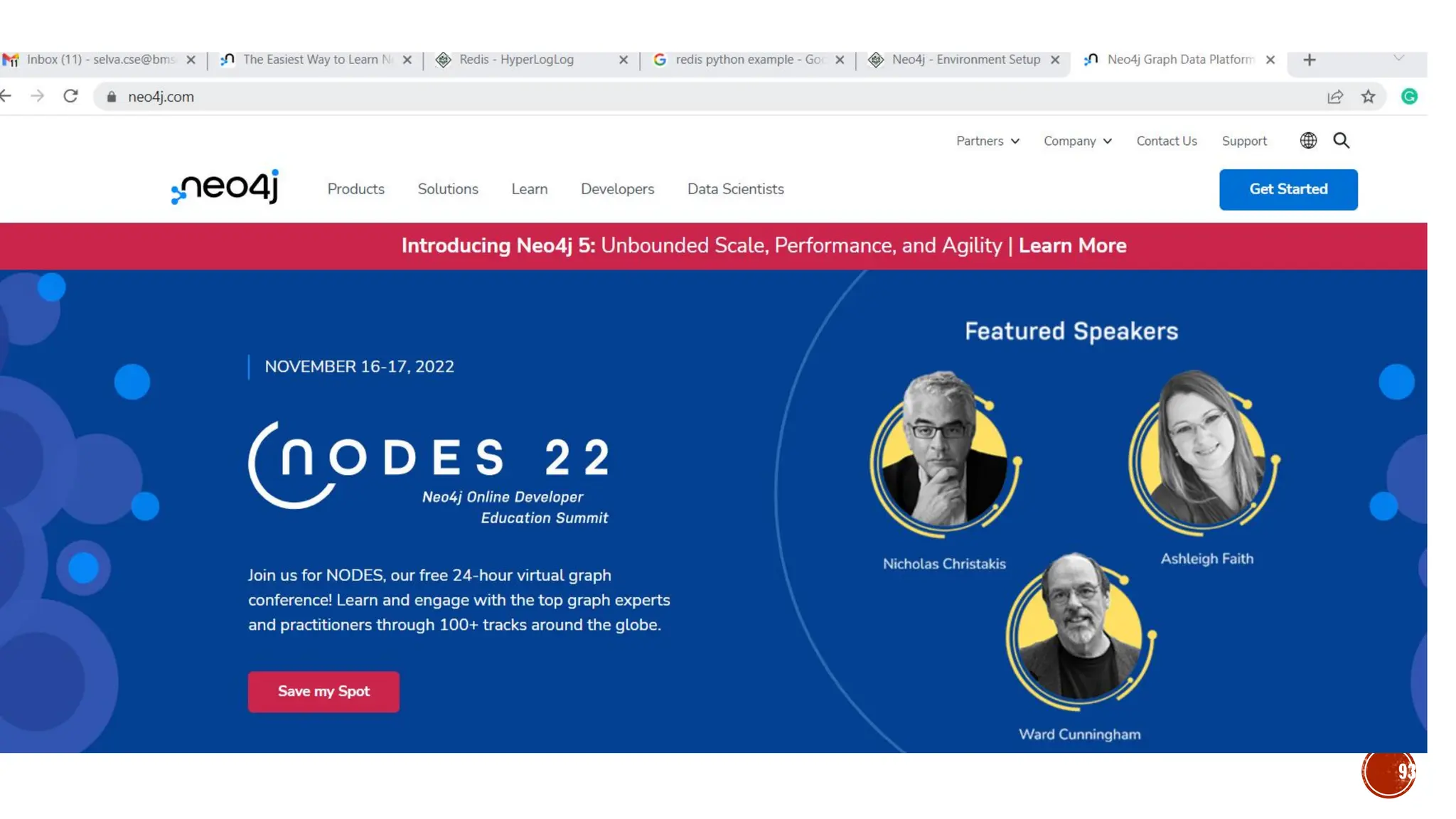
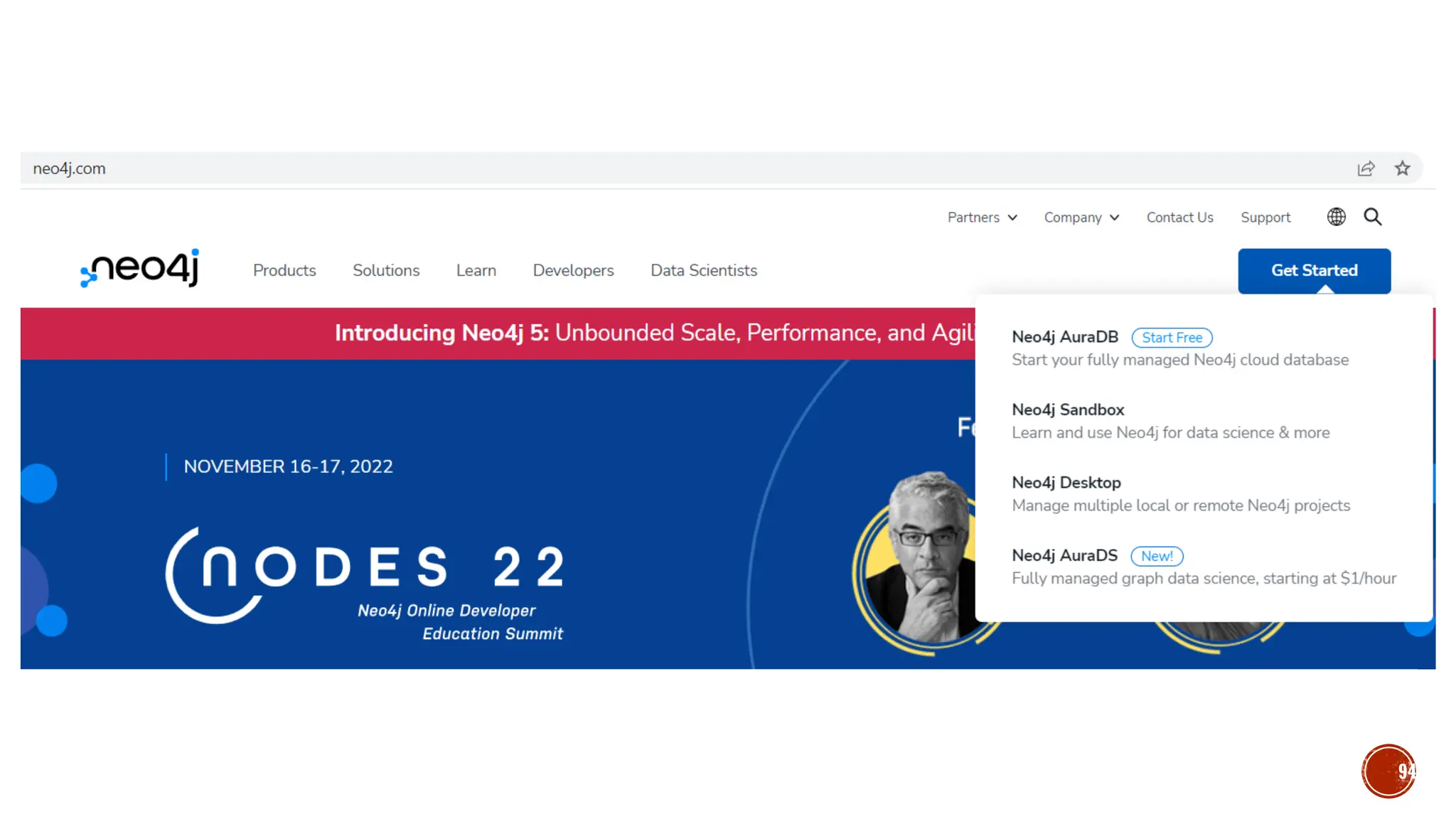
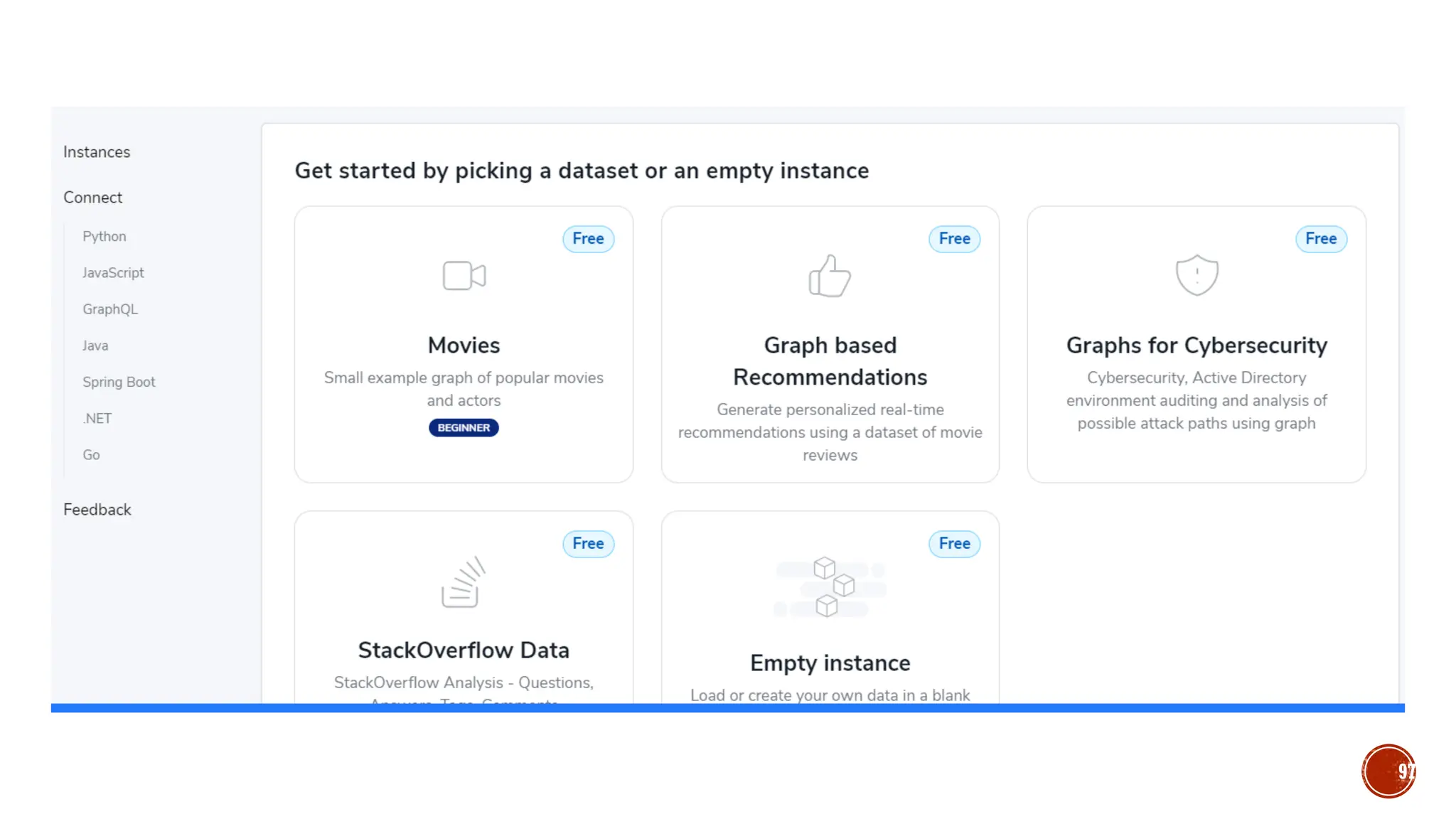
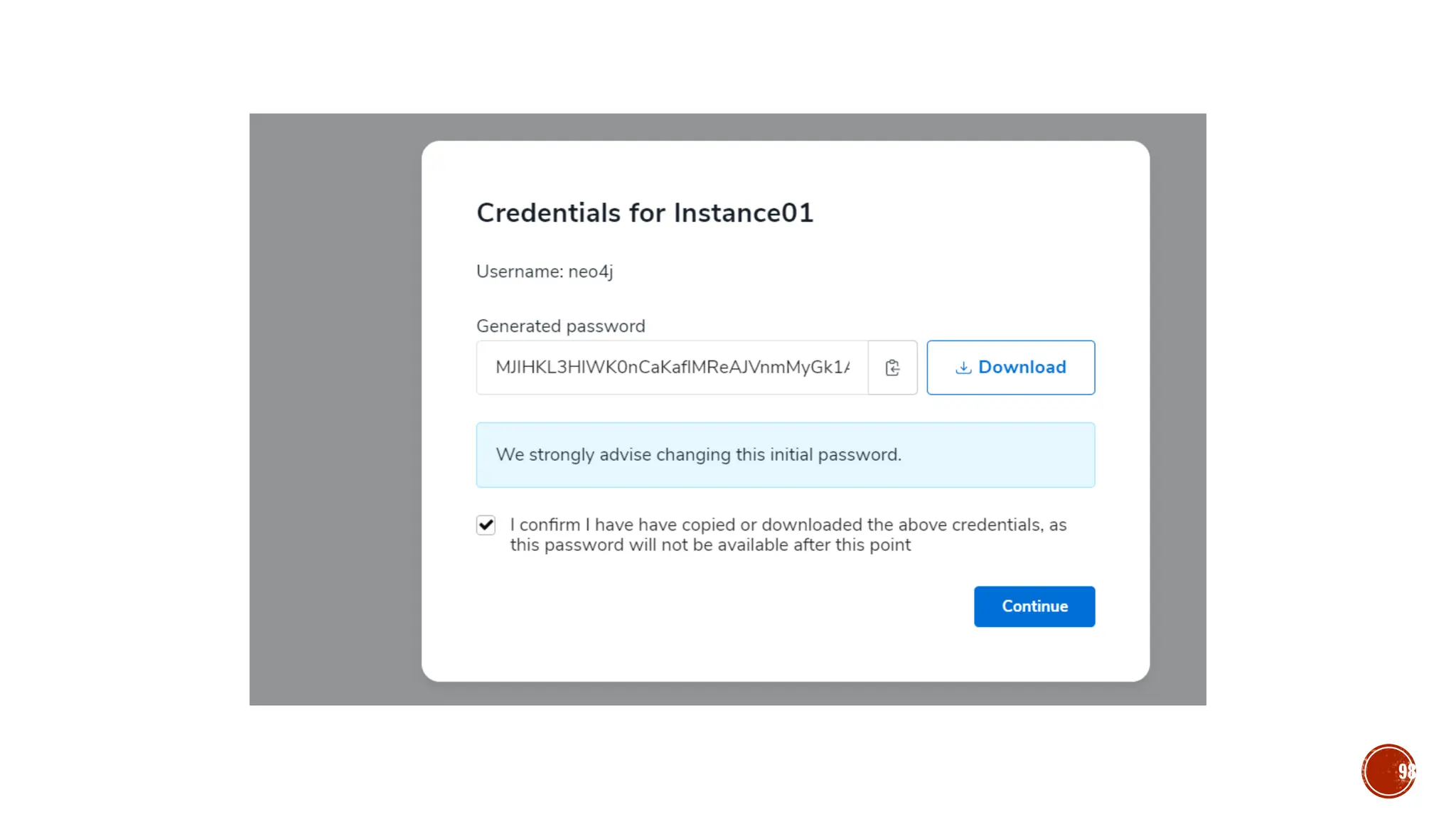
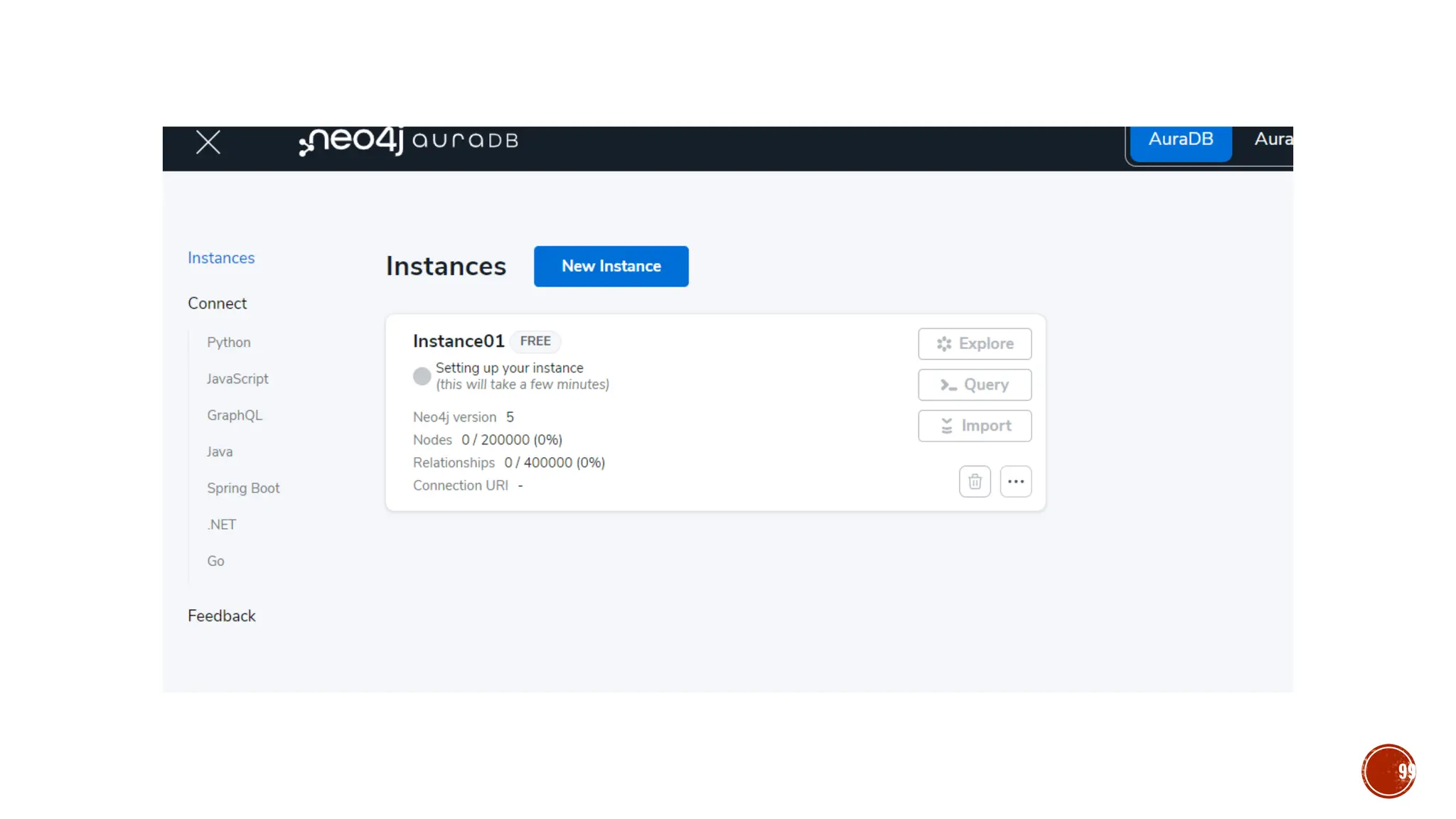
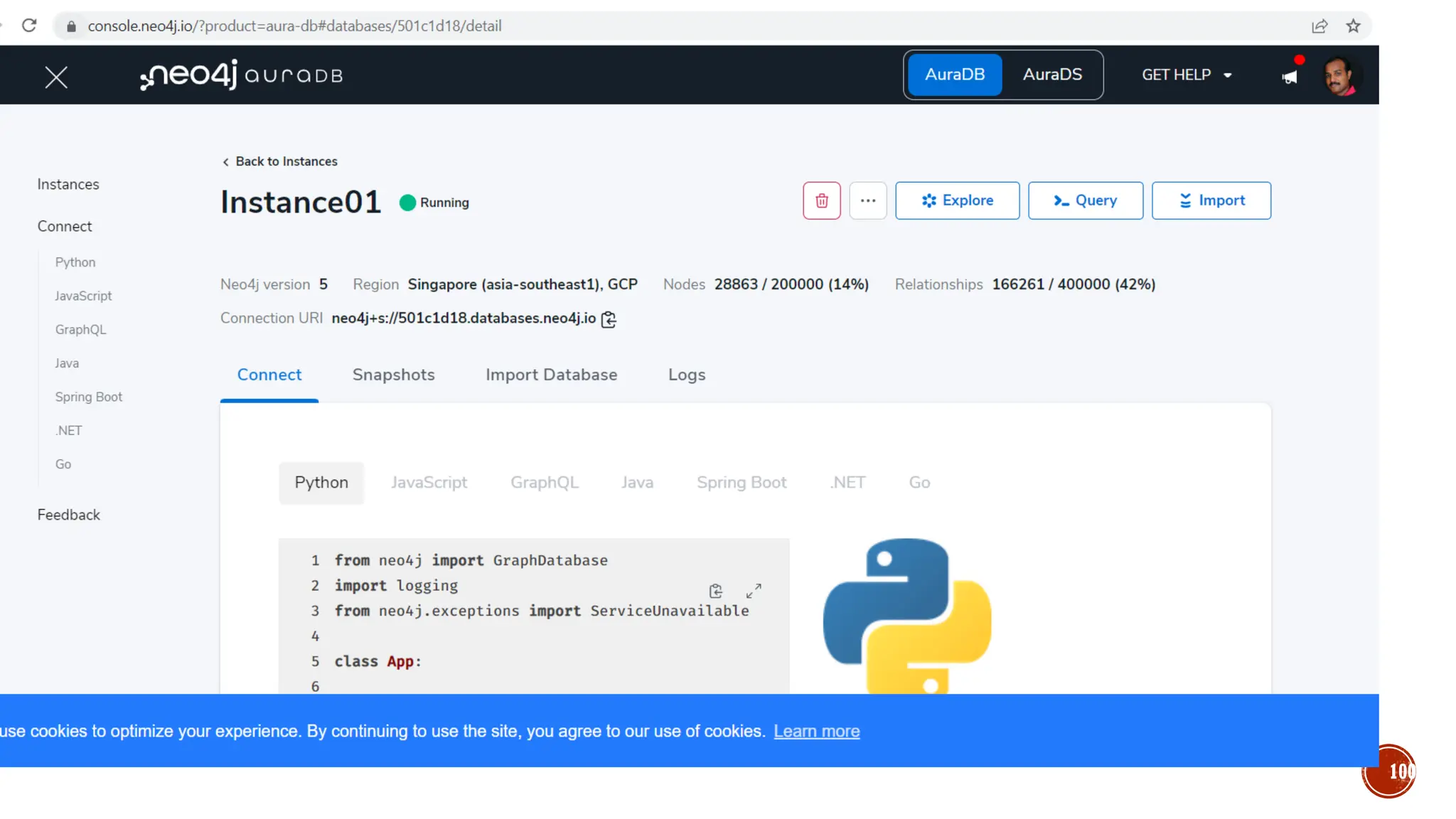
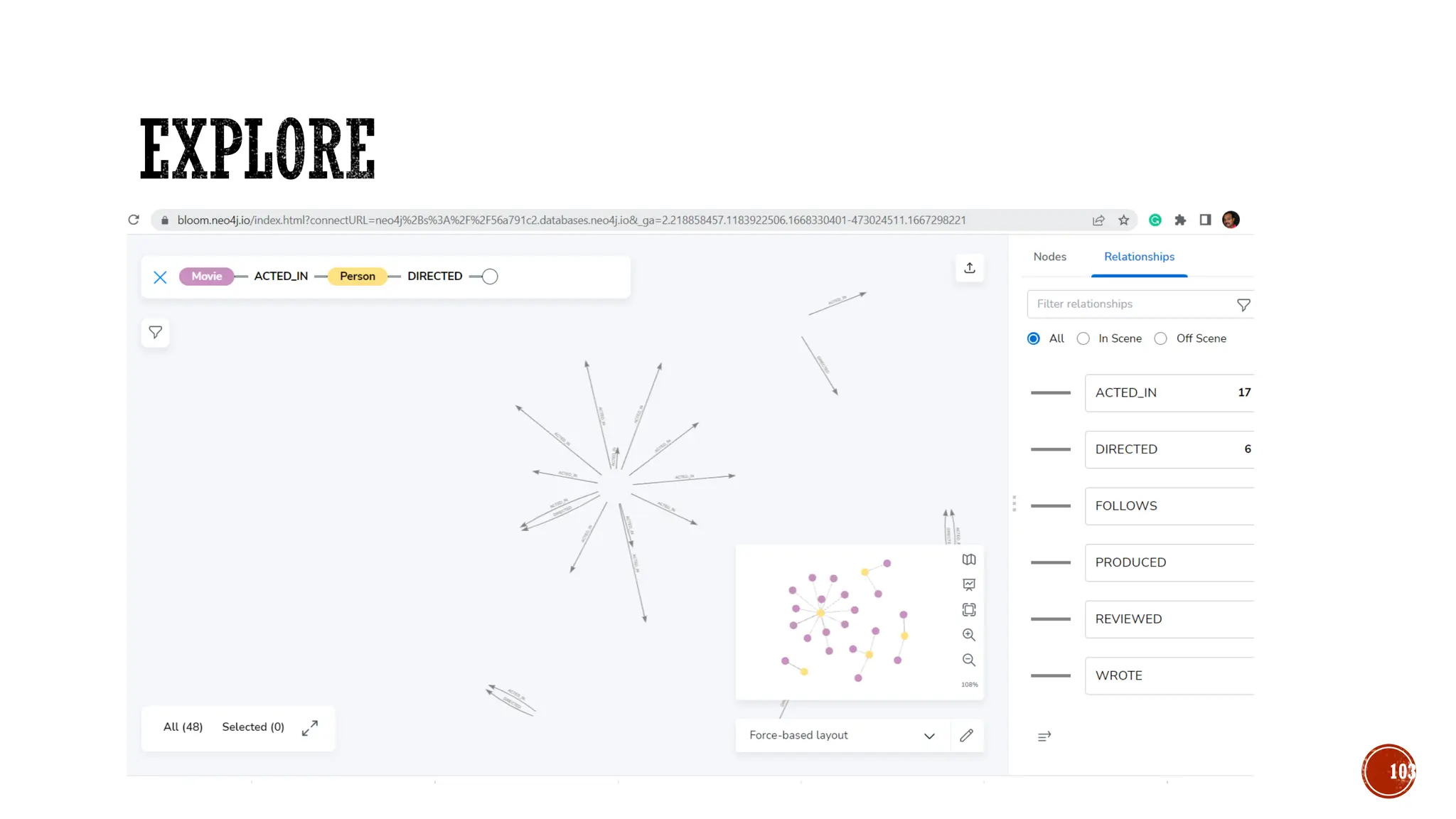
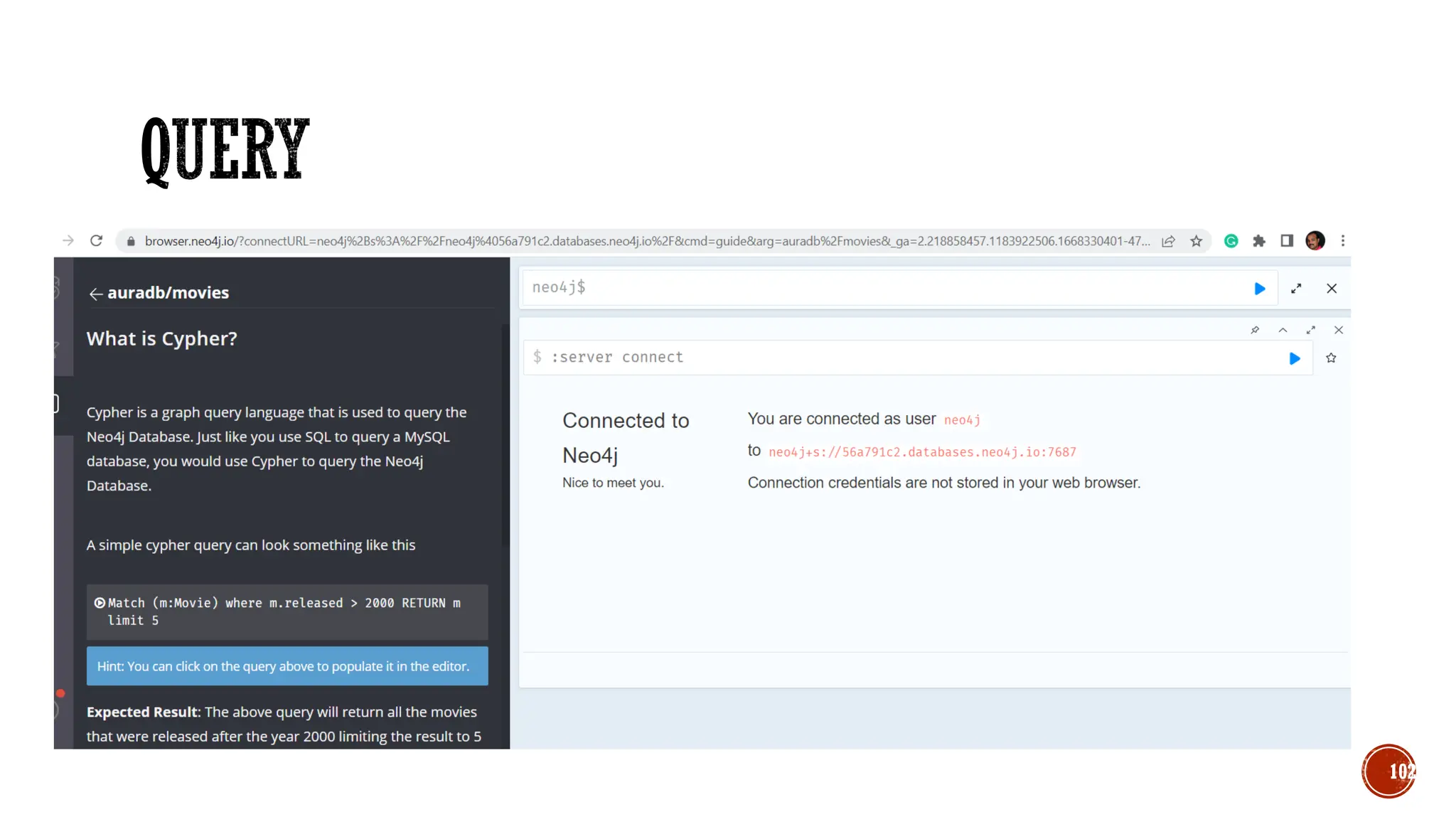
▪ Neo4j is one of the popular Graph Databases and Cypher Query Language (CQL).
▪ Graph database is a database used to model the data in the form of graph.
▪ Other Graph Databases are Oracle NoSQL Database, OrientDB, HypherGraphDB,
GraphBase, InfiniteGraph, and AllegroGraph.
▪ Graph databases store relationships and connections as first-class entities.
89
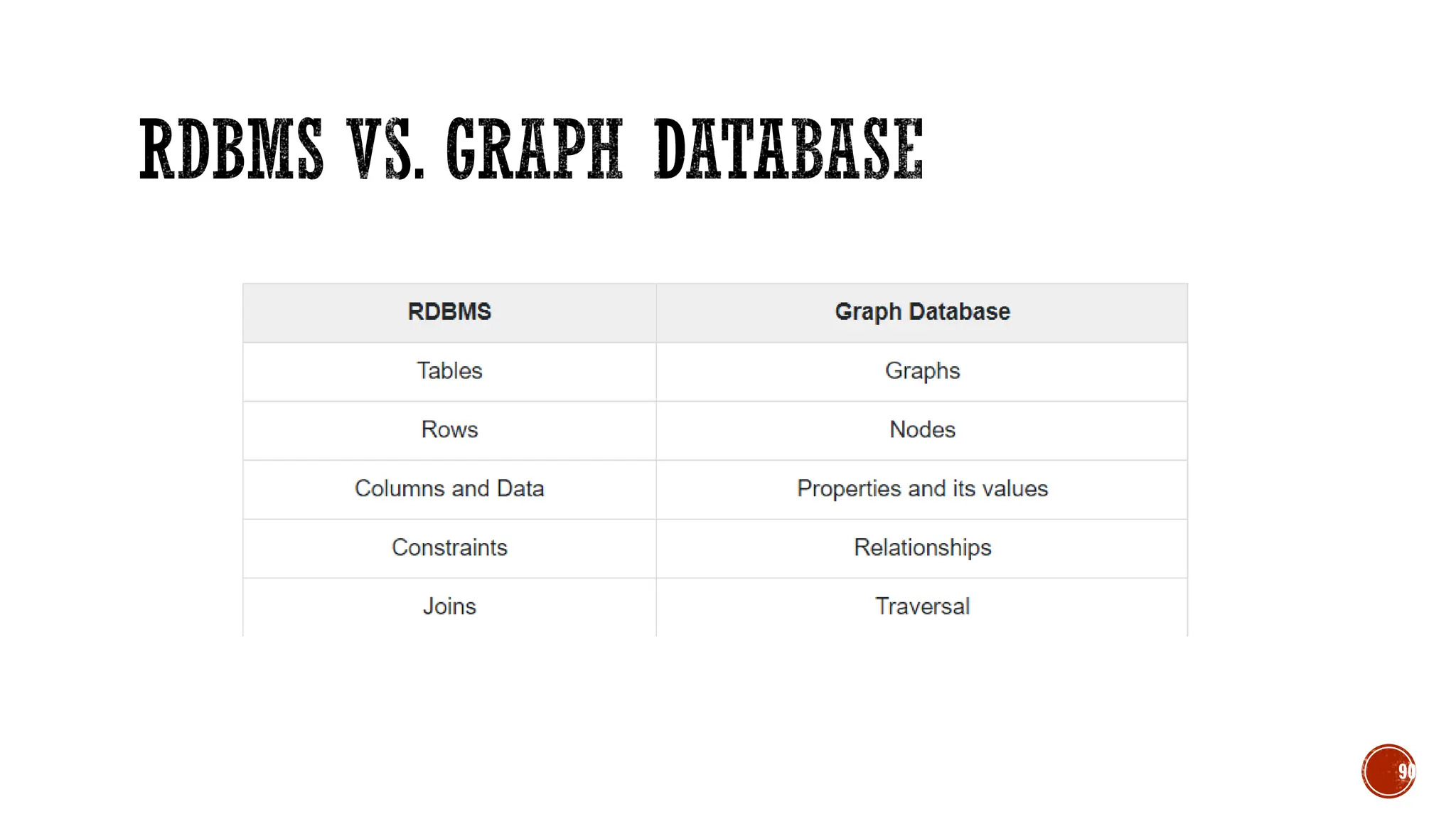
90
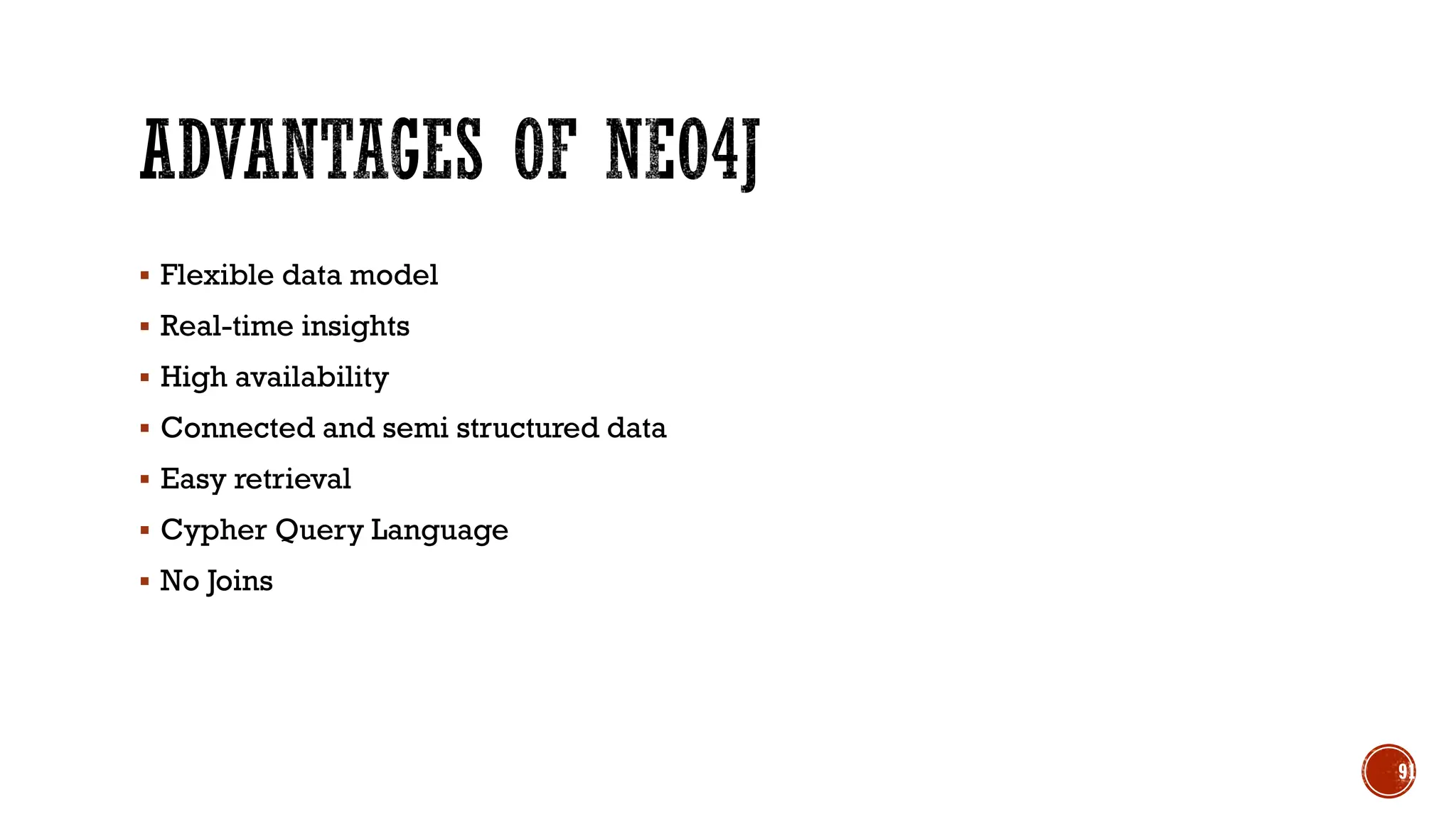
▪ Flexible data model
▪ Real-time insights
▪ High availability
▪ Connected and semi structured data
▪ Easy retrieval
▪ Cypher Query Language
▪ No Joins
91
92
93
94
95
96
97
98
99
100
101
102
103
▪ CREATE (n)
▪ MATCH (n) RETURN n
▪ CREATE (n),(m)
▪ MATCH(n) RETURN n limit 2
▪ MATCH (n) WHERE id(n)=1 RETURN n
▪ MATCH (n) WHERE id(n)<=6 RETURN n
▪ MATCH (n) WHERE id(n) IN [1,2,6] RETURN n
104
▪ MATCH (n) WHERE id(n)=1 DELETE n
▪ MATCH (n) RETURN n
▪ MATCH (n) WHERE id(n) IN[2,3] DELETE n
▪ MATCH (n) DELETE n
105
▪ //WITH LABLE
▪ CREATE (n:Person)
▪ MATCH (n) WHERE n:Person RETURN n
▪ CREATE (n:Person:Indian) // 2 Label
▪ MATCH (n) WHERE n:Person:Indian RETURN n
▪ MATCH (n) WHERE n:Person OR n:Indian RETURN n
▪ MATCH (n) REMOVE n:Person RETURN n
▪ MATCH (n) WHERE ID(n) IN[2,3] REMOVE n:Employee RETURN n
106
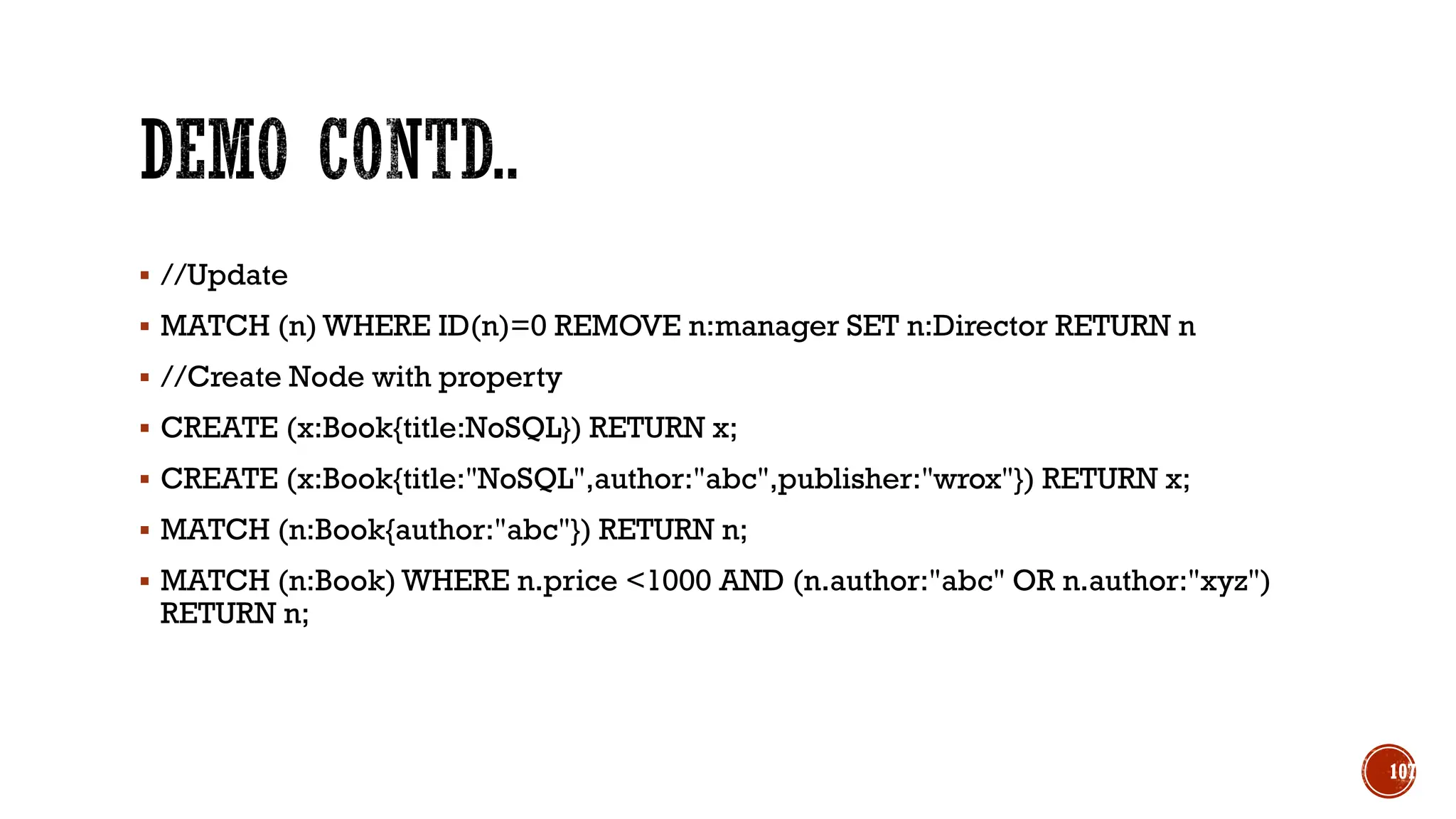
▪ //Update
▪ MATCH (n) WHERE ID(n)=0 REMOVE n:manager SET n:Director RETURN n
▪ //Create Node with property
▪ CREATE (x:Book{title:NoSQL}) RETURN x;
▪ CREATE (x:Book{title:"NoSQL",author:"abc",publisher:"wrox"}) RETURN x;
▪ MATCH (n:Book{author:"abc"}) RETURN n;
▪ MATCH (n:Book) WHERE n.price <1000 AND (n.author:"abc" OR n.author:"xyz")
RETURN n;
107
▪ //Create Relationship
▪ CREATE (Dhawan:player{name: "Shikar Dhawan",YOB: 1985, POB: "Delhi"})
▪ CREATE (Ind:Country {name: "India"})
▪ CREATE (Dhawan)-[r:BATSMAN_OF]->(Ind)
▪ RETURN Dhawan, Ind
▪ MATCH (a:player), (b:Country) WHERE a.name = "Shikar Dhawan" AND b.name =
"India"
▪ CREATE (a)-[r: BATSMAN_OF]->(b)
▪ RETURN a,b
108
109

NoSql and it's introduction features-Unit-1.pdf

  • 1.
    Dr. SELVA KUMARS B.M.S COLLEGE OF ENGINEERING
  • 2.
    ▪ Introduction toNoSQL ▪ Different NoSQL Products ▪ Exploring MongoDB Java/Ruby/Python statements ▪ Interfacing and Interacting with NoSQL 2
  • 3.
    NoSQL databases arecurrently a hot topic in some parts of computing, with over a hundred different NoSQL databases.
  • 4.
    ▪ Data storedin columns and tables ▪ Relationships represented by data ▪ Data Manipulation Language ▪ Data Definition Language ▪ Transactions ▪ Abstraction from physical layer ▪ Applications specify what, not how ▪ Physical layer can change without modifying applications ▪ Create indexes to support queries ▪ In Memory databases
  • 5.
    ▪ Atomic –All of the work in a transaction completes (commit) or none of it completes ▪ Consistent – A transaction transforms the database from one consistent state to another consistent state. Consistency is defined in terms of constraints. ▪ Isolated – The results of any changes made during a transaction are not visible until the transaction has committed. ▪ Durable – The results of a committed transaction survive failures
  • 6.
    ▪ NoSQL standsfor: ▪ No Relational ▪ No RDBMS ▪ Not Only SQL ▪ NoSQL is an umbrella term for all databases and data stores that don’t follow the RDBMS principles ▪ A class of products ▪ A collection of several (related) concepts about data storage and manipulation ▪ Often related to large data sets
  • 7.
    ▪ Non-relational DBMSsare not new ▪ But NoSQL represents a new incarnation ▪ Due to massively scalable Internet applications ▪ Based on distributed and parallel computing ▪ Development ▪ Starts with Google ▪ First research paper published in 2003 ▪ Continues also thanks to Lucene's developers/Apache (Hadoop) and Amazon (Dynamo) ▪ Then a lot of products and interests came from Facebook, Netfix,Yahoo, eBay, Hulu, IBM, and many more
  • 8.
    ▪ Three majorpapers were the seeds of the NoSQL movement ▪ BigTable (Google) ▪ Dynamo (Amazon) ▪ Distributed key-value data store ▪ Eventual consistency ▪ CAP Theorem
  • 9.
    ▪ NoSQL comesfrom Internet, thus it is often related to the “big data” concept ▪ How much big are “big data”? ▪ Over few terabytes Enough to start spanning multiple storage units ▪ Challenges ▪ Efficiently storing and accessing large amounts of data is difficult, even more considering fault tolerance and backups ▪ Manipulating large data sets involves running immensely parallel processes ▪ Managing continuously evolving schema and metadata for semi-structured and un- structured data is difficult
  • 10.
    ▪ Explosion ofsocial media sites (Facebook,Twitter) with large data needs ▪ Rise of cloud-based solutions such as Amazon S3 (simple storage solution) ▪ Just as moving to dynamically-typed languages (Python, Ruby, Groovy), a shift to dynamically-typed data with frequent schema changes ▪ Open-source community
  • 11.
    ▪ The contextis Internet ▪ RDBMSs assume that data are ▪ Dense ▪ Largely uniform (structured data) ▪ Data coming from Internet are ▪ Massive and sparse ▪ Semi-structured or unstructured ▪ With massive sparse data sets, the typical storage mechanisms and access methods get stretched
  • 12.
    ▪ Large datavolumes ▪ Google’s “big data” ▪ Scalable replication and distribution ▪ Potentially thousands of machines ▪ Potentially distributed around the world ▪ Queries need to return answers quickly ▪ Mostly query, few updates ▪ Asynchronous Inserts & Updates ▪ Schema-less ▪ ACID transaction properties are not needed – BASE ▪ CAP Theorem ▪ Open source development
  • 14.
    Discussing NoSQL databasesis complicated because there are a variety of types: ▪Sorted ordered Column Store ▪Optimized for queries over large datasets, and store columns of data together, instead of rows ▪Document databases: ▪pair each key with a complex data structure known as a document. ▪Key-Value Store : ▪are the simplest NoSQL databases. Every single item in the database is stored as an attribute name (or 'key'), together with its value. ▪Graph Databases : ▪are used to store information about networks of data, such as social connections.
  • 15.
    ▪ Documents ▪ Looselystructured sets of key/value pairs in documents, e.g., XML, JSON ▪ Encapsulate and encode data in some standard formats or encodings ▪ Are addressed in the database via a unique key ▪ Documents are treated as a whole, avoiding splitting a document into its constituent name/value pairs ▪ Allow documents retrieving by keys or contents ▪ Notable for: ▪ MongoDB (used in FourSquare, Github, and more) ▪ CouchDB (used in Apple, BBC, Canonical, Cern, and more)
  • 16.
    ▪ The centralconcept is the notion of a "document“ which corresponds to a row in RDBMS. ▪ A document comes in some standard formats like JSON (BSON). ▪ Documents are addressed in the database via a unique key that represents that document. ▪ The database offers an API or query language that retrieves documents based on their contents. ▪ Documents are schema free, i.e., different documents can have structures and schema that differ from one another. (An RDBMS requires that each row contain the same columns.) 16
  • 17.
    { _id: ObjectId("51156a1e056d6f966f268f81"), type: "Article", author:"Derick Rethans", title: "Introduction to Document Databases with MongoDB", date: ISODate("2013-04-24T16:26:31.911Z"), body: "This arti…" }, { _id: ObjectId("51156a1e056d6f966f268f82"), type: "Book", author: "Derick Rethans", title: "php|architect's Guide to Date and Time Programming with PHP", isbn: "978-0-9738621-5-7" }
  • 18.
    ▪ Store datain a schema-less way ▪ Store data as maps ▪ HashMaps or associative arrays ▪ Provide a very efficient average running time algorithm for accessing data ▪ Notable for: ▪ Couchbase (Zynga,Vimeo, NAVTEQ, ...) ▪ Redis (Craiglist,Instagram, StackOverfow, flickr, ...) ▪ Amazon Dynamo (Amazon, Elsevier, IMDb, ...) ▪ Apache Cassandra (Facebook, Digg, Reddit,Twitter,...) ▪ Voldemort (LinkedIn, eBay, …) ▪ Riak (Github, Comcast, Mochi, ...)
  • 19.
    ▪ Data arestored in a column-oriented way ▪ Data efficiently stored ▪ Avoids consuming space for storing nulls ▪ Columns are grouped in column-families ▪ Data isn’t stored as a single table but is stored by column families ▪ Unit of data is a set of key/value pairs ▪ Identified by “row-key” ▪ Ordered and sorted based on row-key ▪ Notable for: ▪ Google's Bigtable (used in all Google's services) ▪ HBase (Facebook, StumbleUpon, Hulu,Yahoo!, ...)
  • 20.
    ▪ Graph-oriented ▪ Everythingis stored as an edge, a node or an attribute. ▪ Each node and edge can have any number of attributes. ▪ Both the nodes and edges can be labelled. ▪ Labels can be used to narrow searches. 20
  • 21.
    ▪ Issues withscaling up when the dataset is just too big ▪ RDBMS were not designed to be distributed ▪ Traditional DBMSs are best designed to run well on a “single” machine ▪ Larger volumes of data/operations requires to upgrade the server with faster CPUs or more memory known as ‘scaling up’ or ‘Vertical scaling’ ▪ NoSQL solutions are designed to run on clusters or multi-node database solutions ▪ Larger volumes of data/operations requires to add more machines to the cluster, Known as ‘scaling out’ or ‘horizontal scaling’ ▪ Different approaches include: ▪ Master-slave ▪ Sharding (partitioning)
  • 22.
    ▪ RDBMSs arebased on ACID (Atomicity, Consistency, Isolation, and Durability) properties ▪ NoSQL ▪ Does not give importance to ACID properties ▪ In some cases completely ignores them ▪ In distributed parallel systems it is difficult/impossible to ensure ACID properties ▪ Long-running transactions don't work because keeping resources blocked for a long time is not practical
  • 23.
    ▪Acronym contrived tobe the opposite of ACID ▪ Basically Available, ▪ Soft state, ▪ Eventually Consistent ▪Characteristics ▪ Weak consistency – stale data OK ▪ Availability first ▪ Best effort ▪ Approximate answers OK ▪ Aggressive (optimistic) ▪ Simpler and faster
  • 24.
    A congruent andlogical way for assessing the problems involved in assuring ACID-like guarantees in distributed systems is provided by the CAP theorem At most two of the following three can be maximized at one time ▪ Consistency ▪ Each client has the same view of the data ▪ Availability ▪ Each client can always read and write ▪ Partition tolerance ▪ System works well across distributed physical networks
  • 25.
    ▪ CAP theorem– At most two properties on three can be addressed ▪ The choices could be as follows: 1. Availability is compromised but consistency and partition tolerance are preferred over it 2. The system has little or no partition tolerance. Consistency and availability are preferred 3. Consistency is compromised but systems are always available and can work when parts of it are partitioned
  • 26.
    C A P • Consistencyand Availability is not “binary” decision • AP systems relax consistency in favor of availability – but are not inconsistent • CP systems sacrifice availability for consistency- but are not unavailable • This suggests both AP and CP systems can offer a degree of consistency, and availability, as well as partition tolerance
  • 27.
    ▪ There isno perfect NoSQL database ▪ Every database has its advantages and disadvantages ▪ Depending on the type of tasks (and preferences) to accomplish ▪ NoSQL is a set of concepts, ideas, technologies, and software dealing with ▪ Big data ▪ Sparse un/semi-structured data ▪ High horizontal scalability ▪ Massive parallel processing ▪ Different applications, goals, targets, approaches need different NoSQL solutions
  • 28.
    ▪ Where wouldI use a NoSQL database? ▪ Do you have somewhere a large set of uncontrolled, unstructured, data that you are trying to fit into a RDBMS? ▪ Log Analysis ▪ Social Networking Feeds (many firms hooked in through Facebook or Twitter) ▪ External feeds from partners ▪ Data that is not easily analyzed in a RDBMS such as time- based data ▪ Large data feeds that need to be massaged before entry into an RDBMS
  • 29.
    • Create account: Datastax.com 29
  • 30.
  • 31.
  • 32.
  • 33.
  • 34.
    • CREATE KEYSPACE− Creates a KeySpace in Cassandra. • USE − Connects to a created KeySpace. • ALTER KEYSPACE − Changes the properties of a KeySpace. • DROP KEYSPACE − Removes a KeySpace • CREATE TABLE − Creates a table in a KeySpace. • ALTER TABLE − Modifies the column properties of a table. • DROP TABLE − Removes a table. • TRUNCATE − Removes all the data from a table. • CREATE INDEX − Defines a new index on a single column of a table. • DROP INDEX − Deletes a named index. 34
  • 35.
    • INSERT −Adds columns for a row in a table. • UPDATE − Updates a column of a row. • DELETE − Deletes data from a table. • BATCH − Executes multiple DML statements at once. • CQL Clauses • SELECT -− This clause reads data from a table 35
  • 36.
    ▪ describe keyspaces; ▪or desc keyspaces; ▪ use demo; ▪ describe tables; ▪ describe table emp; ▪ describe type emp; 36
  • 37.
    ▪ create tablestudent ( name text, usn text, mob int, id int, primary key(id)); ▪ desc student; ▪ select * from student; ▪ insert into student(id, usn,name,mob) values (1, '1bm20cs001','abc',2334233423); ▪ update student set name='xyz' where id=1; ▪ update student set name='xyz' where id=2; // no error instead create new row 37
  • 38.
    ▪ CREATE TABLEemp( emp_id int PRIMARY KEY, emp_name text, emp_city text, emp_sal varint, emp_phone varint ); ▪ Select * from emp; ▪ INSERT INTO emp (emp_id, emp_name, emp_city, emp_phone, emp_sal) VALUES(1,'ram', 'Hyderabad', 9848022338, 50000); ▪ UPDATE emp SET emp_city='Delhi',emp_sal=50000 WHERE emp_id=2; ▪ DELETE emp_sal FROM emp WHERE emp_id=3; 38
  • 39.
    ▪ uuid() functionwhich is very important to insert value and to uniquely generates “guaranteed unique” UID value Universally. ▪ Create table function4(Id uuid primary key, name text); ▪ Insert into function4 (Id, name) values (1,‘Ashish’); // fails ▪ Insert into function4(Id, name) values (now(),‘Ashish’); //correct 39
  • 40.
    ▪ Alter tableemp add (emails set<text>, frameworks list<text>, previous_jobs map<text, int>); ▪ INSERT INTO emp (emp_id, emp_name, emp_city, emp_phone, emp_sal, emails, frameworks,previous_jobs) VALUES(6,'ram', 'Hyderabad', 9848022338, 50000, {‘ram@gmail.com’,’ram@hotmail.com’}, [‘C#’,’java’,’node.js’],{‘Amazon’:4,’TCS’:3}); 40
  • 41.
    ▪ In programminglanguage to connect application with database there is a programming Pattern. ▪ Three Easy steps are following : ▪ Create a connection (which is called a Session) ▪ Use the session to execute the query. ▪ Close the connection/session. 41
  • 42.
  • 43.
  • 44.
  • 45.
  • 46.
  • 47.
  • 48.
  • 49.
  • 50.
  • 51.
  • 52.
  • 53.
  • 54.
  • 55.
  • 56.
  • 57.
  • 58.
    ▪ Show dbs; ▪Use database_name; ▪ Db; shows current database in ▪ db.createCollection(‘democollection’) ▪ Or ▪ db.slstudent.insert({name:’selva’}) ▪ Show collections; ▪ db.slstudent.find() ▪ db.createCollection(‘emp’,{capped:true, size:5242880,max:5}) ▪ db.emp.insert({empid:1, name:“selva”, exp:{company:’TCS’, exp:4}}) ▪ db.emp.find() 58
  • 59.
    ▪ Var myemp= [ {empid:1, name:“selva”},{empid:2,name:“kumar”}] ▪ db.emp.insert(myemp) //bulk insert ▪ db.emp.find() ▪ db.emp.update({name:’selva’},{$set:{“name”:”skumar”}}) ▪ db.emp.find() ▪ db.emp.update({name:’selva’},{$set:{“name”:”skumar”}}, {multi:true}) ▪ db.emp.update({name:’selva’},{$set:{“name”:”skumar”}}, {upsert:true}) 59
  • 60.
    ▪ db.emp.remove({“name”:”selva”}) ▪ db.emp.find({“name”:”selva”}) ▪db.emp.find().limit(2) ▪ db.emp.find().sort({name:-1}) // -1: descending order /1:Ascending order ▪ db.emp.find({empid:{$gt:1}}) ▪ db.emp.find({empid : {$in:[3,6]}}) ▪ db.emp.getIndexes() ▪ db.emp.createIndex({“name”:1}) 60
  • 61.
    ▪ db.emp.aggregate([{“$match”:{“section”:”A”}}]) ▪ db.emp.aggregate([{“$match”:{ $and:[{“section”:”A”},{Marks: {“$gt”:70}}}]) ▪ db.emp.aggregate([{“$project”:{name:1 ,section:1}}]) shows id , name and section ▪ db.emp.aggregate([{“$project”:{_id:0, name:1 ,section:1}}]) shows only name and section id is not visible ▪ db.emp.aggregate([{“$match”:{“section”:”A”}}, {“$project”:{_id:0, name:1 ,section:1}}]) ▪ db.emp.aggregate([{“$group”:{“_id”: {“section”:“$section”}, “Totalmarks”:{“$sum”:”$Marks”}}}]) 61
  • 62.
  • 63.
    ▪ import pymongo ▪from pymongo import MongoClient ▪ cluster =MongoClient(" mongodb://selvaBMS:<password>@ac-7z57wy5-shard-00- 00.eli2h0j.mongodb.net:27017,ac-7z57wy5-shard-00-01.eli2h0j.mongodb.net:27017,ac-7z57wy5-shard- 00-02.eli2h0j.mongodb.net:27017/?ssl=true&replicaSet=atlas-6tn8d0-shard- 0&authSource=admin&retryWrites=true&w=majority") ▪ db = cluster["selva-test"] ▪ collection=db["emp"] ▪ post={"name":"selva", "email":"selva.cse@bmsce.ac.in"} ▪ collection.insert_one(post) 63
  • 64.
    ▪ Redis standsfor REmote DIctionary Server. ▪ Redis is a No SQL database which works on the concept of key-value pair. ▪ Redis is a flexible, open-source (BSD licensed), in-memory data structure store, used as database, cache, and message broker. ▪ Redis supports various types of data structures like strings, hashes, lists, sets, sorted sets and bitmaps. ▪ Redis is an advanced key-value store to improve performance when serving data that is stored in system memory. 64
  • 65.
    ▪ Very flexible ▪No schemas and column names ▪ Very fast : Can perform around 110,000 SETs per second and about 81,000 GETs per second. ▪ Rich Datatype support ▪ Caching and Disk persistence 65
  • 66.
    ▪Login and cookiecaching ▪Shopping cart ▪Web page caching ▪Database row caching ▪Web page Analytics 66
  • 67.
  • 68.
  • 69.
  • 70.
  • 71.
  • 72.
  • 73.
  • 74.
  • 75.
  • 76.
  • 77.
  • 78.
  • 79.
  • 80.
  • 81.
  • 82.
    ▪ SET name“selva” ▪ GET name ▪ SET age 40 ▪ GET age ▪ DEL age ▪ GET age ▪ EXISTS name ▪ KEY * ▪ flushall 82
  • 83.
    ▪ Ttl name ▪Expire name 10 ▪ Setex name 10 selva //set string for time period ▪ Lpush friends kumar //List ▪ Lrange friends 0 -1 ▪ Rpush friends ram ▪ Lpop friends ▪ SADD name “kumar ram” //sets ▪ SMEMBERS name 83
  • 84.
    ▪ HMSET DemoHashname "redis tutorial" // Hashes description "redis basic commands for caching" likes 20 visitors 23000 ▪ HGETALL DemoHash ▪ ZADD tutorials 1 redis // Sorted Sets ▪ ZADD tutorials 2 mongodb ▪ ZRANGE tutorials 0 10 WITHSCORES 84
  • 85.
    ▪ <?php ▪ //Connectingto Redis server on localhost ▪ $redis = new Redis(); ▪ $redis->connect('127.0.0.1',6379); ▪ echo "Connection to server sucessfully"; ▪ //check whether server is running or not ▪ echo "Server is running: ".$redis->ping(); ▪ ?> 85
  • 86.
    ▪ <?php ▪ //Connectingto Redis server on localhost ▪ $redis = new Redis(); ▪ $redis->connect('127.0.0.1', 6379); ▪ echo "Connection to server sucessfully"; ▪ //set the data in redis string ▪ $redis->set("tutorial-name", "Redis tutorial"); ▪ // Get the stored data and print it ▪ echo "Stored string in redis:: " .$redis→get("tutorial-name"); ▪ ?> 86
  • 87.
    ▪ <?php ▪ $redis= new Redis(); ▪ $redis->connect('127.0.0.1', 6379); //Connecting to Redis server on localhost ▪ echo "Connection to server sucessfully"; ▪ //store data in redis list ▪ $redis->lpush("tutorial-list", "Redis"); ▪ $redis->lpush("tutorial-list", "Mongodb"); ▪ $redis->lpush("tutorial-list", "Mysql"); ▪ // Get the stored data and print it ▪ $arList = $redis->lrange("tutorial-list", 0 ,5); ▪ echo "Stored string in redis:: "; ▪ print_r($arList); ▪ ?> 87
  • 88.
    ▪ import redis ▪pool = redis.ConnectionPool(host='localhost', port=6379, db=0) ▪ redis = redis.Redis(connection_pool=pool) ▪ redis.set('mykey', 'Hello from Python!') ▪ value = redis.get('mykey') ▪ print(value) ▪ redis.zadd('vehicles', {'car' : 0}) ▪ redis.zadd('vehicles', {'bike' : 0}) ▪ vehicles = redis.zrange('vehicles', 0, -1) ▪ print(vehicles) 88
  • 89.
    ▪ Neo4j isone of the popular Graph Databases and Cypher Query Language (CQL). ▪ Graph database is a database used to model the data in the form of graph. ▪ Other Graph Databases are Oracle NoSQL Database, OrientDB, HypherGraphDB, GraphBase, InfiniteGraph, and AllegroGraph. ▪ Graph databases store relationships and connections as first-class entities. 89
  • 90.
  • 91.
    ▪ Flexible datamodel ▪ Real-time insights ▪ High availability ▪ Connected and semi structured data ▪ Easy retrieval ▪ Cypher Query Language ▪ No Joins 91
  • 92.
  • 93.
  • 94.
  • 95.
  • 96.
  • 97.
  • 98.
  • 99.
  • 100.
  • 101.
  • 102.
  • 103.
  • 104.
    ▪ CREATE (n) ▪MATCH (n) RETURN n ▪ CREATE (n),(m) ▪ MATCH(n) RETURN n limit 2 ▪ MATCH (n) WHERE id(n)=1 RETURN n ▪ MATCH (n) WHERE id(n)<=6 RETURN n ▪ MATCH (n) WHERE id(n) IN [1,2,6] RETURN n 104
  • 105.
    ▪ MATCH (n)WHERE id(n)=1 DELETE n ▪ MATCH (n) RETURN n ▪ MATCH (n) WHERE id(n) IN[2,3] DELETE n ▪ MATCH (n) DELETE n 105
  • 106.
    ▪ //WITH LABLE ▪CREATE (n:Person) ▪ MATCH (n) WHERE n:Person RETURN n ▪ CREATE (n:Person:Indian) // 2 Label ▪ MATCH (n) WHERE n:Person:Indian RETURN n ▪ MATCH (n) WHERE n:Person OR n:Indian RETURN n ▪ MATCH (n) REMOVE n:Person RETURN n ▪ MATCH (n) WHERE ID(n) IN[2,3] REMOVE n:Employee RETURN n 106
  • 107.
    ▪ //Update ▪ MATCH(n) WHERE ID(n)=0 REMOVE n:manager SET n:Director RETURN n ▪ //Create Node with property ▪ CREATE (x:Book{title:NoSQL}) RETURN x; ▪ CREATE (x:Book{title:"NoSQL",author:"abc",publisher:"wrox"}) RETURN x; ▪ MATCH (n:Book{author:"abc"}) RETURN n; ▪ MATCH (n:Book) WHERE n.price <1000 AND (n.author:"abc" OR n.author:"xyz") RETURN n; 107
  • 108.
    ▪ //Create Relationship ▪CREATE (Dhawan:player{name: "Shikar Dhawan",YOB: 1985, POB: "Delhi"}) ▪ CREATE (Ind:Country {name: "India"}) ▪ CREATE (Dhawan)-[r:BATSMAN_OF]->(Ind) ▪ RETURN Dhawan, Ind ▪ MATCH (a:player), (b:Country) WHERE a.name = "Shikar Dhawan" AND b.name = "India" ▪ CREATE (a)-[r: BATSMAN_OF]->(b) ▪ RETURN a,b 108
  • 109.