Node.js Development in the
Cloud with Azure
Brian Benz, Sr. Technical Evangelist
Microsoft Open Technologies, Inc.
2 http://www.anglebrackets.org
Agenda
 Azure
 Node
 Node on Azure
ïŻ Web Sites
ïŻ IaaS/PaaS
 Examples
 Q&A
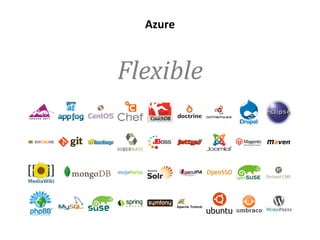
Azure
Flexible
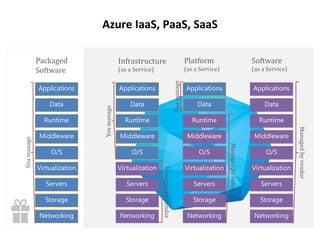
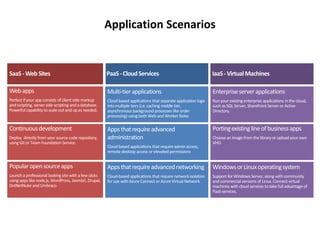
Azure IaaS, PaaS, SaaS
Application Scenarios
6 http://www.anglebrackets.org
The Landscape - Node on Azure
 Deployment
 Web Sites
ïŻ From Gallery
ïŻ Via Source Deployment
 IaaS / PaaS
ïŻ Via Cloud Service deployment from Visual Studio
ïŻ Deployment tools and source control: GitHub, TFS, FTP
 Dev Tools
ïŻ Azure Node SDK
ïŻ Azure CLI
ïŻ Microsoft Web Platform Installer
ïŻ Microsoft Node Tools for Visual Studio
Intro to Node.js
8 http://www.anglebrackets.org
What is Node.js?
 A JavaScript runtime environment
ïŻ Server-side JavaScript
ïŻ Compiled
ïŻ Command line
ïŻ JavaScript API for network and file system access
 Designed for high concurrency
ïŻ Events, not threads or processes
 Never blocks, not even for I/O
 Uses CommonJS framework syntax
ïŻ Close to real OO
9 http://www.anglebrackets.org
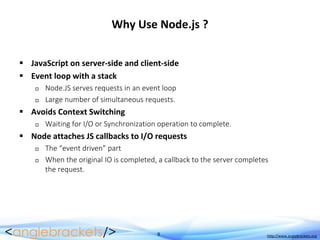
Why Use Node.js ?
 JavaScript on server-side and client-side
 Event loop with a stack
ïŻ Node.JS serves requests in an event loop
ïŻ Large number of simultaneous requests.
 Avoids Context Switching
ïŻ Waiting for I/O or Synchronization operation to complete.
 Node attaches JS callbacks to I/O requests
ïŻ The “event driven” part
ïŻ When the original IO is completed, a callback to the server completes
the request.
10 http://www.anglebrackets.org
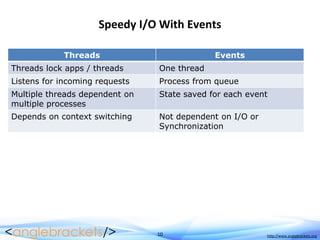
Speedy I/O With Events
Threads Events
Threads lock apps / threads One thread
Listens for incoming requests Process from queue
Multiple threads dependent on
multiple processes
State saved for each event
Depends on context switching Not dependent on I/O or
Synchronization
Setting up Node.js
for Azure
12 http://www.anglebrackets.org
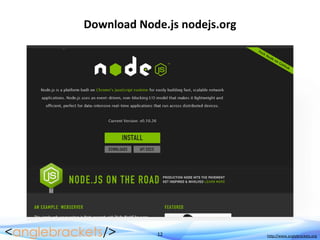
Download Node.js nodejs.org
13 http://www.anglebrackets.org
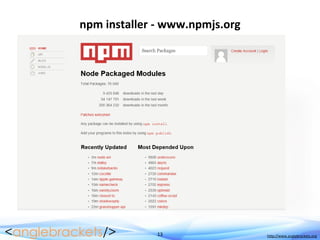
npm installer - www.npmjs.org
14 http://www.anglebrackets.org
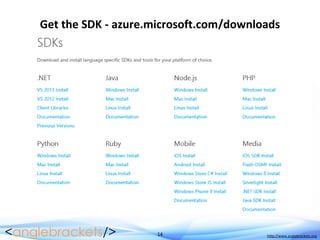
Get the SDK - azure.microsoft.com/downloads
15 http://www.anglebrackets.org
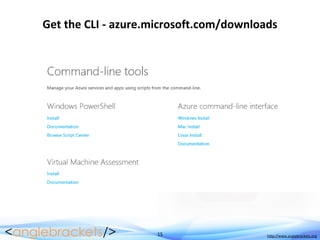
Get the CLI - azure.microsoft.com/downloads
16 http://www.anglebrackets.org
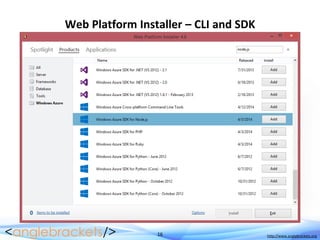
Web Platform Installer – CLI and SDK
17 http://www.anglebrackets.org
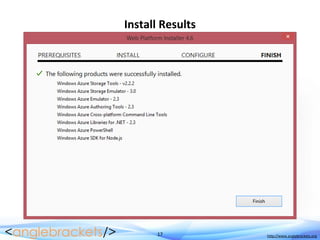
Install Results
18 http://www.anglebrackets.org
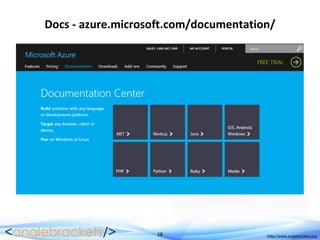
Docs - azure.microsoft.com/documentation/
Node.js on Azure
Web Sites
20 http://www.anglebrackets.org
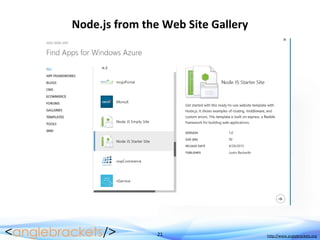
Node.js on Azure Web Sites
 Node Options in the Gallery
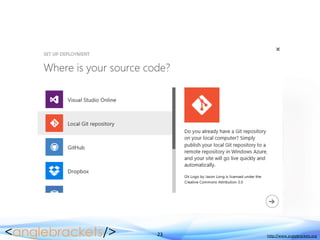
 Local Git Repository
21 http://www.anglebrackets.org
Node.js from the Web Site Gallery
22 http://www.anglebrackets.org
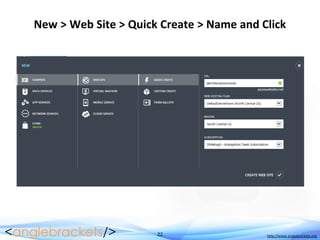
New > Web Site > Quick Create > Name and Click
23 http://www.anglebrackets.org
24 http://www.anglebrackets.org
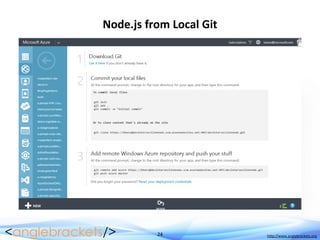
Node.js from Local Git
25 http://www.anglebrackets.org
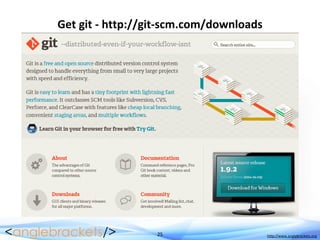
Get git - http://git-scm.com/downloads
26 http://www.anglebrackets.org
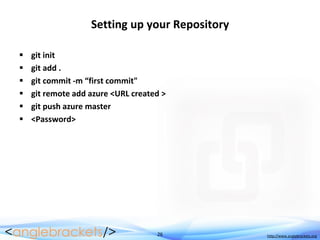
Setting up your Repository
 git init
 git add .
 git commit -m “first commit"
 git remote add azure <URL created >
 git push azure master
 <Password>
27 http://www.anglebrackets.org
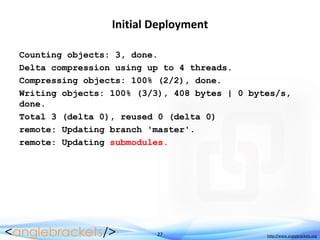
Initial Deployment
Counting objects: 3, done.
Delta compression using up to 4 threads.
Compressing objects: 100% (2/2), done.
Writing objects: 100% (3/3), 408 bytes | 0 bytes/s,
done.
Total 3 (delta 0), reused 0 (delta 0)
remote: Updating branch 'master'.
remote: Updating submodules.
28 http://www.anglebrackets.org
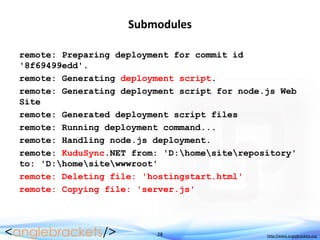
Submodules
remote: Preparing deployment for commit id
'8f69499edd'.
remote: Generating deployment script.
remote: Generating deployment script for node.js Web
Site
remote: Generated deployment script files
remote: Running deployment command...
remote: Handling node.js deployment.
remote: KuduSync.NET from: 'D:homesiterepository'
to: 'D:homesitewwwroot'
remote: Deleting file: 'hostingstart.html'
remote: Copying file: 'server.js'
29 http://www.anglebrackets.org
Updating your Repository
 git add .
 git commit -m “commit message"
 git push azure master
 <Password>
30 http://www.anglebrackets.org
Node.js Tools for Visual Studio 1.0
 VS 2013, 2013, VS Express 2013
 Project Templates
ïŻ Web Sites, Apps, Worker Roles, VMs/Servers
 Typeahead
 Dependency Management
 Publishing
ïŻ Using Publishing credentials
ïŻ Deployment via Git
 Remote Debugging
ïŻ Even on Linux!
Node.js on Azure
IaaS/PaaS
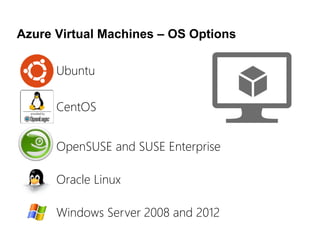
Azure Virtual Machines – OS Options
Windows Server 2008 and 2012
OpenSUSE and SUSE Enterprise
CentOS
Ubuntu
Oracle Linux
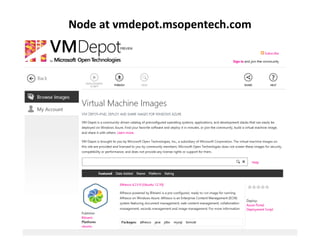
Node at vmdepot.msopentech.com
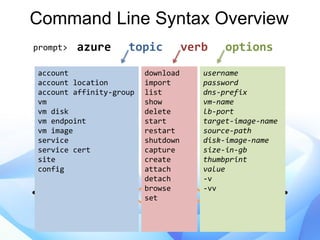
azure topic verb options
Command Line Syntax Overview
prompt>
account
account location
account affinity-group
vm
vm disk
vm endpoint
vm image
service
service cert
site
config
download
import
list
show
delete
start
restart
shutdown
capture
create
attach
detach
browse
set
username
password
dns-prefix
vm-name
lb-port
target-image-name
source-path
disk-image-name
size-in-gb
thumbprint
value
-v
-vv
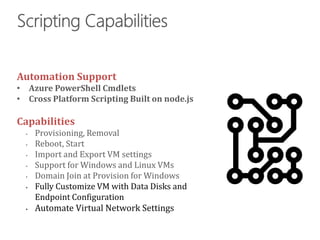
Automation Support
Capabilities
‱ Fully Customize VM with Data Disks and
Endpoint Configuration
‱ Automate Virtual Network Settings
Intro to Websocket
Deploying Web Sites on Windows
37 http://www.anglebrackets.org
WebSocket
 Two-way browser communication
 HTTP/1.1 upgrade header for communication
 Keeps connections “open” after sending or receiving messages
 UTF-8 encoding (no binary)
 Just a transport – Challenges:
ïŻ Server needs to perform a handshake based on the WebSocket protocol, and
implement security separately
ïŻ WebSocket not supported by all browsers/versions
38 http://www.anglebrackets.org
Node.js with Socket.io
 Node.js - Scalable, Event-Driven HTTP server
ïŻ JavaScript and simple API
 Socket.io on Node.js
ïŻ Socket.io adds the WebSocket protocol and server-side security to Node.js
ïŻ HTML5 browsers can receive WebSocket connections and keep them “open”.
40 http://www.anglebrackets.org
41 http://www.anglebrackets.org
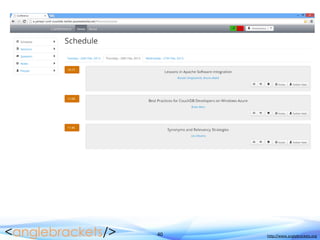
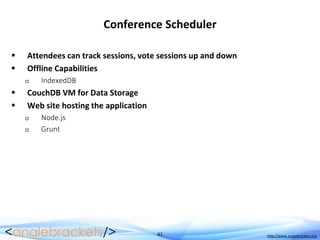
Conference Scheduler
 Attendees can track sessions, vote sessions up and down
 Offline Capabilities
ïŻ IndexedDB
 CouchDB VM for Data Storage
 Web site hosting the application
ïŻ Node.js
ïŻ Grunt
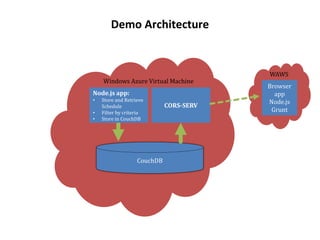
Demo Architecture
43 http://www.anglebrackets.org
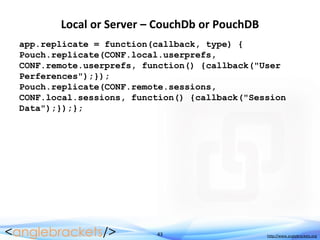
Local or Server – CouchDb or PouchDB
app.replicate = function(callback, type) {
Pouch.replicate(CONF.local.userprefs,
CONF.remote.userprefs, function() {callback("User
Perferences");});
Pouch.replicate(CONF.remote.sessions,
CONF.local.sessions, function() {callback("Session
Data");});};
44 http://www.anglebrackets.org
Get Sessions from CouchDB
app.loadSessions = function() {
$("#loader").modal("show");
$.getScript("sessions.js?" +
Math.random()).then(function(data) {
$("#loader").modal("hide");_.each(CONF.sessions,
function(s) {var models = app.sessionList.where({
name: s.name});if(models.length === 0) {model = new
app.Model.Session();} else {model = models[0];}
model.set(s);model.server = CONF.local.sessions;
model.save();app.sessionList.add(model);});
app.sessionList.fetch();
46 http://www.anglebrackets.org
Handling connections
var socket = io.connect(document.location.protocol +
'//' + document.location.host + '/');
var connected = false;
socket.on('connected', function(data) {
connected = true;
});
socket.on('message', function(data) {
//console.log('Message', data);
if (typeof processMessage[data.sender] === 'object')
{
if (typeof processMessage[data.sender][data.type]
=== 'function') {
processMessage[data.sender][data.type](data);
47 http://www.anglebrackets.org
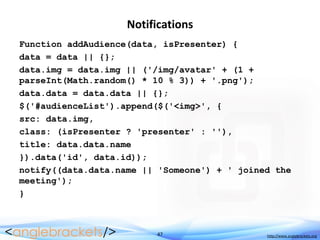
Notifications
Function addAudience(data, isPresenter) {
data = data || {};
data.img = data.img || ('/img/avatar' + (1 +
parseInt(Math.random() * 10 % 3)) + '.png');
data.data = data.data || {};
$('#audienceList').append($('<img>', {
src: data.img,
class: (isPresenter ? 'presenter' : ''),
title: data.data.name
}).data('id', data.id));
notify((data.data.name || 'Someone') + ' joined the
meeting');
}
48 http://www.anglebrackets.org
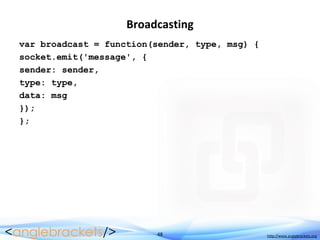
Broadcasting
var broadcast = function(sender, type, msg) {
socket.emit('message', {
sender: sender,
type: type,
data: msg
});
};
49 http://www.anglebrackets.org
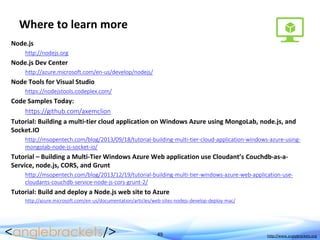
Where to learn more
Node.js
http://nodejs.org
Node.js Dev Center
http://azure.microsoft.com/en-us/develop/nodejs/
Node Tools for Visual Studio
https://nodejstools.codeplex.com/
Code Samples Today:
https://github.com/axemclion
Tutorial: Building a multi-tier cloud application on Windows Azure using MongoLab, node.js, and
Socket.IO
http://msopentech.com/blog/2013/09/18/tutorial-building-multi-tier-cloud-application-windows-azure-using-
mongolab-node-js-socket-io/
Tutorial – Building a Multi-Tier Windows Azure Web application use Cloudant’s Couchdb-as-a-
Service, node.js, CORS, and Grunt
http://msopentech.com/blog/2013/12/19/tutorial-building-multi-tier-windows-azure-web-application-use-
cloudants-couchdb-service-node-js-cors-grunt-2/
Tutorial: Build and deploy a Node.js web site to Azure
http://azure.microsoft.com/en-us/documentation/articles/web-sites-nodejs-develop-deploy-mac/
Q&A

Node.js on microsoft azure april 2014

  • 1.
    Node.js Development inthe Cloud with Azure Brian Benz, Sr. Technical Evangelist Microsoft Open Technologies, Inc.
  • 2.
    2 http://www.anglebrackets.org Agenda  Azure Node  Node on Azure ïŻ Web Sites ïŻ IaaS/PaaS  Examples  Q&A
  • 3.
  • 4.
  • 5.
  • 6.
    6 http://www.anglebrackets.org The Landscape- Node on Azure  Deployment  Web Sites ïŻ From Gallery ïŻ Via Source Deployment  IaaS / PaaS ïŻ Via Cloud Service deployment from Visual Studio ïŻ Deployment tools and source control: GitHub, TFS, FTP  Dev Tools ïŻ Azure Node SDK ïŻ Azure CLI ïŻ Microsoft Web Platform Installer ïŻ Microsoft Node Tools for Visual Studio
  • 7.
  • 8.
    8 http://www.anglebrackets.org What isNode.js?  A JavaScript runtime environment ïŻ Server-side JavaScript ïŻ Compiled ïŻ Command line ïŻ JavaScript API for network and file system access  Designed for high concurrency ïŻ Events, not threads or processes  Never blocks, not even for I/O  Uses CommonJS framework syntax ïŻ Close to real OO
  • 9.
    9 http://www.anglebrackets.org Why UseNode.js ?  JavaScript on server-side and client-side  Event loop with a stack ïŻ Node.JS serves requests in an event loop ïŻ Large number of simultaneous requests.  Avoids Context Switching ïŻ Waiting for I/O or Synchronization operation to complete.  Node attaches JS callbacks to I/O requests ïŻ The “event driven” part ïŻ When the original IO is completed, a callback to the server completes the request.
  • 10.
    10 http://www.anglebrackets.org Speedy I/OWith Events Threads Events Threads lock apps / threads One thread Listens for incoming requests Process from queue Multiple threads dependent on multiple processes State saved for each event Depends on context switching Not dependent on I/O or Synchronization
  • 11.
  • 12.
  • 13.
  • 14.
    14 http://www.anglebrackets.org Get theSDK - azure.microsoft.com/downloads
  • 15.
    15 http://www.anglebrackets.org Get theCLI - azure.microsoft.com/downloads
  • 16.
  • 17.
  • 18.
    18 http://www.anglebrackets.org Docs -azure.microsoft.com/documentation/
  • 19.
  • 20.
    20 http://www.anglebrackets.org Node.js onAzure Web Sites  Node Options in the Gallery  Local Git Repository
  • 21.
  • 22.
    22 http://www.anglebrackets.org New >Web Site > Quick Create > Name and Click
  • 23.
  • 24.
  • 25.
    25 http://www.anglebrackets.org Get git- http://git-scm.com/downloads
  • 26.
    26 http://www.anglebrackets.org Setting upyour Repository  git init  git add .  git commit -m “first commit"  git remote add azure <URL created >  git push azure master  <Password>
  • 27.
    27 http://www.anglebrackets.org Initial Deployment Countingobjects: 3, done. Delta compression using up to 4 threads. Compressing objects: 100% (2/2), done. Writing objects: 100% (3/3), 408 bytes | 0 bytes/s, done. Total 3 (delta 0), reused 0 (delta 0) remote: Updating branch 'master'. remote: Updating submodules.
  • 28.
    28 http://www.anglebrackets.org Submodules remote: Preparingdeployment for commit id '8f69499edd'. remote: Generating deployment script. remote: Generating deployment script for node.js Web Site remote: Generated deployment script files remote: Running deployment command... remote: Handling node.js deployment. remote: KuduSync.NET from: 'D:homesiterepository' to: 'D:homesitewwwroot' remote: Deleting file: 'hostingstart.html' remote: Copying file: 'server.js'
  • 29.
    29 http://www.anglebrackets.org Updating yourRepository  git add .  git commit -m “commit message"  git push azure master  <Password>
  • 30.
    30 http://www.anglebrackets.org Node.js Toolsfor Visual Studio 1.0  VS 2013, 2013, VS Express 2013  Project Templates ïŻ Web Sites, Apps, Worker Roles, VMs/Servers  Typeahead  Dependency Management  Publishing ïŻ Using Publishing credentials ïŻ Deployment via Git  Remote Debugging ïŻ Even on Linux!
  • 31.
  • 32.
    Azure Virtual Machines– OS Options Windows Server 2008 and 2012 OpenSUSE and SUSE Enterprise CentOS Ubuntu Oracle Linux
  • 33.
  • 34.
    azure topic verboptions Command Line Syntax Overview prompt> account account location account affinity-group vm vm disk vm endpoint vm image service service cert site config download import list show delete start restart shutdown capture create attach detach browse set username password dns-prefix vm-name lb-port target-image-name source-path disk-image-name size-in-gb thumbprint value -v -vv
  • 35.
    Automation Support Capabilities ‱ FullyCustomize VM with Data Disks and Endpoint Configuration ‱ Automate Virtual Network Settings
  • 36.
    Intro to Websocket DeployingWeb Sites on Windows
  • 37.
    37 http://www.anglebrackets.org WebSocket  Two-waybrowser communication  HTTP/1.1 upgrade header for communication  Keeps connections “open” after sending or receiving messages  UTF-8 encoding (no binary)  Just a transport – Challenges: ïŻ Server needs to perform a handshake based on the WebSocket protocol, and implement security separately ïŻ WebSocket not supported by all browsers/versions
  • 38.
    38 http://www.anglebrackets.org Node.js withSocket.io  Node.js - Scalable, Event-Driven HTTP server ïŻ JavaScript and simple API  Socket.io on Node.js ïŻ Socket.io adds the WebSocket protocol and server-side security to Node.js ïŻ HTML5 browsers can receive WebSocket connections and keep them “open”.
  • 40.
  • 41.
    41 http://www.anglebrackets.org Conference Scheduler Attendees can track sessions, vote sessions up and down  Offline Capabilities ïŻ IndexedDB  CouchDB VM for Data Storage  Web site hosting the application ïŻ Node.js ïŻ Grunt
  • 42.
  • 43.
    43 http://www.anglebrackets.org Local orServer – CouchDb or PouchDB app.replicate = function(callback, type) { Pouch.replicate(CONF.local.userprefs, CONF.remote.userprefs, function() {callback("User Perferences");}); Pouch.replicate(CONF.remote.sessions, CONF.local.sessions, function() {callback("Session Data");});};
  • 44.
    44 http://www.anglebrackets.org Get Sessionsfrom CouchDB app.loadSessions = function() { $("#loader").modal("show"); $.getScript("sessions.js?" + Math.random()).then(function(data) { $("#loader").modal("hide");_.each(CONF.sessions, function(s) {var models = app.sessionList.where({ name: s.name});if(models.length === 0) {model = new app.Model.Session();} else {model = models[0];} model.set(s);model.server = CONF.local.sessions; model.save();app.sessionList.add(model);}); app.sessionList.fetch();
  • 46.
    46 http://www.anglebrackets.org Handling connections varsocket = io.connect(document.location.protocol + '//' + document.location.host + '/'); var connected = false; socket.on('connected', function(data) { connected = true; }); socket.on('message', function(data) { //console.log('Message', data); if (typeof processMessage[data.sender] === 'object') { if (typeof processMessage[data.sender][data.type] === 'function') { processMessage[data.sender][data.type](data);
  • 47.
    47 http://www.anglebrackets.org Notifications Function addAudience(data,isPresenter) { data = data || {}; data.img = data.img || ('/img/avatar' + (1 + parseInt(Math.random() * 10 % 3)) + '.png'); data.data = data.data || {}; $('#audienceList').append($('<img>', { src: data.img, class: (isPresenter ? 'presenter' : ''), title: data.data.name }).data('id', data.id)); notify((data.data.name || 'Someone') + ' joined the meeting'); }
  • 48.
    48 http://www.anglebrackets.org Broadcasting var broadcast= function(sender, type, msg) { socket.emit('message', { sender: sender, type: type, data: msg }); };
  • 49.
    49 http://www.anglebrackets.org Where tolearn more Node.js http://nodejs.org Node.js Dev Center http://azure.microsoft.com/en-us/develop/nodejs/ Node Tools for Visual Studio https://nodejstools.codeplex.com/ Code Samples Today: https://github.com/axemclion Tutorial: Building a multi-tier cloud application on Windows Azure using MongoLab, node.js, and Socket.IO http://msopentech.com/blog/2013/09/18/tutorial-building-multi-tier-cloud-application-windows-azure-using- mongolab-node-js-socket-io/ Tutorial – Building a Multi-Tier Windows Azure Web application use Cloudant’s Couchdb-as-a- Service, node.js, CORS, and Grunt http://msopentech.com/blog/2013/12/19/tutorial-building-multi-tier-windows-azure-web-application-use- cloudants-couchdb-service-node-js-cors-grunt-2/ Tutorial: Build and deploy a Node.js web site to Azure http://azure.microsoft.com/en-us/documentation/articles/web-sites-nodejs-develop-deploy-mac/
  • 50.