HOW TO USE THE WEB  FOR PROFESSIONAL NETWORKING  AND  PERSONAL BRANDING Mario Sanchez Carrion mariosc.com [email_address]
Competition is fierce… http://www.flickr.com/photos/hiddenloop/2043141229
How will you  stand out?
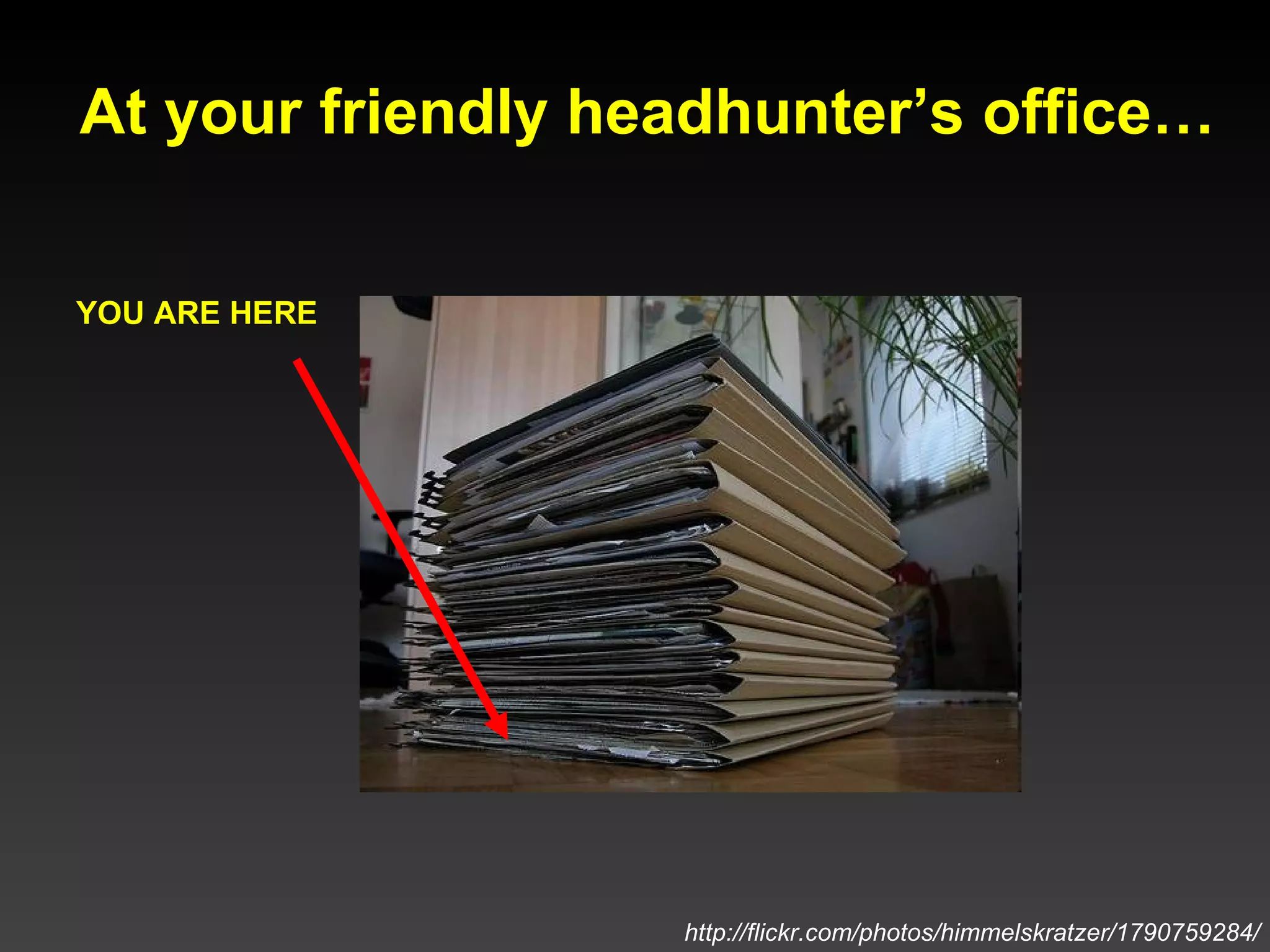
At your friendly headhunter’s office… YOU ARE HERE http://flickr.com/photos/himmelskratzer/1790759284/
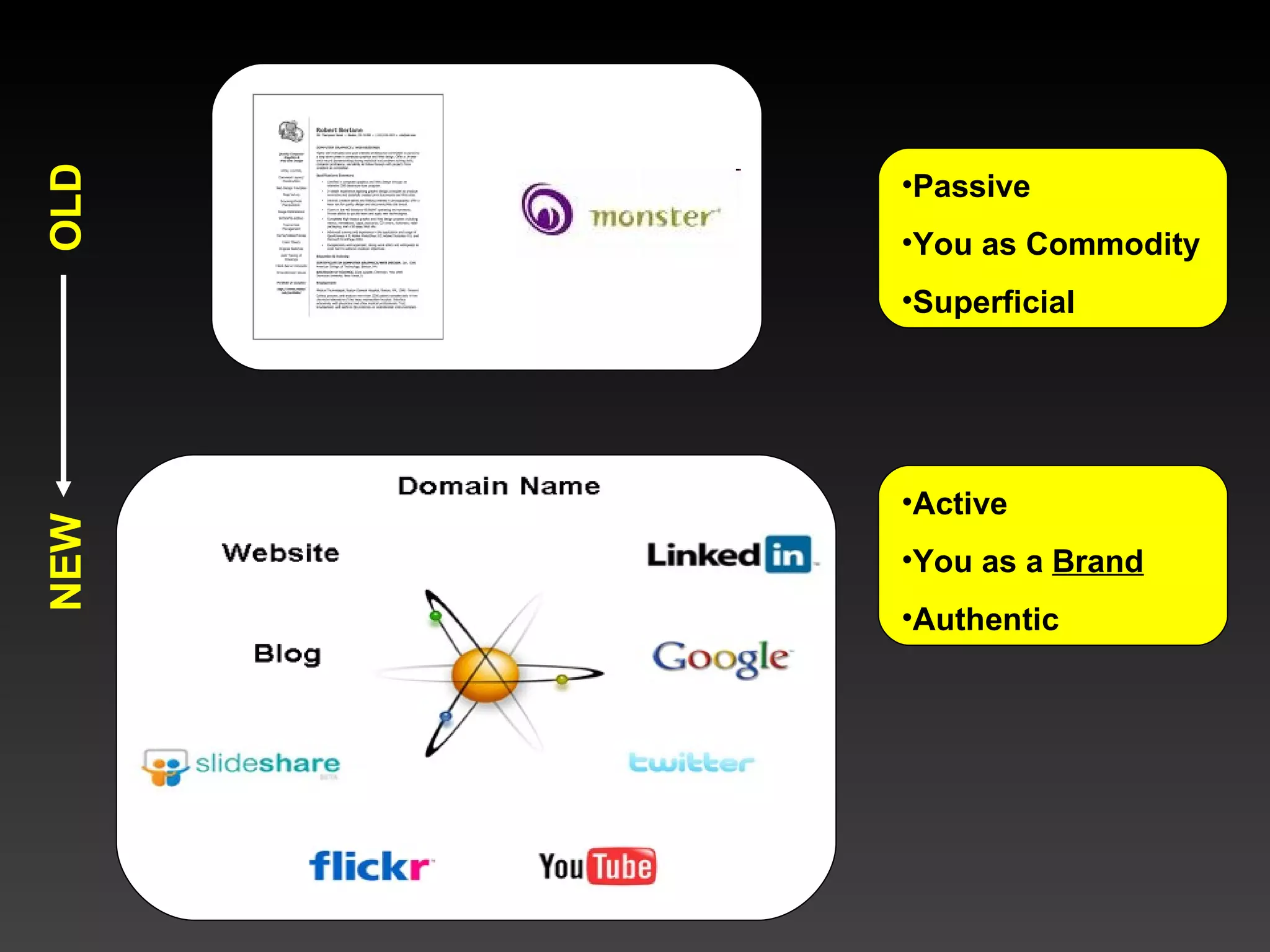
Passive You as Commodity Superficial Active You as a  Brand Authentic OLD NEW
 
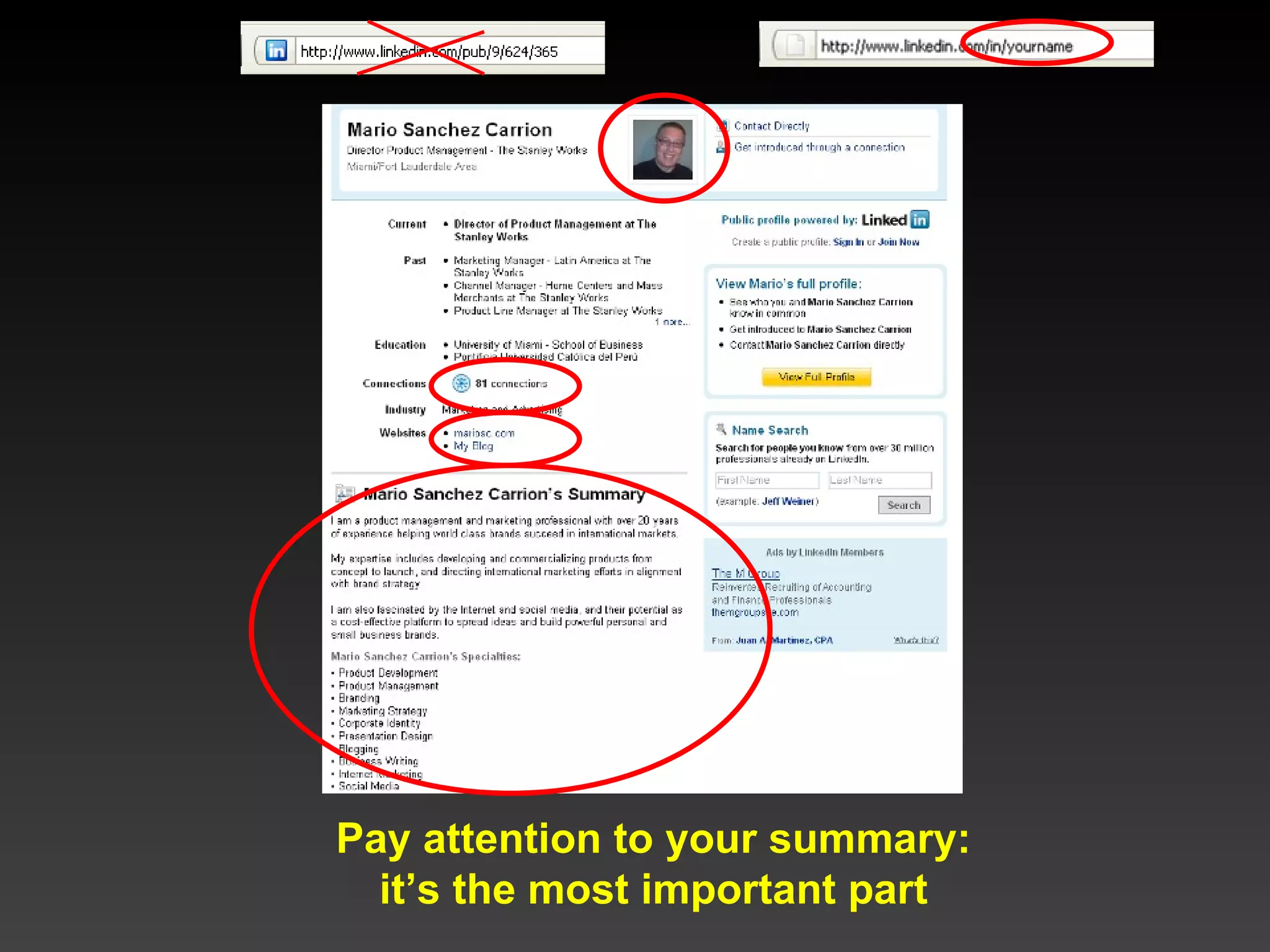
Pay attention to your summary: it’s the most important part
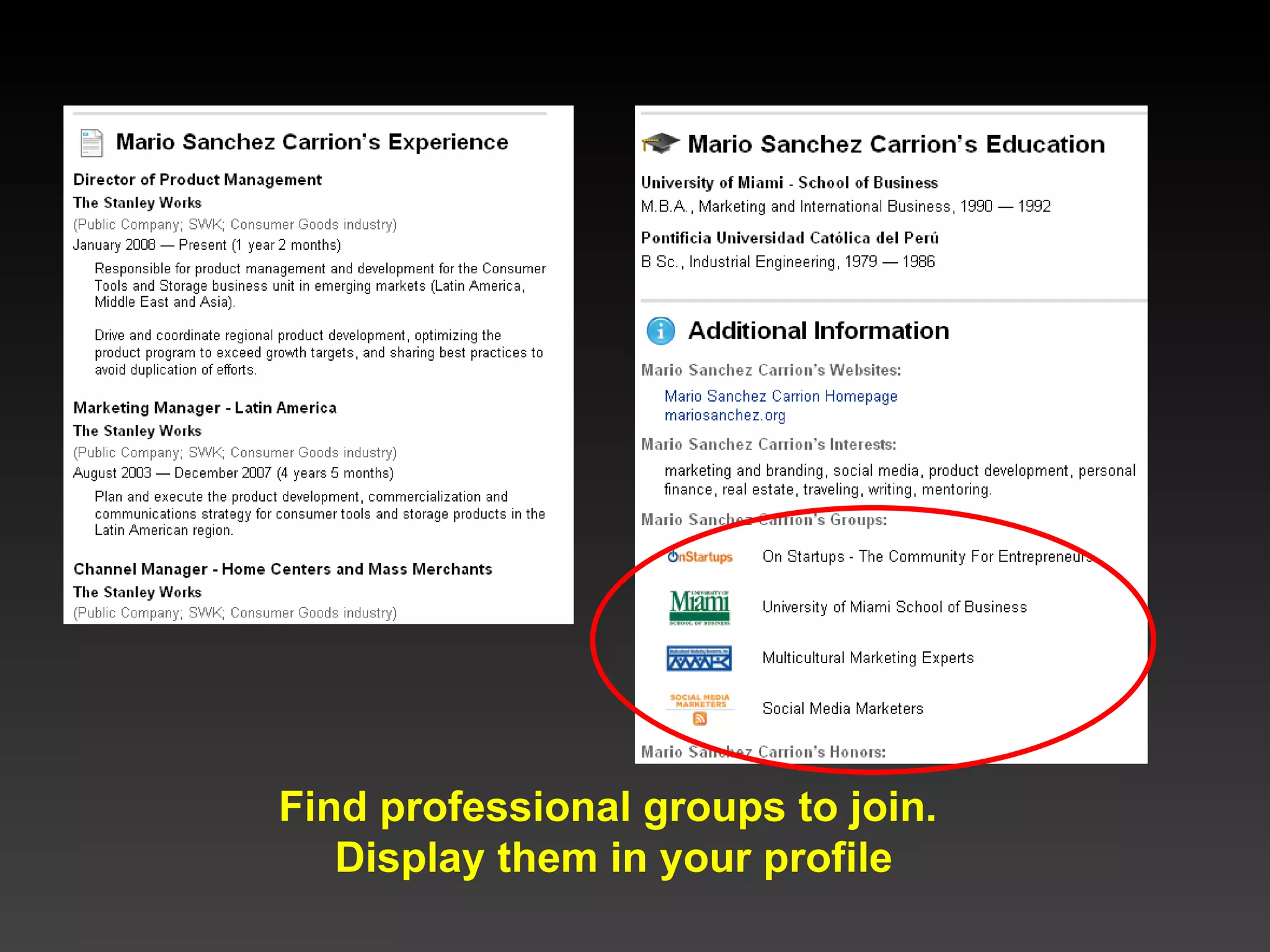
Find professional groups to join.  Display them in your profile
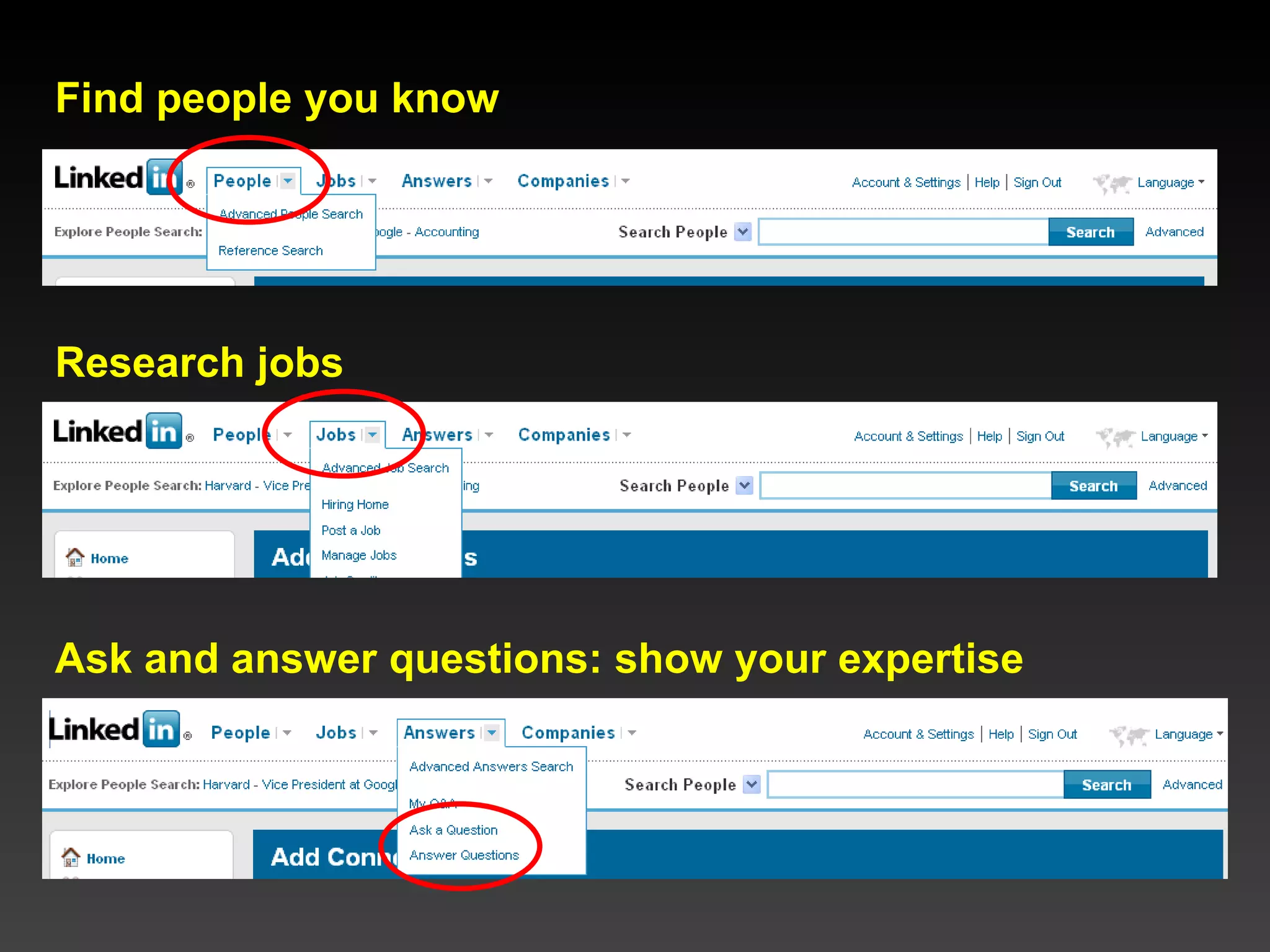
Find people you know Research jobs Ask and answer questions: show your expertise
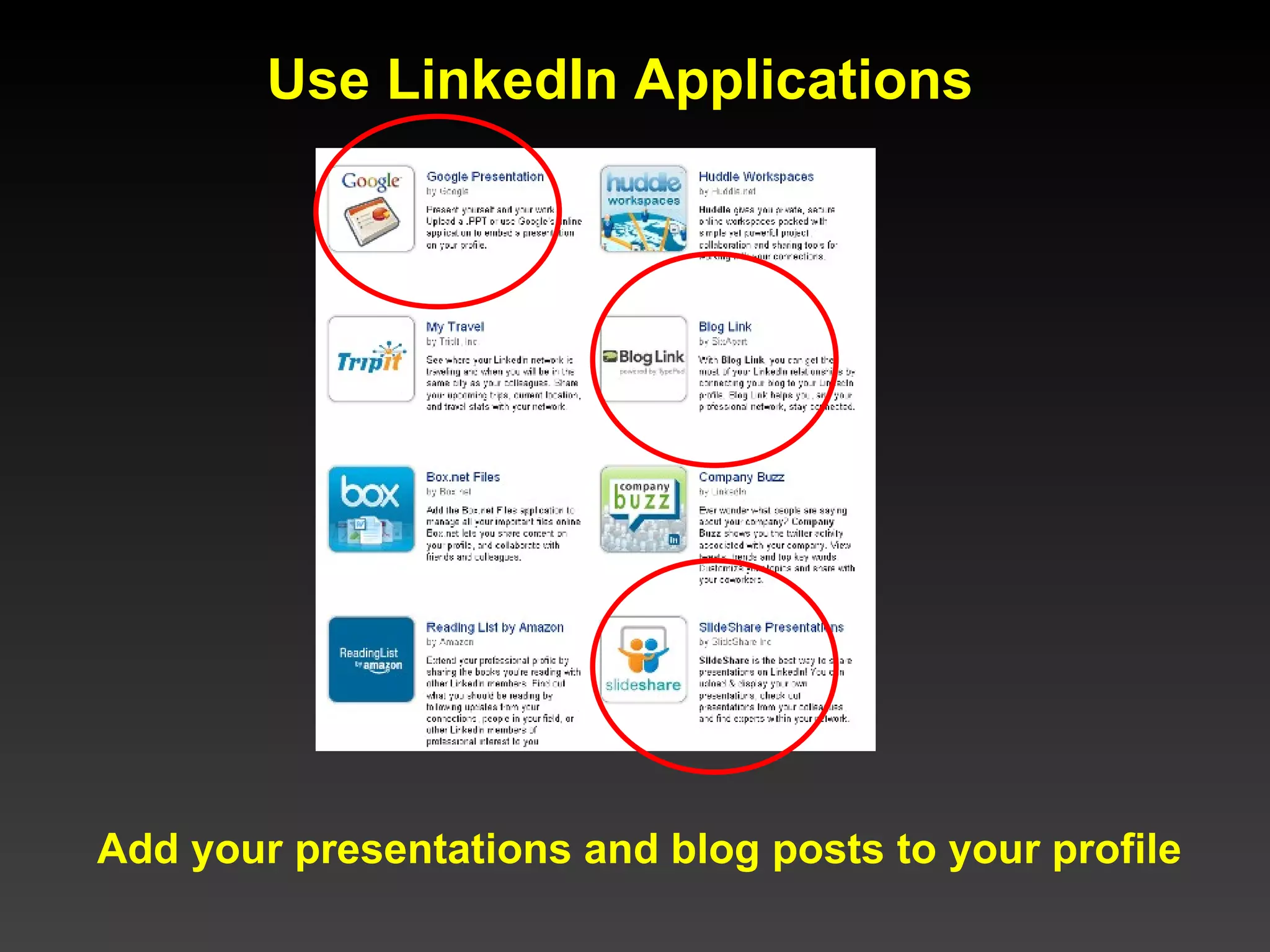
Use LinkedIn Applications  Add your presentations and blog posts to your profile
LinkedIn Tips  Create a branded LinkedIn URL using your name Add your picture Craft a good Summary section (most important part): Include your elevator pitch and, List your expertise using descriptive keywords Subscribe to LinkedIn Groups related to your expertise Answer and ask questions (participate!) Add connections and build your network Add your blog and presentations using Applications   Stay in touch with your network (remember: it’s up to you to put the “social” in social networks)
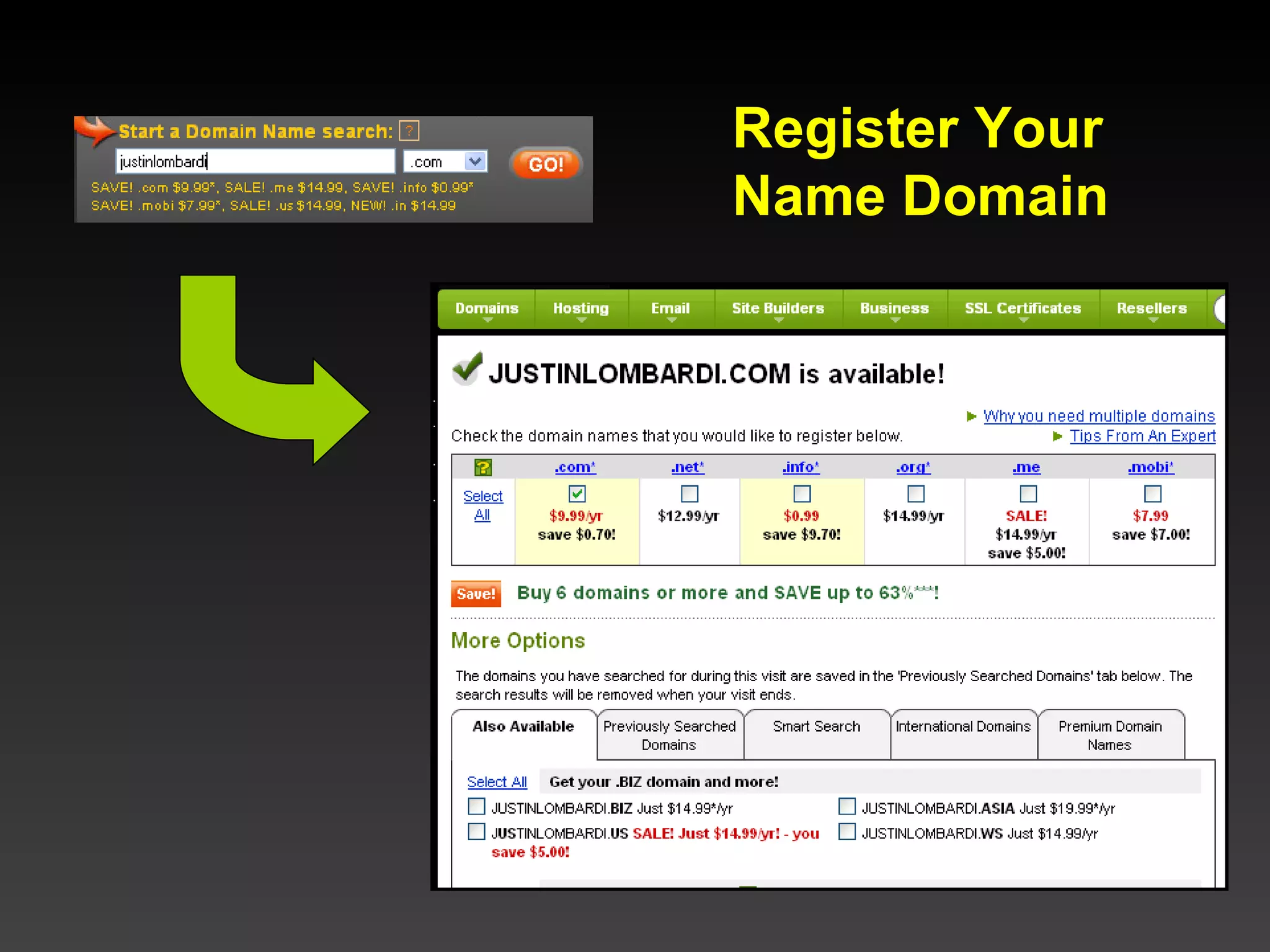
Register Your Name Domain
Domain Registration Tips Register your name  NOW ; it’s less than $10/year! Choose the .com extension If  yourname.com  is taken, try one of the following: Register the .org version, Add your middle initial Add your full middle name Use your first initial followed by your last name Register your domain for several years at once Set up automatic renewal Set up a branded email address  [email_address]  and forward it to your email client (i.e.  [email_address] )
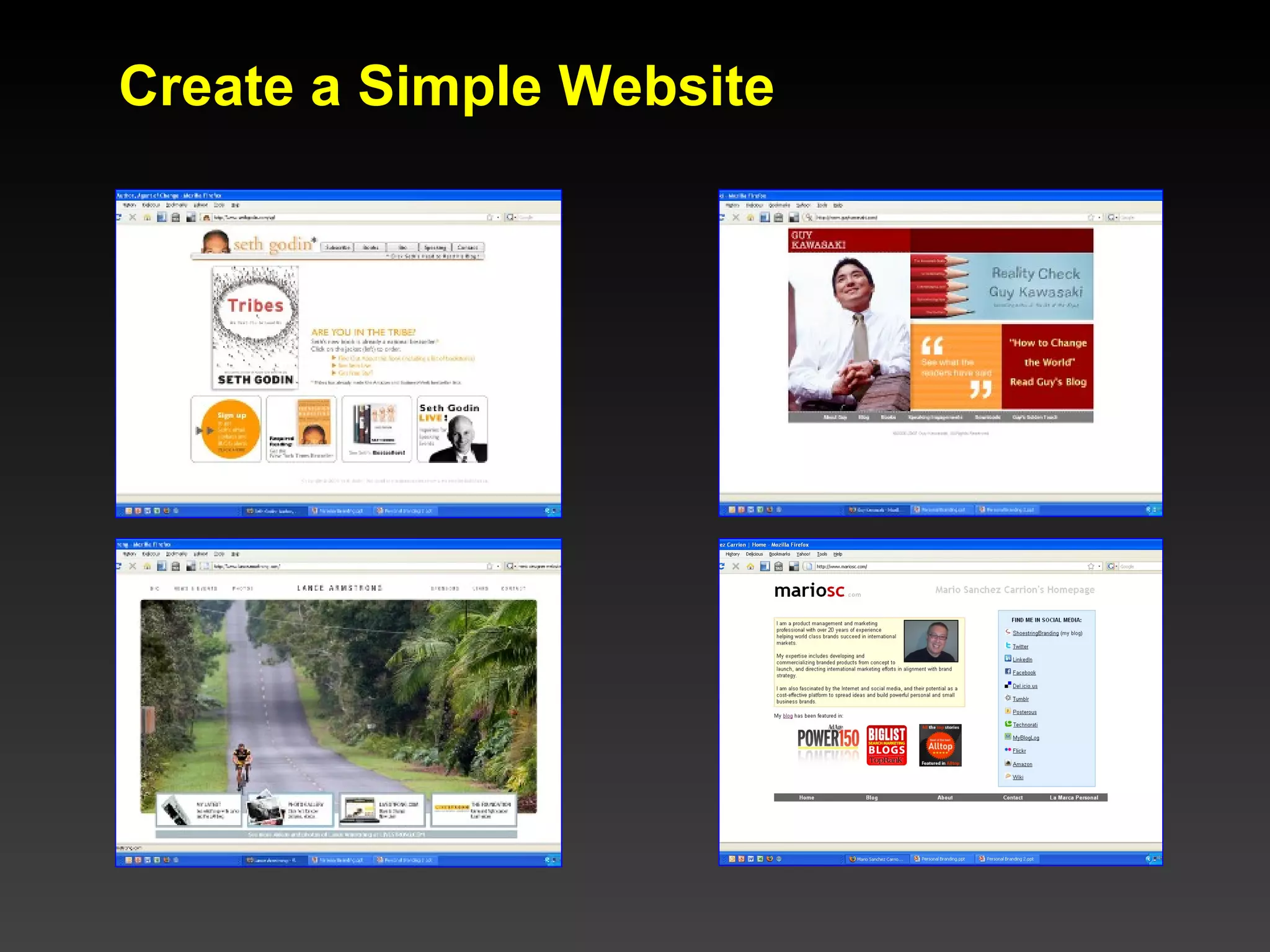
Create a Simple Website
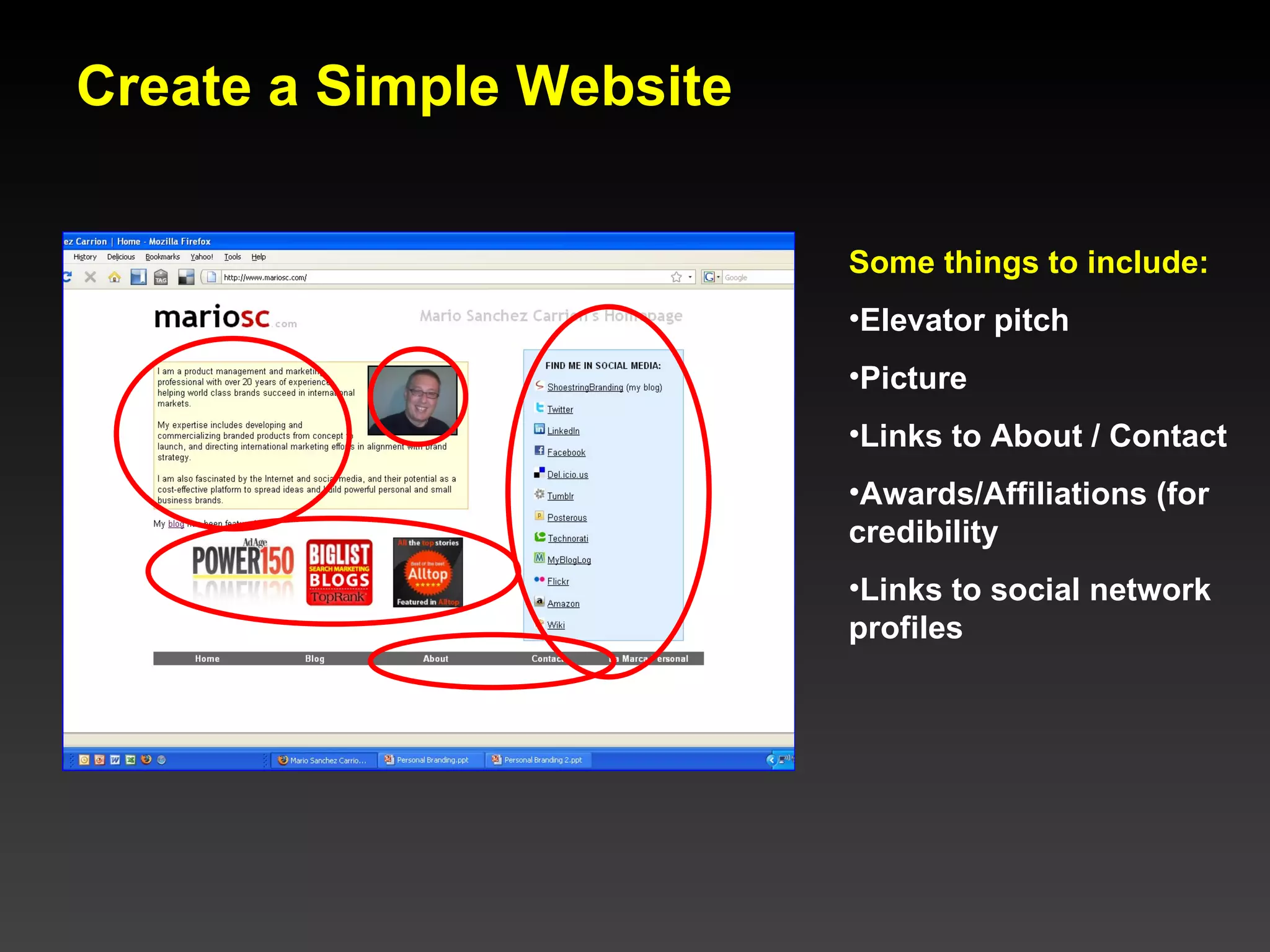
Create a Simple Website Some things to include: Elevator pitch Picture Links to About / Contact Awards/Affiliations (for credibility Links to social network profiles
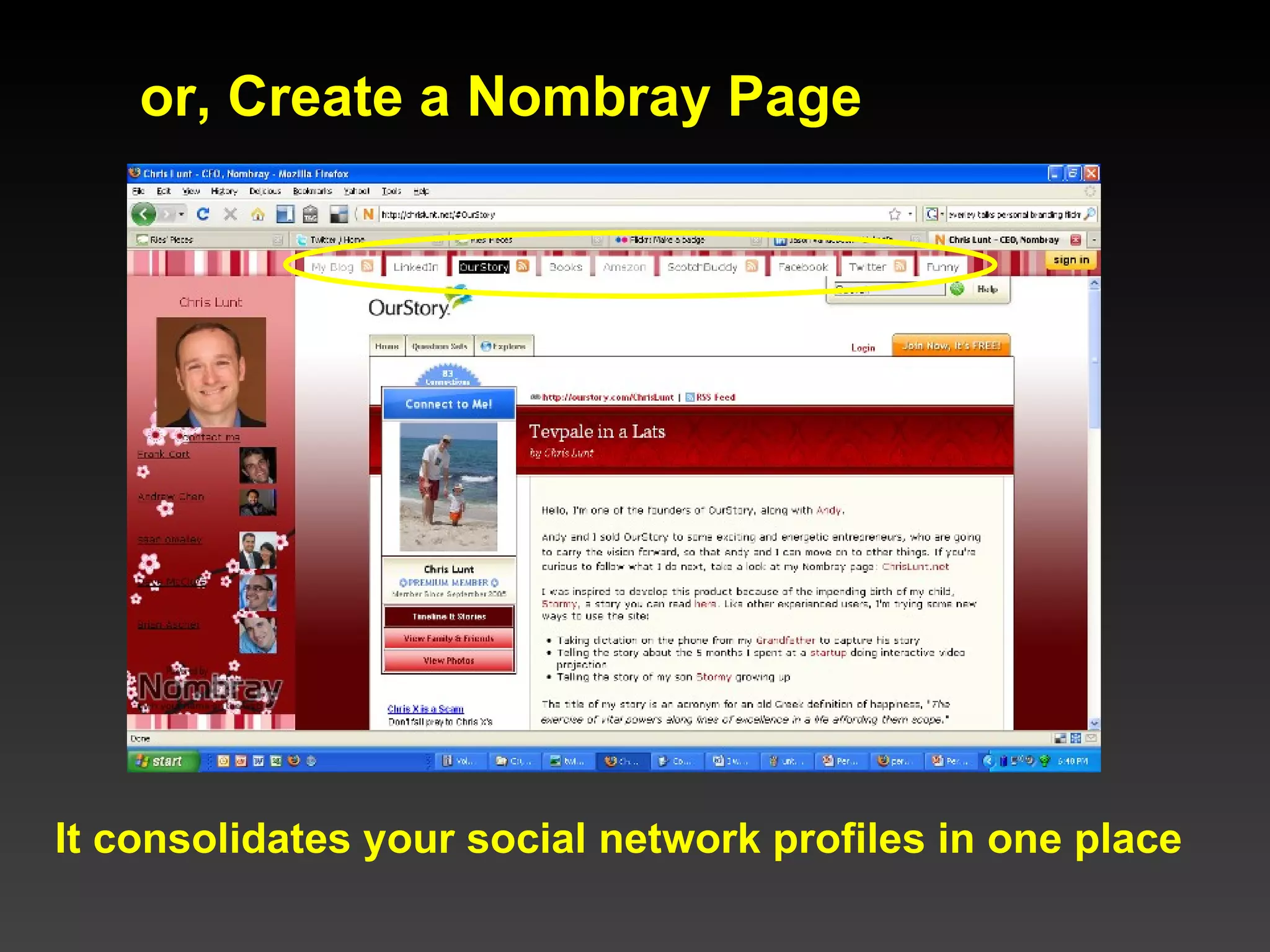
or, Create a Nombray Page It consolidates your social network profiles in one place
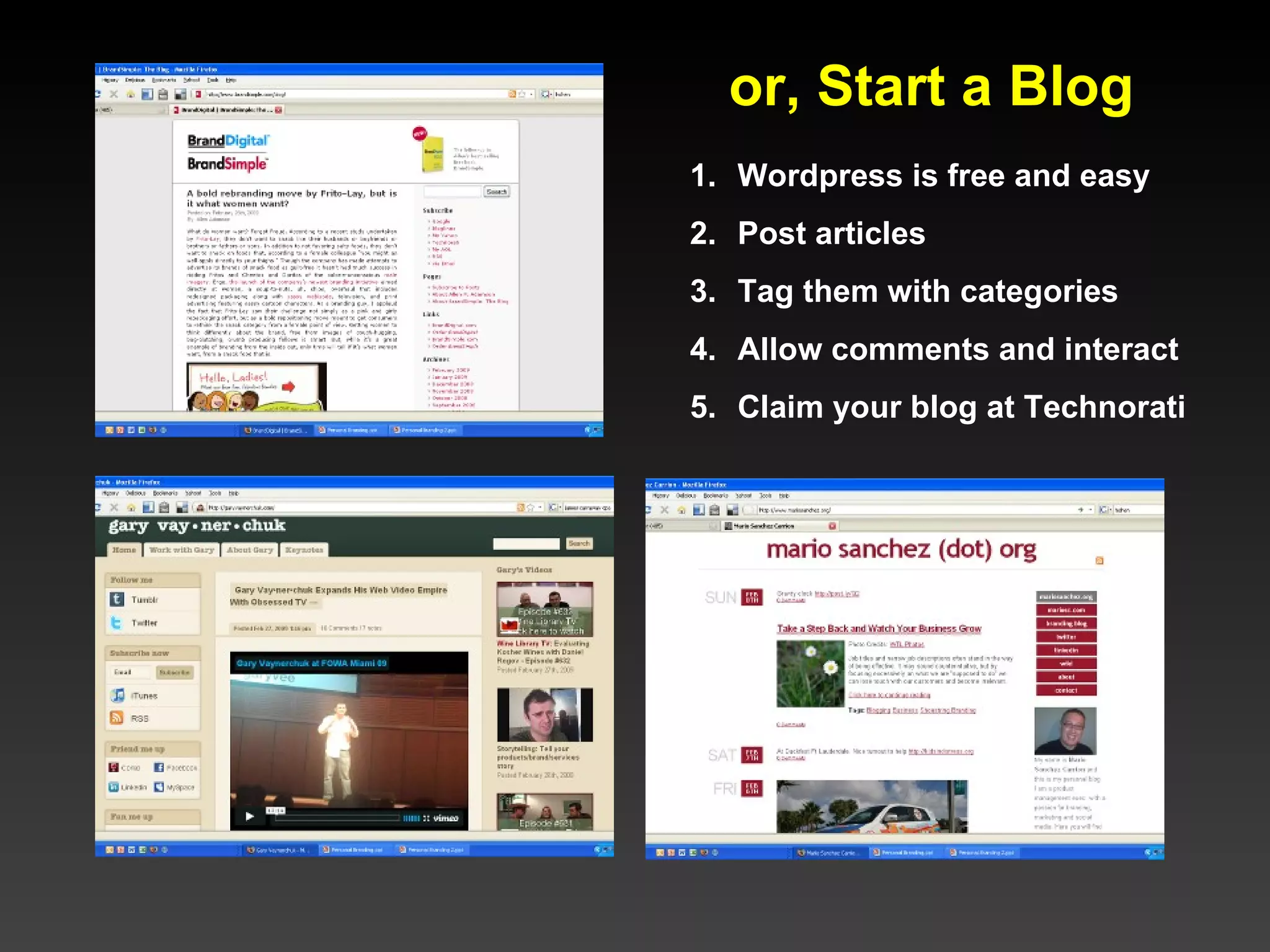
or, Start a Blog Wordpress is free and easy Post articles Tag them with categories Allow comments and interact  Claim your blog at Technorati
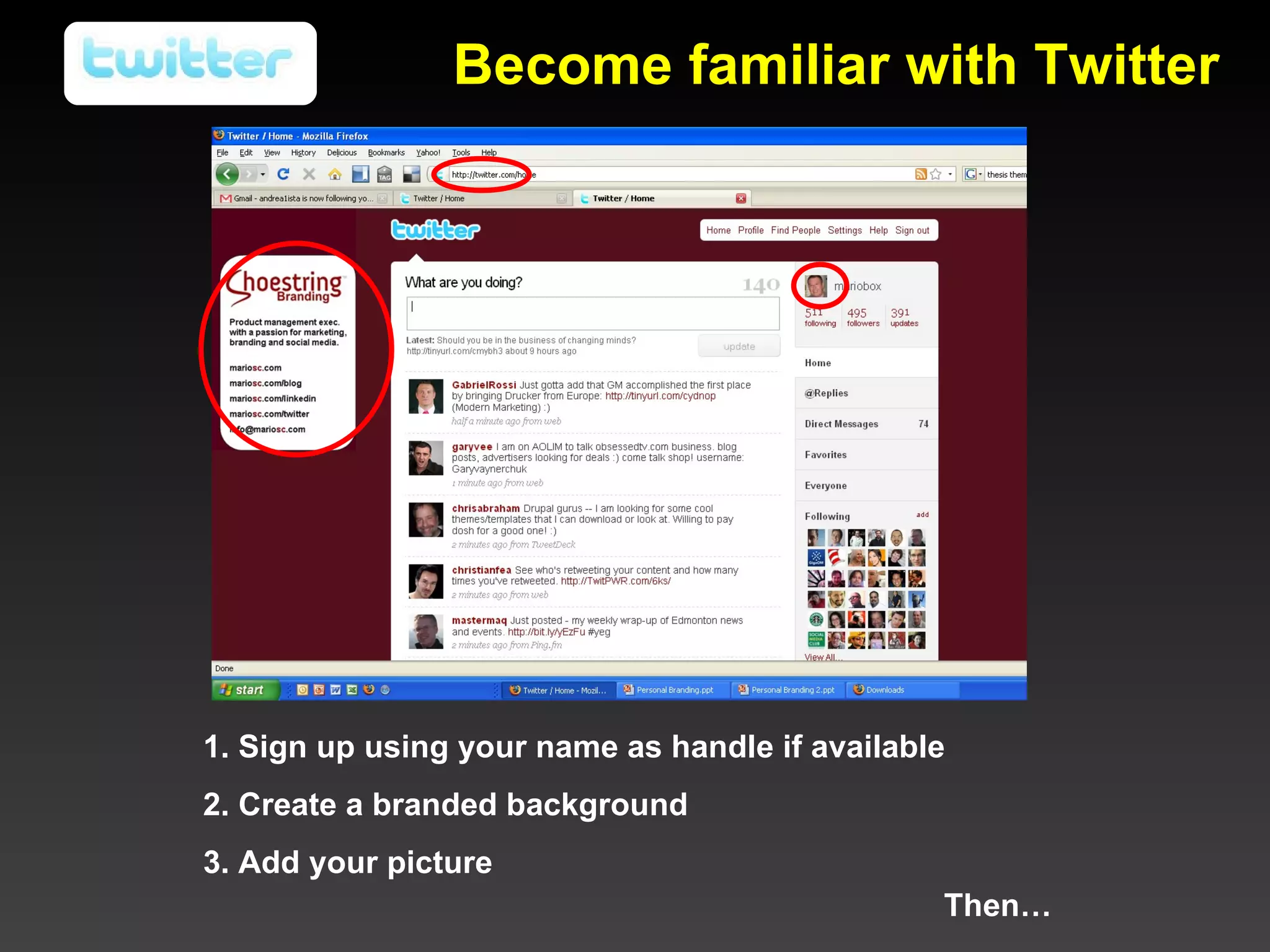
1. Sign up using your name as handle if available 2. Create a branded background 3. Add your picture Then… Become familiar with Twitter
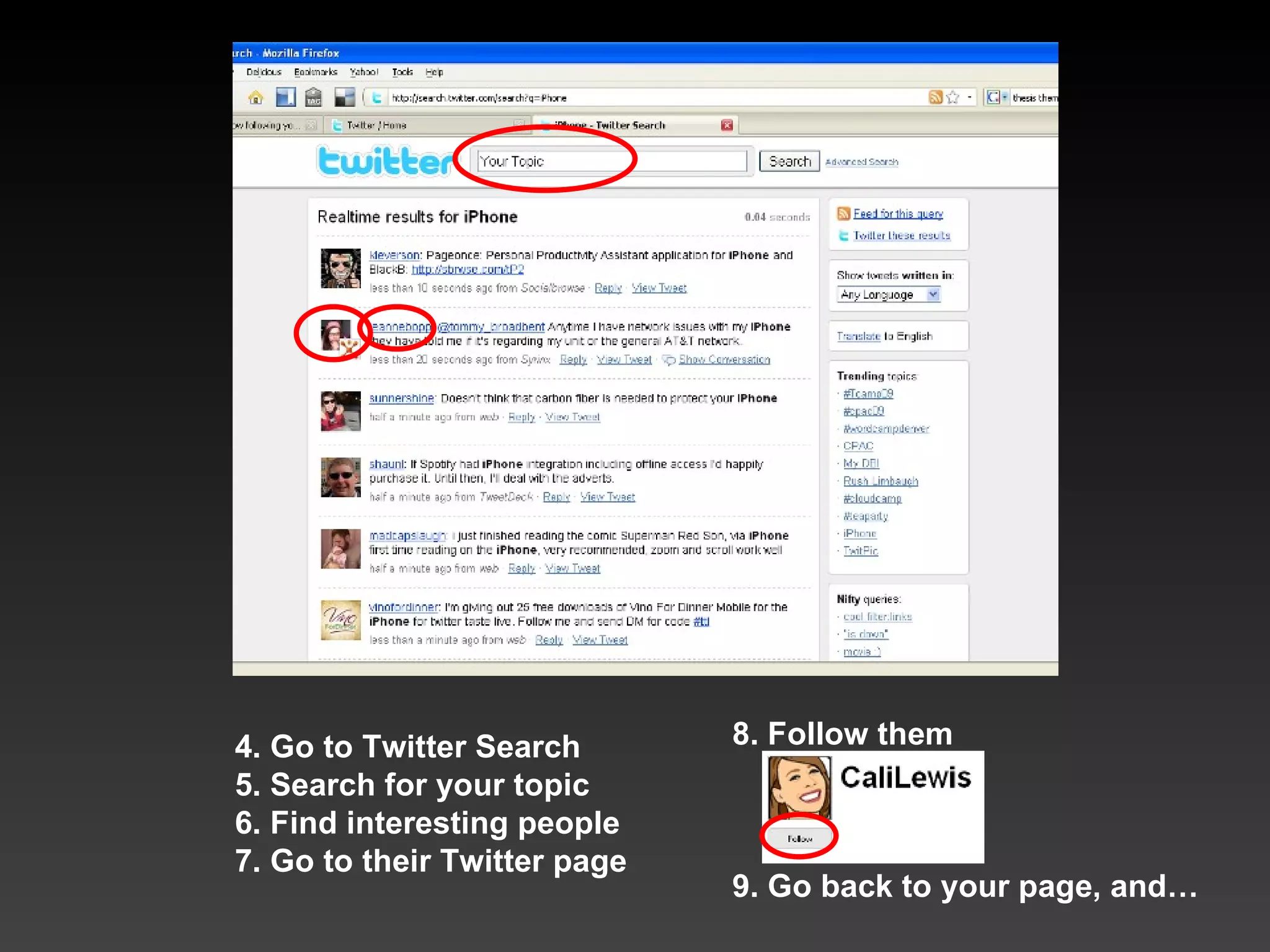
8. Follow them 9. Go back to your page, and… 4. Go to Twitter Search 5. Search for your topic 6. Find interesting people 7. Go to their Twitter page
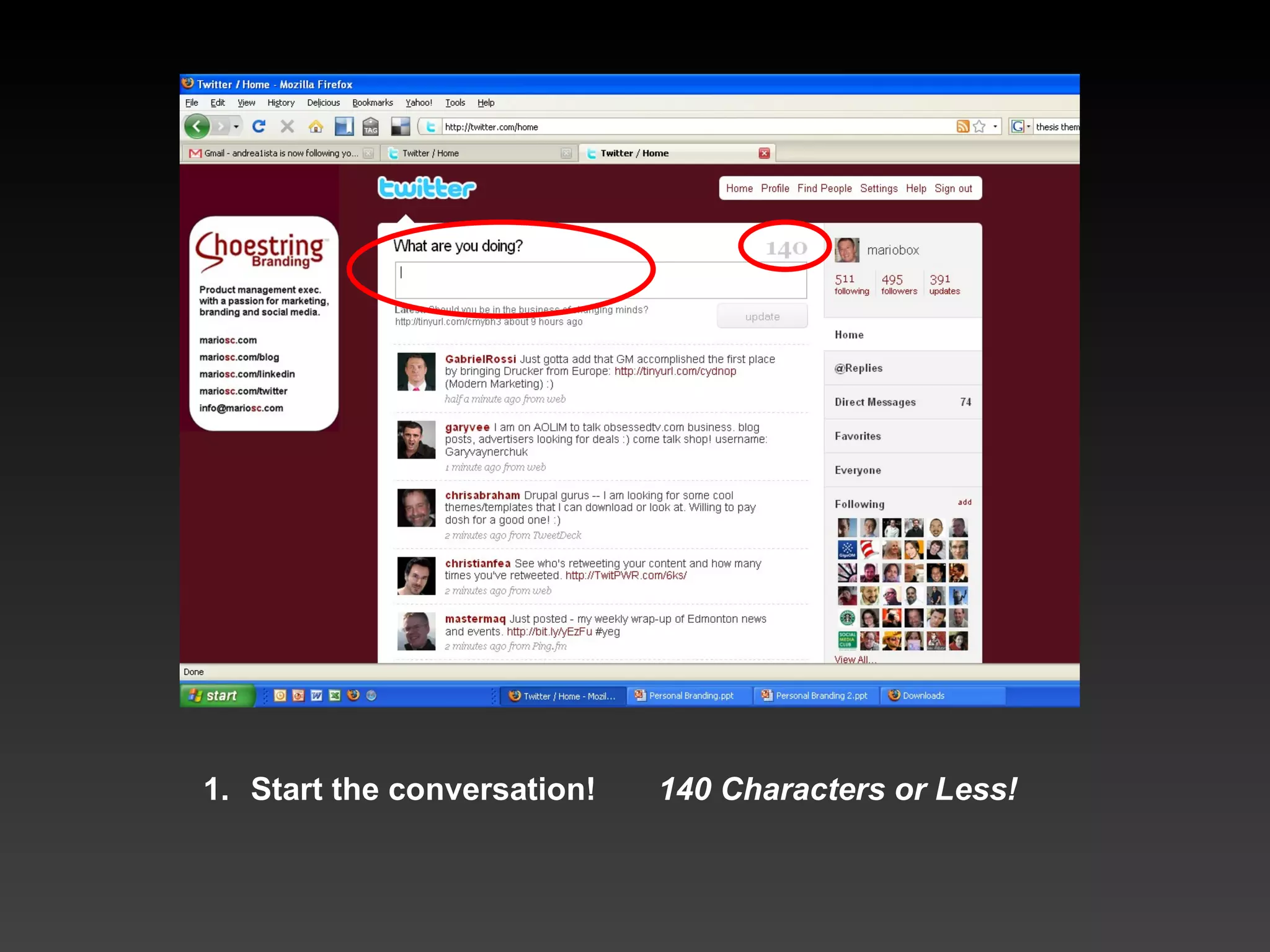
Start the conversation!  140 Characters or Less!
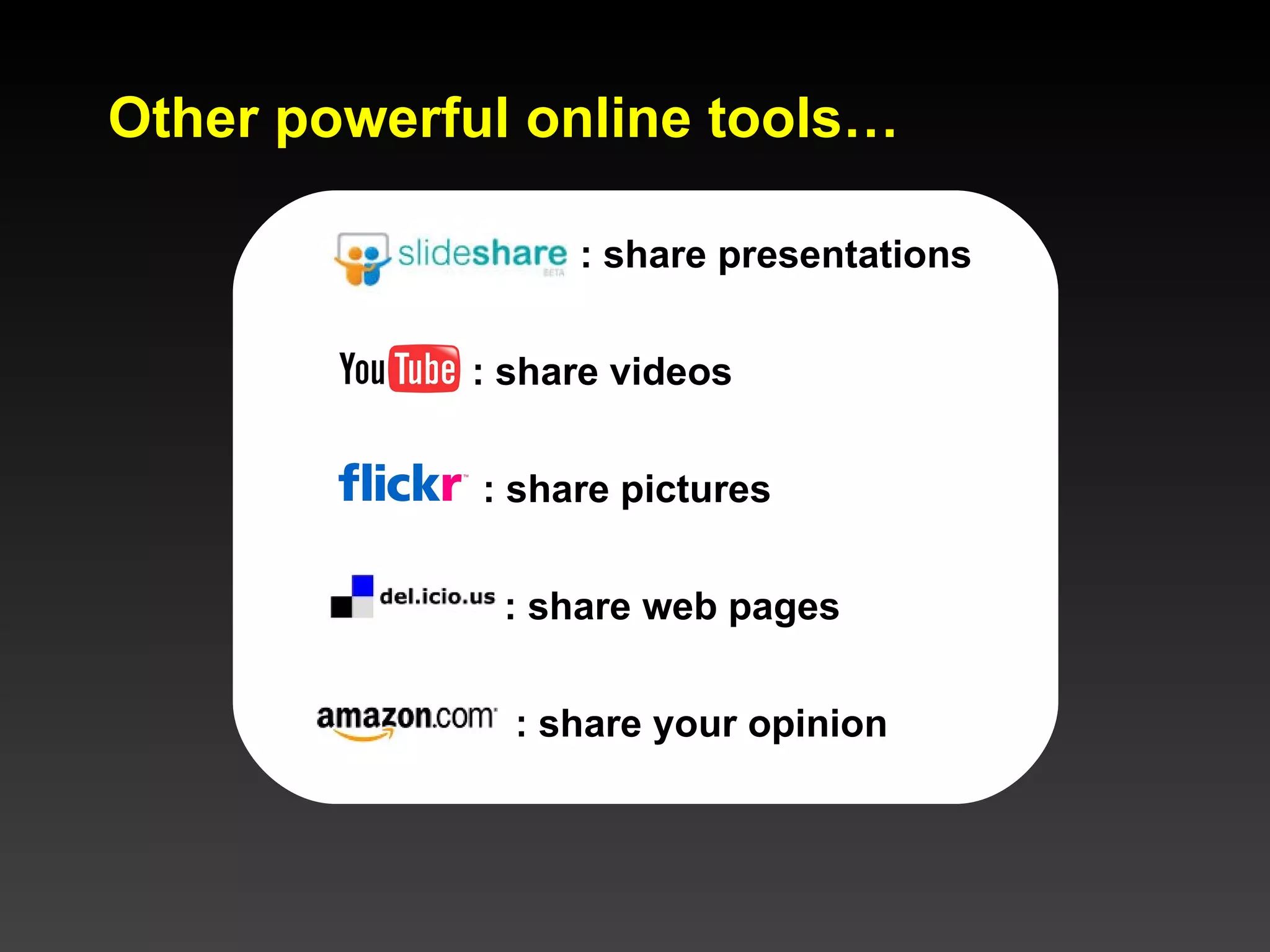
Other powerful online tools… : share presentations : share videos : share pictures : share web pages : share your opinion
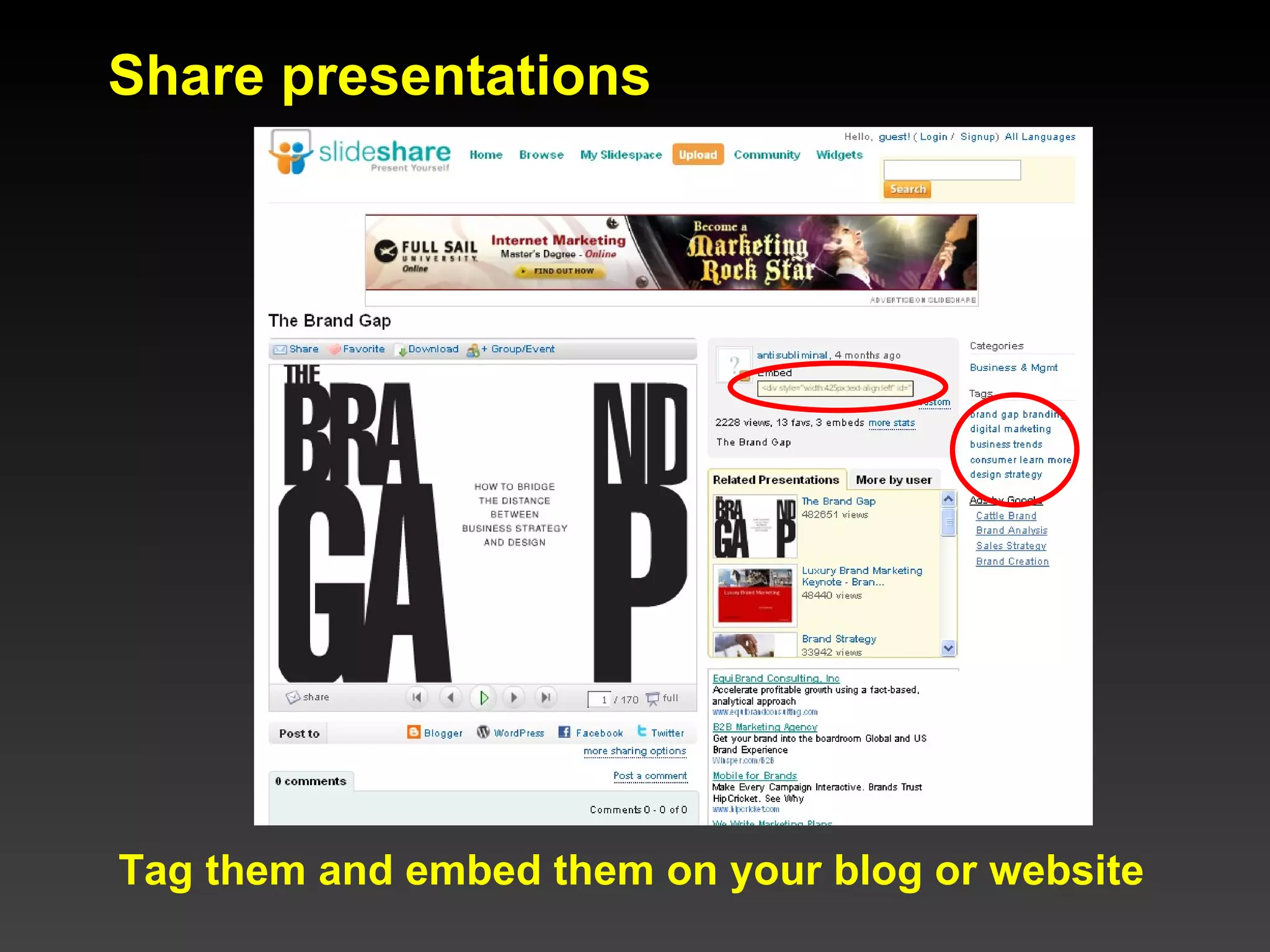
Share presentations Tag them and embed them on your blog or website
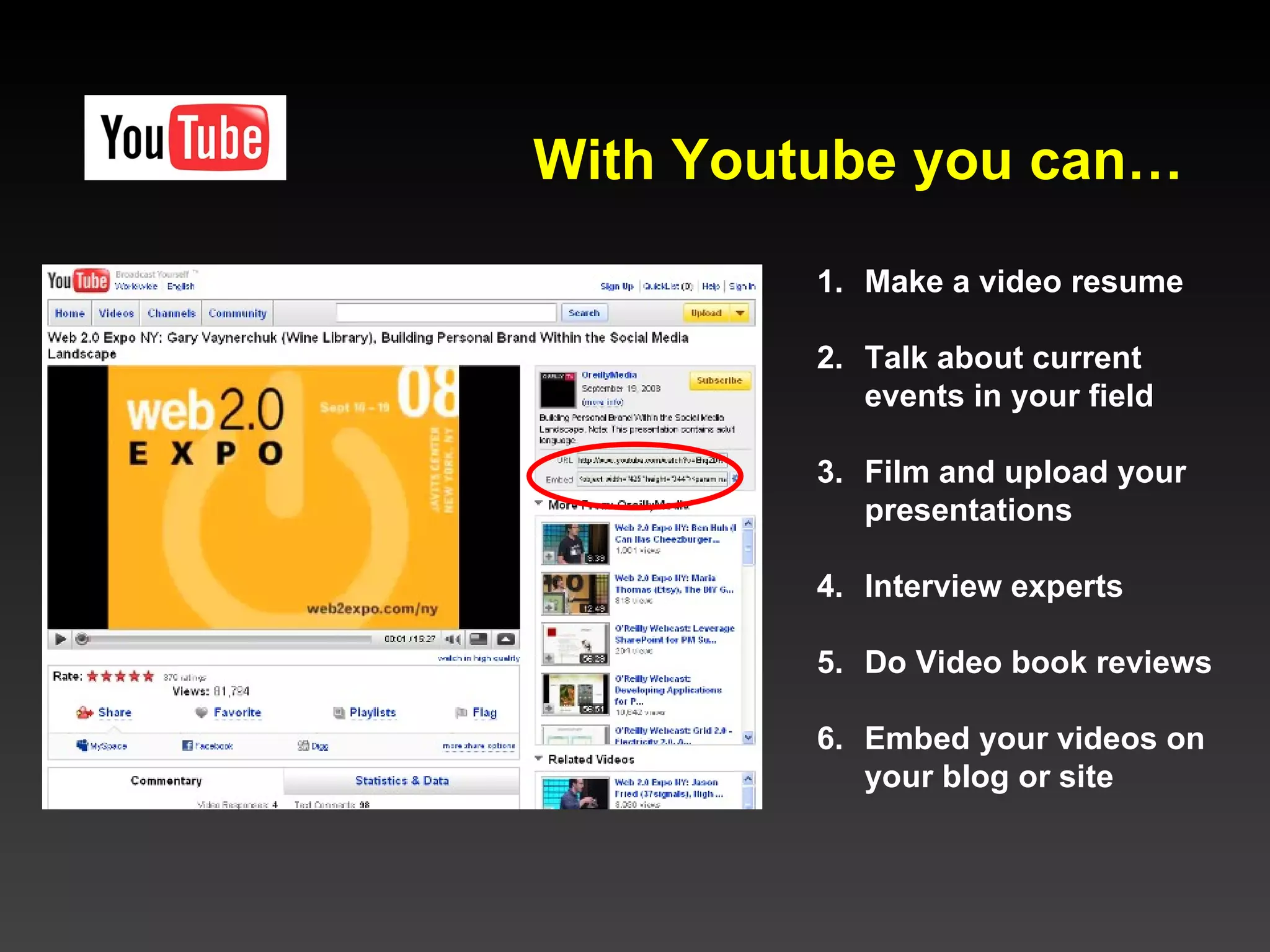
Make a video resume Talk about current  events in your field Film and upload your presentations Interview experts Do Video book reviews Embed your videos on your blog or site With Youtube you can…
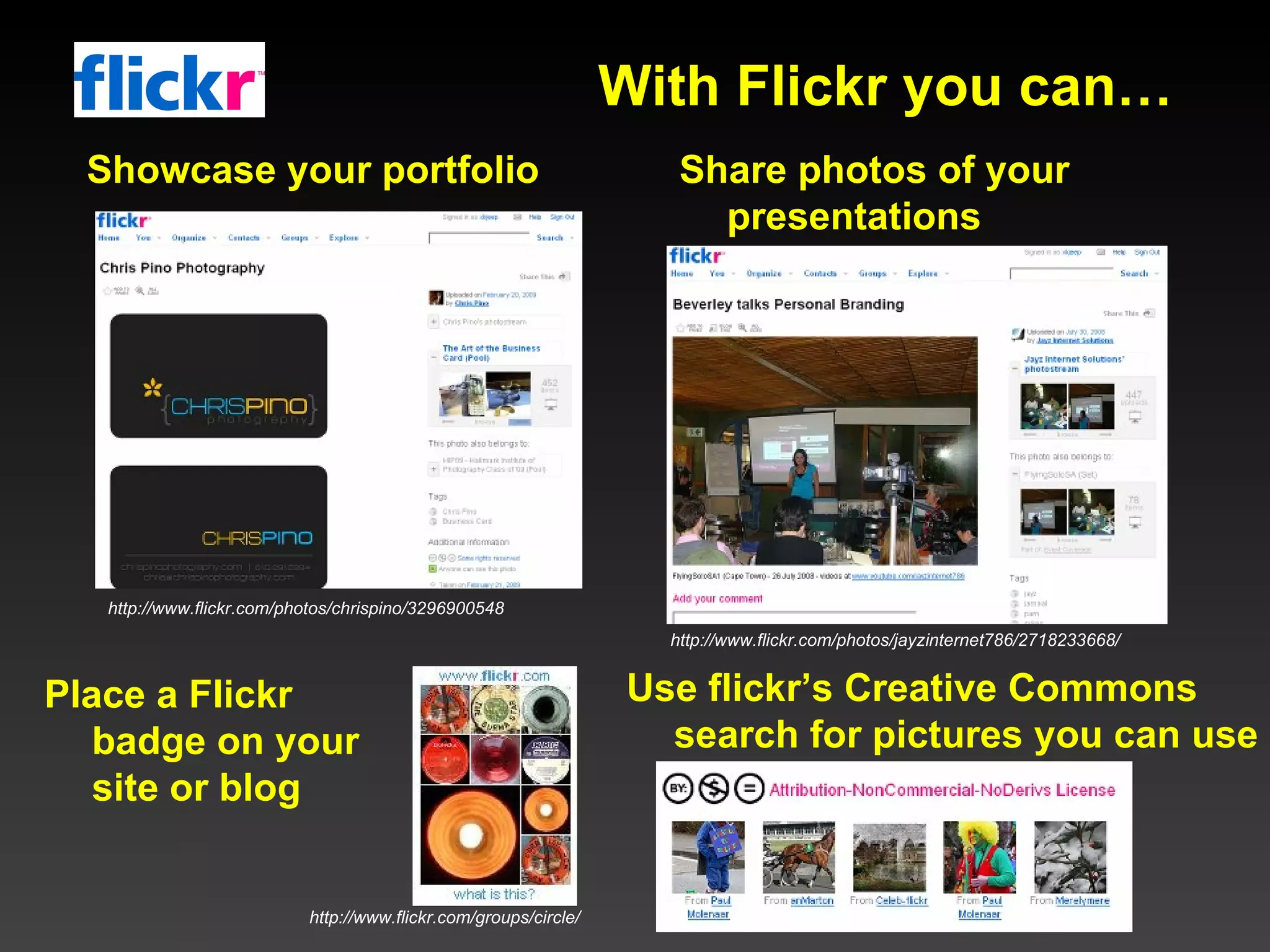
Showcase your portfolio Share photos of your presentations Place a Flickr badge on your site or blog Use flickr’s Creative Commons search for pictures you can use With Flickr you can… http://www.flickr.com/photos/chrispino/3296900548 http://www.flickr.com/photos/jayzinternet786/2718233668/ http://www.flickr.com/groups/circle/
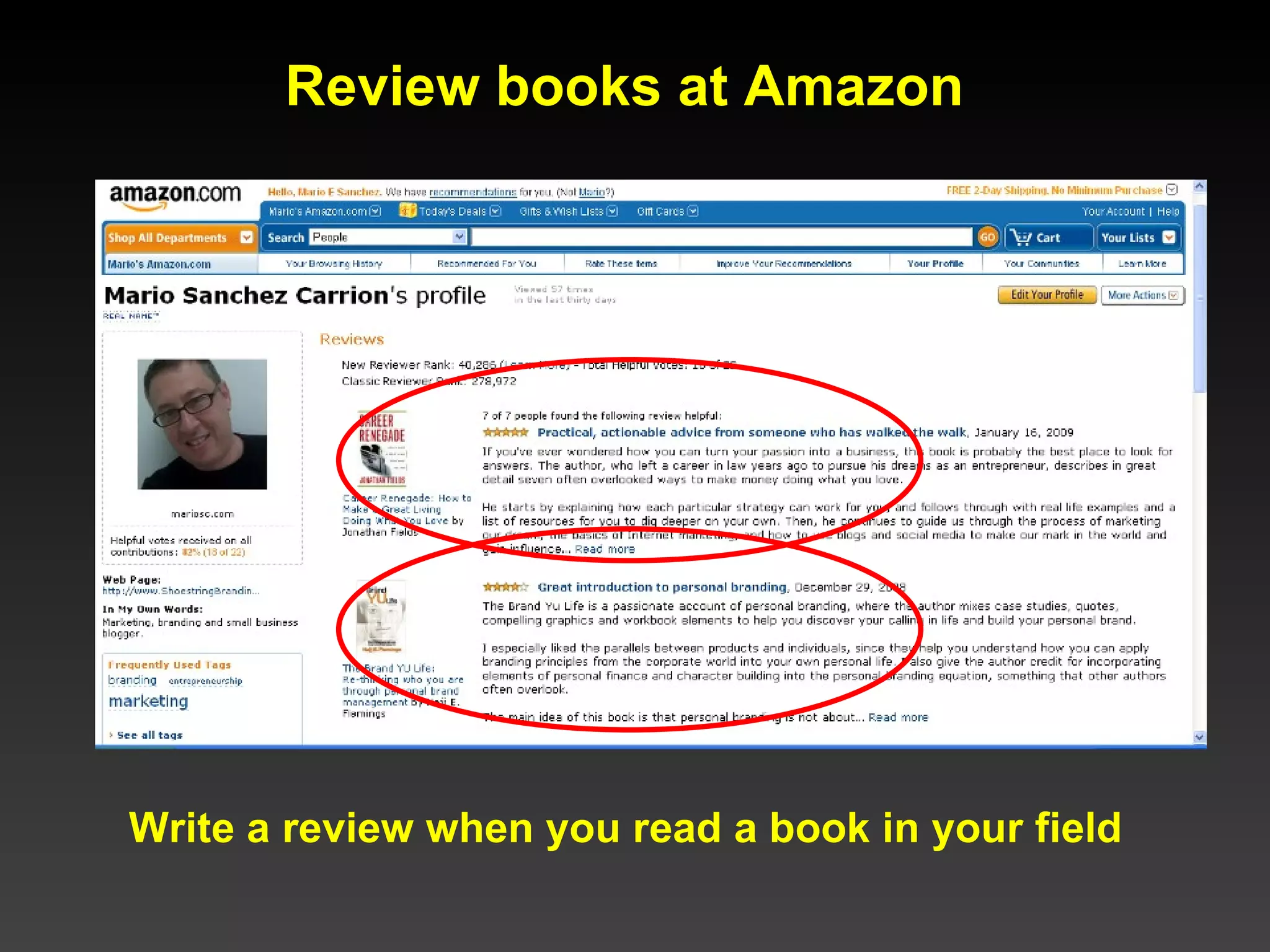
Review books at Amazon Write a review when you read a book in your field
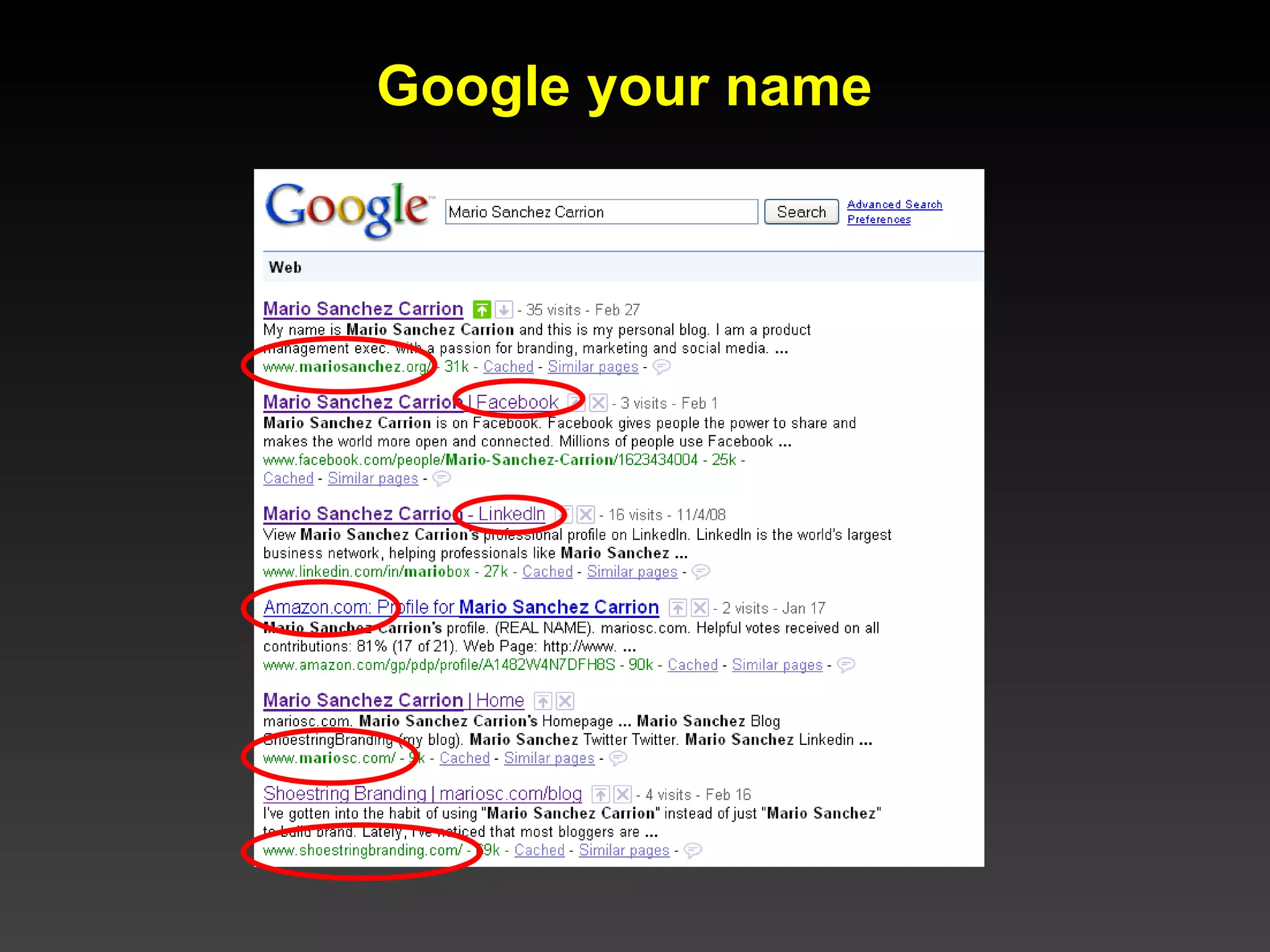
Google your name
Own Google’s first page Create a profile in the most important social media sites (LinkedIn, Twitter, Facebook, Amazon,etc.) Use your name as “handle” or ID, if available  Create a Google profile Register your name and create a simple personal website Publish a blog Leave good comments on other blogs Be careful: What happens in Vegas Stays in Google *  Google your name often *Quote by Scott Monty
So, let’s recap: Create a LinkedIn profile Register your domain name Create a simple personal website or Nombray page Experiment with Twitter Use Slideshare, Youtube, Flickr Review books at Amazon Learn to blog Create profiles in other social networks: Facebook, etc. Google your name often: own the first page Be careful: you are what you post
THANK YOU! mariosc.com mariosc.com/blog mariosc.com/linkedin mariosc.com/twitter [email_address] Meet me online:

Networking And Personal Branding on the Web

  • 1.
    HOW TO USETHE WEB FOR PROFESSIONAL NETWORKING AND PERSONAL BRANDING Mario Sanchez Carrion mariosc.com [email_address]
  • 2.
    Competition is fierce…http://www.flickr.com/photos/hiddenloop/2043141229
  • 3.
    How will you stand out?
  • 4.
    At your friendlyheadhunter’s office… YOU ARE HERE http://flickr.com/photos/himmelskratzer/1790759284/
  • 5.
    Passive You asCommodity Superficial Active You as a Brand Authentic OLD NEW
  • 6.
  • 7.
    Pay attention toyour summary: it’s the most important part
  • 8.
    Find professional groupsto join. Display them in your profile
  • 9.
    Find people youknow Research jobs Ask and answer questions: show your expertise
  • 10.
    Use LinkedIn Applications Add your presentations and blog posts to your profile
  • 11.
    LinkedIn Tips Create a branded LinkedIn URL using your name Add your picture Craft a good Summary section (most important part): Include your elevator pitch and, List your expertise using descriptive keywords Subscribe to LinkedIn Groups related to your expertise Answer and ask questions (participate!) Add connections and build your network Add your blog and presentations using Applications Stay in touch with your network (remember: it’s up to you to put the “social” in social networks)
  • 12.
  • 13.
    Domain Registration TipsRegister your name NOW ; it’s less than $10/year! Choose the .com extension If yourname.com is taken, try one of the following: Register the .org version, Add your middle initial Add your full middle name Use your first initial followed by your last name Register your domain for several years at once Set up automatic renewal Set up a branded email address [email_address] and forward it to your email client (i.e. [email_address] )
  • 14.
  • 15.
    Create a SimpleWebsite Some things to include: Elevator pitch Picture Links to About / Contact Awards/Affiliations (for credibility Links to social network profiles
  • 16.
    or, Create aNombray Page It consolidates your social network profiles in one place
  • 17.
    or, Start aBlog Wordpress is free and easy Post articles Tag them with categories Allow comments and interact Claim your blog at Technorati
  • 18.
    1. Sign upusing your name as handle if available 2. Create a branded background 3. Add your picture Then… Become familiar with Twitter
  • 19.
    8. Follow them9. Go back to your page, and… 4. Go to Twitter Search 5. Search for your topic 6. Find interesting people 7. Go to their Twitter page
  • 20.
    Start the conversation! 140 Characters or Less!
  • 21.
    Other powerful onlinetools… : share presentations : share videos : share pictures : share web pages : share your opinion
  • 22.
    Share presentations Tagthem and embed them on your blog or website
  • 23.
    Make a videoresume Talk about current events in your field Film and upload your presentations Interview experts Do Video book reviews Embed your videos on your blog or site With Youtube you can…
  • 24.
    Showcase your portfolioShare photos of your presentations Place a Flickr badge on your site or blog Use flickr’s Creative Commons search for pictures you can use With Flickr you can… http://www.flickr.com/photos/chrispino/3296900548 http://www.flickr.com/photos/jayzinternet786/2718233668/ http://www.flickr.com/groups/circle/
  • 25.
    Review books atAmazon Write a review when you read a book in your field
  • 26.
  • 27.
    Own Google’s firstpage Create a profile in the most important social media sites (LinkedIn, Twitter, Facebook, Amazon,etc.) Use your name as “handle” or ID, if available Create a Google profile Register your name and create a simple personal website Publish a blog Leave good comments on other blogs Be careful: What happens in Vegas Stays in Google * Google your name often *Quote by Scott Monty
  • 28.
    So, let’s recap:Create a LinkedIn profile Register your domain name Create a simple personal website or Nombray page Experiment with Twitter Use Slideshare, Youtube, Flickr Review books at Amazon Learn to blog Create profiles in other social networks: Facebook, etc. Google your name often: own the first page Be careful: you are what you post
  • 29.
    THANK YOU! mariosc.commariosc.com/blog mariosc.com/linkedin mariosc.com/twitter [email_address] Meet me online: